If you work with SAPUI5 or OpenUI5, the UI5 plugins for Claude Code promise to help you create, modernize and convert apps. We loaded them, took a small legacy app with 8 linter errors, and had Claude fix it step by step. This post shows what worked and where you still need to step in.
This guide is part of our Claude Code tutorials. Find more add-ons in our skills directory.
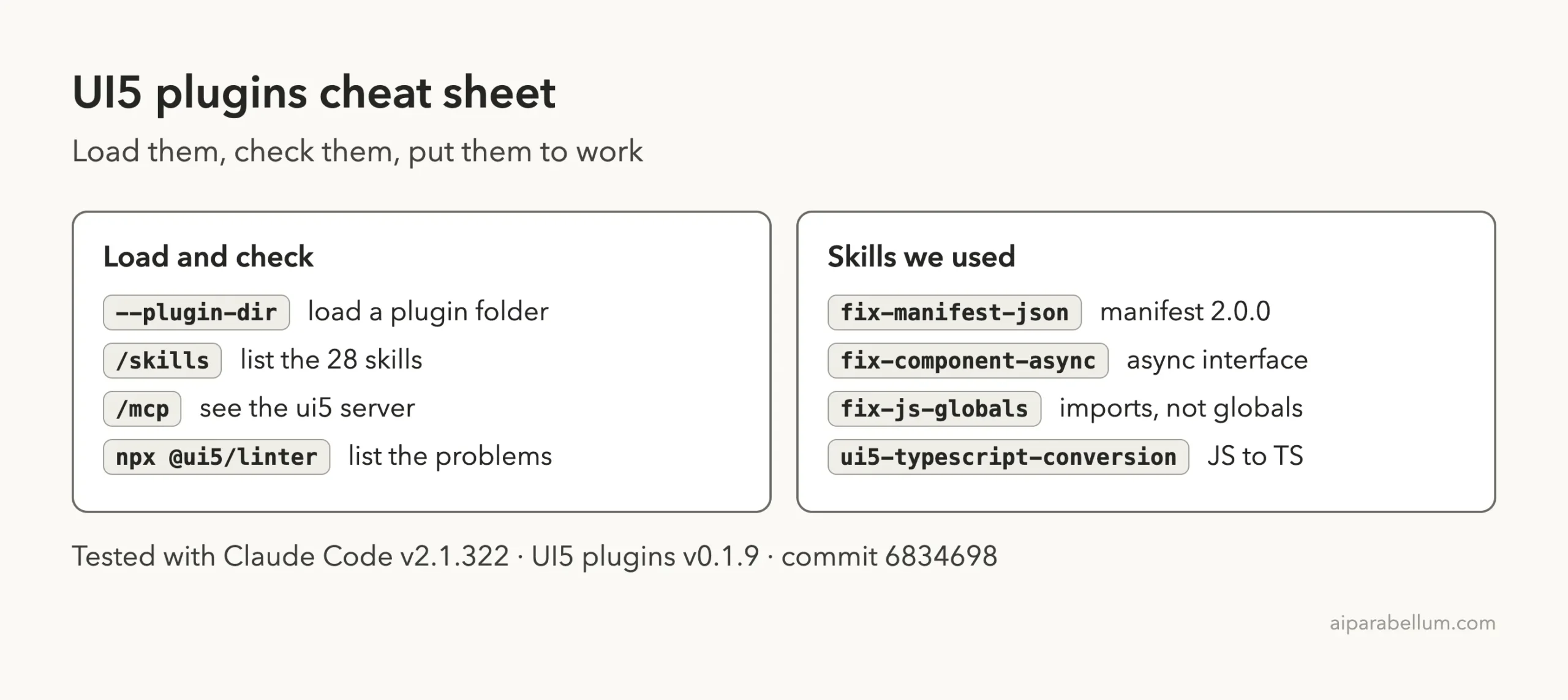
Tested with Claude Code v2.1.322 on November 11, 2026. We used the UI5 plugins version 0.1.9 from github.com/UI5/plugins-coding-agents (commit 6834698).
The skills did the boring, rule-based fixes well. They also told us plainly what they had not done.
Quick Summary: What We Tested
| Question | Answer |
|---|---|
| What is it? | Three plugins from SAP: ui5, ui5-modernization and ui5-typescript-conversion |
| Does it need an account? | No. It uses open source tools such as the UI5 linter |
| What did we run? | Loading both main plugins, the modernization fix skills and the TypeScript conversion skill on a demo app |
| What did we not run? | The project creation tools, the full /modernize-ui5-app workflow and the app in a browser |
| Our verdict | Worth installing if you maintain older UI5 apps |
One honest note up front. Our demo app is tiny, with one view, one controller and one component. It shows how the skills behave, not how they cope with a big enterprise app.
Using UI5 With Claude Code: What the Plugins Are
A plugin is a bundle that adds skills, commands or tools to Claude Code. A skill is a short guide that Claude reads when your request matches it. If this is new to you, our plugins guide explains how to find and manage them, and our skills versus plugins explainer shows how they differ.
The UI5 repo ships three plugins for Claude. We covered them briefly in our SAP plugins roundup. This post is the hands-on test.
| Plugin | What it does | Install command |
|---|---|---|
ui5 | Eight best-practice skills (tables, accessibility, tests and more) plus the UI5 MCP server for project creation, API docs and linting | /plugin install ui5@claude-plugins-official |
ui5-modernization | An orchestrator skill and about 18 targeted fix skills that replace deprecated UI5 patterns | /plugin install ui5-modernization@claude-plugins-official |
ui5-typescript-conversion | One skill that guides a JavaScript to TypeScript conversion | /plugin install ui5-typescript-conversion@claude-plugins-official |
UI5 Claude Code Setup: How We Loaded the Plugins Safely
We did not install anything into our normal setup. We cloned the repo into a throwaway sandbox and read the files first.
The plugins have no hooks. The ui5 plugin starts one MCP server through npx @ui5/[email protected], and the TypeScript plugin has none.
The modernization plugin is different. Its MCP file starts chrome-devtools-mcp, which controls a Chrome browser for test checks. We did not want a browser opening during a headless test, so we copied its skill folders into the demo project’s .claude/skills folder and loaded the other two with --plugin-dir.
git clone --depth 1 https://github.com/UI5/plugins-coding-agents
cd my-demo-project
claude --setting-sources project \
  --plugin-dir /path/to/plugins-coding-agents/plugins/ui5 \
  --plugin-dir /path/to/plugins-coding-agents/plugins/ui5-typescript-conversion
For a permanent install, use the /plugin install commands in the table above. The plugin discovery docs explain marketplaces, and the plugins docs cover the --plugin-dir flag.
Step 1: Check That the Skills and the Server Loaded
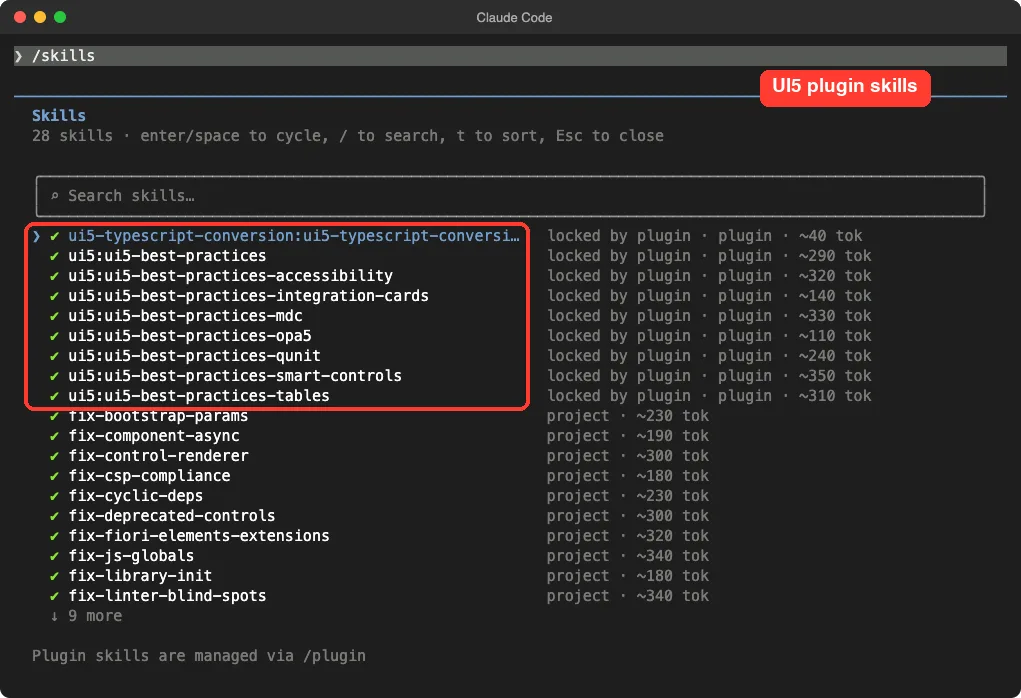
Once Claude Code opened, we typed /skills. It listed 28 skills: nine from the two plugins we loaded and 19 from the modernization folder.
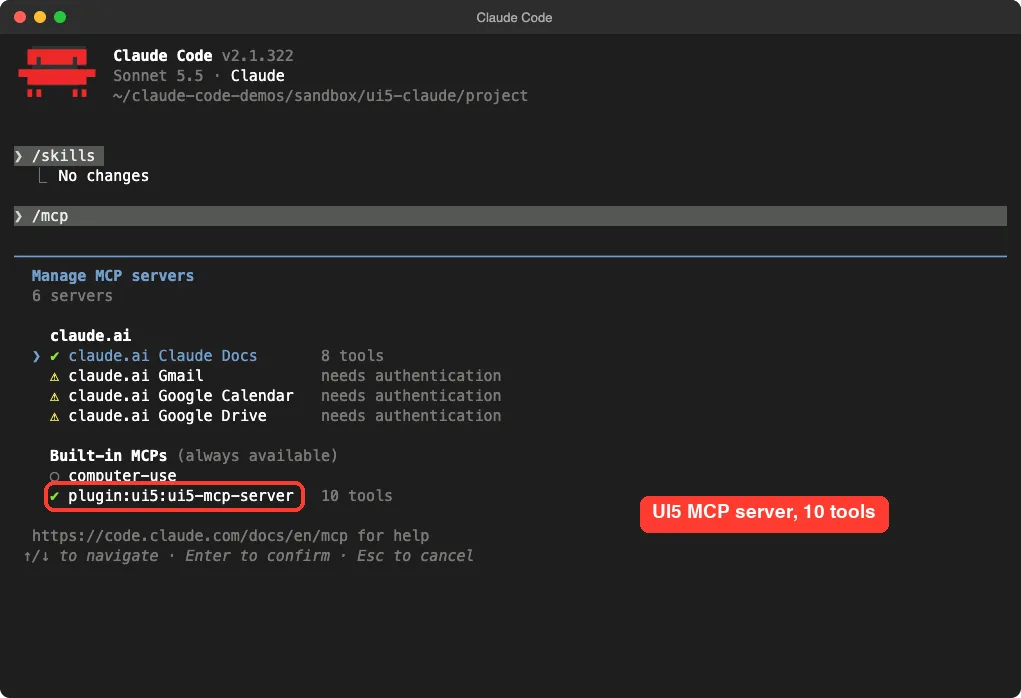
Then we ran /mcp. The server plugin:ui5:ui5-mcp-server showed as connected with 10 tools.
Step 2: Build the Legacy Demo App
To test modernizing, we needed something old. We wrote a small to-do app in the style UI5 used years ago: manifest version 1.12.0, a component without the async interface, a controller that uses jQuery.sap.log and the sap global, and an index.html with old bootstrap settings.
We then ran the UI5 linter ourselves, so we had a true starting point.
npx @ui5/linterwebapp/Component.js
3:9 error Component is not configured for asynchronous loading. async-component-flags
webapp/controller/App.controller.js
7:4 error Use of deprecated API 'jQuery.sap.log.info' no-deprecated-api
10:4 error Access of global variable 'sap' (sap.m.MessageBox.show) no-globals
webapp/index.html
3:1 error Missing bootstrap parameter 'data-sap-ui-async'
3:1 error Missing bootstrap parameter 'data-sap-ui-compat-version'
3:81 error Use of deprecated theme 'sap_belize'
(plus 2 warnings about outdated parameter spellings)
webapp/manifest.json
2:3 error manifest.json must be migrated to Version 2
6:22 error Use UI5 version 1.136.0 or higher in manifest.json
webapp/view/App.view.xml
(2 warnings: event handlers must be prefixed by a dot)
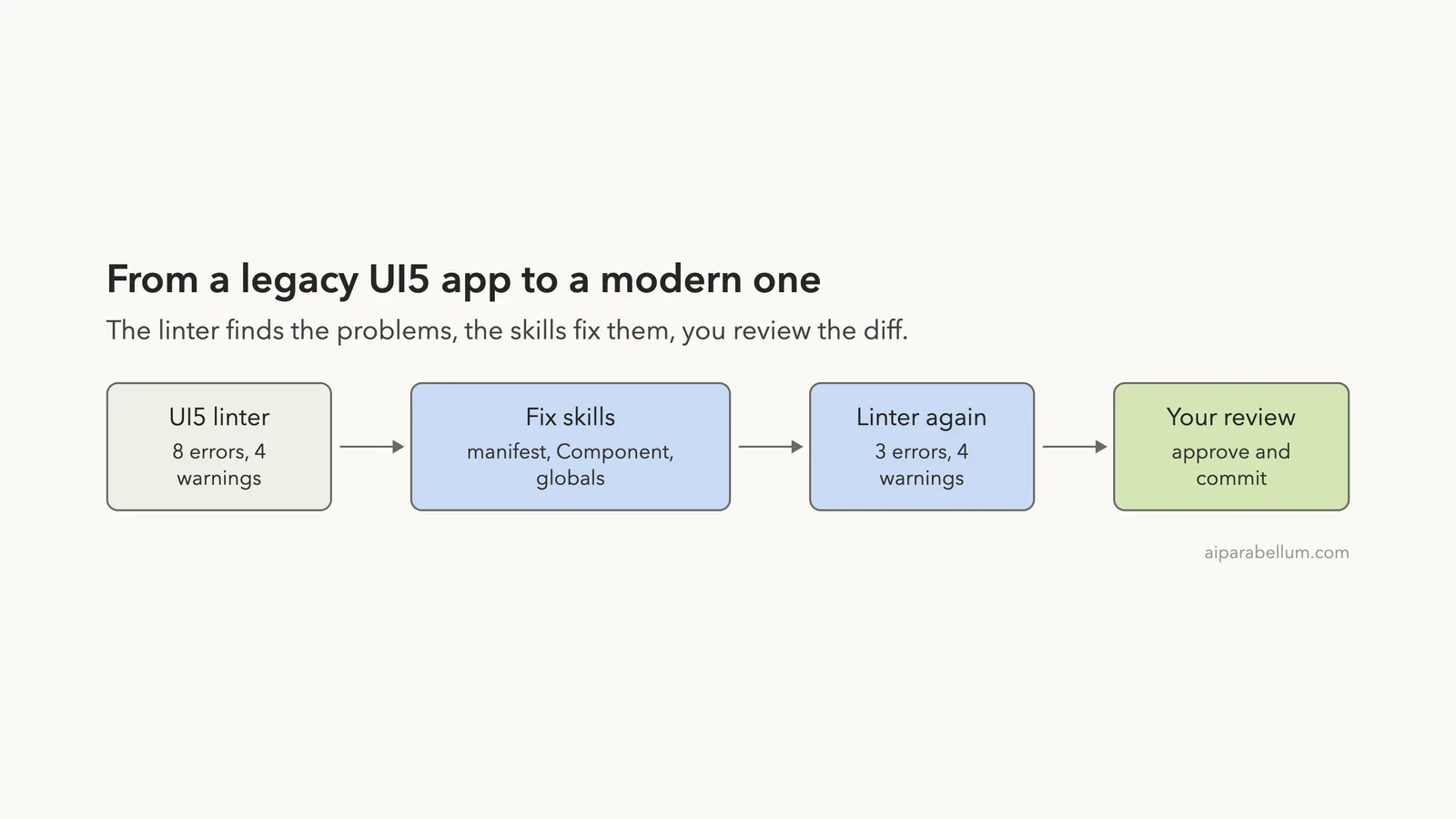
12 problems (8 errors, 4 warnings)That is the list of work. The modernization plugin is built around this exact tool: each fix skill reads the linter output, fixes one kind of problem, and the linter is run again to check.
Step 3: Fix the Manifest, Component and Controller
We did not run the full /modernize-ui5-app workflow, which has five phases and commits after each one. Instead we asked for three targeted skills and limited the scope to JavaScript and the manifest.
Use the fix-manifest-json, fix-component-async and fix-js-globals skills to clear the UI5 linter errors in webapp/ (JS and manifest only). Re-run npx @ui5/linter at the end. Do not commit.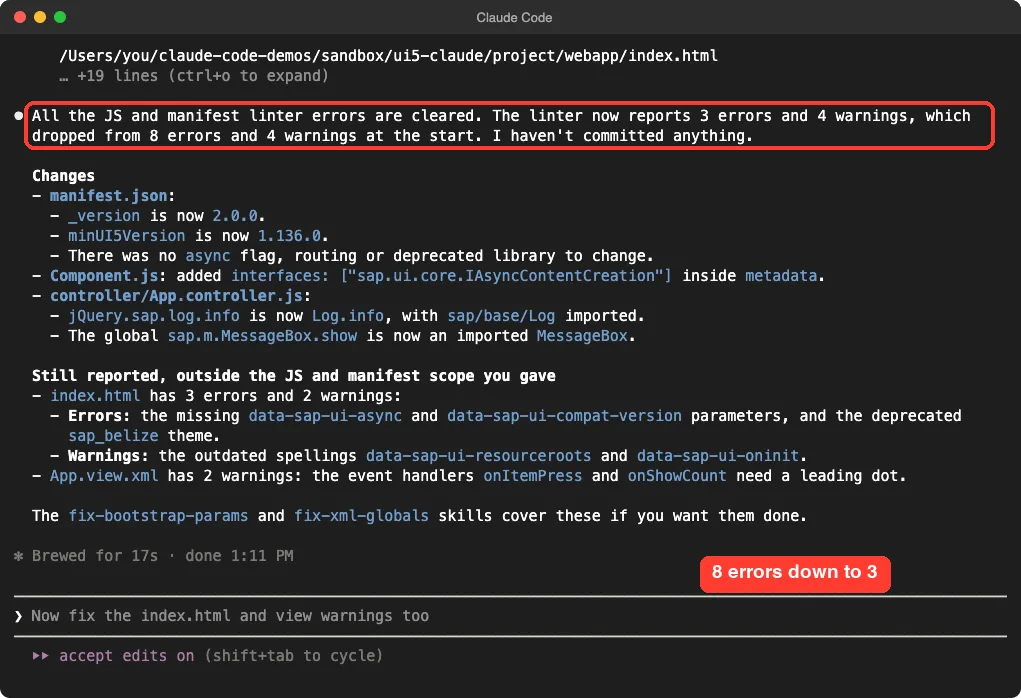
We checked the result with our own linter run. It matched: 3 errors and 4 warnings, all in index.html and the view, which were outside the scope we gave.
The manifest moved to version 2.0.0 with minUI5Version set to 1.136.0. The component got the async interface, and the controller swapped globals for imports.
// Component.js
metadata: {
    manifest: "json",
    interfaces: ["sap.ui.core.IAsyncContentCreation"]
},

// App.controller.js
sap.ui.define(["sap/base/Log", "sap/m/MessageBox", "sap/ui/core/mvc/Controller", "sap/m/MessageToast"],
  function (Log, MessageBox, Controller, MessageToast) {
    ...
    Log.info("count shown");
    ...
    MessageBox.show(oEvent.getSource().getTitle());
Notice what Claude did not do. It listed the leftover problems and named the two skills that cover them, instead of silently going beyond what we asked for.
Step 4: Fix the Bootstrap Tag and the View
Next we asked for the two skills that Claude had named.
Use the fix-bootstrap-params and fix-xml-globals skills to clear the remaining linter errors and warnings in index.html and App.view.xml. Re-run npx @ui5/linter at the end. Do not commit.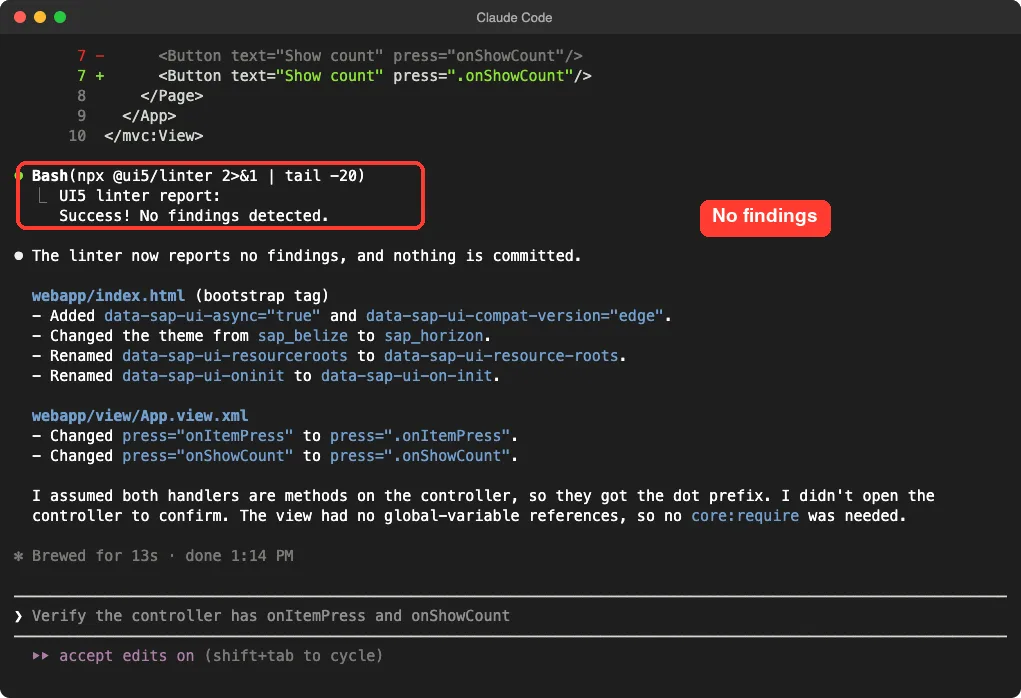
The bootstrap tag gained data-sap-ui-async="true" and data-sap-ui-compat-version="edge". The theme changed from sap_belize to sap_horizon, and the two old parameter spellings were fixed. In the view, the handlers became .onItemPress and .onShowCount.
We ran the linter again outside Claude Code and got the same answer: Success! No findings detected.
Claude also said it had assumed both handlers live on the controller and had not opened the file. They do, but we like that it said so.
Step 5: Convert the App to TypeScript
Our first attempt asked Claude to convert the whole app and run the type check. It stopped at a permission prompt for a long shell command with a heredoc, and our script was not set up to approve shell commands blindly, so we ended that run. This is how Claude Code is meant to behave, but it means a full conversion needs you at the keyboard.
For the second try we limited the job to reading and editing files.
Use the ui5-typescript-conversion skill to convert webapp/Component.js and webapp/controller/App.controller.js to TypeScript, and add a tsconfig.json. Only read and edit files. Do not run any shell commands, do not install anything and do not commit.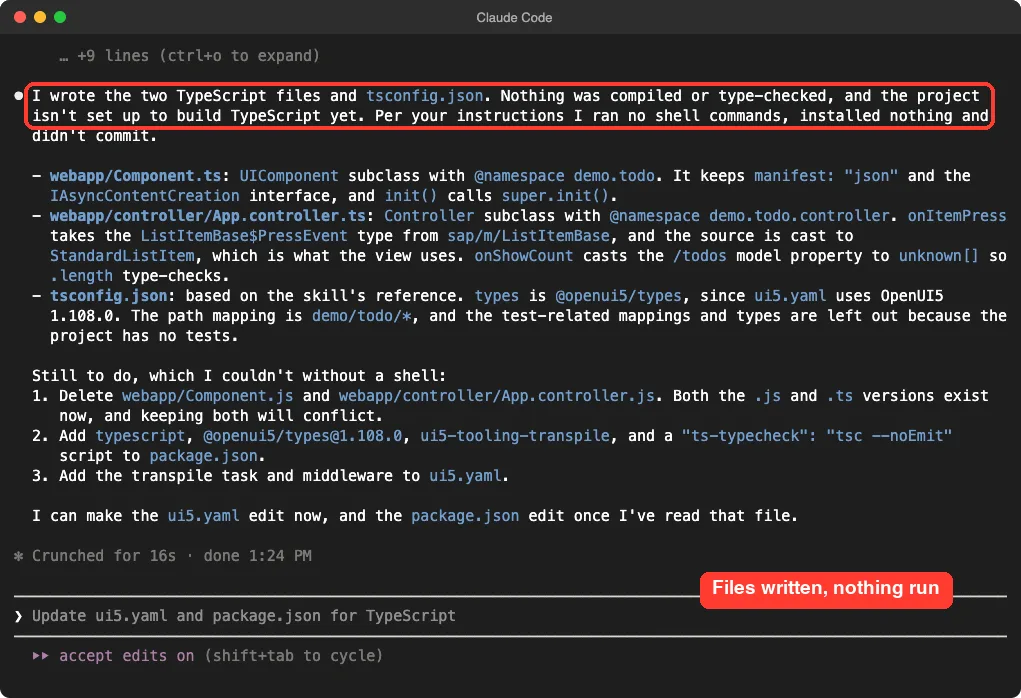
Here is the controller it wrote. It keeps the logic, adds the @namespace comment the skill asks for, and uses a real UI5 event type.
import Log from "sap/base/Log";
import MessageBox from "sap/m/MessageBox";
import Controller from "sap/ui/core/mvc/Controller";
import MessageToast from "sap/m/MessageToast";
import StandardListItem from "sap/m/StandardListItem";
import { ListItemBase$PressEvent } from "sap/m/ListItemBase";

/**
 * @namespace demo.todo.controller
 */
export default class App extends Controller {
	public onShowCount(): void {
		const n = (this.getView().getModel().getProperty("/todos") as unknown[]).length;
		MessageToast.show("Todos: " + n);
		Log.info("count shown");
	}

	public onItemPress(oEvent: ListItemBase$PressEvent): void {
		MessageBox.show((oEvent.getSource() as StandardListItem).getTitle());
	}
}
Claude was clear about the gaps. Nothing was type-checked, the old .js files still sat next to the new .ts files, and package.json and ui5.yaml had no TypeScript setup yet.
Finishing the Conversion Ourselves
We did the rest by hand, which is the realistic workflow. We deleted the two old .js files and installed typescript and @openui5/types as dev dependencies. Then we ran the compiler in check mode.
npm install -D [email protected] @openui5/[email protected]
npx tsc --noEmit
It finished with exit code 0 and no errors. One catch: Claude assumed the 1.108.0 types because our ui5.yaml still said 1.108.0, and that version of @openui5/types does not exist on npm.
We used 1.136.0, which matches the new manifest. Check these version numbers in your own project.
We did not set up ui5-tooling-transpile or build and run the app in a browser, so we make no claim that the converted app runs.
How the Pieces Fit Together
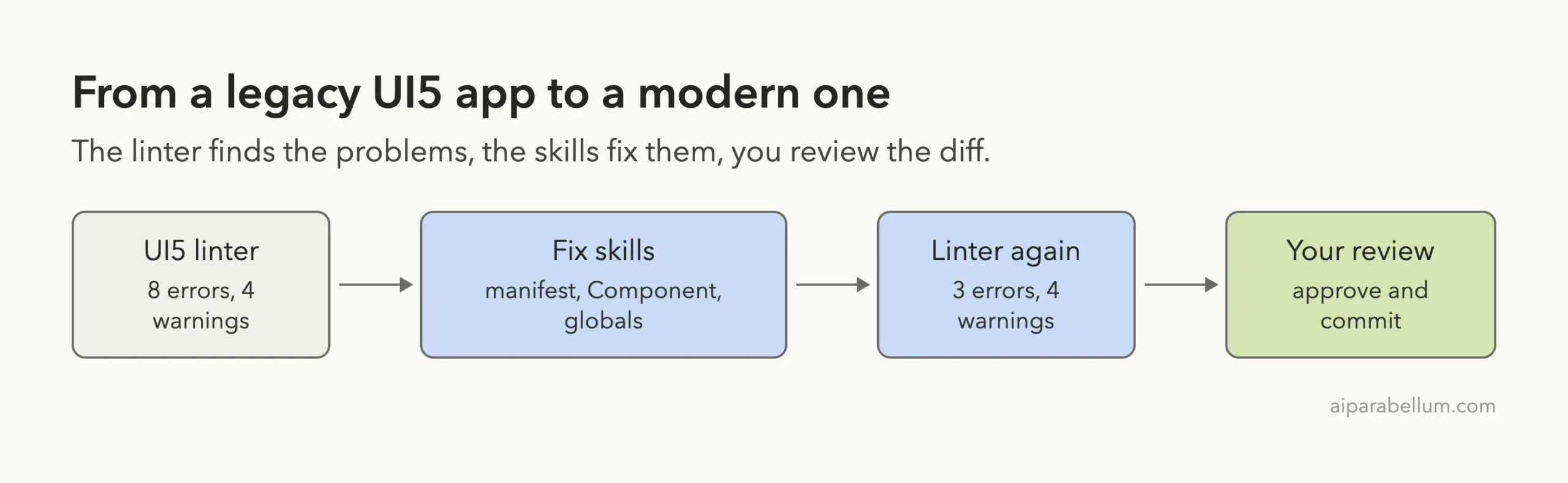
The skills do not replace the linter. They tell Claude which linter rule maps to which fix, and the linter gives the pass or fail. That is why the results were easy to check.
What About the Main ui5 Plugin?
The ui5 plugin is the broadest of the three. Its skills cover best practices for tables, smart controls, sap.ui.mdc controls, accessibility, integration cards, QUnit and OPA5 tests. Its MCP server offers project creation, API lookups and linting.
We loaded it and saw the server connect, but we did not ask Claude to create a project or call its tools. Everything we say about those features comes from the plugin’s own README, not from our run.
What Worked and What Did Not
| Worked well | Watch out for |
|---|---|
| Linter errors went from 8 to 0 across two short prompts | We tested a tiny app, not a large codebase |
| Claude stayed in scope and named the skills for the leftovers | You may need to run several skills yourself unless you use the full workflow |
The TypeScript files passed tsc --noEmit | Setup files and old .js files were left for us |
| No account needed and no hooks in the repo | The modernization plugin’s MCP server starts a Chrome-controlling tool |
Who Should Install the UI5 Plugins
If you maintain UI5 apps from the older era, the modernization skills are the most useful part. They turn a long linter report into a set of small, reviewable edits. If you want TypeScript, the conversion skill gives sensible code, but plan to finish the project setup yourself.
If you only build new apps, the ui5 plugin’s best-practice skills may matter more. We cannot say how well they perform, since we did not exercise them. For a different tested example of the skills approach, see our MongoDB plugin test.
Try It Yourself
Make a copy of an old UI5 app, start a git repository so you can undo changes, and load the plugins in a throwaway session. Run the linter first, then use this prompt:
Run npx @ui5/linter, then use the matching fix skills to clear the errors one group at a time. Show me each diff before moving on. Do not commit.Read each diff and re-run the linter after every step.
Common Mistakes
- Running modernization on a project with uncommitted changes.
- Asking for everything at once, then approving shell commands without reading them.
- Forgetting that
ui5.yamlcan name an old framework version that no longer matches the manifest. - Keeping both the
.jsand.tsfile after a conversion. - Treating a clean linter run as proof that the app works in a browser.
Pro Tips
- Run
npx @ui5/linter --detailsto see fix guidance for each finding. - Name the skills in your prompt so Claude uses the one you want.
- Use
/skillsto confirm what loaded before you start. - Commit after each group of fixes so you can undo one step.
Cheat Sheet
Frequently Asked Questions
Do the UI5 plugins need an account?
No. They use the open source UI5 linter and the UI5 MCP server, which runs through npx. You only need Node.js.
Does the plugin fix my whole app automatically?
It can fix many rule-based problems, but you review every diff. In our test the linter reached zero findings after two prompts, and we still checked each change.
How do I install the UI5 plugins for good?
Use /plugin install ui5@claude-plugins-official, and the matching commands for the other two. For a one-session trial, load a plugin folder with --plugin-dir.
Can Claude convert my UI5 app to TypeScript?
It converted our two files and passed a type check once we added the dependencies. It left the project setup and the old files for us, so treat it as a strong first draft.
Is it safe to load?
We read the files first. There are no hooks, and the only add-on processes are MCP servers started through npx. You should read any plugin yourself before loading it.
Conclusion
The UI5 plugins turned a list of 12 linter findings into small reviewable edits and produced TypeScript that passed a type check. We tested a tiny app and did not run the project creation tools or the app itself, so use the plugins on a clean git branch and let the linter confirm each step.