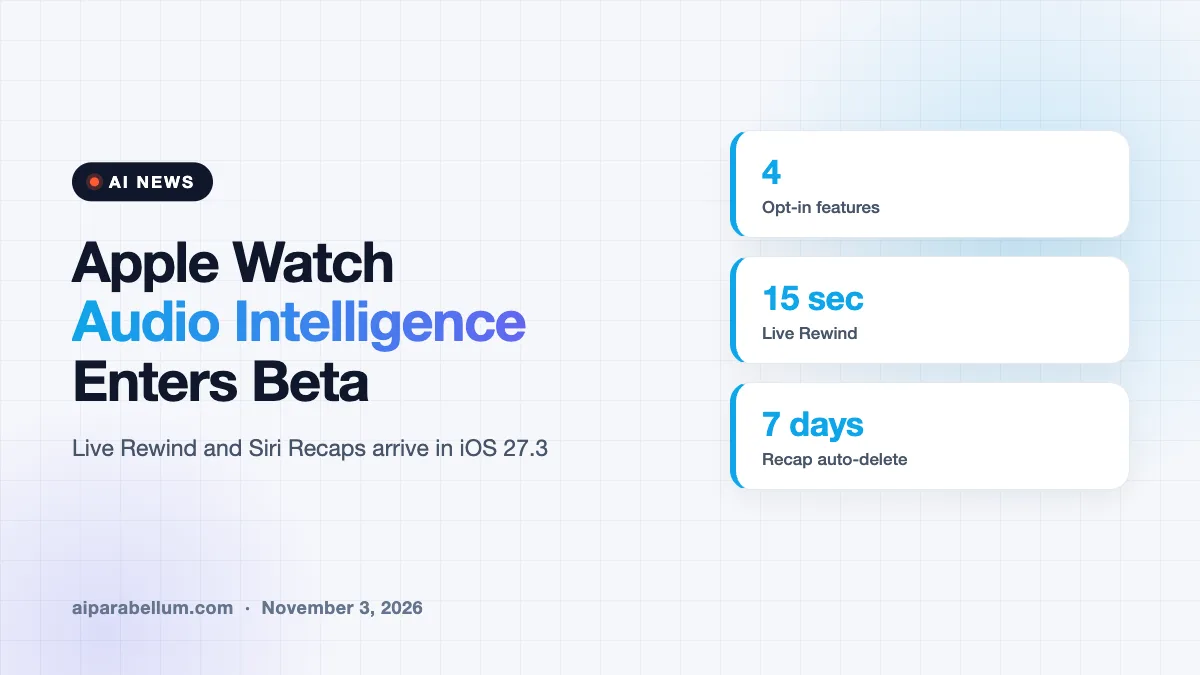
Apple Watch Audio Intelligence has started rolling out in beta, first to developers in the iOS 27.3 update. The set of four opt-in AI features, built for Apple Watch Series 12 and Ultra 4, can spot important sounds, name songs, replay what someone just said, and write short notes about a conversation.
Apple first showed the features at its September hardware event. Now people can finally test them, and the two that listen to human speech are already raising privacy questions.
What Apple Watch Audio Intelligence Includes
The package has four parts, and every one is off until you turn it on. Sound recognition alerts deaf and hard-of-hearing users to sirens, alarms and doorbells. Song recognition uses Shazam to name nearby music.
The other two, Live Rewind and Siri Recaps, work with conversations. That is where Apple has put most of its privacy effort.
| Feature | What it does | How long data stays |
|---|---|---|
| Sound recognition | Alerts you to sirens, alarms and doorbells | Not specified |
| Song recognition | Names background music through Shazam | Not specified |
| Live Rewind | Shows the last 15 seconds of speech as text | Deleted after 30 seconds unless saved |
| Siri Recaps | Summarizes a conversation in a sentence and bullet points | Deleted within 7 days unless saved |
How Apple Watch Live Rewind Works
Say someone reads a long list of restaurant specials and you missed the first half. You double-press the Digital Crown, and the watch shows what was said in the past 15 seconds as a text snippet.
A chime and an animation play when you do this, so people nearby get a clue that something was captured. You can read the snippet and let it vanish, or save it to the Siri app. An Ask Siri button lets you ask about a term you did not understand.
How Siri Recaps Handles Conversations
Siri Recaps goes further. It listens to a conversation you are part of and turns it into a short summary, such as a deadline, a price or a payment plan. Apple says it does not identify speakers, keep raw audio or produce word-for-word transcripts.
At day’s end, you review your recaps and choose which to keep, with saved ones going to Notes or Journal. Anything you ignore deletes itself within seven days. It skips recording when you wear headphones or use noise cancellation.
- You can turn it on manually or set a schedule, such as work hours only.
- You can switch it off at any time from Control Center.
- Apple says it filters out government IDs, financial and login data, and self-harm language.
Privacy Design Behind the Features
Apple says the work is split between the watch, the iPhone and its Private Cloud Compute service. Small AI models on the S11 chip detect that a conversation is happening. Raw audio sits in a protected buffer inside a secure enclave, and only your paired iPhone can reach it through a secure link.
The iPhone converts the audio into condensed text. That text is encrypted and sent to Private Cloud Compute, which builds the recap and returns it. Apple says the recap and summary are deleted from the cloud right away, and the saved recaps are readable only by you.
This matters because many people have pushed back on always-listening AI gadgets. Apple is trying to show that privacy-focused AI design can still deliver something useful. Details come from reporting on Apple’s own description, so they are company claims until independent testers check them.
What This Means for You
If you own a Series 12 or Ultra 4, nothing happens until you opt in. Developers can try the beta now in iOS 27.3, and a public beta is expected to follow before a full release. Apple did not give a firm date.
- Wait for the public beta if you are not a developer.
- Check the schedule options before you turn on Siri Recaps at work.
- Tell people around you if you use Live Rewind, since not everyone expects a watch to listen.
- Look at meeting notes tools if you need full transcripts, which Apple does not provide.
The move fits Apple’s wider push to put Siri everywhere. You can read about Siri language expansion, the planned HomeView smart display, and the China launch. For more updates, visit our AI news page.
Sources
Apple has not published a public page for the beta, so this report rests on reporting by TechCrunch, which we read in full.
Conclusion
Apple Watch Audio Intelligence is a careful attempt at ambient AI. Live Rewind and Siri Recaps keep data short-lived and require opt-in, but they still listen to conversations. Real-world tests in the beta will show whether people trust a watch that does it.