Meetings are necessary. Taking notes during them is not. The problem with manual note-taking is that it splits your attention between listening and writing. You either miss important details while typing, or you stop contributing to the conversation because you are too busy documenting it. Either way, something gets lost.
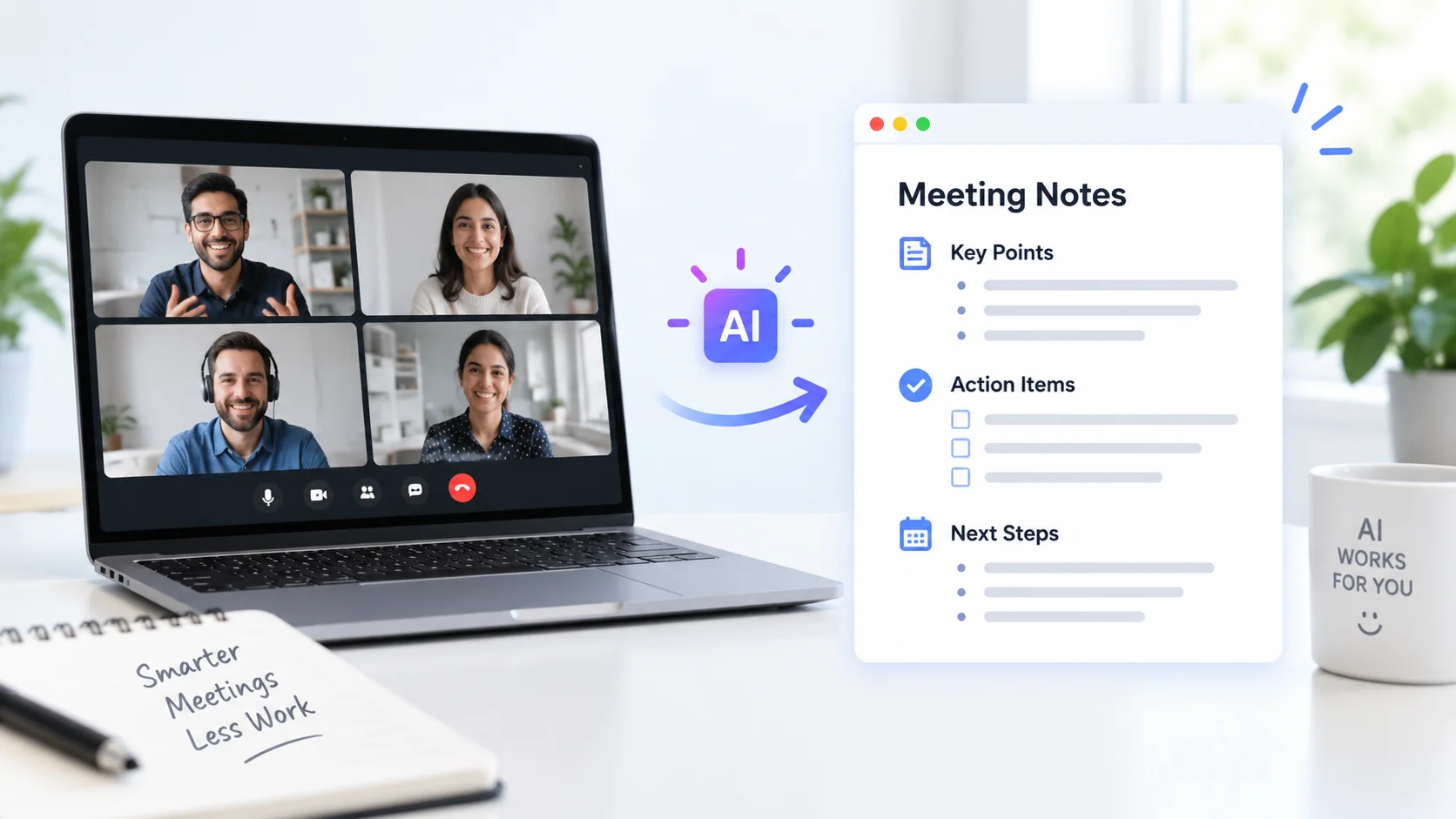
AI solves this by recording, transcribing, and summarizing meetings automatically. These tools join your calls on Zoom, Google Meet, or Microsoft Teams, capture every word spoken, identify who said what, and generate organized notes with action items, decisions, and key takeaways. When the meeting ends, everyone gets a searchable record of exactly what happened without anyone having to take a single note.
Here is how to take meeting notes automatically with AI, which tools handle the job, and how to set up a system that captures every meeting perfectly from now on.
How AI Meeting Notes Work
AI note-taking tools operate in three stages. First, they record the meeting audio either by joining the call as a participant or by capturing audio through your device. Second, they use speech-to-text AI to transcribe the entire conversation in real time, identifying individual speakers and timestamping every statement. Third, they apply language models to analyze the transcript and extract the important elements: decisions made, tasks assigned, questions raised, and topics discussed.
The transcription accuracy of modern AI tools typically exceeds 95 percent for clear audio in English, and the summarization quality has improved dramatically with large language models. These tools do not just produce a wall of text. They organize the output into structured notes with headings, bullet points, and clearly labeled action items.
According to Harvard Business Review, the average professional spends roughly 23 hours per week in meetings. AI note-taking reclaims the cognitive bandwidth that manual documentation consumes during those hours, letting participants focus entirely on the conversation.
The best meeting notes are the ones nobody had to take. AI captures everything so your team can focus on thinking, not typing.
AI Tools for Automatic Meeting Notes
Several platforms specialize in AI-powered meeting documentation. Each has different strengths depending on your meeting platform, team size, and what you need from the output.
| Tool | Free Option | Best For | Key Feature |
|---|---|---|---|
| Otter.ai | Free tier (300 min/month) | General meeting transcription and notes | Real-time transcription with speaker identification |
| Fathom | Free unlimited recording | Individual professionals and small teams | AI highlights and one-click summaries |
| GoodMeetings | Free trial | Sales teams and client calls | Meeting intelligence with coaching insights |
| Fireflies.ai | Free tier available | Teams needing CRM integration | Automatic meeting logging to CRM and project tools |
| Grain | Free tier available | Sharing meeting clips with stakeholders | Clip and share specific meeting moments |
| Microsoft Copilot | Included with M365 Copilot | Teams-heavy organizations | Native Teams integration with meeting recap |
For most individuals and small teams, Fathom offers the strongest free option with unlimited meeting recording and AI summaries. Otter.ai provides the deepest transcription features for teams that need searchable meeting archives. For sales-focused teams, GoodMeetings and Fireflies.ai add CRM integration and conversation intelligence on top of basic note-taking.
Setting Up AI Meeting Notes Step by Step
Getting started with automatic meeting notes takes about five minutes. The setup process is similar across most tools.
Step 1: Choose Your Tool and Connect Your Calendar
Sign up for your chosen AI note-taking platform and connect it to your Google Calendar or Microsoft Outlook. This calendar integration is what makes the automation work. The tool reads your upcoming meetings, identifies which ones are video calls, and automatically joins them at the scheduled time.
Most tools ask you to authorize calendar access and grant permission to join meetings on your behalf. Once connected, every future meeting with a video link gets covered automatically without any manual action on your part.
Step 2: Configure Your Preferences
Set up how you want the AI to handle your meetings.
- Choose whether the AI bot joins all meetings automatically or only ones you select.
- Decide if participants should be notified that the meeting is being recorded.
- Set your preferred summary format (brief overview, detailed notes, or action items only).
- Configure where notes are delivered (email, Slack, Notion, or your project management tool).
- Select your language and any industry-specific vocabulary the AI should recognize.
Getting these settings right from the start means you rarely need to touch the tool again. It runs in the background, attending and documenting every meeting according to your preferences. The same AI personal assistant approach that handles scheduling and email management extends naturally to meeting documentation.
Step 3: Run Your First AI-Noted Meeting
Schedule or join a meeting as usual. The AI tool joins automatically a few seconds after the meeting starts, typically appearing as a named participant (like “Otter.ai Notetaker” or “Fathom”). It begins transcribing immediately and continues until the meeting ends.
During the meeting, some tools let you highlight important moments in real time by clicking a button or using a keyboard shortcut. These highlights get special emphasis in the final notes. But the whole point is that you do not need to do anything. Just have your meeting, and the notes appear afterward.
Step 4: Review and Share the Notes
Within minutes of the meeting ending, you receive a structured summary. A typical AI meeting note includes several sections.
| Section | What It Contains | Why It Matters |
|---|---|---|
| Summary | 2-3 paragraph overview of the meeting | Quick catch-up for anyone who missed it |
| Key decisions | Every decision made, with who decided | Prevents “I thought we agreed on something else” |
| Action items | Tasks assigned, owners, and deadlines | Ensures nothing falls through the cracks |
| Questions raised | Open questions that need follow-up | Tracks unresolved issues |
| Full transcript | Word-for-word record with timestamps | Lets you find exact quotes and context |
Share the notes with attendees and relevant stakeholders directly from the tool. Most platforms support one-click sharing to Slack channels, email, Notion pages, or project management boards.
The meeting summary is not the meeting. It is the memory of the meeting. AI gives your team a shared, accurate memory instead of five different recollections of what happened.
Getting Better Results From AI Meeting Notes
AI note-taking works well out of the box, but a few practices significantly improve the quality of the output.
Audio Quality Matters Most
Transcription accuracy depends directly on audio quality. Poor microphones, background noise, and multiple people talking simultaneously all degrade the results.
- Use a dedicated microphone instead of your laptop’s built-in mic whenever possible.
- Mute when not speaking to reduce background noise.
- Avoid talking over each other, which confuses speaker identification.
- Use headphones to prevent echo that muddies the audio feed.
- For in-person meetings with a conference phone, position it centrally so all speakers are captured clearly.
Start Meetings With Context
AI summarization works better when the meeting has clear structure. Starting with a brief statement of the meeting’s purpose and agenda gives the AI context for organizing its notes. Meetings that jump between topics without transitions produce messier summaries than well-structured discussions.
Stating names when addressing people also helps speaker identification. “Sarah, what do you think about the timeline?” gives the AI a clear signal about who speaks next, improving the accuracy of speaker labels in the transcript.
Use the Transcript for Training and Coaching
Meeting transcripts are valuable beyond simple documentation. Sales teams use them to analyze call techniques and identify what works in client conversations. Managers review transcripts to improve their facilitation skills. Teams search past meeting transcripts to find when and why specific decisions were made. Meeting intelligence platforms add coaching analytics on top of transcription, helping teams continuously improve how they communicate.
AI Meeting Notes for Different Team Types
Different teams get different value from automatic meeting notes.
Sales Teams
Sales calls contain critical details: client pain points, budget signals, timeline expectations, and competitive mentions. AI captures all of these without the salesperson breaking eye contact with the client to type notes. The AI logs call summaries directly to CRM records, ensuring the pipeline stays updated without manual data entry. The productivity gains from AI in sales start with eliminating the administrative burden that follows every client conversation.
Product and Engineering Teams
Technical discussions often involve complex details that are hard to capture manually: architecture decisions, API specifications, dependency requirements, and implementation trade-offs. AI transcribes these precisely and makes them searchable, so engineers can find the exact reasoning behind a technical decision months later instead of relying on someone’s memory.
Executive and Leadership Teams
Leadership meetings produce strategic decisions that affect entire organizations. AI notes create an accurate record of what was decided, why, and who is responsible for execution. This accountability trail is invaluable when strategies need to be revisited or when new team members need to understand the context behind existing initiatives.
Remote and Hybrid Teams
For distributed teams where not everyone can attend every meeting, AI notes become the primary way people stay informed. A well-structured AI summary takes two minutes to read and covers everything a 60-minute meeting discussed. This makes asynchronous work genuinely functional instead of just aspirational. The AI productivity tools that support remote collaboration treat meeting documentation as a core feature, not an afterthought.
In a remote team, the meeting notes are not supplementary. They are the official record. AI ensures that record is complete, accurate, and available to everyone who needs it.
Integrating AI Notes Into Your Workflow
Automatic meeting notes become most valuable when they connect to the tools your team already uses.
| Integration | What It Does | Tools That Support It |
|---|---|---|
| Slack | Posts meeting summaries to relevant channels | Otter, Fireflies, Fathom, Grain |
| Notion | Creates a meeting notes page automatically | Otter, Fireflies |
| Salesforce / HubSpot | Logs call notes to contact and deal records | Fireflies, GoodMeetings, Fathom |
| Asana / Jira / Linear | Creates tasks from action items | Fireflies, Otter |
| Google Docs | Exports full transcript and summary as a doc | Otter, Fathom |
The ideal setup pushes meeting summaries to your team communication tool immediately, logs action items to your project management system, and archives full transcripts in a searchable knowledge base. Once configured, this workflow runs entirely on autopilot.
Learning how to write effective prompts helps you customize the AI’s summary output. Most tools accept instructions like “focus on technical decisions” or “highlight budget-related discussions” to tailor notes for specific meeting types.
Privacy and Compliance Considerations
Recording meetings with AI raises legitimate privacy and legal questions that deserve careful attention.
- Consent requirements vary by jurisdiction. Many states require all participants to consent to recording. Always notify attendees that the meeting is being recorded, either verbally at the start or through the automated notification most tools provide.
- Sensitive information appears in transcripts. Discussions about personnel, legal matters, finances, or proprietary strategy become permanent records. Establish clear policies about which meetings get recorded and how transcripts are stored and accessed.
- Data storage and retention matter. Understand where your AI tool stores meeting data, who can access it, and how long it is retained. Most enterprise-grade tools offer data residency options and comply with SOC 2, GDPR, and HIPAA requirements.
- Guest and external participant notification is essential. When clients, partners, or vendors join a recorded meeting, they must be informed and given the opportunity to decline.
According to the FTC, transparency about AI usage in business contexts is increasingly expected. A simple practice of announcing recording at the start of every meeting covers most compliance requirements and builds trust with participants.
Building a Meeting Knowledge Base
Over time, AI-transcribed meetings become a searchable organizational knowledge base. Instead of asking “Do you remember what we decided about the pricing model?” someone searches the meeting archive and finds the exact conversation with full context.
- Tag meetings by project, client, or topic for easy filtering.
- Use AI search to find specific discussions across months of meetings.
- Create curated collections of meetings related to major projects or initiatives.
- Share relevant past meeting clips with new team members during onboarding.
- Review quarterly meeting data to identify patterns: recurring topics, unresolved issues, and decisions that keep getting revisited.
This accumulated meeting knowledge becomes one of the most valuable AI-powered business assets an organization can build. New hires get up to speed faster. Institutional knowledge survives employee turnover. And decisions are made with full awareness of past discussions rather than fading memories.
Conclusion
Taking meeting notes automatically with AI transforms meetings from poorly documented conversations into searchable, structured records that drive accountability and keep teams aligned. The setup takes five minutes: connect your calendar, configure your preferences, and let the AI handle every meeting from there. The notes arrive organized with summaries, decisions, action items, and full transcripts, all without anyone lifting a finger during the meeting itself. For teams spending hours every week in meetings, AI note-taking is one of the highest-impact productivity improvements available — it costs minutes to set up and saves hours every week.