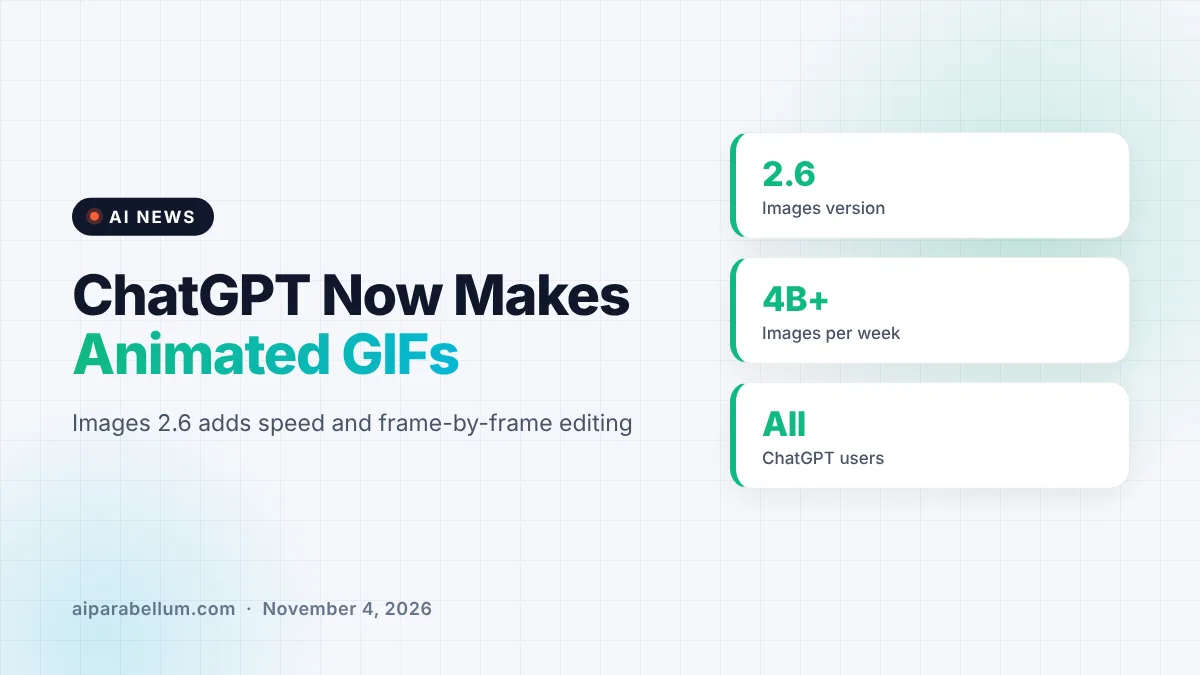
OpenAI is rolling out Images 2.6, and the headline feature is simple: ChatGPT can now make animated GIFs. You can type a prompt or upload a photo, and the chatbot turns it into a looping GIF that you can speed up, slow down, or tweak frame by frame. The update also promises faster image generation for everyone using ChatGPT and Codex.
How ChatGPT Makes Animated GIFs Now
Until now, getting a GIF out of ChatGPT took extra work. The chatbot could not create one natively in a single step, so people often had to stitch frames together in another app. With Images 2.6, the whole process happens inside the chat.
OpenAI showed the feature with a playful example. A user asks ChatGPT to make a GIF of a dancing cat, and the result comes back as a finished animation. From there, the user can change the playback speed and step through each frame that makes up the loop.
The main GIF controls
Here is what the new GIF tool lets you do, based on what OpenAI has shown so far:
- Create a GIF from a text prompt, such as a short description of a scene or reaction.
- Start from a photo you upload and have ChatGPT animate it.
- Adjust the animation speed so the loop plays faster or slower.
- View and edit individual frames instead of regenerating the whole thing.
- Share the finished GIF with other people.
Faster Image Generation and Huge Demand
GIFs are not the only change. OpenAI says Images 2.6 also speeds up image generation in ChatGPT, so you should spend less time waiting for results. That matters more as usage keeps climbing.
According to OpenAI, people now create more than 4 billion images per week across ChatGPT and its API. That is up from the 3 billion per week the company reported in September, a jump of roughly a third in about two months. Faster generation helps keep that volume manageable while making the tool feel snappier for you.
New image models for developers
Developers get something too. OpenAI is launching two API models, GPT-Image-2.6 Flare and GPT-Image-2.6 Sunburst. The company positions them as options for faster and higher-quality image generation, which gives app builders a choice between speed and polish.
Images 2.6 at a Glance
| Detail | What we know |
|---|---|
| New feature | Animated GIF creation from a prompt or an uploaded photo |
| Editing tools | Playback speed control and frame-by-frame editing |
| Speed | Faster image generation in ChatGPT, per OpenAI |
| Who gets it | All ChatGPT and Codex users |
| Platforms | Web, desktop, and mobile apps |
| API models | GPT-Image-2.6 Flare and GPT-Image-2.6 Sunburst |
| Weekly images | Over 4 billion, up from 3 billion in September |
Who Gets Animated GIFs in ChatGPT
Images 2.6 is rolling out to all ChatGPT and Codex users across web, desktop, and mobile. OpenAI did not limit the update to paid tiers in what it shared, so free users should see it as the rollout reaches them. As with most OpenAI launches, it may take a little time before the feature appears in your own account.
If you use ChatGPT daily, the easiest way to check is to ask it for a short GIF. If the tool is live for you, you should get an animation with speed and frame options instead of a single still image.
What This Means for You
For most people, this turns ChatGPT into a quick reaction-GIF studio. Instead of searching a GIF library for the perfect clip, you can describe exactly what you want and fine-tune it in the same chat. It is also handy for social posts, simple product demos, and fun messages to friends.
A few practical tips as the feature rolls out:
- Keep prompts short and visual. Describe one clear action, like a cat dancing or a coffee cup steaming.
- Use frame editing to fix one awkward moment instead of starting over.
- Try a slower playback speed for detailed scenes and a faster one for jokes and reactions.
- Be careful with photos of real people. Only animate images you have the right to use.
If you want better results from any image tool, it helps to understand how image generators work under the hood. Our guide on consistent AI characters is also useful when you want the same subject to look right across every frame.
Why it matters for creators and developers
For developers, the Flare and Sunburst API models signal that OpenAI wants to compete hard on image speed and quality. Builders of design tools and content apps now have newer options to test. The image space is crowded, with open models like FLUX 3 Klein also pushing on quality and cost.
For everyday users, the bigger story is convenience. ChatGPT keeps absorbing jobs that used to need separate apps, from images to private chats and now GIFs. You can follow more updates like this on our AI news page.
Sources
Reporting from The Verge. Additional reporting from XDA Developers.
Conclusion
Images 2.6 gives ChatGPT a feature many people have wanted for a while: native, editable GIFs made from a prompt or a photo. Add faster image generation and new Flare and Sunburst models for developers, and this is a meaningful step for OpenAI’s image tools. With more than 4 billion images made each week, small speed gains add up quickly. Watch for the update to reach your account across web, desktop, and mobile in the coming days.