The claude canvas design skill turns a short request, like “make a poster for a stargazing night,” into a finished PNG or PDF. Anthropic publishes it as the canvas-design skill in its official skills collection. We loaded it into a throwaway project, made a poster and a printable menu card, and opened both files to see what Claude Code really produced.
This guide is part of our Claude Code tutorials. Find more add-ons in our Skills Directory.
Tested with Claude Code v2.1.318 on November 6, 2026, using the canvas-design skill from the anthropics/skills collection at commit ca45fc4 (October 28, 2026). Everything ran in a sandbox folder with --setting-sources project, so nothing was added to the global Claude Code setup.
Quick Summary
| Question | Answer |
|---|---|
| What is it? | A skill that makes Claude write a short design philosophy, then draw one finished page from it |
| Who makes it? | Anthropic, in the anthropics/skills collection |
| Test 1 | A stargazing poster, saved as an 1800 x 2400 pixel PNG |
| Test 2 | A one-page A4 bakery menu card, saved as a PDF |
| Time | Claude reported 1 minute 23 seconds for the poster and 45 seconds for the card |
| Extra files | A .md philosophy file next to each design |
| Biggest catch | Claude had not opened its own files, and it invented some of the poster text |
What the Claude Canvas Design Skill Does
A skill is a folder with a SKILL.md file that Claude loads when a task matches its description. If skills are new to you, our guide to Claude Code skills explains how they work.
The canvas-design description says to use it when you ask for a poster, a piece of art, a design or another static piece. It also says to create original designs and never copy existing artists, to avoid copyright problems.
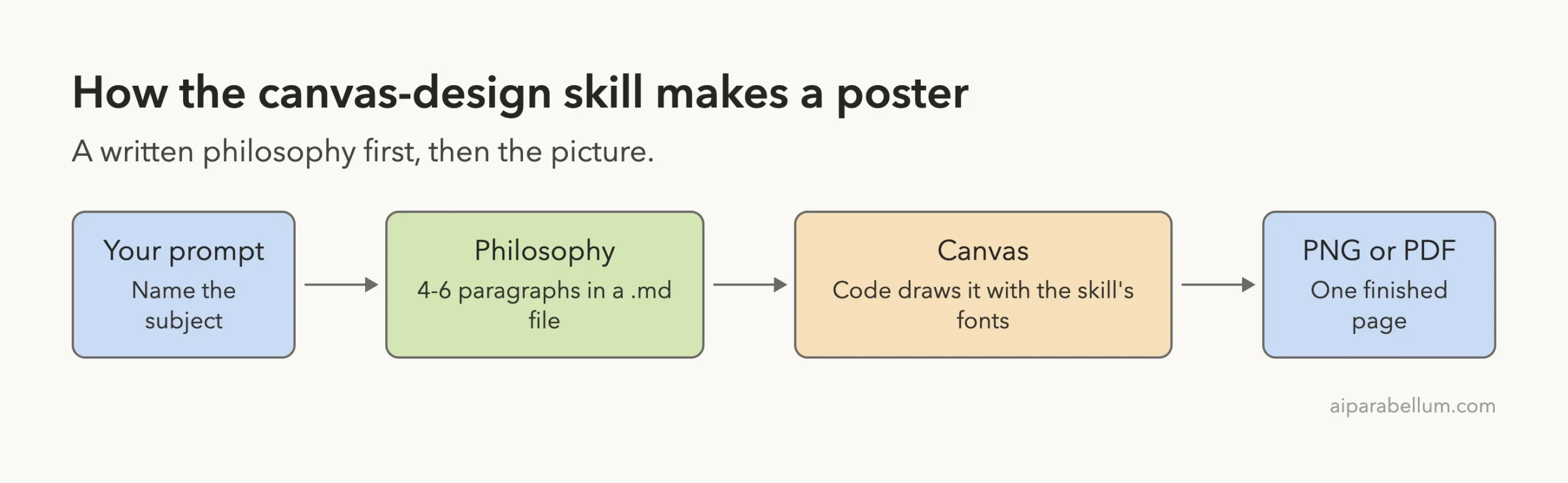
The skill works in two steps. First Claude writes a “design philosophy,” which is a short manifesto for a made-up art movement. Then it expresses that philosophy on a canvas and saves a PNG or a PDF.
What is a design philosophy?
It is a 4 to 6 paragraph text that describes a look: space, color, scale, rhythm and type. The skill asks for it to stay general, so the same philosophy could be used for many subjects.
Why does the text stay so small?
The skill aims for designs that are mostly visual with minimal text. Words appear as small labels or one big title, not paragraphs.
How to Install the Canvas Design Skill
The skill lives in the skills/canvas-design folder of the anthropics/skills repository. It holds a SKILL.md, a license file and a canvas-fonts folder with 81 files of fonts and their font licenses. There are no scripts in it, which made it easy to review before use.
The repository also lists a plugin route. You run /plugin marketplace add anthropics/skills, then /plugin install example-skills@anthropic-agent-skills. That adds the skill, and several others, to your own setup.
For our test we did not do that. We copied the one folder into a project instead.
mkdir -p my-designs/.claude/skills
cp -R skills/canvas-design my-designs/.claude/skills/
cd my-designs
claude
Project skills load from .claude/skills/ in the folder where you start Claude Code. You can read more in the official skills documentation and the plugins guide.
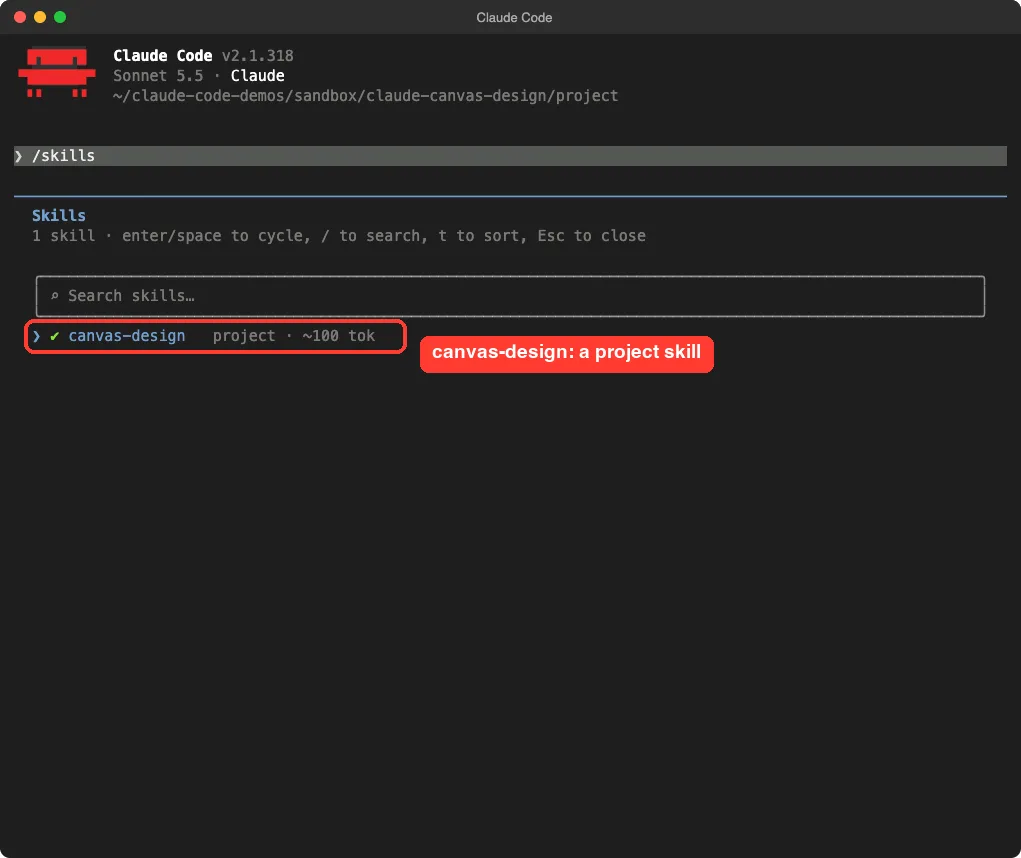
Type /skills to confirm it loaded. Ours showed one project skill, canvas-design, at about 100 tokens before it is used.
Test 1: A Poster as a PNG
We invented a small community event, Quiet Sky, and asked for a poster. The prompt names the skill, the subject, the file names and the size.
Use the canvas-design skill to make a poster for a small community night-sky stargazing evening called Quiet Sky. Save the design philosophy as philosophy.md and the finished poster as quiet-sky.png (18x24 ratio, 1800x2400 pixels) in this folder. Do not install anything: /usr/bin/python3 already has Pillow, and the skill's fonts are in .claude/skills/canvas-design/canvas-fonts.One note on that last sentence. We told Claude where Pillow and the fonts were so it would not install anything on our machine. A normal run may pick its own drawing tool.
The philosophy file
Claude named its movement “Dim Observation” and wrote five paragraphs about looking slowly and rationing light. It reads like an artist statement, and it repeats words like “meticulously crafted” on purpose, because the skill tells Claude to stress craftsmanship.
Do not treat that wording as proof of quality. The picture is what you judge.
The poster
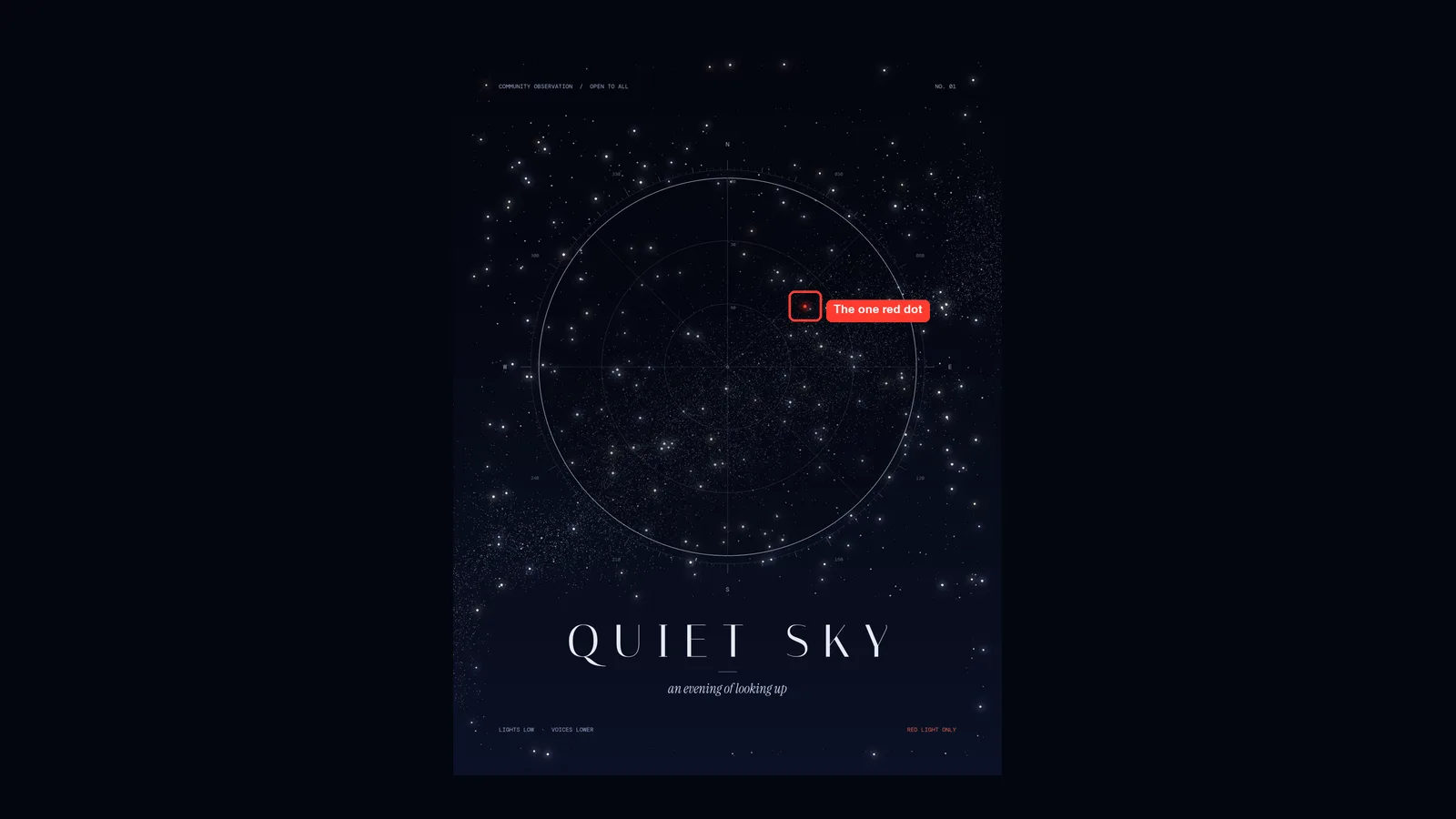
The result is a dark indigo star chart with rings, tick marks and compass letters, a faint Milky Way band, and a thin, widely spaced title. Claude wrote and ran a Pillow script, adjusted it twice, and saved a file that measured exactly 1800 x 2400 pixels.
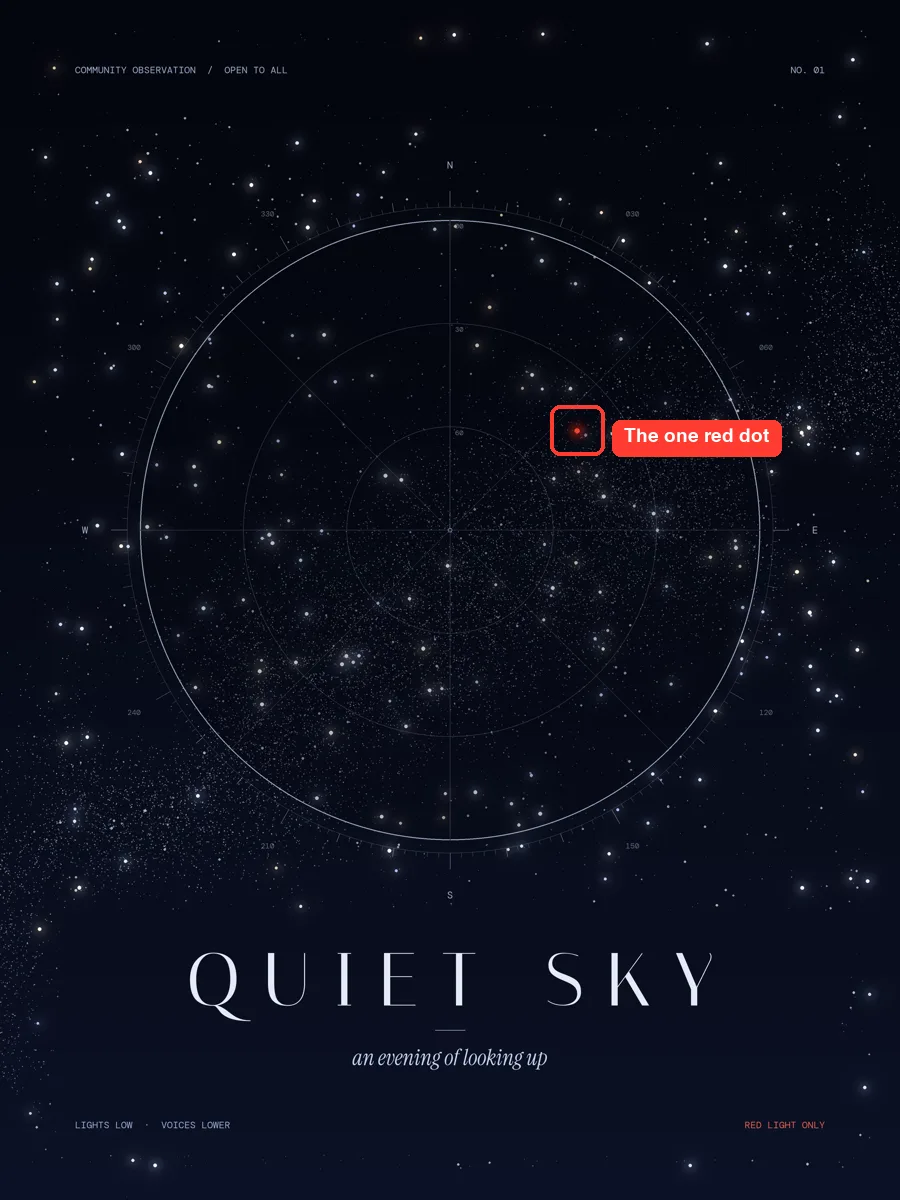
The single red dot is a nod to the red lights stargazers use to protect their night vision. The “RED LIGHT ONLY” note at the bottom right echoes it. That matches the skill’s idea of a subtle reference woven into the art.
What Claude Said About Its Own Work
The closing message was candid, and it is worth reading before you share any design.
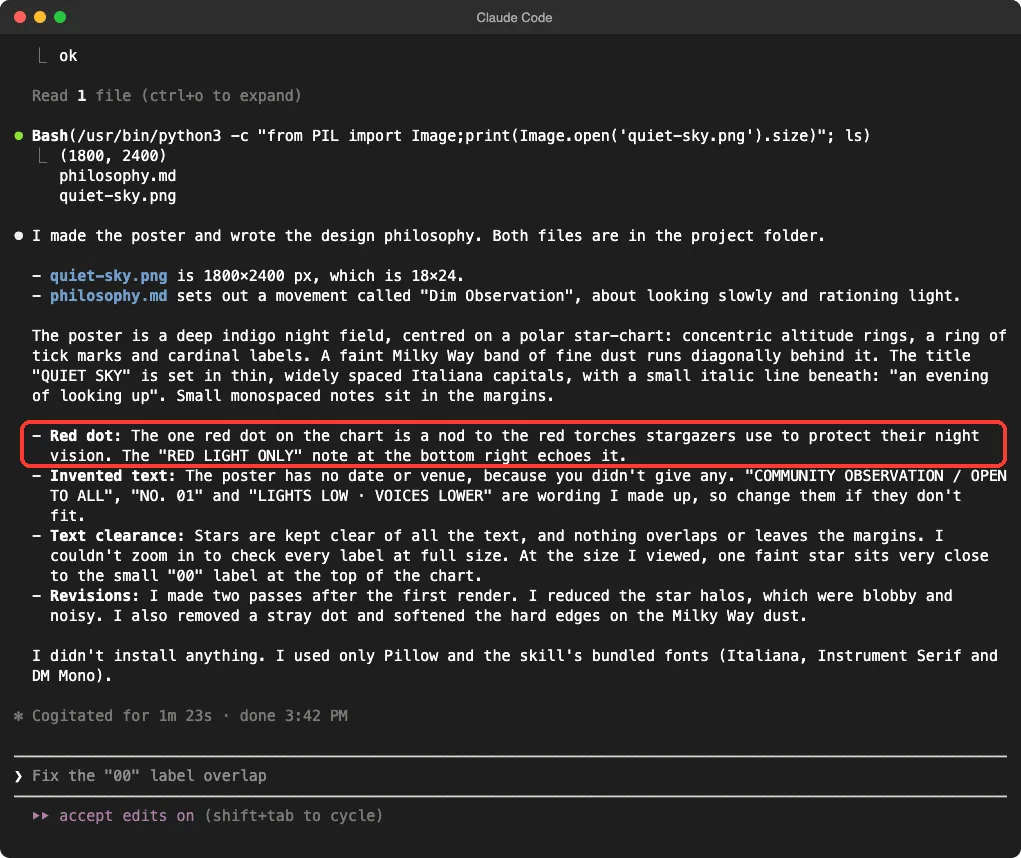
- Claude said the text was invented. We gave no date or venue, so “COMMUNITY OBSERVATION / OPEN TO ALL,” “NO. 01” and “LIGHTS LOW” were its own wording.
- It said it could not zoom in to check every label at full size.
- It noted that one faint star sat very close to the small “00” label at the top of the chart.
- It listed two revision passes: softer star halos, one stray dot removed, and softer edges on the Milky Way dust.
In short, the skill gives you a strong first draft, and you still proofread. Real event details, such as a date and place, are yours to add in the prompt.
Test 2: A Menu Card as a PDF
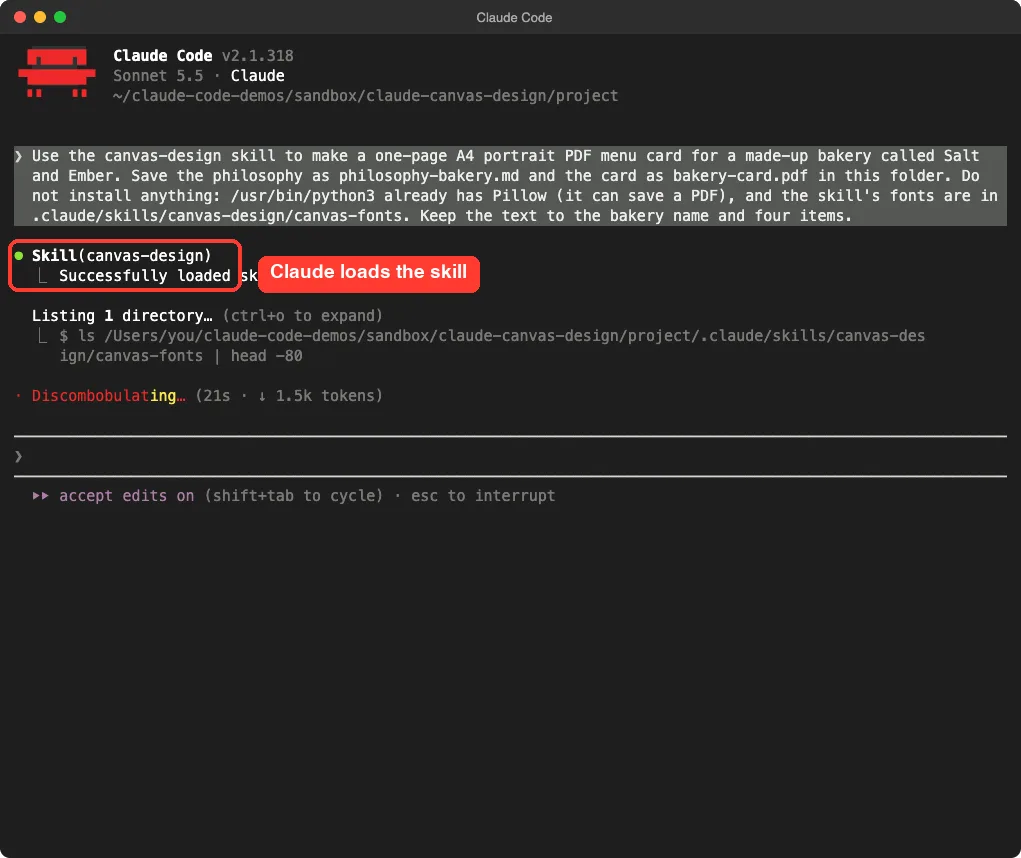
For the second test we asked for a printable page. We made up a bakery called Salt and Ember and asked for an A4 portrait PDF with just the name and four items.
Use the canvas-design skill to make a one-page A4 portrait PDF menu card for a made-up bakery called Salt and Ember. Save the philosophy as philosophy-bakery.md and the card as bakery-card.pdf in this folder. Do not install anything: /usr/bin/python3 already has Pillow (it can save a PDF), and the skill's fonts are in .claude/skills/canvas-design/canvas-fonts. Keep the text to the bakery name and four items.The terminal showed Claude calling the skill first, then listing the font folder before it wrote anything.
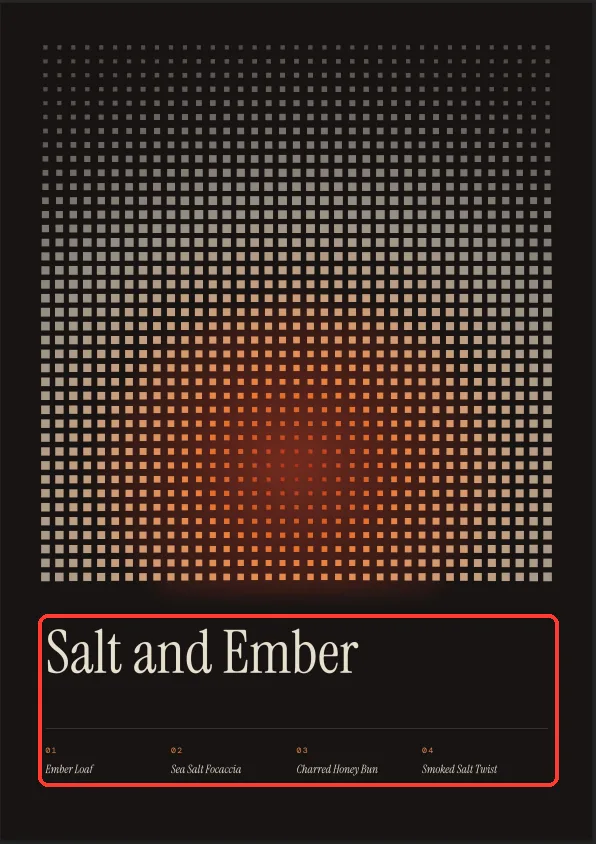
This time the philosophy was called “Banked Heat.” The card is a grid of small cream squares on a near-black ground, and toward the bottom the squares shrink and turn from orange to deep red, like embers. The only text is the name in Instrument Serif and four numbered items in small type.
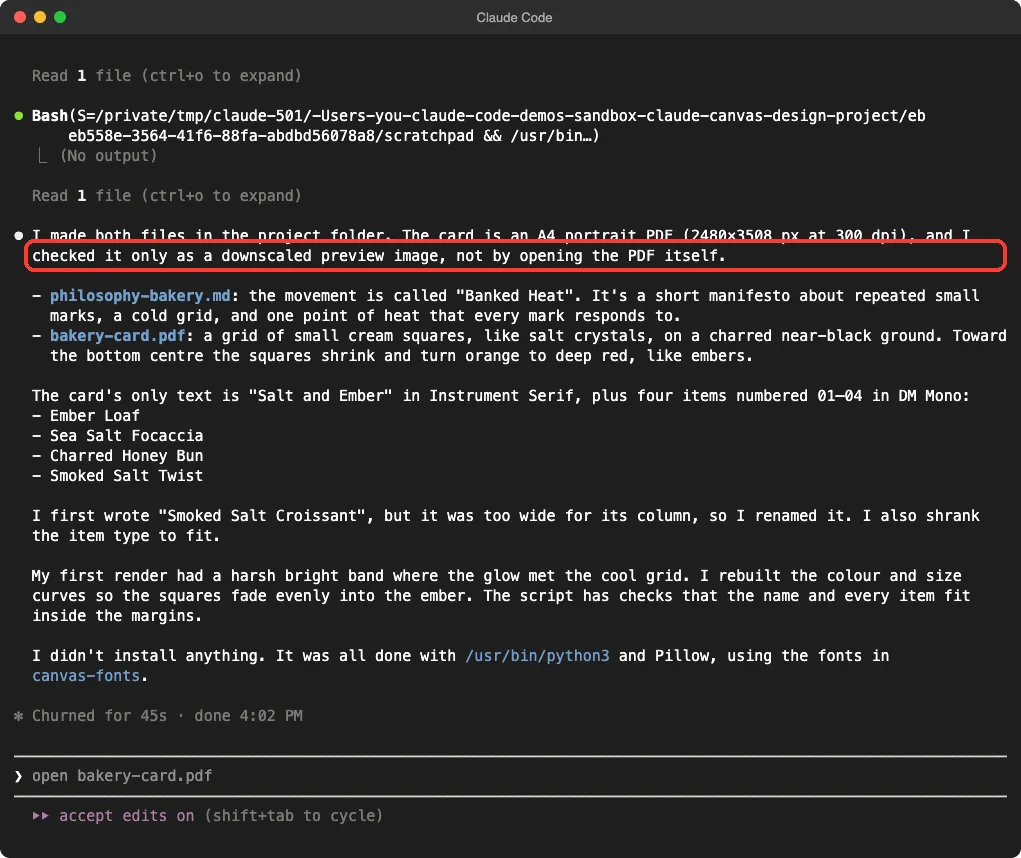
Claude said the page is 2480 x 3508 pixels at 300 dpi, which is A4. It saved the PDF through Pillow, so the card is a flat image inside a PDF, not live text. We opened it ourselves in Chrome’s PDF viewer and it was one page.
Claude also said it checked the card only as a downscaled preview, not by opening the PDF. It renamed “Smoked Salt Croissant” to “Smoked Salt Twist” because the first name was too wide for its column.
Which Output Should You Ask For?
The skill ends with a PNG or a PDF, and you pick in your prompt. Our tests suggest saying the size every time.
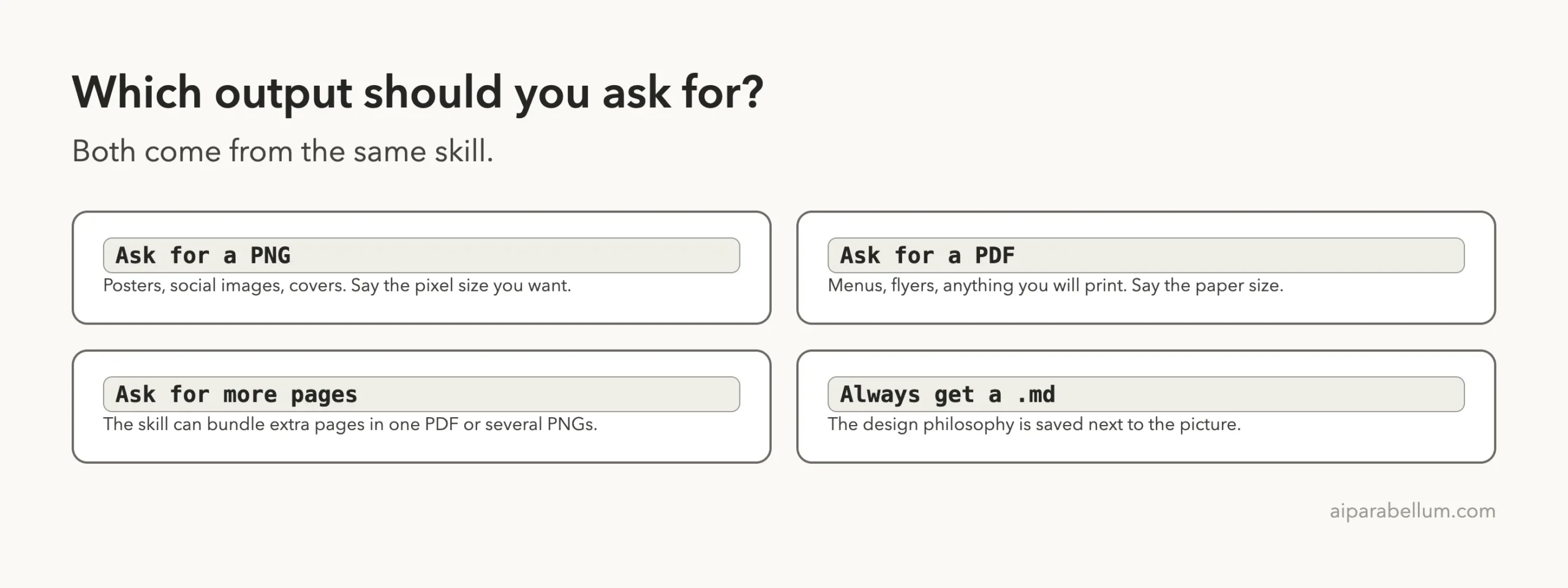
| You want | Ask for | Say this in the prompt |
|---|---|---|
| Poster or social image | PNG | The pixel size, such as 1800×2400 |
| Menu, flyer or print page | The paper size, such as A4 portrait | |
| Several pages | PDF or many PNGs | How many pages you want |
| A reusable look | The .md file | Nothing; you get it every time |
The skill itself mentions a multi-page option, where later pages are different takes on the same philosophy. We did not test it.
Real Examples to Try
The skill works best for artsy, mostly visual pieces, not for pages full of facts. These prompts fit that style.
- Album cover: “Make a square album cover for a quiet piano record called Low Tide, saved as a 2000×2000 PNG.”
- Event poster: “Make an A3 poster for a one-night ceramics market, saved as a PDF.”
- Gift card: “Make a small A6 card for a friend’s birthday, saved as a PDF, with only her name as text.”
For other ways to make Claude produce good-looking output, see our tests of the Taste skill and the algorithmic art skill.
Try It Yourself
Copy the skill folder into an empty project, start Claude Code there and paste this prompt. Then open the file and read every word on it.
Use the canvas-design skill to make a one-page A4 portrait PDF poster for a made-up neighborhood book swap on Saturday, June 6 at the library garden. Save the philosophy as philosophy.md and the poster as book-swap.pdf. Use only the words I gave you, then tell me what you checked and what you did not.Common Mistakes
- Leaving out the details. Claude invents wording when you give none, as it did on our poster.
- Not saying the size. Without pixels or a paper size, you may get a page that does not fit your use.
- Expecting live text in the PDF. Our card was drawn as an image, so you cannot select or edit the words.
- Trusting “nothing overlaps.” Claude told us it could not check every label at full size, so zoom in yourself.
- Asking for a famous artist’s style. The skill says to create original work.
- Skipping the folder step. A skill in the wrong folder will not show in
/skills.
Pro Tips
- Pick a clear mood and subject. “Quiet stargazing night” gave Claude a color, a shape and a small detail to hide.
- Ask for one small fix at a time, such as “move the 00 label away from the nearby star.”
- Give the real text in the prompt and tell Claude to use only those words.
- Keep the
.mdfile. You can reuse the philosophy for a matching second design. - Ask Claude what it checked. It answered honestly in both runs.
Cheat Sheet
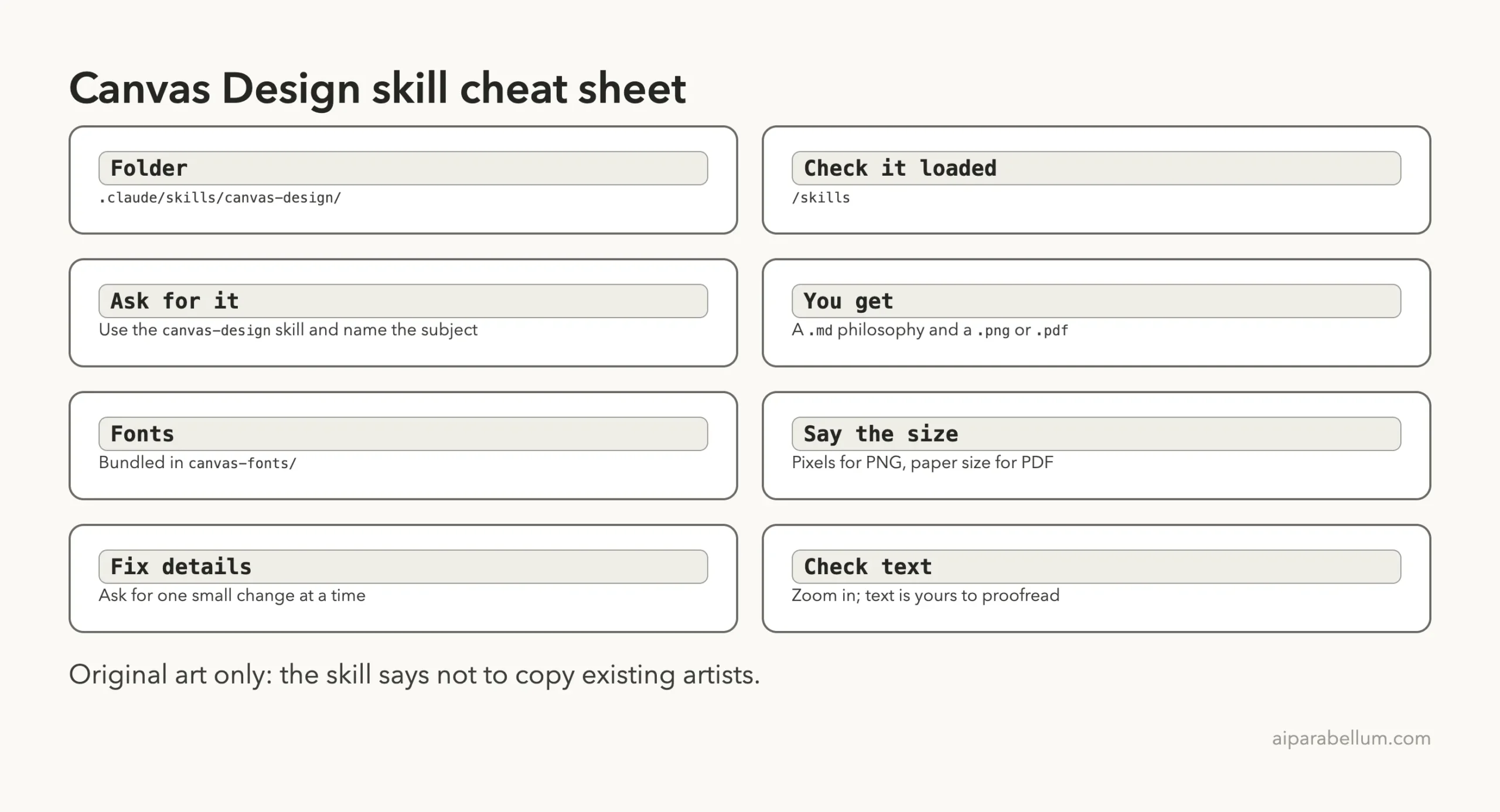
What We Did Not Test
We ran two designs, one time each.
We did not test the multi-page option, fonts downloaded from the internet, or the skill in claude.ai. We also did not use the plugin install route. Your results will differ because Claude writes new code for each request, and our Pillow hint steered the drawing method.
During the automated run we answered Yes to each permission prompt for commands inside the demo folder.
Frequently Asked Questions
Is the canvas design skill free?
The skill folder is public in Anthropic’s skills repository, and its front matter points to a LICENSE.txt for the terms. Read that file before reuse. Running it uses your normal Claude Code usage.
Can it make a PDF with real, selectable text?
In our test the PDF was saved from a Pillow image, so the page was flat. If you need live text, ask for it in the prompt and check the result.
Do I need to know design or code?
No. You describe the subject and Claude writes the drawing code. You do need to proofread the result.
Can I use it without installing the whole skills collection?
Yes. We copied only the canvas-design folder into .claude/skills/ of a demo project, and it loaded.
Will it copy a famous artist’s style?
The skill says to create original designs and not copy existing artists. Describe a mood, not a person.
Treat the first design as a draft: give real text, then read every word.
Conclusion
The claude canvas design skill turned two short prompts into a moody star-chart poster and a clean one-page menu card, each with a philosophy file, in under two minutes. It is a good fit for quick posters, covers and print cards where mood matters more than facts. Give it the real text, say the size, and zoom in before you share anything, because Claude told us itself that it did not check every detail. For more official skills, see our guide to the Anthropic skills repo, and for documents see the Word skill test. You can also learn about Claude itself.