The Anthropic skills repo is a free folder of ready-made skills for Claude, and it is the best place to start if you want Claude Code to do more than write code. It holds skills that make Word files, Excel sheets, PDFs and slide decks, plus a pile of design and developer helpers. In this guide you will install it, see what is inside, and watch the document skills run for real.
This is Part 8 of 45 in our Claude Code Deep Dives, part of our Claude Code tutorials. Last time we covered how to improve a skill with Anthropic’s Skill Creator.
Tested with Claude Code v2.1.318 on November 4, 2026, using the repo at commit ca45fc4 (last updated October 28, 2026).
| Question | Short answer |
|---|---|
| What is it? | Anthropic’s own collection of skills, one folder per skill, each with a SKILL.md file |
| Where is it? | The anthropics/skills repository on GitHub |
| How do you install it? | Add it as a plugin marketplace, then install document-skills or example-skills |
| What did we run? | The xlsx, docx and pdf skills, each on a small demo task |
| Does it cost extra? | The repo is free; Claude Code usage still counts as normal |
What Is the Anthropic Skills Repo?
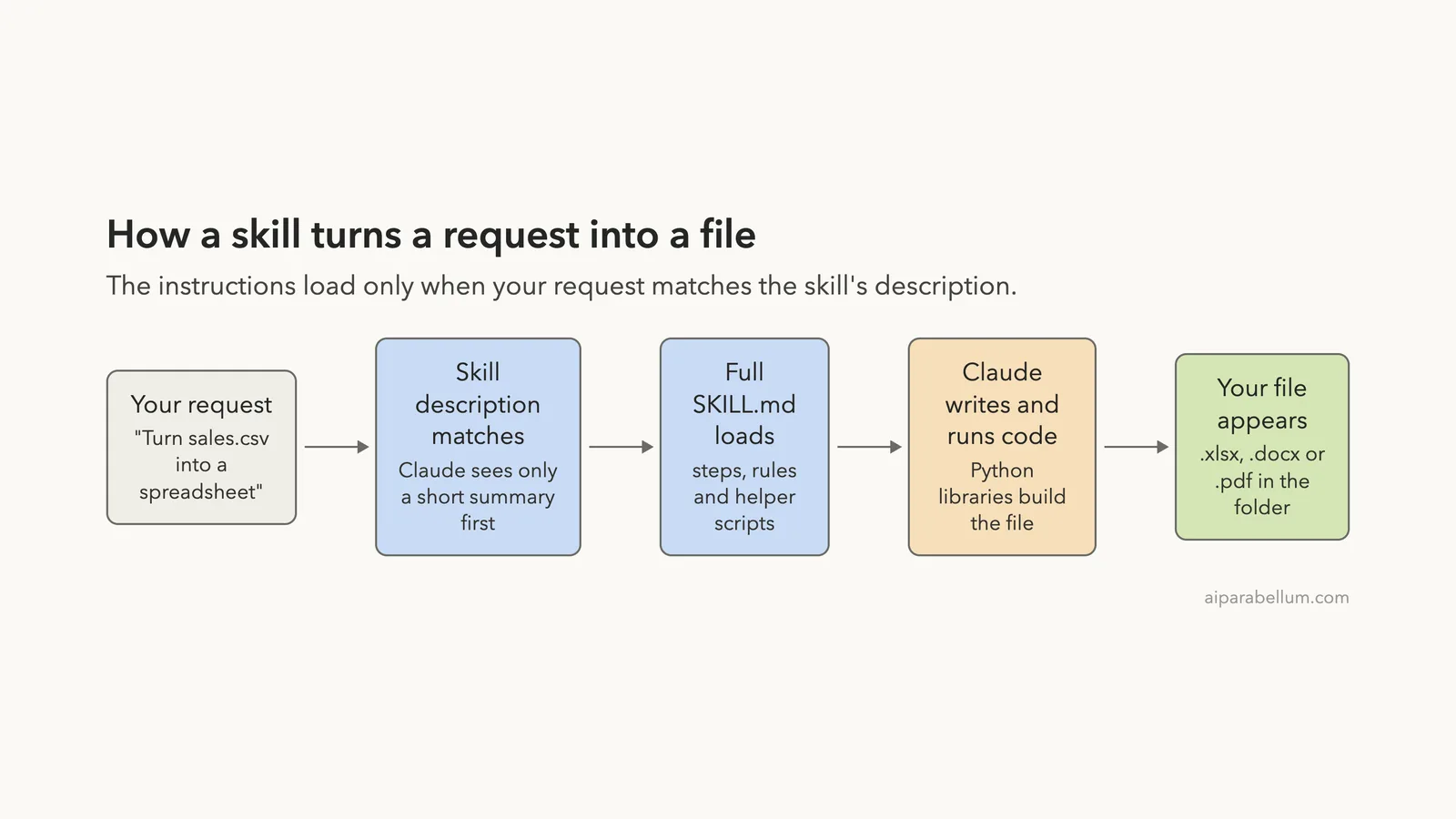
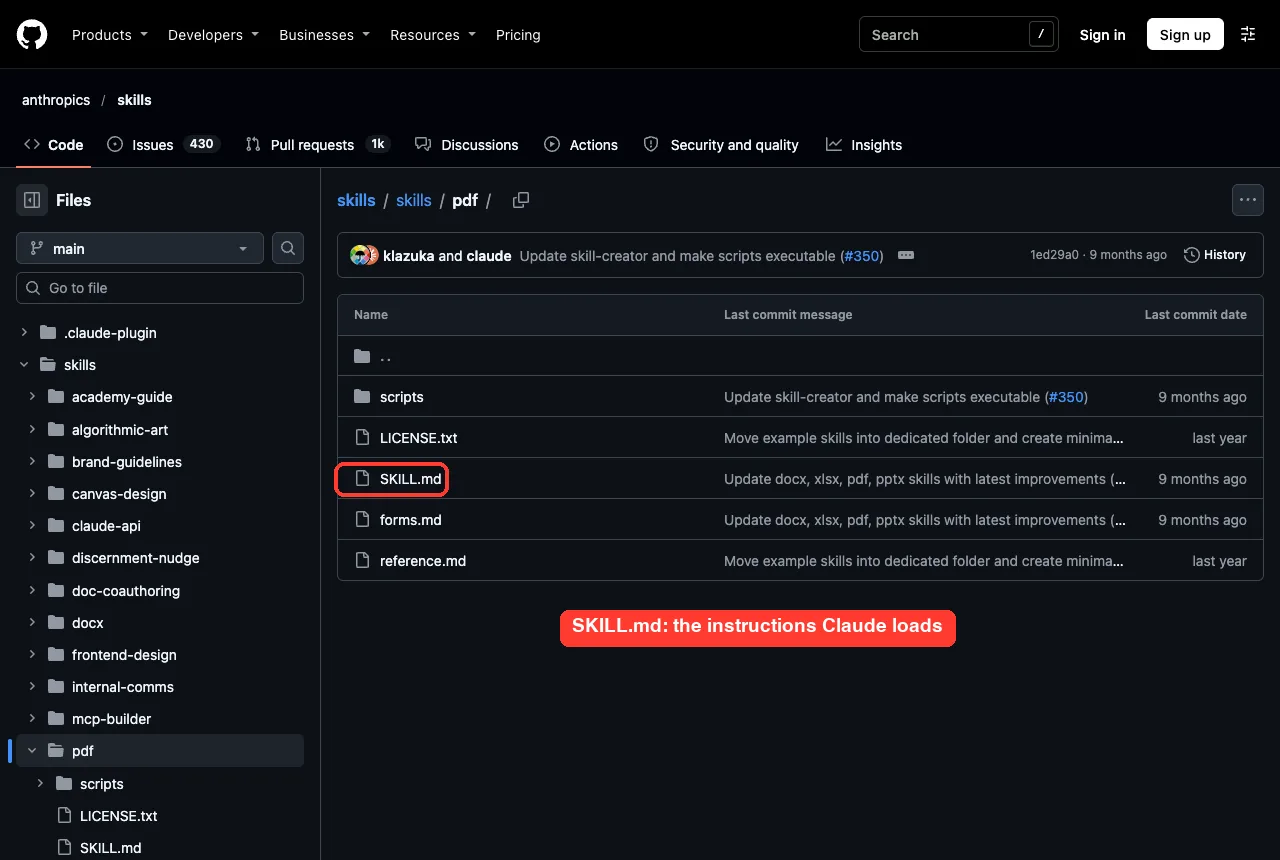
A skill is a folder with a SKILL.md file that teaches Claude how to do one kind of task the same way every time. Claude Code reads a short description of each skill up front, and loads the full instructions only when your request matches. If you want the basics first, our guide to Claude Code skills explains how they work.
The official repo is Anthropic’s showcase of what skills can do. Its README says the skills range from creative work to technical tasks to company workflows, and that each one sits in its own self-contained folder.
The repo also says the examples are for demonstration and education, and that what you get from Claude itself may differ from what the skills show. In plain words: treat them as strong starting points, and test them before you trust them with important work.
What Is Inside the Repo?
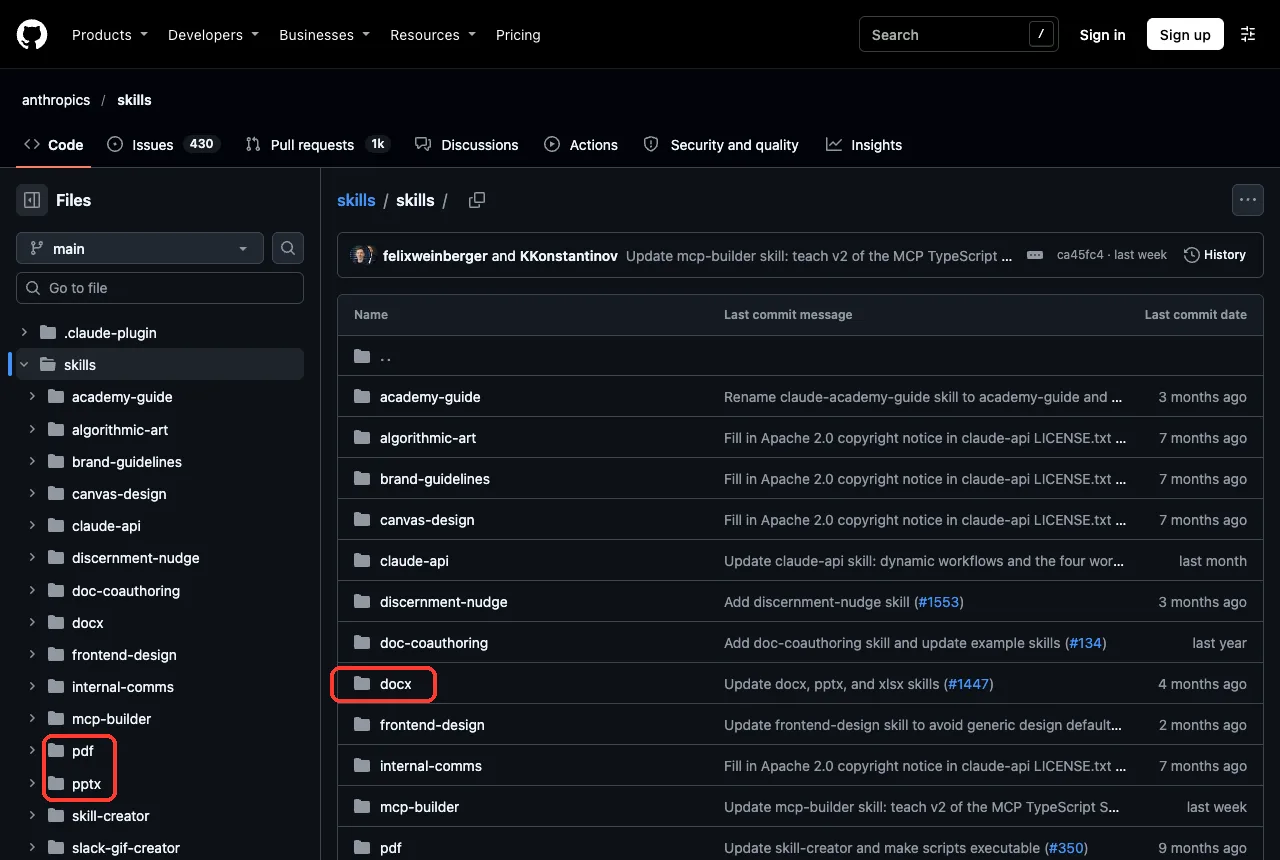
When we cloned the repo, the skills folder held these skills: academy-guide, algorithmic-art, brand-guidelines, canvas-design, claude-api, discernment-nudge, doc-coauthoring, docx, frontend-design, internal-comms, mcp-builder, pdf, pptx, skill-creator, slack-gif-creator, theme-factory, web-artifacts-builder, webapp-testing and xlsx.
The repo’s marketplace.json bundles them into plugins, so you rarely install them one by one. This is how it grouped them on the day we checked.
| Plugin | Skills inside |
|---|---|
document-skills | xlsx, docx, pptx, pdf |
example-skills | algorithmic-art, brand-guidelines, canvas-design, doc-coauthoring, frontend-design, internal-comms, mcp-builder, skill-creator, slack-gif-creator, theme-factory, web-artifacts-builder, webapp-testing |
claude-api | claude-api |
academy-guide | academy-guide |
The README adds one licensing detail worth knowing. Many skills are open source under Apache 2.0, but the four document skills (docx, pdf, pptx, xlsx) are source-available, not open source.
How to Install the Anthropic Skills in Claude Code
The README gives two routes. Both use the plugin system, which our guide to discovering plugins in the official docs covers in detail.
Route 1: Add the marketplace
Run this inside Claude Code to register the repo as a marketplace:
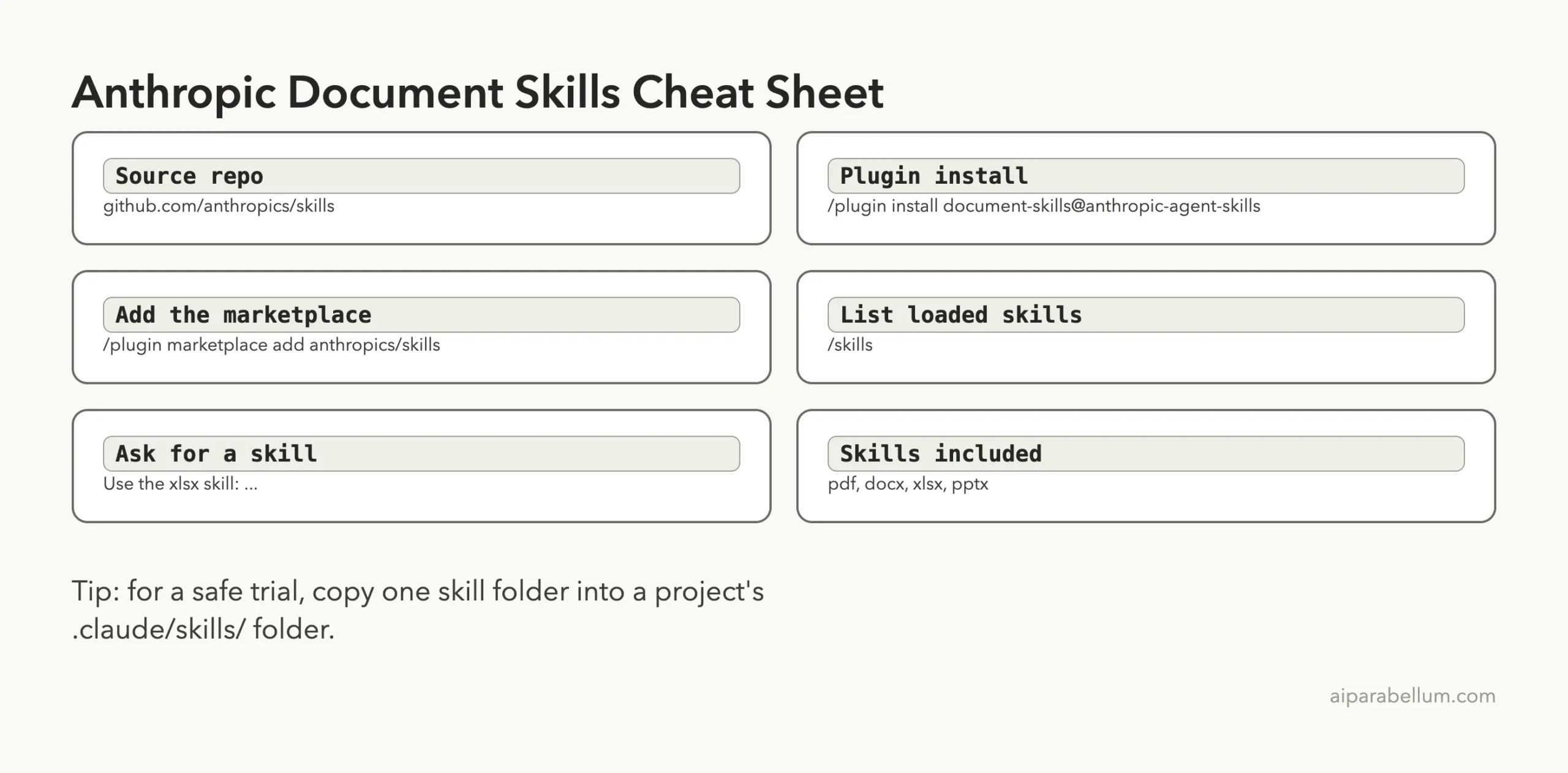
/plugin marketplace add anthropics/skillsThen open the plugin browser, pick anthropic-agent-skills, choose document-skills or example-skills, and select Install now.
Route 2: Install directly
If you prefer one line per plugin, the README gives these commands:
/plugin install document-skills@anthropic-agent-skills
/plugin install example-skills@anthropic-agent-skills
After that, you can simply mention the skill in your prompt, for example: use the PDF skill to extract the form fields from a file.
How we installed it for this test
Plugins install into your personal Claude Code setup, and we keep our own setup untouched when testing third-party repos. So we cloned the repo into a throwaway sandbox and copied the four document skill folders into a demo project’s .claude/skills/ folder. We also started Claude Code with --setting-sources project so only that project’s settings loaded.
This gives the same skills as the plugin route, loaded as project skills instead. We did not run the /plugin commands themselves; those steps come from the repo’s README. For a safe trial of your own, copying one skill folder into a project works just as well.
Check That the Skills Loaded
Type /skills in Claude Code to see every skill it can use. In our demo project the list showed four skills, each with a rough size in tokens: docx about 280, pdf about 150, pptx about 250 and xlsx about 320.
Those numbers are small because Claude only keeps the short description in view until a skill is needed. The full SKILL.md files are longer: about 1,000 words for pdf, 975 for docx, 1,312 for xlsx and 3,129 for pptx.
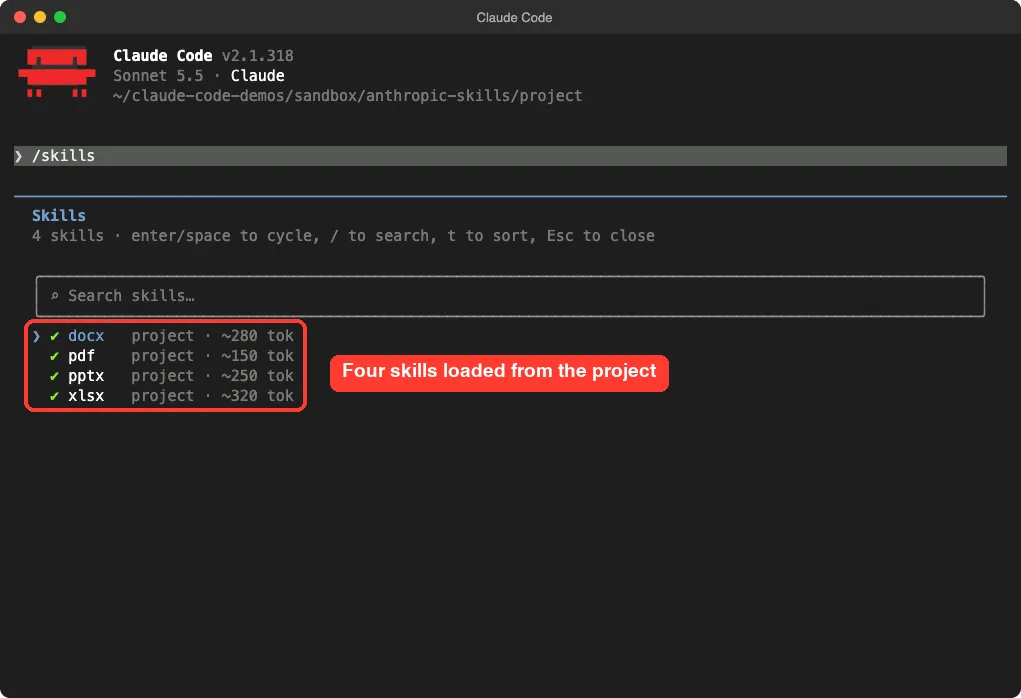
/skills list in our demo project shows the four document skills ready to use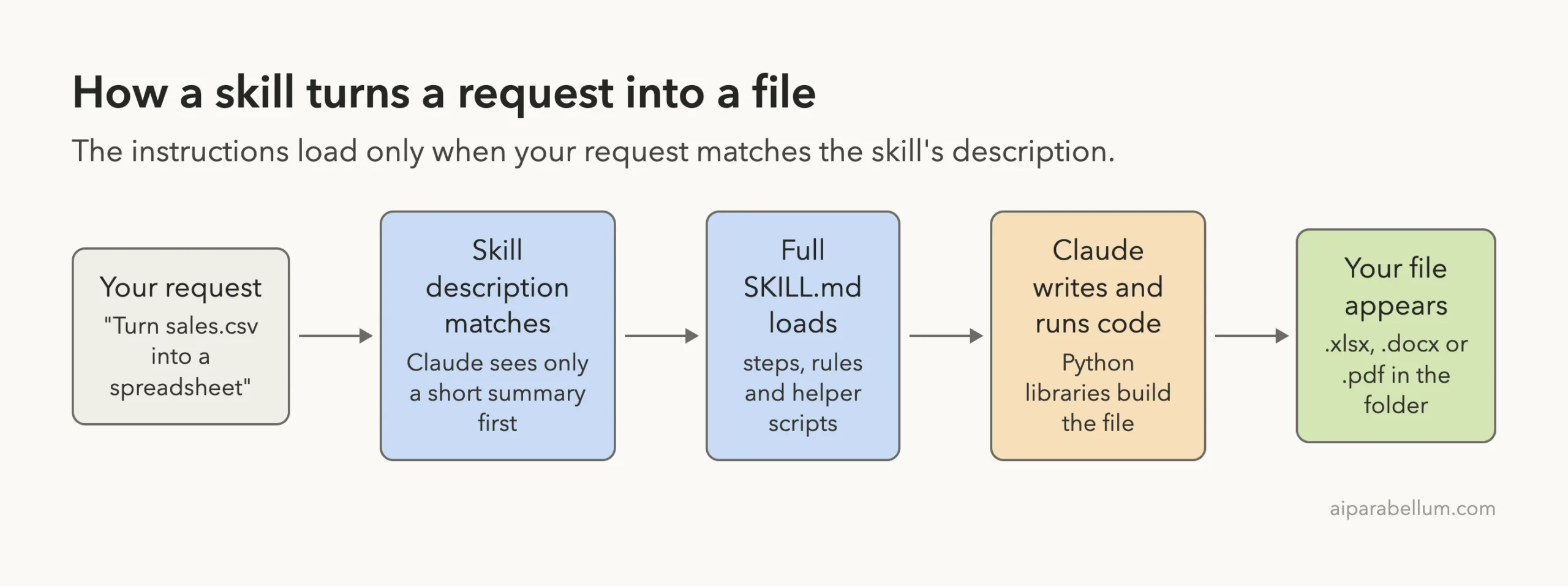
Try the xlsx Skill: CSV to Spreadsheet
We made a tiny sales.csv with six rows: month, region, units and revenue for January to March. Then we gave Claude Code one prompt.
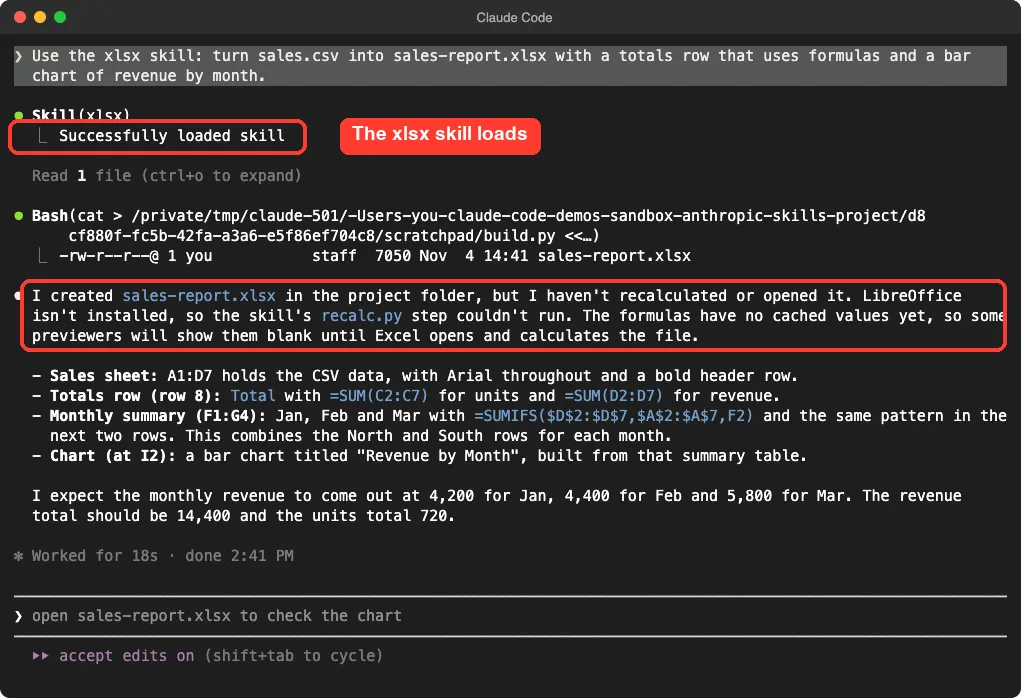
Use the xlsx skill: turn sales.csv into sales-report.xlsx with a totals row that uses formulas and a bar chart of revenue by month.Claude loaded the skill, wrote a short script, and produced sales-report.xlsx in about 18 seconds. We opened the file with a Python library afterward to check it. The data sat in A1:D7, row 8 held =SUM(C2:C7) and =SUM(D2:D7), a small monthly table used SUMIFS formulas, and the sheet contained one chart.
One honest caveat: the skill expects LibreOffice to recalculate the formulas, and LibreOffice is not installed on our test machine. Claude said so plainly, and told us some previewers would show the formula cells blank until Excel calculates the file. We did not open the file in Excel, so we cannot show the finished chart.
Try the docx Skill: A One-Page Word Memo
Next we asked for a Word document.
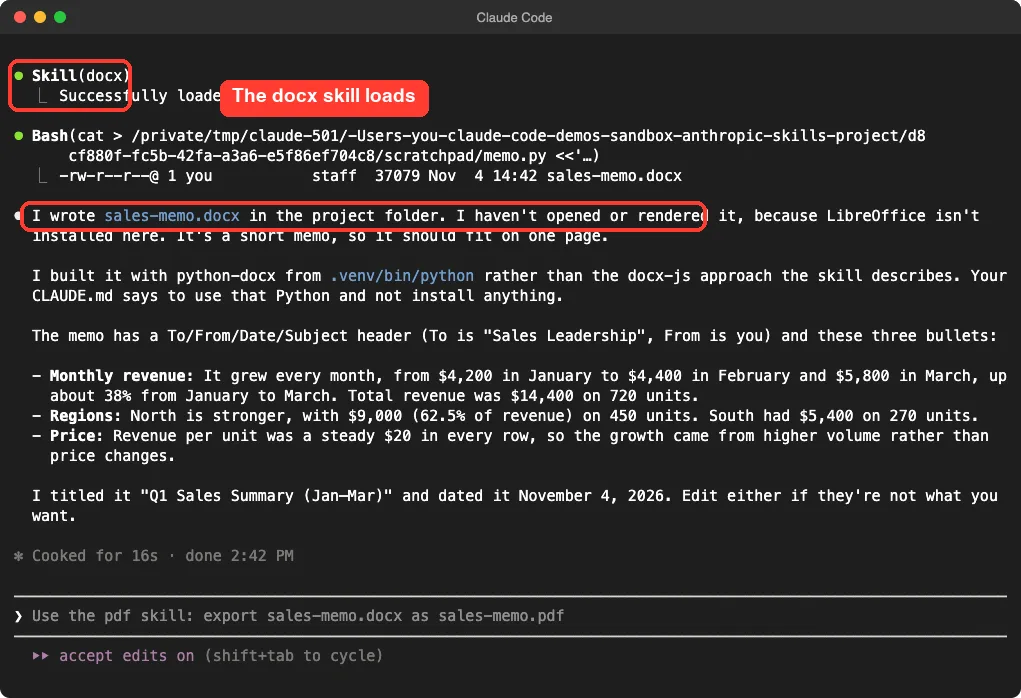
Use the docx skill: write a one-page Word memo, sales-memo.docx, summarizing these sales in 3 bullet points.Claude loaded the skill and wrote sales-memo.docx in about 16 seconds. The memo had a To, From, Date and Subject header, a title of Q1 Sales Summary, and three points: revenue grew each month, the North region led with 62.5 percent of revenue, and revenue per unit stayed at $20.
We checked the numbers against our CSV: total revenue of $14,400 on 720 units is right. The figures for North ($9,000 on 450 units) and South ($5,400 on 270 units) are right too.
Claude also told us it used python-docx instead of the JavaScript approach the skill describes. Our demo project’s CLAUDE.md said to use a specific Python and not install anything.
So your own project rules can override a skill’s preferred tools. Claude did not render the page, so the one-page length is its expectation, not something we saw.
Try the pdf Skill: A One-Page Summary
For the third run we asked for a PDF with a table.
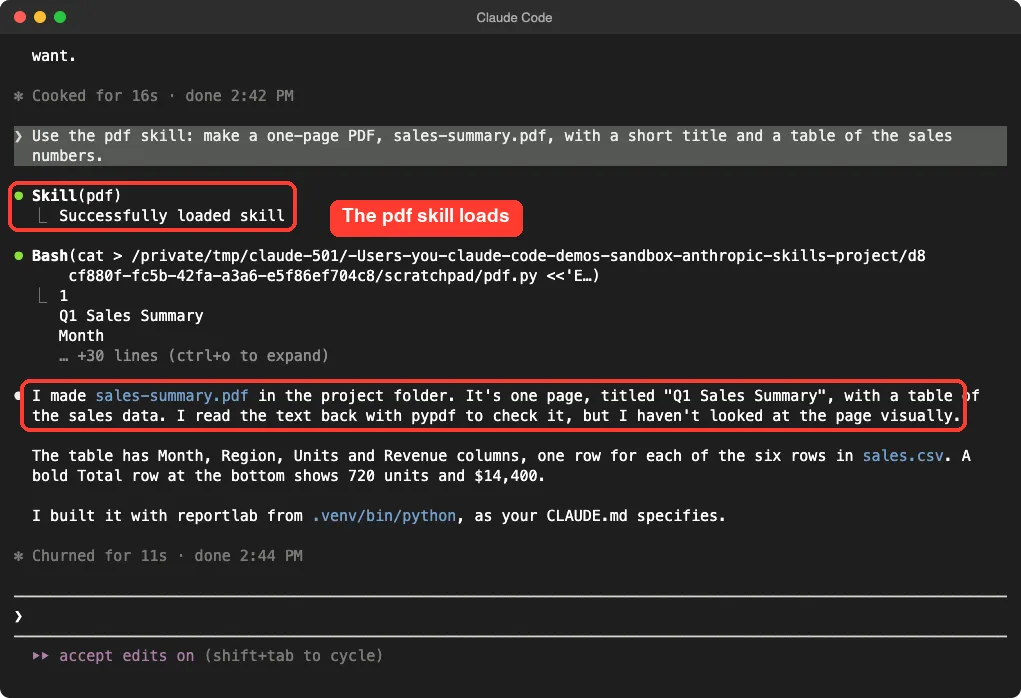
Use the pdf skill: make a one-page PDF, sales-summary.pdf, with a short title and a table of the sales numbers.Claude loaded the skill and built sales-summary.pdf with the reportlab library in about 11 seconds. It then read the text back with pypdf to check it. We confirmed that the file has one page, the title Q1 Sales Summary, six data rows, and a Total row of 720 units and $14,400.
As before, Claude noted that it had checked the text but not looked at the page visually. We did not view the finished layout either, so we only vouch for the content, not the design.
What About the pptx Skill?
We did not run pptx. Its SKILL.md is the longest of the four at 3,129 words.
Its description says it covers decks, templates, speaker notes and comments. Treat it as untested here and try it on a small deck first.
Our Honest Verdict
The document skills gave correct files on the first try; the missing piece was a visual check.
The document skills worked on the first try for all three tasks, with correct numbers and no fuss. Each took under 20 seconds on a tiny file, and Claude was upfront about the checks it could not do.
What did not work out of the box was visual checking. The skills lean on LibreOffice for recalculating and rendering, so without it you get files that are probably fine but unverified by eye.
- Install it if you often ask Claude Code for spreadsheets, memos, PDFs or decks.
- Install LibreOffice too, if you want formulas recalculated and pages checked.
- Skip the plugin if you only write code; the example skills are not needed for that.
- Read each
SKILL.mdbefore you rely on it, as with any third-party instructions.
Try It Yourself
Make a small CSV of your own, such as a list of expenses, in a throwaway folder. Copy one skill folder (for example xlsx) into .claude/skills/ inside that folder, start Claude Code, run /skills, and use this prompt:
Use the xlsx skill: turn expenses.csv into expenses-report.xlsx with a totals row that uses formulas.Then open the result in your spreadsheet app and check the totals by hand. For more add-ons to try, browse our skills directory.
Common Mistakes
- Installing the whole
example-skillsbundle when you only need one skill, which adds clutter to your skill list. - Trusting the numbers without checking them against your source data.
- Forgetting that a project
CLAUDE.mdcan change which tools a skill uses. - Expecting formulas to show values before a spreadsheet app has calculated them.
- Running skills from any repo without reading its scripts and hooks first.
Pro Tips
- Name the skill in your prompt, as in
Use the xlsx skill: ..., so Claude loads it for sure. - Use
/skillsafter installing to confirm what loaded. - Keep skills in a project’s
.claude/skills/folder if you want to share them with a team through version control. - Use the repo’s
skill-creatorto improve your own skills; we covered it in the last part of this series. - Read our guide to workflow versus skill to decide which one fits a job.
Cheat Sheet
For the full list of places skills can load from, see the official skills documentation. You can also pair these skills with Anthropic’s Claude apps, since the README says the same example skills are available to paid plans there.
Frequently Asked Questions
Is the Anthropic skills repo free?
Yes, the repo itself is free to read and use. The four document skills are source-available rather than open source, so check their license files before reusing them in your own products.
Do I need to install the plugin to use these skills?
No. The plugin route is the easiest, but you can also copy a skill folder into a project’s .claude/skills/ folder, which is what we did for this test.
Which skill should I try first?
Start with xlsx or docx if you work with office files. They gave us clear, checkable results on a tiny task.
Why did Claude say it could not recalculate the spreadsheet?
The xlsx skill’s recalculation step needs LibreOffice, which was not installed on our test machine. Install it if you want formulas calculated and files rendered for checking.
Are these skills safe to run?
They are Anthropic’s own, but they include scripts, so read them first. In the four document skills we copied, we found no hooks; the only shell scripts in the whole repo were in web-artifacts-builder, which we did not install.
Conclusion
Anthropic’s skills repo is a solid first stop for anyone who wants Claude Code to produce real files, not just code. In our test the xlsx, docx and pdf skills each turned one short prompt into a correct file in under 20 seconds, while the pptx skill and visual checks stay untested here. Install the document skills, confirm them with /skills, and always check the output yourself.
Previous in the series: Part 7: How to Test and Improve a Skill With Anthropic’s Skill Creator
Next in the series: Part 9, Claude Code Frontend Design Skill: Before and After, is coming soon.