The claude code frontend design skill promises pages that do not look like every other AI-built page. We wanted proof, so we ran one prompt twice: once with plain Claude Code and once with the skill installed. Then we opened both pages side by side.
This is Part 9 of 45 in our Claude Code Deep Dives, part of our Claude Code tutorials. In the last part we looked at Anthropic’s skills repo, and today we zoom in on one skill from it.
Tested with Claude Code v2.1.318 on November 4, 2026. The skill comes from the anthropics/skills repo at commit ca45fc4.
Quick Summary
| Question | Answer |
|---|---|
| What is it? | One SKILL.md file that tells Claude how to make distinctive design choices |
| Where does it live? | skills/frontend-design in the anthropics/skills repo |
| What did we test? | The same one-page bakery site, built with and without the skill |
| Does it run code? | No. The folder holds only SKILL.md and a license file |
| Did the result change? | Yes, clearly: palette, fonts, layout and page details |
| Cost to try | One folder copy and one prompt |
What the Claude Code Frontend Design Skill Is
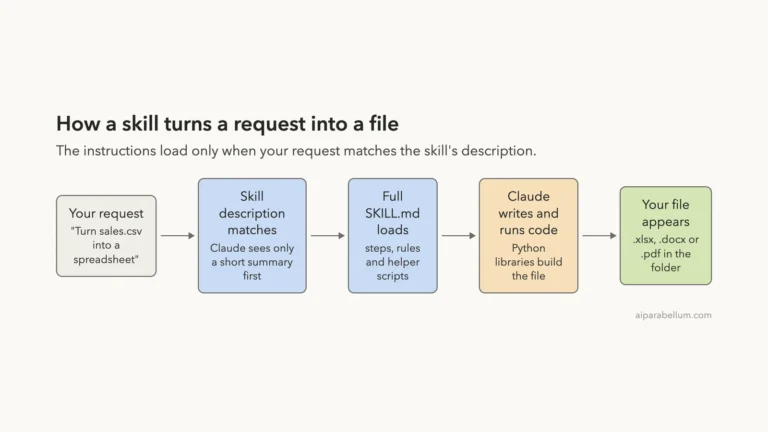
A skill is a folder with a SKILL.md file that Claude loads when it fits your request. If you are new to the idea, our guide to Claude Code skills explains the basics.
This one is pure instructions. There are no scripts and no hooks, only text. We read the whole file before running it, and nothing in it touches your files or your network.
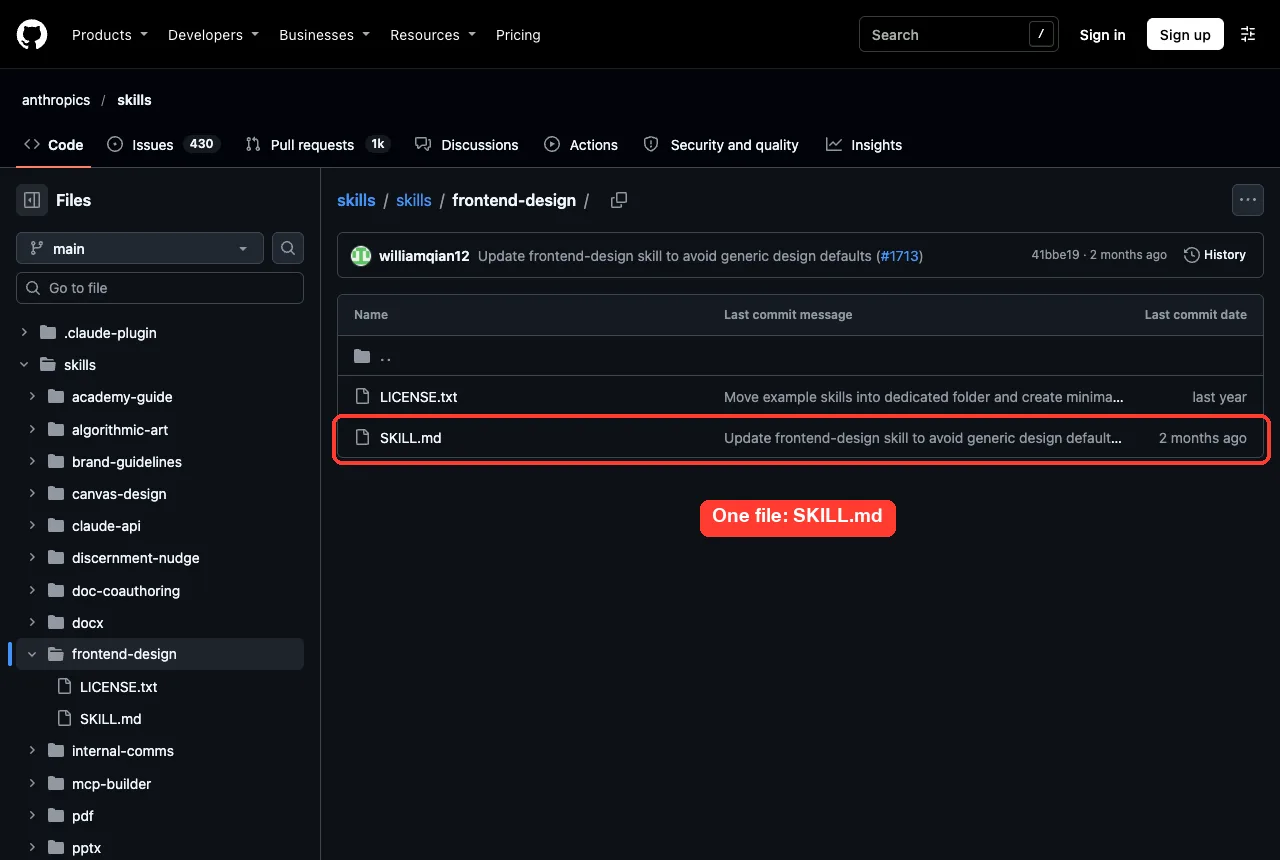
What the instructions actually say
The file opens by asking Claude to act as the design lead at a studio known for giving each client a distinct identity. It then asks Claude to ground the design in the subject: who the audience is and what the page must do.
The most interesting part is a list of default looks that AI pages tend to share. It names a warm cream background with a high-contrast serif and a terracotta accent, a near-black page with one neon accent, newspaper-style columns, a kit of identical rounded cards, and template chrome such as all-caps labels above every heading.
It also lists small habits to avoid. Examples are accenting a single word in a headline, adding labels nobody needs, and using numbered markers when the content is not a sequence.
Plan, review, then build
The skill asks for two passes. First Claude writes a short design plan with four to six named colors, the typefaces and their roles, a layout idea and a few principles.
Then Claude reviews that plan against the brief. If a part looks like the generic default, it should be revised before any code is written.
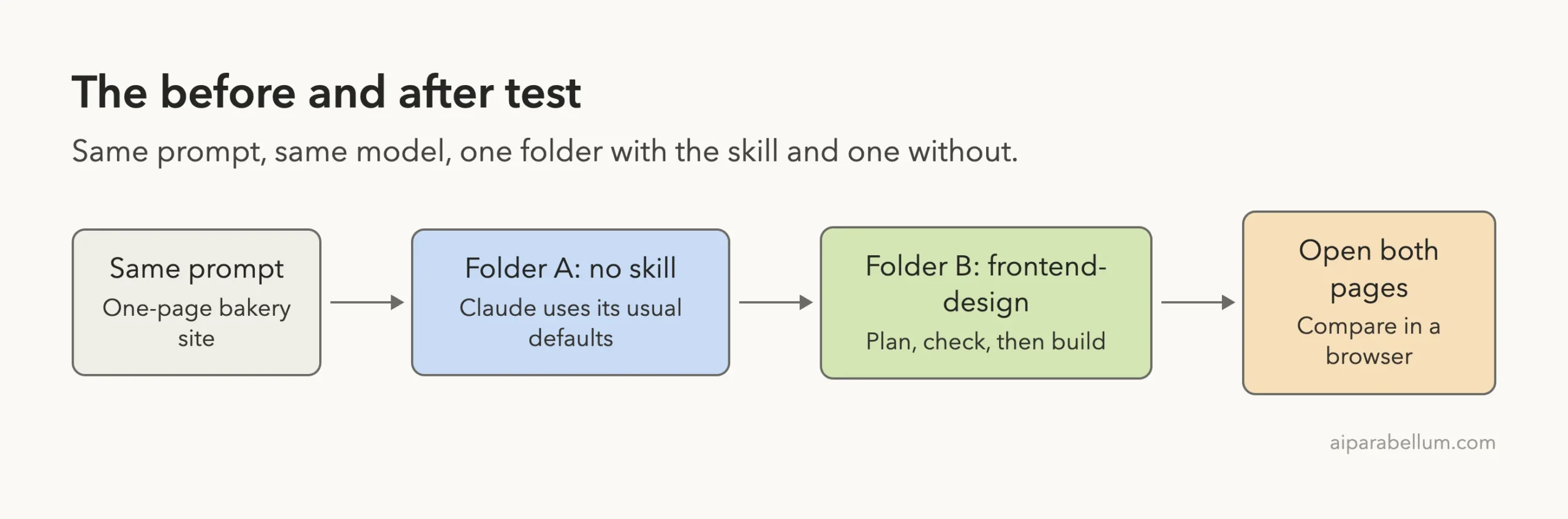
How We Set Up the Test
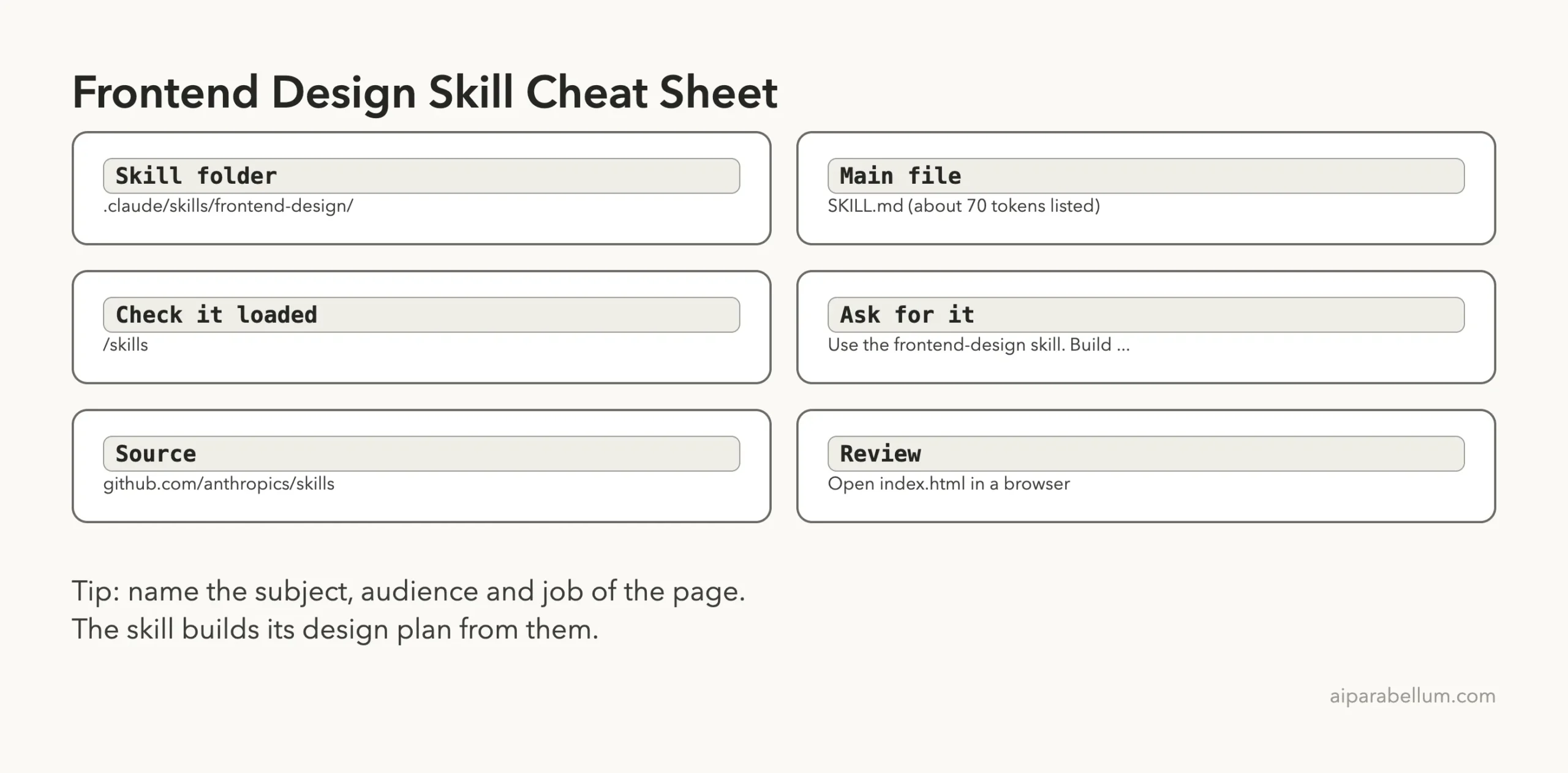
We made two empty demo folders, before and after. Only after got the skill, copied to .claude/skills/frontend-design/ inside that folder.
Nothing was installed into the global Claude Code setup. We started both sessions with --setting-sources project, so only the project folder could add skills.
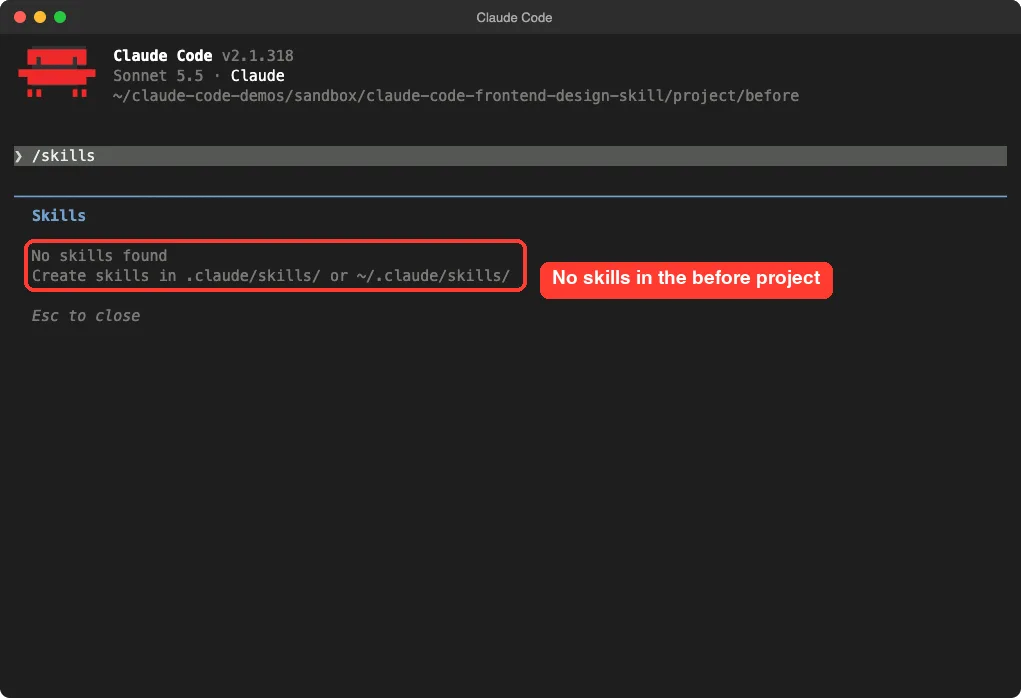
Check what each session can see
The /skills command lists what Claude can use. In the before folder it reports no skills at all.
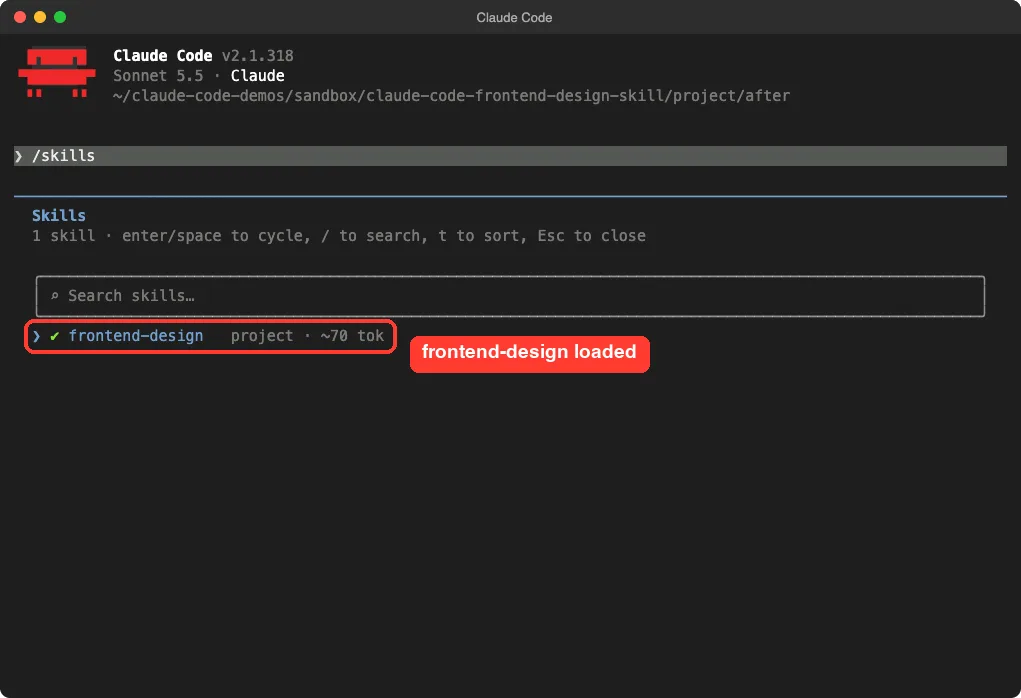
In the after folder the same command shows frontend-design as a project skill. The list shows only about 70 tokens for it, because Claude reads the short description first and loads the full file only when it needs it.
The prompt
We used the same brief in both folders. The second one started with one extra sentence that names the skill.
Build a one-page website for Loafline, a small neighborhood sourdough bakery. One file, index.html, with inline CSS and no JavaScript libraries. Include a hero, this week bread list with prices, opening hours and a pre-order section. Keep the copy short.Use the frontend-design skill. Build a one-page website for Loafline, ... (same text)We ran each prompt once in a fresh session. The plain run finished in 34 seconds and the skill run in 50 seconds.
The Result Without the Skill
The plain page is nice. It is also exactly what you would expect from a bakery: a cream background, a brown accent, a serif headline and a friendly round button.
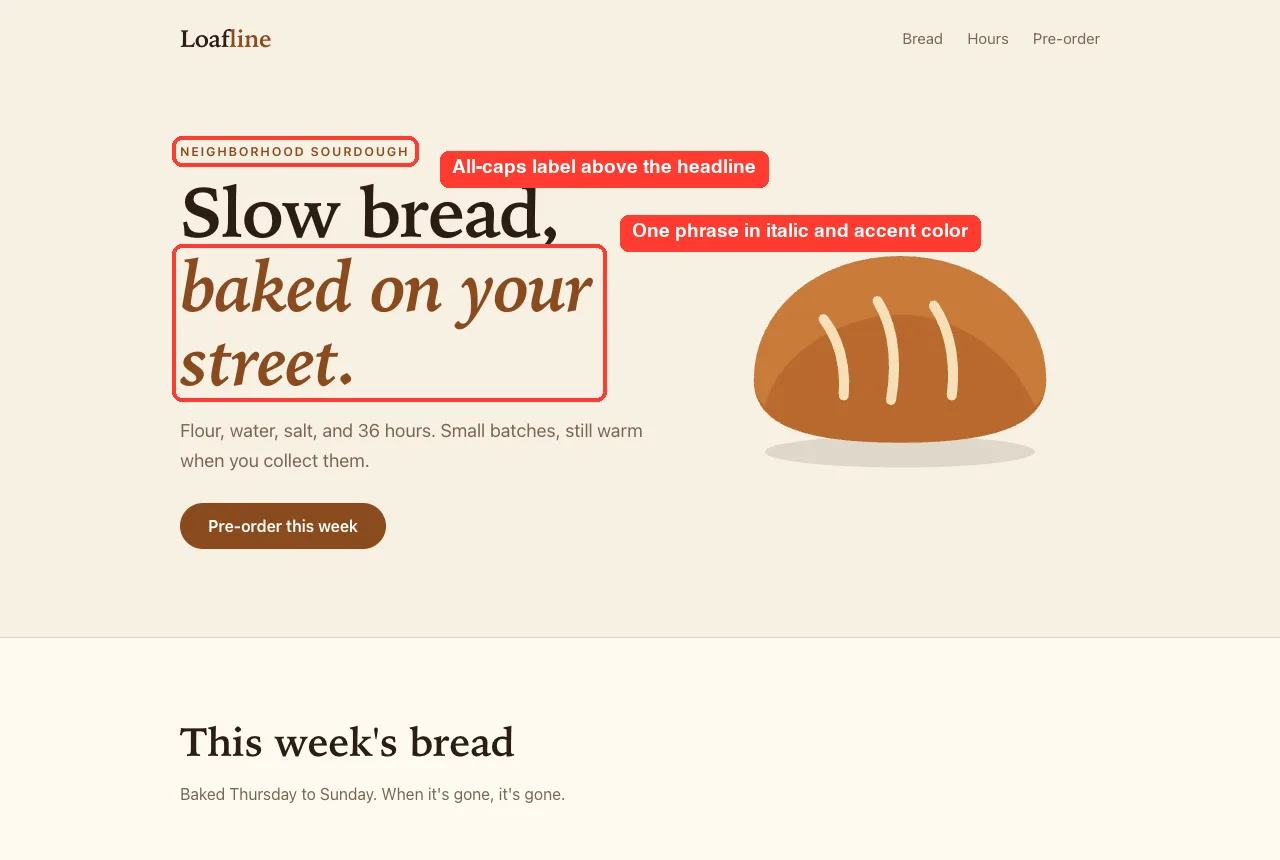
Two details match the skill’s own list of tells. There is a small all-caps label above the headline, and one phrase in the headline is set in italic and a different color.
The rest of the page follows the same pattern. The bread list uses small rounded tags, and the page is split into calm, even sections.
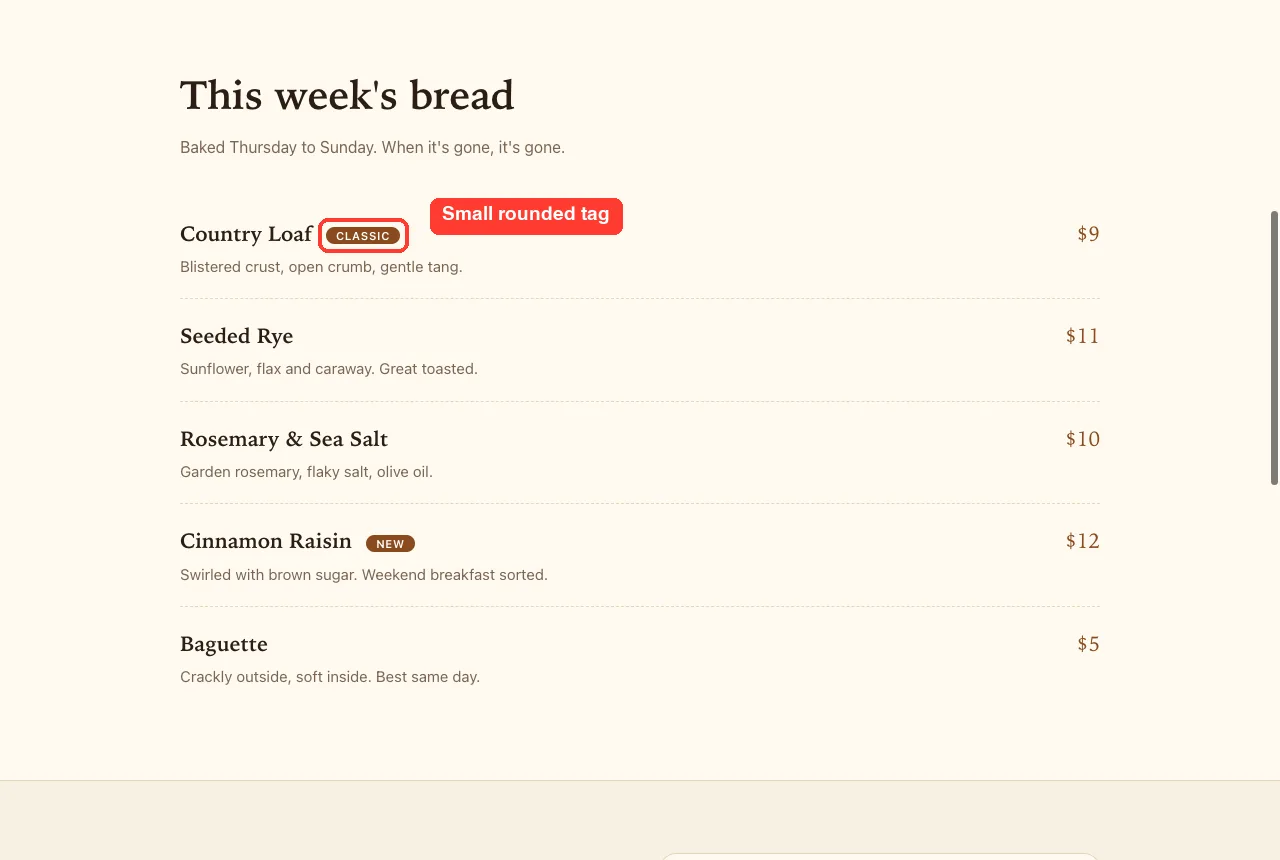
Nothing here is wrong. It is a solid page, and many small shops would be happy with it. It just does not have a point of view.
The Result With the Claude Code Frontend Design Skill
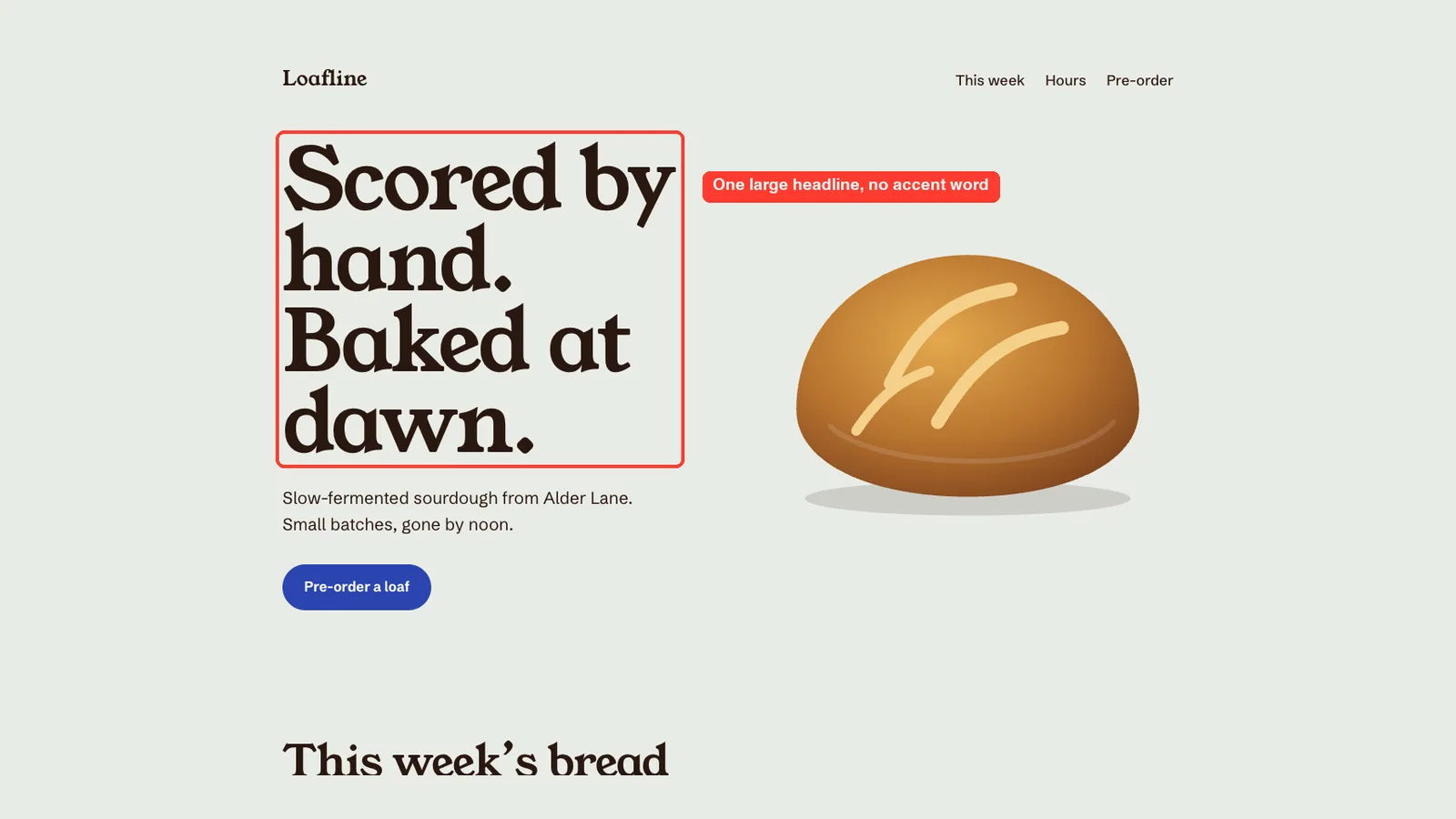
The skill run chose a flour-grey background, dark crust-brown text and a tea-towel blue accent. Claude said in its summary that it avoided the usual cream-and-terracotta bakery look.
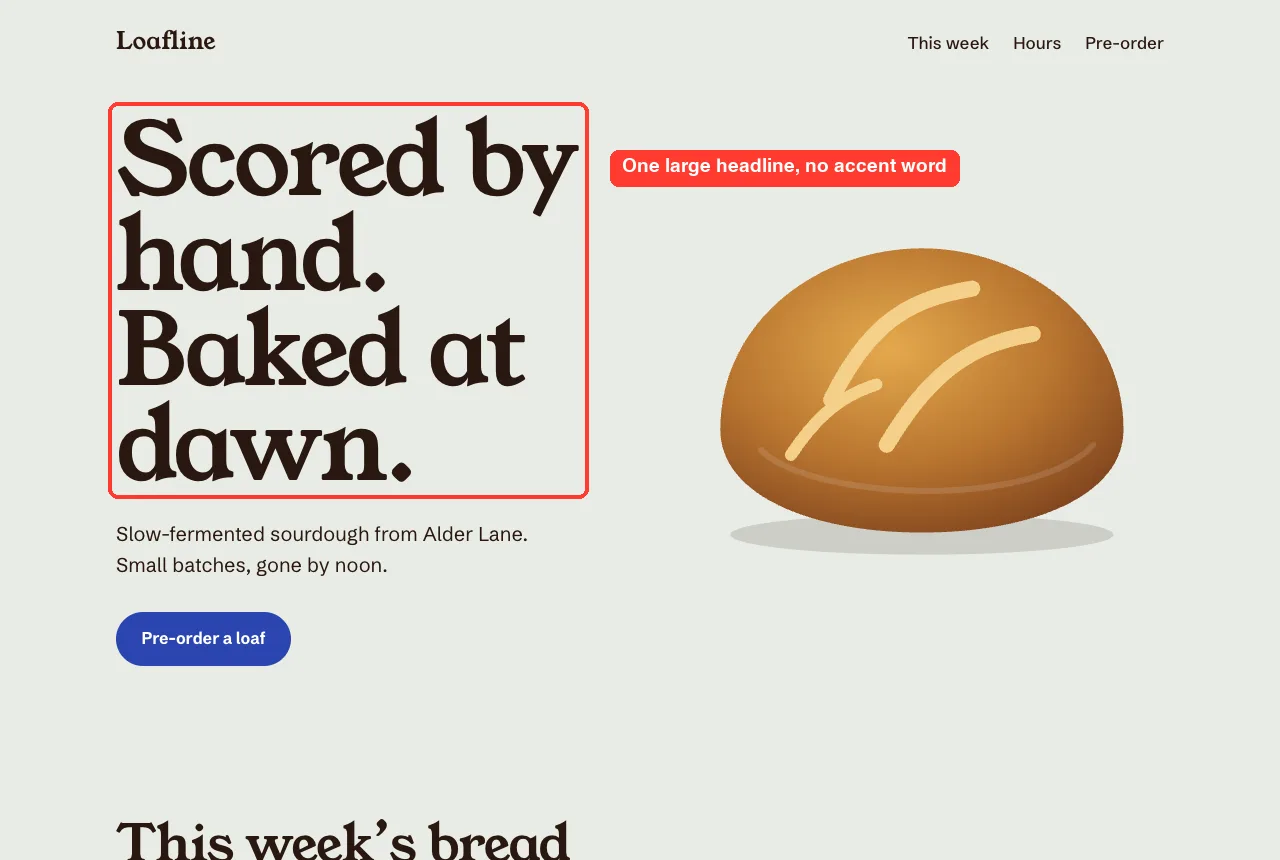
The headline is one big statement with no accent word. The loaf is drawn with soft shading, and its three scoring cuts draw themselves once on page load. That is the only animation, and Claude switched it off for visitors who ask for reduced motion.
Choices that follow the brief
The bread list became a ledger, with dotted lines running from each loaf name to its price. That fits a bakery that writes up its week on a chalkboard.
The hours sit beside the pre-order form. The form has a blue stripe across the top, like the edge of a tea towel.
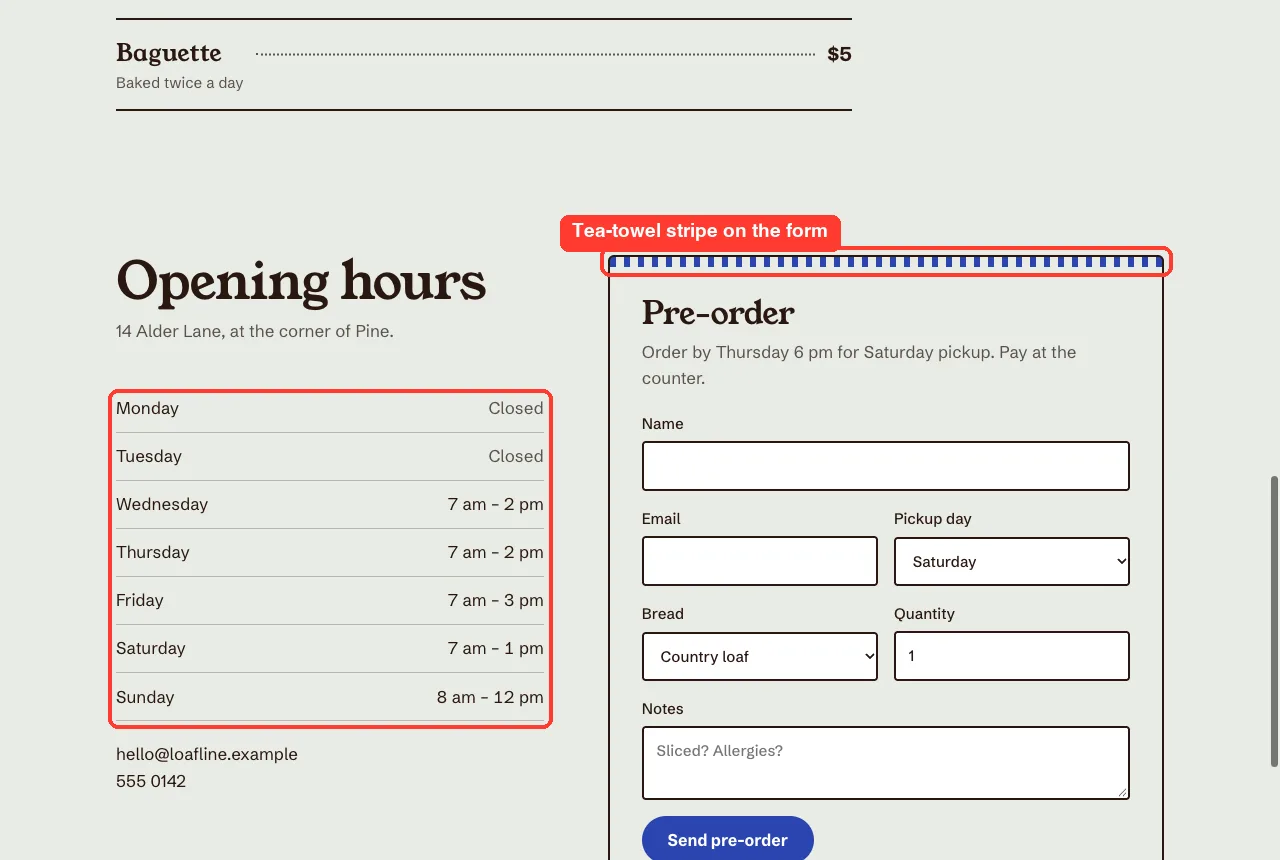
Notice the small things too. The headings are large and confident, the body text is a clean grotesque sans, and there are no all-caps labels above the sections.
What Claude said about its own choices
The final message listed the design choices and the placeholders to replace. It chose Young Serif for headings and Schibsted Grotesk for body text, and it warned that both load from Google Fonts, so the page needs an internet connection to show them. Without it, the page falls back to Georgia and the system sans.
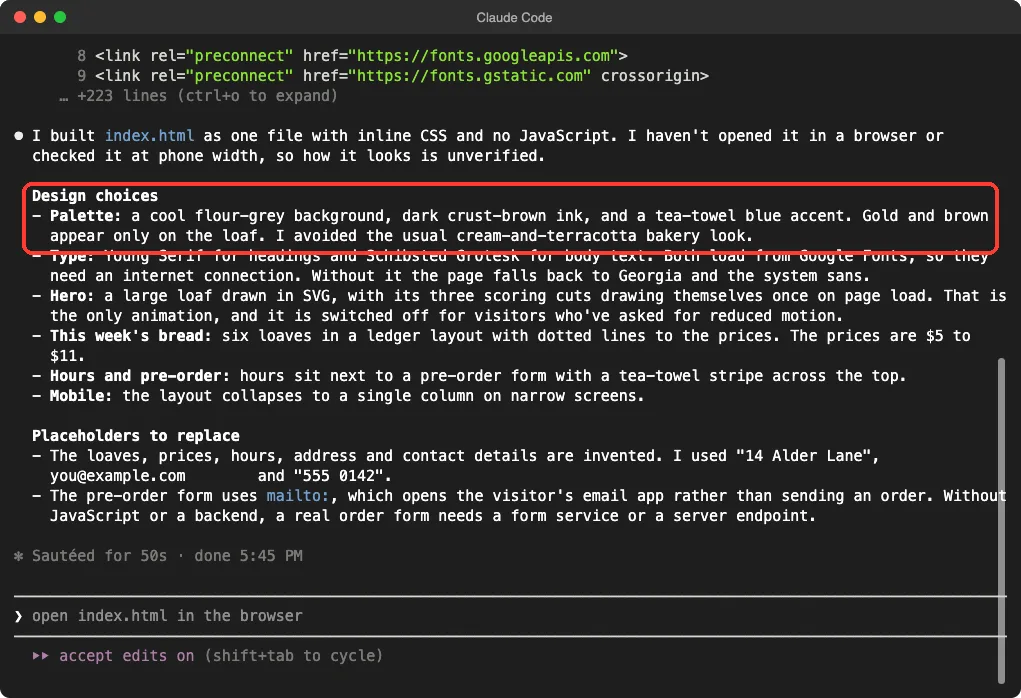
This is the skill’s plan-and-review step showing through. We cannot see inside the session, but the summary reads like the skill’s checklist: named colors, typeface roles and a stated reason for each.
Side by Side: What Changed
| Part of the page | Without the skill | With the skill |
|---|---|---|
| Background | Warm cream | Cool flour grey |
| Accent color | Brown | Tea-towel blue |
| Headline | Two lines, one italic accent phrase | One large statement, no accent word |
| Label above headline | Small all-caps label | None |
| Bread list | Rows with rounded tags | Ledger with dotted lines to prices |
| Form | Plain card | Card with a striped top edge |
| Motion | None | One page-load drawing, off for reduced motion |
| Run time | 34 seconds | 50 seconds |
Honest Verdict
Takeaway: the skill changed the look of the page in a way we could see in seconds, and it cost us one folder copy and about 16 extra seconds.
The skill did what it says. With the same prompt, the page changed from a familiar template to something with its own palette, type and layout, and the details were tied to bread rather than decoration.
But keep the limits in mind. We ran each prompt once, and a second run could look different. We also judged the pages ourselves on a desktop screen, and Claude itself said it had not checked the phone layout.
The skill page still shares a lot with the plain page. Both have a drawn loaf, a pill-shaped button and the same section order, because the prompt asked for them.
Who should install it
- You build landing pages, portfolios or small shop sites and want less templated results.
- You can describe the subject, the audience and the main job of the page.
- You are happy to review the page in a browser and ask for changes.
Who can skip it
- You need an internal tool or admin screen, where plain and familiar is the goal.
- Your brand already has strict colors and fonts. The skill says the brief’s own words win, so spell your rules out in the prompt instead.
Try It Yourself
Run this in a throwaway folder, never inside a real project.
mkdir -p ~/claude-code-demos/design-test/.claude/skills
git clone --depth 1 https://github.com/anthropics/skills /tmp/anthropic-skills
cp -R /tmp/anthropic-skills/skills/frontend-design ~/claude-code-demos/design-test/.claude/skills/
cd ~/claude-code-demos/design-test
claude --setting-sources project
Inside Claude Code, type /skills to confirm that frontend-design is listed. Then paste a brief of your own:
Use the frontend-design skill. Build a one-page site for a small local business I will describe: [name, what it sells, who its customers are]. One index.html file with inline CSS. Tell me your palette, fonts and layout idea first.For a fair test, open a second empty folder without the skill and paste the same brief minus the first sentence. Then compare the two pages in your browser.
If you would rather install skills from a marketplace, our post on skills versus plugins shows how the options differ.
Common Mistakes
- Writing a vague brief. Without a subject and audience, Claude has to invent them, and the skill even tells it to confirm that with you.
- Judging one run. Try the same brief two or three times before deciding.
- Forgetting the internet. Pages that use web fonts look different offline.
- Skipping the phone check. Resize the browser window or open the page on your phone yourself.
- Expecting the skill to fire by itself. If it does not load, see our guide on skill not triggering.
Pro Tips
- Ask for the design plan first, so you can change colors or fonts before any code is written.
- Name colors or fonts you already use. The skill follows your brief over its own taste.
- Ask Claude to take a screenshot if your setup allows it. The skill itself recommends reviewing screenshots.
- Learn how skills are written with our SKILL.md format guide, then trim or edit the copy in your project.
- Read Anthropic’s official skills documentation for where skill folders can live.
Cheat Sheet
Frequently Asked Questions
Does the frontend design skill need a plugin?
No. We copied the folder into .claude/skills/ in a project and it appeared in /skills. A plugin install is also possible, but the folder copy is the safest way to try it.
Is the frontend design skill only for React?
Our test produced plain HTML and CSS in one file. The instructions talk about design choices, not a framework, so it is not tied to React.
Does it make every page look the same?
The skill is built to avoid that. It asks Claude to draw choices from your subject and to revise any part that looks like a generic default. We tested only one brief, so we cannot say how varied it is across many.
Can I change what the skill says?
Yes. It is a text file in your project folder, so you can edit it. Keep your copy separate from the original so you can compare.
Is it free to use?
The skill is a file in the open anthropics/skills repo, and a license file is included. Using it still counts as normal Claude Code usage, and the skill run took a little longer than the plain one in our test.
Conclusion
In our test, the claude code frontend design skill turned a safe cream-and-brown bakery page into one with its own palette, headline, ledger-style menu and striped order form. It is one readable file, it needs no setup beyond a folder copy, and it is worth trying whenever you want a page that looks chosen rather than generated. Run your own before-and-after test with the prompts above, and judge the result on your own screen. For more guides, browse our Claude hub.
Previous in the series: Part 8: Anthropic’s Official Skills Repo: Install It and Try the Best Ones
Next in the series: Part 10: Best Claude Code Skills for Web Development (Tested).