Looking for the best claude code web skills? Anthropic’s open skills repo has three that fit the job, and we ran two of them on small demo projects to see what they really do. One checks a page in a real browser, and the other builds a React app and packs it into a single file.
This is Part 10 of 45 in our Claude Code Deep Dives, part of our Claude Code tutorials. In the last part we compared frontend design skill, so today we cover the rest of the web toolkit.
Tested with Claude Code v2.1.318 on November 4, 2026. The skills come from the anthropics/skills repo at commit ca45fc4, dated October 28, 2026.
Quick Summary
| Skill | Job | What we did | Verdict |
|---|---|---|---|
frontend-design | Picks a distinctive look | Tested in Part 9 | Worth it for new pages |
webapp-testing | Tests a page in a real browser with Playwright | Found a planted bug and checked the fix | Works well once Playwright is ready |
web-artifacts-builder | Builds a React app and bundles it into one HTML file | Built a tip splitter, 304,166 bytes | Works, but needed two fixes on our Mac |
How We Picked the Best Claude Code Web Skills
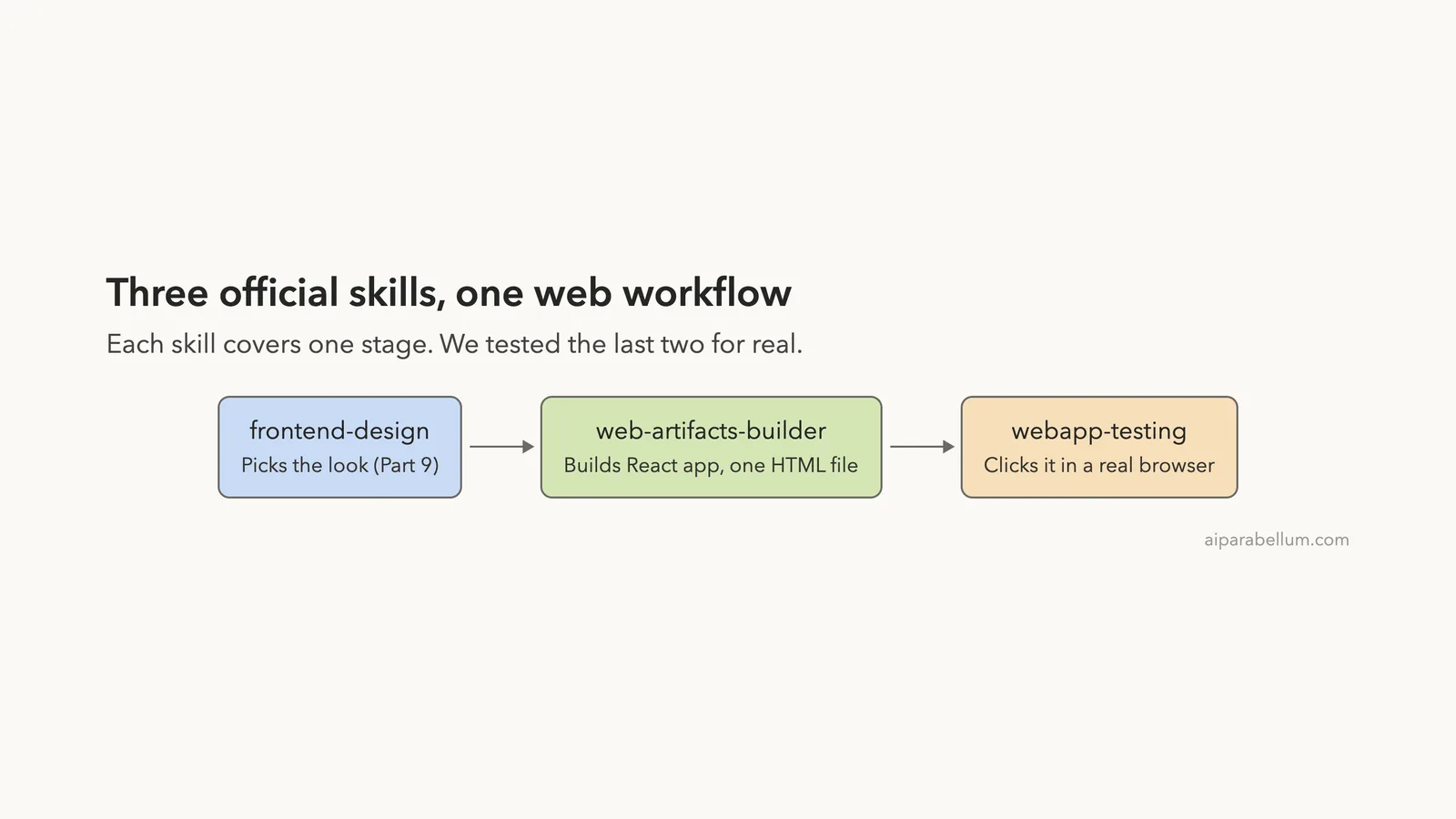
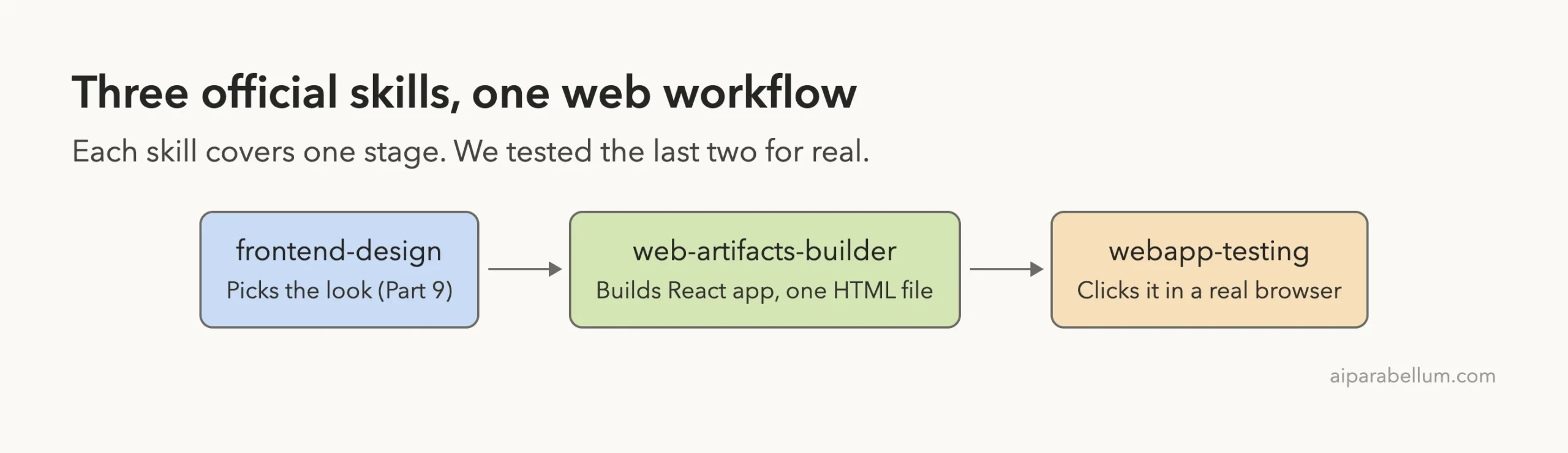
We started from the web-related entries in our Skills Directory. Three official skills from Anthropic stood out because they cover three different stages of building a site: design, build and test. Other web plugins in the directory need outside accounts or extra downloads, so we left them for later posts.
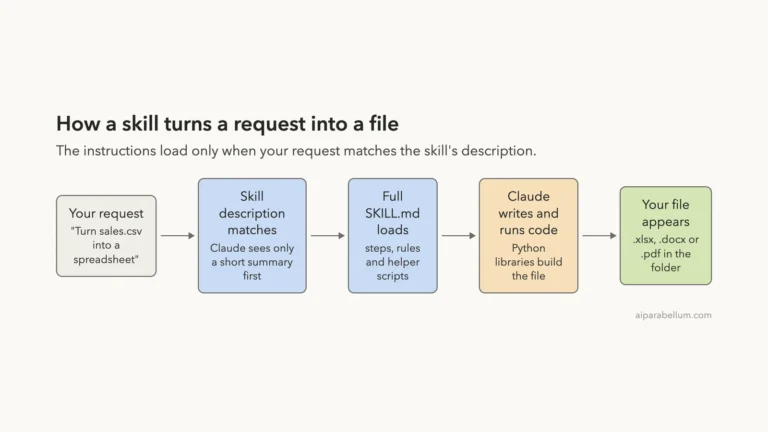
Each skill is a folder with a SKILL.md file that Claude loads when your request matches. If that idea is new, our guide to Claude Code skills explains it, and the official skills docs cover the details.
Our safe setup
We never touched our normal Claude Code setup. We copied the two skill folders into a throwaway project, started Claude Code with --setting-sources project, and read every script before running anything.
Typing /skills showed both skills loaded from the project. The list also shows a rough token cost, about 70 for webapp-testing and about 100 for web-artifacts-builder.
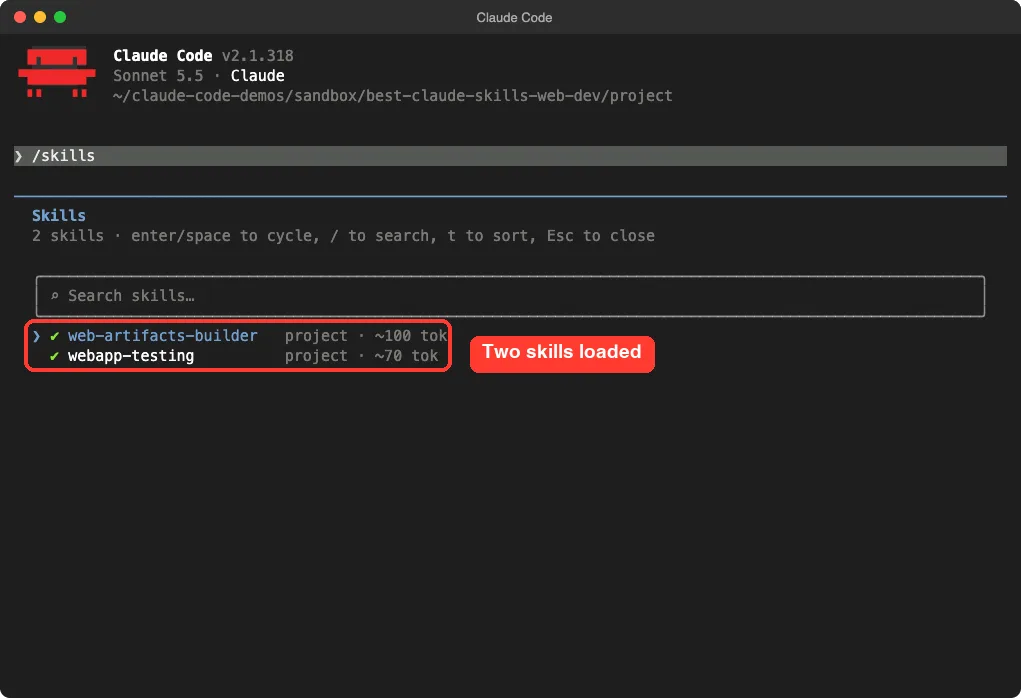
/skills list after copying them into .claude/skills/Skill 1: webapp-testing
This skill teaches Claude to test a local web page by writing Python Playwright scripts. Its folder holds SKILL.md, a helper called scripts/with_server.py that starts and stops dev servers, and three example scripts.
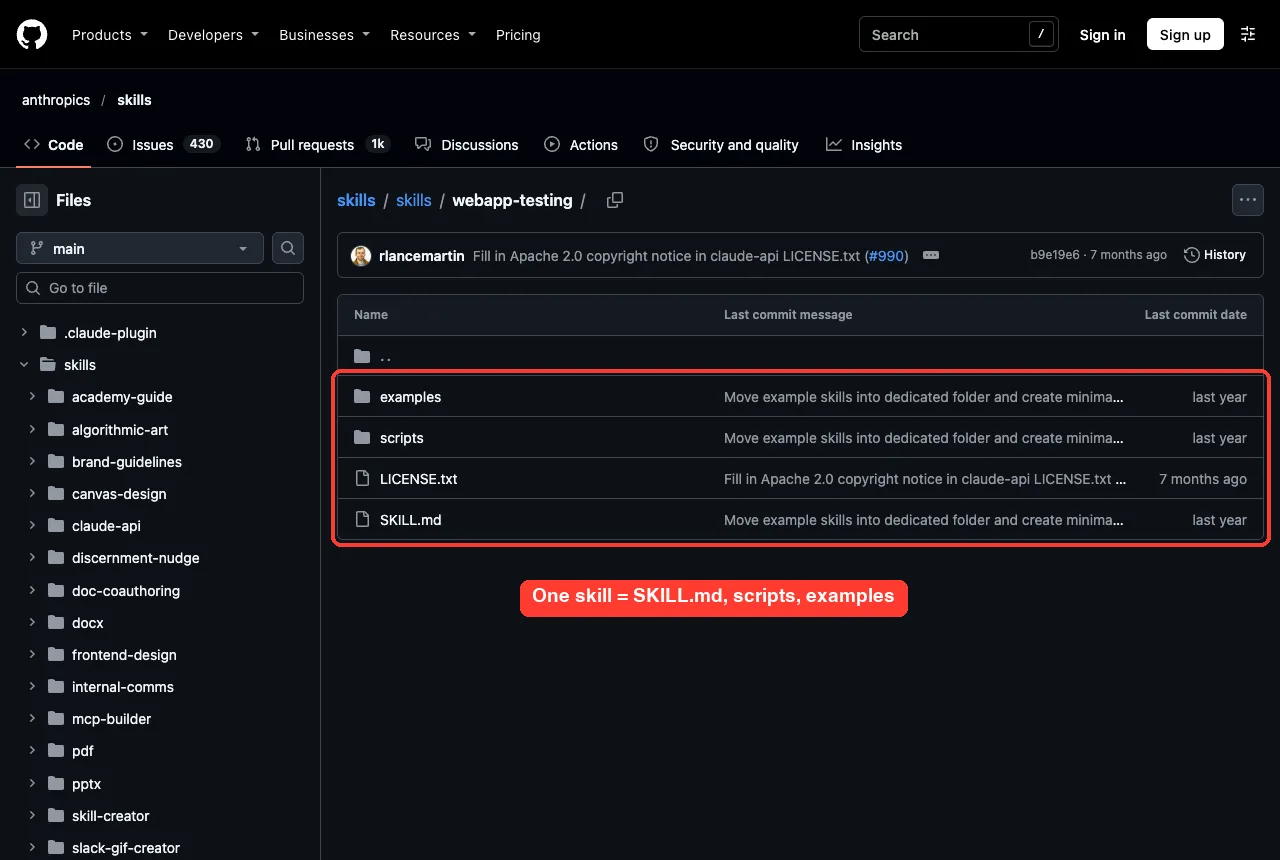
What the instructions say
The file gives Claude a short decision tree. For static HTML, read the file and pick selectors from it. For a running app, open the page, wait for the network to go quiet, look at what rendered, and only then click things.
It also tells Claude to treat the bundled scripts as black boxes and run them with --help first. That keeps long script code out of the conversation. The helper uses shell=True to start your server command, so read it before you trust it with commands you did not write.
Our test page with a planted bug
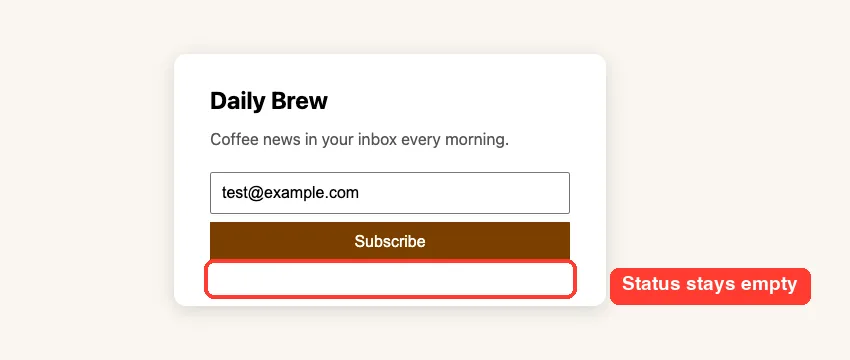
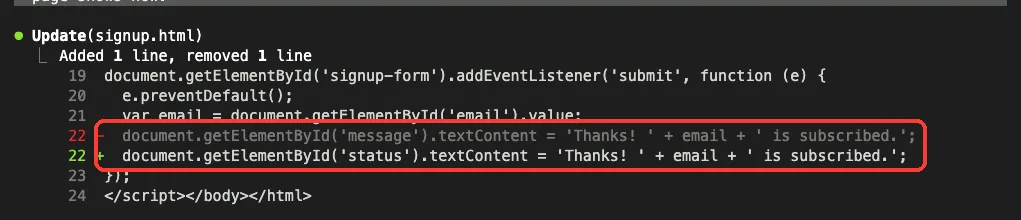
We wrote a tiny newsletter signup page called signup.html. Its submit handler writes a thank-you message into an element with the id message, but the page only has an element with the id status. The page looks fine, yet clicking Subscribe does nothing.
Our prompt asked Claude to use the skill, type an email into the box, click Subscribe, report what the page shows, list any console errors and save a screenshot. We told it not to change the file yet.
Use the webapp-testing skill on signup.html. Playwright is in .venv (use .venv/bin/python). Type [email protected] into the email box, click Subscribe, report what the page shows, list any console errors, and save a screenshot as test-result.png. Do not change signup.html yet.Our prompt also said which browser to launch, because we had installed Playwright’s Python package but not its Chromium download. We pointed it at an installed copy of Chrome instead.
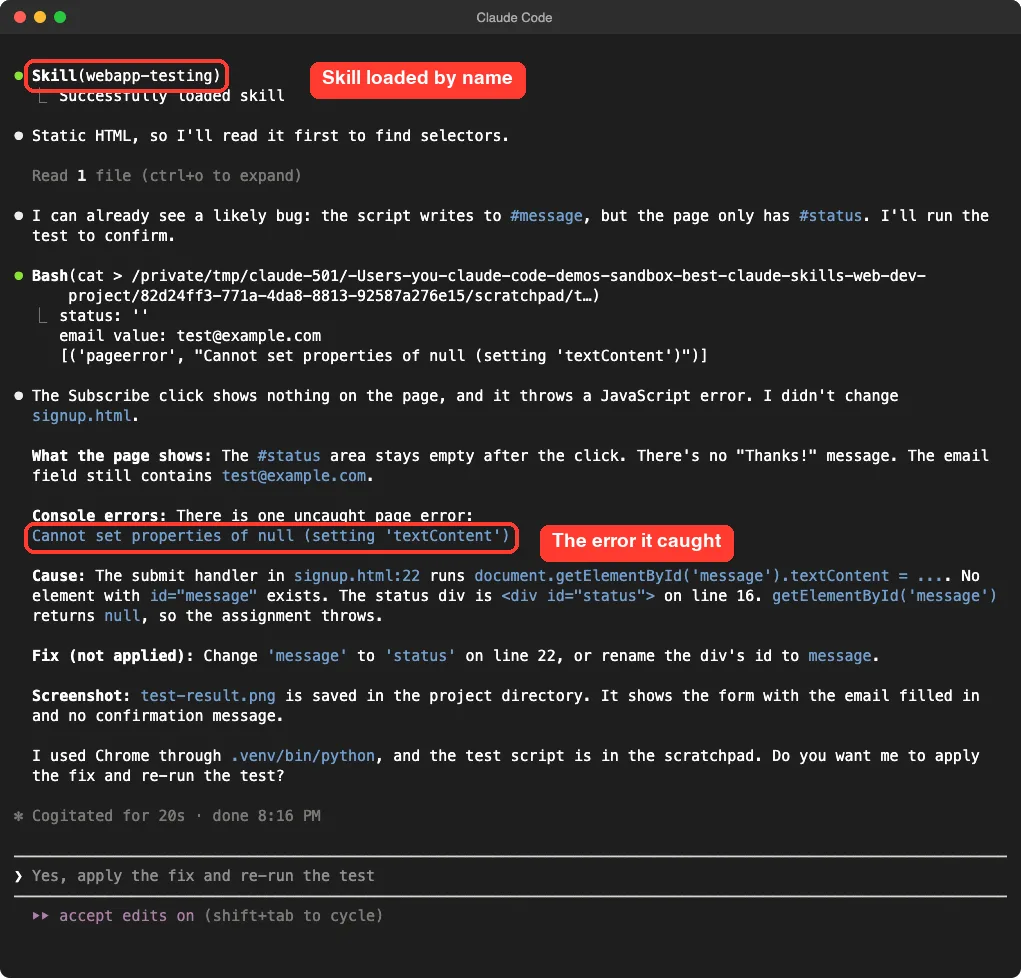
What happened
Claude loaded the skill by name, read the static HTML first as the decision tree says, and spotted the likely mismatch before running anything. Then it ran the test and confirmed it: the status area stayed empty and the page threw Cannot set properties of null (setting 'textContent').
The saved screenshot shows the form with the email filled in and no message. The whole check took about 20 seconds.
The fix and the retest
We then asked Claude to apply the fix and run the same test again. It changed one word on line 22, from message to status.
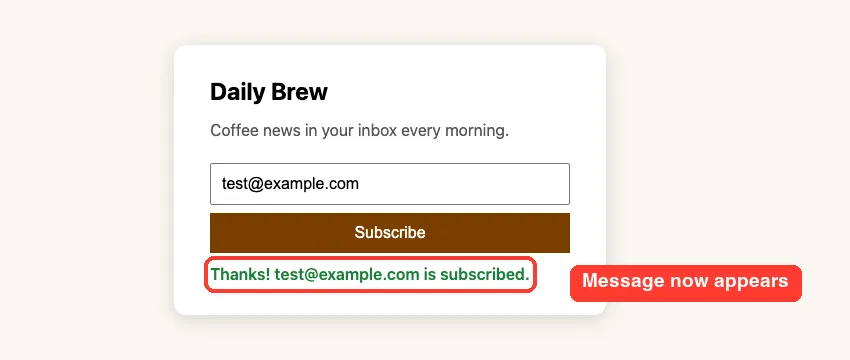
Honest note: the retest stopped at a permission prompt that our script could not answer, so we did not capture Claude’s own after-fix run. We ran the same click test ourselves with the same Playwright setup. The page now shows the thank-you message and no page errors.
Skill 2: web-artifacts-builder
This skill is for building a multi-part front end with React, TypeScript, Vite, Tailwind CSS and shadcn/ui, then squeezing everything into one self-contained HTML file. It was written for claude.ai artifacts, but the single file works anywhere you can open HTML.
Its instructions say to run scripts/init-artifact.sh to create the project, edit the code, then run scripts/bundle-artifact.sh to produce bundle.html. They also tell Claude to avoid centered layouts, purple gradients and the Inter font.
What we read before running it
The init script checks for Node 18 or newer, then runs npm install -g pnpm if pnpm is missing. That is a global install on your computer, so we did not let it happen. We installed pnpm inside our throwaway sandbox folder and put it on the path for the demo session only.
The script then creates a Vite project, installs Tailwind and unpacks a tarball of shadcn components. The bundle script installs Parcel and a few helpers, builds the app and inlines it with html-inline.
Our test prompt
Use the web-artifacts-builder skill to build a small tip splitter artifact named tip-splitter: a bill amount box, tip buttons for 15, 18 and 20 percent, and a number of people box. It shows the tip and what each person pays. Follow the skill steps, bundle it into one HTML file, and tell me the size of bundle.html.The first run failed
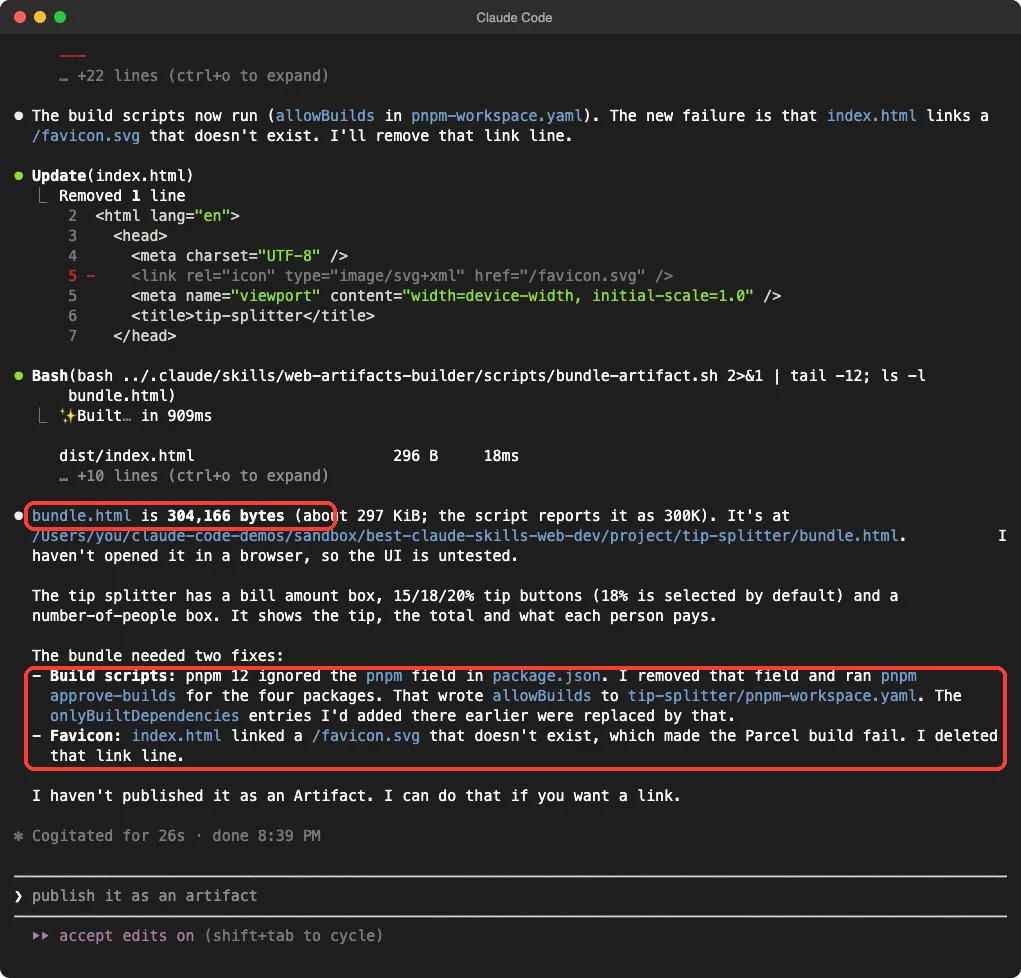
The project was created and the code was written, but the bundle step stopped with ERR_PNPM_IGNORED_BUILDS. The pnpm version on our Mac blocks dependency build scripts until you approve them, and the skill’s script does not expect that.
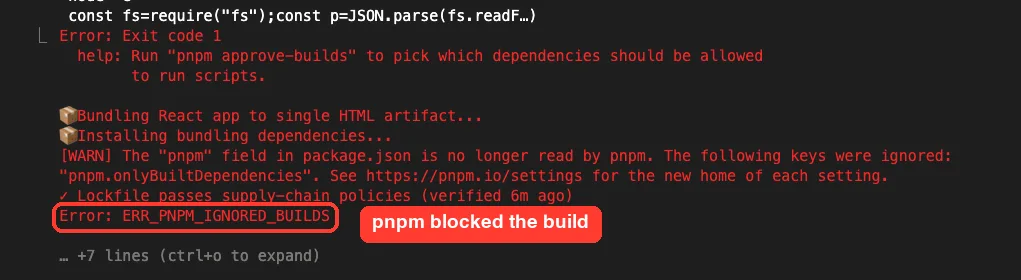
Claude explained the problem, tried one fix that this pnpm version ignored, and then used pnpm approve-builds for four packages. The result was an allowBuilds entry in a new pnpm-workspace.yaml file. We had to answer several permission prompts along the way, which is normal for commands that write config files.
The second problem and the result
The next build failed because the generated index.html linked a /favicon.svg that did not exist. Claude deleted that one line and the build passed.
The final file, bundle.html, came out at 304,166 bytes. We also noticed a stray file named index.html'' in the project folder. It looks like a leftover of the init script’s sed command on macOS, and we did not dig further.
Does the app work?
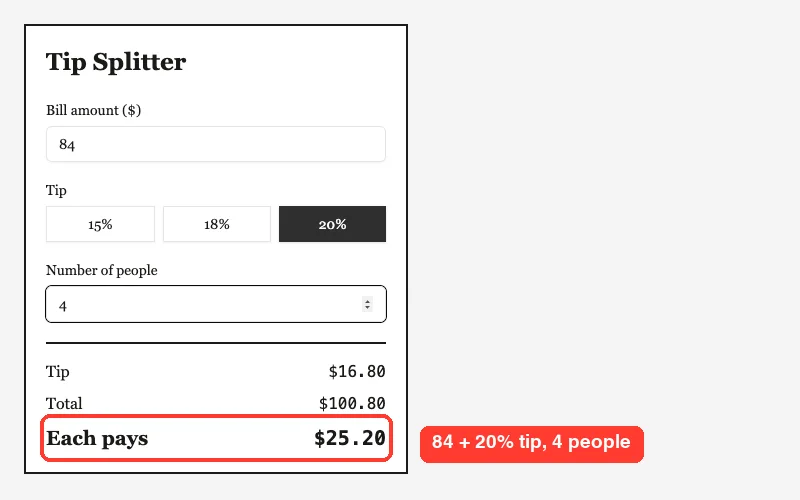
Claude itself said it had not opened the file in a browser, so we did. We opened bundle.html in headless Chrome, typed a bill of 84, picked the 20 percent button and set 4 people. The page showed a tip of $16.80, a total of $100.80 and $25.20 each, which is correct math, and there were no page errors.
The look is plain on purpose: left-aligned, a serif heading and a dark selected button. It followed the skill’s advice against centered cards and purple gradients.
Skill 3: frontend-design
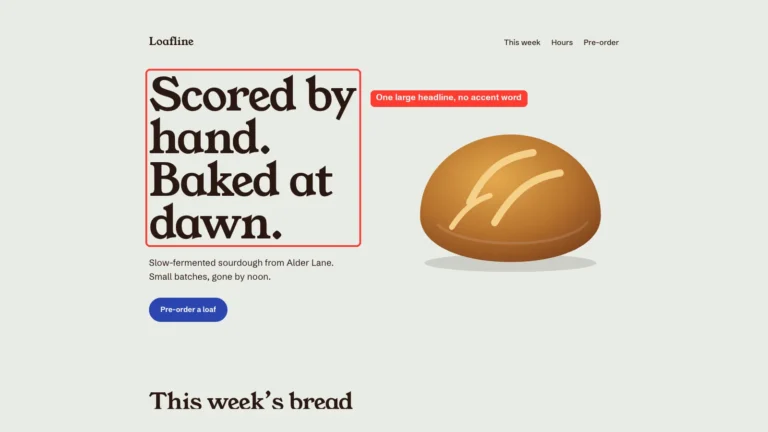
We covered this one fully in Part 9. In short, it is one instructions file that asks Claude to plan a palette, fonts and layout from your subject, then review the plan before coding. In that test it changed the result clearly, so read our design test for the images.
Which of the Best Claude Code Web Skills Should You Use?
| You want to | Use | Setup needed |
|---|---|---|
| Make a new page look chosen, not generic | frontend-design | Folder copy only |
| Check that a page or form really works | webapp-testing | Python Playwright and a browser |
| Build a React app that ships as one file | web-artifacts-builder | Node 18+, pnpm and internet |
They also work as a chain. Use the design skill for the look, the builder for the app, and the testing skill to click through the result. We tested each skill on its own, not all three in one run, so we cannot report how smoothly they chain.
Real Examples to Copy
Test a form you already have
Use the webapp-testing skill. Open index.html, fill every field with sample data, submit the form, and tell me what the page shows and if the console has any errors. Save a screenshot.Check a running dev server
Use the webapp-testing skill. My app runs with npm run dev on port 5173. Use the with_server.py helper, load the home page, click every button in the header and report anything that breaks.Build a small tool as one file
Use the web-artifacts-builder skill to build a habit tracker with a weekly grid and a streak counter. Bundle it into one HTML file and tell me the file size.Try It Yourself
Make a folder, add a tiny page with a button that should change some text, and break it on purpose by using the wrong element id. Copy the webapp-testing folder into .claude/skills/, install Playwright in a virtual environment, and run the first prompt above.
If you want a bigger project afterwards, our guide to landing page guide shows a full page build, and test-driven development shows another way to catch bugs early.
Common Mistakes
- Skipping the setup check.
webapp-testingneeds Python Playwright and a browser, and without them the skill cannot run a single test. - Letting an init script install tools globally. Read the script first and give it a sandbox instead.
- Assuming the build is finished when Claude says so. Open the bundled file and click it yourself, as we did.
- Trusting helper scripts blindly. Open the files in
scripts/before running them, especially ones that start servers. - Running big skills with a tight allow list and walking away. Installs and config writes ask for permission, so stay nearby.
Pro Tips
- Name the skill in your prompt. Our tests loaded the skill every time we asked for it by name.
- Ask for a screenshot. A saved image is the quickest proof that a test actually ran.
- Tell Claude what is already installed, such as the virtual environment or which browser to use, so it does not waste steps.
- Keep skills in the project folder while you try them, so removing them is one delete.
- Note the commit of the repo you copied from. Skills change, and a version note helps you compare results later.
Cheat Sheet
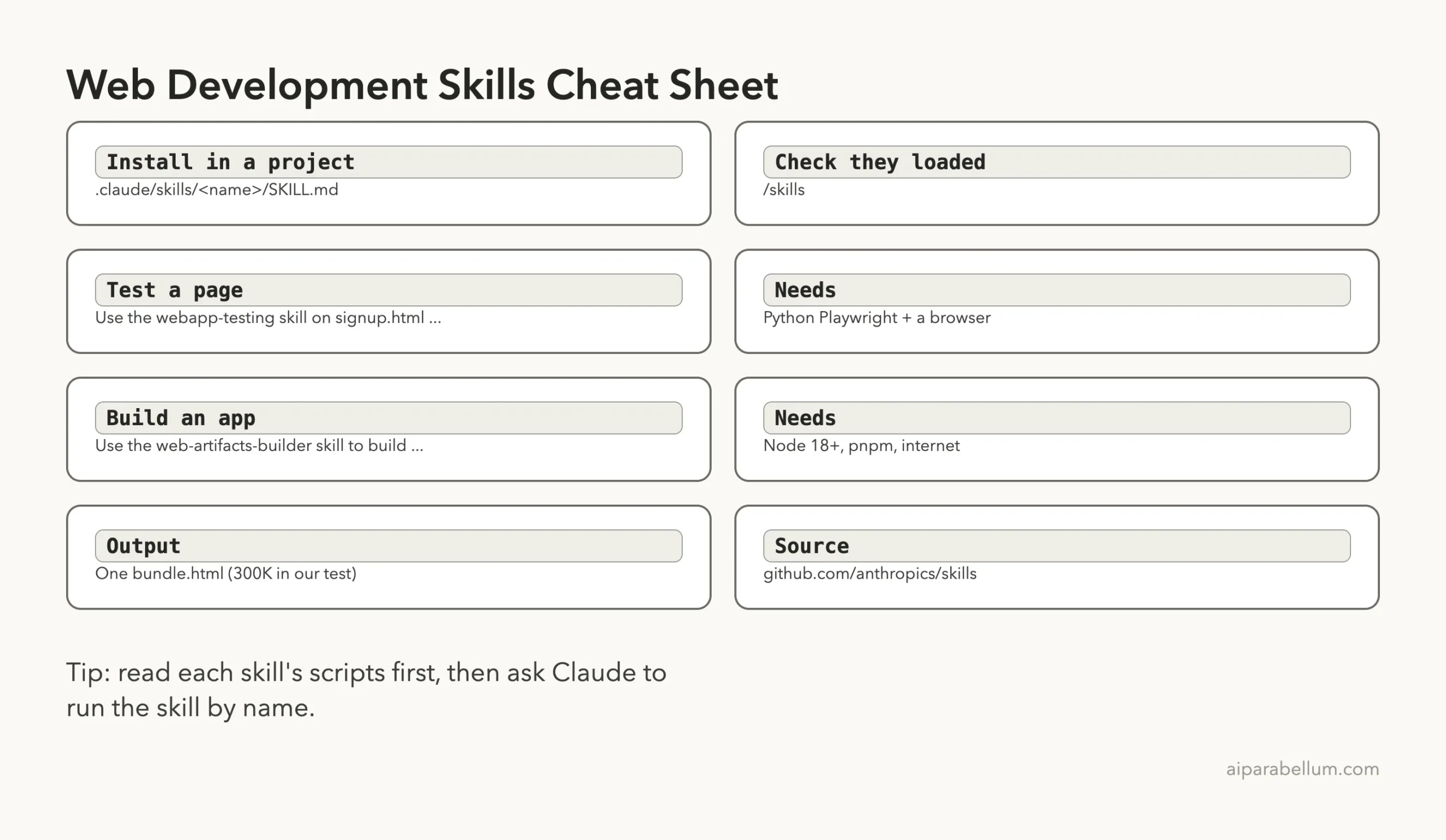
Skills do the work only when you ask by name and your tools are ready, so check setup first and open the result yourself.
What We Did Not Test
We ran one bug and one small app, so these results show how the skills behave on tiny projects, not on large codebases. We did not run the example scripts bundled with webapp-testing, the multi-server mode of with_server.py, or the shadcn components beyond what Claude chose to use. Other web plugins in the directory were not part of this test.
Frequently Asked Questions
What are the best Claude Code skills for web development?
From the official repo, frontend-design, webapp-testing and web-artifacts-builder cover design, testing and building. We tested the last two here and the first in Part 9.
Does webapp-testing work without Playwright?
No. The skill writes Playwright scripts, so the Python package and a browser must be available. In our test we used the package in a virtual environment and pointed it at an installed Chrome.
Do I need to install these through the plugin system?
No. We copied the folders into .claude/skills/ in a project and they showed up in /skills. A plugin install also exists, and our plugins guide explains it.
Can web-artifacts-builder work for a normal website?
It produces a React project plus one bundled HTML file, so you can use either. The skill describes the bundle as an artifact for claude.ai, but we opened it directly as a local file and it worked.
Is it safe to run these skills?
Read them first. frontend-design is text only, webapp-testing starts servers you specify, and web-artifacts-builder installs packages and tries a global pnpm install if pnpm is missing. We used a sandbox folder for all of it.
Conclusion
Among the best claude code web skills, the two we tested earned a place: webapp-testing found our planted bug in about 20 seconds and proved it with a screenshot, and web-artifacts-builder produced a working 304,166-byte app once Claude worked around a pnpm block and a missing favicon. Neither is one click, so plan for setup and a few permission prompts. Try the first prompt on a page of your own, and see more add-ons in our Claude hub.
Previous in the series: Part 9: Claude Code Frontend Design Skill: Before and After
Next in the series: Part 11, Best Claude Code Skills for UI Design (Tested), is coming soon.