The claude code docx skill lets you describe a Word document in plain words and get a real .docx file back, without opening Word. Anthropic publishes it as the docx skill in its official skills collection. We loaded it into a throwaway project, asked for a one-page memo, then asked for a tracked-changes edit, and checked everything we could check on a Mac with no Office apps.
This guide is part of our Claude Code tutorials. Find more add-ons in our Skills Directory.
Tested with Claude Code v2.1.318 on November 6, 2026, using the docx skill from the anthropics/skills collection at commit ca45fc4 (October 28, 2026). Everything ran in a sandbox folder with --setting-sources project, so nothing was added to the global Claude Code setup.
Quick Summary
| Question | Answer |
|---|---|
| What is it? | A skill that teaches Claude Code to create, edit and read Word files |
| Who makes it? | Anthropic, in the anthropics/skills collection |
| What we asked for | A one-page memo with a table and bullets, then a tracked-changes edit |
| Build time | Claude reported 12 seconds for the memo and 12 seconds for the edit |
| Did the files pass their checks? | Yes, the skill’s validator passed on both files |
| Biggest catch | The skill expects tools a plain Mac does not have, such as LibreOffice and pandoc |
| What we could not test | Opening the files in Microsoft Word itself |
What the Claude Code Docx Skill Does
A skill is a folder with a SKILL.md file that Claude loads when a task matches its description. If you are new to the idea, our guide to Claude Code skills explains how they work.
The docx skill says to use it any time you mention a Word doc, a .docx file or a .dotx template. That covers new reports, memos and letters, plus edits, comments, tracked changes, find-and-replace and pulling content out of existing files. It says not to use it for PDFs, spreadsheets or Google Docs.
A .docx file is really a ZIP archive of XML files, and the skill opens with that fact. It then picks a different approach for each kind of job.
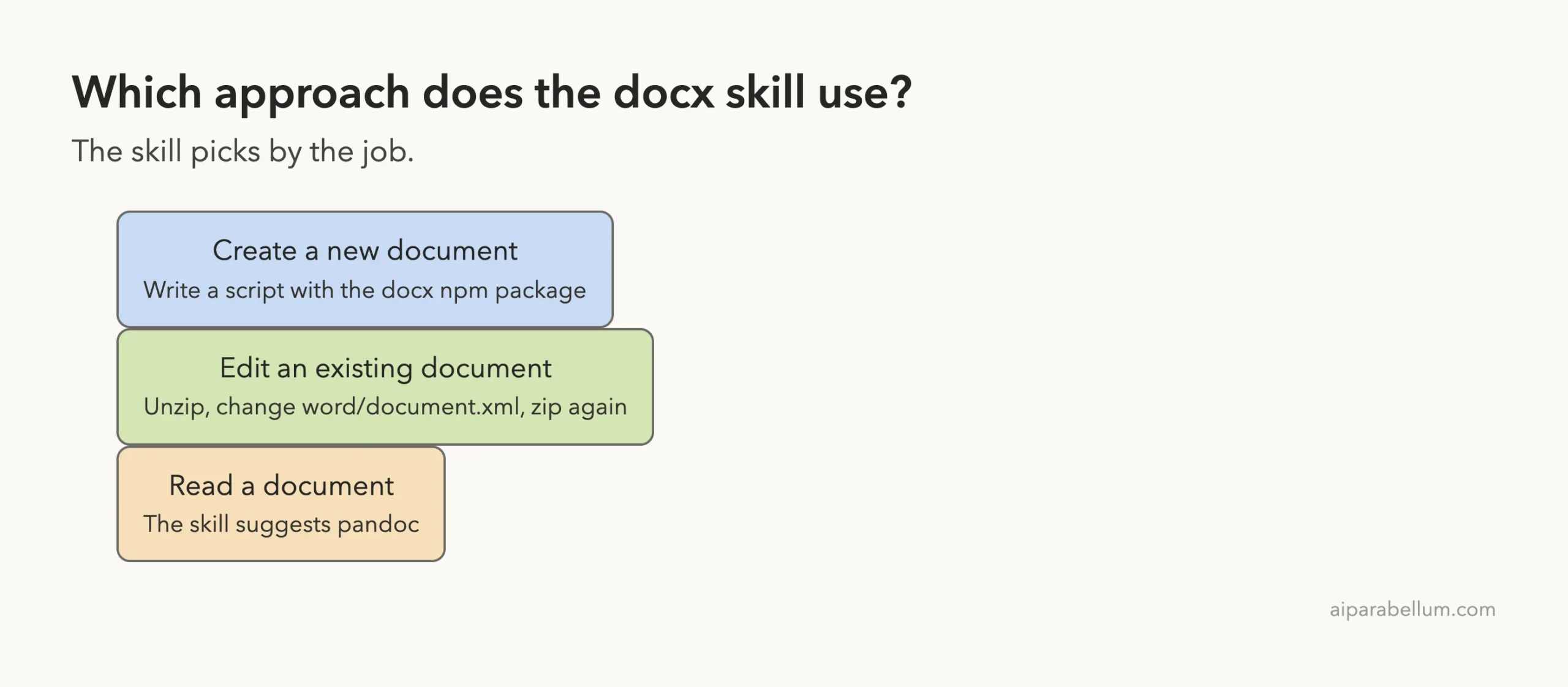
| Job | Approach the skill describes |
|---|---|
| Create a new document | Write a script with the docx npm package |
| Edit an existing document | Unzip it, edit word/document.xml, zip it again |
| Read a document | Run pandoc -t markdown file.docx |
The skill folder also holds a few helper scripts. validate.py checks a finished file, merge_runs.py joins fragmented text so you can find a phrase, comment.py adds Word comments and accept_changes.py produces a clean copy with all tracked changes accepted.
A Note on the License Before You Copy It
The skill’s front matter says its license is proprietary and points to a LICENSE.txt file for the full terms. We only used a temporary copy inside our sandbox and moved it to the Trash when we finished.
If you want it yourself, use the official route instead of copying folders around. Our skills repo guide walks through it, and the two commands are these:
/plugin marketplace add anthropics/skills
/plugin install document-skills@anthropic-agent-skills
Those commands change your own Claude Code setup, so try them in a project you do not mind experimenting in.
How We Set Up the Test
We made a demo project under ~/claude-code-demos/, put the skill in .claude/skills/docx/ and started Claude Code there. Project skills are one of the places Claude Code loads skills from, and Anthropic’s skills documentation lists the locations.
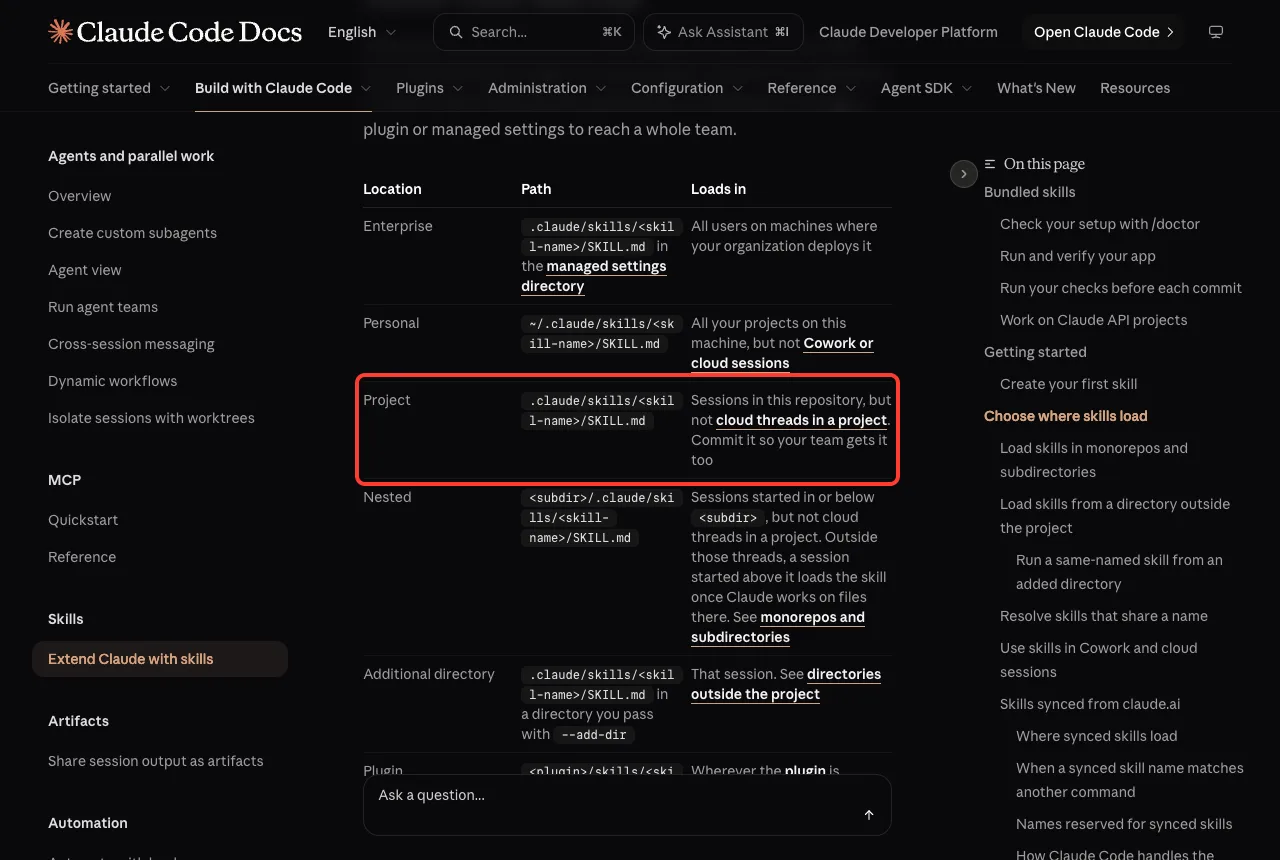
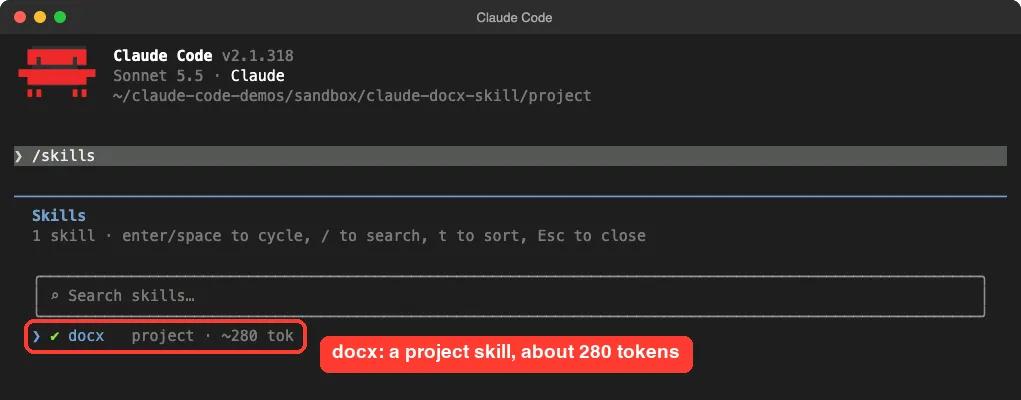
.claude/skills/ loads for sessions in that repositoryRunning /skills confirmed that Claude Code saw it. The list showed docx as a project skill that costs about 280 tokens while idle.
The extra tools the skill expects
Skills can call tools that are not part of Claude Code, and this one does. Its notes list the docx npm package, pandoc, LibreOffice and pdftoppm. The validator is a Python script, so you also need Python with defusedxml and lxml.
The notes say the docx package is preinstalled, which is true in Anthropic’s own environment but not on a plain Mac. We ran npm install docx in the demo folder (it installed version 9.15.2) and built a Python 3.14 virtual environment for the validator.
We did not install LibreOffice or pandoc. That means no PDF conversion and no image previews inside the session, so we told Claude to skip rendering.
We also added a small .claude/settings.json to the demo project that let Claude run node, unzip, zip and our Python commands without asking. We ran in the acceptEdits permission mode.
We read the skill’s scripts before running them. The only commands they launch are LibreOffice calls, which we never triggered.
Creating a Word Document With the Claude Code Docx Skill
We started a fresh session and typed one prompt. It named the title, the content, the page size and where the tools were.
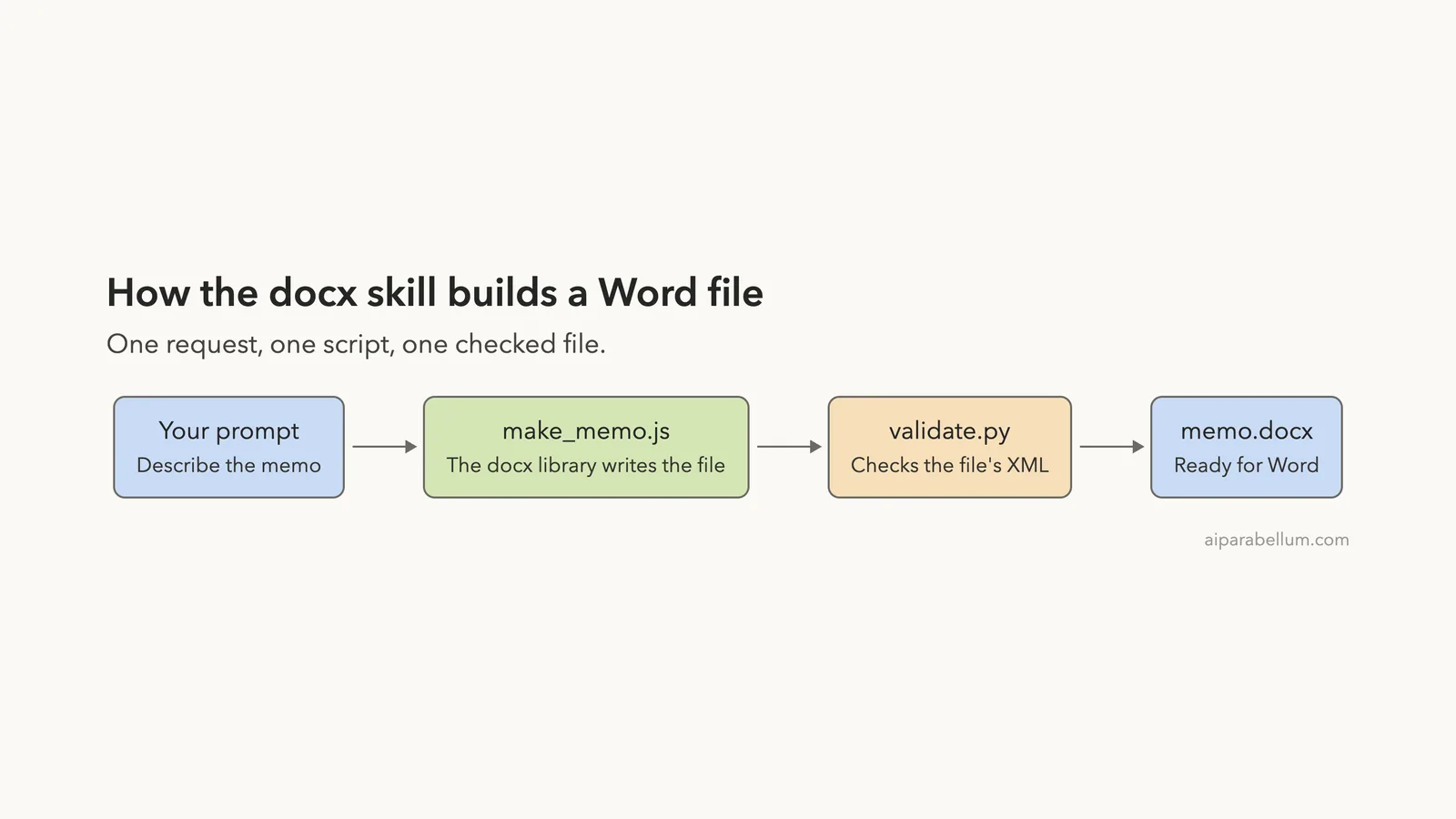
Use the docx skill to make a one-page Word memo called memo.docx. Title: 'Team Offsite Plan'. Include a short intro paragraph, a 3-row table (Date, Place, Budget: Nov 20, Austin, $4,000), and 3 bullet points of agenda items. Use US Letter size. Write the generator as make_memo.js using the docx package in ./node_modules, and check the result with ../venv314/bin/python .claude/skills/docx/scripts/office/validate.py memo.docx. LibreOffice and pandoc are not installed, so skip rendering.Claude loaded the skill, wrote a 54-line generator called make_memo.js, ran it and ran the validator in one command. The validator reported 12 paragraphs and said all validations passed. The whole turn took 12 seconds by Claude’s own timer.
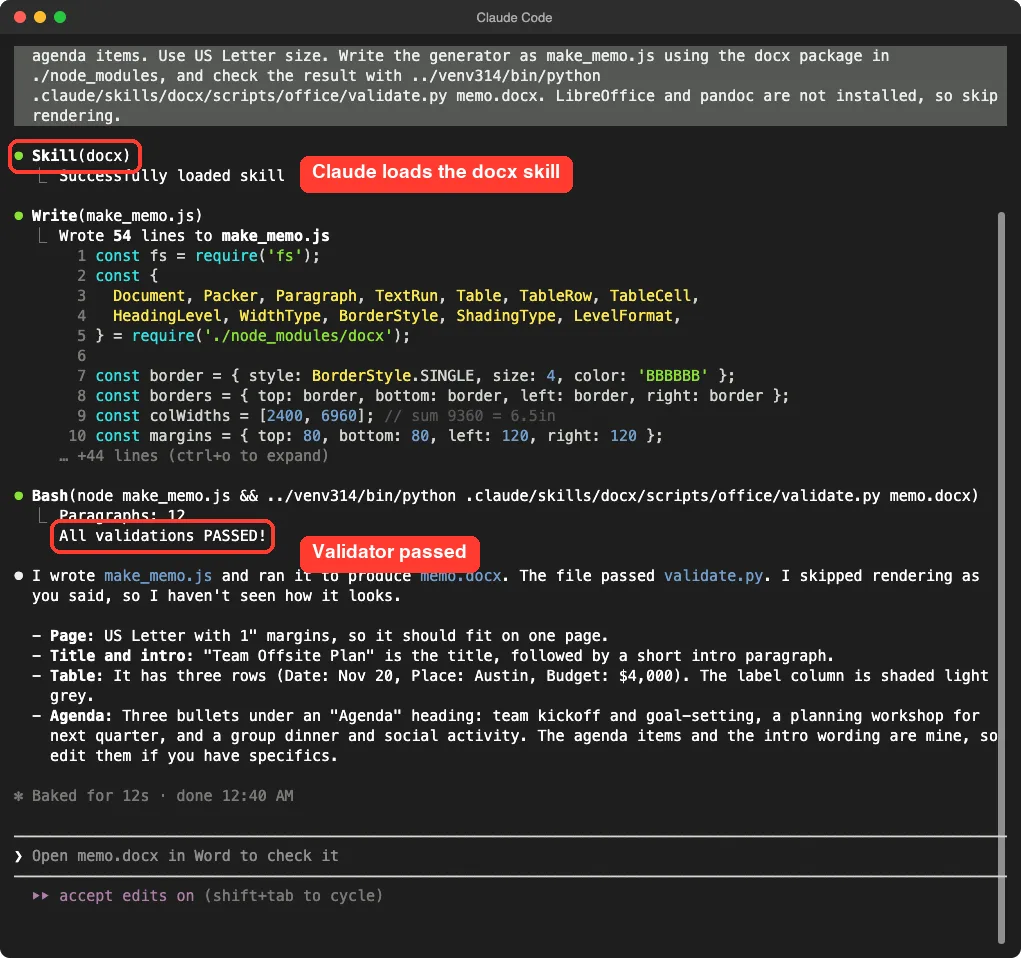
The summary was honest about its limits. Claude said it had skipped rendering as we asked, so it had not seen how the memo looked. It also said the agenda items and intro wording were its own, so you should edit them if you have specifics.
The flow in one picture
The work happens in three steps. A script builds the file, a validator checks it, and you open the result.
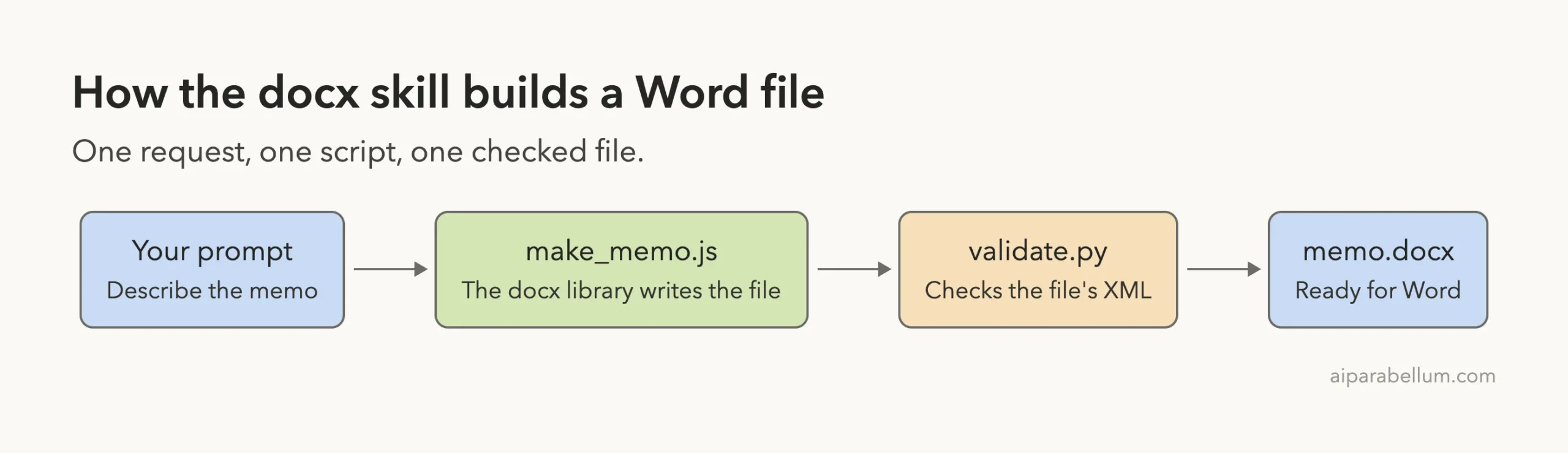
Because the memo comes from a script, you can change a name or a number and rebuild in seconds. That is a real advantage over asking for text to paste into Word.
What the Memo Looks Like
Since Claude did not render anything, we checked the file ourselves. macOS Quick Look can draw the first page of a .docx file, so we used it to render a thumbnail.
The page has a bold title, the intro paragraph, a three-row table with shaded label cells, an Agenda heading and three bullets. Everything fits on one page with lots of room to spare. The table is narrower than the text above it, which is a small layout quirk in this preview.
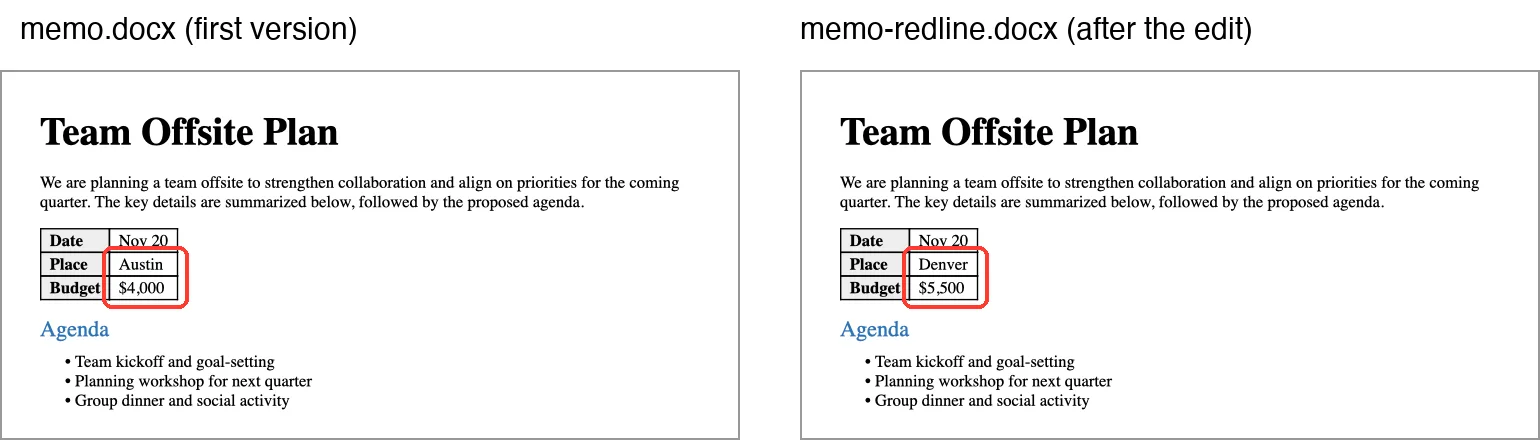
Quick Look is not Word. We never opened the file in Microsoft Word, Pages or Google Docs, so we cannot promise how it looks there. A file that passes the validator and renders in Quick Look should open, but check it yourself.
Editing the Document With Tracked Changes
Next we asked for a redline: change Austin to Denver and the budget from $4,000 to $5,500, as tracked changes under the author name Reviewer. We told Claude to save the result as memo-redline.docx and validate it with the skill’s --original and --author options.
The skill’s notes say to unzip, edit the XML and zip again, and Claude followed that. It unzipped the file, ran merge_runs.py (it merged 0 runs, because each value was already one run), replaced the two values and rebuilt the file. The validator passed, and the turn took 12 seconds.
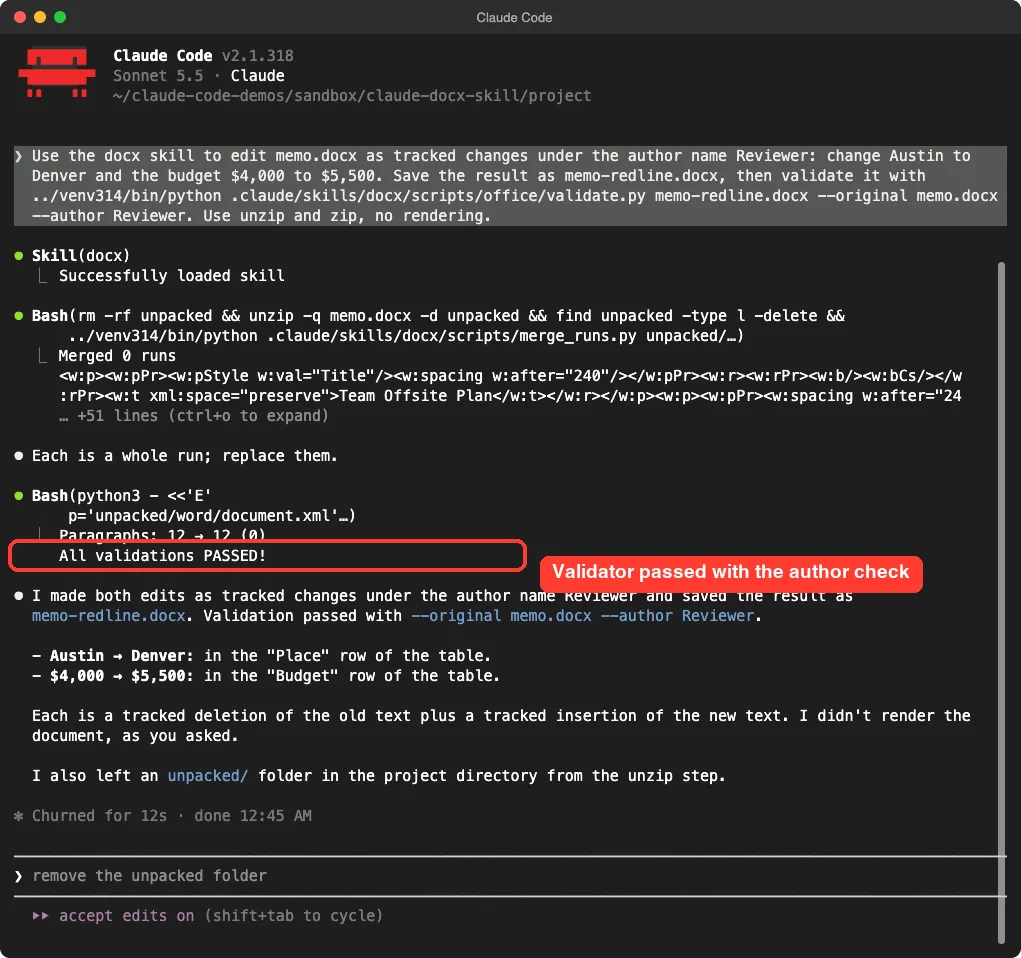
We did not take that on trust. We read the file’s XML ourselves and found four tracked marks, all with the author Reviewer: a deletion of Austin, an insertion of Denver, a deletion of $4,000 and an insertion of $5,500.
The --author check is the useful part. The skill notes say it reports any text you changed without a tracked wrapper, which is easy to do by accident and invisible in the accepted view.
One detail to know about: the timestamps on those marks all read midnight (00:00:00Z) on the day we ran it, not the real time of the edit. If the time of each change matters to your reviewers, tell Claude what date and time to use.
Claude also told us it left an unpacked folder in the project from the unzip step. Delete leftovers like that in your own project once you have your finished file.
What we did not test
The skill also has a comment helper, comment.py, and a script that accepts all tracked changes, accept_changes.py. The second one runs LibreOffice, which we did not install. We did not run either of them, so we cannot say how they behave.
We also did not try reading an existing Word file, converting a legacy .doc file or building a table of contents.
Real Examples of What to Ask For
The same skill can handle many document jobs, though we only tested the first two in this list.
- Create a short memo with a table and a bullet list, as we did.
- Edit a document as tracked changes under a named reviewer.
- Build a letter on US Letter paper with a letterhead.
- Add comments to a contract for a colleague to answer.
- Pull the text out of an old file and reorganize it.
If a prompt does not trigger the skill, the description may not match your words. Our posts on a skill not triggering and trigger-friendly descriptions cover that problem, and you can always ask for the skill by name.
A passing validator means the file is well formed. It does not mean the document looks right.
If you need other formats, we tested the sister skills too: the PDF skill and the PowerPoint skill. For moving content between formats without a skill, see how to convert documents.
Try It Yourself
Make a demo folder first, never your real work folder. Then install the skill the official way in a project you do not mind changing. Once /skills lists it, try this prompt with your own details.
Use the docx skill to make a one-page Word letter called letter.docx on US Letter paper. Include a date, a greeting, two short paragraphs about our meeting, and a signature line. Write the generator as make_letter.js, run the validator when done, and tell me what you did not check.The last sentence is worth copying. It makes Claude report the gaps, such as skipped rendering, instead of hiding them.
Common Mistakes
- Assuming the
docxpackage is installed. It is only preinstalled in Anthropic’s own environment, so runnpm install docxin your project if the require fails. - Skipping the Python packages. The validator needs
defusedxmlandlxml. - Trusting the validator to judge looks. It checks that the file is well formed, not that the layout is good.
- Skipping the author check on a redline. Without
--author, an untracked edit can slip through unnoticed. - Copying the skill folder around. Use the official install commands, because the skill has its own license.
Pro Tips
- Keep the generator script. Changing a value and rebuilding is faster than editing the document by hand.
- Install LibreOffice and
pdftoppmif you want Claude to turn its own pages into images and look at them. The skill describes that check, and we could not run it. - Name the page size. The skill warns that the
docxlibrary defaults to A4, so ask for US Letter if you print in the United States. - Name the reviewer and the date in your prompt when you ask for tracked changes.
- Run
claude --versionand note it, because skills and Claude Code both change quickly.
Our Honest Verdict
The skill did what it promised. One prompt produced a clean one-page memo with a table and bullets, and a second prompt produced a real tracked-changes edit that we confirmed in the file itself.
It is not a finished writing tool. You have to install some tools yourself, Claude cannot see its own pages without LibreOffice, and we could not confirm how the files behave in Word. We would use it for first drafts, repeatable documents and redlines, and we would open every file in Word before sending it.
To compare it with other add-ons, read our skills versus plugins comparison and our guide to Claude Code plugins. You can also read about the models behind these tools on our Claude AI page. Anthropic’s page on plugin install guide covers the install route.
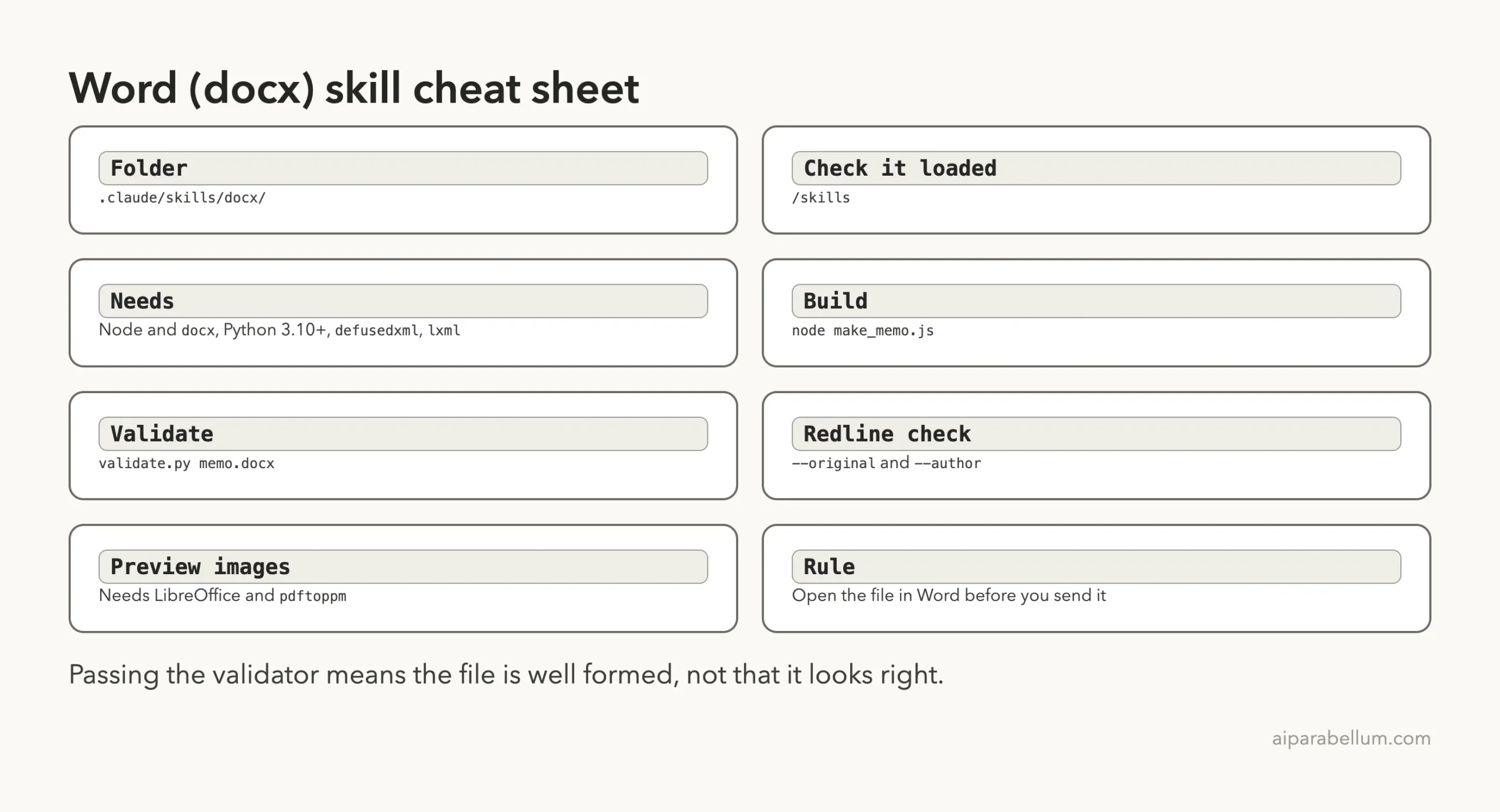
Cheat Sheet
Frequently Asked Questions
Does Claude Code have a Word skill?
Yes. Anthropic’s official skills collection includes a docx skill for creating, editing and reading Word files. It is not built into Claude Code, so you add it as a skill or through a plugin.
Do I need Microsoft Word installed to use it?
No. The skill writes the file itself. We had no Office apps on our Mac and still got valid files, but we could not check how they open in Word.
Can Claude Code make tracked changes in a Word file?
In our test, yes. Claude edited the document XML so each change was a tracked deletion plus a tracked insertion under the author name we gave, and the validator’s author check passed.
Can Claude Code preview the document?
The skill describes a preview step that converts the file to PDF and then to images with LibreOffice and pdftoppm. We did not have those tools, so Claude only checked the file structure. Install them if you want the visual check.
Is the docx skill free to use?
Its front matter lists a proprietary license and points to LICENSE.txt for the terms. Read that file and use the official install route.
Conclusion
The claude code docx skill turns a short description into a real Word file in about 12 seconds, and it can edit that file with tracked changes on request. Plan on a little setup work for the extra tools, ask Claude to list what it did not check, and always open the finished document in Word before you send it.