Ask an AI to build a landing page and you often get the same thing: a dark banner, centered text and three cards. The taste skill claude code users talk about is a free add-on that tries to fix this. We installed it in a throwaway project and asked for the same coffee shop page with and without it.
This guide is part of our Claude Code tutorials. Find more add-ons in our Claude Code Skills Directory.
Tested with Claude Code v2.1.318 and Taste Skill 2.5.0 (commit 9b4bf93) on 2026-11-06, on macOS. We ran the skill through Claude Code only. We did not run its own helper scripts, and we say below why.
Taste Skill at a Glance
| Question | Answer |
|---|---|
| What is it? | An Agent Skill, a folder of rules and files that Claude reads before it builds a page |
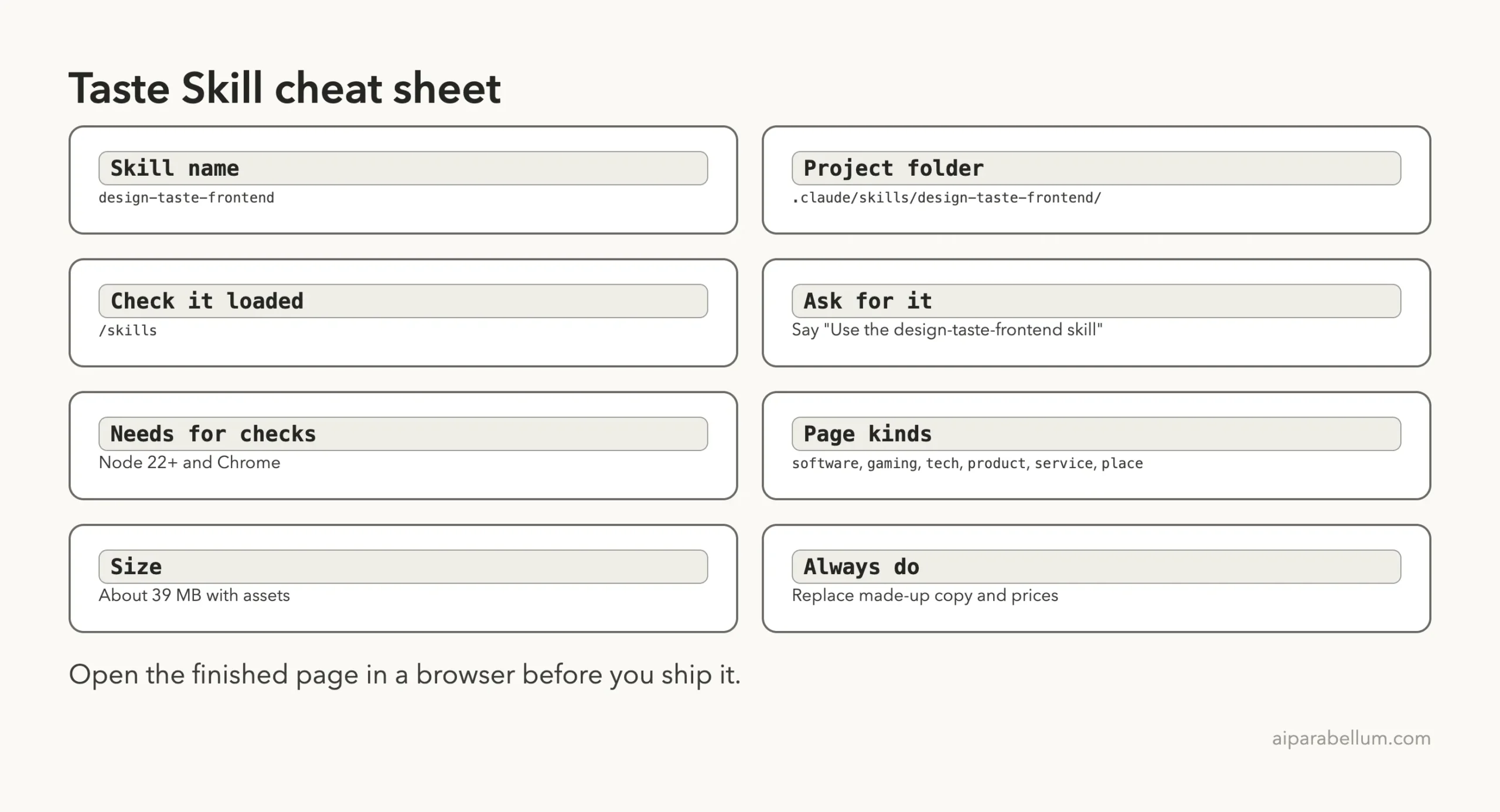
| Skill name | design-taste-frontend |
| Maker and license | Leonxlnx on GitHub, MIT license |
| Where it lives | .claude/skills/design-taste-frontend/ |
| Size | About 39 MB in our copy, mostly icons, photos and layout parts |
| Needs | Nothing to install; its optional checkers need Node 22+ and Chrome |
| Our verdict | Worth a try for new landing pages, if you read the output |
What Is the Taste Skill?
A skill is a folder with a SKILL.md file. Claude reads it when your request matches, then follows the rules inside. If you are new to the idea, our guide to Claude Code skills explains how they load.
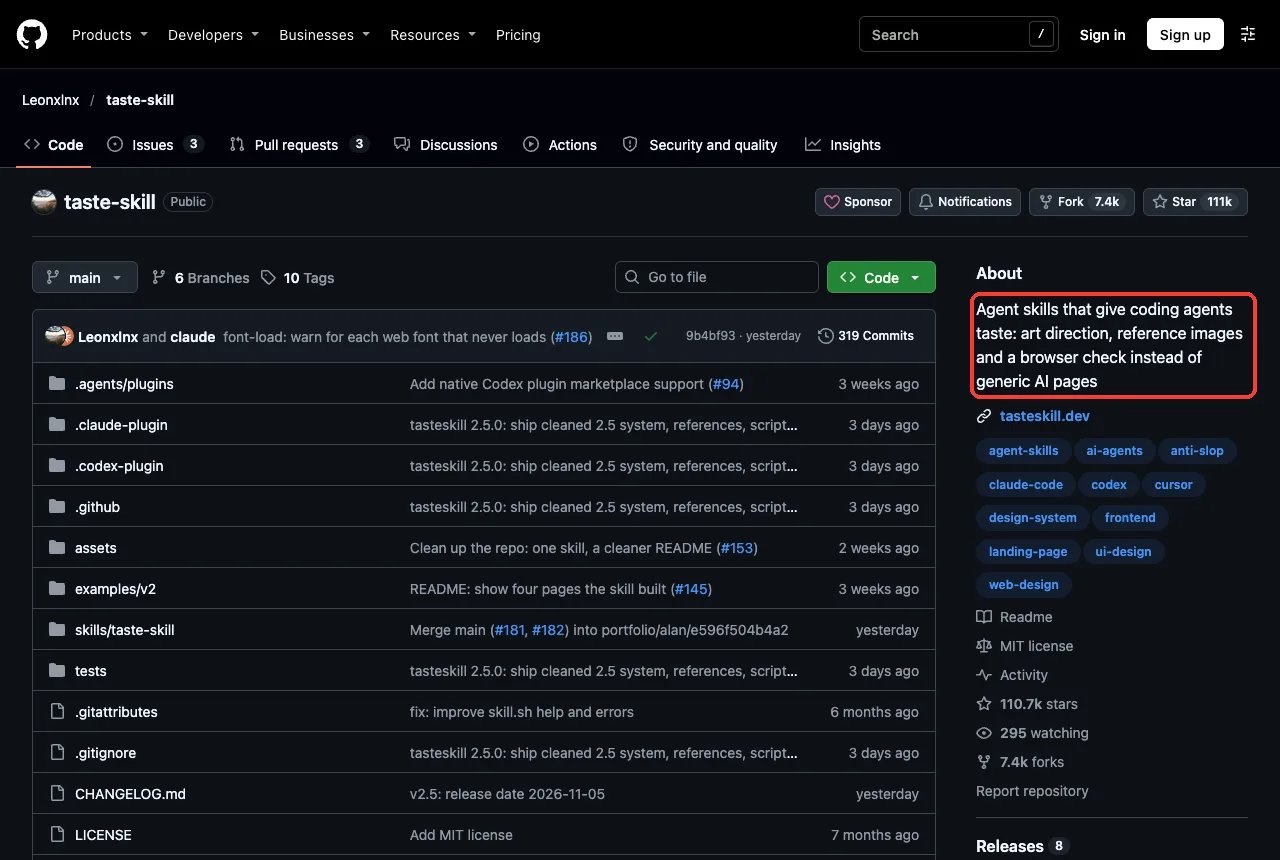
The Taste Skill is about web design. Its README says it makes coding agents build company websites that look professional instead of generic. The rules cover plain copy, one design system, one section per screen, equal left and right edges, real photographs and quiet hover effects.
The repository is active. When we cloned it, the latest commit was from the day before, and the project shows more than 100,000 stars on GitHub. That does not prove quality, but it does tell you many people use it.
How the Skill Works
When you ask for a page, Claude loads the skill rules first. Then it writes the page with those rules in mind. The flow is short.
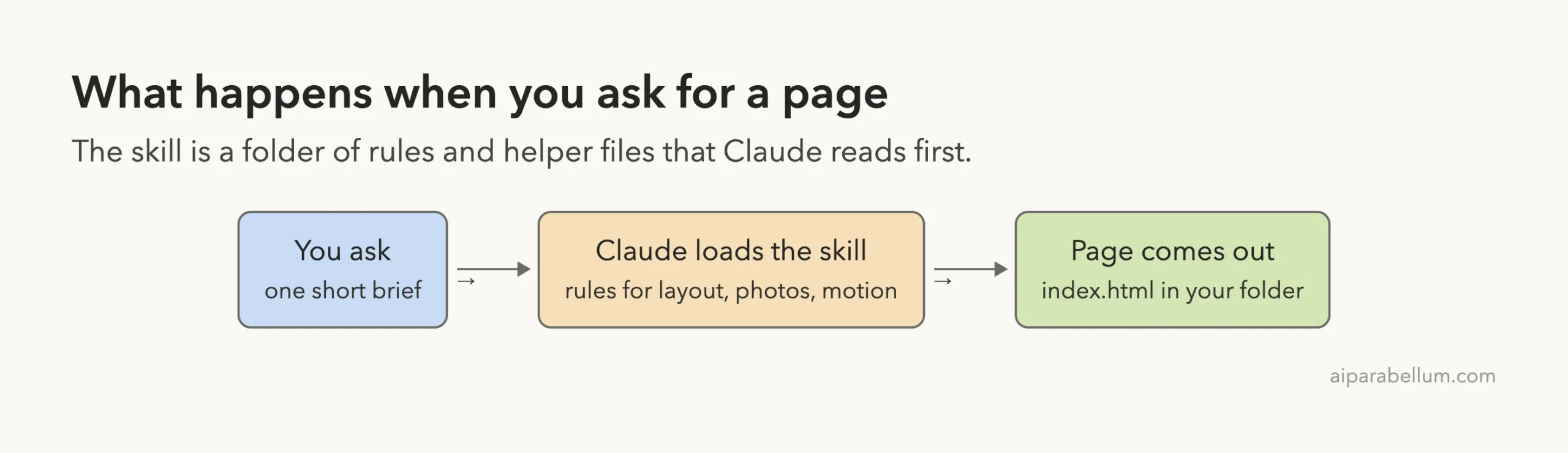
The skill also ships helper scripts. According to its README, they deal a color palette and font pairing, pick photographs, fetch real icons, and check the finished page in headless Chrome at four screen widths. It also names six page kinds: software, gaming, tech, product, service and place.
Step 1: Install It Safely
The README suggests npx skills add. We did something simpler and safer for a test. We cloned the repository into a throwaway folder, read the files, and copied only the skill folder into a demo project.
git clone --depth 1 https://github.com/Leonxlnx/taste-skill
mkdir -p my-project/.claude/skills
cp -R taste-skill/skills/taste-skill my-project/.claude/skills/design-taste-frontend
Notice the folder name. The skill’s own name is design-taste-frontend, even though the repo is called taste-skill. Project skills live in .claude/skills/ and load only in sessions for that project, as the official docs explain.
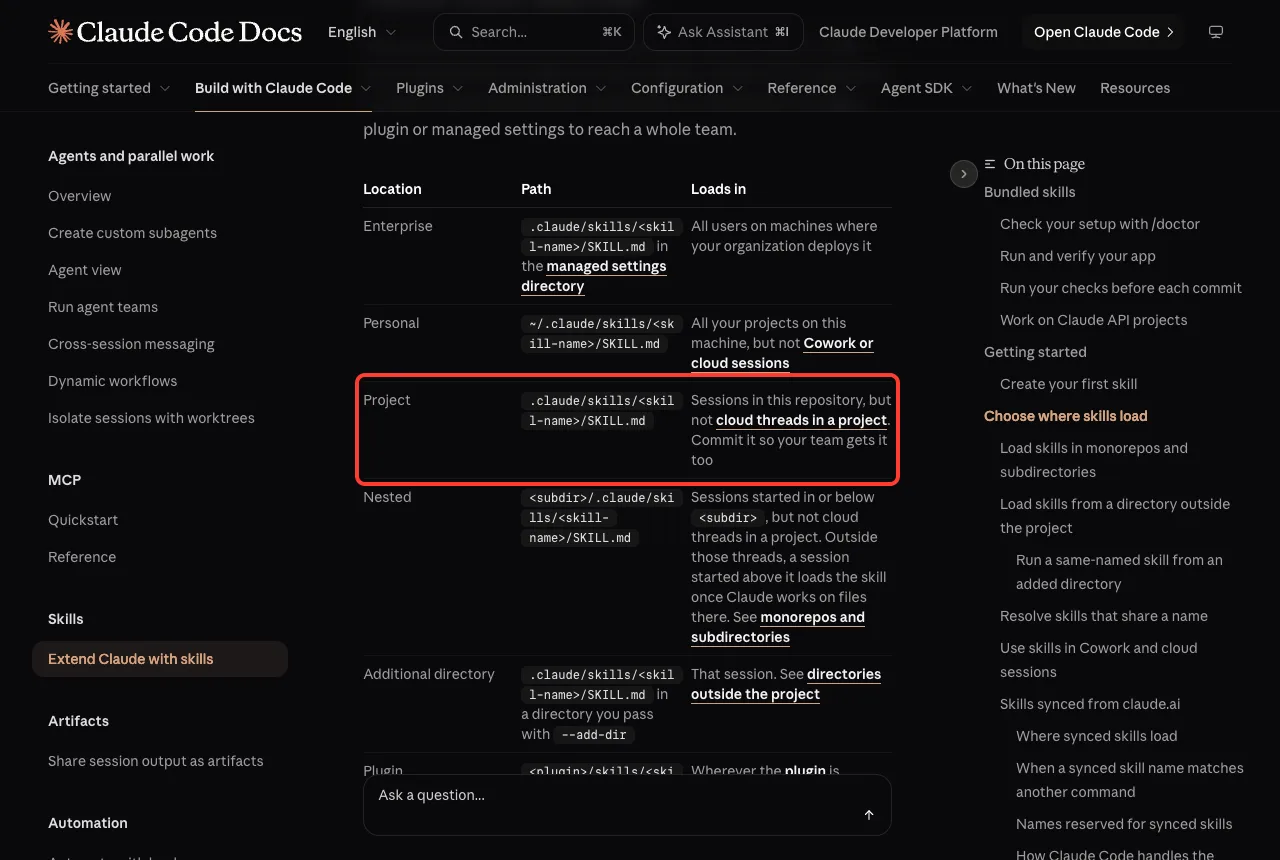
.claude/skills/We started Claude Code with --setting-sources project, so nothing from a personal setup was mixed in. This keeps the test clean and your own setup untouched.
Step 2: Check That It Loaded
Open Claude Code in the project and type /skills. You should see design-taste-frontend with a green check and the word project next to it.
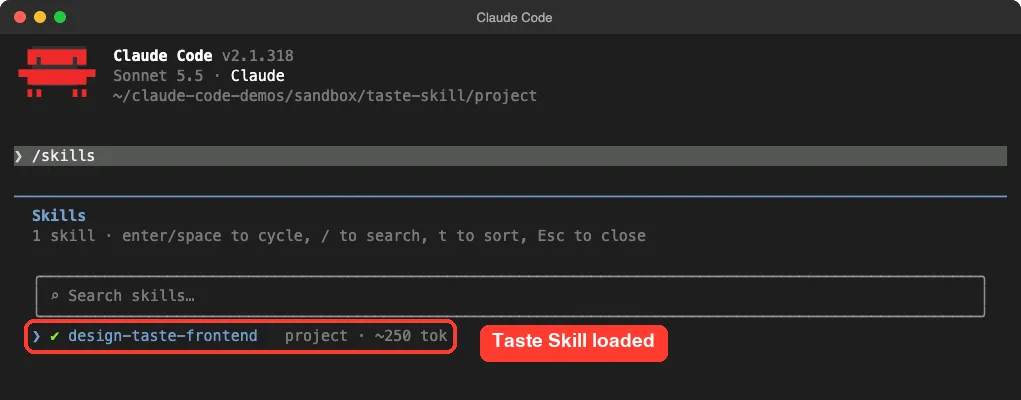
The list shows about 250 tokens for the skill. That is only its short description. Claude reads the full 21 KB SKILL.md when it decides to use the skill.
For more on this panel and why a skill sometimes does not fire, see our guide on skill not triggering.
Step 3: Build the Same Page Without the Skill
First we made a baseline. In an empty folder with no skill, we asked Claude for a single index.html landing page for a small coffee roaster called Ember Roast. It took one short prompt.
The result is tidy but familiar. The hero is a dark block with centered text, an orange pill button and three cards below.
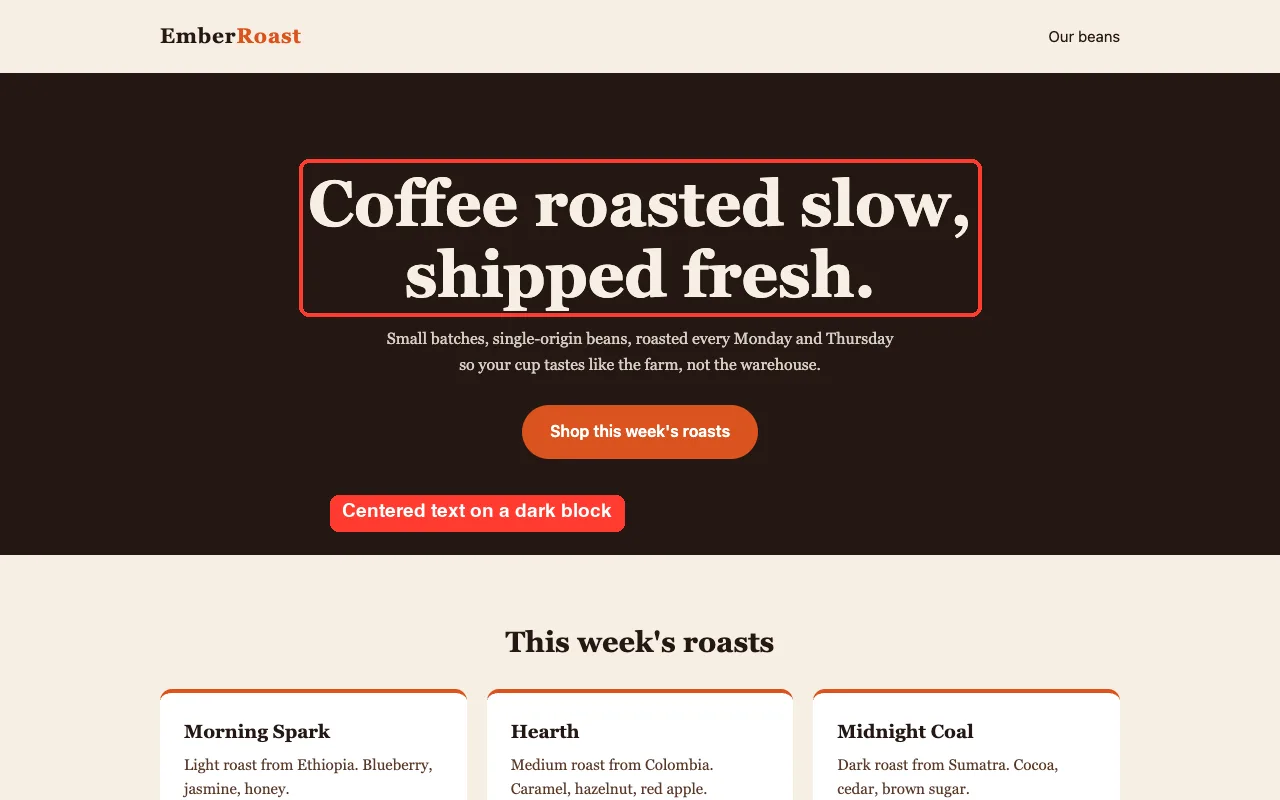
Step 4: Build It With the Skill
Next we ran the same brief in the project that had the skill. We named the skill in the prompt to be sure it was used.
Use the design-taste-frontend skill. Create a single-page landing page
for a small coffee roaster called Ember Roast in this folder (index.html).
Keep it short, no network downloads, no browser checks.
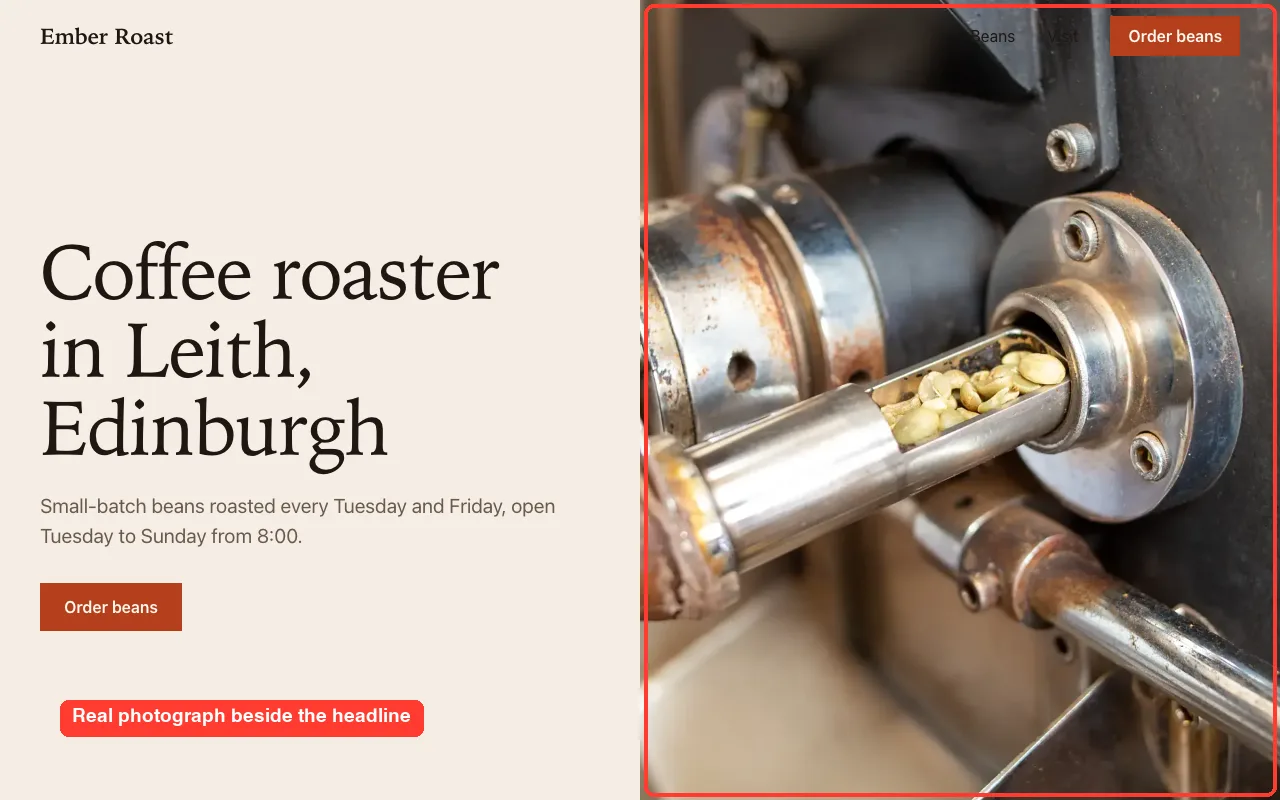
We ran this twice, and the two runs differed. In the first run Claude pulled two real roastery photographs from the skill’s bundled library. In the second, an interactive session, it found no usable photos and used flat color blocks.
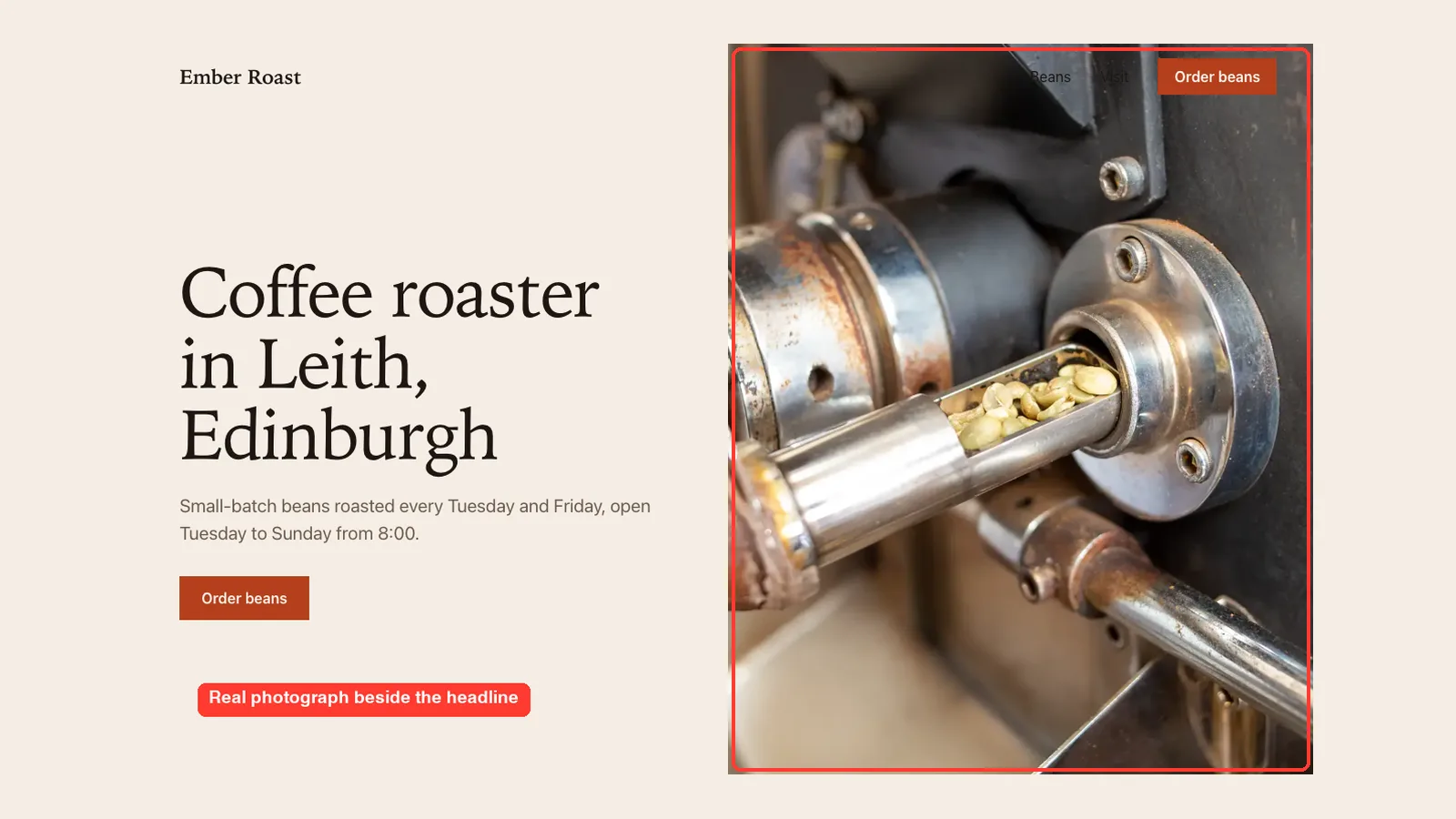
Here is the first run. The hero puts a large left-aligned headline beside a full-height photograph of green beans in a roaster, with an order button in the header.
Scroll down and the page keeps the same calm style. The three beans appear as a clean price list next to a second photograph.
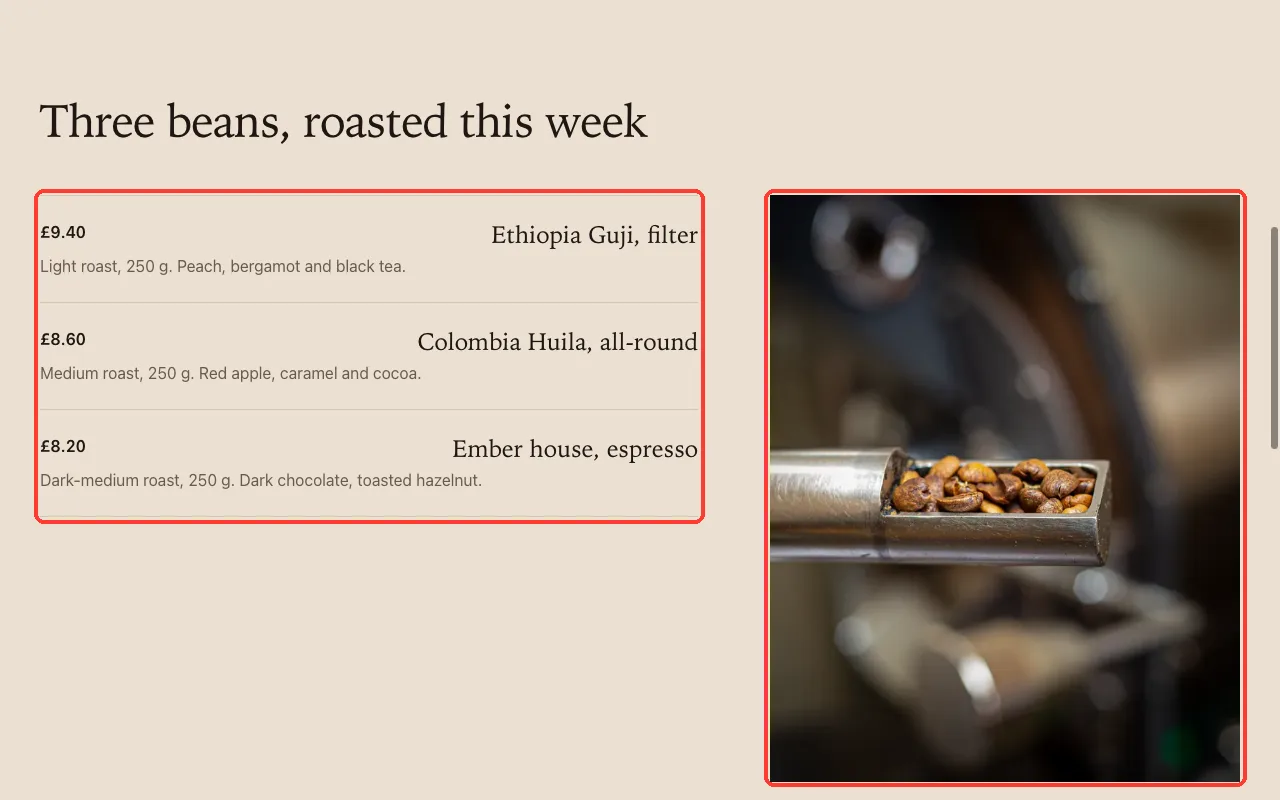
It is a clear step up from the baseline. It still has flaws. In our capture the header links “Beans” and “Visit” sit on top of the photo and are hard to read.
What Claude Told Us It Skipped
This part matters. In both runs Claude reported what it did not follow from the skill. The interactive run listed the placeholders it had invented.
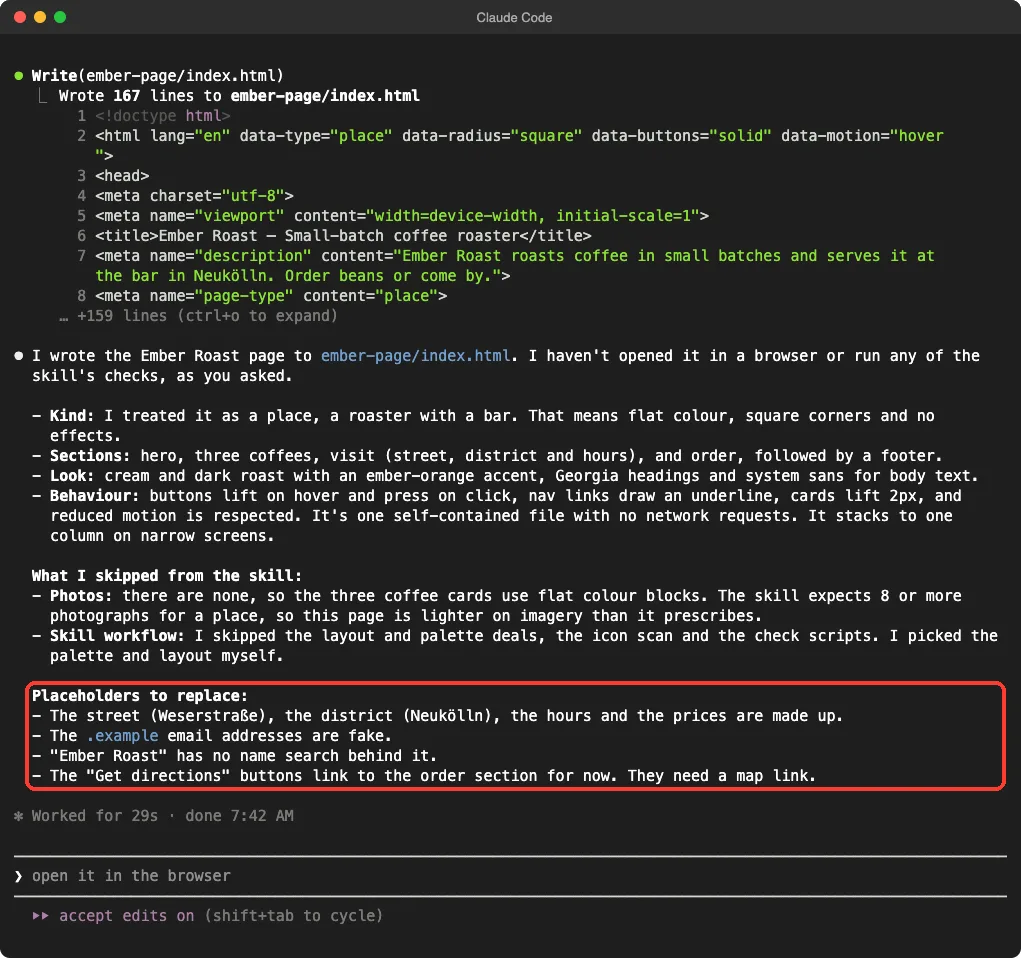
- It skipped the palette and layout helper steps and chose its own.
- It did not run the checker that tests the page in a browser, because we asked for no browser checks.
- It made up the street, hours, prices and email address.
- In the first run it said the page used the skill’s rules, but it wrote its own CSS instead of the skill’s starter file.
So what you see is the skill’s guidance, not its full toolchain.
We could not test the toolchain. When we tried to run one of the skill’s scripts directly, Claude Code’s permission check blocked it as code from an external source. We did not work around that block.
The skill steers the design; it does not replace your own review of the page.
Why the Two Runs Looked Different
It is fair to ask why one run had photos and the other did not. Both prompts told Claude to avoid network downloads, so it could only use whatever the skill had stored on disk.
In the first run Claude found two usable roastery photos there. In the second it did not, and it said so plainly rather than inventing images. That is a useful habit, but it means your result depends on what the library holds for your trade.
If you want photos for your own page, bring them. Put your real pictures in the project folder and tell Claude where they are. The skill’s own rules say library photos should be a stand-in until the client has real ones.
Keep in mind that this is one demo on one small page. Your results will vary with your brief, your content and the skill version, so treat our screenshots as an example, not a promise.
Which Setup Should You Use?
The skill helps most on a brand-new page. For tiny edits it adds weight you do not need.
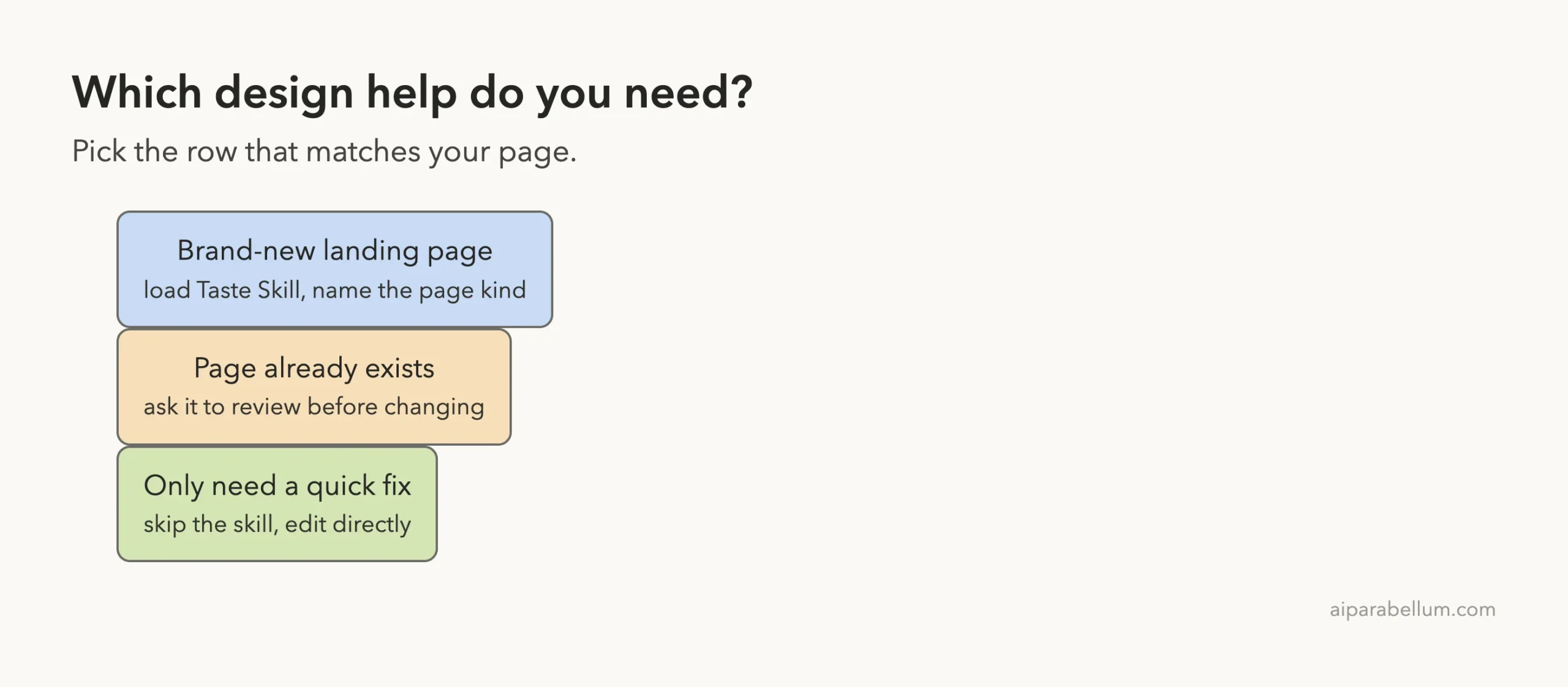
| Situation | Use the skill? | Why |
|---|---|---|
| New landing page | Yes | The rules push past the generic layout |
| Existing page you dislike | Maybe | The README says it audits a page before changing it; we did not test that |
| One-line fix | No | Plain Claude is faster |
| Strict brand rules | Maybe | Your own CLAUDE.md may fit better |
If you are unsure whether you want a skill, a plugin or a subagent, our comparison of skills versus subagents helps you choose.
Real Examples You Can Try
Ask for a page kind
The skill treats a cafe differently from a software product. Name the kind in your brief, for example “this is a place, not a software product”, so Claude keeps shaders and big effects away from it. The README says those effects are only for software, tech and gaming pages.
Ask for a review
Point Claude at a page you already have and ask it to review the design using the skill. We did not run this, so check the result yourself.
Ask what it skipped
End your prompt with “tell me which skill steps you skipped”. Claude answered this honestly in our runs.
Try It Yourself
Pick a made-up business and run the same test in a throwaway folder. Compare the page with and without the skill.
Use the design-taste-frontend skill. Create a one-page site (index.html)
for a small bike repair shop called Spoke and Chain. Keep it short, no
network downloads. Tell me which skill steps you skipped and which
details you made up.
Common Mistakes
- Using the repo name. The skill is called
design-taste-frontend, so name that in your prompt. - Shipping made-up details. Replace the invented address, hours, prices and email before anything goes live.
- Trusting the credit line blindly. The skill’s photos come from open archives; check the credits yourself.
- Skipping the browser check. We did, and the header text overlapped a photo. Open the page at a few widths.
- Installing into your personal folder just to try it. Use a project folder you can delete.
Pro Tips
- Read
SKILL.mdand the scripts before you run anything from a repo. - Run the test in a copy of your project, not the live one.
- Give Claude real copy, real photos and real prices, so there is less to invent.
- Pair it with our skills best practices so the skill fires when you want it.
- If a plugin version is easier for you, see how Claude Code plugins are found and managed.
Cheat Sheet
Frequently Asked Questions
What is the taste skill in Claude Code?
It is a free Agent Skill that guides Claude when it builds websites. It adds rules on layout, photos, icons and motion so pages look less generic.
How do I install it?
Copy the skill folder into .claude/skills/design-taste-frontend/ in your project, then check it with /skills. The README also lists an npx skills add command.
Does it need an API key?
According to its README, it needs no API keys. Its checkers need Node 22 or newer and Chrome, Edge or Chromium. We did not run those checkers.
Is the output ready to publish?
No. Claude invents placeholder details, and our test page had a header that overlapped its photo. Review every page first.
Does it work with React or Vue?
The README says it does. We only tested plain HTML, so we cannot confirm that part.
Conclusion
In our test, the Taste Skill moved Claude from a dark, centered hero to a calmer page with a real photograph, and Claude told us plainly what it skipped. It is a good fit for new landing pages if you give it real content and check the result in a browser, and it is not worth loading for small fixes. The project lives at the taste-skill repository,. For another look at Claude and what it can do, visit our Claude AI page.