The claude algorithmic art skill lets you describe a theme in plain words and get back a piece of generative art that runs in your browser. Anthropic publishes it as the algorithmic-art skill in its official skills collection. We loaded it into a throwaway project, asked for a quiet tide pool at dawn, and opened the result in a real browser to see what it made.
This guide is part of our Claude Code tutorials. Find more add-ons in our Skills Directory.
Want to make algorithmic art without installing anything? Try our free Algorithmic Art Generator, which we built with Claude Code. Type a seed, pick one of 9 styles and download your image as PNG or JPG.
Tested with Claude Code v2.1.318 on November 6, 2026, using the algorithmic-art skill from the anthropics/skills collection at commit ca45fc4 (October 28, 2026). Everything ran in a sandbox folder with --setting-sources project, so nothing was added to the global Claude Code setup.
Quick Summary
| Question | Answer |
|---|---|
| What is it? | A skill that makes Claude write an art “philosophy” and then turn it into a p5.js sketch |
| Who makes it? | Anthropic, in the anthropics/skills collection |
| What we asked for | Generative art inspired by a quiet tide pool at dawn |
| What came back | A 5-paragraph philosophy file and an interactive viewer page |
| Time | Claude reported about 2 minutes of work |
| Did the page run? | Yes, in headless Chrome, with 8 sliders, seed buttons and color pickers |
| Biggest catch | The page loads p5.js from a CDN, so it needs a network connection |
What the Claude Algorithmic Art Skill Does
A skill is a folder with a SKILL.md file that Claude loads when a task matches its description. If skills are new to you, our guide to Claude Code skills explains how they work.
The algorithmic-art skill says to use it when you ask for art made with code, generative art, flow fields or particle systems. It also says to create original work and not copy existing artists, to avoid copyright problems.
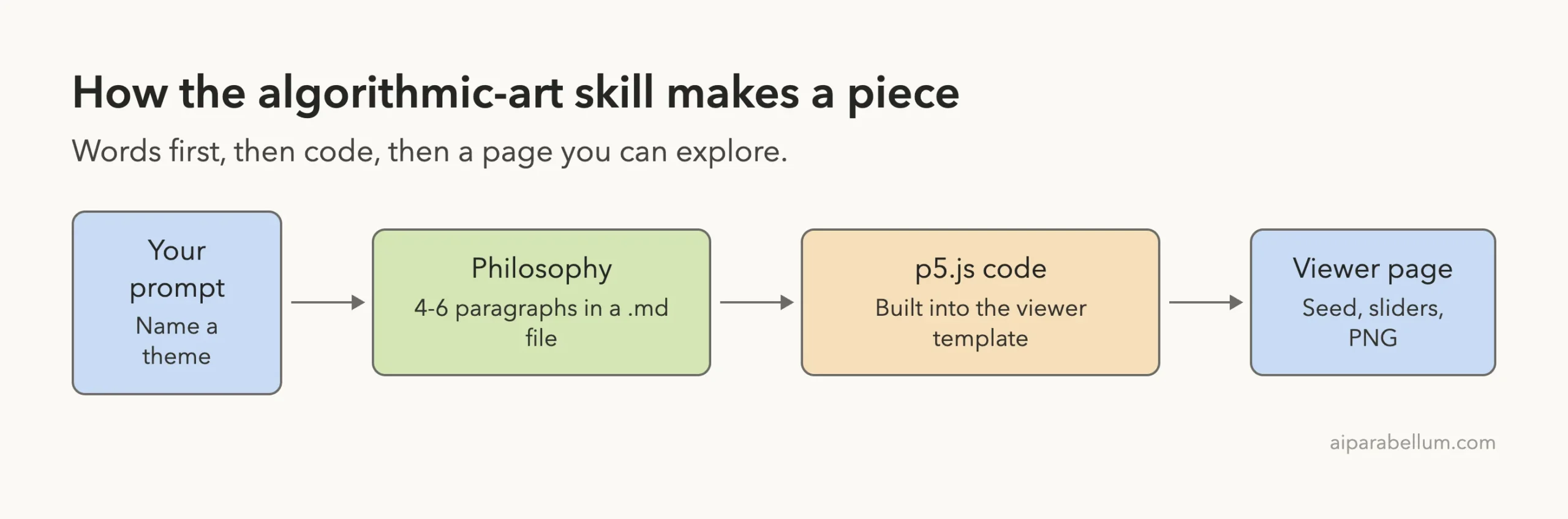
The skill works in two steps. First Claude writes a short “algorithmic philosophy” as a Markdown file. Then it expresses that philosophy as a p5.js sketch inside a single HTML page.
What is p5.js?
p5.js is a JavaScript library for drawing on a web page. Artists use it to make shapes, noise patterns and animation with short code.
What does seeded randomness mean?
The skill tells Claude to always use a seed number. A seed makes the random parts repeatable, so the same seed gives the same layout and a new seed gives a new piece.
How to Install the Algorithmic Art Skill
The skill lives in the skills/algorithmic-art folder of the anthropics/skills repository. It holds a SKILL.md, a license file and two templates, viewer.html and generator_template.js.
The repository also lists a plugin route.
You run /plugin marketplace add anthropics/skills, then /plugin install example-skills@anthropic-agent-skills. That adds the skill to your own setup.
For our test we did not do that. We copied the one folder into a project instead.
mkdir -p my-art/.claude/skills
cp -R skills/algorithmic-art my-art/.claude/skills/
cd my-art
claude
Project skills load from .claude/skills/ in the folder where you start Claude Code. You can read more in the official skills documentation and the plugins guide.
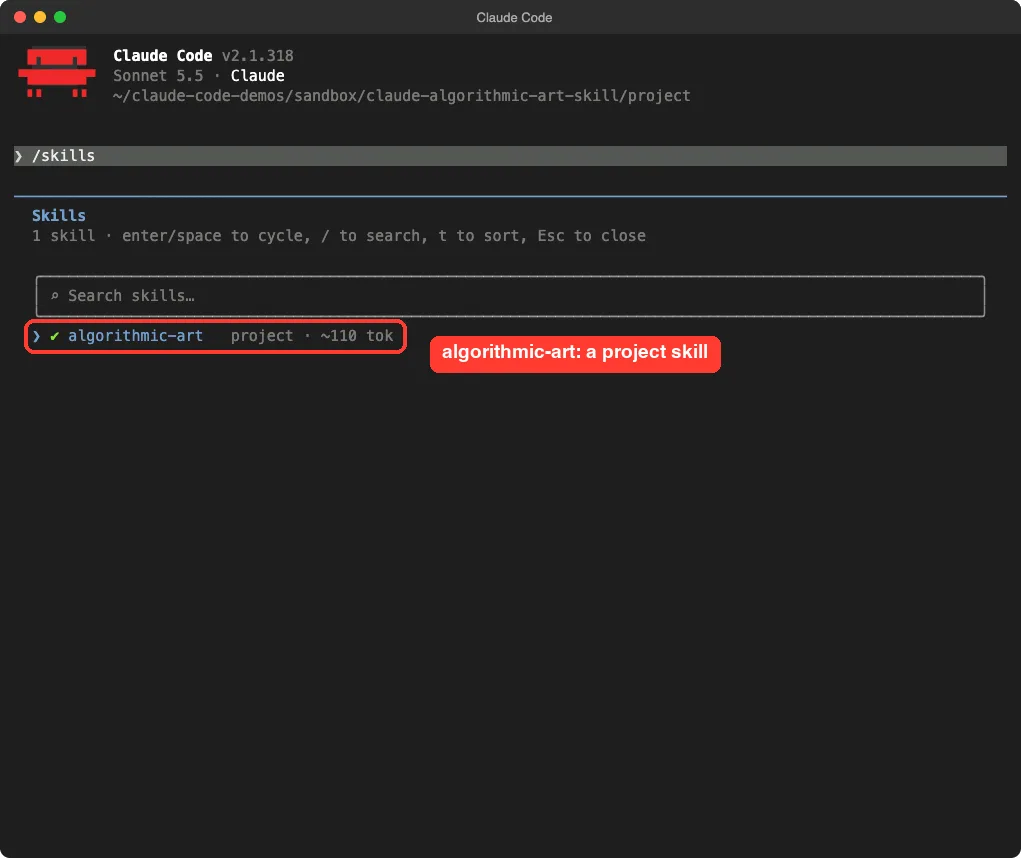
Type /skills to confirm it loaded. Ours showed one project skill, algorithmic-art, at about 110 tokens before it is used.
What We Asked Claude Code to Make
We used one prompt. It names the skill, gives a theme and asks for two files.
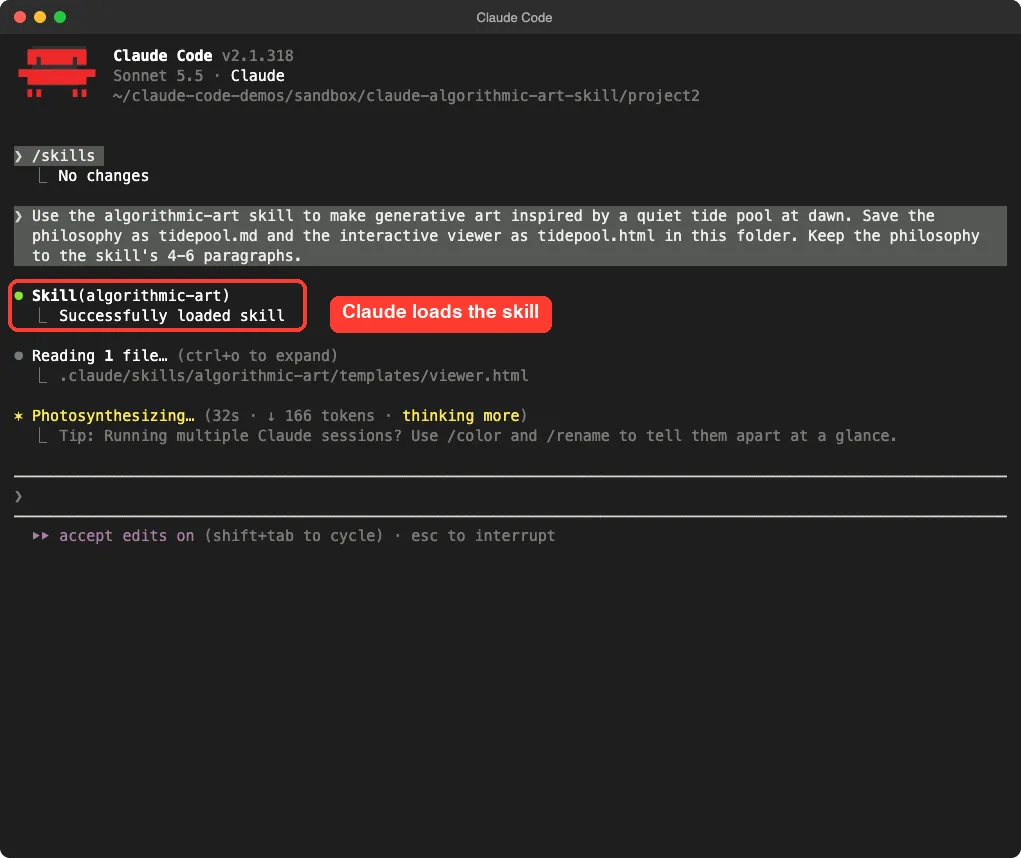
Use the algorithmic-art skill to make generative art inspired by a quiet tide pool at dawn. Save the philosophy as tidepool.md and the interactive viewer as tidepool.html in this folder. Keep the philosophy to the skill's 4-6 paragraphs.Claude called the skill first. The terminal showed the skill loading and then Claude reading the template file in the skill’s folder.
Step 1: The Philosophy File
The skill asks Claude to name a “movement” in one or two words and explain it in 4 to 6 paragraphs. Claude called ours “Slack Water,” after the pause between tides. It wrote five paragraphs, inside the skill’s range.
The text explains how the piece should work.
The pool edge is a noise-warped shape, the light is made of ridged noise, and anemones, starfish and urchins are placed with exclusion radii so they never overlap. It reads like an artist statement, which is the point. This file becomes the brief for the code.
One thing to know: the skill tells Claude to repeat that the work should feel meticulously crafted.
The philosophy we got says so more than once. It is a prompting trick built into the skill, so do not read it as proof of quality. The page is what you should judge.
Step 2: The Viewer Page
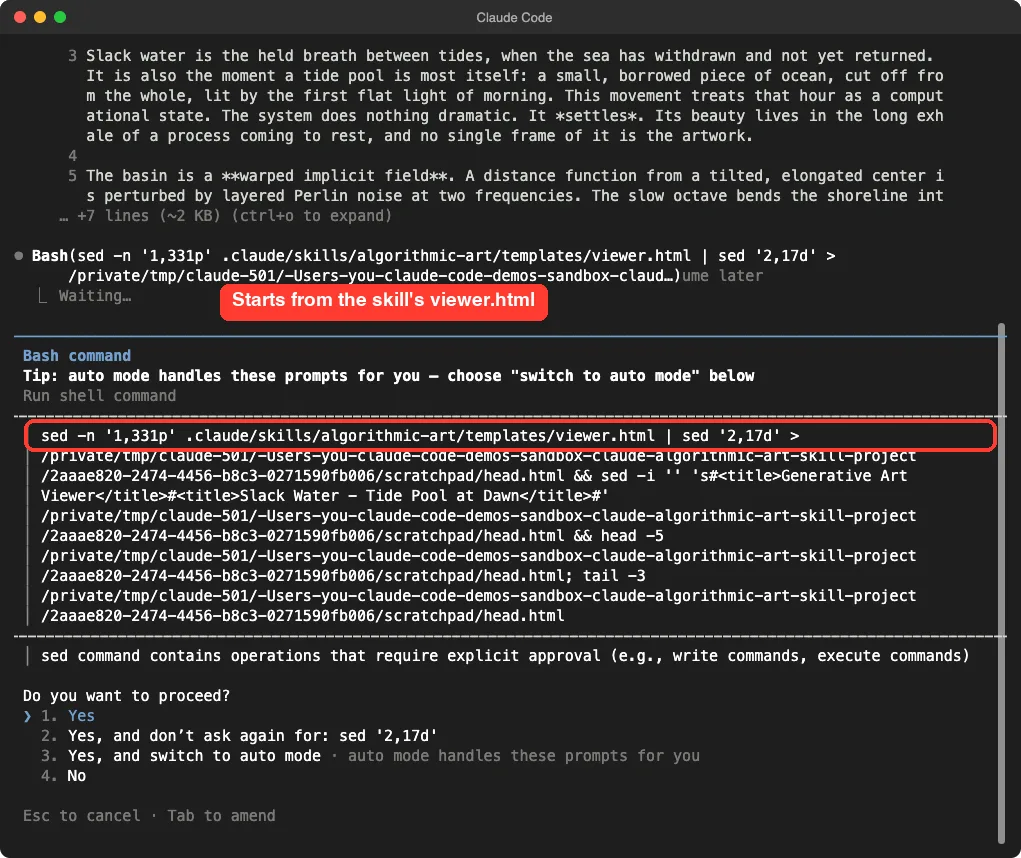
The skill is firm that Claude must start from templates/viewer.html and not build a page from scratch. We saw that in the session. Claude cut the template’s head into a scratch file, then joined it to a new body.
Each command that wrote files outside the project prompted us for approval, because we started in acceptEdits mode, which only auto-approves file edits. In our automated run we answered Yes to each one inside the demo folder.
The skill keeps some parts of the page fixed and changes others. Seed controls and the Reset and Download buttons stay. The drawing code and its sliders change for each piece.
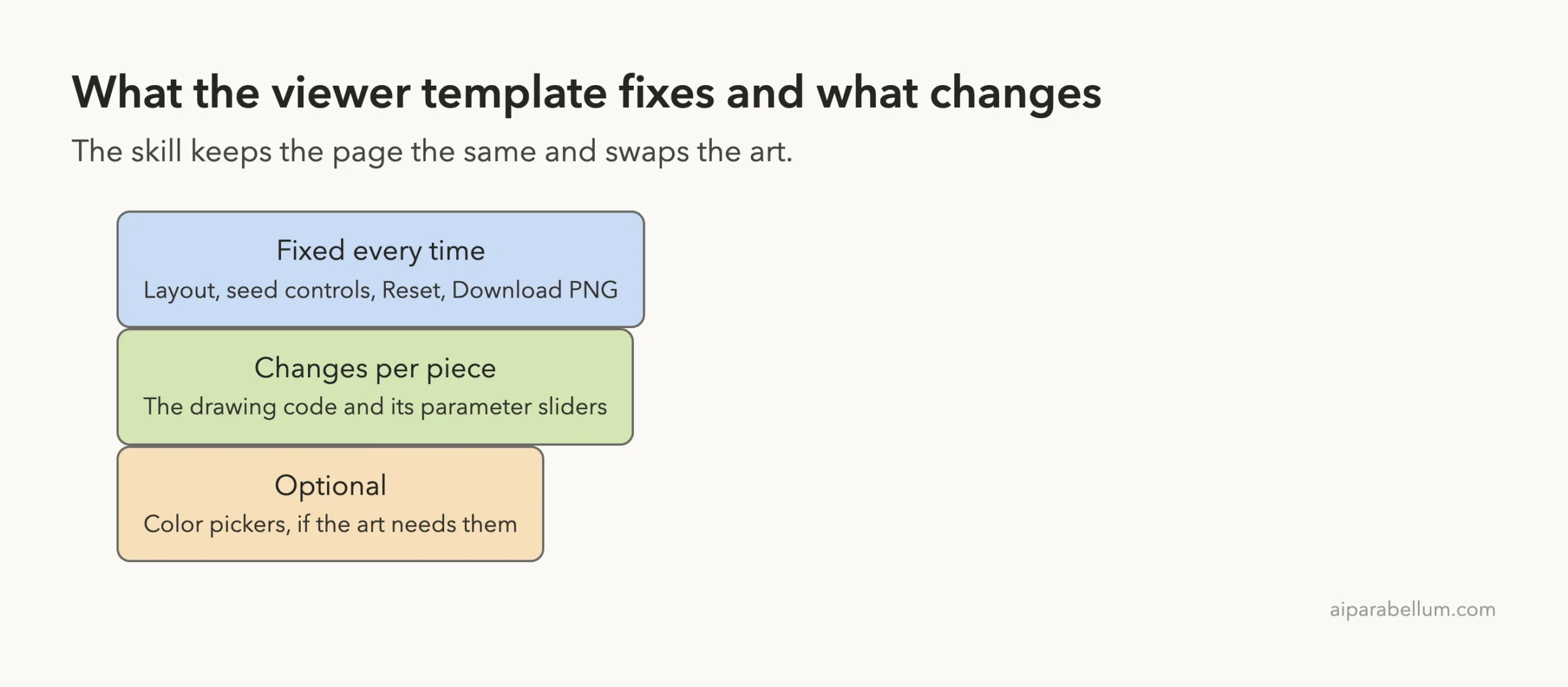
| Part of the page | Fixed or variable |
|---|---|
| Layout, header, sidebar structure | Fixed |
| Seed display, Prev, Next, Random, jump to seed | Fixed |
| Regenerate, Reset, Download PNG | Fixed |
| Drawing code and parameters | Variable |
| Parameter sliders | Variable |
| Color pickers | Optional |
What Claude Said About Its Own Work
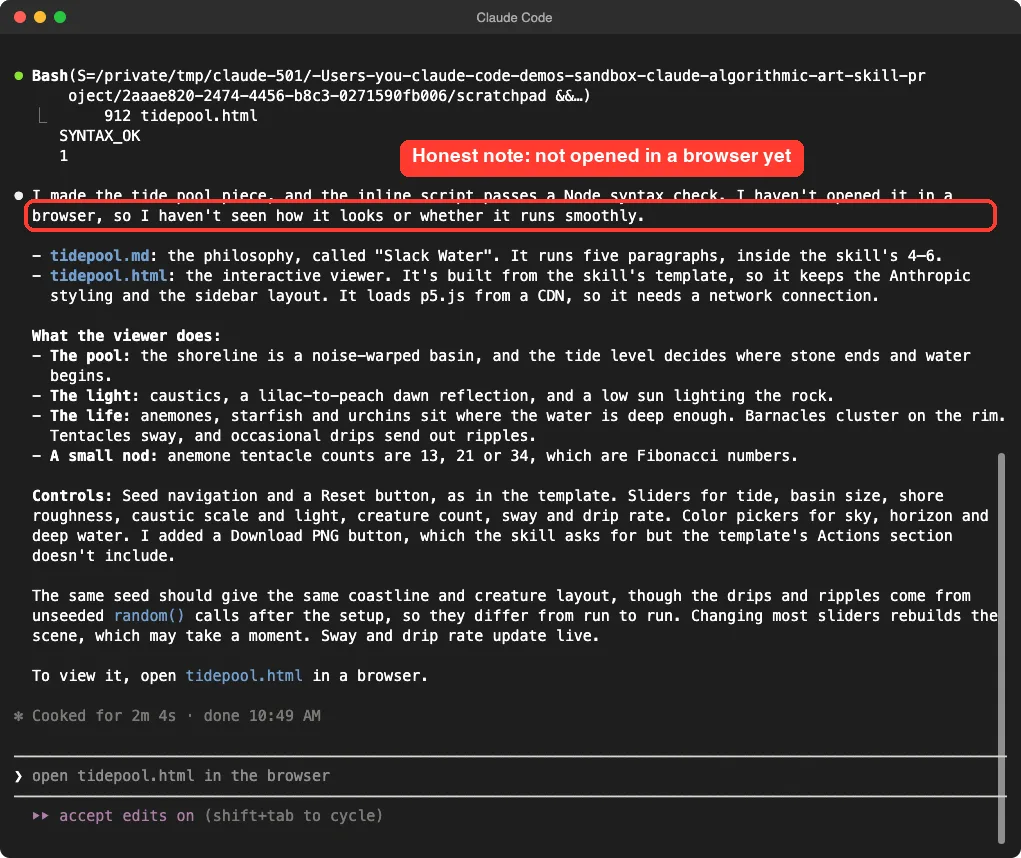
The closing message was candid. Claude said the script passed a Node syntax check but that it had not opened the page in a browser, so it had not seen how it looked.
It also listed what the viewer does: a noise-warped basin, caustic light, creatures placed where the water is deep, and drips that send out ripples. It added a Download PNG button because the skill asks for one and the template’s actions section did not include it. And it warned that drips and ripples use unseeded random() calls, so they differ from run to run.
The Result: Opening the Page
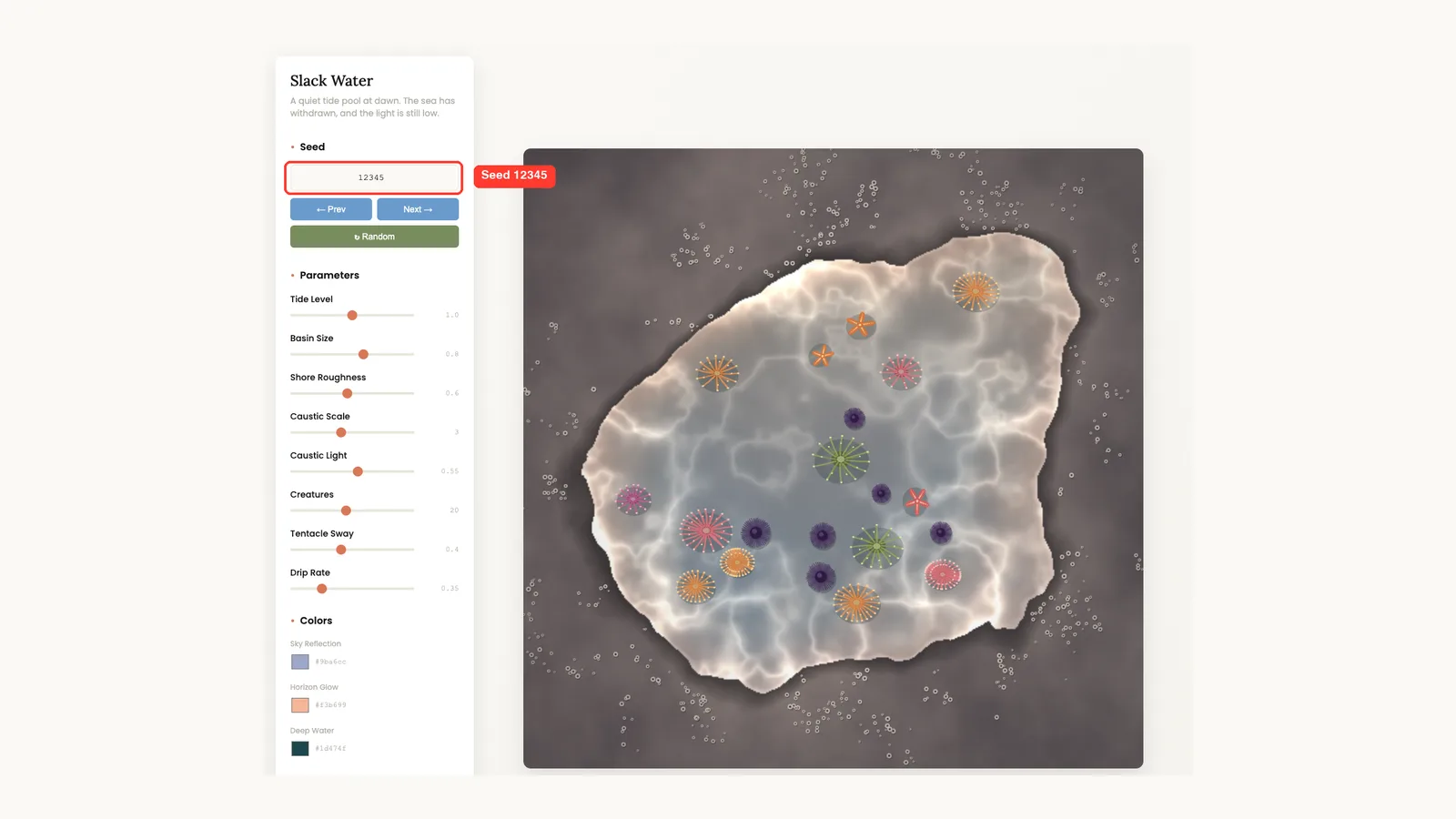
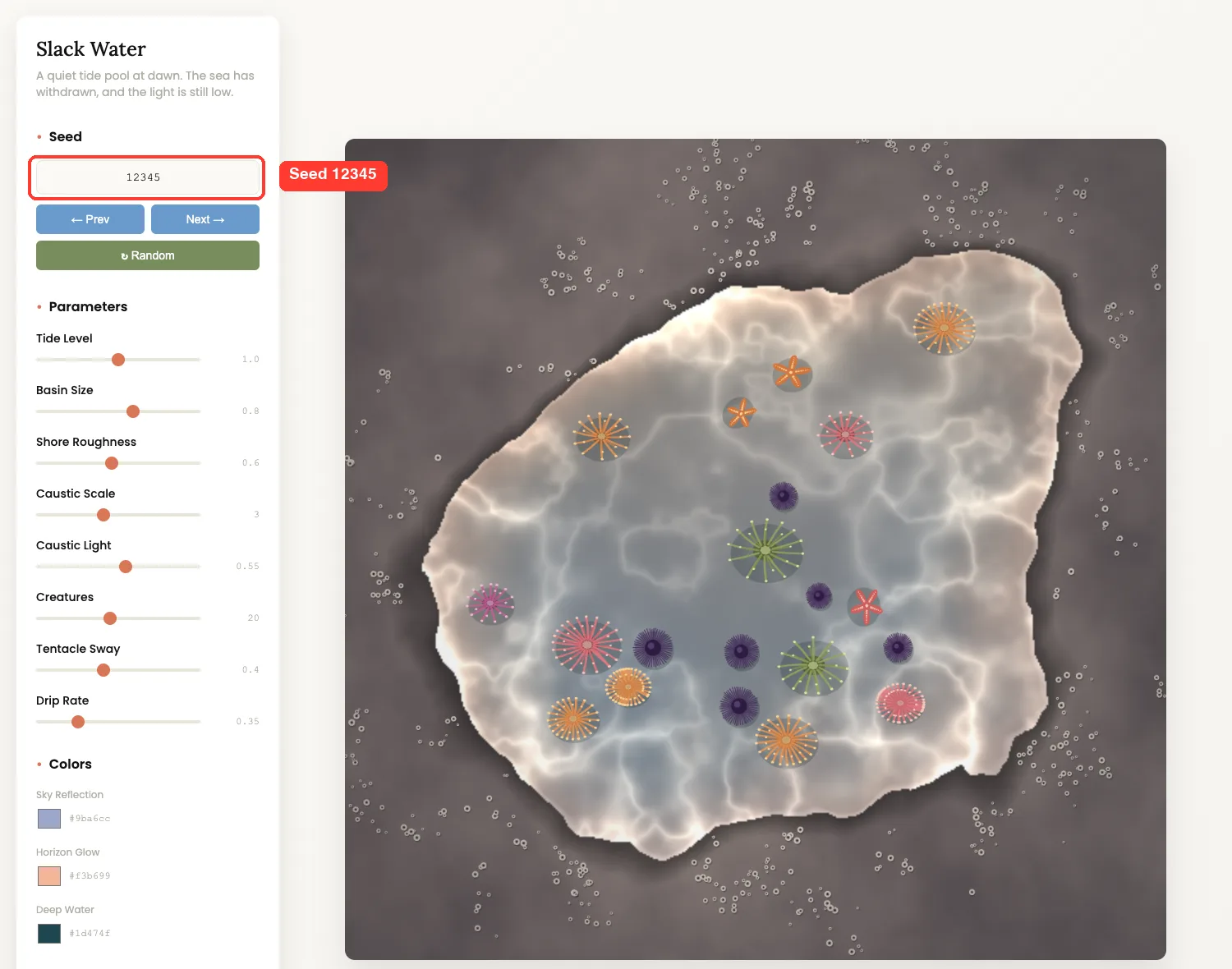
We opened tidepool.html ourselves in headless Chrome. The page loaded, p5.js came in from the CDN, and the sidebar showed the seed, eight sliders and three color pickers. The buttons were Prev, Next, Random, Reset and Download PNG.
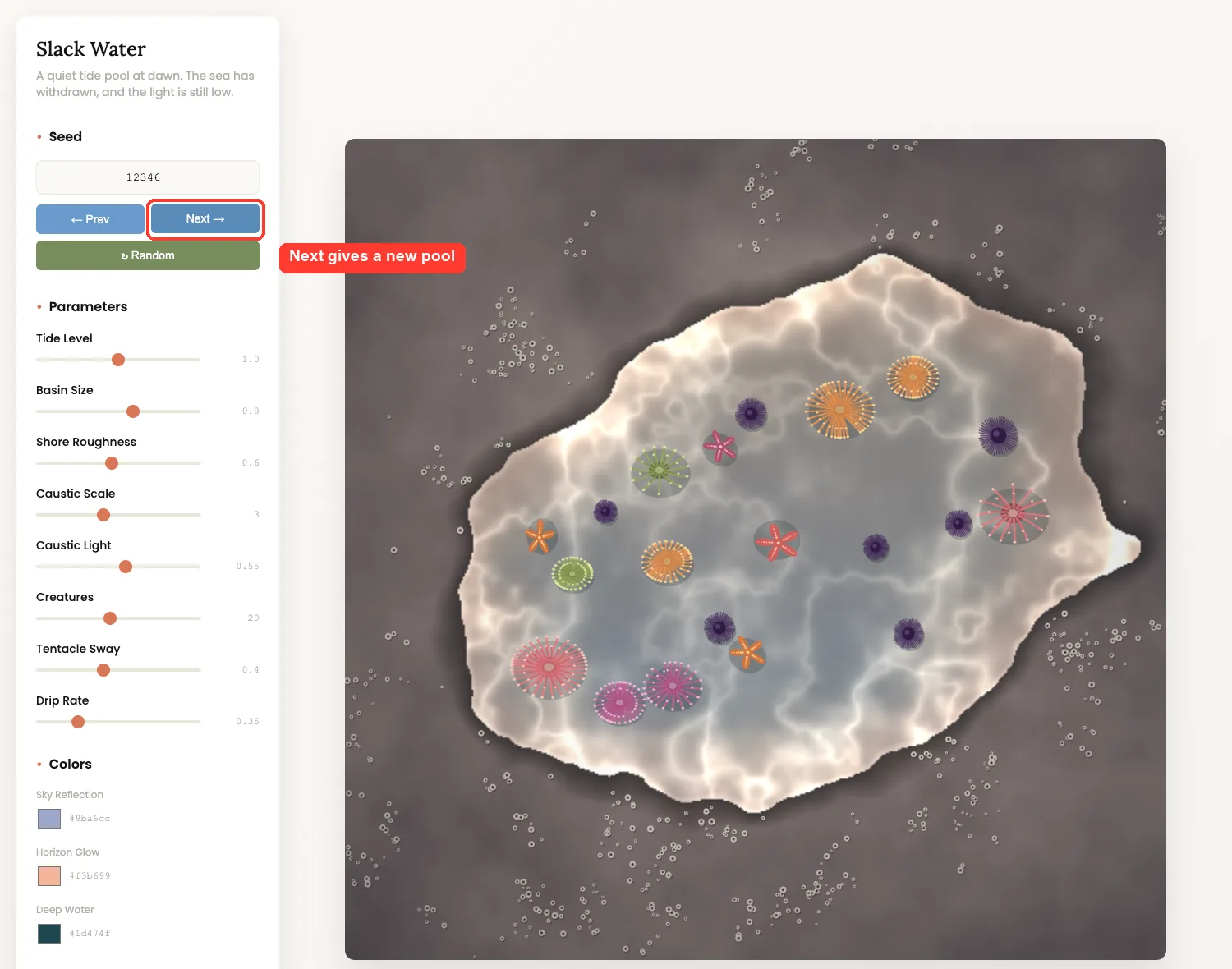
Clicking Next moved the seed to 12346. The coastline, the number of creatures and their positions all changed, while the light and palette stayed the same.
Changing Parameters
The sliders are what make the page worth using. We set Tide Level to its minimum, 0.7, and Creatures to its maximum, 40. The pool shrank into a small bowl and filled with life.
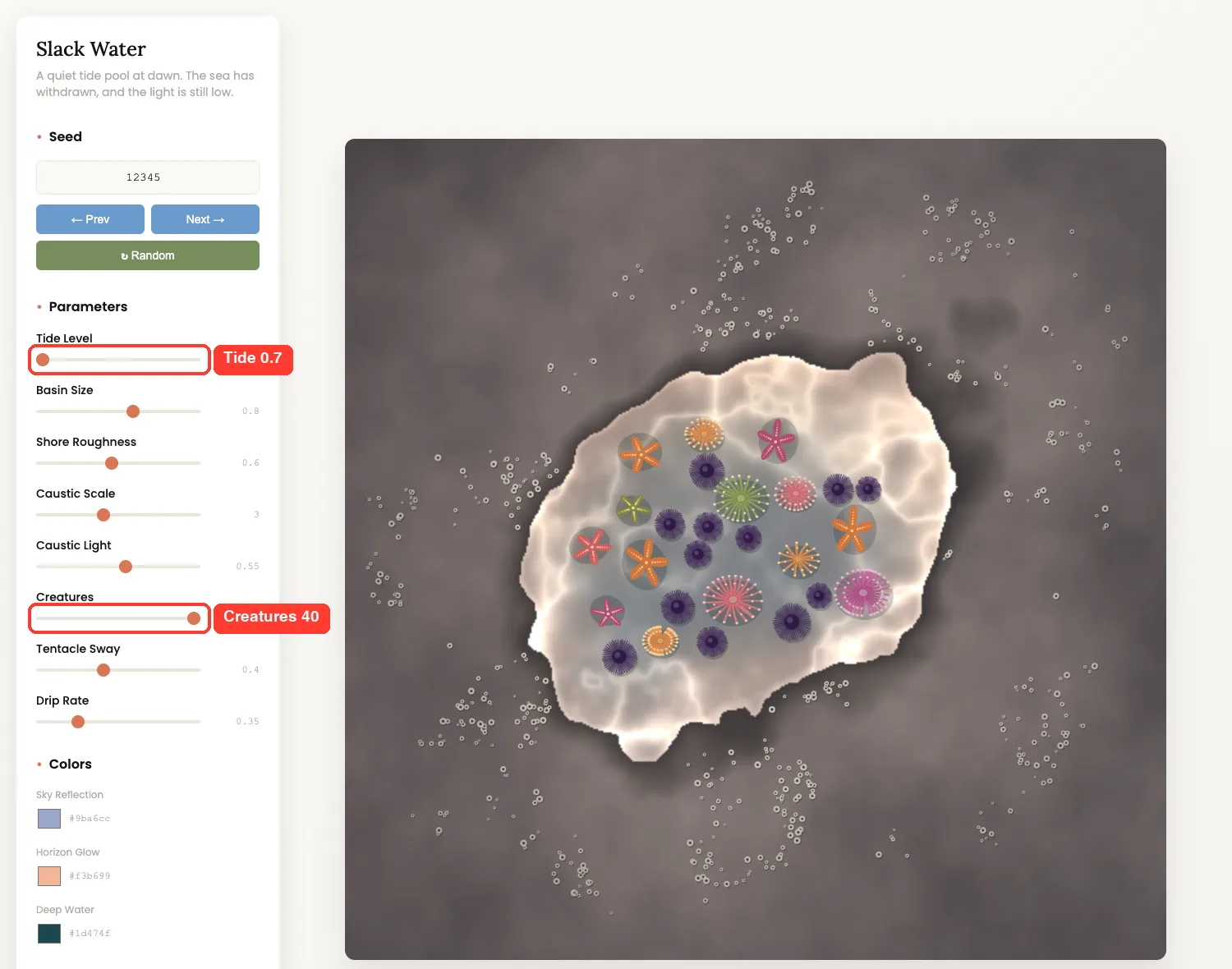
| Slider | Range we saw | What it does |
|---|---|---|
| Tide Level | 0.7 to 1.3 | Sets where stone ends and water begins |
| Basin Size | 0.5 to 1.0 | Scales the pool |
| Shore Roughness | 0.1 to 1.2 | Makes the edge smoother or rougher |
| Caustic Scale and Light | 1 to 6 and 0 to 1 | Changes the web of light on the water |
| Creatures | 4 to 40 | Sets how many animals appear |
| Tentacle Sway, Drip Rate | 0 to 1 and 0 to 1.5 | Control the motion |
Real Examples to Try
The theme is the only creative input you must give. These prompts follow the skill’s own list of ideas, such as flow fields and particle systems.
- Flow field: “Make a flow field of thousands of particles, inspired by wind over a wheat field.”
- Particle system: “Make particles that orbit and fade, inspired by fireflies at dusk.”
- Recursive structure: “Make branching shapes inspired by frost on a window.”
For other ways to make Claude produce good-looking pages, see our test of the Taste skill.
Try It Yourself
Copy the skill folder into an empty project, start Claude Code there and paste this prompt. Then open the HTML file in your browser. If you would rather skip the setup, open our live Algorithmic Art Generator instead.
Use the algorithmic-art skill to make generative art inspired by rain on a city window at night. Save the philosophy as rain.md and the interactive viewer as rain.html in this folder. Keep the philosophy to 4-6 paragraphs, then tell me what you checked and what you did not.Common Mistakes
- Opening the page offline. The page loads p5.js from
cdnjs.cloudflare.comand fonts from Google Fonts, so a blank canvas usually means no network. - Trusting the syntax check alone. Claude told us it had not opened the page. Open it yourself before you share it.
- Expecting the same drips every time. The seed fixes the layout, but our drips and ripples were not seeded.
- Asking for a famous artist’s style. The skill says to create original work and not copy existing artists.
- Skipping the folder step. A skill placed in the wrong folder will not show in
/skills.
Pro Tips
- Pick a specific, visual theme. A tide pool at dawn gave Claude a clear subject, light and mood.
- Ask for a tidier palette after the first run, such as “make the deep water darker.”
- Use the Download PNG button to save a favorite seed as an image.
- Write down the seed number of any piece you like so you can come back to it.
- Ask Claude to list what it checked. It answered honestly in our run.
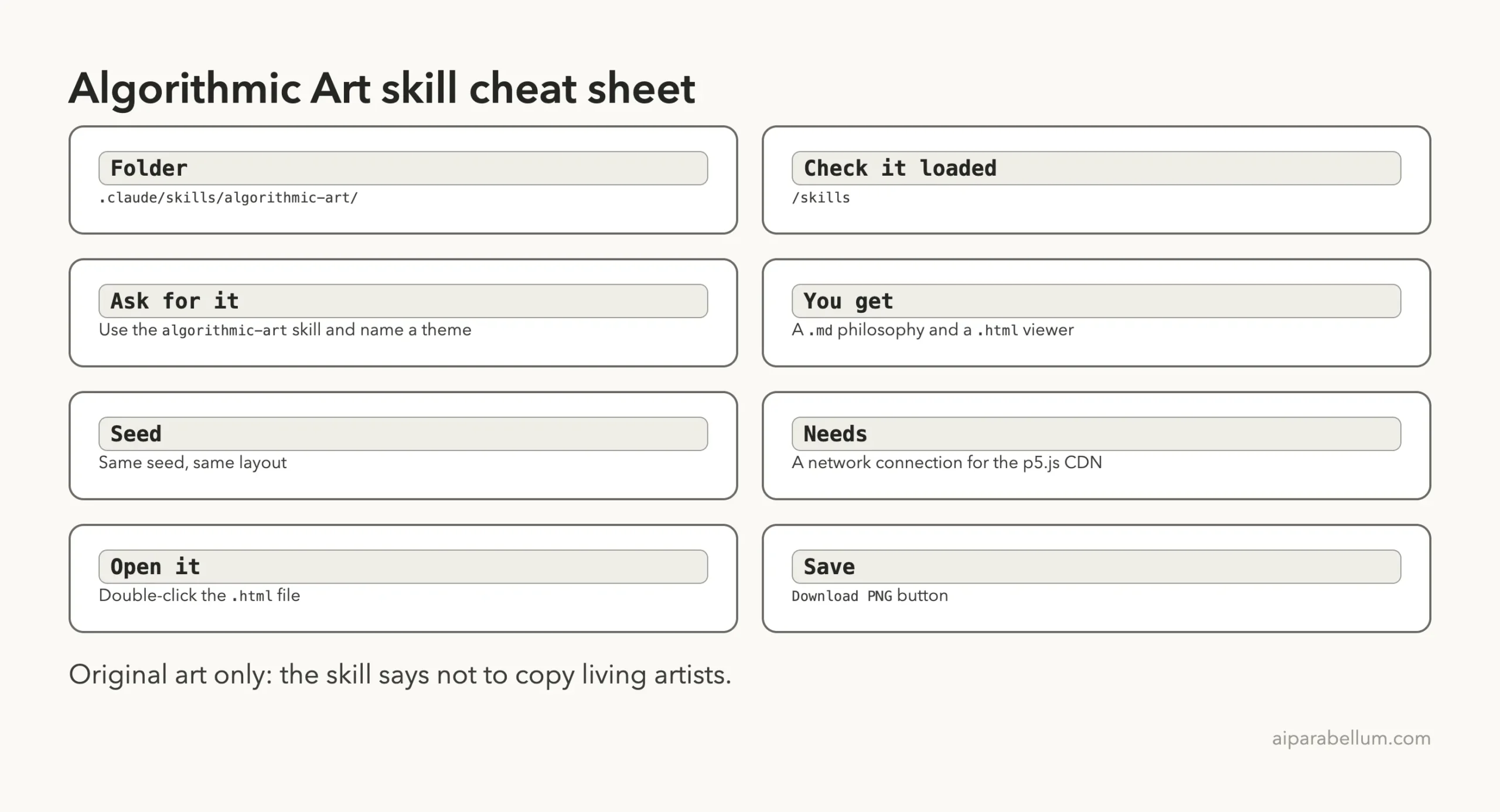
Cheat Sheet
What We Did Not Test
We ran one theme, one time.
We did not test the other templates, the Gallery Mode the skill mentions, or the 100-seed variation request. We also did not test it in claude.ai, where the skill says the page appears as an artifact. Your result will differ because Claude writes new code for each request.
Frequently Asked Questions
Is the algorithmic art skill free?
The skill folder is public in Anthropic’s skills repository, and its front matter points to a LICENSE.txt for the terms. Read that file before reuse. Running it uses your normal Claude Code usage.
Do I need to know p5.js?
No. You describe a theme and Claude writes the code. The sliders let you change the result without touching code.
Can I use it without installing the whole skills collection?
Yes. We copied only the algorithmic-art folder into .claude/skills/ of a demo project, and it loaded.
Why does the page need the internet?
The template loads p5.js version 1.7.0 from a CDN. The rest of the code is inline in the one HTML file.
Can I save the art as an image?
Yes. The viewer has a Download PNG button. Claude told us it added that button itself because the template did not include it.
Judge the page, not the philosophy: open the file yourself before you share it.
Conclusion
The claude algorithmic art skill turned one sentence about a tide pool into a philosophy file and a working viewer in about two minutes. The seed buttons and sliders made it fun to explore, and Claude was honest about what it had not checked. Install it if you like making visual toys, open the page yourself before you share it, and remember that the skill gives you a starting point, not a finished gallery piece. For more official skills, see our guide to the Anthropic skills repo, and for office files see the Word skill test and the Excel skill test. You can also learn about Claude itself.