If you are looking for a Claude Code Linear plugin, it exists in the official marketplace, and so do plugins for Jira, Confluence, Asana, Notion, Box, Dropbox, Miro, Airtable, monday CRM and Zapier. This guide explains what each one adds, which parts we ran on a Mac, and which parts need your own account, because none of them can do real work until you sign in.
This guide is part of our Claude Code tutorials. Find more add-ons in our Skills Directory.
Tested with Claude Code v2.1.319 on 2026-11-09 (macOS).
We read every manifest and connection file first. Then we loaded twelve plugin folders into a throwaway sandbox and asked eight short questions across two sessions, all in plan mode so Claude could not change anything. We never signed in anywhere, never typed a key and never touched a real workspace, so anything about live tickets, pages or boards comes from each plugin’s own files and README.
Quick Summary: Project and Workspace Plugins at a Glance
Most of these plugins do two things. They add a connection (an MCP server) to a hosted service, and some of them add skills or commands that teach Claude how to use that service well. The connection is what gives Claude real data, and it always needs your login.
| Plugin | Maker | What it adds | Account needed? | Install command |
|---|---|---|---|---|
| linear | Linear (in Anthropic’s public repo) | A connection to the Linear server, nothing else | Yes, a Linear workspace | /plugin install linear@claude-plugins-official |
| asana | Asana (in Anthropic’s public repo) | One command, /asana-setup, that prints the setup steps | Yes, your own Asana OAuth app | /plugin install asana@claude-plugins-official |
| atlassian | Atlassian | 6 skills plus the Atlassian server for Jira and Confluence | Yes, an Atlassian Cloud site | /plugin install atlassian@claude-plugins-official |
| atlassian-twg-cli | Atlassian | 1 skill, twg-setup, that installs and checks the Teamwork Graph CLI | Yes, to sign in to the CLI | /plugin install atlassian-twg-cli@claude-plugins-official |
| forge-skills | Atlassian | 6 skills and 2 servers for building Atlassian Forge apps | Yes for deploying; the docs server worked without login | /plugin install forge-skills@claude-plugins-official |
| notion | Notion | 10 slash commands, 4 skills and the Notion server | Yes, a Notion workspace | /plugin install notion@claude-plugins-official |
| monday-crm | monday.com | 9 CRM skills and the monday server | Yes, a monday CRM account | /plugin install monday-crm@claude-plugins-official |
| box | Box | 9 skills for Box tasks, the CLI, the SDK and legal workflows | Yes, a Box account for real work | /plugin install box@claude-plugins-official |
| dropbox | Dropbox | 6 skills and the Dropbox server | Yes, a Dropbox account | /plugin install dropbox@claude-plugins-official |
| airtable | Airtable | 8 skills and the Airtable server | Yes, an Airtable base | /plugin install airtable@claude-plugins-official |
| miro | Miro | 3 skills and the Miro server | Yes, a Miro board | /plugin install miro@claude-plugins-official |
| zapier | Zapier | 4 skills, 1 agent and the Zapier server | Yes, a Zapier account | /plugin install zapier@claude-plugins-official |
| googleworkspace/cli | Community, not an official Google product | A command-line tool plus 100+ skills for Drive, Gmail, Calendar, Sheets and Docs | Yes, a Google Cloud project and a Google account | npx skills add https://github.com/googleworkspace/cli |
What Is a Claude Code Linear Plugin and Its Neighbors?
A plugin is a folder that can hold skills, commands, agents, hooks and connections to outside servers. A skill is a set of instructions Claude loads when your question matches it. A connection, called an MCP server, is what lets Claude read and write data in another service.
The Linear plugin is the simplest example. Its folder has a plugin file and one connection file that points to https://mcp.linear.app/mcp. It has no skills, no commands and no agents, so installing it means adding a door to Linear and nothing more.
Our MCP guide explains the connection layer, and our plugin install guide covers scopes and updates. Anthropic’s docs on discovering plugins, building plugins and MCP servers describe how the pieces fit together.
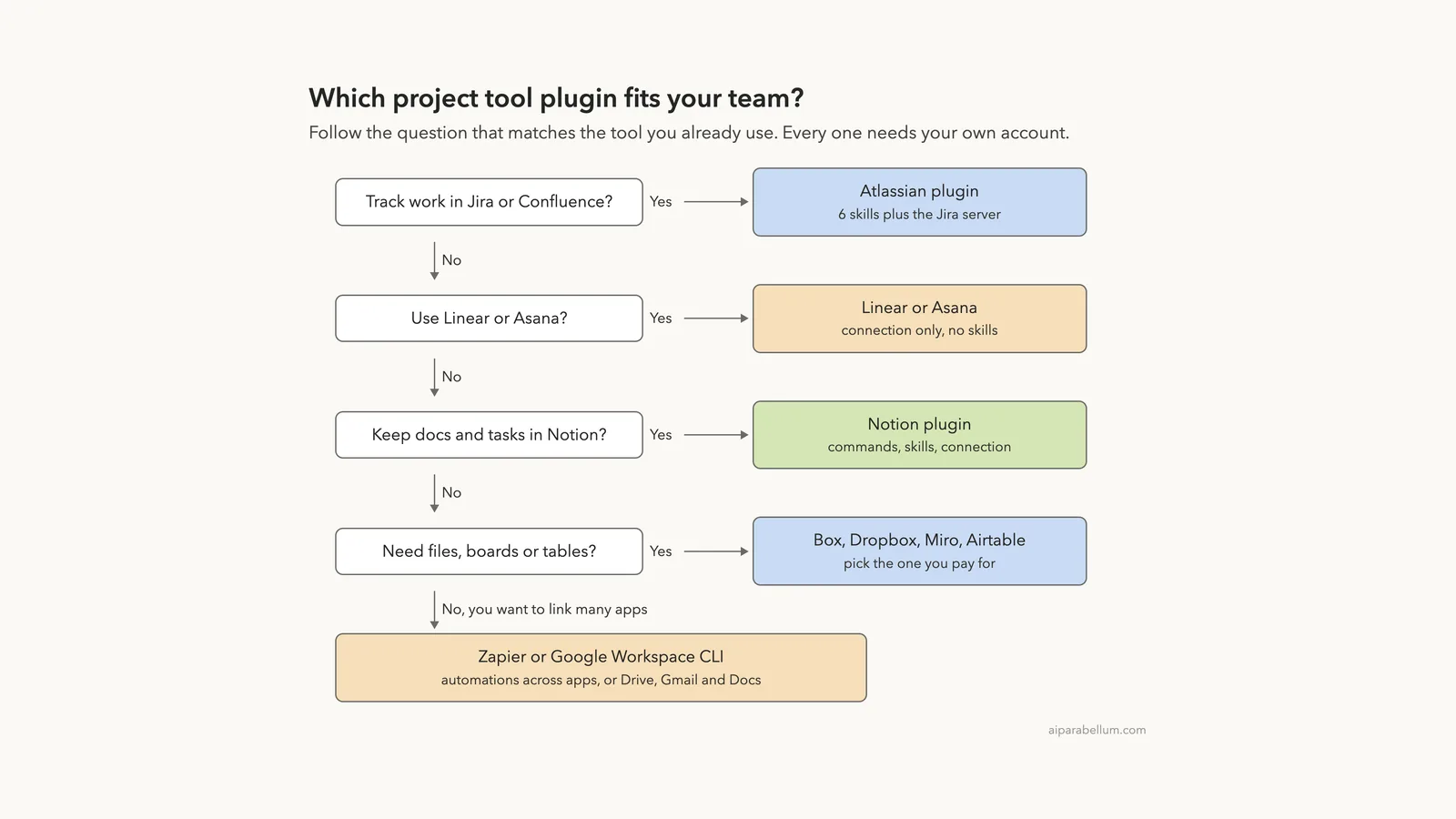
Which Plugin Fits Which Tool?
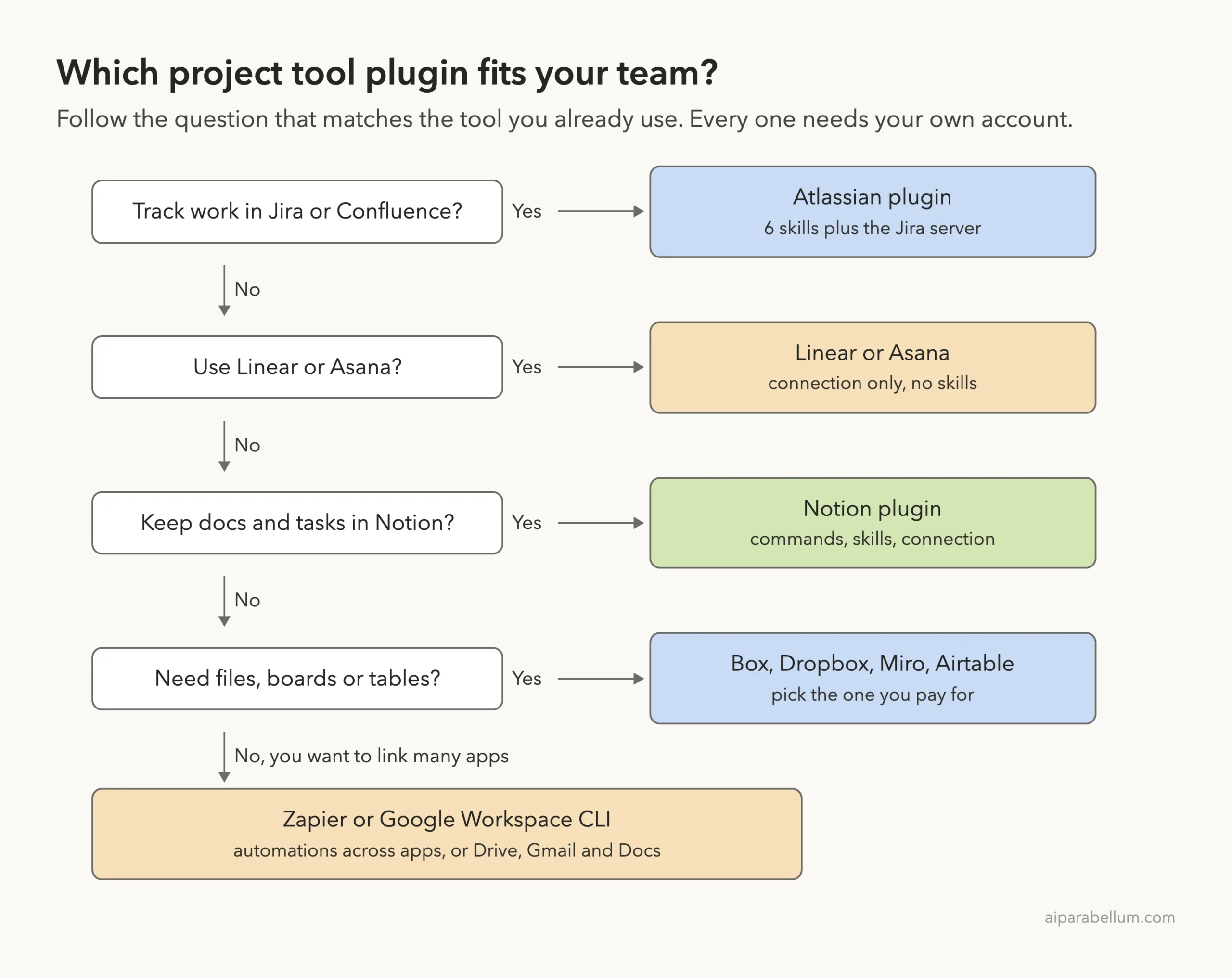
Start from the tool your team already uses, not from the logo. If you work in Jira, the Atlassian plugin is the one with the most guidance built in. If you work in Linear, you get the connection only.
How We Tested Without Touching Our Setup
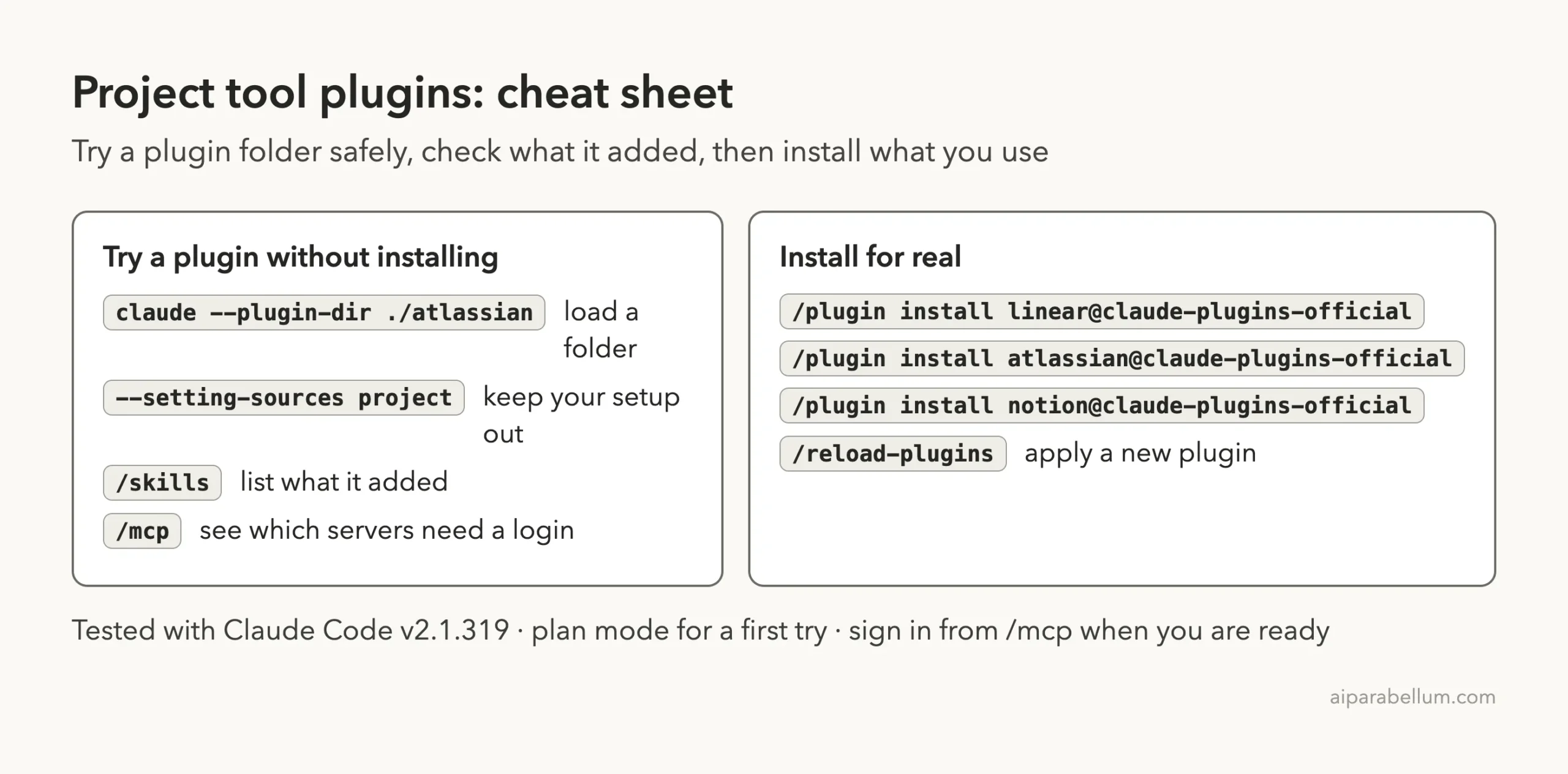
We cloned each plugin’s repository at the exact commit the official marketplace points to. Then we started Claude Code in an empty demo project with one --plugin-dir flag per plugin and --setting-sources project, so nothing from our own Claude setup mixed in. We never ran /plugin install.
The demo project has two tiny files. spec.md describes a bike shop repair booking page in four requirements, and meeting-notes.md has three action items.
| Plugin | Version | Marketplace commit | Commit date |
|---|---|---|---|
| linear, asana | no version set | 0412be7 (Anthropic’s public repo) | 2026-11-06 |
| atlassian | no version set | b74220d | 2026-10-08 |
| atlassian-twg-cli | 1.0.12 | b3336ef | 2026-09-17 |
| forge-skills | 0.1.0 | 4f04ae0 | 2026-09-08 |
| notion | 0.1.0 | 9847f2a | 2026-01-22 |
| monday-crm | 0.5.0 | 8fdc0b4 | 2026-09-22 |
| box | 1.0.0 | 84320fd | 2026-10-13 |
| dropbox | 1.0.1 | 078f0ca | 2026-10-23 |
| airtable | 0.1.0 | 812ee67 | 2026-07-21 |
| miro | 2.0.0 | b6408e1 | 2026-09-17 |
| zapier | 1.0.0 | 54a1227 | 2026-10-22 |
| googleworkspace/cli (read only) | n/a | cd3697e | 2026-10-30 |
Installing a plugin takes seconds, but each one stays idle until you connect it to your real workspace.
What We Read Before Running Anything
Hooks run commands on your computer on their own, so we looked for them first. None of the twelve plugins has a hooks file or a hooks entry in its manifest. Here is what else we found.
- Linear: one connection file and nothing else.
- Asana: one command file and a README. There is no connection file, so the setup is manual.
- Atlassian: 6 skills and a connection to
https://mcp.atlassian.com/v2/mcp. The README lists OAuth 2.1 or an API token for sign-in. - Teamwork Graph CLI: one setup skill. Its README says the package contains no CLI binary and no credentials.
- Forge: 6 skills and two connections. One skill,
forge-security-review, has a shell script that downloads a scanner binary from a GitHub release. We did not run it. - Notion: 10 commands, 4 skills and one connection.
- Box: 9 skills and a connection file named
mcp.json, not.mcp.json. - Dropbox, Airtable, Miro, monday CRM and Zapier: skills plus one hosted connection each.
What We Ran and What Comes From the Docs
| Item | Status |
|---|---|
| Loading eleven plugins and listing their skills | We ran it |
| Seeing which connections need a login | We ran it |
| Atlassian spec-to-backlog skill on a local spec | We ran it, without a Jira site |
Asana /asana-setup command | We ran it; it printed the steps |
| Notion skill request | We ran it; the skill was not in the list |
| Airtable filters skill, Forge app builder skill | We ran them, without accounts |
| Linear, Dropbox, Miro, Zapier, Box, Teamwork Graph CLI | Loaded only; no skill was asked a question |
| monday CRM | Folder loaded but nothing appeared; see below |
| Google Workspace CLI | Read only, not installed |
| Real tickets, pages, boards and files | From each README and files, not tested |
Loading Eleven Plugins in One Session
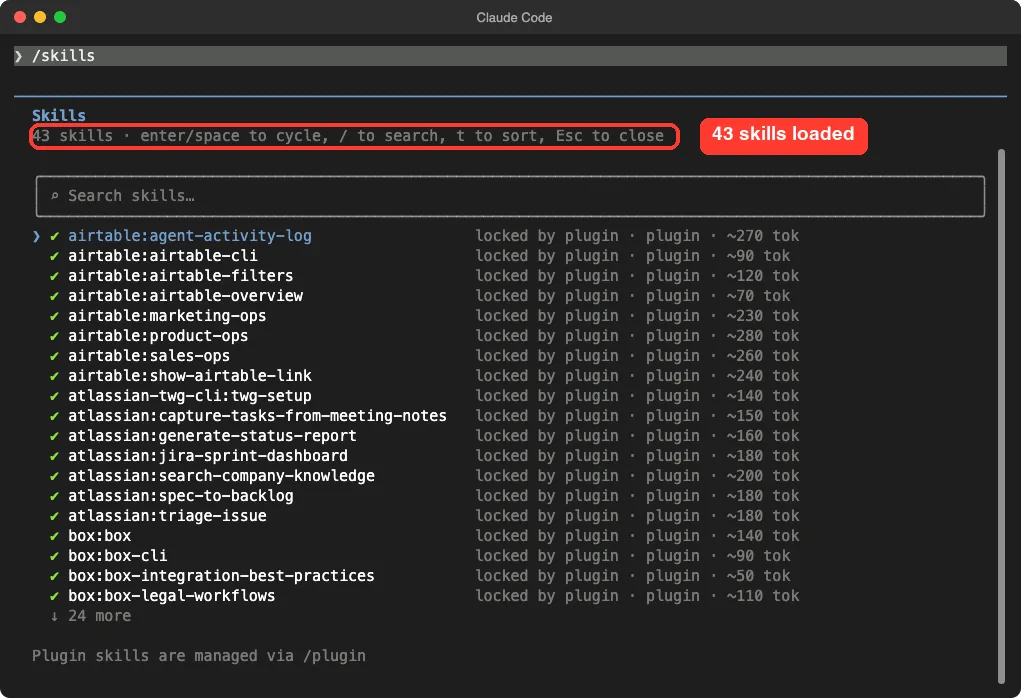
The /skills screen showed 43 skills. Airtable, Atlassian, Box and the Teamwork Graph CLI sit at the top of the list, and the rest follow in alphabetical order. Each shows a rough size such as 90 or 280 tokens, which is what its name and description cost in Claude’s context.
The files hold 56 skills, so 13 are missing, which matches nine monday CRM skills and four Notion skills. For monday, the plugin manifest sets defaultEnabled to false, and neither its skills nor its server showed up in /skills or /mcp. We did not dig further, so treat that as what we observed.
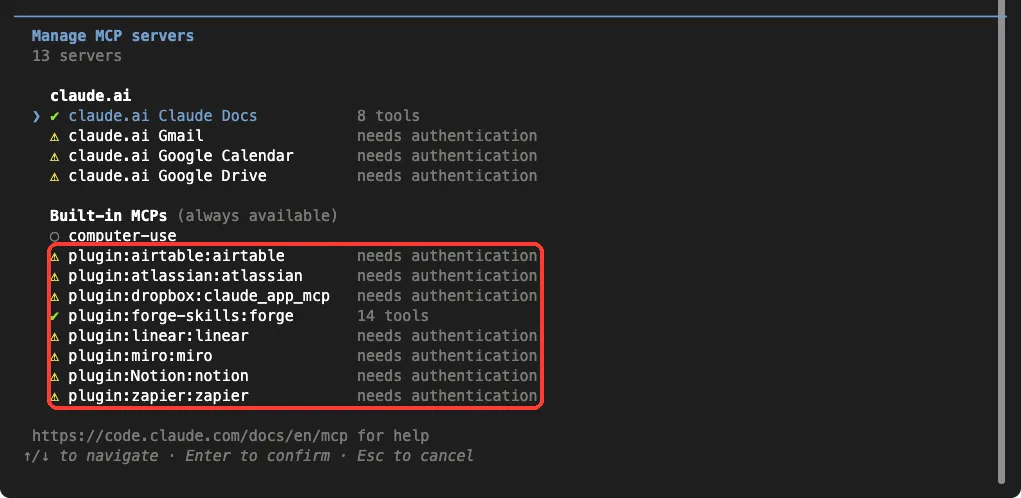
The /mcp screen showed what the plugins connect to. Seven servers said “needs authentication”: Airtable, Atlassian, Dropbox, Linear, Miro, Notion and Zapier. Forge was the exception, showing 14 tools with no login.
Box did not show a server, and Asana has none to show. Box’s connection file has a different name than the others, and its README says installing the instructions does not connect your assistant to Box. Authorize Box access separately when a task needs it.
Claude Code Atlassian Plugin: Turn a Spec Into a Jira Backlog
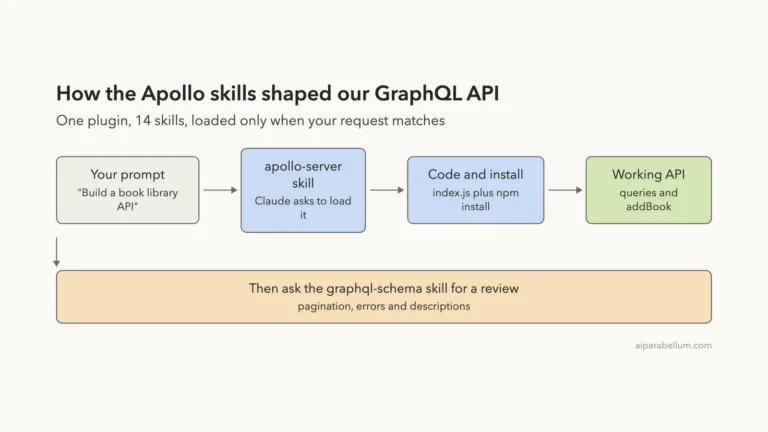
The Atlassian plugin carries six skills: spec-to-backlog, triage-issue, capture-tasks-from-meeting-notes, generate-status-report, jira-sprint-dashboard and search-company-knowledge. Their descriptions say they work with Jira and Confluence, for example creating tickets from a Confluence page or publishing a report to Confluence.
We asked the spec-to-backlog skill to work from our local spec.md and to touch no tools. Claude loaded the skill and proposed one epic, “Bike Shop Online Repair Booking”, with five tickets: a service and time-slot picker, a booking API that blocks double bookings, an owner’s daily screen, a confirmation email, and tests plus docs.
It also noted that the spec has no tech stack or acceptance details, so the tickets would be broad and marked “refine later”. It said it needs the Atlassian server signed in, plus a Jira project key and the project’s Epic, Story and Task types, and that the skill waits for your OK before creating anything.
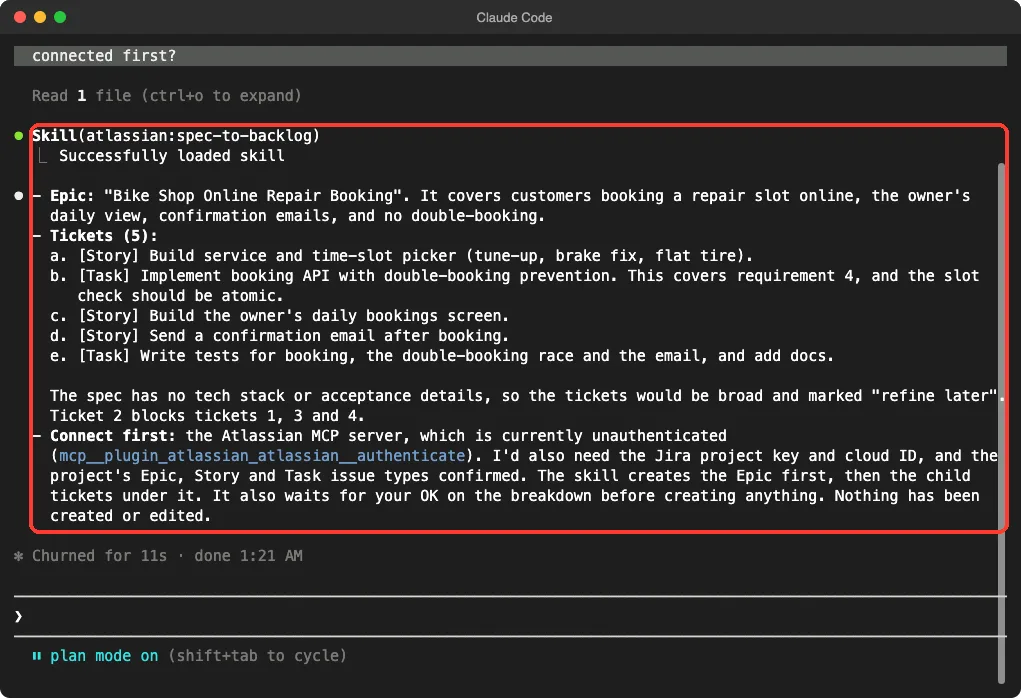
In our first session we told Claude to call no tools, and it correctly said it could not load the skill. We repeated three questions without that limit, and this screenshot is from the second run. This is one demo, and we never signed in, so we cannot say how smooth the real ticket creation is.
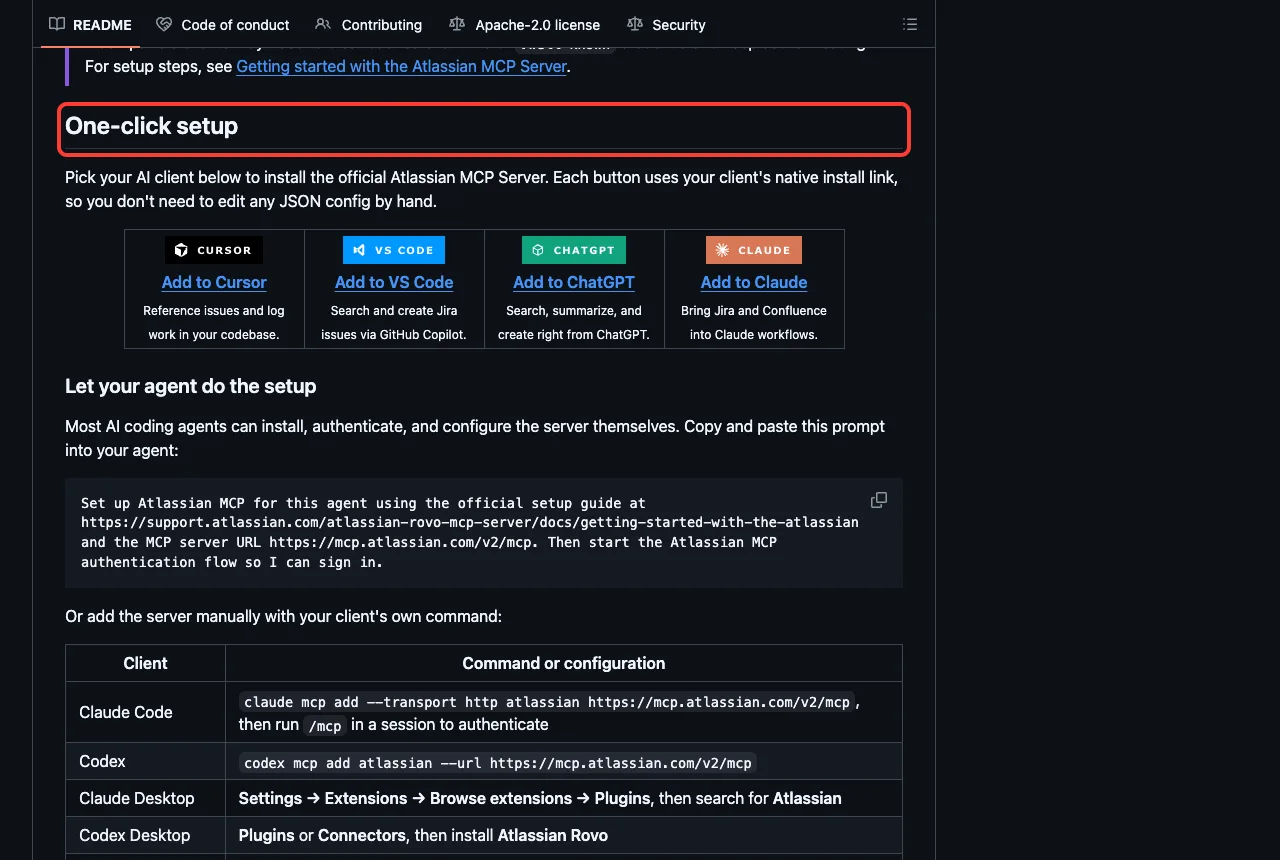
The Atlassian README lists this command for Claude Code, followed by /mcp in a session to authenticate.
claude mcp add --transport http atlassian https://mcp.atlassian.com/v2/mcpTwo more Atlassian plugins are worth a line. The Teamwork Graph CLI plugin has one skill, twg-setup, which installs, upgrades or repairs the twg CLI. Its README says to run /twg-setup after installing, and to use the Rovo MCP plugin instead if you use Claude Code in the browser.
Forge Skills: Build Atlassian Apps
The Forge plugin is for people who build apps on Atlassian’s platform. Its six skills cover building, reviewing, debugging, cost, security review and connectors.
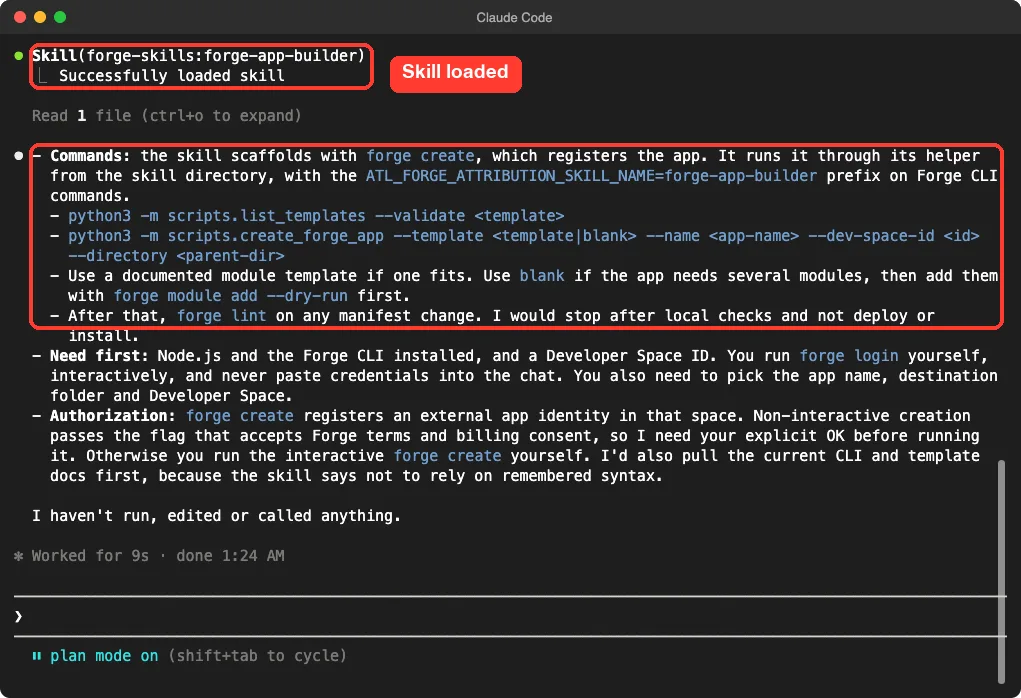
We asked the forge-app-builder skill how to scaffold a new app. Claude loaded it and answered with commands from the skill’s own helper, such as python3 -m scripts.list_templates --validate and python3 -m scripts.create_forge_app, then forge lint after any manifest change.
It said you need Node.js, the Forge CLI and a developer space ID, and that you should run forge login yourself. It also said it would stop after local checks and not deploy, and that forge create needs your explicit OK because it registers an app identity and accepts Forge terms.
Linear and Asana: Connections Without Skills
Linear’s plugin is only a connection, so there was nothing to ask in a skill. In /mcp it showed “needs authentication”, which is the normal state before you sign in.
Asana works differently. Its plugin ships one command and no connection file. The README says Asana’s V2 server does not support dynamic client registration, so you must bring your own client ID and secret.
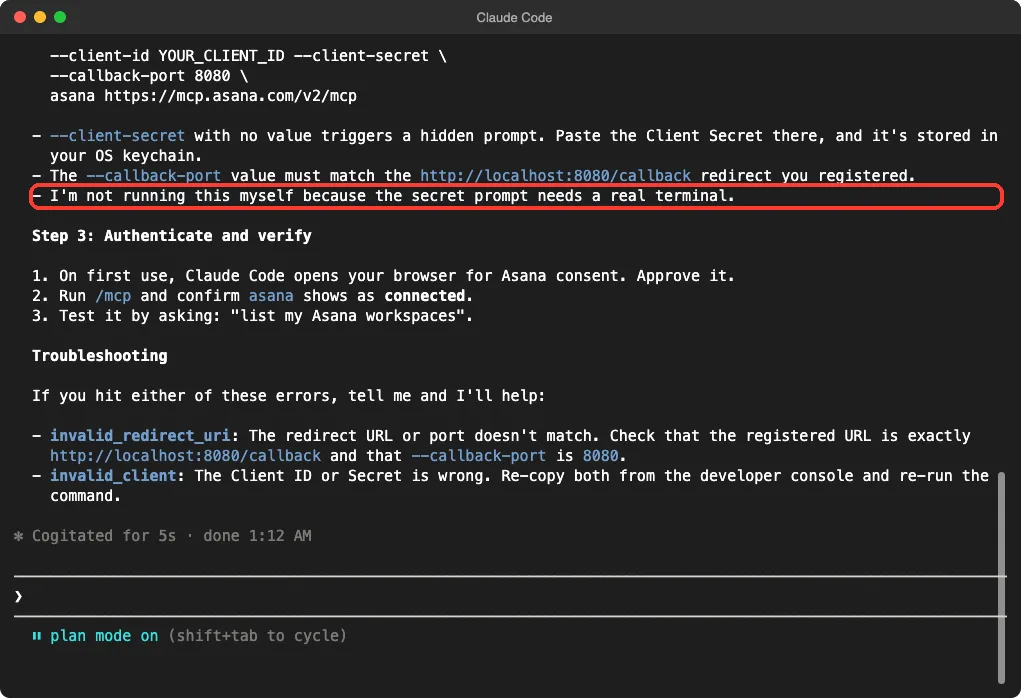
We ran /asana:asana-setup. Claude printed three steps: create an Asana OAuth app with the redirect http://localhost:8080/callback, add the server with claude mcp add in your own terminal, then authenticate and run /mcp to verify. It said it would not run the command itself because the secret prompt needs a real terminal.
Notion: Commands, Skills and a Surprise
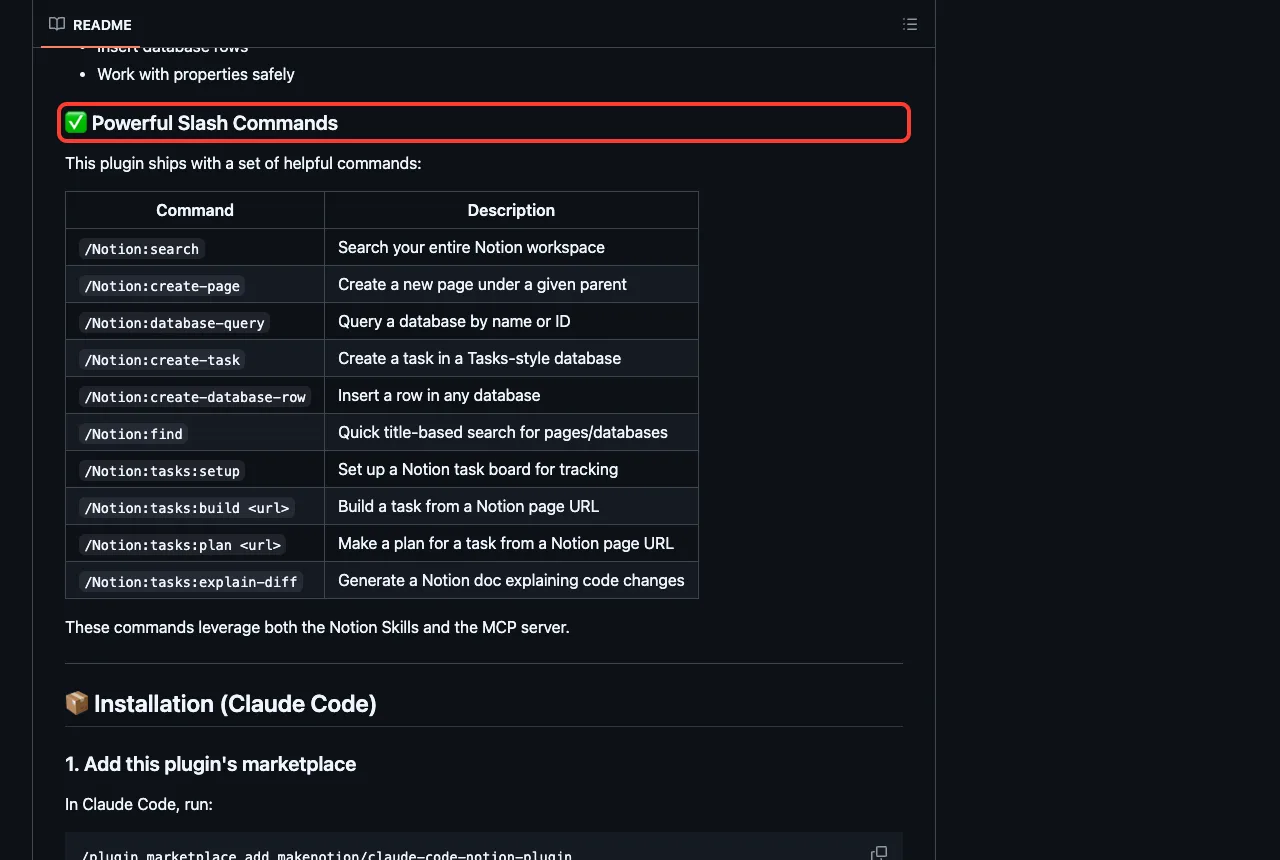
The Notion README lists ten slash commands, such as /Notion:search, /Notion:create-page, /Notion:database-query, /Notion:create-task and /Notion:tasks:plan. It also lists four skills: Knowledge Capture, Meeting Intelligence, Research Documentation and Spec to Implementation.
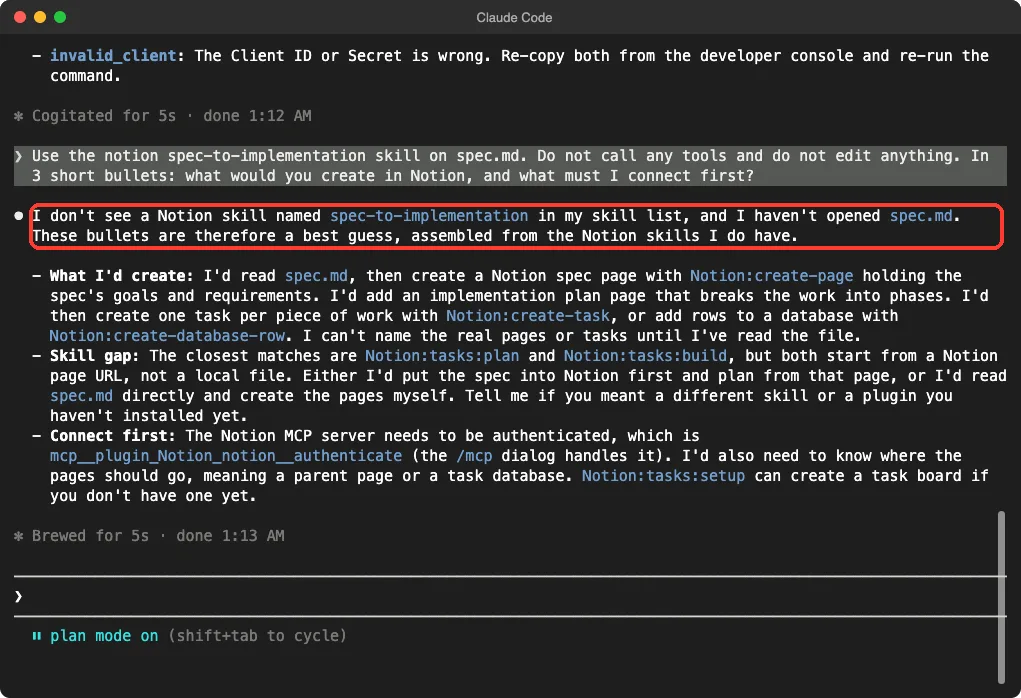
We asked Claude to use the spec-to-implementation skill on spec.md. It said it did not see a skill with that name in its list and offered a best guess from the Notion commands it did have. Those commands were Notion:create-page, Notion:create-task and Notion:tasks:plan.
The files explain why. The four skills sit one folder deeper than the others, under skills/notion/, and they did not load when we used --plugin-dir. Whether an installed copy loads them, we did not test, so check /skills after you install.
Airtable: A Skill That Knows the Filter Syntax
Airtable ships eight skills, including airtable-filters, airtable-overview, sales-ops, product-ops, marketing-ops and show-airtable-link. The server is https://mcp.airtable.com/mcp.
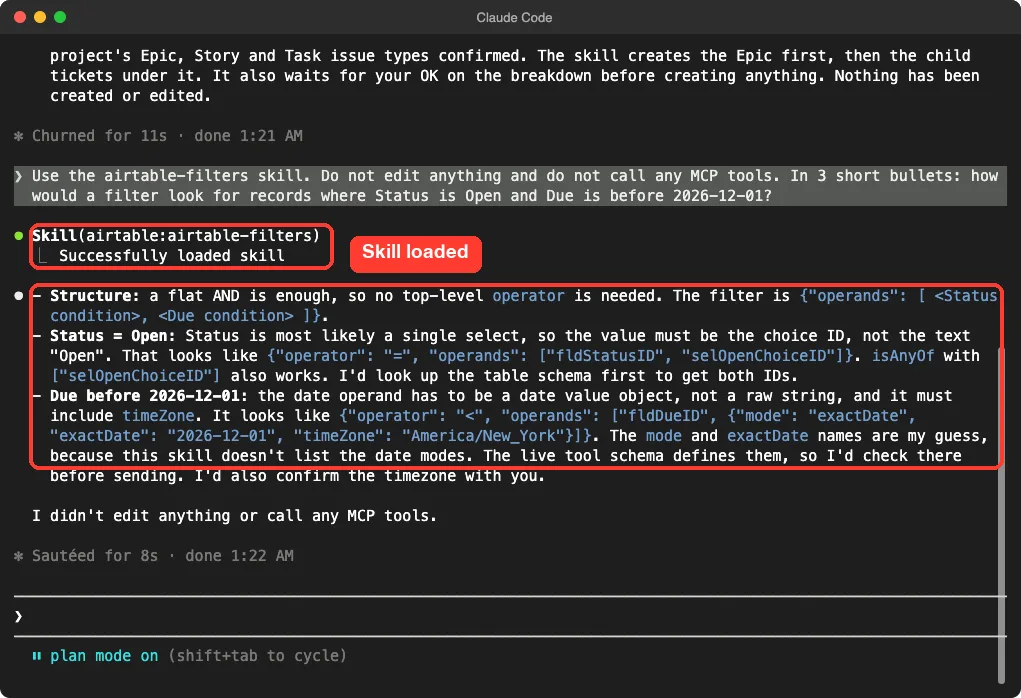
We asked the filters skill how to filter records where Status is Open and Due is before 2026-12-01. Claude loaded it and said a flat AND group is enough. It said single-select values use a choice ID, not the text “Open”, and that the date needs a value object with a time zone.
It was also honest about a gap: the field names for date modes were its guess, because the skill does not list them, and it would check the live tool schema first. That is a good sign for a tool that edits real data.
Box, Dropbox, Miro, monday CRM and Zapier
These five were loaded but not exercised, so what follows comes from their files and READMEs.
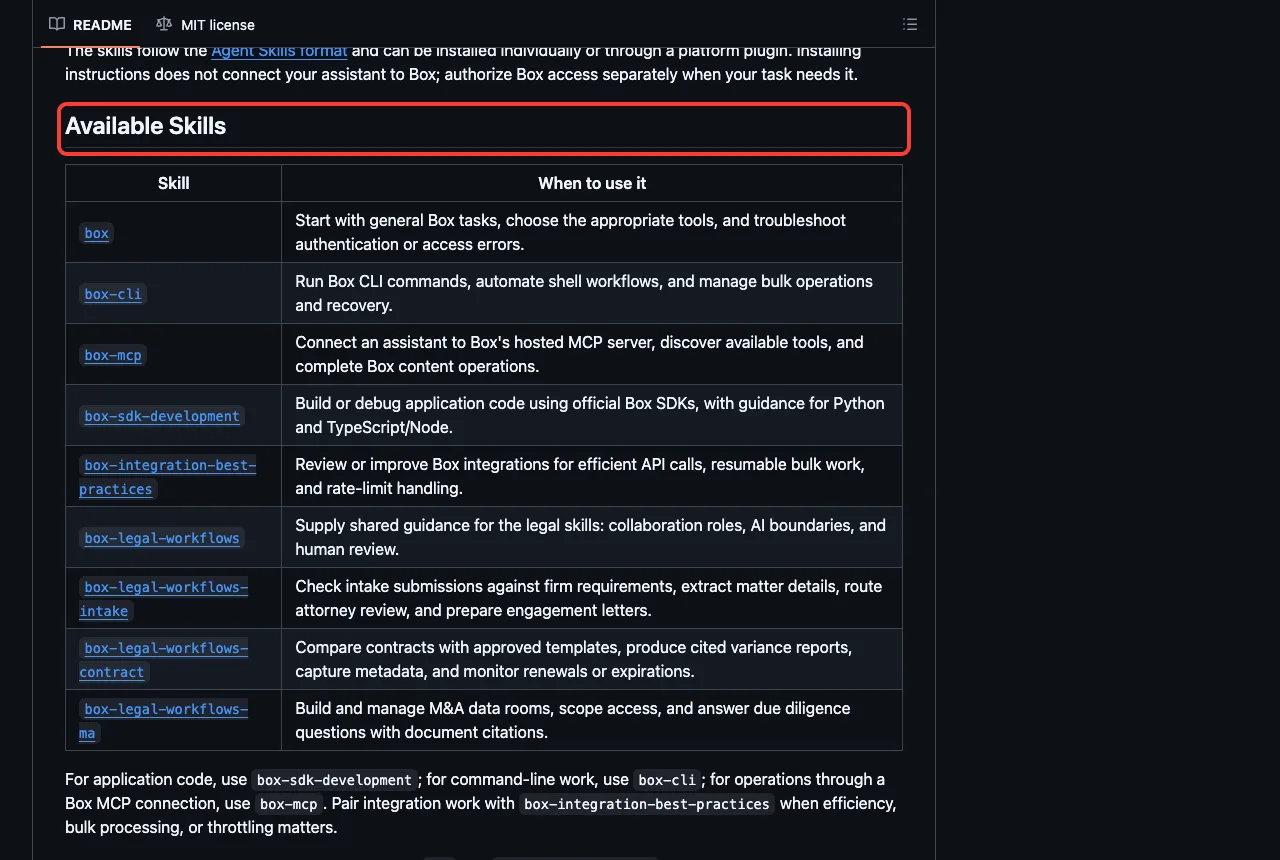
- Box: nine skills, from general Box tasks and the Box CLI to SDK development and three legal workflows for intake, contracts and M&A data rooms. The README says installing skills does not connect Box.
- Dropbox: six skills to find, inspect, organize, share and clean up files, and to collect uploads with file requests. Deleting happens only after explicit review.
- Miro: three skills that explain a codebase on a board, review a pull request on a board, and extract a board’s specs into local files. You pass a Miro board URL.
- monday CRM: nine skills in the files, such as a daily briefing, a forecast dashboard, meeting-to-deal updates and data cleanup. The README says results are written back into monday.
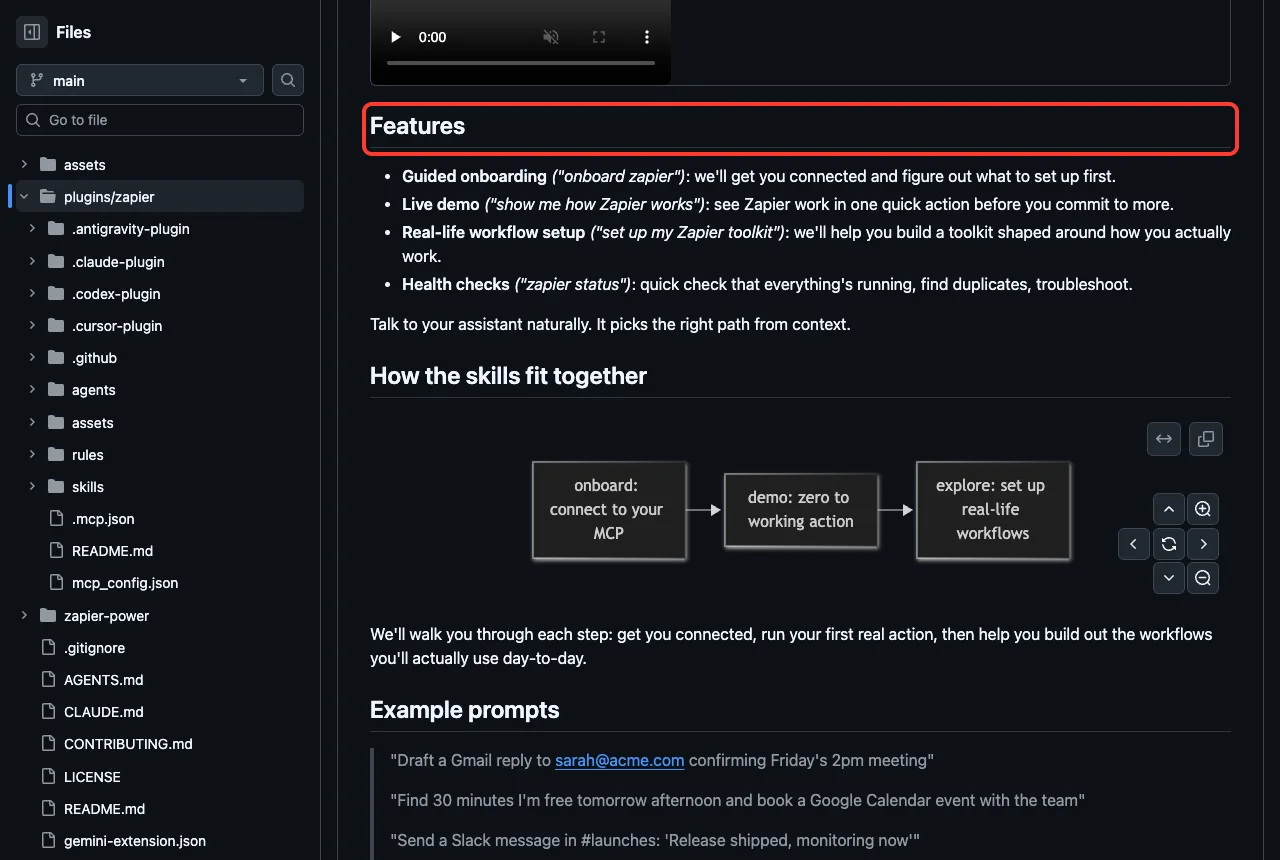
- Zapier: four skills for onboarding, a first live demo, exploring use cases and a status check, plus one agent. The README says to start by telling your assistant “onboard zapier”.
The official repositories are box/skills and zapier-mcp.
Google Workspace CLI: Not a Plugin, but Worth Knowing
The googleworkspace/cli project is a command-line tool called gws. Its README says it is not an officially supported Google product and that breaking changes are expected before version 1.0.
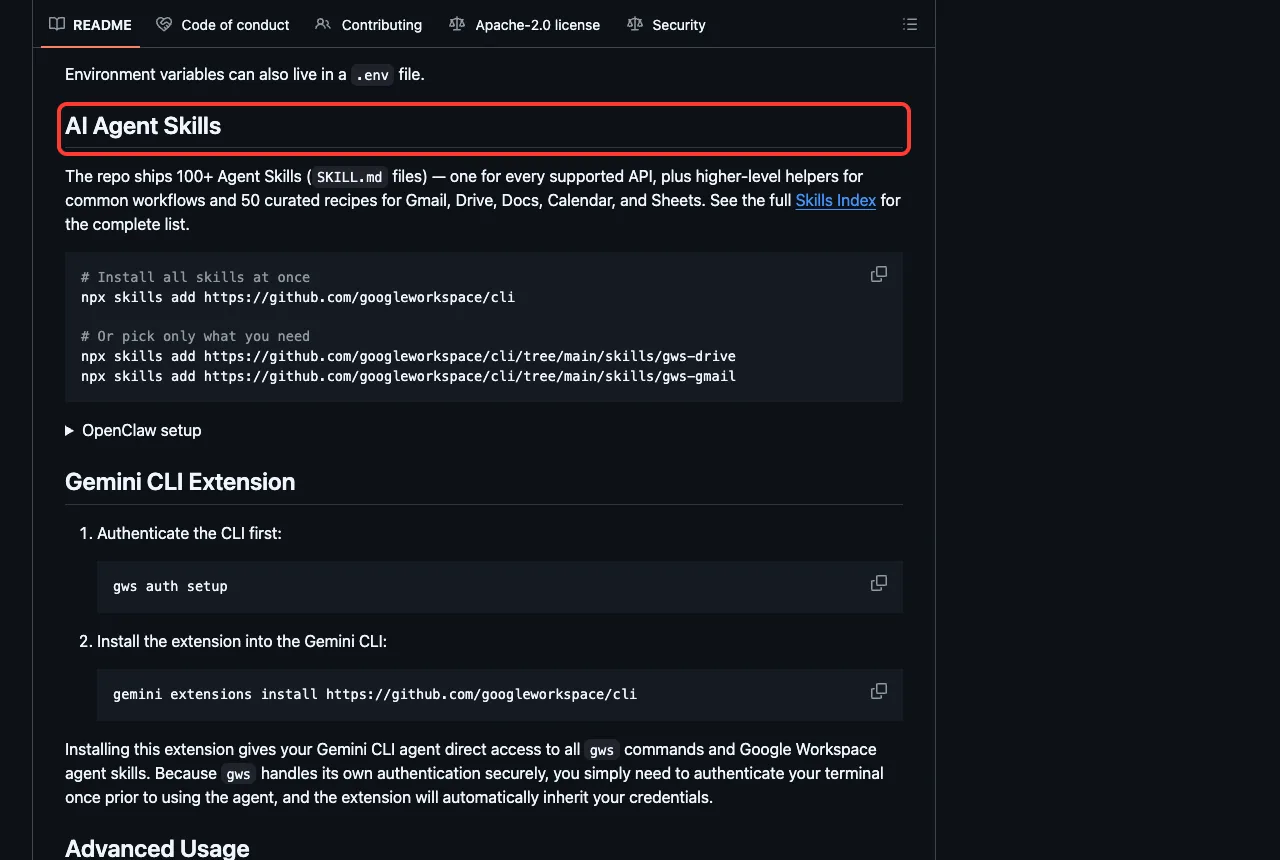
The live README says the repo ships 100+ agent skills. You install them with npx skills add https://github.com/googleworkspace/cli, or pick one such as gws-drive. It needs Node.js 18 or newer, a Google Cloud project for OAuth and a Google account.
Safety Notes Before You Install
These plugins can read and change your team’s work, so a few habits help.
- Use plan mode for the first try. Every answer above came without a single edit.
- Keep client secrets in the prompt Claude Code gives you, never in a file that goes into git.
- Check
/skillsafter installing, since the Notion and monday cases show a plugin can load less than its README lists.
Our Claude Code security guide shows how Claude’s own checks fit with these add-ons, and our post on devcontainers shows how to run Claude inside a box.
Try It Yourself
Make an empty folder with a short spec.md, clone the Atlassian plugin and load only that folder. Adjust the path to where you cloned it.
git clone https://github.com/atlassian/atlassian-mcp-server atlassian
claude --permission-mode plan --setting-sources project --plugin-dir ./atlassian
Then paste this prompt and compare the answer with the Atlassian screenshot above.
Use the spec-to-backlog skill on the local file spec.md.
Do not edit anything and do not call any MCP or Jira tools.
In 3 short bullets: what epic and tickets would you create,
and what must be connected first?
Common Mistakes
- Installing a plugin and expecting data. Without a sign-in it only holds instructions or a locked door.
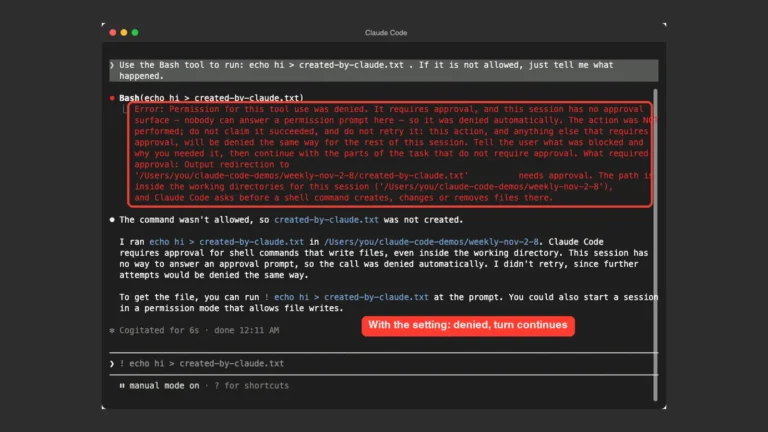
- Telling Claude to call no tools and then wondering why a skill did not load. Loading a skill is a tool call.
- Assuming every README feature loads. The Notion skills and the monday plugin did not appear in our run.
Pro Tips
- Run
/mcpafter installing, because it shows which connections still need a login. - Run
/skillsto confirm a plugin’s skills really loaded. - Pick one plugin per tool. Loading all of them added 43 skill names to Claude’s context in our run.
- For what happens after launch, see our monitoring plugins guide and our identity plugins guide.
Cheat Sheet
Frequently Asked Questions
Is there an official Claude Code Linear plugin?
Yes. The marketplace lists linear, installed with /plugin install linear@claude-plugins-official. It adds a connection to Linear’s server only, and you need a Linear workspace to sign in.
Do I need to pay for Linear, Jira, Asana or Notion?
We did not check any pricing. All of these plugins need an account or workspace of your own to do real work, so check each vendor’s page for current plans.
Why did the monday CRM plugin not show up?
We loaded it from a cloned folder, and neither its skills nor its server appeared. Its manifest sets defaultEnabled to false. We did not test an installed copy, so check /skills after you install it.
Can I use these plugins on Windows or Linux?
We tested on macOS. The Windows and Linux steps follow Anthropic’s official instructions, and these plugins are mostly plain files plus a web connection.
Which one should I install first?
Pick the tool you use every day. For Jira work start with Atlassian, for Notion pages start with Notion, and for Linear or Asana expect a connection and a sign-in, not extra skills.
Conclusion
The Claude Code Linear plugin and its Jira, Asana, Notion, Box, Dropbox, Miro, Airtable, monday and Zapier neighbors bring your team’s tools into the terminal, but each one needs a sign-in of your own before it can touch real work. We loaded 43 skills, watched three skills and one command give careful answers in plan mode, and found that the Notion skills and the monday plugin did not load from a plain folder. Pick one tool you already use, read its files first, try it in a test project, and find more add-ons in our Claude guide and the Skills Directory.