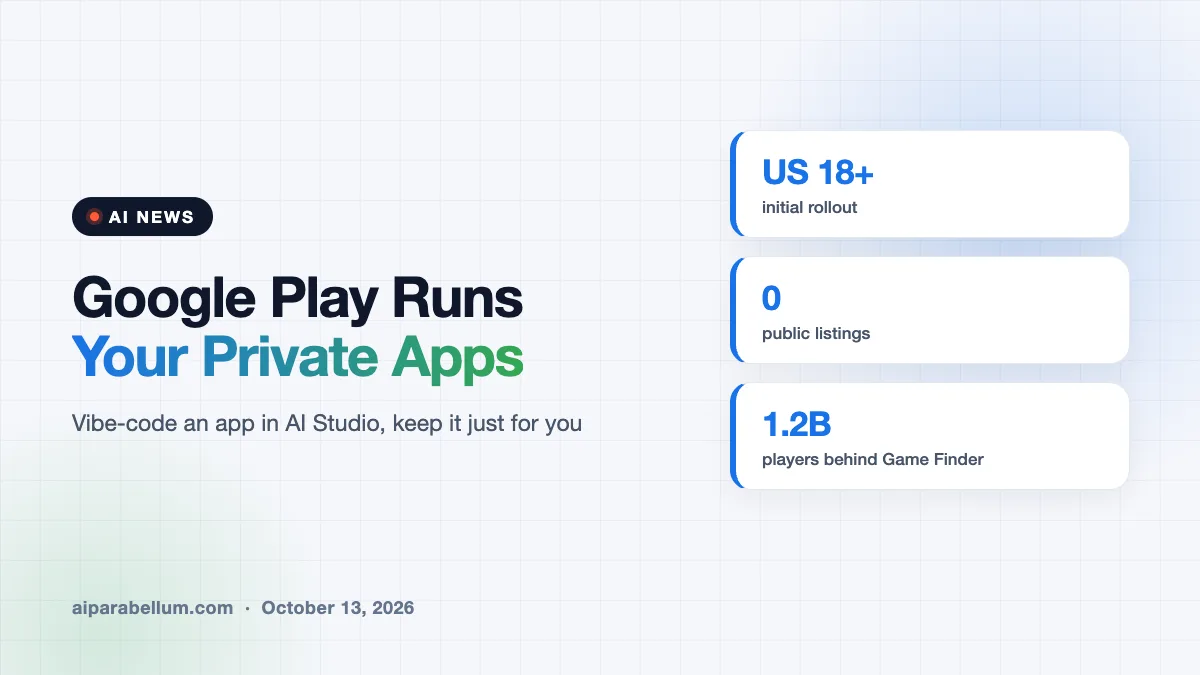
Google Play personal apps are now a real thing in the US. On October 13, Google said anyone who vibe-codes an Android app with Google AI Studio can launch it on their own phone through Google Play, without publishing it to the public store. The app stays private, tied to your regular Google account, and visible only to you.
Here is what changed, who can use it, and what else Google added to Play alongside it.
What Google Play Personal Apps Actually Do
Until now, building a custom Android app with AI left you with an awkward choice. You could publish it to the Play Store, where roughly 3 billion people could find it, or you could sideload it by connecting your phone to a computer. Many hobby builders simply stuck to web apps instead.
The new option sits in the middle. You build the app in Google AI Studio, then launch it through Google Play for your own use only.
- The app does not appear in Play search or on any store listing page.
- Nobody but the person who made it can see or install it.
- You sign in with a standard Google account, not a paid developer account.
- The app still has to follow Google Play’s existing content and safety policies.
Google first let people vibe-code personal Android apps back in May. This update removes the clunky install step that came with it.
Who Can Use It Right Now
The feature is starting in the US for users who are 18 or older. Google calls this the initial rollout, so other regions may follow later.
Taking Personal Apps From Private to Public
Google is pitching this as a ladder, not just a sandbox. Sam Bright, who runs Google Play and the developer ecosystem, described the shift as moving from “there’s an app for that” to “there’s an app for me.”
In the coming months, Google says you will be able to share a personal app with a small circle of trusted people. Think of a chore tracker for your household or a schedule app for a kids’ sports team.
If an app takes off, there will be a path to publish it for everyone. That step moves you to a professional developer account and the same trust and safety reviews that regular developers go through.
| Stage | Who Can Use the App | Status |
|---|---|---|
| Personal app | Only the creator | Available now (US, 18+) |
| Shared with trusted circle | A small group you choose | Coming in the months ahead |
| Public Play Store release | Anyone on Google Play | Requires developer account and full review |
Other AI Features Coming to the Play Store
The personal apps news arrived with a batch of other Play updates, several of them powered by AI. Here are the main ones.
- Game Finder: an AI recommendation tool that suggests games based on what you already play, drawing on a community of about 1.2 billion players. It starts in the US, in English.
- Smarter Ask Play: the store’s built-in assistant can now compare similar apps and lay out their key differences.
- Gemini tie-ins: Play apps and games will show up more directly inside Gemini conversations.
- Age ranges for parents: parents can share a child’s age range, not an exact birthday, so developers can tailor the experience.
Google is also adding community features for gamers, such as custom game lists, a Community Posts section for questions, and short 48-hour challenges called Sprints.
Why Vibe-Coded Apps Matter for Android
Vibe coding means describing what you want in plain language and letting an AI write the code. It has made app building possible for people who never learned to program, and tools aimed at a beginner coder have become a popular starting point.
The catch has always been distribution. A native Android app built for one person had nowhere clean to live, so Google is now offering Play itself as that home.
This also gives Google a pipeline. Some personal projects will grow into public apps, and they will already be inside Google’s tools and review process when that happens.
What This Means for You
If you have ever wanted a tiny app for a very specific job, this lowers the bar a lot. Here are a few practical takeaways.
- You can try it today if you are in the US, over 18, and have an Android phone.
- Start small, like a habit tracker or a family grocery list, and refine it with follow-up prompts.
- Remember that AI-written code can have bugs, so avoid storing sensitive personal data in an app you have not tested.
- If you want to compare options, browse our list of app development tools and other AI coding assistants.
For more on how AI companies are bundling coding tools, see our look at the Grok and Cursor subscription. You can also catch up on the rest of today’s AI news roundup.
Sources
This article is based on reporting from TechCrunch and The Verge.
Conclusion
Google Play personal apps turn the Play Store into a private launchpad for anything you vibe-code with Google AI Studio. The feature is limited to US adults for now, but sharing with friends and a path to public release are on the way. Paired with Game Finder, a smarter Ask Play, and deeper Gemini links, it shows Google wants Play to be a place where people make apps, not just download them. If you have a small problem an app could solve, this is an easy moment to try building one yourself.