Claude Code design skills are growing fast. It is hard to tell which ones do real work and which only look good in a README. We loaded eight of them in a throwaway folder and ran each one on a made-up bakery called Moss & Crumb.
Some produced real files we could look at. A few needed keys or apps we do not use, so we say plainly what we did not run.
This guide is part of our Claude Code tutorials. Find more add-ons in our Claude skills directory.
Tested with Claude Code v2.1.319 on 2026-11-10 (macOS). Tools and commits we cloned: open-design at commit 07a86b1, design-extract (designlang 13.4.0) at commit 6050fdb, scroll-craft (0.3.1) at commit 75d81f7, logo-design-skill (1.4.5) at commit bbf31e5, replica-skill at commit 77c9436, answer-me-with-html (0.5.11) at commit 5bebfd3, pixelfx (0.3.1) at commit 044e12a and gpt-image2-ppt-skills at commit 2d57ef8. We tested on macOS; the Windows and Linux steps follow Anthropic’s official instructions.
The Eight Claude Code Design Skills at a Glance
| Skill | What it does | What we ran | Needs an account or key |
|---|---|---|---|
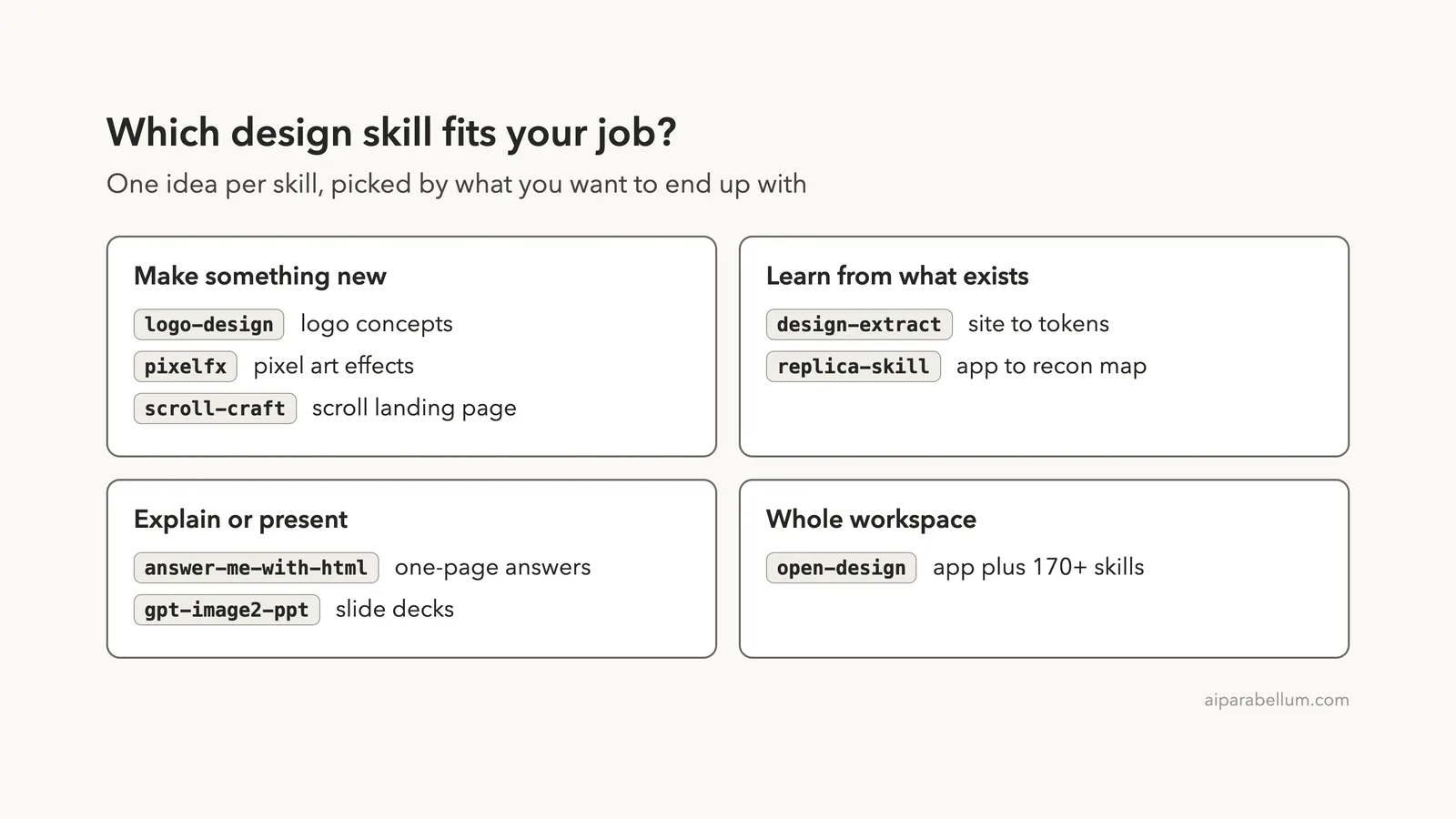
| logo-design | Logo concepts, tests and a brand kit | Three bakery logo concepts | No |
| design-extract | Turns a website into design tokens | Extraction of our own demo page | No |
| pixelfx | Pixel art effects as code | Frost effect, then a recolor | No |
| answer-me-with-html | Answers as a one-page HTML explainer | A DNS explainer page | No |
| replica-skill | Eleven skills for studying and cloning an app | The recon step on our own page | No |
| scroll-craft | Scroll-driven landing pages | Planning phase and preflight check | Only for generated imagery |
| gpt-image2-ppt | Slide decks made with an image model | Loaded it and read its requirements | Yes, an OpenAI key (or Codex) |
| open-design | A design workspace with many skills | One bundled skill, plus its README | Not for the skill we used |
How We Tested Without Touching Our Own Setup
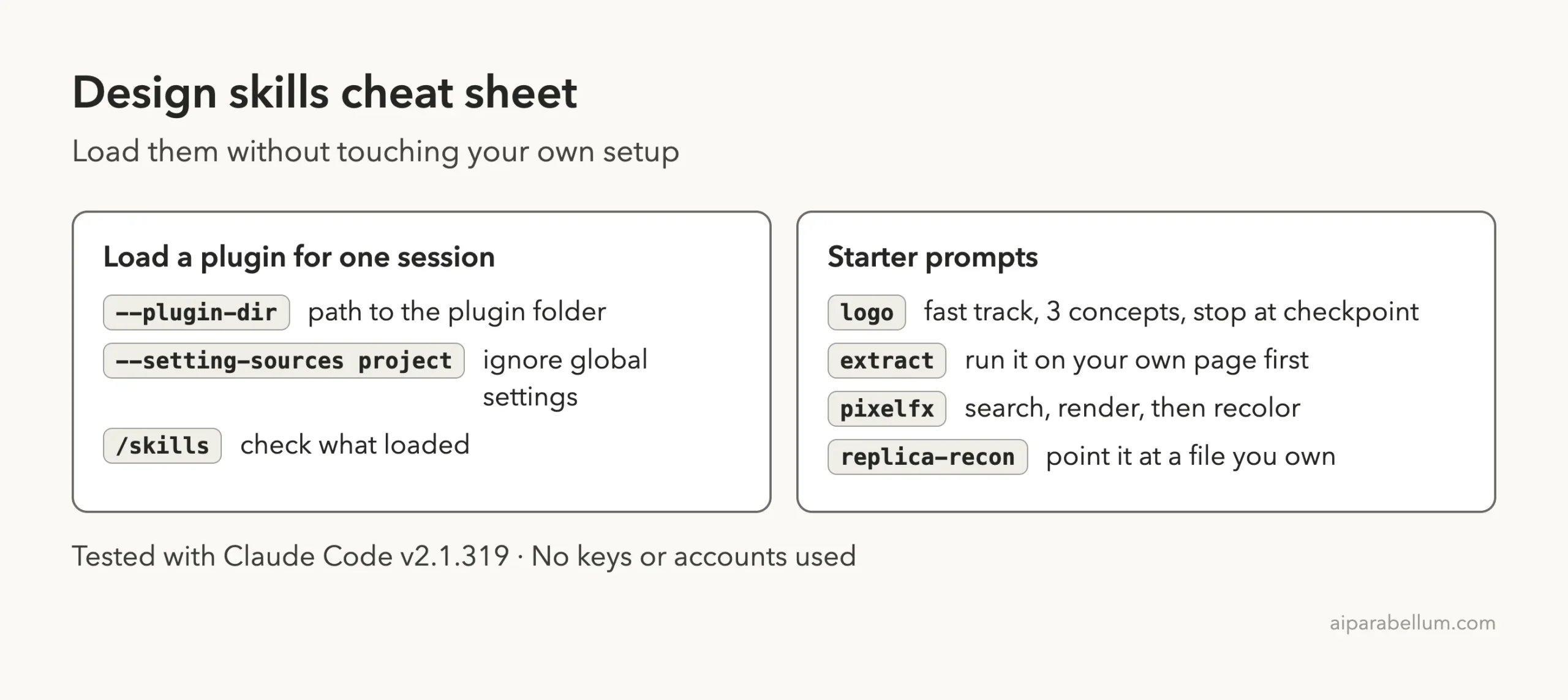
Every run used a sandbox folder and a fresh Claude Code session started with --setting-sources project. Plugins were loaded for one session only with --plugin-dir, so nothing was installed into the global Claude Code folder. If you want to know more about plugins, see our guide to plugin marketplaces.
We read each repo’s plugin files before running anything. None of the plugin manifests we loaded declared hooks. Each demo got only a short prompt, and we used our own bakery page as the test subject so no real site was touched.
The official plugin docs explain the --plugin-dir flag, and the discover plugins guide covers marketplaces.
Logo Design Skill: Three Bakery Logos in One Prompt
The logo-design skill acts like a senior identity designer. It has a fast track that skips questions, and it stops after the concepts so you can pick one before it builds the full kit. We asked for three concepts for Moss & Crumb and told it to stop at that checkpoint.
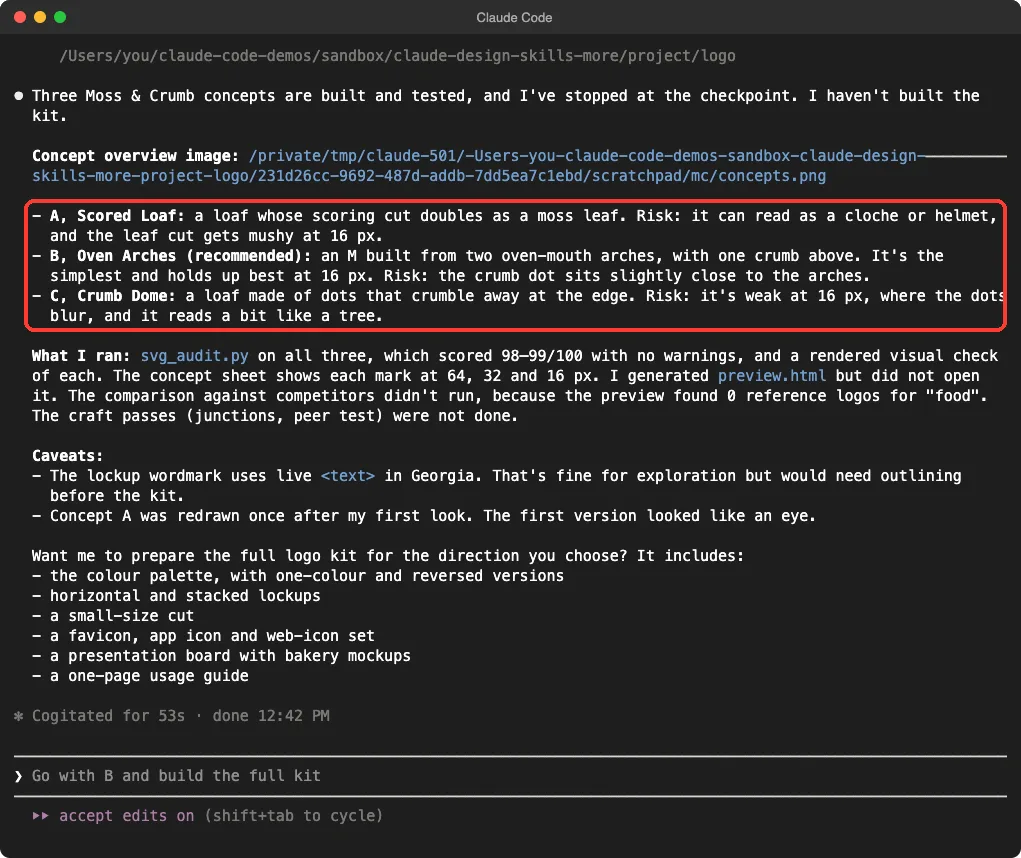
The result is a concept sheet with each logo at 64, 32 and 16 pixels. Claude recommended the Oven Arches concept, an M made from two arches with a crumb above it.
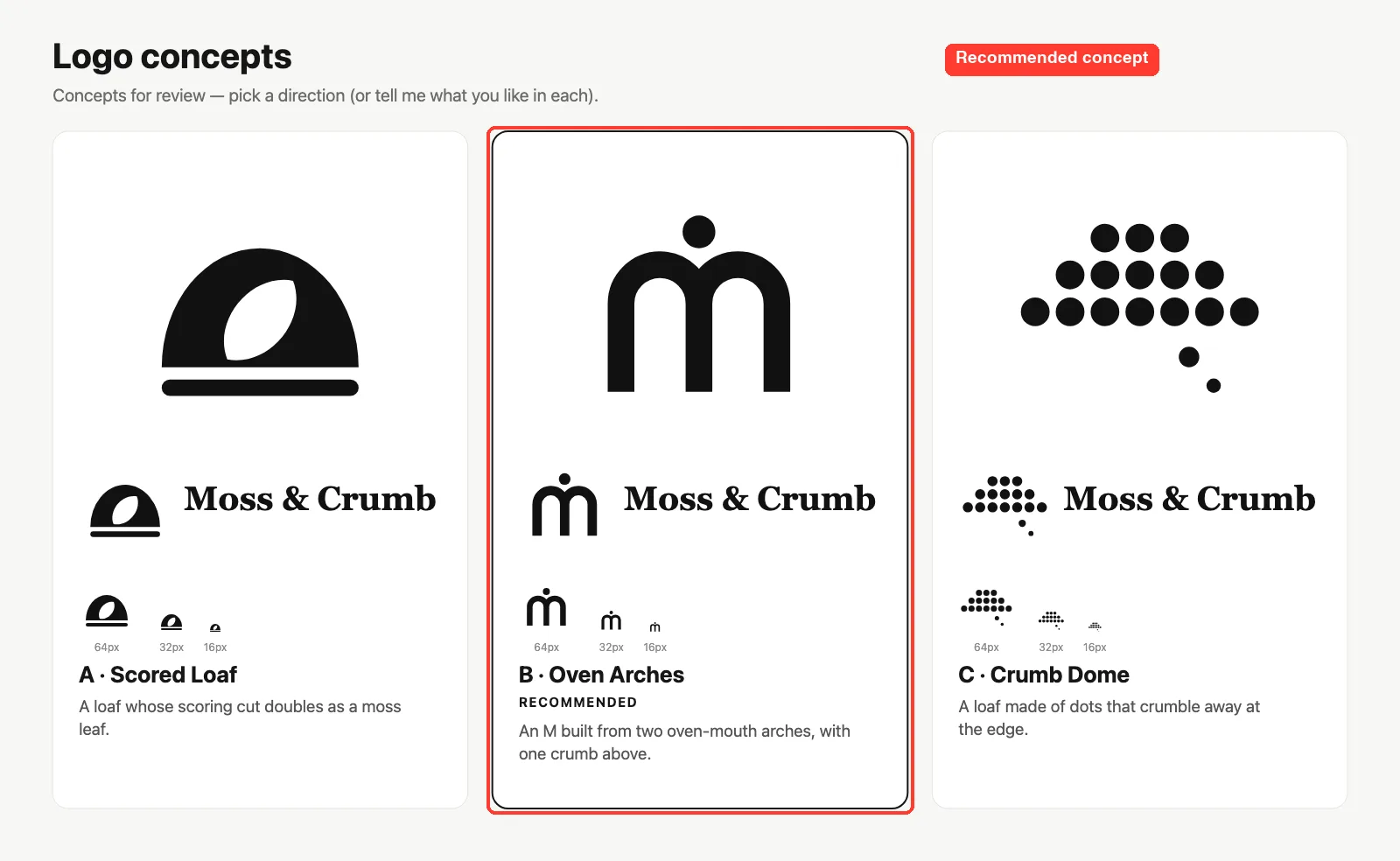
What did not work
Claude reported that the competitor comparison did not run, because the bundled reference library had no logos for the word “food”. It also said the craft passes were not done and that the wordmark uses live text that would need outlining before delivery. That is a useful honest summary, but it means you should treat these as sketches, not finished brand assets.
Design Extract: Pull a Design System From a Page
Design Extract wraps a command-line tool called designlang. It opens a page in a browser and writes out colors, fonts, spacing and many export formats.
Its skill normally runs the tool with npx. We installed the repo’s own dependencies in the sandbox instead (without install scripts) and asked Claude to run the local copy.
The target was our own demo page, served from 127.0.0.1. Our first prompt had a stray period after the flag, and the tool rejected it. Claude noticed, reran the command without the period, and carried on.
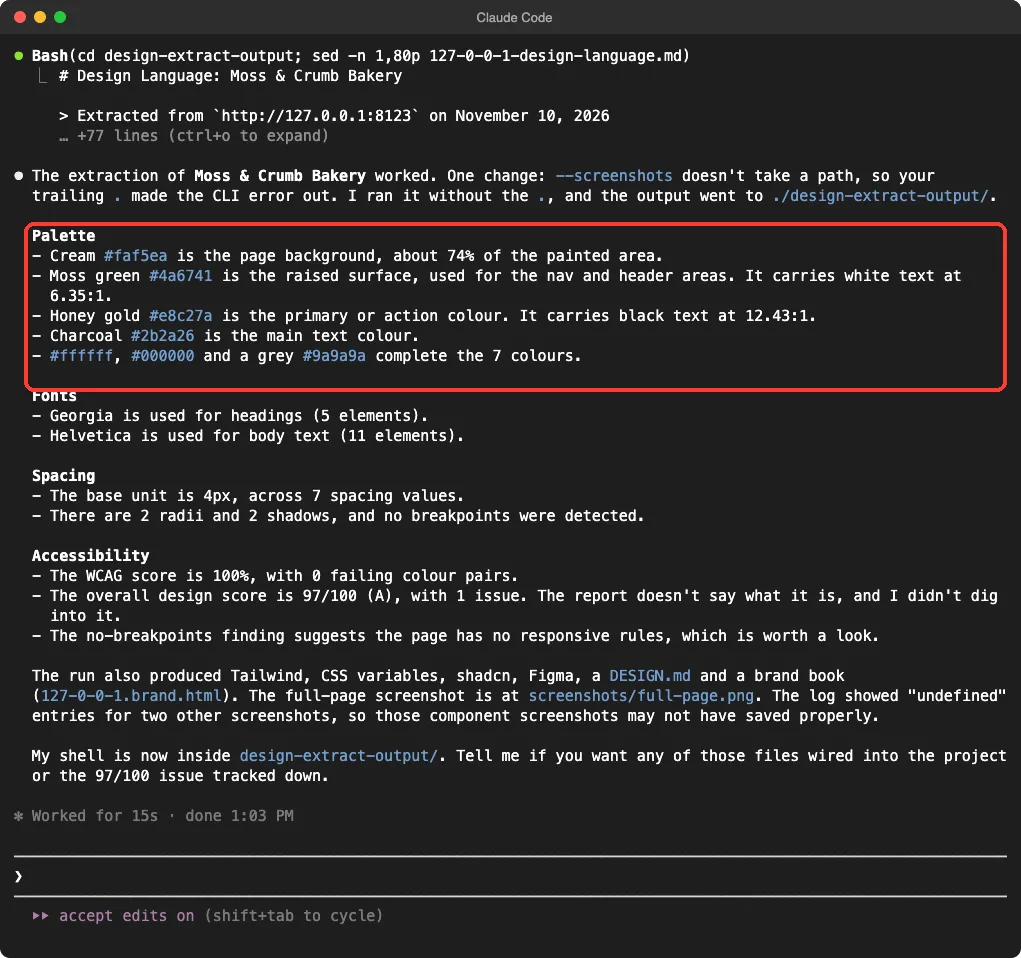
The numbers matched what we wrote in our own CSS: cream, moss green, honey gold and charcoal, Georgia for headings and Helvetica for body text. The run wrote 38 files, including Tailwind and shadcn themes, Figma variables, CSS variables and a preview page.
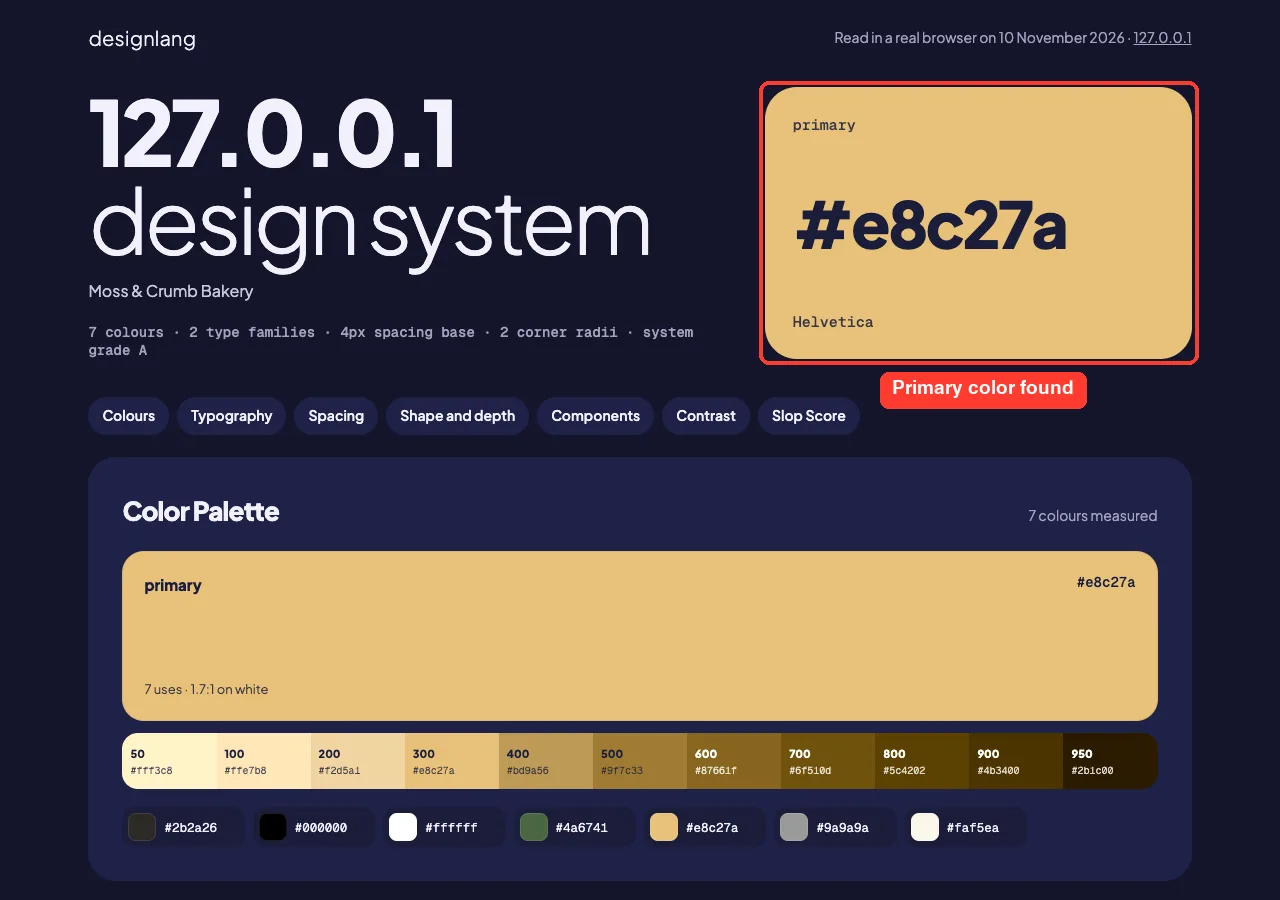
One caution: the run printed “undefined” for two component screenshots, and Claude pointed out that those may not have saved. We did not chase it. The overall design score of 97 out of 100 had one unexplained issue, which we also left alone.
Pixelfx: Pixel Art Effects From Code
Pixelfx is a library of 244 pixel art effects, each one a small piece of code, plus a skill that searches and renders them. The skill expects to run inside a checkout of the repo, so we copied one into the sandbox project.
We asked Claude to find a frost effect, render it, then render it again with a purple palette. It chose ice/frost-nova and rendered a contact sheet of 103 frames.
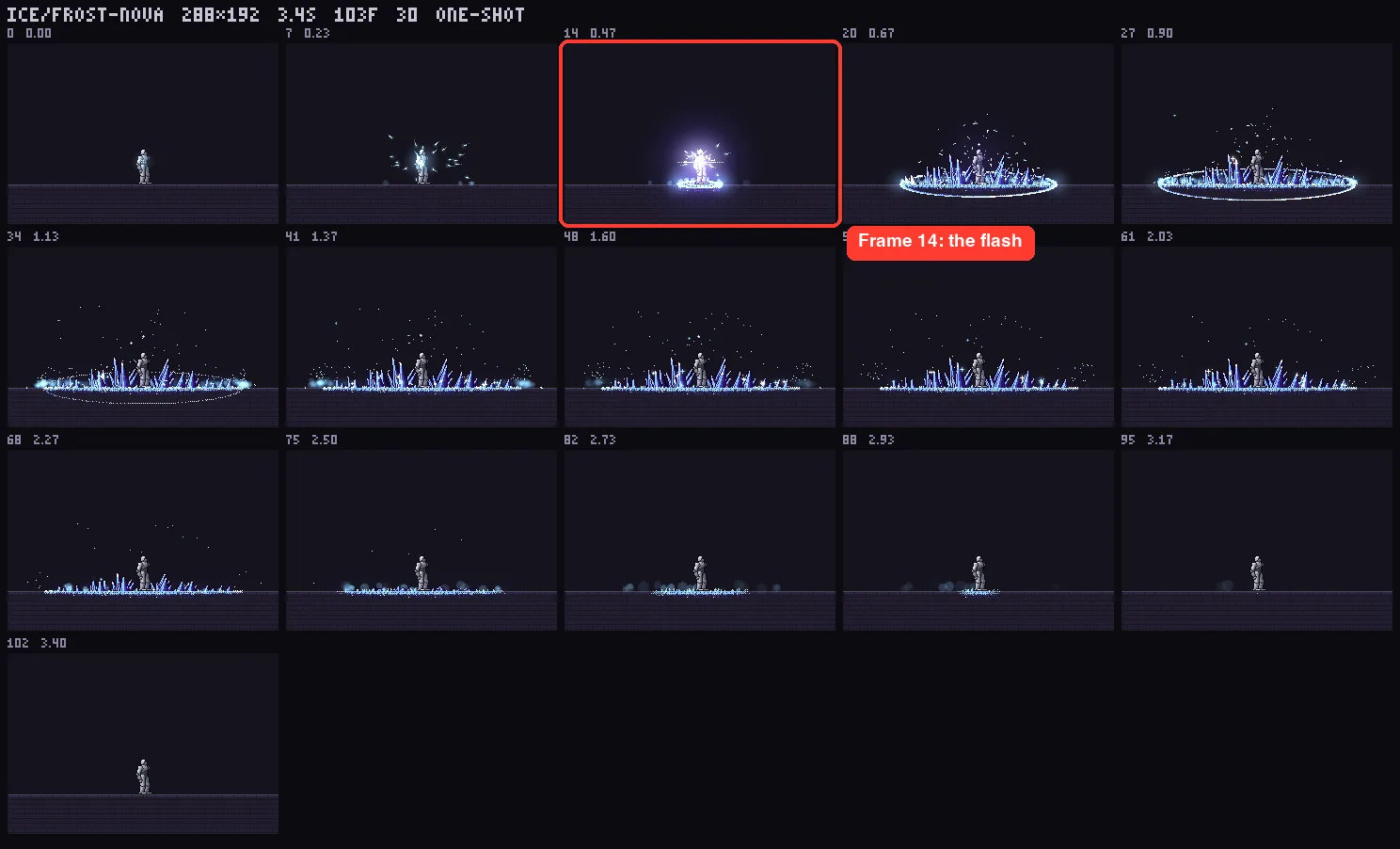
The result was honest about itself. The recolor came out blue-violet, not clearly purple, because the top step of our palette was a light cyan-blue and the effect uses it for most crystal faces.
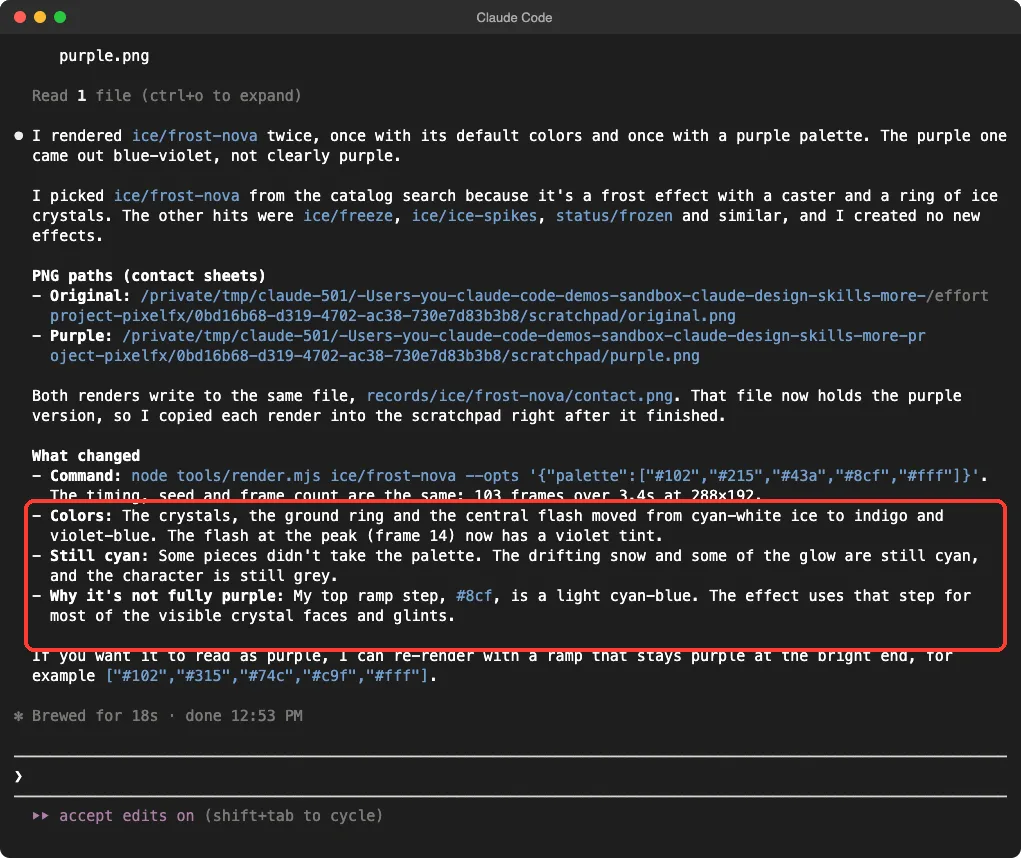
That is a good sign for a design tool: it looked at its own output and said it fell short. We did not ask it to make a new effect from scratch, so we cannot speak to that part.
Answer Me With HTML: Explainers Instead of Walls of Text
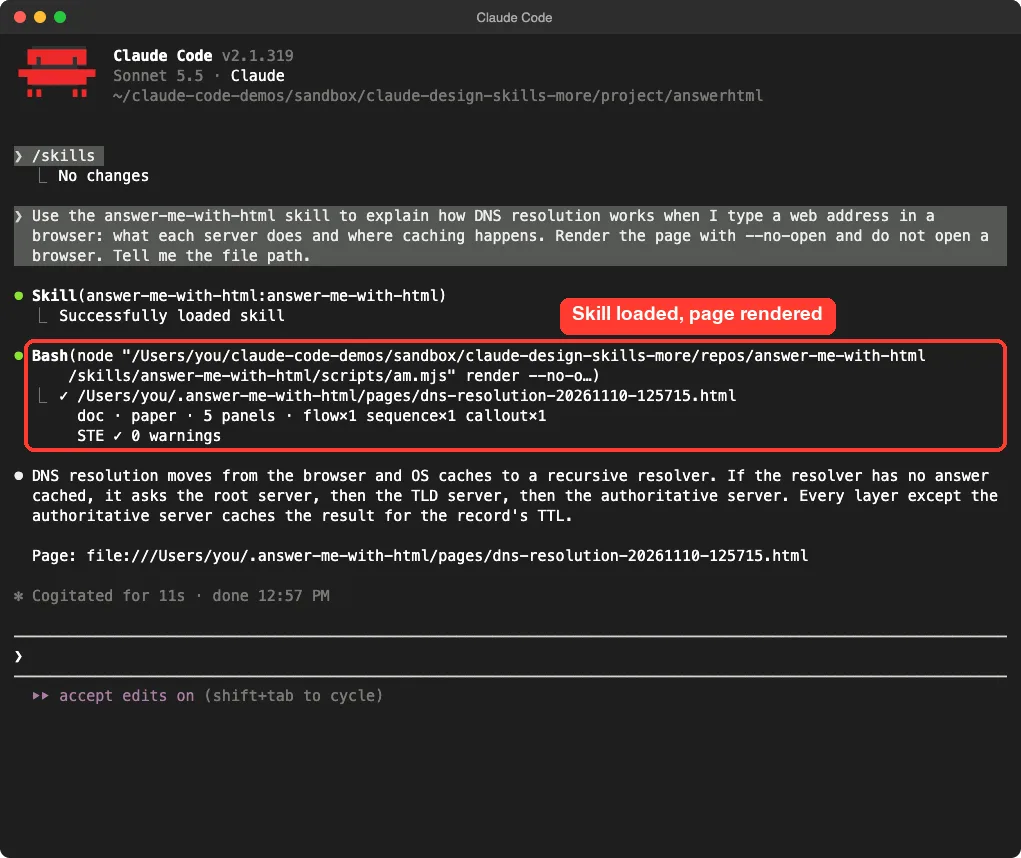
this skill turns a hard answer into a one-page explainer. Claude writes a short draft, and a bundled command-line tool builds the layout, diagram and tables. We asked it to explain how DNS resolution works and told it not to open a browser.
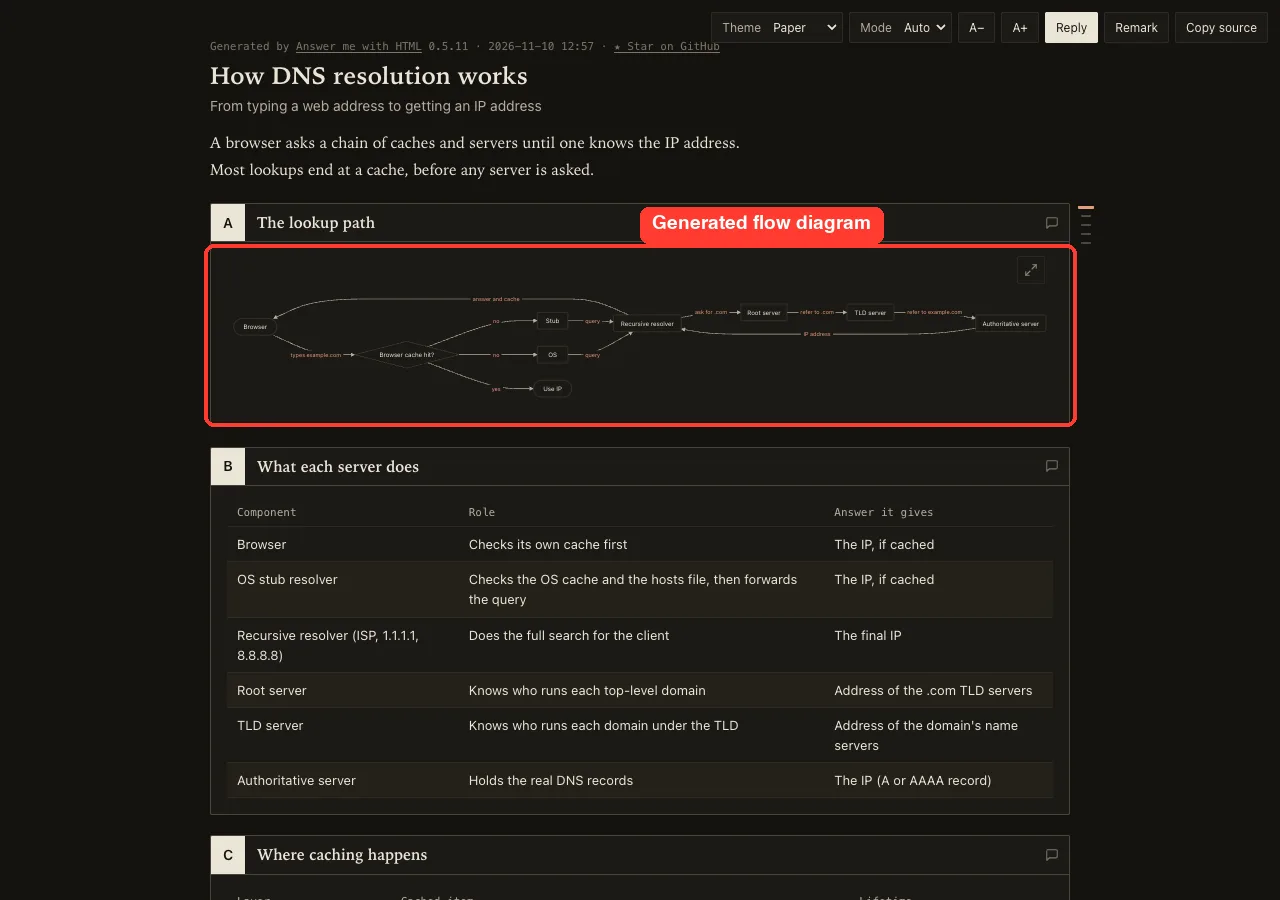
The page has a flow diagram of the lookup path, a table of what each server does, and a section on caching. The diagram is small on a normal screen, so you would use its expand button to read it.
Things to know before you install it
The tool saved the page in a new folder in the home directory, ~/.answer-me-with-html, not in our project. We moved it into the sandbox and removed that folder.
The page header also carries a “Star on GitHub” link. The skill’s own notes say it checks GitHub once a day for updates unless you turn that off, so we set AM_NO_UPDATE_CHECK=1 for the test. Its description also tells Claude to use it “liberally” without being asked, which you may or may not want.
Replica Skill: Eleven Steps From Study to Launch
Replica skill is a set of eleven skills that follow one path: recon, architect, design, build, backend, test, diff, entrepreneur, brand, launch and deploy. Each step reads what the last one wrote into a replica/ folder. The project says it rebuilds what an app does, not its code, logo or copy.
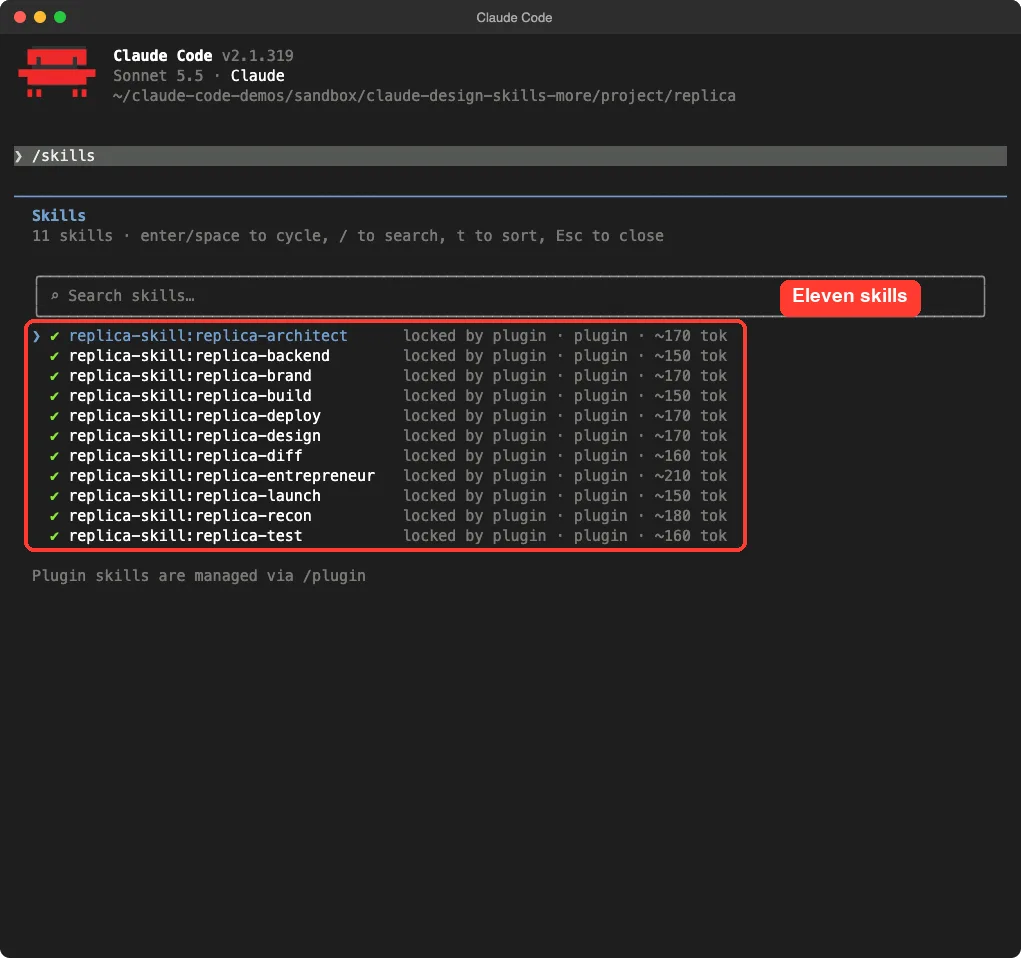
We ran only the first step, replica-recon, on our own demo page so we were not studying anyone else’s product. We told Claude to read the file and use no web access and no shell commands.
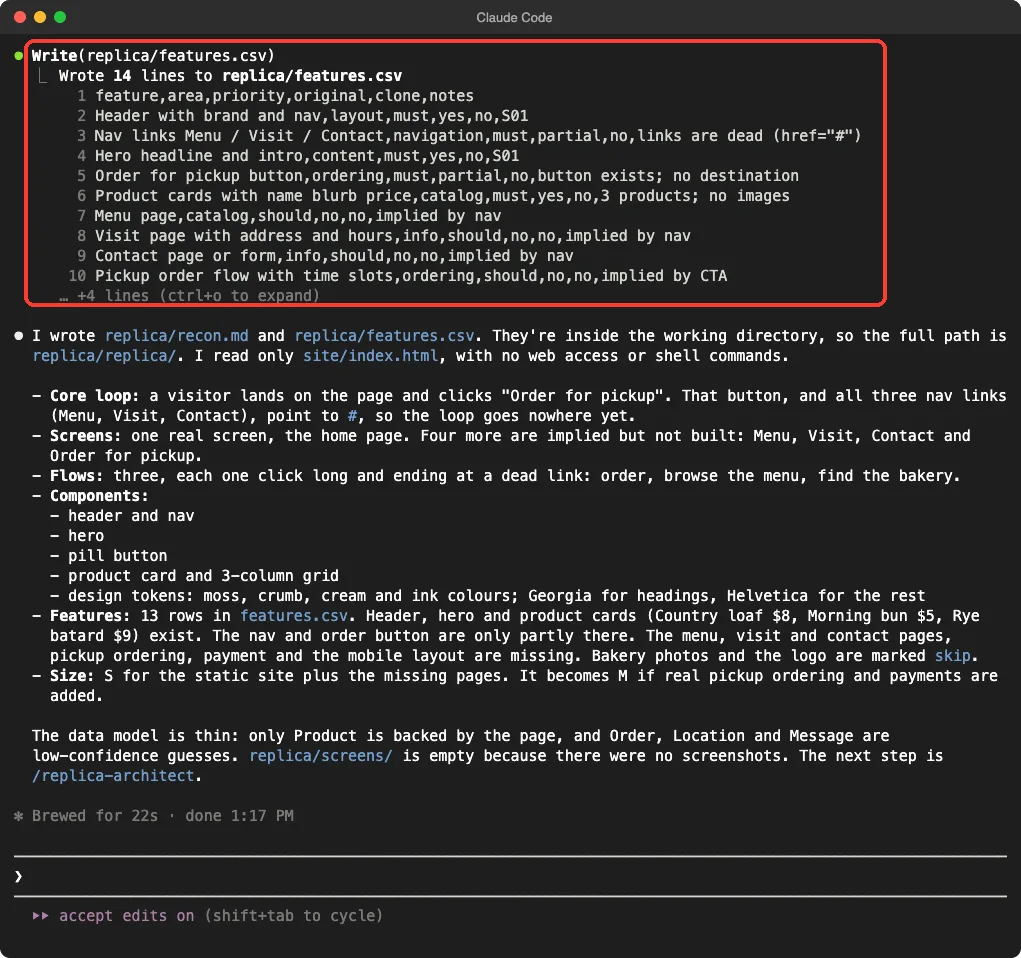
It found one real screen and four implied ones (menu, visit, contact, order), noted that every nav link points to #, and listed 13 features with their status. That is a sensible result for a one-page site. We did not run the later steps, so we cannot vouch for the build, test, brand or deploy stages.
Scroll Craft: Planning a Scroll-Driven Page
Scroll craft builds scroll-driven landing pages. It can generate images and video through a paid service called kie.ai, but the repo says you can skip that and bring your own assets. We have no key, so we ran two safe parts.
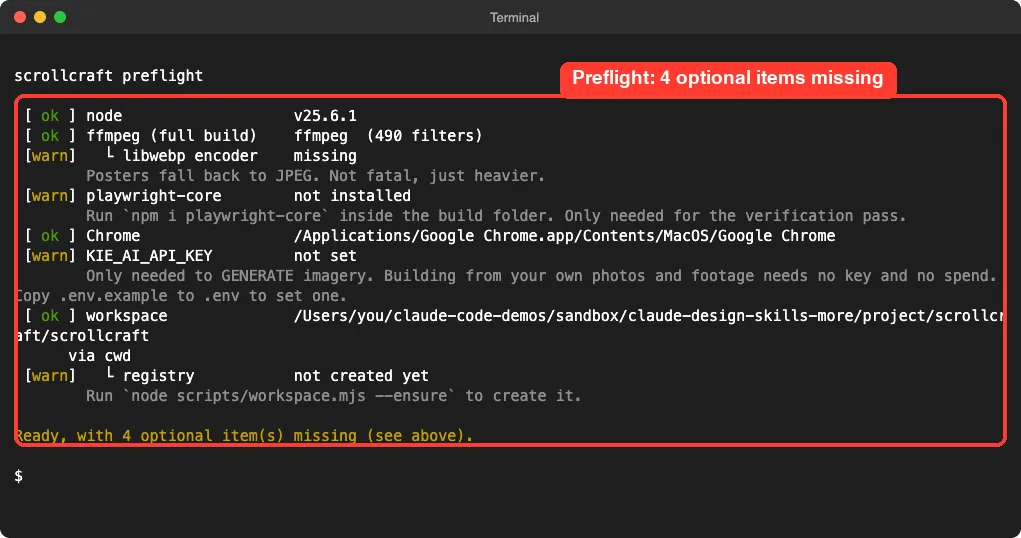
First, we ran the skill’s own preflight script. It reported Node, ffmpeg and Chrome as fine, and warned about four optional items, including the missing key.
Second, we asked Claude for the planning phase only, with no commands and no files. Claude had to ask for permission to use the skill first, which is normal for plugin skills here.
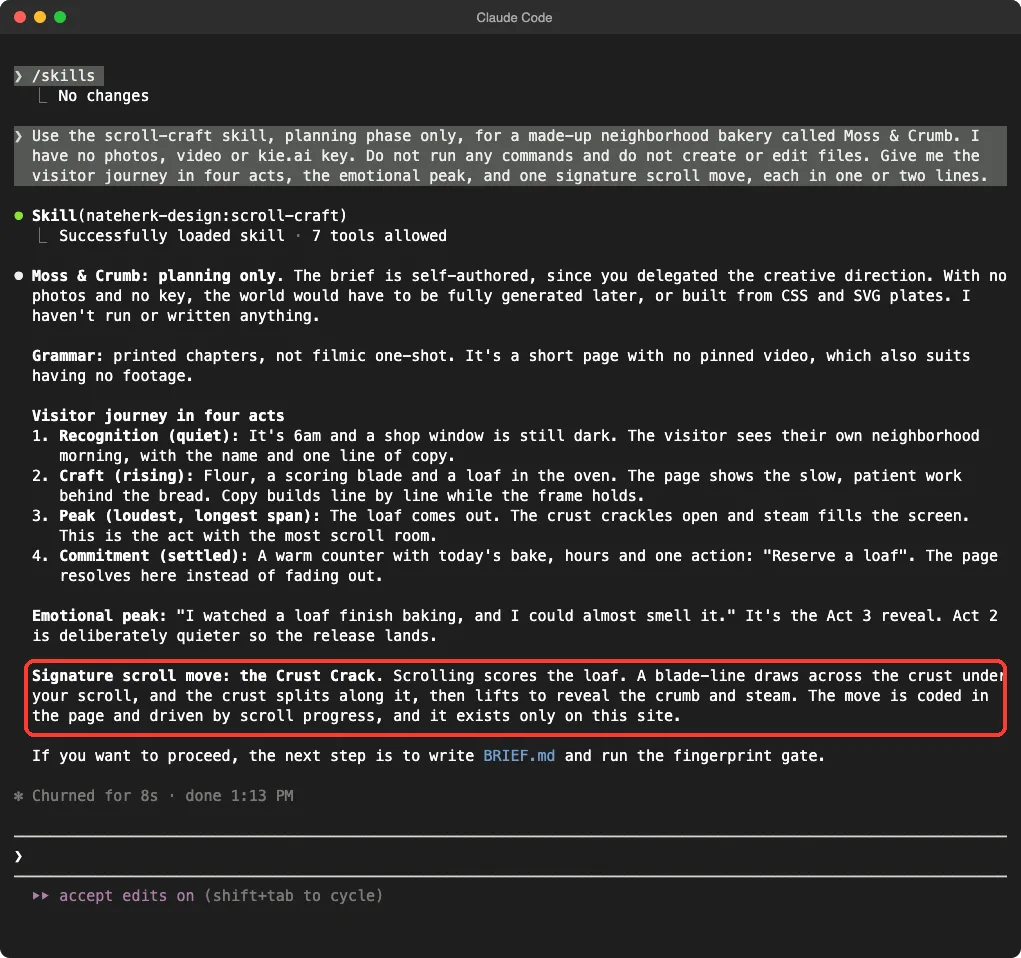
The plan was thoughtful: a quiet morning opening, a craft section, a loud peak when the loaf comes out, and a calm close. The signature move was a scroll that scores the loaf crust. We did not build or screenshot the actual page, so we cannot say how smooth the final result is.
Gpt-image2-ppt: Powerful, but It Needs a Key
Gpt-image2-ppt makes slide decks by generating each slide as an image with OpenAI’s image model. The repo has no plugin manifest, so we copied it into the project’s .claude/skills folder.
We did not call any API. We asked Claude to read the skill and report what it needs.
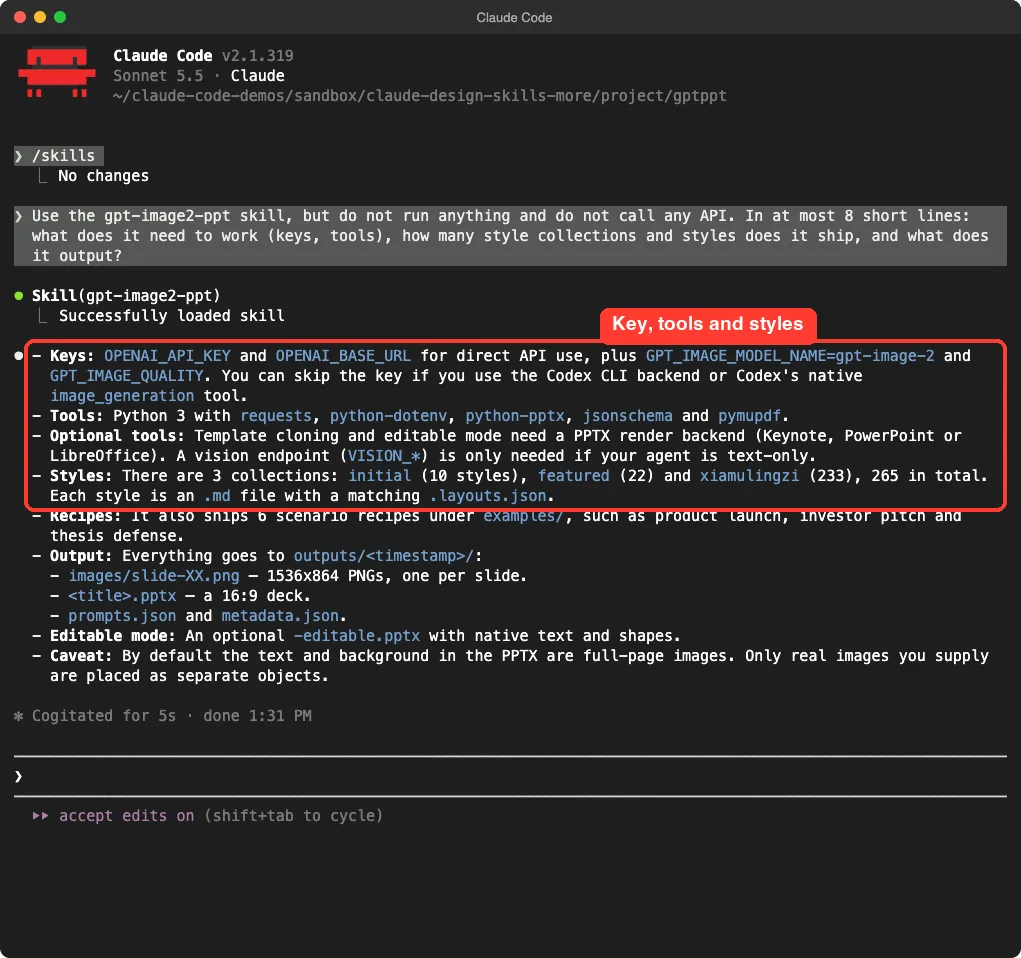
It needs an OpenAI API key unless you use the Codex backend. It ships 265 styles in three collections and writes PNG slides and a 16:9 deck file.
One caveat from the skill itself: by default the text is baked into the slide images, so it is not editable in PowerPoint unless you use the opt-in editable mode. We did not generate a deck, so we cannot judge slide quality.
Open Design: A Big Workspace, Tested Lightly
Open Design is much bigger than the others. It describes itself as a local-first design workspace for teams, with more than 170 skill folders and about 150 design systems in the repo we cloned. Its Claude Code plugin is a small connector that talks to a separate local program called od.
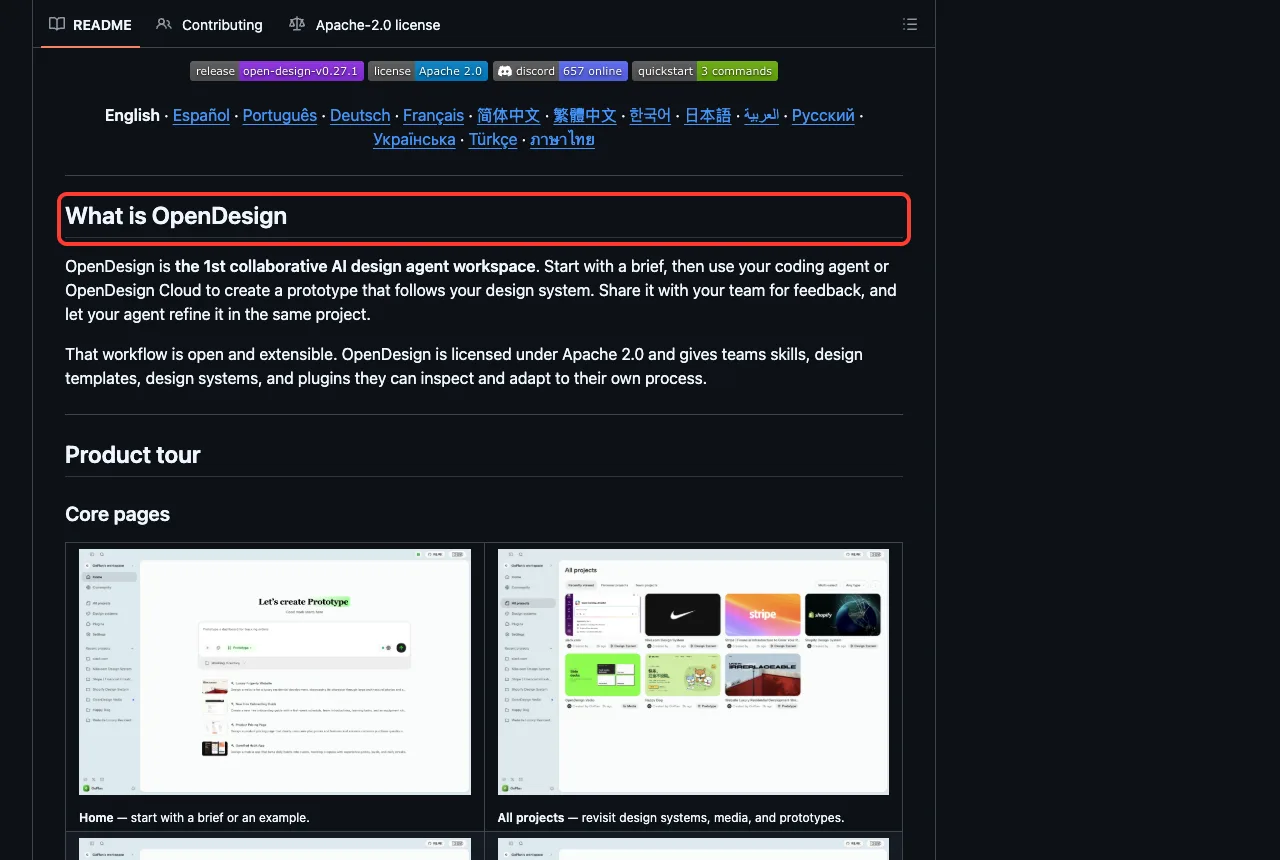
We did not run the workspace or load the plugin. Setting it up means installing its app or a Node toolchain, which is more than a quick test. We also noticed that on a Mac, od already exists as the system’s octal dump tool, so you must install the right program, not rely on what is on your path.
What we did test is one of its bundled skills, design-brief, copied into a project. It turned our one-line request into a structured brief with a palette, type, layout, mood and rules, and it asked three sensible follow-up questions. It created no files, as we asked.
Which Claude Code Design Skills Should You Use?
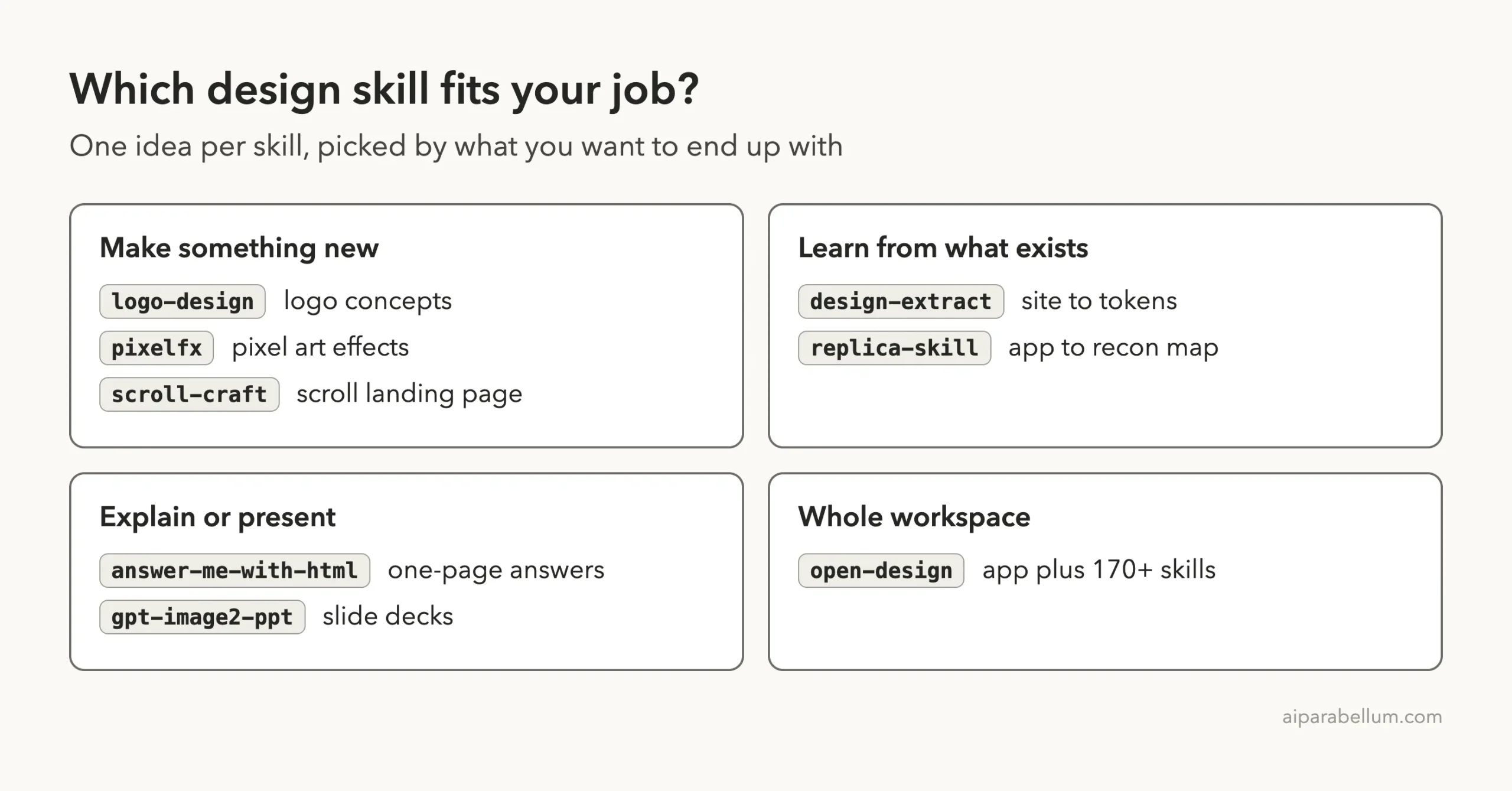
- Start with design-extract if you already have a site and want its tokens in clean files. It worked best in our tests.
- Try logo-design for quick logo sketches, and expect to finish the work by hand.
- Use answer-me-with-html if you often need to explain something to someone else.
- Use pixelfx only if you make games or pixel art.
- Pick replica-skill when you are studying an app you own or have the right to learn from.
- Choose scroll-craft and gpt-image2-ppt only if you accept the extra setup, keys or costs.
- Look at open-design if your team wants a full workspace, not a single skill.
For earlier tests, see our dashboard test, our look at the canvas design skill, and our guide to design plugins. You can also read our list of the UI design skills and learn about Claude itself.
Treat a design skill as a fast first draft, and always open the files it makes.
Try It Yourself
Start with the safest one. Make a folder, put a tiny HTML page in it, and ask for a recon map from the file. You only need a repo clone and one flag.
git clone --depth 1 https://github.com/Jakeschincariol/replica-skill
mkdir demo && cd demo
claude --setting-sources project --plugin-dir ../replica-skill

Use the replica-recon skill on ./index.html. Read the file only,
no web access and no shell commands. Write the recon map into ./replica/.
Common Mistakes
- Installing into your global setup for a test. Use
--plugin-dirfor one session instead. - Pointing a skill at someone else’s product. Use your own page or app.
- Trusting a clean-looking result without opening the files. We found notes about skipped checks only by reading the summaries.
- Forgetting that some tools write outside your project, as answer-me-with-html did.
- Assuming a skill needs no account. Check the README for keys first.
Pro Tips
- Run
/skillsright after launch to confirm what loaded. - Ask for the plan or a summary first, with “do not run commands”, before you allow real work.
- Read any script a skill bundles before you let it run.
- Tell Claude to report anything it skipped. Honest reports were the most useful part of these runs.
Cheat Sheet
Frequently Asked Questions
Are these design skills free?
The ones we ran are free and open source. Scroll craft can use a paid image service and gpt-image2-ppt needs an OpenAI key, though both say you can avoid some costs. Open Design also has paid cloud options on its site.
Do they work without a design background?
Yes for the outputs we saw, such as a palette summary or a logo sheet. You still need your own eye to judge whether a result is good enough to use.
Can I use more than one at the same time?
You can pass several --plugin-dir flags in one session. We loaded one at a time, so we did not test conflicts.
Is it safe to run these on a real project?
Try them in a throwaway folder first. Skills can run scripts and write files, so read what they do before you point them at work you care about.
Did you test every feature?
No. Each section says what we ran. Several skills have many more steps, such as replica-skill’s build and deploy stages, that we did not run.
Conclusion
These Claude Code design skills are a mixed bag in a useful way: design-extract and answer-me-with-html gave clear, checkable output, logo-design and pixelfx gave decent drafts and honest notes about their limits, and the heavier tools need keys, apps or more time than a quick test allows. Try one in a sandbox, open the files it makes, and keep the ones that save you real work.