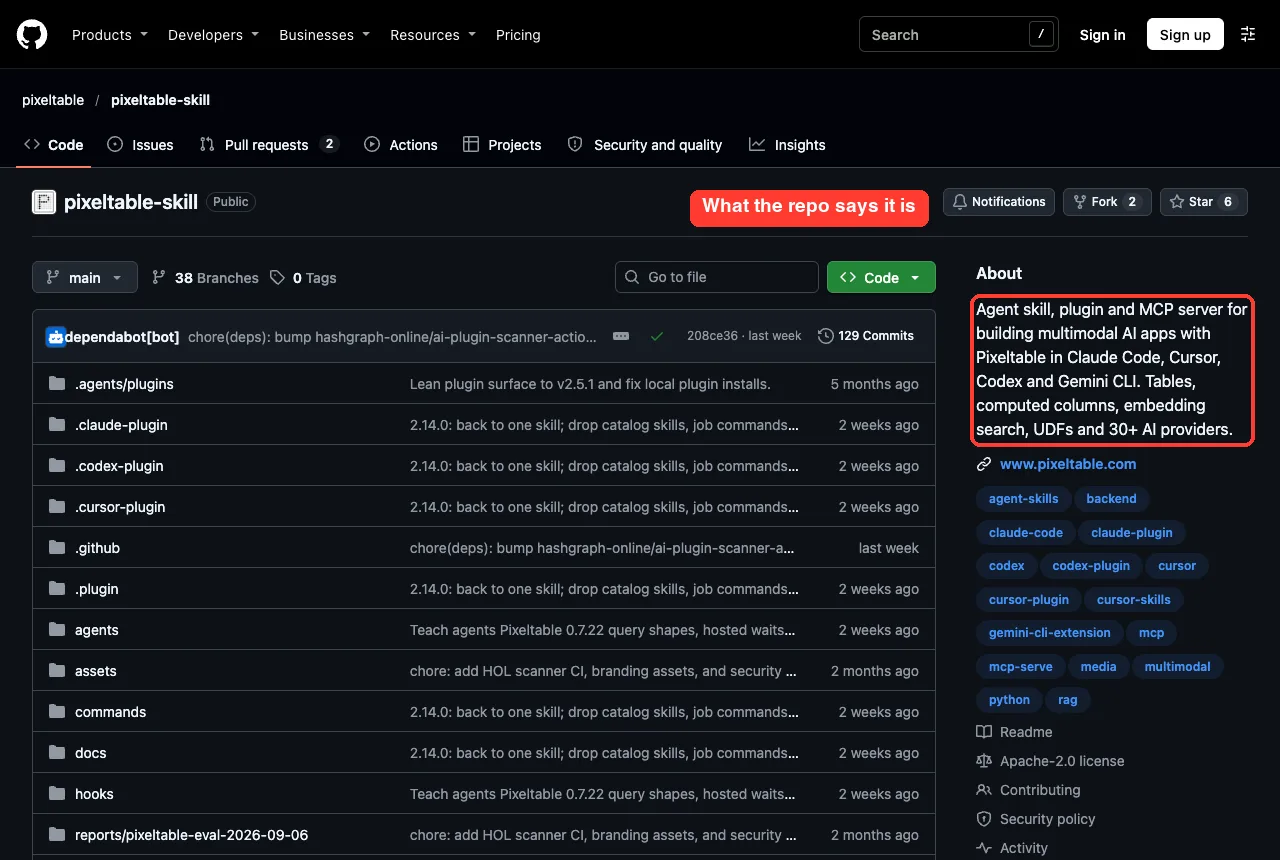
If you want to use Pixeltable with Claude Code, the Pixeltable skill gives Claude a rulebook for building tables, computed columns and embedding search without extra tools. We loaded it in a throwaway folder, asked Claude to build a small searchable notes table, and checked the result with the Pixeltable command line. Here is what the plugin does, what we ran, and where it helped.
This guide is part of our Claude Code tutorials. Find more add-ons in our Skills Directory.
Tested with Claude Code v2.1.322 on November 11, 2026. We used the repo github.com/pixeltable/pixeltable-skill at commit 208ce36. The plugin manifest says version 2.14.0, and we ran it against Pixeltable 0.7.24 on Python 3.14.
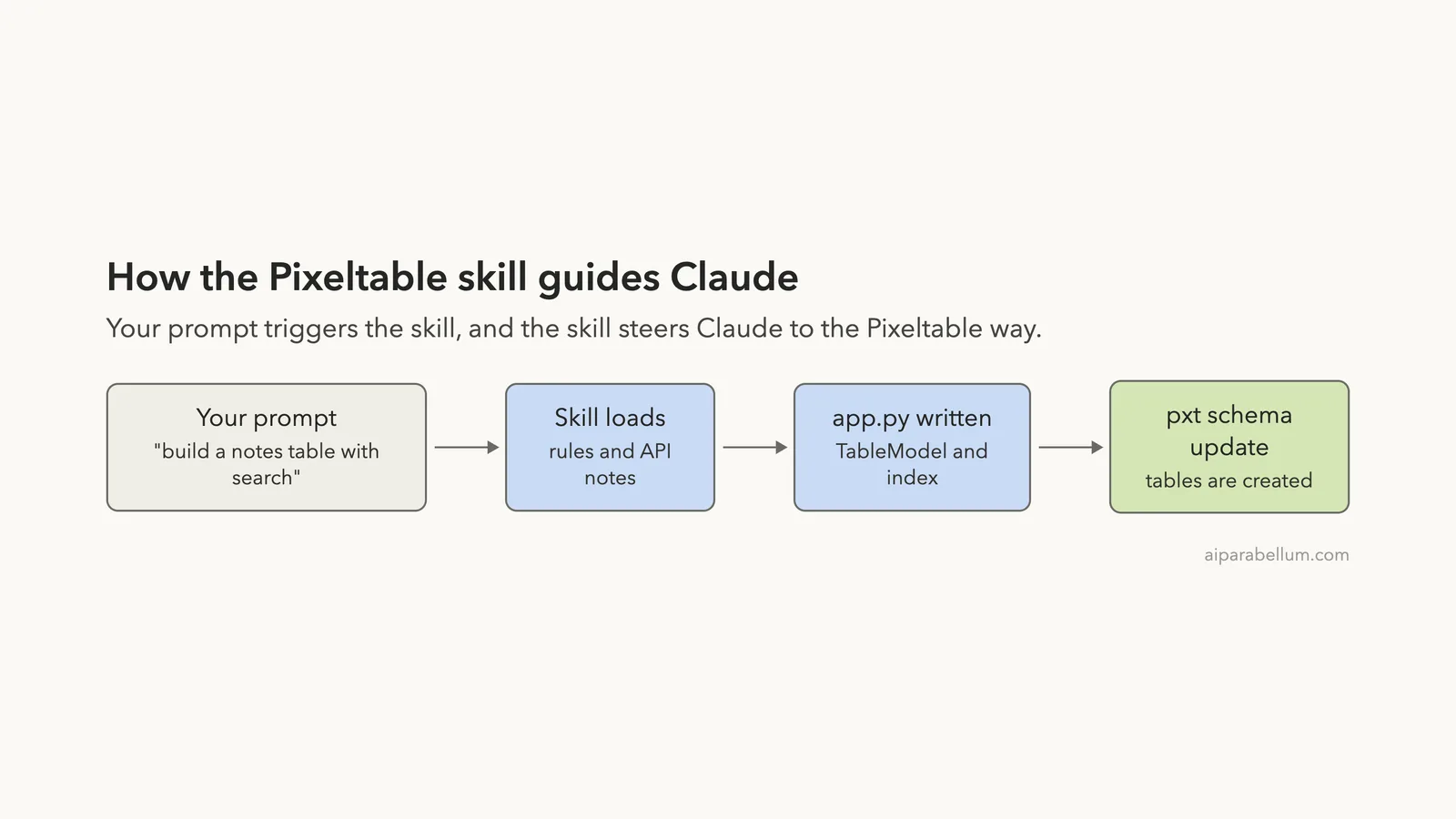
The plugin did not run anything by itself. It changed how Claude wrote the code: the right index keyword, a table model, and the Pixeltable commands to apply it.
Quick Summary: What We Tested
| Question | Answer |
|---|---|
| What is it? | A Claude Code plugin from Pixeltable with one skill, two commands, two agents and two hooks |
| Does it need an account? | No, we ran everything locally with no sign-in and no API key |
| What did we run? | Loaded the plugin, built a notes table with a local embedding index, searched it, and inspected it with pxt |
| What did we not run? | Video, audio and image pipelines, hosted AI providers, Pixeltable Cloud, and the two commands and agents |
| Our verdict | Worth loading if you plan to build on Pixeltable, because it steers Claude to the current API |
One honest note up front. Our test used six short text notes. We did not test images or video, so everything we say about those comes from the plugin’s own description.
What Pixeltable Is and Why a Claude Code Skill Helps
Pixeltable is a Python tool that stores your data in tables and runs AI steps on those tables. A computed column is a column whose value is worked out for you, such as an embedding or a transcript. An embedding index lets you search rows by meaning instead of exact words.
The idea is that one tool replaces a pile of separate ones. The skill says you should not reach for LangChain, a second vector database, or hand-written loops that call a model for each row. Instead, the table holds the data, the index and the search.
That is useful for Claude, because Pixeltable’s API changes between releases. The plugin’s hook file even lists old names that no longer work. A skill that carries the current names helps Claude avoid writing code that fails on the first run.
If these terms are new, our Claude pages and plugins guide explain how plugins work, and our skills versus plugins shows how they differ.
What Is Inside the Pixeltable Plugin
We cloned the repo and read the files before loading anything. The Claude Code part of the plugin is small.
| Part | What it is |
|---|---|
| Skill | pixeltable-skill, a long SKILL.md plus reference files on the core API, providers, the CLI and anti-patterns |
| Commands | /pixeltable:scaffold and /pixeltable:add-provider |
| Agents | A pipeline architect and a debugger |
| Hooks | A session start note and an after-edit checker, both written in plain Python |
The skill opens with a short list titled STOP. It tells Claude not to use LangChain, LlamaIndex or Haystack, not to use pandas as a store, not to write per-row model loops, not to add a separate vector database, and not to write agent loops by hand.
The rest explains the workflow. You write one app.py with table models, create the tables with pxt schema update, and serve routes with pxt service update.
The Two Hooks, Read First
Hooks run code on your machine, so we read both. The session start hook only prints a reminder when the project looks like a Pixeltable project, for example when a pixeltable.toml file or an import is present. The after-edit hook scans Python you wrote for outdated Pixeltable calls and returns advice to Claude without blocking anything.
Neither hook sends data anywhere or runs shell commands beyond finding a Python interpreter. We did not capture either hook firing in our session, so we cannot show you their messages.
Step 1: Set Up a Safe Test Folder
We never installed the plugin into our own setup. Instead we used a sandbox with three parts: a clone of the repo, a Python virtual environment, and an empty project folder.
python3 -m venv venv
./venv/bin/pip install 'pixeltable[serve]' sentence-transformers
cd project
pxt init
The pxt init command wrote a pixeltable.toml file that marks the folder as a project. We also pointed the PIXELTABLE_HOME variable at a folder inside the sandbox, so Pixeltable’s local database stayed out of our home folder.
We added a file called notes.csv with six short notes about bread, budgets, hiking, soup, passwords and running.
Step 2: Load the Plugin With –plugin-dir
For a one-session trial, Claude Code can load a plugin straight from a folder. We started Claude Code from the project folder with the cloned repo as the plugin directory, and told it to read only project settings.
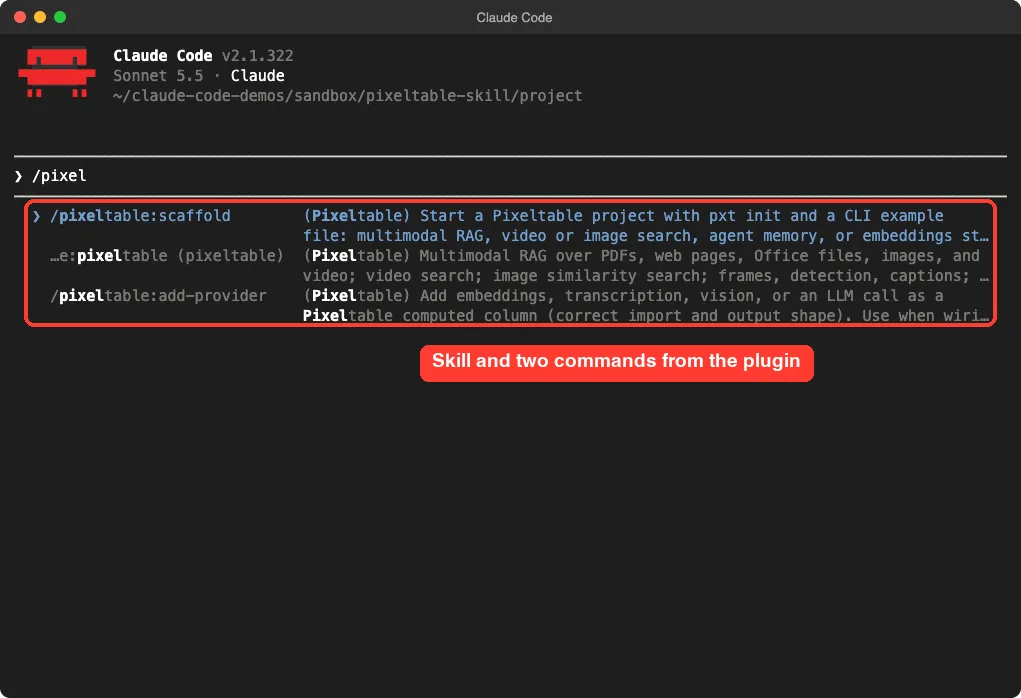
claude --plugin-dir ../repos/pixeltable-skill --setting-sources projectTyping /pixel showed the plugin’s parts in the slash menu: the skill and the two commands. This is a quick way to confirm the plugin loaded. The official plugins page explains what an enabled plugin adds to your session.
To install it for good, the repo says to run /plugin marketplace add pixeltable/pixeltable-skill and then /plugin install pixeltable@pixeltable-skill. Our directory also lists it in the official marketplace as pixeltable@claude-plugins-official.
Step 3: Ask Claude to Build a Pixeltable Searchable Table
Here is the one prompt we used. We told Claude the environment was ready, so it would not try to install anything.
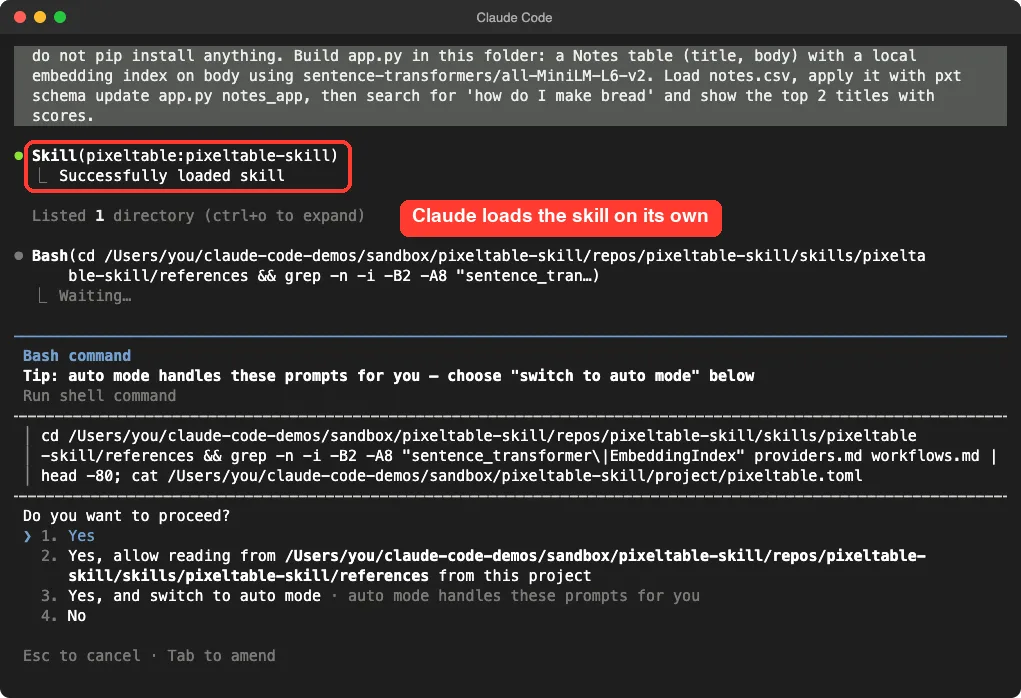
Use the pixeltable skill. The Python env with pixeltable and sentence-transformers is already on PATH, so do not pip install anything. Build app.py in this folder: a Notes table (title, body) with a local embedding index on body using sentence-transformers/all-MiniLM-L6-v2. Load notes.csv, apply it with pxt schema update app.py notes_app, then search for 'how do I make bread' and show the top 2 titles with scores.Claude loaded the skill on its own and then read the skill’s reference files before writing any code. Each shell command asked for our approval first, and we approved them.
The App Claude Wrote
The finished app.py is only a few lines. It defines a table model and puts an embedding index on the body column.
import pixeltable as pxt
from pixeltable.functions.huggingface import sentence_transformer

TableModel = pxt.model_base()

embed_fn = sentence_transformer.using(model_id='sentence-transformers/all-MiniLM-L6-v2')


class Notes(TableModel, name='notes'):
    title: pxt.String
    body: pxt.String

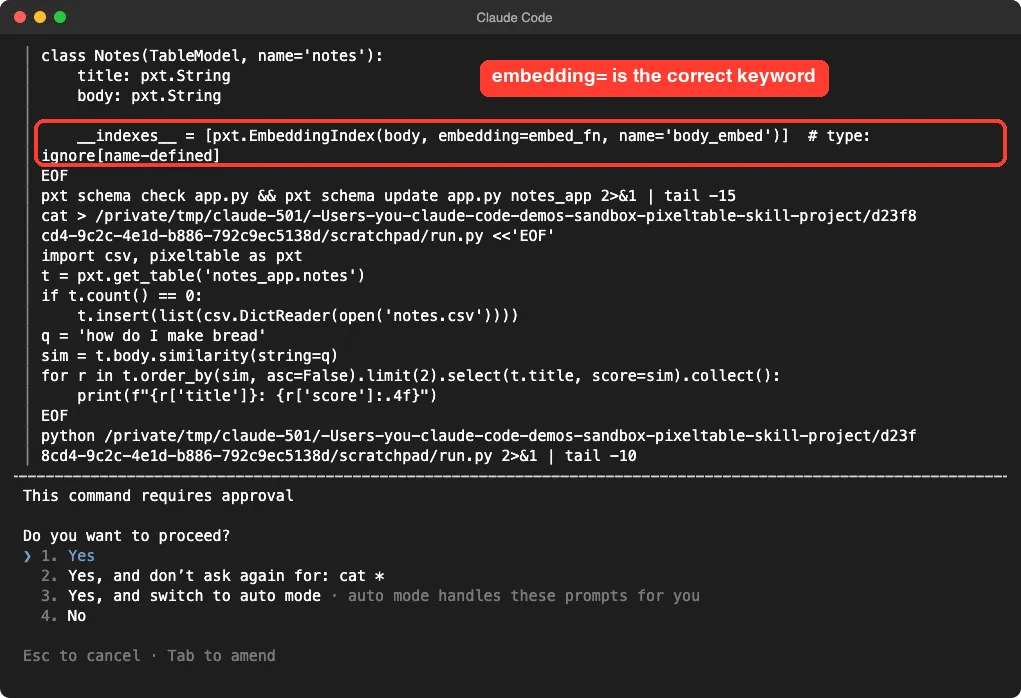
    __indexes__ = [pxt.EmbeddingIndex(body, embedding=embed_fn, name='body_embed')]
This is where the skill earned its place. When we first tried the same thing by hand with the plain Python call, we used embed= for the index and Pixeltable rejected it, because the keyword is embedding=. Claude used embedding= the first time.
That is one run each, so it is a small sample. But it matches what the skill is for: it carries details that are easy to get wrong.
Step 4: See the Search Result
Claude validated the file, applied it with pxt schema update app.py notes_app, loaded the six rows from notes.csv, and ran the search. The whole job took about half a minute, after the first download of the small embedding model.
The query was “how do I make bread”. The top result was the sourdough note, and the second was a weak match.
| Rank | Note title | Cosine score |
|---|---|---|
| 1 | Sourdough basics | 0.6610 |
| 2 | Tomato soup | 0.2264 |
The note never contains the word “bread”, so this is search by meaning, not by keyword. It also shows the weak spot of a six-row demo: the second result is only the next closest note, not a real match.
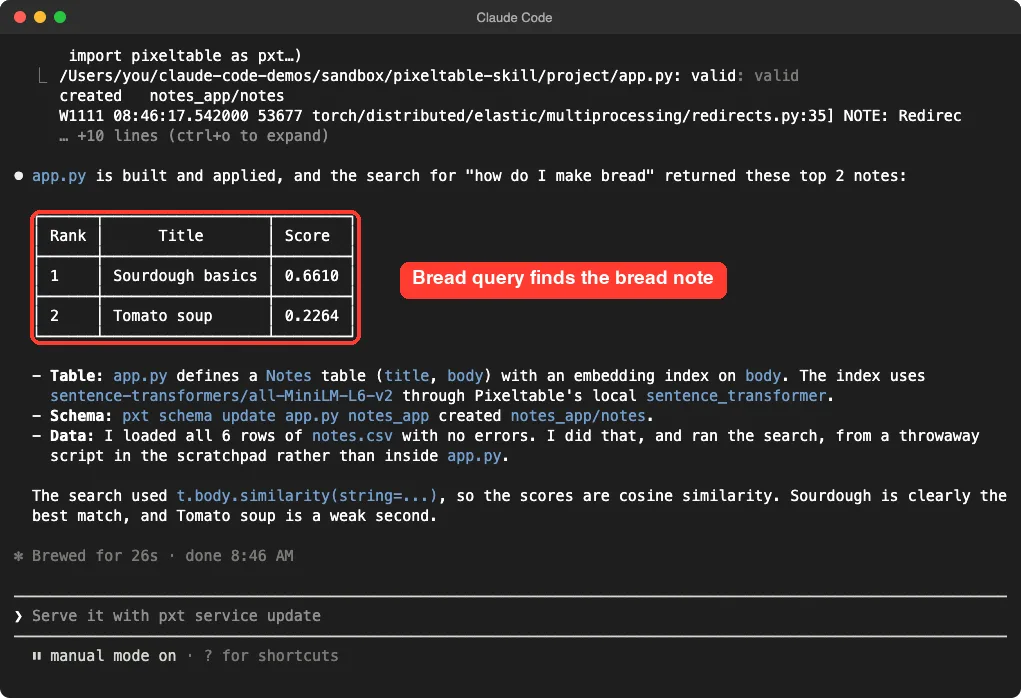
One detail Claude reported honestly: it loaded the rows and ran the search from a throwaway script in its scratch folder, not from inside app.py. If you want a repeatable app, ask it to put loading and search into the app file.
Step 5: Check the Table Yourself
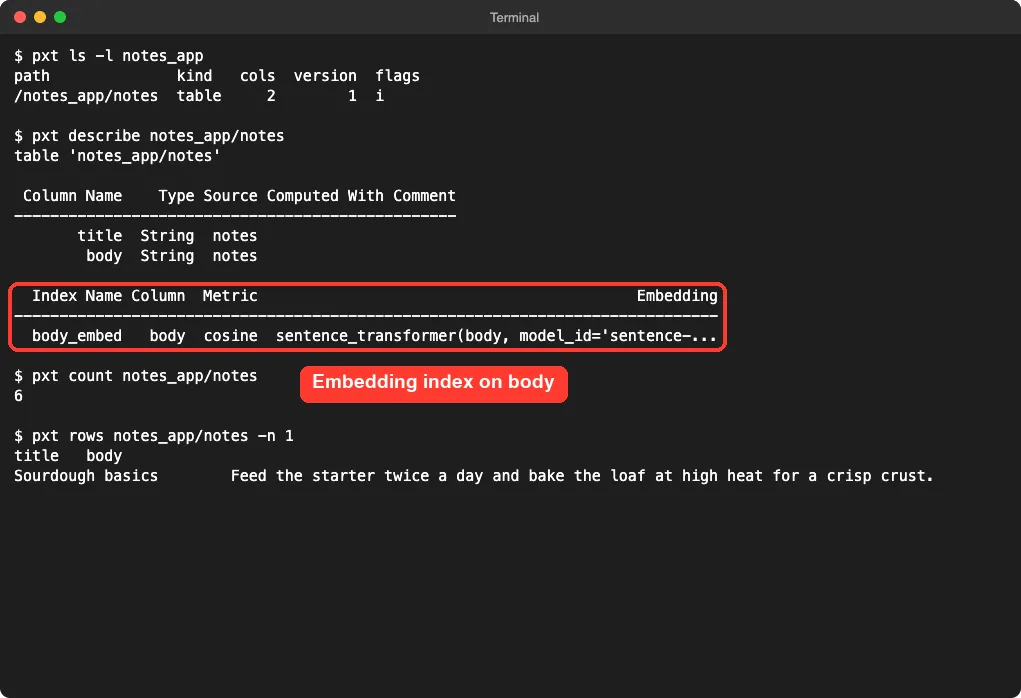
Do not just trust Claude’s summary. We used the Pixeltable CLI to inspect the table directly, and the output matched.
pxt ls -l notes_app
pxt describe notes_app/notes
pxt count notes_app/notes
The table has two columns, one embedding index named body_embed using the cosine metric, and six rows.
How the Pieces Fit Together
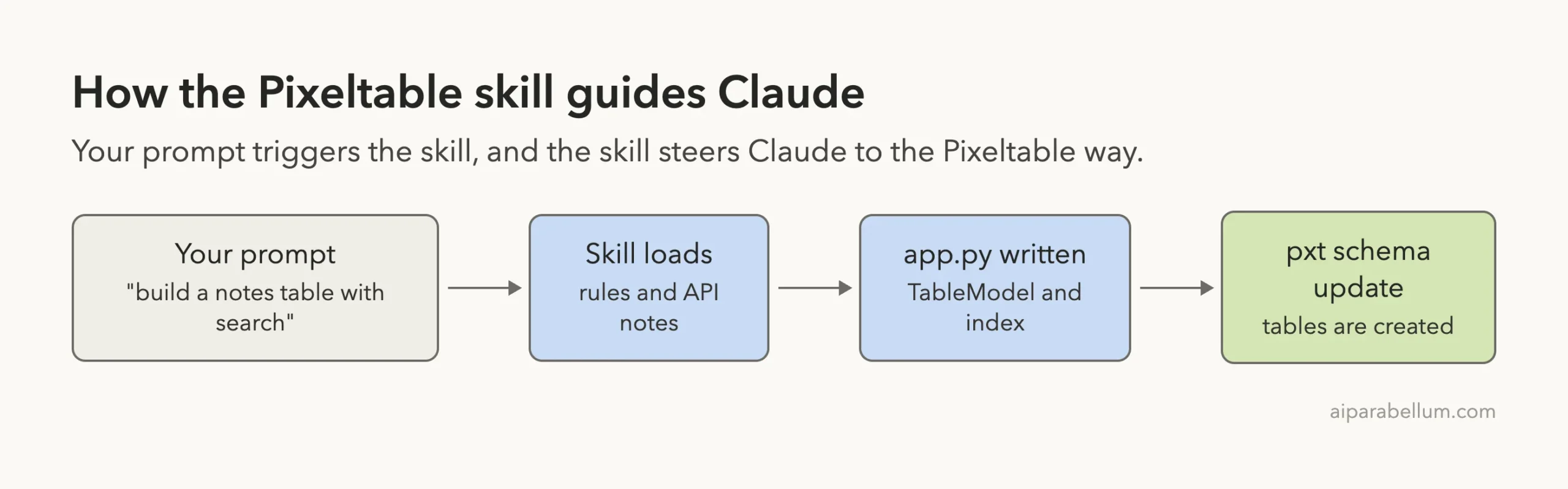
The skill does not run anything. It sits between your prompt and the code Claude writes.
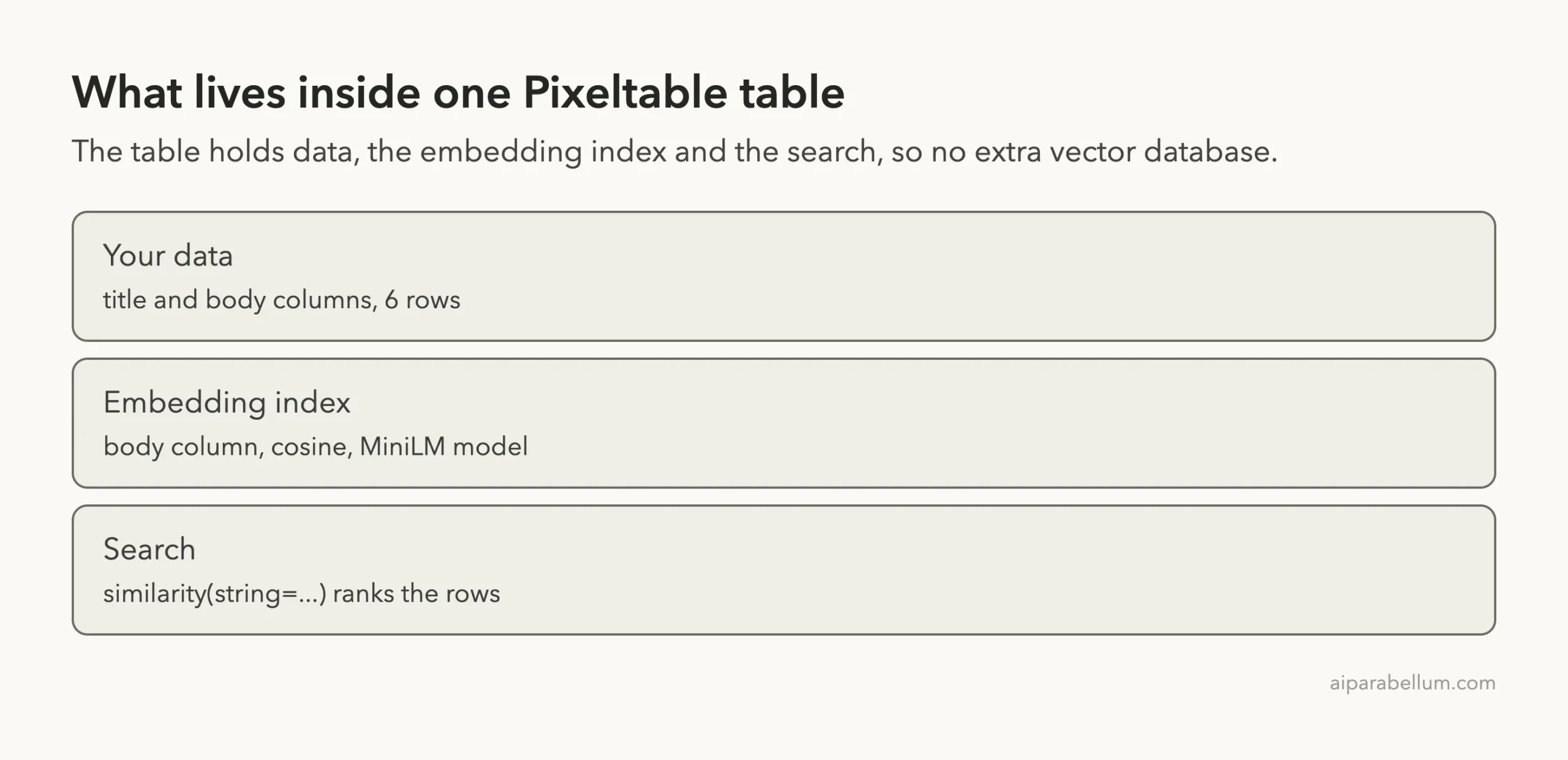
Inside the result, one table holds everything you need for a small search feature.
What We Did Not Test
The plugin advertises much more than we ran. The README lists video search, image similarity search, audio transcription, agent memory, document pipelines and more than 25 AI providers.
We did not test any of those. We also did not run the /pixeltable:scaffold command, the /pixeltable:add-provider command or the two agents. The scaffold command in particular runs pip install and pxt service example, which would have installed into our system Python, so we skipped it.
The README also says its last review was against an older Pixeltable release, and we ran a newer one. Our single run worked, but a different prompt could hit something we did not see.
If you want a similar test on another vector tool, see our Qdrant skills test and our vector plugins roundup, which covered Pixeltable briefly before this hands-on post.
Try It Yourself
Set up a throwaway folder as in Step 1, load the plugin with --plugin-dir, and make your own notes file. Then try this prompt:
Use the pixeltable skill. Do not pip install anything. In this folder, build app.py with a Recipes table (title, steps) and a local embedding index on steps. Load recipes.csv, apply it with pxt schema update app.py recipes_app, then search for 'something quick with eggs' and show the top 3 with scores.Afterward, run pxt describe recipes_app/recipes to confirm what was created.
Common Mistakes
- Letting Claude run
pip installinto your main Python. Use a virtual environment and say so in the prompt. - Using
embed=instead ofembedding=when you write the index by hand. - Judging search quality from six rows. Try at least a few hundred real notes before you decide.
- Approving commands without reading them. The plugin is only guidance, so the commands are still Claude’s.
- Forgetting that the first run downloads the embedding model from the internet.
Pro Tips
- Name the skill in your prompt, as we did, so Claude loads it right away.
- Check results with
pxt describeandpxt countinstead of trusting a summary. - Set
PIXELTABLE_HOMEto a project folder when you experiment, so test data stays out of your home folder. - Read the
SKILL.mdfile once. It is long, but it shows what Claude will be told to do. - Remember that every enabled skill adds its name and description to Claude’s context on each turn, as described in the plugin discovery docs.
If you want to write your own skill after this, our SKILL.md format guide lists every field.
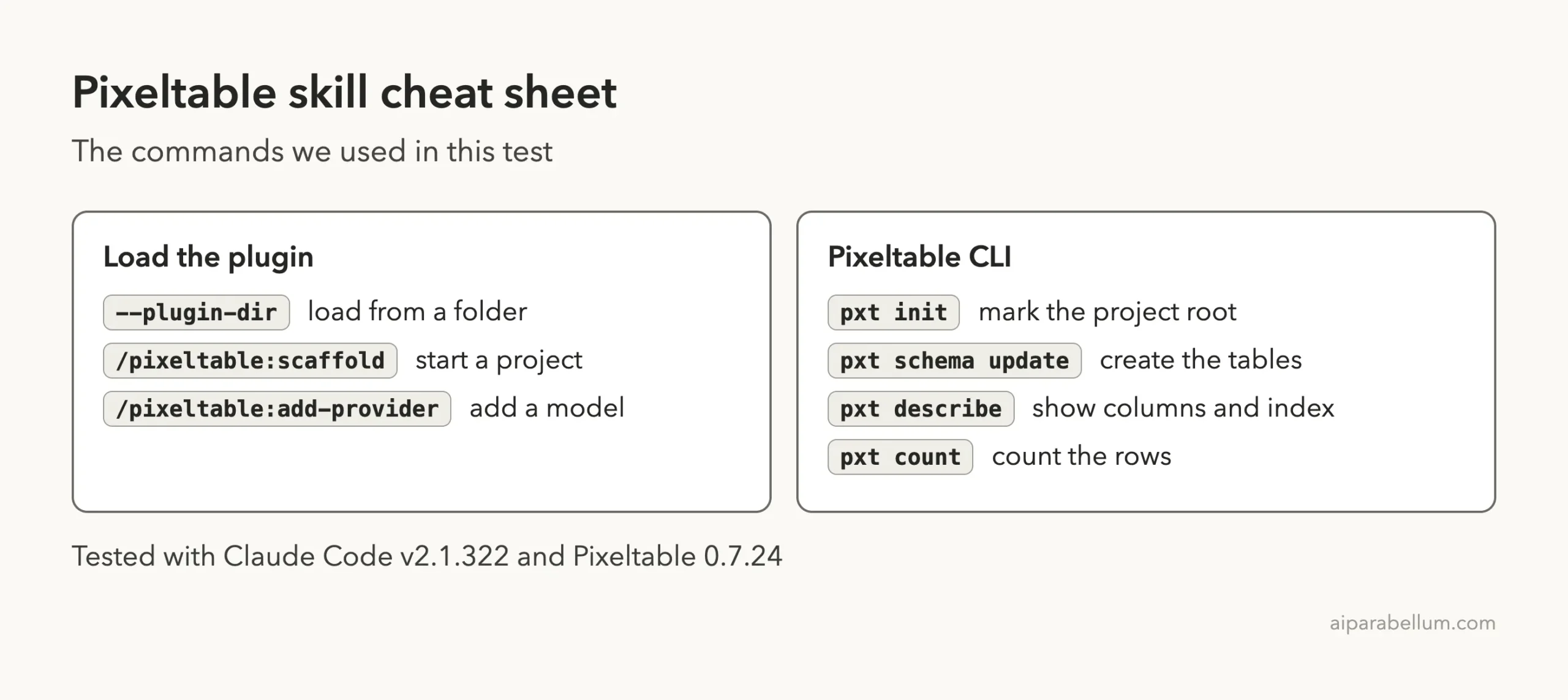
Pixeltable Skill Cheat Sheet
Frequently Asked Questions
Does the Pixeltable skill need an account or API key?
Not for what we ran. We used a local embedding model and a local database. Hosted AI providers and Pixeltable Cloud need their own keys or sign-in, and we did not test them.
Does the plugin install Pixeltable for me?
No. It gives Claude guidance. You still install Pixeltable yourself, for example with pip install 'pixeltable[serve]' in a virtual environment.
How do I install the plugin for good?
Run /plugin marketplace add pixeltable/pixeltable-skill, then /plugin install pixeltable@pixeltable-skill. For a one-session trial, load the cloned folder with --plugin-dir.
Is it safe to load?
We read its hooks and skill files first. The hooks are plain Python that only print advice. You should still read any plugin yourself before loading it.
Does it work with Claude Code only?
The repo says it also supports Cursor, Codex and Gemini CLI. We tested only Claude Code.
Conclusion
The Pixeltable skill took a plain request and produced a working notes table with a local embedding index, applied it with the right commands, and returned a sensible bread search, all without an account. We tested one small text task and none of the video, image or provider features, so treat it as a good fit if you are starting a Pixeltable project, and check the output with the pxt commands before you rely on it.