If you have ever wished you could run Claude Code from your own script, the Claude Code SDK for Python is the answer. It is now called the Claude Agent SDK, and it lets a few lines of Python start an agent that reads files, edits code and calls tools. In this guide you will install it, build a tiny bug-fixing agent, and then give that agent a tool you wrote yourself.
This is Part 41 of 45 in our Claude Code Deep Dives, part of our Claude Code tutorials. If you are new to running Claude Code without a person at the keyboard, read Part 40 first.
Tested with Claude Code v2.1.322 on November 13, 2026, using claude-agent-sdk 0.2.180 on macOS.
| Question | Short answer |
|---|---|
| What is it? | A Python library that runs the Claude Code agent inside your own program |
| Install | pip install claude-agent-sdk inside a virtual environment |
| Python version | 3.10 or newer |
| Main function | query(), which streams messages as Claude works |
| Your own tools | @tool plus create_sdk_mcp_server() |
| What we ran | A bug fixer and a custom notes tool, both for real |
What the Claude Agent SDK Is and Why It Exists
An agent is a program that finishes a task by planning its own steps and calling tools. Claude Code already does this in your terminal. The Agent SDK hands you the same tools, the same agent loop and the same context handling as a library you can import.
Anthropic’s overview page says the library runs the Claude Code binary for you. Both the Python and TypeScript packages bundle a native Claude Code binary, so most installs need no separate Claude Code install. In our test the package folder really did contain a bundled claude file.
The overview also compares the SDK with other options.
Use the Agent SDK when you want Claude Code’s agent inside a process you run.
Use the CLI for daily interactive work in a terminal. Use the Client SDK when you want to call the Claude API directly and write the tool loop yourself.
You can read the full table in the official overview.
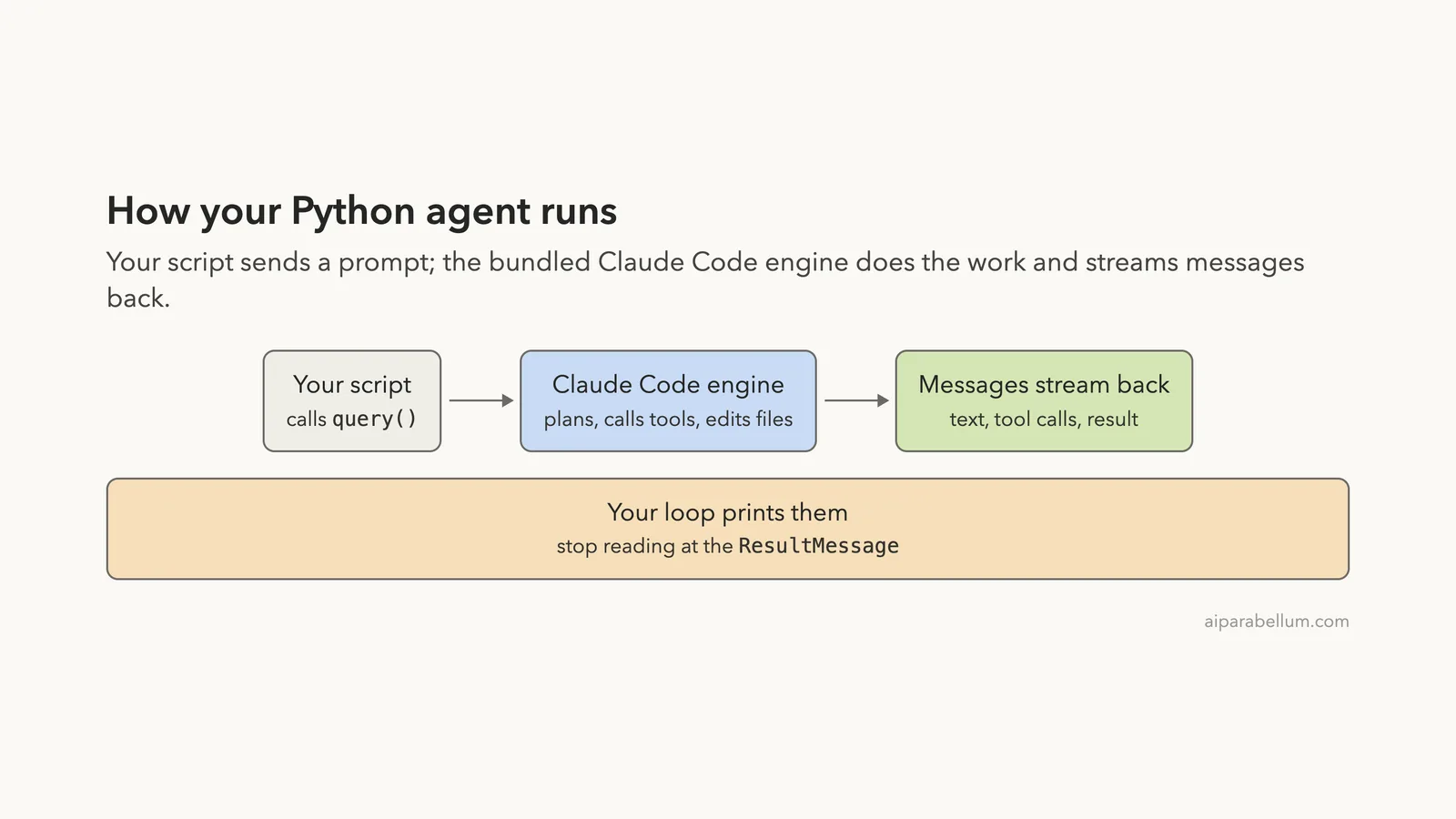
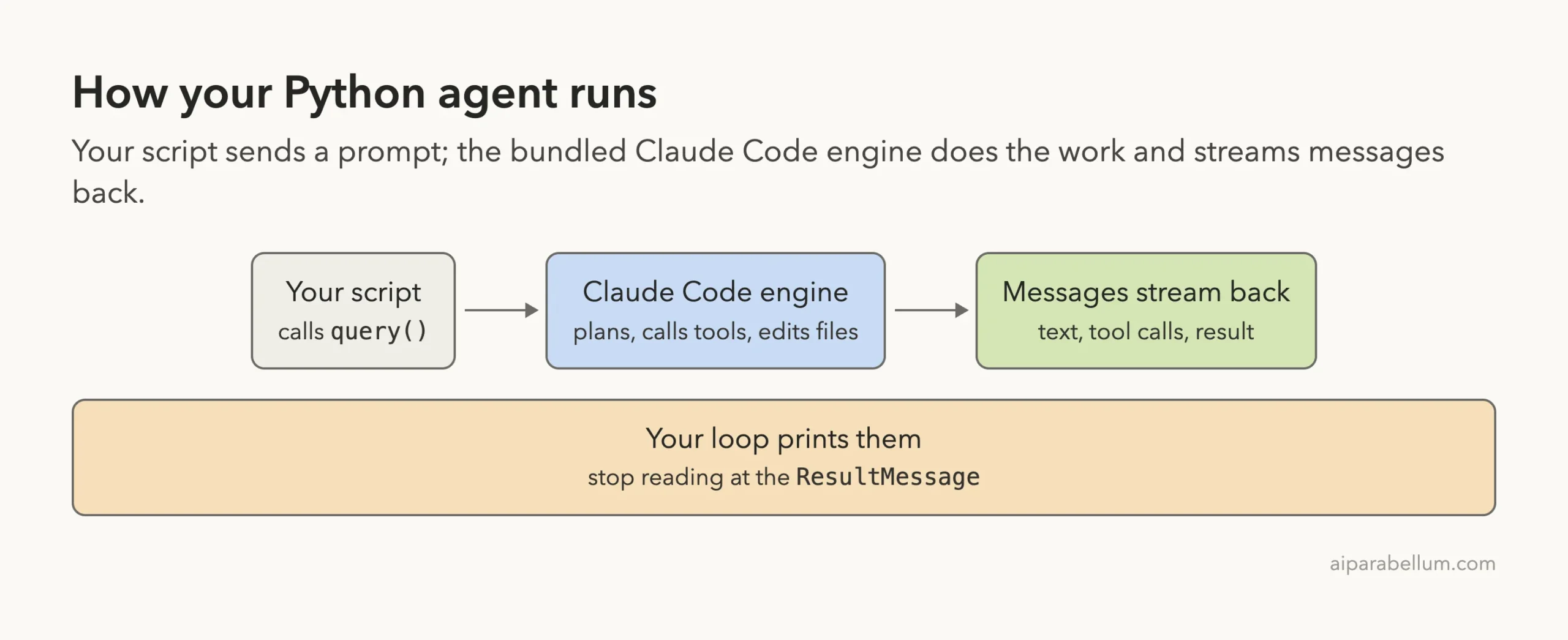
Here is how a run flows through your program.
What You Need Before You Start
The quickstart lists Python 3.10 or newer and an Anthropic account. You also need a terminal and a folder where it is safe to let an agent edit files.
- Python 3.10 or newer (we used Python 3.14 from Homebrew)
- A virtual environment, because system Python on many machines blocks
pip install - An API key from the Claude Console for anything you plan to ship
- A throwaway demo folder, never a real project
A note on sign-in.
Anthropic’s docs say that, unless previously approved, third-party developers may not offer claude.ai login or its rate limits in their products. For products, use an API key or a cloud provider such as Amazon Bedrock or Google Cloud.
Our demo was a personal test on a Mac that was already signed in to Claude Code, and we set no API key. We explain the difference between a subscription and a key in our headless guide.
Step 1: Install the Python Agent SDK
Make a folder, create a virtual environment and install the package. The docs give the same three commands.
mkdir my-agent
cd my-agent
python3 -m venv .venv
source .venv/bin/activate
pip install claude-agent-sdk
If you use uv, the quickstart shows uv init followed by uv add claude-agent-sdk. For a real project, set your key in the shell that runs the script with export ANTHROPIC_API_KEY=your-api-key. The SDK reads it from the environment and does not load .env files on its own.
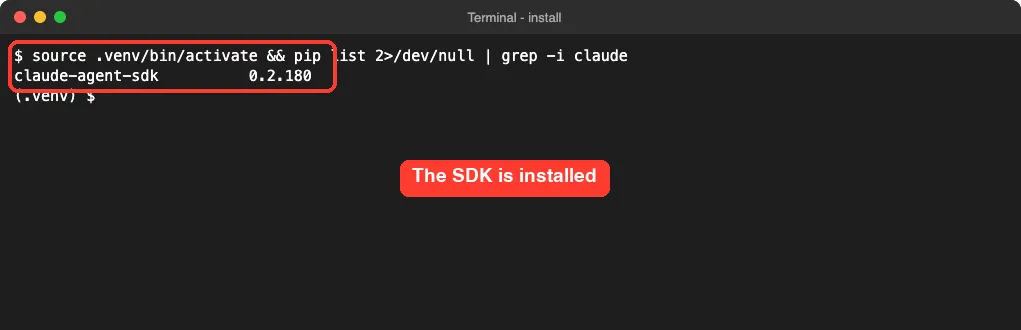
After installing, we listed the package to confirm the version.
Step 2: Create a File With Bugs for the Agent to Fix
The quickstart uses a tiny file with two crash bugs, and we used the same one. Save it as utils.py in your demo folder.
def calculate_average(numbers):
    total = 0
    for num in numbers:
        total += num
    return total / len(numbers)


def get_user_name(user):
    return user["name"].upper()
The first function crashes with a division by zero when the list is empty. The second crashes with a TypeError when the user is None.
Step 3: Write Your First Agent With query()
Create agent.py. The function you need is query(). It takes a prompt and options, and it returns an async iterator that yields messages while Claude works.
import asyncio
from claude_agent_sdk import query, ClaudeAgentOptions, AssistantMessage, ResultMessage


async def main():
    options = ClaudeAgentOptions(
        allowed_tools=["Read", "Edit", "Glob"],  # auto-approved tools
        permission_mode="acceptEdits",           # auto-approve file edits
        max_turns=8,                             # safety limit
    )
    async for message in query(
        prompt="Review utils.py for bugs that would cause crashes. Fix them. Keep your final answer under 60 words.",
        options=options,
    ):
        if isinstance(message, AssistantMessage):
            for block in message.content:
                if hasattr(block, "text"):
                    print("Claude:", block.text)
                elif hasattr(block, "name"):
                    print("Tool call:", block.name)
        elif isinstance(message, ResultMessage):
            print("Done:", message.subtype, "| turns:", message.num_turns, "| cost: $%.4f" % (message.total_cost_usd or 0))


asyncio.run(main())
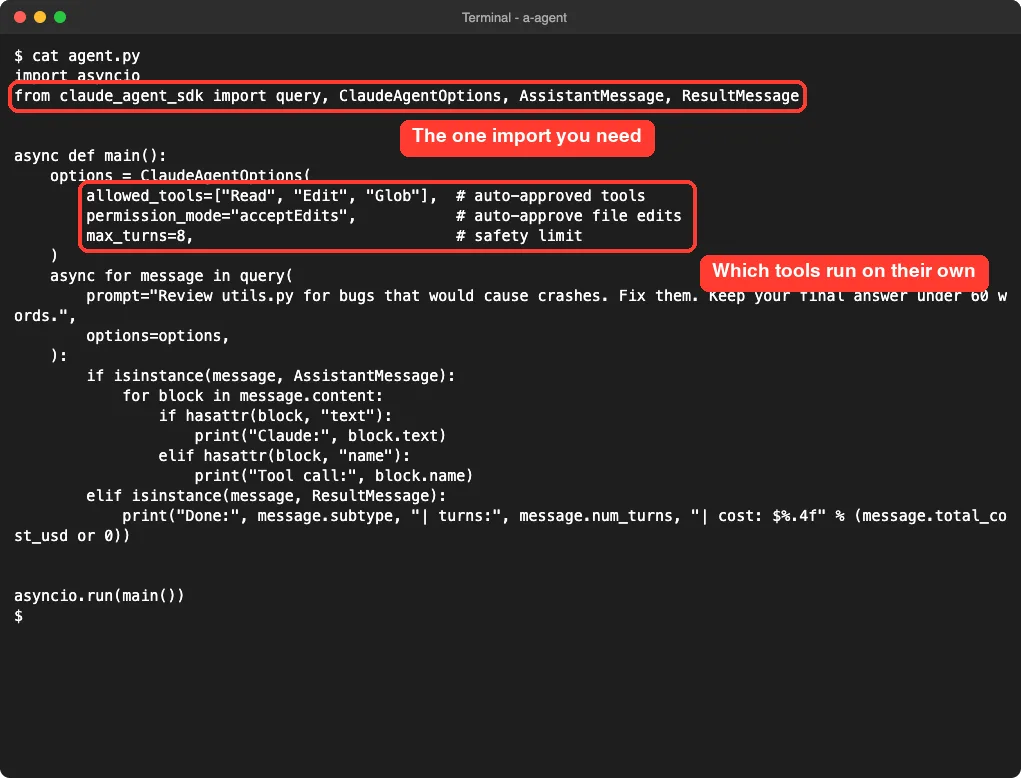
This is the quickstart agent with two small changes: a max_turns limit, and a cost figure printed at the end. Here is the same file on screen with the important options marked.
What each option does
allowed_toolslists tools Claude may use without asking you.permission_mode="acceptEdits"approves file edits automatically.max_turnsstops the loop after that many turns, so a mistake cannot run forever.
The messages you get back are of a few kinds. An AssistantMessage holds Claude’s text and its tool calls. The final ResultMessage holds the outcome, including subtype, num_turns and total_cost_usd.
Step 4: Run the Agent and Read the Output
Run it with python agent.py. We ran it once. Claude searched for files, read utils.py and wrote the fix, then reported back.
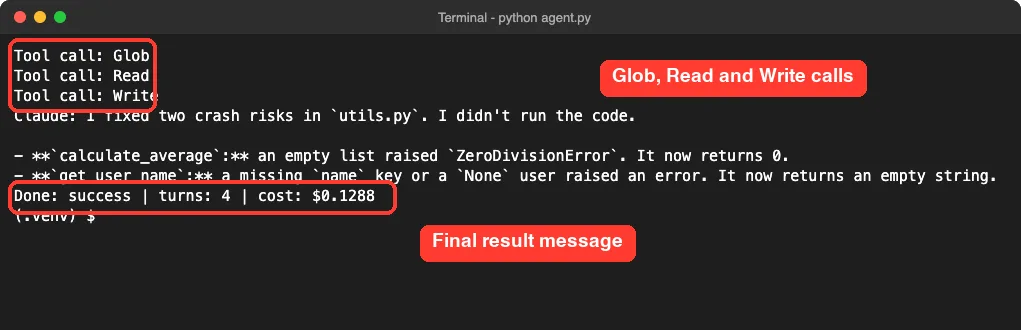
The run ended with Done: success | turns: 4 | cost: $0.1288. That cost is what the SDK reported for this one small run on our machine, so treat it as an example, not a promise. Claude also said it did not run the code, which is worth noticing: it reviewed and edited, but it did not test.
One detail surprised us.
Our allowed_tools listed Edit, but the call Claude made was Write. It still ran without a prompt because acceptEdits approves file edits. If you want a strict allowlist, check which tool names appear in your own output before you trust it.
Check what changed
We kept a copy of the original file and compared the two with diff.
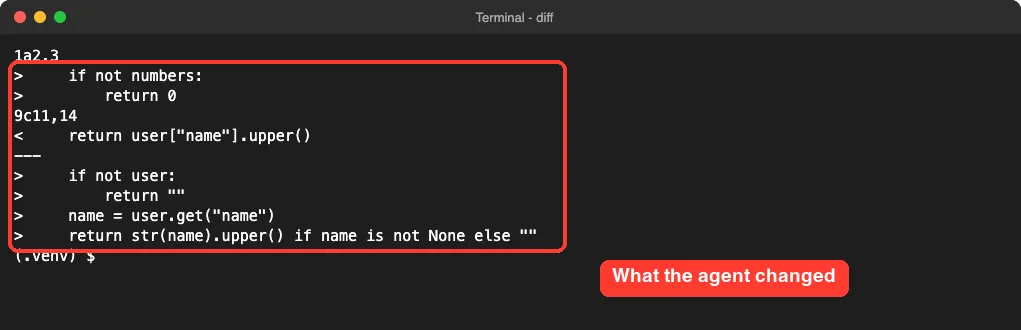
The first function now returns 0 for an empty list, and the second returns an empty string when the user or the name is missing. Those fixes are reasonable, but they are the agent’s choice. Another run could pick different behavior, such as raising a clear error, so always read the diff.
Step 5: Give Your Agent a Custom Tool
Built-in tools cover files and commands. For anything else, you can write a Python function and let Claude call it. The SDK does this with an in-process MCP server, so there is nothing to install or run separately.
You need three parts.
The @tool decorator describes the function and its inputs. create_sdk_mcp_server() wraps it in a server.
Then you pass the server through mcp_servers and allow the tool by name. Tool names follow the pattern mcp__servername__toolname.
import asyncio
from typing import Any
from claude_agent_sdk import (query, tool, create_sdk_mcp_server,
                              ClaudeAgentOptions, AssistantMessage, ResultMessage)

NOTES = {"monday": "ship the report", "tuesday": "call the dentist", "friday": "plan the trip"}


@tool("get_note", "Look up the note saved for a weekday", {"day": str})
async def get_note(args: dict[str, Any]) -> dict[str, Any]:
    note = NOTES.get(args["day"].lower(), "no note for that day")
    return {"content": [{"type": "text", "text": note}]}


server = create_sdk_mcp_server(name="notes", version="1.0.0", tools=[get_note])


async def main():
    options = ClaudeAgentOptions(
        mcp_servers={"notes": server},
        allowed_tools=["mcp__notes__get_note"],
        max_turns=6,
    )
    async for message in query(
        prompt="What is on my notes for Tuesday and Friday? Answer in one short sentence.",
        options=options,
    ):
        if isinstance(message, AssistantMessage):
            for block in message.content:
                if hasattr(block, "text"):
                    print("Claude:", block.text)
                elif hasattr(block, "name"):
                    print("Tool call:", block.name, block.input)
        elif isinstance(message, ResultMessage):
            print("Done:", message.subtype, "| turns:", message.num_turns)


asyncio.run(main())
The note data is made up, but the pattern is the same for a real database lookup or an internal API. We ran this file as well.
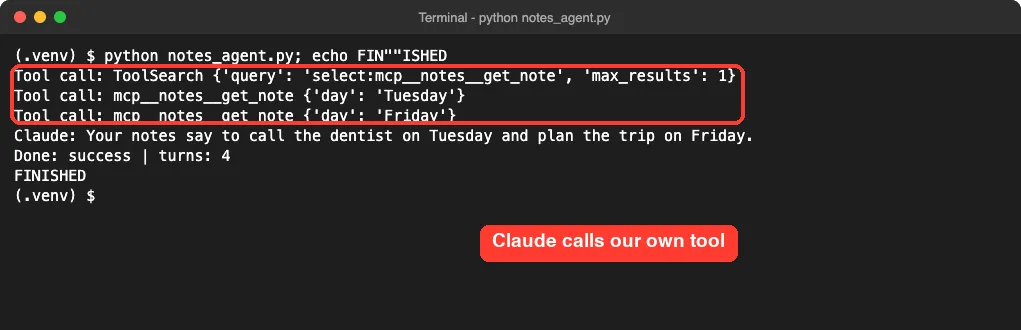
Claude called mcp__notes__get_note once for Tuesday and once for Friday, then answered: your notes say to call the dentist on Tuesday and plan the trip on Friday. The first line is a ToolSearch call, which Claude Code made to load our tool’s definition. You do not write that step; it happens inside the engine.
Notice that the FINISHED line in the screenshot comes from our own echo marker, which we added so the capture knew when the script ended. It is not part of the SDK output.
query() or ClaudeSDKClient: Which One to Use
The Python SDK gives you two ways in. The Python reference sums it up this way: query() starts a new session each call, while ClaudeSDKClient reuses the same session across several exchanges.
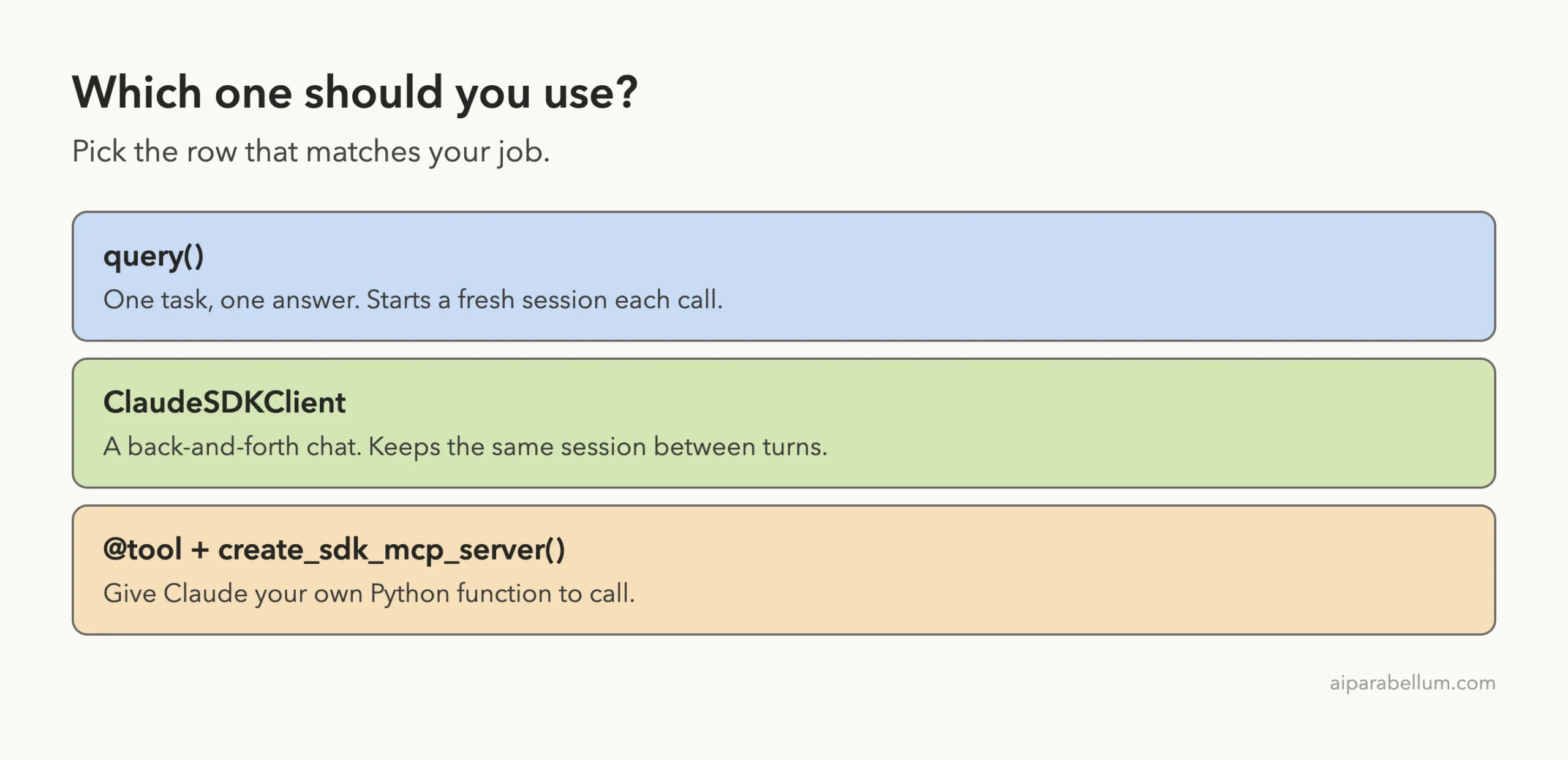
| Feature | query() | ClaudeSDKClient |
|---|---|---|
| Session | New one by default | Same one reused |
| Best for | One-off tasks | Chat-style apps |
| Interrupts | Not supported | Supported |
| Hooks and custom tools | Supported | Supported |
We only ran query() in this post, so we cannot report how ClaudeSDKClient behaves in practice. The table above comes from the docs.
Real Examples You Can Build Next
Once the loop works, small variations cover a lot of ground.
- A script that reviews every Python file in a folder and prints a summary of risky code
- A nightly job that checks a log file and writes a short report
- A helper that looks up data through your own tool, as in the notes example
- A chat loop built on
ClaudeSDKClientfor follow-up questions
The SDK also loads skills, commands and memory from your project’s .claude/ folder, as the overview notes.
That means the rules you wrote for Claude Code can shape your agent too. See every CLAUDE.md location and the memory system guide for how those files load. If you want one agent to hand work to others, read our subagent best practices.
Try It Yourself
Practice with a new bug. Add a third function to utils.py and ask the agent to fix only that one.
def first_word(text):
    return text.split()[0]
Then change the prompt in agent.py to the one below and run it again. Afterward, compare the file with diff to see what changed.
Fix only the first_word function so it never crashes on an empty string. Do not touch other functions.Start small, cap the turns, and read every diff the agent makes.
Common Mistakes
- Running
pip installagainst system Python. Use a virtual environment instead. - Forgetting that the SDK does not read
.envfiles. Load your key yourself. - Using
breakto leave the message loop early. The docs warn this can cause asyncio cleanup problems, so let the loop finish. - Skipping
max_turns. A limit protects you from a loop that keeps going. - Pointing the agent at a real project. Start in a copy or a demo folder.
- Assuming the fix is correct. Our agent said it had not run the code, so run your tests.
Pro Tips
- Print
total_cost_usdfrom theResultMessagewhile you experiment, so you notice expensive prompts early. - Check that
subtypeissuccessbefore you trust the result. The docs list error subtypes such aserror_max_turns. - Keep prompts narrow. Our agent finished in four turns because the task was small.
- Allow only the tools a task needs. A read-only agent needs no edit tools.
- If you run agents on a schedule, compare it with the options in Routines versus /loop.
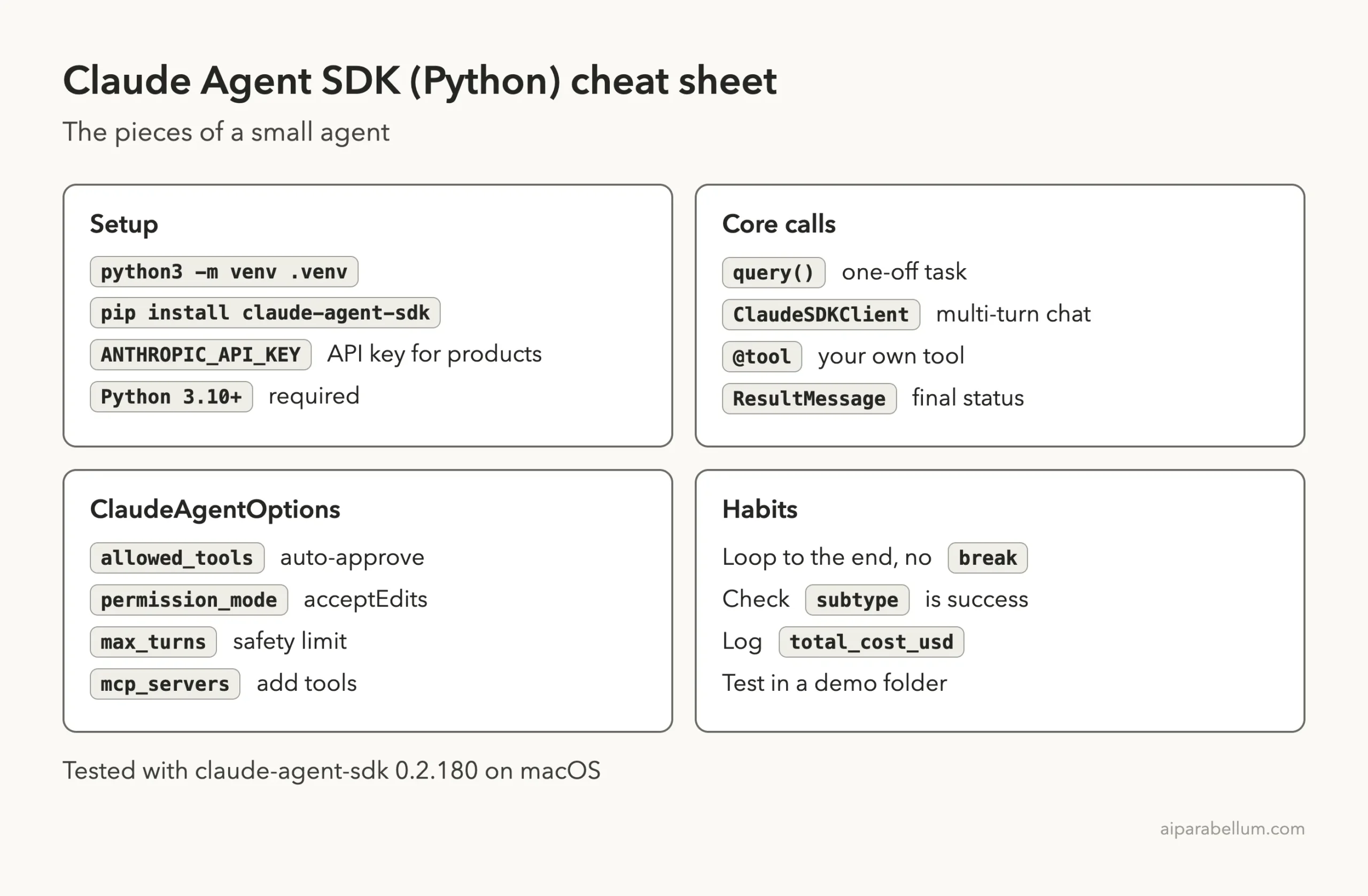
Cheat Sheet
Frequently Asked Questions
Is the Claude Code SDK the same as the Claude Agent SDK?
Yes. The package was renamed, and Anthropic’s docs include a migration guide for people moving from the old Claude Code SDK packages. Today you install claude-agent-sdk.
Do I need to install Claude Code separately?
Usually not. The Python and TypeScript packages bundle a native Claude Code binary. The docs note exceptions, such as a source install on ARM64 Windows, where you install Claude Code yourself.
Which Python version do I need?
Python 3.10 or newer. On 3.10, the SDK installs typing_extensions to cover features that arrived later in typing.
How should I sign in?
For products, use an API key from the Claude Console or a supported cloud provider. The docs say third-party developers may not offer claude.ai login unless Anthropic approved it. Our personal demo used an existing sign-in on one Mac.
Can I use the SDK from TypeScript instead?
Yes. The docs cover both languages. We will build the same small agent in TypeScript in the next part.
Conclusion
The Claude Agent SDK turns Claude Code into a library: install one package, call query(), and read the messages as they stream back. In our test, a short script fixed two crash bugs in four turns, and a custom @tool let Claude call our own Python function. Start small, set max_turns, read every diff, and move to an API key before you build anything other people will use. You can find more guides in our Claude Code tutorials and learn about the model behind it on our Claude AI page.
Previous in the series: Part 40: Claude Code Headless Auth: Use It With a Subscription or a Key
Next in the series: Part 42: Claude Agent SDK in TypeScript: Build a Small Agent.