If you want to deploy from Claude Code, the official plugin marketplace already lists plugins for Vercel, Netlify, Cloudflare, Railway and Render, plus nine more hosting and app-builder platforms. This guide explains what each plugin adds, which parts we ran on a Mac, and which parts need an account of your own.
This guide is part of our Claude Code tutorials. Find more add-ons in our Skills Directory.
Tested with Claude Code v2.1.318 on 2026-11-08 (macOS).
We read every hook and connection file first, then loaded all 14 plugins into a throwaway sandbox and asked five of them a real deployment question about a tiny demo app. We never signed in, never typed a key and never ran a deploy, so anything about live dashboards, URLs or bills comes from each plugin’s own files and README.
Quick Summary: Deploy Plugins at a Glance
A deploy plugin is mostly a bundle of instructions for Claude, plus a link to your hosting account. The instructions teach Claude the platform’s commands and config files. The link, called an MCP connection, lets Claude look at your projects once you sign in.
| Plugin | Maker | What it does | Account needed? | Install command |
|---|---|---|---|---|
| vercel | Vercel | 37 skills, 4 commands and 7 agents for deploys, env vars, previews and logs | Yes, a Vercel sign-in | /plugin install vercel@claude-plugins-official |
| netlify-skills | Netlify | 15 skills for deploys, functions, forms, blobs and config | Yes, a Netlify sign-in | /plugin install netlify-skills@claude-plugins-official |
| cloudflare | Cloudflare | 14 skills for Workers, Wrangler, Durable Objects and web performance | Yes, a Cloudflare account | /plugin install cloudflare@claude-plugins-official |
| railway | Railway | 1 big skill plus a hosted connection for projects, services and databases | Yes, a Railway account | /plugin install railway@claude-plugins-official |
| render | Render | 21 skills, 2 commands, 1 agent and a render.yaml check | Yes, a Render account | /plugin install render@claude-plugins-official |
| valtown | Val Town | 11 skills for small HTTP, cron and SQLite scripts | Yes, a Val Town sign-in | /plugin install valtown@claude-plugins-official |
| hostinger | Hostinger | 7 deploy skills plus a hosted connection for sites, domains and VPS | Yes, OAuth or an API token | /plugin install hostinger@claude-plugins-official |
| base44 | Base44 | 5 skills for the Base44 CLI, SDK and troubleshooting (beta) | Yes, a Base44 project | /plugin install base44@claude-plugins-official |
| lovable | Lovable | 3 commands and a hosted connection to build and publish Lovable apps | Yes, a Lovable workspace | /plugin install lovable@claude-plugins-official |
| wix | Wix | 10 skills for Wix apps, headless sites and the design system | Yes, a Wix account | /plugin install wix@claude-plugins-official |
| catalyst-by-zoho | Zoho | 16 skills, 1 command and a connection for Catalyst serverless apps | Yes, a Catalyst project | /plugin install catalyst-by-zoho@claude-plugins-official |
| appwrite | Appwrite | 11 SDK and CLI skills, 2 deploy commands and a hosted connection | Yes, an Appwrite project | /plugin install appwrite@claude-plugins-official |
| fastly-agent-toolkit | Fastly | 10 skills for Fastly services, VCL, Compute and traffic stats | For live work, yes; for linting and local runs, no | /plugin install fastly-agent-toolkit@claude-plugins-official |
| pinme | glitternetwork (community) | 7 skills for one-command frontend and full-stack deploys | Yes, for project commands | npx skills add glitternetwork/pinme |
What Does It Mean to Deploy From Claude Code?
A plugin is a folder that can hold skills, commands, hooks and connections to outside servers. A skill is a set of instructions Claude loads when your question matches it. A hook is a script that runs on its own at certain moments, so it deserves a careful read before you trust it.
Our plugin install guide covers scopes and updates, and our MCP guide explains the connection layer. Anthropic’s docs on discovering plugins and on building plugins describe how the pieces fit together.
The key point is that a plugin runs with your permissions. A deploy plugin can end up touching a live website, so read what it bundles first.
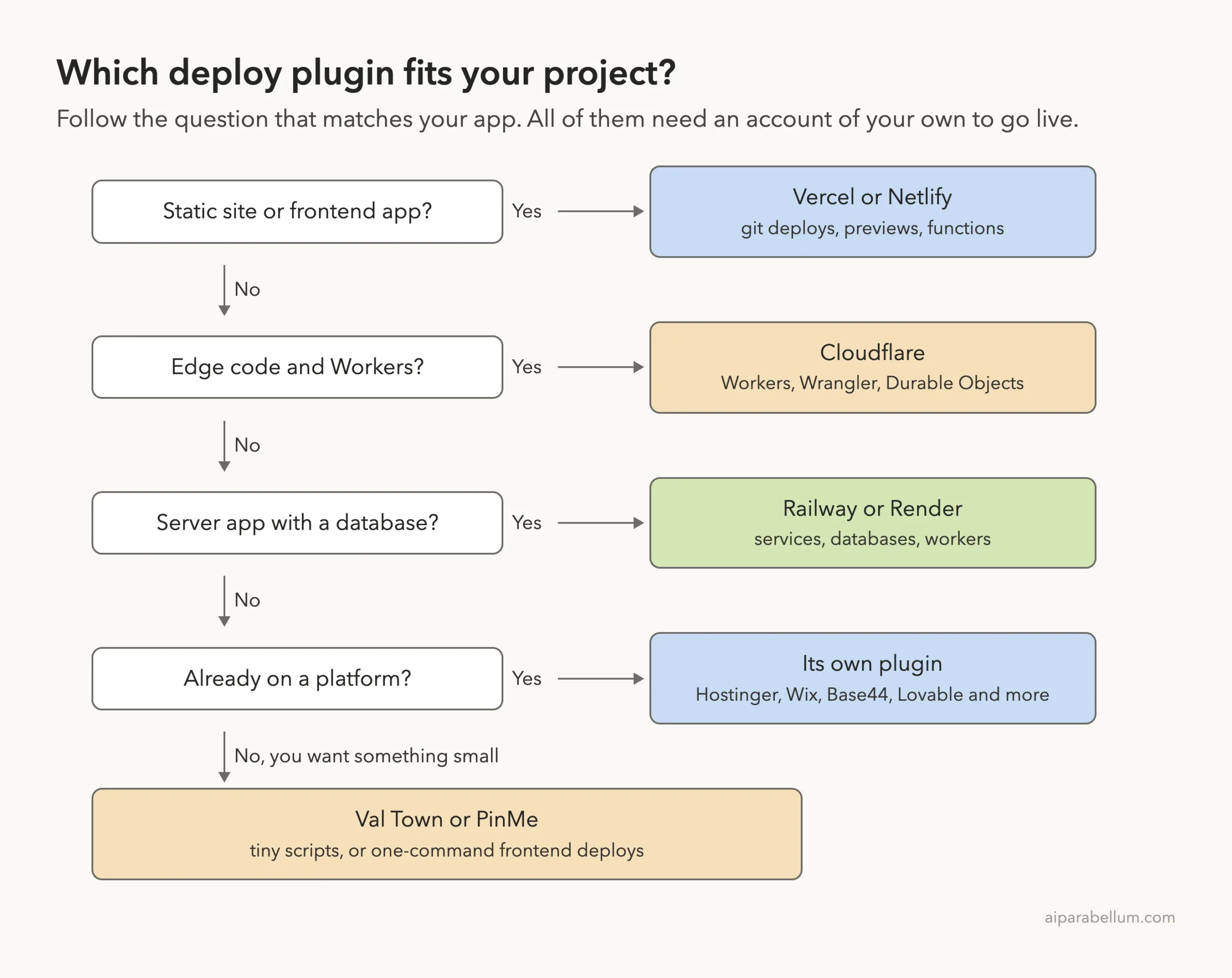
Which Deploy Plugin Fits Your Project?
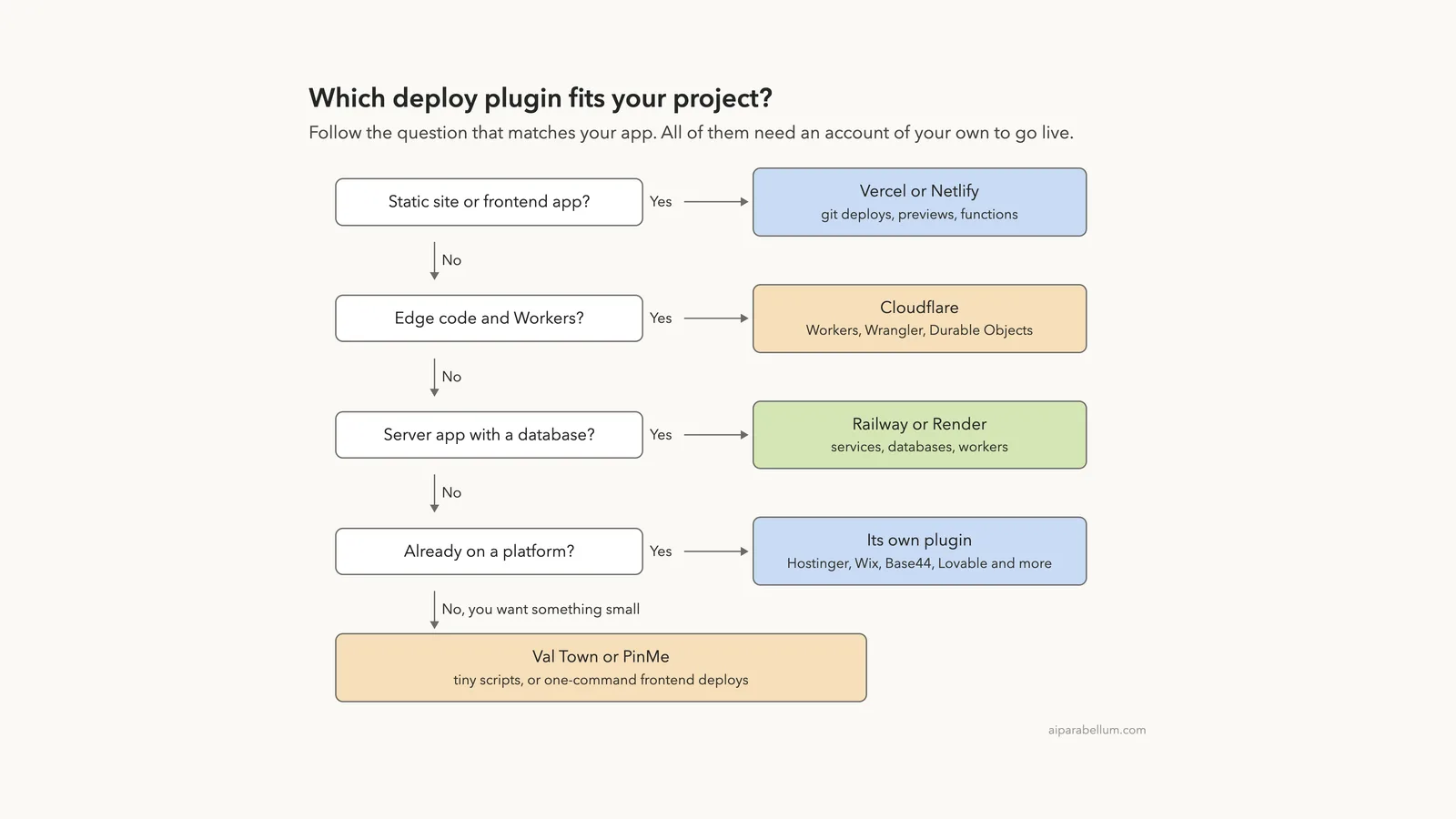
Start from the kind of app you have, not from the logo. If you already host on one of these platforms, use that plugin and skip the rest.
How We Tested Without Touching Our Setup
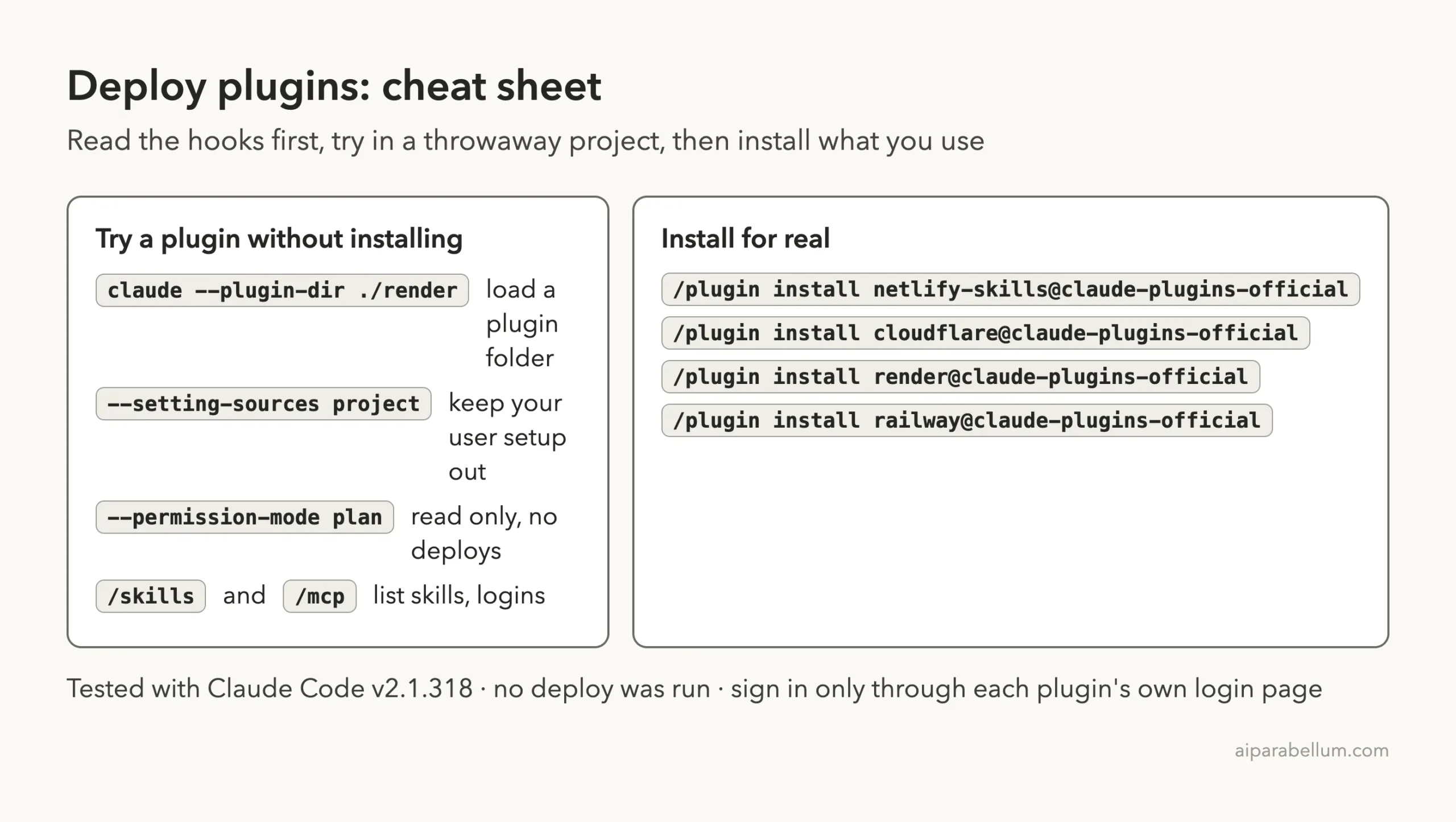
We cloned each plugin’s repository at the exact commit the official marketplace points to. Then we started Claude Code in an empty demo project with one --plugin-dir flag per plugin, plus --setting-sources project so nothing from our own Claude setup mixed in. We never ran /plugin install, and we kept Claude in plan mode so it could read files but not change them or run commands.
The demo project has four tiny files: index.html, app.js, package.json and a plain Node server.js with one /api/hours route. It is a bike shop page that shows today’s opening hours.
| Plugin | Version we tested | Commit | Commit date |
|---|---|---|---|
| vercel | 0.50.0 | 882e66c | 2026-09-21 |
| netlify-skills | 1.7.0 | dc9ebf1 | 2026-10-14 |
| cloudflare | 1.0.0 | b052c32 | 2026-09-07 |
| railway | 1.5.2 | a100f93 | 2026-09-22 |
| render | 0.3.0 | d7ecf82 | 2026-10-08 |
| valtown | 0.4.0 | 555ff74 | 2026-09-24 |
| hostinger | 1.2.0 | 569880c | 2026-08-20 |
| base44 | 1.0.0-beta.1 | 8548a48 | 2026-09-22 |
| lovable | 0.1.0 | 0336e6d | 2026-07-13 |
| wix | 1.19.2 | 8fc544d | 2026-09-22 |
| catalyst-by-zoho | 0.0.2 | 9670b79 | 2026-07-31 |
| appwrite | 0.2.0 | ab3c90b | 2026-08-19 |
| fastly-agent-toolkit | 0.1.0 | 6db70ea | 2026-10-07 |
| pinme | no version listed (community repo, latest commit) | 7822b05 | 2026-07-12 |
Some README pages have changed since those commits. For example, the live Hostinger README now lists a different set of hosting skills than the seven we loaded, so treat our counts as true for these commits only.
Every plugin here is idle until you sign in to the platform it talks to.
What We Read Before Running Anything
Hooks run commands on your computer, so we read them first. Here is what we found.
- Vercel: hooks on session start, after each skill use and at session end. The default setup sends a once-per-day activity ping and the names of the Vercel skills you use to
telemetry.vercel.com, and it keeps small state files under~/.claude. The code saysVERCEL_PLUGIN_TELEMETRY=offturns telemetry off. - Railway: one hook that auto-approves a single Railway command when it passes the script’s shell-safety checks. It needs
jq, and anything chained or redirected still goes through the normal prompt. - Render: one hook that runs
render blueprints validateafter you edit arender.yaml. If the Render CLI is missing, it prints install tips and exits. - Catalyst: a session-start script that reads a
.catalystrcfile and checks your CLI and Node versions. It exits quietly when no such file exists. - The other nine plugins: no hooks at all. Netlify, Cloudflare, Val Town, Hostinger, Lovable, Wix and Appwrite each add one hosted connection, and Base44, Fastly and PinMe add only skills.
Because the Vercel hooks write into ~/.claude and send telemetry by default, we loaded a copy of the Vercel plugin with its hooks folder removed. That means our Vercel results show the skills, not the hooks. If you install it for real, decide on the telemetry setting first.
What We Ran and What Comes From the Docs
| Item | Status |
|---|---|
| Loading 14 plugins and listing 165 skills | We ran it |
| Seeing which connections need a sign-in | We ran it |
| Cloudflare, Netlify, Render, Railway and Vercel skills on the demo app | We ran them in plan mode, with no account and no deploy |
| Val Town, Hostinger, Base44, Lovable, Wix, Catalyst, Appwrite, Fastly, PinMe | Loaded only; no skill was asked a question |
| Real deploys, URLs, logs, domains and billing | From each plugin’s README and files, not tested |
Loading 14 Plugins in One Session
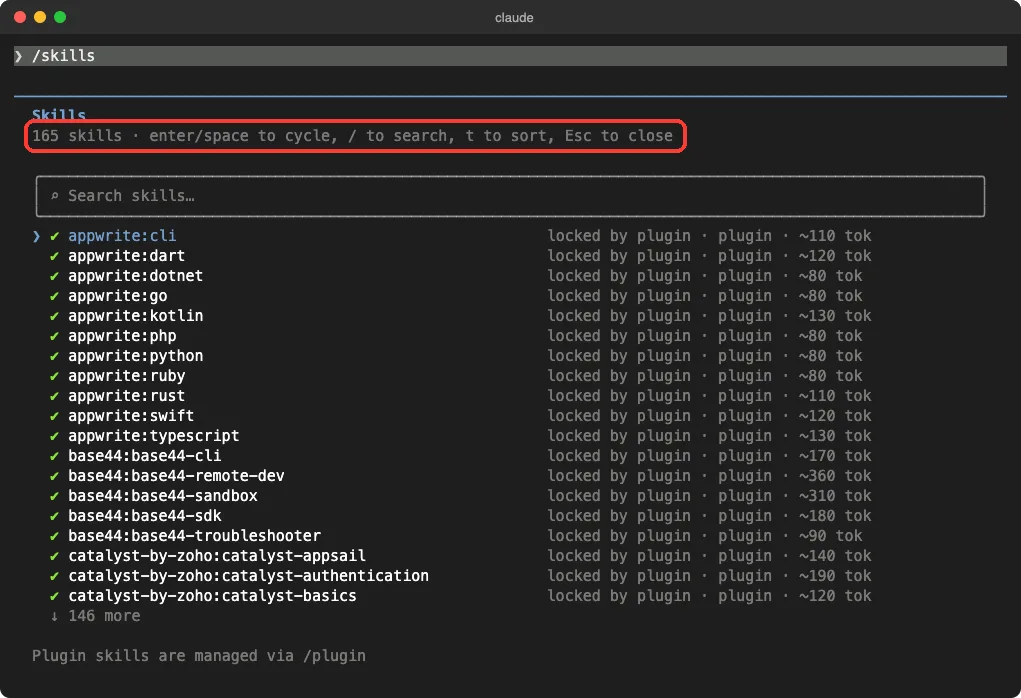
The /skills screen lists 165 skills. That matches the number of skill folders in the cloned repos exactly: Vercel 37, Render 21, Catalyst 16, Netlify 15, Cloudflare 14, Val Town 11, Appwrite 11, Wix 10, Fastly 10, Hostinger 7, PinMe 7, Base44 5 and Railway 1. Lovable adds commands rather than skills.
Each skill shows a rough size such as 80 or 340 tokens, which is what its name and description cost in Claude’s context.
The /mcp screen showed the connections these plugins add. Eleven plugin servers appeared, and every one said “needs authentication”. Claude’s startup banner said the same thing: 11 MCP servers need authentication.
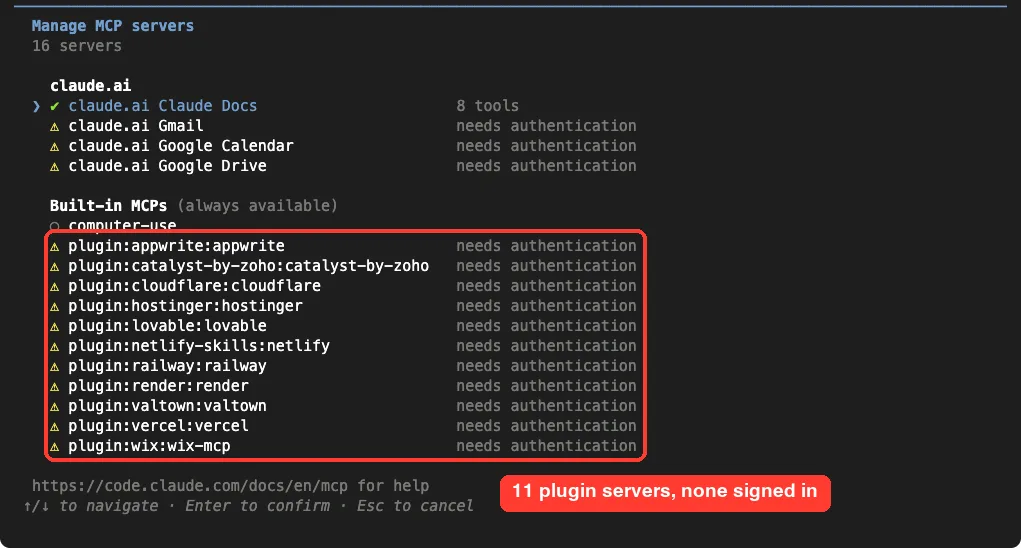
This is the safe default. Until you sign in through each platform’s own login page, Claude can read instructions but cannot see or change anything in your account.
Deploy From Claude Code to Cloudflare Workers
The Cloudflare plugin has 14 skills, including wrangler, workers-best-practices, durable-objects and web-perf. We asked the wrangler skill what the demo app needs to run on Workers.
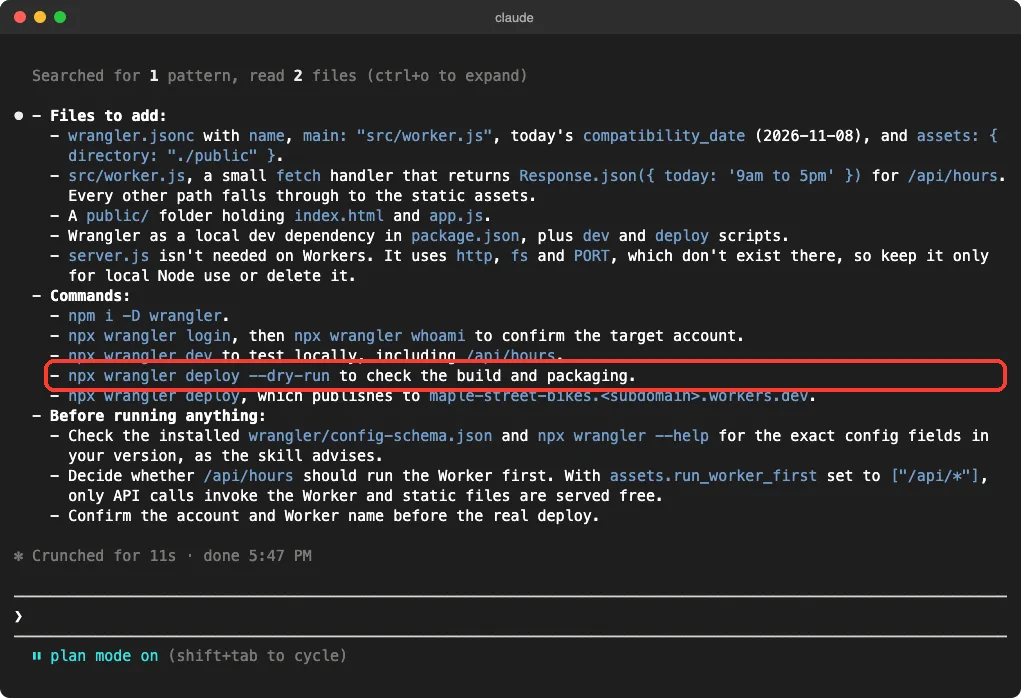
Claude proposed a wrangler.jsonc file, a small src/worker.js that returns the hours for /api/hours, and a public/ folder for the static files. It noted that server.js would not run on Workers, because it uses Node features that do not exist there.
Its commands were sensible and careful. It suggested npx wrangler login, npx wrangler dev for a local test and npx wrangler deploy --dry-run before the real npx wrangler deploy. It also said to confirm the account and Worker name first.
Netlify: Static Site Plus One Function
Netlify’s plugin has 15 skills, with names such as netlify-deploy, netlify-functions, netlify-forms and netlify-blobs. We asked netlify-deploy how to ship the demo and what netlify.toml should hold.
Claude’s answer was a short file with a publish folder and a functions folder, and no build command, since nothing needs building. It also turned the /api/hours route into a small function file, and warned that a manual production deploy can be silently replaced by the next Git push.
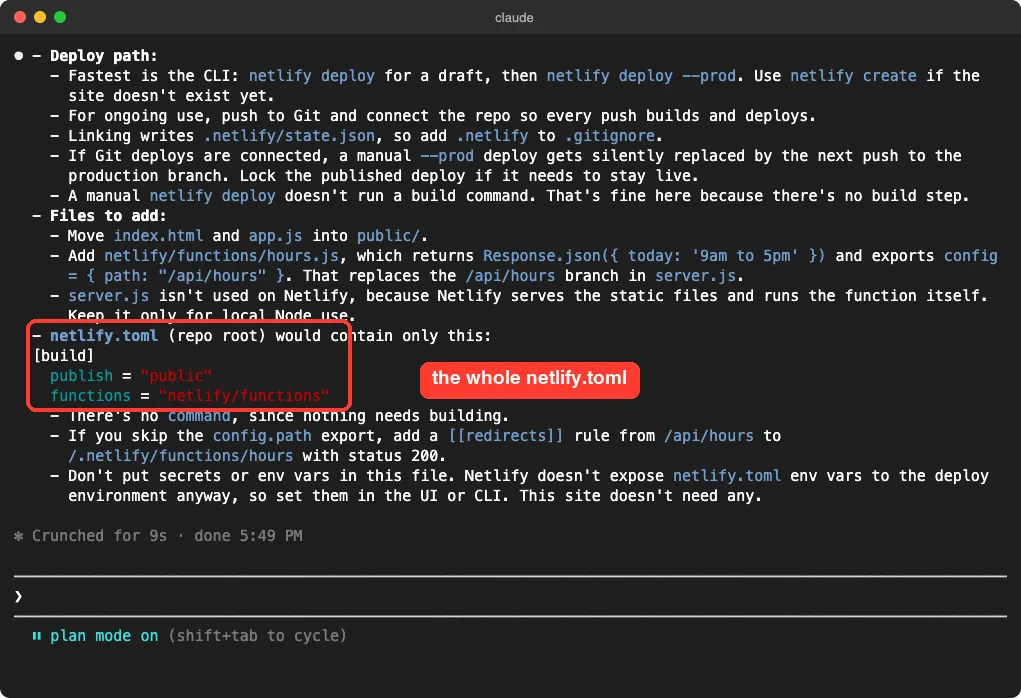
This is one demo, and we never ran the commands. Check the answer against Netlify’s own docs before you rely on it.
Render: A Blueprint Draft and an Honest Caveat
The Render plugin is the biggest of the five hosting plugins we tested, with 21 skills covering web services, workers, cron jobs, disks, Postgres and moving from Heroku. We asked render-blueprints for a render.yaml for the demo app.
Claude drafted a single web service that runs npm start and checks /api/hours. It also said what it had not verified: it had not fetched the current Blueprint spec, which the skill requires, and the plan and region values were assumptions. It told us to run render blueprints validate render.yaml before using the file.
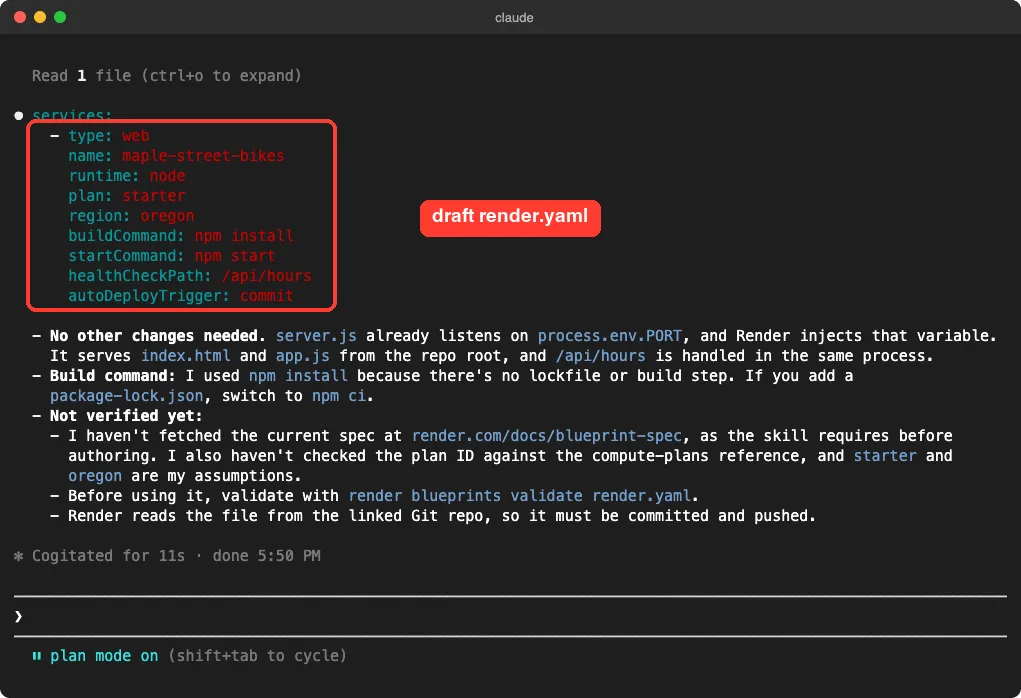
That honesty is the useful part. A draft that says what it did not check is easier to trust than one that sounds sure.
Railway: A Plan That Stops Before Sign-In
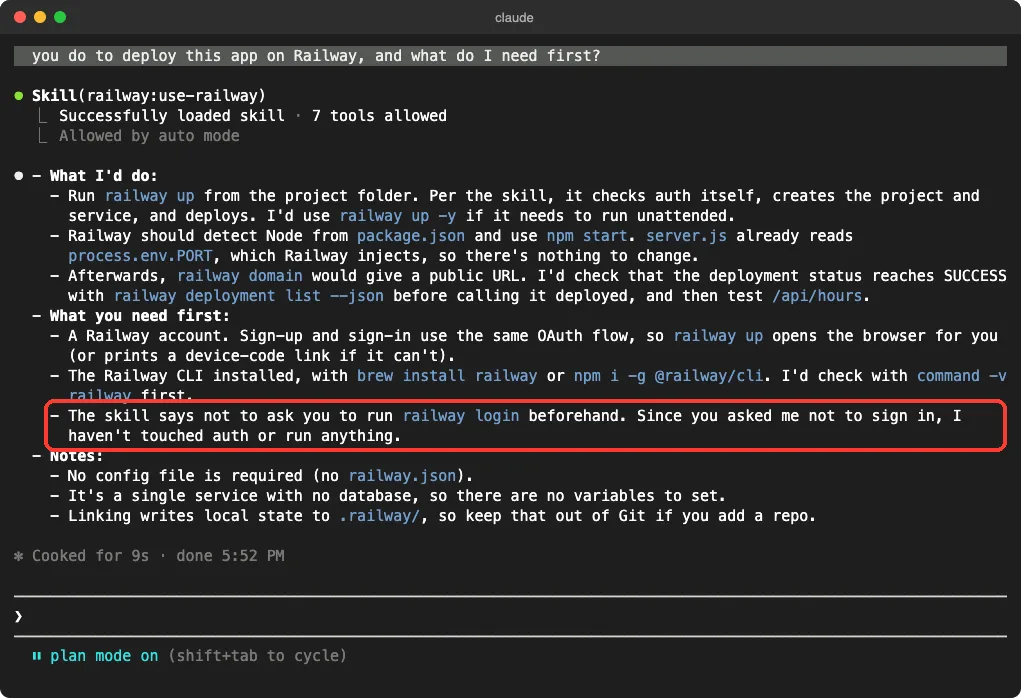
Railway’s plugin is one skill, use-railway, plus a hosted connection and the approval hook. We told Claude not to sign in and asked how it would deploy the demo.
It planned to run railway up, then railway domain for a public URL, and to check that the deployment status says success before calling it done. It said we would need a Railway account and the Railway CLI, and it confirmed it had not touched auth or run anything. It also noted the app needs no database and no railway.json file.
Vercel: What Changes for a Plain Node Server
The Vercel plugin has the most skills of any plugin in this set, 37 of them, from deployments-cicd and env-vars to nextjs and vercel-functions. We asked deployments-cicd how to deploy the demo and roll back a bad release.
Claude pointed out something the others did not need to say: a long-running server.js does not run as is on Vercel, so the route must become a small handler under an api/ folder. For rollback it named vercel rollback, which points production back at the previous deployment without rebuilding, and it suggested checking with vercel inspect or vercel logs.
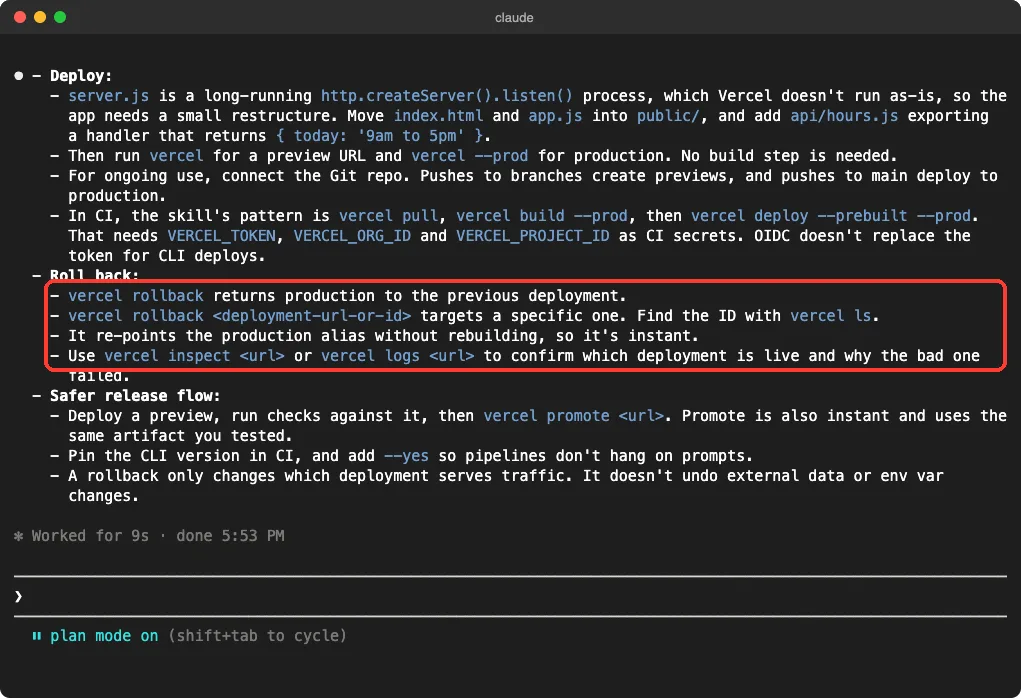
It also warned that a rollback does not undo data or environment variable changes, which is exactly the kind of detail that saves a bad afternoon.
The Other Nine Plugins, From Their Own Files
We loaded these but did not question their skills, so this section comes from their README pages and file lists.
- Hostinger: a hosted connection covering websites, domains and DNS, email, WordPress and VPS servers, plus seven deploy skills for static sites, Node.js apps, WordPress sites, plugins and themes. The README says sign-in is OAuth in your browser, or an API token you set yourself.
- Lovable: three commands called
build,iterateanddb, plus the official Lovable connection. The build command tells Claude to confirm with you before spending credits and to ask before publishing. - Wix: ten skills for Wix app extensions, headless sites and the design system, plus a connection. The README calls the project experimental.
- Base44: five skills for the Base44 CLI, SDK and production troubleshooting. The README marks them as beta.
- Catalyst by Zoho: 16 skills, one command to switch data centers and a connection. The README lists a pricing skill alongside Functions, AppSail, Data Store and Slate.
- Appwrite: eleven skills for SDKs in languages such as TypeScript, Python and Swift, plus a CLI skill, two deploy commands and a connection.
- Val Town: eleven skills for HTTP endpoints, cron jobs, SQLite, email and OAuth, plus a connection.
- Fastly: ten skills for Fastly services, VCL, the Fastly CLI, Compute and traffic stats. The README says installing does not install its developer tools or connect an account.
- PinMe: seven skills for the PinMe command line. It is a community project, not an official marketplace entry, and its README says you install it with
npx skills add glitternetwork/pinmeandnpm install -g pinme.
The PinMe skill describes uploading files to IPFS, a public network. Think about whether the files are meant to be public before you let any tool upload them.
Docs Pages Worth Bookmarking
Each platform documents its plugin a little differently. These README pages show the install steps and what is included.
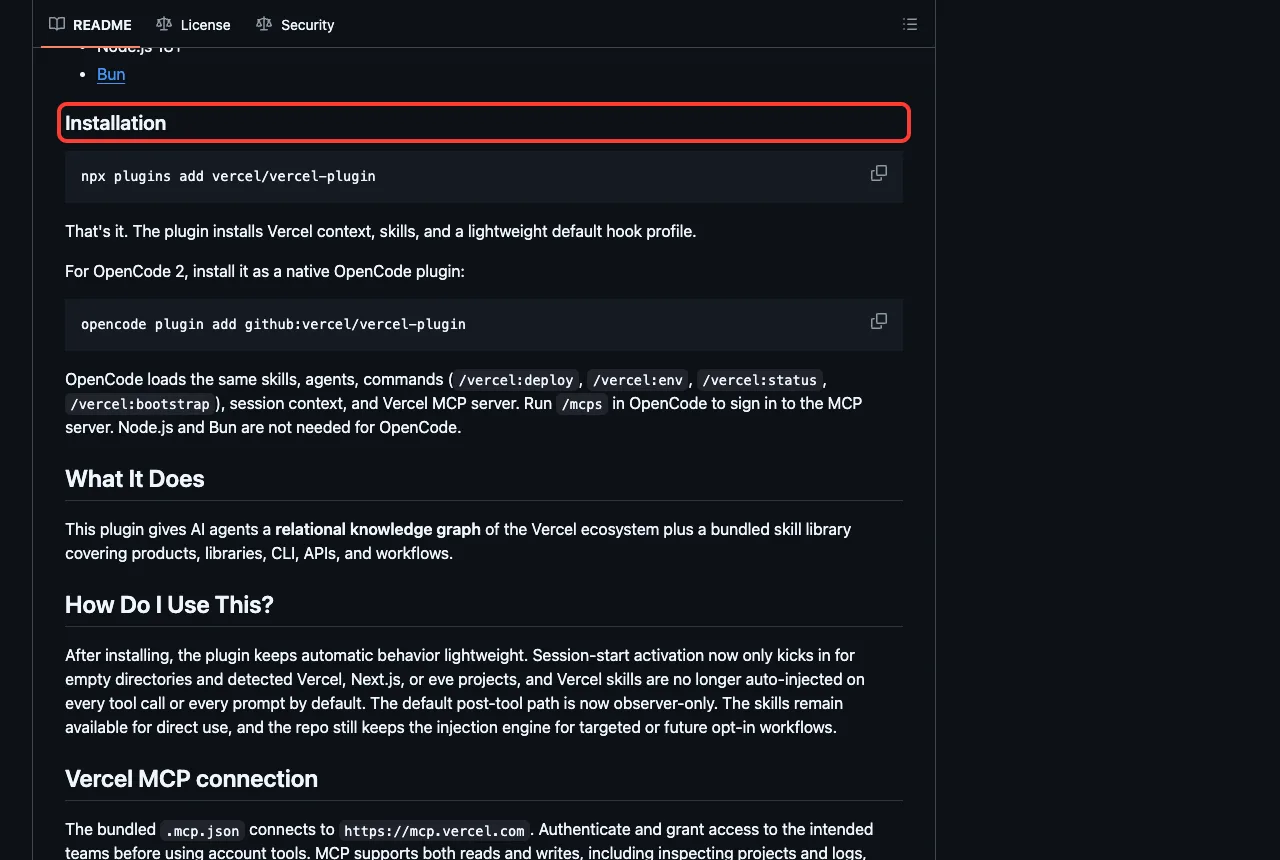
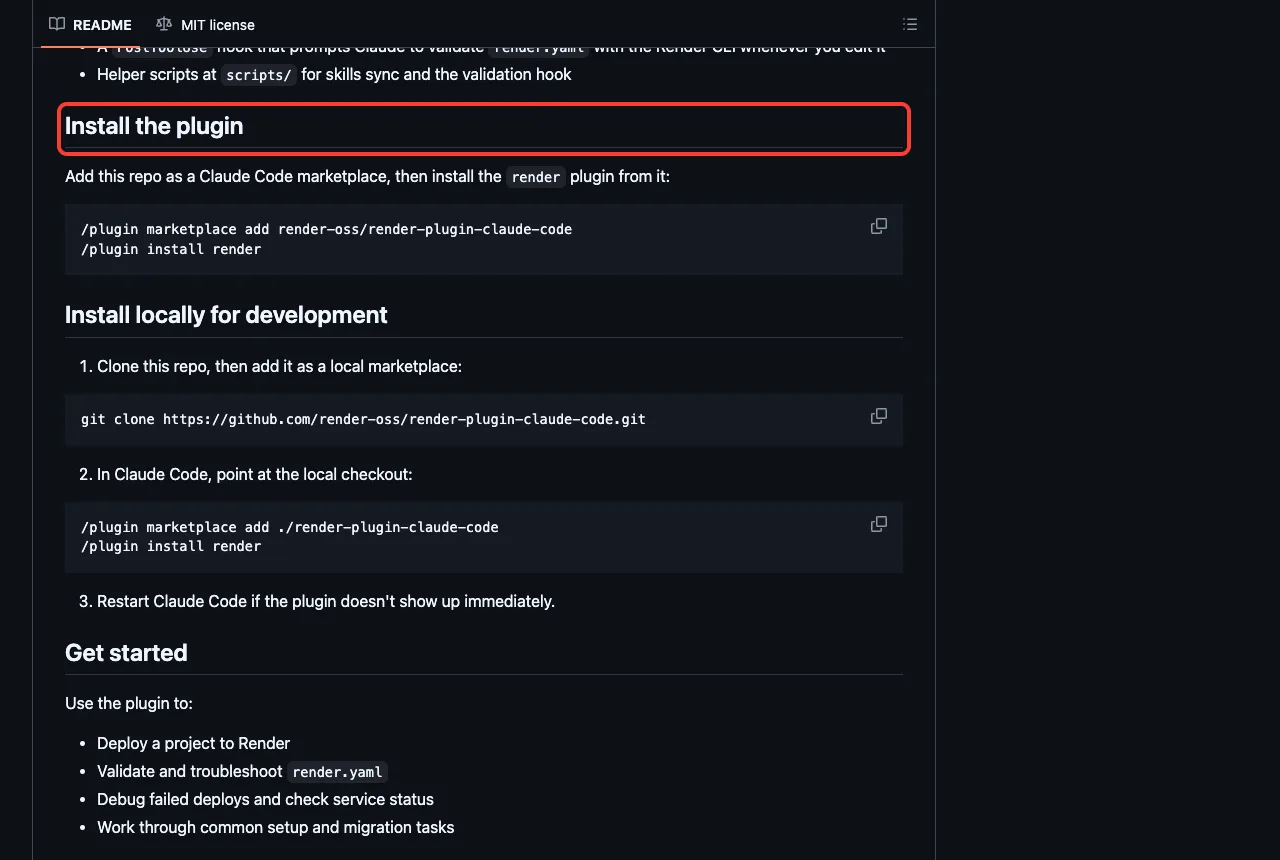
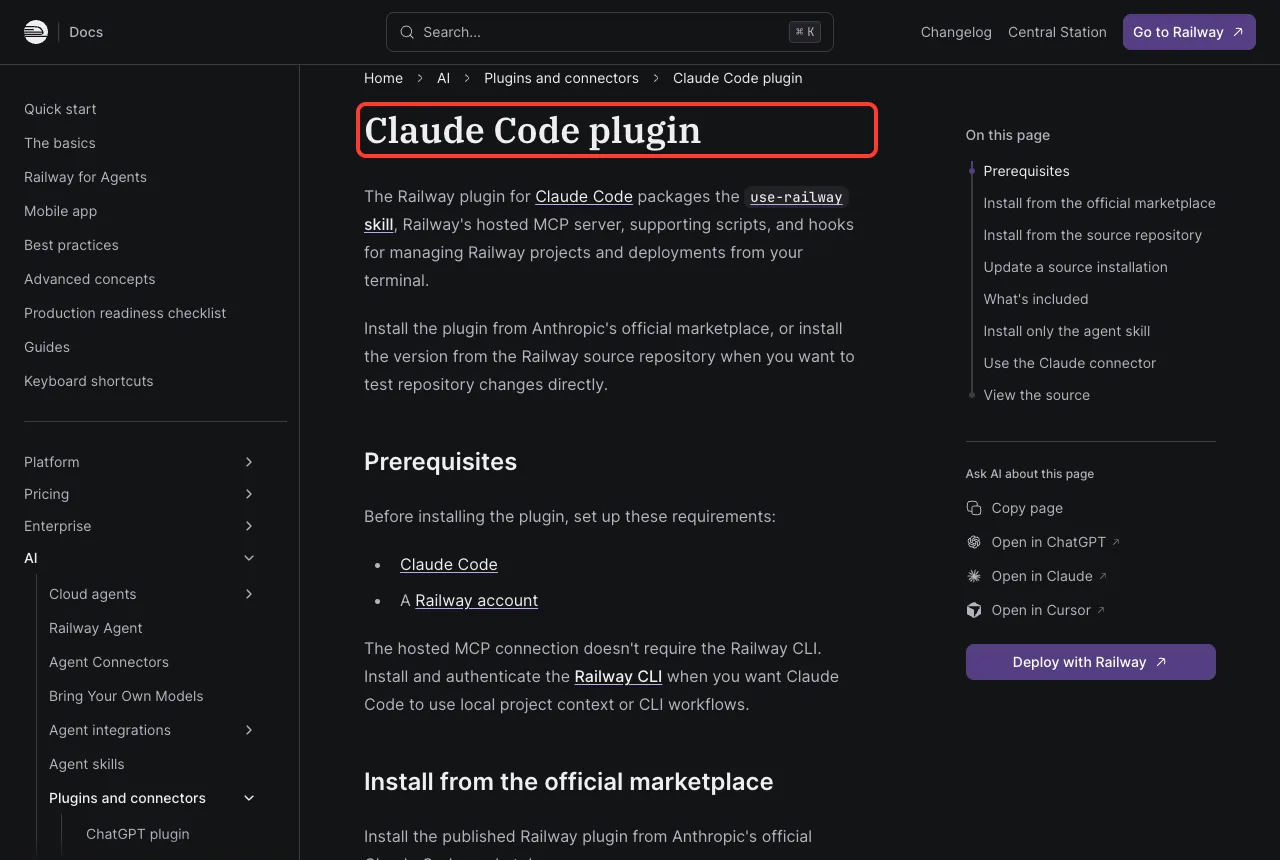
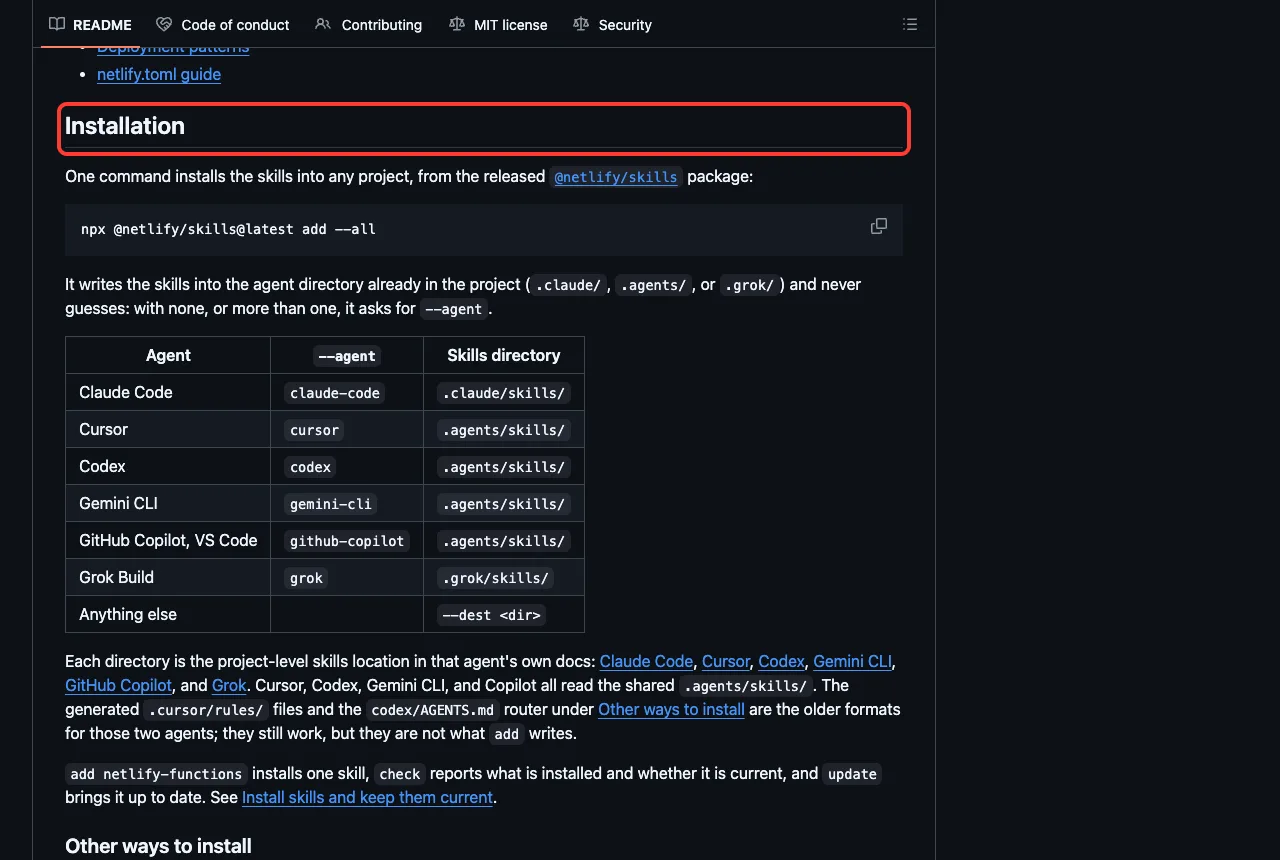
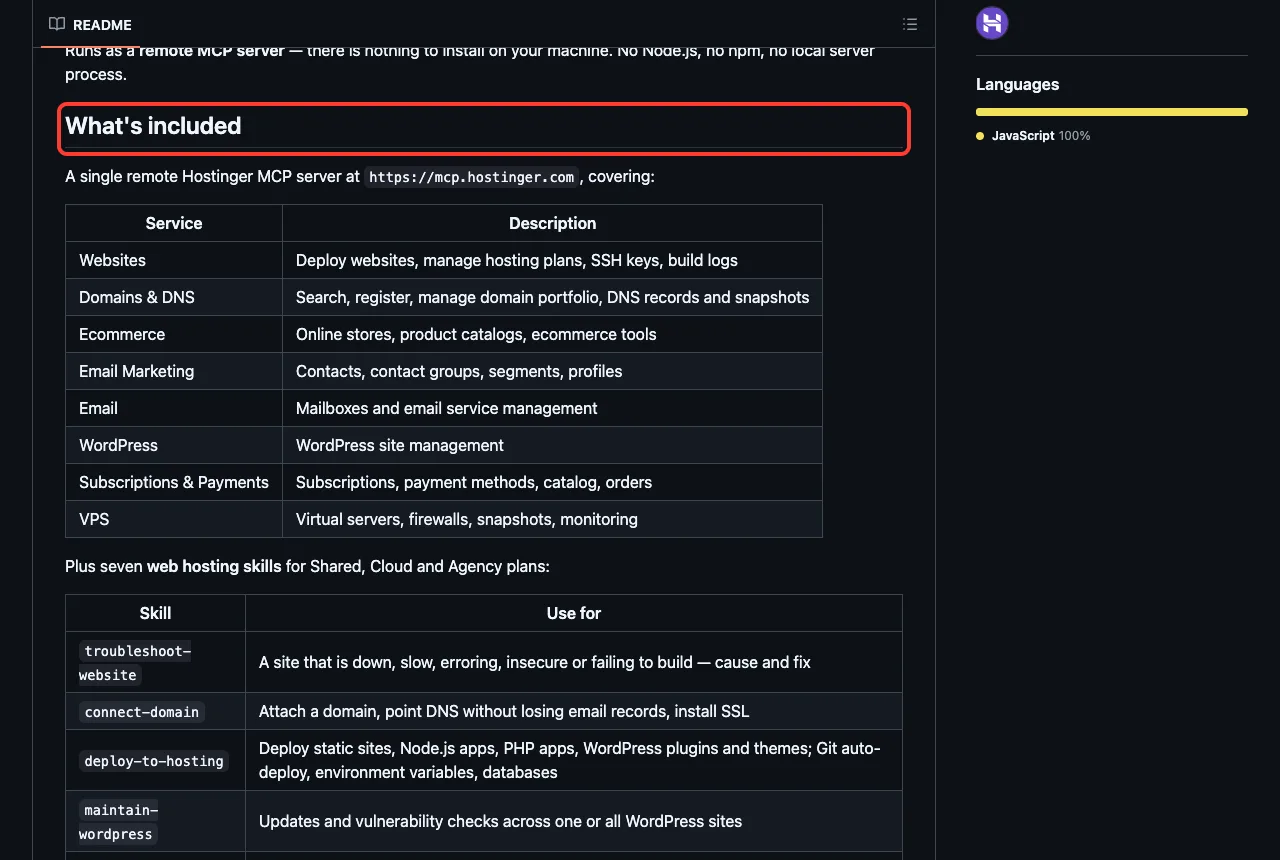
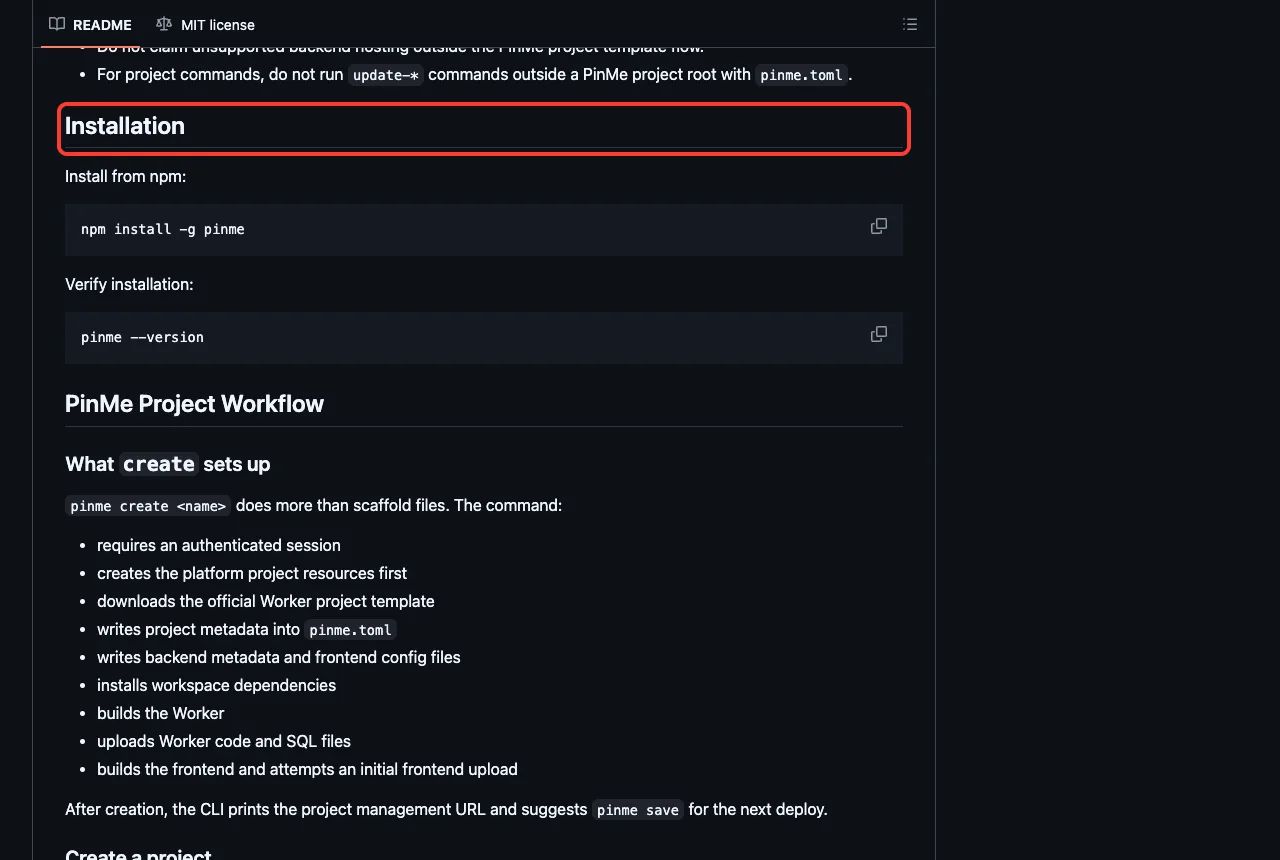
For more safety around live systems, see our guide to plan mode and our post on hooks. If you want Claude to suggest add-ons for your project, try the setup plugin, and for watching an app after launch read our monitoring plugins guide.
Try It Yourself
Make an empty folder with a tiny Node file, and load only the Render plugin from a cloned folder. Adjust the path to where you cloned it.
git clone https://github.com/render-oss/render-plugin-claude-code render-plugin
claude --permission-mode plan --setting-sources project --plugin-dir ./render-plugin
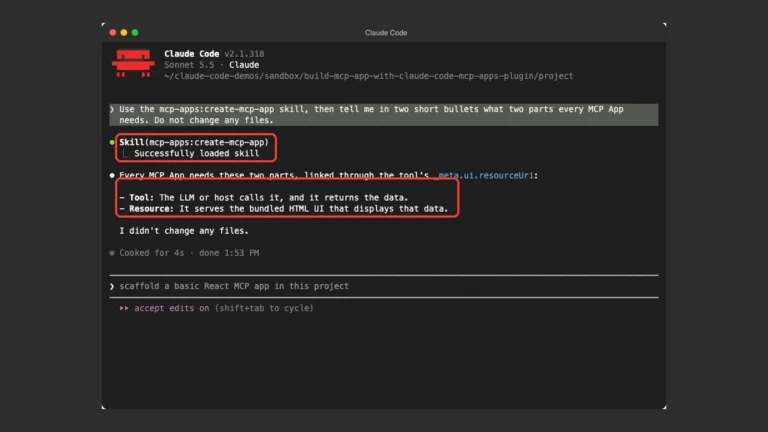
Then paste this prompt and compare the answer with the Render screenshot above.
Use the render-blueprints skill. Do not edit or run anything.
Show the render.yaml you would write for this Node app
in one short code block, and say what you have not verified.
Common Mistakes
- Installing a plugin and expecting it to deploy. Without a sign-in, it only holds instructions.
- Skipping plan mode on a first try, so a skill can run commands against a live account.
- Pasting a real token into the chat. Set it as an environment variable instead.
- Loading all of them at once. Together they added 165 skill names to Claude’s context.
- Forgetting that a deploy answer is a plan. Run a dry run or a preview first.
Pro Tips
- Run
/mcpafter installing, because it shows which connections still need a sign-in. - Run
/skillsto confirm a plugin’s skills really loaded. - Pick one platform per project. Two deploy plugins answering the same question only adds noise.
- Ask Claude to say what it did not verify. Render’s skill did this on its own.
- Read any hook that writes outside your project before you enable it.
Cheat Sheet
Frequently Asked Questions
Can Claude Code deploy my app for me?
With the right plugin and a signed-in account, yes, that is what these plugins are built for. We did not run a real deploy, so we only tested the planning step in plan mode.
Do I need a paid plan for these plugins?
The plugins are free to install, but each one talks to a hosting account of your own. We did not check any pricing, so look at each platform’s pricing page for current plans.
Is it safe to let Claude touch a live site?
Start in plan mode, read each hook, and sign in only through the platform’s own login page. Prefer preview deploys and dry runs over production.
Which plugin should I install first?
Use the one for the platform you already host on. If you have none yet, the ladder diagram above matches app types to plugins.
Can I use these plugins on Windows or Linux?
We tested on macOS. The Windows and Linux steps follow Anthropic’s official instructions, and most of these plugins are plain files plus a web connection.
Conclusion
You can deploy from Claude Code today through the Vercel, Netlify, Cloudflare, Railway and Render plugins, and nine more hosting plugins in the marketplace, but each needs a platform account of your own. We loaded 165 skills, saw all eleven connections wait for a sign-in, and read five careful deployment plans in plan mode, one of which admitted what it had not verified. Pick the plugin for the platform you already use, read its hooks, try it in a test project, and find more add-ons in our Claude guide and the Skills Directory.