The Line Art Animation skill is one of the fastest-rising Claude Code skills this week. It promises hand-drawn, ink-on-paper scenes where little figures walk, react to clicks and move from day to night, all built live in SVG. We wanted to know if it really beats Claude on its own, so we asked Claude Code for the same animated bakery twice: once with the skill installed and once without.
Below you will find how to install the Line Art Animation skill in about a minute, what it adds to Claude Code, and what our side-by-side test showed. Both builds worked. The differences were in style, cost, time and how carefully each one checked its own work.
Quick verdict
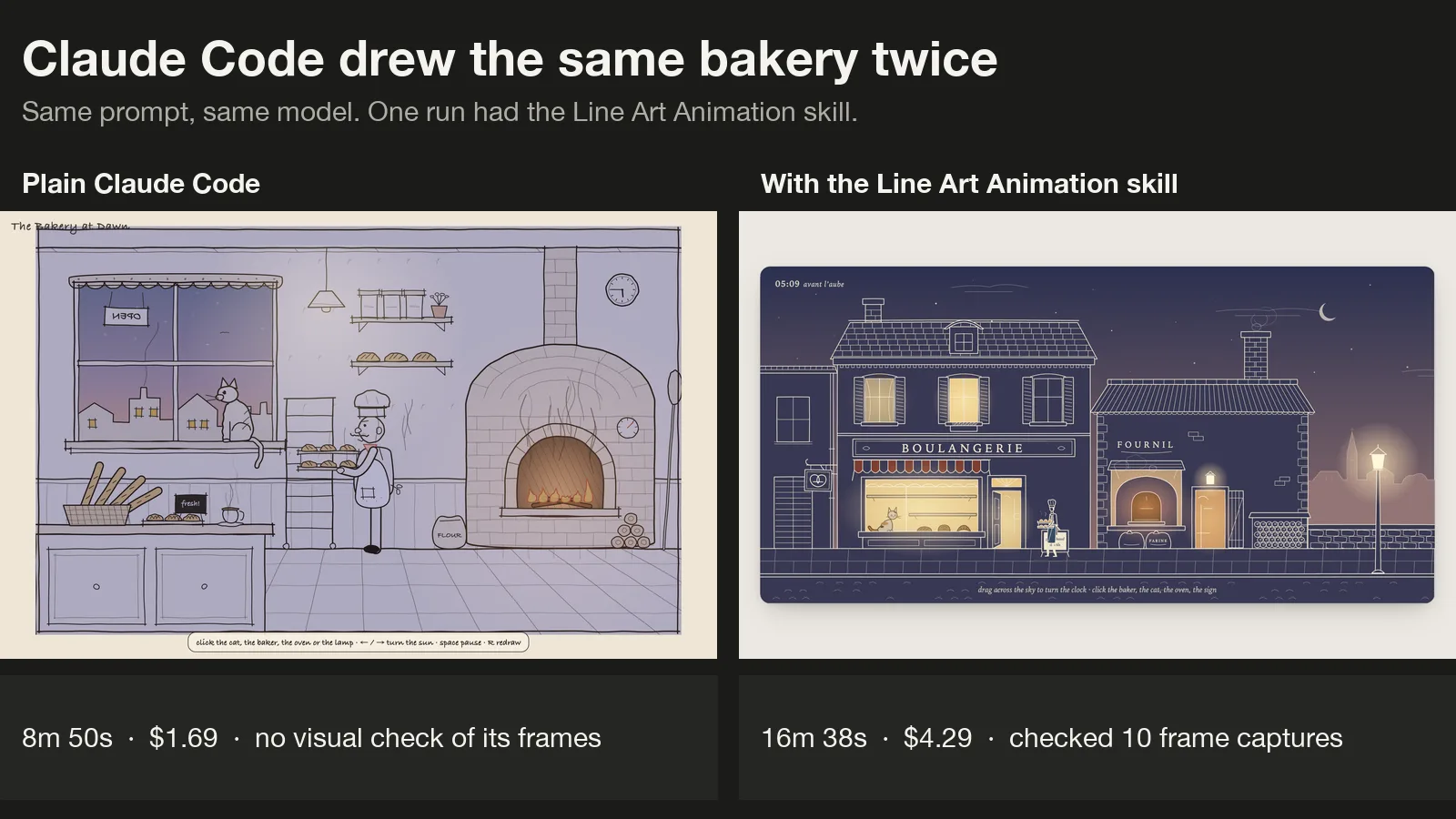
The skill delivered what it promises. Claude drew a consistent ink-style street with a real walk cycle, a cat that yawns and stretches when you click it, and a sky that turns from night to morning. It also looked at its own frames ten times in headless Chrome and fixed what it saw.
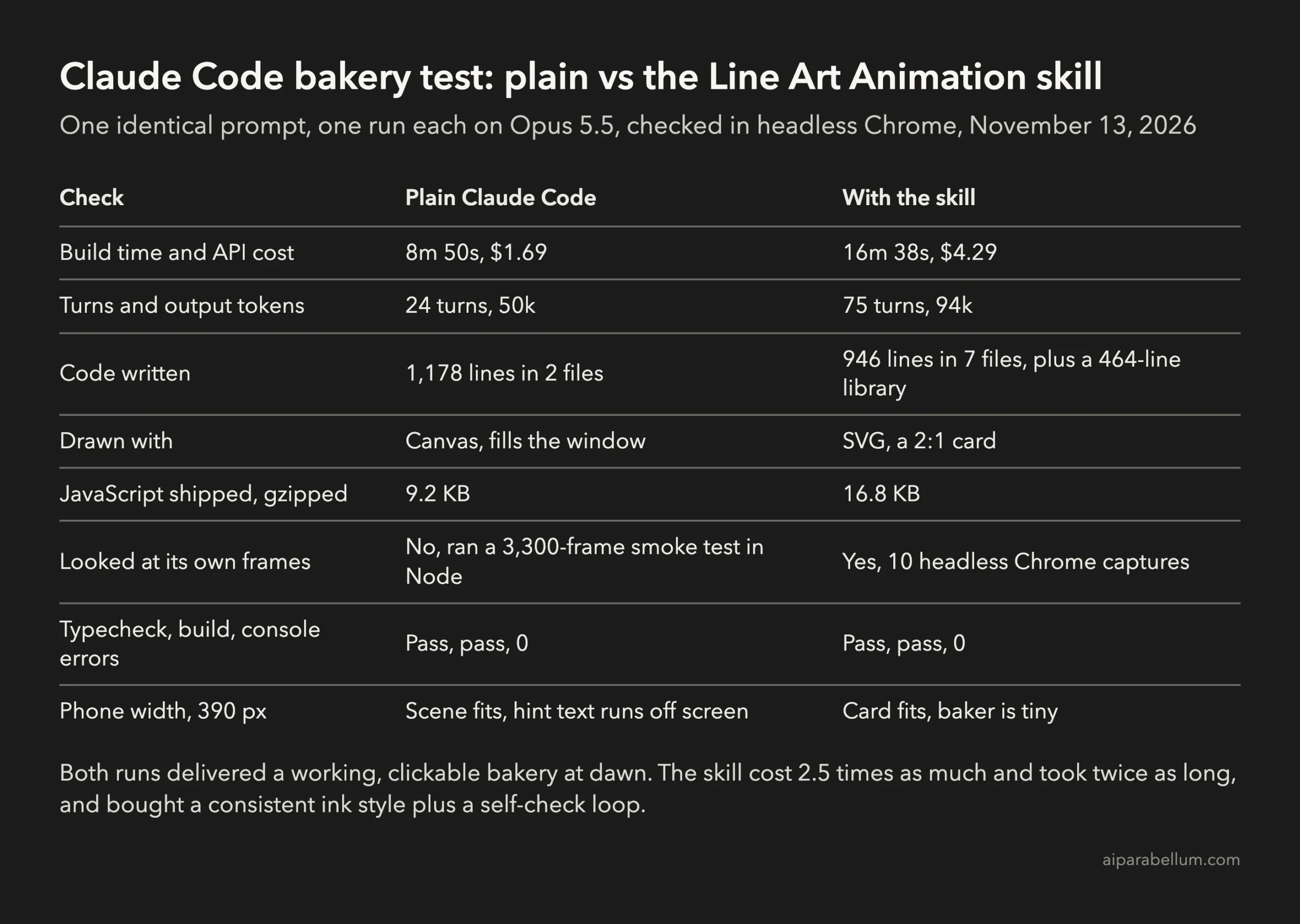
That care costs money. The skill run took 16 minutes 38 seconds and $4.29, against 8 minutes 50 seconds and $1.69 without it. Plain Claude drew a bolder, more cartoon-like kitchen with bigger characters that read better at a glance, but in our test it never looked at its own frames.
If you want reusable, crisp SVG illustrations in one consistent hand-drawn style, the skill is worth installing. For a quick, playful scene, plain Claude Code gets you most of the way for less than half the price.
What the Line Art Animation skill is
The skill lives in the line-art-animation GitHub repository. It is MIT licensed, was published on November 10, 2026, and passed 600 stars within days. It works as an Agent Skill, so Claude loads it only when your request matches its description.
The download is small, about 16 MB including demo GIFs. Inside you get four parts:
- A
SKILL.mdfile with the workflow and the style rules, plus six reference guides for style, motion, scenes, checking, matching a clip and video. - A library of four dependency-free TypeScript files:
ink.tsfor drawing,gait.tsfor walking and running,motion.tsfor springs and wind, anddaynight.tsfor the time-of-day colors. - Two examples: a single walking figure and a full village scene.
- Scripts that capture exact frames from headless Chrome, so Claude can check its work and you can turn a scene into video with ffmpeg.
The rules are unusually specific. Limbs are two open pen strokes, figures are faceless, feet must stay planted while walking, and clicks should feel like the world reacting rather than a button. The skill even lists what reviewers rejected in the past, such as a whole set of components “built in one go that all look alike.”
How to install the Line Art Animation skill in Claude Code
You need Node 22.18 or newer. Inside the project where you want animations, clone the repository into the project’s skills folder:
git clone --depth 1 https://github.com/JDhruv14/line-art-animation .claude/skills/line-art-animation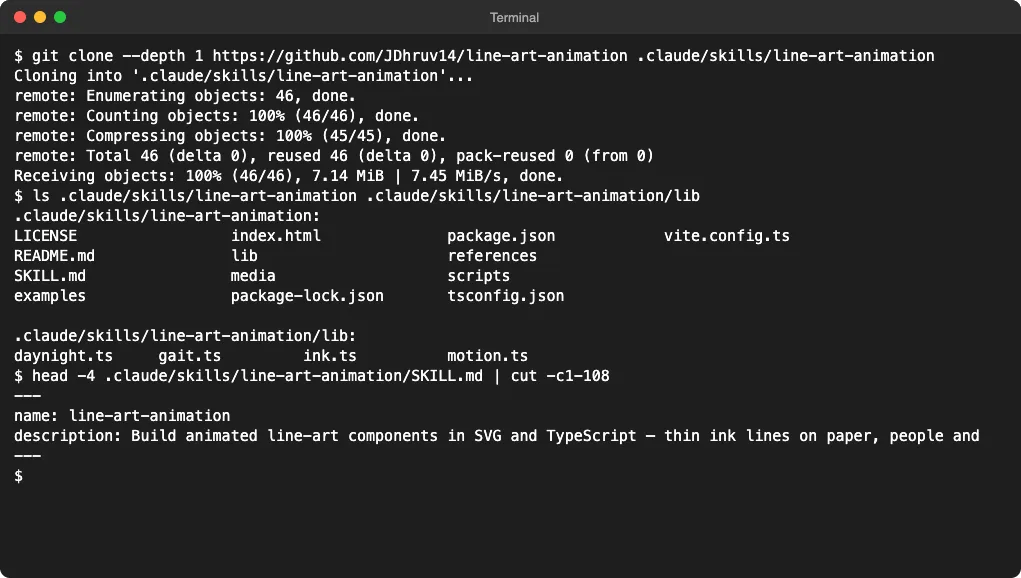
The README also offers ~/.claude/skills/, which makes the skill available in every project on your computer. We kept it at project level, so it only loads where you want line art. The Claude Code skills docs explain how both locations work.
Your project should use Vite and TypeScript, because that is what the skill expects. Then just ask in plain words, for example:
Make a line art animation of a bakery at dawn: a baker carrying trays, steam from the oven, a cat in the window.One tip from our run: Claude copies the skill’s library into your project, and copying out of the .claude folder triggered Claude Code’s safety prompts several times. If you copy lib/ into your project yourself first, you skip those prompts.
How we tested it
We made two identical, empty Vite and TypeScript projects in a throwaway folder. One had the skill in .claude/skills; the other had nothing extra. Claude Code got the bakery prompt above, word for word, with Opus 5.5 in both runs.
We added two lines to the prompt. Claude had to finish in one session without asking us questions, and npm run typecheck and npm run build had to pass. Web search and subagents were turned off.
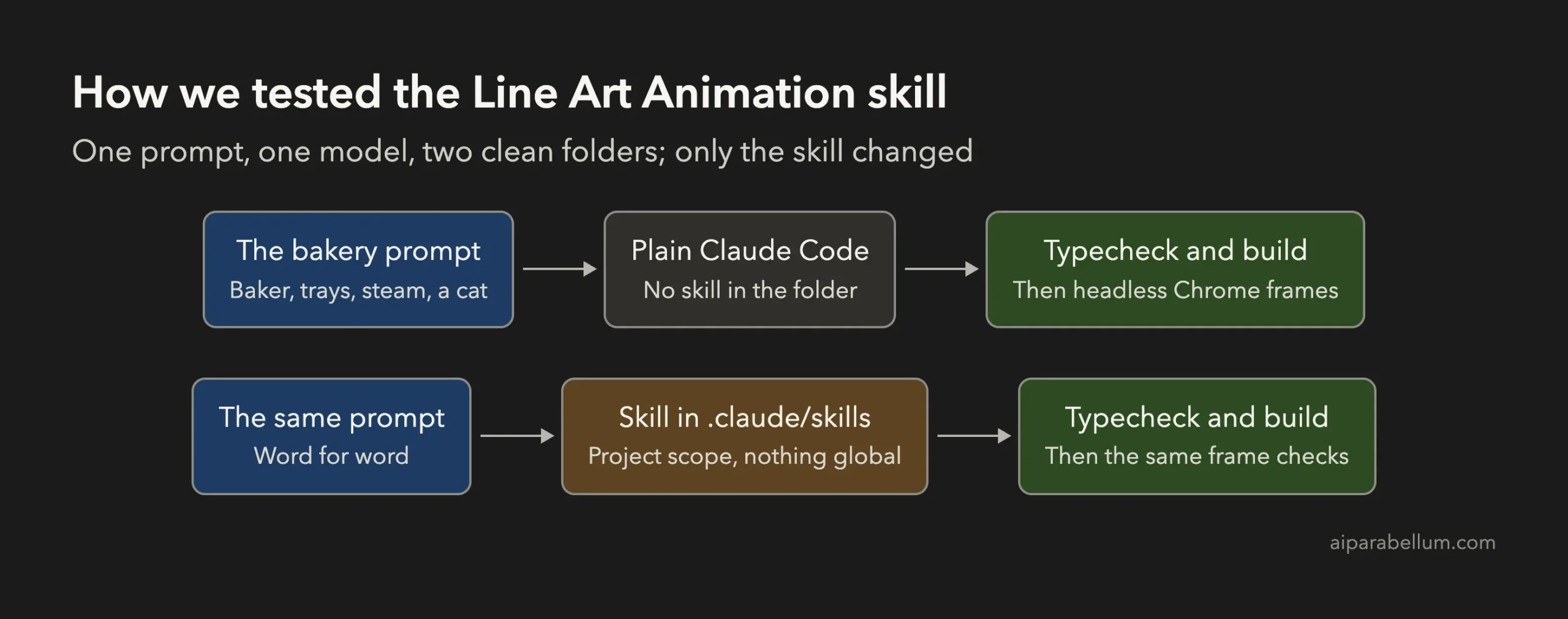
Afterward we served both builds and captured them ourselves in headless Chrome at 1280 px, at three times of day, at phone width and after clicking things.
What Claude built with the skill
Claude opened the skill, read its style and motion guides, studied both examples and copied the library into the project. Then it built a French street: a two-storey boulangerie with a striped awning, a bakehouse with a brick oven, a street lamp and a church spire in the distance.
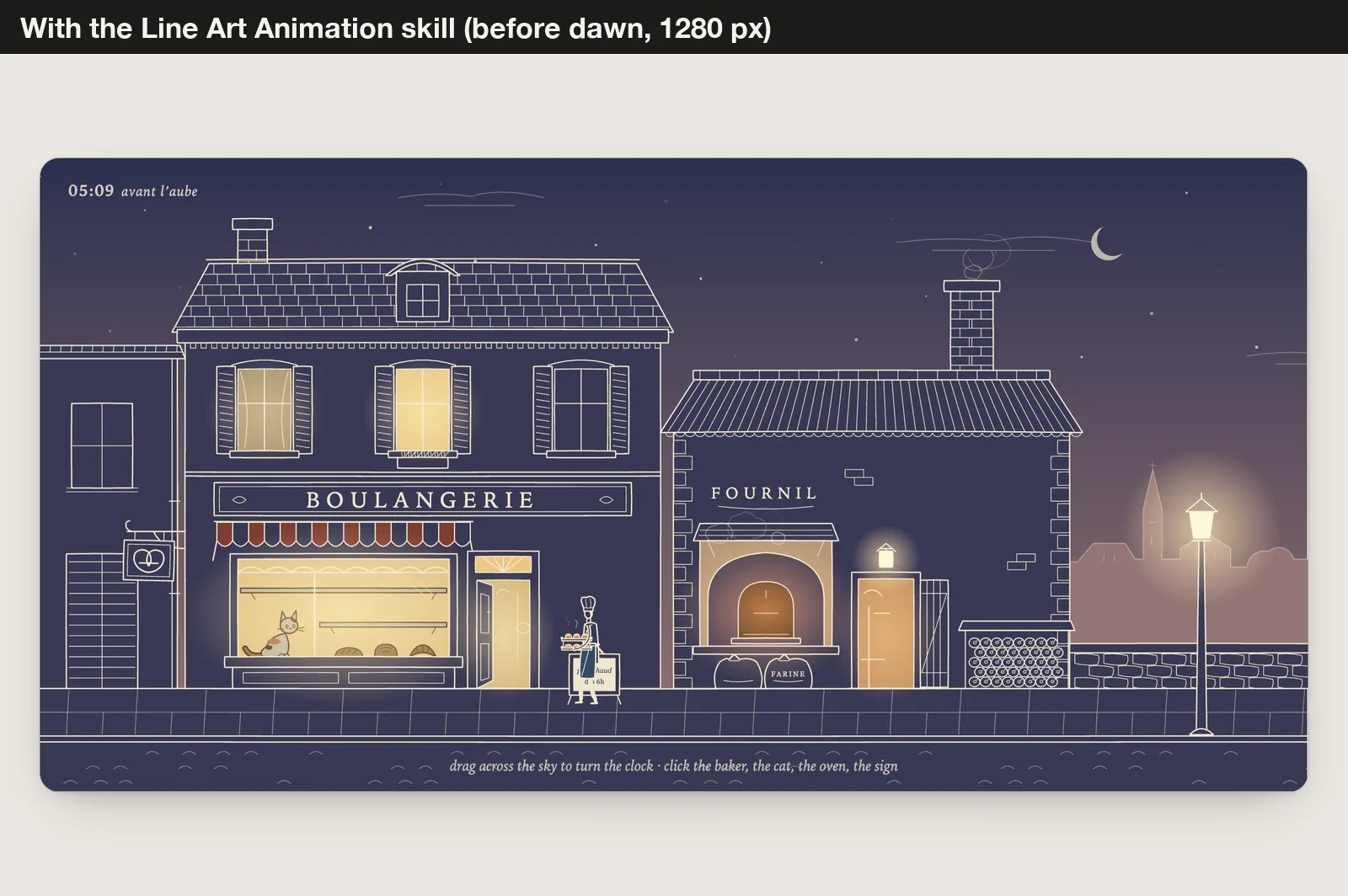
The baker walks out of the bakehouse with two trays of steaming rolls, carries them into the shop and comes back for more. The shop window fills with loaves over his first four trips, and the clock runs from 04:55 to about 08:30 over three minutes.
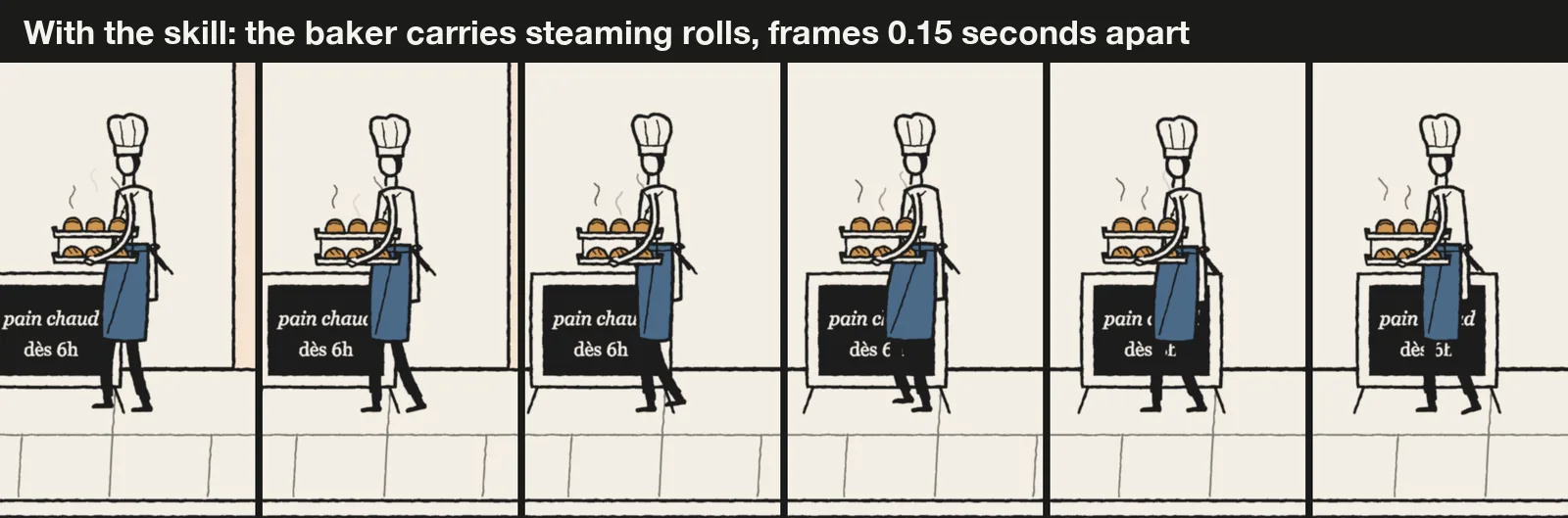
The most useful part was the self-check. After its first render, Claude wrote that the baker read too small, the chalkboard text overflowed and the log ends on the woodpile looked like smiley faces. It fixed all three, then added a debug zoom option so it could inspect the baker, the oven and the cat up close.
The interactions follow the skill’s rules: click the baker and he stops to nod, or click the oven and its door slides open in a puff of steam. Dragging across the sky moves the clock back and forth through dawn.
What plain Claude Code built
Without the skill, Claude chose an HTML canvas instead of SVG and wrote the whole scene in one 1,113-line file. It went inside the bakery: a big brick oven with flickering fire, shelves of bread, a window with the town outside and a backwards OPEN sign, since you see it from inside.
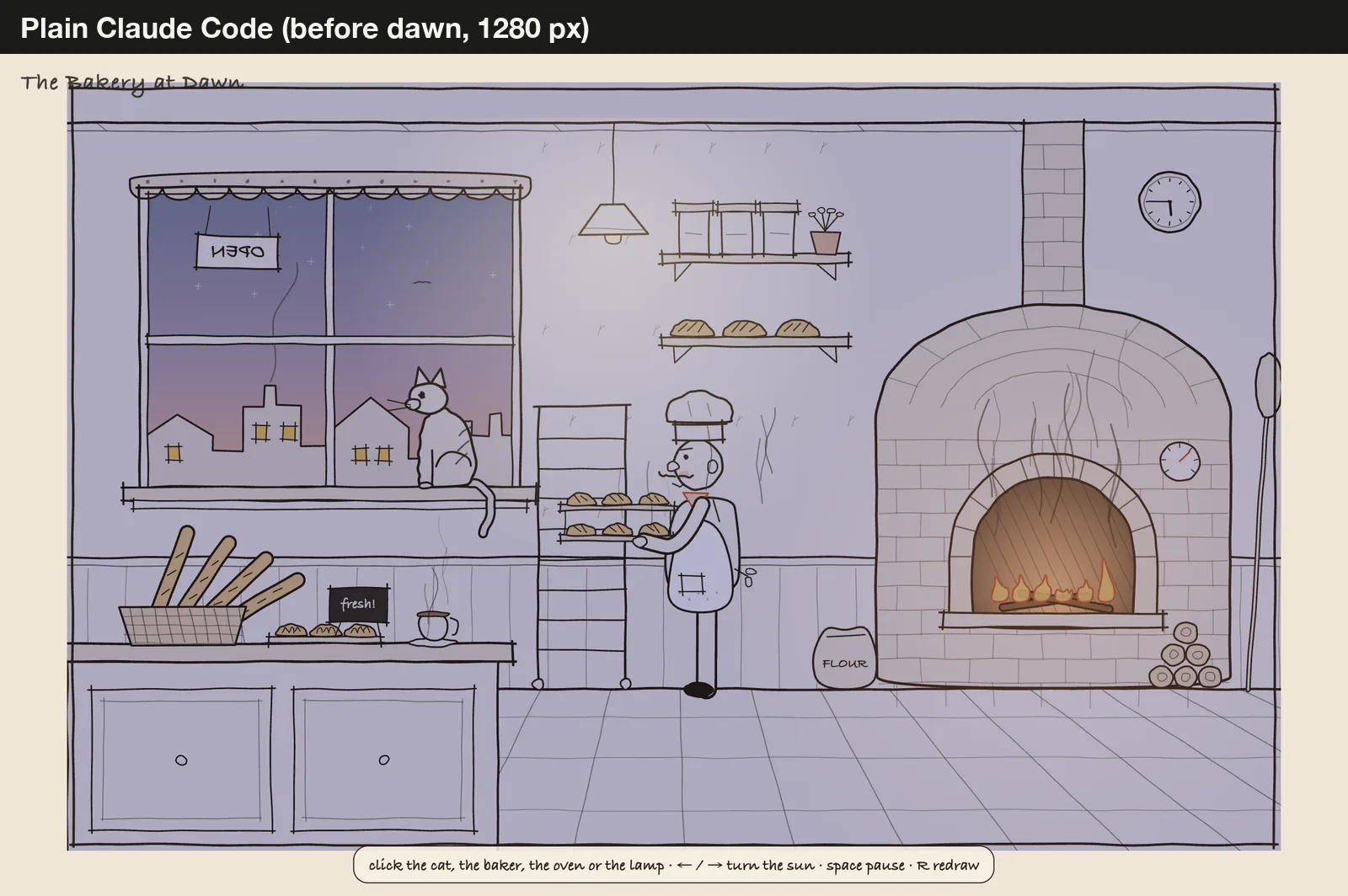
The baker carries raw dough to the oven and brings back golden loaves for a rack that slowly fills up. The sun rises over 80 seconds, and the wall clock moves forward with it.
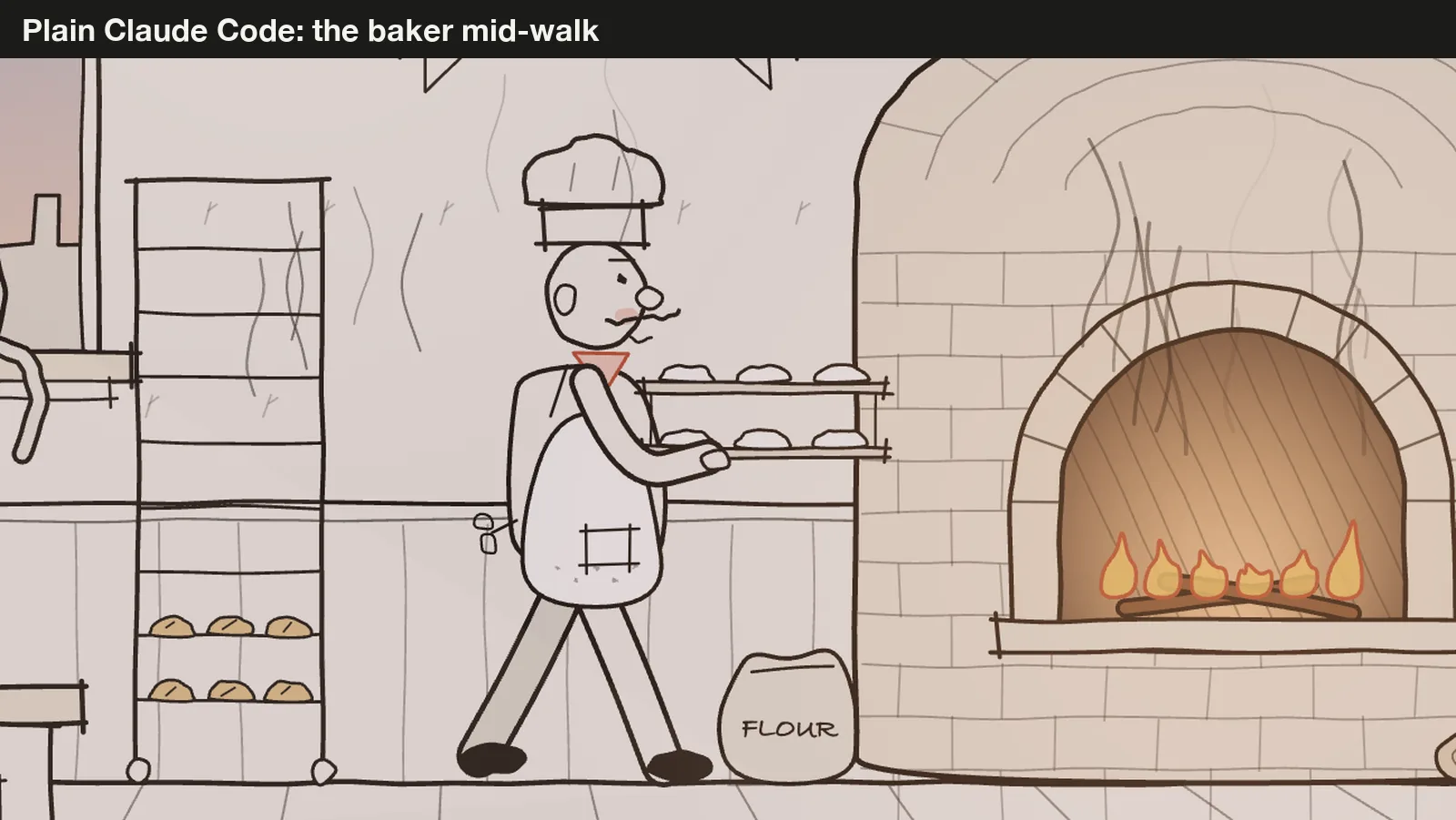
Here is the catch. Plain Claude tried to open Chrome to look at its work, but the permissions we set for the test blocked that. So it ran 3,300 frames in Node with a fake canvas to catch crashes and told us honestly that layout and colors still needed a look in a real browser.
To be fair, the skill could check its frames because it ships its own capture script, which our test allowed. In a normal session where you approve commands, plain Claude could have opened a browser too.
Side by side: dawn, the cat and phones
Both scenes move from night to morning, but in different ways. The skill flips the whole drawing from pale ink on indigo to dark ink on warm paper. The plain build keeps dark ink on paper and warms the light coming through the window.
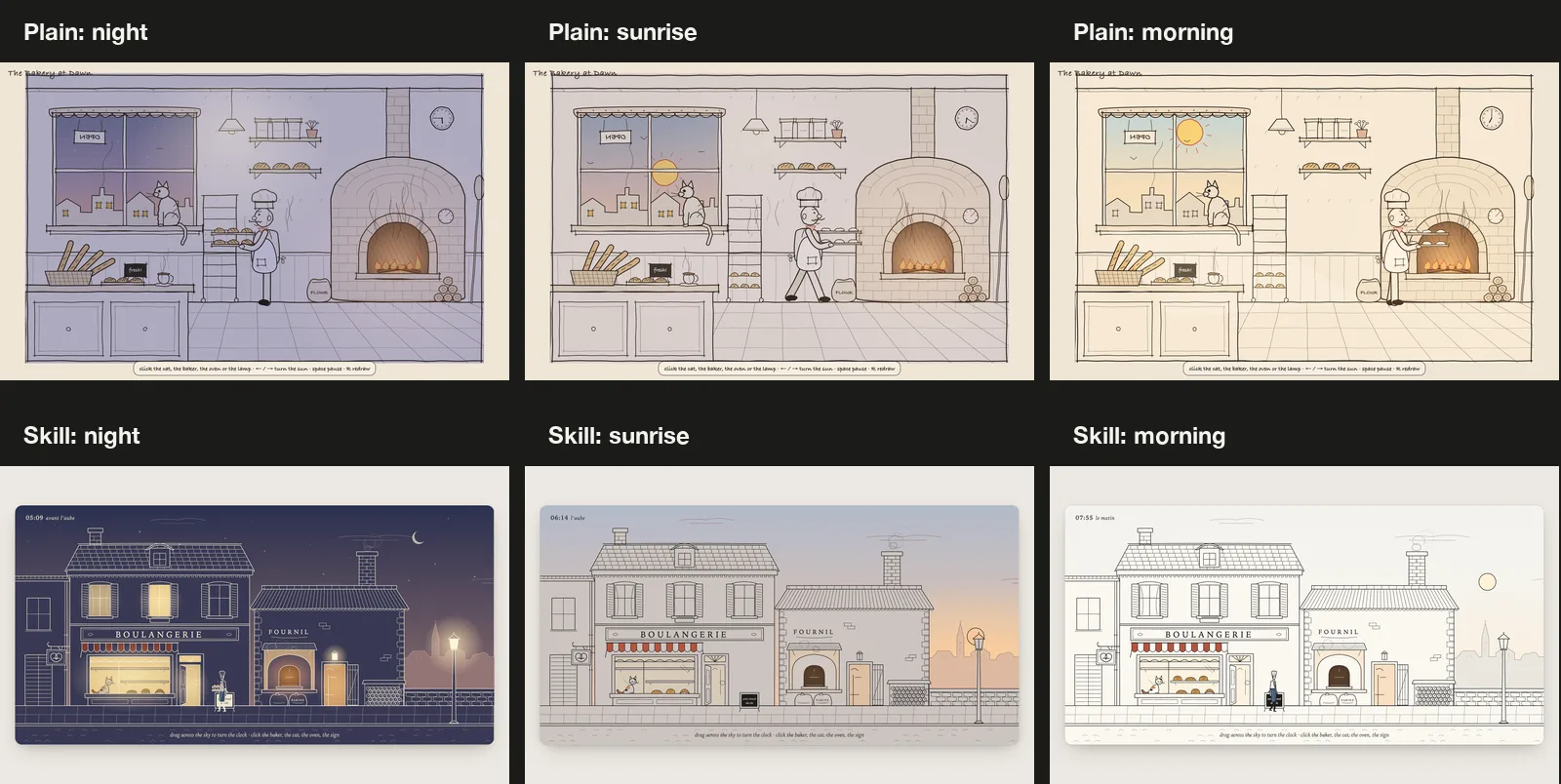
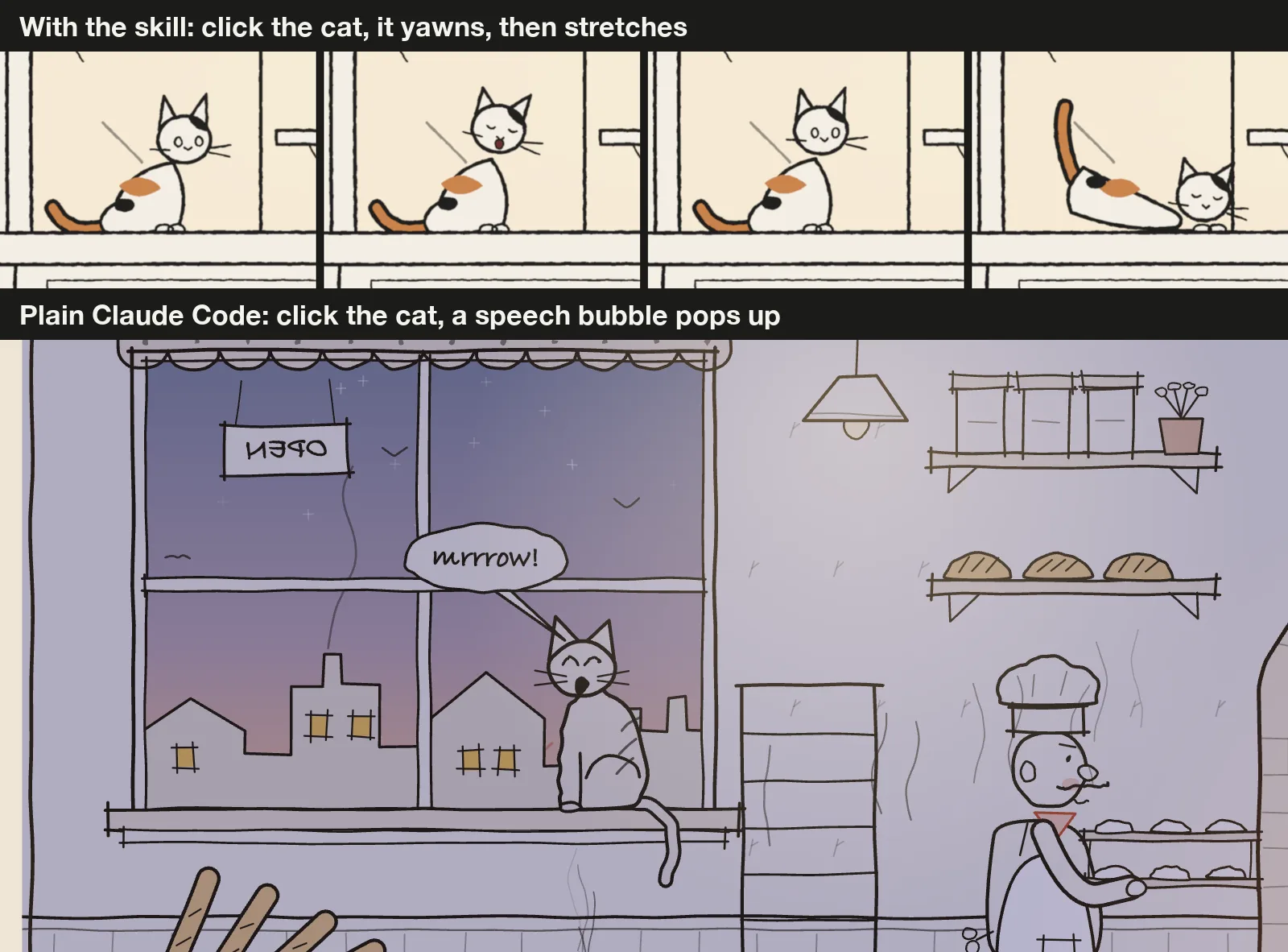
Clicking the cat shows the two philosophies best. The skill’s cat yawns, sits back, then stretches before settling down. The plain cat turns toward you with a “mrrrow!” speech bubble, which is fun but is exactly the kind of UI pop-up the skill’s rules avoid.
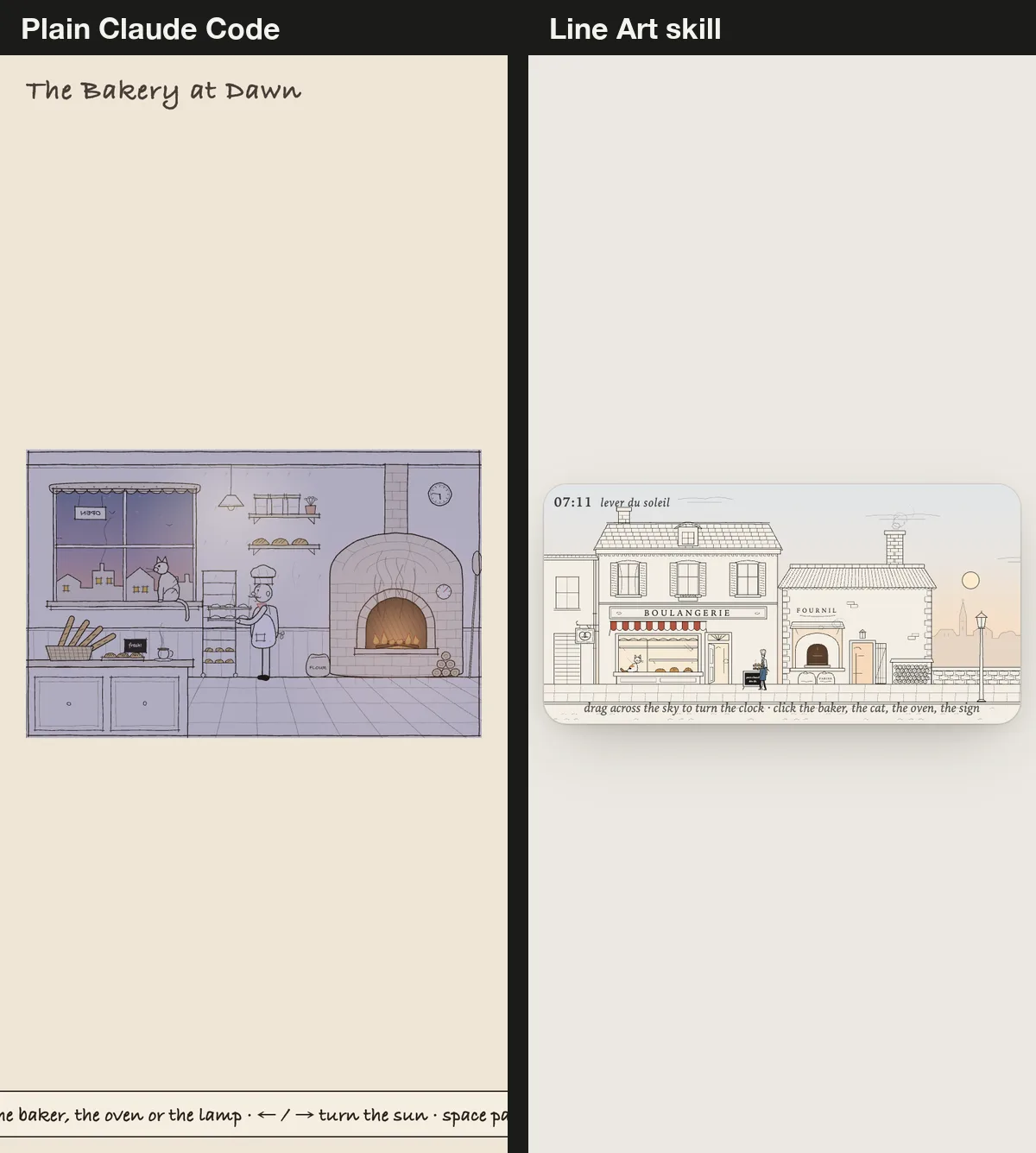
Neither build was made for phones, and it shows. At 390 px, the skill’s card shrinks to a thin strip where the baker is tiny. The plain scene fits, but its hint text runs off both edges of the screen.
The numbers behind the Line Art Animation skill test
| Check | Plain Claude Code | With the skill |
|---|---|---|
| Time and API cost | 8m 50s, $1.69 | 16m 38s, $4.29 |
| Turns and output tokens | 24 turns, 50k | 75 turns, 94k |
| Code written | 1,178 lines in 2 files | 946 lines in 7 files, plus the 464-line library |
| Drawn with | Canvas | SVG |
| JavaScript shipped, gzipped | 9.2 KB | 16.8 KB |
| Frame checks in Chrome | None (blocked in our test) | 10 captures |
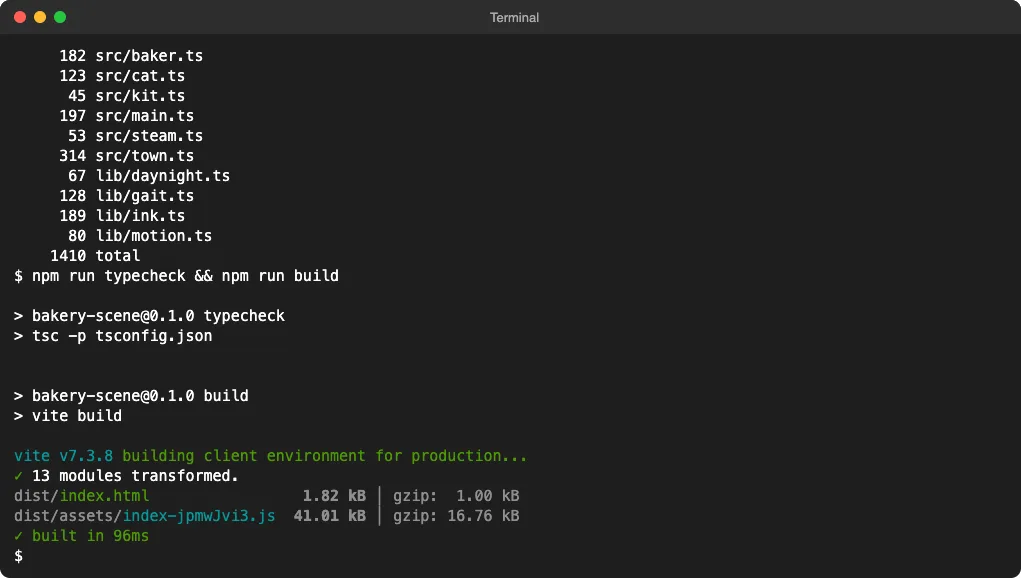
| Typecheck and build | Pass | Pass |
Both bundles are tiny, so size is not a reason to pick either one. The real trade is time and money for a consistent style and a built-in review loop.
Who should install it
Install the Line Art Animation skill if you want illustrations that live inside a real product, such as a landing page hero, an empty state or an onboarding card. SVG output stays sharp at any size, and the skill keeps every scene in the same pen, paper and proportions.
It also suits you if you care about motion details. Walk cycles, swinging signs and the cat’s stretch come from the library’s gait and spring helpers, not from random wiggles.
Skip it for a quick one-off doodle, or when you want characters with faces and speech bubbles. Plain Claude Code was faster, cheaper and more playful in our test. If you mostly need animation as video, our guide to HyperFrames for Claude Code and our roundup of video skills cover tools built for that.
For more ways to steer Claude’s visual work, see our list of UI design skills, our design skills test and the Meta Astryx test. If you like the hand-drawn look for diagrams, the Excalidraw MCP is another option, and the Skills Directory lists hundreds more.
What we did not test
Each build ran once through claude -p, so treat the time and cost as a rough guide. Because Claude could not ask us anything, the skill skipped its usual step of showing one figure and waiting for your approval. In an interactive session, expect it to pause there, which adds a round but catches style problems early.
We used the skill as published on November 10, 2026. We did not test matching a reference video clip, rendering a video with ffmpeg, the frame rate in a normal browser tab, or other scenes than the bakery.
Final verdict
The Line Art Animation skill turns Claude Code into a careful illustrator. With it, Claude drew a coherent, crisp SVG street with believable motion and checked its own frames, at about 2.5 times the cost and twice the time of a plain run. Without it, Claude still made a charming, working bakery, just in a looser cartoon style and without looking at the result. If a consistent hand-drawn look matters to your product, install the skill at project level and let it do its checks. Find more hands-on tests in our Claude Code tutorials.