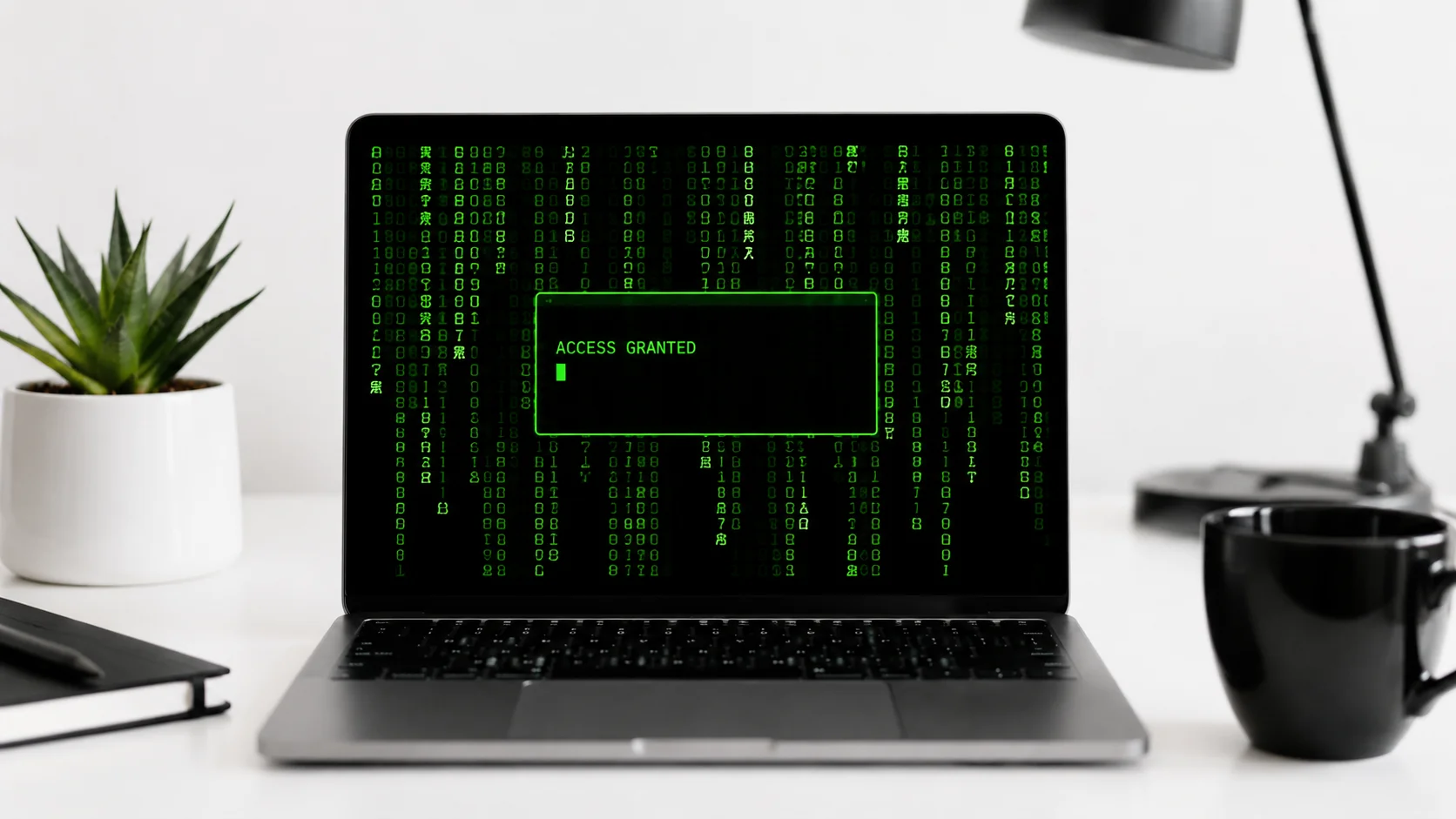
You have seen it a hundred times. A character in a movie sits down at a computer, types furiously for ten seconds, and suddenly they have bypassed the Pentagon’s firewall. Green text cascades down a black screen. A progress bar fills up. The words “ACCESS GRANTED” flash across the monitor. The audience gasps.
Real hacking looks nothing like that. It involves hours of staring at log files, writing scripts, and waiting for processes to run. But the movie version is undeniably fun, and that is exactly why online matrix sites exist.
These websites let you recreate the dramatic hacking scenes from movies right in your browser. Type anything on your keyboard and watch realistic-looking code scroll across the screen. They are perfect for pranks, content creation, presentations, or just killing time while feeling like a Hollywood hacker.
What Are Online Matrix Hacking Simulators
Online matrix hacking simulators are websites that turn your browser into a fake hacking terminal. They display scrolling code, matrix-style green characters, system access animations, and other visual effects that mimic how hacking appears in movies and TV shows.
None of these sites perform any actual hacking. They are purely visual tools that create the illusion of hacking through pre-programmed animations and keystroke effects. Every key you press generates lines of realistic-looking code, terminal commands, or data streams regardless of what you actually type.
These simulators have become popular for several legitimate uses beyond just entertainment. Content creators use them as visual backgrounds for tech-themed videos. Teachers use them to engage students in cybersecurity lessons. Presenters use them to add dramatic flair to tech demonstrations. And plenty of people just use them to prank their coworkers.
The gap between how hacking works in movies and how it works in reality is enormous. These simulators lean into the fantasy version, and that is exactly what makes them fun.
Top Online Matrix Sites for Fake Hacking
Several websites offer hacking simulator experiences, each with different features, visual styles, and customization options. Here are the standout options worth trying.
Hacker Prank Simulator Screen
The Hacker Prank Simulator Screen is a feature-rich hacking simulator that offers multiple visual modes and effects. It combines the classic green-on-black terminal look with additional animations like progress bars, file download simulations, and system breach sequences.
What sets this simulator apart is its variety of pre-built scenarios. You can simulate a network breach, a file decryption sequence, or a database access event. Each scenario plays out with realistic-looking terminal output that would convince anyone glancing at your screen that something serious is happening.
The interface is clean and works well in full-screen mode, making it ideal for screen recordings, video backgrounds, or setting up a convincing prank at the office.
Hacker Typer
Hacker Typer delivers the classic hacking simulator experience with a focus on simplicity and speed. Open the page, start typing, and watch actual source code scroll across your screen with every keystroke. It does not matter what keys you press. The output always looks like you are writing complex code at superhuman speed.
The tool pulls from real programming code to display on screen, which gives it an authentic feel that random character generators cannot match. The dark terminal background and monospace font complete the movie-hacker aesthetic.
It works particularly well for quick pranks because there is zero setup required. Open the URL, go full screen, and start typing. Within seconds, anyone watching will think you are deep inside a system.
Typing Hacker
The Typing Hacker from WebUtility takes a slightly different approach by combining hacker-style typing effects with additional utility features. It generates convincing terminal output as you type, complete with syntax highlighting and realistic command structures.
This tool is especially useful for content creators who need hacking visuals for thumbnails, video intros, or social media posts. The visual output looks polished enough to use in professional content without appearing obviously fake to casual viewers.
The clean design and responsive interface make it work smoothly on both desktop and mobile browsers, which is a plus if you want to show off your “hacking skills” from a phone or tablet.
Comparing the Hacking Simulators
| Feature | Hacker Prank Simulator | Hacker Typer | Typing Hacker |
|---|---|---|---|
| Visual Style | Multiple themes and scenarios | Classic green terminal | Modern terminal with highlighting |
| Setup Required | Minimal, choose a scenario | None, instant start | None, instant start |
| Full Screen Mode | Yes | Yes | Yes |
| Mobile Friendly | Yes | Yes | Yes |
| Pre-built Scenarios | Multiple hacking sequences | Single code stream | Single typing mode |
| Best For | Elaborate pranks and videos | Quick pranks | Content creation |
| Sound Effects | Available | Keyboard sounds | Optional |
Each tool has its strengths. For a quick laugh, Hacker Typer gets you there fastest. For more elaborate setups with multiple visual effects, Hacker Prank Simulator offers the most variety. For polished visuals suitable for content, Typing Hacker delivers a clean experience.
Why Movie Hacking Looks Nothing Like Real Hacking
Hollywood has created an entire visual language around hacking that bears almost no resemblance to reality. Understanding why makes these simulators even more entertaining.
In movies, hacking is visual, fast, and dramatic. Screens fill with scrolling code, 3D visualizations of network architectures spin around, and firewalls appear as literal walls that crumble when breached. The hacker types at impossible speed while dramatic music plays. Everything happens in real time, usually under pressure from a countdown timer.
Real hacking involves research, patience, and a lot of waiting. A penetration tester might spend days reading documentation, testing configurations, and writing custom scripts before finding a vulnerability. The actual “breach” often looks like a single command returning an unexpected result in a plain text terminal. No green cascading characters. No dramatic sound effects. No spinning 3D cubes.
If real hacking looked like it does in movies, every cybersecurity professional would need sunglasses to protect their eyes from all the glowing green text on their screens.
Famous Movie Hacking Scenes These Simulators Recreate
The visual style of these simulators draws directly from some of the most iconic hacking scenes in movie history.
- The Matrix (1999) popularized the cascading green character effect that became synonymous with hacking. The “digital rain” falling down the screen is now the default visual language for anything computer-related in pop culture.
- WarGames (1983) showed an early version of the movie hacker, with a teenager accidentally connecting to a military supercomputer. The terminal-based interface in that film directly inspired the look of modern hacking simulators.
- Hackers (1995) took the visual absurdity to its peak with 3D cityscapes representing computer systems and hackers literally flying through data. It is ridiculous and beloved in equal measure.
- Swordfish (2001) featured a scene where a hacker builds a worm while receiving a distraction, with multiple monitors showing rapidly scrolling code. The multi-screen setup became a hacking movie staple.
- Mr. Robot (2015-2019) broke the mold by showing relatively realistic hacking, earning praise from actual cybersecurity professionals for getting the technical details right.
These simulators let you recreate the dramatic moments from these films without needing any actual technical knowledge. The appeal is pure entertainment and nostalgia.
Creative Uses for Hacking Simulators
Beyond pranks, these online matrix sites have surprisingly practical applications.
Content Creation and Video Production
YouTubers and TikTok creators use hacking simulators as visual B-roll for tech-related content. A screen recording of scrolling code makes an engaging background for voiceover content about technology, cybersecurity, or programming. Content creation tools combined with these simulators can produce professional-looking tech content quickly.
Presentations and Demos
Tech presenters sometimes open talks with a hacking simulator running in the background to set the mood. It is an effective attention-grabber, especially for presentations about cybersecurity, data protection, or AI threat detection topics. The visual drama draws the audience in before the real content begins.
Education and Awareness
Teachers and cybersecurity trainers use these simulators to demonstrate what hacking looks like in movies versus reality. It is a memorable way to start a lesson about online safety, social engineering, or digital literacy. The contrast between the simulator and actual security tools makes the educational point stick.
Pranks and Fun
The original and still most popular use case. Open a hacking simulator on a coworker’s unlocked computer, go full screen, and walk away. The reactions when they return are worth the setup every time. For even more fun, add a fake “ACCESS GRANTED” popup that appears after a few seconds of typing.
The best office prank is one that looks impressive, causes no harm, and gives everyone a laugh. Hacking simulators check all three boxes.
How to Get the Most Realistic Hacking Effect
If you want to maximize the realism of your fake hacking session, follow these tips.
- Always use full-screen mode. Browser chrome and bookmarks bars immediately break the illusion. Press F11 or use the browser’s full-screen option before starting.
- Turn down the room lights. The green-on-black color scheme looks most dramatic in a dim environment, just like in the movies.
- Type with confidence. Hesitant, hunt-and-peck typing does not look like movie hacking. Type quickly and deliberately, even though the output has nothing to do with what you are pressing.
- Keep a straight face. The most convincing prank happens when you look serious and focused, not when you are grinning at your own joke.
- Add multiple monitors if possible. Nothing says “elite hacker” like three screens all showing different streams of code simultaneously.
- Use keyboard sounds. Some simulators include typing sound effects that add another layer of realism. If yours does not, the natural sound of your keyboard works fine.
Are Hacking Simulators Safe to Use
Yes, these simulators are completely safe. They run entirely in your browser and do not access any systems, networks, or data. They do not install anything on your computer. They do not send or receive any actual commands. The “code” displayed on screen is either pre-written snippets or randomly generated text designed to look technical.
That said, use common sense about where and when you run them. Using a hacking simulator on your own devices at home or work for fun is perfectly fine. Running one in a public place like an airport or coffee shop might attract unwanted attention from people who do not realize it is a simulation.
Similarly, do not use these simulators to impersonate actual cybersecurity threats or to scare people into thinking they have been hacked. Keep it fun and light. Scaring someone with a fake ransomware screen crosses the line from prank to cruelty.
The Technology Behind Matrix Effects
The classic matrix rain effect that these simulators use is surprisingly simple from a technical standpoint. It works by generating random characters from the Japanese katakana alphabet, Latin letters, and numbers, then animating them to fall down the screen in columns at varying speeds.
Most implementations use HTML5 Canvas or CSS animations to render the effect smoothly in modern browsers. The green color (specifically the bright green hex code #00FF00 or variations) was chosen by the Wachowskis for The Matrix because it mimicked the monochrome green phosphor monitors that were common in early computing.
Modern hacking simulators have evolved beyond simple matrix rain. They incorporate syntax-highlighted code snippets, animated progress bars, fake IP addresses, mock file system trees, and simulated network scans. All of these are generated client-side using JavaScript with no server interaction required.
Conclusion
Online matrix sites that mimic hacking in movies turn your browser into a Hollywood-style hacking terminal in seconds. Whether you use the Hacker Prank Simulator Screen for elaborate scenarios, Hacker Typer for instant code-streaming fun, or Typing Hacker for polished content creation visuals, each tool delivers the dramatic hacking experience that Hollywood made famous. They are safe, free, require no technical knowledge, and guarantee at least a few laughs or impressed reactions. Real hacking may be boring to watch, but the movie version never gets old.