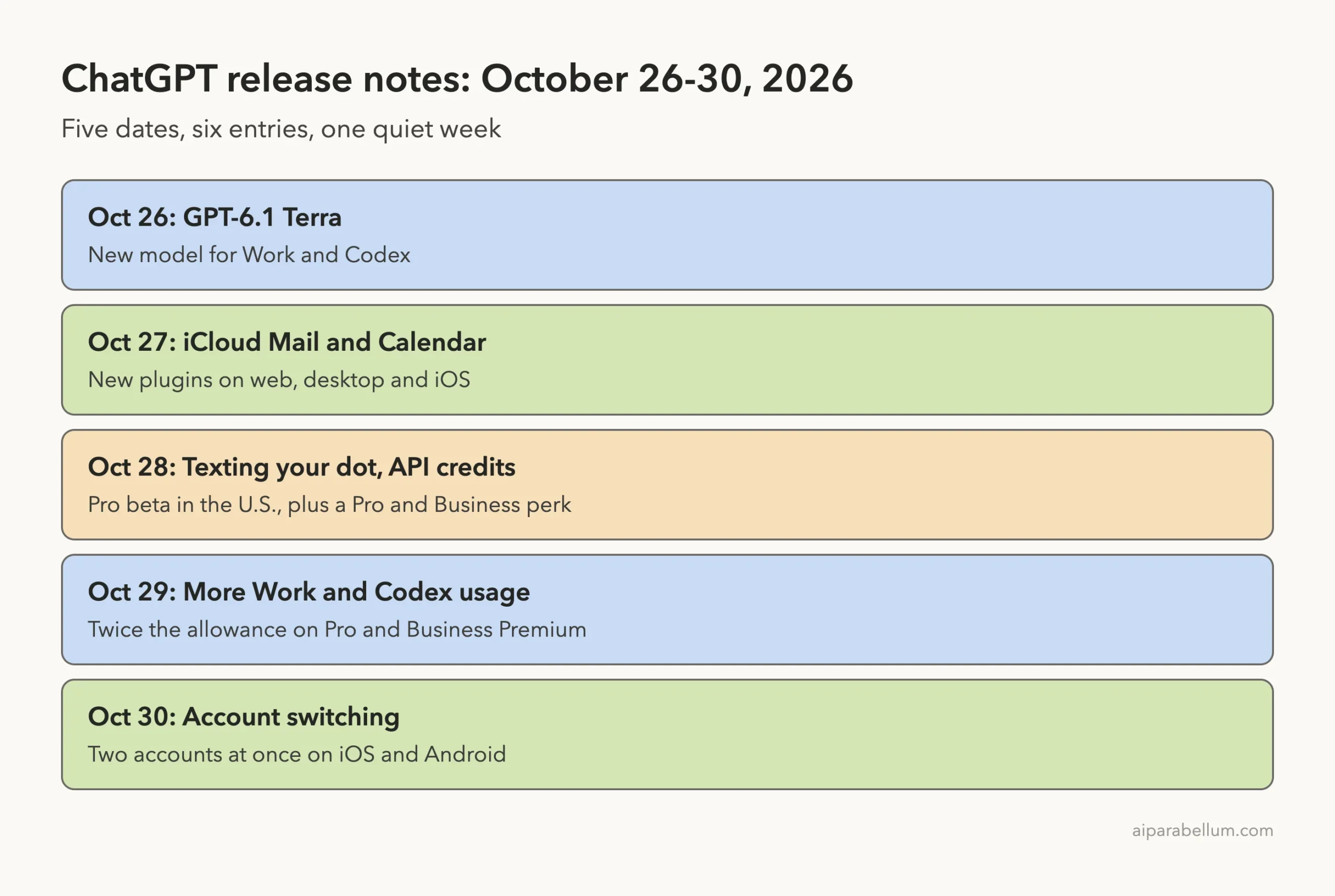
If you want to know what’s new in ChatGPT this week, here is the short answer: a new model for Work and Codex, iCloud plugins, texting for your dot, more usage on Pro plans, and account switching on phones. OpenAI’s official release notes list six entries across five dates, from October 26 to October 30, 2026.
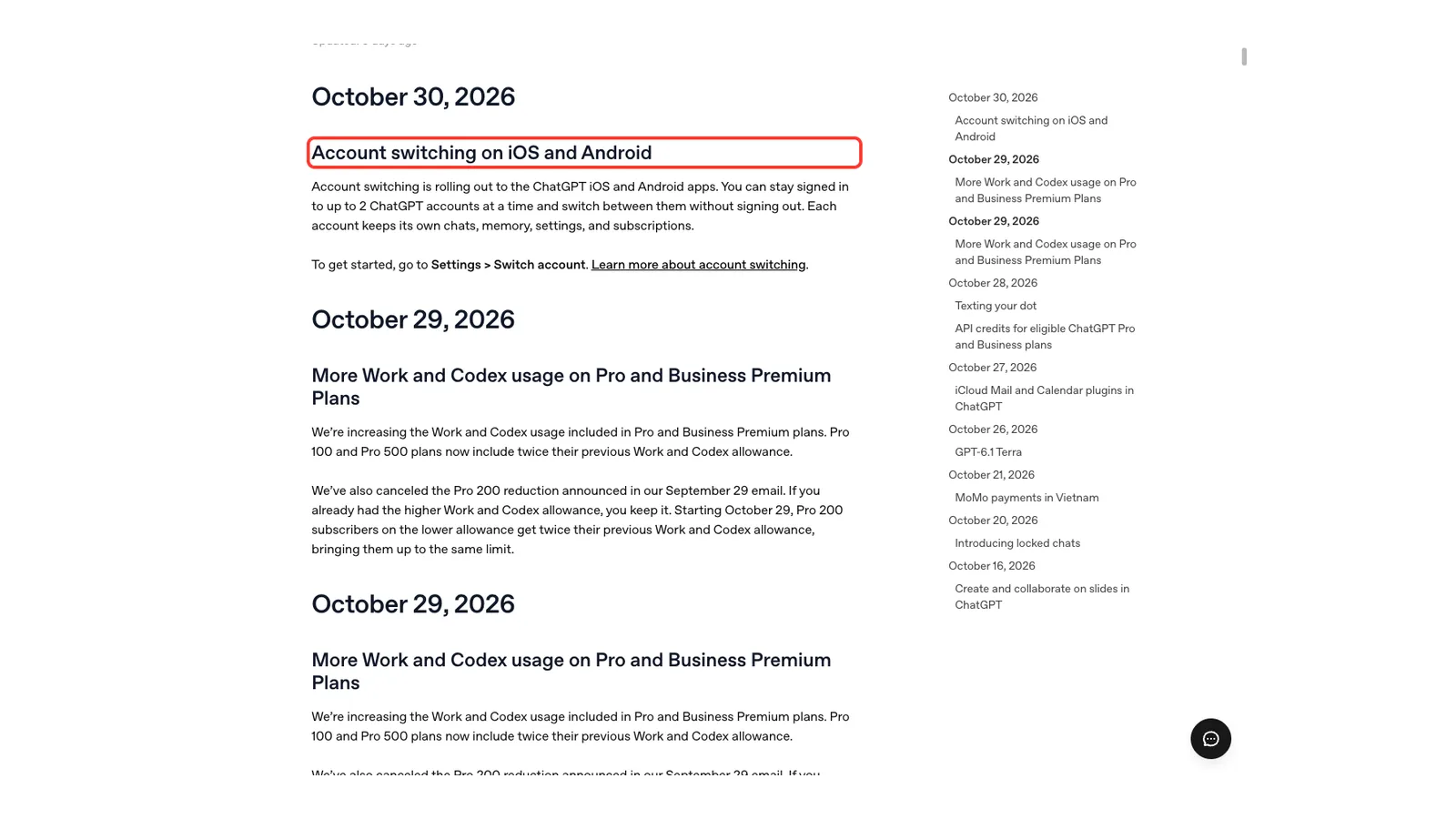
We read the release notes and then opened the help articles they link to, so the details below come from OpenAI’s own pages and nothing else. We could not use ChatGPT’s own screens for this roundup, so the screenshots are highlighted captures of the official pages.
You can find more of our coverage on our ChatGPT tool page. If you missed last week, see our previous ChatGPT roundup.
What’s New in ChatGPT: The Week at a Glance
Here is every entry the release notes dated inside the week, with who gets it and where.
| Date | Change | Who gets it | Where |
|---|---|---|---|
| October 26 | GPT-6.1 Terra | Plus, Pro, Business, Enterprise and Edu | Work and Codex |
| October 27 | iCloud Mail and Calendar plugins | All ChatGPT plans | Web, desktop app and iOS |
| October 28 | Texting your dot (beta) | Pro users in the U.S. | iMessage or RCS |
| October 28 | API credits | Eligible Pro and Business plans | ChatGPT billing and the API Platform |
| October 29 | More Work and Codex usage | Pro and Business Premium plans | Work and Codex |
| October 30 | Account switching | Rolling out to users | iOS and Android apps |
The release notes also show older entries, such as locked chats and MoMo payments, and those fall in earlier weeks. We keep this roundup to what landed between October 26 and November 1.
The biggest change for most people is account switching, while power users get a new model and a bigger allowance.
New in ChatGPT: GPT-6.1 Terra Arrives in Work and Codex
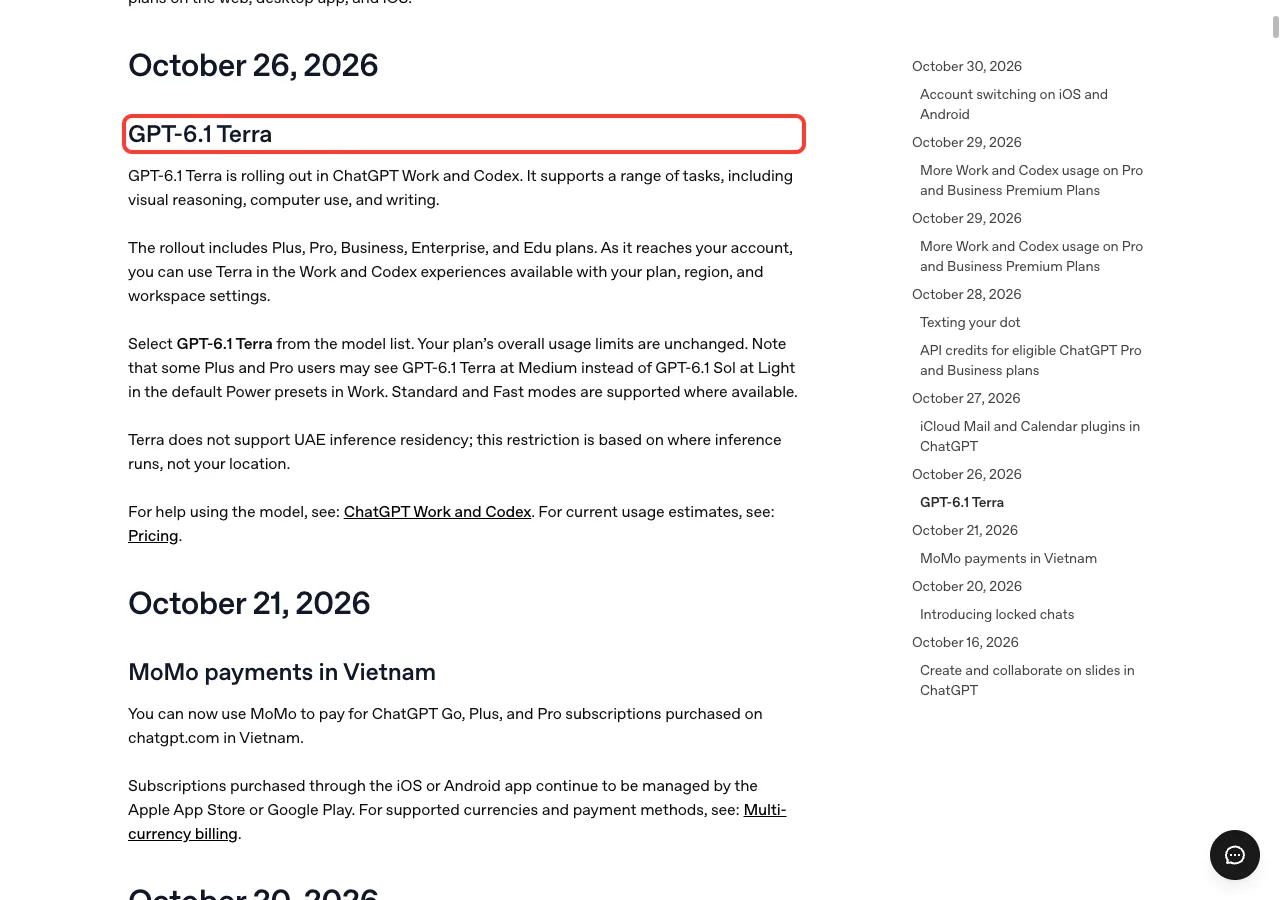
On October 26, OpenAI said GPT-6.1 Terra is rolling out in ChatGPT Work and Codex. The note says it supports a range of tasks, including visual reasoning, computer use and writing.
Who gets Terra
The rollout includes Plus, Pro, Business, Enterprise and Edu plans. As it reaches your account, you can use Terra in the Work and Codex experiences that your plan, region and workspace settings allow.
To try it, select GPT-6.1 Terra from the model list. Your plan’s overall usage limits are unchanged, and Standard and Fast modes are supported where available.
Things to know before you switch
Some Plus and Pro users may see Terra at Medium instead of GPT-6.1 Sol at Light in the default Power presets in Work. That is a change in what the preset shows, not a change to your limits.
The note also says Terra does not support UAE inference residency. This is based on where inference runs, not where you are located.
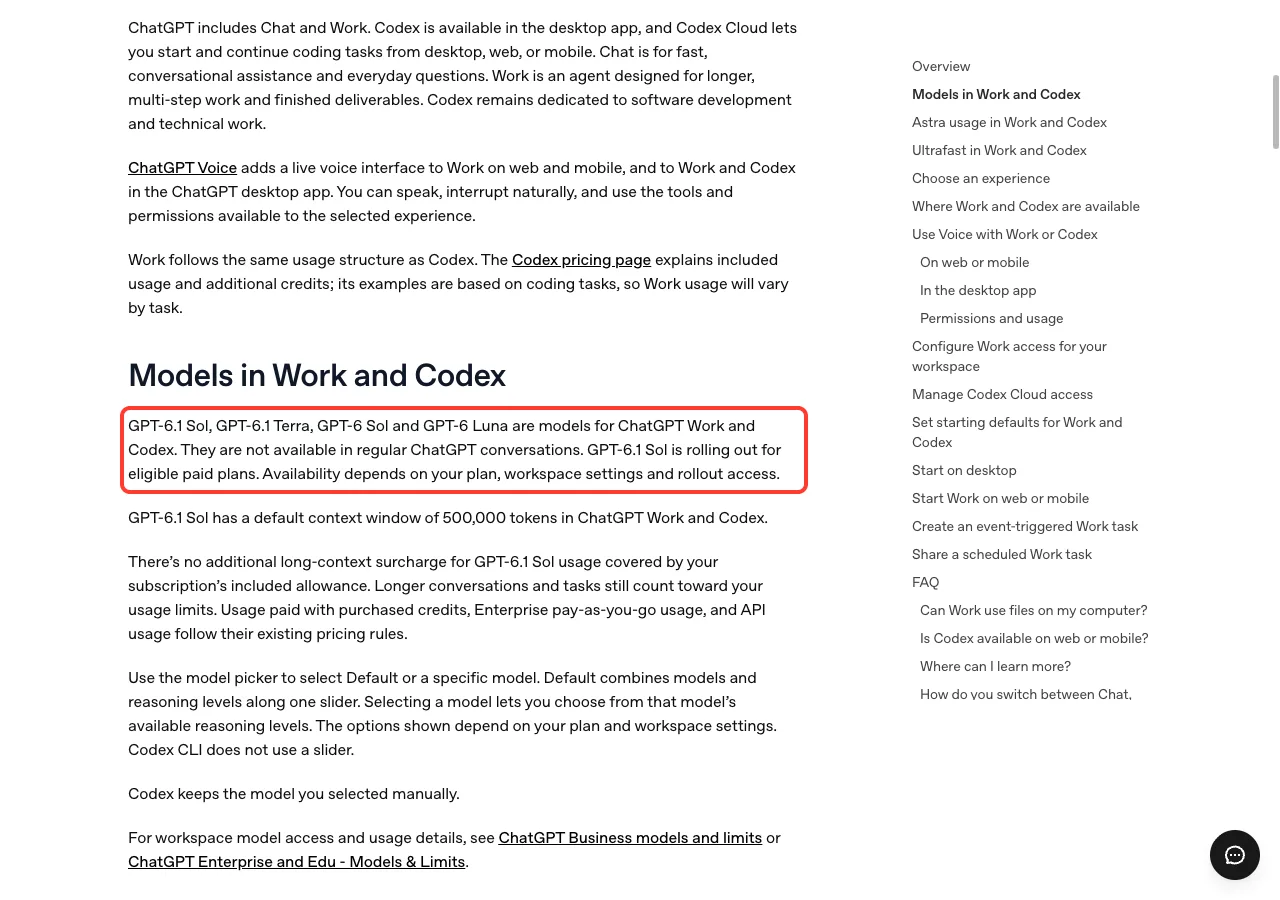
That help article adds an important point. GPT-6.1 Sol, GPT-6.1 Terra, GPT-6 Sol and GPT-6 Luna are models for Work and Codex, and they are not available in regular ChatGPT conversations. So if you only use Chat, you will not see Terra in your picker.
iCloud Mail and Calendar Plugins
On October 27, iCloud users got a way to connect Mail and Calendar to ChatGPT. According to the note, you can find emails, catch up on your inbox, check your schedule and update calendar events.
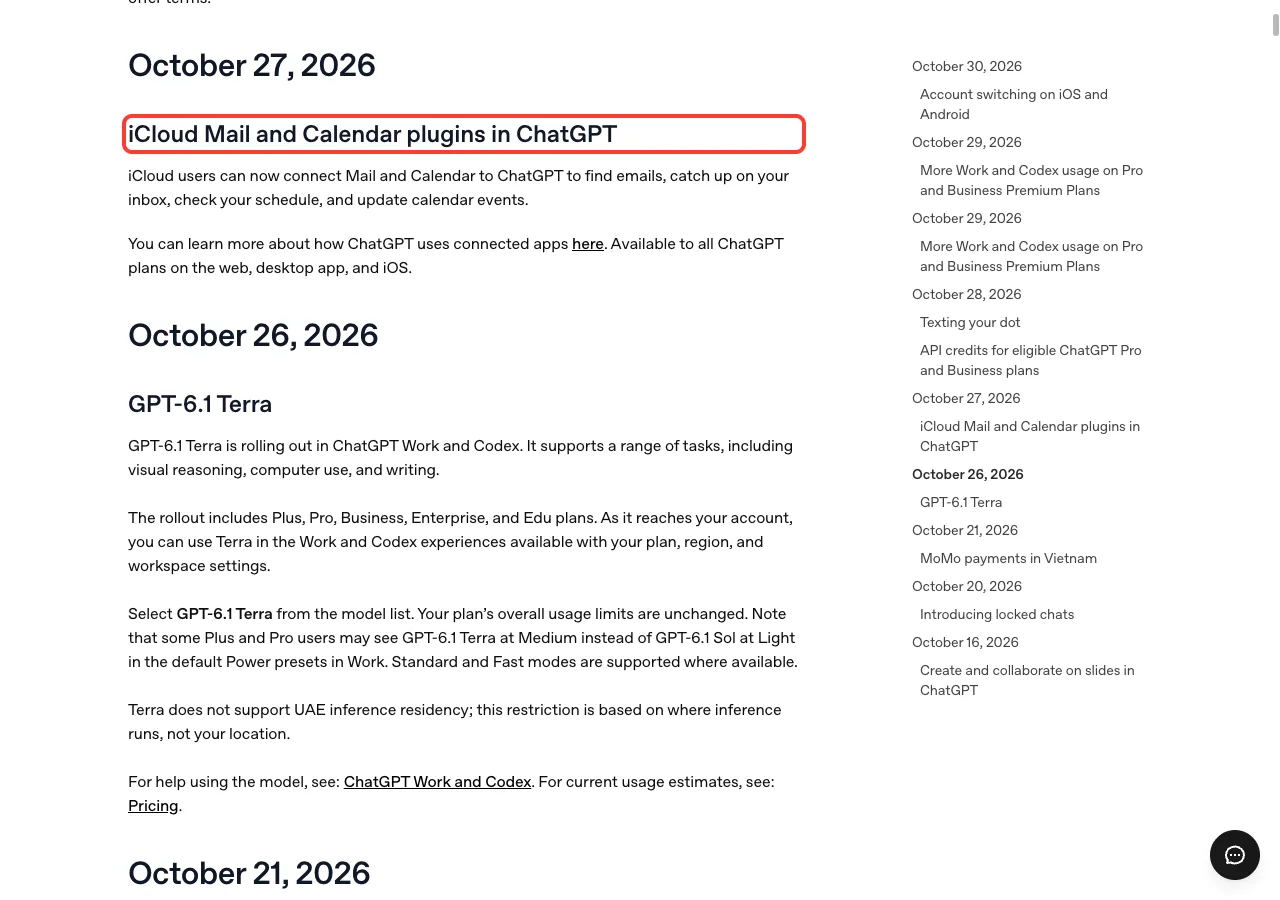
The plugins are available to all ChatGPT plans on the web, in the desktop app and on iOS. Notice that Android is not listed in the note, so we cannot say it works there.
The note links to OpenAI’s help article on connected apps, which explains how ChatGPT uses connected apps. Read it before you connect your inbox, since that is personal data.
Texting Your Dot Starts Rolling Out in Beta
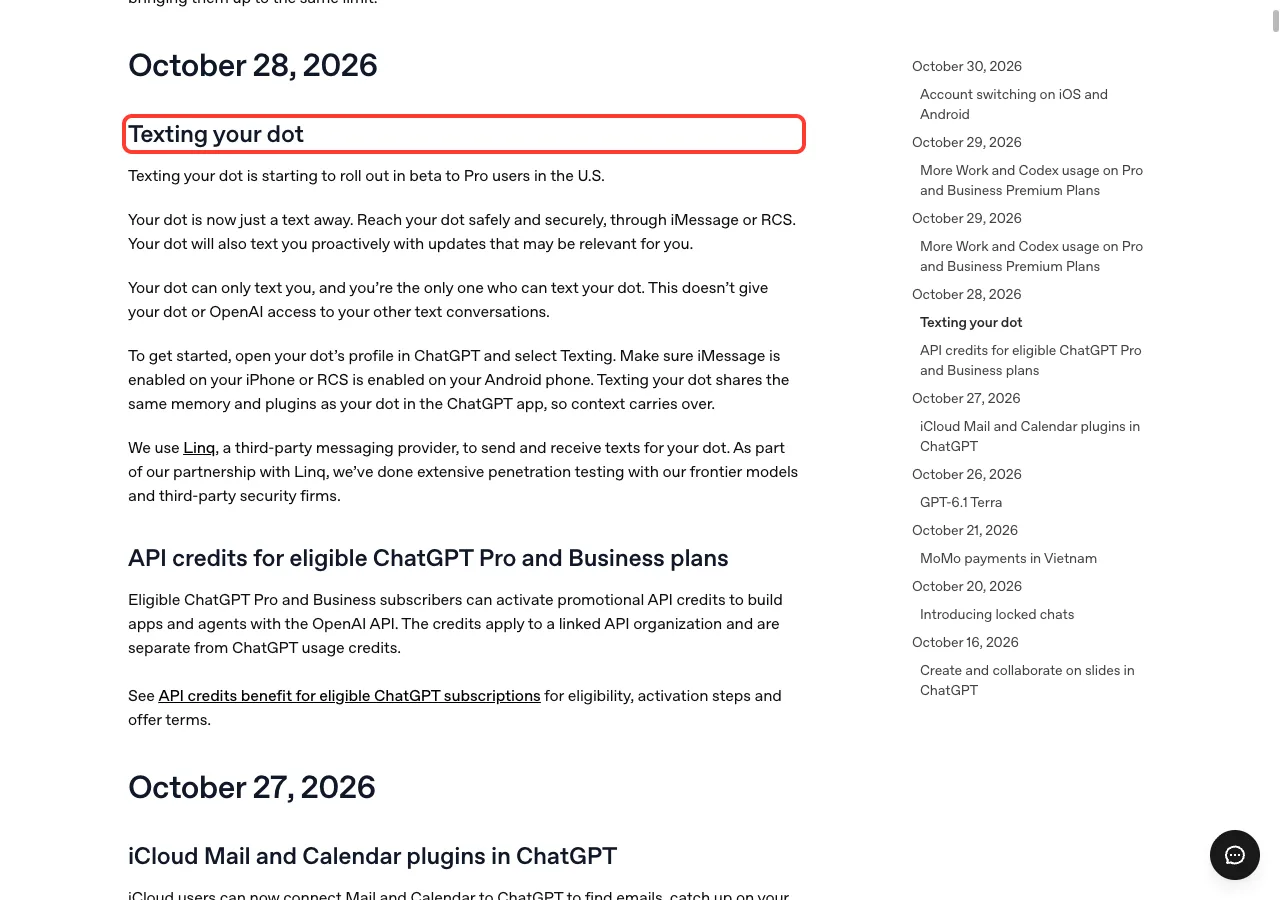
On October 28, OpenAI began rolling out texting for your dot in beta to Pro users in the U.S. You reach your dot through iMessage or RCS, and your dot can also text you first with updates that may be relevant to you.
How to get started
Open your dot’s profile in ChatGPT and select Texting. Make sure iMessage is enabled on your iPhone, or RCS is enabled on your Android phone.
Texting your dot shares the same memory and plugins as your dot in the ChatGPT app, so context carries over between the two.
What about privacy?
The note says your dot can only text you, and you are the only one who can text your dot. It also says this does not give your dot or OpenAI access to your other text conversations.
OpenAI says it uses a third-party messaging provider, Linq, to send and receive the texts. The note adds that OpenAI ran extensive penetration testing with its frontier models and third-party security firms as part of that partnership.
API Credits for Eligible Pro and Business Plans
The same day, OpenAI added a note about API credits. Eligible Pro and Business subscribers can activate promotional API credits to build apps and agents with the OpenAI API. The credits apply to a linked API organization and are separate from ChatGPT usage credits.
The release note is short, so we read the linked help article for the practical details.
Which plans qualify
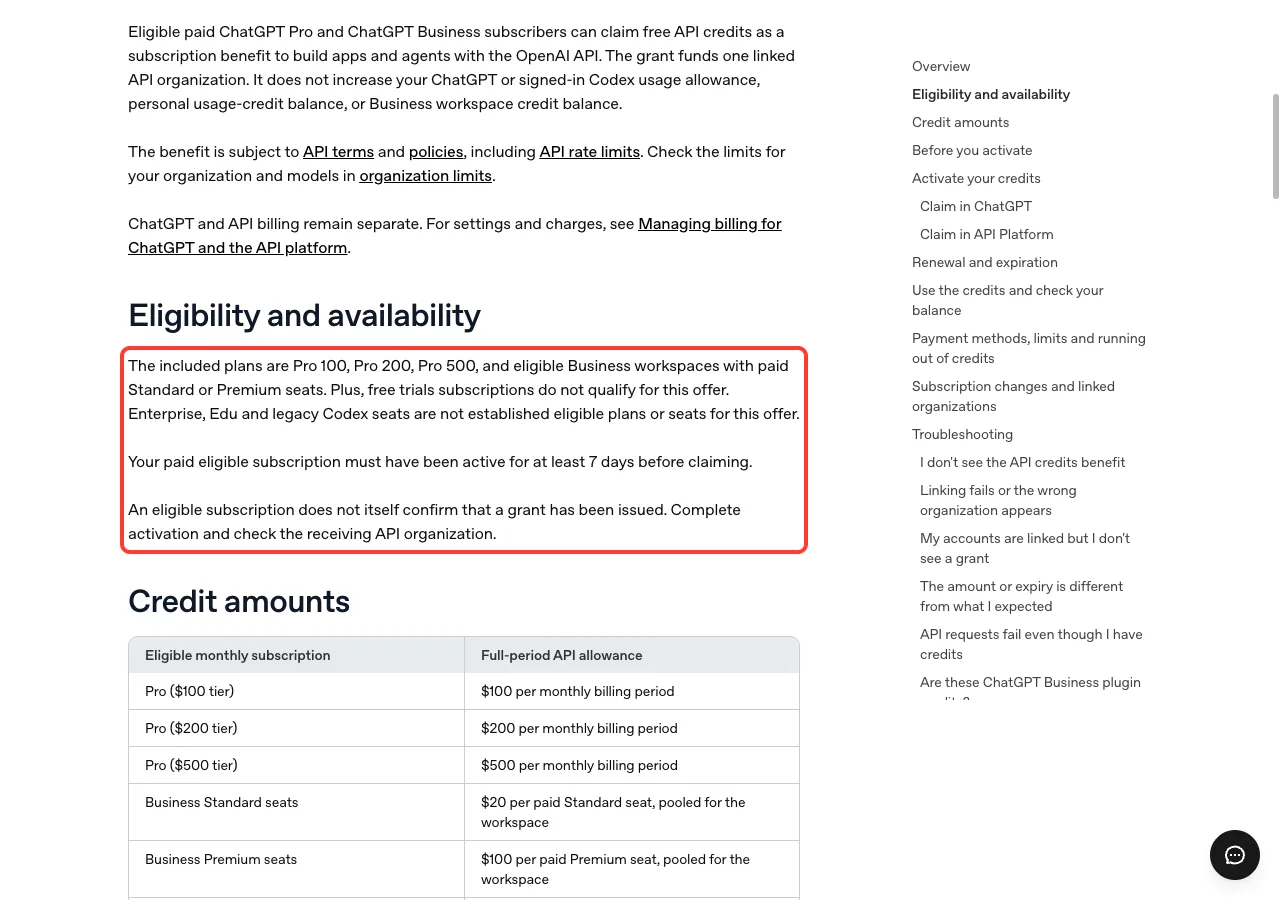
The included plans are Pro 100, Pro 200, Pro 500, and eligible Business workspaces with paid Standard or Premium seats. Plus and free trial subscriptions do not qualify, and Enterprise and Edu are not established eligible plans.
Your paid subscription must have been active for at least 7 days before you can claim. Also, an eligible subscription does not by itself confirm a grant, so you still need to finish activation and check the receiving API organization.
How much you get
The help article’s credit table gives the full-period allowance as follows.
| Plan | Full-period API allowance |
|---|---|
| Pro ($100 tier) | $100 per monthly billing period |
| Pro ($200 tier) | $200 per monthly billing period |
| Pro ($500 tier) | $500 per monthly billing period |
| Business Standard seats | $20 per paid seat, pooled for the workspace |
| Business Premium seats | $100 per paid seat, pooled for the workspace |
Your first grant is prorated for the time left in the billing period. For a monthly Business workspace the help article caps the allowance at $500.
How to claim
For Pro, open Settings and then Billing in ChatGPT, find the API credits benefit and start the claim flow. Use the same email address for your ChatGPT account and the API account you link, and review which API organization will receive the credits.
One more limit matters. The credits do not increase your ChatGPT or signed-in Codex usage limits, and they do not cover Codex usage through API keys.
More Work and Codex Usage on Pro and Business Premium
On October 29, OpenAI said it is increasing the Work and Codex usage included in Pro and Business Premium plans. Pro 100 and Pro 500 plans now include twice their previous Work and Codex allowance.
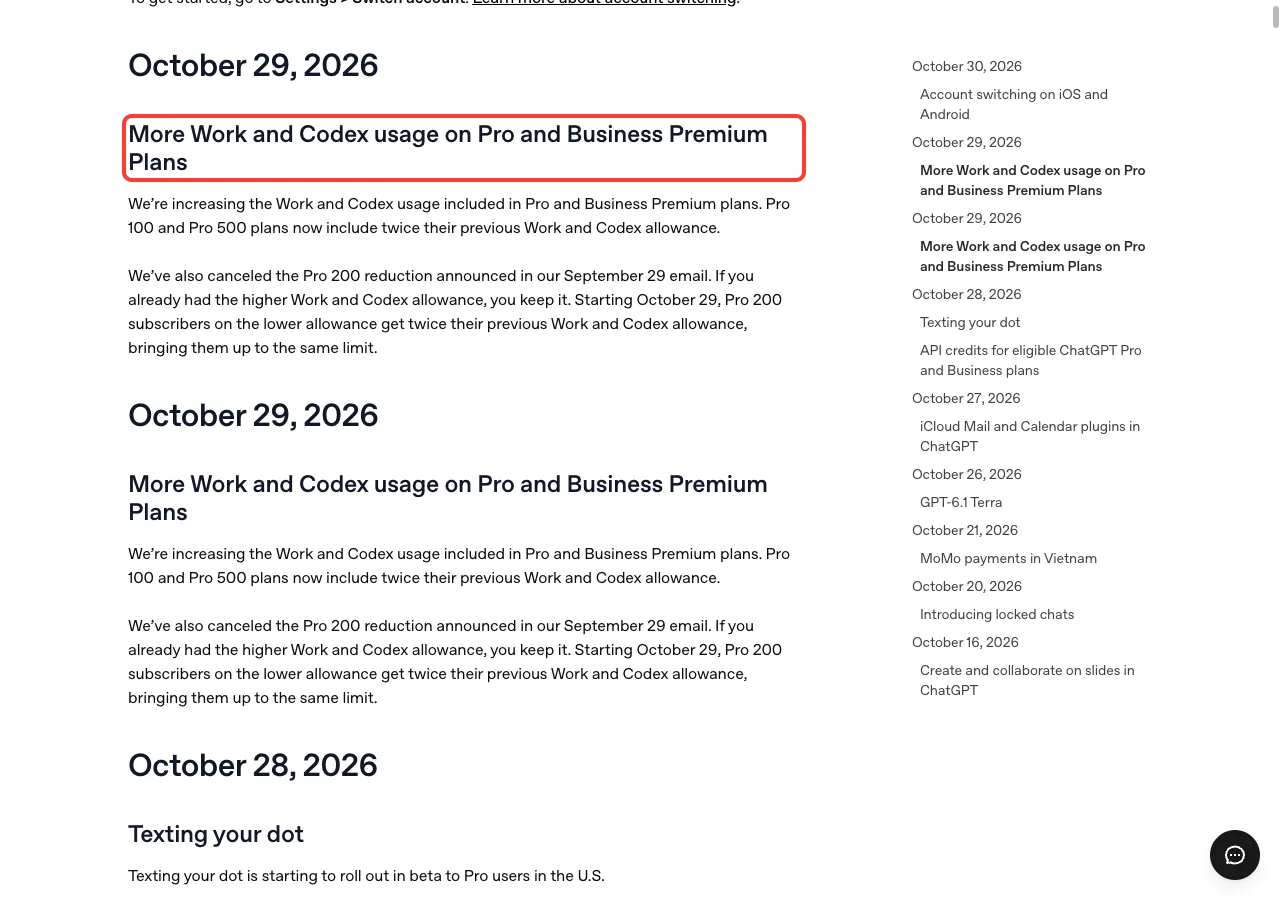
There is a second paragraph for Pro 200 subscribers. OpenAI says it canceled the Pro 200 reduction announced in its September 29 email. If you already had the higher allowance, you keep it, and from October 29 Pro 200 subscribers on the lower allowance get twice their previous allowance, bringing them up to the same limit.
In plain English, if you pay for one of these plans and use Work or Codex often, you should hit your limit later than before. The release notes do not give exact numbers, so check your own usage page for the new totals.
Account Switching Comes to iOS and Android
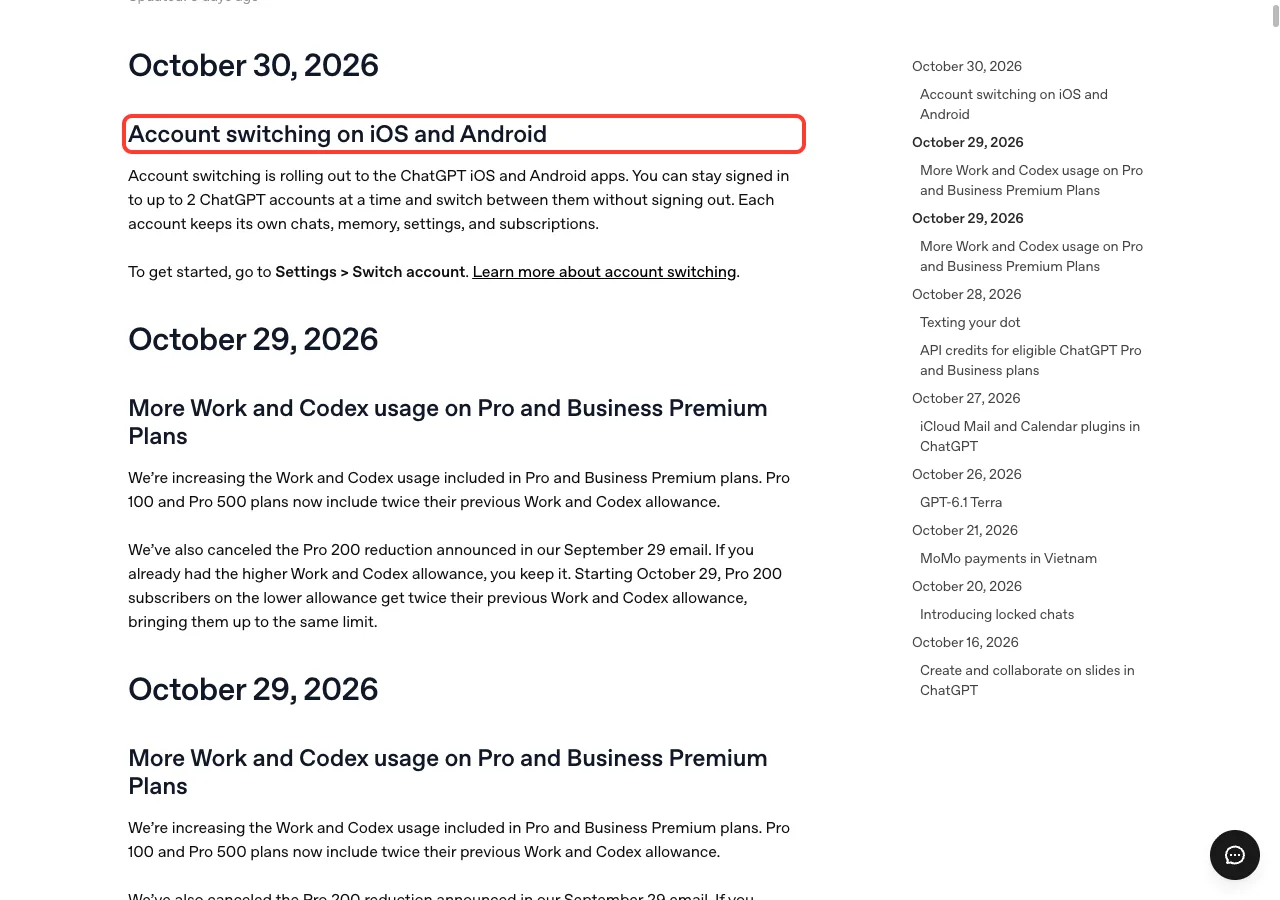
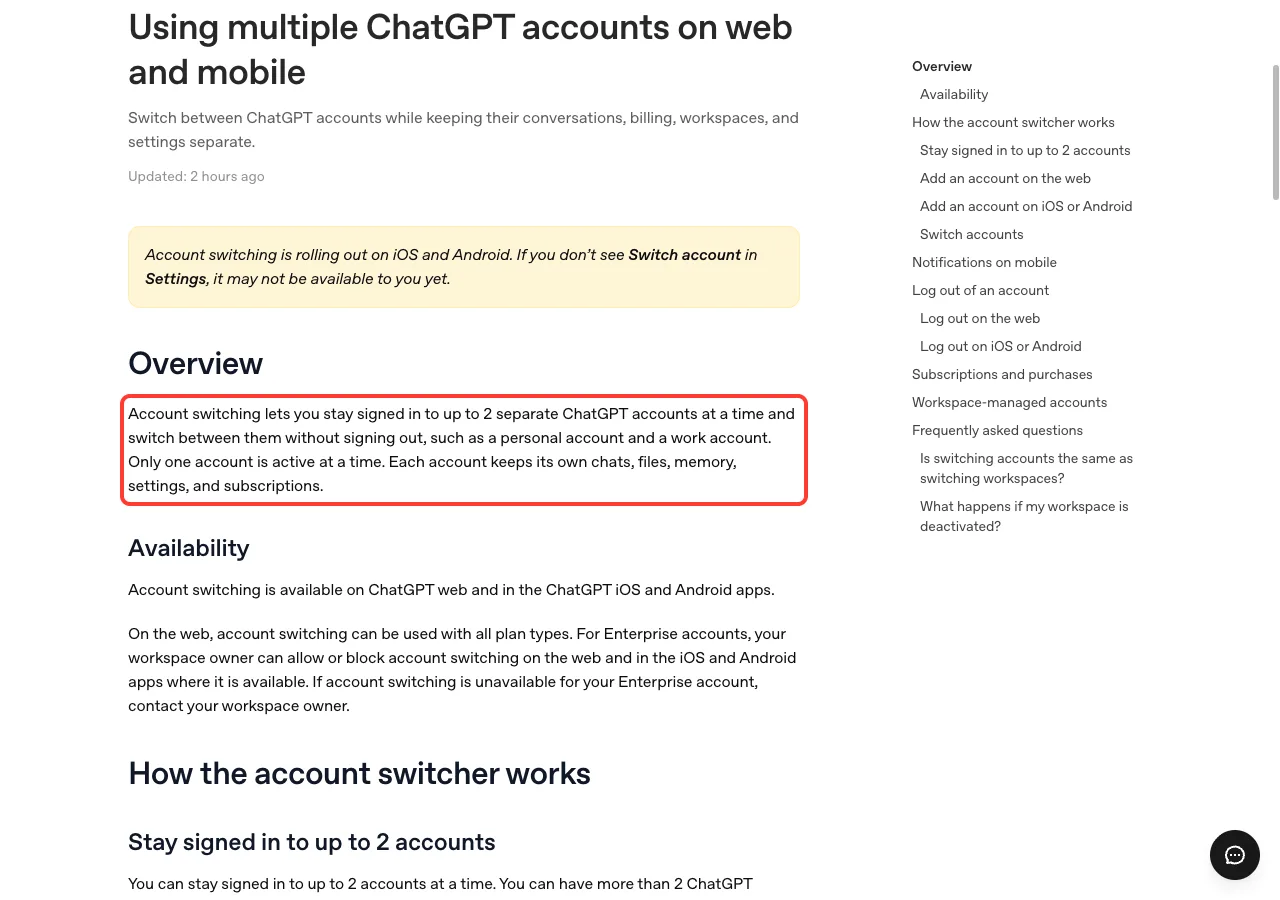
The last entry, dated October 30, is the one many people will feel first. Account switching is rolling out to the ChatGPT iOS and Android apps, so you can stay signed in to up to 2 accounts and switch without signing out.
How to switch accounts
The release note gives the path: go to Settings and select Switch account. If you do not see it, the help article says it may not be available to you yet.
- Open ChatGPT on your iPhone or Android phone.
- Go to
Settings. - Select
Switch account. - Pick the other account, or add a second one.
What stays separate
Only one account is active at a time. Each account keeps its own chats, files, memory, settings and subscriptions, and switching does not transfer or share a plan.
That last point is worth remembering. If you already paid but cannot see your subscription, check which account owns it before buying again.
Good to know
Creating a second account does not require payment, and it starts on the Free plan. If two accounts are signed in, the Add account option is hidden until you log out of one.
The help article also says account switching is available on the web for all plan types. For Enterprise, a workspace owner can allow or block it, and switching accounts does not change which policies apply to a managed account.
What This Means for You
Most of these changes help a specific group, so here is a simple way to decide what to do.
- If you juggle a personal and a work account on your phone, try account switching and check the active account before you chat or buy anything.
- If you use Work or Codex on a paid plan, look for GPT-6.1 Terra in the model list and check your usage page for the larger allowance.
- If you pay for Pro or a Business workspace, read the API credits help article and see whether you can claim.
- If you use iCloud for mail and calendar, read the connected apps help before you link them.
- If you are a U.S. Pro user, open your dot’s profile and look for Texting.
If you want to get more from the app in general, see our guide to ChatGPT tips. And if you are comparing assistants, our three-way comparison is a good place to start, or you can look at Claude as another option.
Cheat Sheet: This Week in ChatGPT
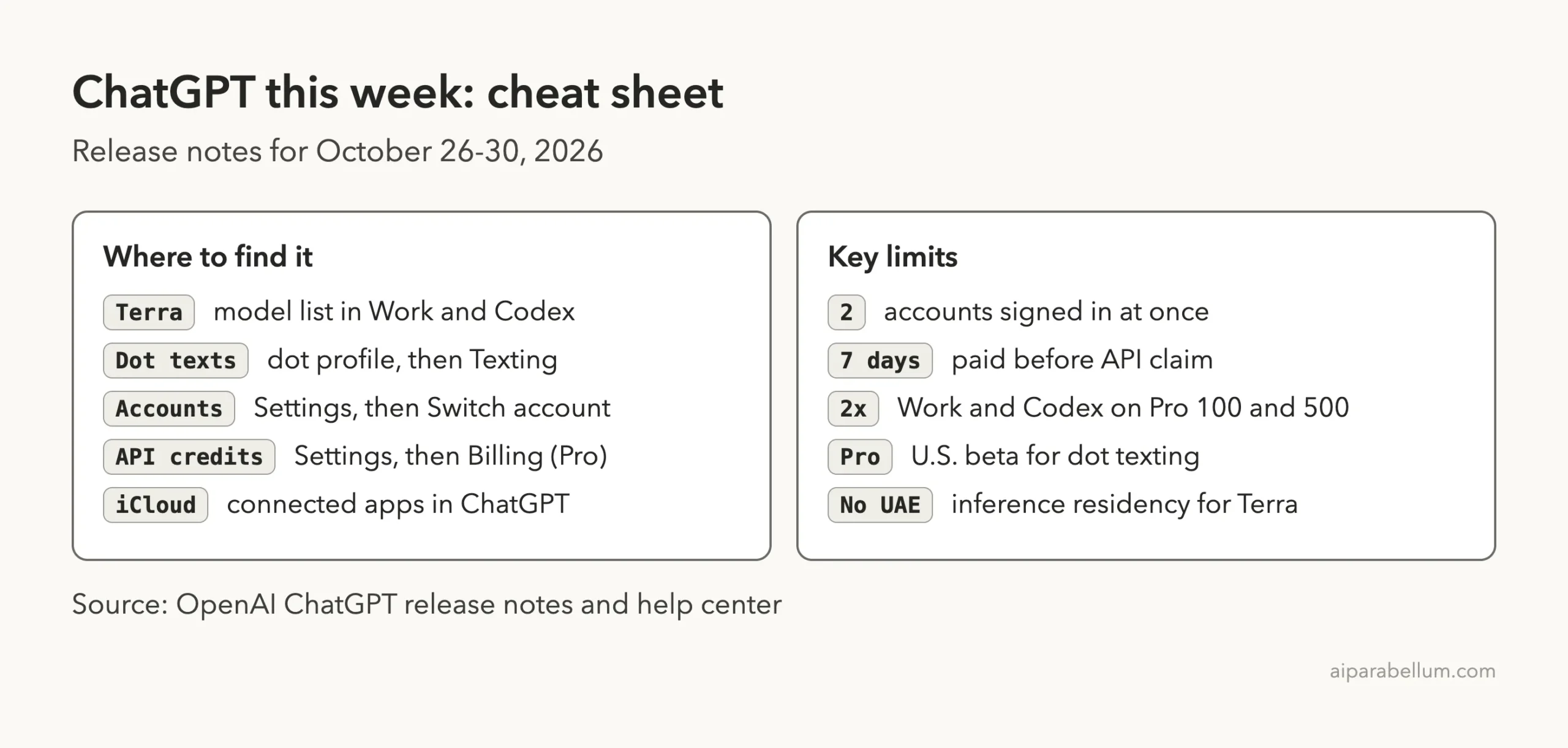
Keep this card handy. It collects where to find each change and the main limits from the official pages.
Frequently Asked Questions
What’s new in ChatGPT this week?
The official release notes list six entries for October 26-30, 2026. They cover GPT-6.1 Terra, iCloud plugins, texting your dot, API credits, more Work and Codex usage, and account switching.
How many ChatGPT accounts can I stay signed in to?
Up to 2 at a time on iOS and Android. If two are already signed in, you must log out of one before adding another.
Can I use GPT-6.1 Terra in regular chats?
No. OpenAI’s help article says Terra is a model for Work and Codex and is not available in regular ChatGPT conversations.
Who can claim the API credits?
Eligible Pro 100, Pro 200 and Pro 500 subscribers and eligible Business workspaces with paid seats. Your subscription must have been active for at least 7 days, and Plus does not qualify.
Is texting your dot available outside the U.S.?
The release note says the beta is rolling out to Pro users in the U.S. It does not list other countries.
Conclusion
This was a busy but practical week for ChatGPT, with account switching as the change most people will notice and Terra, a bigger Pro allowance and API credits for heavier users. Check the plan and region limits before you expect a feature, since several of these are still rolling out. For the full text, read the official release notes and the account switching, and check back next week for the next roundup.