Here is what’s new in Claude Code this week. Anthropic shipped seven releases between October 19 and October 23, moving the tool from version 2.1.304 to 2.1.310. The headline items are a guided setup for auto mode, a fairer warning before resuming old chats, one-key fixes in /usage, and a change to how sed -i edits get approved.
We read every entry in the official changelog for the week, picked the changes that matter most for everyday use, and tested several of them for real in a small demo folder. Below you will find what changed, why it matters, and how to try it yourself.
This roundup is part of our Claude Code tutorials, where you can also find step-by-step guides to every major feature.
Tested with Claude Code v2.1.310 on October 26, 2026, on macOS, inside a small throwaway demo folder.
Claude Code Updates This Week at a Glance
Here is every version released during the week, with the one change from each that most people will notice. Two of the releases were small patch builds.
| Version | Date | Headline change |
|---|---|---|
| 2.1.304 | October 19 | New /auto-mode-setup command, resume warning on Pro and Max, Code Review levels |
| 2.1.305 | October 20 | /usage warnings become one-line fixes you apply with f |
| 2.1.306 | October 21 | Two fixes, including claude -p in cloud sessions |
| 2.1.307 | October 21 | Broken tool calls are retried, and @claude review stop for Code Review |
| 2.1.308 | October 22 | Bug fixes and reliability improvements |
| 2.1.309 | October 22 | sed -i gets the normal Bash prompt, ultrareview asks for workspace trust, 62 fixes |
| 2.1.310 | October 23 | Monitor tool on Bedrock, Vertex and Foundry, plus 14 fixes |
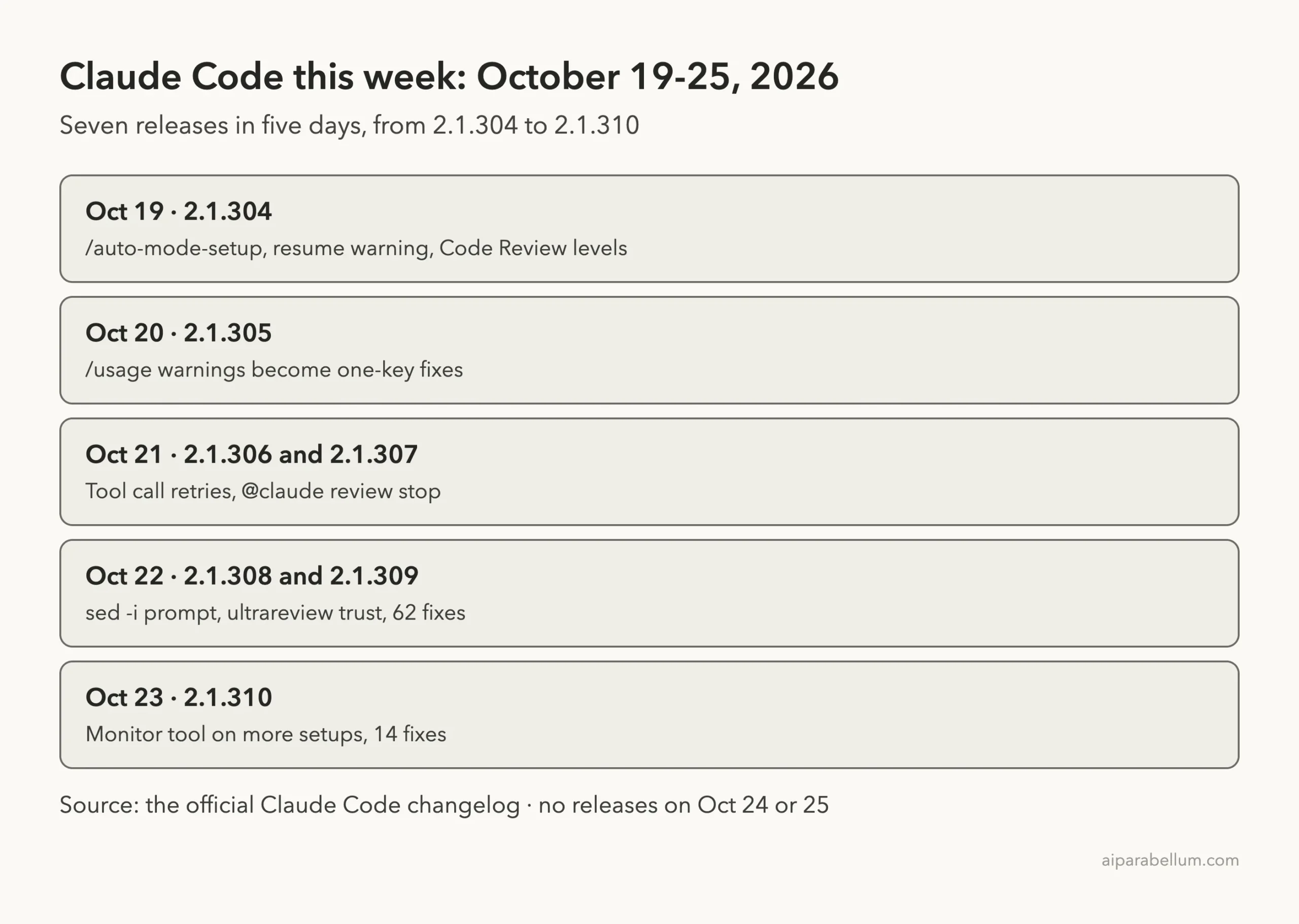
There were no new versions on October 24 or 25. If you update today, 2.1.310 is the version you will get.
Change 1: A Guided Setup for Auto Mode
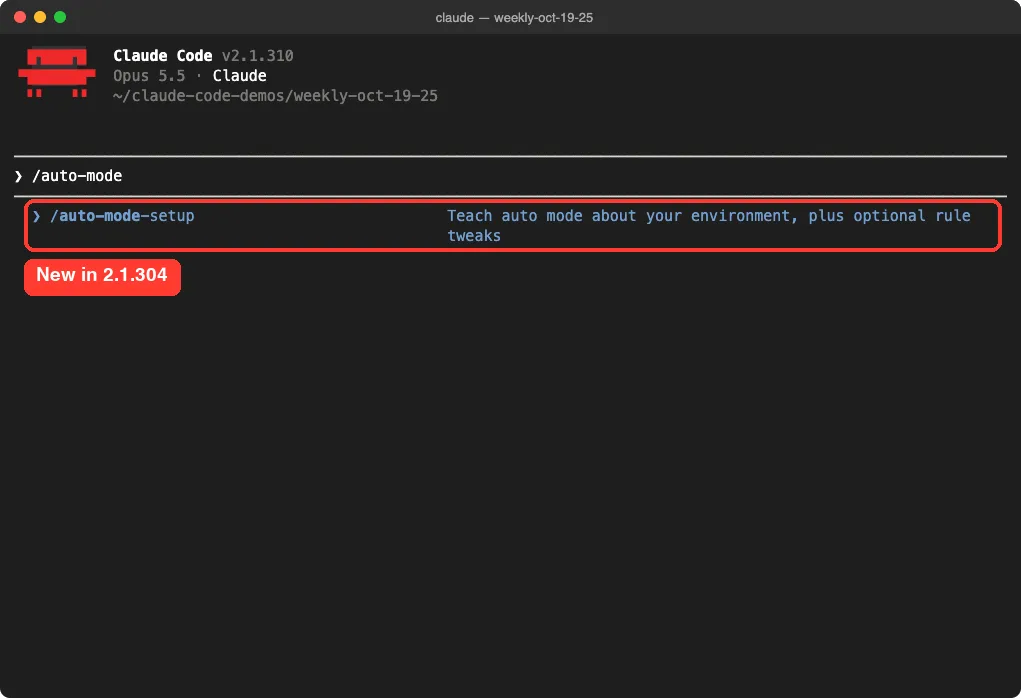
Version 2.1.304 added a new command called /auto-mode-setup. The changelog describes it as a guided setup that reads your project and your recent sessions to teach auto mode about your environment.
Auto mode is the permission mode where Claude decides which actions are safe to run without asking you each time. It works better when it knows what your project looks like, such as which folders and commands are normal for you. If you are new to the modes, our guide to permission modes explains each one.
How to try it
Open Claude Code in your project and type /auto-mode-setup. In our session, the menu describes it as a way to teach auto mode about your environment, plus optional rule tweaks.
We only opened the menu in our demo and did not run the full setup, because it reads recent sessions and we wanted to keep our test folder clean. The changelog also notes it now works on Bedrock, Vertex, Foundry, the Claude apps gateway and sessions with telemetry turned off.
Change 2: A Warning Before an Expensive Resume
Resuming an old conversation can cost more than you expect. When a chat has been idle, Claude has to process the whole history again, and that counts against your plan’s usage.
Starting in 2.1.304, Pro and Max users see a warning when resuming an inactive conversation would use a noticeable share of the 5-hour usage limit. You can resume anyway, or start a new conversation and let Claude look up the old one if you mention it.
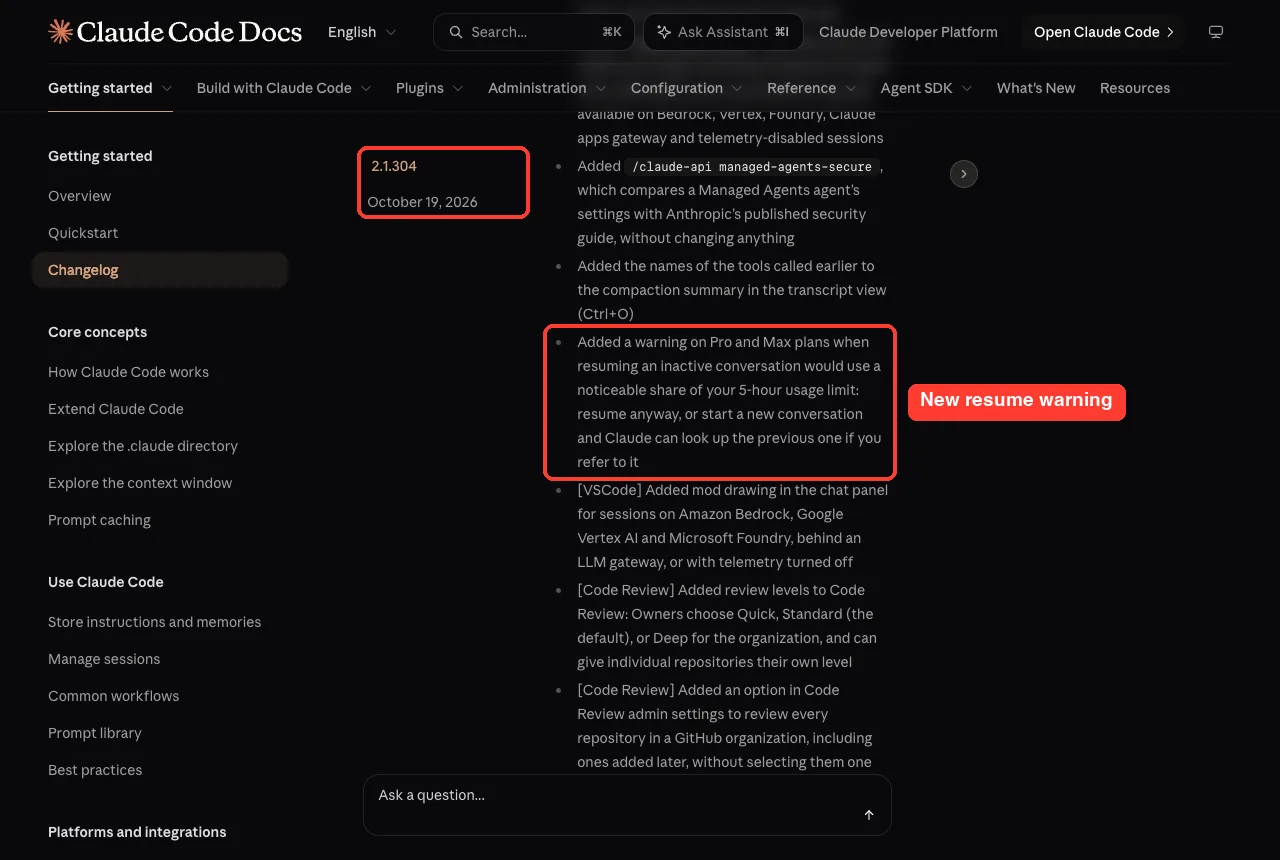
This pairs well with good session habits. Our guide on resuming sessions covers when a fresh start is the smarter choice.
A fresh conversation that can look up the old one is often cheaper than dragging a long, stale chat back to life.
Change 3: /usage Now Fixes Problems With One Key
The /usage screen used to list warnings that you then had to fix by hand. In 2.1.305, each warning became a one-line fix that names its source, and pressing f applies the fixes.
The same fixes also show up in VS Code and in /doctor. If you have not used /doctor yet, our walkthrough of the /doctor command shows what it checks.
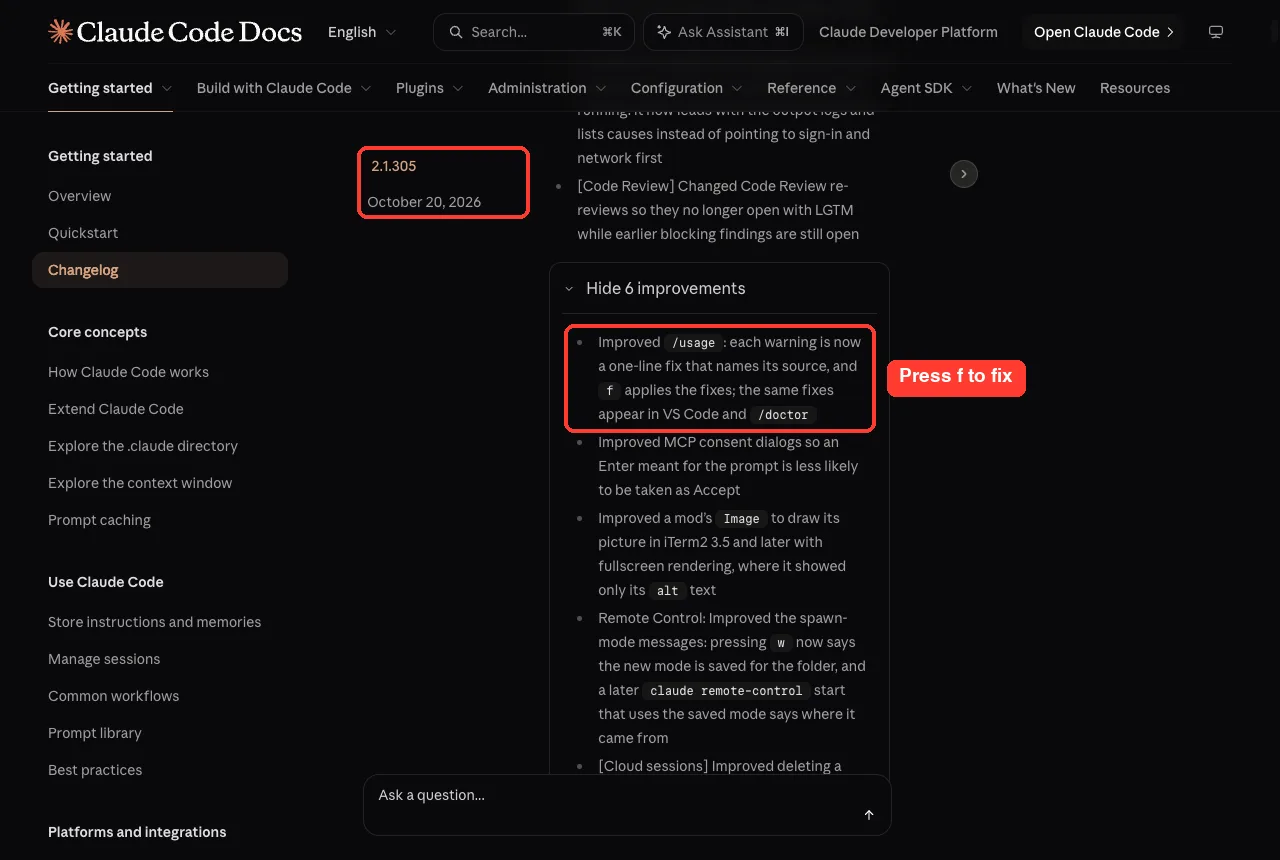
Two smaller /usage changes landed the same week. Version 2.1.304 now tells you when a rate limit on usage data ends, instead of a vague “try again in a moment,” and 2.1.305 stopped rows from being cut off in narrow terminals.
Change 4: sed -i Now Gets the Normal Bash Prompt
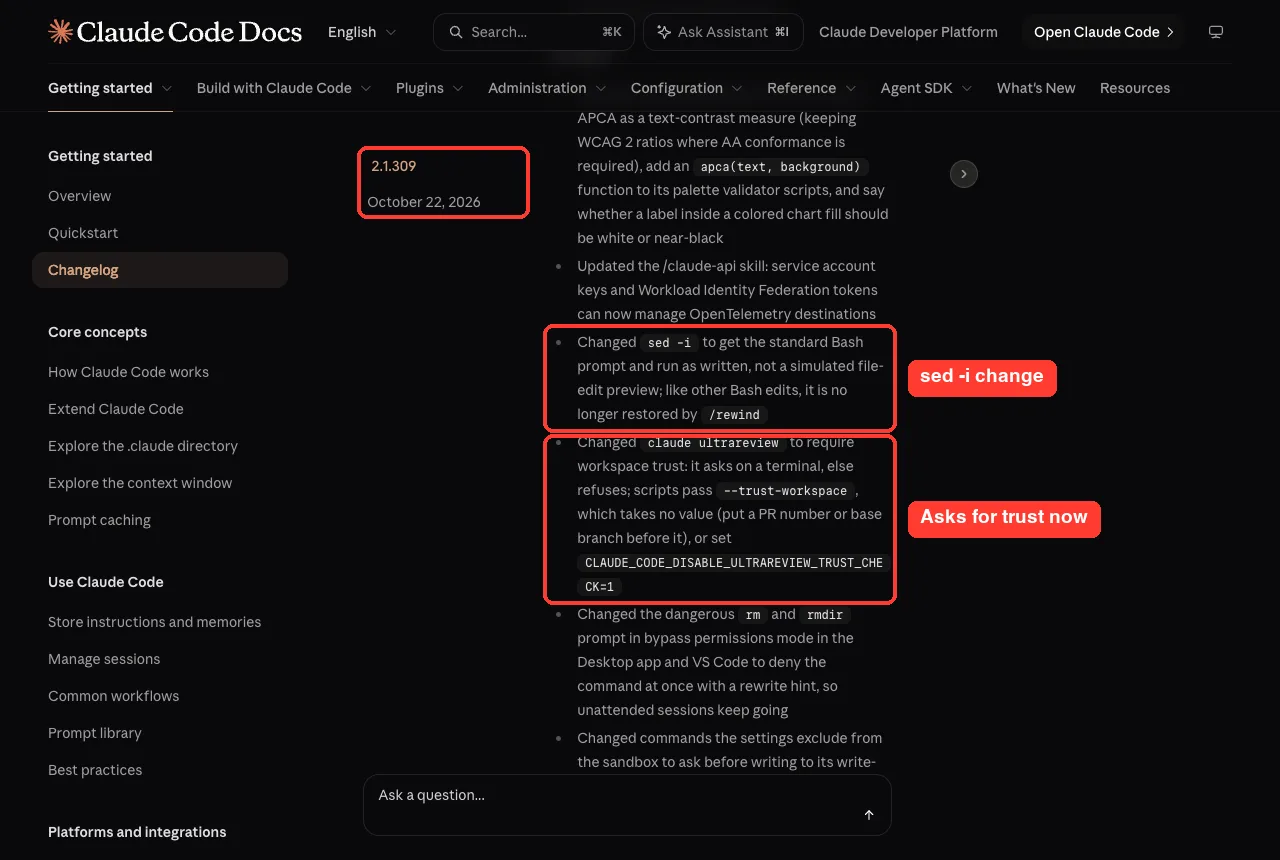
This is the change most likely to surprise you. Before 2.1.309, when Claude ran sed -i to edit a file in place, Claude Code showed it as a simulated file-edit preview.
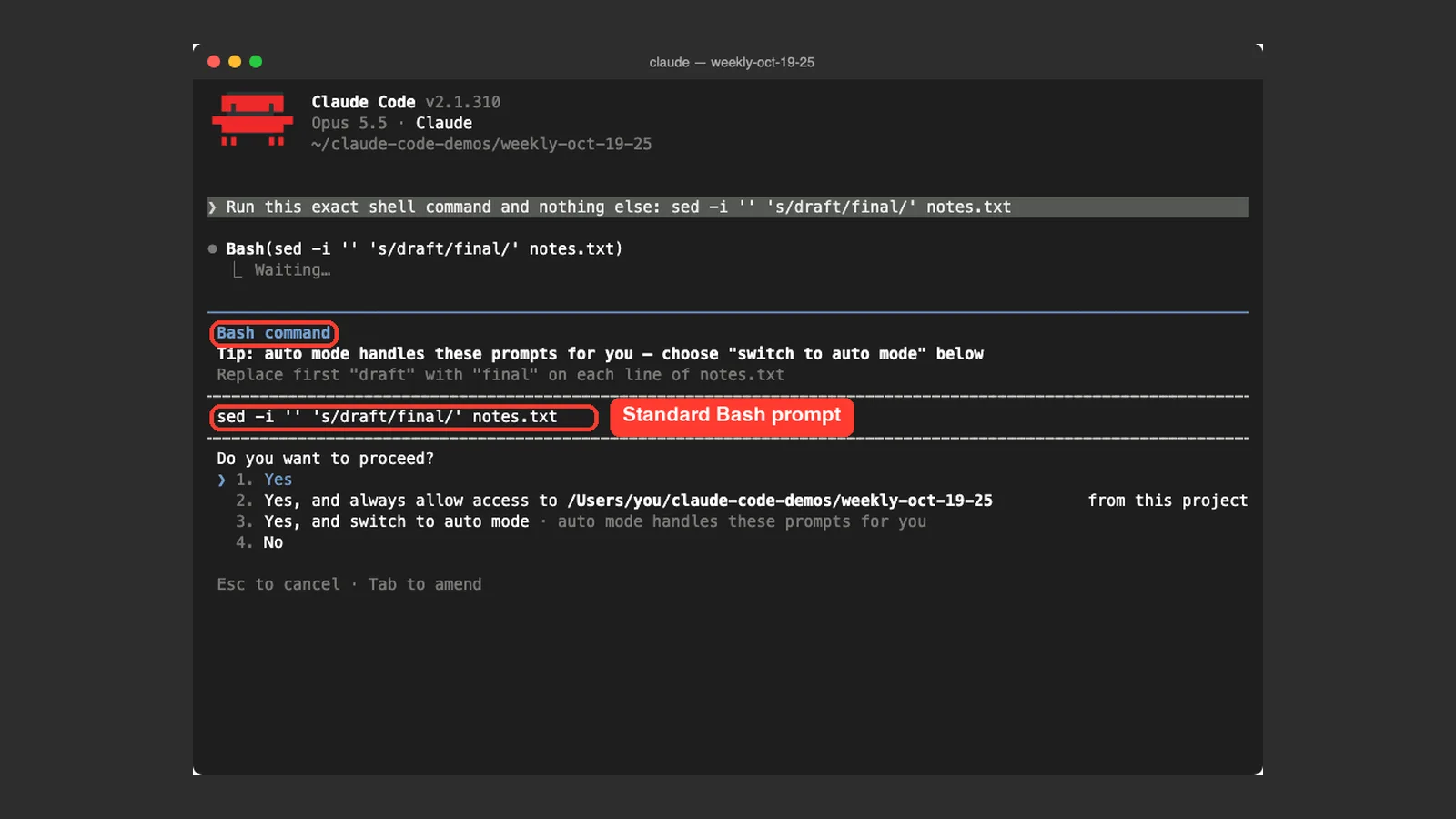
Now sed -i gets the standard Bash permission prompt and runs exactly as written. Like other Bash edits, it is no longer restored by /rewind. We tested this for real.
Step 1: Ask Claude to run a sed -i command
Our demo folder had a file called notes.txt with the line “status: draft”. We gave Claude this prompt:
Run this exact shell command and nothing else: sed -i '' 's/draft/final/' notes.txt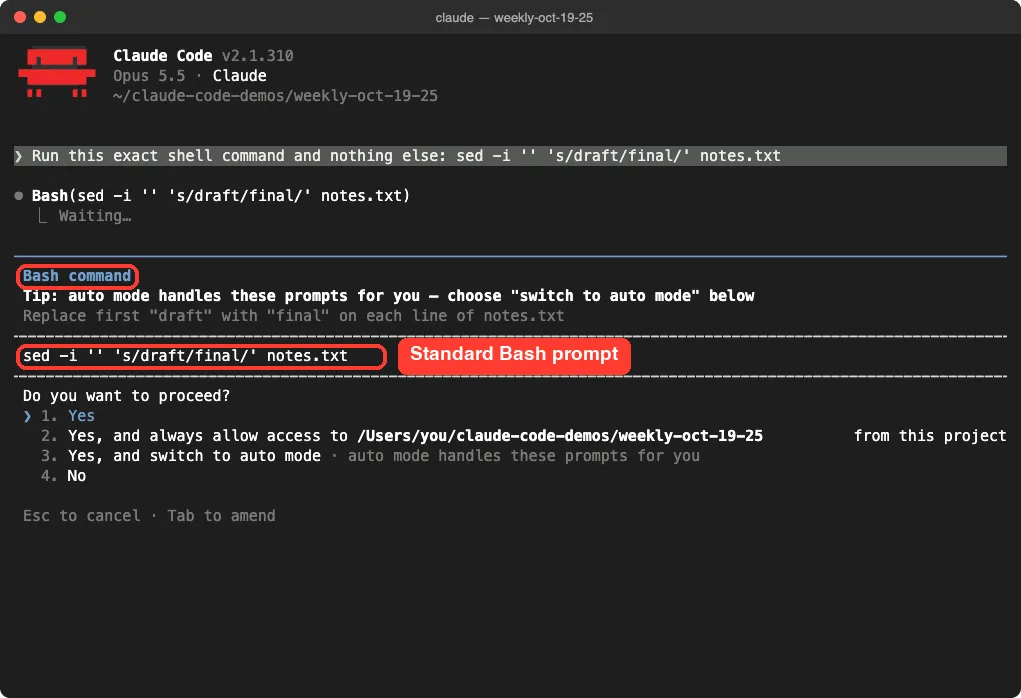
Notice the title says “Bash command,” and the exact command is shown as written. There is no diff preview, so read the command carefully before you pick Yes.
Step 2: Check that the file changed
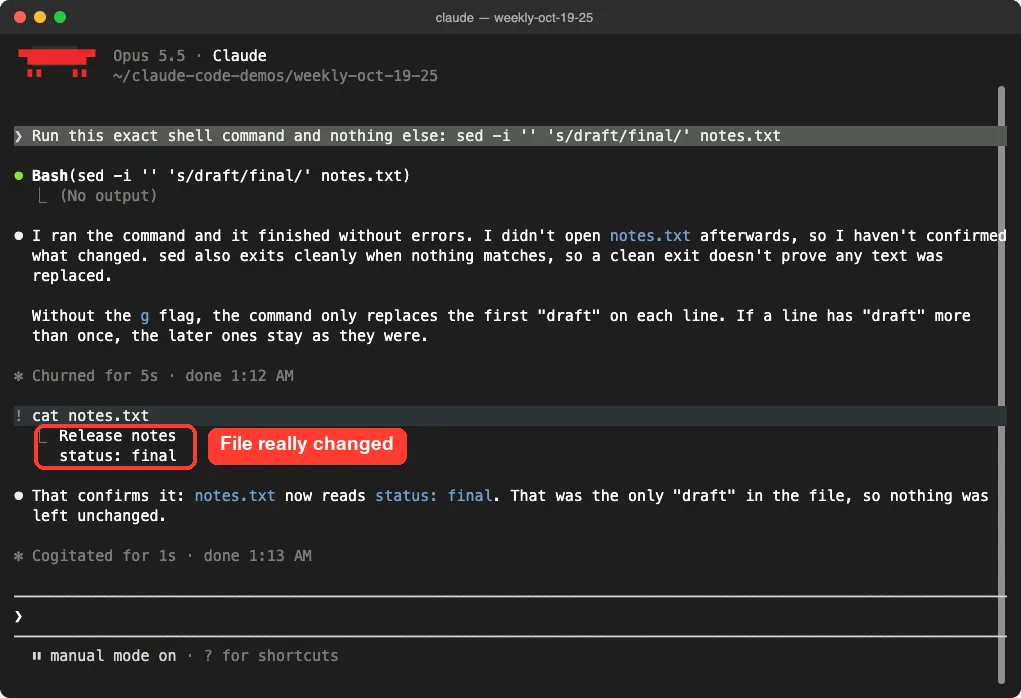
We approved it, then ran cat notes.txt in shell mode by typing an exclamation mark first. The file now says “status: final.”
Step 3: See what /rewind shows
Next we opened /rewind. The turn with our sed command is listed as “No code changes,” because Bash edits are not saved as checkpoints.
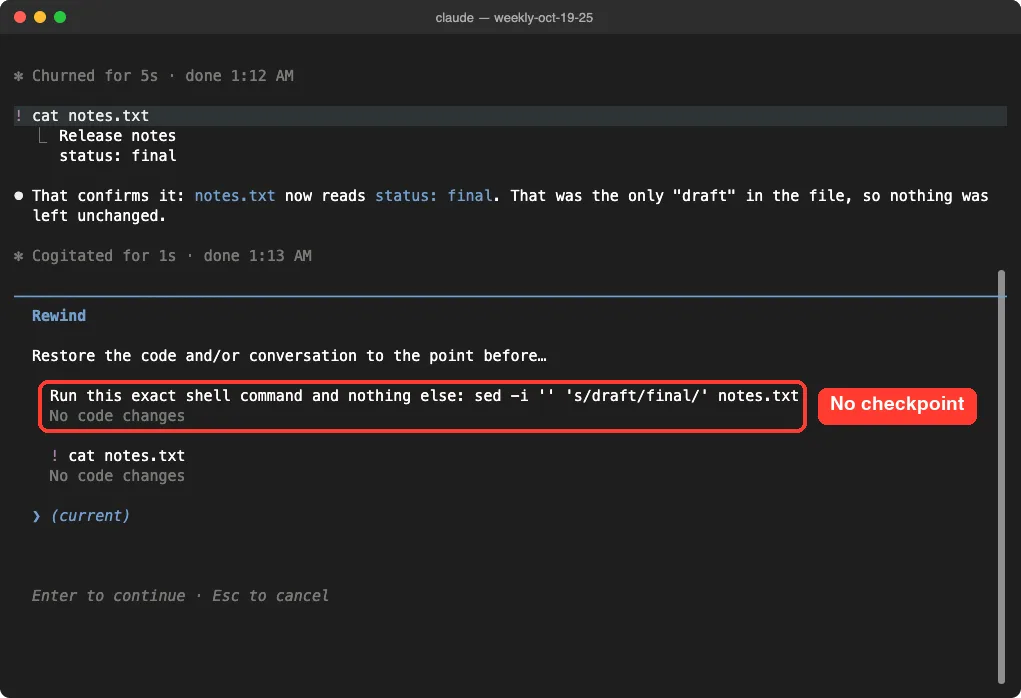
If you lean on checkpoints for safety, keep this in mind. Our guide to checkpoints and rewind explains what can and cannot be undone, and git is still your best safety net for shell edits.
Change 5: claude ultrareview Now Asks for Workspace Trust
The claude ultrareview command runs a cloud-hosted, multi-agent review of your branch. In 2.1.309 it started requiring workspace trust: it asks on a terminal, and refuses otherwise.
That matters if you run it from scripts or CI. Pass –trust-workspace, which takes no value, so put a PR number or base branch before it. You can also set CLAUDE_CODE_DISABLE_ULTRAREVIEW_TRUST_CHECK=1.
Here is the relevant part of the real help text from our install, trimmed to the new flag:
$ claude ultrareview --help
Usage: claude ultrareview [target] [options]
  --trust-workspace    Trust the current folder for this run only, without
                       asking (for scripts and CI). Takes no value: put a PR
                       number or base branch before it.
The help text also warns you to use it only on folders you trust, since a folder’s git configuration and project settings can run programs. For more on review options, see our code review guide.
Change 6: Fewer Dead Ends When Something Breaks
Several changes this week make Claude Code recover better instead of stopping cold. None of them need any action from you.
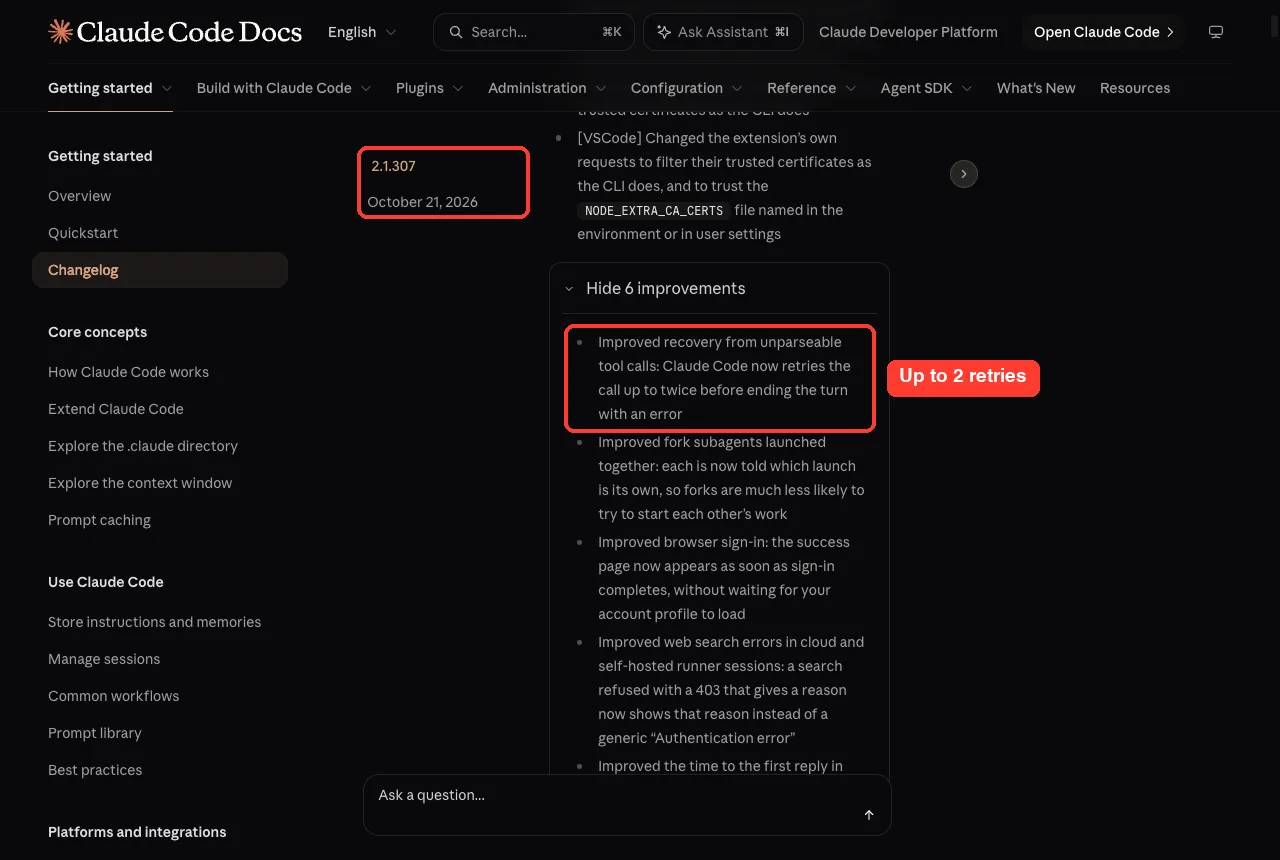
- Broken tool calls: since 2.1.307, if Claude produces a tool call that cannot be parsed, Claude Code retries it up to twice before ending the turn with an error.
- Full disks: a Bash command cut off by a full disk now says so and names the folder to free up, and starting on a full temp volume prints a clear message instead of a raw ENOSPC error.
- Parallel forks: fork subagents launched together are now told which launch is their own, so they are much less likely to start each other’s work.
If you run many agents at once, the fork fix is worth knowing. Our guide to parallel agents shows how to set that up.
Change 7: Code Review Gets Levels and an Off Switch
Code Review is the feature that reviews pull requests on GitHub. Two changes this week give teams more control over it.
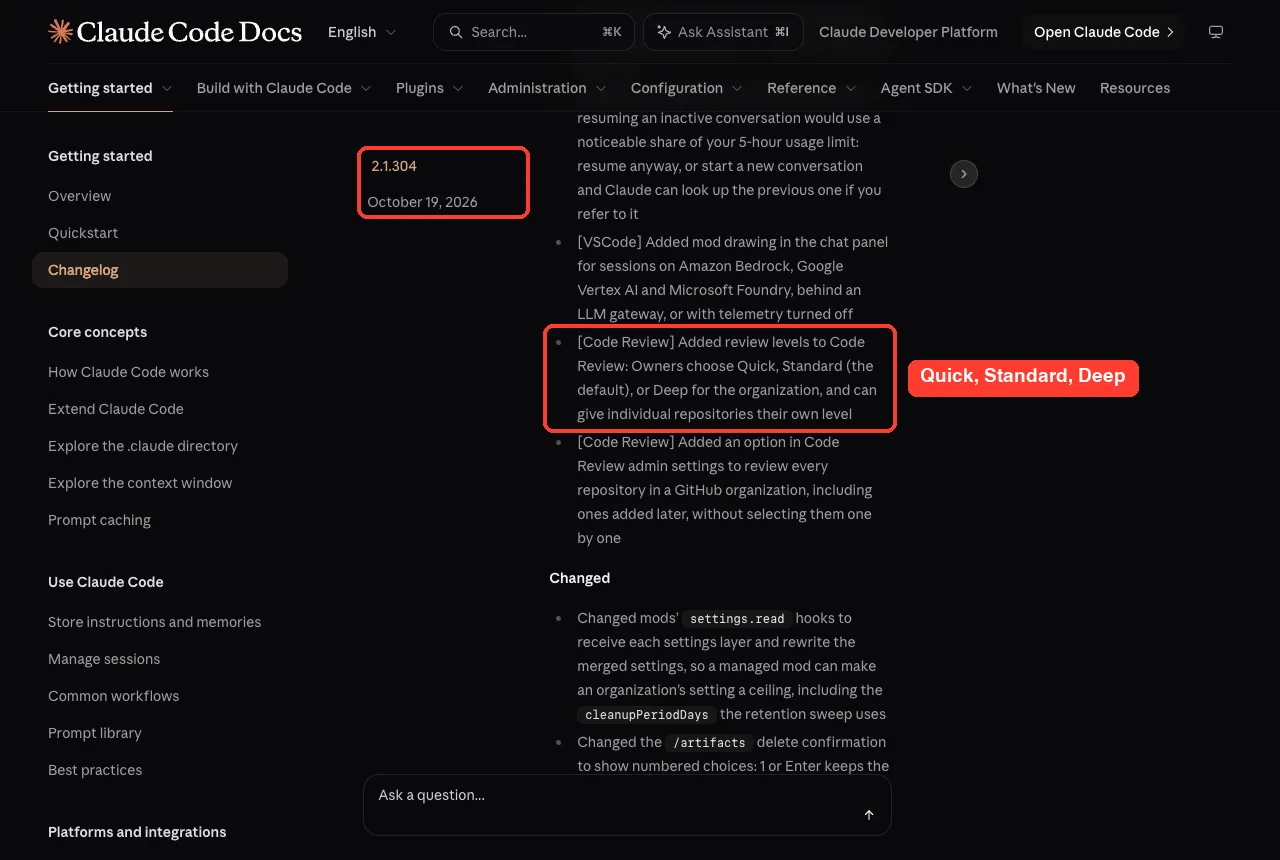
In 2.1.304, Owners can pick a review level for the organization: Quick, Standard (the default), or Deep. Individual repositories can get their own level too, and a new option reviews every repository in a GitHub organization, including ones added later.
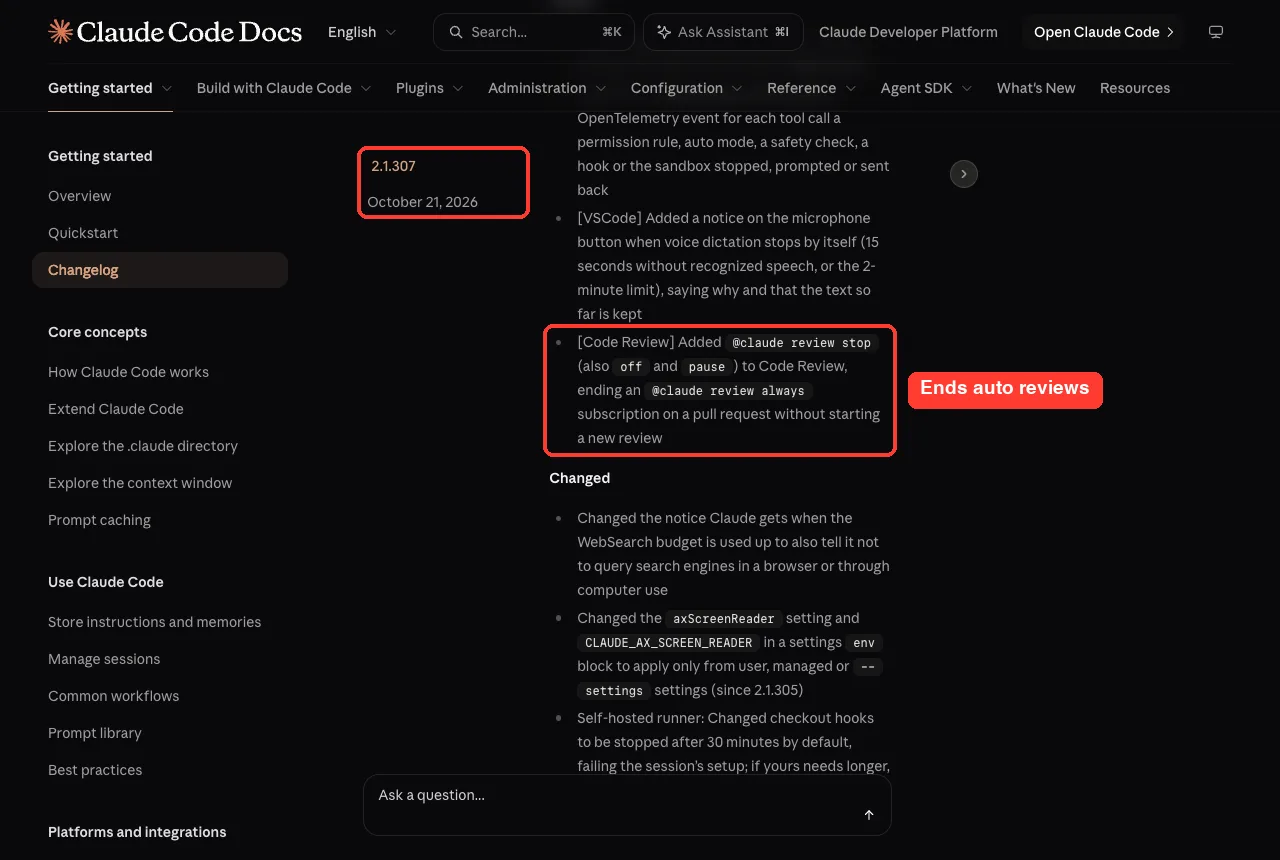
Then 2.1.307 added @claude review stop, with off and pause as aliases. It ends an @claude review always subscription on a pull request without starting a new review.
Also in 2.1.305, re-reviews no longer open with “LGTM” while earlier blocking findings are still open. That small fix avoids a confusing thumbs-up on a PR that still has problems.
Smaller changes worth knowing
- The /fast dialog no longer says “research preview” in its title on Opus 5.5 (2.1.304).
- After compaction, Claude gets the skill list again, and /reload-skills now sends only new or changed skills (2.1.304).
- The /artifacts delete confirmation now uses numbered choices: 1 or Enter keeps, 2 deletes, Esc cancels (2.1.305).
- Startup warnings no longer print as raw text above the logo; they go to the debug log instead (2.1.305).
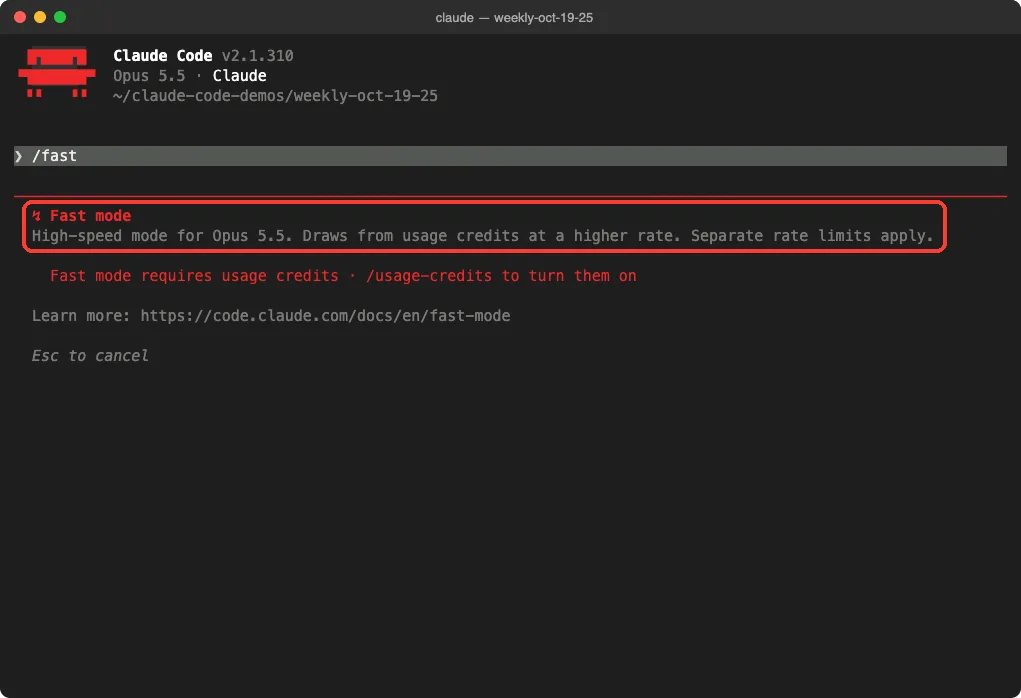
Our fast mode guide explains how it works, and the official fast mode docs have the current details on credits and limits.
Should You Update?
For most people, yes. This week fixed well over a hundred bugs, and none of the changes ask you to relearn anything. The one exception is scripts: if you run sed -i through Claude or call claude ultrareview from CI, check those after updating.
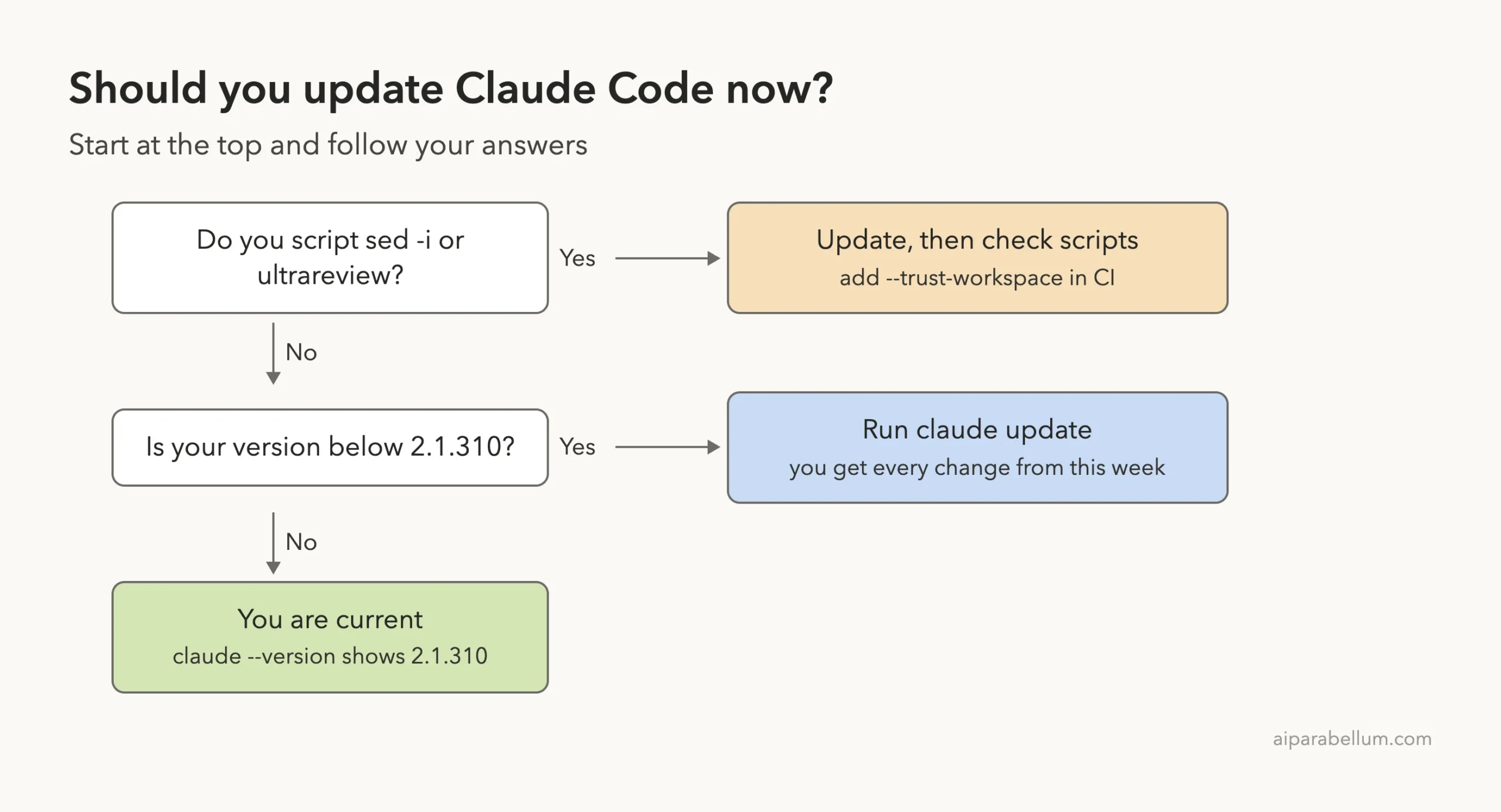
How to update and check your version
- Open your terminal.
- Run claude update. It checks for the latest version and installs it.
- Run claude –version to confirm you are on 2.1.310.
claude update
claude --version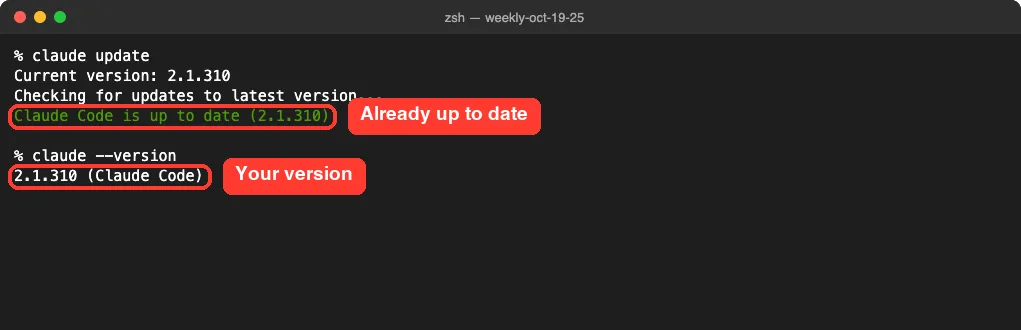
Running the command yourself makes sure you are current right now. If an update fails, our troubleshooting guide can help.
Also Fixed This Week
The changelog lists 169 counted bug fixes across the week, plus an uncounted batch in 2.1.308, along with 38 improvements. Version 2.1.309 alone had 62 fixes. Here are a few that many users will feel:
- claude –worktree no longer removes a worktree and its branch without asking at exit when HEAD was detached or on another branch, which could lose commits (2.1.304).
- CLAUDE_CODE_AUTO_COMPACT_WINDOW=200k no longer silently sets a 100K window; it now accepts k and M suffixes (2.1.304).
- Every request failing on Vertex, Bedrock and some gateways that reject tool search, a 2.1.304 regression, was fixed in 2.1.305.
- HTTP MCP tool calls are no longer sent twice when a connection closes mid-call (2.1.307).
- Sandboxed Bash commands on macOS and Linux no longer run the shell’s startup files outside the sandbox (2.1.309).
- On a Mac without Xcode, the “Install Command Line Developer Tools” dialog no longer opens every time Claude Code starts (2.1.309).
If you use the sandbox, that 2.1.309 fix is a good reason to update. Our sandbox guide explains how it protects your files.
Try It Yourself
Want to see the sed -i change with your own eyes? Make an empty folder, add a file called notes.txt containing “status: draft”, and start Claude Code there. Then paste this prompt (on Linux, drop the empty quotes after -i):
Run this exact shell command and nothing else: sed -i '' 's/draft/final/' notes.txtApprove the Bash prompt, then type !cat notes.txt to check the result, and open /rewind to see that the turn shows no code changes. While you are there, type /auto-mode-setup to see the new command in the menu.
Common Mistakes
- Expecting /rewind to undo a sed -i edit. It will not anymore, so commit your work before letting Claude run shell edits.
- Approving a sed -i prompt without reading it. There is no diff preview now, only the command itself.
- Forgetting to update CI. A script that calls claude ultrareview without –trust-workspace will now be refused.
- Putting a value after –trust-workspace. The flag takes no value, so the PR number or base branch goes before it.
- Resuming a huge, idle chat out of habit. Read the new warning and consider a fresh start instead.
Pro Tips
- Run claude update once a week, right after you read a roundup like this, so you know what changed.
- Open /usage after updating and press f if it lists fixes. The same fixes appear in /doctor.
- Use git commits as your checkpoint for anything Claude does through Bash, since only file edits made with Claude’s own tools can be rewound.
- If your team uses Code Review, ask your Owner to set a review level. Quick may suit small repos, while Deep may suit critical ones.
- Keep the official Claude Code changelog bookmarked for the full list of every release.
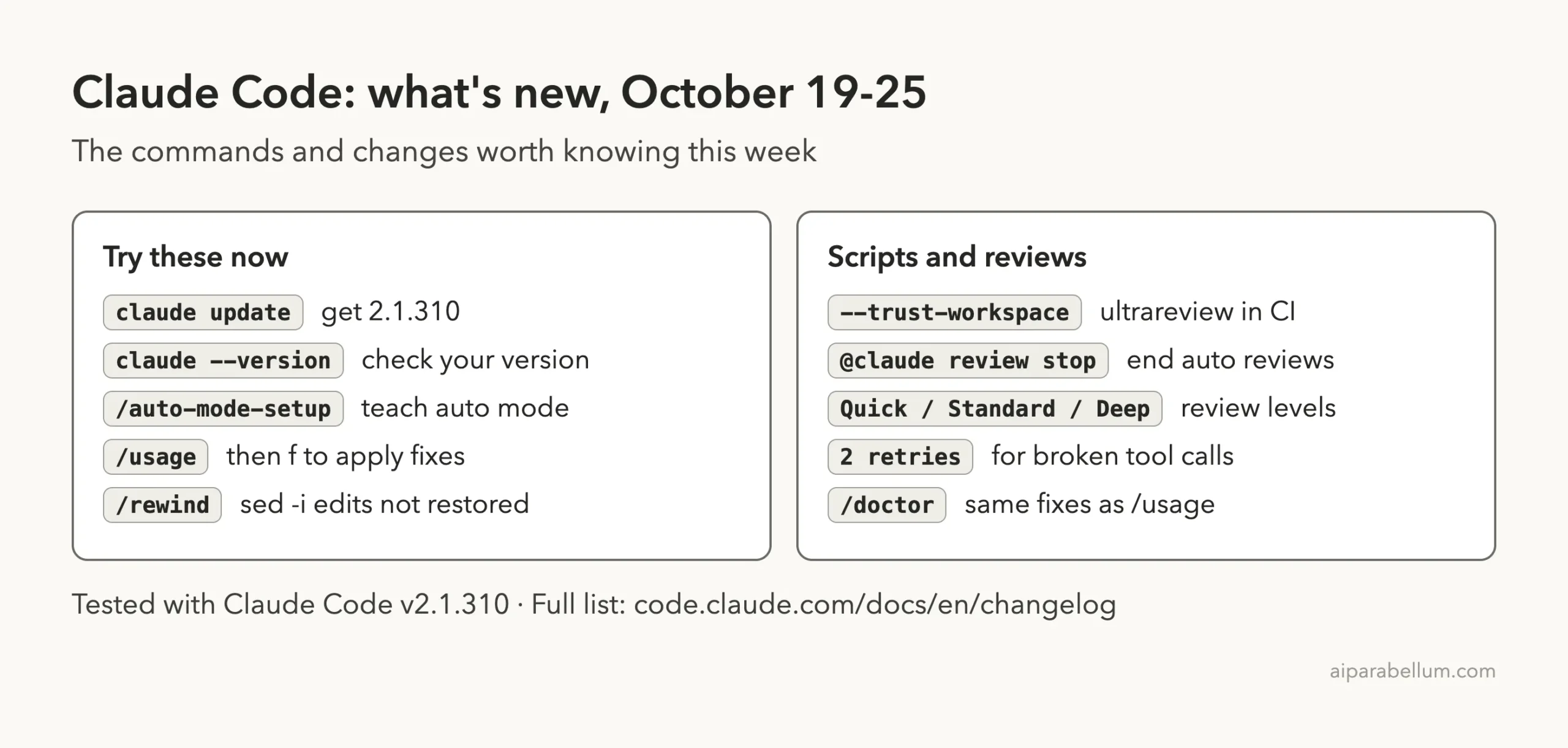
Cheat Sheet: This Week’s Claude Code Changes
Frequently Asked Questions
What is the latest version of Claude Code this week?
Version 2.1.310, released on October 23, 2026. No newer version came out on October 24 or 25.
Why does sed -i now show a Bash prompt instead of a preview?
Since 2.1.309, sed -i runs as written through the standard Bash prompt rather than a simulated file-edit preview. The trade-off is that these edits are no longer restored by /rewind.
Do I need to do anything for /auto-mode-setup?
No. It is optional. Run it if you use auto mode and want it to learn more about your project and recent sessions.
Will my CI break after this update?
Only if it calls claude ultrareview. Add –trust-workspace after any PR number or base branch, or set CLAUDE_CODE_DISABLE_ULTRAREVIEW_TRUST_CHECK=1.
Who gets the new resume warning?
Pro and Max plan users. It appears when resuming an inactive conversation would use a noticeable share of the 5-hour usage limit.
Conclusion
This week’s Claude Code updates were mostly about trust and recovery: a guided setup that makes auto mode smarter, a warning before costly resumes, one-key fixes in /usage, honest Bash prompts for sed -i, a trust check for ultrareview, and better recovery when tool calls or disks fail. Run claude update, confirm you are on 2.1.310, check any scripts that use sed -i or ultrareview, and you are set. For more on the model behind it all, see our Claude AI overview, and come back next week for the next roundup.