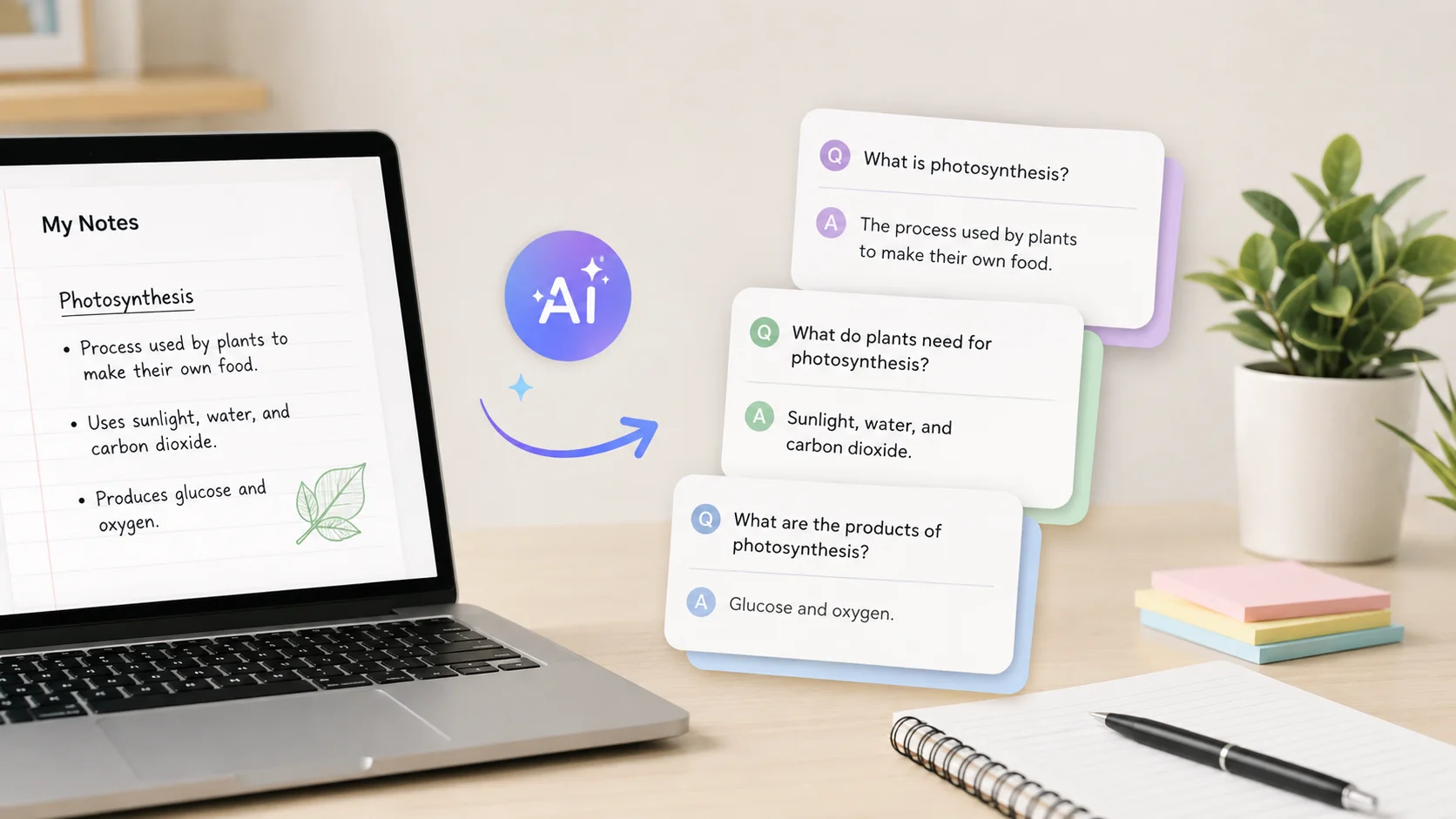
You just finished a two-hour lecture with five pages of handwritten notes. Now you need to turn all of that into flashcards for exam prep. Doing it manually could take another hour or more.
AI tools can transform your notes into study-ready flashcards in seconds. Whether you have typed notes, scanned handwriting, or PDF lecture slides, AI reads through the content, identifies the key concepts, and generates question-and-answer pairs that are actually useful for studying.
This is not just a time saver. AI-generated flashcards often catch important details you might skip when making them yourself.
Why AI Flashcard Creation Works So Well
Traditional flashcard making is slow and mentally draining. By the time you finish creating them, you have already spent energy that could have gone toward actual studying. AI eliminates that friction entirely.
AI tools use natural language processing to analyze your notes and extract the most important facts, definitions, relationships, and concepts. They then format these into question-and-answer pairs or term-definition cards that follow proven study patterns.
The technology behind these tools is similar to what powers ChatGPT and other large language models. The AI understands context, which means it does not just pull random sentences from your notes. It identifies what matters and frames it in a way that tests your understanding.
AI Tools for Creating Flashcards From Notes
Several AI-powered tools specialize in turning notes into flashcards. Here is how the leading options compare.
| Tool | Input Types | Key Feature | Price |
|---|---|---|---|
| Quizlet Magic Notes | Text, documents | Auto-generates cards with spaced repetition | Free / $35.99 year |
| Anki with ChatGPT | Any text input | Highly customizable, open-source | Free (desktop) |
| Remnote | Notes, PDFs, highlights | Notes and flashcards in one app | Free / $8 month |
| Wisdolia | Articles, PDFs, YouTube | Chrome extension, instant cards | Free / $5 month |
| Studyable | Notes, slides, textbooks | AI tutor plus flashcard generation | Free / $9.99 month |
Each tool has its strengths. Quizlet is the most popular and beginner-friendly. Anki combined with ChatGPT gives you the most control over card format and study algorithms. Remnote is ideal if you want your note-taking and flashcard systems in one place.
How to Create Flashcards Using ChatGPT
One of the most flexible methods is using ChatGPT or a similar AI chatbot to generate flashcards directly from your notes. This approach works with any subject and any format of notes.
Step 1: Prepare Your Notes
Clean up your notes before pasting them into AI. Remove any irrelevant scribbles, formatting artifacts, or off-topic sections. The cleaner the input, the better the output.
If your notes are handwritten, use your phone’s built-in text recognition or a scanning app to convert them to digital text first. Most modern phones can do this through the camera app or notes app.
Step 2: Write a Clear Prompt
The prompt you give the AI determines the quality of your flashcards. A vague request like “make flashcards from these notes” produces generic results. A specific prompt produces cards you can actually study from.
Here is an effective prompt template you can use.
Create 20 flashcards from the following notes. Format each
card as:
Q: [question]
A: [answer]

Make the questions test understanding, not just recall.
Include questions about relationships between concepts,
cause and effect, and practical applications. Keep answers
concise (1-3 sentences max).

[Paste your notes here]
Writing effective AI prompts is a skill that improves with practice. The more specific your instructions, the more useful the flashcards become.
Step 3: Review and Edit
Never use AI-generated flashcards without reviewing them first. Check for accuracy, remove any cards that test trivial information, and add context where the AI was too vague. This review step takes five minutes but makes a significant difference in study quality.
Step 4: Import Into Your Study App
Once your flashcards are polished, import them into a spaced repetition app like Anki or Quizlet. Most apps accept CSV or tab-separated formats. Ask ChatGPT to format the output accordingly if you need a specific import format.
Using Dedicated AI Flashcard Apps
If you prefer a more streamlined experience, dedicated flashcard apps with built-in AI handle the entire process automatically.
Quizlet Magic Notes
Quizlet’s AI feature lets you paste or type your notes directly into the app. It analyzes the content and generates a complete flashcard set within seconds. The app also creates practice tests and matching games from the same material, giving you multiple ways to study.
The free tier includes basic AI generation, while the premium plan offers unlimited card creation and advanced study modes. For most students, the free version is sufficient for regular coursework.
Remnote
Remnote takes a different approach by integrating flashcard creation directly into your note-taking workflow. As you write notes, you can highlight key terms and concepts, and Remnote automatically turns them into flashcards with spaced repetition scheduling.
This approach works particularly well for students who want a single app for both notes and study cards. The AI fills in the gaps by generating additional questions based on what you have highlighted.
Wisdolia
Wisdolia works as a Chrome extension that generates flashcards from any web page, PDF, or YouTube video you are viewing. This makes it perfect for creating study materials from online lectures, research papers, and educational content you find online.
The best flashcard is one that tests understanding, not just memory. AI tools that generate “why” and “how” questions produce better study results than those that only create definition cards.
Tips for Better AI-Generated Flashcards
Getting useful flashcards from AI requires more than just dumping your notes into a tool. These tips consistently produce better results.
- Break long notes into sections and generate flashcards for each section separately. This gives the AI more focused material to work with.
- Specify the difficulty level you need. Tell the AI whether you want basic recall questions or higher-order thinking questions that test application and analysis.
- Ask for different question types. Mix true/false, fill-in-the-blank, and open-ended questions to engage different parts of your memory.
- Include context about your course level. A biology flashcard for a college sophomore should be more detailed than one for a high school freshman.
- Request that the AI include mnemonics or memory aids for particularly tricky concepts.
These small adjustments turn generic AI output into a personalized study tool that matches your actual needs.
Creating Flashcards From Different Note Formats
AI handles various input formats differently. Knowing how to prepare each type improves your results.
| Note Format | Preparation Needed | Best Tool |
|---|---|---|
| Typed notes (Google Docs, Word) | Copy and paste directly | ChatGPT, Quizlet |
| Handwritten notes | Scan with OCR app first | ChatGPT after conversion |
| PDF lecture slides | Upload directly or extract text | Wisdolia, Remnote |
| Textbook chapters | Highlight key sections first | Wisdolia, ChatGPT |
| Video lectures | Use transcript or summary | Wisdolia (YouTube), ChatGPT |
For handwritten notes, apps like Google Lens or Apple’s Live Text can extract text from photos with high accuracy. Once converted, the text works just as well as typed notes in any AI flashcard tool. These kinds of productivity tools save significant time in the preparation step.
Spaced Repetition and AI Flashcards
Creating flashcards is only half the equation. How you study them matters just as much. Spaced repetition is a scientifically proven method where you review cards at increasing intervals based on how well you know each one.
Apps like Anki and Remnote have built-in spaced repetition algorithms that schedule your reviews automatically. Cards you struggle with show up more frequently, while cards you know well appear less often. This maximizes study efficiency by focusing your time where it matters most.
When you combine AI-generated flashcards with spaced repetition, you get two powerful learning technologies working together. The AI handles creation, and the algorithm handles scheduling.
Students who use spaced repetition retain up to 90 percent of material after a month, compared to roughly 20 percent with traditional cramming. Adding AI flashcard generation to this method makes it even more accessible.
Common Mistakes to Avoid
AI flashcard generation is powerful, but it comes with pitfalls that can undermine your studying.
- Skipping the review step. AI sometimes generates inaccurate cards or misinterprets your notes. Always verify before studying.
- Creating too many cards at once. A deck of 200 flashcards is overwhelming. Aim for 20 to 30 high-quality cards per study session.
- Relying only on definition-style cards. Mix in application questions, scenario-based questions, and comparison cards to deepen understanding.
- Not organizing cards by topic. Create separate decks for different subjects or chapters rather than dumping everything into one massive deck.
- Using AI flashcards as your only study method. Flashcards work best alongside other techniques like practice problems, group discussions, and teaching the material to someone else.
AI Flashcards for Professional Development
Flashcard creation using AI is not just for students. Professionals use these tools for certification prep, language learning, and onboarding at new jobs.
Medical residents use AI to generate flashcards from clinical guidelines and research papers. IT professionals create study decks for certification exams like AWS, CompTIA, and Cisco. Language learners paste vocabulary lists and get cards with usage examples and context sentences.
The same AI tools that help with academic studying work equally well for any scenario where you need to memorize and understand structured information. AI-powered assistants are making lifelong learning more practical and less time-consuming than ever before.
Advanced Techniques for AI Flashcard Creation
Once you are comfortable with basic AI flashcard generation, these advanced techniques can level up your study materials.
Use AI to create cloze deletion cards, where a key term is blanked out within a sentence. These are more effective for learning context than simple Q&A cards. Ask ChatGPT to format cards as “Fill in the blank: [sentence with ___ for the key term].”
Ask the AI to generate cards at multiple difficulty levels from the same notes. Start with basic recall cards for initial learning, then move to application and analysis cards as your understanding deepens. This layered approach mirrors how research shows people build lasting knowledge.
You can also ask AI to create reverse cards automatically, where both the question and answer can serve as prompts. This doubles your study material without doubling the creation time.
Conclusion
Creating flashcards from notes using AI eliminates the most tedious part of studying and lets you focus on what matters: actually learning the material. Whether you use ChatGPT with a well-crafted prompt, a dedicated app like Quizlet or Remnote, or a browser extension like Wisdolia, the process takes seconds instead of hours. The key is writing clear prompts, reviewing the output for accuracy, and combining AI-generated cards with spaced repetition for maximum retention. AI does not replace the work of studying, but it removes the busywork that gets in the way of it.