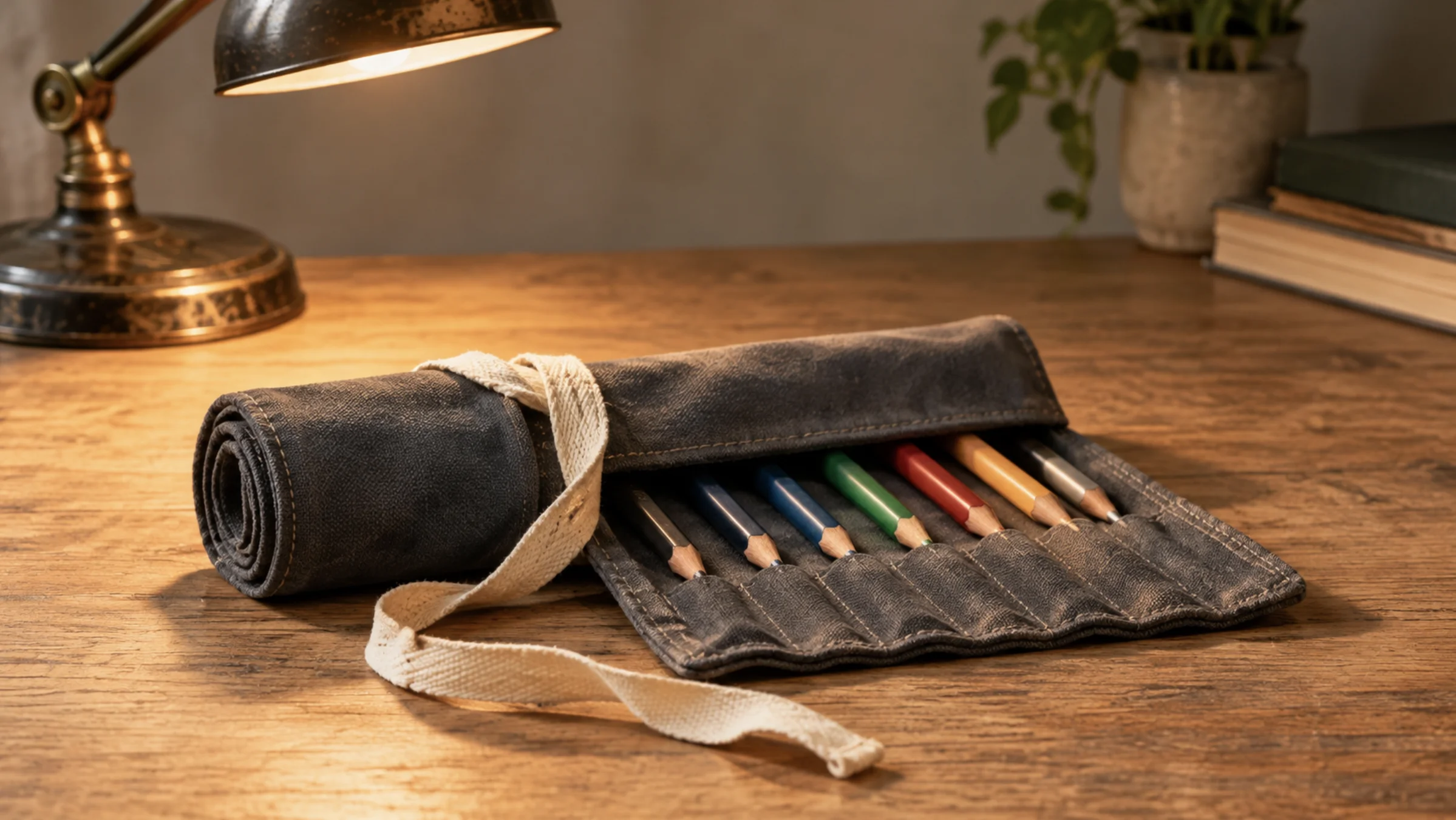
The shot I want to make starts with a plain plywood tabletop, an old desk lamp and a pencil roll tied with a strip of cloth. A hand pulls the strip. As the roll opens, the camera moves just far enough to reveal the different pencil tips. The clip is a small experiment for an article comparing video creation workflows. The task is to communicate an action with a clear beginning and end in seven seconds. That is enough time to expose problems with a reference image or with a direction in the prompt.
My first move is to make a still of the closed roll with the cloth strip visible. I’d put the knot just to the right of the center of the frame. The light comes from the left and falls away at the edge of the tabletop. I also want a photo of the opened roll from the same position, so I have a record of how far the shape changes and what should be visible at the end. I’m interested in the interval between the two pictures. A quick dissolve could connect them, but it misses the little pull and release that give the reveal its character.
Decide what the camera does before the hand arrives
I can sketch the initial frame from text alone. Here the description I want to test is a waist-high view across a table with a low, warm lamp, a dark gray canvas pencil roll, and a cream strip tied around it. On paper, the image feels quite specific. In a moving shot, the knot could be concealed by shadow or the hand could enter from the wrong side. To improve that brief I’d add the initial frame as a reference and describe where the hand comes in as well as the exact moment it leaves. In the edit I want to be able to cut away on a visible movement.
A photograph can settle the question of where the knot is, while the camera motion needs a different kind of evidence. I’d give seedance 3.0 ai a short reference video of a slow lateral move past a folded tea towel. It can communicate the speed and direction of the move without dictating a new subject. I’d use the text prompt to restate that the canvas roll and the lamp should come from the still. For the test, I want the camera to start only after the hand has loosened the knot, with the pencils steadily coming into view as the cloth falls.
Make the sound part of the timing
A tabletop close-up asks me to choose even where there seems to be very little action. I can record a strip of cloth sliding across wood, a soft tap of a pencil and a second of room tone. These are sounds I can control in a quiet room. I’d place the pull about one beat before the tap, with the pause long enough to recognize it as a separate event. A short audio reference can help convey the relation between the cloth and the pencils when I try a multimodal prompt with seedance 3.0 ai. I’d keep the recording for the edit too, because my preferred cut could land a little earlier than the generated motion.
I’m aiming for something quite modest in the audio. If I use a dramatic rise or a chime, the camera move begins to feel like a logo reveal. If I keep the tabletop sounds up front, the product feels like an object someone actually uses. On a rough cut I’d listen for the cloth to sound believable and the tap to coincide with a pencil shifting. If the track and picture disagree, I’d look for a clean frame before the tap and place the sound there by hand. I can reuse that sound in both of the variants I plan to compare.
Compare changes one at a time
The useful test is a pair of clips that differ in one clear decision. In my first seedance 3.0 ai pass I’d keep the camera stationary with the artwork and light in the same place. In the next pass, I’d add the lateral reference move. If the still shot shows the knot more clearly, I can keep its first seconds and reserve the moving camera for the open roll. If the lateral move feels clearer on its own, I can use one continuous shot. The comparison tells me something about this reveal, which matters more to the final edit than a generic ranking of camera moves.
I’d also freeze near the last frame to see whether the pencils are resting neatly in their individual loops. For a shot that ends with a product detail, the viewer has time to notice if two tips merge or a loop shifts between frames. If that happens, I’d use the open-roll still as a reference for a short detail shot instead of trying to repair the opening action and the final arrangement in one pass. In seedance 3.0 ai, the detail prompt can concentrate on a small amount of visible movement like the shadow of the departing hand. That gives my edit a clean ending without demanding another full reveal.
Leave space for the final frame
The finished version needs an alternate cut for a vertical screen. I’d preserve enough of the roll near the center so that the frame can be cropped without losing the knot. The end frame matters particularly in that format. Once the viewer sees the pencil tips, I want a short hold that gives them enough time to look at the object before I cut to the product name. I’d add the name in editing and keep a clean export that can be used in a different layout.
I would write down what I changed between each seedance 3.0 ai pass. For this test, the notes can be three sentences covering the fixed-camera cut, the lateral move and the clean end shot. That gives me a straightforward way to retrace the decision if I turn the video into a longer craft story. The finished exercise is one short sequence with a visible knot, an audible pull, and a clear last frame. It gives anyone evaluating seedance 3.0 ai a specific question to take into a first project. Which part of a reveal needs a still, which part needs a motion reference, and which part is best left for the edit?