You can generate a social media content calendar with AI by sharing your audience, goals, posting schedule, and brand voice, then asking for a structured plan. The useful part goes beyond filling dates: an AI content calendar should connect every post to a clear purpose, an asset, and a next step.
A vague request usually produces generic tips and repetitive captions. Use the workflow below to turn your business details into a practical monthly plan, with a reusable prompt and a weekly example you can adapt.
What Should an AI Content Calendar Include?
Your calendar is the working record of what you will publish, where it belongs, and when it is ready. A list of ideas is a starting point, but it cannot tell you whether a video has been recorded or a caption approved.
Hootsuite’s social media calendar guide describes a calendar as “a strategic plan of all upcoming content, organized by publish date and platform.” Build on that idea by tracking production and results alongside your dates.
- Publish date, time, time zone, and platform.
- Content pillar, topic, format, and opening hook.
- Draft caption, call to action, and destination link.
- Image or video brief, asset location, and accessibility notes.
- Owner, approval status, and the metric you will review.
Keep one row per platform-specific post. If you adapt one idea for Instagram and LinkedIn, create two rows so the captions, links, and approval steps stay clear.
How to Generate a Social Media Content Calendar With AI
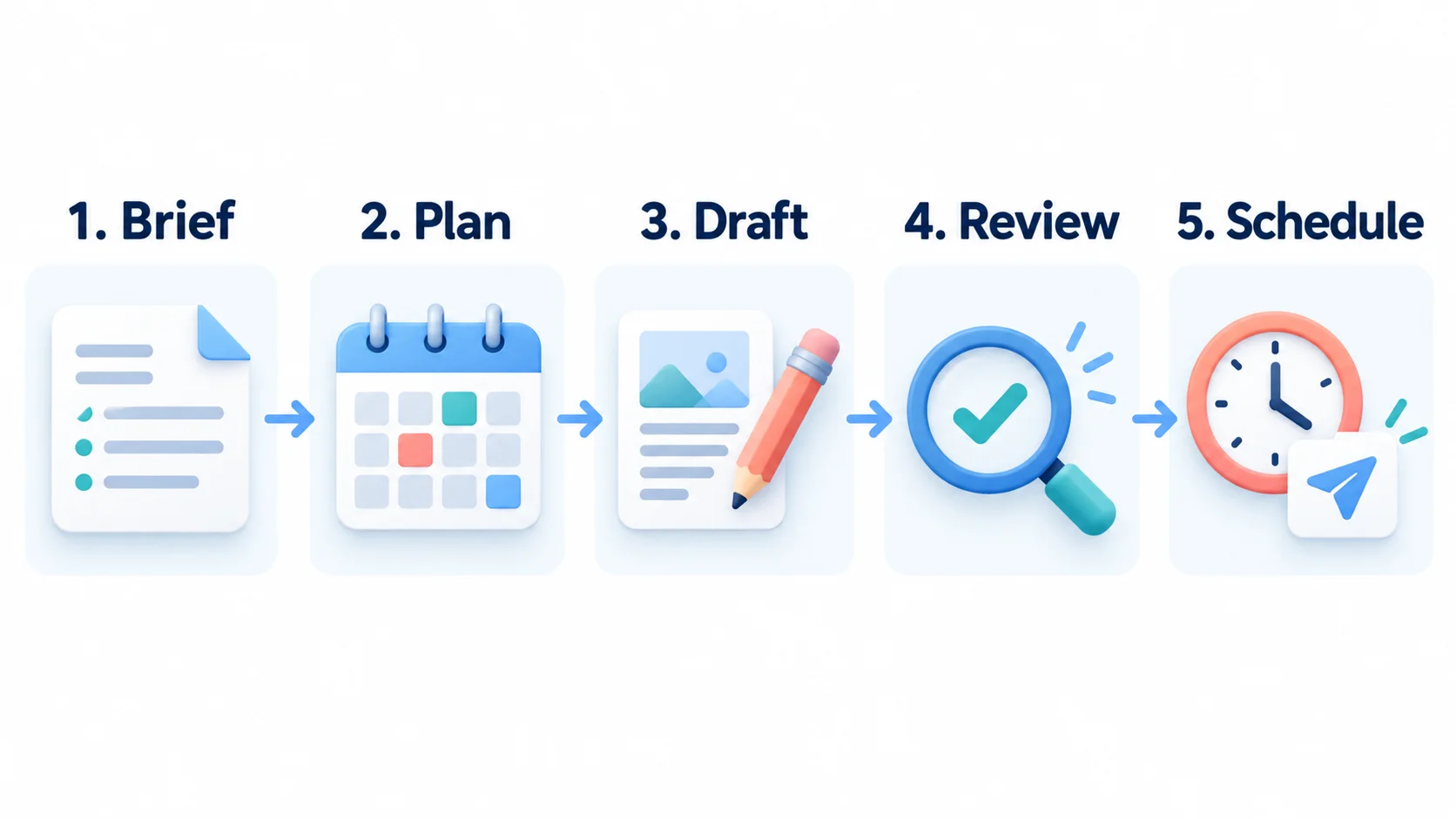
Work in five stages: brief, plan, draft, review, and schedule. Keeping these stages separate makes it easier to catch weak ideas before you spend time creating assets.
1. Give AI a Specific Brand Brief
Start with the information your audience needs, rather than a request for viral posts. Define your offer, the problem it solves, and the action you want someone to take after seeing your content.
Describe your buyer personas using real customer questions and feedback. Remove private details before sharing examples, and clearly label any assumptions about your audience.
Include your location, platforms, available production time, and brand voice. For a neighborhood coffee shop in Austin, that could mean friendly US English, three feed posts per week, original phone photos, and a goal of increasing weekend visits.
Share two or three approved captions and explain why they fit. Add boundaries such as no invented reviews, unverified claims, fake scarcity, or discounts that have not been approved.
2. Choose Content Pillars and a Realistic Cadence
Content pillars are recurring themes that keep your plan focused. Start with three or four: education, behind-the-scenes content, community questions, and relevant offers.
Ask AI for several angles under each pillar, then remove duplicates. Strong content brainstorming starts with specific customer problems, such as choosing coffee beans or storing an opened bag.
Choose a schedule you can actually maintain. Three strong posts each week can be a better starting experiment than a daily plan that requires more filming and editing than you can finish.
Reserve room for timely updates instead of filling every slot. Confirm relevant US holidays, business hours, and promotion dates before they enter your calendar.
3. Use This Copy-and-Paste Calendar Prompt
Replace the bracketed fields before you use the prompt. These prompt writing habits give the model enough context to produce a useful first draft.
Create a 4-week social media content calendar using this brief.

Business and offer: [details]
Audience and location: [details]
Primary goal: [one measurable goal]
Platforms: [platforms]
Start date and time zone: [date; named time zone]
Cadence: [number of posts per platform each week]
Content pillars: [3-4 themes]
Brand voice and approved examples: [details]
Available assets and production capacity: [details]
Approved facts, offers, and destination URLs: [details]

First, identify missing information and label assumptions.
Then create one row per platform-specific post with:
date, platform, pillar, format, topic, hook, CTA, asset brief,
owner, status, and success metric.

Vary angles and formats. Match the plan to production capacity.
Do not invent testimonials, statistics, offers, or URLs.
Mark missing facts as VERIFY and unavailable assets as NEEDED.
Treat posting times as tests unless audience data is supplied.
Leave captions for a second pass after the plan is approved.
Use US English and return the calendar as a table.
Check the dates and post count before asking for captions. If the plan misses a pillar or repeats an angle, fix that structure first.
4. Turn Approved Ideas Into Platform-Specific Drafts
Ask for captions one week at a time so you can review the voice without sorting through a month of repetitive copy. Request a distinct hook, one clear message, and a call to action that fits the post’s goal.
For a coffee-storage tip, your Instagram version could become a saveable carousel. A Facebook version might use one original photo and a short question about brewing habits.
Explore caption tools if drafting is your main bottleneck. Give any tool the same approved brief so your voice stays consistent across the calendar.
A useful follow-up is: “Draft the first week’s captions using only the approved facts, with a different opening for each post.” Reject filler phrases and replace broad advice with details only your business could provide.
A Sample Weekly Social Media Calendar
This illustrative plan uses a fictional Austin coffee shop and one feed post on Monday, Wednesday, and Friday. The remaining days support production, replies, and measurement; the schedule is an example, not a universal posting recommendation.
| Day | Channel or task | Idea and asset | CTA or next step | Measure |
|---|---|---|---|---|
| Monday | Instagram carousel | Three coffee-storage mistakes; original bean photos | Save the checklist | Saves |
| Tuesday | Production | Film one short pour-over demonstration | Review footage and captions | Asset ready |
| Wednesday | Instagram Reel | One pour-over tip; approved demonstration video | Share your brewing question | Relevant comments |
| Thursday | Community replies | Answer questions from the week’s posts | Record recurring questions | Questions answered |
| Friday | Facebook photo | Weekend visit idea; storefront photo and verified hours | Check the location page | Link clicks |
| Saturday | Flexible slot | Optional timely update if useful | Verify details before posting | Depends on goal |
| Sunday | Review | Compare results and production effort | Adjust next week’s plan | Lessons recorded |
In your working version, add exact dates, owners, asset links, and statuses. Use a named time zone such as America/Chicago so a calendar shared across locations does not rely on an ambiguous clock time.
Create Images That Support Each Post
Give every visual a job: demonstrate a process, show a product, or make a checklist easier to understand. Use original product and location photos when accuracy matters, and AI illustrations when you need a concept explained visually.
Your asset brief should specify the subject, composition, brand colors, intended format, and required text. For example: “Create a simple illustration of coffee beans in an airtight container, with space for a short storage tip.”
Check small text, product details, and the final crop before approval. Add descriptive alt text for meaningful images and captions for spoken video content; review automated captions for mistakes.
Use content creation tools to support the formats your plan needs. Keeping a small set of repeatable visual templates can reduce production work and make your posts feel connected.
Review and Schedule Your Approved Content
Before scheduling, check each caption against your source material. Open every destination link, verify offers and dates, and confirm you have the correct asset attached.
Use clear statuses such as Idea, Draft, Needs Review, Approved, Scheduled, and Published. A generated calendar remains a plan until an authorized publishing tool has actually scheduled the posts.
For example, Buffer’s publishing tools provide calendar planning and platform-specific customization. Buffer describes its AI capability as helping you “Repurpose your existing posts,” which fits the drafting stage of this workflow.
Check support for your account type and exact post format before relying on automatic publishing. Some formats or native features may require a notification and a final step in the social app.
Schedule a small approved batch first and verify the platform previews, dates, and time zone. Broader marketing tools are useful when they solve a clear workflow need, but your calendar should remain understandable without extra software.
Improve Next Month’s Calendar With Real Results
Review each post against its intended goal instead of ranking everything by likes. Compare saves for educational content, relevant replies for discussion posts, and tracked clicks or inquiries for offers.
Give AI a small table of results with the platform, topic, format, reach, relevant metric, and production time. Ask it to identify possible patterns and suggest one change to test, while distinguishing observations from guesses.
Compare similar posts over several weeks before making large changes. One unusually successful video does not prove that every future post should use the same format.
Conclusion
To build a useful AI content calendar, start with a clear brief, choose a manageable cadence, and approve the plan before drafting captions. Add purposeful visuals, verify details, and schedule only reviewed posts. Your results can then guide the next month, giving you a repeatable process that becomes more relevant as you learn what your audience responds to.