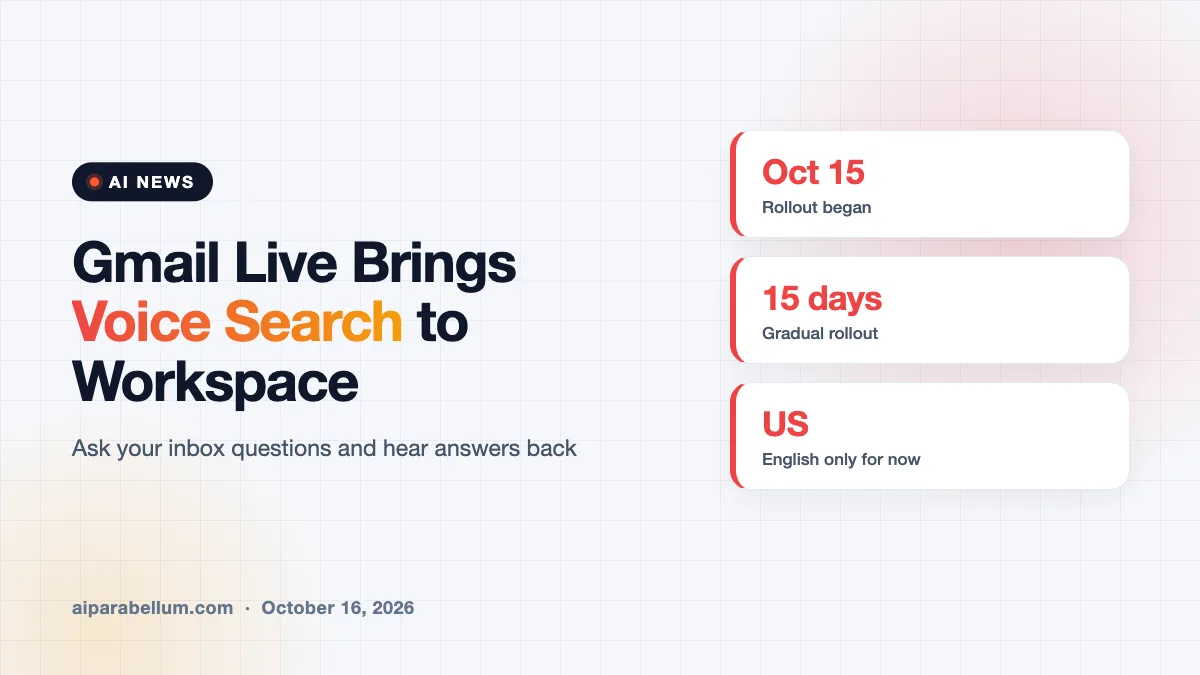
Gmail Live, the Gemini-powered voice search that answers questions about your inbox out loud, is now rolling out to paid Google Workspace customers on Android and iOS. Google started the gradual rollout on October 15, 2026, and says it can take up to 15 days for the feature to show up for everyone. For now, it works only for users in the US with their language set to English.
What Gmail Live Actually Does
Instead of typing keywords into the search bar and opening thread after thread, you tap a Live button and simply ask a question. Gmail Live scans your inbox and speaks back a short answer it builds from your messages. Google says it runs on its latest Gemini models and is designed for low delay, so it feels more like a conversation than a search.
Google’s own examples show the kind of questions it has in mind. You might ask which gate your flight leaves from tomorrow, when your next mandatory training is due, or what the latest update from your manager says. The idea is to help when your hands are busy, like during a commute or while you juggle other tasks.
Two Upgrades in This Release
Google first announced Gmail Live in early September as part of a wider push to add voice features to its apps. The version now reaching business accounts adds two changes:
- Source cards: every answer now shows a card pointing to the email the information came from, so you can check it yourself.
- Voice choice: you can pick the voice Gmail Live uses to read answers back to you.
The source card matters more than it might seem. AI summaries can get details wrong, and being able to jump straight to the original email makes it far easier to catch a mistake before you act on it.
Who Can Use Gmail Live Right Now
The Workspace rollout covers a long list of paid plans. Google says the feature is on by default for organizations that already have Gemini in Workspace, and it follows any existing admin settings for smart features and personalization.
| Plan type | Eligible editions |
|---|---|
| Business | Business Starter, Standard, and Plus |
| Enterprise | Enterprise Starter, Standard, and Plus |
| Nonprofits | Google Workspace for Nonprofits |
| Add-ons | Gemini Business, Gemini Enterprise, AI Expanded Access, AI Ultra Access |
| Education add-on | Google AI Pro for Education |
Personal users who pay for a Google AI plan can use the feature too, as reports today note it has reached those subscribers. Either way, you need a supported Android or iOS device, because this release is mobile only.
How to Start a Gmail Live Session
Open the Gmail app and look for the Live entry point inside the search bar. Tap it, and the first time you do, Gmail will ask for microphone access. After that, you just talk and listen.
Docs Live and Keep Live Round Out the Voice Push
Gmail Live is one of three voice features Google built on its Gemini Audio models, which it first previewed at its I/O conference. The other two live in Docs and Keep, and they push voice beyond search into writing and note-taking.
Docs Live works as a spoken writing partner. You describe what you want, and it helps outline, structure, and refine the tone of a first draft. With your permission, it can also pull in details from Gmail, Drive, Chat, and the web.
Keep Live is aimed at messy thinking. You can ramble through an idea out loud, and Keep turns it into organized lists and notes in the background. Google’s demo shows someone planning to paint a room and getting back a supply list plus step-by-step instructions.
What This Means for You
Voice search inside email is a small change with a big daily payoff if you live in your inbox. It also fits a clear trend: the big AI players are racing to make assistants that act on your own data, not just the open web. You can see the same push in Google’s recent Deep Review tool and in rivals like the new ChatGPT Chrome extension.
A few practical tips if you plan to try it:
- Check the source card before you act on an answer, especially for dates, amounts, and flight details.
- If you are a Workspace admin, review your Gemini and smart feature settings, since Gmail Live turns on by default.
- Think about where you use it. Spoken answers about work email may not be something you want played aloud in public.
- Keep your inbox habits sharp anyway. Our guide on how to organize your inbox pairs well with smarter search.
If you are curious about the model behind these tools, our coverage of the Gemini 4 Argon model launch explains where Google’s AI is heading next. You can also follow every update in our AI news hub.
Sources
This article is based on Google’s Workspace Updates blog announcement of the rollout, the original Google blog post introducing Gmail Live, Docs Live, and Keep Live, and reporting from Engadget.
Conclusion
Gmail Live turns inbox search into a quick spoken conversation, and its arrival on paid Workspace plans puts it in front of a huge number of office workers. The new source cards are a smart addition, because they make it easy to double-check what the AI tells you. For now, the feature is limited to US users on mobile with English as their language. If you have an eligible plan, look for the Live button in your Gmail search bar over the next two weeks and give it a try.