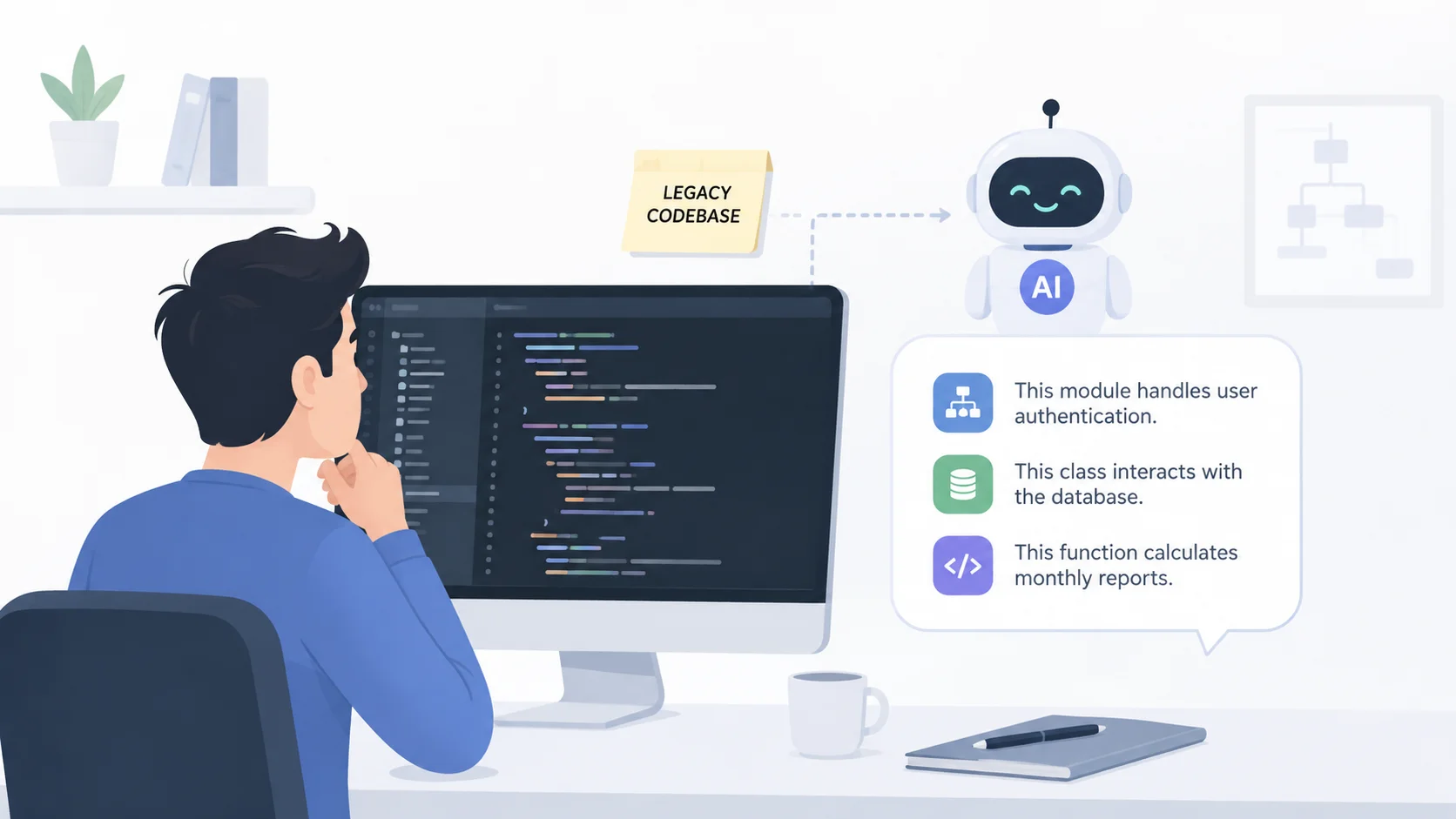
You just started a new job, got assigned to a different team, or took over a freelance project. Someone hands you access to a codebase that has been in production for years. There is no documentation. The original developer left the company two years ago. The commit messages say things like “fixed stuff” and “final final v2.”
You have to understand this code well enough to maintain it, fix bugs in it, and eventually build new features on top of it. That used to mean weeks of reading files line by line, drawing diagrams on whiteboards, and asking coworkers who remember fragments of how things work.
AI assistants can compress that process from weeks into days. They read code faster than any human, explain patterns and architecture on demand, and answer specific questions about functionality without you needing to trace through hundreds of files manually. Here is how to use them effectively.
Why Legacy Codebases Are Hard to Understand
Legacy code is not just old code. It is code that has been modified by multiple people over multiple years, often under deadline pressure, without consistent documentation or architectural guidelines. As Martin Fowler describes it, legacy code is essentially code without tests, making it risky to change. The result is a system where the code works but nobody fully understands why.
Several factors make legacy codebases particularly difficult to navigate.
- Inconsistent naming conventions that changed as different developers joined and left the team over the years.
- Dead code that nobody is sure whether it is still needed or just forgotten, so nobody deletes it.
- Business logic buried inside utility functions, middleware, or database queries where you would never think to look.
- Implicit dependencies between modules that are not documented anywhere and only become obvious when something breaks.
- Configuration files that have accumulated years of commented-out settings, environment-specific overrides, and outdated values.
AI assistants handle this complexity well because they can process large amounts of code simultaneously and identify patterns across files that would take a human days to spot.
The hardest part of inheriting a legacy codebase is not understanding what the code does. It is understanding why it does it that way, and whether that reason still applies.
Choosing the Right AI Assistant for Code Exploration
Different AI tools offer different strengths when it comes to understanding existing code. Your choice depends on the size of the codebase, the languages involved, and how you prefer to work.
| Tool | Free Access | Best For | Key Strength |
|---|---|---|---|
| Claude Code | Subscription required | Deep codebase analysis and refactoring | Reads entire repositories, understands cross-file relationships |
| Cursor AI | Free tier available | IDE-integrated code exploration | Context-aware within your editor, indexes full projects |
| GitHub Copilot | Free tier available | Inline code explanations and suggestions | Understands code in context as you navigate files |
| ChatGPT | Free tier available | Pasting code snippets for explanation | Flexible prompting for any language or framework |
| Gemini | Free with Google account | Large context window for big files | Handles very long code files in a single prompt |
For serious legacy codebase exploration, tools that can index an entire project like Cursor AI or Claude Code provide significantly better results than pasting individual files into a chat window. They understand how files relate to each other, which is exactly what you need when decoding a complex system.
Step 1: Start With the Big Picture
Do not dive into individual files first. Start by asking the AI to explain the overall architecture and structure of the project. This gives you a mental map before you get lost in the details.
Prompts for Understanding Architecture
Feed the AI your project structure or let it scan the repository, then ask targeted questions about the high-level design.
Look at this project structure and explain:
1. What is the overall architecture pattern (MVC, microservices, monolith, etc.)?
2. What are the main modules or components and what does each one do?
3. How does data flow through the application from user input to database?
4. What external services or APIs does this system depend on?
5. Where is the entry point of the application?
This overview saves hours of aimless file browsing. Even if the AI gets some details wrong, it gives you a framework for understanding that you can refine as you dig deeper. Knowing how to write effective prompts makes the difference between vague summaries and genuinely useful architectural explanations.
Mapping Dependencies and Integrations
Ask the AI to identify all external dependencies, third-party integrations, and service connections. Legacy codebases often rely on outdated libraries, deprecated APIs, or services that have changed significantly since the code was written.
Understanding these dependencies upfront prevents the surprise of discovering mid-project that a critical feature relies on an API that was deprecated three years ago.
Step 2: Understand the Data Model
The data model is the foundation of any application. If you understand how data is structured, stored, and related, the rest of the code becomes much easier to follow.
Database Schema Exploration
Ask the AI to explain the database schema, including relationships between tables, the purpose of each table, and any unusual patterns or conventions. Legacy databases often contain tables that were added for specific features that may or may not still exist.
Analyze the database schema and explain:
1. What are the core entities and how do they relate to each other?
2. Are there any tables that appear to be unused or orphaned?
3. What naming conventions are used and are they consistent?
4. Are there any columns that seem to store serialized or encoded data?
5. Where are the most complex queries likely to be?
This analysis often reveals the true complexity of a system. A codebase that looks simple on the surface might have a database schema with dozens of tables and intricate relationships that drive the business logic.
Step 3: Trace Critical Paths
Every application has a few critical paths that handle the most important functionality. Ask the AI to trace these paths from start to finish.
Following the Request Lifecycle
Pick the most important user action in the application, like placing an order, creating an account, or submitting a form, and ask the AI to trace every step from the user’s click to the database write and back.
- Which controller or route handler receives the request?
- What middleware or interceptors process it along the way?
- Where does validation happen and what are the rules?
- Which service or business logic layer processes the core action?
- What database operations occur and in what order?
- What happens after the database write, including notifications, logging, cache updates, or webhook calls?
- What does the response look like and how is it formatted?
Tracing even two or three critical paths gives you a working understanding of how the application operates in practice. The same AI productivity tools that help with general workflows apply directly to code comprehension tasks.
You do not need to understand every line of a legacy codebase. You need to understand the critical paths well enough to make safe changes. AI gets you there faster than any other method.
Step 4: Decode Business Logic
The hardest part of any legacy codebase is the business logic. This is where rules that made sense to someone years ago are encoded in ways that are not immediately obvious.
Asking the Right Questions
When you encounter a confusing function or module, ask the AI specific questions that go beyond “what does this do” to “why does this exist.”
| Question Type | Example Prompt | What It Reveals |
|---|---|---|
| Purpose | “What business problem does this function solve?” | The real-world reason the code exists |
| Edge cases | “What edge cases does this code handle and which does it miss?” | Hidden complexity and potential bugs |
| Dependencies | “What other parts of the system break if I change this?” | Coupling and risk assessment |
| History | “Why might someone have written it this way instead of the simpler approach?” | Constraints you might not see |
| Alternatives | “How would you rewrite this using modern patterns?” | Refactoring opportunities |
The “why” questions are the most valuable. AI often identifies patterns that suggest a workaround for a specific bug, compatibility with a now-removed feature, or a performance optimization that may no longer be necessary.
Identifying Technical Debt
Ask the AI to flag areas of technical debt, including duplicated logic, overly complex functions, hardcoded values, missing error handling, and security concerns. This gives you a prioritized list of improvements you can make as you work on the codebase. The AI tools available to developers today make technical debt assessment faster and more thorough.
Step 5: Generate Documentation as You Go
One of the most valuable things you can do with AI during codebase exploration is generate the documentation that should have existed from the beginning.
Auto-Generated Documentation
As you explore each module, ask the AI to generate documentation in a consistent format.
For this module, generate documentation that includes:
1. A one-paragraph summary of what the module does
2. Its public API (functions, classes, methods) with descriptions
3. Dependencies it requires
4. Side effects it produces (database writes, API calls, file system changes)
5. Known gotchas or non-obvious behavior
Save this documentation alongside the code. Future developers, including future you, will thank you. This documentation also serves as a verification tool. If your AI-generated docs do not match what the code actually does when you test it, you have found either a bug or a misunderstanding worth investigating.
Creating Architecture Decision Records
As you discover why certain architectural choices were made, document them as Architecture Decision Records. Ask the AI to help you format these based on what the code reveals about past decisions. This captures institutional knowledge that would otherwise be lost when team members leave.
Step 6: Test Your Understanding
AI explanations are not always correct. Verify your understanding before making changes.
- Ask the AI to predict what happens when you change a specific piece of code. Then make the change in a test environment and see if the prediction matches reality.
- Write unit tests for the functions the AI explained. If the tests pass, your understanding is likely correct. If they fail, you have found a gap in either the AI’s explanation or your interpretation.
- Ask the AI two different ways and compare the explanations. Inconsistencies often reveal areas where the code is genuinely ambiguous or doing something unexpected.
- Trace through the code manually for at least one critical path to confirm the AI’s architectural overview matches reality.
This verification step is essential. AI assistants confidently explain code even when they misunderstand it. As the Stack Overflow developer survey found, developers trust AI more for writing code than explaining it, which is exactly why verification matters. Trust but verify, especially before making changes to production systems.
An AI assistant that is wrong about 10 percent of a legacy codebase still saves you 90 percent of the time you would have spent figuring it out alone. Just verify the critical parts.
Common Mistakes When Using AI for Code Exploration
AI code exploration has pitfalls that can lead you astray if you are not careful.
- Trusting explanations without testing. AI can sound confident about code that it misunderstands. Always verify critical explanations against actual behavior.
- Asking about code in isolation. A function that looks simple on its own might behave completely differently when called from specific contexts. Give the AI surrounding context whenever possible.
- Ignoring version-specific behavior. Legacy code often uses older language features, deprecated library methods, or framework versions with different behavior than current releases. Make sure the AI accounts for this.
- Trying to understand everything at once. Focus on the parts of the codebase you need to work with first. You can explore other areas later as needed.
- Not documenting what you learn. The worst outcome is spending days with AI understanding the codebase and then forgetting the insights because you did not write them down.
Advanced Techniques for AI-Assisted Code Exploration
Once you are comfortable with the basics, these techniques extract even more value from AI assistants.
- Feed the AI git blame output alongside the code to understand when and why specific changes were made. Commit history often explains the “why” behind confusing code.
- Ask the AI to generate a dependency graph showing how modules connect to each other. Visual representations reveal architectural patterns that text descriptions miss.
- Use AI to compare the codebase against modern best practices and generate a prioritized modernization roadmap. This is especially useful when building a case for technical investment.
- Ask the AI to identify dead code by analyzing import chains and call graphs. Removing dead code simplifies the codebase and reduces confusion for everyone. Using an AI-powered assistant for this kind of systematic analysis saves significant manual effort.
- Feed the AI your test suite alongside the production code and ask what behaviors are tested versus untested. This reveals risk areas where changes are most likely to cause undetected problems.
Building a Systematic Exploration Workflow
The most effective approach follows a structured workflow rather than random exploration.
| Day | Focus Area | AI Task | Output |
|---|---|---|---|
| 1 | Project structure and architecture | Generate architecture overview | Architecture diagram and summary |
| 2 | Data model and database | Explain schema and relationships | Entity relationship documentation |
| 3 | Critical path tracing | Trace 3-5 key user flows | Flow diagrams and sequence docs |
| 4 | Business logic deep dive | Decode complex functions and rules | Business rules documentation |
| 5 | Dependencies and integrations | Map external services and libraries | Integration inventory |
By the end of this five-day process, you will have a working understanding of the codebase plus documentation that did not exist before. That is a massive head start that would have taken three to four weeks without AI assistance. The code assistant tools available today make this kind of rapid onboarding realistic for any developer.
When AI Explanations Are Not Enough
AI assistants have limitations when it comes to legacy code. There are situations where human knowledge is irreplaceable.
Code that interacts with proprietary hardware, internal systems with no public documentation, or custom protocols may not be well understood by AI models. Business rules that were communicated verbally and never written down anywhere cannot be inferred from code alone. Performance-critical sections that depend on specific runtime environments or infrastructure configurations may behave differently than the AI predicts.
In these cases, combine AI exploration with conversations with team members who have institutional knowledge. Use AI to prepare specific, informed questions rather than asking broadly “how does this work.” People are more helpful when you demonstrate you have already done your homework. The same ChatGPT or Claude session you used for code exploration can help you draft those questions clearly.
AI is the fastest way to get 80 percent of the understanding you need. The last 20 percent often requires talking to humans who were there when the decisions were made.
Conclusion
Getting an AI assistant to explain a legacy codebase you inherited transforms what used to be a months-long orientation into a structured, week-long process. AI reads and explains code at speeds no human can match, identifies architectural patterns across hundreds of files, traces critical paths through complex systems, and generates the documentation that should have existed from the start. The key is following a systematic approach, starting with the big picture, drilling into critical paths, decoding business logic, and verifying everything before making changes. AI will not give you perfect understanding, but it gives you enough to start working confidently and safely in a codebase you have never seen before.