Podcasting has a visibility problem. The content is excellent, the conversations are deep, and the audience is loyal. But podcasts live in audio players where nobody scrolls past them on social media, nobody shares a clip on Instagram, and nobody stumbles across them in a YouTube search. The audio format that makes podcasting intimate is the same format that makes it invisible on visual platforms.
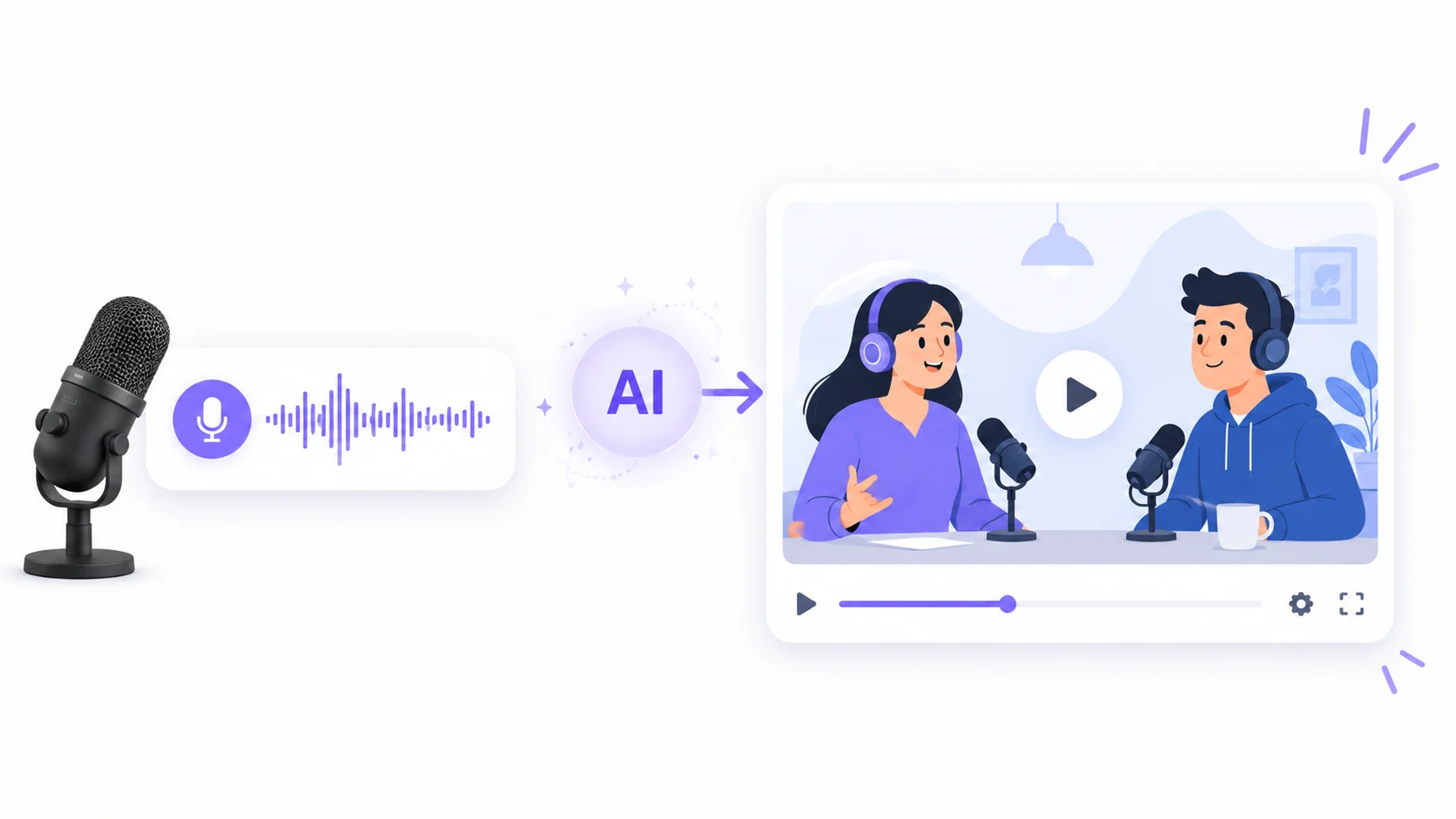
AI solves this by transforming podcast audio into animated videos automatically. These tools take your audio file and generate visual content to match: animated waveforms, dynamic captions, AI-generated video scenes, talking avatars, and short-form clips optimized for every social platform. What used to require a video editor, motion graphics designer, and hours of production time now takes minutes.
Here is how to turn podcast audio into animated videos with AI, which tools handle different parts of the workflow, and how to maximize the reach of every episode you record.
Why Podcasters Need Video Content
The data is clear: video content gets dramatically more engagement and discovery than audio alone. YouTube is now the number one podcast consumption platform in the United States, and short-form video on TikTok, Instagram Reels, and YouTube Shorts drives more podcast discovery than any other channel.
According to Edison Research, 31 percent of weekly podcast listeners in the U.S. discovered their most recent podcast through a video clip on social media. That number has doubled in three years. Podcasters who publish only audio are missing the fastest-growing discovery channel in the medium.
The challenge has always been production. Recording a podcast takes one to two hours. Turning that audio into polished video content used to take five to ten additional hours of editing, animation, and formatting. AI compresses that video production time to minutes, making it practical for solo podcasters and small teams who cannot afford dedicated video staff.
Your podcast episode is not one piece of content. It is twenty pieces of content trapped in a single audio file. AI sets them free.
AI Tools for Converting Podcast Audio to Video
Different AI tools handle different parts of the podcast-to-video workflow. Some focus on full episode visualization, others on short clip extraction, and several specialize in specific visual styles like avatars or audiograms.
| Tool | Free Option | Best For | Key Feature |
|---|---|---|---|
| Descript | Free tier available | Full episode editing and clip creation | Edit audio by editing text, auto-captions |
| Opus Clip | Free tier with limits | AI short clip extraction from long episodes | Identifies viral-worthy moments automatically |
| Synthesia | Free demo | AI avatar videos from scripts | Creates talking-head videos without filming |
| Headliner | Free tier available | Audiograms and waveform videos | Animated captions with waveform visualizations |
| Repurpose.io | Free trial | Automated cross-platform publishing | Auto-publishes podcast clips to all social channels |
| Runway | Free tier with limits | AI-generated video scenes from text | Creates cinematic visuals from episode descriptions |
For most podcasters, a combination of Descript for editing and clip selection, Opus Clip for automated short-form extraction, and Headliner for audiograms covers the full workflow. Larger productions benefit from adding Synthesia for avatar-based content or Runway for cinematic scene generation.
Types of Animated Videos AI Creates From Podcast Audio
AI does not produce just one type of video from your audio. Several distinct visual formats serve different platforms and purposes.
Audiograms With Animated Captions
The simplest and most widely used format combines your audio with animated waveforms, a background image or video, and dynamic captions that highlight each word as it is spoken. These audiograms work well on Instagram, LinkedIn, and Twitter where users scroll with sound off and read captions instead.
AI generates the captions automatically from your audio using speech-to-text, then animates them word by word or phrase by phrase in sync with the speaking pace. You choose a template, add your podcast branding, and the tool produces a ready-to-post video in minutes.
AI Avatar and Talking Head Videos
AI avatar tools take your podcast audio and generate a realistic talking head that lip-syncs to the speech. This creates the appearance of a video podcast without ever pointing a camera at anyone. The avatars can be custom-designed to match your brand or represent the podcast host.
The technology behind tools like Synthesia and HeyGen has improved to the point where AI avatars are increasingly difficult to distinguish from real video at social media resolution. For podcasters who prefer not to be on camera, this format provides a visual presence without the discomfort of filming.
AI-Generated Scene Videos
The most visually compelling option uses AI to generate video scenes that match the topics discussed in each podcast segment. If the podcast discusses ocean conservation, AI generates footage of ocean landscapes. If the topic shifts to technology, the visuals change to match. The AI creates a visual narrative that follows the conversation.
This approach works particularly well for storytelling podcasts, true crime shows, and educational content where relevant visuals enhance comprehension. The same AI creativity tools that filmmakers use for pre-visualization work equally well for podcast video production.
Short-Form Clips for Social Media
AI analyzes your full podcast episode and automatically identifies the moments most likely to engage viewers as standalone clips. It finds segments with strong hooks, surprising statements, emotional peaks, or complete thoughts that work independently of the full episode context.
These AI-extracted clips typically run 30 to 90 seconds and are automatically formatted for vertical video (9:16) with burned-in captions. A single one-hour episode can produce 10 to 20 short clips, each optimized for TikTok, Instagram Reels, or YouTube Shorts. AI short-form video tools handle the formatting differences between platforms automatically.
The best podcast clip is the one that makes someone stop scrolling, listen for 60 seconds, and then go subscribe to hear the rest. AI finds those moments in every episode.
Step-by-Step Workflow for Podcast to Video
This workflow converts a single podcast episode into multiple video formats for maximum reach across platforms.
Step 1: Transcribe and Edit the Audio
Start by running your podcast audio through an AI transcription tool. Descript handles this particularly well because it lets you edit the audio by editing the transcript text. Remove filler words, long pauses, and tangents by simply deleting them from the text.
This transcript becomes the foundation for everything else. It drives the captions in your videos, provides the text for AI scene generation, and helps the clip extraction tools understand the content well enough to find the best moments.
Step 2: Extract Short Clips
Feed the full episode into an AI clip extraction tool like Opus Clip. The AI analyzes the transcript and audio energy to identify segments that work as standalone content. It scores each potential clip on factors like hook strength, topic completeness, emotional intensity, and shareability.
Review the AI’s selections and pick the strongest five to ten clips. The AI gets it right about 70 to 80 percent of the time, but your editorial judgment matters for catching clips that are technically well-structured but not representative of your best content.
Step 3: Choose Visual Formats
Match each piece of content to the right visual format based on the platform and purpose.
| Content Type | Visual Format | Platform | Duration |
|---|---|---|---|
| Full episode | Audiogram with waveform and captions | YouTube, website embed | 30-90 minutes |
| Key highlight clips | Vertical video with animated captions | TikTok, Instagram Reels, YouTube Shorts | 30-90 seconds |
| Expert quotes | Quote cards with audio snippet | LinkedIn, Twitter/X | 15-30 seconds |
| Topic summaries | AI avatar presentation | YouTube, LinkedIn | 2-5 minutes |
| Teaser trailer | AI-generated scenes with voiceover | All platforms | 30-60 seconds |
Step 4: Generate and Publish
Run each clip through the appropriate AI video tool. Batch processing saves time: generate all your audiograms in one session, all your avatar clips in another. Most tools support batch export with platform-specific formatting applied automatically.
Schedule the clips across the week between episodes to maintain consistent social presence. A single episode can fuel an entire week of daily video content across multiple platforms. The AI content creation tools that handle text-based repurposing work alongside video tools to create a complete content ecosystem from one recording session.
Optimizing AI-Generated Podcast Videos
AI handles the heavy lifting, but a few optimization steps separate amateur-looking output from professional content that drives real audience growth.
Caption Styling
Default AI captions work, but customized captions perform significantly better. Use large, high-contrast fonts that are readable on mobile screens. Highlight key words in a different color to draw attention. Position captions in the lower third of the frame where viewers expect them, and use a subtle background behind the text for readability against varying visual backgrounds.
Thumbnail and Hook Optimization
The first three seconds of any social video determine whether someone watches or scrolls past. AI can extract the clip, but you need to ensure the opening moment has a strong hook. Start clips mid-sentence on an interesting statement rather than with “so today we’re going to talk about.” Front-load the value or the surprise.
For thumbnails on YouTube and other platforms that display them, use AI image tools to generate eye-catching thumbnails that include the episode topic, guest face, and a curiosity-driving text overlay. The AI marketing tools available today handle thumbnail generation as part of the broader content workflow.
Platform-Specific Formatting
- TikTok and Instagram Reels: 9:16 vertical, 30-90 seconds, fast-paced captions, trending audio hooks.
- YouTube Shorts: 9:16 vertical, under 60 seconds, strong hook in first 2 seconds.
- YouTube long-form: 16:9 horizontal, full episode with chapter markers and timestamps.
- LinkedIn: Square (1:1) or vertical, 60-120 seconds, professional tone, value-driven captions.
- Twitter/X: Square or horizontal, under 60 seconds, punchy clips with embedded captions.
AI tools handle the aspect ratio conversion and reformatting automatically, but knowing which format each platform favors helps you select the right clips for each destination.
Creating content for five platforms does not mean five times the work. It means one recording session and five export settings. AI handles the multiplication.
Building a Podcast Video Strategy
Consistency matters more than perfection. A podcaster who publishes five decent clips every week builds more audience than one who publishes a single perfect video monthly.
The Content Multiplication Framework
Every podcast episode should produce a minimum content set through AI processing.
- One full-length video version of the episode with captions for YouTube.
- Five to ten short vertical clips for TikTok, Reels, and Shorts.
- Two to three quote cards or audiograms for LinkedIn and Twitter.
- One teaser clip for promoting the next episode.
- One highlight reel combining the strongest moments across recent episodes.
This content set keeps your social channels active between episodes and drives new listeners to the full podcast. The entire production process, from raw audio to published clips, takes under an hour with AI tools compared to the 10 to 15 hours it would take manually. The same AI productivity gains that streamline other business workflows apply directly to podcast content multiplication.
Measuring What Works
Track which clip formats, topics, and visual styles generate the most engagement and new subscribers. AI clip extraction tools often include analytics that show which clips performed best, helping you understand what your audience responds to. Feed those insights back into your clip selection process to improve over time.
According to Podcast Insights, podcasts that publish video clips on social media see 25 to 40 percent more new subscribers per episode compared to those that promote through audio-only channels. The investment in AI video production pays for itself quickly in audience growth.
Advanced AI Video Techniques for Podcasters
Once the basic workflow is established, AI enables more sophisticated video content that further differentiates your podcast.
AI-Generated B-Roll
AI video generation tools create relevant B-roll footage from text descriptions. Describe the topic being discussed and the AI generates matching video clips that play behind the audio. This transforms a static audiogram into a visually rich experience that feels like a produced documentary rather than a recorded conversation.
Runway and similar generative video platforms produce footage that is stylistically consistent and topically relevant. A podcast about space exploration gets AI-generated footage of galaxies and rockets. A business podcast gets footage of offices, charts, and professional settings.
Multilingual Video Expansion
AI voice cloning and translation tools can dub your podcast audio into other languages while preserving your vocal characteristics. Combined with translated captions, this opens your podcast to global audiences without recording separate versions. A single English episode becomes available in Spanish, French, Portuguese, and other languages with minimal additional effort.
Interactive Video Elements
Some platforms support interactive elements in video: clickable timestamps, poll overlays, and linked chapters. AI generates these interactive components from your transcript automatically, adding timestamps at topic changes and suggesting poll questions based on discussion points. These elements increase watch time and engagement metrics that platform algorithms reward with greater distribution.
Conclusion
Turning podcast audio into animated videos with AI transforms every episode from a single-format asset into a multi-platform content engine. AI transcribes, extracts highlights, generates visuals, adds captions, and formats everything for each social platform in a fraction of the time manual production requires. The podcasters growing fastest in 2026 are not necessarily creating better audio. They are distributing that audio more effectively through AI-powered video that meets audiences where they actually spend time: scrolling through visual feeds on their phones.