If you see Claude Code error 429, it means a request was refused because some limit was reached. The tricky part is that three very different messages share the same number, and each one needs a different fix.
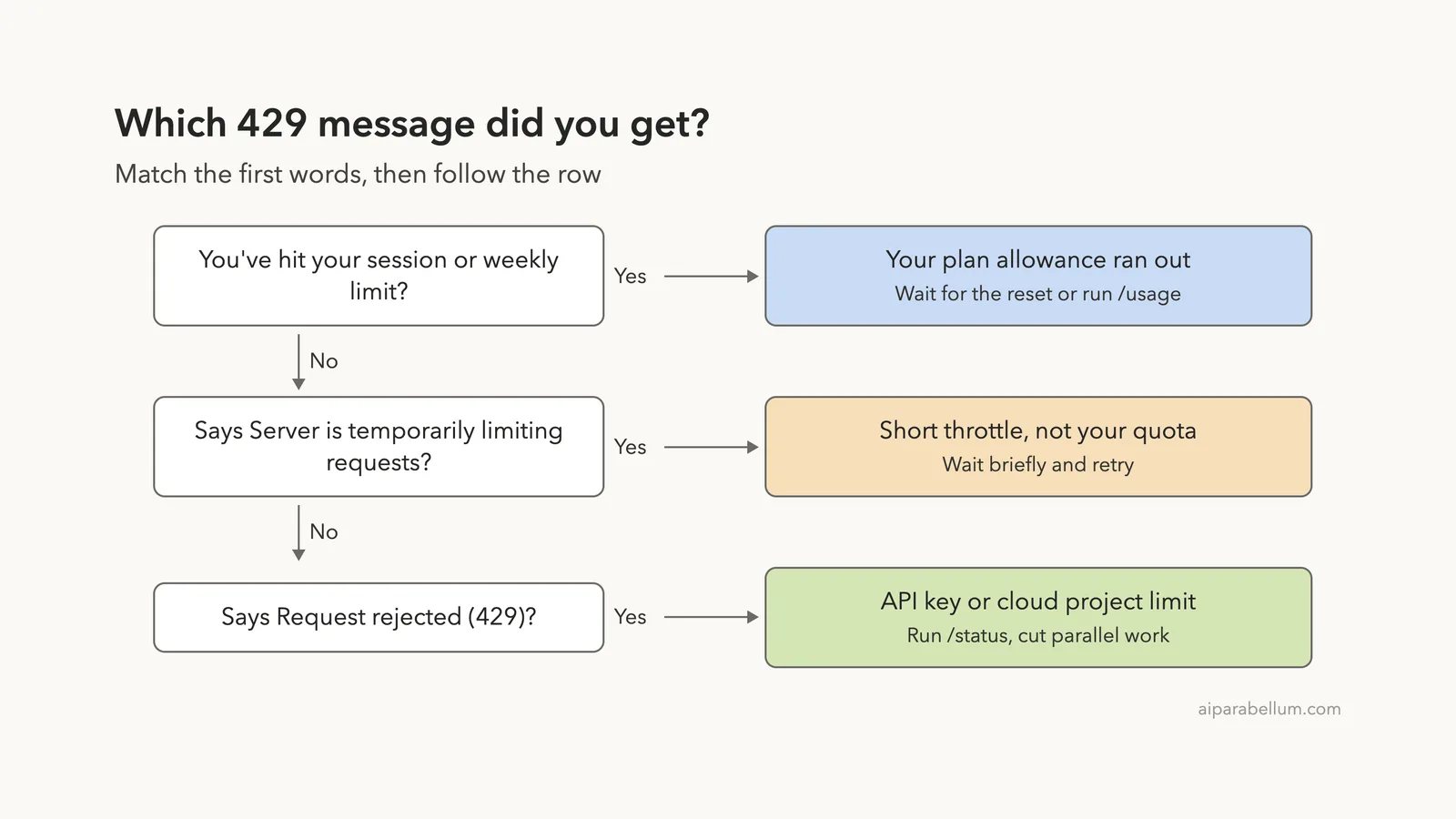
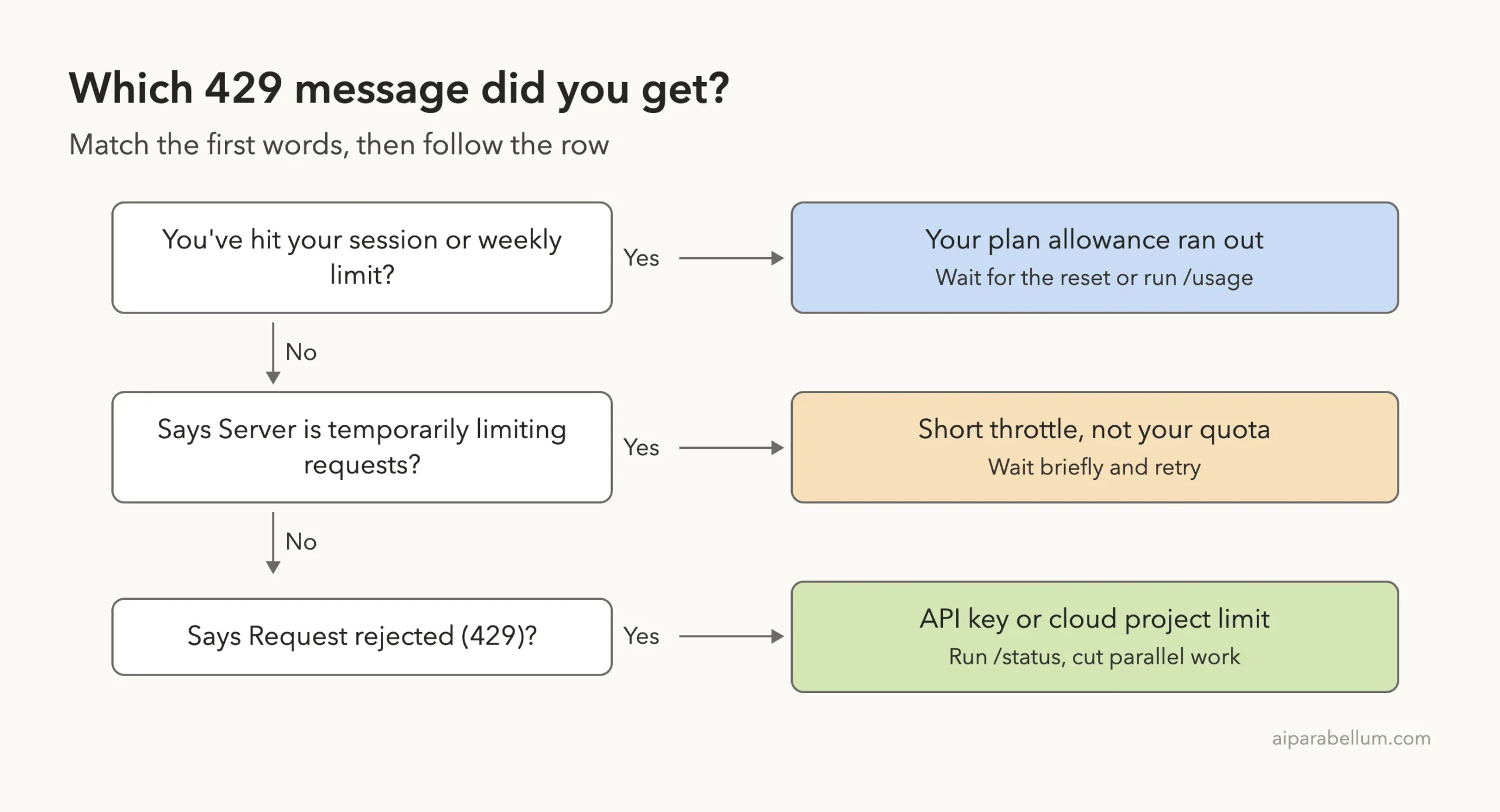
The short answer: if the message starts with “You’ve hit your session limit” or “weekly limit,” your plan allowance ran out and you wait for the reset time. If it says “Server is temporarily limiting requests,” it is a short throttle and not your quota, so wait a moment and retry. If it says “Request rejected (429),” you hit a limit on your API key or cloud project, so check your credential and cut parallel work.
This is a help article in our Claude Code tutorials collection. If you landed here from a different error, our guide to the 529 overloaded error covers the capacity version of this problem.
Tested with Claude Code v2.1.310 on October 28, 2026, on macOS. We tested on macOS; the Windows and Linux steps follow Anthropic’s official instructions. We cannot safely trigger a real 429 without using up a real plan allowance, so the message wording and fixes below come from the official Claude Code error reference, shown in highlighted screenshots of the docs page.
Quick Answer: Fix Claude Code Error 429
Find the first words of your message in the table, then jump to the matching section.
| Message starts with | What it means | First fix |
|---|---|---|
| You’ve hit your session limit | Your rolling plan allowance ran out | Wait for the reset time, or run /usage |
| You’ve hit your weekly limit | Your weekly allowance ran out | Wait for the reset time shown |
| You’ve hit your Opus limit or Sonnet limit | That model family ran out | Run /model and pick another family |
| Server is temporarily limiting requests | A short throttle, not your quota | Wait briefly and try again |
| Request rejected (429) | Your API key or cloud project rate limit | Run /status and reduce parallel work |
| You’ve hit your monthly spend limit | Usage credits reached a spend limit | Raise the limit or wait for the reset |
Do not treat every 429 the same. Read the first words of the message, because they tell you whether you wait, switch, or change a setting.
What Claude Code Error 429 Means
The number 429 is an HTTP status code. It stands for “too many requests,” which is the web’s general way of saying a limit was hit. Claude Code can show it in several shapes because limits exist at several levels: your plan, your API key, your cloud project, and the service itself.
According to the official docs, most errors in the usage limits section mean a quota tied to your account or plan was reached. Three work differently. The server throttle is unrelated to your plan quota, the 1M context message is an entitlement check, and one prompt message is about a consent prompt that went unanswered.
The diagram below turns that into a quick decision ladder you can follow from the first words of your message.
You’ve Hit Your Session or Weekly Limit
This is the most common one for people on a Pro, Max, Team, or Enterprise plan. Subscription plans include a rolling usage allowance, and when it runs out you see one of four messages.
You've hit your session limit · resets 3:45pm
You've hit your weekly limit · resets Mon 12:00am
You've hit your Opus limit · resets 3:45pm
You've hit your Sonnet limit · resets 3:45pm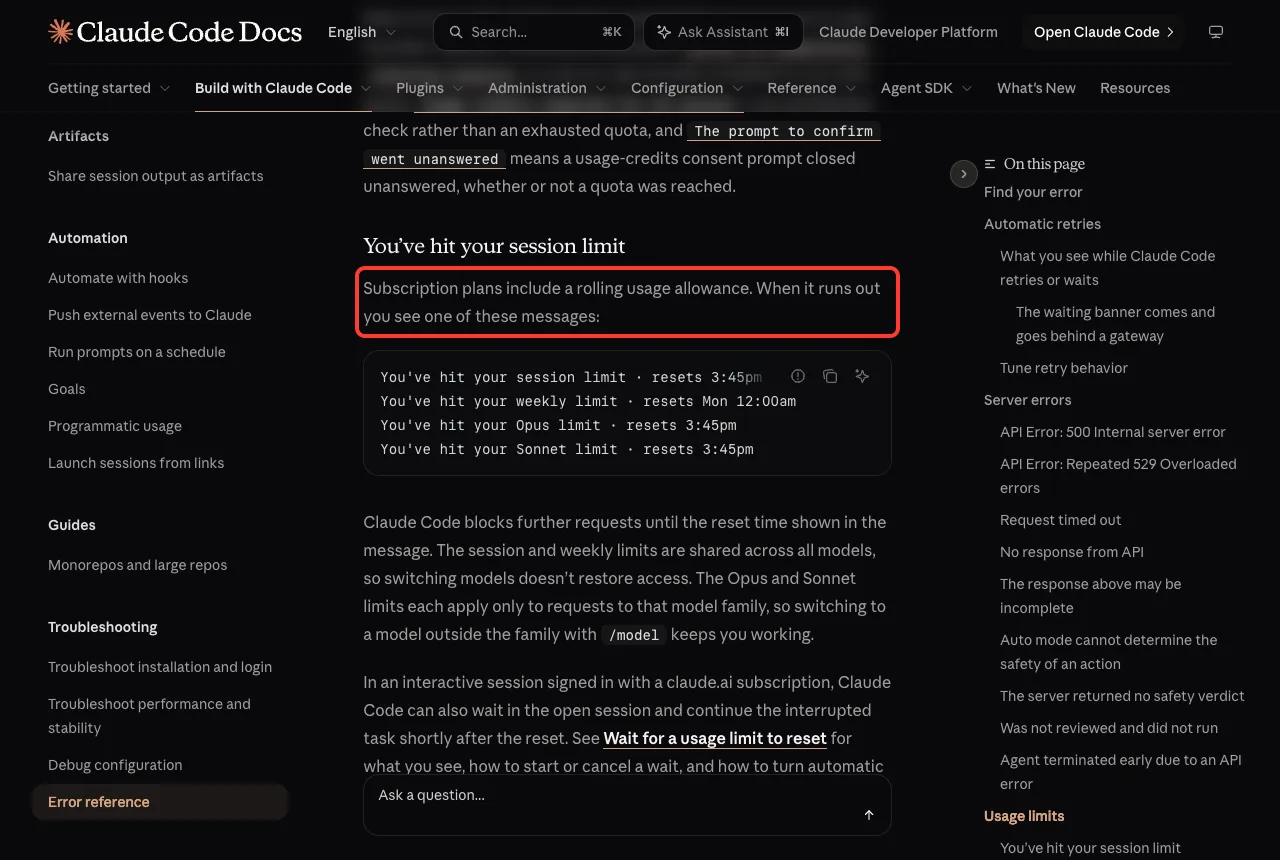
Claude Code blocks further requests until the reset time in the message. The session and weekly limits are shared across all models, so switching models does not restore access. The Opus and Sonnet limits apply only to that model family, so switching to a model outside the family keeps you working.
Usage counts against the session and weekly allowances at the same time. The docs warn that one burst of heavy activity, such as a large workflow fanout, can use up the weekly allowance before the session window resets.
What to do
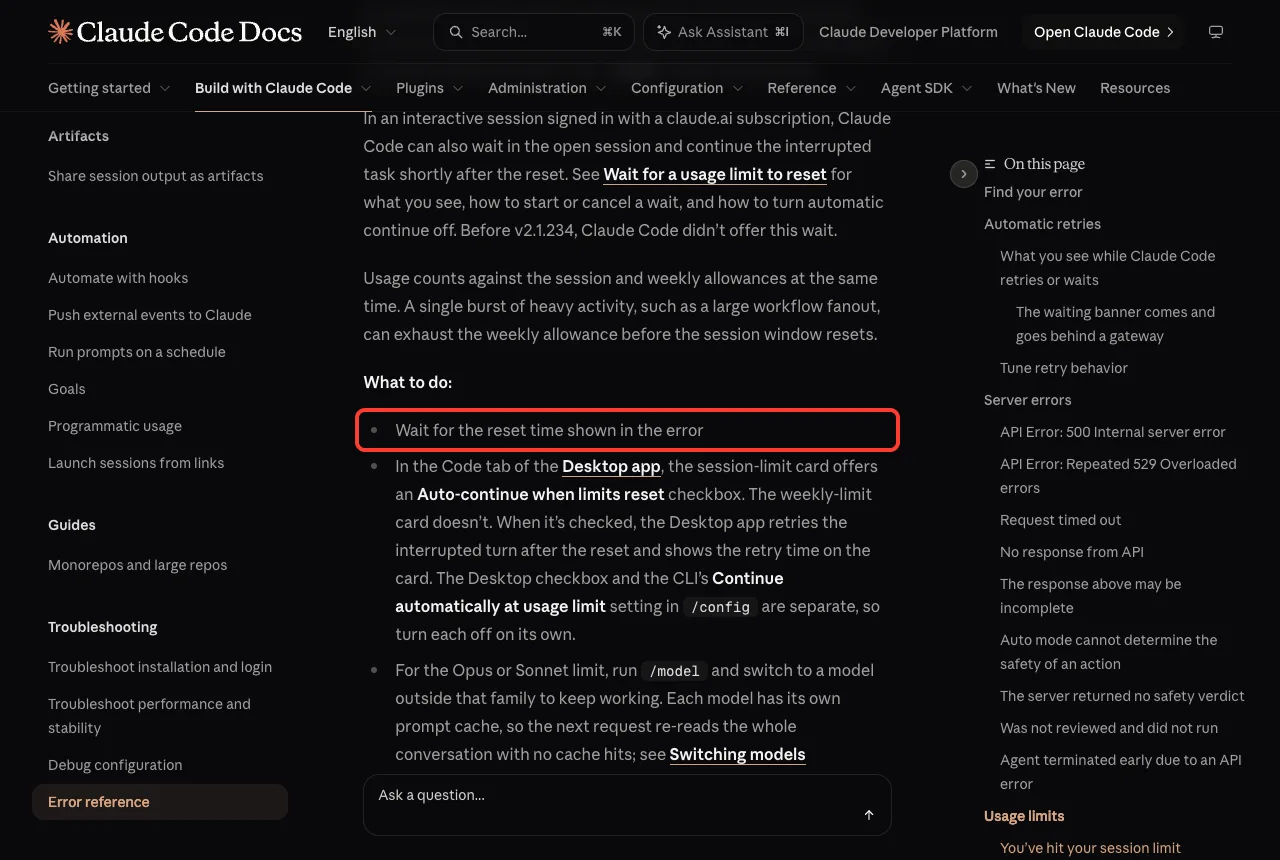
- Wait for the reset time shown in the error.
- For an Opus or Sonnet limit, run /model and switch to a model outside that family.
- Run /usage to see your plan limits and when they reset.
- Run /usage-credits to buy more usage on Pro and Max, or to ask your admin on Team and Enterprise.
- Upgrade your plan for higher base limits, if you hit the limit all the time.
One catch the docs mention: each model has its own prompt cache. When you switch models, the next request re-reads the whole conversation with no cache hits, which uses more of your allowance for that one message.
Wait and continue automatically
In an interactive session signed in with a claude.ai subscription, Claude Code can wait in the open session and continue the interrupted task shortly after the reset. The docs say this wait was added in v2.1.234, so older versions do not have it.
In the Code tab of the Desktop app, the session-limit card offers an Auto-continue when limits reset checkbox. The weekly-limit card does not. The Desktop checkbox and the CLI setting called Continue automatically at usage limit, found in /config, are separate, so you turn each off on its own.
Get a warning before you run out
Claude Code can warn you before a window runs out, with a message such as “You’ve used 85% of your session limit.” To watch your allowance all the time, the docs suggest adding the rate_limits fields to a custom status line, or clicking the usage ring next to the model picker in the Desktop app.
Server Is Temporarily Limiting Requests
This message looks scary but is usually harmless. The full text reads “API Error: Server is temporarily limiting requests (not your usage limit).” The docs describe it as a short-lived throttle that is unrelated to your plan quota.
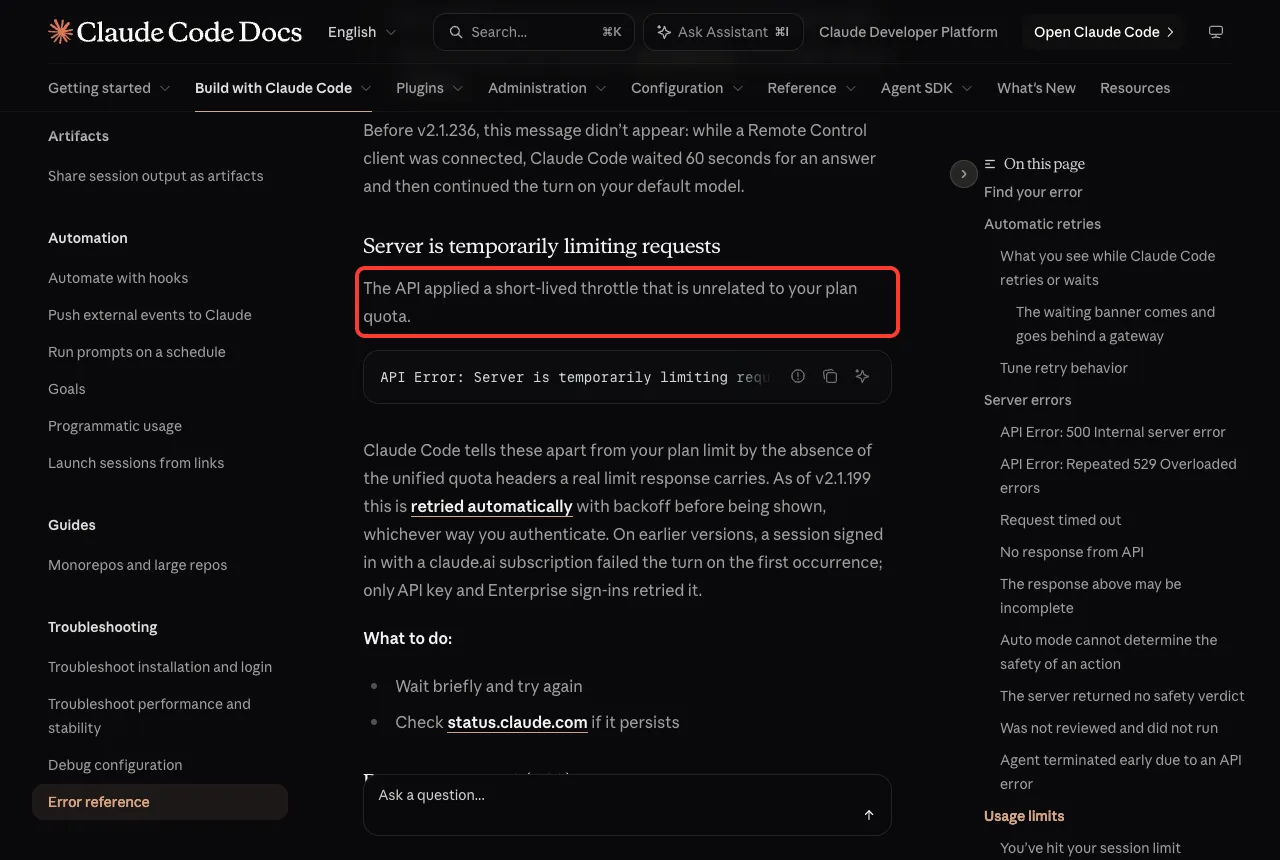
Claude Code tells these apart from a real plan limit by the absence of the unified quota headers that a real limit response carries. Since v2.1.199 it retries this automatically with backoff before showing it, whichever way you sign in. On earlier versions, a session signed in with a claude.ai subscription failed the turn on the first occurrence.
So the fix is short. Wait briefly and try again, and check status.claude.com if it keeps happening. If you are on an old version, run claude update first, because the automatic retry is the biggest improvement here.
Request Rejected (429)
This one is about your own limits. The docs say it means you hit the rate limit configured for your API key, Amazon Bedrock project, or Google Cloud project. The message reads “API Error: Request rejected (429) · this may be a temporary capacity issue. If it persists, check https://status.claude.com.”
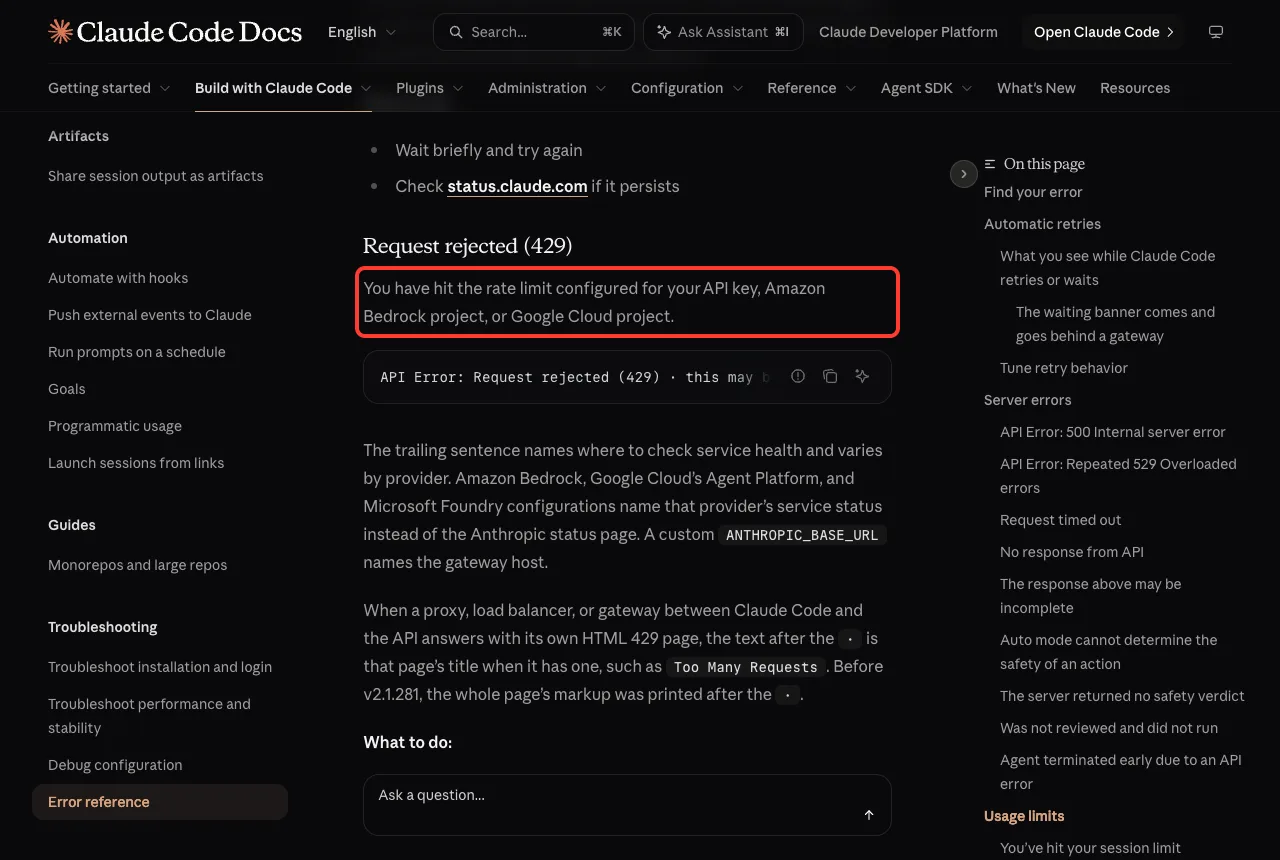
The last sentence changes with your setup. Amazon Bedrock, Google Cloud’s Agent Platform, and Microsoft Foundry name that provider’s status page, and a custom ANTHROPIC_BASE_URL names the gateway host. If a proxy, load balancer, or gateway answers with its own HTML 429 page, the text after the dot is that page’s title, such as Too Many Requests.
What to do
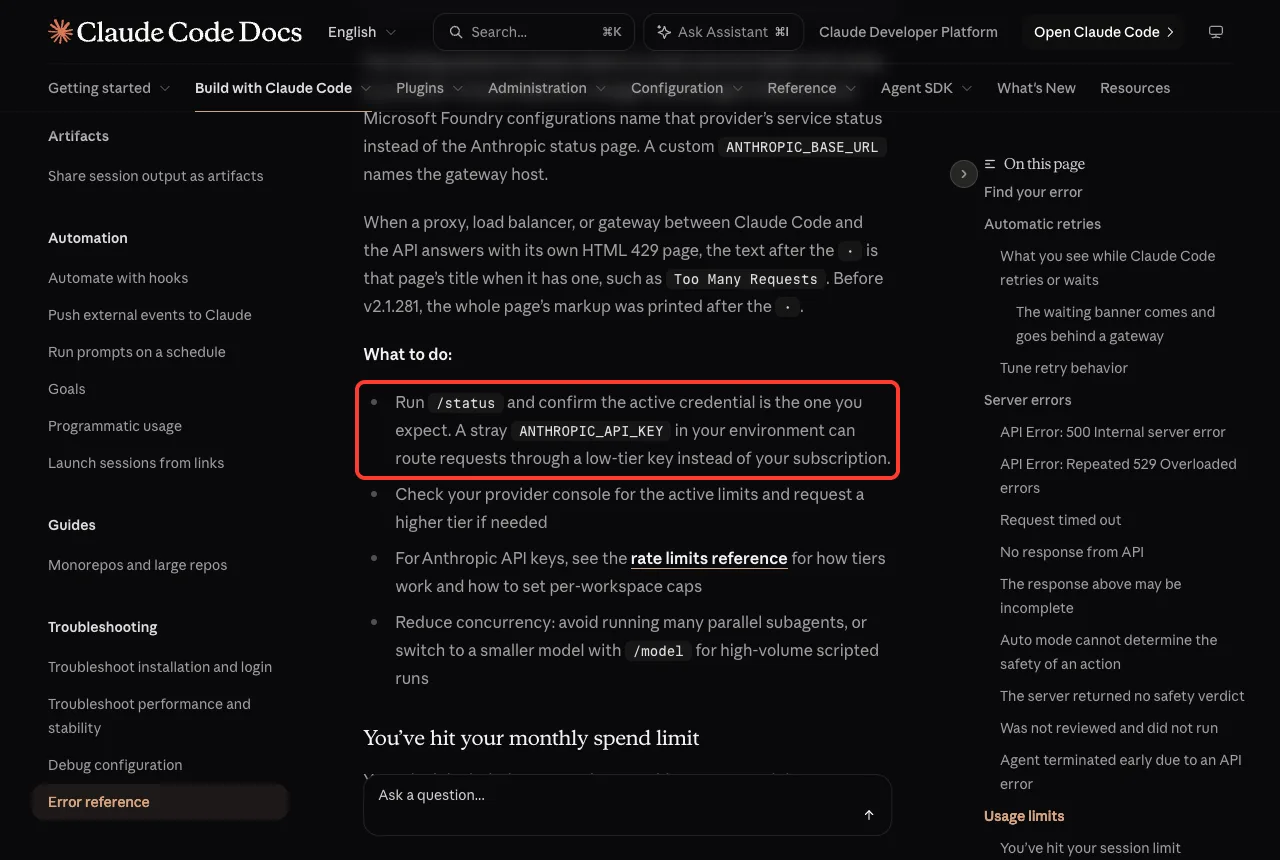
- Run /status and confirm the active credential is the one you expect. A stray ANTHROPIC_API_KEY in your environment can route requests through a low-tier key instead of your subscription.
- Check your provider console for the active limits, and request a higher tier if needed.
- For Anthropic API keys, read the rate limits reference to see how tiers work and how to set per-workspace caps.
- Reduce concurrency. Avoid running many parallel subagents, or switch to a smaller model with /model for high-volume scripted runs.
The stray key in step one is a common surprise. You pay for a subscription, but an old key left in a shell profile quietly takes over, and its small limit is the one you hit. Our guide to Claude Code subagents explains why parallel helpers multiply the number of requests you send.
You’ve Hit Your Monthly Spend Limit
This variant appears when your plan’s included usage cannot cover a request and the usage credits that would pay for it have reached a spend limit. The message names whose limit blocked you, and the text after the dot says how to raise it.
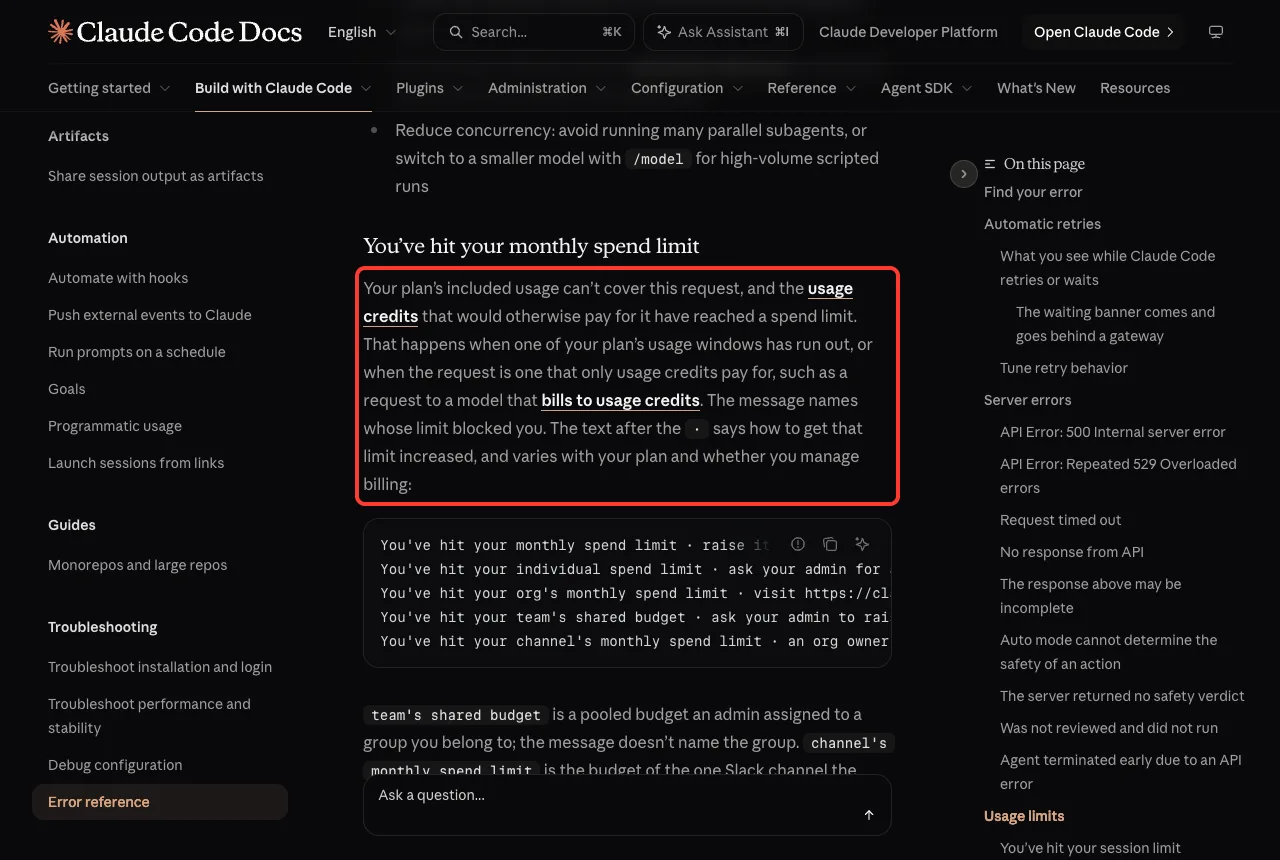
| Message | Who can raise it |
|---|---|
| You’ve hit your monthly spend limit | You, in Settings > Usage on claude.ai (Pro and Max) |
| You’ve hit your individual spend limit | Your admin |
| You’ve hit your org’s monthly spend limit | Whoever manages billing for the organization |
| You’ve hit your team’s shared budget | Your admin |
| You’ve hit your channel’s monthly spend limit | An org owner or channel manager |
When a plan window is what ran out, the message also gives a reset time, and access returns then without anyone raising the limit. On organizations with usage-based billing, the message says usage limit in place of spend limit.
Related Limit Messages Worth Knowing
A few other messages sit next to the 429 family, and they are easy to confuse with it.
- Spend limit reached (lowercase): your gateway operator set a cap. The gateway marks the blocked response so Claude Code shows it without retrying. Wait for the reset time or ask the operator.
- Credit balance is too low: your Console organization ran out of prepaid credits, or Claude Code is using a Console API key when you meant to use your subscription. Run /status and check the API key row.
- Usage credits required for 1M context: an entitlement check, not an exhausted quota. Run /model and pick the variant without the [1m] suffix.
Why You Hit Limits Faster Than Expected
The official costs guide explains why usage can climb quickly. Claude Code sends your full conversation with every request, and each tool use sends another request carrying the tool results. A one-line question in a session that has been open all day still draws usage for the whole conversation.
Other quiet spenders include the first message after a long break, which misses the cache and reprocesses your full context, scheduled tasks that fire while a session sits idle, and every subagent, which sends its own requests on top of the main conversation. See our Claude Code costs guide and our explainer on the context window for ways to keep it small.
The docs list simple habits that help: use /clear between unrelated tasks, add custom compaction instructions with /compact, disable MCP servers you are not using, and match the model to the job.
Try It Yourself
You cannot cause a real limit safely, but you can learn where your own numbers live before they matter. Do this in a throwaway folder.
- Start Claude Code in a test folder.
- Type /usage and read the windows and reset times. Close the screen when you are done.
- Type /status and look at which credential is active.
- Type /model and note which models you could switch to.
Then paste this prompt to check for a stray key that could cause a surprise 429:
Run: env | grep ANTHROPIC | sed 's/=.*/=(hidden)/'The command hides the values and shows only the names. If you see ANTHROPIC_API_KEY and you use a subscription, that variable may be routing your requests somewhere you did not expect.
Common Mistakes
- Waiting out a limit that is not yours. A “Server is temporarily limiting requests” message is a throttle, so retrying in a minute is enough.
- Switching models for a session or weekly limit. Those are shared across all models, so only the Opus and Sonnet limits are fixed by switching.
- Upgrading your plan for a Request rejected error. That message points at your API key or cloud project limit, so check /status first.
- Forgetting a stray ANTHROPIC_API_KEY in a shell profile or a project .env file.
- Running many parallel subagents when your key has a small rate limit.
Pro Tips
- Run claude update so you get the automatic retry for throttles and the wait-and-continue feature.
- Add the rate_limits fields to a status line so you see your allowance before it runs out.
- Use a smaller model with /model for high-volume scripted runs.
- Turn on auto-reload on a Console account, so a prepaid balance refills before it hits zero.
- For the Desktop app, remember the auto-continue checkbox and the CLI setting are separate.
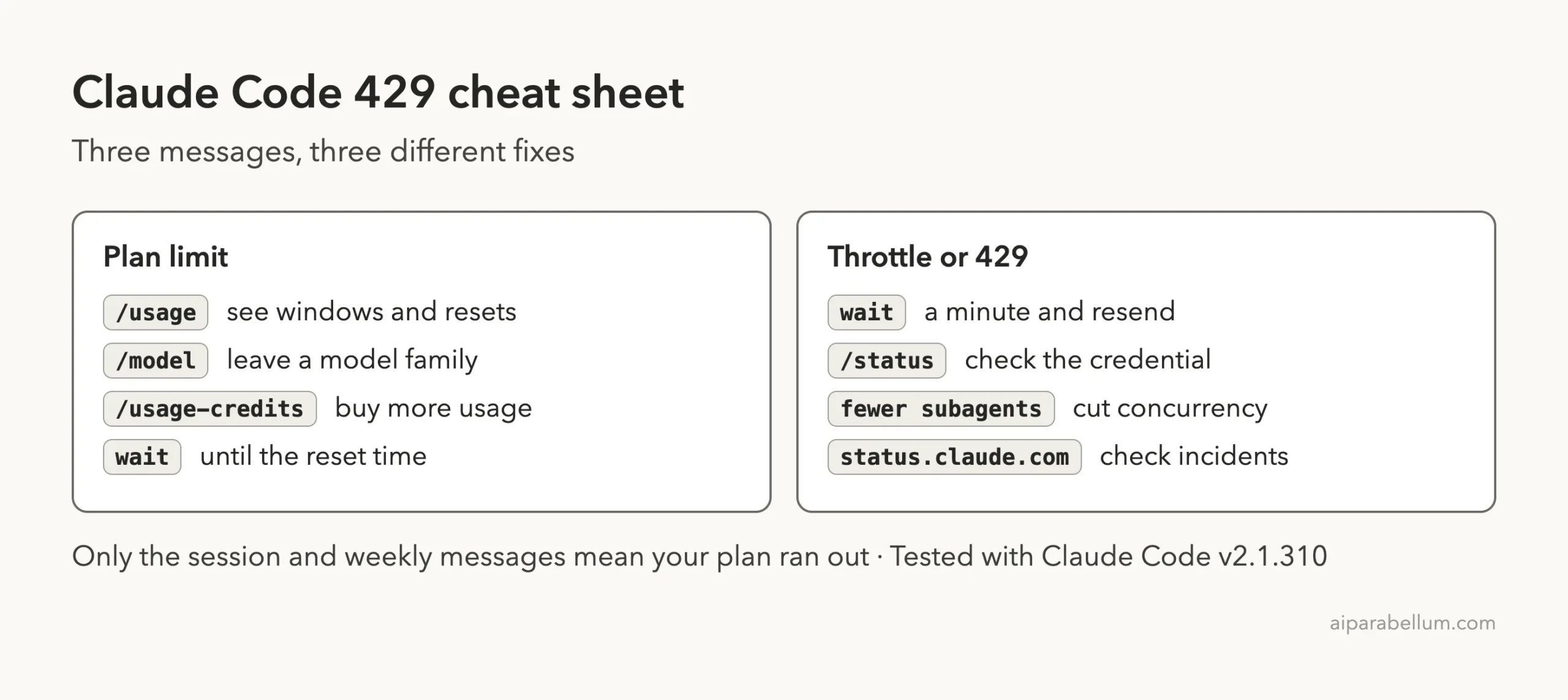
Cheat Sheet
Frequently Asked Questions
What does Claude Code error 429 mean?
It means a limit was reached and the request was refused. The exact fix depends on the message: your plan allowance, a short server throttle, or a rate limit on your API key or cloud project.
How long do I have to wait after hitting a session limit?
The message shows the reset time, such as resets 3:45pm. Claude Code blocks requests until then, and you can run /usage to see when each window resets.
Will switching models get around a rate limit?
Only for the Opus or Sonnet limits, which apply to one model family each. The session and weekly limits are shared across all models.
Is “Server is temporarily limiting requests” my usage limit?
No. The message itself says not your usage limit. It is a short-lived throttle, and since v2.1.199 Claude Code retries it automatically.
Why do I get Request rejected (429) on a paid plan?
A stray ANTHROPIC_API_KEY in your environment may route requests through a low-tier key instead of your subscription. Run /status and check the active credential.
Conclusion
Claude Code error 429 is really a family of messages, and the first words tell you what to do. A session or weekly limit means wait for the reset or use /usage-credits, a temporary throttle means retry in a moment, and Request rejected means check /status and cut parallel work. Keep sessions short with /clear and match the model to the job to hit limits less often. Browse all our Claude Code tutorials for more fixes, and learn about the assistant on our Claude AI page. For every error message, see the official error reference and the official costs guide.