If you see Claude Code error 529, it means the API is temporarily at capacity across all users, and your own setup is fine. Claude Code has already retried the request several times before it shows you the message.
The quick fix is to wait a few minutes and send your message again, check the status page, or run /model to switch to a different model. A 529 is not your usage limit and does not count against your quota. The rest of this guide explains each step, the settings that control retries, and how to tell a 529 from errors that look similar.
This is a help article in our Claude Code tutorials collection. It pairs well with our fix for Claude Code too long prompt errors.
Tested with Claude Code v2.1.310 on October 28, 2026, on macOS. We tested on macOS; the Windows and Linux steps follow Anthropic’s official instructions. We cannot safely trigger a real 529 on demand, so the error text and the fixes below come from the official Claude Code error reference, and the model picker is a real capture from our own session.
Quick Answer: Fix Claude Code Error 529
Here is the short version. Work down the list and stop when Claude Code responds again.
| Step | What to do | Why it helps |
|---|---|---|
| 1 | Read the message | Confirm it says Repeated 529 Overloaded errors |
| 2 | Check status.claude.com | See if Anthropic has posted a capacity notice |
| 3 | Wait a few minutes, then resend | Capacity usually frees up quickly |
| 4 | Type “try again” instead of pasting | Your original message is still in the conversation |
| 5 | Run /model and pick another model | Capacity is tracked per model |
| 6 | Run /feedback if it lasts with no posted incident | Lets Anthropic investigate with your request details |
A 529 means the service is busy for everyone. It is not about your prompt, your settings, or your quota.
What Claude Code Error 529 Means
The number 529 is an HTTP status code. It is the API’s way of saying “I am overloaded right now.” The full Claude Code message reads like this:
API Error: Repeated 529 Overloaded errors. The API is at capacity — this is usually temporary. Try again in a moment. If it persists, check https://status.claude.com.The last sentence changes with your provider. If you use Amazon Bedrock, Google Cloud’s Agent Platform, or Microsoft Foundry, it names that provider’s status page. If you set a custom ANTHROPIC_BASE_URL, it names your gateway host.
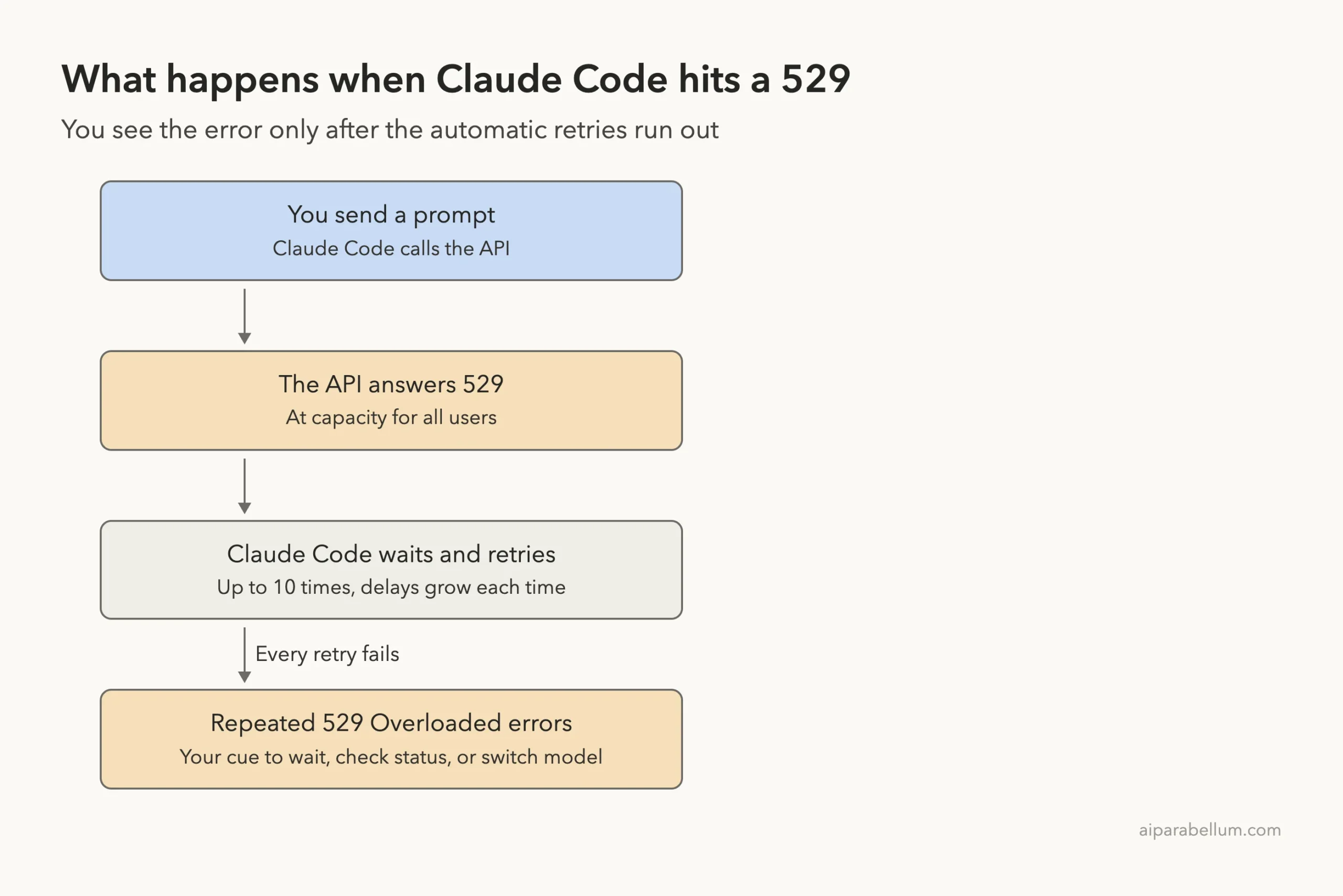
The word “Repeated” matters. Claude Code does not show the error on the first 529. It retries first, and you only see this message after the retries ran out.
Why Claude Code Retries Before You See It
According to the official docs, Claude Code retries transient failures up to 10 times with exponential backoff before showing you an error. Exponential backoff just means the wait between tries gets longer each time, so a busy server is not hit again and again.
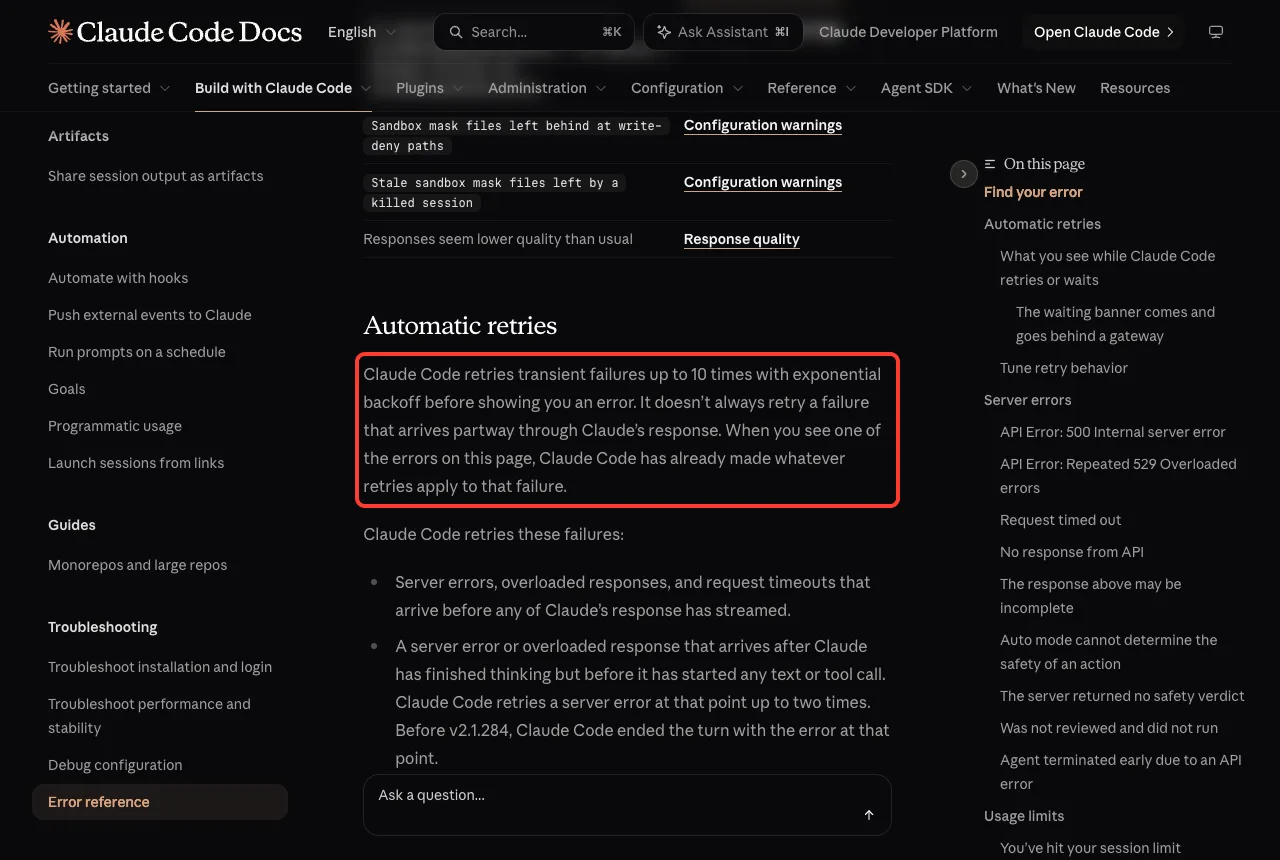
Overloaded responses are on the list of failures that Claude Code retries. So when you finally see the 529 message, the tool already did the obvious fix for you. That is why simply hitting enter again right away often fails too.
Is a 529 Your Usage Limit?
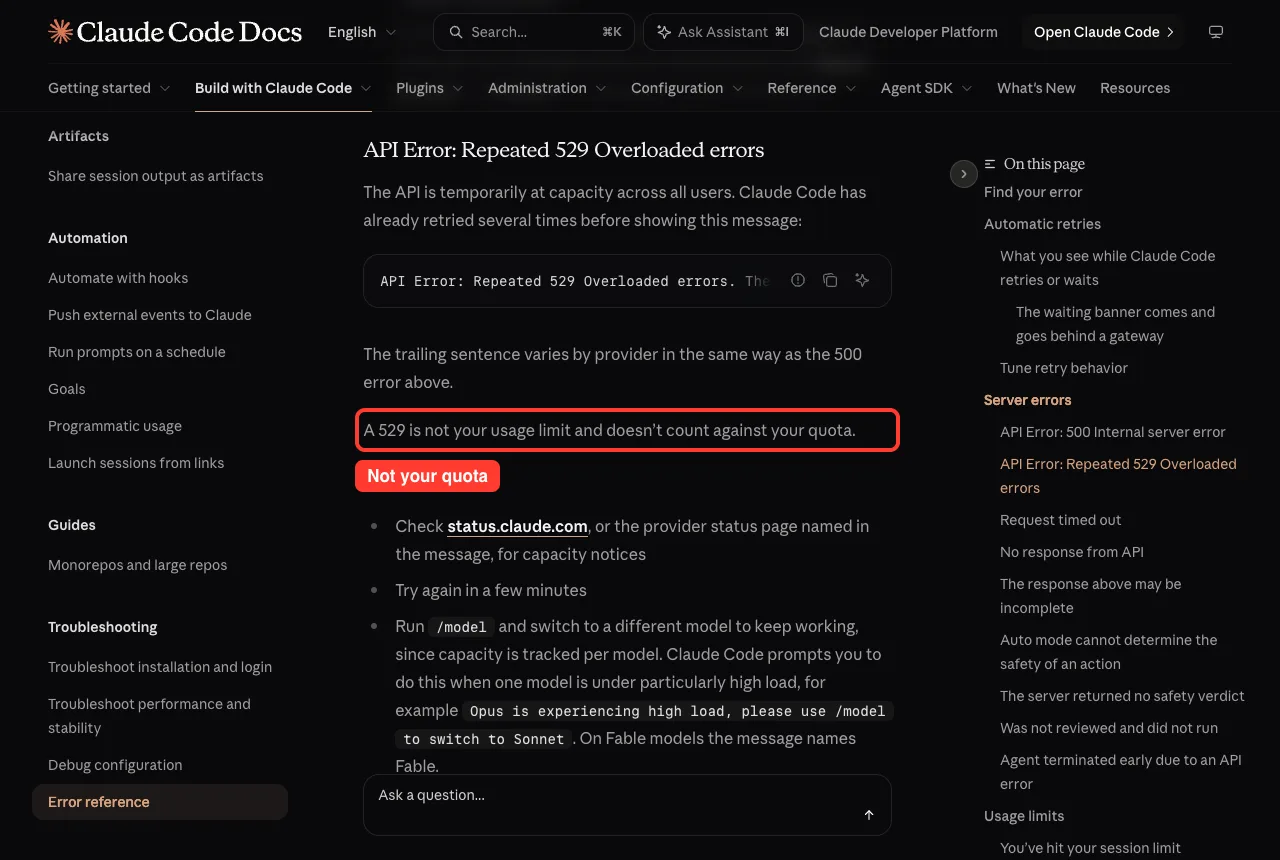
No. This is the most common mix-up. The docs say it plainly: a 529 is not your usage limit and does not count against your quota.
Your plan limit is a different message, such as “You’ve hit your session limit.” That one is about you. A 529 is about the service being busy for everyone. You cannot fix a 529 by upgrading your plan, and you do not lose any allowance when it happens.
If you want to check your real limits anyway, our guide to Claude Code costs explains how usage is measured.
Step 1: Check the Status Page
Open status.claude.com in your browser. If there is an active incident or a capacity notice, you have your answer: nothing is wrong on your side and you only need to wait.
If you use a cloud provider, check that provider’s status page instead. The error message itself tells you which page to open.
Step 2: Wait, Then Resend Without Pasting
The docs suggest trying again in a few minutes. Overload is usually short lived.
You do not need to paste a long prompt again. Your original message is still in the conversation, so you can type “try again” and Claude Code carries on with the same request. This saves time when the first prompt was long.
Step 3: Switch Models With /model
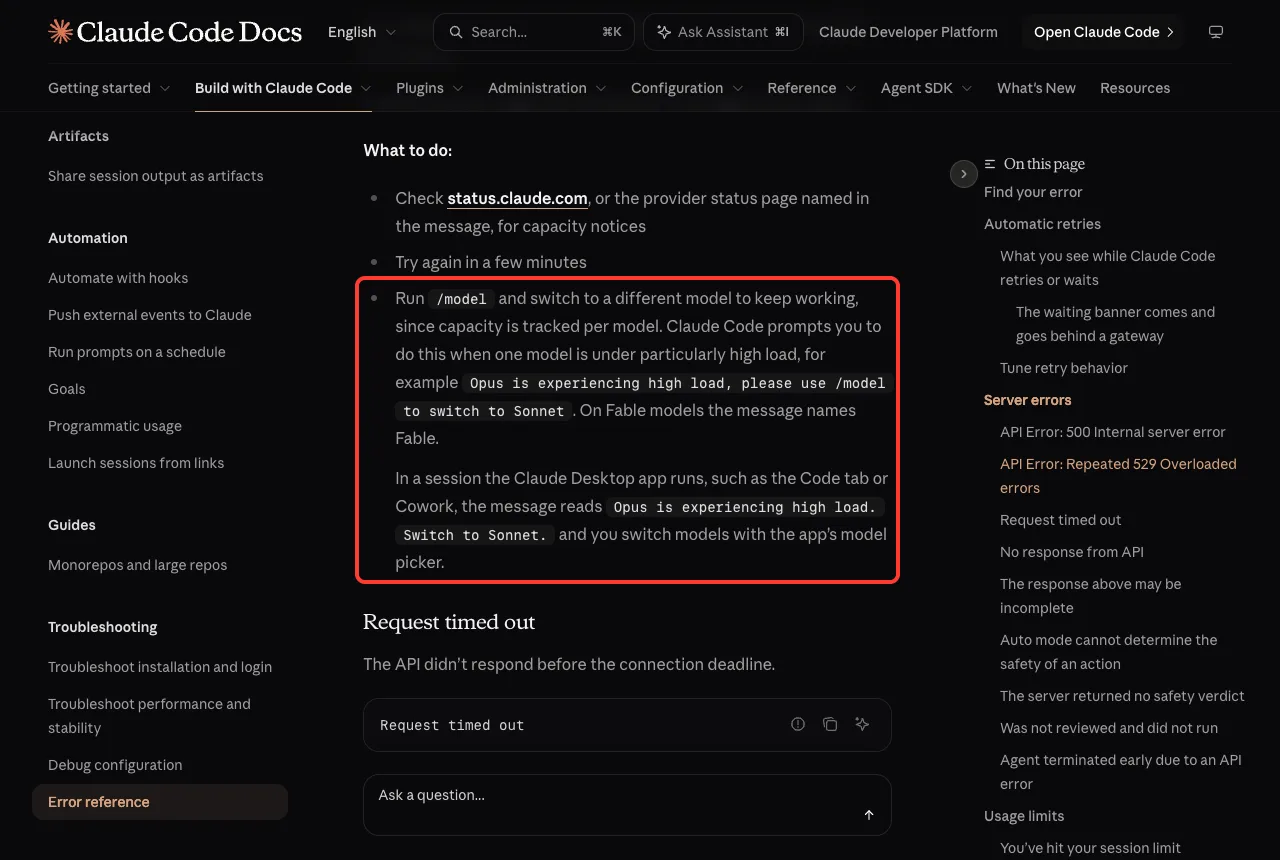
Capacity is tracked per model, so one model can be busy while another is fine. The official fix is to run /model and switch to a different model to keep working.
Claude Code may even suggest this for you when one model is under heavy load. The docs give this example: “Opus is experiencing high load, please use /model to switch to Sonnet.” On Fable models the message names Fable instead.
Here is the real picker from our own session. Type /model, then use the arrow keys or the number of the model you want. Press Enter to set it as your default, or press s to use it for this session only.
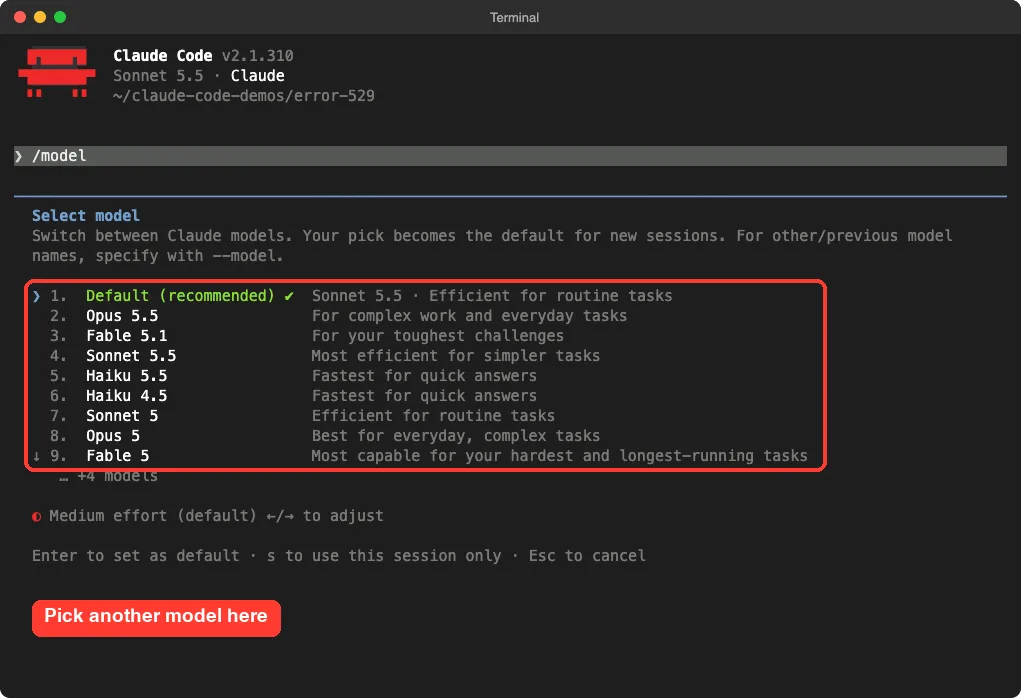
The list you see depends on your plan and version, so yours may differ from ours. Each model also keeps its own prompt cache, so after a switch the next request re-reads the whole conversation, which can feel slower once.
For more commands like this, see our slash commands guide.
If you use the Claude Desktop app, such as the Code tab, the message reads “Opus is experiencing high load. Switch to Sonnet.” and you switch with the app’s model picker instead of typing /model.
Step 4: Report It If It Will Not Go Away
The docs recommend running /feedback if the error lasts and Anthropic has posted no incident. That sends your request details so the team can investigate. If /feedback is not available in your setup, the docs have a “Report an error” section that explains the alternatives.
Tune How Claude Code Retries
You can change the retry behavior with environment variables. Most people never need to, but they help in scripts and unattended runs. These values come straight from the official reference.
| Variable | Default | What it does |
|---|---|---|
| CLAUDE_CODE_MAX_RETRIES | 10 | How many retry attempts Claude Code makes |
| CLAUDE_CODE_OVERLOADED_RETRY_BASE_DELAY_MS | 500 | Starting delay of the backoff for 529 errors, up to 32000 |
| CLAUDE_CODE_OVERLOADED_RETRY_MAX_DELAY_MS | 32000 | Ceiling on the 529 backoff, up to 64000 |
| CLAUDE_CODE_RETRY_WATCHDOG | unset | Set to 1 in unattended sessions such as CI to retry 429 and 529 errors indefinitely |
| CLAUDE_CODE_RETRY_WATCHDOG_MAX_WAIT_MS | unset | Maximum time each request waits out 429 and 529 errors with the watchdog on |
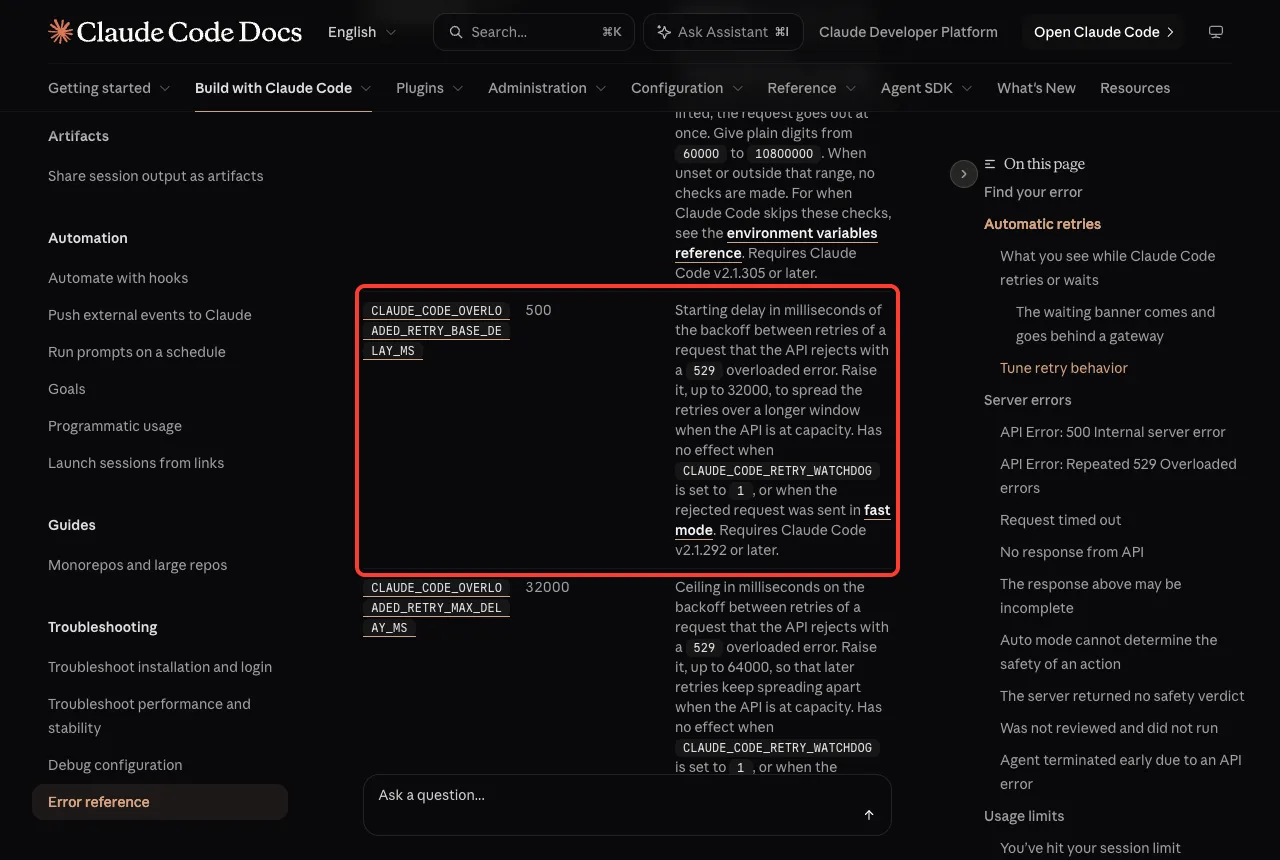
A few notes from the docs. The two overloaded delay settings need Claude Code v2.1.292 and v2.1.296 or later, and they have no effect when the watchdog is set to 1 or when the request was sent in fast mode. Raising the delays spreads your retries over a longer window when the API is at capacity.
The watchdog is meant for jobs nobody is watching. Without it, a CI job fails after the retry limit. With it, the job keeps waiting.
Claude Code still fails at once when a standard-speed request gets a 429 that reports a spend limit or used-up usage credits.
Here is how you might set a gentler backoff for one session on macOS or Linux:
export CLAUDE_CODE_OVERLOADED_RETRY_BASE_DELAY_MS=2000
claude
To keep an unattended script alive through a long busy period, you could use this instead:
export CLAUDE_CODE_RETRY_WATCHDOG=1
claude -p "your task here"
Use the watchdog with care. A job that retries forever can sit waiting for hours, so pair it with a time limit such as the max wait setting above.
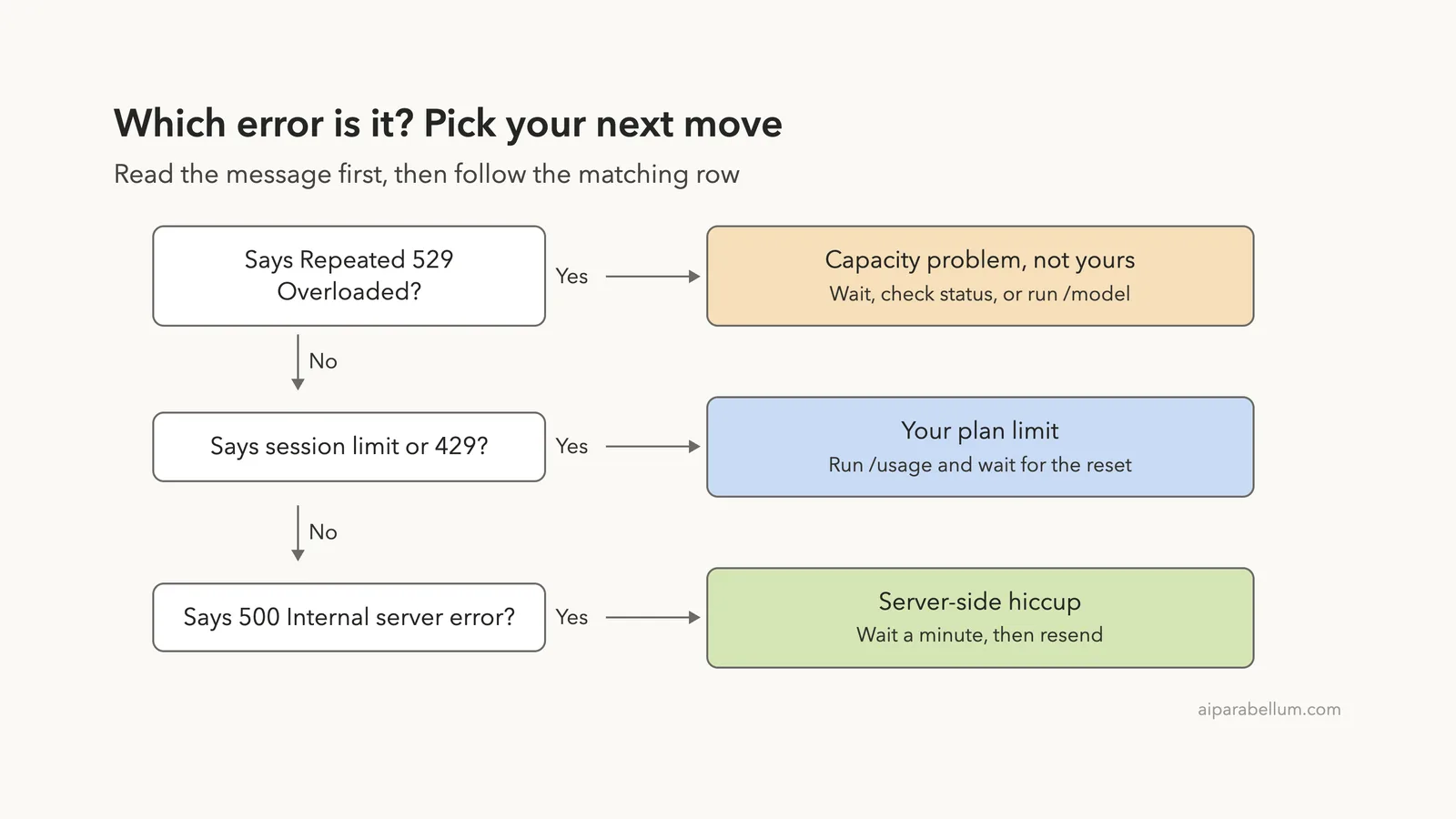
529 vs 429 vs 500: Which Error Is It?
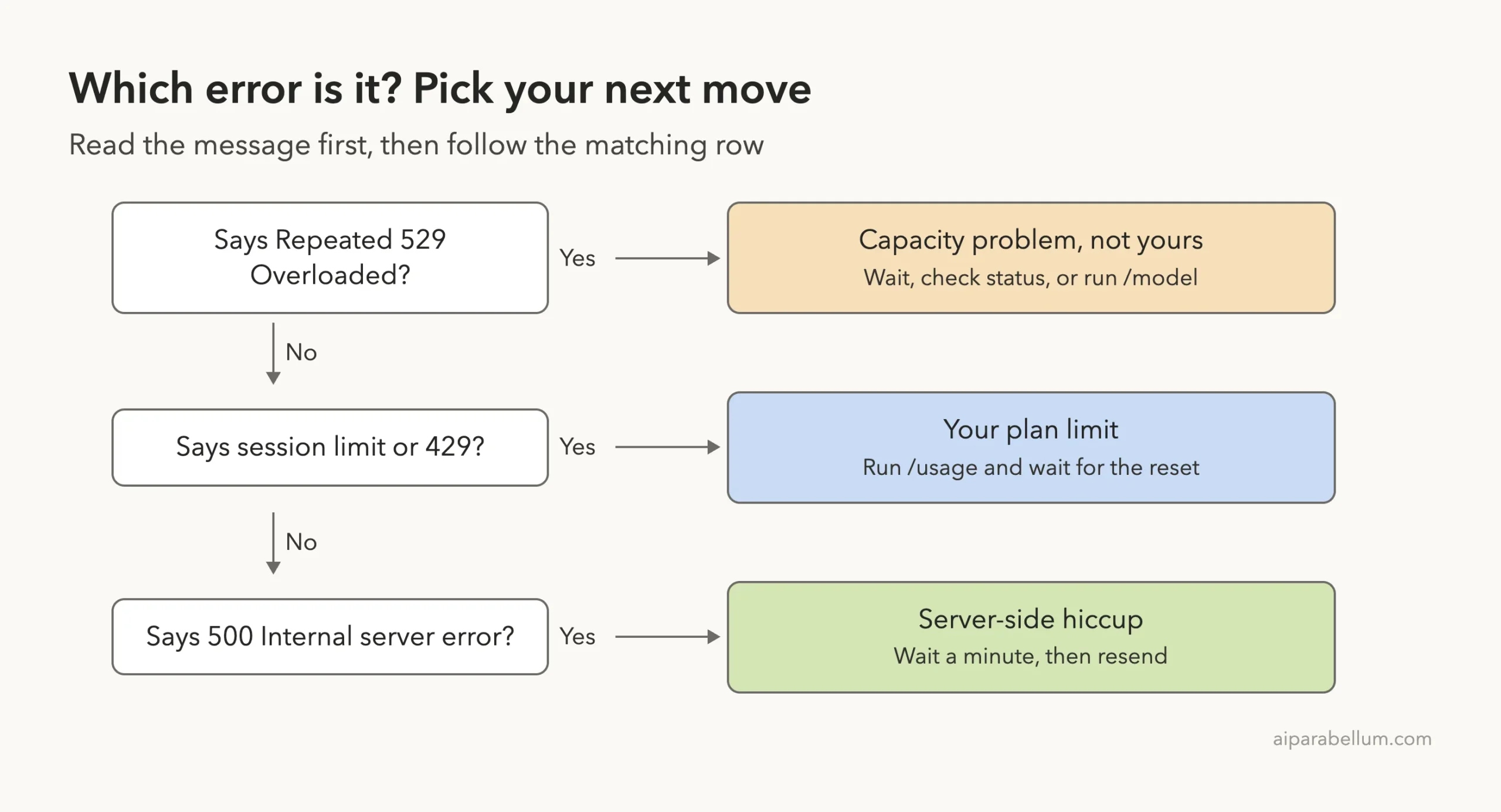
Three errors look alike but mean different things. Reading the first words of the message tells you which one you have.
| Message | Meaning | What to do |
|---|---|---|
| Repeated 529 Overloaded errors | The API is at capacity for everyone | Wait, check status, or switch model |
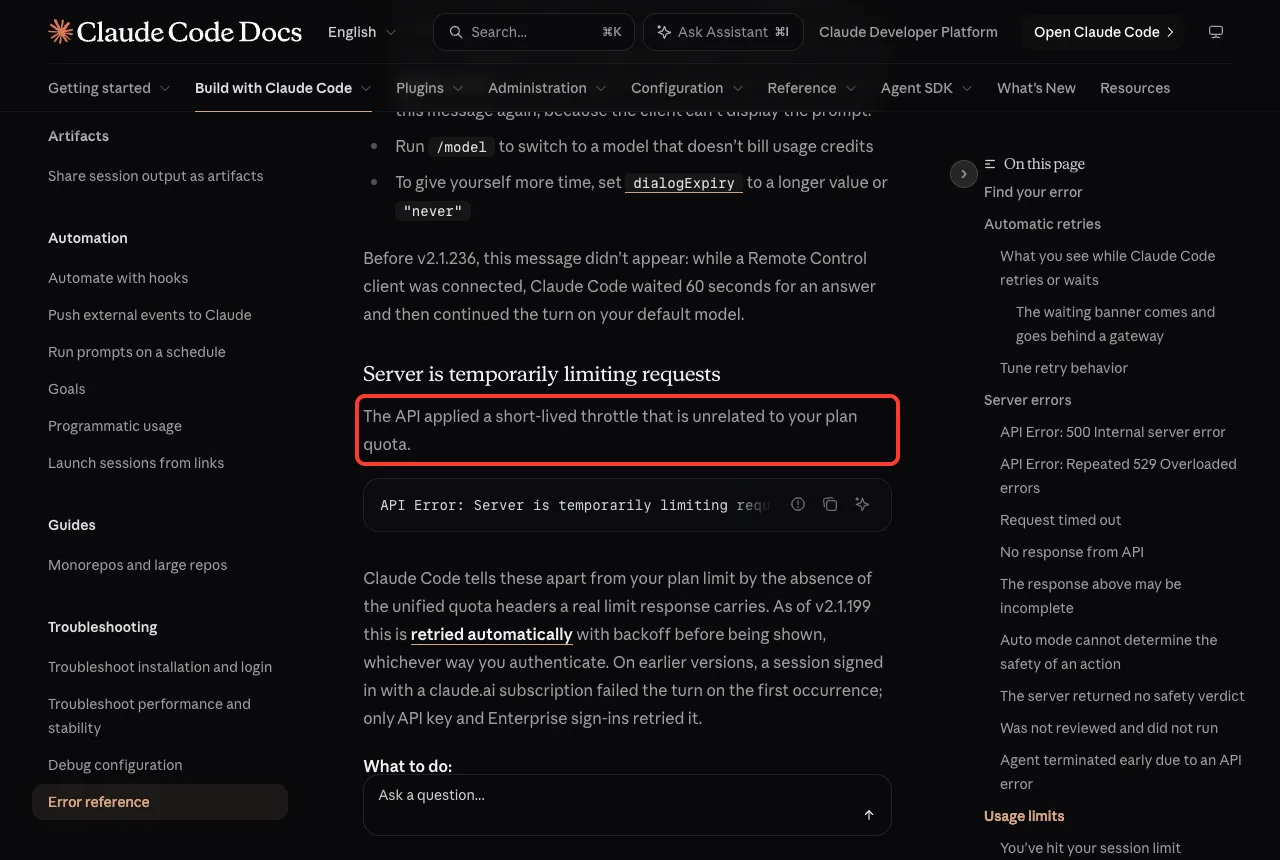
| Server is temporarily limiting requests | A short throttle, unrelated to your plan quota | Wait briefly and try again |
| You’ve hit your session limit | You used your plan allowance | Run /usage and wait for the reset |
| 500 Internal server error | An unexpected failure inside the API | Wait a minute, then resend |
The throttle message is the closest cousin of a 529. Claude Code tells it apart from your plan limit because a real limit response carries quota headers and a throttle does not. As of v2.1.199 it is retried automatically with backoff before you see it.
A 500 error is also a server-side problem. The docs say a 5xx from the API is not caused by your prompt, settings, or account.
Other Reasons It Can Look Like a 529
If the error repeats for a long time and the status page is quiet, think about your own path to the API.
- A gateway or proxy in front of Claude Code may be adding its own errors. If you set ANTHROPIC_BASE_URL, check the gateway host named in the message.
- A slow network can cause “Request timed out,” which is a different message. The default request timeout is 10 minutes, and API_TIMEOUT_MS controls it.
- An old Claude Code version may handle retries less well. Run claude update to get the latest fixes, and see our doctor guide to check your setup.
If your session also feels slow or bloated, a full conversation can make every request heavier. Our guide to the context window explains how to keep it lean.
How To Make a 529 Hurt Less
You cannot stop Anthropic’s servers from getting busy, but you can lose less work when they do.
- Keep prompts short so “try again” is all you ever need to type.
- Know your fallback model before you need it. Check the /model list once when things are calm.
- Do not stack many parallel jobs when the service is busy. Our guide to Claude Code subagents shows how parallel work multiplies requests.
- For scheduled jobs, set the retry watchdog and a max wait so they ride out short busy periods.
Claude Code also keeps partial work in some cases. The docs explain that if a server error arrives after Claude has already completed a block of text or a tool call, Claude Code does not re-run the request, because that could run the same tool calls twice. It keeps what was completed and shows “The response above may be incomplete.”
Try It Yourself
You cannot cause a real 529, but you can prepare so the next one is a small bump. Open a throwaway folder and practice the fallback.
- Start Claude Code in a test folder.
- Type /model and note which models are listed.
- Press Esc to leave without changing anything.
- Check that you can find status.claude.com in your bookmarks.
Then try this prompt to confirm your retry settings are in effect:
Run: echo $CLAUDE_CODE_MAX_RETRIES $CLAUDE_CODE_RETRY_WATCHDOGBlank output means you are on the defaults, which is 10 retries.
Common Mistakes
- Upgrading your plan to fix a 529. It is a capacity problem, not a quota problem, so a bigger plan does not help.
- Hammering Enter. Claude Code already retried up to 10 times, so wait a few minutes instead.
- Pasting the whole prompt again. Typing “try again” is enough because the message is still there.
- Confusing it with a session limit. Check the first words of the message before you act.
- Turning on the retry watchdog in a live session. It is meant for unattended jobs.
Pro Tips
- Press s in the /model picker to switch for this session only, so your default stays the same.
- Raise the overloaded backoff delays if your scripts hit 529 often, so the retries spread out.
- Add a max wait with the watchdog so a job cannot hang for hours.
- Run /feedback when an error lasts with no posted incident. It gives Anthropic your request details.
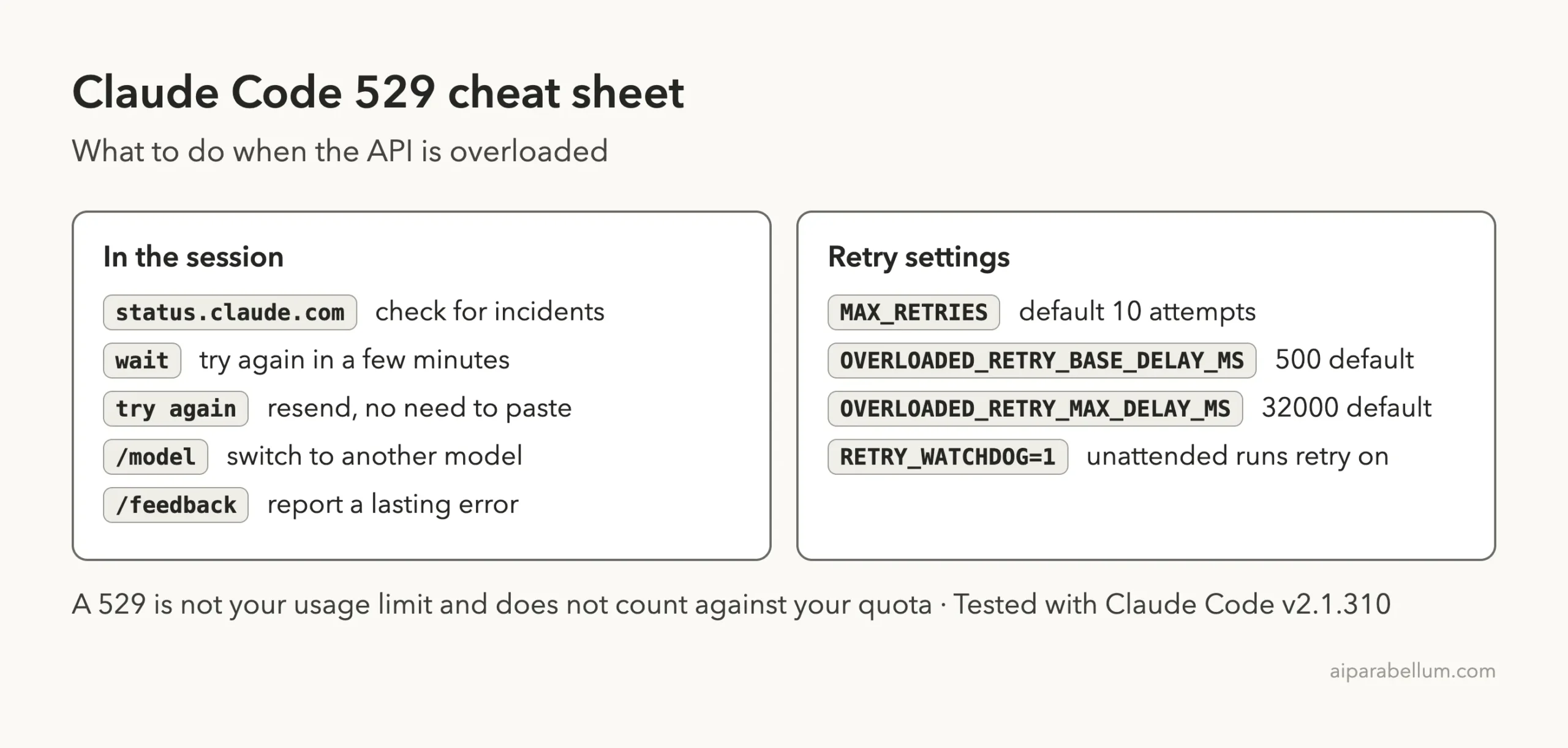
Cheat Sheet
Frequently Asked Questions
What does Claude Code error 529 mean?
It means the API is temporarily at capacity across all users. Claude Code retried several times and then showed the message. It is not caused by your prompt or settings.
Does a 529 use up my usage limit?
No. The official docs say a 529 is not your usage limit and does not count against your quota.
How long does a 529 last?
The docs call it usually temporary and suggest trying again in a few minutes. If it lasts and Anthropic has posted no incident, run /feedback.
Can I switch models to get around it?
Often yes. Capacity is tracked per model, so run /model and pick a different one. Claude Code may suggest this itself when one model is under heavy load.
How many times does Claude Code retry?
Up to 10 times by default, with exponential backoff. You can change this with CLAUDE_CODE_MAX_RETRIES, or turn on CLAUDE_CODE_RETRY_WATCHDOG for unattended runs.
Conclusion
Claude Code error 529 means the API is busy for everyone, not that you did anything wrong, and it never counts against your quota. Check the status page, wait a few minutes, type “try again” instead of pasting, and use /model to switch to another model if you need to keep going. For scripts, tune the retry settings or use the watchdog. Browse all our Claude Code tutorials for more fixes, and learn more about the assistant on our Claude AI page. For the full list of errors, see the official official error reference.