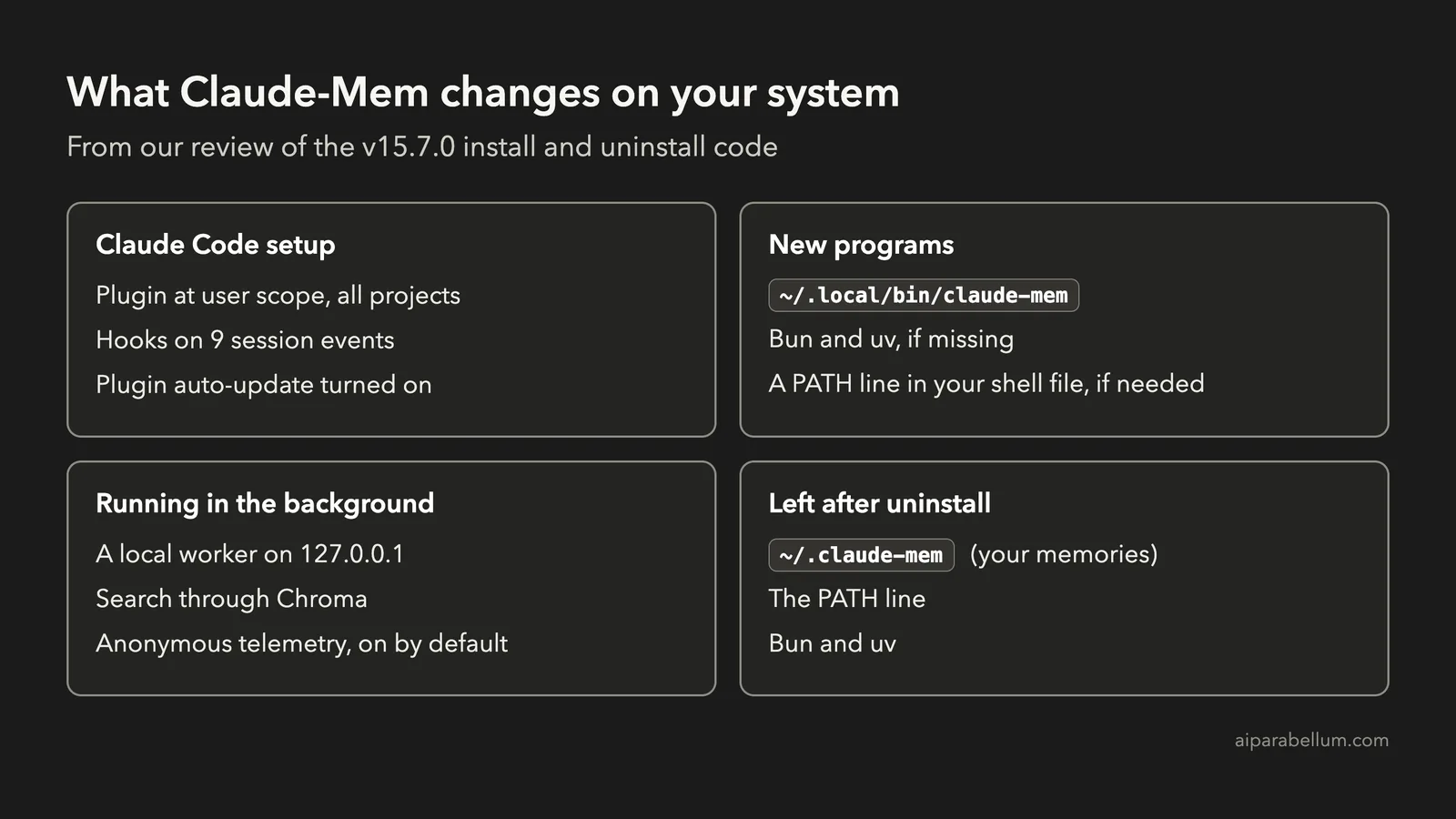
Claude-Mem gives Claude Code a memory that carries over between sessions, and it has passed 100,000 stars on GitHub. Before you run the one-line install, it helps to know that this is much more than a small add-on. It adds hooks to every project, can install new programs and runs a background service.
This guide is based on our review of the Claude-Mem documentation and the install and uninstall code for v15.7.0, as of October 31, 2026. It is a documentation and code review rather than a hands-on test, so it contains no test results, and the commands come from the official docs.
You’ll see what changes on your system, how to install it more carefully and what you’ll need to clean up by hand.
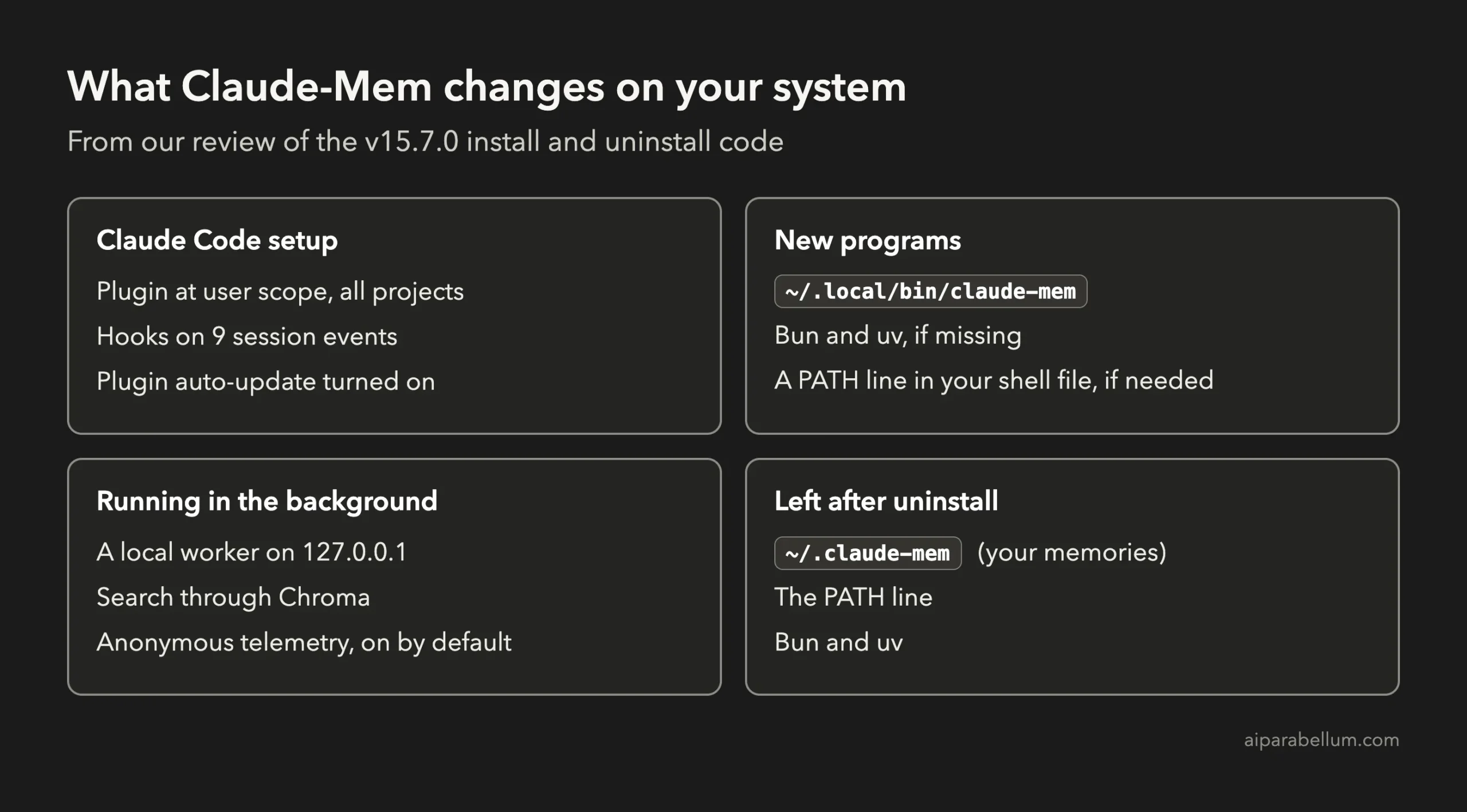
Key takeaway: Claude-Mem is a system-wide install, so back up your settings first and try it on a machine that doesn’t run automated jobs.
Claude-Mem at a Glance
| Question | Short answer |
|---|---|
| What is it? | A plugin that records your Claude Code work and brings the useful parts back in later sessions. |
| What does it cost? | The code is free under Apache 2.0, but summarizing your work uses your Claude plan by default. |
| Can you limit it to one project? | The installer registers it at user scope, so it applies across your projects. |
| Do you need an account? | No. Pass --provider claude and the installer skips the sign-in. |
| Does it turn off built-in memory? | Only if you choose that. The default is to leave it on. |
| Does uninstall remove everything? | No. Your memory folder, the PATH line, Bun and uv all stay. |
What Is Claude-Mem for Claude Code?
Each new Claude Code session starts without the details of your last one. Many people solve that with a CLAUDE.md file, where you write down the rules and facts Claude should always know.
Claude-Mem takes a different approach, because it takes the notes for you. It watches what Claude does, turns that activity into short summaries and adds relevant ones to your next session.
It also adds a mem-search skill and search tools, so Claude can look up older work when it needs to. A local web viewer lets you browse your saved memory.
How Claude-Mem Works
The plugin relies on Claude Code hooks, which are commands that run at set moments in a session. Its hook file covers nine events, including setup, session start, every prompt, before and after tool calls, and session end.
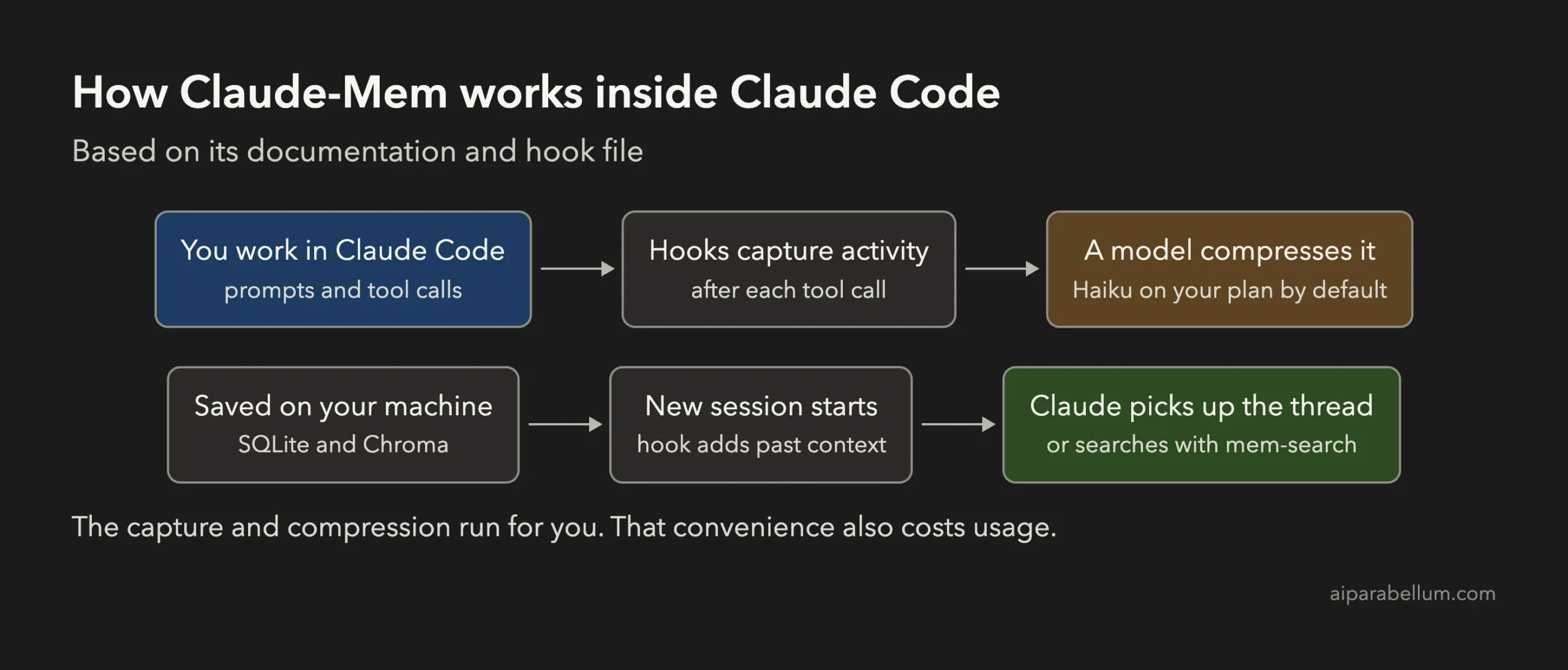
A worker service handles the heavy lifting in the background. It stores your data in a SQLite database and uses Chroma for search, and its docs say it listens on 127.0.0.1.
The default summarizing model is Haiku, through your own Claude plan. By default, each new session can load up to 50 saved observations, a limit you can change with CLAUDE_MEM_CONTEXT_OBSERVATIONS.
What Claude-Mem Changes on Your System
This is the section to read before you install. Every item comes from the docs or the installer code for v15.7.0.
| Where | What changes |
|---|---|
~/.claude/plugins | Plugin files, plus entries in the plugin and marketplace lists, with auto-update set to on. |
~/.claude/settings.json | Enables the plugin. Also turns off built-in auto memory if you choose that option. |
~/.local/bin/claude-mem | A small launcher program that the hooks call. |
| Your shell file | A PATH line, if ~/.local/bin isn’t already on your PATH. |
| Bun and uv | Installed automatically if they’re missing, using their own install scripts. |
~/.claude-mem | Your database, settings, logs and telemetry file. |
Built-In Memory Stays On Unless You Say Otherwise
Claude Code has its own auto memory feature, and Claude-Mem can replace it. The installer asks first and marks “Leave enabled” as the recommended choice.
Its hint for the other option reads: “Only if you explicitly want claude-mem to replace native startup memory.” We’d keep the default, since you can always change it later.
Telemetry Is On by Default
Claude-Mem sends anonymous usage data unless you opt out, and the installer asks about this at the end. Its docs say prompts, code, file paths and project names are never collected, though error reports can include redacted messages and stack traces. We did not inspect the traffic ourselves.
Your Work Goes Through a Model
Summaries are made by the provider you pick, so captured tool activity goes to that model. Anything sensitive that appears during a session could end up in a summary. The docs offer <private> tags to keep marked content out of storage, but you have to remember to use them.
How to Install Claude-Mem More Carefully
The official install is one command. These steps add a backup and skip the account sign-in, which the code allows when you name your provider. You’ll need Node.js 20 or newer.
# 1. Back up your Claude Code settings
cp ~/.claude/settings.json ~/.claude/settings.json.before-claude-mem

# 2. Install with your own Claude plan, no sign-in
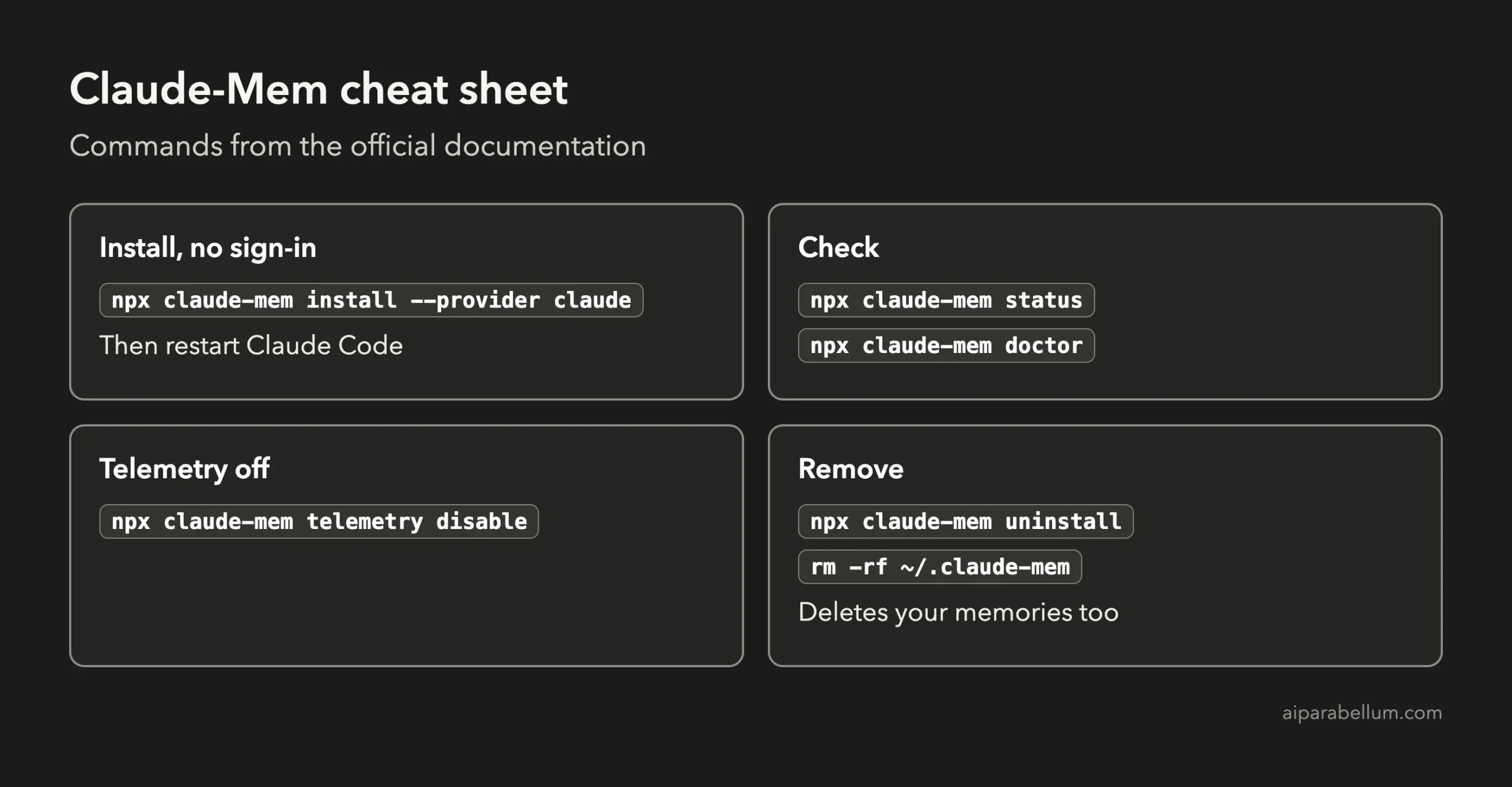
npx claude-mem install --provider claude

# 3. Turn off telemetry if you didn't decline it in the prompt
npx claude-mem telemetry disable
Restart Claude Code afterwards. The Claude-Mem installation docs also list a plugin route using /plugin commands inside Claude Code, along with the other providers it supports.
The docs say a local install on your Claude plan can still send one request containing only numeric usage totals. Running the install without --provider leads to the browser sign-in and a 30-day trial of its hosted summarizer.
How to Uninstall Claude-Mem Completely
The uninstall command does a fair amount of cleanup, but it isn’t a complete undo. When it finishes, its own message says: “Your data directory at ~/.claude-mem was preserved.”
npx claude-mem uninstall| Removed by uninstall | Left for you to remove |
|---|---|
| Plugin files and cache | The ~/.claude-mem folder |
| Plugin and marketplace entries | The PATH line in your shell file |
| The launcher program | Bun |
| The auto memory setting, if set to 1 | uv |
The code also tries to stop the worker first, and it prints a warning with the process ID if the worker doesn’t confirm shutdown. Check that warning before you move on.
Then finish the cleanup by hand, one item at a time:
- Delete your memories, if you’re sure you don’t want them, with
rm -rf ~/.claude-mem. - Remove the PATH line it names only if nothing else needs
~/.local/bin. Claude Code’s native installer can live there too, so don’t remove this line by reflex. - Remove Bun and uv only if Claude-Mem installed them and nothing else on your machine uses them.
One small catch: uninstall removes the auto memory setting whenever its value is 1. If you had set that yourself before installing, add it back afterwards.
Is Claude-Mem Worth It?
A code review can’t tell you how much Claude-Mem helps in daily use. The project says its layered search gives about 10x token savings, but that’s its own figure, and it describes filtering search results before fetching details rather than your total Claude bill.
You can check the real cost on your own work with our guide to monitoring Claude Code usage and costs. Compare a similar task with and without it, because the summaries use your plan as well.
| It looks like a good fit if | Think twice if |
|---|---|
| You work on long projects across many sessions | Your machine runs scheduled or automated Claude Code jobs |
| You keep repeating the same background to Claude | Your sessions often touch secrets or client data |
| You’re happy to run a background service | You’re already close to your plan’s usage limits |
| You can test on a spare machine first | A short CLAUDE.md already covers what you need |
If you’d rather compare other add-ons first, browse our Claude Code plugins guide.
Claude-Mem FAQs
Is Claude-Mem free?
The code is free and open source under the Apache 2.0 license. Its summaries still use your Claude plan by default, and the hosted summarizer is a paid service after its 30-day trial.
Does Claude-Mem replace CLAUDE.md?
We wouldn’t treat it that way. A CLAUDE.md file holds rules you chose on purpose, while Claude-Mem holds automatic notes about past work, so the two do different jobs.
Can you pause Claude-Mem without uninstalling it?
Claude Code’s plugin command should do this with claude plugin disable claude-mem@thedotmack, and npx claude-mem stop stops the worker. Neither was part of our review, so confirm with npx claude-mem status.
Can you exclude a project from Claude-Mem?
The docs mention a CLAUDE_MEM_EXCLUDED_PROJECTS setting but give no clear usage example. Check how it behaves on a test project before you rely on it for private work.
Is this guide based on hands-on testing?
No. It is based on the docs and code for v15.7.0, so newer versions may differ.
Conclusion
Claude-Mem for Claude Code could save you from explaining the same project over and over, but you pay for that with hooks in every project, a background service and usage on your plan. It also leaves some cleanup behind when you remove it, so back up your settings, skip the sign-in if you don’t need it, keep built-in memory on, and try it first on a machine that doesn’t run anything important.