If you want to know what’s new in Claude this week, here is the short answer: Personal Finance in beta for Pro, Max and Ultra users in the US, a bundle of security and admin controls for Claude Enterprise, and project tags that let Enterprise teams track spend by cost code. Anthropic’s official release notes list three entries, dated November 5 and November 6, 2026.
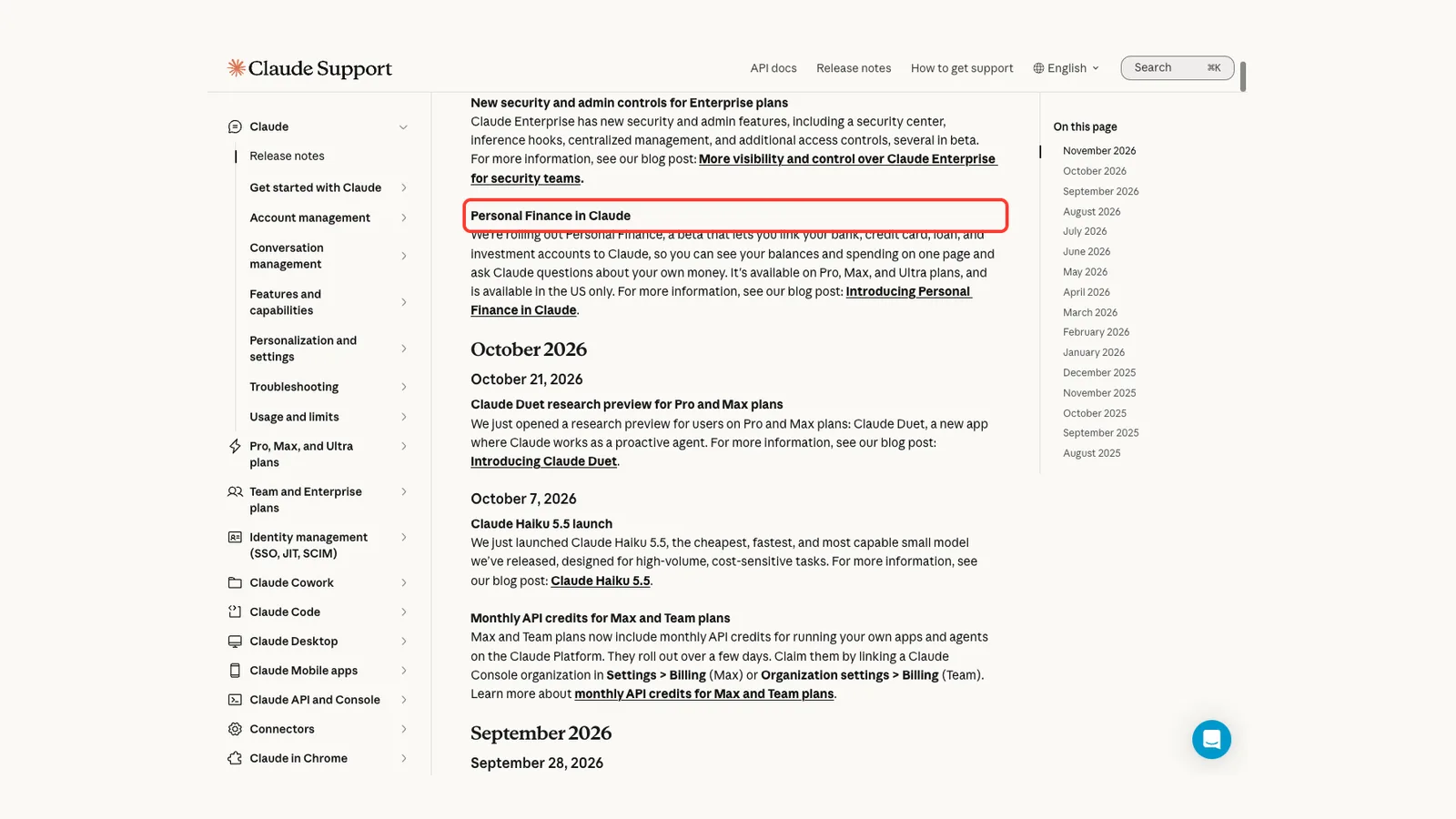
We read the release notes and then opened the three pages they link to, so every detail below comes from Anthropic’s own pages and nothing else. We could not use the Claude apps’ own screens for this roundup, so the screenshots are highlighted captures of the official pages.
You can find more of our coverage on our Claude tool page. If you use the terminal tool too, see our Claude Code roundup.
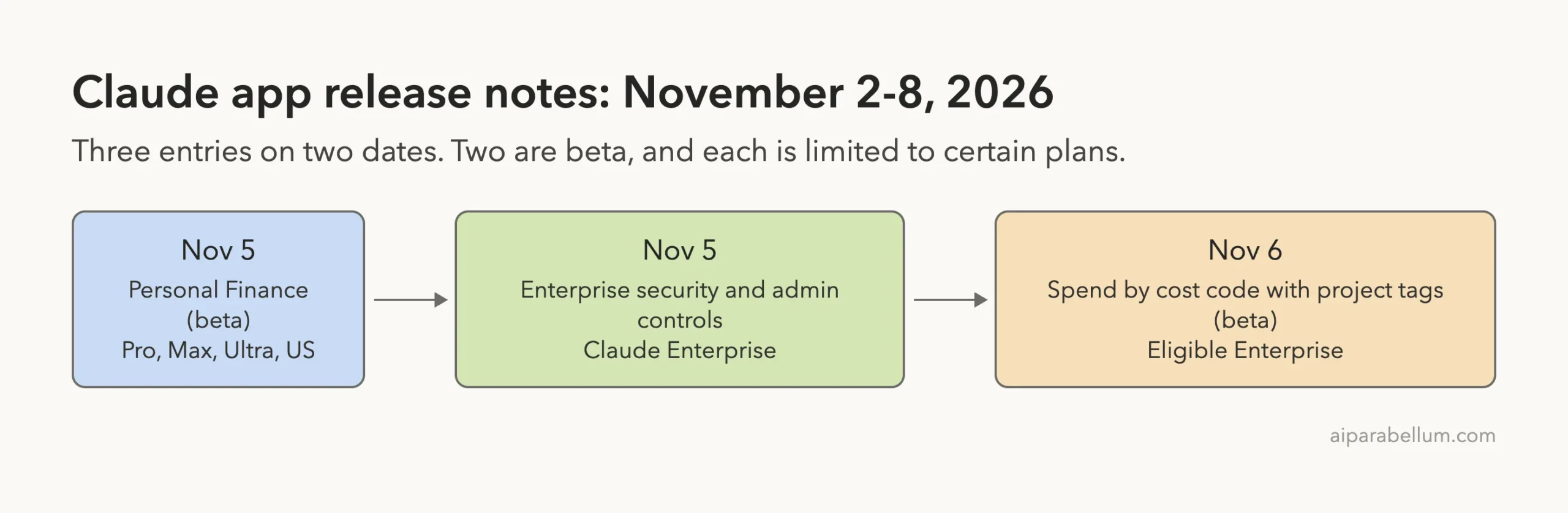
What’s New in Claude: The Week at a Glance
Here is every entry the release notes dated inside the week, with who gets it and the current status.
| Date | Change | Who gets it | Status |
|---|---|---|---|
| November 5 | Personal Finance in Claude | Pro, Max and Ultra plans in the US | Beta, rolling out |
| November 5 | New security and admin controls | Claude Enterprise | Several in beta, inference hooks generally available |
| November 6 | Track spend by cost code with project tags | Eligible Enterprise organizations | Beta |
The release notes page also shows older entries, such as Claude Duet on October 21 and Claude Haiku 5.5 on October 7. Those fall in earlier weeks, so we leave them out and keep this roundup to November 2 through November 8.
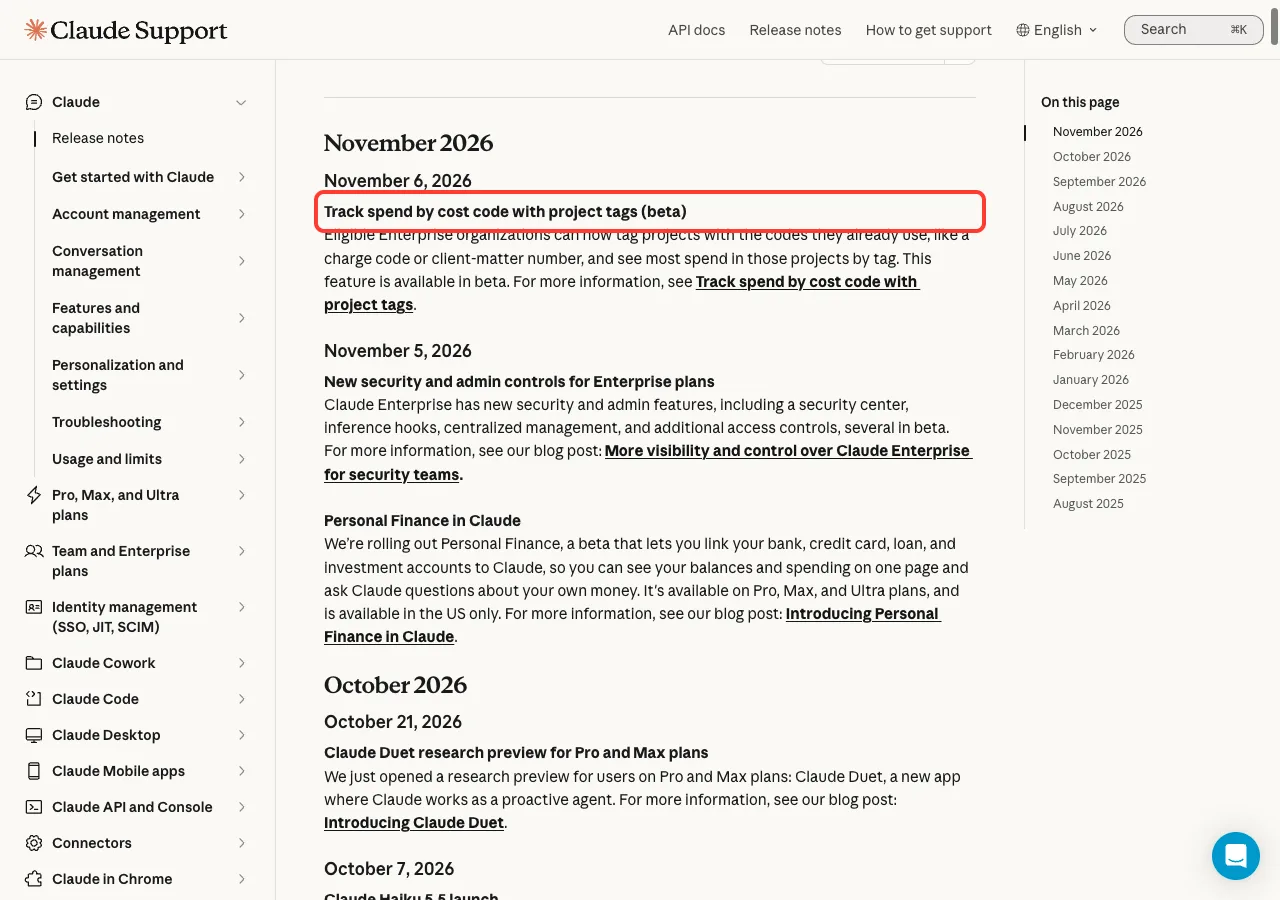
Two of this week’s three entries are aimed at Enterprise teams, while Personal Finance is the one change an individual subscriber can try.
Personal Finance in Claude: Ask Questions About Your Own Money
On November 5, Anthropic said it is rolling out Personal Finance, a beta that lets you link your bank, credit card, loan and investment accounts to Claude. You can see your balances and spending on one page and ask Claude questions about your own money.
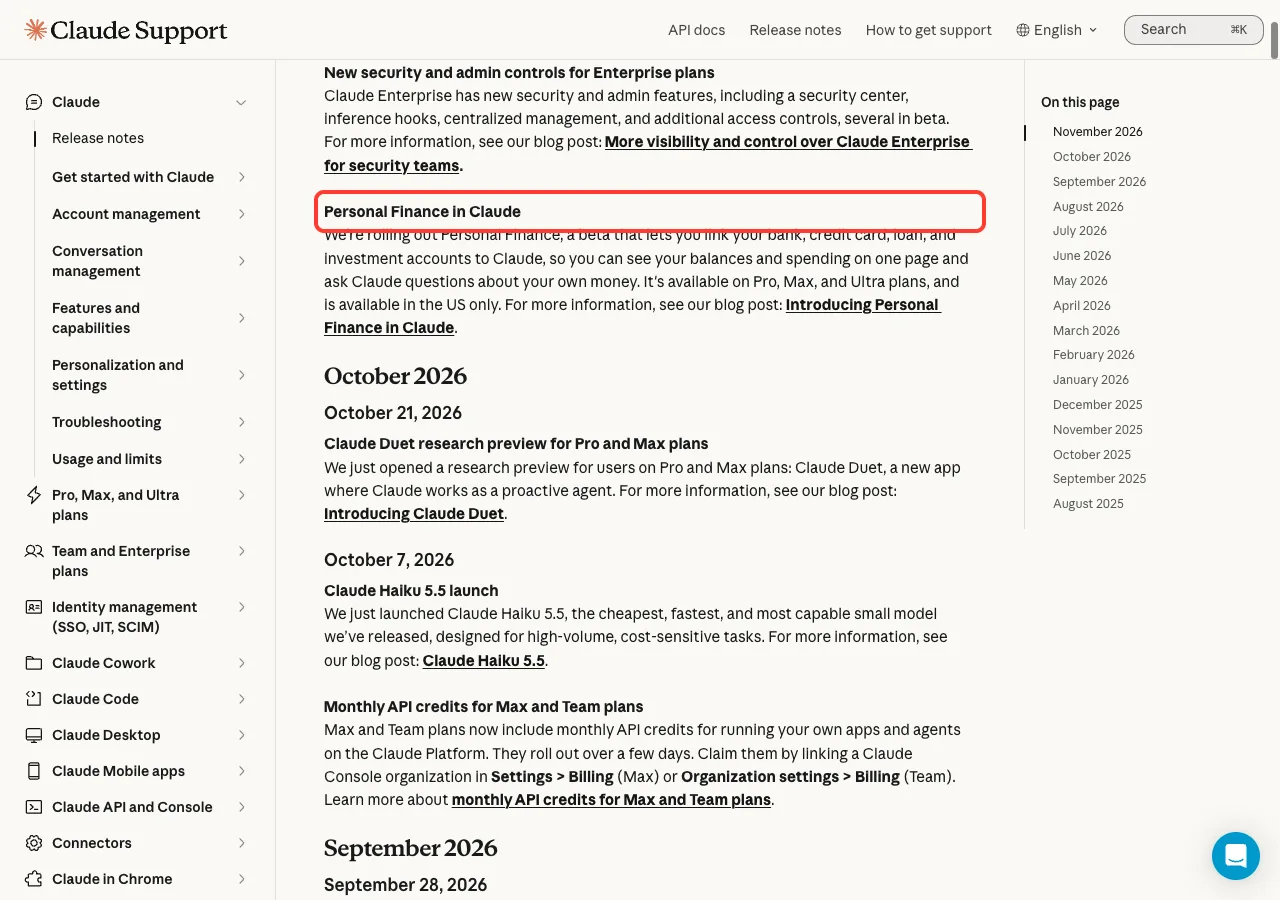
Who gets Personal Finance
The release note says it is available on Pro, Max and Ultra plans, and in the US only. Anthropic’s blog post adds that it starts rolling out in beta that week, so you may not see it right away.
When you see Personal Finance in Claude’s sidebar, the blog post says to open it, connect one account and ask a single question. Its own examples are “Can I afford a trip this spring?” and “How much could I save each month?”
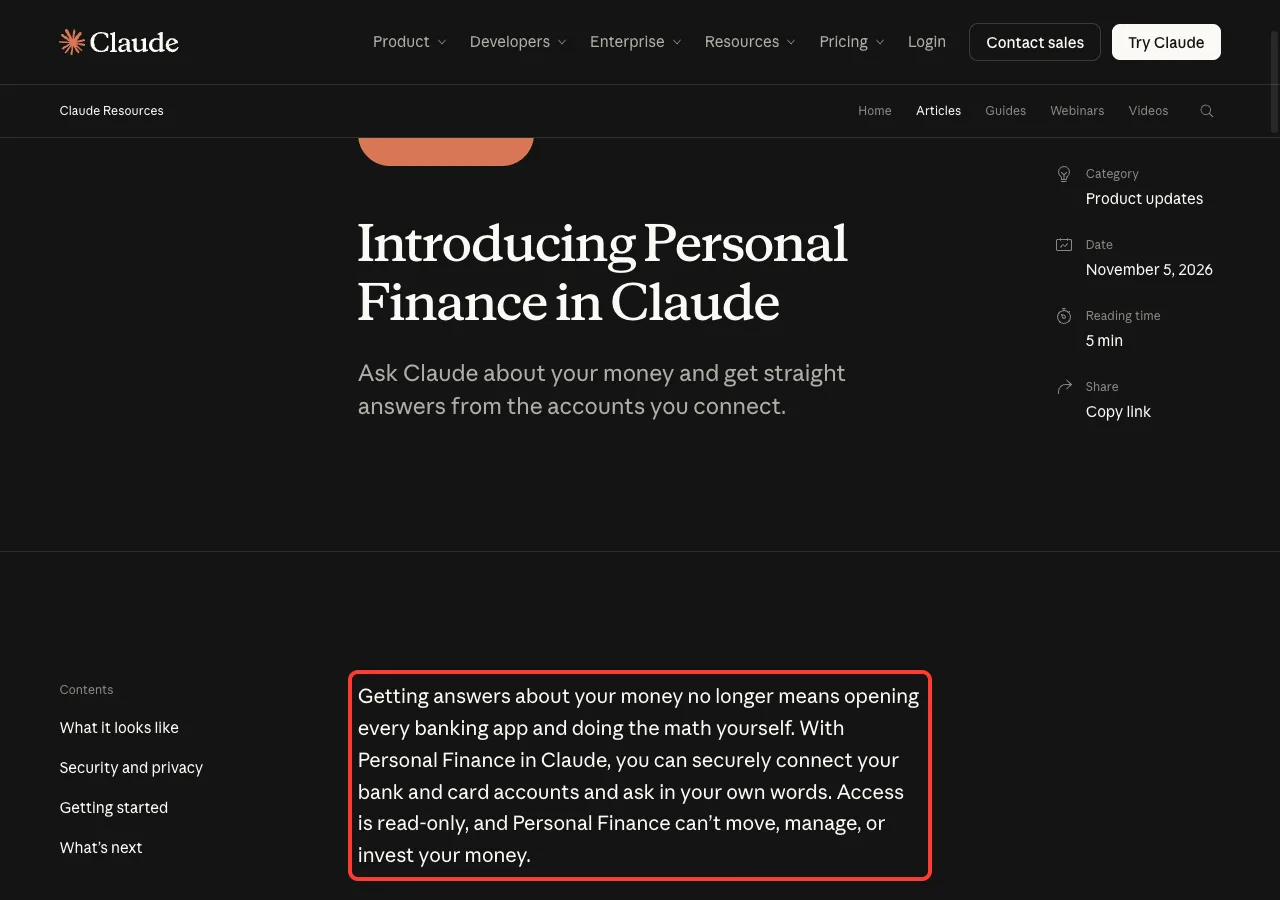
What Claude can and cannot do with your accounts
According to the post, access is read-only. Personal Finance can’t move, manage or invest your money, and it isn’t designed to give investment advice.
For the accounts you choose to connect, and only those, Claude sees the bank’s name, each account’s name, type and last four digits, balances and credit limits, and up to two years of transactions. You can unlink an account at any time, and then Claude can no longer see its data.
What you can ask
The post walks through a sample month. When you ask where your money went, Claude adds up your spending across the connected accounts and sorts it by category. You can then ask follow-ups, such as whether that is more than usual or what is left before payday.
- Ask whether anything looks off, and Claude reads across every connected account. Anthropic’s examples include charges that hit twice, unexpected fees, or a bill that has crept up all year.
- Ask bigger questions, such as whether you are spending more than you make, or what an APR is and what yours has cost you this year.
- Ask for a weekly spending chart, a calendar of what is due, or a dashboard of the numbers you choose, and Claude builds one you can keep adjusting.
Privacy and accuracy notes
Anthropic says conversations in the Personal Finance hub are not used to train its models. For anything you share with Claude outside the hub, your privacy settings apply.
The post also says Personal Finance has no ads or sponsored recommendations, and that it does not offer credit cards, loans or savings accounts of its own. It warns that Claude can make mistakes, so it suggests asking which transactions are behind a number and checking important figures with your bank.
New Security and Admin Controls for Claude Enterprise
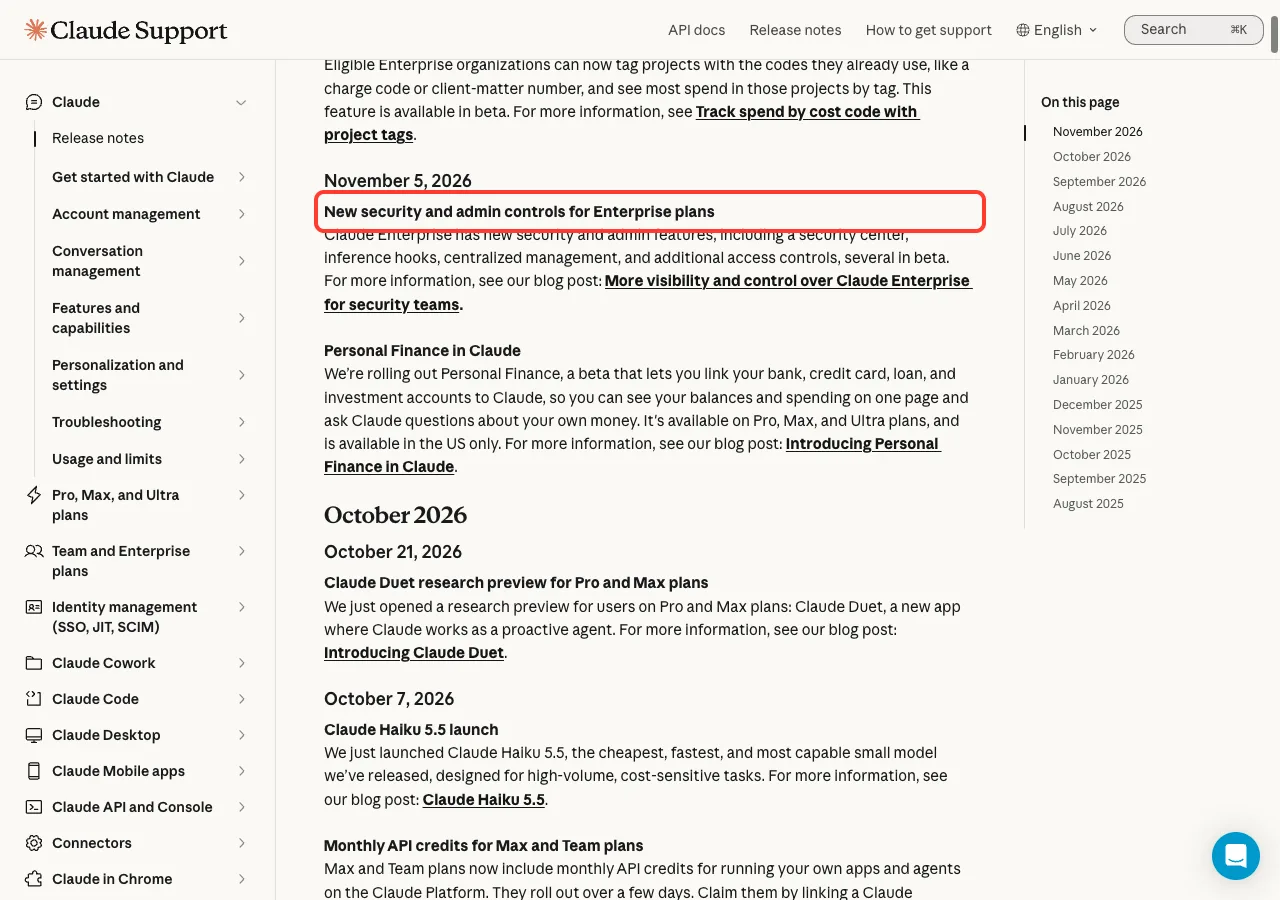
Also on November 5, the release notes announced new security and admin features for Claude Enterprise. They include a security center, inference hooks, centralized management and additional access controls, with several in beta.
These are for administrators, not for everyday chat users. Still, if you work for a company that uses Claude, they explain what your IT team may now be able to see and control.
Security center
The security center is a new page in Organization settings. It lets security teams review Claude’s security settings for chat, Cowork and Claude Code on one page, instead of setting by setting.
For each control, it shows the current value, the recommended value where there is one, and a link to the setting where you can change it. You can download the page as a report for auditors. Anthropic notes that the security center is guidance based on its recommendations, not a certification or a guarantee of compliance with any law or standard.
Inference hooks
Inference hooks connect Claude to the data security tools an organization already uses, so its data loss prevention and security policies can apply to prompts and tool calls. There are two kinds, and both are now generally available.
- Prompt hooks send prompts from supported Claude products to your security tool for a check.
- Pre-tool-call hooks check tool calls in supported Claude products before they run.
Centralized management
Centralized management gives a parent organization its own admin console at admin.claude.com. Admins can manage company-wide settings once, such as single sign-on, directory sync, domain verification, groups and Compliance API keys.
The console shows every organization under the parent in one place. It also adds two roles: parent organization owners, who can manage everything at the parent level, and parent organization admins, who can manage everything except the owner and admin role assignments.
Companies can also connect more than one identity provider. An acquired company can keep its existing provider, or a team can move to a new provider one domain at a time. The post warns that setup can’t be undone, so you should identify your parent organization admins before you start.
Access controls and shadow IT
Security teams can now sign a member out of Claude with a single Admin API call, without removing them from the organization. That ends the member’s sign-in sessions on every browser and device, but it does not end API keys, cloud sessions already running, or scheduled routines.
Enterprise admins can also manage their IP allowlist themselves, without going through Anthropic. To help prevent shadow IT, admins can block personal and other outside Claude accounts in Claude Desktop on managed computers.
EDR in Cowork
The post also mentions an Endpoint Detection and Response integration that Anthropic announced recently. It runs an organization’s EDR sensor inside the virtual machine that Cowork and unified Claude use on the user’s computer.
The sensor runs in detection mode, which means it reports activity to the security team and does not block it. This covers the virtual machine on the user’s computer, not Cowork sessions in the cloud.
What is beta and what is not
The post lists the status of each piece, so it is worth keeping straight.
| Feature | Status |
|---|---|
| Security center | Beta |
| Inference hooks (prompt and pre-tool-call) | Generally available |
| Centralized management | Beta |
| Member sign-out through the Admin API and self-serve IP allowlist | Beta |
| Claude Desktop settings managed by Owners | Beta |
| EDR in Cowork | Beta on macOS and Windows for Team and Enterprise |
Track Spend by Cost Code With Project Tags
On November 6, the release notes said eligible Enterprise organizations can now tag projects with the codes they already use, like a charge code or client-matter number, and see most spend in those projects by tag. The feature is in beta.
The release note is short, so we read the help article it links to for the practical details.
How project tags work
Project tags use two pieces. A tag is the category you report on, like cost_code or client_matter, and a value is the code itself, like CC-1042.
An owner creates the tag and its values, and anyone who can edit a project can set the value for that project. Each tag holds one value per project, and a project can have up to 16 tags. Project tags only work inside projects, so work outside a project does not get a tag.
Who can use them
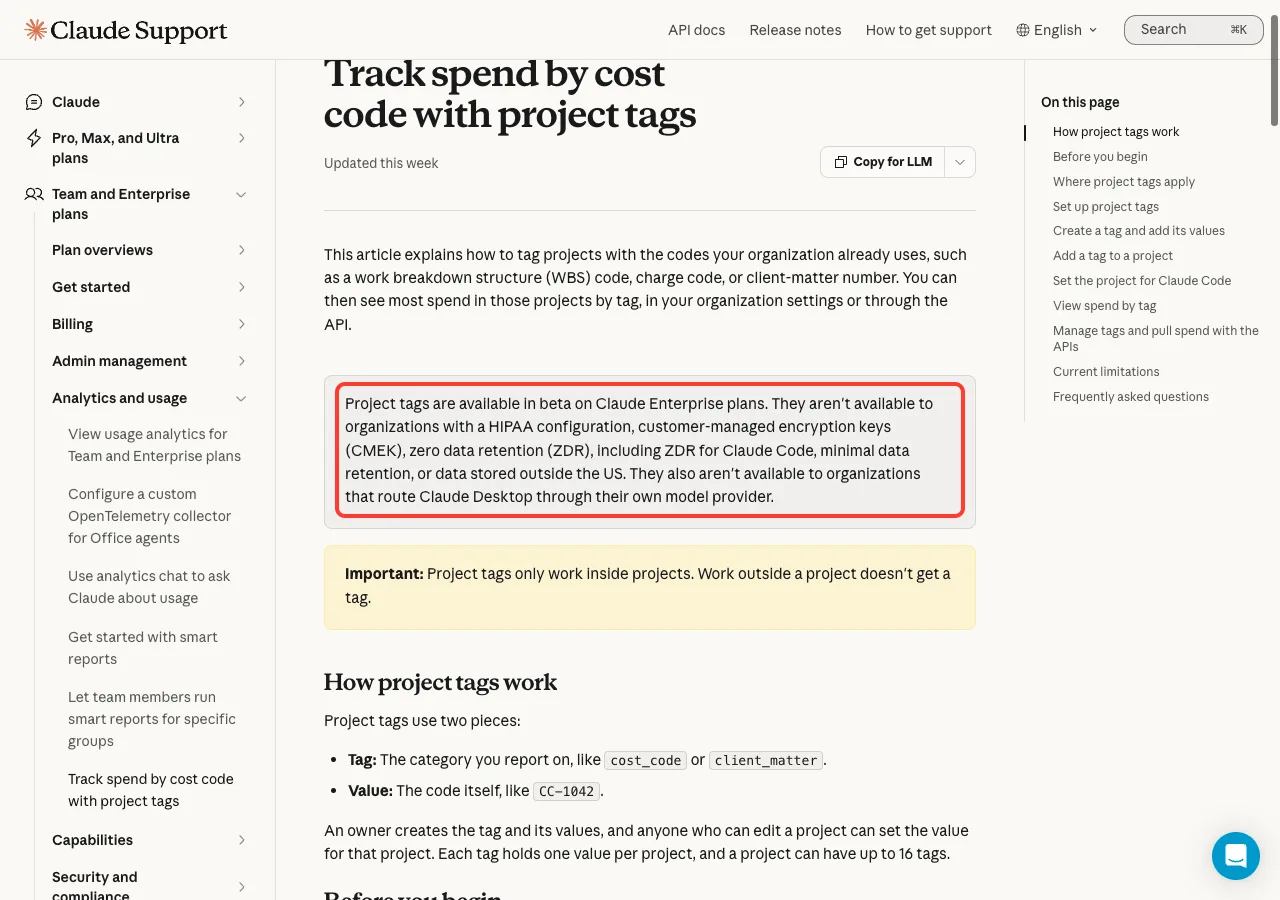
The help article says project tags are not available to organizations with a HIPAA configuration, customer-managed encryption keys, zero data retention, minimal data retention, or data stored outside the US. They also are not available to organizations that route Claude Desktop through their own model provider.
| Task | Role required |
|---|---|
| Create tags and manage their values | Primary Owner, Owner, or a custom role with Owner access |
| Set a project’s tags | “Can edit” access to the project |
| View spend by tag | Primary Owner, Owner, or a custom role with Analytics view and Billing view access |
| Create API keys | Primary Owner |
Create a tag
Project tags are on automatically for eligible organizations, with no setting to turn on. Owners start by creating a tag.
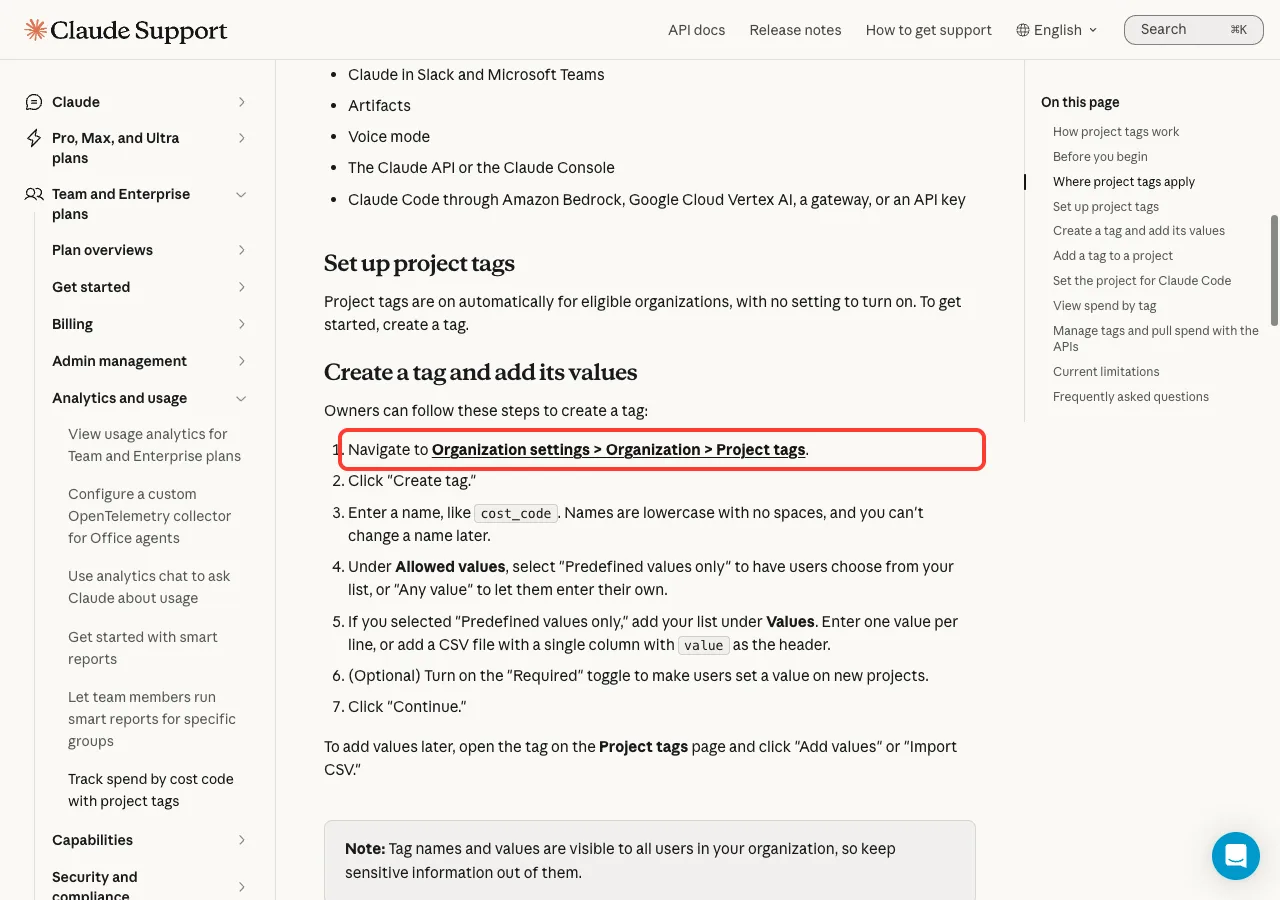
- Go to
Organization settings, thenOrganization, thenProject tags. - Enter a name, like
cost_code. Names are lowercase with no spaces, and you can’t change a name later. - Under Allowed values, choose “Predefined values only” so users pick from your list, or “Any value” to let them type their own.
- If you chose predefined values, add one value per line, or add a CSV file with a single column with
valueas the header. - Optionally turn on the “Required” toggle so users must set a value on new projects.
Tag names and values are visible to all users in your organization, so keep sensitive information out of them.
Claude Code needs one extra step
The help article says the tags work with the unified chat and Cowork experience in a project, on Claude Desktop 3.6556.1 or later. They also work with Claude Code in your terminal or on desktop, after you set the project for Claude Code, which requires Claude Code 2.1.305 or later.
Claude Code has no project picker, so users set the project in a settings file. Copy the project ID from the end of the project’s URL, then add this line to .claude/settings.json in a repository, or to ~/.claude/settings.json to apply it across repositories.
{ "attributionProject": "PROJECT_ID" }If no project is set, Claude Code usage is not tagged and there is no warning, so tell your users. The article also warns that a stray comma can break Claude Code on that computer, so keep the file valid JSON.
View spend by tag
Owners, and custom roles with the right access, open Organization settings, then Usage, then Spend by project. Use the “Group by” menu to select your tag, and the “Period” and “Product” menus to narrow the results.
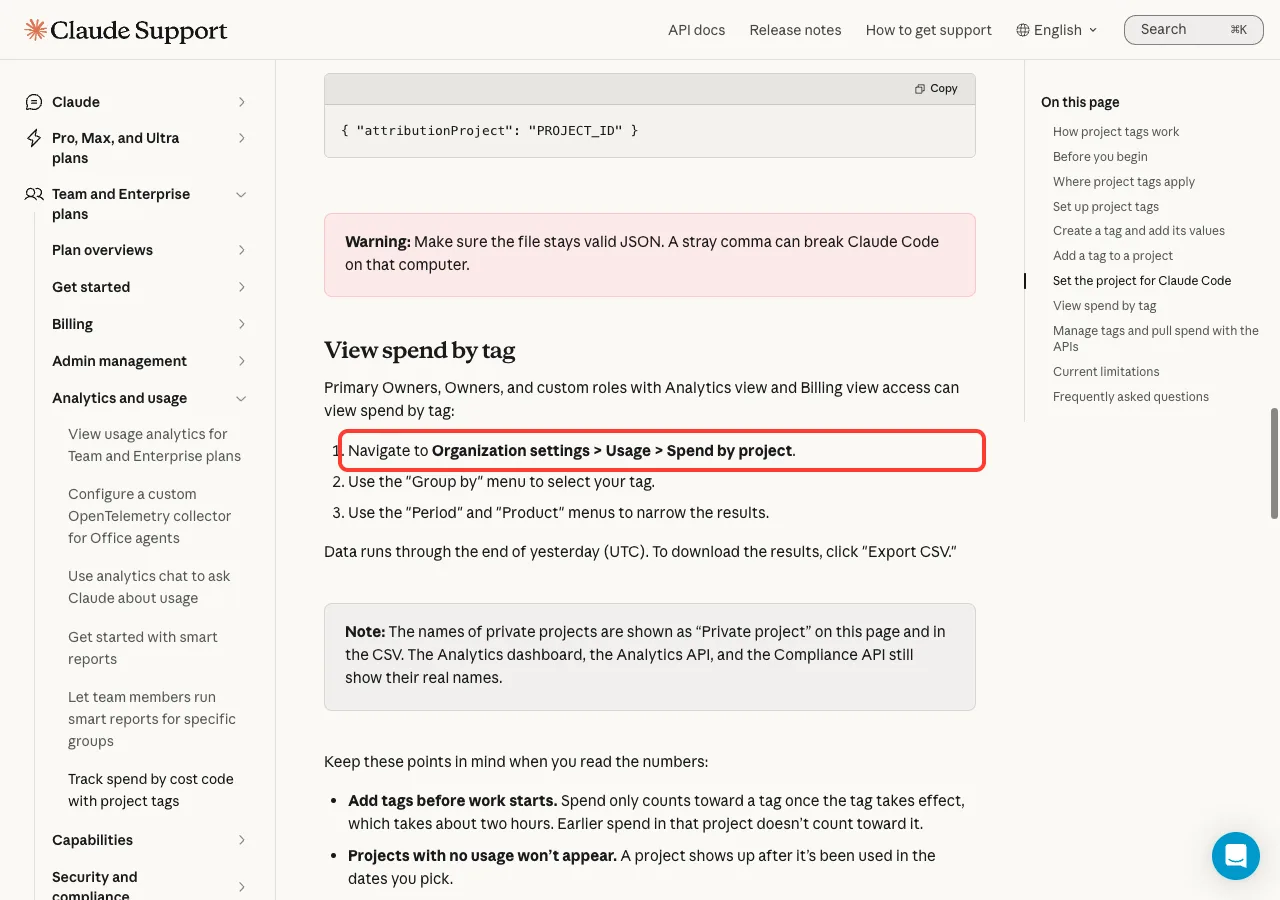
Data runs through the end of yesterday in UTC, and you can click Export CSV to download the results. The names of private projects show as “Private project” on this page and in the CSV.
Things to know before you trust the numbers
The help article lists several caveats, and they matter for anyone who plans to bill clients from this data.
- Add tags before work starts. A new tag takes about two hours to take effect, and earlier spend in that project does not count toward it.
- Changing a tag does not change past spend. Usage stays under whatever tag the project had at the time.
- Spend outside a project shows as “Not in a project”, and a project with no value for the tag shows as “No tag value”.
- Amounts may not match your invoice. They are shown after your discount and before credits.
- Usage covered by seats is not counted, so a project used mostly on seats may show little or no spend.
The article also says you can set tags and pull spend through the Admin API and the Analytics API, and that both are in beta, so paths and names may change.
What This Means for You
Because this week’s changes target different groups, here is a simple way to decide what to do.
- If you are a Pro, Max or Ultra subscriber in the US, look for Personal Finance in your sidebar, connect one account and start with a single question.
- If you are not in the US or on one of those plans, you can skip Personal Finance for now, since the release note lists only that group.
- If you run security for a Claude Enterprise organization, open Organization settings and look at the security center, then read the post on inference hooks.
- If you manage Enterprise billing, create one tag before work starts on a project, and add the
attributionProjectsetting for Claude Code users. - If you only chat with Claude on a free or personal plan, nothing in this week’s notes changes your daily use.
If you are comparing assistants, our three-way comparison is a good place to start, and you can also read our weekly look at ChatGPT.
Cheat Sheet: This Week in Claude
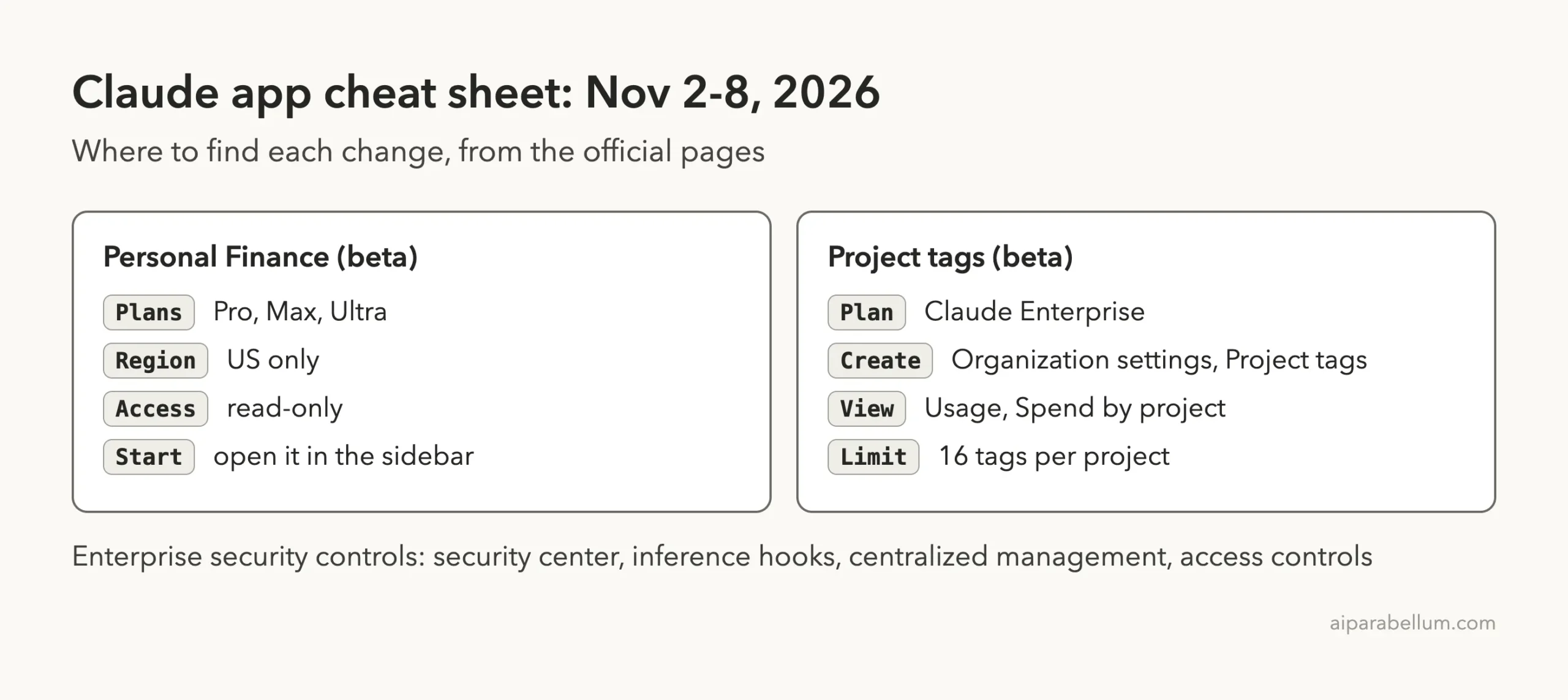
Keep this card handy. It collects where to find each change and the main limits from the official pages.
Frequently Asked Questions
What’s new in Claude this week?
The official release notes list three entries for November 5 and 6, 2026. They cover Personal Finance, new Enterprise security and admin controls, and project tags for tracking spend by cost code.
Who can use Personal Finance in Claude?
The release note says it is available on Pro, Max and Ultra plans, in the US only. It is a beta that is rolling out, so it may reach your account in stages.
Can Personal Finance move my money?
No. Anthropic says access is read-only, and Personal Finance can’t move, manage or invest your money. You can unlink an account at any time.
Are the new security controls available on every plan?
No. Anthropic says they are available for Claude Enterprise, with some exceptions during beta listed in its Help Center. Inference hooks are generally available, while most of the other pieces are in beta.
Do project tags work with Claude Code?
Yes, after you set the project for Claude Code in a settings file. The help article requires Claude Code 2.1.305 or later, and it says that without a project set, usage is not tagged.
Conclusion
It was a smaller week for the Claude apps, but a meaningful one: Personal Finance for US subscribers on Pro, Max and Ultra, a broad set of security controls for Enterprise admins, and project tags that make it easier to track spend by cost code. Check the plan and region limits before you expect a feature, since most of these are still in beta. For the full text, read the official release notes, Anthropic’s post on Personal Finance, and the help article on project tags, and check back next week for the next roundup.