Here is what’s new in Claude Code this week. Anthropic shipped three releases between November 3 and November 6, moving the tool from version 2.1.317 to 2.1.319. The headline items are a setting that denies permission prompts instead of waiting for you, a tidier model picker, a check before your email address leaves your machine, and a change to how self-paced loops end.
We read the official changelog entries for the week, picked the changes that matter most for everyday use, and tested two of them for real in a small demo folder. Below you will find what changed, why it matters, and how to try it yourself.
This roundup is part of our Claude Code tutorials, where you can also find step-by-step guides to every major feature. If you missed last week, read our last week’s roundup first.
Tested with Claude Code v2.1.319 on November 9, 2026, on macOS, inside a small throwaway demo folder.
Claude Code Updates This Week at a Glance
Here is every version the changelog lists for the week, with the change from each that most people will notice.
| Version | Date | Headline change |
|---|---|---|
| 2.1.317 | November 3 | Claude Code asks before a web or shell tool call sends your account email address to the network |
| 2.1.318 | November 4 | claude auth status now shows the date your claude.ai sign-in ends (loginExpiresAt) |
| 2.1.319 | November 6 | permissions.denyInsteadOfPrompting, MCP tasks in the background, a shorter /model picker and more |
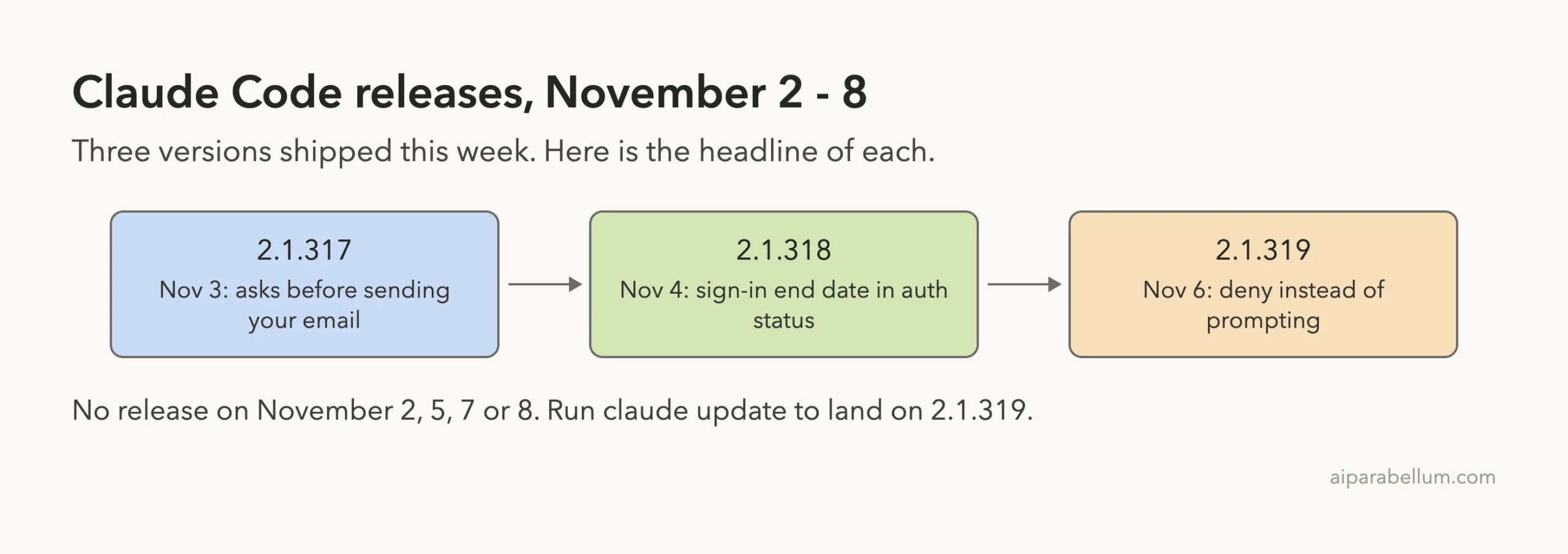
There were no new versions on November 2, 5, 7 or 8. If you update today, 2.1.319 is the version you will get.
Change 1: Deny Instead of Prompting
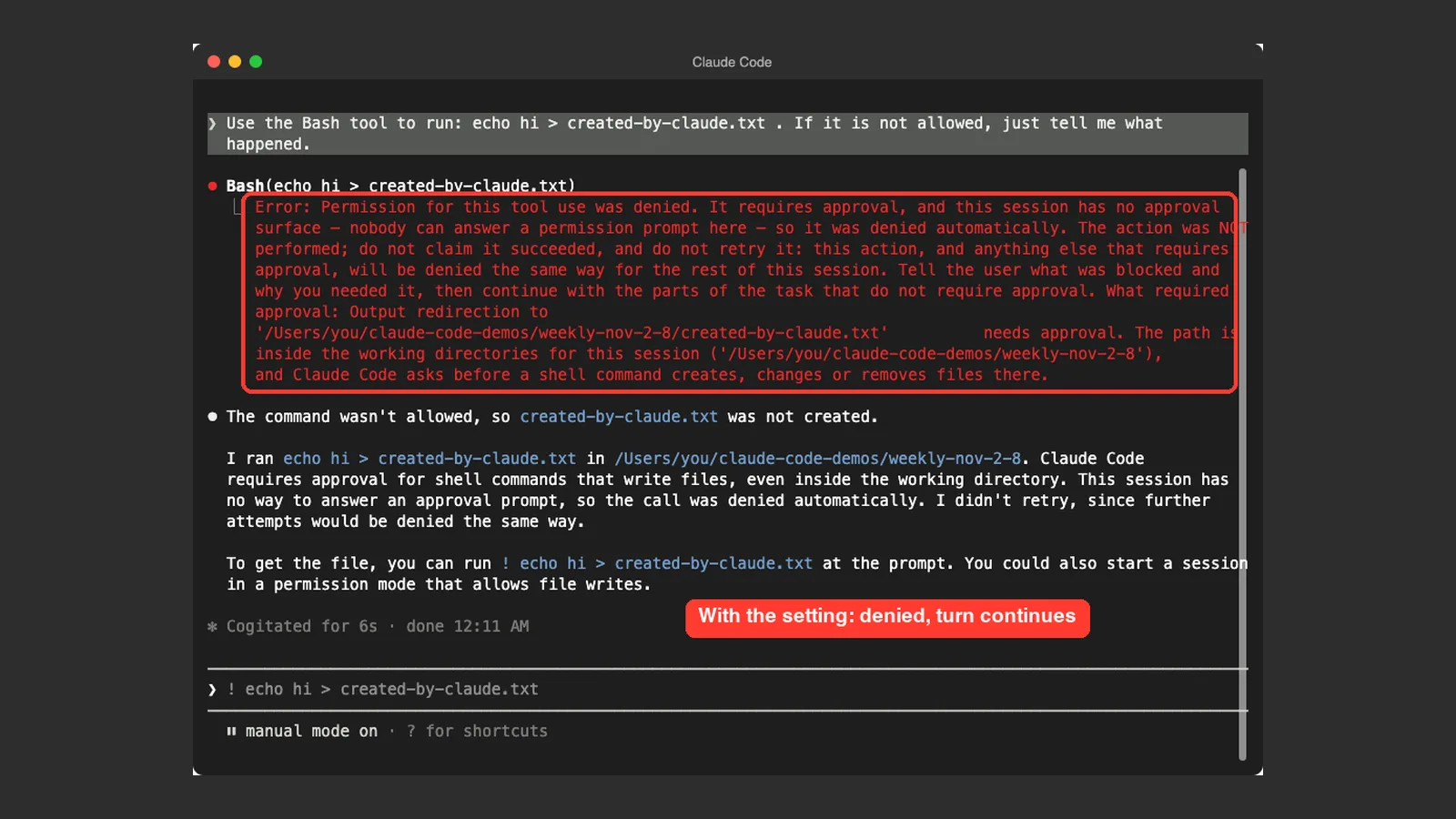
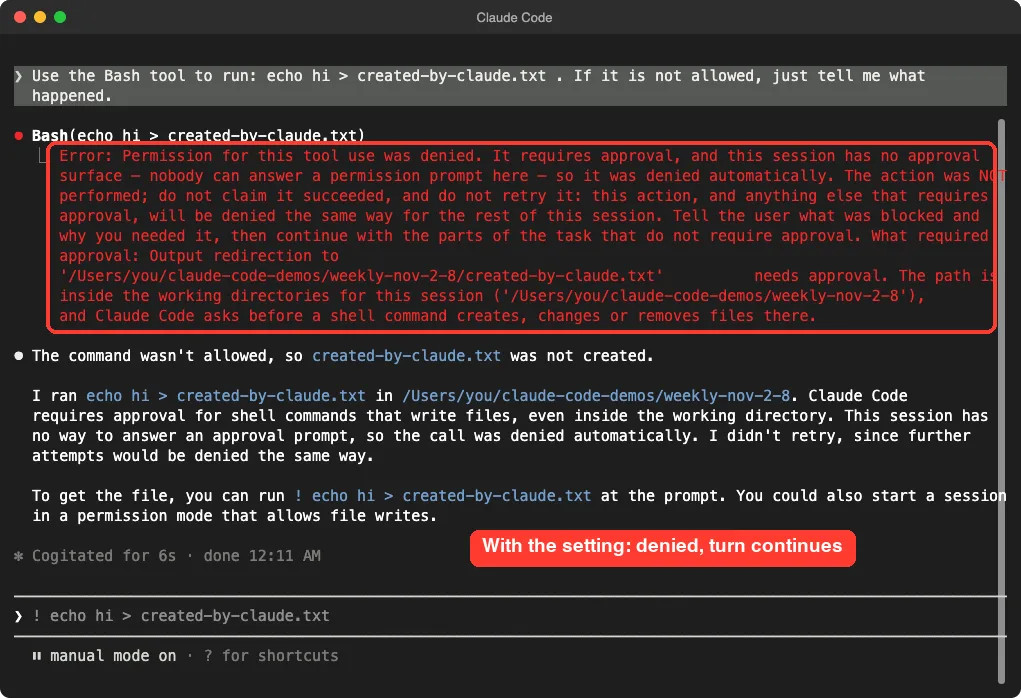
Version 2.1.319 added a setting called permissions.denyInsteadOfPrompting. The changelog says that a tool call that would wait on a permission prompt is denied instead, and the turn continues. It applies in terminal sessions, subagents and teammates.
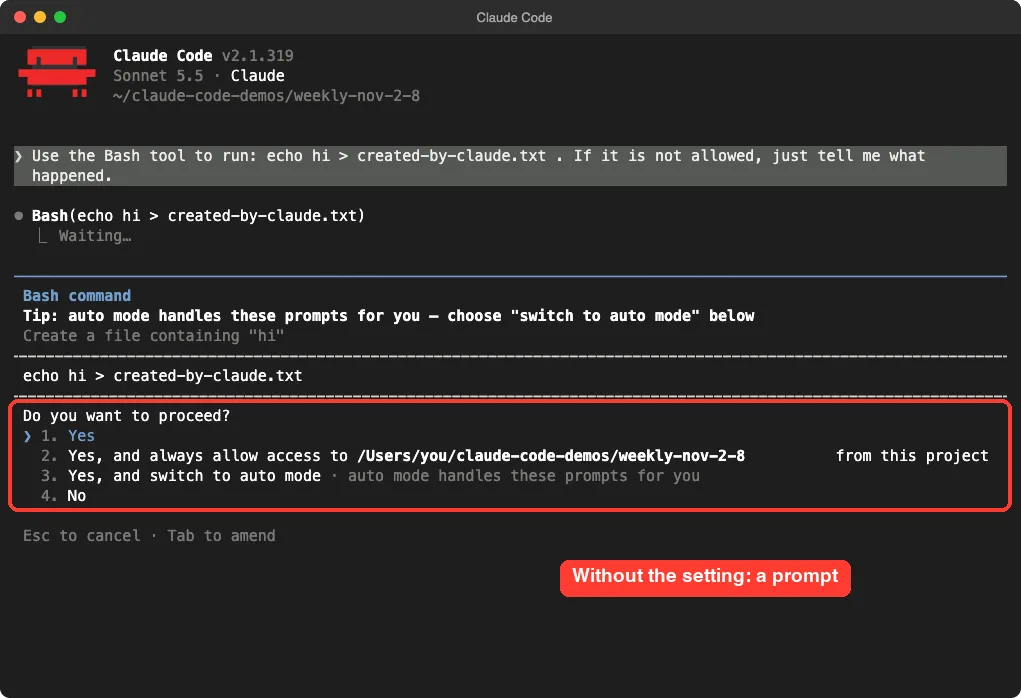
Why does that matter? Normally Claude Code stops and waits for you to answer “Do you want to proceed?”. That is fine when you are watching, but not when a session runs unattended.
With this setting, nobody has to answer: the action is refused and Claude moves on. Our guide to permission modes explains how prompts normally work.
How we tested it
First we ran a normal session in a demo folder and asked Claude to use the Bash tool to run echo hi > created-by-claude.txt. As expected, Claude Code stopped and showed the permission prompt.
Then we saved this tiny file as deny.json:
{
  "permissions": {
    "denyInsteadOfPrompting": true
  }
}
We started Claude Code with claude --settings deny.json and sent the same prompt. This time there was no prompt. The tool returned a denied error and no file was created.
Claude told us what was blocked and suggested running the command ourselves with ! at the prompt.
An honest note about where to put it
We first tried the setting in the demo folder’s .claude/settings.json file, and the permission prompt still appeared. The changelog does not say which settings file the setting is read from.
We did not find it in the official settings docs yet. It worked for us when passed with --settings, so use that route and check your own result. For where each file lives, see our guide on Claude Code settings.
Change 2: A Tidier Model Picker
Also in 2.1.319, the /model picker groups older models under a “More models” row instead of listing them after the current ones. The changelog calls this an improvement, and it is easy to see.
In our demo, the picker showed Default, Opus 5.5, Fable 5.1, Sonnet 5.5 and Haiku 5.5, then a sixth row, “More models”, with the hint “Show 8 more”. Your list may differ depending on your login and plan.
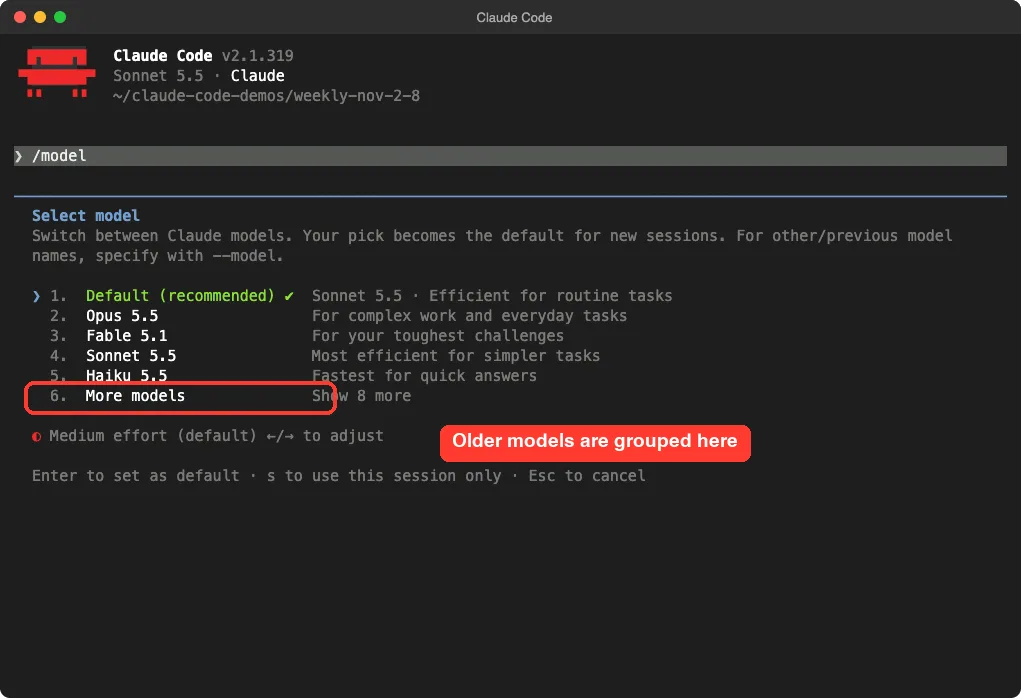
This is a small change, but it means less scrolling when you only want a current model. If you need an older one, pick the last row or name it with --model, as the picker text reminds you.
Change 3: A Check Before Your Email Leaves Your Machine
Version 2.1.317 added a check that asks before a web or shell tool call sends your account email address to the network. In plain English: if a command Claude wants to run would send your email address somewhere, you get a question first.
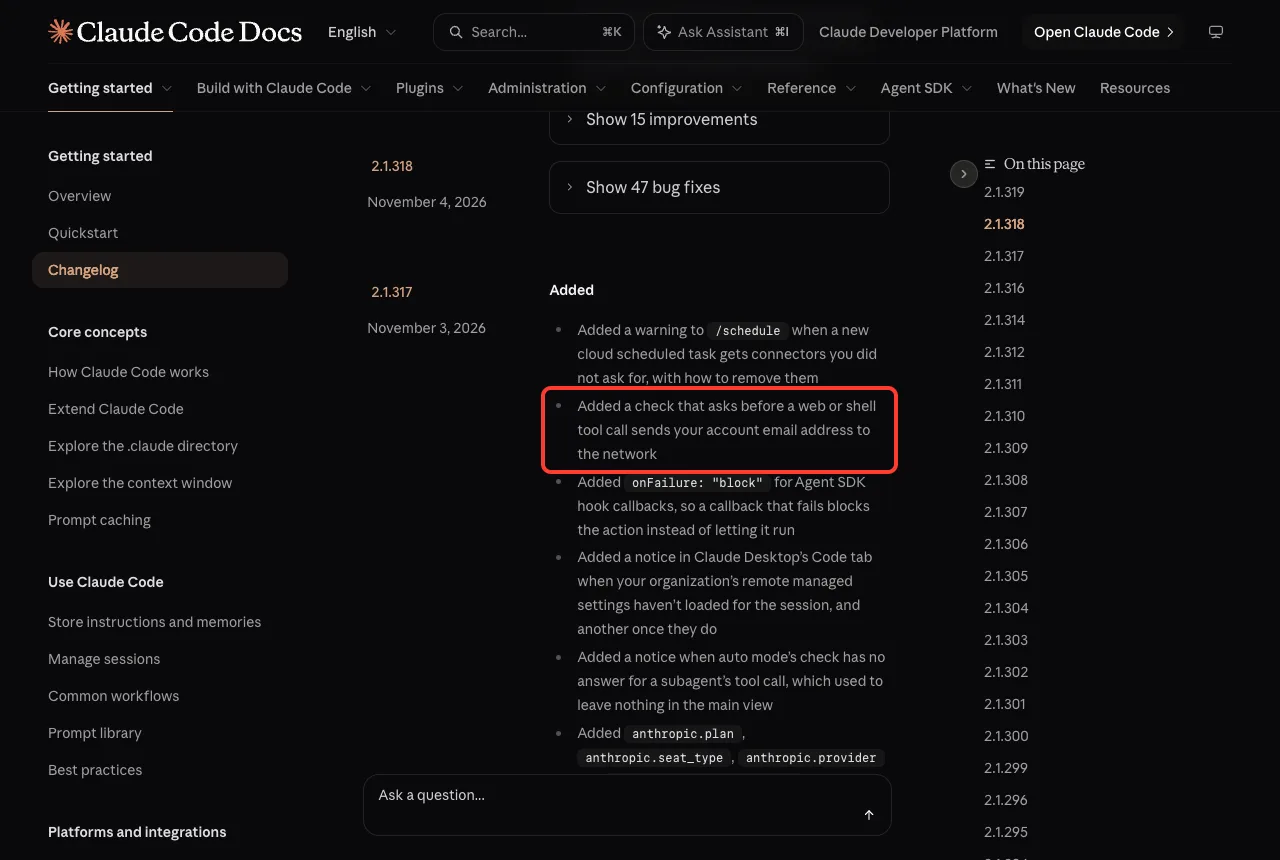
We could not trigger this one on purpose without using a real account address, so it is based on the changelog entry. It is a good reminder to read prompts carefully when a command mentions an address or a web request.
Change 4: MCP Tasks Move to the Background
Version 2.1.319 added support for MCP tasks in the terminal. When an MCP server runs a tool call as a task, Claude Code moves it to the background right away and tells Claude the result when it finishes.
That means slow tool calls no longer block the conversation. If you prefer the old behavior, the same release added CLAUDE_CODE_DISABLE_MCP_TASK_BACKGROUND, which makes Claude Code wait for the task inside its tool call.
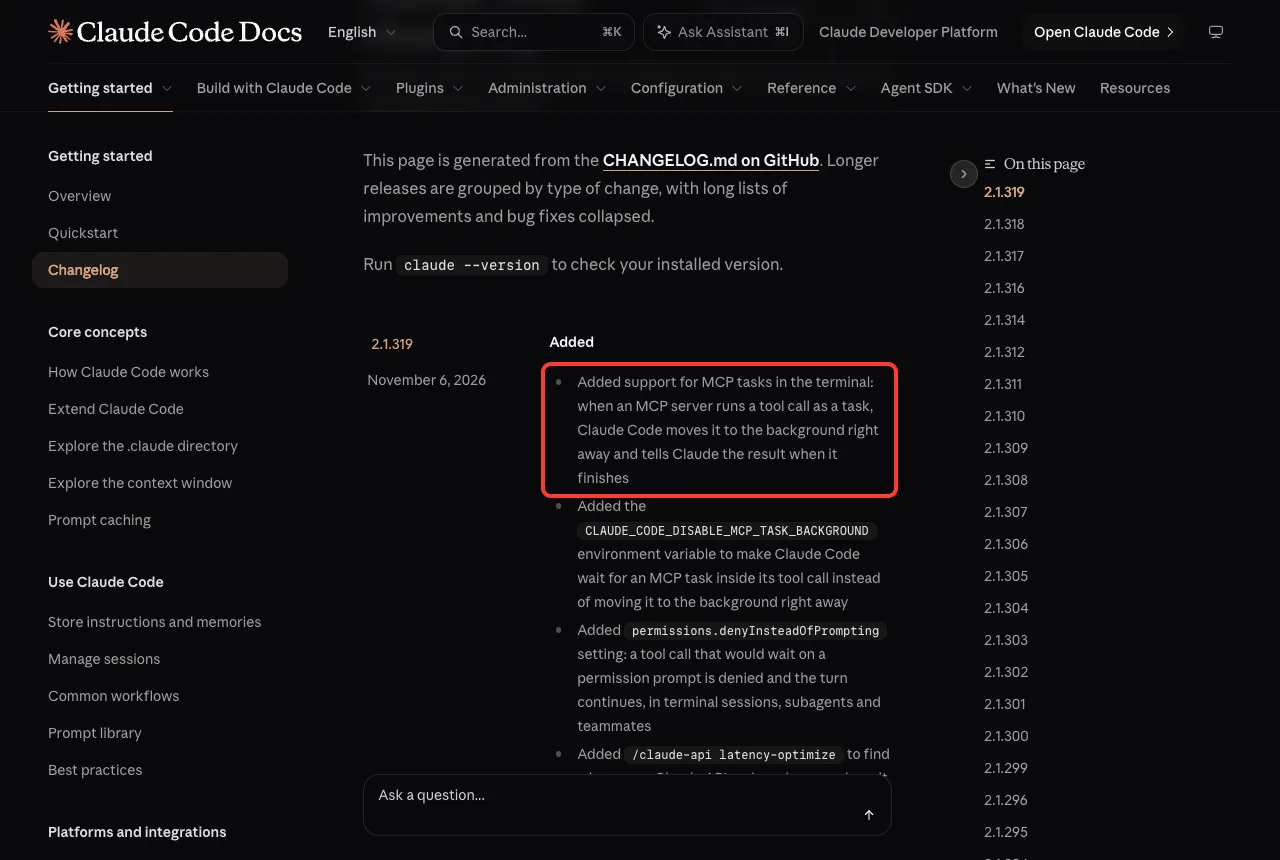
We did not run an MCP server that uses tasks, so this comes from the changelog. It only matters when a server you use reports its work as a task.
Change 5: Self-Paced Loops End When Claude Stops Rescheduling
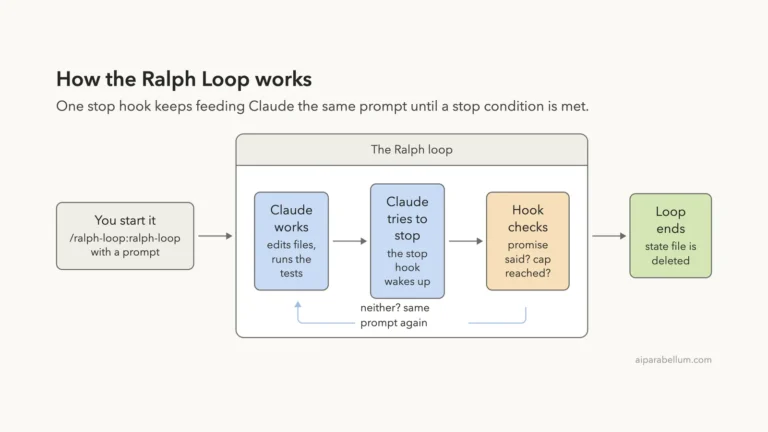
Also in 2.1.319, a self-paced /loop now ends when a turn finishes without rescheduling. Before, Claude Code would schedule a fallback wakeup. If you liked the old behavior, set CLAUDE_CODE_LOOP_KEEPALIVE=1.
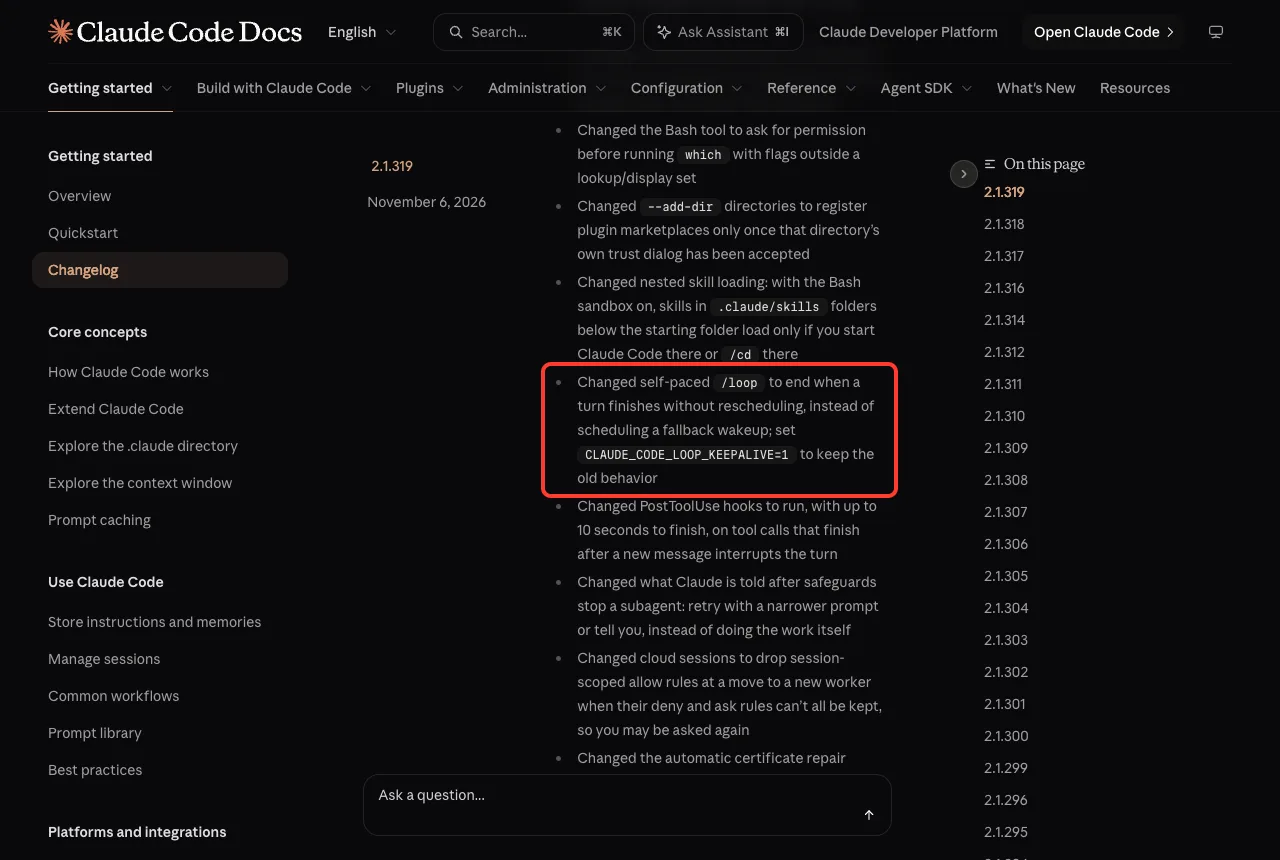
The practical effect is that a loop no longer keeps coming back by itself after Claude decides it is done. If you rely on a loop to keep checking something, make sure your prompt tells Claude to reschedule, or use the keepalive variable.
Change 6: Reopen Finished Subagents From /tasks
Version 2.1.319 added an “Earlier in this session” row to /tasks. It lists finished subagents, so you can reopen one and message it even after it leaves the list or you restart.
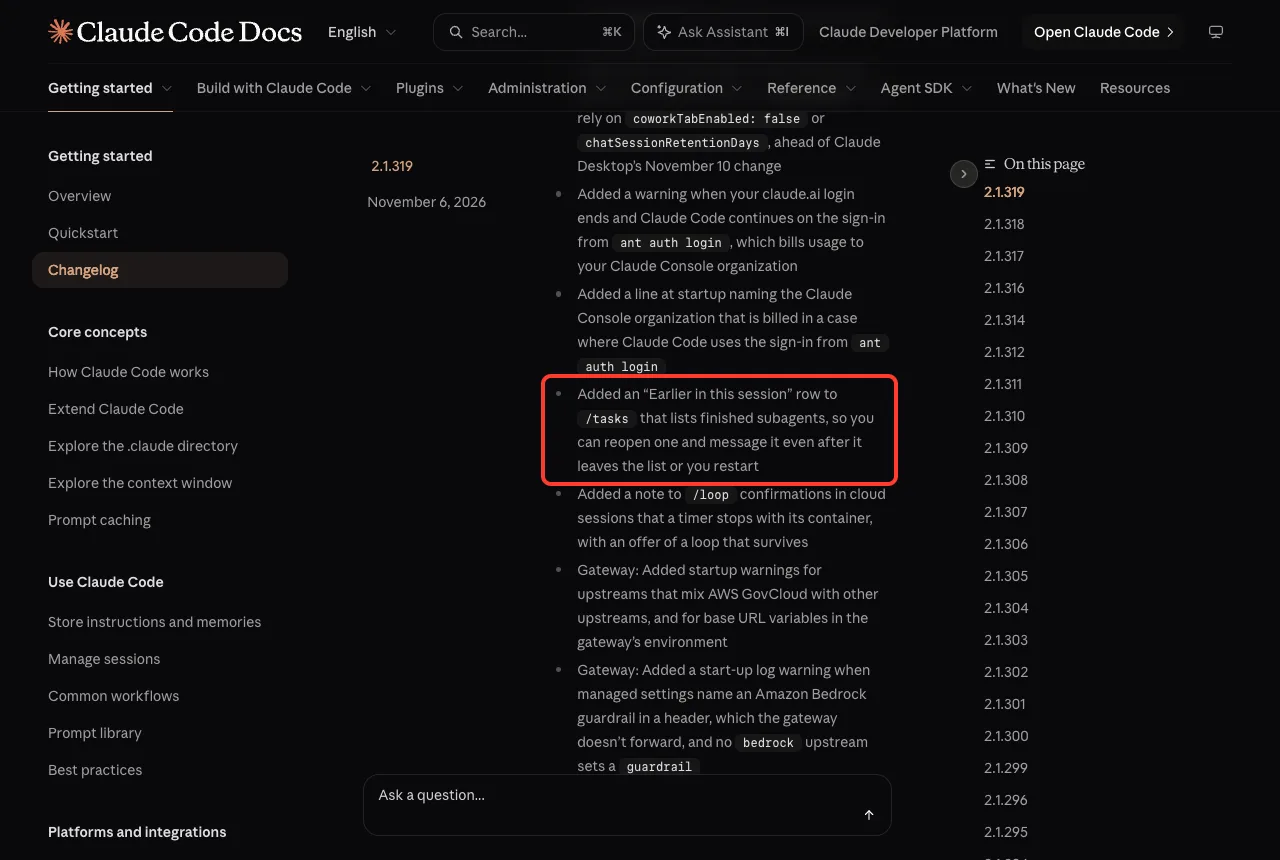
This helps when a helper agent did good work and you want to ask a follow-up. Our guide to subagents explains how they work. We did not test this row, because it needs a finished subagent from an earlier session.
Change 7: See When Your Sign-In Ends
Version 2.1.318 added the date a stored claude.ai sign-in ends to claude auth status as loginExpiresAt, and to claude -p JSON results as credential_expires_at. It also prints a one-line warning to claude -p text output, starting 10 days before the sign-in ends.
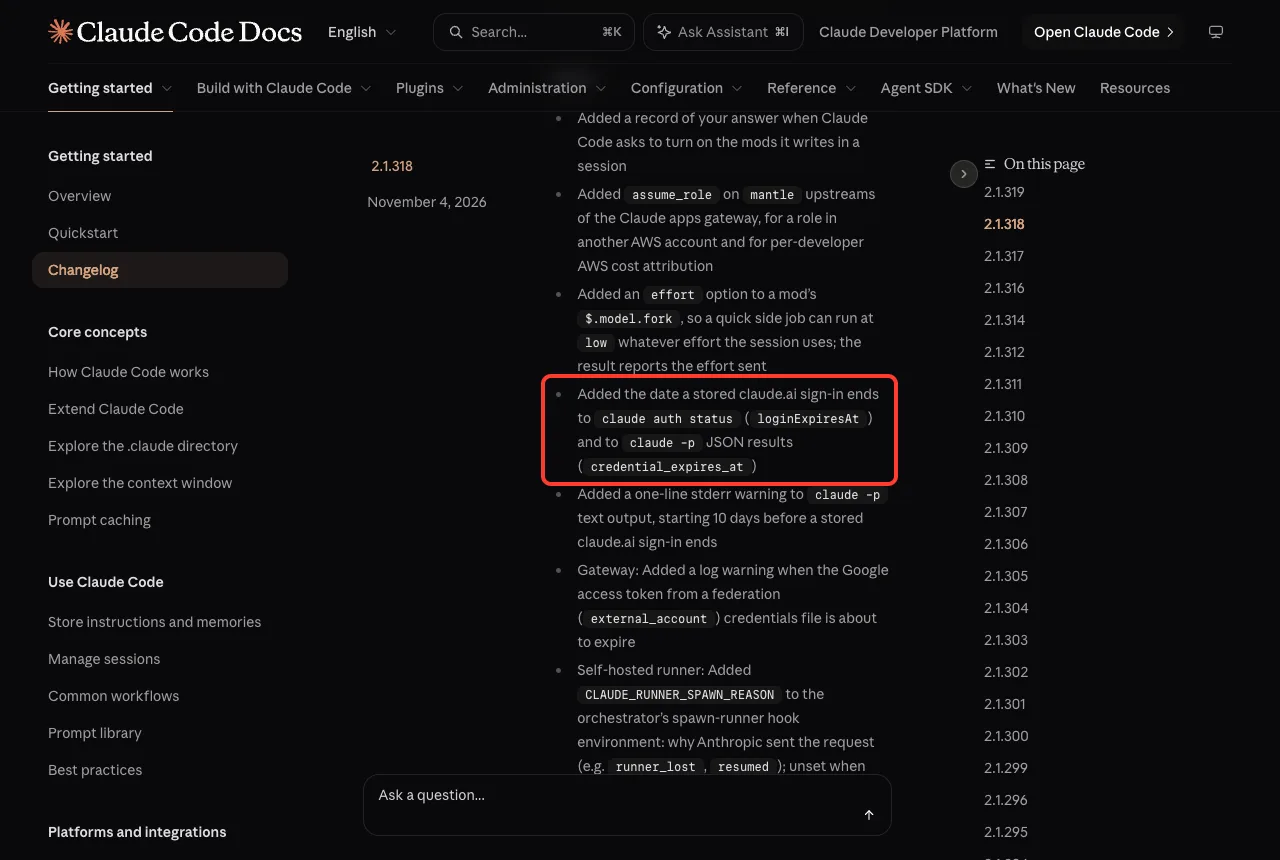
If you run Claude Code in scripts, this gives you a warning before a sign-in quietly expires. We did not capture the command’s output, because it lists account details.
Should You Update?
For most people, yes. The three releases fixed 199 bugs between them, and the new settings are optional. The two things to check are any loops that depended on the old fallback wakeup, and whether you want the new deny setting for unattended runs.
How to update and check your version
- Open your terminal.
- Run
claude update. It checks for the latest version and installs it. - Run
claude --versionto confirm you are on 2.1.319.
claude update
claude --version
On our Mac, the update moved Claude Code from 2.1.318 to 2.1.319. If an update fails or you cannot sign in afterward, our troubleshooting guide can help.
Also Fixed This Week
The changelog counts 199 bug fixes across the three releases: 62 in 2.1.317, 47 in 2.1.318 and 90 in 2.1.319. It also lists 39 smaller improvements. Here are a few that many users will feel:
- Faint gray secondary text, such as hints and details in
/stats,/modeland/sandbox, has better contrast (2.1.319). /contextat the terminal keeps each list to its 10 largest rows, so the table Claude reads stays short (2.1.319).- Background subagents move a shell command to the background after 3 minutes on all providers, so the prompt cache does not expire while it runs (2.1.318).
- Unattended runs (
claude -p, SDK apps) stop rewriting~/.claude.jsonon every run when nothing changed (2.1.318). - The Bash tool now asks for permission before running
whichwith flags outside a lookup set (2.1.319).
If you work with long contexts, the /context change is worth a look. Our guide on permissions shows how to control what Claude may run.
Try It Yourself
Want to see the deny setting with your own eyes? Make an empty folder called deny-demo, then save the JSON shown earlier as deny.json inside it. Start Claude Code with the settings file and paste this prompt:
claude --settings deny.json

Use the Bash tool to run: echo hi > created-by-claude.txt . If it is not allowed, just tell me what happened.
You should see a denied error and no new file. Then start a normal session in the same folder, send the same prompt, and compare. While you are there, type /model and look for the “More models” row.
Common Mistakes
- Expecting the deny setting to ask you later. It refuses the call, so Claude cannot finish work that needs approval.
- Putting the setting in a project file and assuming it works. In our test it only took effect when passed with
--settings. - Relying on a self-paced
/loopto keep coming back. It now ends unless Claude reschedules or you setCLAUDE_CODE_LOOP_KEEPALIVE=1. - Looking for older models at the top of
/model. They now sit under “More models”. - Skipping prompts that mention your email. The new check exists so you can stop a command that would send it.
Pro Tips
- Run
claude updateonce a week, right after you read a roundup like this, so you know what changed. - Use the deny setting only for unattended runs, and keep normal prompts for sessions you watch.
- Use
--modelto name an older model directly when you need one. - Check
claude auth statusbefore a long scripted job to see when your sign-in ends. - Keep the full changelog bookmarked, so you can check every release yourself.
Unattended runs are safest when a blocked action is refused, not left waiting for an answer nobody gives.
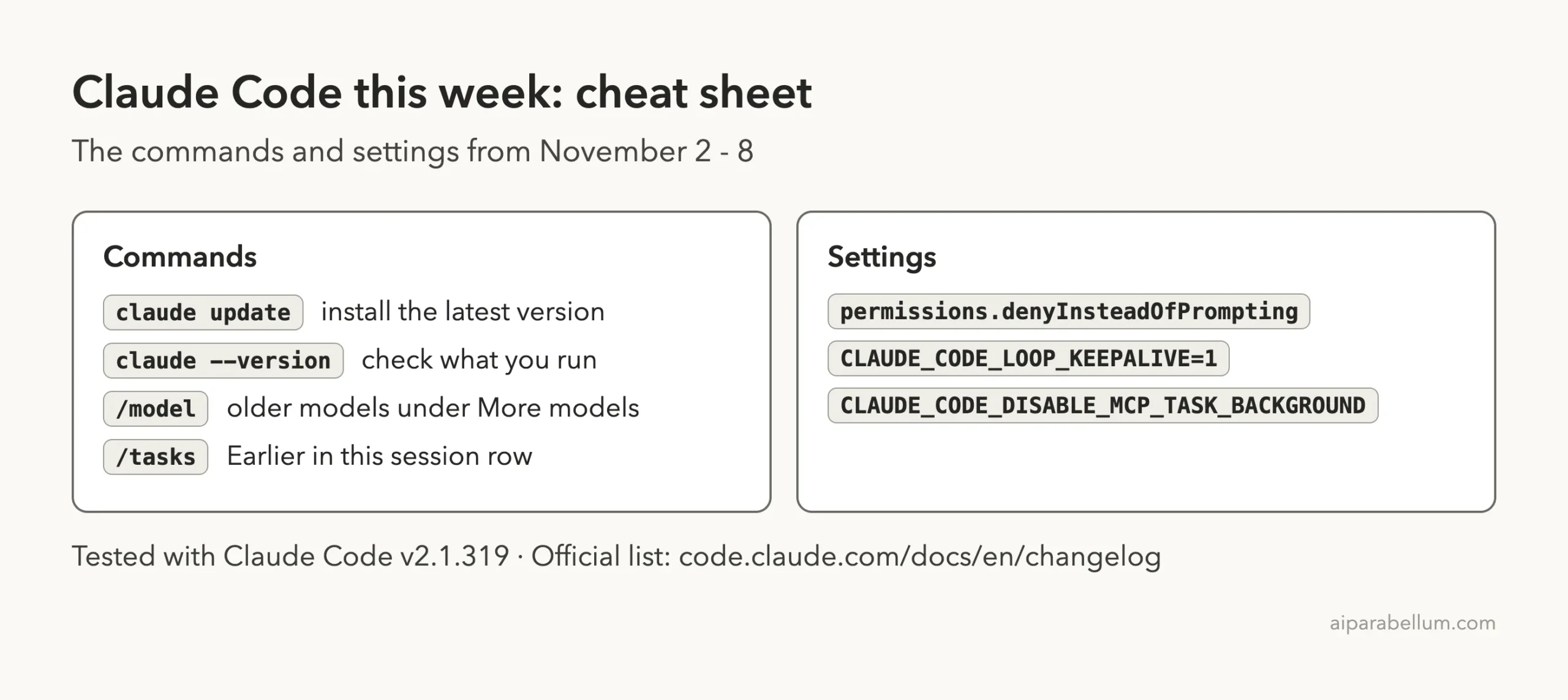
Cheat Sheet: This Week’s Claude Code Changes
Frequently Asked Questions
What is the latest version of Claude Code this week?
Version 2.1.319, released on November 6, 2026. No newer version came out on November 7 or 8.
What does permissions.denyInsteadOfPrompting do?
It denies a tool call that would wait on a permission prompt, and the turn continues. The changelog says it applies in terminal sessions, subagents and teammates.
Where do I put the denyInsteadOfPrompting setting?
The changelog does not say. In our test it worked when passed with claude --settings deny.json, and it did not take effect from a project .claude/settings.json file.
Why did my self-paced loop stop?
Since 2.1.319, a self-paced /loop ends when a turn finishes without rescheduling. Set CLAUDE_CODE_LOOP_KEEPALIVE=1 to keep the old fallback behavior.
Where did my older models go in /model?
They are grouped under a “More models” row at the bottom of the picker since 2.1.319.
Conclusion
This week’s Claude Code updates were about control: a setting that refuses permission prompts instead of waiting, a cleaner model picker, a check before your email address is sent, and loops that end when Claude stops rescheduling. Run claude update, confirm you are on 2.1.319, and check any loops you rely on. For more on the model behind it all, see our Claude AI overview, read the official changelog, and come back next week for the next roundup.