The awesome claude code list is one of the biggest collections of skills, plugins, status lines and guides for Claude Code. It is easy to get lost in it, since no one checks each project for you. We cloned the list and vetted two entries before loading anything, and here is the method.
This is Part 22 of 45 in our Claude Code Deep Dives, part of our Claude Code tutorials. The previous part covered a big add-on bundle that is a good example of what you will find on the list.
Tested with Claude Code v2.1.318 on November 5, 2026, on macOS. Everything ran in a throwaway sandbox folder, so our normal Claude Code setup stayed untouched.
Quick Summary: What You Will Learn
| Question | Short answer |
|---|---|
| What is the list? | A GitHub repo by one maintainer that links to community Claude Code resources, sorted into categories |
| Does it install anything? | No. It is a Markdown README plus a CSV file of links |
| Does the list check each project? | No. Its own security page says third-party risk belongs to each project |
| How do you pick safely? | Check activity, read hooks and scripts, then load the add-on from a sandbox folder |
| What did we test? | A small skill pack (clean) and a large plugin with startup hooks (we did not load it) |
What the Awesome Claude Code List Actually Is
Awesome Claude Code is a public GitHub repository called hesreallyhim/awesome-claude-code. On the day we tested it, the repo showed 57.3k stars, and its latest commit was only about half an hour old. That tells you the list is alive and heavily used.
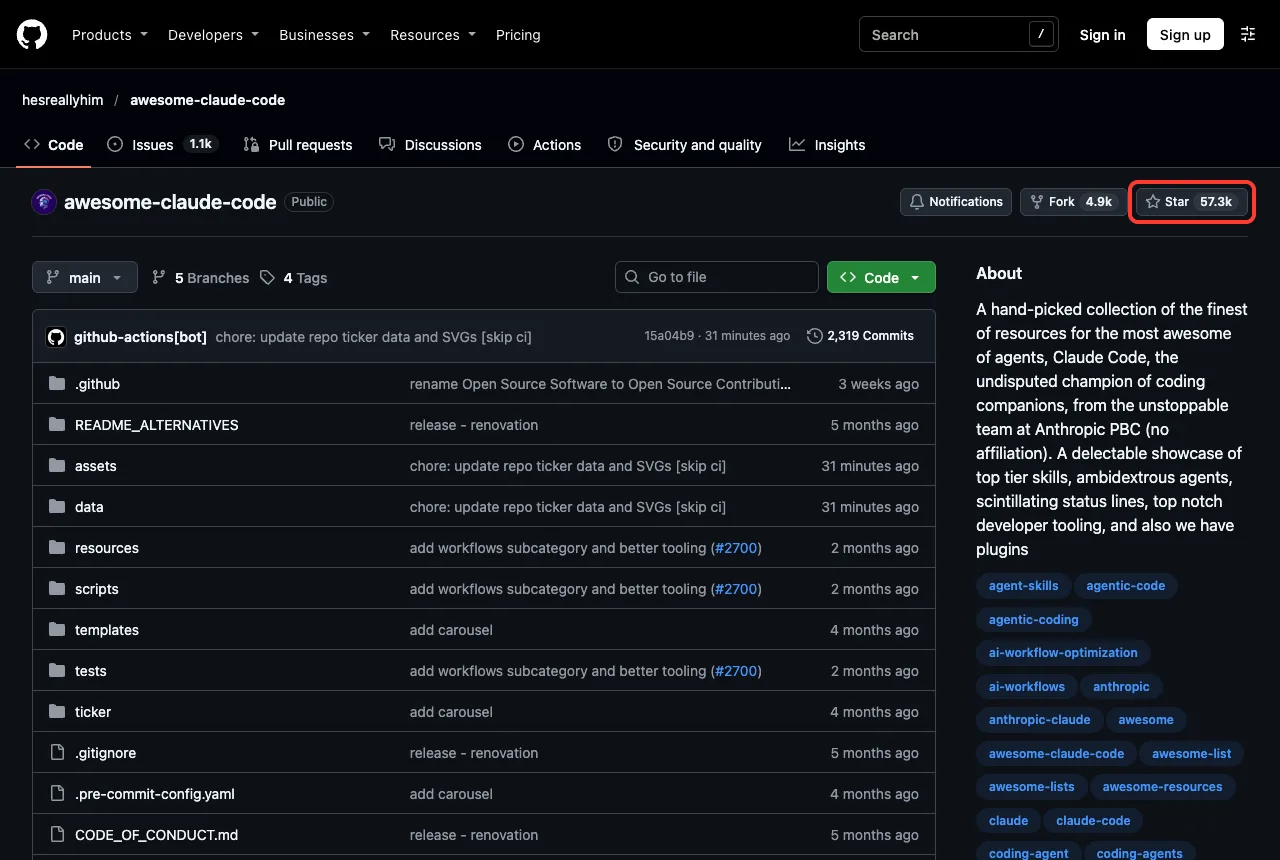
The list is not software. Its own security policy says it does not export executable software and is, in its words, a Markdown file with a lot of internal plumbing. The entries live in a CSV file called THE_RESOURCES_TABLE_NEW.csv, and a script builds the README from it.
When we cloned it, that CSV had 263 entries. Of those, 252 were marked active and 11 were not. The columns include the display name, category, link, author, an active flag, and a one-line description.
How the entries are grouped
The README has a table of contents with categories such as Start Here, From Anthropic, Skills, Agent Orchestration, Security, Status Lines, Memory and Context Persistence, and Observability and Monitoring. Counting the CSV rows, the biggest groups were Observability and Monitoring with 35 entries, Agent Orchestration with 32, and Documentation, Knowledge and Learning with 26.
| Category (from the CSV) | Entries |
|---|---|
| Observability and Monitoring | 35 |
| Agent Orchestration | 32 |
| Documentation, Knowledge and Learning | 26 |
| Security | 21 |
| Start Here | 15 |
| Memory and Context Persistence | 14 |
Those counts are from the copy we cloned on November 5, 2026. The maintainer adds entries often, so yours will differ.
What the List Does and Does Not Promise
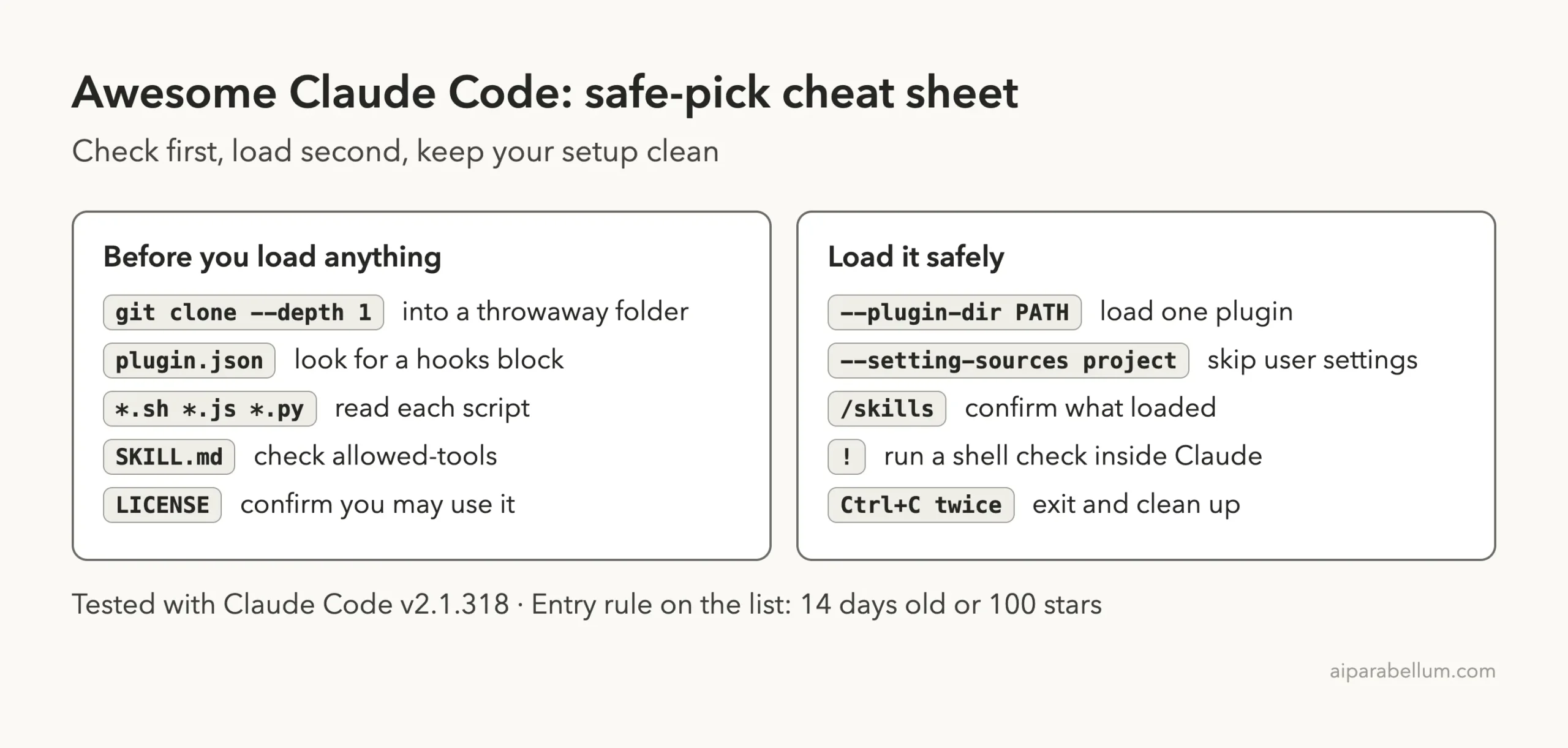
Before you trust any entry, read what the maintainer says about the list. The contributing page sets entry rules: a project must be at least 14 days old and show signs of active development, or have at least 100 stars. That is a low bar for age and popularity, not a code review.
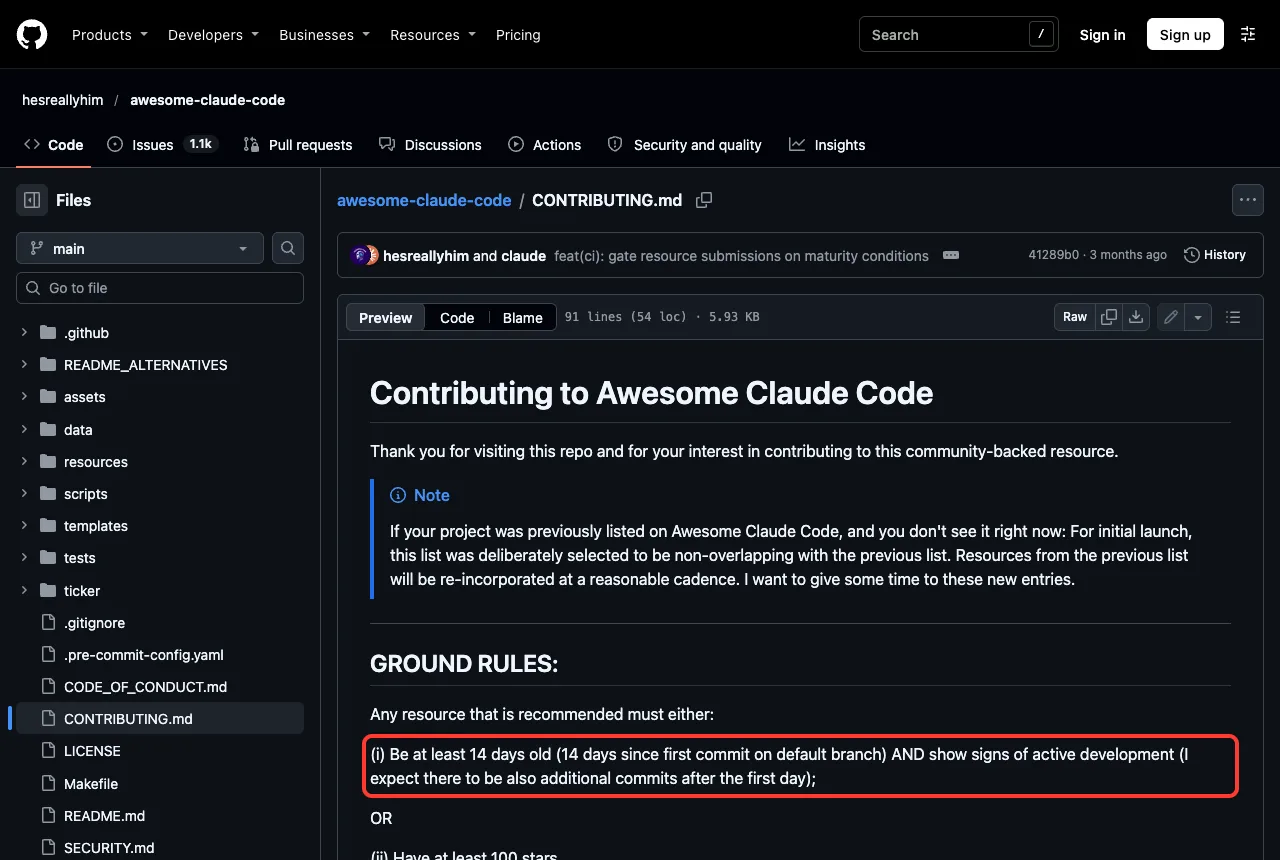
The same page says recommendations are reviewed in a best-effort way, and that a bot only validates the form. The security page goes one step further. It tells you that problems in listed projects should be reported to those projects first.
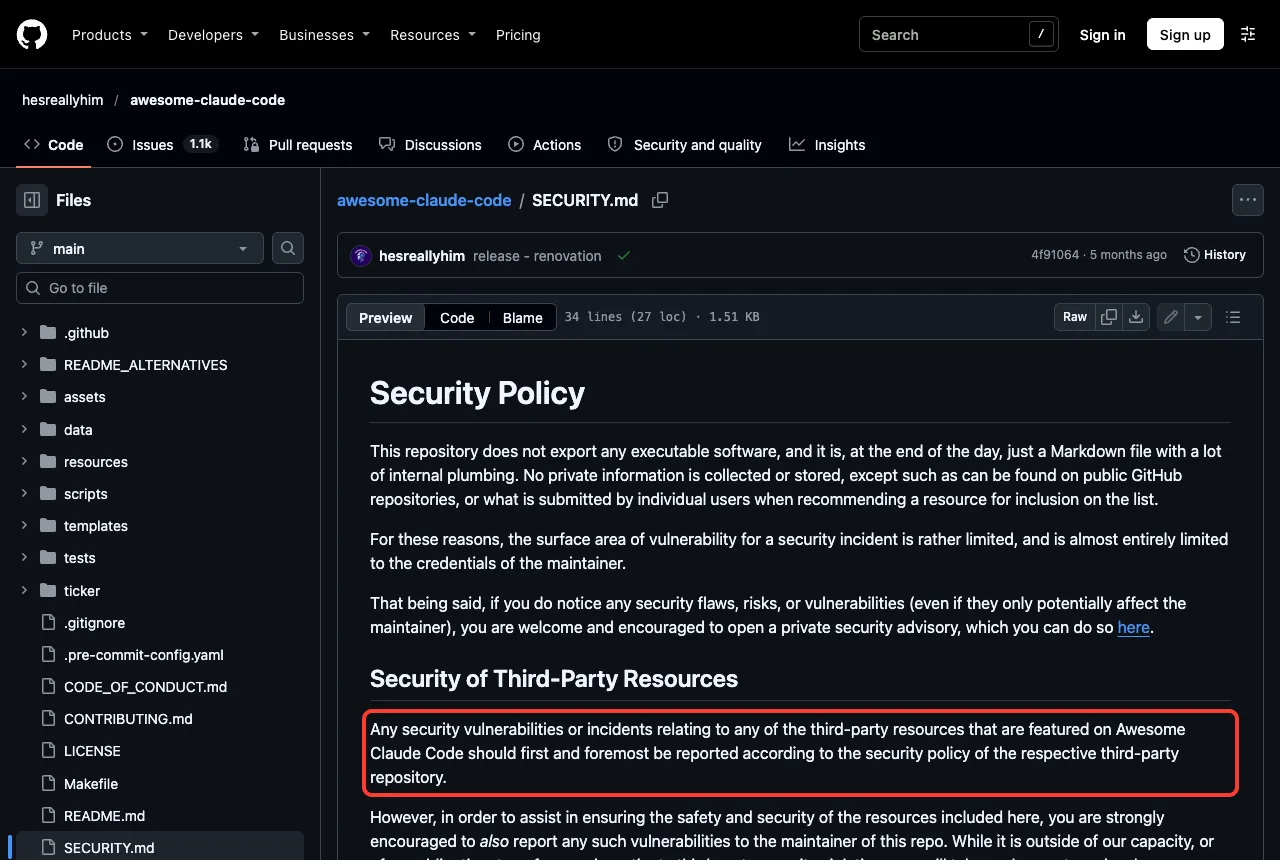
In plain words, the list is a map. It points you to places, and the decision to walk in is yours. That is a fair design for an open list, but it means you need your own checklist.
A listing means someone found a project worth sharing. It does not mean someone audited it.
Why Claude Code Add-ons Deserve a Safety Check
A Claude Code add-on is not like a browser bookmark. Depending on its type, it can run commands on your computer without asking each time. That is what makes hooks, scripts and installers useful, and also why they need a look first.
Here is a quick way to think about the types you will meet on the list.
| Type | What it is | Risk level |
|---|---|---|
| Guide or article | Text you read | Very low |
| CLAUDE.md or skill | Instructions Claude follows | Low, but read them |
| Plugin with hooks | Commands that run on events such as session start | Higher: read every hook |
| Installer script | A script you run once to set things up | Highest: read before running |
If you want the full picture of how these pieces differ, our guide on skills versus plugins explains each one. For a stronger wall around the whole session, see how to use a devcontainer.
The Three-Check Method for Picking Safely
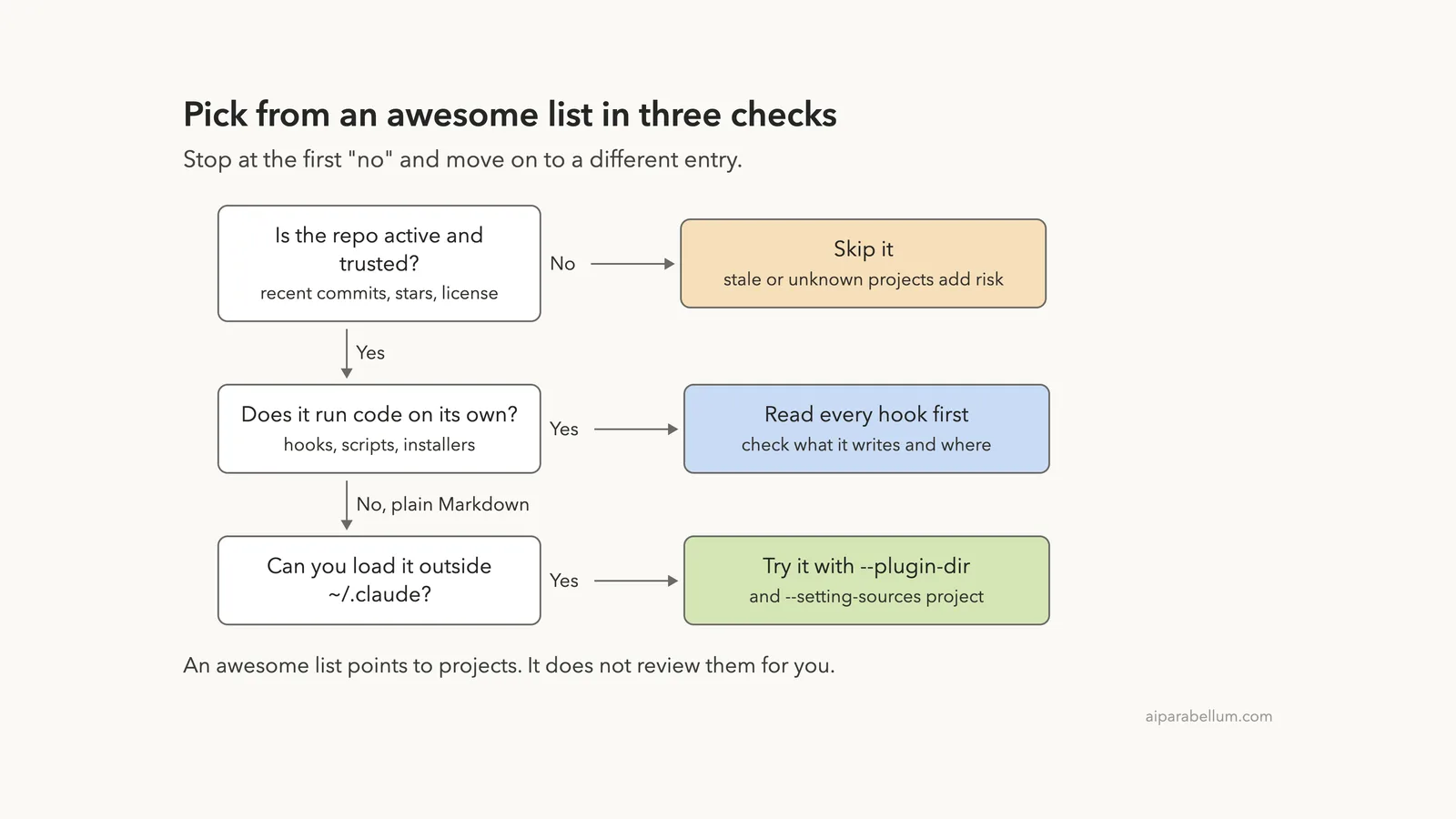
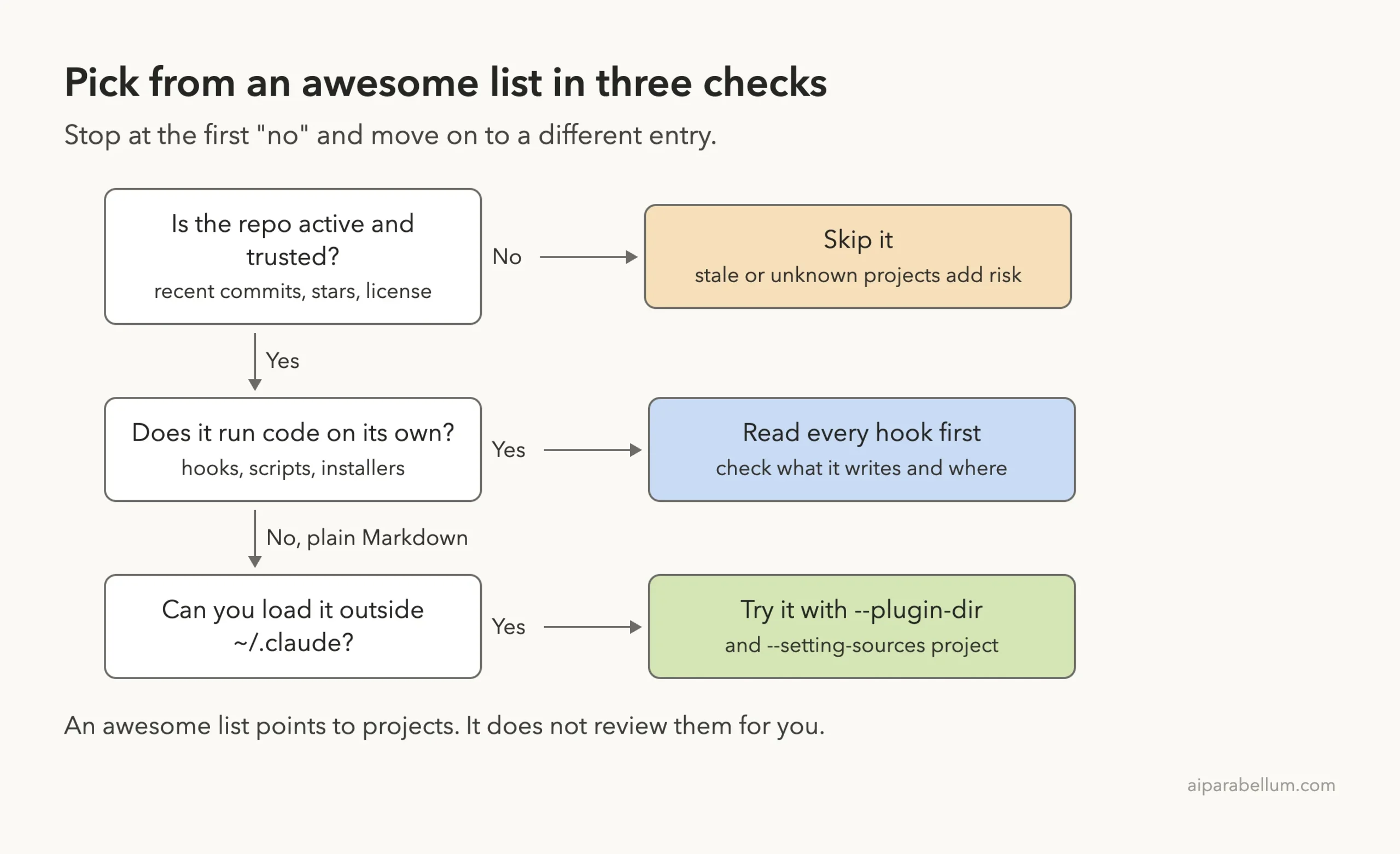
We use three checks, in order. If an entry fails one, we stop and pick a different entry. The diagram shows the whole path.
Check 1: Is the repo active and trusted?
Open the link from the list and look at the last commit date, the star count, the license and whether the repo is archived. For one entry we queried the GitHub API: Caveman showed about 117k stars, an Apache-2.0 license, a recent push and no archive flag. That is a healthy sign, though not proof of safety.
The list also has its own signal. The CSV has an Active column, and 11 of the 263 rows were marked FALSE when we looked. Treat those with extra care, since the maintainer flagged them as not active.
Check 2: Does it run code on its own?
This is the check that matters most. Look for a hooks block in plugin.json, settings.json or hooks.json. Then count the script files, such as .sh, .js, .py and .ps1.
We wrote a small read-only script called vet.sh for this. It lists the file count, hook files, script count, a few risky text patterns and any allowed-tools lines in skills. It changes nothing; it only reads.
#!/bin/sh
# vet.sh <folder>: list what an add-on can run before you load it
d="$1"
echo "== files: $(find "$d" -path '*/.git' -prune -o -type f -print | wc -l | tr -d ' ')"
echo "== hooks (run commands automatically):"
grep -rl '"hooks"' "$d" --include=plugin.json --include=settings.json --include=hooks.json 2>/dev/null || echo "none"
echo "== scripts (.sh .js .mjs .py .ps1):"
find "$d" -path '*/.git' -prune -o -type f \( -name '*.sh' -o -name '*.js' -o -name '*.mjs' -o -name '*.py' -o -name '*.ps1' \) -print | wc -l
echo "== risky patterns:"
grep -rnE 'curl[^|]*\|[ ]*(ba)?sh|rm -rf|eval |base64 -d|~/\.claude|\.ssh|\.aws' "$d" --exclude-dir=.git -I 2>/dev/null | cut -c1-110 | head -8
echo "== allowed-tools in skills:"
grep -rhn 'allowed-tools' "$d" --include=SKILL.md 2>/dev/null | head -5
A scan like this is a first filter, not a verdict. It only looks for the patterns we wrote into it, so a clean result still deserves a quick read of the files.
Check 3: Can you load it outside your home config?
If the add-on passes, load it in a way that leaves your normal setup alone. For a plugin folder, use --plugin-dir with the path, and add --setting-sources project so Claude Code reads only the project settings, not your user settings. Do it from a throwaway project folder.
cd ~/claude-code-demos/sandbox/project
claude --permission-mode default \
  --plugin-dir ../repos/andrej-karpathy-skills \
  --setting-sources project
Skip /plugin install while you are still judging an add-on, because that writes into your own configuration. Our Superpowers install guide and the gstack setup review show why that matters.
Test 1: A Small Skill Pack From the Skills Section
We picked andrej-karpathy-skills from the Start Here category. It is a single skill of coding guidelines, cloned with git clone --depth 1 into the sandbox.
We ran the scan inside Claude Code, using the ! prefix for shell commands.
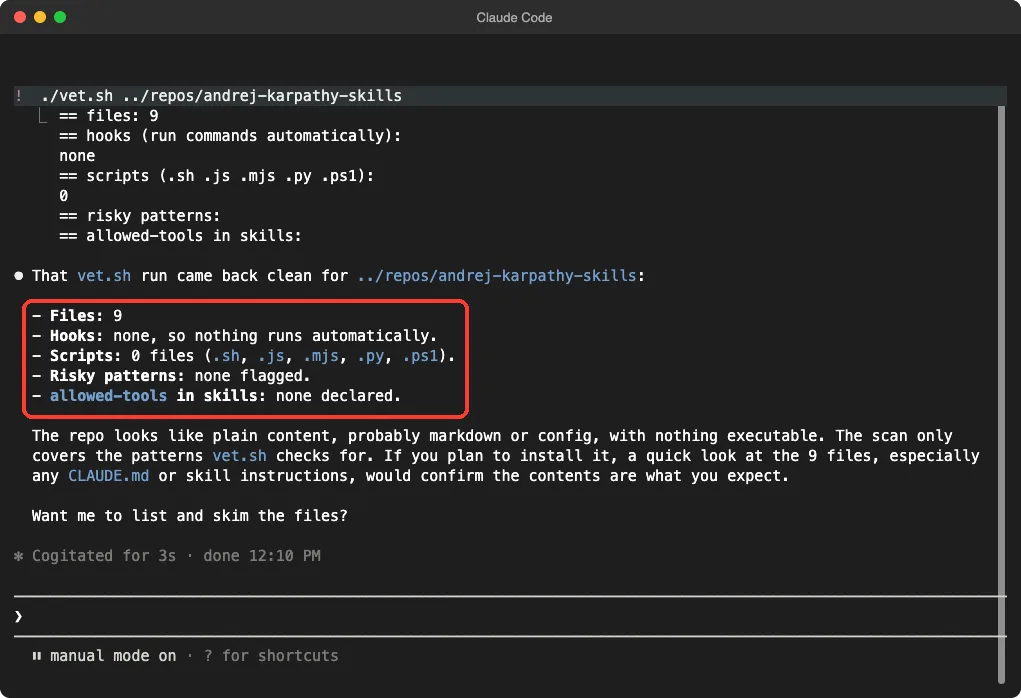
The result was clean: 9 files, no hooks, no scripts, no risky patterns and no allowed-tools lines. The plugin file declares one skill folder and an MIT license. Claude itself noted that the scan only covers the patterns we wrote into it, which is the honest way to read the result.
Loading it from the sandbox
Next we started Claude Code with the flags above and ran /skills. The skill appeared as andrej-karpathy-skills:karpathy-guidelines, marked as locked by the plugin, at about 90 tokens.
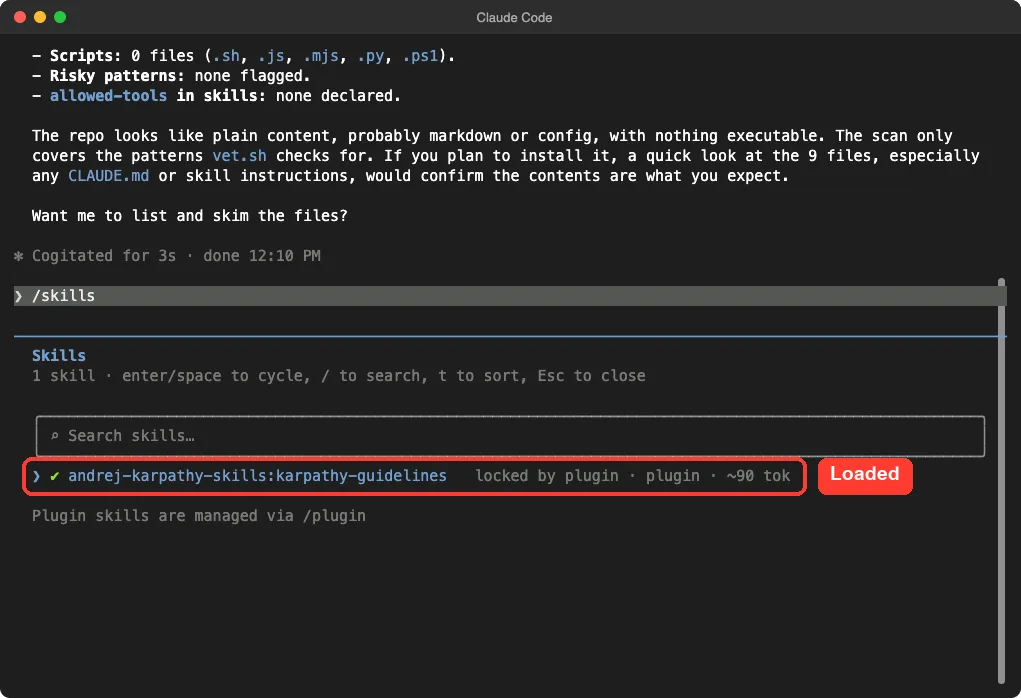
/skills list confirms the plugin loaded from the sandboxThen we gave it a tiny job on a demo file: add a WELCOME5 code that takes 5 dollars off a price, and list assumptions first, without editing. Claude replied with a numbered list of assumptions, then proposed one small added branch, four quick checks and a question about clamping at zero. It also said it had not edited anything.
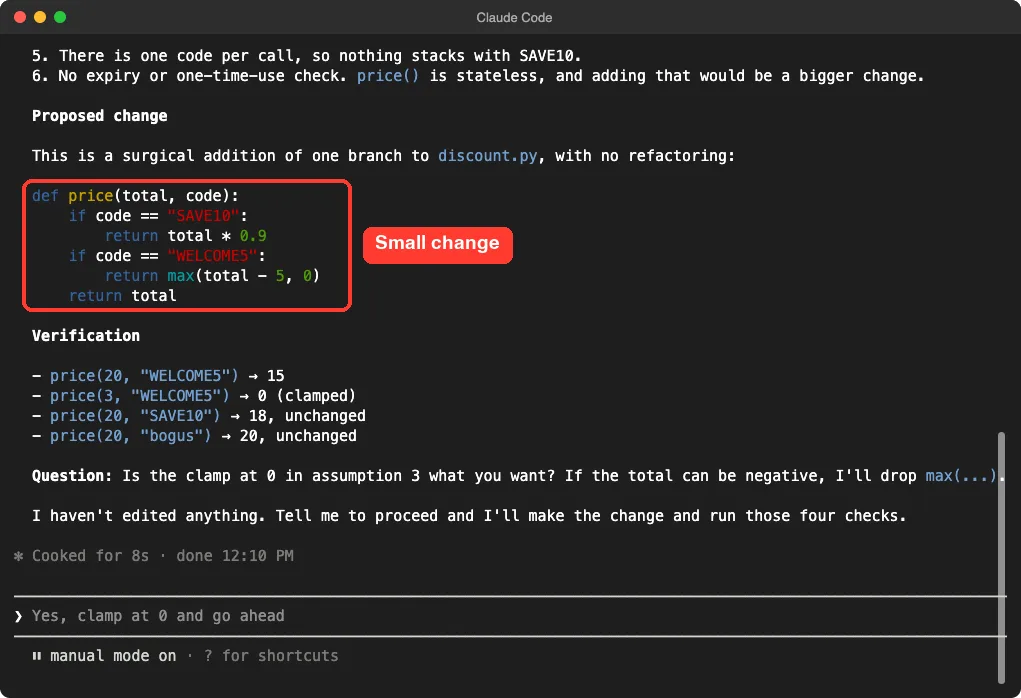
That matches what the skill describes: state assumptions, keep changes small, define checks. One demo is one demo, so we are not claiming this makes every answer better. For a deeper look at a similar guideline file, read our Karpathy guidelines test.
Test 2: A Big Plugin With Startup Hooks
The second entry came from the same list: Caveman, a plugin that shortens Claude’s replies to save tokens. We cloned it at the version in its plugin file, 4.0.1, and ran the same scan. The picture was very different.
| Check | andrej-karpathy-skills | Caveman 4.0.1 |
|---|---|---|
| Files in the repo | 9 | 1,796 |
| Script files | 0 | 486 |
| Hook files found | none | 3 (Claude, Cursor and Codex configs) |
| Hook events in the Claude plugin file | none | SessionStart, SubagentStart, UserPromptSubmit, SessionEnd |
| Our decision | Safe to load in the sandbox | Read the hooks, do not load |
The risky-pattern search for Caveman returned mostly noise: the word eval inside an evaluations folder and a test prompt that mentions a delete command as sample text. That is why a human has to read the hits instead of trusting the count.
What the startup hook does
We then read the SessionStart script, caveman-activate.js, which is about 600 lines. It resolves a Claude config folder from the CLAUDE_CONFIG_DIR variable, or from ~/.claude when that is not set. A function in it copies a status line script into the hooks folder inside that config directory.
That is a normal feature for a plugin that adds a status line. It is also a write into your own Claude configuration, triggered when a session starts. Because our rule for this series is to never touch the real configuration, we stopped there and did not run the plugin.
We want to be fair: we found no sign of anything malicious, and we did not run Caveman, so we cannot say how it behaves in practice. The point is that you would never have known about that write from the list entry alone. You only find it by reading the hook.
Common Mistakes When Using an Awesome List
- Treating the star count as a safety review. Stars show interest, not that anyone read the code.
- Installing with
/plugin installto “just try it”. That changes your own setup before you have judged the add-on. - Running an installer script you have not read. Read
install.shorinstall.ps1first. - Skipping the hooks. A plugin with no hooks only adds text; one with hooks can run commands.
- Loading five add-ons at once. When something goes wrong you will not know which one caused it.
- Ignoring the
Activeflag. A project marked inactive may be out of date with the current Claude Code.
Pro Tips for Getting Value From the List
- Start in the Start Here and From Anthropic categories. Guides and official material carry the least risk.
- Search the CSV instead of scrolling the README. A simple filter on the category column is faster.
- Pick one add-on per goal. If you want fewer tokens, test one tool, not three.
- Write down the version or commit you tested, so you can tell later whether an update changed things.
- Keep a throwaway demo folder for trials and delete it afterwards.
- Use our Skills Directory to compare add-ons, then run the three checks on your shortlist.
Try It Yourself
Set up a trial in ten minutes. Make a new folder, clone one small skill repo into it with --depth 1, and run a scan like vet.sh before you start Claude Code. Then start Claude Code from a separate project folder and load the add-on with the two flags shown earlier.
Paste this prompt once the session is open to have Claude double-check the folder for you:
Read every file in ../repos/<name> and tell me: does anything run automatically (hooks, scripts, installers)? Does anything write outside this folder, such as into a home config directory? List each finding with the file name. Do not edit or run anything.Treat Claude’s answer as a second opinion, not a replacement for opening the files yourself.
Cheat Sheet
Frequently Asked Questions
Is the awesome claude code list safe to clone?
Cloning the list itself is low risk, since it is mostly Markdown, a CSV file and helper scripts for maintaining the list. We still cloned it into a sandbox folder and did not run any of its scripts. The risk sits in the projects it links to.
Does the list review each project?
No. The maintainer describes recommendations as best-effort, and a bot only validates the submission form. The security policy tells you to report third-party problems to each project first.
Can I install an entry with /plugin install?
You can, but while you are still judging an add-on we suggest not to. That writes into your own Claude Code configuration. Use --plugin-dir from a throwaway folder first, and install for real only after you are happy.
What should I look for in a plugin before loading it?
Look for a hooks block, the script files it points to, any installer, and what those scripts read and write. Our own scan also checks allowed-tools lines in skills and a few text patterns that often signal trouble.
Which entries are best for beginners?
Start with the Start Here and From Anthropic categories. They hold guides and official resources, which carry the least risk. Move on to skills after that, and treat plugins with hooks as the last step.
Conclusion
Awesome Claude Code is a strong place to discover tools, but it is a map and not a safety certificate. Check that a project is active, read any hooks and scripts, and load it from a sandbox with --plugin-dir and --setting-sources project. In our tests, a small skill pack passed cleanly, while a large plugin had startup hooks that write into the Claude config folder. Browse more guides in our Claude Code tutorials and read about Claude itself on our tool page. For the source material, see the official docs on skills and plugins, and the list itself on GitHub.
Previous in the series: Part 20, Everything Claude Code
Next in the series: Part 23: Awesome Claude Code Subagents: The Best Ones We Tested.