The awesome claude code subagents repo is a big shelf of ready-made helpers, from code reviewers to security auditors. We cloned it, read the agent files, and ran three of them on a small demo project. Here is what worked, what surprised us, and how to pick one without guessing.
This is Part 23 of 45 in our Claude Code Deep Dives, part of our Claude Code tutorials. The previous part showed how to pick safely, and this one applies the same care to subagents.
Tested with Claude Code v2.1.318 on November 5, 2026, on macOS, using repo commit ed74d11. Everything ran in a throwaway sandbox folder, so our normal Claude Code setup stayed untouched.
Quick Summary: What We Found
| Question | Short answer |
|---|---|
| What is the repo? | A community collection of subagent files, one Markdown file per agent, sorted into 10 categories |
| How many agents? | 166 agent files at the commit we tested |
| Which ones did we run? | security-auditor, debugger and code-reviewer |
| Did they work? | Yes. Each one found the real problems in our demo file and finished in seconds to about a minute |
| Biggest catch? | Most agents are given Write, Edit and Bash, even review-style ones. Trim the tools line first |
What the Awesome Claude Code Subagents Repo Is
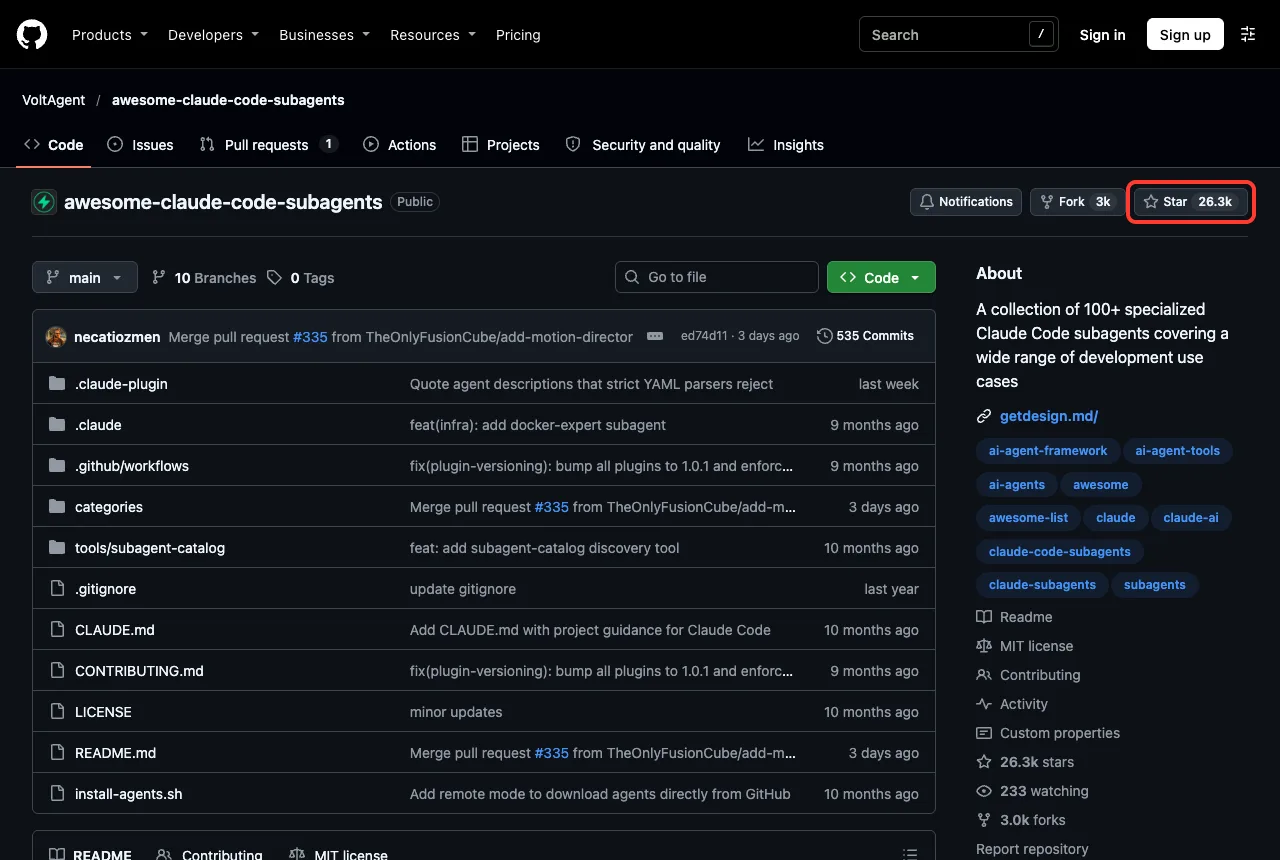
The repo is called VoltAgent/awesome-claude-code-subagents. On the day we looked, it showed about 26.3k stars, an MIT license, a recent push on November 2, 2026, and no archive flag. That is an active project with a permissive license.
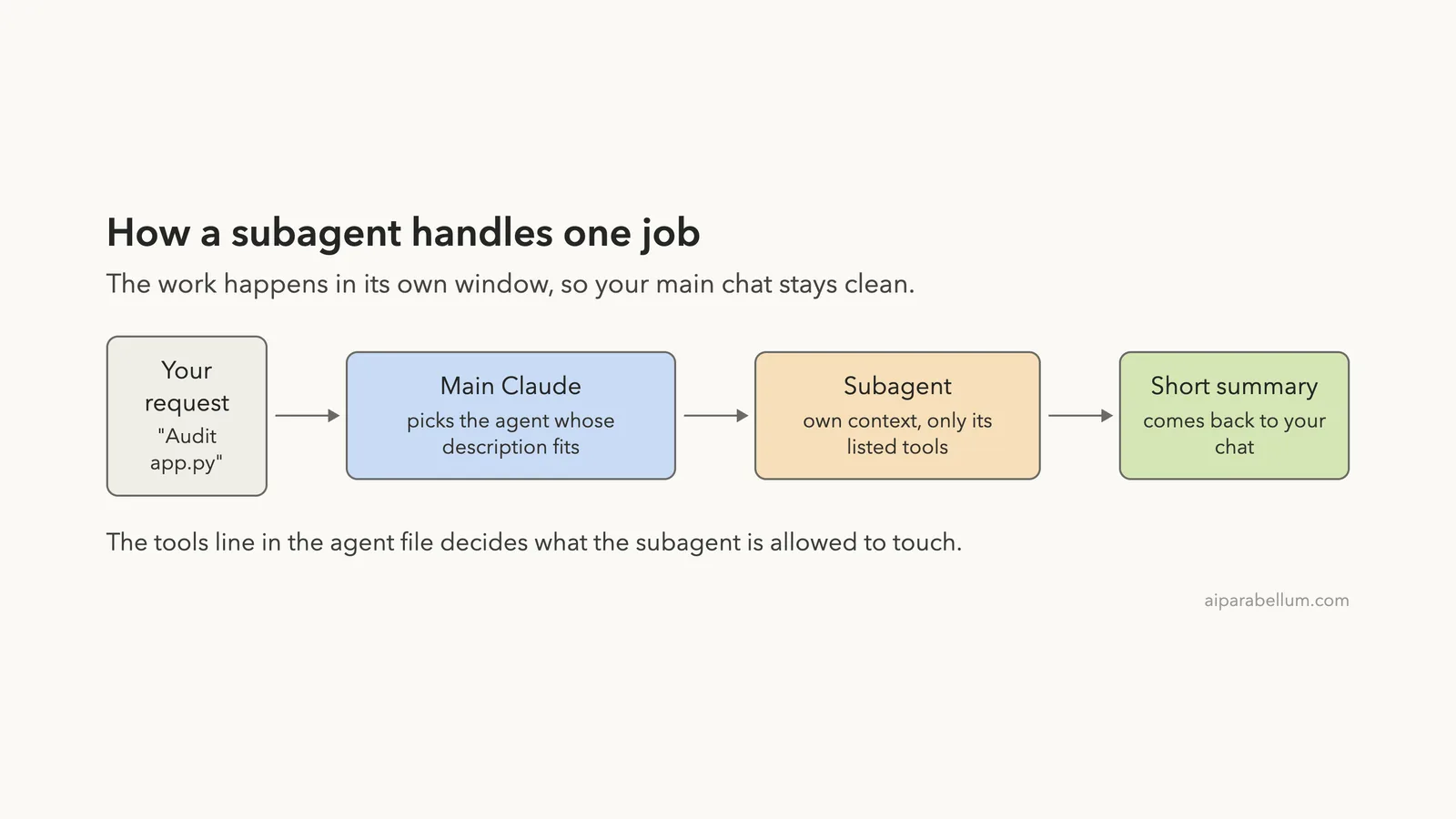
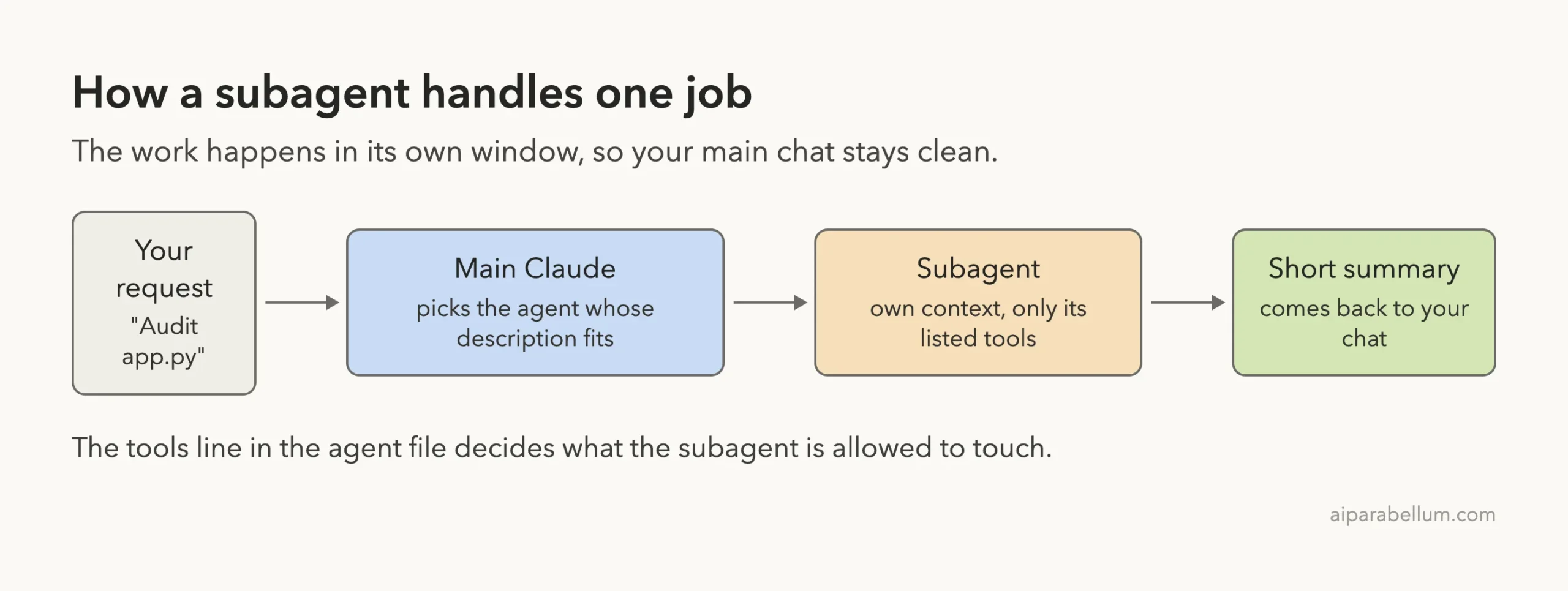
A subagent is a Markdown file with a small header and a long instruction text. Claude Code reads the header to decide when to hand a job to that agent. The official subagents documentation explains the format in full.
If you are still choosing between skills, plugins and subagents, our guide to skills versus subagents lays out the differences.
What is inside the repo
The agents live in ten category folders, such as core development, language specialists, infrastructure, quality and security, data and AI, and research. We counted 166 agent files across them. The README and the plugin metadata quote other totals (the About box says 100+, the marketplace file says 158), so expect the numbers to drift as the maintainers add agents.
| What we measured | Result |
|---|---|
| Agent files | 166 |
| Average length | about 856 words per agent |
| Shortest and longest | 201 words and 1,901 words |
| Agents with the full six-tool set | 106 (Read, Write, Edit, Bash, Glob, Grep) |
Agents with model: sonnet | 111 |
Agents with model: inherit | 27 |
Agents with model: haiku | 19 |
| Agents with no model line | 9 |
Those counts come from a short script we ran on the cloned files. They are a snapshot, not a promise about the current repo.
How We Tested Without Touching Our Setup
The repo offers four install routes, including a plugin marketplace, a manual copy, an interactive installer and a one-line download. Two of them write into your home ~/.claude/agents/ folder, and one pipes a script from the web.
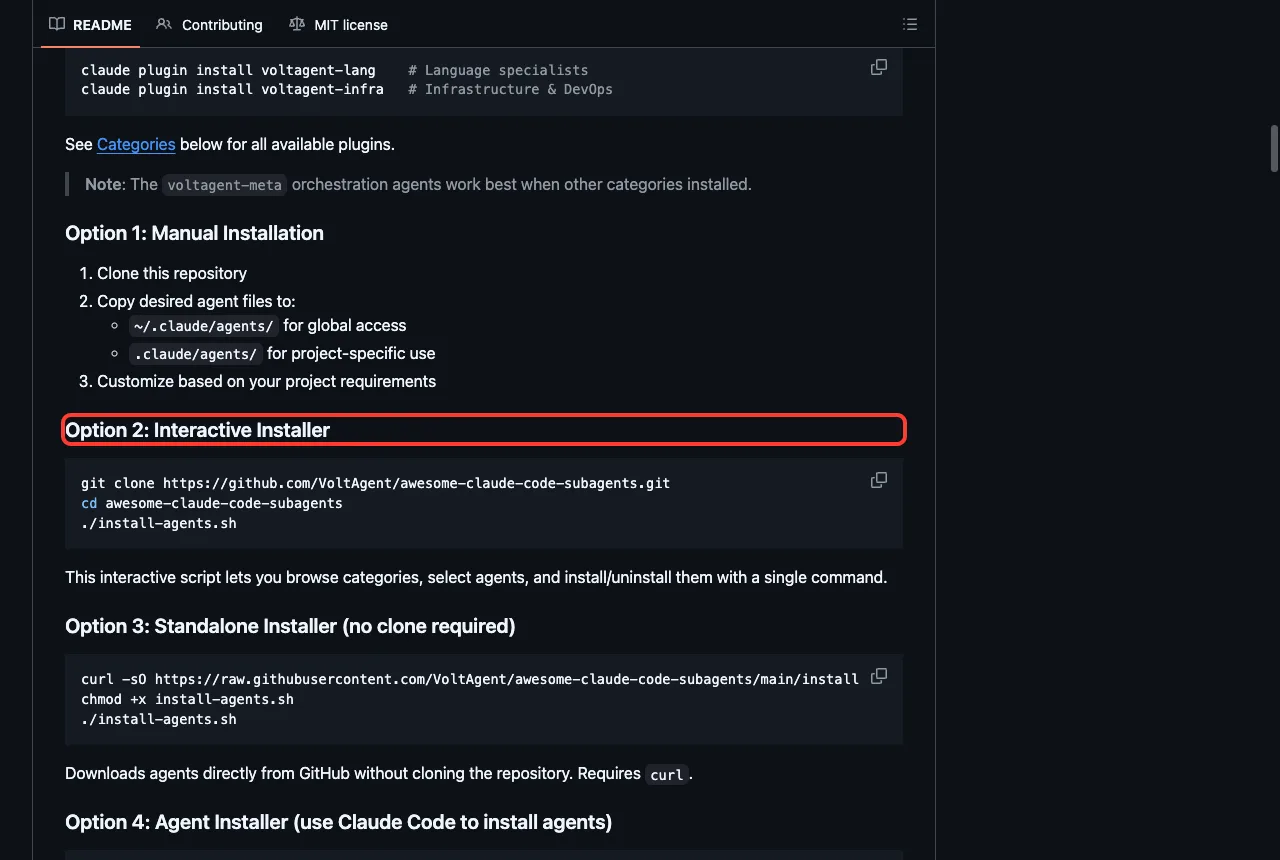
We read install-agents.sh first. It downloads agent files with curl and offers a global or a local install, and we did not run it. Instead we used the simplest route, which is Option 1: copy the files you want into .claude/agents/ inside a project.
The steps were short.
- Clone the repo with
git clone --depth 1into a sandbox folder. - Search the files for hooks, MCP servers and permission settings. We found only the words in prose, such as “webhooks” and “git hooks”, and no real hook settings in any agent header.
- Copy four agent files into a demo project’s
.claude/agents/folder. - Start Claude Code with
--setting-sources project, so only the project’s own settings load.
For a stronger wall, our guide to a devcontainer goes further.
The demo project
Our demo had two tiny Python files. app.py held a database lookup built with string joining, an unclosed file, a hardcoded key and an average function that fails on an empty list. test_app.py had one passing test and one test for the empty list.
We copied code-reviewer, security-auditor, debugger and python-pro into the project. We did not run python-pro, so we make no claim about it.
One note for later: Claude Code v2.1.318 no longer has the /agents wizard. Typing it only prints a message telling you to ask Claude to create subagents or edit the files directly. So you manage agents by editing the Markdown files.
Test 1: A Security Auditor Among the Awesome Claude Code Subagents
Our first prompt was: use the security-auditor subagent to audit app.py, report only. Claude started it as a background agent, and it finished in about six seconds of its own time.
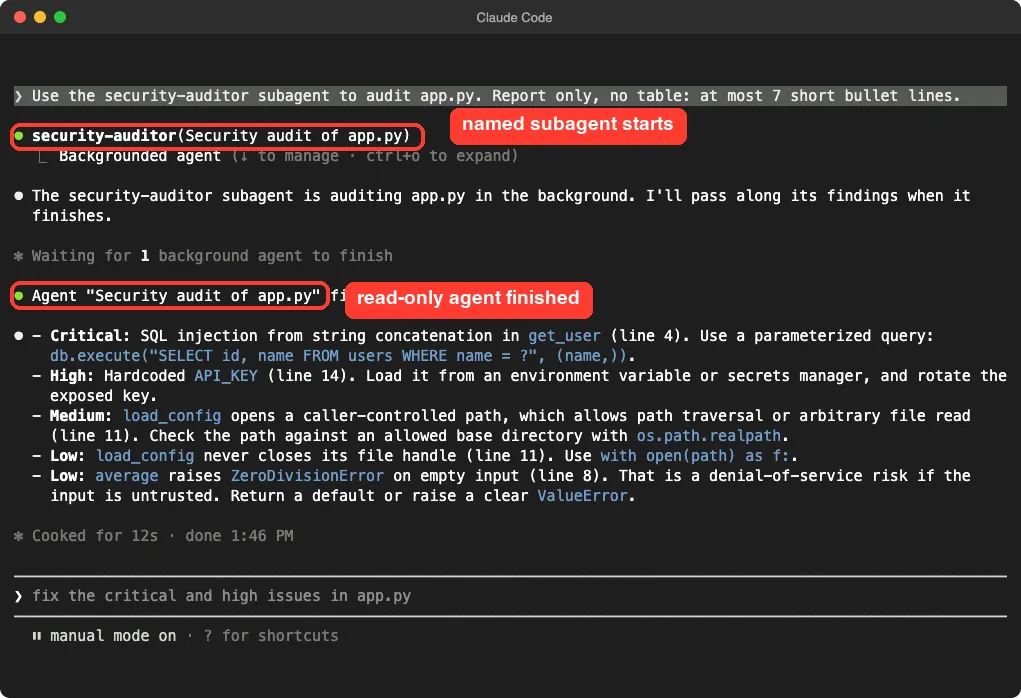
The report ranked the SQL string joining as critical, the hardcoded key as high, and the file path and unclosed file as medium and low. It also noted the empty-list crash as a low risk. Those are the exact problems we planted, and it suggested a parameterized query and an environment variable for the key.
This agent only has Read, Grep, Glob in its header. That means it cannot change your files even if its prompt tells it to. It is the safest kind of agent to start with.
Test 2: The Debugger
Next we asked the debugger subagent why test_app.py fails, and told it to diagnose only. This one has Write, Edit and Bash in its header, and it behaved differently.
It asked to run shell commands, and those approval prompts showed up in our main session, labeled as coming from the debugger agent. That matches the docs, which say background subagents surface permission prompts in your main session.
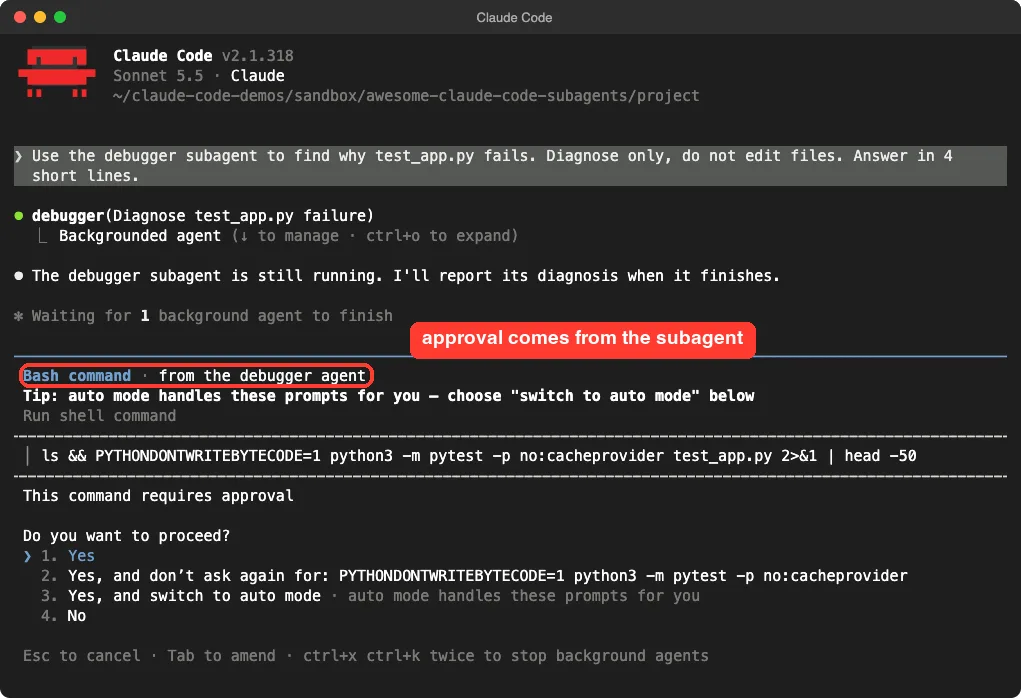
We approved the checks. The agent then reported that test_average_empty fails because average([]) divides by zero, and it suggested a one-line guard. It also noted that pytest was not installed in our sandbox, so it worked out the cause by reading the code instead of running the tests.
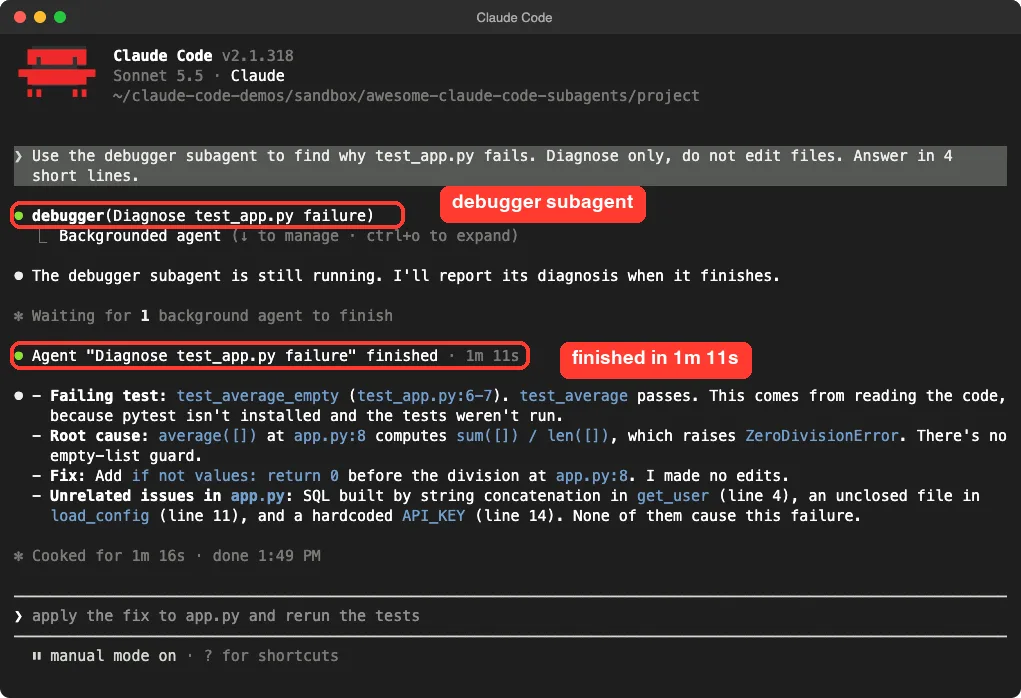
It also listed the other three problems in app.py and said they were not the cause of this failure. That is a good habit for a debugger: it did not wander off to fix everything.
Test 3: The Code Reviewer
The code-reviewer subagent took about seven seconds of its own time. We asked for at most six bullets and no edits.
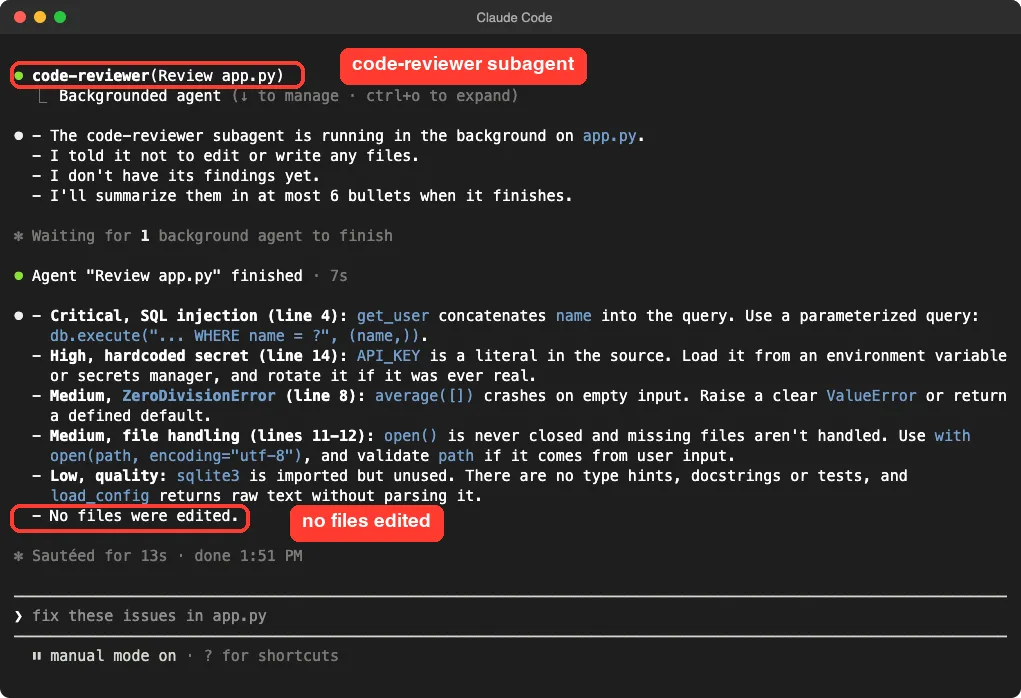
It reported the SQL injection, the hardcoded key, the empty-list crash and the unclosed file. It also added quality notes, such as an unused import and missing docstrings and tests. Nothing was edited, and we checked that app.py was unchanged afterward.
One honest caveat. This agent has Write, Edit and Bash, and we told it not to edit. We did not test what it does when you do not say that, so we cannot tell you whether it would change files on its own.
Which Awesome Claude Code Subagents Are Worth Using
All three agents did their jobs on a tiny file, and one demo is only one demo. A larger codebase could behave differently. Here is how we would rank them from what we saw.
| Agent | Tools in its header | What we saw | Our take |
|---|---|---|---|
security-auditor | Read, Grep, Glob | Clear ranked findings in about 12 seconds in total | Install as is |
code-reviewer | Read, Write, Edit, Bash, Glob, Grep | Solid review, no edits when told not to | Use it, but trim the tools line to read-only |
debugger | Read, Write, Edit, Bash, Glob, Grep | Correct root cause, asked to run commands | Keep Bash, drop Write and Edit if you only want diagnosis |
python-pro | Not checked | Copied but not run | No verdict |
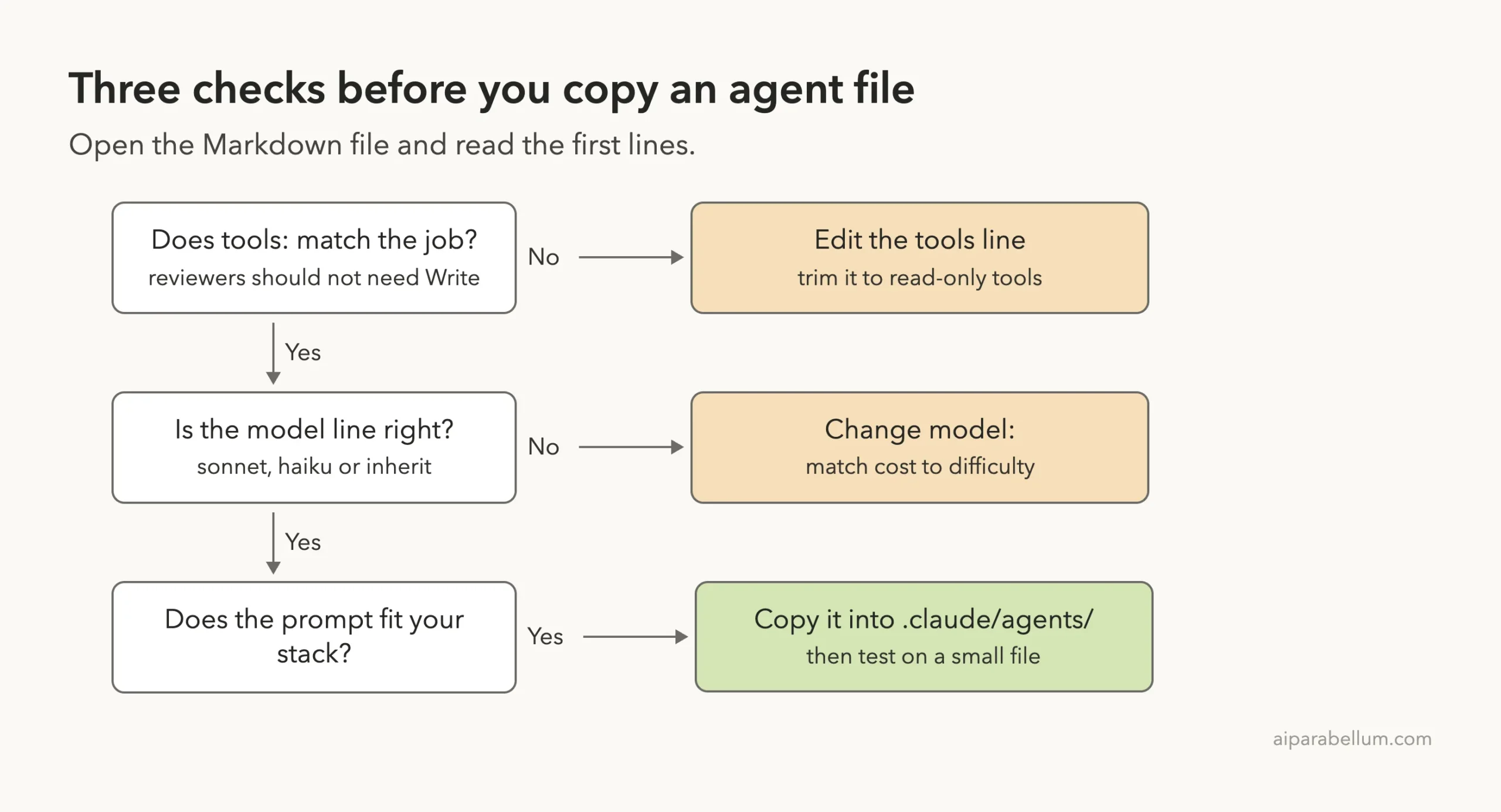
Takeaway: a reviewer agent should read your code, not write to it.
Why the tools line matters
The official docs list “Limit tool access” as a best practice, and the docs’ own code reviewer example is a read-only subagent that excludes Edit and Write. The community repo takes a looser approach, and 106 of its 166 agents get the full six-tool set.
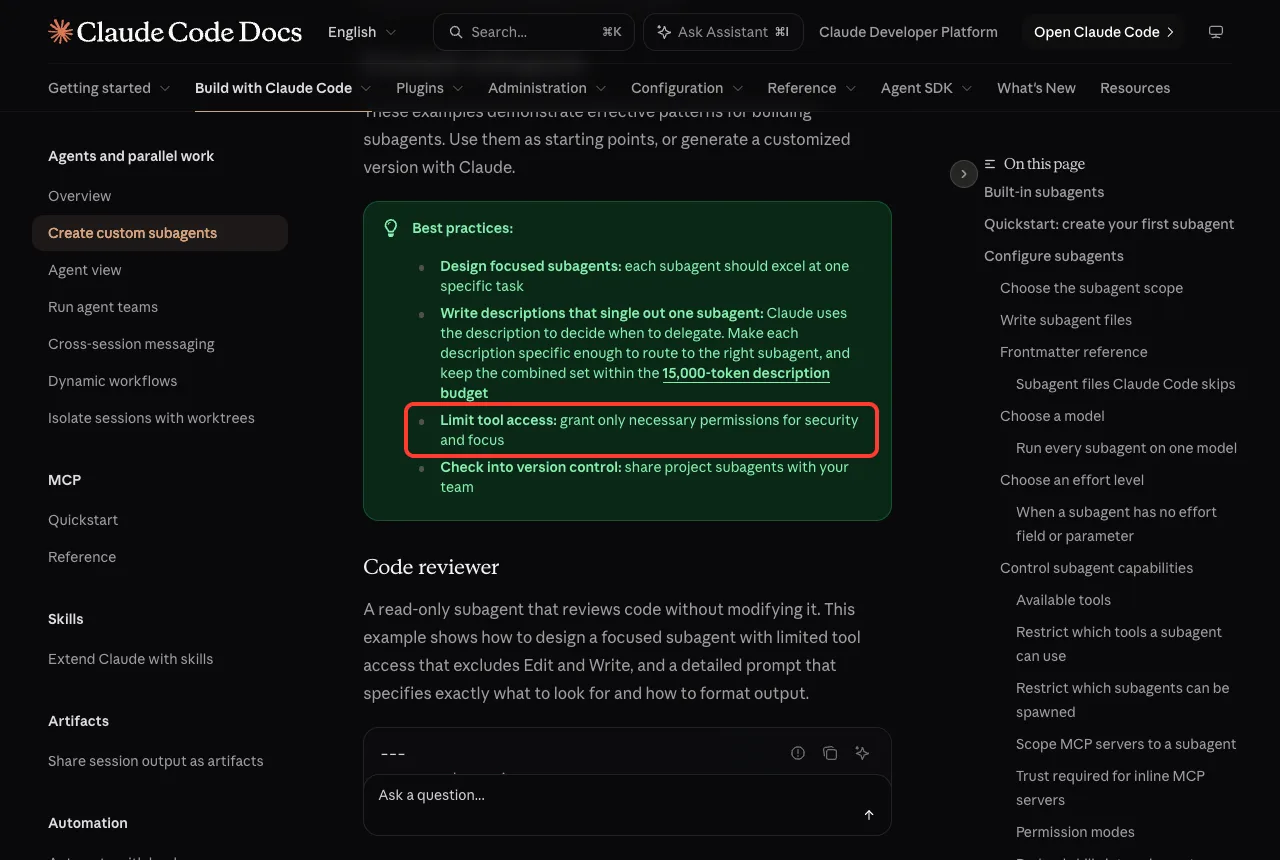
The fix is simple. Open the copied file and change the tools line to Read, Grep, Glob for reviewers and auditors. Our another large repo found a similar pattern: the pieces are useful, but you need to read them first.
How to Add One of These Agents Yourself
Here is the path we used, in plain steps. You can do the same with any agent from the repo, or from our Skills Directory.
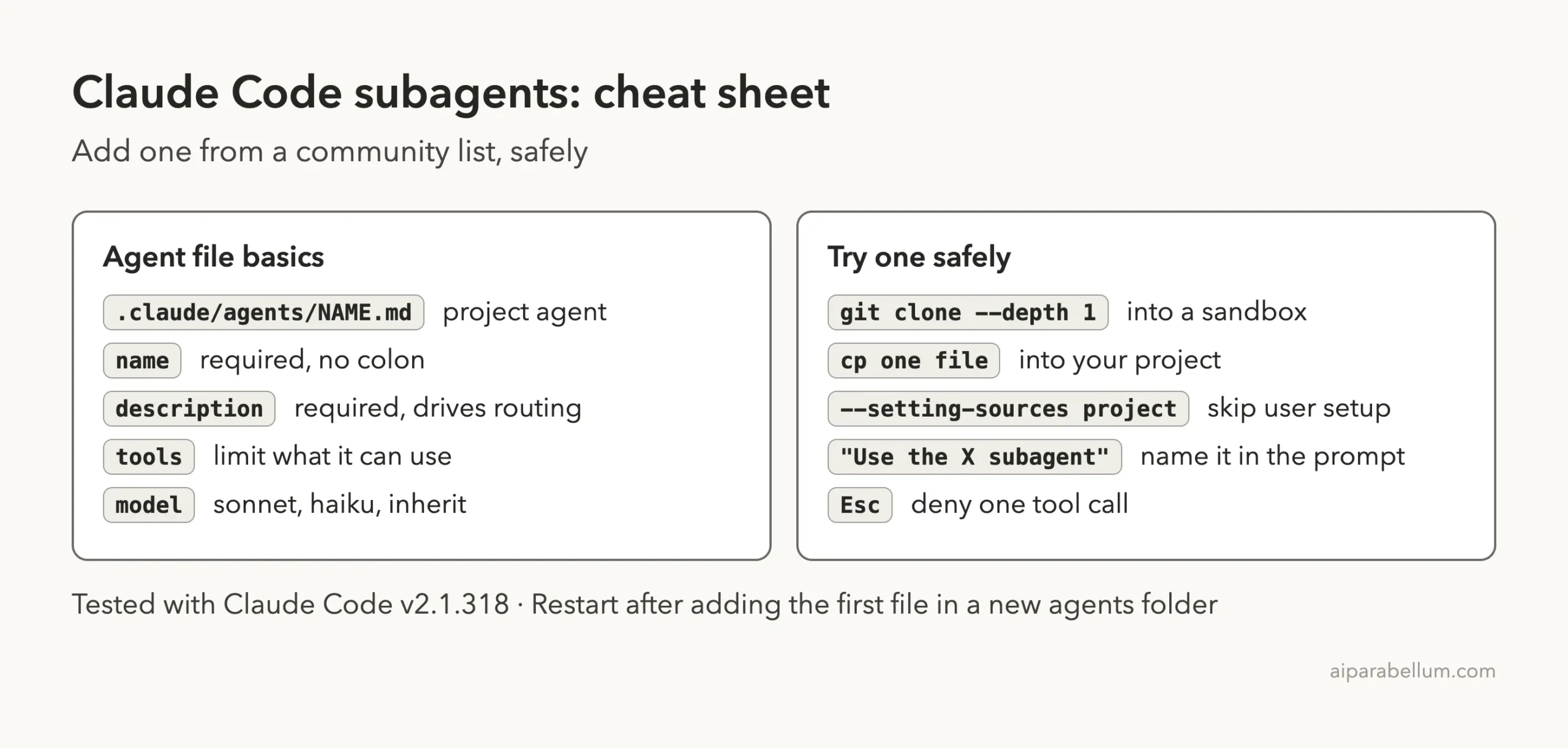
- Clone the repo into a sandbox folder, not your project.
- Open the agent file you like and read the header and the first screen of the prompt.
- Copy that one file into
.claude/agents/in a small test project. - Start
claudeand name the agent in your prompt.
The agent loads from the folder at startup. The docs add that after you create the first agent file in a brand-new agents folder, you need to restart for it to load.
Choosing a model
Most agents in the repo set model: sonnet, and some set haiku for cheaper, simpler jobs. Per the docs, the inherit setting uses your main conversation’s model. We left each agent’s model line as shipped, and we did not compare costs between models.
Try It Yourself
Make a tiny folder with one file that has an obvious bug. Copy in one read-only agent and ask it to review the file. Here is a prompt you can paste after the agent is in place.
Use the security-auditor subagent to audit app.py.
Report only, at most 7 short bullet lines.
Common Mistakes
- Installing a whole category when you only need one or two agents, which clutters Claude’s routing choices.
- Leaving Write and Edit on an agent whose job is only to read.
- Running the one-line installer before reading what it writes into your home folder.
- Expecting
/agentsto open a wizard. In v2.1.318 it only prints a message. - Not naming the agent in your prompt, then wondering why Claude handled the job itself.
Pro Tips
- Start with the agents that have the shortest tools line, since they carry the least risk.
- Keep project agents in version control so your team gets the same helpers.
- Ask for a short answer in your prompt, as we did, so the summary fits your screen.
- Test each new agent on a throwaway file before trusting it on real work.
Cheat Sheet
Frequently Asked Questions
What are awesome claude code subagents?
They are community-made subagent files you can copy into Claude Code. Each one is a Markdown file that tells Claude when to use it and how it should behave. The VoltAgent repo is one of the largest collections.
Are the subagents in this repo safe to install?
The agent files we checked are plain Markdown with no hook or server settings in their headers. The risk is the install script and the broad tool lists. Copy single files and trim the tools line.
Do I need the plugin install or the script?
No. Copying a file into .claude/agents/ is enough, and it keeps everything inside your project. We did not test the plugin route.
Where do subagent files go?
Project agents go in .claude/agents/ in your project, and agents for all projects go in ~/.claude/agents/. We used the project folder only.
Will a subagent edit my files?
Only if its tools line allows it and you approve the change. In our runs we told every agent not to edit, and none did.
Conclusion
The awesome claude code subagents repo is a useful shelf, and the three agents we ran gave accurate, readable results on our demo file. The main lesson is to read the header before you copy: the read-only security auditor was ready to use, while the reviewer and debugger came with write tools we would trim. Browse more guides in our Claude Code tutorials and learn about Claude on our tool page. The source is the repo on GitHub, and the format is covered in the subagents docs linked earlier.
Previous in the series: Part 22, Awesome Claude Code
Next in the series: Part 24, Best Claude Code Plugins to Save Tokens (Tested), is coming soon.