If you type the same git steps all day, the Claude Code commit commands plugin is worth ten minutes of your time. It is an official plugin from Anthropic that turns “stage, write a message, commit” into one slash command. We loaded it in a throwaway git repo, ran two of its three commands for real, and read the source of all three.
This guide is part of our Claude Code tutorials. Find more add-ons in our skills directory.
Tested with Claude Code v2.1.318 on November 5, 2026, using commit-commands version 1.0.1 from the anthropics/claude-plugins-public repository (commit fb370c0).
Quick Summary: What the Commit Commands Plugin Gives You
| Command | What it does | We ran it? |
|---|---|---|
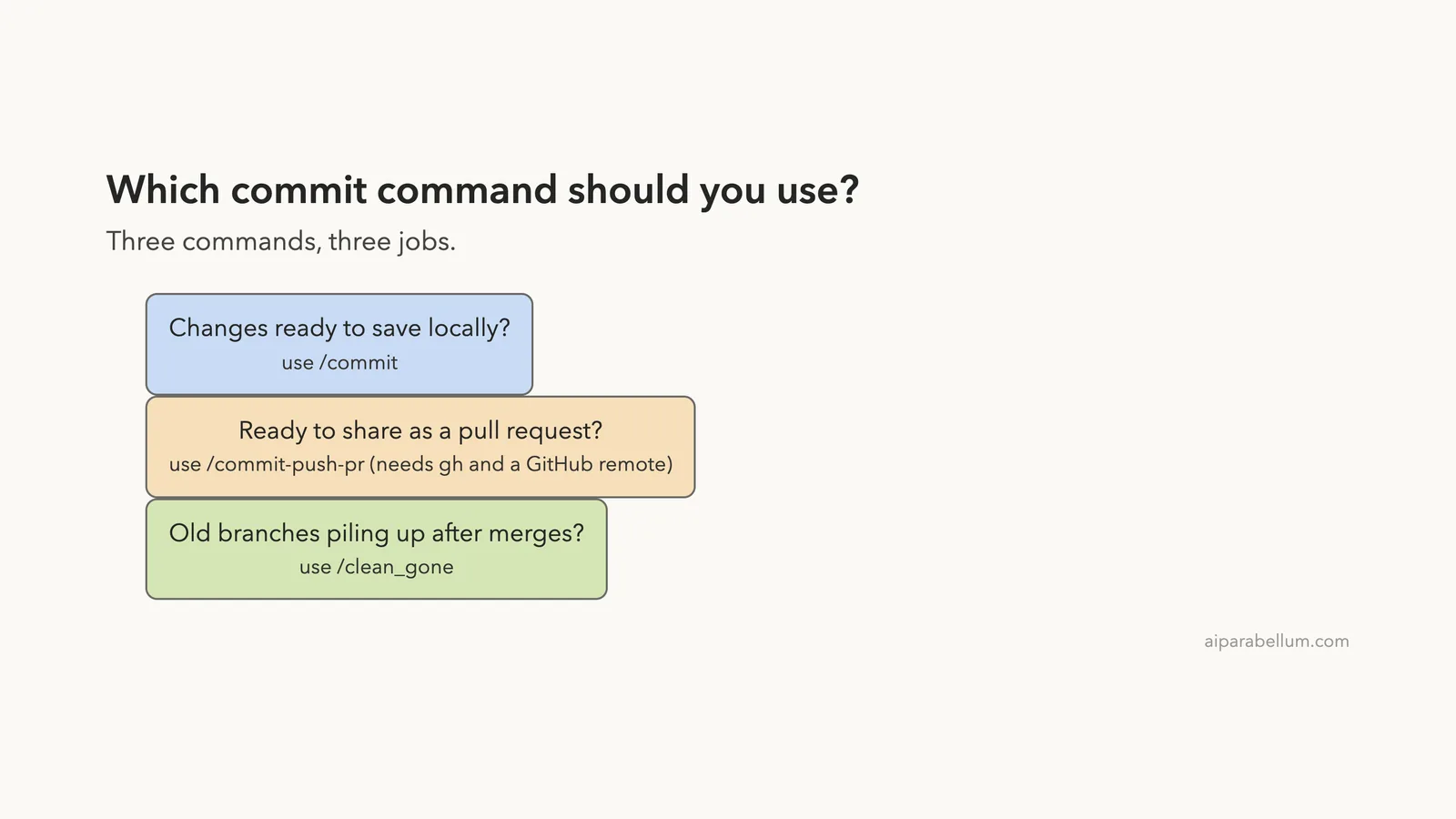
/commit | Reads your changes and recent commits, then stages and commits with a drafted message | Yes, on a demo repo |
/commit-push-pr | Creates a branch if you are on main, commits, pushes to origin and opens a pull request with gh | No, we read the source only |
/clean_gone | Deletes local branches whose remote branch is gone, and their worktrees | Yes, twice, on a demo repo |
Our honest verdict: /commit and /clean_gone work as described and save real typing. /commit-push-pr looks sensible, but it needs the GitHub CLI and a real GitHub remote, and we did not want to open a pull request on a live account just for a demo.
What Is the Commit Commands Plugin?
A Claude Code plugin is a folder of skills, agents, hooks and commands. It loads as one unit. The official plugins overview explains the idea.
This plugin has no skills or hooks. It is just three command files, each a short markdown prompt.
That makes it easy to trust. You can read the whole thing in two minutes, and we did.
Unsure how plugins differ from skills and subagents? Our guide to skills versus plugins covers the choice. Slash commands and skills have also merged, which we explain in custom slash commands.
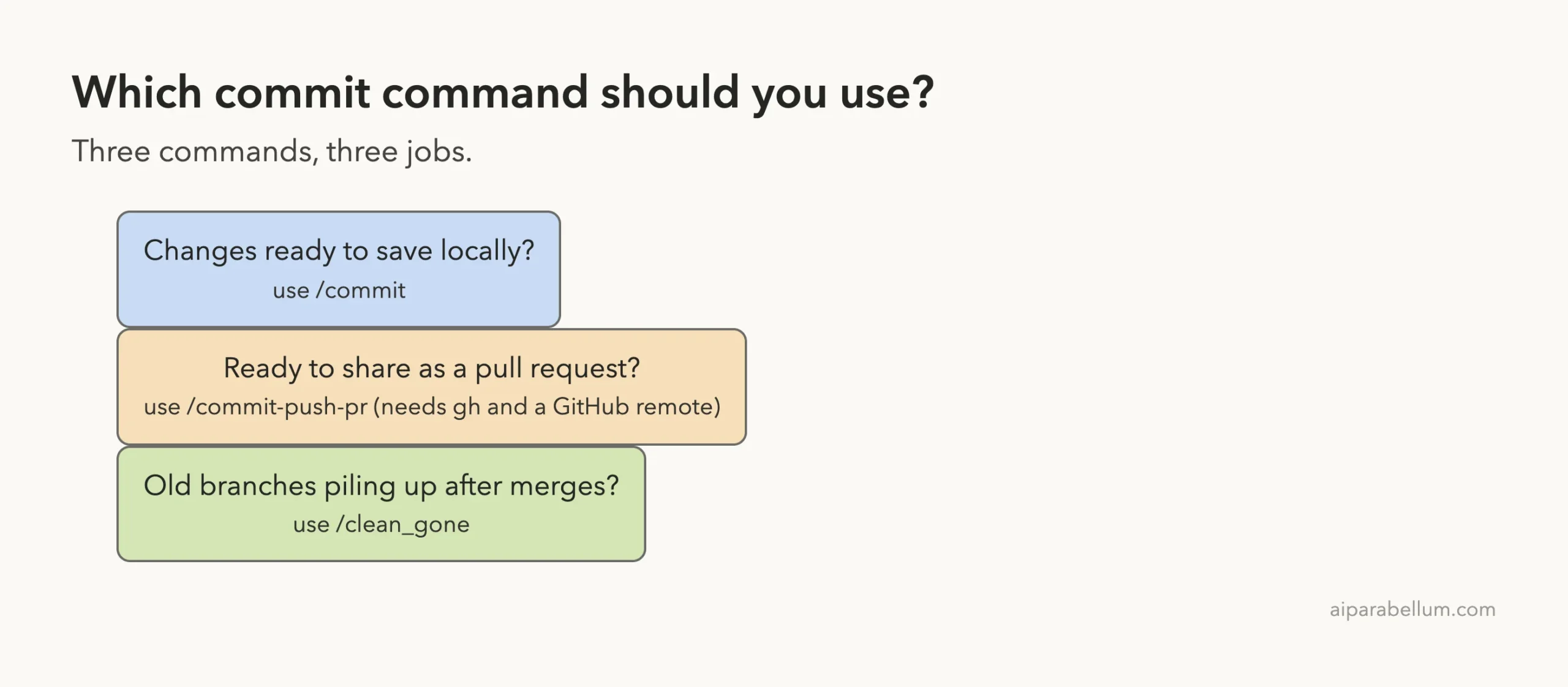
How the Commit Commands Plugin Works Under the Hood
Each command file starts with a few lines of settings, then a context section that runs git commands before Claude sees the prompt. For /commit, that context is git status, git diff HEAD, the current branch and the last ten commit titles.
Claude then gets one instruction: create a single commit based on those facts. Because the facts are already loaded, there is no back-and-forth of “let me look at the diff first”. The command also lists exactly which shell commands it may run without asking you: git add, git status and git commit.
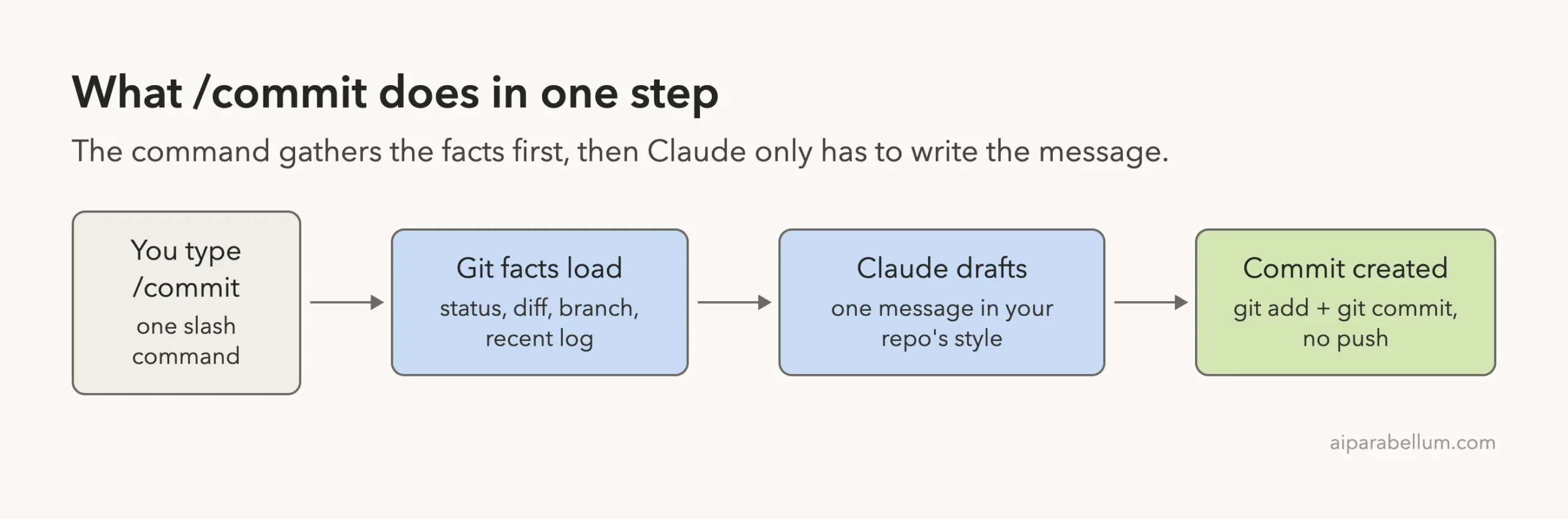
/commit, from keystroke to finished commitWhat each command is allowed to run
The settings at the top of each file matter for safety. This is what we found when we read them.
/commitmay run onlygit add,git statusandgit commitwithout a permission prompt./commit-push-praddsgit pushandgh pr createto that list, plus agit checkout --branchpattern./clean_gonelists no pre-approved commands at all, so Claude Code asks you before it deletes anything.
That last point is a good design choice, because deleting branches is the only destructive thing in the set.
How to Install the Commit Commands Plugin
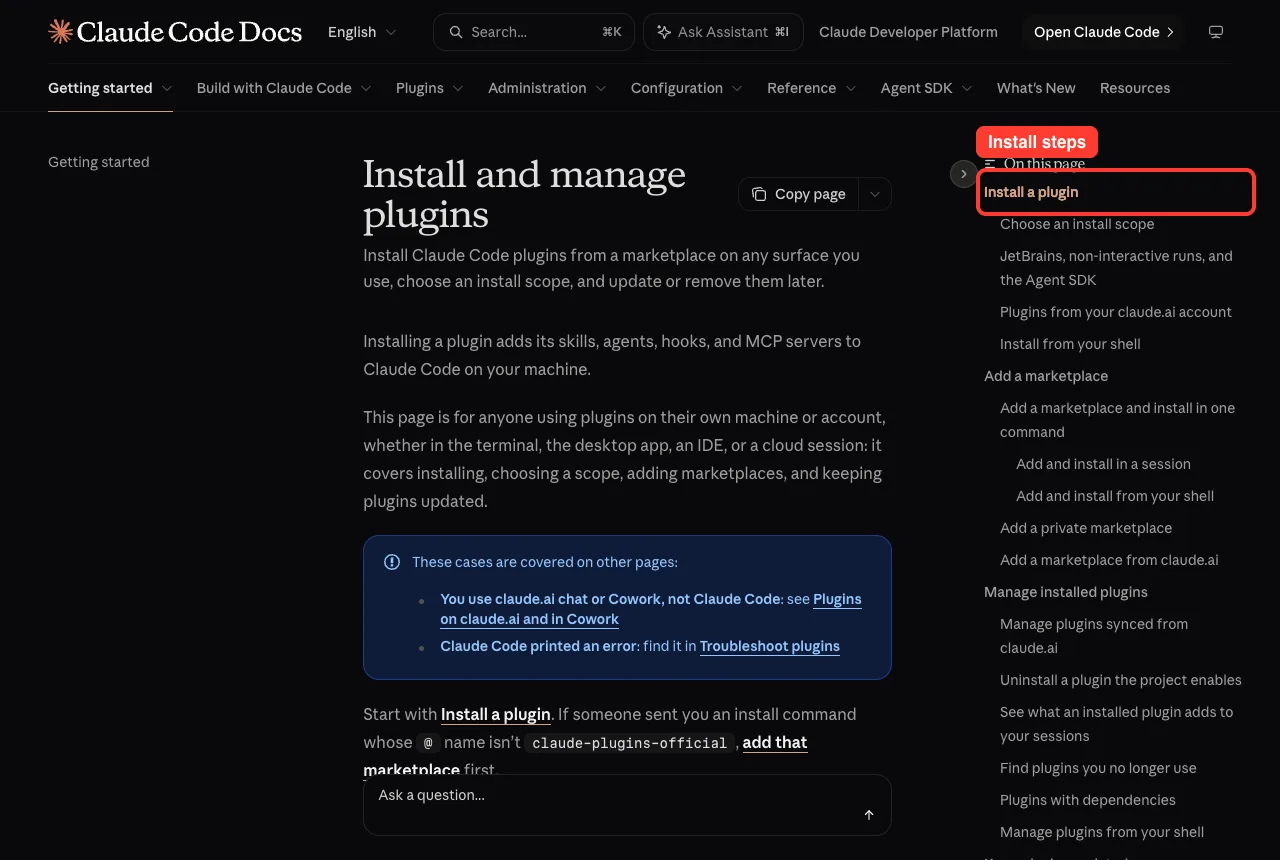
The plugin lives in Anthropic’s official marketplace. Inside Claude Code, run this one line:
/plugin install commit-commands@claude-plugins-officialThe plugin install docs cover the scopes.
User scope turns it on in every project on your computer. Project scope turns it on for everyone who works in one repository, through .claude/settings.json. Local scope keeps it to you and one repository.
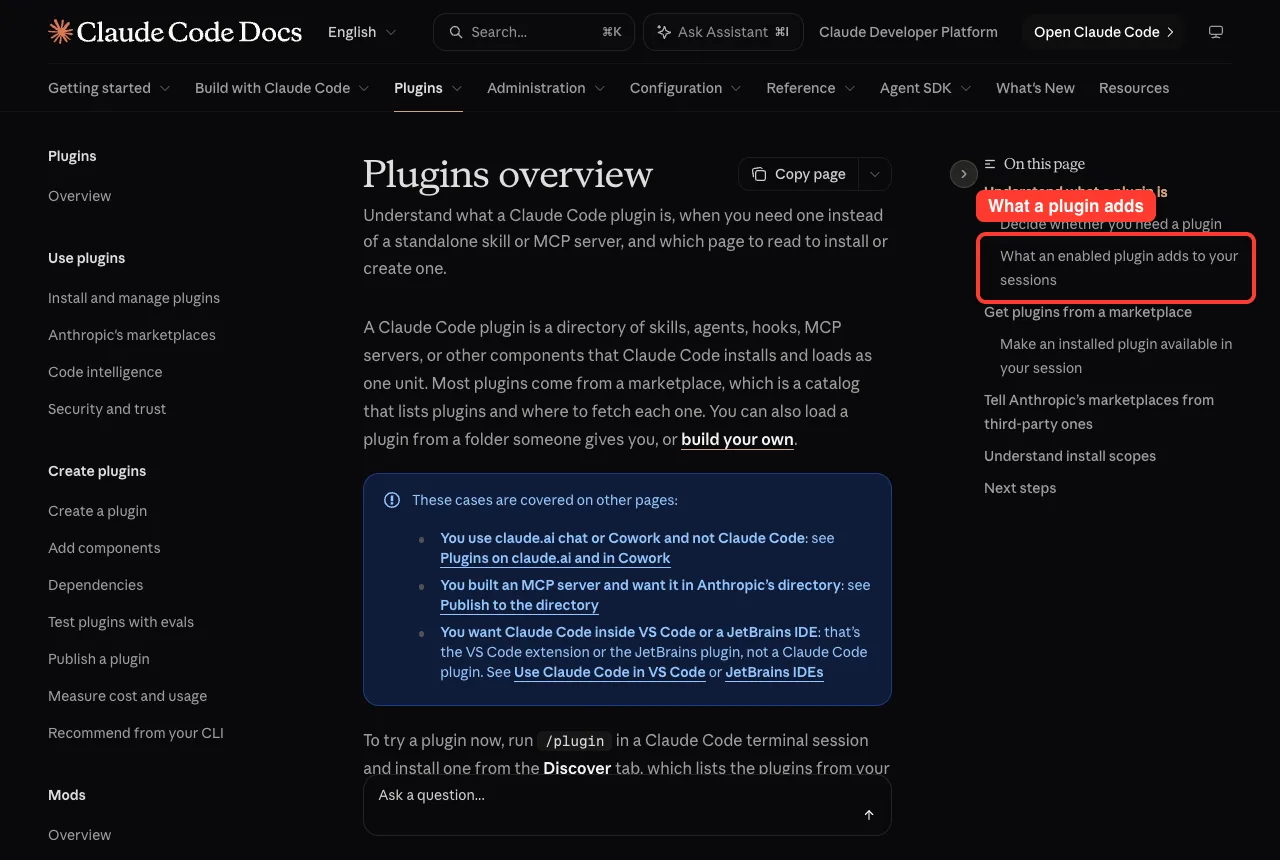
One thing to know before you install: the docs say an enabled plugin adds the name and description of its commands to Claude’s context on every turn. Those tokens count toward your usage. For three short commands the cost is small, but it is not zero.
How we loaded it safely for this test
We did not install anything into our own Claude Code setup. Instead we cloned the repository into a sandbox folder and started Claude Code with --plugin-dir pointing at the plugin folder, plus --setting-sources project so no personal settings came along. You can do the same to try any plugin first:
git clone --depth 1 https://github.com/anthropics/claude-plugins-public
cd your-throwaway-repo
claude --plugin-dir ../claude-plugins-public/plugins/commit-commands
Plugin commands carry the plugin name as a prefix. When we typed /commit, the menu showed all three commands as /commit-commands:commit, /commit-commands:clean_gone and /commit-commands:commit-push-pr.
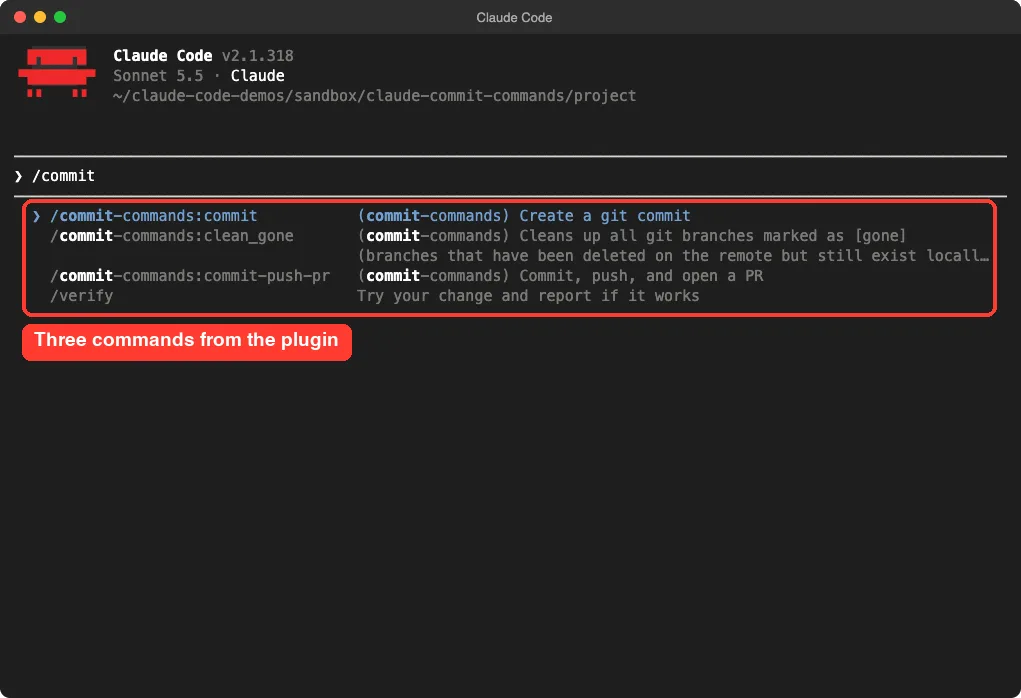
/commit shows all three plugin commands, each tagged with the plugin nameTest 1: Commit With One Command
Our demo repo was a tiny Python greeting script with one earlier commit. We edited the file to add an exclamation mark and a new farewell function, left the change unstaged, and ran /commit-commands:commit.
Claude ran a single shell command that staged app.py and committed it. The message it wrote was “Add farewell function and exclamation to greeting”. The whole run took about four seconds, and we were never asked to approve anything because those git commands are pre-approved by the command file.
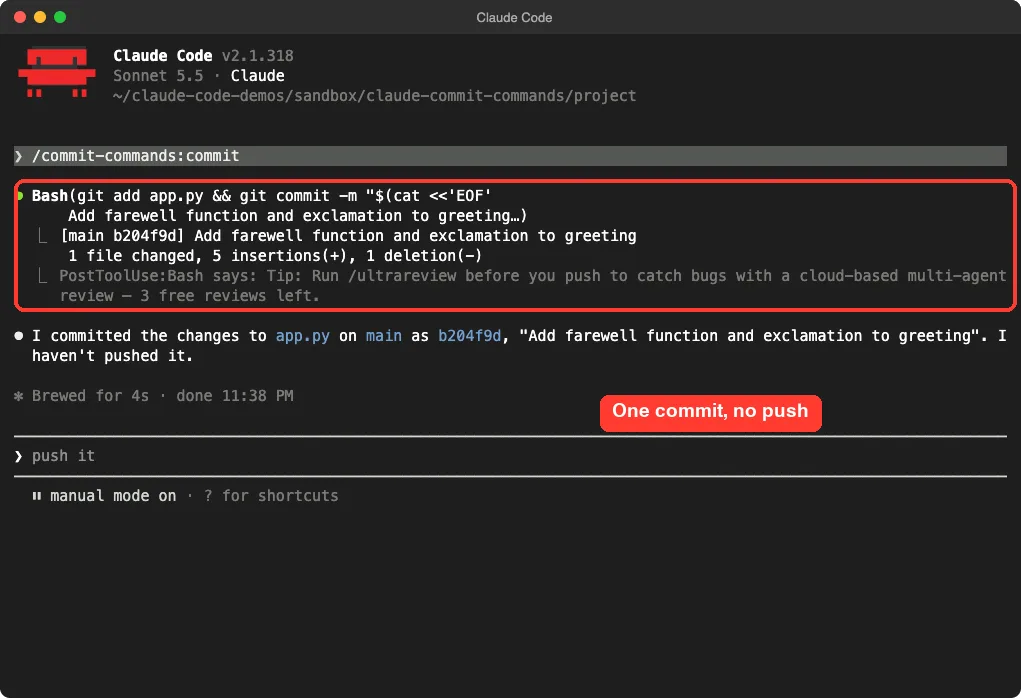
app.py and wrote the messageClaude also told us in plain words that it had not pushed. That matches the source: /commit never calls git push.
What the commit message looked like
In our run the message was a short imperative sentence with no body. Our earlier demo commit used the same style, and the command file does load the last ten commit titles so Claude can copy your habits. We only had two commits, so we cannot say how well it matches a long, strict history such as a team that uses conventional commit prefixes.
One more detail from our repo: the commit ended with a co-author line crediting Claude. That is Claude Code’s default attribution and it is controlled by your settings, not by this plugin. If your team does not want that line, check the attribution setting in the settings documentation.
Test 2: Clean Up Old Branches With /clean_gone
This is the command people forget about, and it may be the most useful one. After you merge a pull request and delete the remote branch, your local copy hangs around.
Git marks it as [gone] once you fetch with pruning. Over a few months you end up with dozens.
To test it, we created a branch, pushed it to a local bare repository acting as our remote, deleted it on the remote, and ran git fetch --prune. That left one branch marked [gone] and the main branch.
Then we ran /commit-commands:clean_gone. Claude first listed the branches and worktrees, spotted the one marked gone, and found that it had no worktree attached. Before running the delete loop, Claude Code stopped and asked for permission, because this command pre-approves nothing.
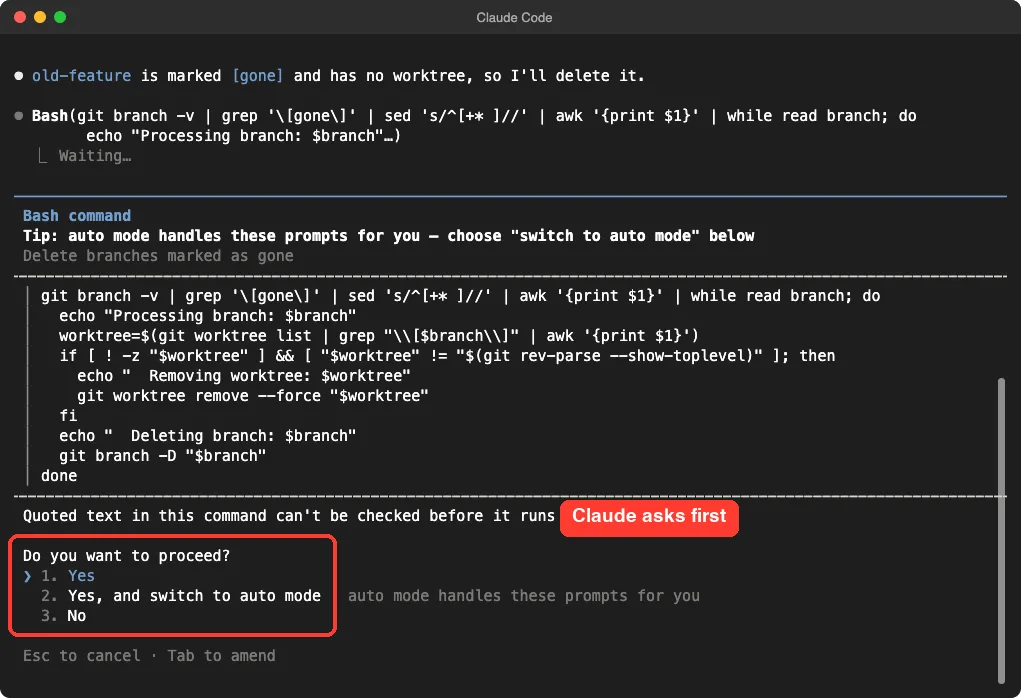
/clean_gone pre-approves no commandsWe chose Yes. The script printed which branch it processed, deleted it, and Claude summarized the result. It even noted the commit hash, so we could restore the branch with git branch and that hash if we ever needed it back.
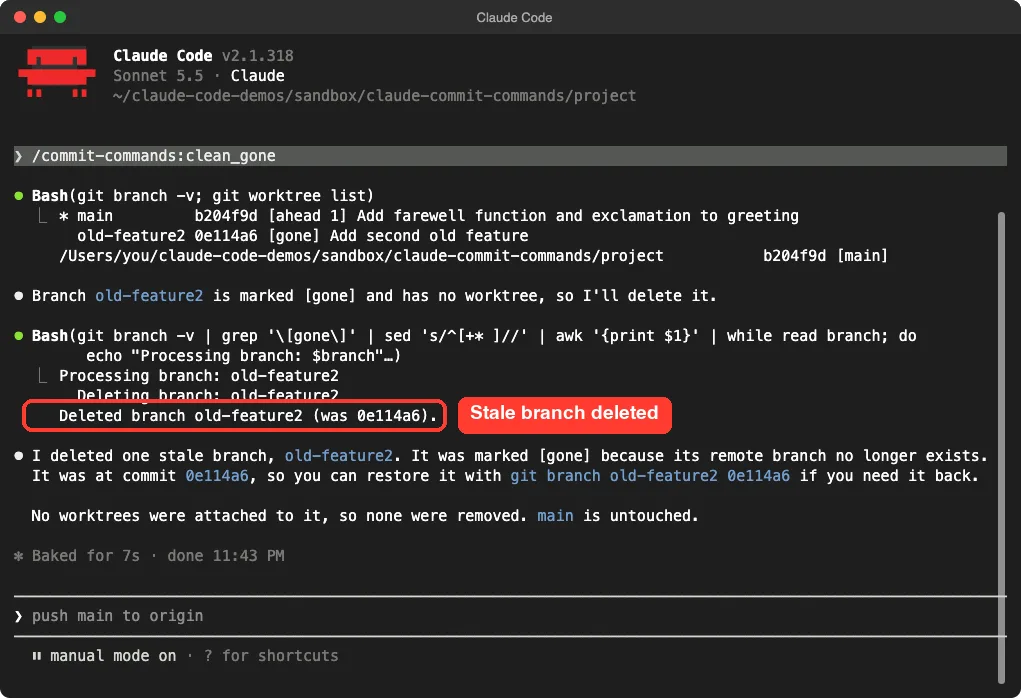
Read the delete script before you approve
The script uses git branch -D, which is a force delete, and git worktree remove --force for any attached worktree. Both skip the usual safety checks. Because the branch is already gone on the remote, that is normally fine, but you should still glance at the branch list Claude prints first.
If you had unmerged local work on a branch whose remote was deleted, the force delete would discard the branch pointer. Git keeps the commits reachable through the reflog for a while, which is why the restore hint matters.
Test 3: Commit, Push and Open a Pull Request (Read, Not Run)
We did not run /commit-push-pr. Our demo remote was a local folder, and the command ends with gh pr create, which talks to GitHub. Opening a real pull request just for a screenshot did not seem worth it, and we do not publish claims about steps we did not run.
What we can say comes from the command file. It loads status, diff and branch name. Then it tells Claude to create a branch if you are on main, make one commit, push to origin and create a pull request, all in a single message with no extra chatter.
The plugin README adds that the pull request gets a short summary and a test plan checklist. It lists two requirements: the GitHub CLI must be installed and signed in, and your repository needs a remote called origin.
Before you try it on a real project
- Run it on a branch you are happy to publish, since the push happens right away.
- Check
gh auth statusfirst so the last step does not fail halfway. - Read the pull request description afterward and edit it if needed.
If you also want automated feedback on that pull request, our guide to the code review plugin pairs well with it.
Try It Yourself
Make a safe practice repo and try the two commands we tested. You need git and Claude Code, and nothing here touches a real project.
mkdir commit-demo && cd commit-demo
git init -b main
echo "print('hi')" > hello.py
git add . && git commit -m "Add hello script"
echo "print('bye')" >> hello.py
claude --plugin-dir /path/to/commit-commands
Inside Claude Code, run this and check git log afterward:
/commit-commands:commitTo practice cleanup, make a second branch, merge or abandon it, delete it on your remote, run git fetch --prune, and then run /commit-commands:clean_gone.
Common Mistakes
- Running
/commitwith nothing changed. The README says to checkgit statusfirst, since there is nothing to commit. - Expecting
/clean_goneto find branches without a fetch. Rungit fetch --prunefirst so git can mark them as gone. - Trying
/commit-push-prwithout the GitHub CLI signed in. The pull request step is the one that fails. - Typing the short name when two plugins define the same command. Use the full
/commit-commands:commitname to be certain. - Committing everything blindly. The command stages relevant files from your diff, so keep secrets and scratch files out of the working folder or in
.gitignore.
Pro Tips
- Use
/commitin small, frequent steps. A short diff gives a better message than a giant one. - Try the plugin with
--plugin-dirbefore you install it for good, then install at project scope only if your whole team wants it. - Run
/clean_goneafter a batch of merges, not after every one. - Review the commit with
git showbefore you push. The message is a draft from a tool, and you own it. - If you want your own house style, copy a command file into your project and edit it. They are plain markdown.
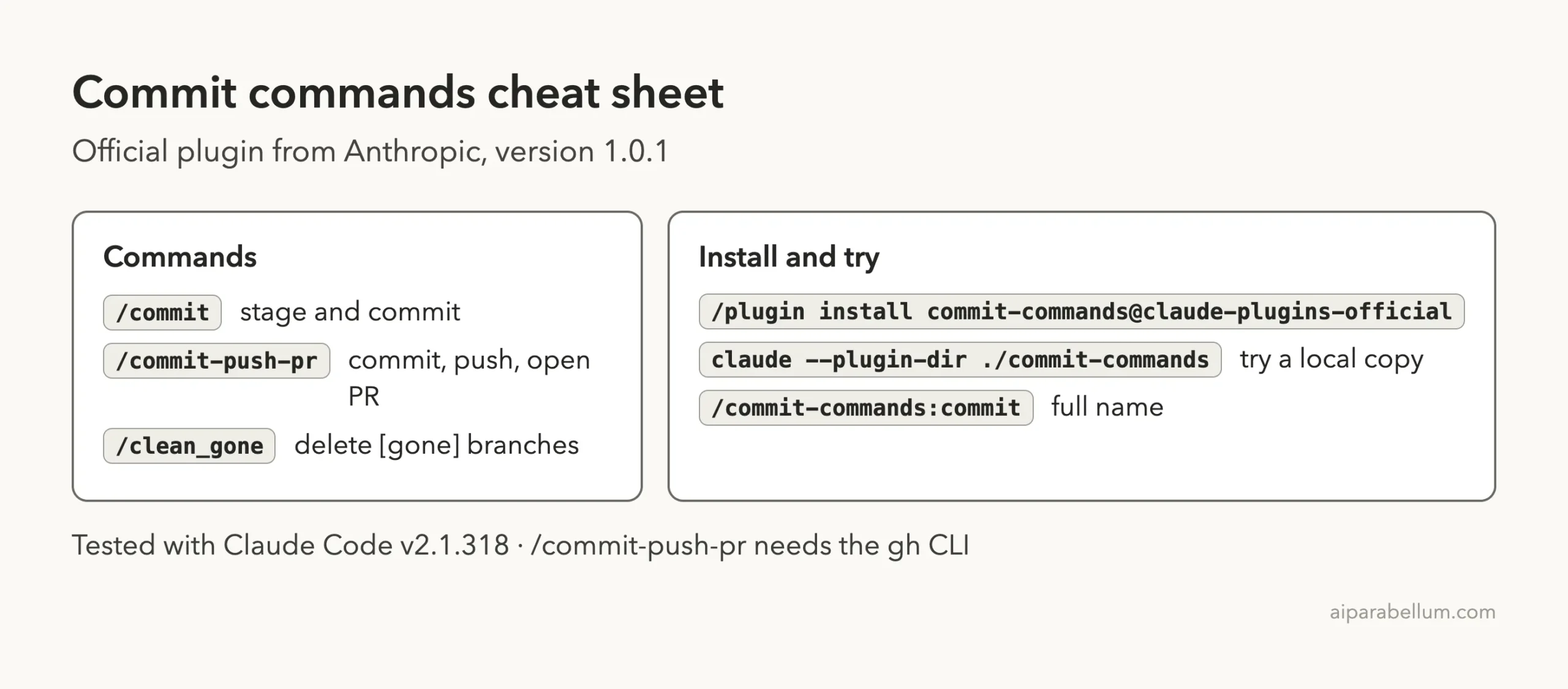
Commit Commands Cheat Sheet
Frequently Asked Questions
Is the commit commands plugin free?
The plugin itself costs nothing and is published by Anthropic. Running it uses your normal Claude Code usage, like any other prompt.
Does /commit push my code?
No. In our test Claude said it had not pushed, and the command file only allows git add, git status and git commit. Pushing is part of /commit-push-pr.
Do I need the GitHub CLI?
Only for /commit-push-pr, which opens the pull request with gh pr create. The other two commands need only git.
Is /clean_gone safe?
It only targets branches git marks as gone, and Claude Code asks you to approve the delete script. It does use force delete, so read the branch list first.
Should I use this instead of writing my own commit skill?
If you want a quick, no-setup commit command, install this. If your team has a strict message format, copy the command file and tailor it, or build your own as we do in our skill-building guide.
Commit often, read the message, and approve deletes only after you read the list.
Conclusion
The Claude Code commit commands plugin is small, readable and official, and that is its appeal. /commit and /clean_gone did exactly what the docs promised in our demo repo, and /commit-push-pr looks like a sensible shortcut once you have the GitHub CLI ready. Install it if you commit often, check what each command may run, and keep an eye on the force delete in /clean_gone. For more add-ons, browse our Claude guide and the skills directory linked above.