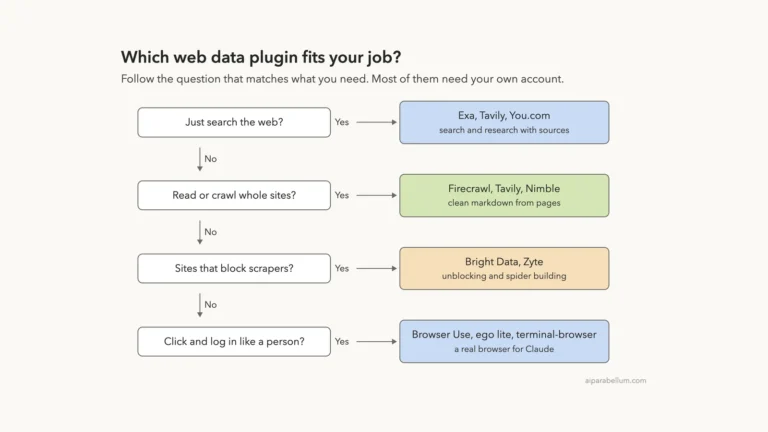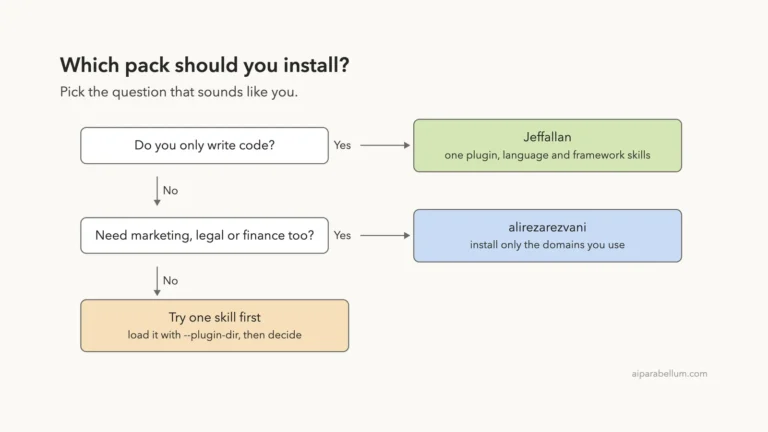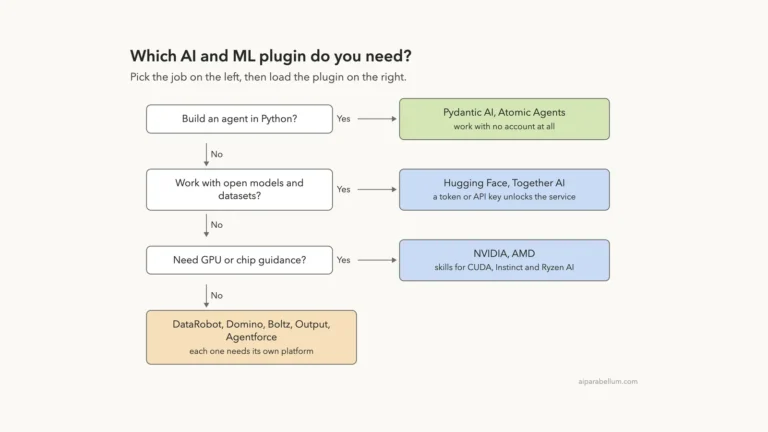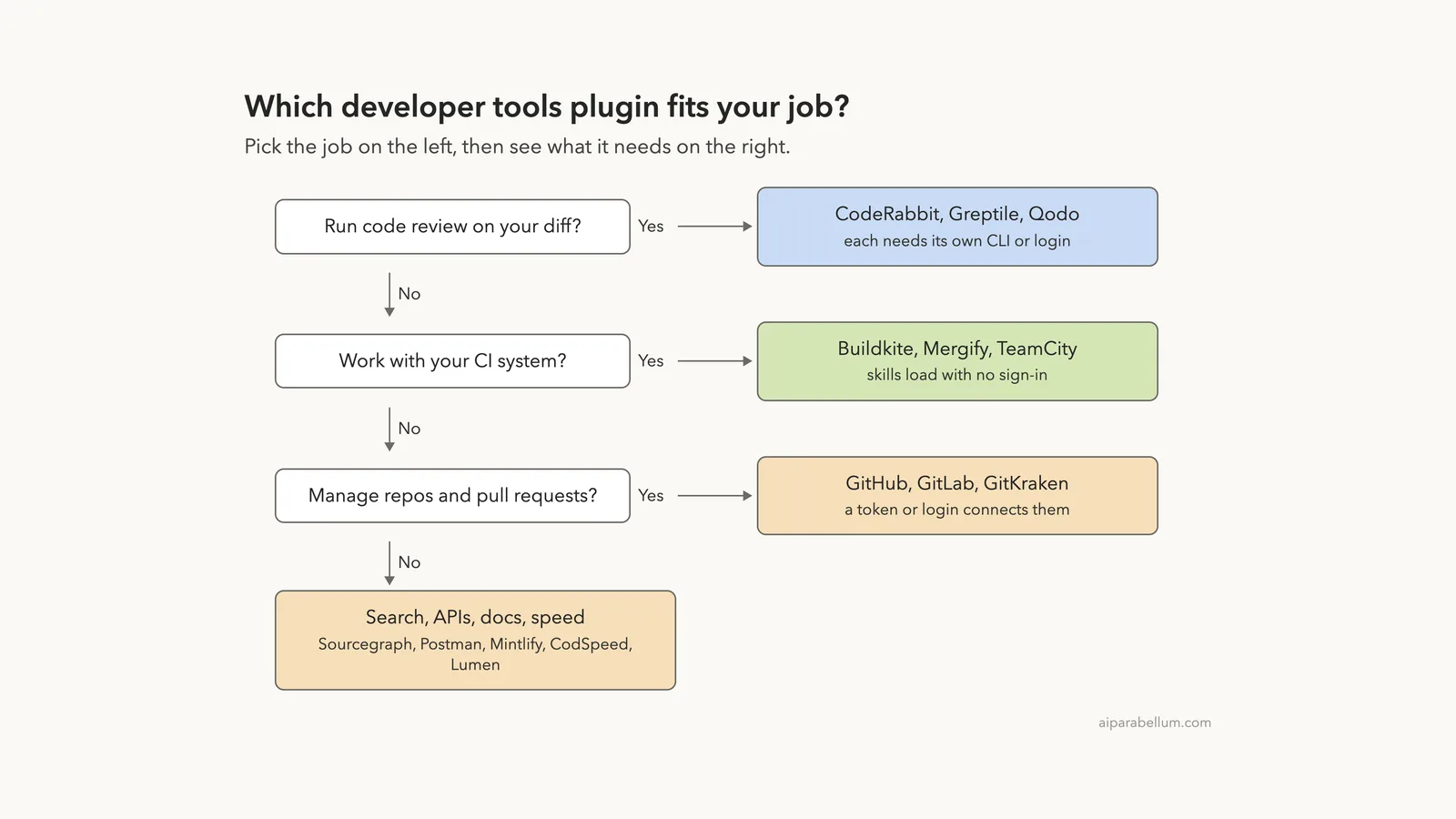
If you search for a Claude Code GitHub plugin, you will find a long row of developer tools in Anthropic’s official marketplace. GitHub, GitLab, GitKraken, Buildkite, Mergify, TeamCity, Postman, Sourcegraph, Greptile, Lumen, CodeRabbit, Qodo, CodSpeed and Mintlify all ship one.
They look alike in a list, but they do very different jobs. Some manage pull requests, some run your build pipeline, and some review your code before you merge.
We read every one of them in a sandbox, loaded five in a real Claude Code session, and used one skill for real. This guide shows what we ran, what needs an account, and which plugin fits which job.
This guide is part of our Claude Code tutorials. Find more add-ons in our Skills Directory.
Tested with Claude Code v2.1.319 on 2026-11-10 (macOS). We used the official marketplace at commit 0412be7. We cloned each plugin’s own repo at its latest commit that day: Buildkite d29b846, CodeRabbit 778c35a, Mergify 48ecd00, Qodo aef00e1, Greptile 59e79ec, CodSpeed 34b48f1, Mintlify a4f4310, Postman e5f3170, Sourcegraph 674a05e, GitKraken f7a53b2 and Lumen f60f9ec.
Some of these are newer than the commit the marketplace pins, so your install may differ slightly.
What We Ran and What Came From the Docs
Most of these plugins connect to an outside service, so they need a token, a key or a sign-in. We never created accounts, signed in or entered a key. That makes this a roundup, not a full test of every feature.
Before loading anything, we cloned each repo into a throwaway sandbox and read its manifest, its MCP settings and its hooks.
Here is what we found. Lumen runs a launcher script that downloads a program from GitHub on first use, and GitKraken starts its server with npx.
Postman has one session-start hook, and it only prints a text file. The others ship skills and remote server addresses.
We loaded only the five plugins that are pure skills, with no server and no hook: Buildkite, CodeRabbit, Mergify, Qodo and Qodo Standards. We loaded them with --plugin-dir and --setting-sources project, so your own ~/.claude folder stays untouched. The rest are described from their own README files and manifests.
| Plugin | Maker | What it does | Account needed | What we did |
|---|---|---|---|---|
| GitHub | Anthropic marketplace | Issues, pull requests and repo search through GitHub’s MCP server | Yes (a personal access token in GITHUB_PERSONAL_ACCESS_TOKEN) | Read config |
| GitLab | Anthropic marketplace | Merge requests, pipelines, issues and wikis through GitLab’s MCP server | Yes (GitLab sign-in) | Read config |
| GitKraken | GitKraken | Commits, branches, pull requests and issues across repos; works with GitHub, GitLab, Azure DevOps, Bitbucket and Jira | Not stated in the README | Read config |
| Buildkite | Buildkite | 7 skills for pipelines, caching, migration, CLI, API and agent runtime | Yes for the hosted server | Loaded, skill used |
| Mergify | Mergify | 8 skills for merge queue, stacked PRs, config and flaky tests | Yes (Mergify and its CLI) | Loaded |
| TeamCity | JetBrains | Skills that drive the teamcity CLI for builds, logs and queues | Yes (a TeamCity server) | Docs only |
| Postman | Postman | 19 skills for mocking, testing, monitoring and documenting APIs | Yes (hosted server) | Read config |
| Sourcegraph | Sourcegraph Community | Code search and Deep Search through a Sourcegraph MCP server | Yes (instance URL and token) | Read config |
| Greptile | Greptile | Read and resolve PR review comments, review your branch | Yes (Greptile sign-in) | Read config |
| Lumen | Ory | Local semantic code search with Ollama or LM Studio | No account | Read launcher, not run |
| CodeRabbit | CodeRabbit | Code review through the CodeRabbit CLI, plus autofix of review comments | Yes (CLI login) | Loaded |
| Qodo | Qodo | 5 skills for setup, codebase questions and PR review | Yes (Qodo CLI sign-in) | Loaded |
| Qodo Standards | Qodo | 2 optional skills for rules and standards admin | Yes | Loaded |
| CodSpeed | CodSpeed | Benchmark setup and speed tuning from flamegraphs | Yes (hosted server) | Read config |
| Mintlify | Mintlify | Write and publish docs sites; one search server and one admin server | Admin server needs sign-in | Read config |
The install pattern is the same for all of them, for example /plugin install buildkite@claude-plugins-official. Swap in github, gitlab, gitkraken, mergify, teamcity-cli, postman, sourcegraph, greptile, lumen, coderabbit, qodo, qodo-standards, codspeed or mintlify. We did not run these installs, because that would change a real setup.
Skills Run Locally, Services Need an Account
A skill is a plain instruction file that teaches Claude how to do a job. It lives on your computer and needs no sign-in. If you want the basics first, read our guide to Claude Code skills.
The service behind the skill is a different story. A Buildkite skill can tell Claude how to write a pipeline, but running it needs your Buildkite account. The same goes for review tools, where the skill is a thin wrapper around a separate CLI.
Loading Five Plugins Without Installing Them
You do not have to install a plugin to look at it. The --plugin-dir flag loads a plugin folder for one session only, and you can repeat it.
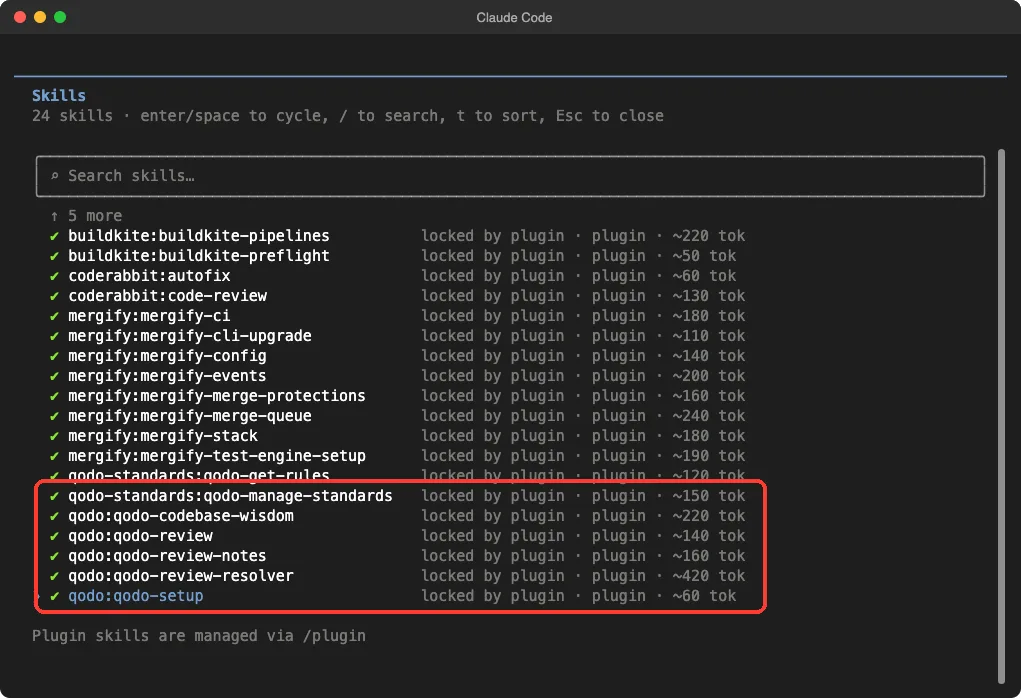
claude --setting-sources project --plugin-dir ./buildkite-skills --plugin-dir ./coderabbit --plugin-dir ./mergify-cliOur test used the flag five times inside a throwaway demo folder. Then /skills showed everything the plugins added: 24 skills, each marked as locked by its plugin, with a rough token cost next to it.
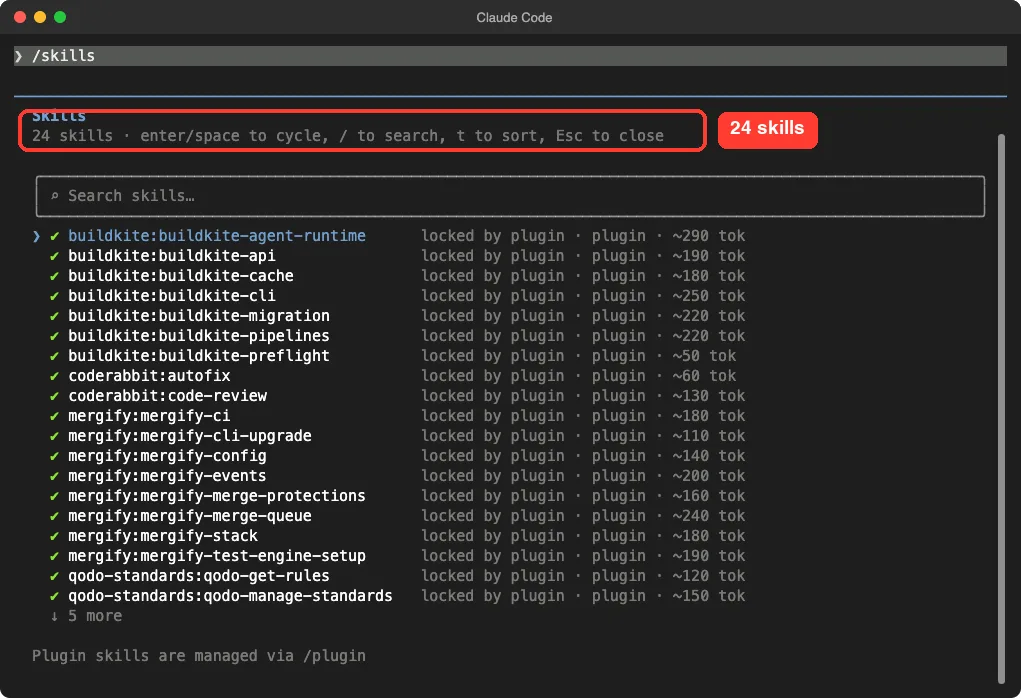
That token number matters. Per the plugins docs, the name and description of each skill sit in Claude’s context on every turn, even when you never use it. Buildkite’s seven skills add up to about 1,400 tokens, and Mergify’s eight add up to about 1,400.
The /plugin command opens the directory where you browse and install. In our run it listed 3,698 entries. Our plugin guide explains the install side in detail.
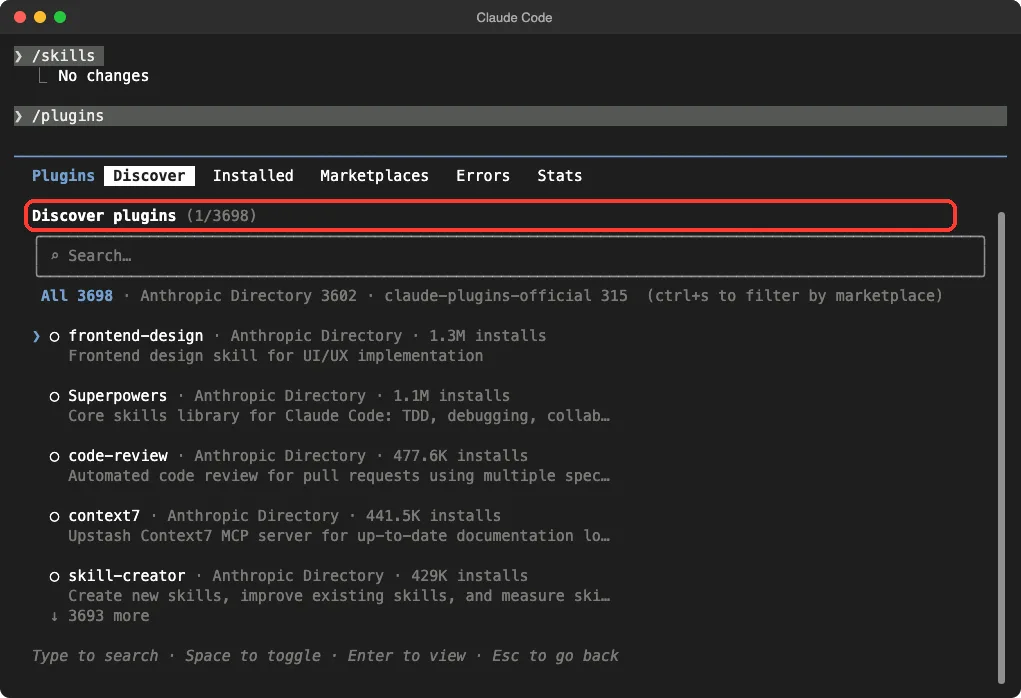
/plugin screen is where you browse and install.Claude Code GitHub Plugin and GitLab Plugin
The GitHub and GitLab plugins hold no skills at all. They are one server address each.
We read both. The GitHub plugin points at GitHub’s hosted MCP server at api.githubcopilot.com/mcp/ and sends your token from the GITHUB_PERSONAL_ACCESS_TOKEN environment variable. The marketplace describes it as creating issues, managing pull requests, reviewing code and searching repositories.
The GitLab plugin points at gitlab.com/api/v4/mcp and carries no token in its file. The marketplace describes it as covering repositories, merge requests, CI/CD pipelines, issues and wikis.
We did not load either one, because that would open a live connection to a remote server. If you are new to servers like these, read our MCP guide first.
GitKraken works in a similar way. Its manifest starts a local server with npx -y @gitkraken/gk mcp. Its README says it answers questions from your commits, branches, pull requests and issues.
It works with GitHub, GitLab, Azure DevOps, Bitbucket and Jira, and the README marks it as a preview.
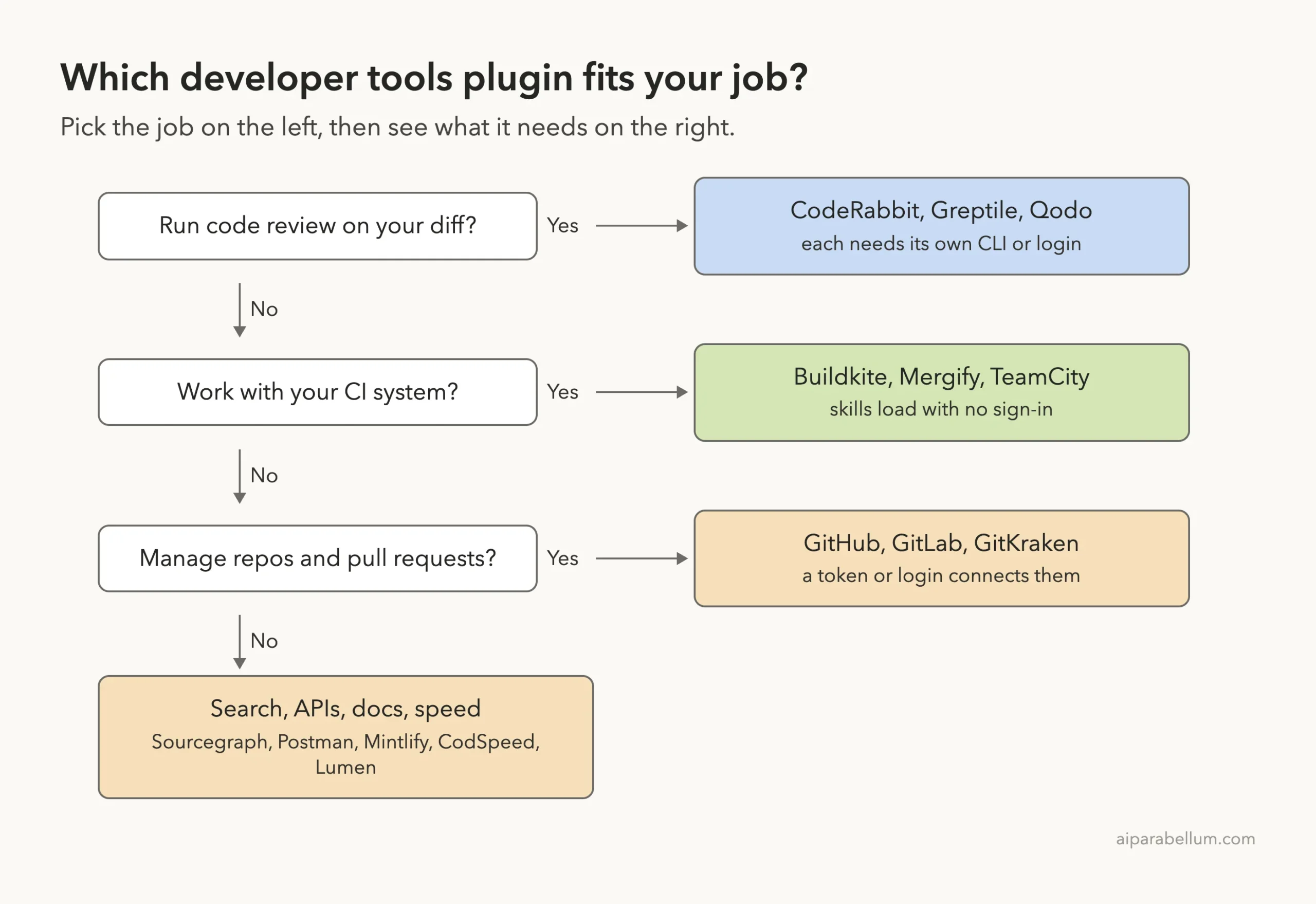
Buildkite, Mergify and TeamCity for CI
Buildkite is the plugin we used for real. It ships seven skills: buildkite-pipelines, buildkite-migration, buildkite-cache, buildkite-cli, buildkite-api, buildkite-agent-runtime and buildkite-preflight. Its manifest does not declare a server, but the repo has an mcp.json for a hosted one.
We made a tiny demo project with a GitHub Actions file that installs pytest and runs it. Then we asked Claude to use the migration skill, convert the file, show the result and write nothing.
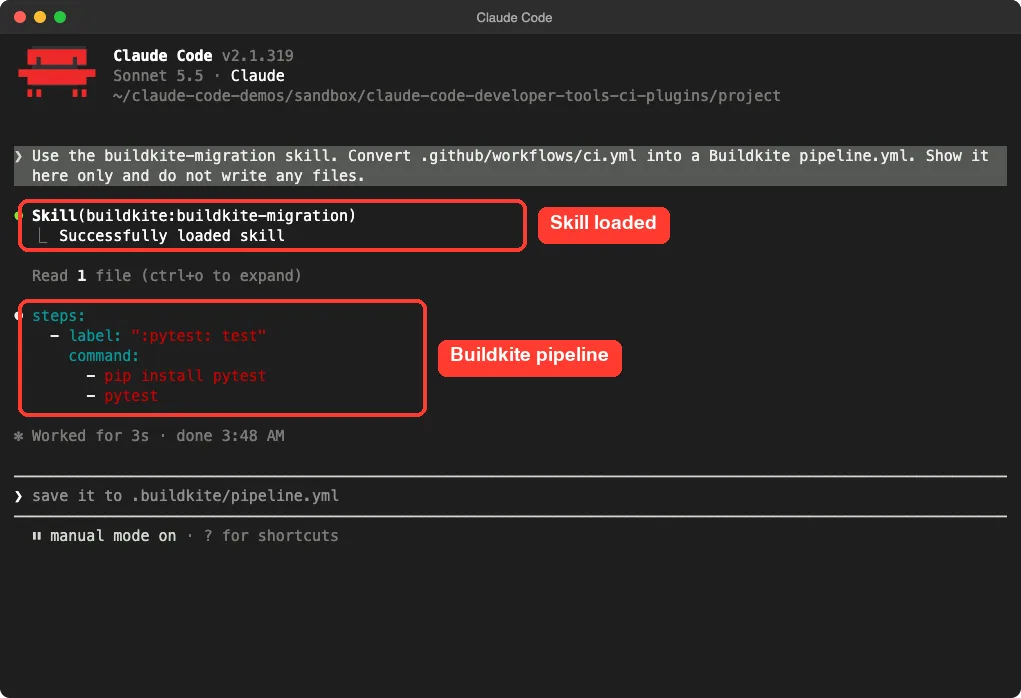
The result was a short pipeline with one step labeled for pytest and two commands, pip install pytest and pytest. It is a small demo, so it proves the skill loads and works on a simple file. It does not show how it handles a big workflow with matrices or secrets.
Mergify is a set of eight skills for the Mergify command line tool. They cover the merge queue, stacked pull requests, merge protections, configuration, the activity log, CI uploads and Test Engine setup for flaky tests. The plugin’s license is listed as proprietary, and the skills assume you already use Mergify.
One skill deserves a warning. mergify-stack says that in a repo that uses Mergify stacks, Claude should always use it for pushing, committing and creating PRs. That is useful on a Mergify repo and irrelevant anywhere else.
TeamCity is a special case. The marketplace entry points at JetBrains’ teamcity-cli repo, but the newest version of that repo no longer carries a plugin folder. Its README says the skills now come from the CLI itself, with teamcity skill install, or from a separate JetBrains skills plugin.
So we could not load it, and we describe it from the README only.
CodeRabbit, Greptile and Qodo for Code Review
These three review your code with an outside engine, so the plugin is mostly a bridge.
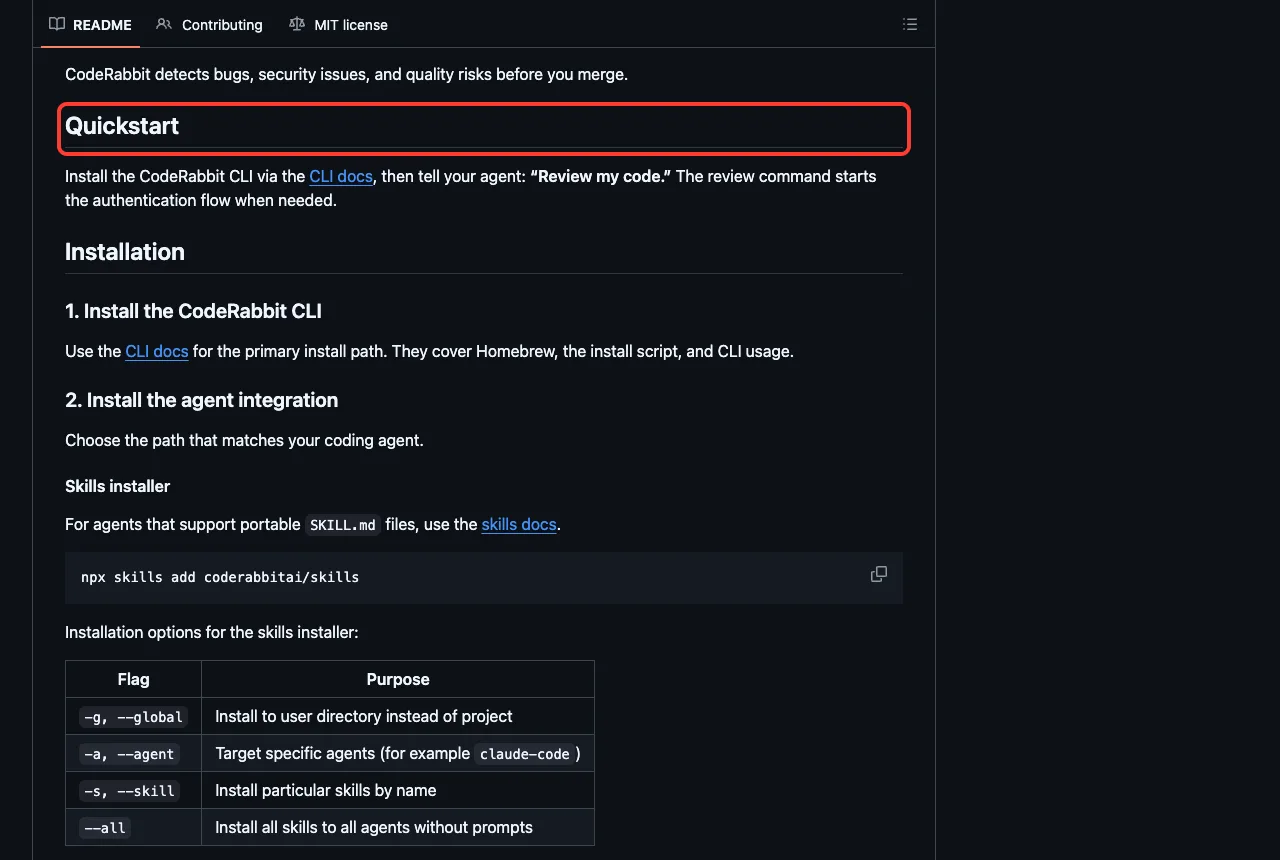
CodeRabbit ships two skills, code-review and autofix, plus a command. Its README says to install the CodeRabbit CLI first, then tell your agent to review your code, and the review command starts the sign-in when needed. The autofix skill is described as applying review feedback with approval for each change.
Greptile gives you two things. One is a server for reading and resolving Greptile’s pull request comments and searching your team’s coding patterns. The other is a /greptile:review command that reviews your working branch.
Its README says to sign in through the /mcp menu and with /greptile:login.
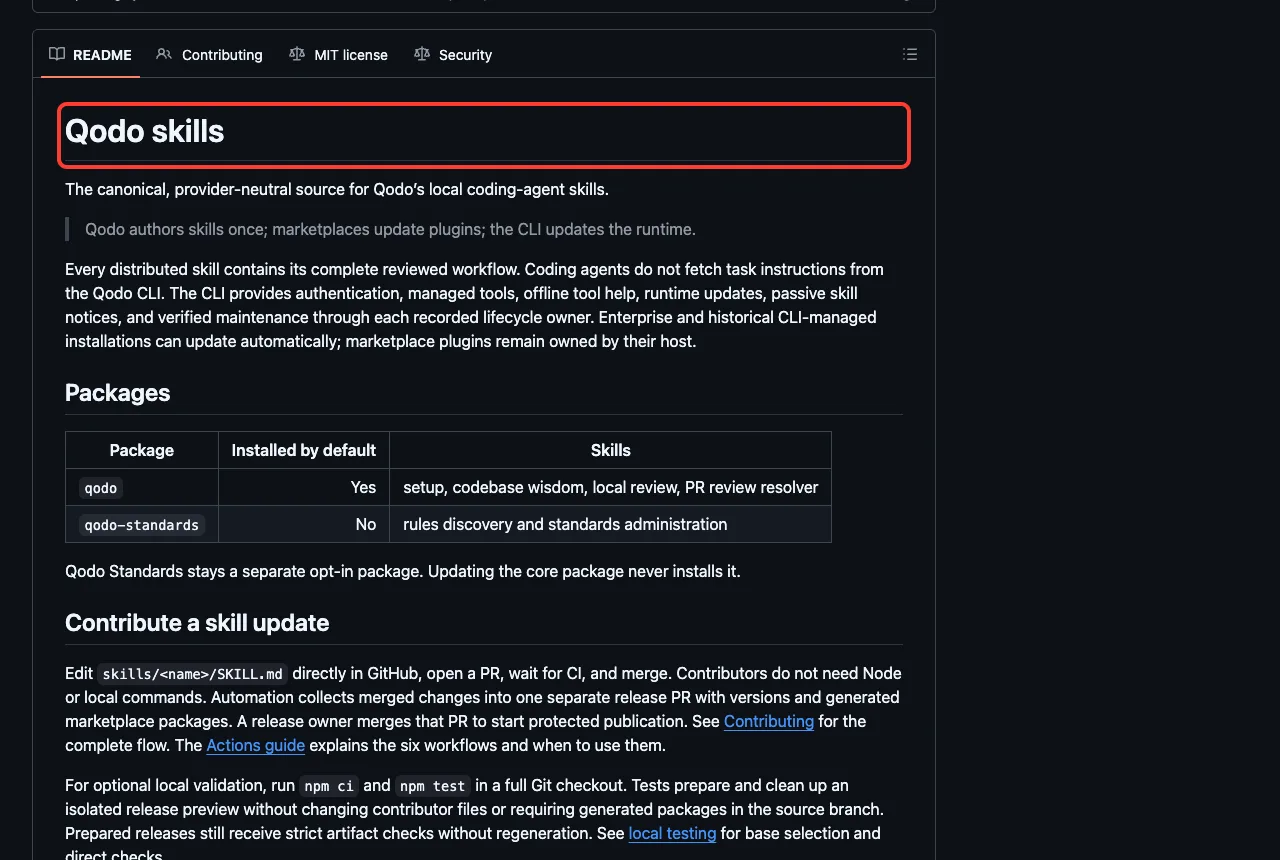
Qodo comes as two plugins. The core one has five skills: qodo-setup, qodo-codebase-wisdom, qodo-review, qodo-review-notes and qodo-review-resolver. The optional Qodo Standards plugin adds qodo-get-rules and qodo-manage-standards.
The Qodo repo says the skills carry their full workflow, while the CLI handles sign-in and managed tools. The qodo-setup skill installs that CLI, so run it only if you mean to sign up.
Postman, Sourcegraph, CodSpeed, Mintlify and Lumen
These five solve separate problems.
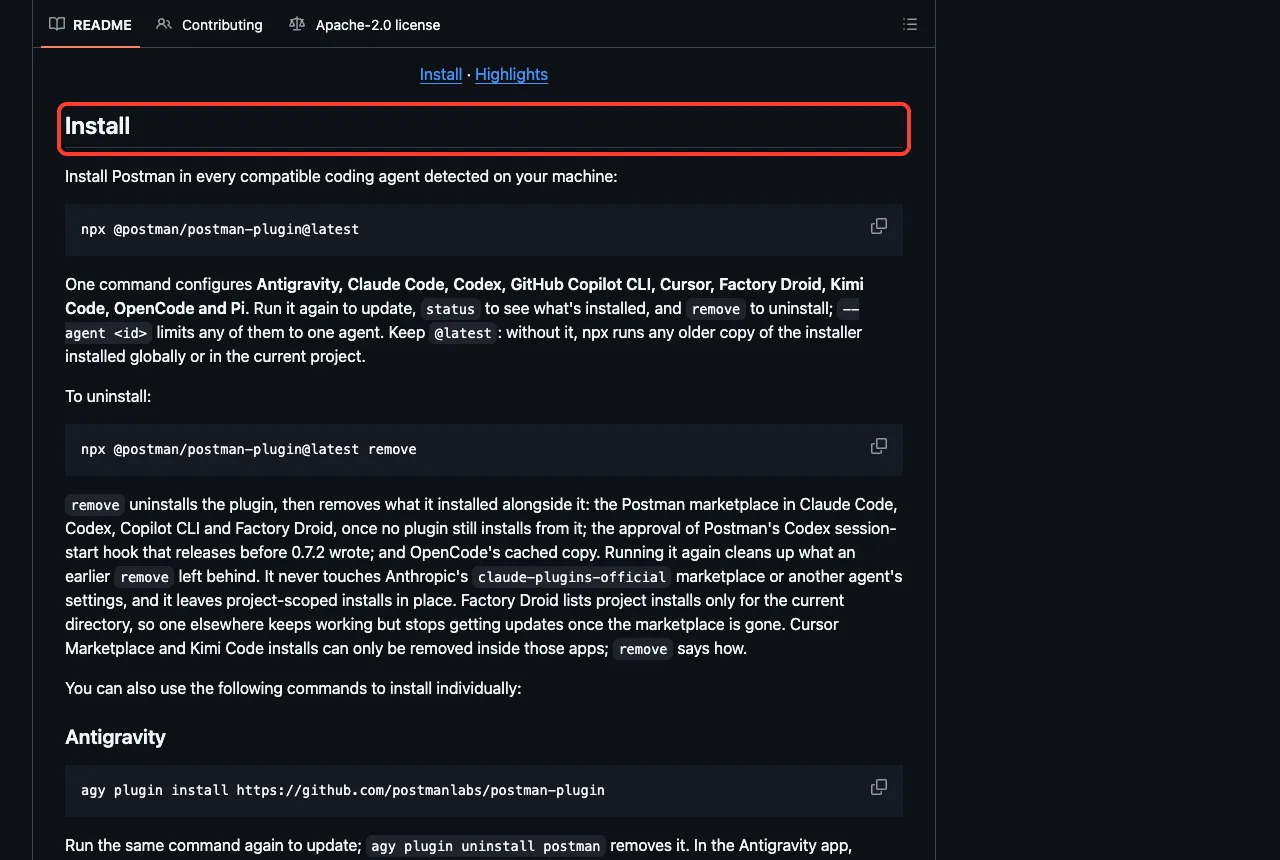
- Postman: it ships 19 skills covering API mocking, testing, monitoring, documentation, CI integration and Flows. The README installs it with
npx @postman/postman-plugin@latest, and its server is hosted atmcp.postman.com. - Sourcegraph: one skill,
searching-sourcegraph, plus a server you point at your own Sourcegraph instance. You must setSOURCEGRAPH_ENDPOINTandSOURCEGRAPH_ACCESS_TOKENfirst. - CodSpeed: two skills,
codspeed-setup-harnessto add benchmarks andcodspeed-optimizeto tune code from flamegraphs. It connects tomcp.codspeed.io. - Mintlify: one
mintlifyskill with component, config and navigation references, plus a read-only search server and an admin server that needs OAuth. - Lumen: local semantic code search. Its README says there are no keys and no cloud, and that it needs Ollama or LM Studio for embeddings. Its first-run script downloads a program from GitHub, which is why we did not run it.
npx installer.Lumen is the only one here that needs no account, so it is the one to try first if you want something that stays on your machine. It also registers hooks that run before Grep and Bash tool calls, so read them before you install.
Which Claude Code Developer Plugin Should You Try First?
Here is how we would start, based on what we saw.
- If you use Buildkite, load
buildkiteand ask for a pipeline fix. Its skills work without signing in. - If you want a second opinion on your code, install the CodeRabbit CLI and then the plugin.
- If you live in GitHub or GitLab, set up the server and token, and keep the token in an environment variable.
- If you want search that stays local, read Lumen’s hooks and try it with Ollama.
Try It Yourself
Here is a safe practice task. Clone one plugin into a throwaway folder, load it for one session and ask a question that does not call any service.
git clone https://github.com/buildkite/skills.git buildkite-skills
mkdir demo && cd demo
claude --setting-sources project --plugin-dir ../buildkite-skills
Then paste this prompt, after you add a small GitHub Actions file to the demo folder:
Use the buildkite-migration skill. Convert .github/workflows/ci.yml into a Buildkite pipeline.yml. Show it here only and do not write any files.Common Mistakes
- Installing fifteen plugins at once. Each skill adds a small running token cost, so install only what you use.
- Pasting a token into the chat. Set it as an environment variable instead.
- Assuming a skill runs the service. The skill only teaches Claude; the service still needs your account.
- Skipping the hooks and launch scripts. Read them before you trust a plugin.
Pro Tips
- Use
--plugin-dirto test a plugin for one session before you install it. - Run
/mcpafter loading a plugin to see which servers need a login. - Run
/skillsand check the token numbers when a plugin is large. - Remember that a plugin runs with your permissions, so check who made it.
Cheat Sheet
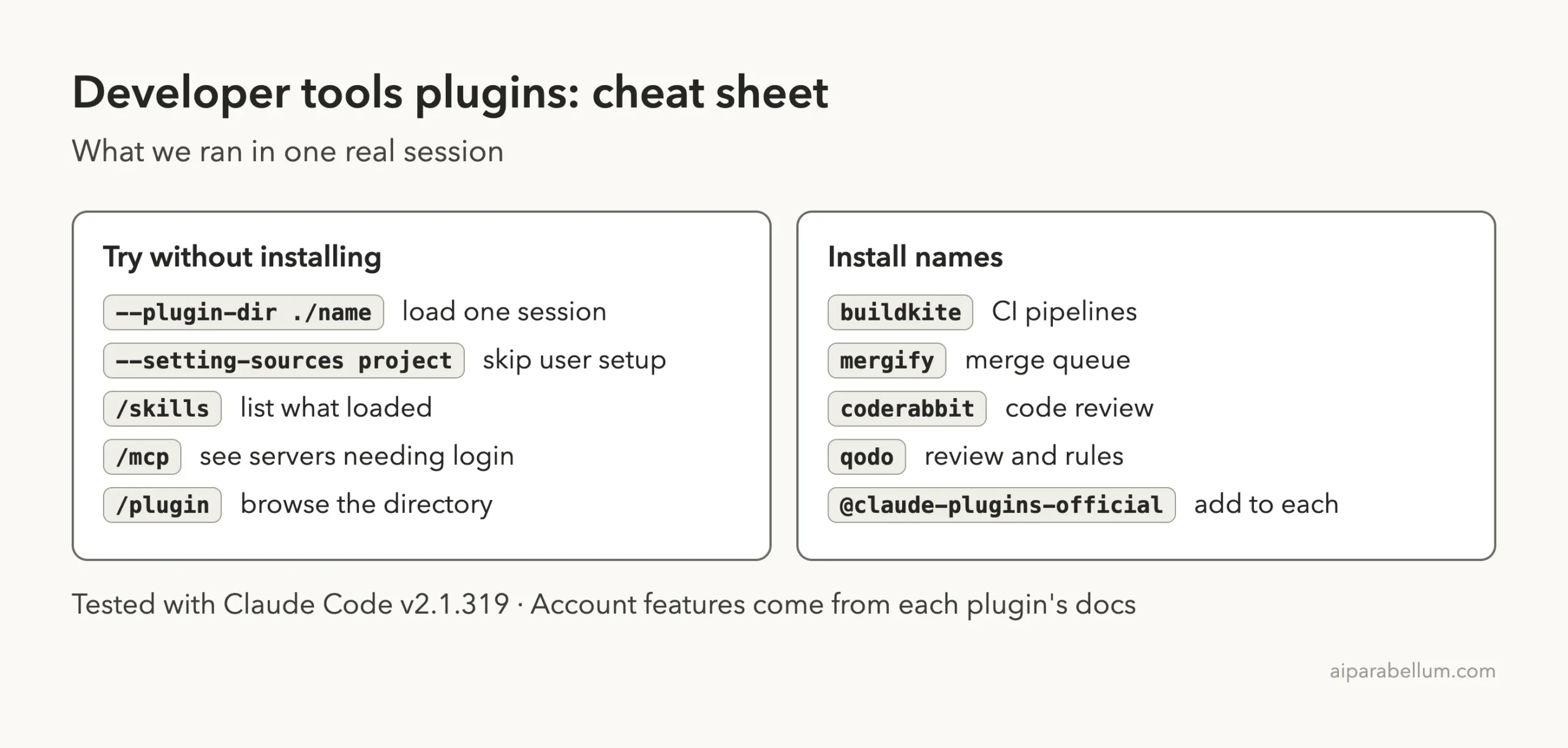
Frequently Asked Questions
Is there an official Claude Code GitHub plugin?
Yes. The github plugin in the official marketplace points at GitHub’s hosted MCP server and uses a personal access token from your environment.
Do these plugins work without an account?
Lumen needs no account. The Buildkite, Mergify, CodeRabbit and Qodo skills load without one, but their services need a sign-in for real work.
Will --plugin-dir change my setup?
No. It loads the plugin for that session only. Installing with /plugin install does add it to your setup.
Why did you not load GitHub and GitLab?
Both open a live connection to a remote server, and we do not sign in or enter tokens for tests. We read their config files instead.
Where can I read more about Claude itself?
Our Claude AI page covers the models behind these tools.
Conclusion
Claude Code’s developer tool plugins come in two kinds: skills that run on your Mac, and servers or CLIs that need your account. We read fifteen plugins, loaded five in one sandboxed session, saw 24 skills and used the Buildkite migration skill for real. Everything that needed a sign-in stayed signed out, so the GitHub, GitLab, Postman, Sourcegraph, Greptile, CodSpeed and Mintlify parts come from their own files. Start with one plugin that matches your daily tool, and read its hooks before you install.