T3 Code gives Claude Code a clean visual workspace with threads, approvals and diffs, and it can also be reached from your other devices. It’s free, open source and climbing GitHub’s trending list.
We installed version 0.1.6, connected it to Claude Code and tested its permissions and pairing. It works well, but there are two setup choices you should make before you send your first prompt.
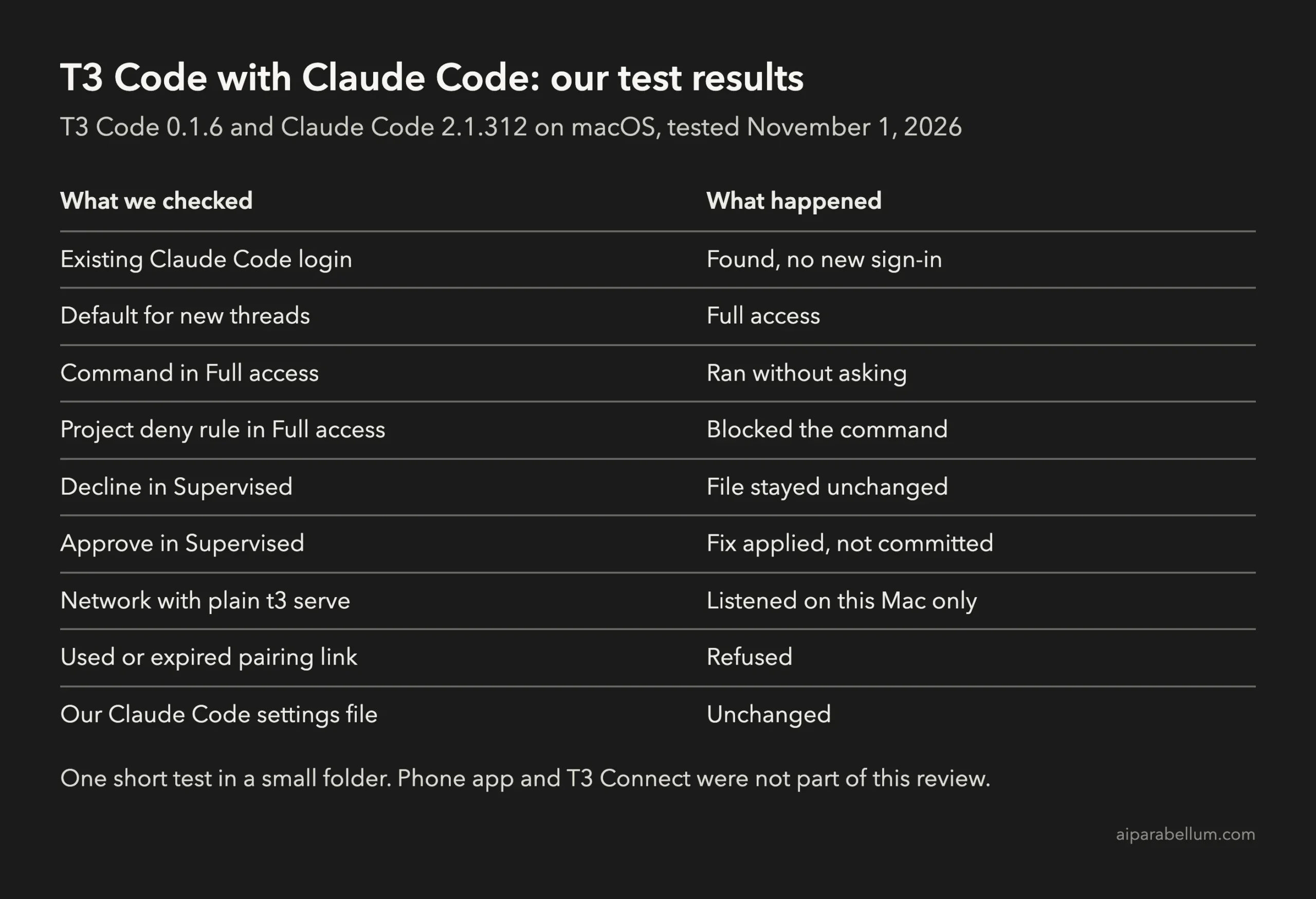
Key takeaway: T3 Code is a good fit if you want a visual workspace for Claude Code or several agents. Change the default permission mode first, and look closely at the import screen on first run.
What T3 Code Does With Claude Code
T3 Code is a control panel for coding agents already set up on your computer. It works with Claude Code, Codex, Cursor, Grok Build, OpenCode, Google Antigravity and fx.
It doesn’t replace Claude Code. T3 Code uses Claude Code’s existing login and configuration, so your subscription, settings and project files stay in the same place.
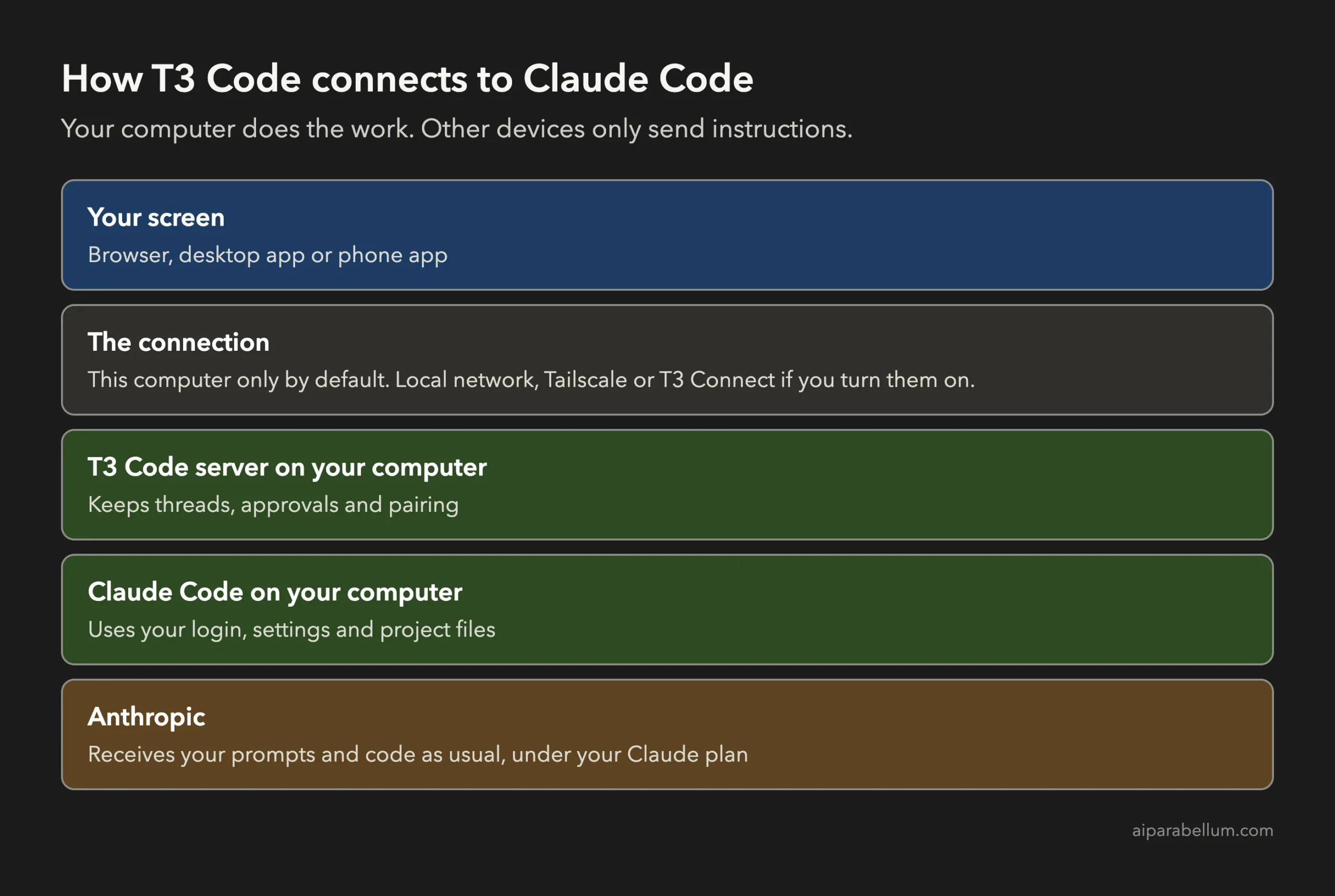
The project’s docs say your code and prompts go from your machine to your provider, not to T3’s servers. We didn’t audit that claim, so treat it as the maker’s statement.
How to Install T3 Code
You need Claude Code installed and signed in first. If you aren’t signed in yet, run this:
claude auth loginTo try T3 Code once without a permanent install, run this command:
npx t3@latestFor a regular install on Mac or Linux, use the official script from the T3 Code GitHub repository, then start the app:
curl -fsSL https://t3.codes/install.sh | sh
t3
On Windows, use this in PowerShell:
irm https://t3.codes/install.ps1 | iexThe installer script checks the download against a published checksum. As with any script piped into your shell, read it first if you want to know exactly what it does.
Plan for some disk space too. The Mac download was about 110 MB, and it unpacked to 340 MB.
Our T3 Code Test Setup
We tested T3 Code 0.1.6 with Claude Code 2.1.312 and Opus 5.5 on macOS on November 1, 2026. We used a small test project and opened the app in Chrome.
This review covers the command-line server and web app. It doesn’t cover the phone apps, the desktop app or T3 Connect.
Check the Import Screen on First Run
The setup screen found our Claude Code login right away and marked Claude as ready. We didn’t have to sign in again.
The next screen offers to import projects and conversations from Claude Code and Codex. Ours listed 176 projects and had 11 already selected.
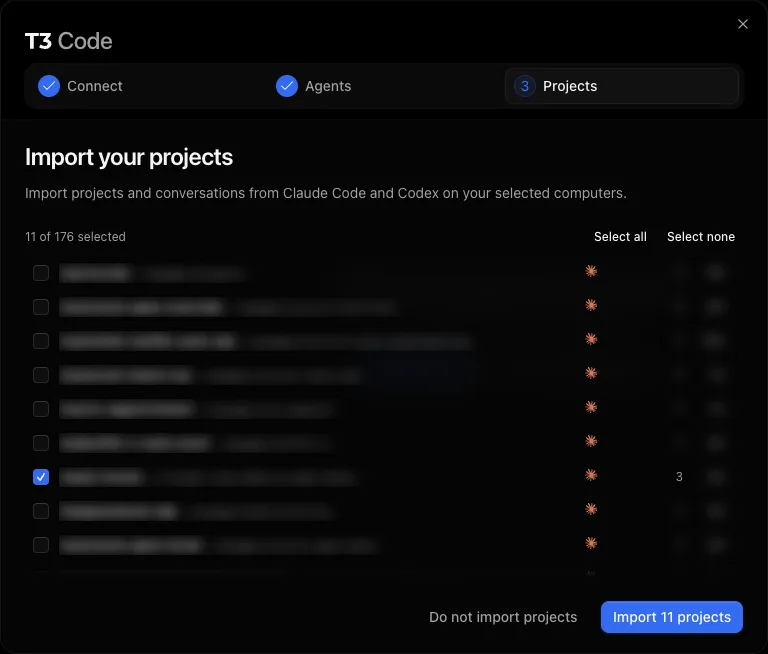
We chose Do not import projects and added only the test folder. If you want a clean start, do the same and add projects one at a time.
Change the T3 Code Permission Default
This is the setting to change first. In our install, a new thread started in Full access, which allows commands and edits without asking you.
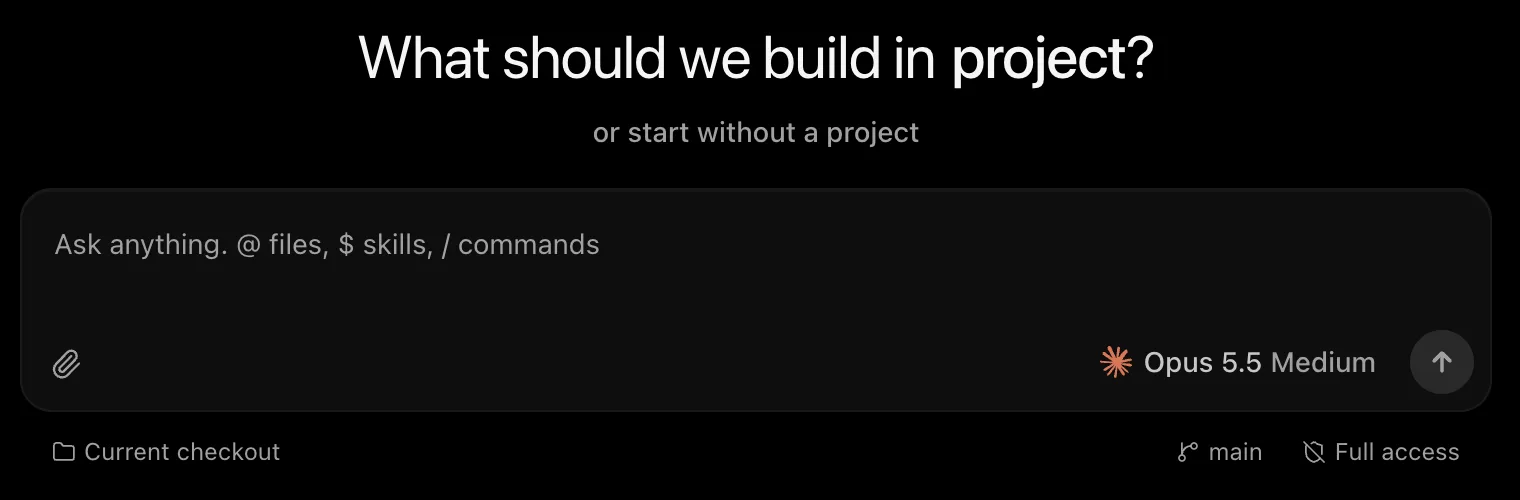
Here’s how to change the default:
- Open Settings.
- Go to Threads.
- Find Permissions under New threads.
- Choose Supervised or another mode you’re comfortable with.
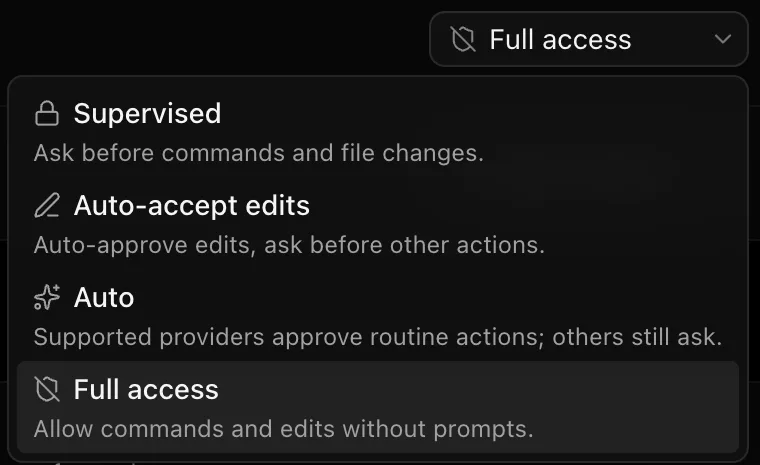
These modes work much like Claude Code permission modes. Existing threads keep their own mode, so check the mode on older threads too.
What Happened in Our T3 Code Tests
Supervised Mode Stopped and Waited
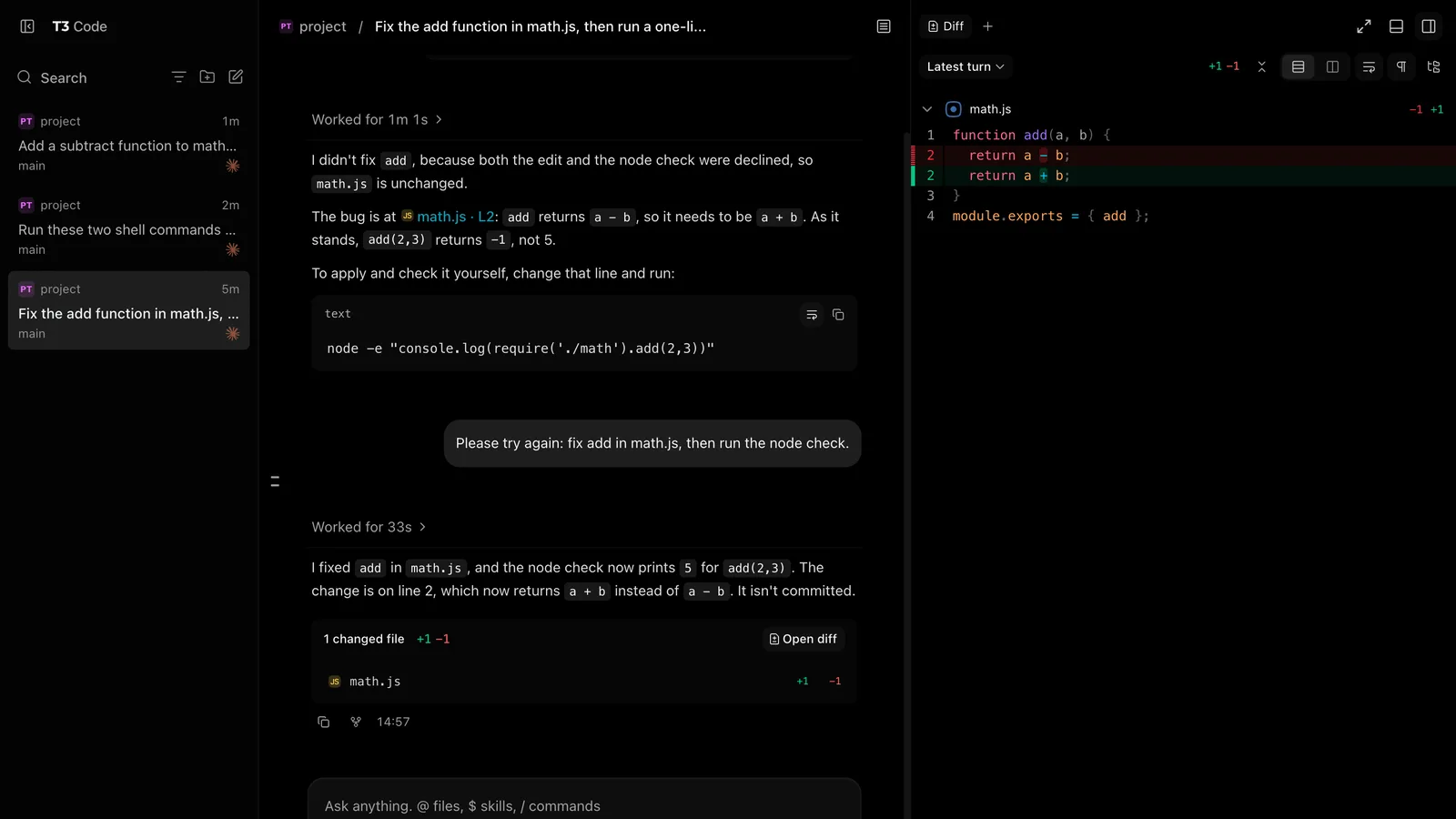
We asked Claude Code to fix a small bug in a test file, then run a command to confirm the fix. T3 Code stopped for the edit and again for the command.
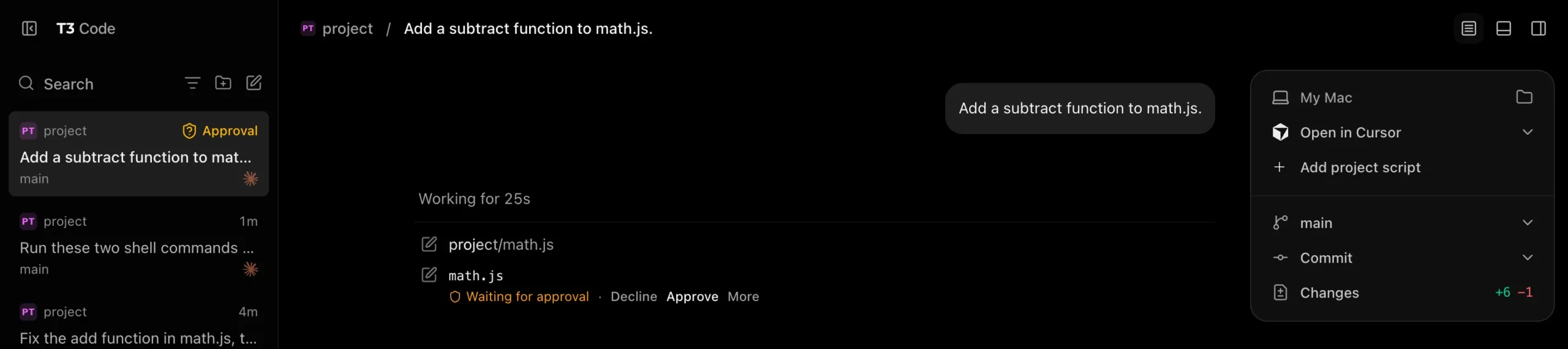
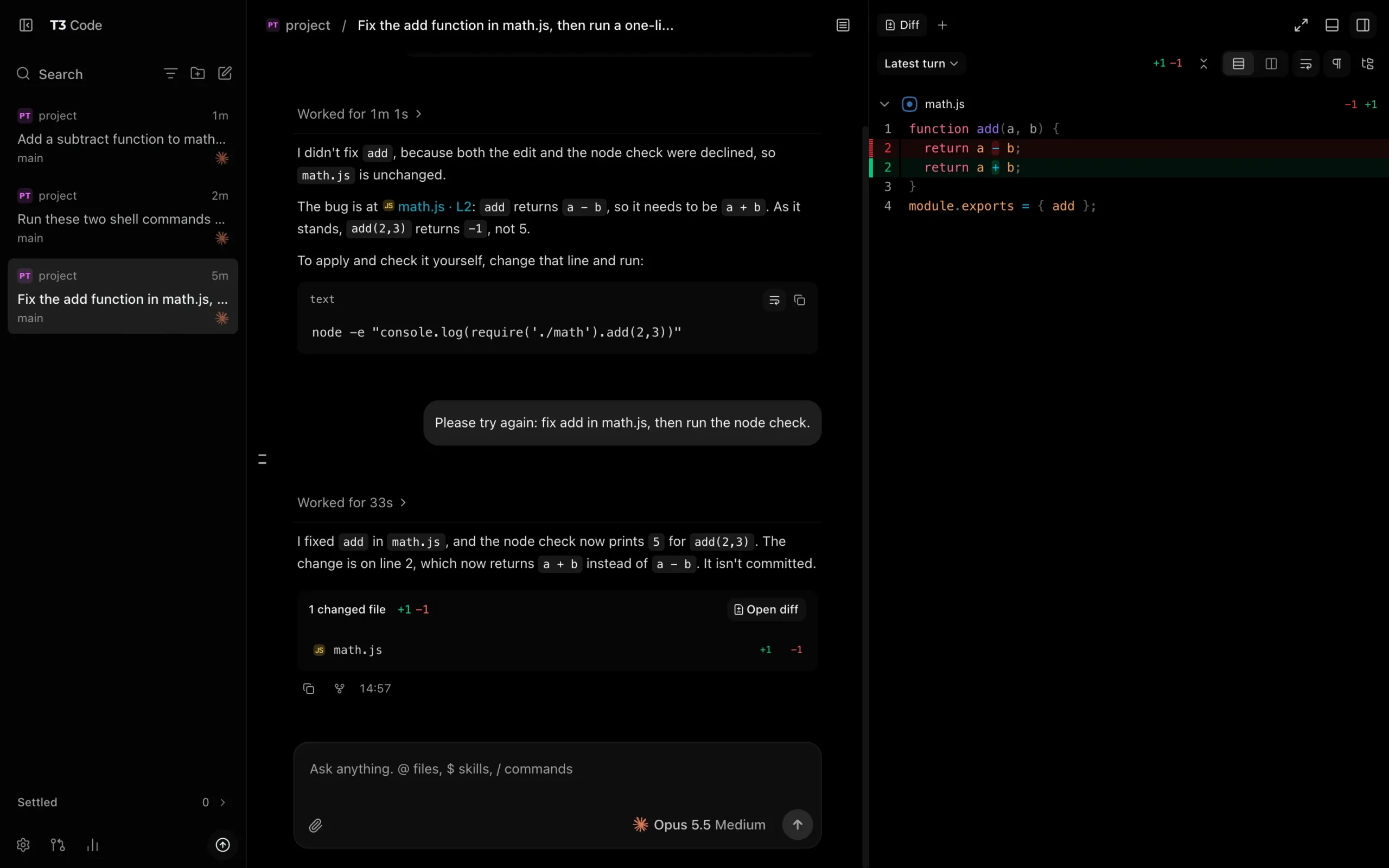
When we declined both, the file didn’t change, and Claude Code told us why it couldn’t finish. When we asked again and approved both, it fixed the bug and the check printed the right answer.
It didn’t commit anything. The change stayed in the working folder, and the diff panel showed exactly which line changed.
Full Access Ran Without Asking, but Deny Rules Still Worked
In Full access, we asked it to run two harmless commands. One of them was blocked by a deny rule in the test project’s Claude Code settings file.
{
  "permissions": {
    "deny": ["Bash(touch blocked*)"]
  }
}
The allowed command ran without a prompt. The denied command didn’t run, and the agent didn’t try another way.
That’s a useful safety net, but it only blocks what your rules name. One passing test also doesn’t prove every rule will behave the same way.
T3 Code Pairing Held Up
Plain t3 serve listened only on this computer, at 127.0.0.1. A new browser profile with no pairing token stopped at the pairing page.
| Pairing test | Result |
|---|---|
| No token | Stopped at the pairing page |
| A link that was already used | Refused as invalid |
| A link past its time limit | Refused as invalid |
| A fresh link in a new browser profile | Connected |
Links last 5 minutes by default, but the session you get lasts much longer. Our second browser’s session showed an expiry 30 days out, and you can review sessions with t3 auth session list.
Our test stayed on one computer. Network access changes the risk, because the docs say --lan leaves a pairing code as all that keeps other devices on your network out.
T3 Code vs Claude Code Remote Control
If you only want to check on Claude Code from your phone, Anthropic’s Remote Control feature is worth trying first. Here’s how they differ, based on our earlier guide and T3 Code’s docs.
| Question | T3 Code | Claude Code Remote Control |
|---|---|---|
| Who makes it? | An independent open-source project | Anthropic |
| Which agents? | Claude Code and several others | Claude Code |
| Where do you control it? | Its own web, desktop and phone apps | claude.ai/code and the Claude mobile app |
| Extra install? | Yes | No, it’s part of Claude Code |
| Where does the work run? | On your computer or server | On your computer |
What to Know Before You Use T3 Code
- It’s early software. The project’s own README calls it very early and tells you to expect bugs.
- It may use your limits faster. Its FAQ says Agent SDK use drains Claude’s 5-hour limit faster than using Claude Code directly, though not weekly limits. We didn’t measure this, so watch your usage for the first few days.
- It collects usage data by default. The product usage docs say events exclude prompts and file contents, and
T3CODE_TELEMETRY_ENABLED=falseturns them off on the server. We set this during our tests. - Remote access has extra steps. The T3 Connect option needs an account and links up to 3 machines for free, according to the docs.
- Terms are your call. The FAQ says you won’t be banned for using your subscription, adding, “If it works in T3 Code, you can trust it is safe.” That’s the maker’s promise, not Anthropic’s, so check your plan’s terms if it matters for your work.
Is T3 Code Worth It for Claude Code?
| You are | Our advice |
|---|---|
| Running several agents or threads every day | Worth trying |
| Using Claude Code and Codex together | Worth trying, since one app covers both |
| Wanting a visual diff and approval screen | Worth trying in Supervised mode |
| Only checking Claude Code from your phone | Try Remote Control first |
| Working on sensitive client code | Wait, or review it carefully first, because it’s still early |
T3 Code FAQs
Is T3 Code free?
The software is free and MIT licensed. You still pay for your Claude, Codex or other agent plans, and extra T3 Connect machines can require a paid T3 Chat plan.
Does T3 Code replace Claude Code?
No. T3 Code controls Claude Code, so Claude Code still has to be installed and signed in on the computer running the server.
Did T3 Code change our Claude Code settings?
No. Our main settings file was identical before and after the test. T3 Code conversations did appear as normal session files in Claude Code’s projects folder.
Does T3 Code work on Intel Macs?
The FAQ says there’s no t3 command-line build for Intel Macs, so you’d use the desktop app there.
How do you remove T3 Code?
Run t3 uninstall. It removes the background service, the launcher and every downloaded version, so check its prompts and your ~/.t3 folder afterward.
Conclusion
T3 Code is a capable workspace for Claude Code, and it passed our approval, deny-rule and pairing tests on one computer. Treat it as promising early software: skip the import unless you want it, change the Full access default, and keep watching your usage. If phone access to Claude Code is all you need, start with Anthropic’s Remote Control. If you want one screen for several agents, T3 Code is worth an hour of your time.