If Claude Code stops with an API Error 400 that says Invalid `signature` in `thinking` block, the Claude API could not verify a piece of Claude’s earlier reasoning that was sent back with your request. When people search for claude code invalid signature in thinking block, they are usually stuck in a session where every new message fails with the same error.
Your files are safe. The problem sits in the saved conversation history.
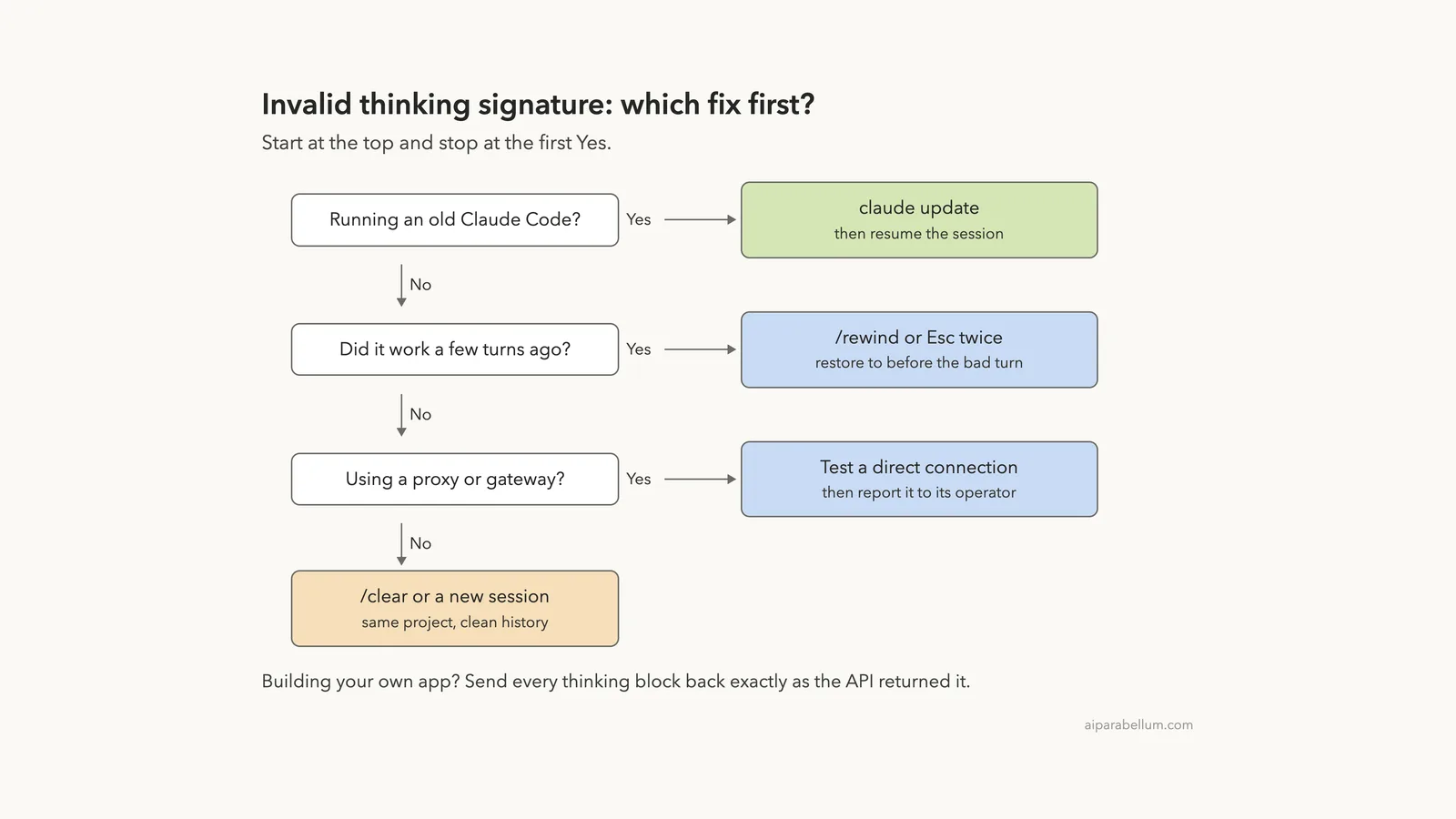
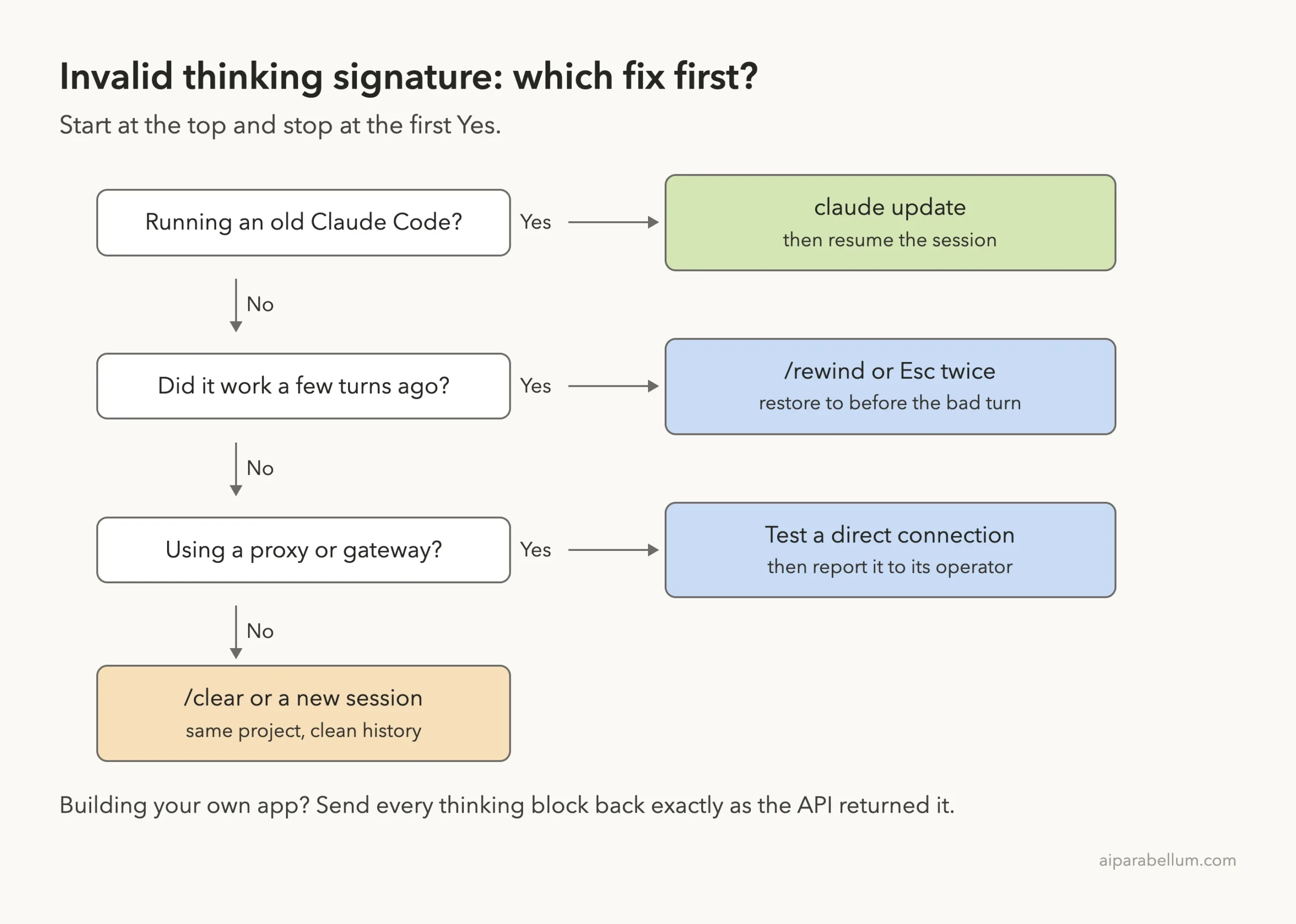
The fix is to give the API a clean history again. Here is the short fix list:
- Run
claude updatefirst, then resume the session withclaude --continue. - Run
/rewind, or pressEsctwice with an empty prompt, and step back to before the turn that broke. - If you use a proxy or gateway through
ANTHROPIC_BASE_URL, try the same task with a direct connection. - If nothing else works, run
/clearor start a new session in the same folder. - If you see it in your own app on the Claude API, send every thinking block back exactly as you received it.
This guide is part of our help series. Browse all our Claude Code tutorials for more fixes and how-tos.
Tested with Claude Code v2.1.328 on macOS on November 19, 2026. We can’t break a thinking signature on purpose without damaging a real session, so the exact error text, its causes and the API-side fixes come from Anthropic’s official documentation. We ran the Claude Code fixes below for real in a small demo folder, and those terminal captures are real.
Invalid Signature in Thinking Block: Quick Summary
| Question | Short answer |
|---|---|
| Message you see | API Error: 400 with Invalid `signature` in `thinking` block |
| What it means | A thinking block sent back to the API failed its signature check |
| Error type | 400 invalid_request_error |
| Models named in the docs | Claude Fable 5.2 and 5.1, Mythos 5.2 and 5.1, Opus 5.5, Sonnet 5.5, Haiku 5.5 |
| Does retrying help? | No, the same changed block is sent again |
| First fix | claude update, then resume |
| Main fix | /rewind or Esc twice |
| Last resort | /clear or a new session |
What the Thinking Block Signature Error Means
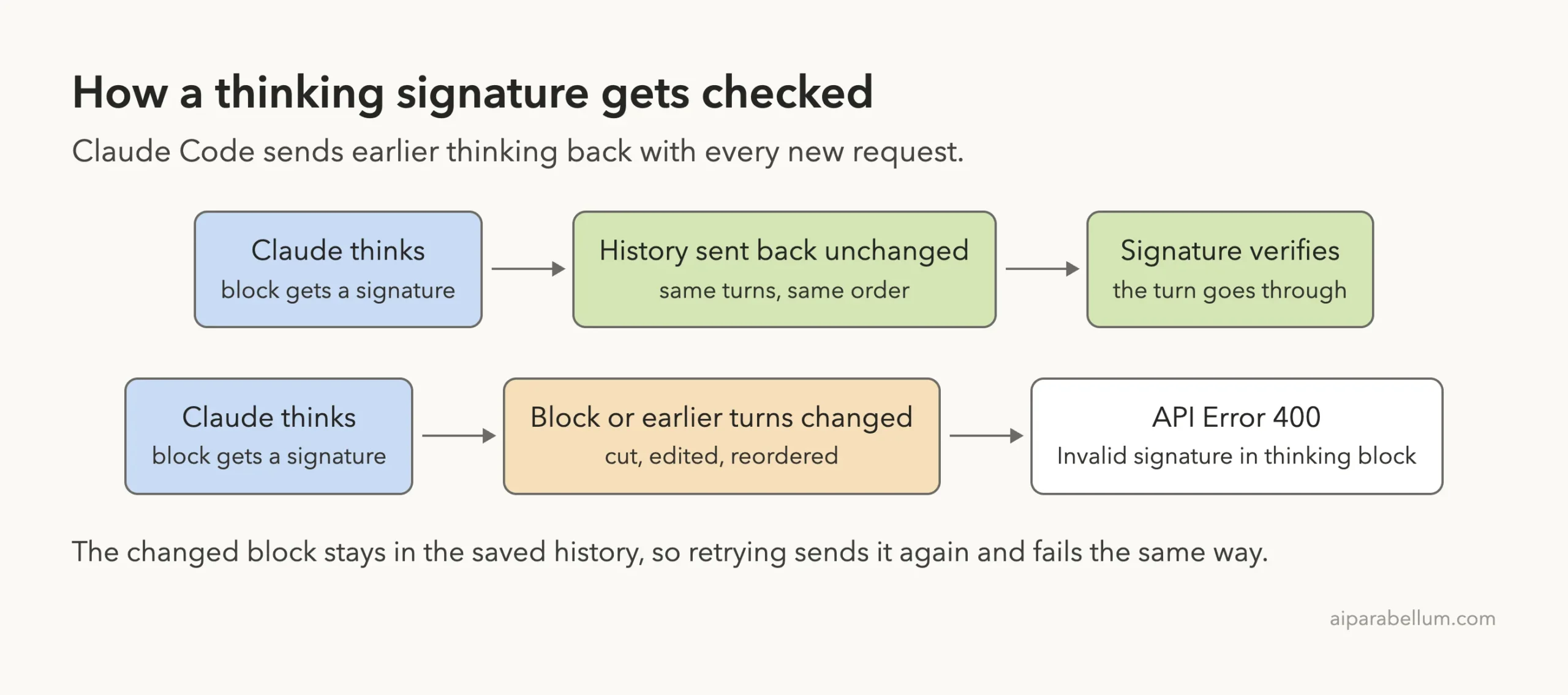
Before Claude answers, it can think through the problem. That reasoning comes back from the API as a thinking block. Each thinking block carries a signature field, which is an encrypted copy of the full reasoning.
Claude Code sends earlier turns back with every new message, thinking blocks included. Anthropic’s Thinking docs say the API uses the signature to verify that thinking blocks were generated by Claude when you pass them back. If that check fails, the API refuses the whole request.
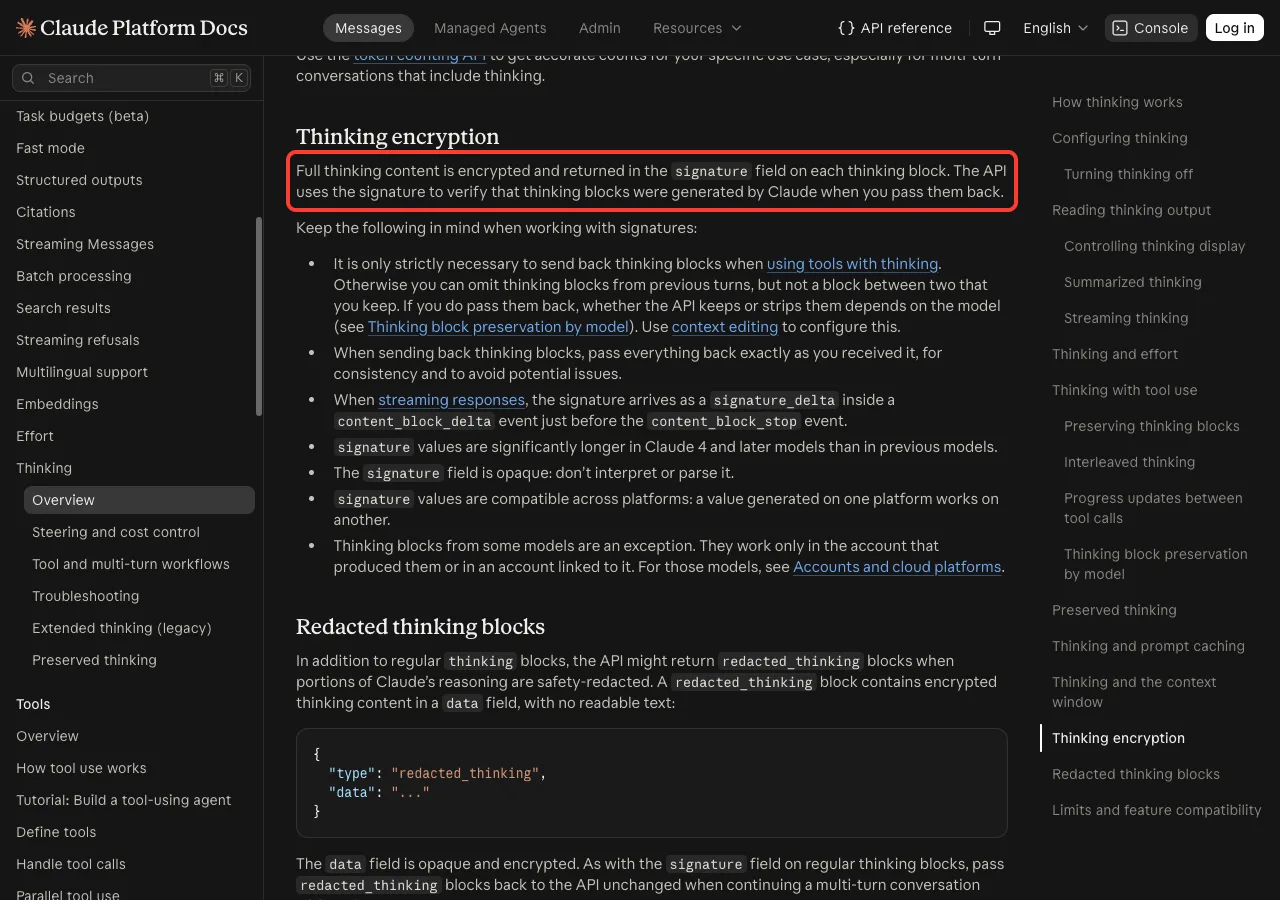
The same section adds a simple rule: when you send thinking blocks back, pass everything back exactly as you received it. Claude Code does this for you, so this error usually means something in the saved history changed between requests.
The Exact Error Message
Anthropic’s thinking troubleshooting page lists the full wording. A request that replays earlier thinking blocks to the newest models can fail with a 400 invalid_request_error that reads:
messages.{i}.content.{j}: Invalid `signature` in `thinking` block. The block is bound to a different conversation. Remove the block, or set `thinking.block_binding.prefix_mismatch_behavior` to "drop_block".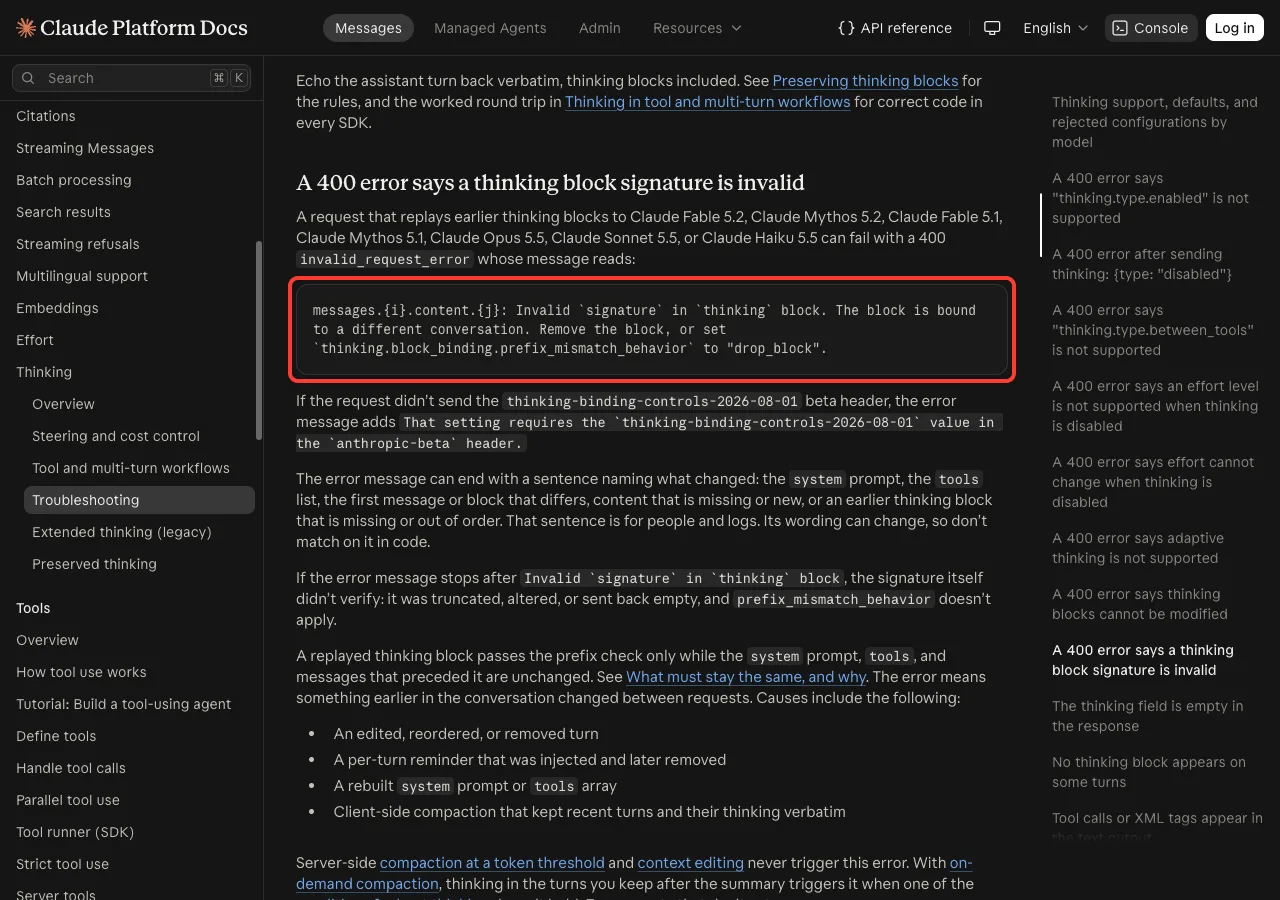
The numbers in messages.{i}.content.{j} point to the message and the block that failed. The message can also end with a sentence that names what changed, such as the system prompt, the tools list or a missing turn. Anthropic notes that this last sentence is for people and logs, and its wording can change.
Short Version vs Long Version
There are two flavors of this error, and they mean slightly different things:
| What the message says | What happened |
|---|---|
Stops right after Invalid `signature` in `thinking` block | The signature itself didn’t verify: it was truncated, altered or sent back empty |
| Continues with “The block is bound to a different conversation” | The signature is fine, but something before the block changed between requests |
Both end the same way in Claude Code: every turn in that session fails until the history is clean again.
Common Causes of an Invalid Thinking Signature
On the newest models, a thinking block is tied to everything that came before it: the system prompt, the tools list and every earlier message. Anthropic calls this the prefix check. If any of those change, the block no longer matches.
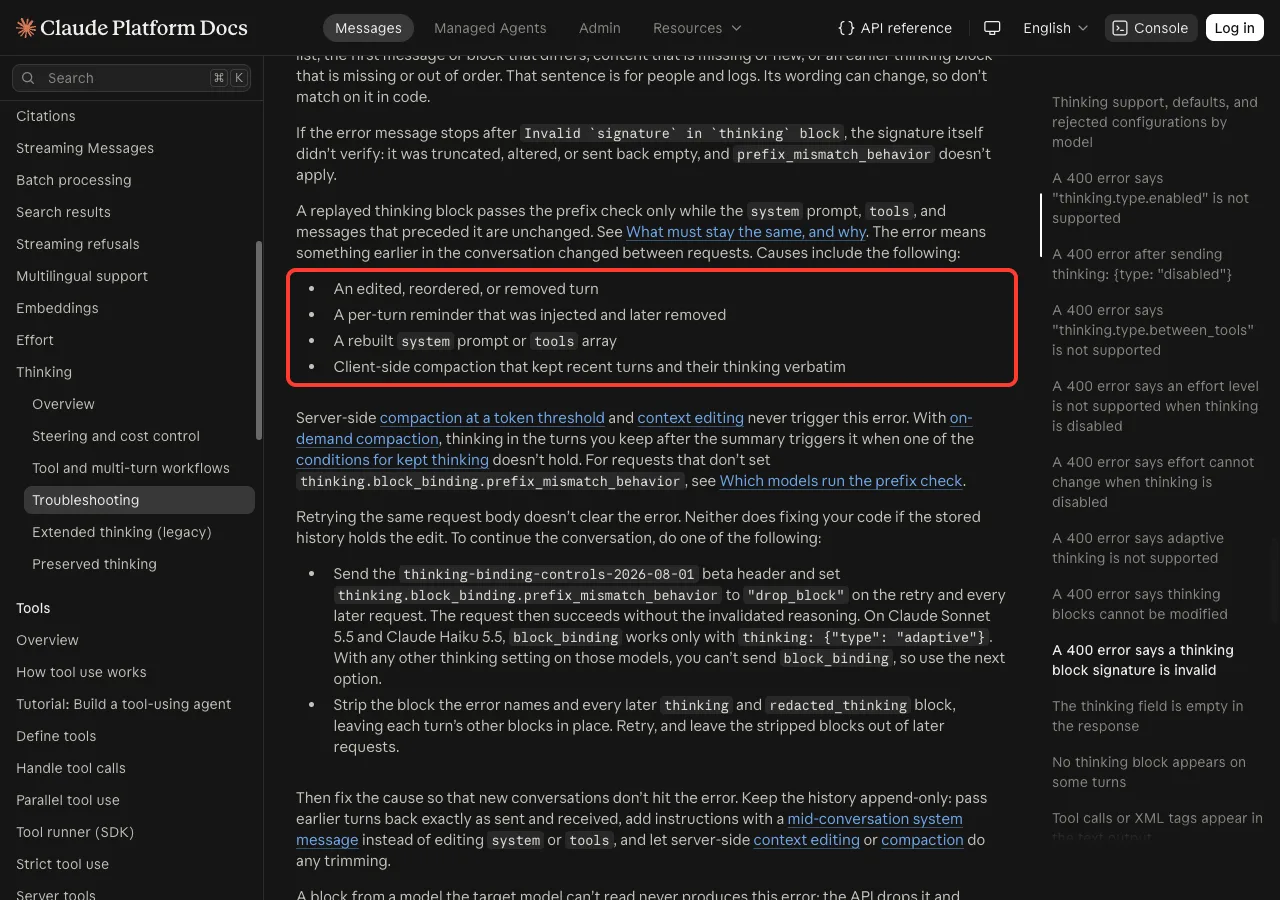
The docs list these causes:
- An edited, reordered or removed turn in the conversation.
- A per-turn reminder that was injected and later removed.
- A rebuilt system prompt or tools array.
- Client-side compaction that kept recent turns and their thinking word for word.
For the short version of the message, the cause is a signature that was cut off, changed or emptied on its way back. In Claude Code, the usual suspects are an older version, a session that was interrupted mid-turn, or a proxy or gateway that rewrites requests before they reach Anthropic. Anthropic doesn’t name every trigger, so treat these as the places to look first.
What Doesn’t Cause It
Many people assume that switching models in the middle of a session breaks the signature. Anthropic’s preserved thinking docs say otherwise for the Claude API.
A thinking block that the new model or account can’t use never causes an error. The API drops it for that request, doesn’t bill it, and Claude answers without that reasoning.
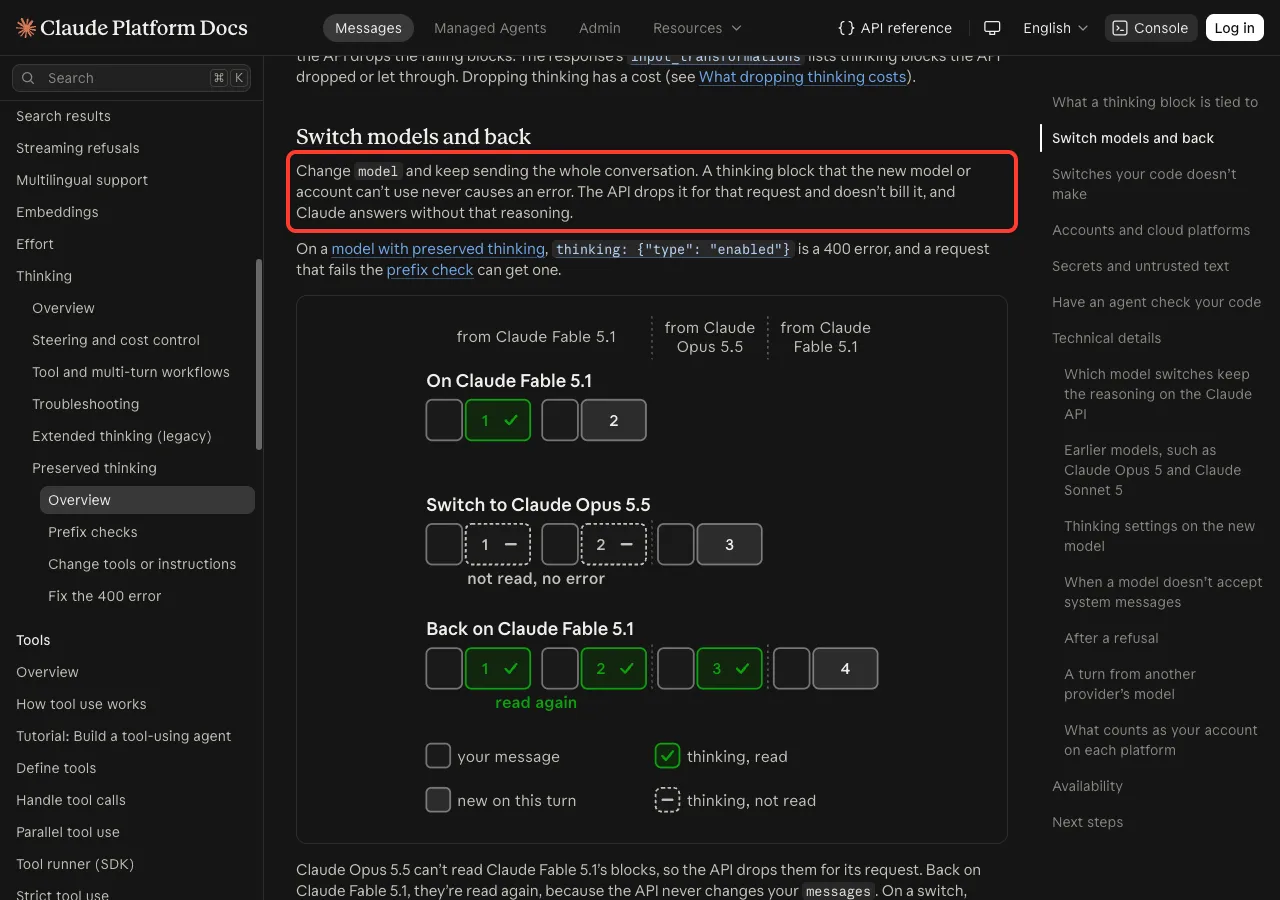
The same goes for accounts. Blocks from Fable 5.2, Mythos 5.2, Sonnet 5.5 and Haiku 5.5 work only in the account that produced them, and the docs say other accounts drop them with no error. Server-side compaction and context editing never trigger this error either.
So if you switched with /model and then saw the error, look at what else changed, such as a proxy in between. Our guide to choosing a model covers /model in detail.
The error is about the saved conversation, not your code. Give the API a clean history and the session works again.
How Claude Code Groups This Error
Claude Code’s own error reference puts thinking block problems in the “Tool use or thinking block mismatch” family. One listed variant says thinking blocks cannot be modified, and the page says all variants mean the history no longer matches what the API expects.
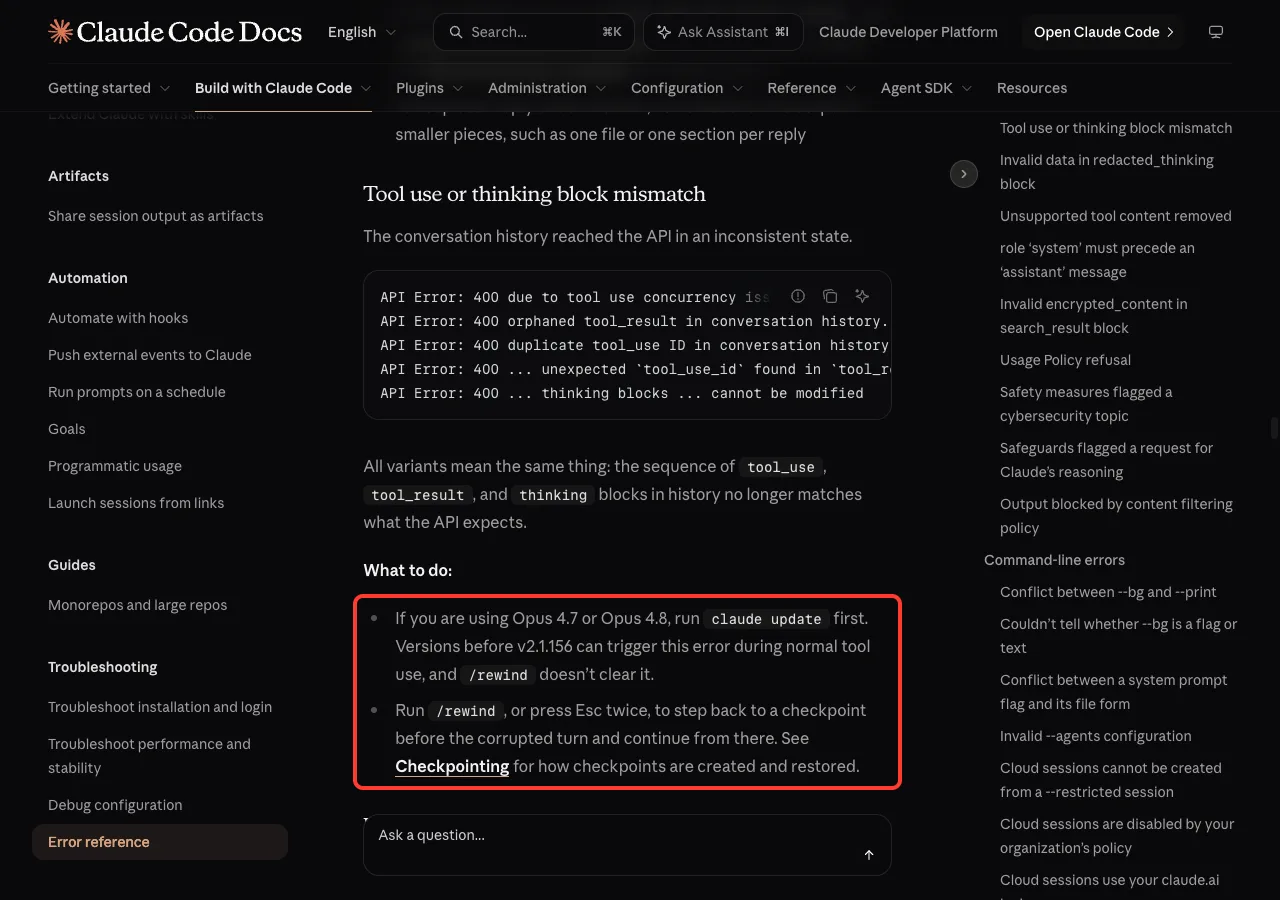
The two official fixes there are to update first and then rewind. When we checked on November 19, 2026, the Claude Code reference did not list the signature wording on its own, so the steps below combine that entry with the Claude Platform troubleshooting page. The tool call version of this problem has its own guide on our tool_use error page.
Fix 1: Update Claude Code
Start here, because it takes seconds. Claude Code keeps changing how it builds requests, and Anthropic’s error reference names several 400 errors that older versions caused and newer ones avoid. Check your version, then update:
claude --version
claude update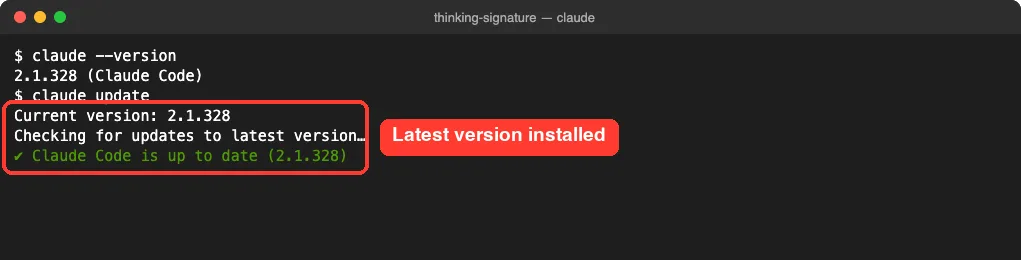
On our Mac, Claude Code was already on v2.1.328. After an update, start Claude Code again and resume with claude --continue or /resume. Our guide to resuming sessions explains both.
If the resumed session still fails, the changed block is already saved in its history. Move on to Fix 2.
Fix 2: Rewind to Before the Broken Turn
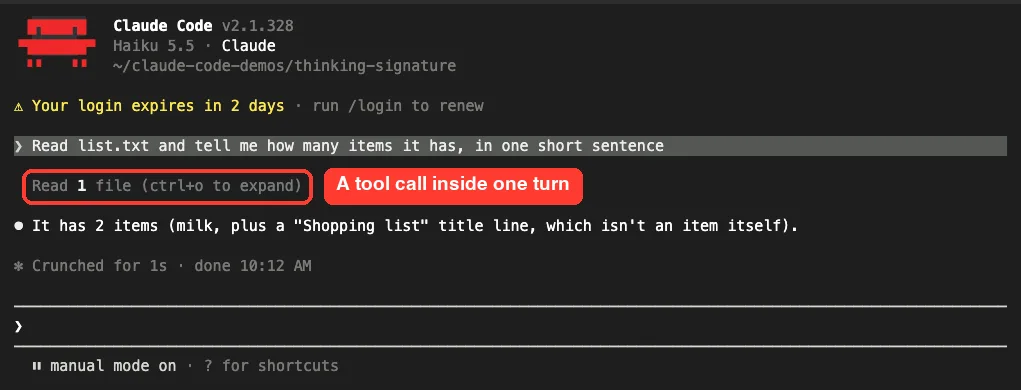
The rewind menu lets you drop the bad part of the conversation and carry on from a clean point. Every turn with thinking and tool calls becomes part of the history, like the file read in our demo below.
Step 1: Open the Rewind Menu
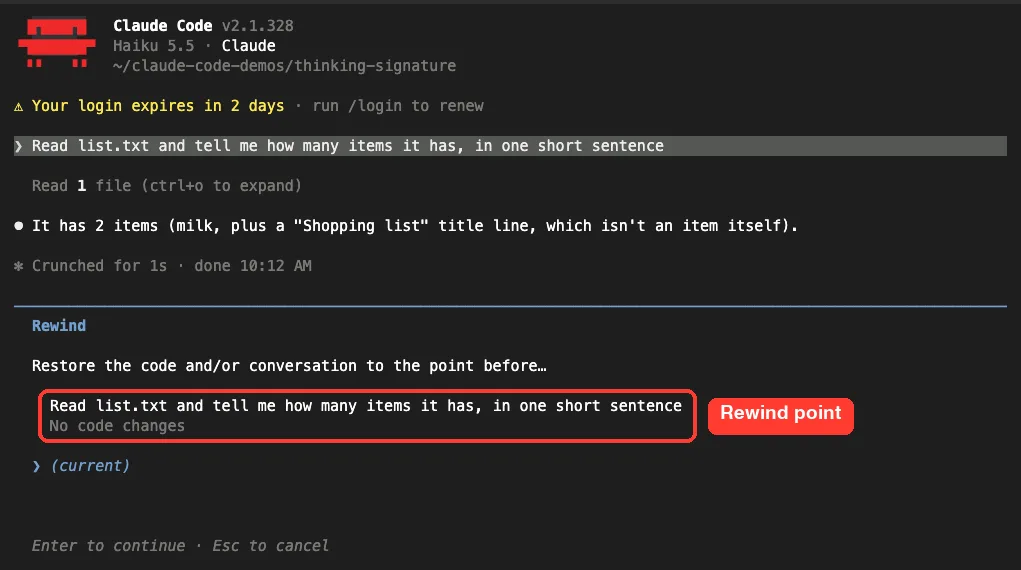
Type /rewind and press Enter. You can also press Esc twice, but only when the prompt box is empty. If text is in the box, a double Esc clears the text instead.
Step 2: Pick the Prompt Where It Broke
The menu lists the prompts you sent in this session. Pick the one where the error first appeared, and Claude Code goes back to the point before that prompt.
Step 3: Restore the Conversation
Claude Code then asks what to restore. If your files are fine and only the chat is broken, choose Restore conversation. If you also want Claude’s file edits undone, choose Restore code and conversation.
Then send your prompt again. Our checkpoints and rewind guide walks through every option in the menu.
Fix 3: Check Your Proxy or Gateway
If you route Claude Code through a proxy, an LLM gateway or a corporate tool set with ANTHROPIC_BASE_URL, that layer sees every request. If it rewrites, trims or re-orders messages, the thinking blocks no longer match what the API sent.
Claude Code’s error reference gives a clear test for history errors that repeat behind a proxy: connect without the proxy to confirm the source, and report the error to whoever operates it. In practice, that means:
- Exit Claude Code.
- Start it in a terminal where
ANTHROPIC_BASE_URLis not set, if your company allows a direct connection. - Start a fresh session and repeat the task.
- If it works, send the error text and time to the proxy’s operator.
Never paste your API key or a token into a bug report. If you work behind a company network, our guide to corporate proxy setup covers the proxy variables.
Fix 4: Start a Clean Conversation
Sometimes there is no clean point to rewind to, for example when the first turn already fails. Then start fresh in the same folder:
- Run
/clearto start a new conversation in the same Claude Code window. - Or exit with
/exitand runclaudeagain without--continue.
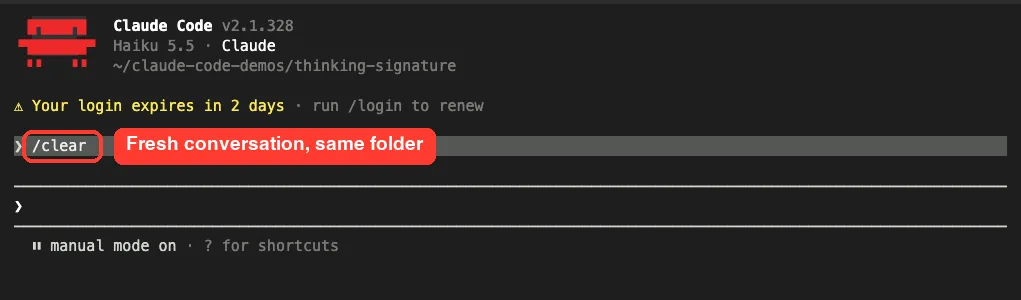
Your old conversation isn’t deleted. Anthropic’s error reference says the previous conversation stays on disk and remains available in /resume. Before you clear, ask Claude for a short summary of the task so you can paste it into the new conversation.
Fix 5: If You Build Your Own App on the Claude API
Many people who search this message are writing their own agent with the Claude API. In that case, Anthropic’s troubleshooting page says retrying the same request body won’t help, and neither will fixing your code if the stored history already holds the edit. You need to do one of two things.
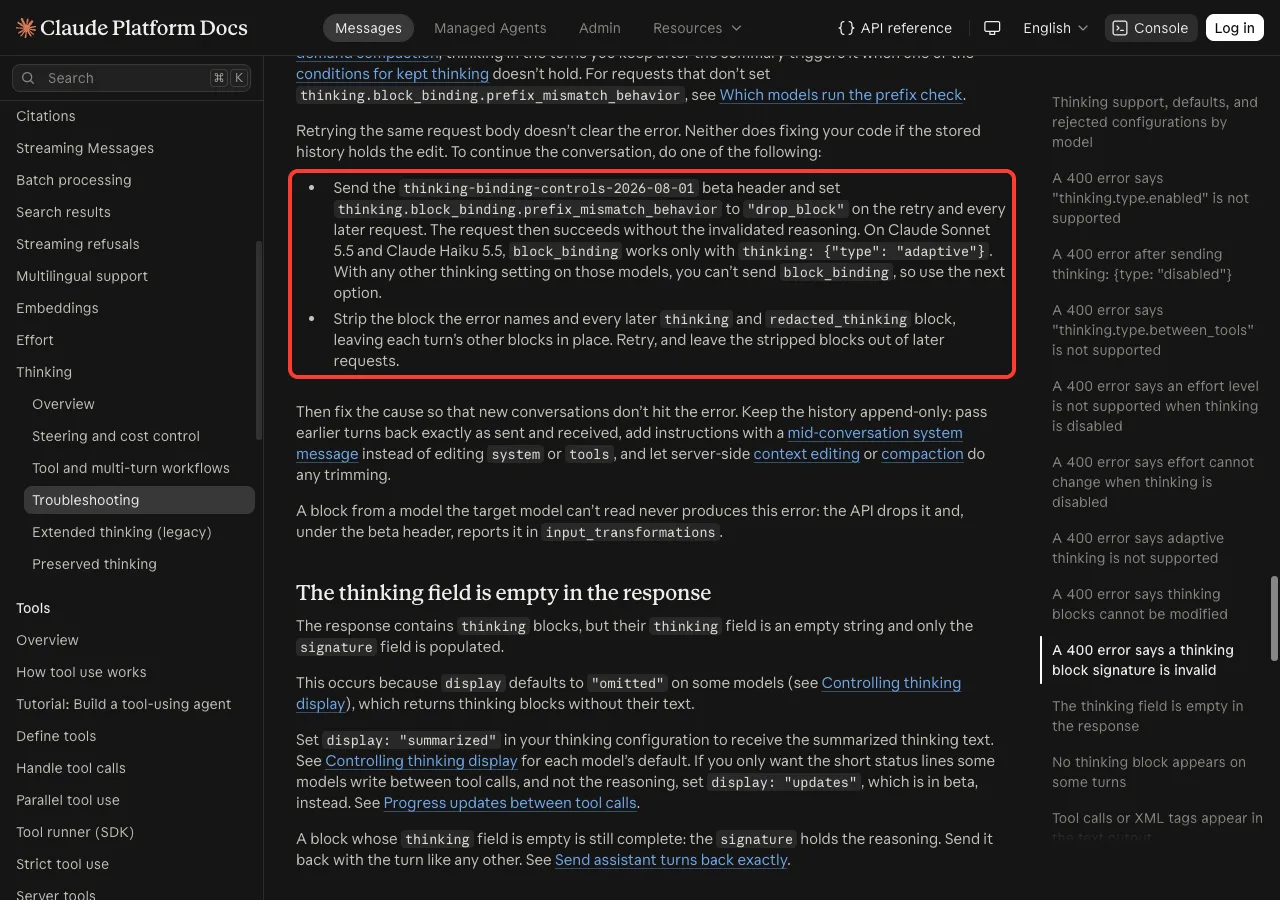
- Send the
thinking-binding-controls-2026-08-01beta header and setthinking.block_binding.prefix_mismatch_behaviorto"drop_block"on the retry and every later request. On Sonnet 5.5 and Haiku 5.5 this works only with adaptive thinking. - Or strip the block the error names and every later
thinkingandredacted_thinkingblock, leaving the other blocks in place, and keep them out of later requests.
Here is the shape of the first option in a request body:
"thinking": {
  "type": "adaptive",
  "block_binding": {
    "prefix_mismatch_behavior": "drop_block"
  }
}
Then fix the cause so new conversations don’t hit it:
- Keep the history append-only, and pass earlier turns back exactly as sent and received.
- Never trim, re-encode or rebuild the
signaturestring. - Add new instructions with a mid-conversation system message instead of editing the system prompt or tools.
- If you filter blocks by type, keep
redacted_thinkingblocks too. - Let server-side compaction or context editing do any trimming.
Real Examples
Here is how the fixes map to everyday situations:
| Situation | Best fix |
|---|---|
| Every message fails after weeks without updating | claude update, then resume |
| It worked, then broke after a turn was cut off | /rewind to before that turn |
| It only happens on the company network | Test a direct connection, then report it |
| The first turn of a resumed session fails | /clear or a new session |
| Your own agent fails after you edit old messages | drop_block, or strip the named and later thinking blocks |
Try It Yourself
Practice the recovery moves before you need them. Make an empty folder with a small text file, start claude in it, and send one short prompt:
Read list.txt and tell me how many items it has, in one short sentenceNow type /rewind, look at the restore point, and press Esc to leave. Then run /clear and see the clean prompt. Those two commands are your main way out when the signature error appears.
Common Mistakes
- Sending the same prompt again and again. The changed block goes with each request, so each one fails.
- Blaming
/model. On the Claude API, unreadable blocks from another model are dropped without an error. - Pressing
Esctwice with text in the box. That clears the text instead of opening the rewind menu. - Hand-editing session files to remove a block. That changes the history again, so use
/rewindor/clear. - In your own code, filtering for
thinkingblocks only and silently losingredacted_thinkingblocks.
Pro Tips
- Keep Claude Code current with
claude update, since many history errors were fixed in later versions. - Commit your work in Git often, so a fresh start never costs you file changes.
- Use Restore conversation when your files are right and only the chat is broken.
- To switch models for one session only, open the
/modelpicker and pressson the model’s row. - Split long tasks into smaller steps, so a rewind costs you less work.
Seeing a different message? Our list of common errors covers the rest, and the 400 and 500 guide explains other request errors.
Invalid Thinking Signature Cheat Sheet
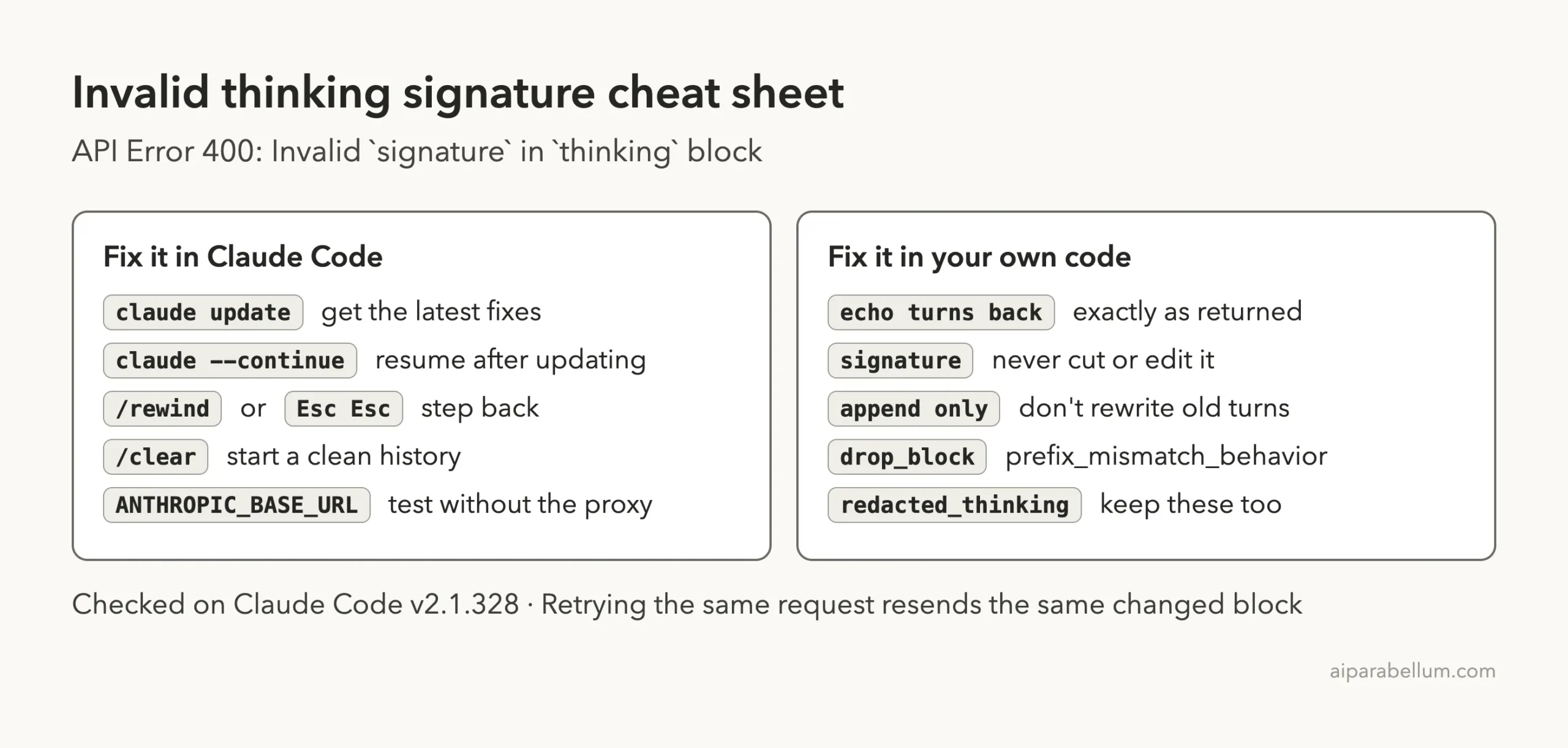
For every other command, keep our commands cheat sheet nearby. You can read Anthropic’s own entries in the Claude Code error reference, the troubleshooting guide and the model configuration page.
Frequently Asked Questions
What does “Invalid signature in thinking block” mean?
It means the Claude API couldn’t verify a thinking block that was sent back with your request. Either the signature itself was cut or changed, or something earlier in the conversation changed, so the block no longer fits.
Did I lose my code?
No. The error is about the conversation history, not your files. If you rewind, choose Restore conversation to keep your files exactly as they are.
Does switching models cause this error?
Not on its own. Anthropic’s docs say a block the new model or account can’t use is dropped without an error. If the error starts after a switch, check for a proxy or an edited history.
Why does every message fail after the first error?
Claude Code sends the whole conversation with each message. The changed block stays in that history, so every request fails until you rewind past it or clear the conversation.
Can I set drop_block in Claude Code?
We found no Claude Code setting for it in the docs, since Claude Code builds the requests for you. Use claude update, /rewind or /clear there, and save drop_block for your own API code.
Conclusion
The Claude Code invalid signature in thinking block error means the API couldn’t verify Claude’s earlier reasoning, because the block or the turns before it changed, so every new request in that session fails the same way. Run claude update first, then use /rewind or Esc twice to step back before the bad turn, test without your proxy if you use one, and fall back to /clear when no clean point exists. If you build your own app, send every thinking block back untouched or use drop_block to recover. To see what else Claude AI can do, browse the rest of our guides.