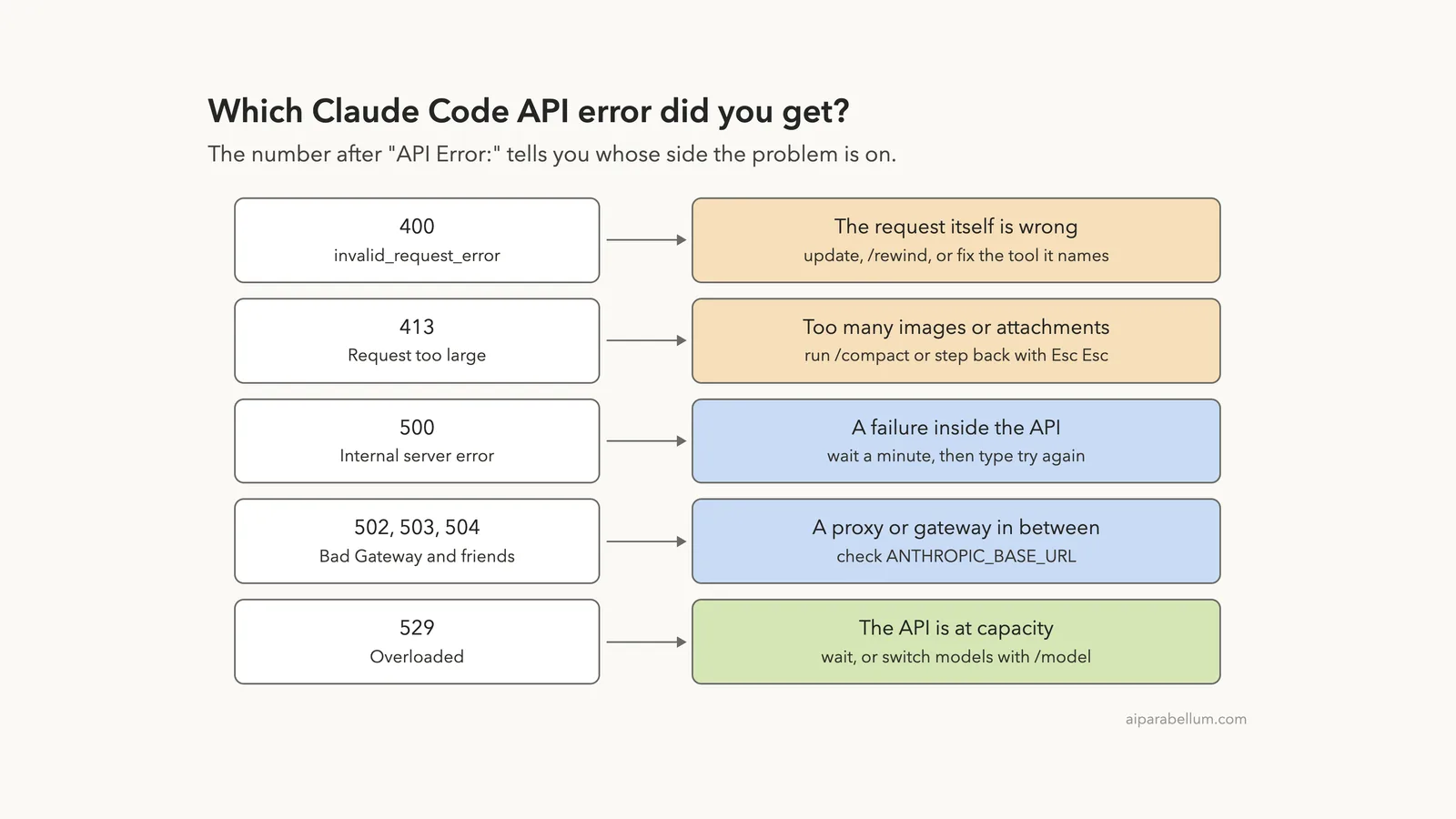
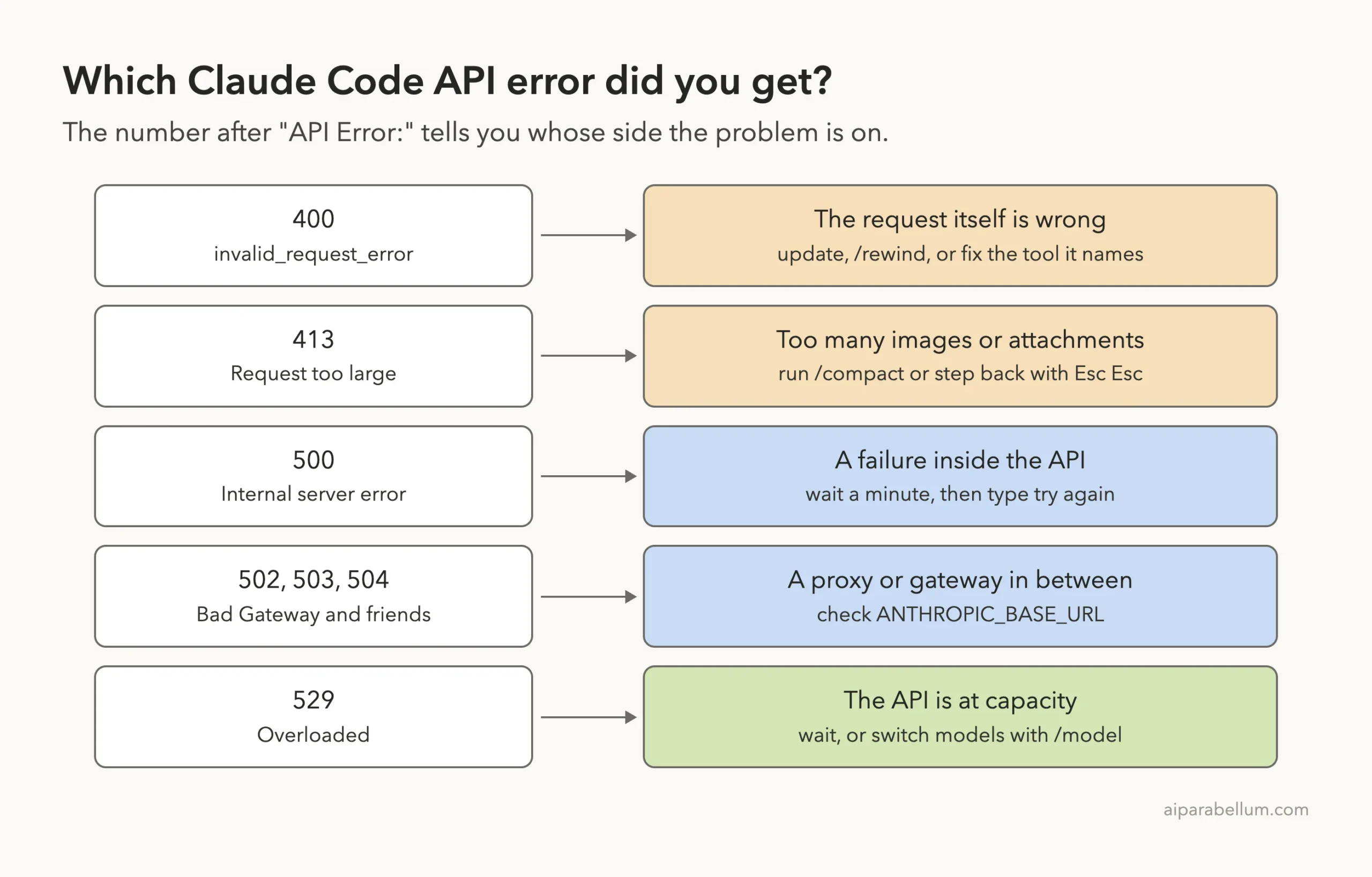
A Claude Code API error 400 means the API rejected the request itself, so sending the same message again will fail the same way. An API error 500 is the opposite: something broke inside the API, your request was fine, and waiting a minute usually clears it. The number right after API Error: tells you which side has the problem.
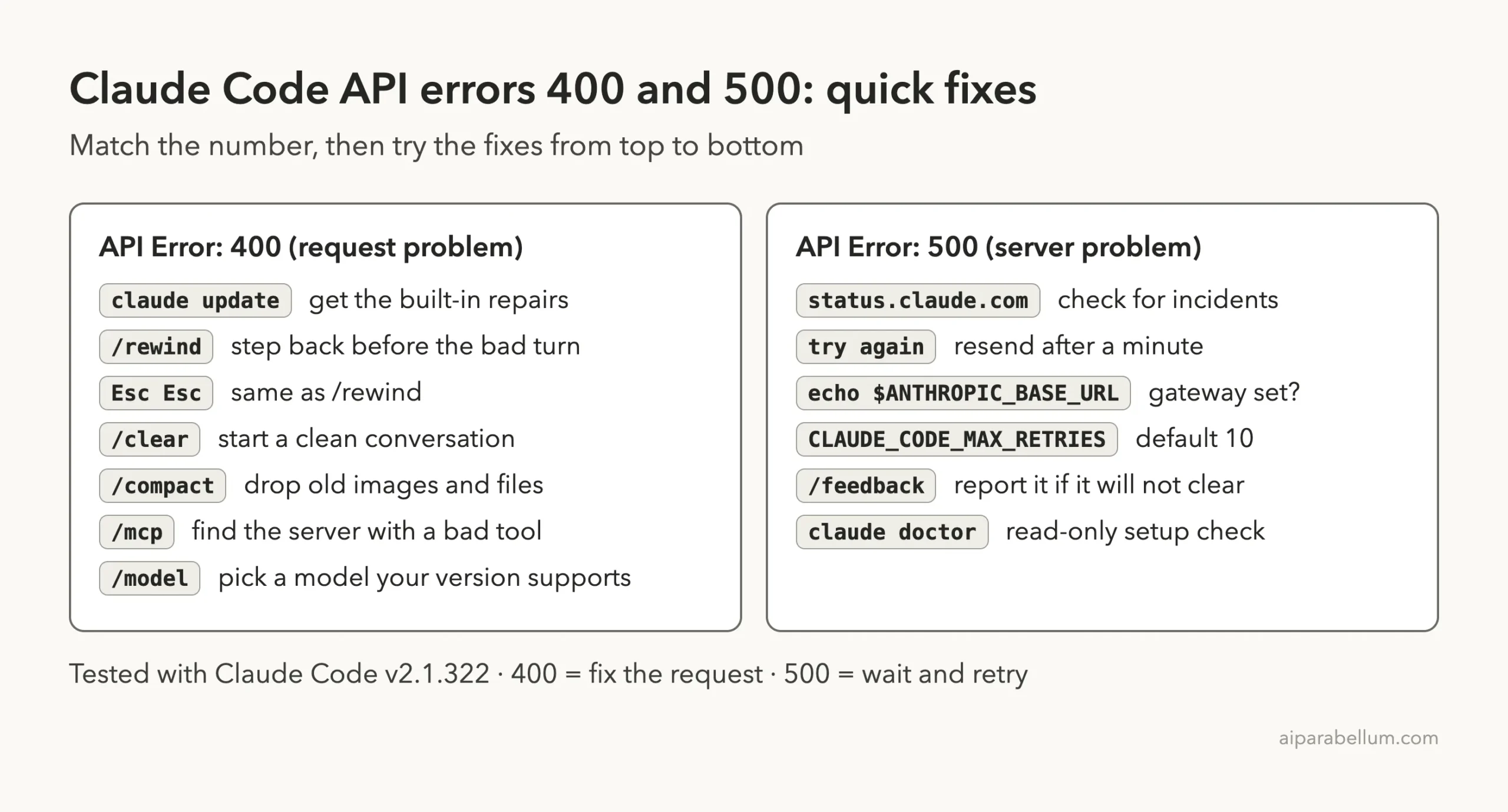
The short fix for a 400: read the text after the number, run claude update, then run /rewind (or press Esc twice) to step back before the turn that broke the conversation. If it still fails, run /clear, and check your MCP servers or gateway if the message names a tool or a field.
The short fix for a 500: do nothing for a minute, check status.claude.com, then type try again. Claude Code has already retried for you before it shows the error, so a 500 on screen means the automatic retries have already failed. In our test that took about three minutes.
This guide is part of our help series. Browse all our Claude Code tutorials for more fixes and how-tos.
Tested with Claude Code v2.1.322 on macOS on November 15, 2026. We reproduced the 400, 413, 500 and 502 messages by pointing Claude Code at a small test server on our own Mac that answers with those status codes, inside a throwaway folder. The causes and fixes for the 400 variants we did not trigger come from Anthropic’s official error reference, and each section says which is which.
Claude Code API Error 400 and 500: Quick Summary
Find the first words of your message in the left column. The status codes and error types come from Anthropic’s API errors page, and the Claude Code wording comes from our own runs and the official error reference.
| Message you see | Whose side | What it means | First thing to try |
|---|---|---|---|
API Error: 400 ... | The request | invalid_request_error: the format or content of the request is wrong | claude update, then /rewind |
Request too large (max 32MB) | The request | HTTP 413: images and attachments pushed the request over the size limit | /compact |
API Error: 500 Internal server error | The API | api_error: an unexpected failure inside the API | Wait a minute, then try again |
API Error: 502 Bad Gateway | In between | A proxy, load balancer or gateway answered with an error page | Check ANTHROPIC_BASE_URL |
API Error: Repeated 529 Overloaded errors | The API | overloaded_error: the API is at capacity | Wait, or switch with /model |
What a 400 and a 500 Actually Are
Every message you send in Claude Code becomes a request to the Claude API. The API answers with a status code, and anything from 400 up means the request failed. Claude Code prints that code after the words API Error: along with the API’s own explanation.
Codes in the 400s point at the request. Anthropic’s API reference describes 400 as invalid_request_error, an issue with the format or content of what was sent. Codes in the 500s point at the server: 500 is api_error, described as an unexpected error inside Anthropic’s systems.
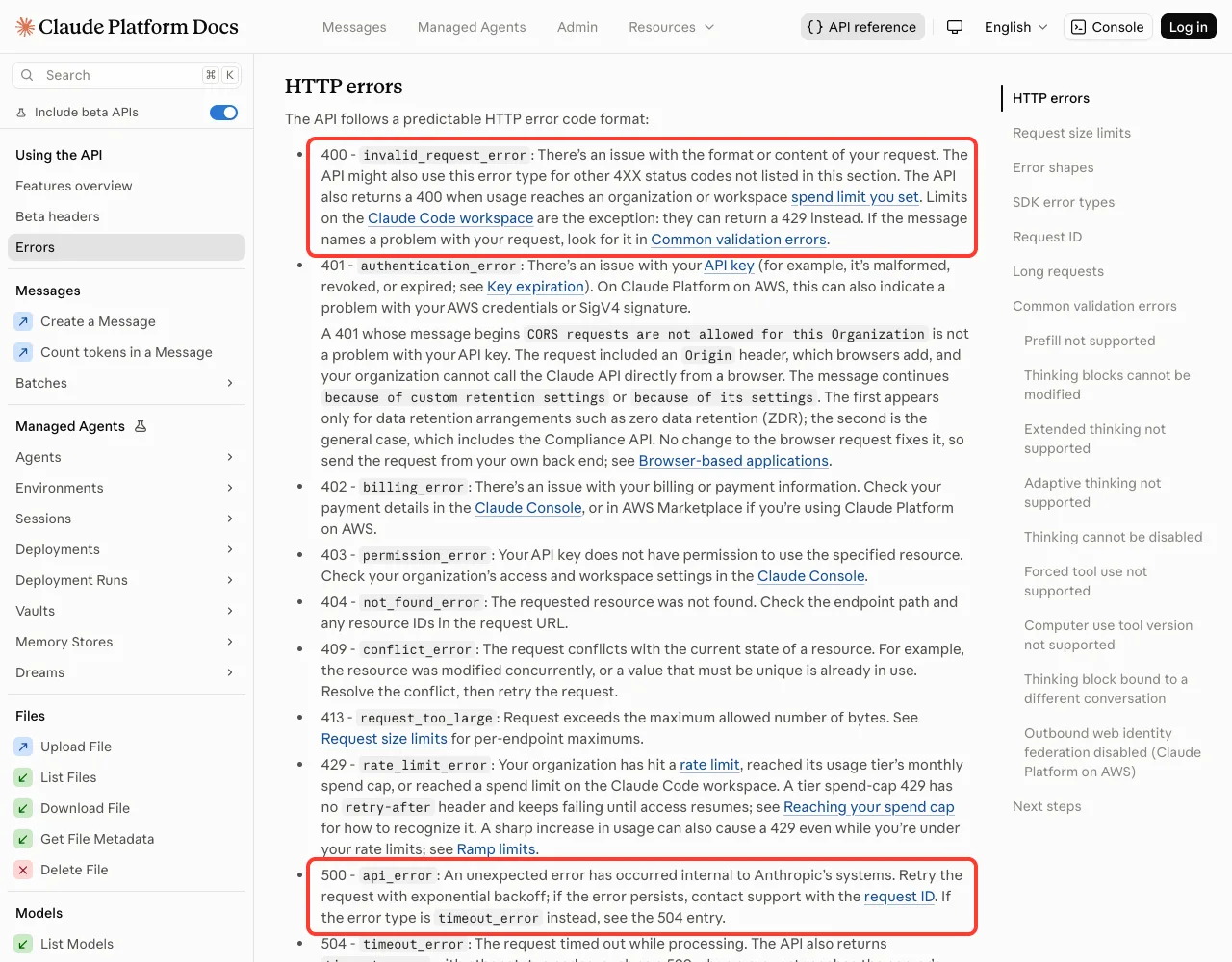
In Claude Code you did not write the request by hand, so a 400 rarely means you typed something wrong. It usually means the conversation history, a tool from an MCP server, an attachment or an outdated Claude Code version put something into the request that the API will not accept.
A 400 is about what was sent. A 500 is about who received it. Fix the first, wait out the second.
Errors with their own guides
Some status codes have a single clear cause, and we cover each in its own post. A 401 or 403 is a sign-in problem, covered in our guide to login errors. A 429 is about limits, covered in rate limit errors.
A 529 means the API is at capacity, and our 529 overloaded guide walks through it. If no status code appears at all and the message talks about a connection, see connection errors instead.
What Claude Code API Error 400 Looks Like
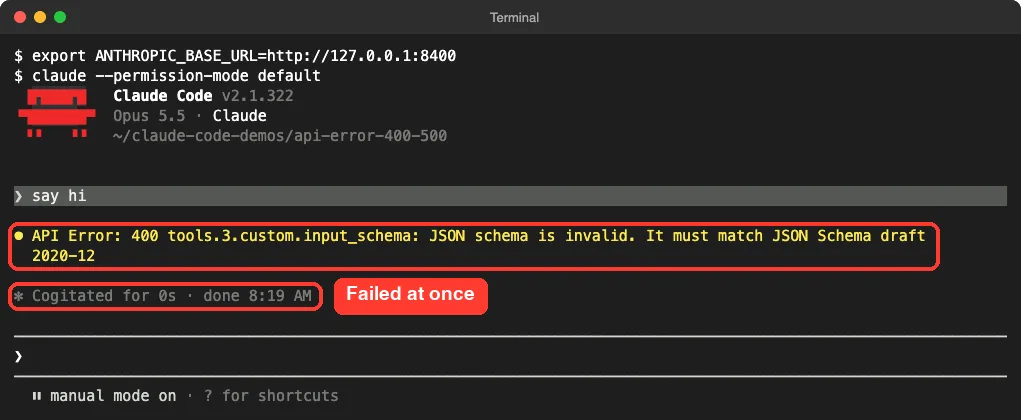
To see the exact wording, we pointed Claude Code at a test server on our own Mac that answers every request with a fixed status code and an error body in the API’s format. Nothing left the machine, and the error text after the number is text we supplied, copied from the official error reference.
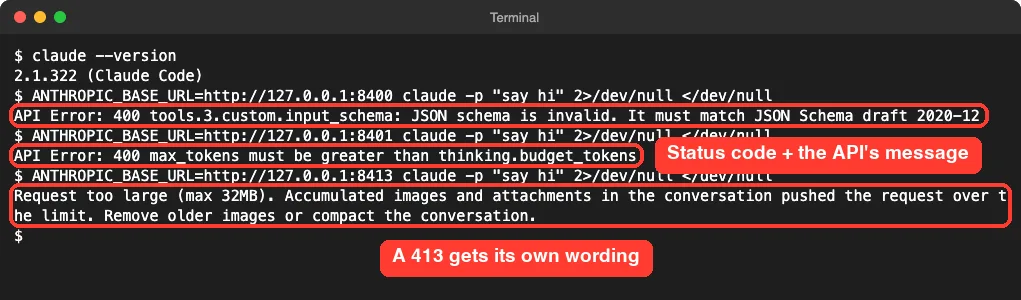
For a 400, Claude Code prints API Error: 400 followed by the API’s message, word for word. For a 413 it drops the number and prints its own sentence starting with Request too large (max 32MB).
A 400 comes back fast, with no retry countdown
We timed one run. The 400 came back in about 1.5 seconds, and Claude Code showed no retry countdown at all.
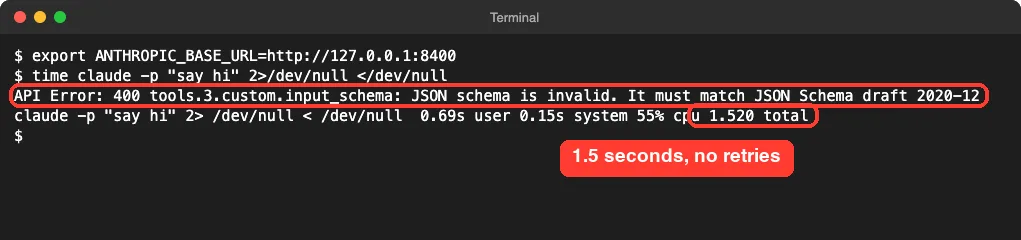
A broken request stays broken, so waiting does not help. Inside an interactive session the error shows up as a short message under your prompt, and the timer below it read 0 seconds.
The Common 400 Errors and Their Fixes
The text after 400 is your real clue. The causes and fixes in this section come from Anthropic’s official error reference; we triggered the first and fourth wordings ourselves and took the rest from that page.
| Text after “API Error: 400” | Cause | Fix |
|---|---|---|
tools.N.custom.input_schema: JSON schema is invalid | A tool, usually from an MCP server, declares a schema the API rejects | claude update, then disable the MCP server that owns the tool |
due to tool use concurrency issues, orphaned tool_result, duplicate tool_use ID | The conversation history is in an inconsistent state | /rewind or Esc twice |
thinking blocks ... cannot be modified | Same family: thinking blocks in history no longer match | /rewind, or /clear |
max_tokens must be greater than thinking.budget_tokens | The thinking budget is larger than the maximum reply length | Raise CLAUDE_CODE_MAX_OUTPUT_TOKENS above the budget |
"thinking.type.enabled" is not supported for this model | Your Claude Code version is too old for the selected model | claude update, or pick another model with /model |
context_management: Extra inputs are not permitted | A gateway forwarded a field but dropped the header that enables it | claude update, then fix the gateway |
Request rejected as unprocessable by the model | Too many or oversized images, or unsupported parameters | Esc twice past the images, or /clear |
The conversation history is broken
This one tends to appear deep into a long session, with a message such as API Error: 400 due to tool use concurrency issues. Run /rewind to recover the conversation. The docs explain that all the variants mean the same thing: the order of tool calls, tool results and thinking blocks in the history no longer matches what the API expects.
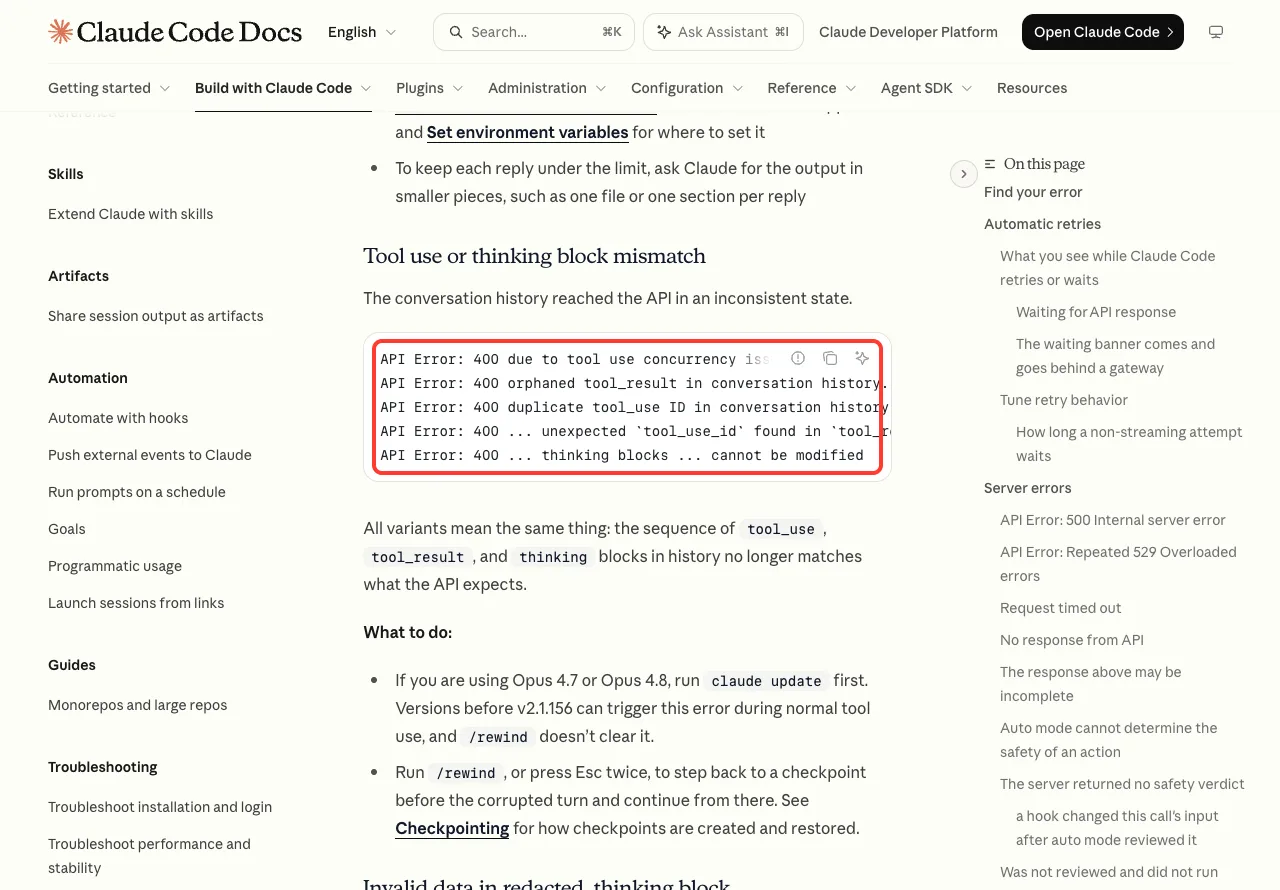
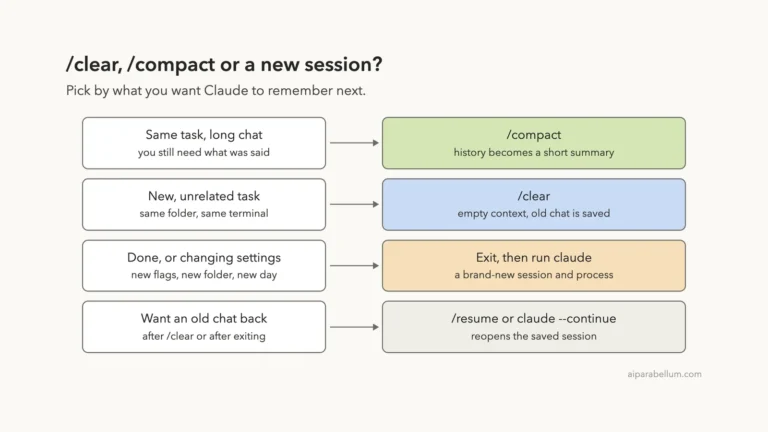
Since every new message sends the whole history again, the error repeats until the bad turn is gone. Run /rewind, or press Esc twice, and pick a checkpoint before the turn that failed. Our guide to checkpoints and rewind shows how that menu works.
A tool has an invalid schema
If the message mentions tools.N.custom.input_schema, one of the tools sent with your request has a definition the API rejects. The number is the tool’s position in the list, not a name you can look up. According to the docs, Claude Code normally filters these tools out when it loads a server, so on a current version you should rarely see it.
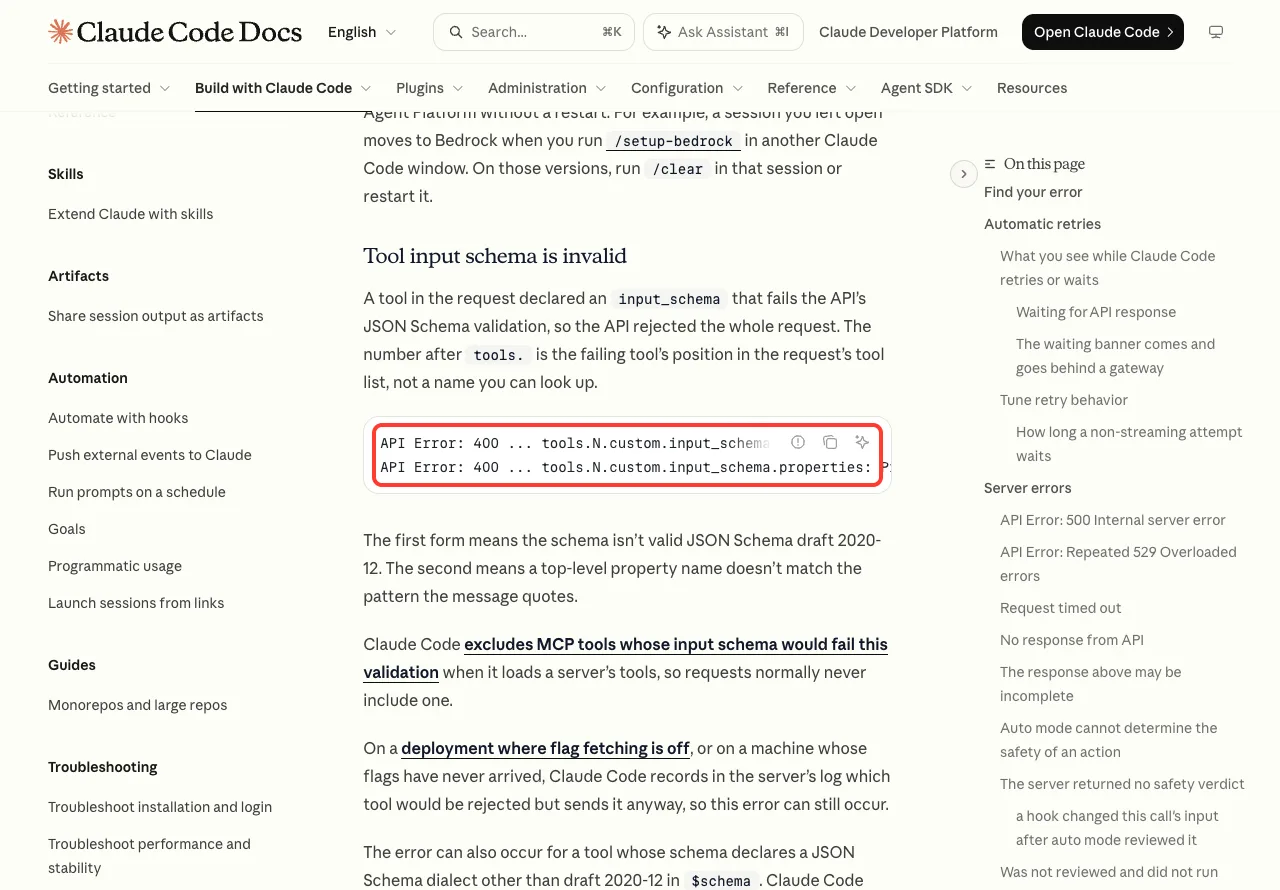
Update first, then open /mcp and disable servers one at a time until the error stops; our guide to disabling MCP servers has the steps. If you wrote the server, the docs say top-level property names must be 1 to 64 characters and use only letters, digits, _, . and -.
The request is too large (413)
This one is a 413, not a 400, but people search for them together. The docs say the raw request went over the API’s 32MB limit, usually because of pasted content, tool results or attachments, and that this limit is separate from the context window.
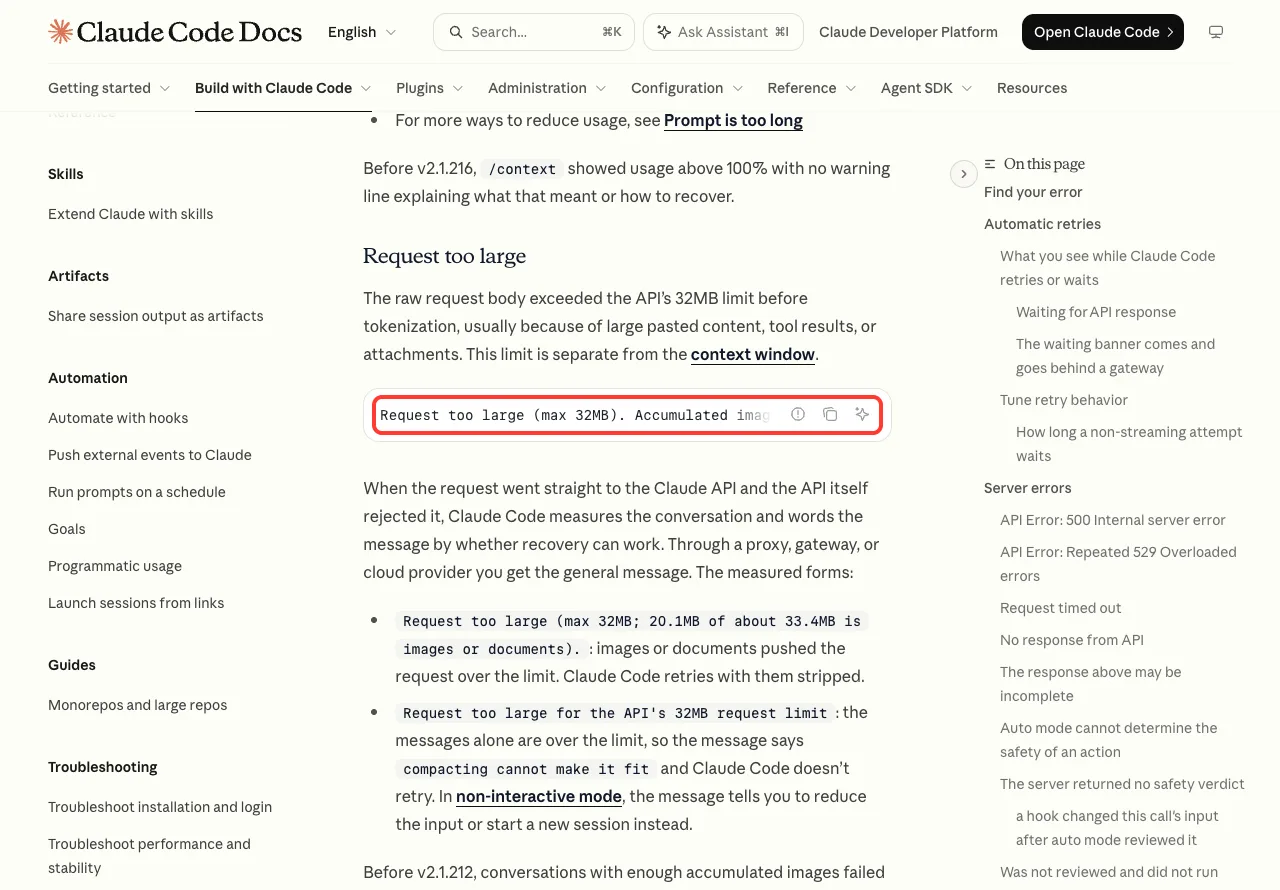
Run /compact, which drops accumulated images and attachments. If the message says compacting cannot make it fit, press Esc twice to step back past the turn that added the large content. If your message is Prompt is too long instead, that is the context window, and our prompt too long fix covers it.
Fix a 400 Error in Four Steps
You do not need to identify the exact variant to get moving. These four steps cover almost every case in the table above, in order of effort.
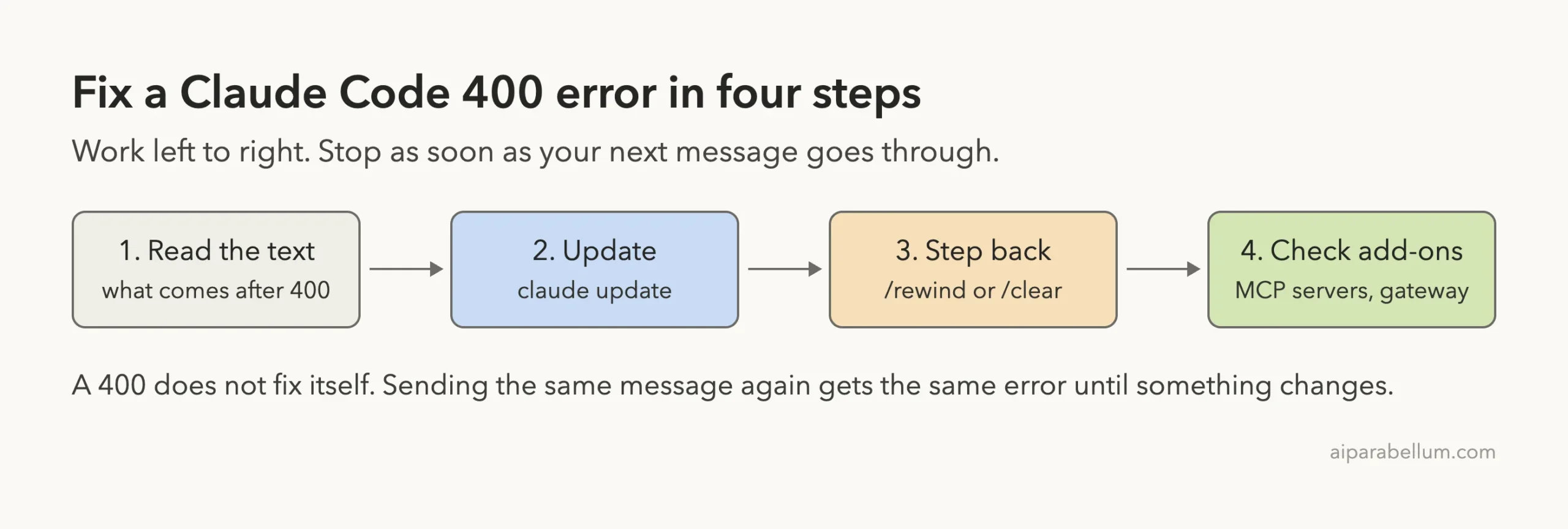
- Read the text after
400. If it tells you what to run, such as/rewind, do that first. - Exit and run
claude update, thenclaude --version. Many 400 errors in the official reference are fixed by a newer version that repairs or retries the request for you. - Step back. Run
/rewindor press Esc twice to return to a checkpoint before the failing turn. If that does not help, run/clearto start a conversation that does not carry the bad content. - Check add-ons. If the error also appears in a fresh conversation, the cause is on the request path: an MCP server’s tool, or a gateway set through
ANTHROPIC_BASE_URL.
Step 4 has a quick test. Run echo $ANTHROPIC_BASE_URL in your terminal. If it prints an address, your requests go through a gateway, and the docs advise connecting without it to confirm the source, then reporting the error to whoever runs it.
What Claude Code API Error 500 Looks Like
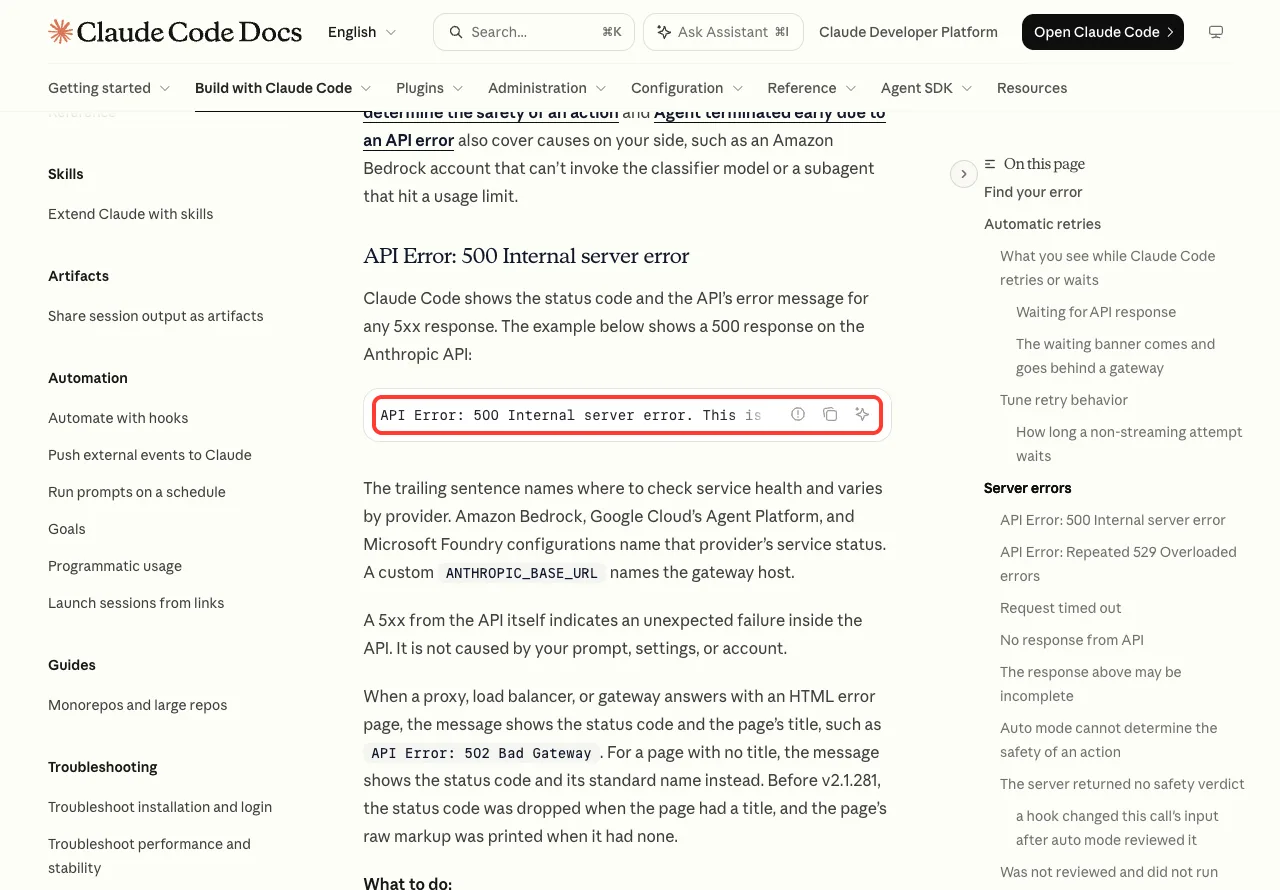
We ran the same test with a server that always answers 500. This time Claude Code did not give up right away. It showed a red status line with a countdown and an attempt counter.
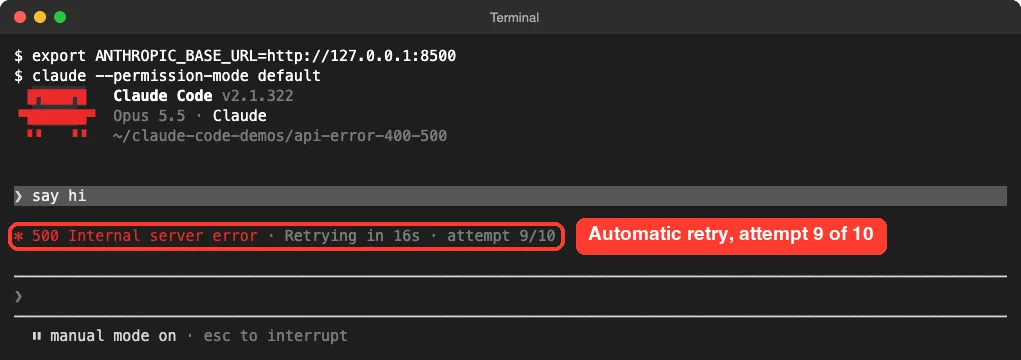
The docs say Claude Code retries transient failures up to 10 times with exponential backoff before showing an error. In our run the final message arrived only after the counter reached 10.
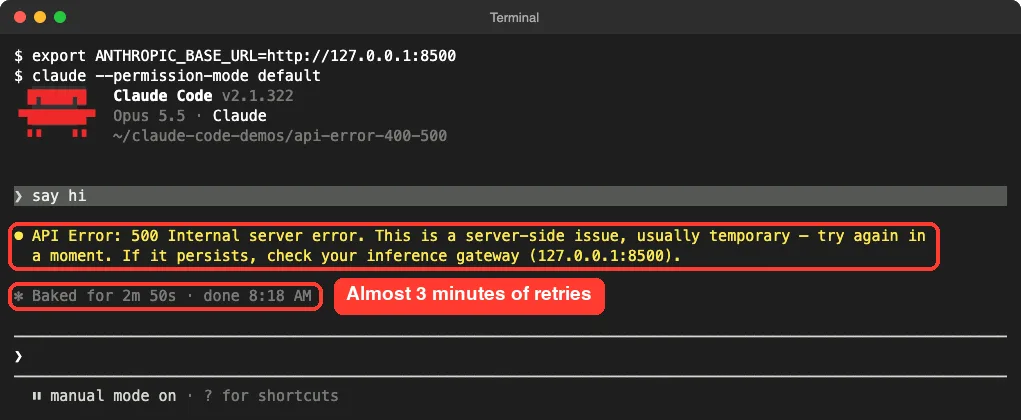
On a normal setup the message ends with If it persists, check https://status.claude.com. That last sentence changes with your provider; in our test it named our local address because we had set a custom base URL.
How long the retries take
In non-interactive mode with default settings, the run took 3 minutes before the error printed. With CLAUDE_CODE_MAX_RETRIES=2 it took about 3 seconds. In the interactive session, the timer under the error read 2 minutes 50 seconds.
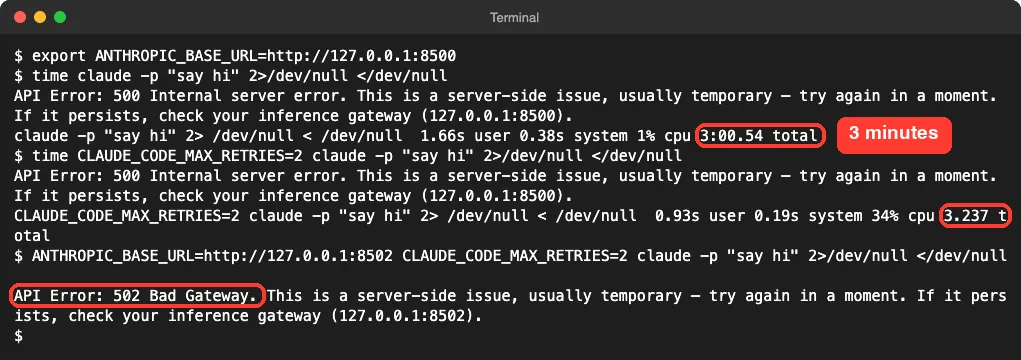
The third command in that screenshot answers with an HTML error page instead of the API’s format, the way a proxy or load balancer does. Claude Code printed API Error: 502 Bad Gateway, which matches the docs: for an HTML error page, the message shows the status code and the page’s title.
One test run is one test run. Your wait will vary, but the pattern holds: a 400 fails in seconds, a 500 fails after minutes of retries.
How to Fix API Error 500 in Claude Code
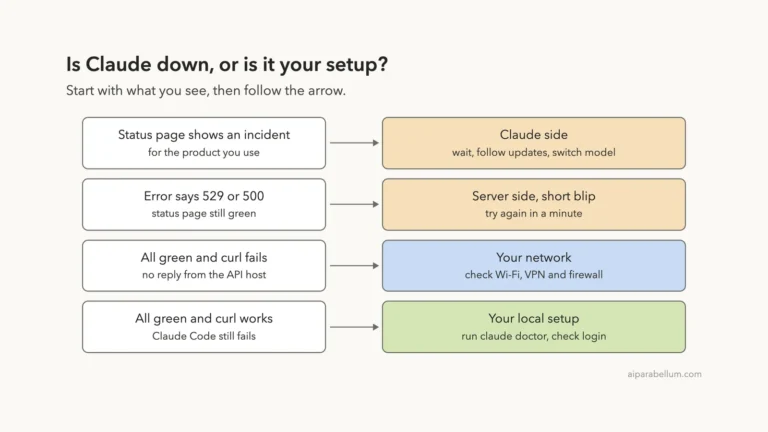
Anthropic’s error reference is direct about this one: a 5xx from the API itself is not caused by your prompt, settings or account. So the fix is mostly patience, in this order.
- Check
status.claude.comfor an active incident. Our guide on how to check Claude status shows what to look for. - Wait a minute, then send your message again. Your original message is still in the conversation, so you can just type
try again. - If the code is 502, 503 or 504, or the message names a host that is not Anthropic’s, look at what sits between you and the API. Run
echo $ANTHROPIC_BASE_URLand check theenvblock of your settings files. - If every request fails with a 500 behind an LLM gateway, the docs say to check that the gateway and its upstream accept the tool search fields Claude Code sends by default.
- If it keeps failing with no posted incident, run
/feedbackso Anthropic can investigate with your request details.
What happens to work in progress
A 500 does not always arrive before Claude starts answering. Per the docs, when a server error lands after Claude has already finished a block of text or a tool call, Claude Code does not re-run the request, because that could run the same tool calls twice. It keeps what Claude completed and shows The response above may be incomplete.
Tuning retries for scripts
If you run Claude Code in scripts, three minutes of silent retries may be too long, or too short. The docs list CLAUDE_CODE_MAX_RETRIES with a default of 10, and suggest lowering it to surface failures faster. For unattended jobs such as CI, CLAUDE_CODE_RETRY_WATCHDOG=1 raises the retry count for server errors, timeouts and dropped connections.
# fail fast in a script
CLAUDE_CODE_MAX_RETRIES=2 claude -p "summarize CHANGELOG.md"

# keep retrying in an unattended job
CLAUDE_CODE_RETRY_WATCHDOG=1 claude -p "summarize CHANGELOG.md"
You can set these in your shell or in a settings file. Our list of environment variables explains where each option goes.
Try It Yourself
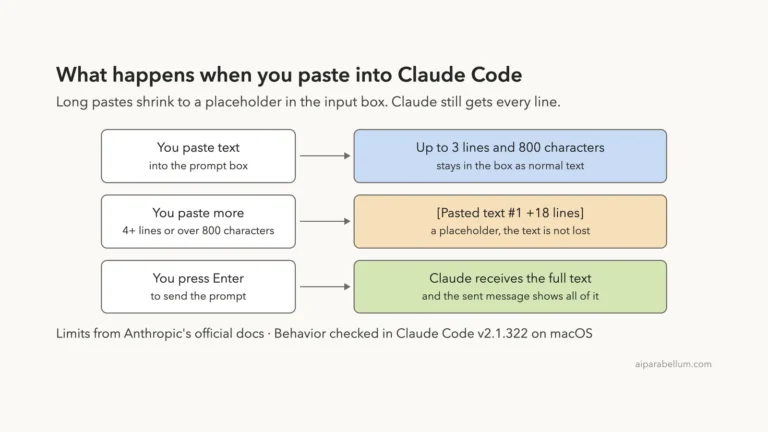
You cannot safely cause a real 400 or 500 on demand, and you should not try by breaking your setup. What you can do is practice the recovery steps now, so they are familiar when an error shows up. Open Claude Code in any test folder and paste this prompt.
Create a file named notes.txt with three short lines about API status codes.
Then tell me, in one sentence each, what a 400 and a 500 status code mean.
After Claude answers, press Esc twice to open the rewind menu and look at the checkpoints, then press Esc to close it. Then run claude --version in another terminal tab so you know which version you are on.
Common Mistakes
- Resending the same message after a 400. The request has not changed, so the answer will not change.
- Logging out and back in. A 400 or 500 is not a sign-in problem; that is a 401 or 403.
- Pasting a long prompt again after a 500. It is still in the conversation, so
try againis enough. - Ignoring the text after the number.
API Error: 400alone tells you little; the rest of the line names the cause.
Pro Tips
- Use
/rewindbefore/clear. Rewinding keeps most of your conversation, while clearing throws all of it away. - If a 400 follows you into a brand-new conversation, stop looking at the chat and look at the request path: MCP servers and gateways.
- Run
claude doctorfrom your shell for a read-only check of your installation when errors keep coming back. - For other messages, our list of common errors covers the ones that do not carry a status code.
Cheat Sheet
Frequently Asked Questions
What does API Error 400 mean in Claude Code?
It means the Claude API rejected the request as invalid. In Claude Code the usual causes are a broken conversation history, a tool with a bad schema, an oversized image, or a Claude Code version too old for the selected model. Update, then run /rewind or /clear.
Is a Claude Code 500 error my fault?
No. Anthropic’s error reference says a 5xx from the API itself is an unexpected failure inside the API and is not caused by your prompt, settings or account. The exception is a 502, 503 or 504 from a proxy or gateway you configured.
Does Claude Code retry these errors automatically?
It retries server errors such as 500 up to 10 times by default, with growing waits between attempts. In our test a 400 was different: it returned in about 1.5 seconds with no retry countdown. For some specific 400 variants, the docs say newer versions quietly repair the request and send it once more.
Will I lose my work after a 400 or 500?
Your files on disk are not touched by the error. Your prompt stays in the conversation, and after a 500 you can type try again. After a 400 you may need to rewind a turn or two, which keeps everything before that point.
Why do I get a 400 on every single message?
Because each message sends the whole conversation again, including the part the API rejects. Step back with /rewind to a point before the first failure, and check your MCP servers and any gateway if a fresh conversation fails too. The Claude AI page has more background on the model behind the tool.
Conclusion
A Claude Code API error 400 and a 500 look alike on screen but call for opposite responses. A 400 means the request is broken, so read the text after the number, update, and step back with /rewind or /clear until the bad content is gone. A 500 means the server stumbled, Claude Code has already retried for about three minutes, and your best move is to check the status page, wait, and type try again. If a gateway or proxy sits in the middle, check it for both. For anything else, Anthropic’s troubleshooting guide points to the right page.