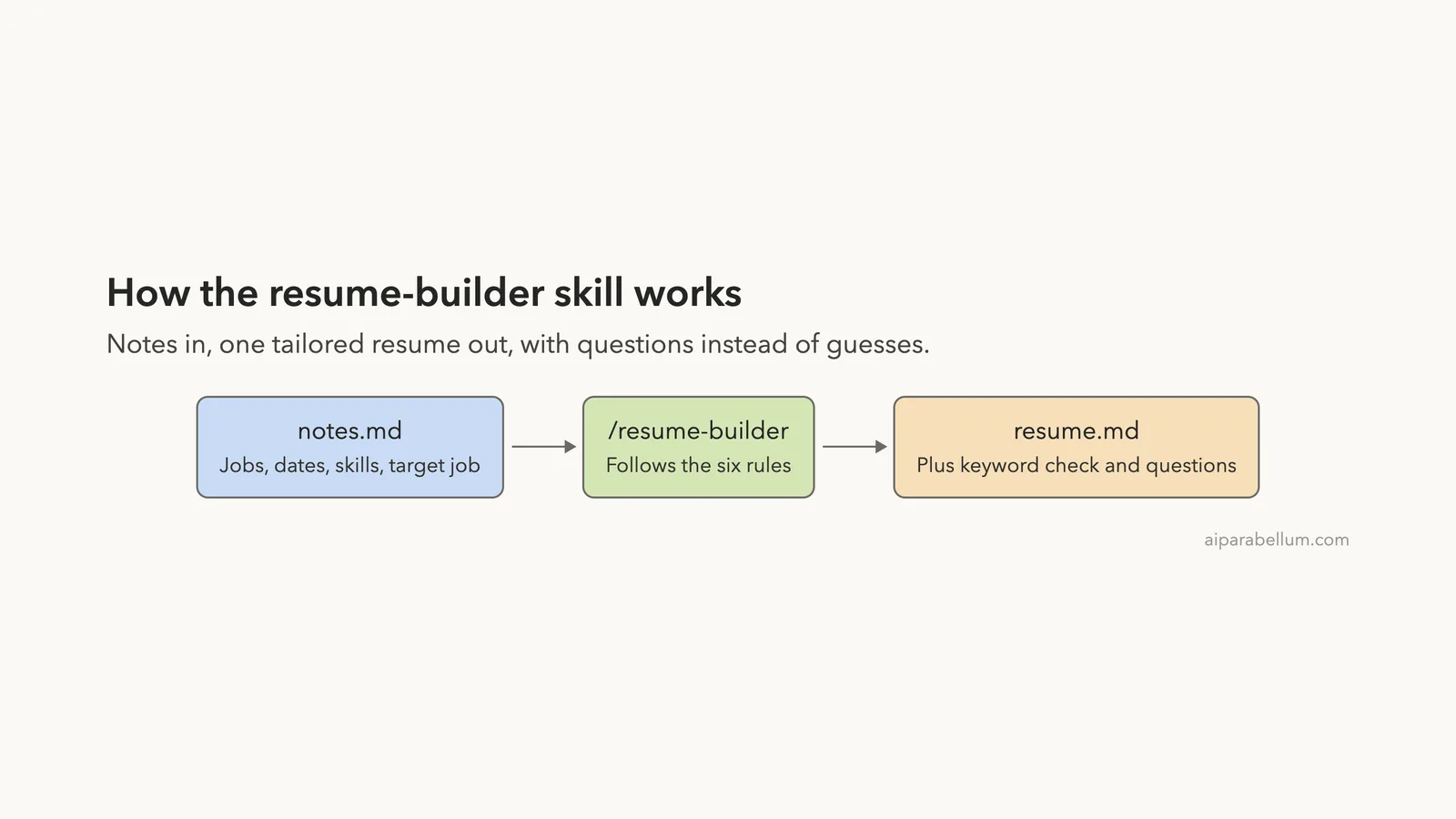
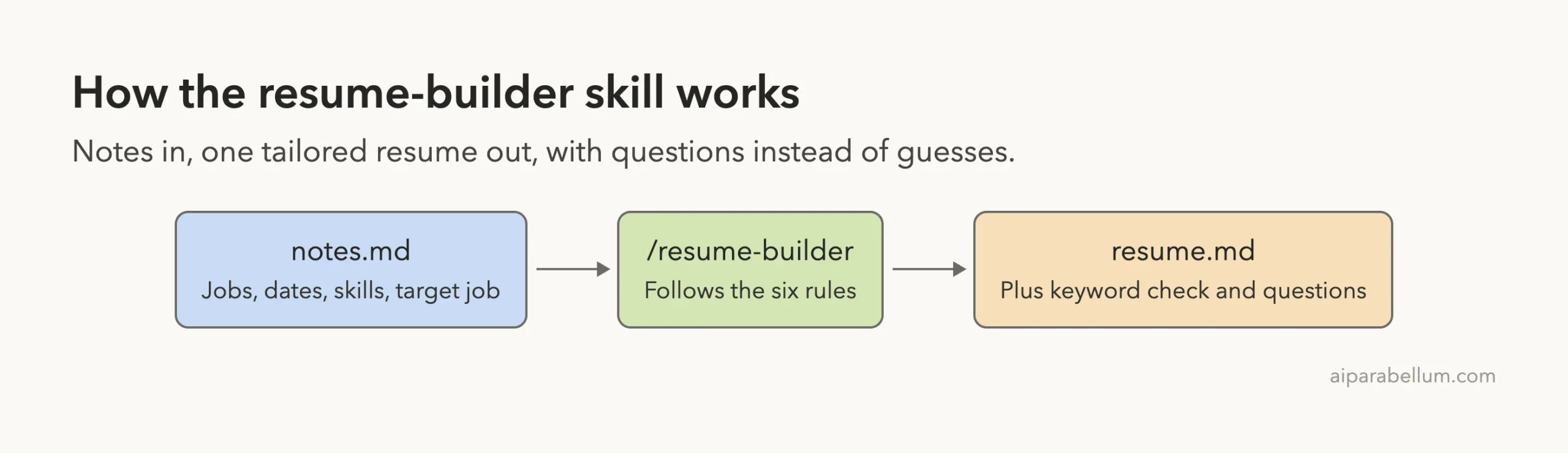
A claude code skill for resume writing is a small text file that tells Claude how to turn your career notes into a clean, one-page resume for a specific job. We built one called resume-builder, ran it on made-up notes for a retail supervisor, and compared the result with a plain “Make me a resume” request. Both runs were good, but they behaved differently in a few places that matter when the document is about your own work history.
This is Part 15 of 45 in our Claude Code Deep Dives, part of our Claude Code tutorials. In the last part we made a PowerPoint skill, and today we use the same skill idea for a document almost everyone has to write. If you want to see where Claude itself fits, our Claude AI overview covers the model behind it.
Tested with Claude Code v2.1.318 on November 5, 2026, in two throwaway demo folders with invented career notes. Both sessions started with --setting-sources project, so nothing was installed into the global Claude Code setup.
Quick Summary
| Question | Answer |
|---|---|
| What did we build? | One SKILL.md that turns a notes file into a one-page resume |
| Where does it live? | .claude/skills/resume-builder/SKILL.md inside the project |
| What did we feed it? | A 20-line notes file for a made-up retail supervisor aiming at an operations job |
| Skill result | A 51-line resume.md with a keyword check and four questions for the user |
| Plain request result | A 30-line resume.md with no questions and no keyword check |
| Shared weak spot | Both wrote “8+ years” in the summary, a number the notes never state |
Why Build a Claude Code Skill for Resume Writing
You can ask Claude for a resume any time, and it will give you a decent one. The trouble is that every request starts from zero. The sections, the length and the tone change from one chat to the next, and you end up pasting the same instructions again and again.
Anthropic’s skills documentation describes skills as the way to package instructions you would otherwise repeat. A resume is a good fit because the rules are stable: the same sections, the same bullet style, and the same promise not to make things up.
A skill also helps when you apply to several jobs. You keep one notes file, change the target job at the bottom, and run the same command each time.
If skills are new to you, start with our guide to Claude Code skills, and read the SKILL.md format guide for every field.
The Demo Notes We Used
Everything in this test is invented. We wrote a short notes.md for a person called Maya Torres, with a made-up email, a made-up phone number and a city. You can build the same demo with the same kind of invented details.
The notes hold three jobs, one degree, a skills line and a target job.
- Store Supervisor at Brightline Retail from 2021 to now, with 14 people, a scheduling time cut from 6 hours a week to 1, 9 new hires trained and a 12 percent sales rise in 2023.
- Sales Associate at the same company from 2018 to 2021, with stock counts and three Employee of the Month awards.
- Barista at Corner Cafe from 2016 to 2018, serving about 200 customers a day.
- An associate degree in Business Administration from 2018.
- The target: Operations Coordinator at a logistics company.
One line in the notes is deliberately loose: “Handled customer complaints.” It has no detail and no result. That gives us a way to see what each approach does with thin material.
We copied the same notes into two folders. Only the first, skill-resume, got the skill. The second, skill-resume-plain, is the control.
How to Build the Resume Skill
Step 1: Make the skill folder
A project skill is a folder inside .claude/skills/, and the file in it must be called SKILL.md.
mkdir -p .claude/skills/resume-builderStep 2: Write the frontmatter
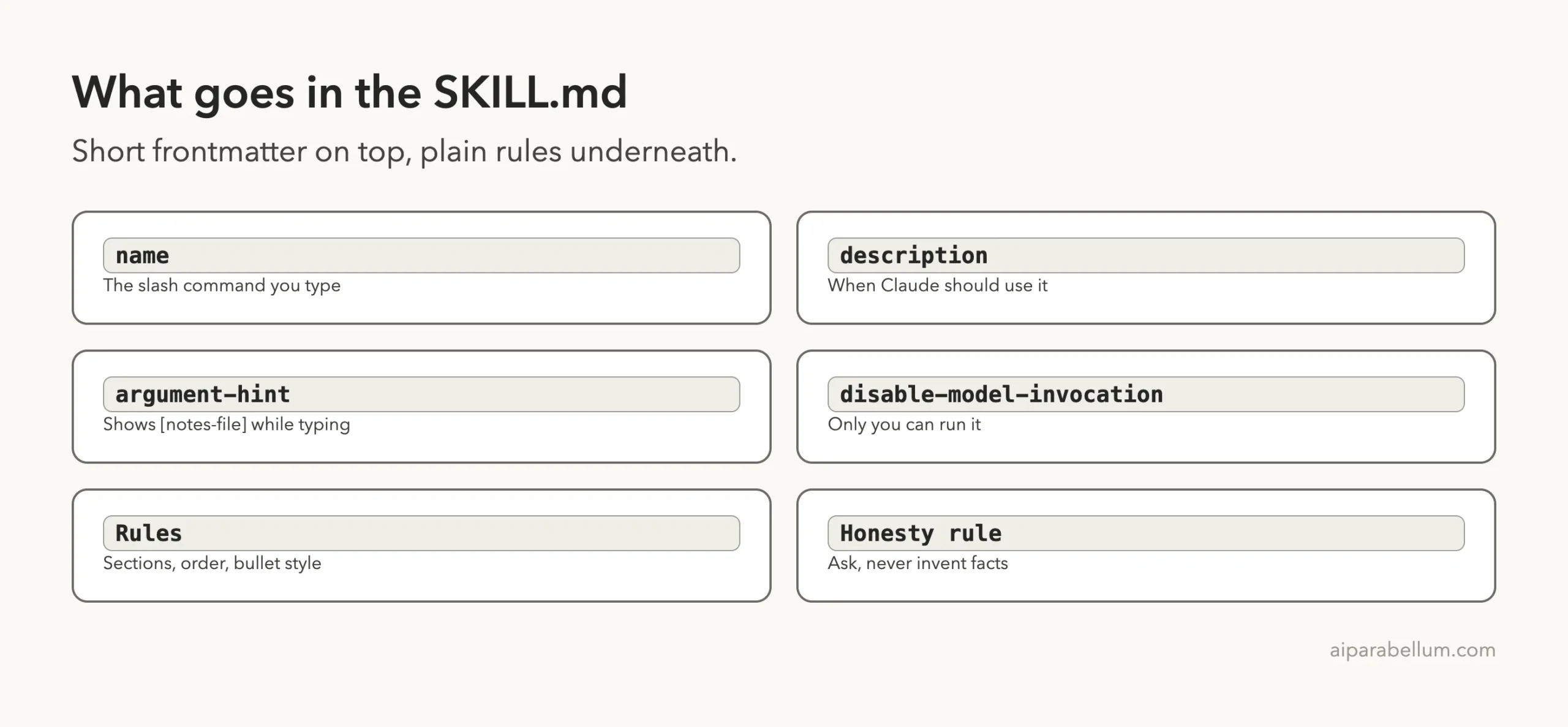
The block between the two --- lines tells Claude what the skill is. We used four fields.
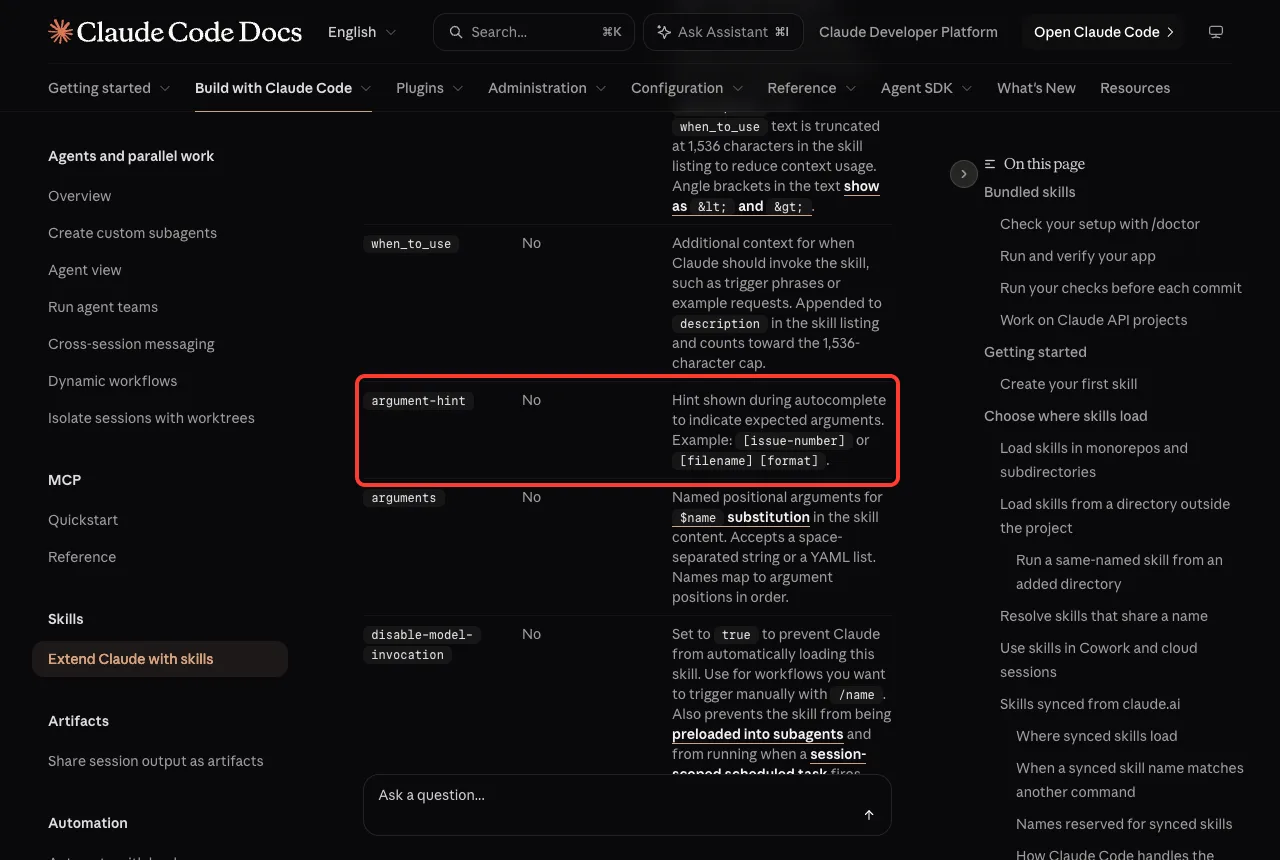
nameis the command you type, hereresume-builder.descriptionsays what the skill does and when to use it.argument-hintis the hint shown while you type, such as[notes-file].disable-model-invocationset totruemeans only you can start the skill.
We chose manual-only on purpose. A resume run writes a file, and you probably want to decide when that happens rather than letting Claude start it because a chat mentioned a job.
Step 3: Write the instructions
Below the frontmatter goes plain Markdown. This is the full file we used.
---
name: resume-builder
description: Turn career notes into a one-page, ATS-friendly resume tailored to a target job. Use when the user asks for a resume, CV, or to tailor a resume to a job.
argument-hint: [notes-file]
disable-model-invocation: true
---

Build a resume from the notes file in $ARGUMENTS (default: notes.md).

Rules:
1. Read the notes file. Never invent jobs, dates, numbers or skills that are not in the notes. If something is missing, list it under "Questions for you" at the end instead of guessing.
2. Write resume.md with these sections in this order: Header (name, email, phone, city), Summary (2 sentences aimed at the target job), Experience (newest first), Skills, Education.
3. Every Experience bullet starts with a strong past-tense verb and shows a number when the notes give one. Max 4 bullets per job. Keep it to one page (under 400 words).
4. Use plain headings and simple bullets only: no tables, columns or icons, so applicant tracking systems can read it.
5. Reorder and reword bullets so the ones closest to the target job come first.
6. Finish with a short "Keyword check": 5 words from the target job type that appear in the resume.
Rule 1 does the most work. It tells Claude what to do when the notes run out: ask, do not guess. Rule 5 is the tailoring step, and rule 4 keeps the layout simple, because many employers run resumes through applicant tracking systems that read plain text best.
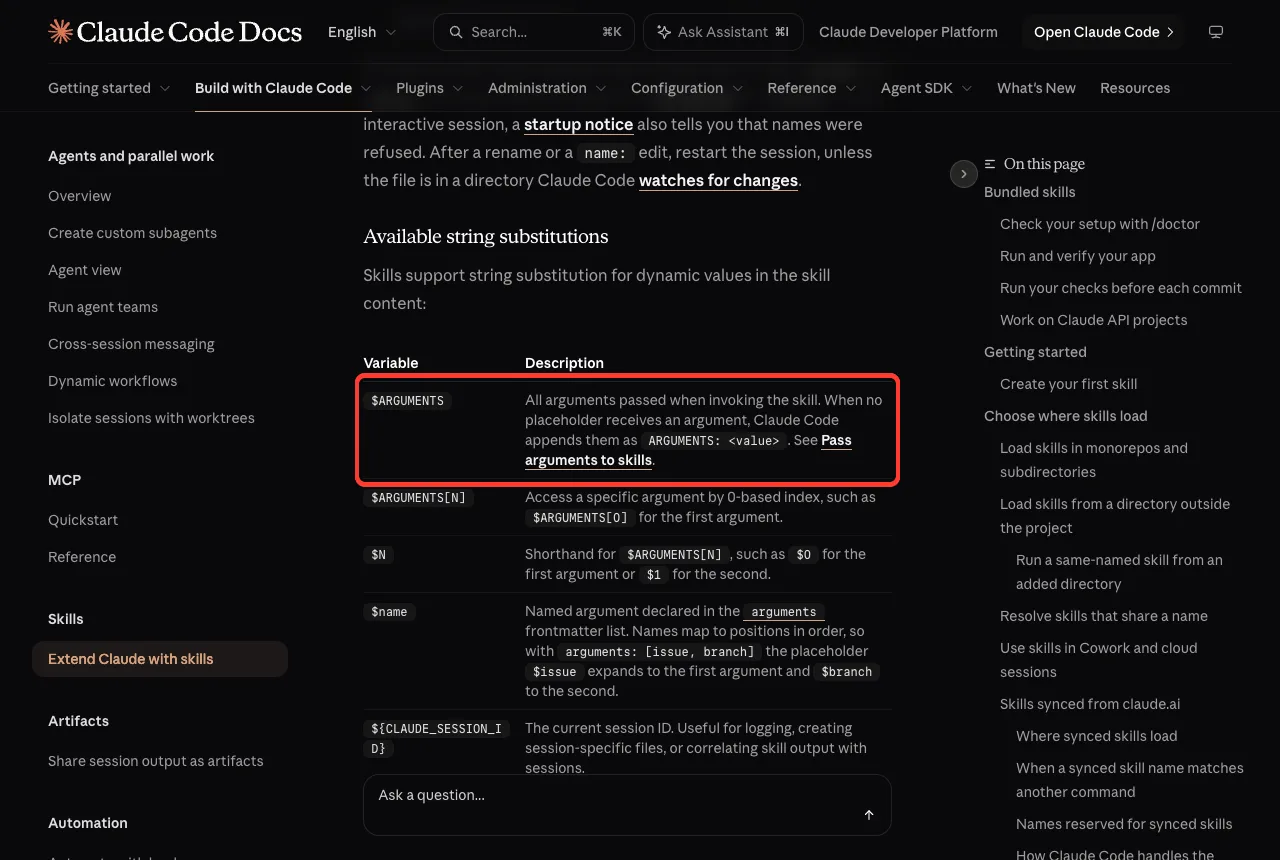
The text $ARGUMENTS is a placeholder. When you type /resume-builder notes.md, Claude Code puts notes.md there. The docs list it as one of the available string substitutions.
Step 4: Check that Claude sees the skill
Start Claude Code in the folder and run /skills. A loaded skill appears with its source and its size in tokens.
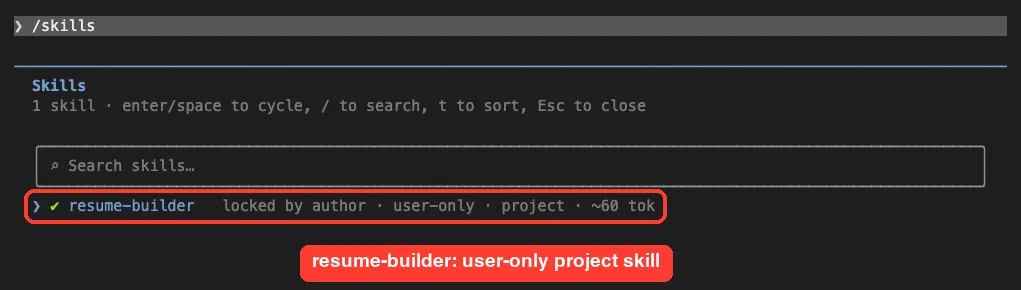
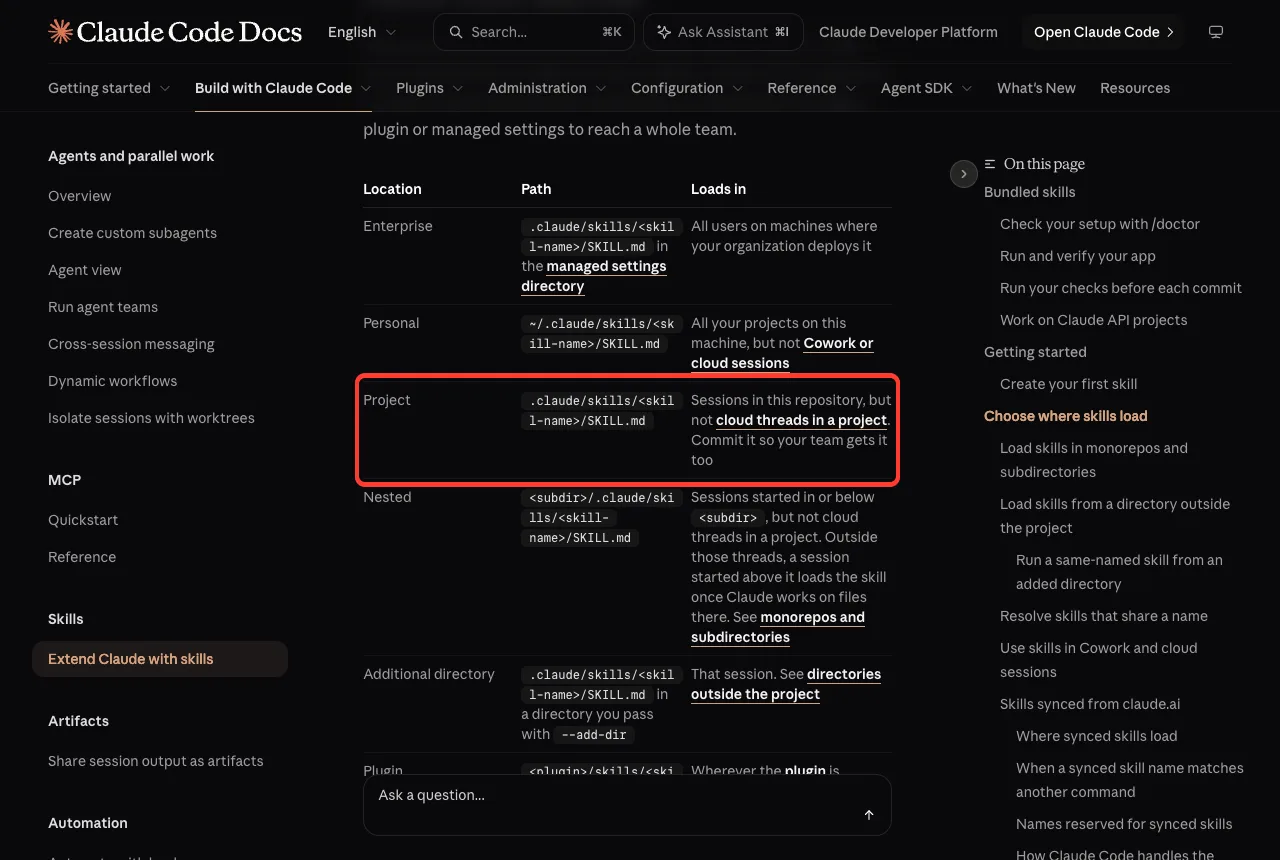
The listing says “user-only”, which is what disable-model-invocation: true does. The skill is small, so it costs little to keep around. The docs confirm that a project skill in .claude/skills/ loads for sessions in that repository.
Running the Resume Skill
We typed one line: /resume-builder notes.md. Claude read the notes file and showed us the complete resume.md before saving it, with a prompt asking whether to create the file.
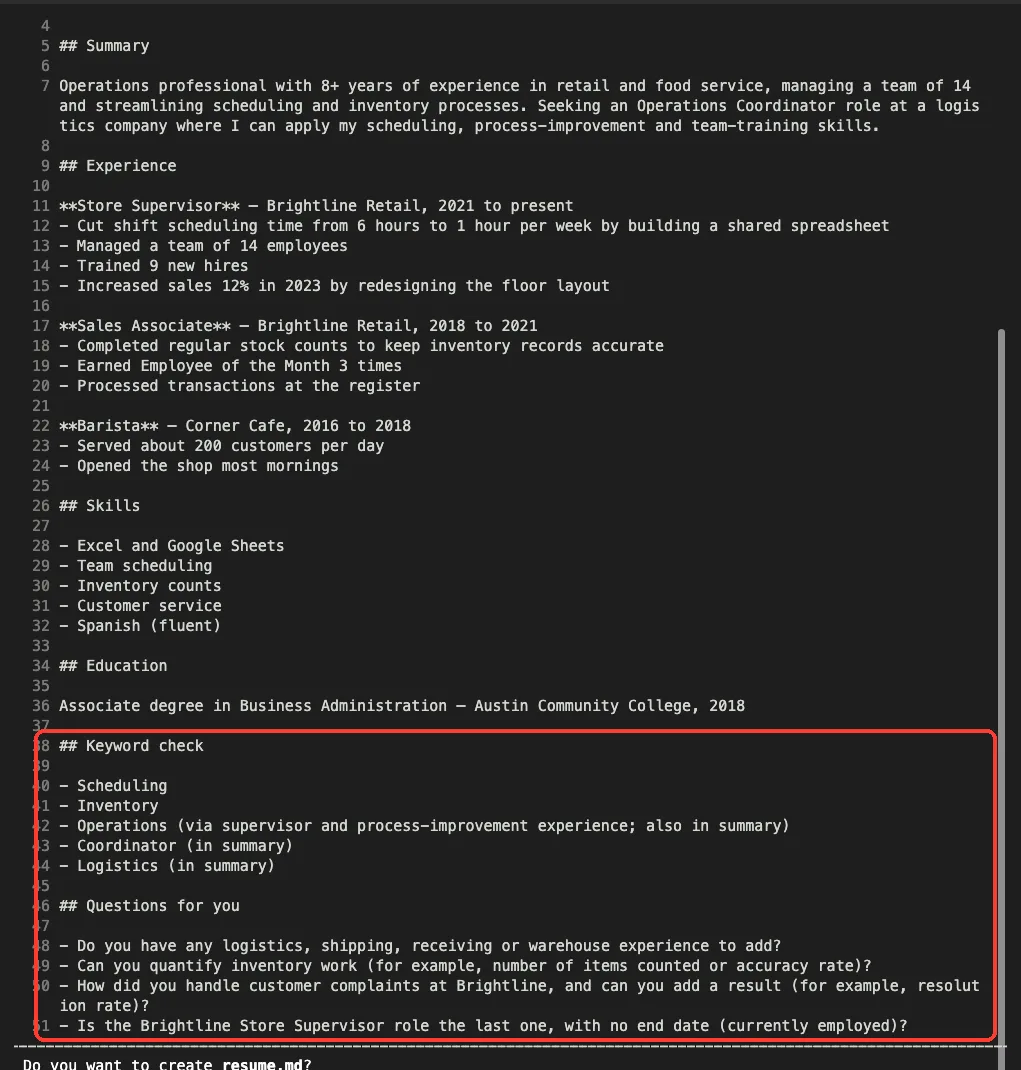
We approved the write once. This is the normal default-mode behavior for any file Claude creates, and it is a good moment to read the resume line by line against your notes.
What the skill gave us
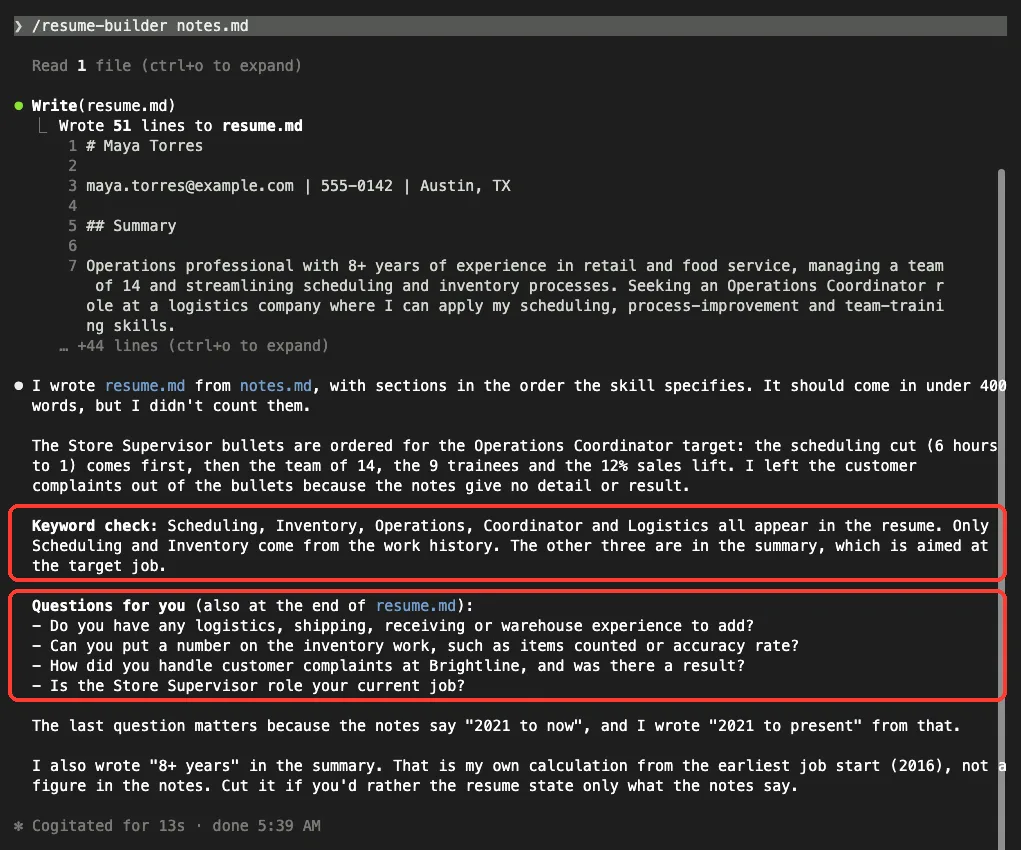
The finished file followed the order from rule 2: header, summary, experience, skills, education. The Store Supervisor bullets came first in the order that fits an operations job, starting with the scheduling cut from 6 hours to 1. The Brightline sales rise of 12 percent and the nine trainees followed.
The resume came to 279 words including the extra sections, well under our 400-word limit. Claude said in its reply that it had not counted the words, so we counted them ourselves.
The Honest Part: Questions Instead of Guesses
This is where the skill earned its place. Because of rule 1, the file ends with a section called “Questions for you”, and Claude repeated the questions in its reply.
- Do you have any logistics, shipping, receiving or warehouse experience to add?
- Can you put a number on the inventory work?
- How did you handle customer complaints, and was there a result?
- Is the Store Supervisor job your current one?
Those are the exact gaps a hiring manager would notice. The logistics question is the best one, because the target job is at a logistics company and the notes have nothing about logistics.
Claude also left the vague customer complaints line out of the bullets, saying the notes gave no detail or result. That follows the spirit of the rule, though you might prefer to keep it.
The last paragraph of the reply matters too. Claude said the “8+ years” in the summary was its own calculation from the earliest job start in 2016, not a figure from the notes, and it offered to cut it.
So our rule 1 was not perfect, because the model added a number the notes do not contain. It did tell us, which is why you should read the reply and not only the file.
Read the reply as well as the file: the warnings are in the reply.
The Plain Request for Comparison
In the second folder we typed Make me a resume from notes.md with no skill. The result was shorter, at 30 lines and 176 words.
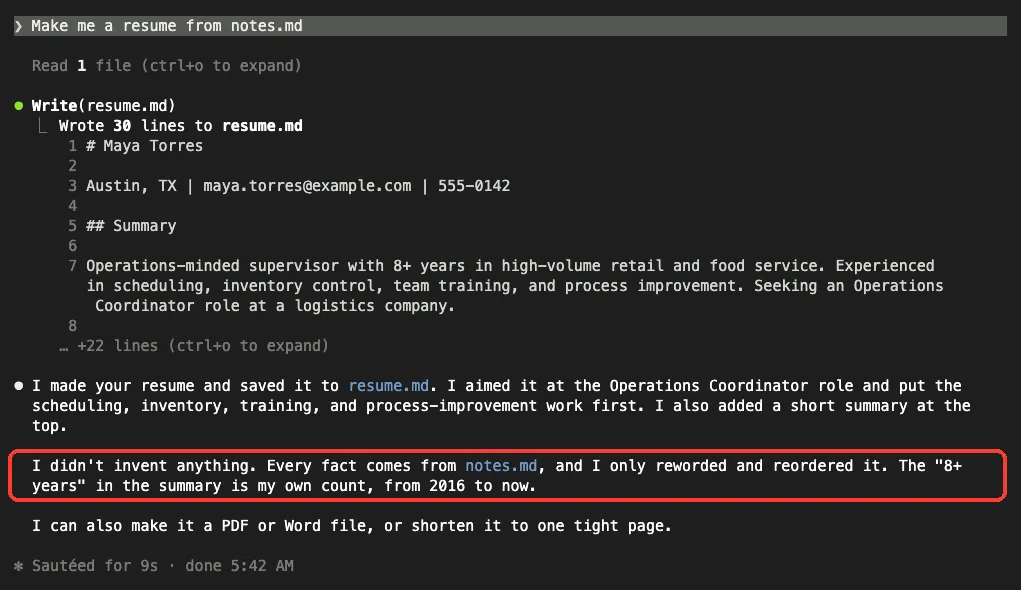
It was a perfectly usable resume. Claude aimed it at the Operations Coordinator job, put scheduling and inventory work first and added a summary. It also admitted that “8+ years” was its own count.
The table shows the differences we measured.
| Point | With the skill | Plain request |
|---|---|---|
| Length | 51 lines, 279 words with extras | 30 lines, 176 words |
| Questions about gaps | Four, saved in the file | None, only an offer to make a PDF or Word file |
| Keyword check | Yes, five words | No |
| Section order | Fixed by the skill, skills before education | Chosen by Claude, education before skills |
| Wording not in the notes | “8+ years”, “to keep inventory records accurate” | “8+ years”, “high-volume”, “fast-paced setting” |
| Permission prompt | One, to create the file | One, to create the file |
The plain reply said it had not invented anything, and apart from the extra wording in the last row that was close to true. Both versions added small phrases of their own. That is why a resume needs a human check, with or without a skill.
Reading the Resume File Itself
Both files are Markdown, so headings start with ## and job titles appear between double asterisks. If you paste the text into a word processor, you will want to tidy those marks. Our skill asked for plain headings and simple bullets, and the result is simple, but it still contains Markdown symbols.
If you want a Word or PDF file, you can ask in a follow-up message. The plain run offered to do that. We did not test that step, so check the output before you send it anywhere.
Try It Yourself
Make a demo folder, create a notes.md with invented details, and save the skill file above. Use this prompt after you start Claude Code in that folder.
/resume-builder notes.mdWhen you are happy, change the target job at the bottom of the notes and run it again. Then try this variation to see how the skill handles missing information.
/resume-builder notes.md
Then answer the questions you listed and update resume.md.
We did not run that second prompt, so treat it as an experiment. Compare the new file with the old one before you trust it.
Common Mistakes
- Skipping the reading. Compare every date, number and job title with your real history before you apply anywhere.
- Putting private data in a shared project. A project skill folder is meant to be committed, so keep your notes file out of version control.
- Letting Claude pick the name. A skill named after a bundled command can clash, so choose a name that is clearly yours.
- Expecting a fixed length. Our limit was 400 words, and Claude did not count them on its own, so count them yourself.
- Forgetting the target job. Without a target line in the notes, rule 5 has nothing to tailor to.
Pro Tips
- Keep one notes file with every job, award and number, then tailor from it for each application.
- Answer the “Questions for you” list and add the answers to the notes. The next run gets better.
- Add a rule for your own style, such as a limit on the number of bullets or a ban on certain phrases.
- Use
disable-model-invocation: trueif you want to be the only one who starts it. - Browse our documentation skill and code review skill posts to borrow ideas for rules.
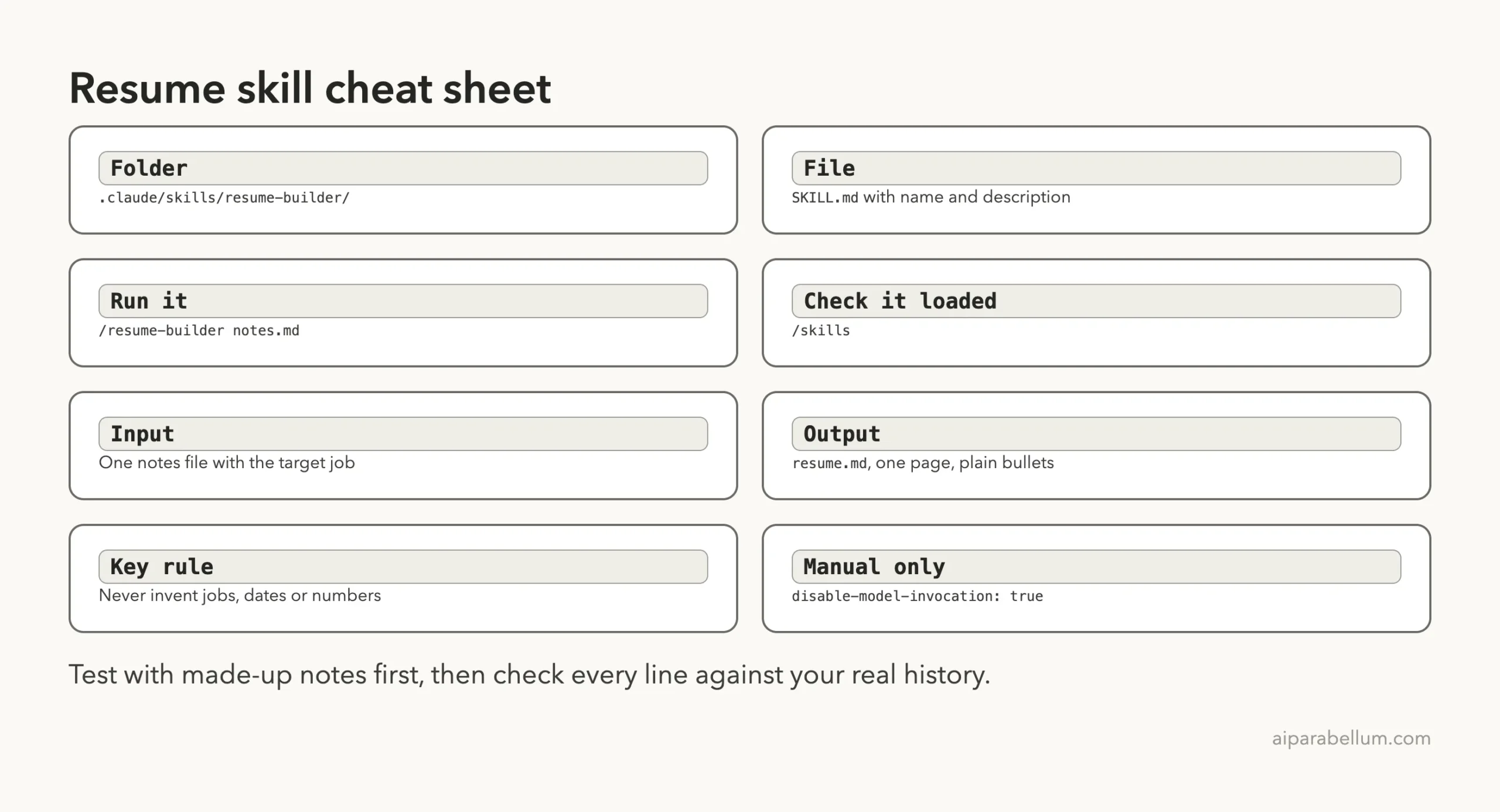
Cheat Sheet
Frequently Asked Questions
Do I need a plugin to build a resume with Claude Code?
No. We saved one file at .claude/skills/resume-builder/SKILL.md inside a project, and it appeared in /skills straight away.
Will the skill make up jobs or numbers?
Our rules say never to, and the file stayed close to the notes. Even so, Claude added “8+ years” in both runs, and it told us so. Read the final file against your notes every time.
Is the skill better than asking for a resume directly?
It gave us a fixed layout, a keyword check and a list of questions about gaps. The plain request gave a shorter resume that was fine on the facts we checked. Pick the skill when you want the same shape for many applications.
Can it make a Word or PDF file?
We only tested writing a Markdown file. The plain request offered to make a PDF or Word file, but we did not test that, so try it on a copy first.
Is it safe to put my real career history in the notes?
Our test used invented details only. Your notes file is read by Claude during the session, so decide what you are comfortable sharing, and keep the file out of any repository you share.
Conclusion
A claude code skill for resume writing took a few minutes to build and gave us a tailored one-page resume with a keyword check and four sharp questions about gaps, while the plain request gave a shorter resume with no questions. Both versions added the same unrequested “8+ years” and both said so, which is a good reminder that you are the final editor. Copy the file above into a demo folder, try it on made-up notes, and then add your own rules for the style you want.
Previous in the series: Part 14: Claude Code PowerPoint Skill: Make a Deck From the Terminal
Next in the series: Part 16: Claude Code Superpowers: Install It and What It Really Does.