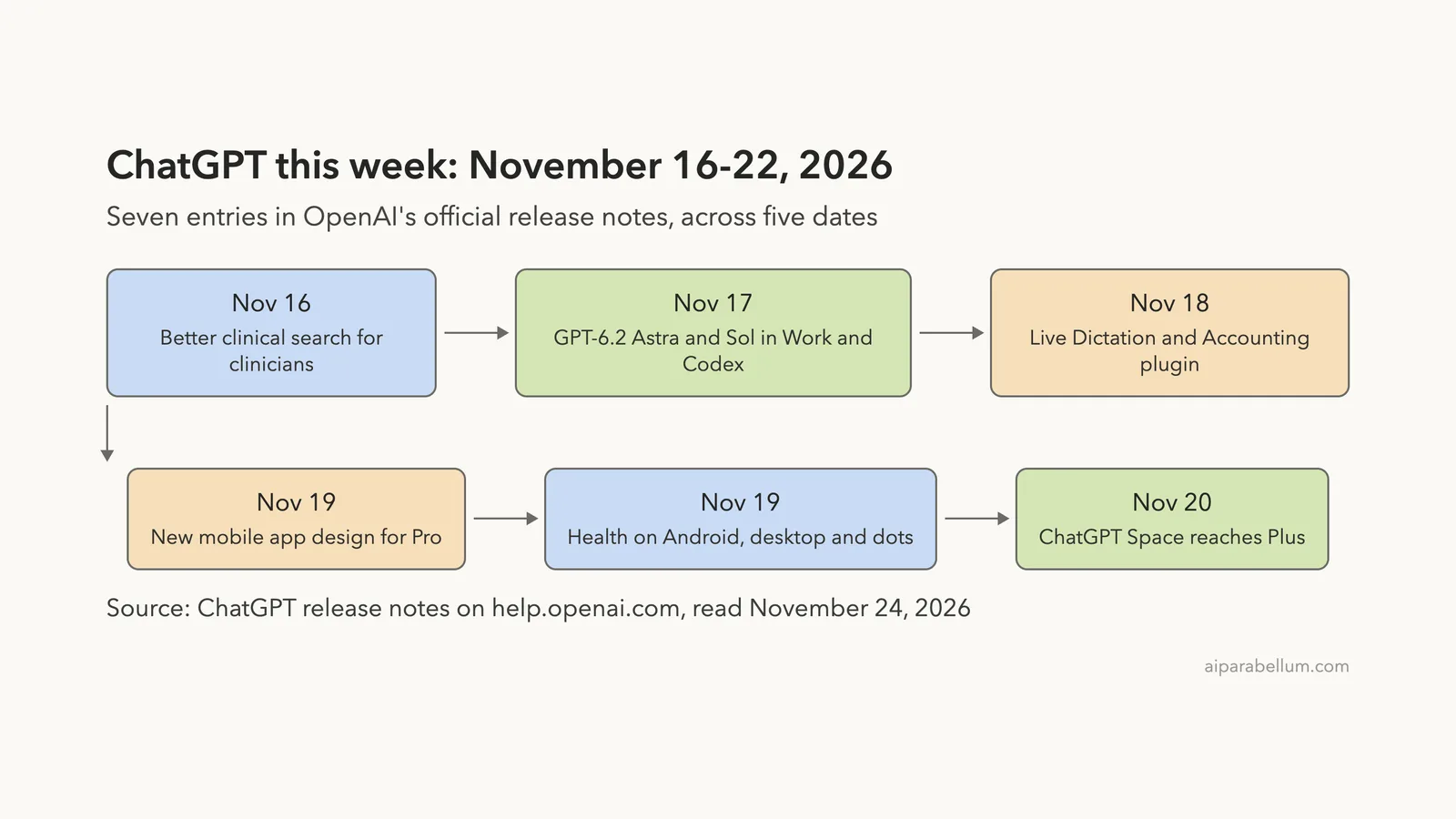
If you want to know what’s new in ChatGPT this week, here is the short answer: ChatGPT Space reached Plus users, GPT-6.2 Astra and Sol arrived in Work and Codex, and Live Dictation now types your words while you talk. OpenAI’s official release notes list seven entries dated November 16 through November 20, 2026, which makes this one of the busiest weeks of the fall.
We read the release notes and then opened the Help Center articles they link to, so every detail below comes from OpenAI’s own pages. We could not use the ChatGPT apps’ own screens for this roundup, so the screenshots are highlighted captures of the official pages.
You can find more of our coverage on our ChatGPT tool page. If you missed the last edition, see our previous ChatGPT roundup.
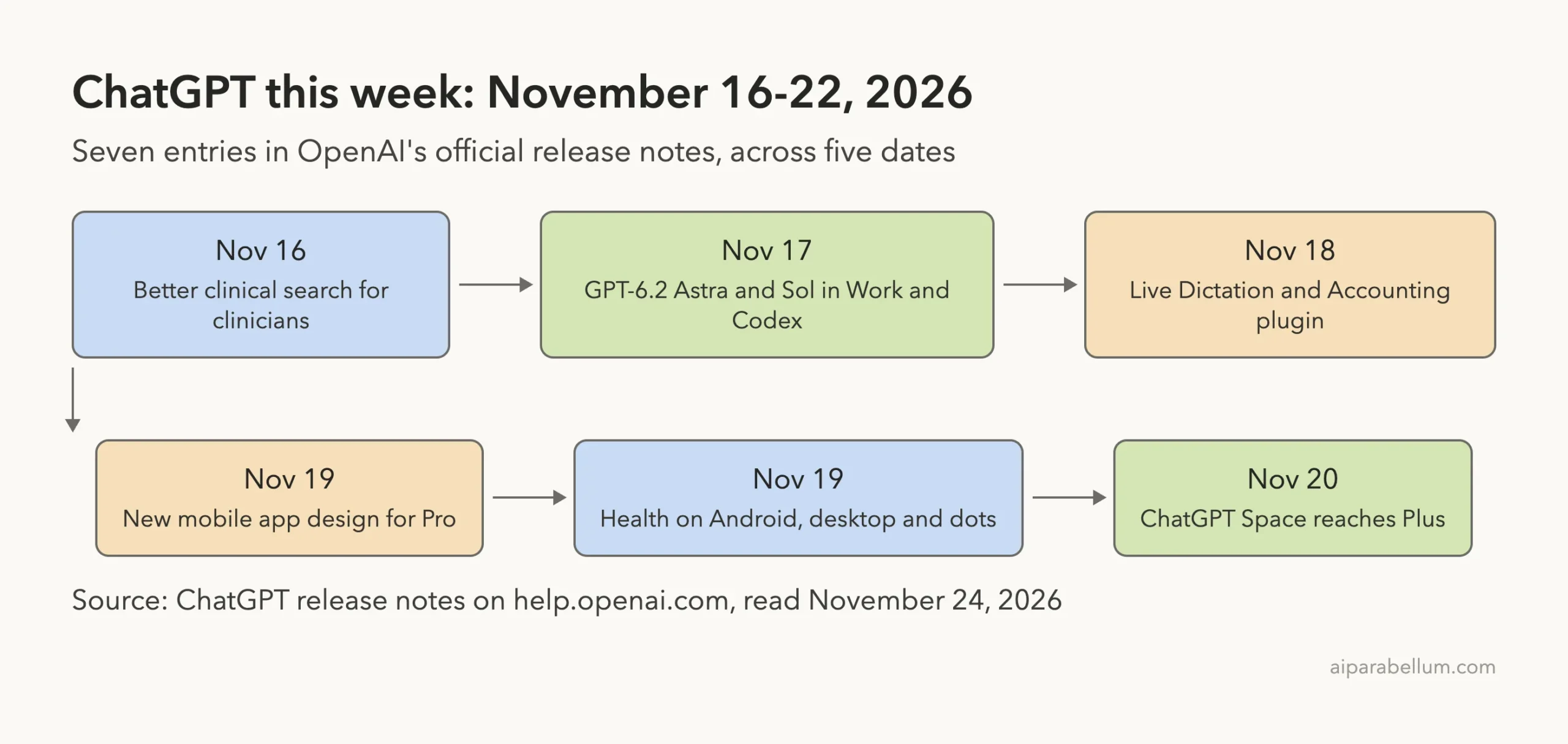
What’s New in ChatGPT: The Week at a Glance
Here is every entry the release notes dated inside the week, with who gets it and where it shows up.
| Date | Change | Who gets it | Where |
|---|---|---|---|
| November 16 | Better clinical search and healthcare plugins | Verified U.S. clinicians using ChatGPT for Clinicians | ChatGPT for Clinicians workspace |
| November 17 | GPT-6.2 Astra and GPT-6.2 Sol (preview) | Plus and Pro; managed workspaces depend on seat and settings | Work model picker and Codex model selector |
| November 18 | Live Dictation | All ChatGPT plans, worldwide | iOS, Android, web and desktop app |
| November 18 | Accounting plugin | Depends on plan and workspace; Enterprise needs admin approval | ChatGPT desktop app for macOS or Windows |
| November 19 | New mobile app experience | Pro users 18+ where dots are available, plus a small group on Plus | ChatGPT for iPhone and Android |
| November 19 | Health on more devices | Free, Go, Plus and Pro users in the U.S. | Desktop app, dots, sites and Android |
| November 20 | ChatGPT Space for Plus | Plus users 18+, worldwide | Web, desktop app, iOS and Android |
Not every change reaches every plan. The sections below explain each one in plain English, starting with the changes most people will notice.
ChatGPT Space Comes to Plus Users
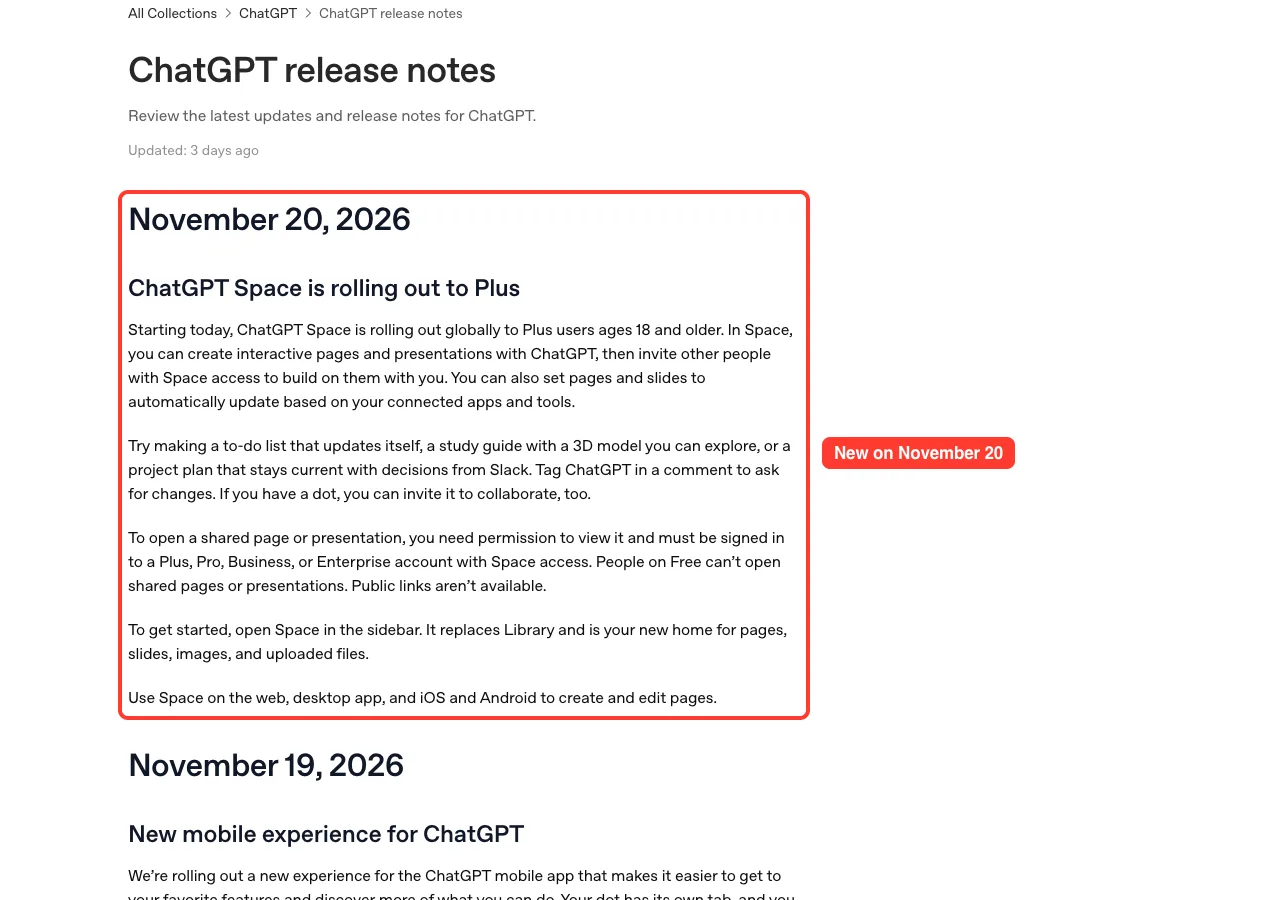
The newest entry, dated November 20, opens ChatGPT Space to Plus users who are 18 or older, worldwide. Space is where you build interactive pages and presentations with ChatGPT and then invite other people to work on them with you.
The part that stands out is that pages and slides can update themselves. You connect your apps and tools, and the page stays current without you rebuilding it.
What you can build in Space
OpenAI gives three examples in the release note. Each one shows a different side of the feature.
- A to-do list that updates itself.
- A study guide with a 3D model you can explore.
- A project plan that stays current with decisions made in Slack.
To ask for changes, you tag ChatGPT in a comment on the page. If you have a dot, you can invite it to collaborate too.
Sharing rules to know
Sharing is more limited than you might expect. To open a shared page or presentation, a person needs permission to view it and must be signed in to a Plus, Pro, Business or Enterprise account with Space access.
People on Free can’t open shared pages or presentations, and public links aren’t available. So if you plan to share a study guide with a friend, check their plan first.
How to get started
Open Space in the sidebar. It replaces Library and becomes the home for your pages, slides, images and uploaded files, so anything you used to find in Library now lives there.
You can create and edit pages on the web, in the desktop app, and on iOS and Android.
GPT-6.2 Astra and Sol in Work and Codex
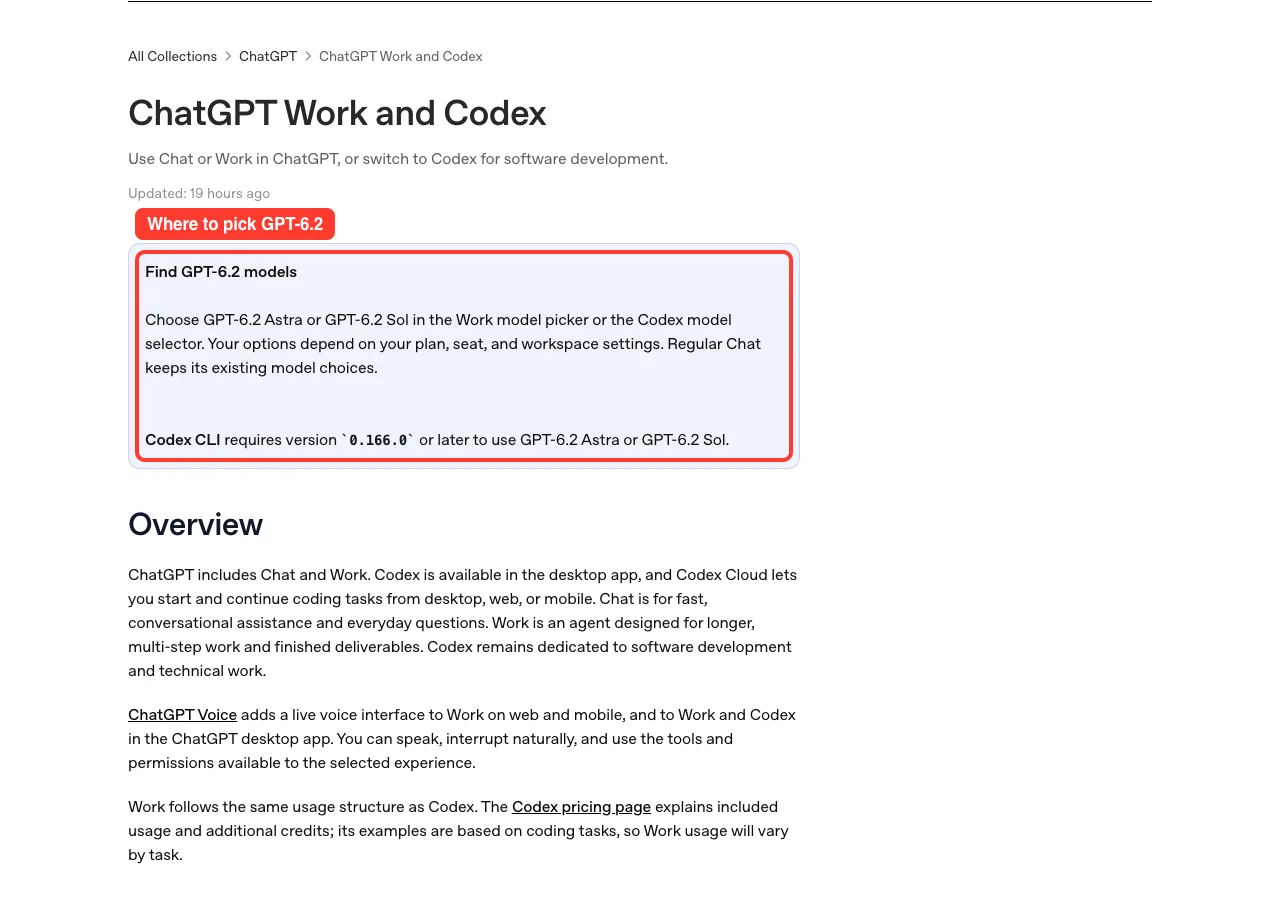
On November 17, OpenAI added two new models to ChatGPT Work and Codex. GPT-6.2 Astra is the frontier model for complex work across research, software development and other professional fields. GPT-6.2 Sol combines strong reasoning with speed for a wide range of everyday tasks.
Both are labeled as a preview in Work and in Codex desktop. Regular Chat keeps its existing model choices, so you won’t see them in the normal chat picker.
How to choose GPT-6.2
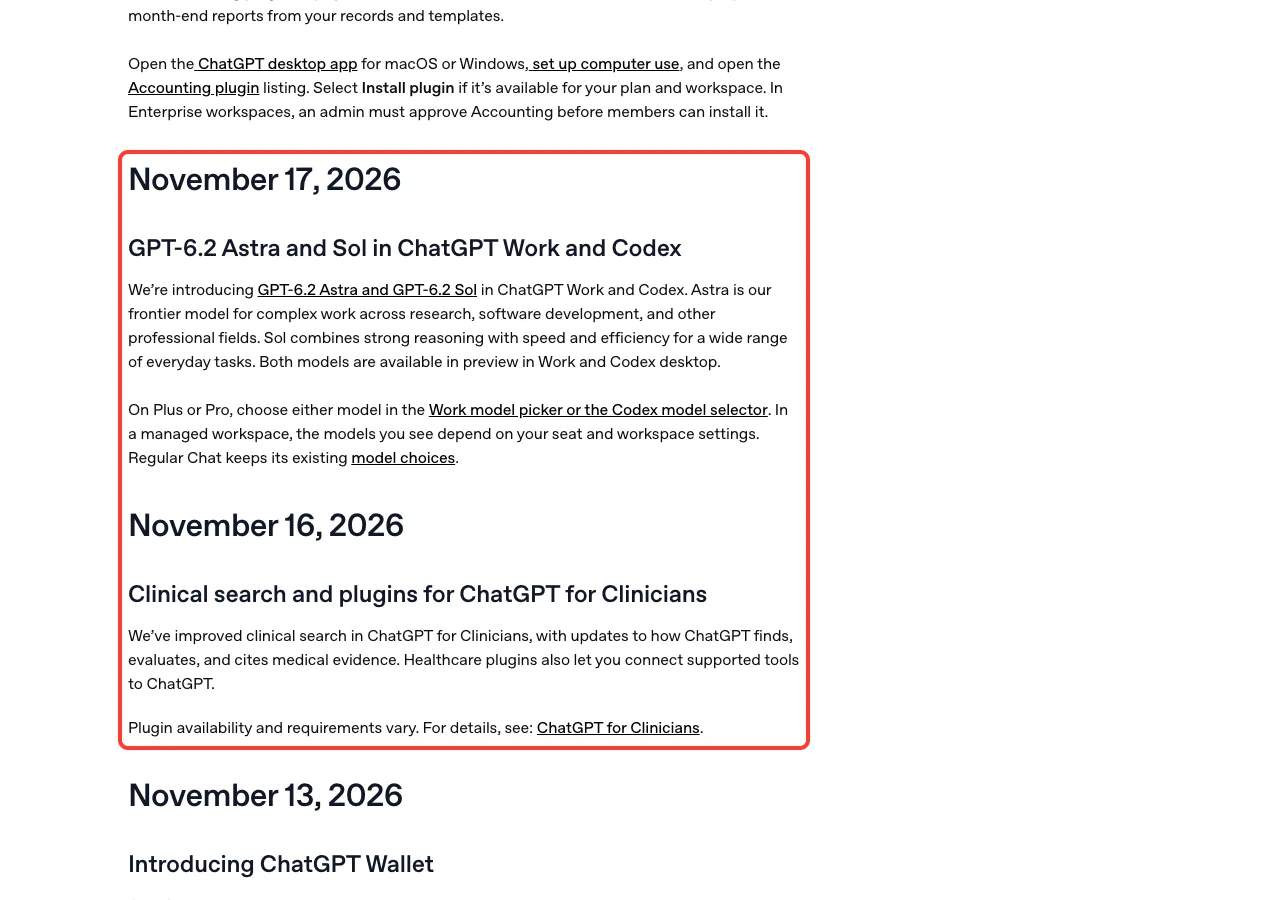
On Plus or Pro, pick either model in the Work model picker or the Codex model selector. In a managed workspace, the models you see depend on your seat and workspace settings.
If you use Codex from the terminal, OpenAI’s help article adds one important detail: Codex CLI needs version 0.166.0 or later to use GPT-6.2 Astra or Sol.
What OpenAI says is better
In its announcement, OpenAI says both models deliver better results on demanding tasks with fewer output tokens, so you can get more done within your usage limits. It says Astra’s slides, spreadsheets and documents follow your templates and your field’s conventions more closely.
For developers, OpenAI lists API prices of $8 per million input tokens and $40 per million output tokens for GPT-6.2 Astra, and $2 and $10 for GPT-6.2 Sol. We covered an early sighting of the model in our GPT-6.2 early report, and the full details are in OpenAI’s GPT-6.2 announcement.
GPT-6.2 lives in Work and Codex for now. If your normal chat looks the same, that is expected.
Live Dictation: Words Appear as You Talk
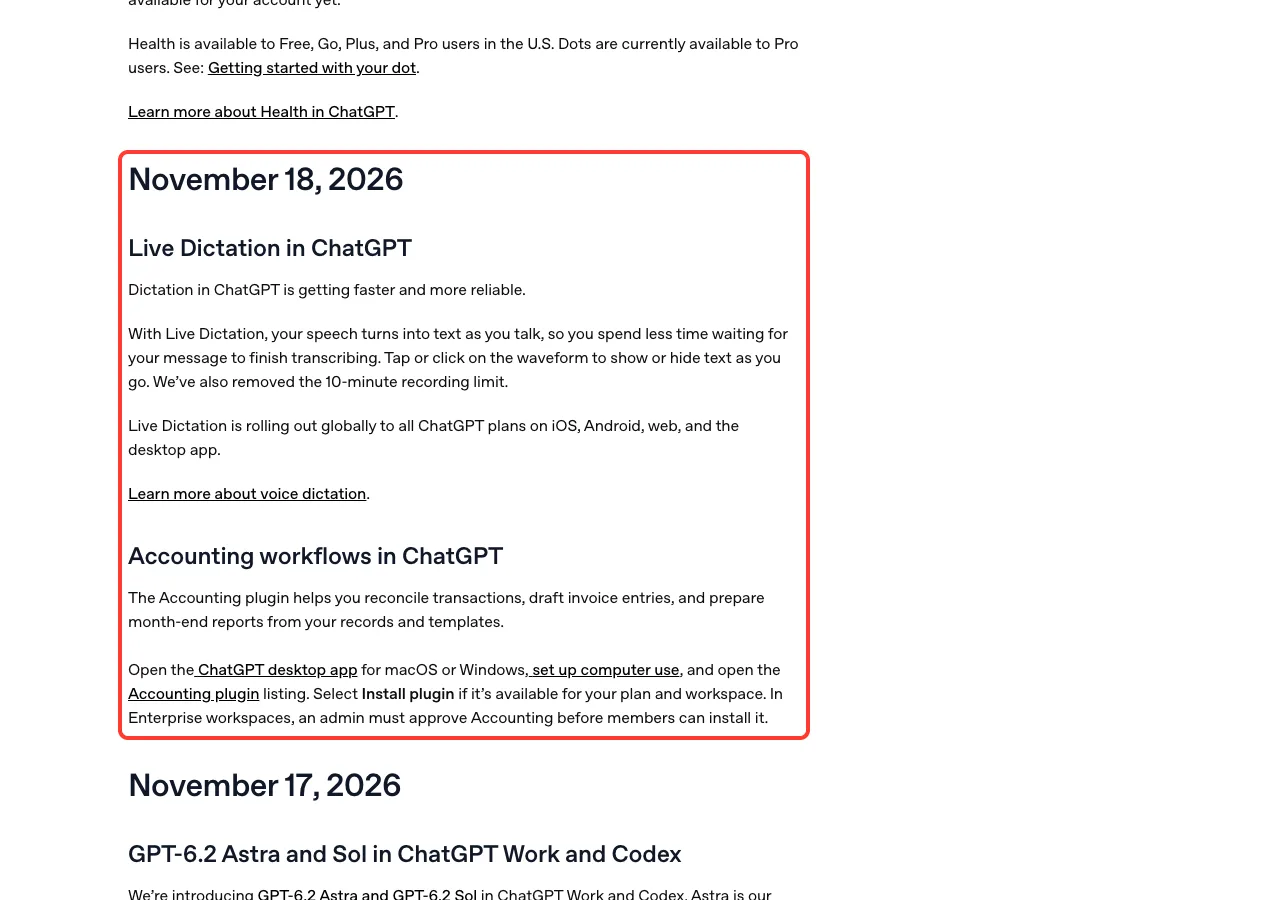
This is the update with the widest reach. Live Dictation, listed on November 18, is rolling out globally to all ChatGPT plans on iOS, Android, web and the desktop app.
Before, you spoke, stopped, and waited for the whole message to be transcribed. Now your speech turns into text as you talk, so there is less waiting at the end.
Two small changes worth knowing
You can tap or click the waveform to show or hide the text while you speak. That is handy if seeing your words on screen distracts you.
OpenAI also removed the 10-minute recording limit. Long voice notes, like a rambling brain dump before a meeting, no longer get cut off.
What happens to your audio
Dictation is not the same as a voice conversation. OpenAI’s dictation help page says the recorded audio is sent to its models to be transcribed, and you can edit the text before you send it.
Audio is kept as long as the chat stays in your history. If you don’t want your audio used to improve models, turn off “Include your audio recordings” in your data controls.
A New Look for the ChatGPT Mobile App
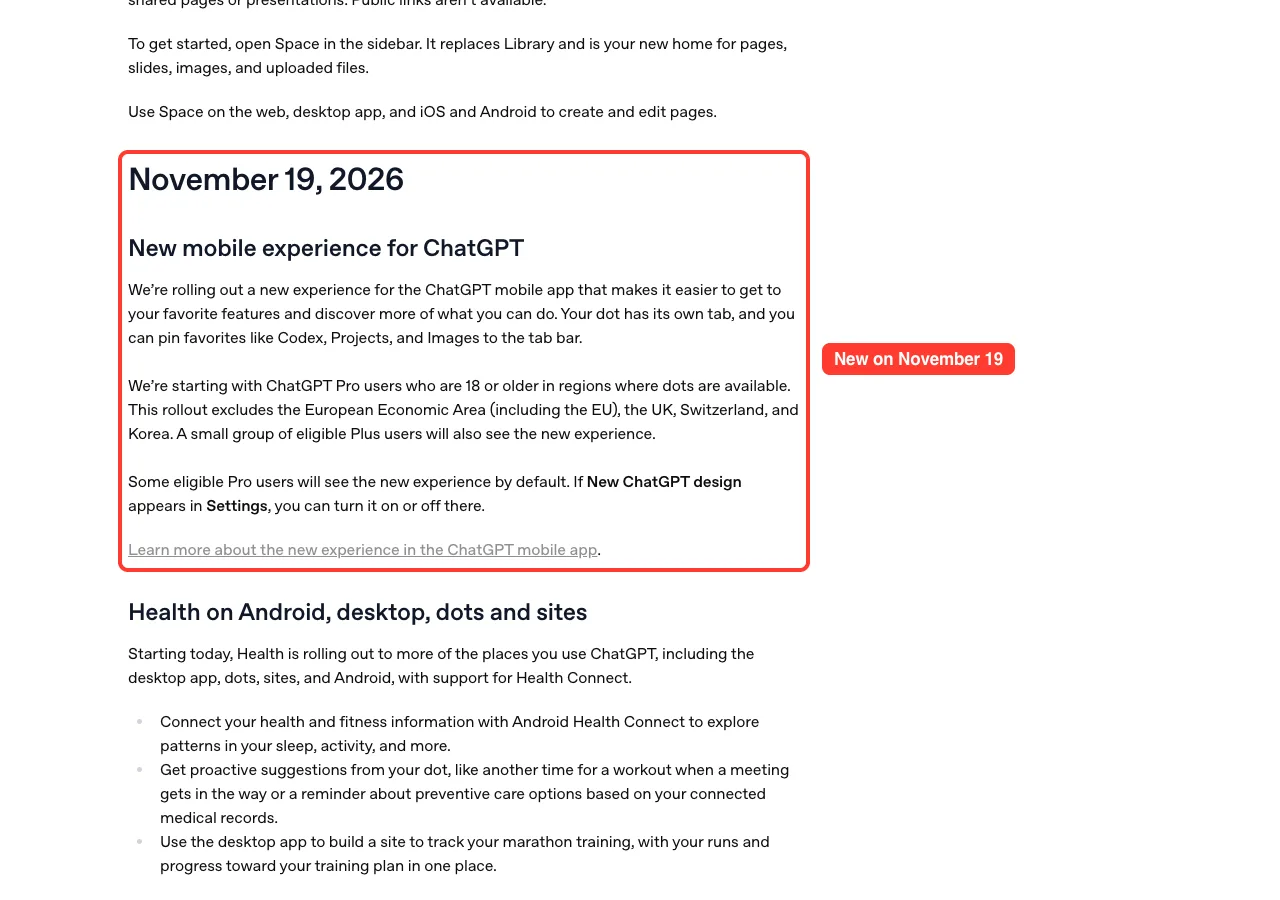
On November 19, OpenAI started rolling out a redesigned ChatGPT mobile app. The goal is to make your favorite features easier to reach and to help you discover more of what the app can do.
Your dot gets its own tab, and you can pin favorites like Codex, Projects and Images to the tab bar at the bottom of the screen.
Who gets the new design
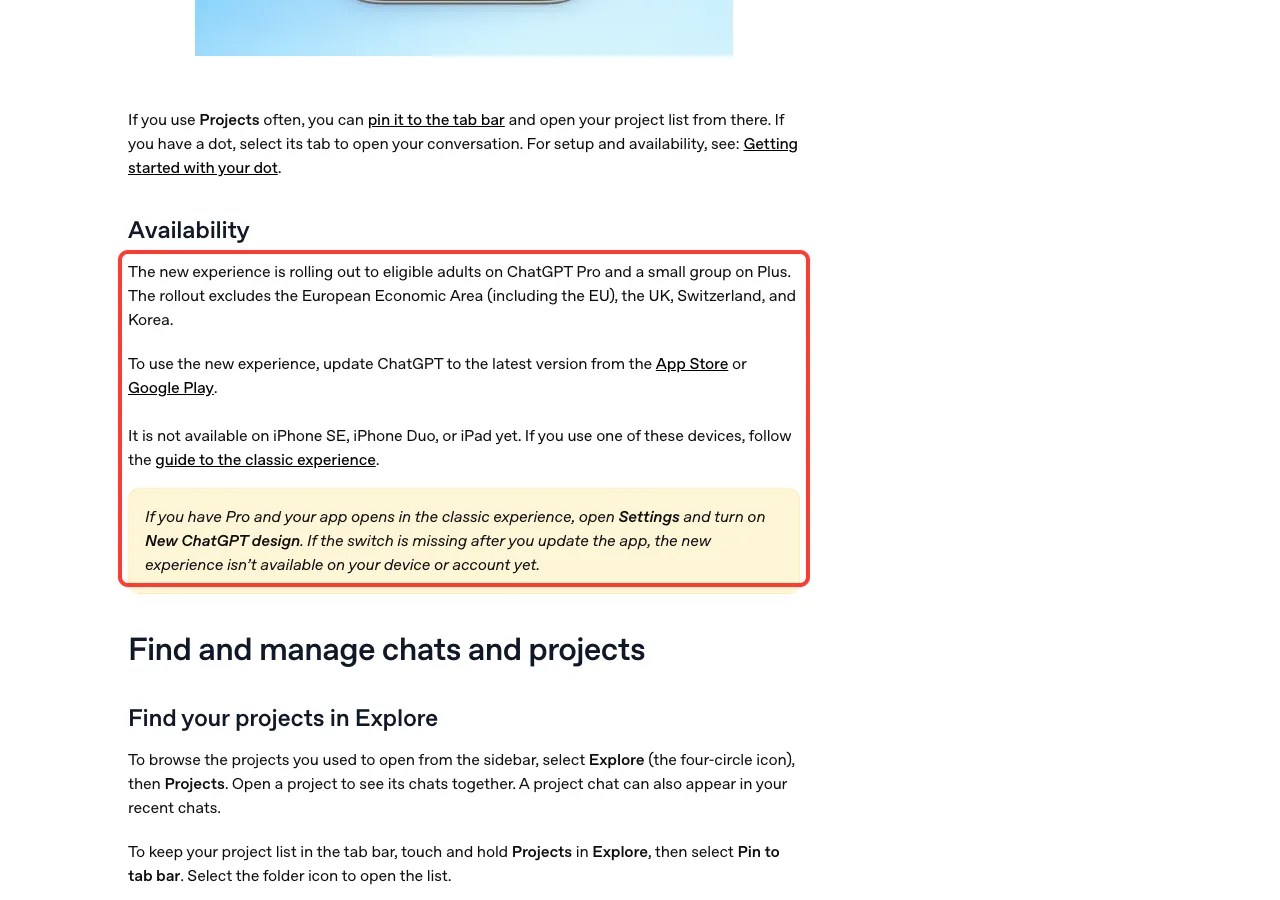
The rollout starts with ChatGPT Pro users who are 18 or older in regions where dots are available. A small group of eligible Plus users will also see it.
The rollout excludes the European Economic Area (including the EU), the UK, Switzerland and Korea. OpenAI’s help article adds that it is not available on iPhone SE, iPhone Duo or iPad yet.
How to use Home, Explore and the tab bar
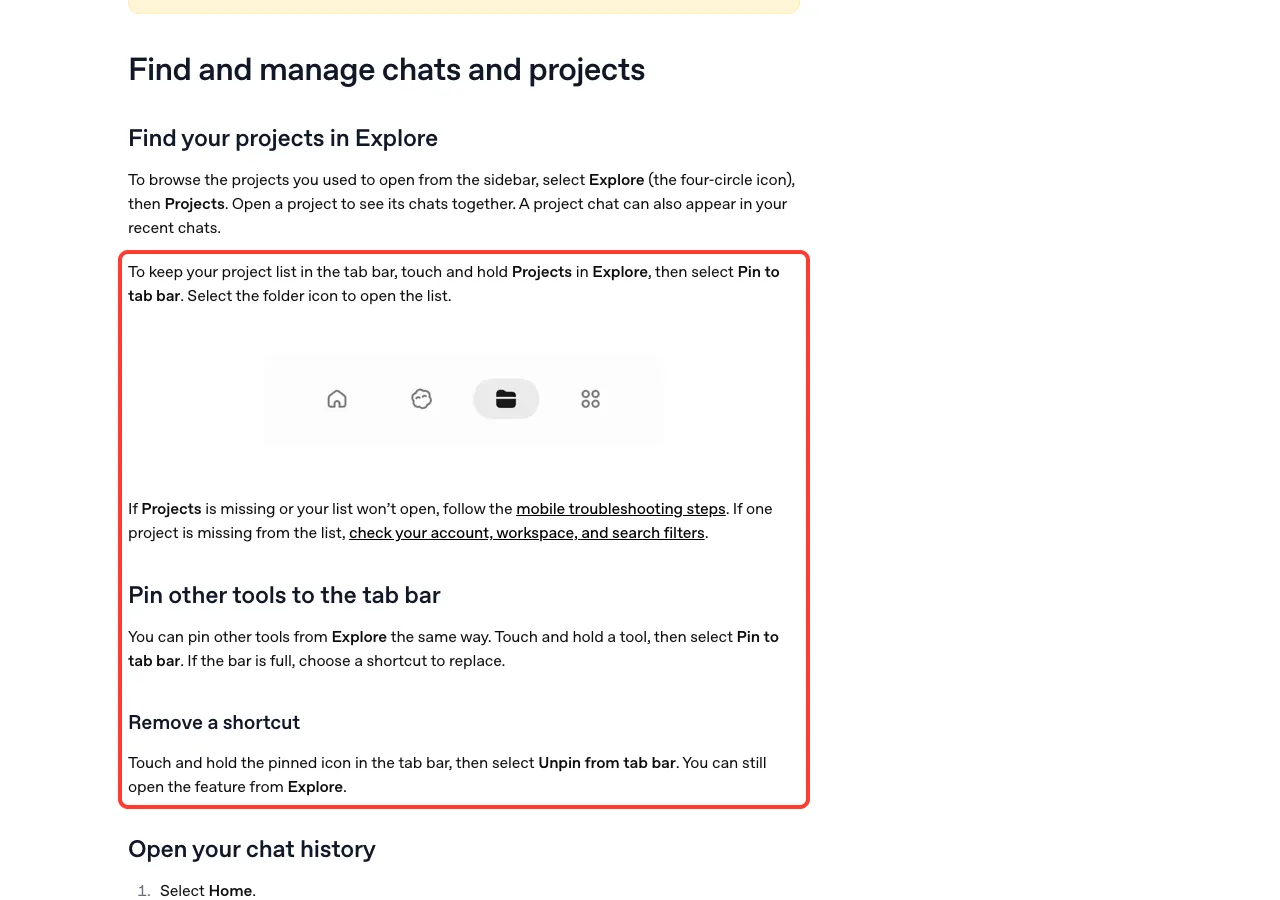
If you see Home (a house icon) and Explore (four circles) at the bottom of the app, you already have the new experience. Projects moved into Explore.
- Tap Explore, then touch and hold a tool such as Projects.
- Select Pin to tab bar. If the bar is full, choose a shortcut to replace.
- To remove one, touch and hold the pinned icon and select Unpin from tab bar.
Some Pro users get the new design by default. If New ChatGPT design appears in Settings, you can turn it on or off there.
Health Expands to Android, Desktop and Dots
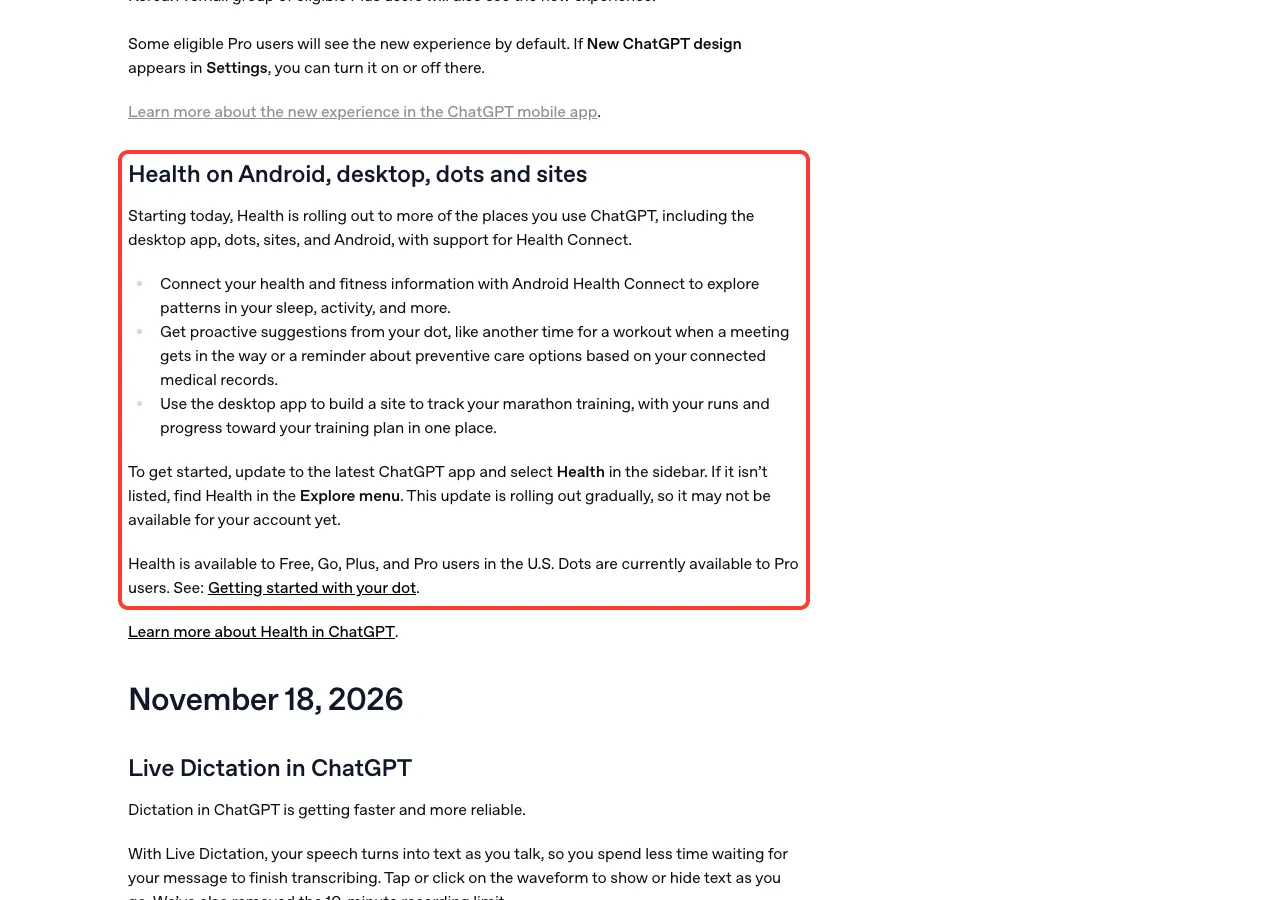
Also on November 19, Health in ChatGPT started rolling out to more places: the desktop app, dots, sites and Android, with support for Android Health Connect.
OpenAI gives three examples. You can explore patterns in your sleep and activity through Health Connect, get suggestions from your dot such as a new time for a missed workout, or build a site in the desktop app to track marathon training.
Who can use Health
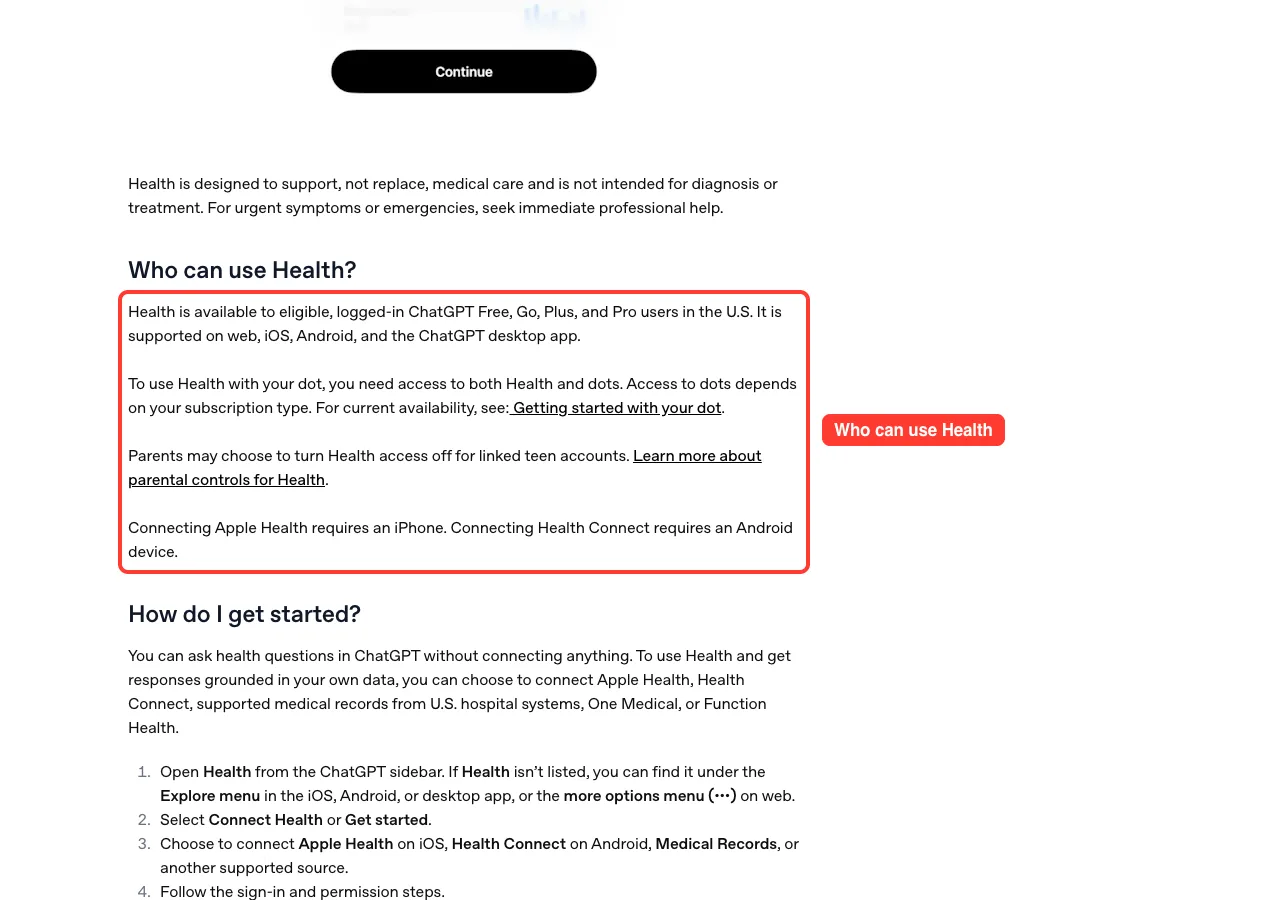
Health is available to Free, Go, Plus and Pro users in the U.S. Dots are currently available only to Pro users, so the dot suggestions are a Pro feature for now.
To start, update the ChatGPT app and select Health in the sidebar. If it isn’t listed, look in the Explore menu, and remember the rollout is gradual.
Privacy points from the Help Center
OpenAI says data you sync through Health, such as medical records or Health Connect data, is not used to train its foundation models or to target ads. If you disconnect an account, its synced data is deleted from OpenAI’s systems within 30 days.
OpenAI also says Health is designed to support, not replace, medical care. For urgent symptoms, get professional help right away.
Accounting Plugin and Clinical Search
Two more entries target specific groups of users. They matter a lot to those groups and very little to everyone else.
The Accounting plugin (November 18)
The Accounting plugin helps you reconcile transactions, draft invoice entries and prepare month-end reports from your own records and templates. It runs in the ChatGPT desktop app for macOS or Windows.
To try it, open the desktop app, set up computer use, then open the Accounting plugin listing and select Install plugin if your plan and workspace offer it. In Enterprise workspaces, an admin must approve it first.
Clinical search for clinicians (November 16)
ChatGPT for Clinicians got better clinical search, with updates to how ChatGPT finds, evaluates and cites medical evidence. Healthcare plugins also let clinicians connect supported tools.
ChatGPT for Clinicians is free for verified clinicians in the United States, including physicians, nurse practitioners, physician assistants and pharmacists. We covered OpenAI’s wider healthcare push in our healthcare plugins story.
What This Means for You
Seven changes, many different audiences. This decision chart shows which ones reach your plan.
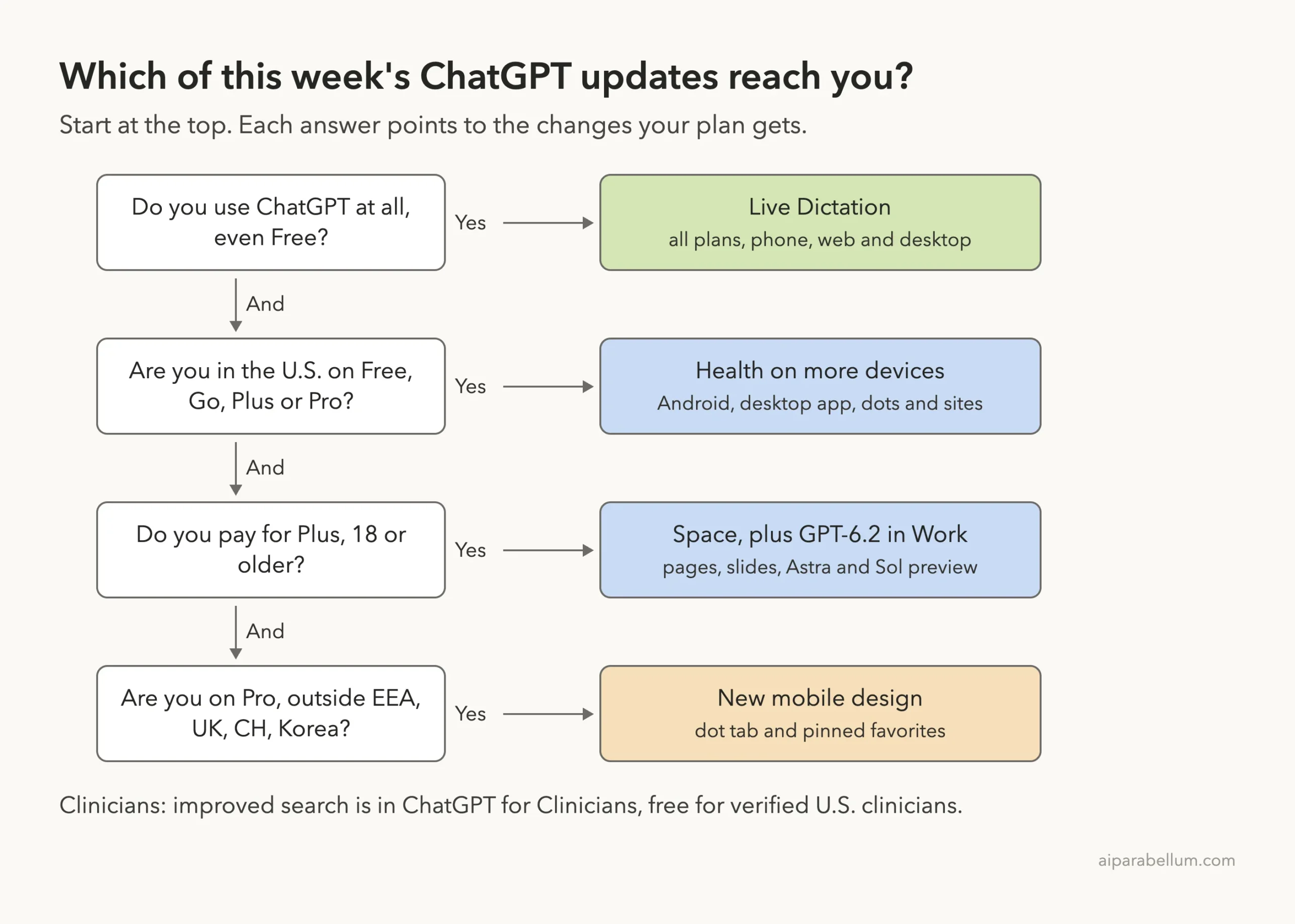
- If you are on Free: Live Dictation is the change you will feel. If you live in the U.S., Health on Android and desktop may show up too.
- If you are on Plus: look for Space in your sidebar where Library used to be, and try GPT-6.2 Sol in Work for everyday tasks.
- If you are on Pro: you may already have the new mobile design, and your dot can now use Health to make suggestions.
- If you use Codex in the terminal: update Codex CLI to
0.166.0or later before picking a GPT-6.2 model. - If you are in the EU, UK, Switzerland or Korea: the new mobile design isn’t coming your way yet.
- If you share Space pages: check that your viewers have a paid plan, because Free users can’t open them.
Want to get more from what you already have? Our ChatGPT tips guide covers everyday habits, and our writing style guide helps you get more natural answers.
Common Mistakes to Avoid
- Looking for GPT-6.2 in regular Chat. It is only in the Work model picker and the Codex model selector.
- Running an old Codex CLI and wondering why GPT-6.2 is missing. You need version
0.166.0or later. - Sending a Space link to a friend on Free. They can’t open it, and there are no public links.
- Thinking Library was deleted. Space replaces it and holds your pages, slides, images and uploaded files.
- Expecting every update on day one. Health, Space and the mobile design all roll out gradually.
- Treating Health answers as a diagnosis. OpenAI says it supports, not replaces, medical care.
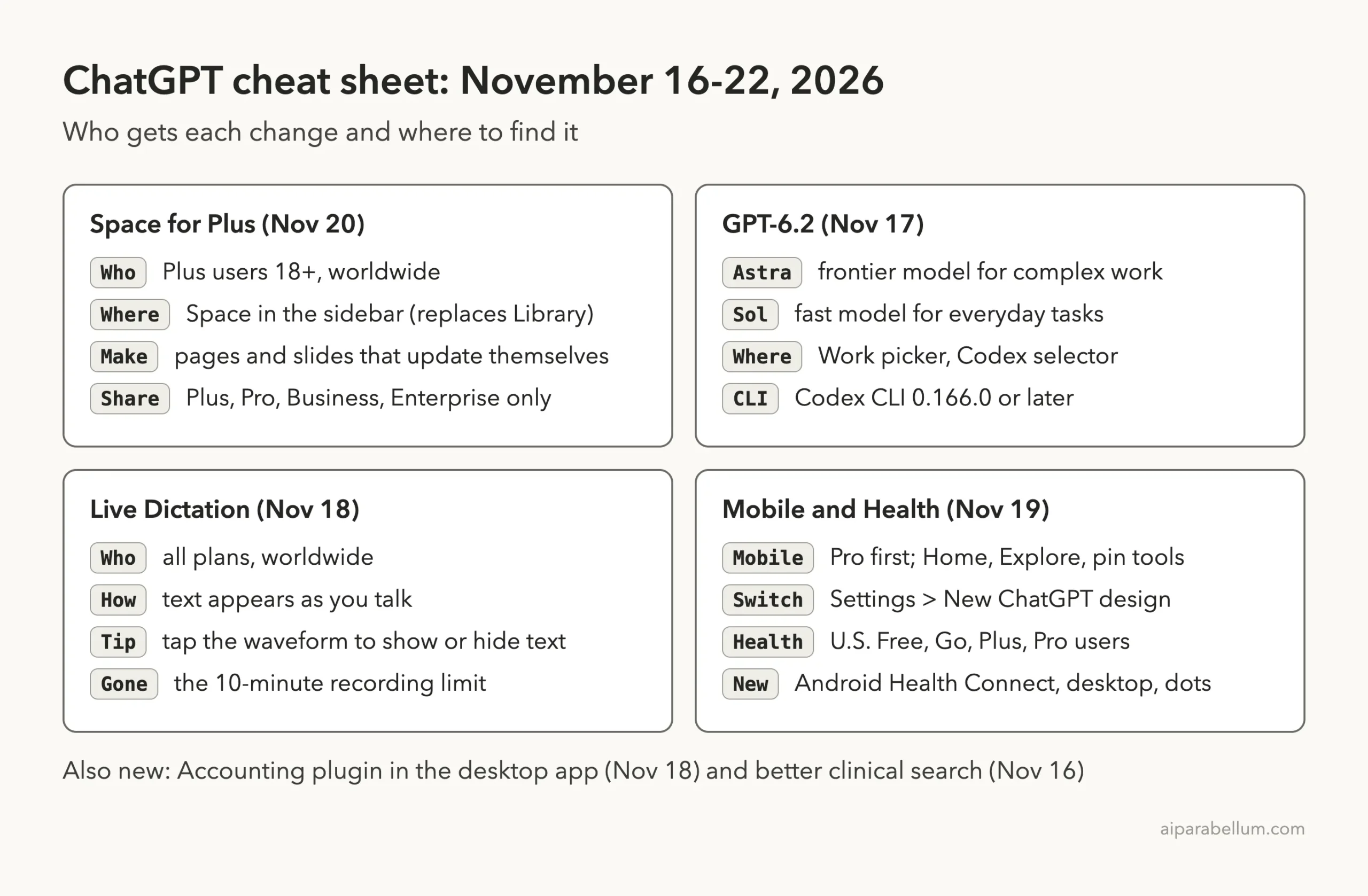
Cheat Sheet: This Week in ChatGPT
Save this card if you want the plans, places and settings in one spot.
Follow other tools too? We also publish a weekly Claude Code roundup, and our assistant comparison puts ChatGPT next to Claude and Gemini.
Frequently Asked Questions
What’s new in ChatGPT this week?
The release notes list seven entries for November 16-22, 2026: ChatGPT Space for Plus, GPT-6.2 Astra and Sol in Work and Codex, Live Dictation, a new mobile app design, Health on more devices, an Accounting plugin and better clinical search for clinicians.
Can I use GPT-6.2 in regular ChatGPT chat?
No. GPT-6.2 Astra and Sol are in preview in ChatGPT Work and Codex. Regular Chat keeps its existing model choices, according to the release note.
Is Live Dictation free?
Yes. OpenAI says Live Dictation is rolling out globally to all ChatGPT plans on iOS, Android, web and the desktop app, and the 10-minute recording limit is gone.
Where did Library go in ChatGPT?
For Plus users getting Space, Space replaces Library in the sidebar. It becomes your home for pages, slides, images and uploaded files.
Why don’t I see the new mobile app design?
It starts with Pro users 18 or older where dots are available, plus a small group on Plus. It excludes the EEA, the UK, Switzerland and Korea, and it isn’t on iPhone SE, iPhone Duo or iPad yet.
Conclusion
This was a big week for ChatGPT: Space gives Plus users self-updating pages and slides, GPT-6.2 Astra and Sol bring new models to Work and Codex, Live Dictation makes voice typing faster for every plan, and Health and the redesigned mobile app spread to more people and devices. Most of these changes roll out gradually and depend on your plan or region, so don’t worry if something hasn’t appeared yet. You can read every entry yourself in the official ChatGPT release notes, and we will be back next week with the next roundup.