Claude Code agent orchestration means one place that starts several coding agents, hands them work, and keeps track of what each one did. A busy corner of GitHub now offers a dozen tools for it, and they solve the problem in very different ways.
We cloned twelve of them into a throwaway sandbox, read their files, and loaded the five that ship as Claude Code plugins in one real session. This guide shows what we ran, what only comes from the docs, and which tool fits which job.
This guide is part of our Claude Code tutorials. Find more add-ons in our Skills Directory.
Tested with Claude Code v2.1.319 on 2026-11-10 (macOS). Commits we read: Paperclip c874cfa, OpenRig fa2a2bd, Hive c6c2cdc, Babysitter feb68abe, delegate-skills 7f8ae34, AI Maestro 0781e81, Codeman f62c1f7, Citadel 3c317a0, agy-staff 1f66a8d, nWave 4535ee0, Dryforge 5caa205 and Abide f68770d.
What We Ran and What Came From the Docs
Most of these tools are servers or command-line programs that need an outside model key, a subscription or a second coding CLI. We never signed in, entered a key or installed a server. So this is a roundup, not a full hands-on test of every feature.
What we did run: five plugins loaded with --plugin-dir and --setting-sources project, so your own ~/.claude folder stays untouched. We also copied three skills from delegate-skills into the demo project and ran one of its scripts for real. Everything else comes from each project’s own README.
One tool from the original list is missing. The Headcount repository (an agent organization built like a company) returned a 404 page when we tried to open it, so we left it out.
Safety checks before loading anything
We read the plugin folders first. None of the five loaded plugins ships an active hooks file that Claude Code would run. Citadel includes a hooks template, which its own installer writes into a project, and we did not run that installer.
| Tool | Kind | What it does | Account or key needed | We ran it |
|---|---|---|---|---|
| Paperclip | Node.js server and web app | Org chart, goals, budgets and tasks for a team of agents | Your own agents and models | Docs only |
| OpenRig | CLI plus plugin | Persistent agent teams defined in YAML | Claude Code or Codex signed in | Plugin loaded, server failed (no rig CLI) |
| Hive | Python and Node runtime | A queen agent grows a colony of parallel workers | A model key, subscription or local model | Docs only |
| Babysitter | CLI and plugin | Workflows written in code, with enforced steps and quality gates | A supported coding harness | Docs only |
| delegate-skills | Skills | Hand a task to another coding CLI, review the diff, commit yourself | None for discovery | Skills listed, discovery script ran |
| AI Maestro | Self-hosted dashboard | Agents with memory, messaging and multi-machine support | No account, per its README | Docs only |
| Codeman | Self-hosted dashboard plus plugin | Agent sessions in tmux, streamed to any browser | At least one agent CLI installed | Plugin skill loaded |
| Citadel | Plugin | A /do router, saved state, safeguards and parallel campaigns | None | Plugin loaded, skills and servers listed |
| agy-staff | Plugin | Hires Google’s Antigravity CLI as a helper agent | The agy CLI | Plugin loaded, skills listed |
| nWave | Python tool | Specialist roles and a delivery workflow built on one handoff record | Python 3.11 and a host | Docs only |
| Dryforge | Plugin | Turns an idea into an approved intent, then builds and checks it | Git | Plugin loaded, skills listed |
| Abide | CLI that adds hooks | Checks every edit against your project rules | A TypeSafe or Vercel AI Gateway key | Docs only |
Our plugins guide explains how installing and managing plugins works in general.
Three Kinds of Claude Code Agent Orchestration
These tools look alike in a list, but they sit in three groups. Knowing the group saves you hours.
The first group is servers with a dashboard. You install them on a machine, open a web page and manage agents from there.
The second group is plugins and skills that run inside one Claude Code session. The third is orchestrators that spawn other agent programs and keep their work organized.
If subagents are new to you, read our subagents guide first. Many of these tools are bigger versions of the same idea.
Dashboard Tools: Paperclip, AI Maestro and Codeman
A dashboard tool is a control room: you leave the terminal and watch many agents at once.
Paperclip
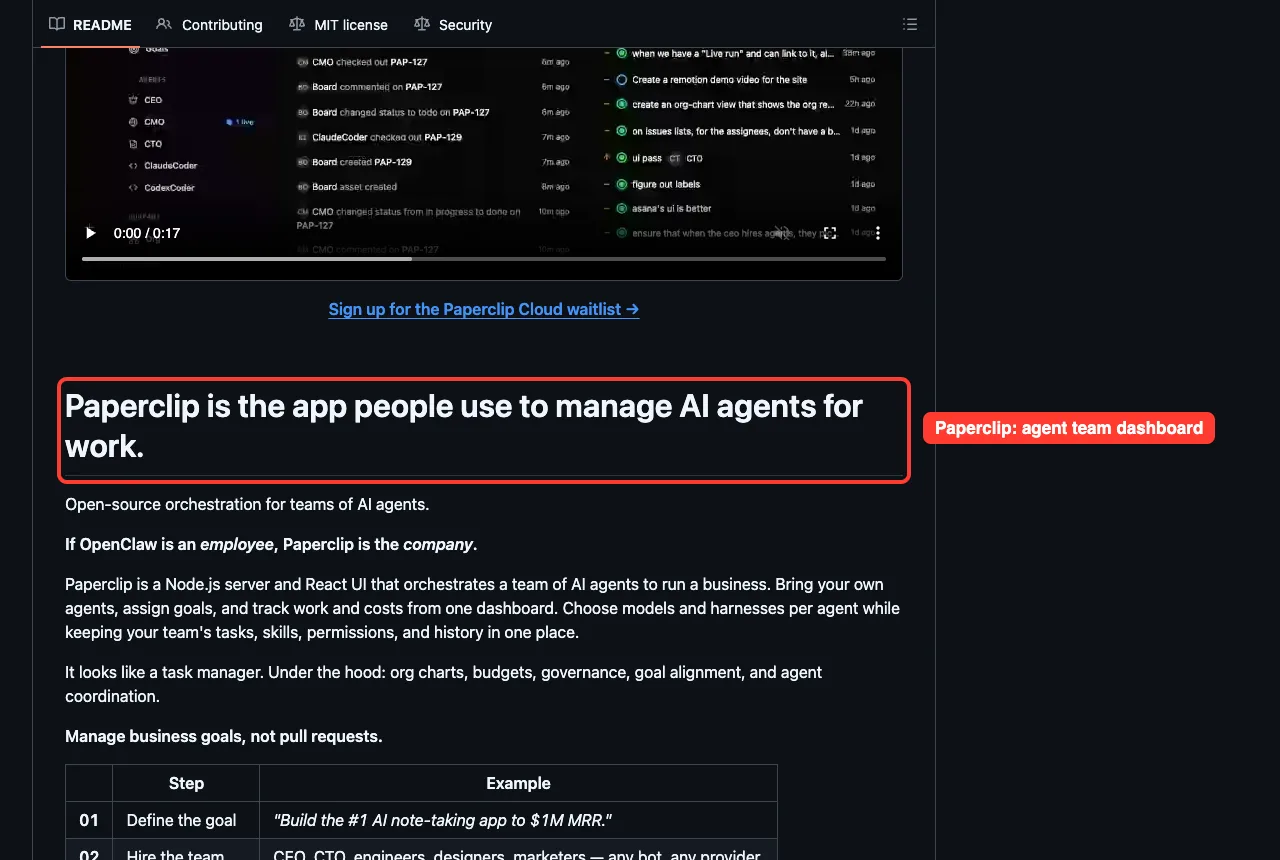
Paperclip describes itself as a Node.js server and React app that orchestrates a team of AI agents to run a business. You bring your own agents, set goals, and track work and costs from one dashboard.
Its README lists Claude Code, Codex, Cursor and Gemini CLI among the agents it works with. The idea is to manage business goals instead of pull requests, with org charts, budgets and approvals. It is MIT licensed, and the README also points to a waitlist for a cloud version.
AI Maestro
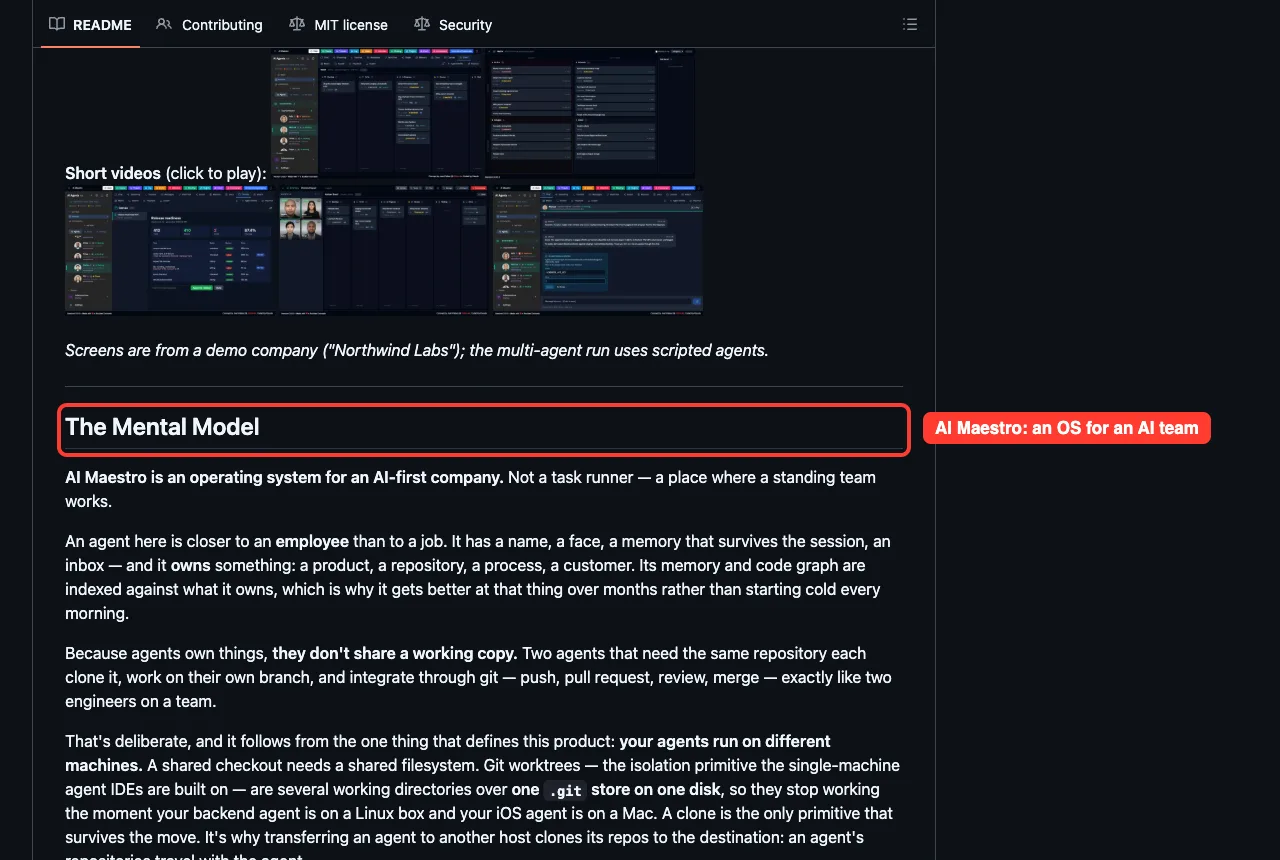
AI Maestro started when its author ran 35 agents in separate terminals and became the human messenger between them. It gives each agent a name, memory that survives sessions, an inbox and something it owns, such as a repository.
Its README says it needs no account and has no telemetry, and that agents on different machines can join a peer network. Claude Code, Codex and Grok Build get full launch and chat support, while other terminal agents just run in a terminal tab.
Codeman
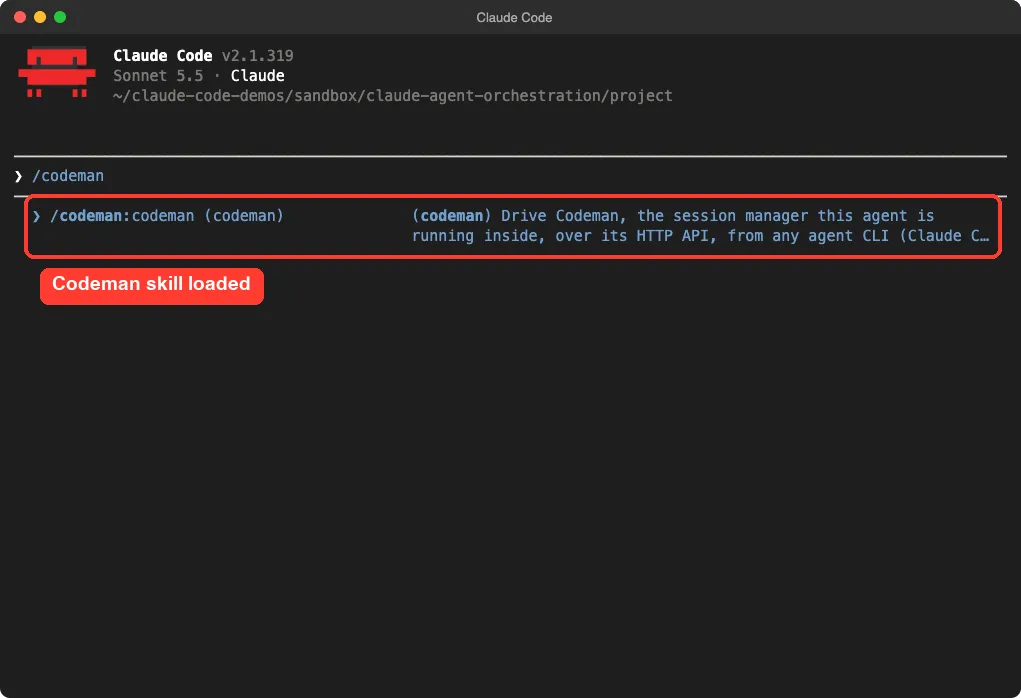
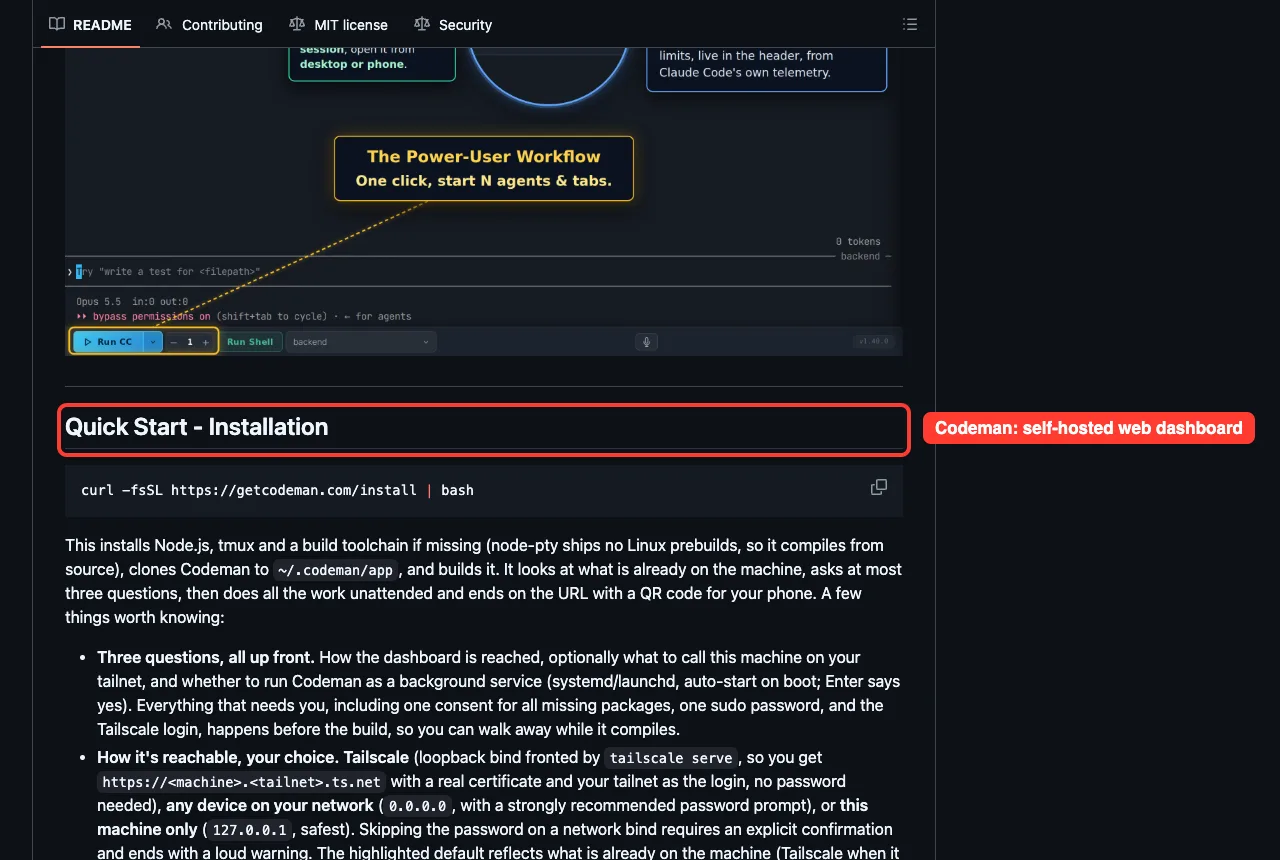
Codeman is a self-hosted web dashboard that runs agent CLIs inside persistent tmux sessions and streams the real terminal to any browser, including a phone. It installs with a one-line script that asks before each system change.
It also ships a plugin. We loaded it, and Claude Code showed one skill named codeman. The plugin’s own description says it acts inside a Codeman-managed session, so we could not test spawning workers without running the full server.
Team Builders: OpenRig and Hive
OpenRig
OpenRig lets you define an agent team in YAML and boot it with one command. Claude Code and Codex can sit in the same team, each in its own terminal, and you talk to a lead agent that hands work to the others.
It needs Node.js 22 or 24, tmux, and Claude Code or Codex signed in. Read its “What OpenRig changes on your machine” box before installing. It says setup edits ~/.tmux.conf, adds trust and activity hooks, and puts discovery skills in ~/.claude/skills.
It also says the default kernel gets broader permissions than a project team does.
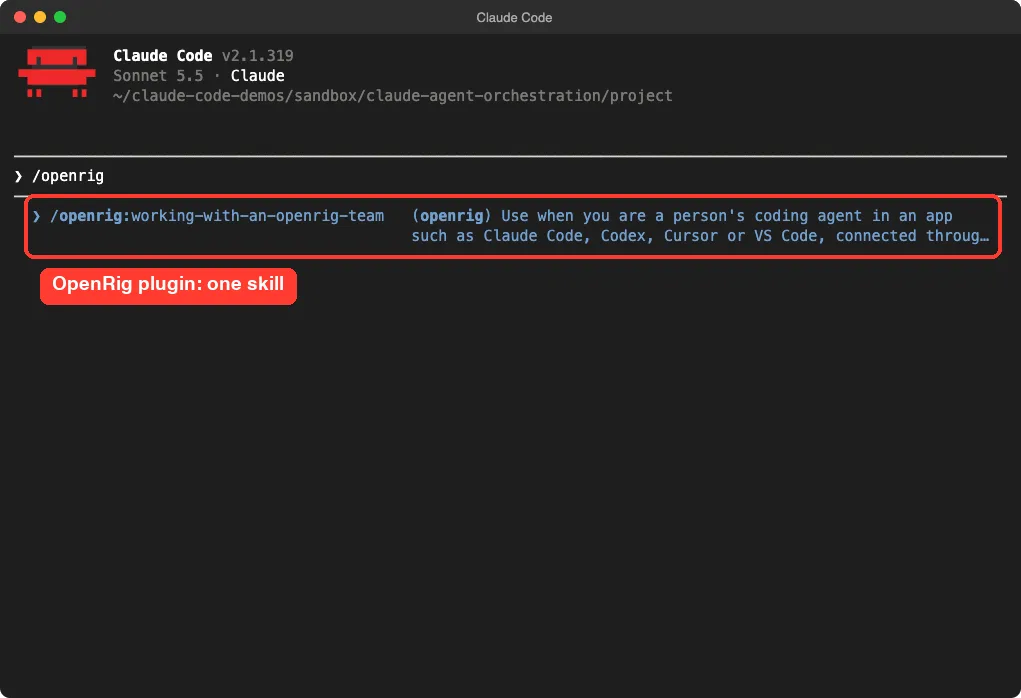
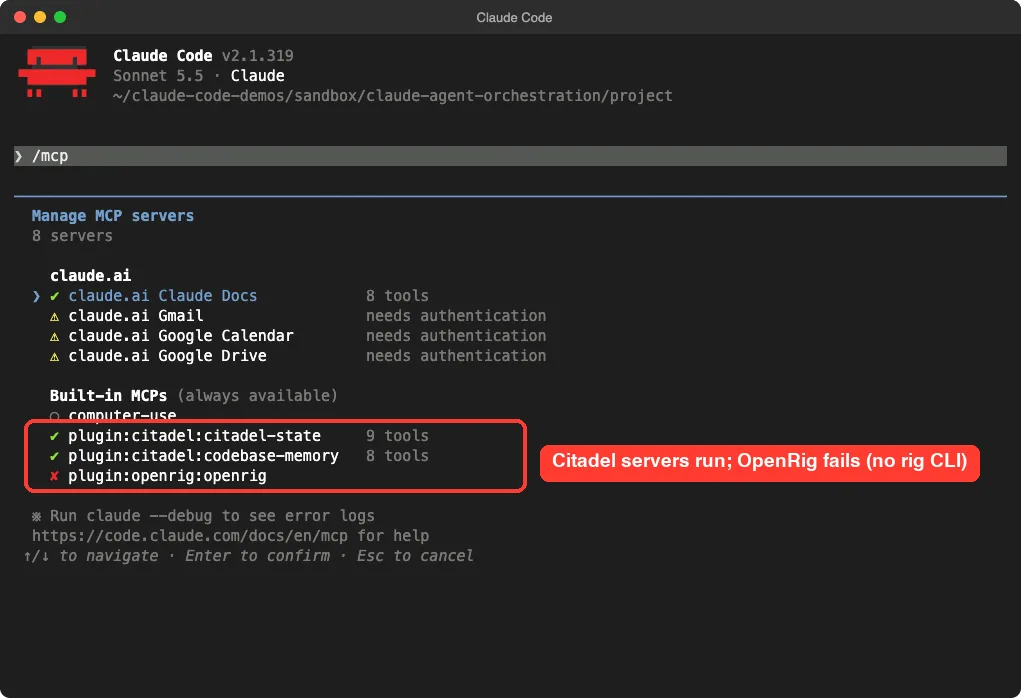
We loaded the OpenRig plugin on its own. It added a single skill, working-with-an-openrig-team, and an MCP server called openrig. That server showed a red mark in /mcp, because the plugin starts the rig command and we had not installed OpenRig itself.
Hive
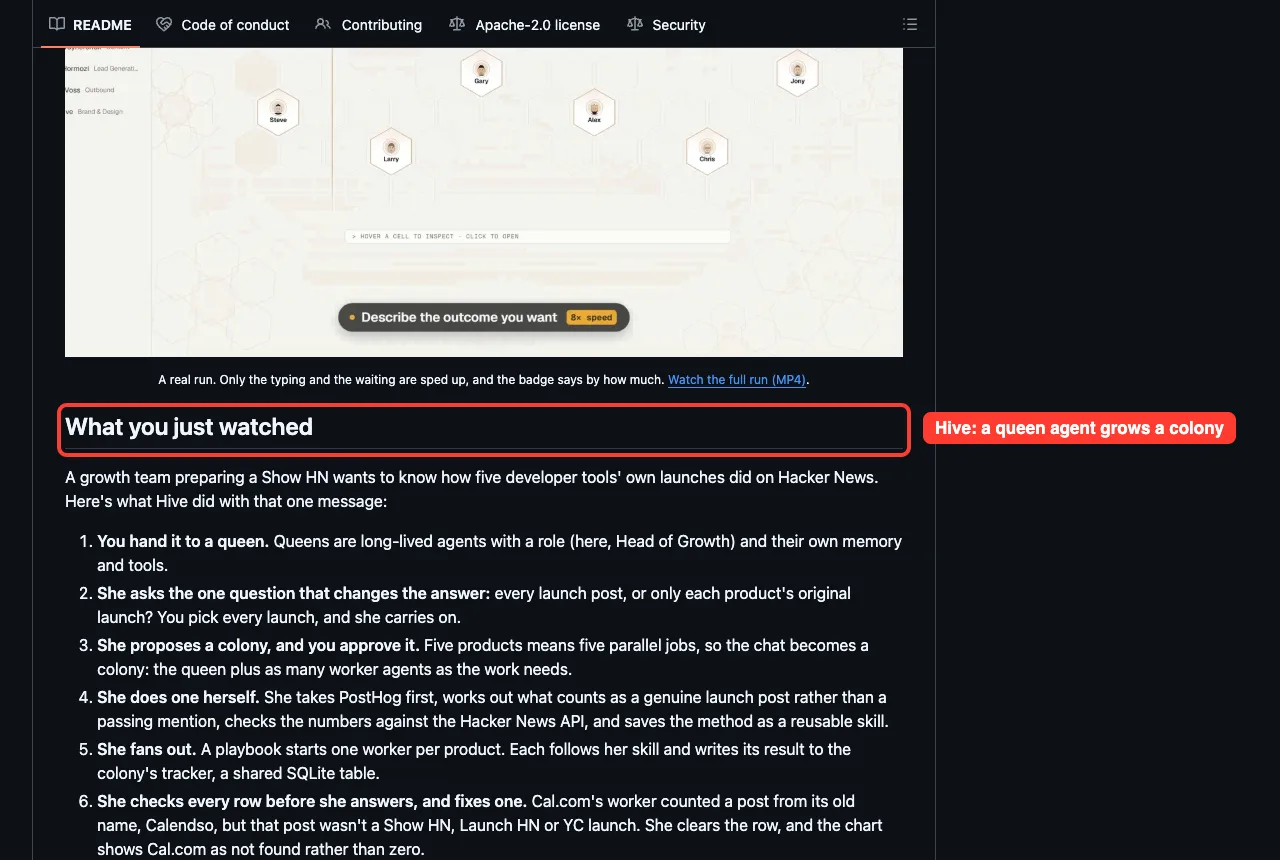
Hive (also written OpenHive) takes a different approach. You describe an outcome to a queen agent. She does the first piece herself to learn the job, then starts as many parallel workers as needed, and every result lands in a shared SQLite tracker.
The README walks through a real run: researching how five developer tools’ launches did on Hacker News. It needs Python 3.11, Node.js 20 and git, and a model from an API key, a coding subscription you already pay for, or a local Ollama model. The quickstart stores keys encrypted under ~/.hive and opens a dashboard at 127.0.0.1:8787.
Plugins That Run Inside Claude Code: Citadel, Dryforge and agy-staff
These are the easiest to try, because they are plugins and need no separate server. They are also where our real testing happened.
Citadel
Citadel calls itself an operating layer for Claude Code and Codex. It adds one /do entry point that routes your request, keeps project state between sessions, and records evidence of what ran.
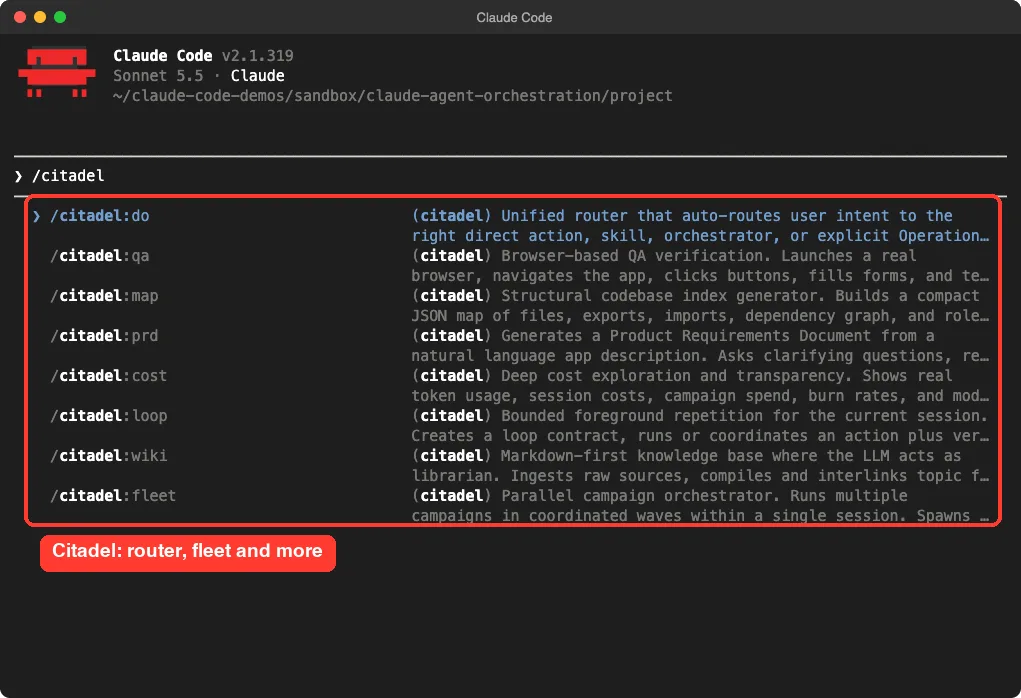
In our session, /citadel listed skills such as do, qa, map, prd, cost, loop, wiki and fleet. The fleet skill is described as a parallel campaign orchestrator. In /mcp, the two Citadel servers, citadel-state (9 tools) and codebase-memory (8 tools), both showed green.
We did not run /citadel:do or a fleet. The README’s own install uses a project-local scope and a pinned release, which is a good habit for any plugin.
Dryforge
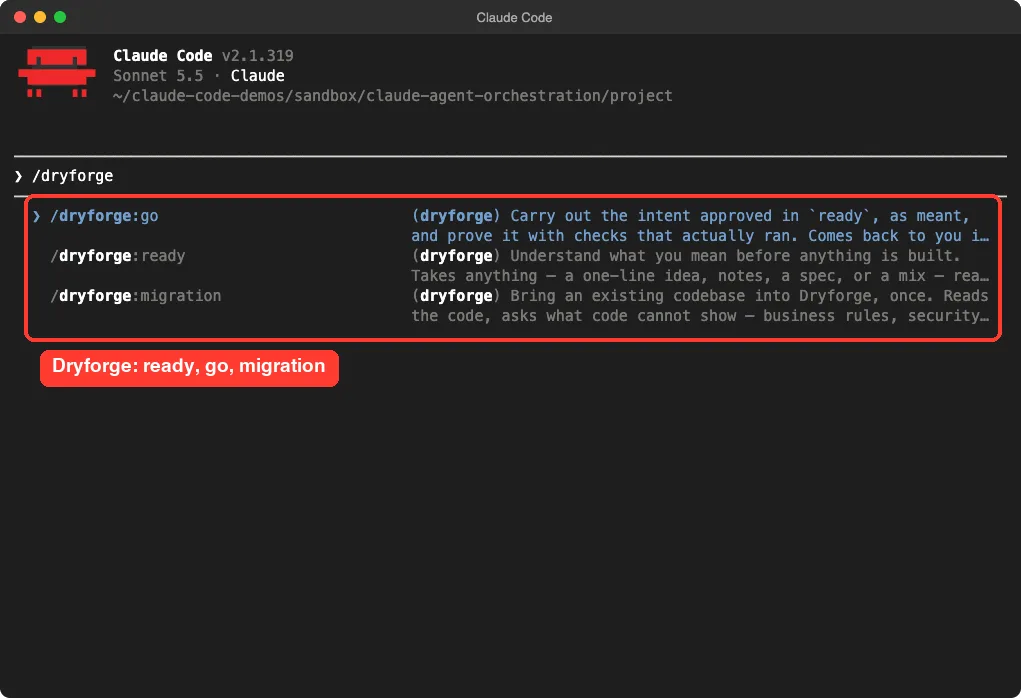
Dryforge splits work into two steps. The ready skill reads your project, asks only what is yours to decide, and writes your intent down for approval. The go skill then carries out the approved intent and proves it with checks that actually ran.
A third skill, migration, brings an existing codebase into the workflow once. It requires git, and Claude Code listed all three skills when we loaded it.
agy-staff
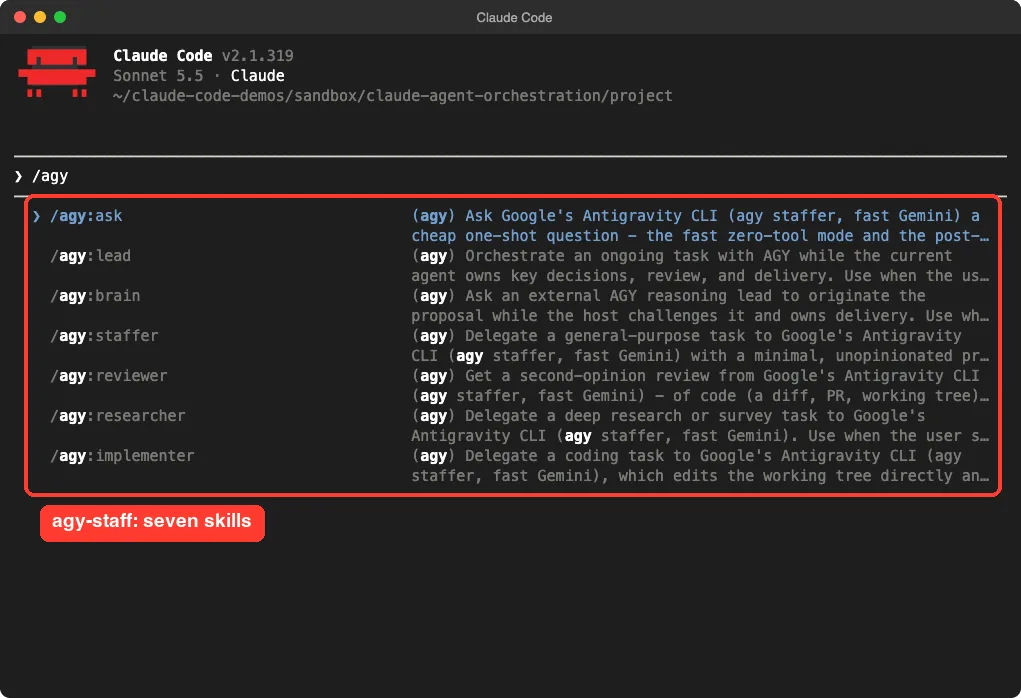
agy-staff hires Google’s Antigravity CLI (agy) as a fast helper for Claude Code. Seven skills appeared in our session: ask, lead, brain, staffer, reviewer, researcher and implementer.
It only does real work if you have installed agy yourself, and we did not.
The README includes a benchmark by the author. It reports that Claude Code’s own spend fell by 16 to 39 percent with agy helping, while time per task rose from about 2 to 8 minutes to about 13 to 26 minutes. The README calls this a first baseline from one run per task, and we did not repeat it.
What loading five plugins looked like
All five loaded without errors in one session. Only the OpenRig server failed, for the reason above. That is a useful lesson: a plugin can load fine while the tool behind it is missing, so always check /mcp.
Our MCP guide explains what these servers are and how to manage them.
Task Handoff Tools: delegate-skills, nWave and Babysitter
delegate-skills: the one we ran
delegate-skills lets one agent hand a coding task to another coding CLI, such as Codex or OpenCode, then review the diff while you land the commit. The repo has 20 skill folders: one for setup and one per supported CLI.
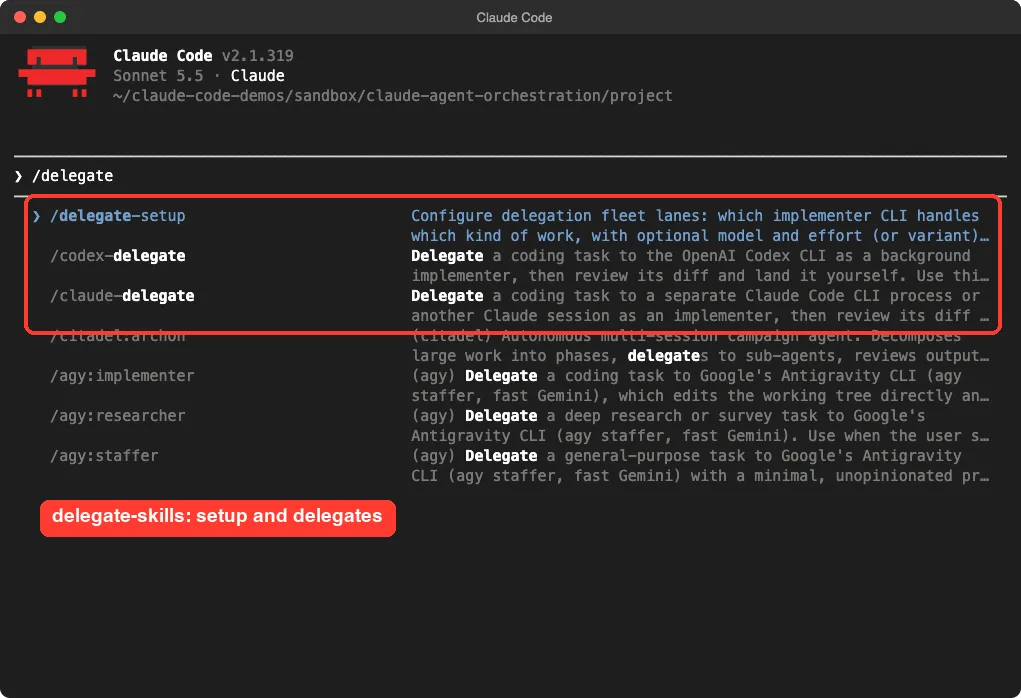
We copied three of them into the demo project’s .claude/skills folder. Typing /delegate listed delegate-setup, codex-delegate and claude-delegate next to the Citadel and agy skills.
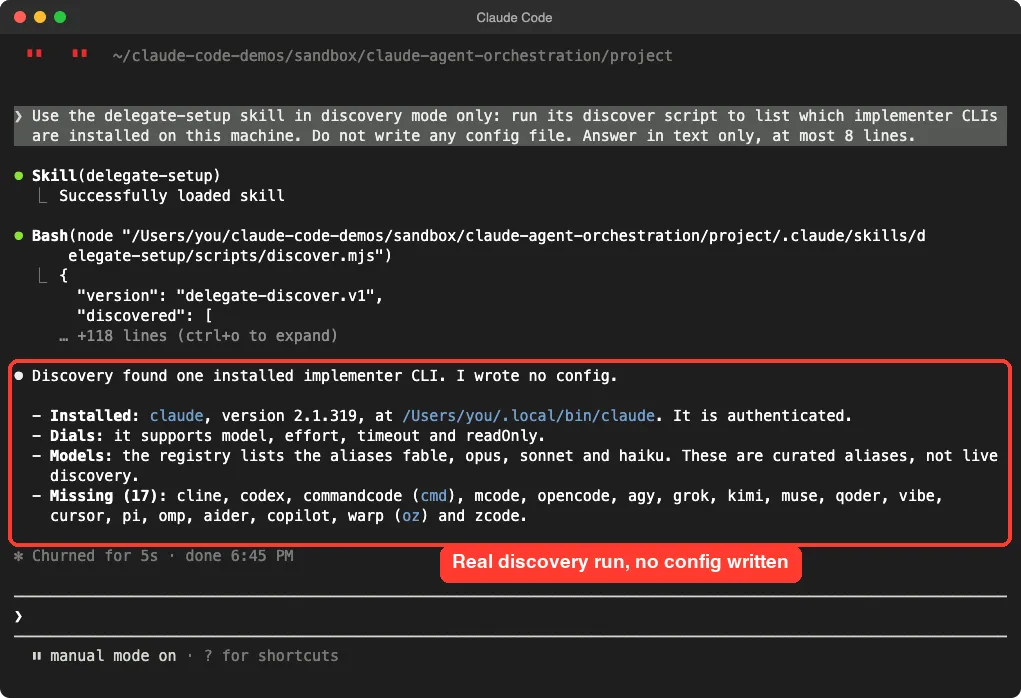
Then we asked Claude to run only the discovery step of delegate-setup.
After we approved the script, Claude found one installed implementer CLI, Claude Code itself, and listed 17 missing ones. It wrote no config file. Reading the script first showed it only probes for installed programs.
nWave
nWave supplies specialist roles and a delivery workflow. Its nwdes command builds one canonical handoff record per feature and renders briefs and review packets from it. It needs Python 3.11 or newer and installs with uv tool install nwave-ai.
Its README says to preview with nwave-ai install --platform claude-code --dry-run first. It also says that Jev questions, a remote judgment service, are authorized by default in nwdes, and that you can refuse with --jev unauthorized. Read that before using it on private code.
Babysitter
Babysitter lets you define a workflow in code, then enforces every step and quality gate. Its README says version 6 works across 12 coding harnesses. The Claude Code install uses a separate marketplace repository, a5c-ai/babysitter-claude.
It needs Node.js 20 or newer. The newest commit in the repo we cloned is from 2026-08-31, which is older than the other tools here, so check recent releases before you commit to it.
Abide: Rule Checks for Any Agent
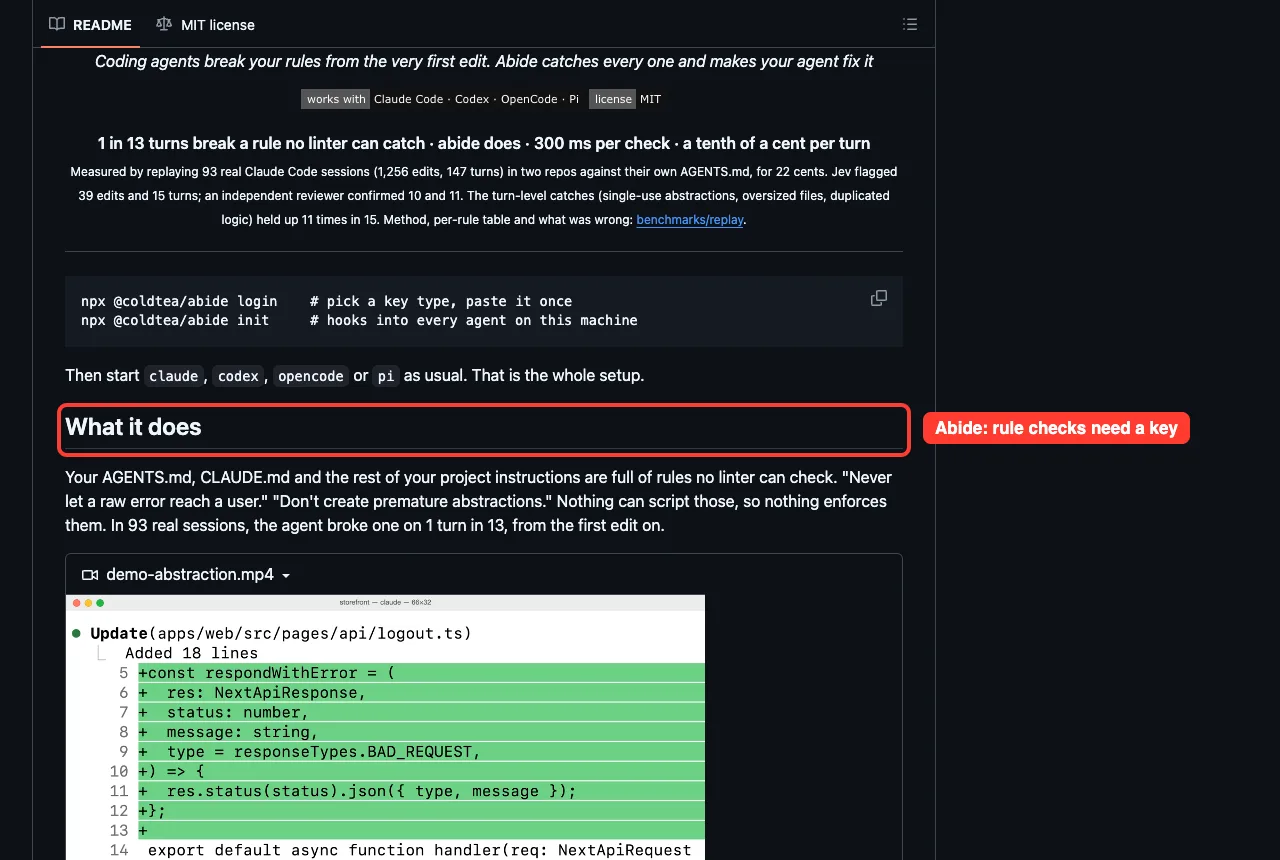
Abide is not an orchestrator, but it often sits beside one. It checks each edit against the rules in your AGENTS.md or CLAUDE.md and asks the agent to repair a break before moving on.
The README says it needs a TypeSafe API key or a Vercel AI Gateway key, and that abide init adds hooks to every agent on the machine. It sends the rule and the diff, not the conversation, to a judgment model called Jev. We did not run it, because it needs a key.
Which Tool Should You Pick?
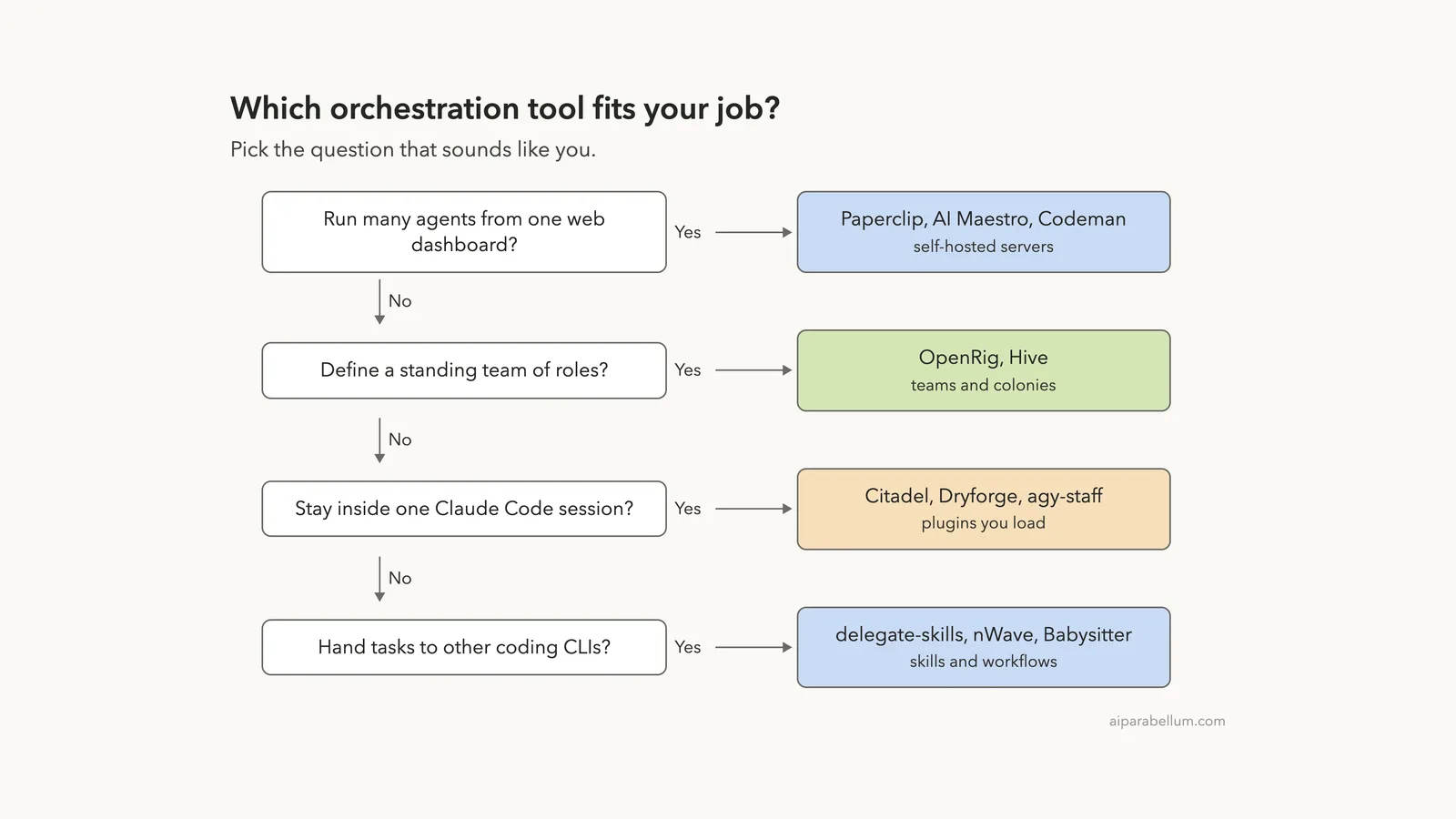
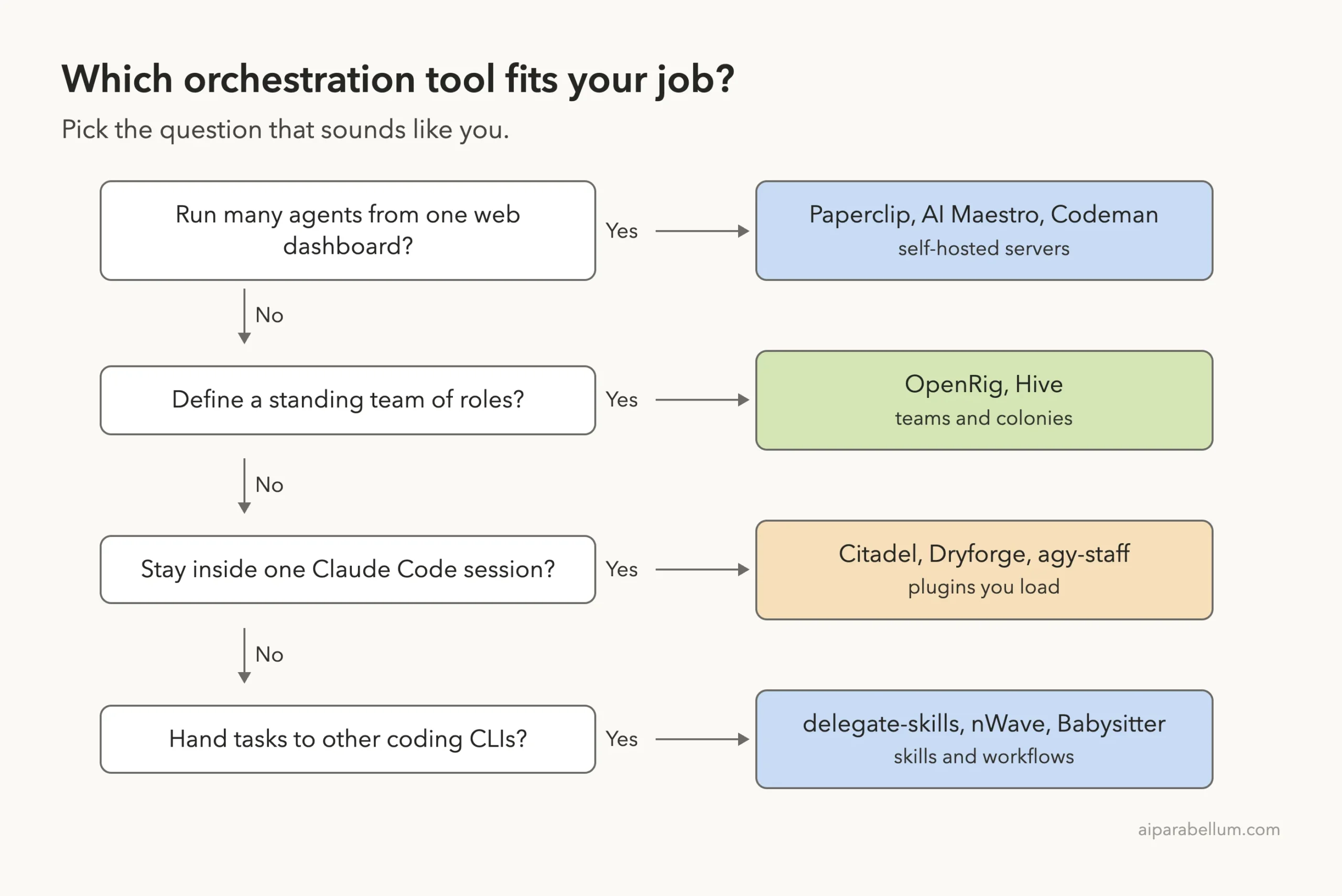
- You want a visual control room for many agents: try Paperclip, AI Maestro or Codeman.
- You want a standing team with roles: try OpenRig or Hive.
- You want something inside Claude Code today, with no server: load Citadel or Dryforge.
- You want a second opinion from another model: look at agy-staff or delegate-skills.
- You want rules enforced on every edit: look at Abide.
Start small. For a first try, a plugin you load with --plugin-dir costs nothing and leaves your setup alone. Move to a server only when you really run many agents at once.
You can also browse more add-ons in our plugin marketplace guide and learn the basics of Claude Code skills.
Try It Yourself
Make a throwaway folder and load one plugin for a single session. Clone the repo you want somewhere outside your real projects first, then run:
mkdir -p ~/demo-orchestration && cd ~/demo-orchestration
git init
claude --setting-sources project --plugin-dir /path/to/Citadel
Inside the session, type /citadel to list the skills and /mcp to check that its servers are green. Quit when you are done, and nothing remains in your user settings.
Common Mistakes
- Installing a server tool without reading what it changes. OpenRig lists the files it edits, and every tool here deserves the same check.
- Trusting a loaded plugin without opening
/mcp. Ours loaded, while one of its servers was down. - Running unattended agents with broad permissions. Start with your normal permission prompts.
- Judging a tool by a benchmark in its own README. Repeat it on your own task.
Pro Tips
- Pin a release or commit when you install, as Citadel’s README does.
- Check the date of the last commit. It tells you more than a star count.
- Use
--setting-sources projectwhen testing, so your own settings do not mix in. - Count the cost of extra agents. Every helper agent also spends tokens.
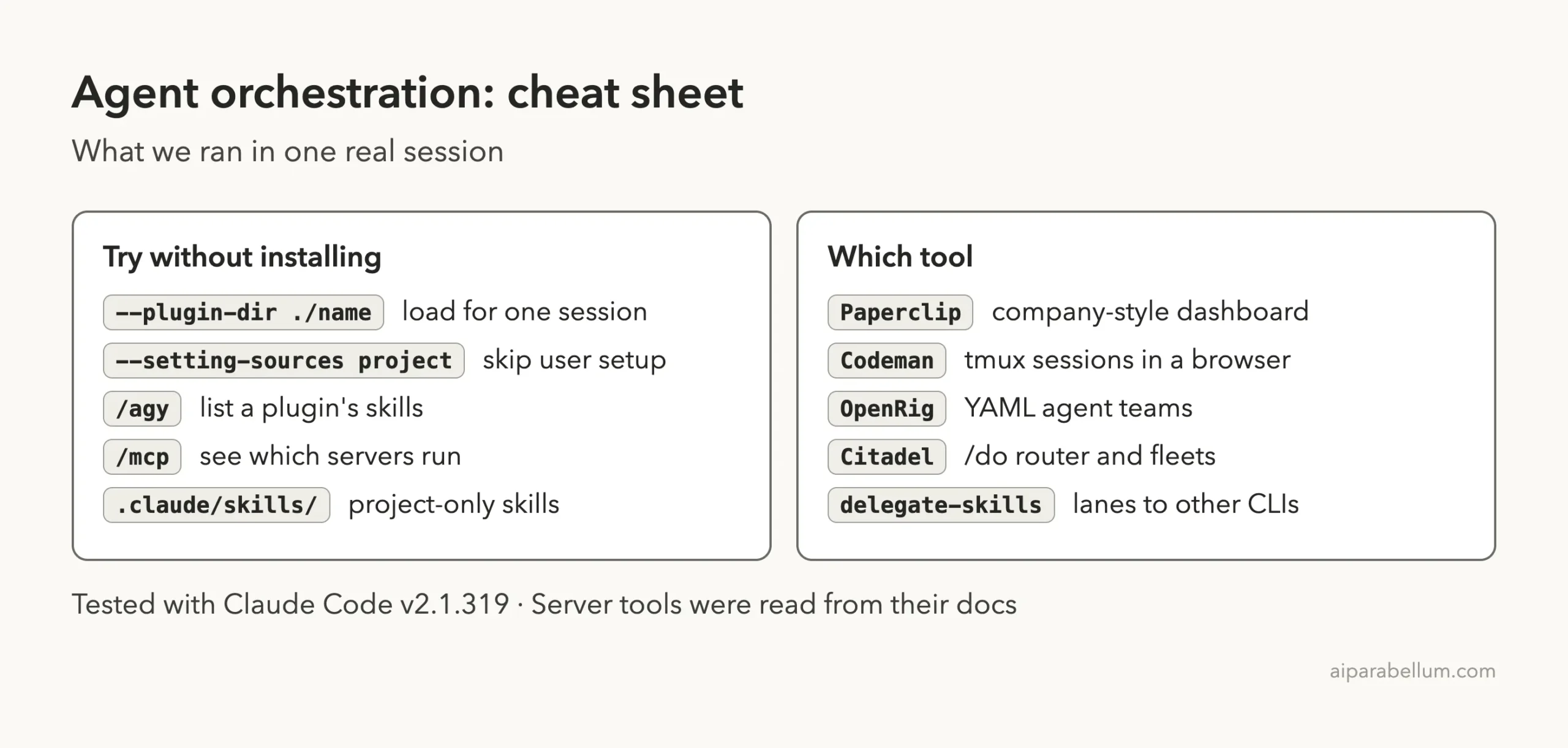
Cheat Sheet
Frequently Asked Questions
What is Claude Code agent orchestration?
It is a way to start several Claude Code or other agent sessions, give each a task, and keep their results in one place. Tools differ in how much they automate.
Do I need a server to orchestrate agents?
No. Plugins such as Citadel and Dryforge work inside one Claude Code session. Servers like Paperclip, Codeman and AI Maestro add a dashboard and long-running sessions.
Are these tools safe to install?
Read the files first. OpenRig and Abide edit config and hooks, and Codeman and Hive install software. Try plugins with --plugin-dir before installing anything.
Which one is cheapest to try?
A plugin or skill pack, such as delegate-skills or Dryforge. They need no server and no extra account.
Why is Headcount not covered?
Its GitHub repository returned a 404 page on the day we tested, so we could not read or run it.
Conclusion
Agent orchestration is no longer one idea but a menu: dashboards, team builders, in-session plugins and handoff skills. In our test, the five plugins loaded cleanly, one server failed for a clear reason, and the delegate discovery script did exactly what its docs said. Start with a plugin you can load for one session, read what any server will change, and add more agents only when you need them. Browse all our Claude Code tutorials and our Claude guide for the next step, and see the official plugins docs and plugin discovery docs.
Project pages we read, all opened with nofollow: Paperclip, OpenRig, Hive, Babysitter, delegate-skills, AI Maestro, Codeman, Citadel, agy-staff, nWave, Dryforge and Abide.