Claude Code Game Studios is a free project template that turns one Claude Code session into a pretend game studio: 49 specialist agents, 74 skills and a set of hooks that walk you from a game idea to tested code. It has become one of the most starred Claude Code add-ons on GitHub, so we installed Claude Code Game Studios, connected it to the Godot engine and built the same small game twice: once with Game Studios and once with plain Claude Code.
The short version: both games worked. Game Studios gave us a written brief, seven small stories, screenshots as proof and a cleaner code layout. It also took 19 minutes and about $5 of usage, where plain Claude Code built a working game in 38 seconds for about 15 cents. On a small game, the structure cost far more than it added.
This guide shows how to install it, how the workflow runs step by step, what we measured, and when it is worth using.
Tested with Claude Code v2.1.312, Claude Code Game Studios v1.2.0 and Godot 4.7.2 on October 29, 2026, on macOS, with the default Sonnet 5.5 model.
Claude Code Game Studios at a Glance
| Question | Short answer |
|---|---|
| What is it? | A project template with 49 agents, 74 slash-command skills, hooks and a status line for game development in Claude Code. |
| Who makes it? | An independent developer (GitHub user Donchitos), open source under the MIT license. It is not made by Anthropic. |
| How do you get it? | Clone the GitHub repo as your game’s project folder and start claude inside it. |
| Which engines? | Godot, Unity and Unreal. We used Godot 4.7.2 because it is free and needs no account. |
| Does it change your Claude setup? | No. Everything lives in the project’s .claude folder and project.yaml. |
| Price | Free. You pay only for Claude usage, and it uses more than plain Claude Code. |
What Is Claude Code Game Studios?
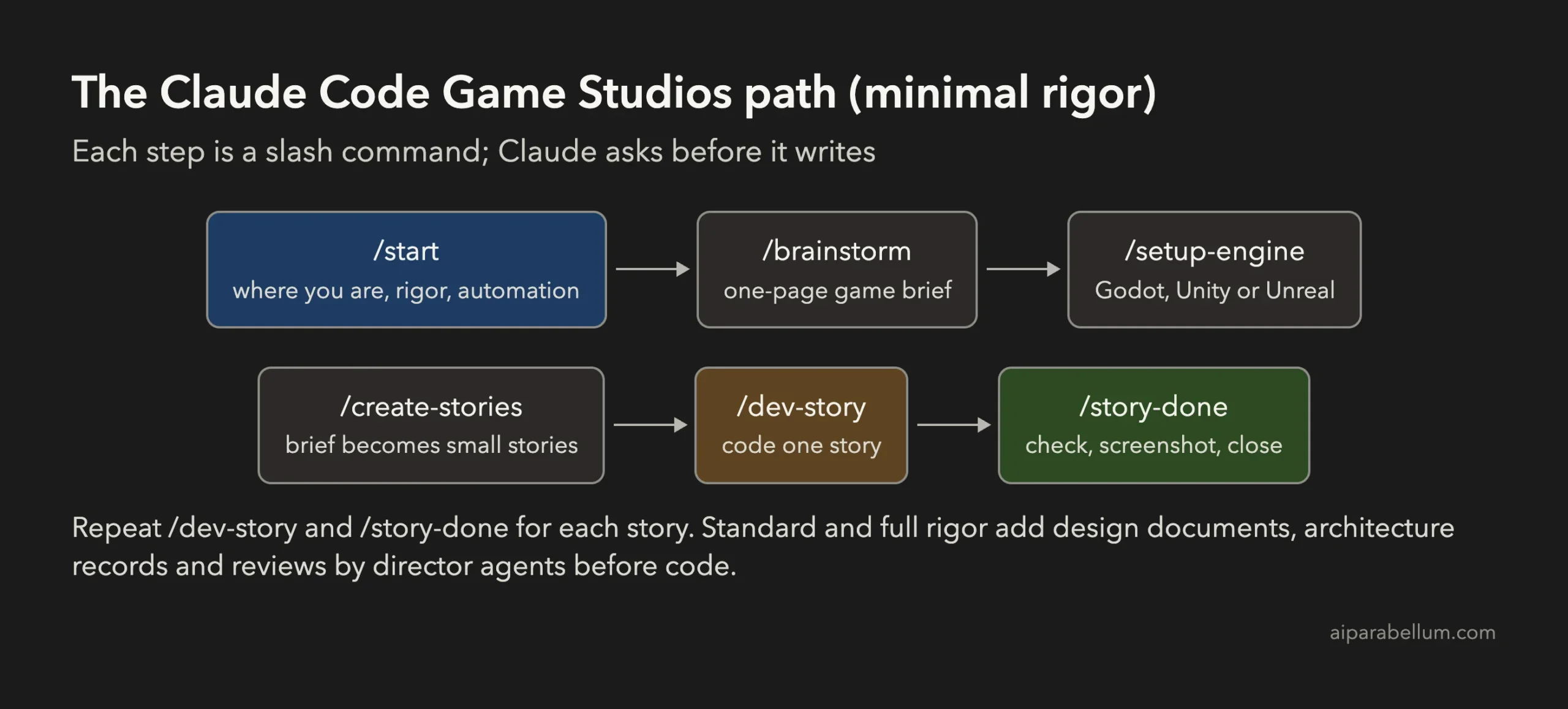
Game Studios gives your Claude Code session the structure of a real studio. Instead of one assistant doing everything, it ships specialist subagents (game designers, programmers, engine specialists for Godot, Unity and Unreal, QA, audio, narrative and producers) and skills such as /brainstorm, /create-stories and /dev-story.
Three parts do most of the work:
- Slash commands. Each step of making a game is a skill you run in order. The slash commands ask before they write files.
- Hooks. Small shell scripts run at session start, before file writes and commits, and when subagents start and stop. They check the work and keep a session log.
- One settings file.
project.yamlholds the engine, naming rules and amodes.rigorsetting:minimal,standardorfull. Rigor decides how many design documents and reviews you must produce before code.
How to Install Claude Code Game Studios
You need Git, Python 3, Bash and Claude Code. The project’s README also recommends jq for hook checks. All of these were already on our Mac.
Step 1: Clone the template as your game folder
Game Studios is not a plugin. You clone it and the clone becomes your game project:
git clone https://github.com/Donchitos/Claude-Code-Game-Studios.git my-game
cd my-game
claude
Start Claude Code in the folder that holds CLAUDE.md and project.yaml. Starting it in a subfolder skips the hooks and permission rules.
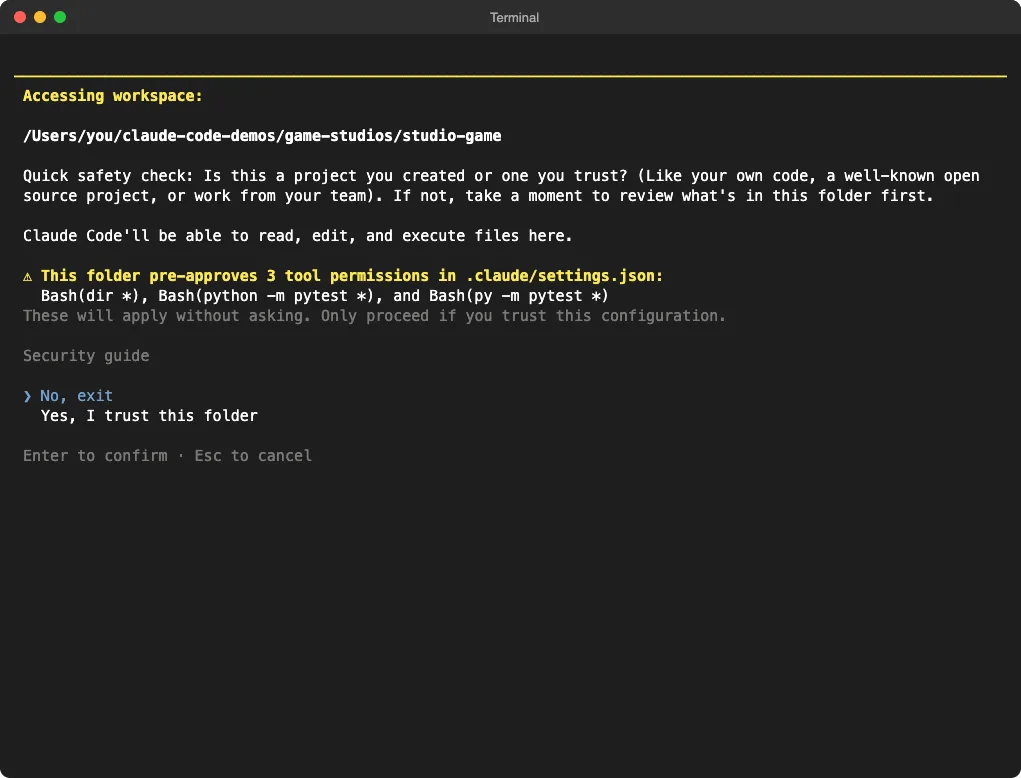
On first start, Claude Code shows its folder trust check. It warns that this project pre-approves three commands (dir and two pytest commands). That is normal for this template, but it is the moment to look through the folder if you cloned it from somewhere else.
.claude/settings.json.Step 2: Install a game engine
Game Studios writes code for an engine, so you need one installed. We downloaded Godot 4.7.2 for macOS from the official Godot site (a 170 MB zip, about 340 MB unzipped), checked its published SHA-512 checksum, and put the godot command on our PATH. Godot needs no installer and no account. Unity and Unreal are much larger and require sign-ups.
Step 3: Run /start
Type /start. It asks where you are (no idea, vague idea, clear concept or existing work), suggests a rigor level, and asks how much it should confirm with you: guided, collaborative or autonomous. It writes your answers to project.yaml only after you say yes.
How to Use It: Building Our First Game
Our brief was a small 2D game called Meteor Dodge: move a ship left and right, dodge falling meteors that speed up, score the seconds survived, and press R to restart after a hit. Here is exactly what happened at each step.
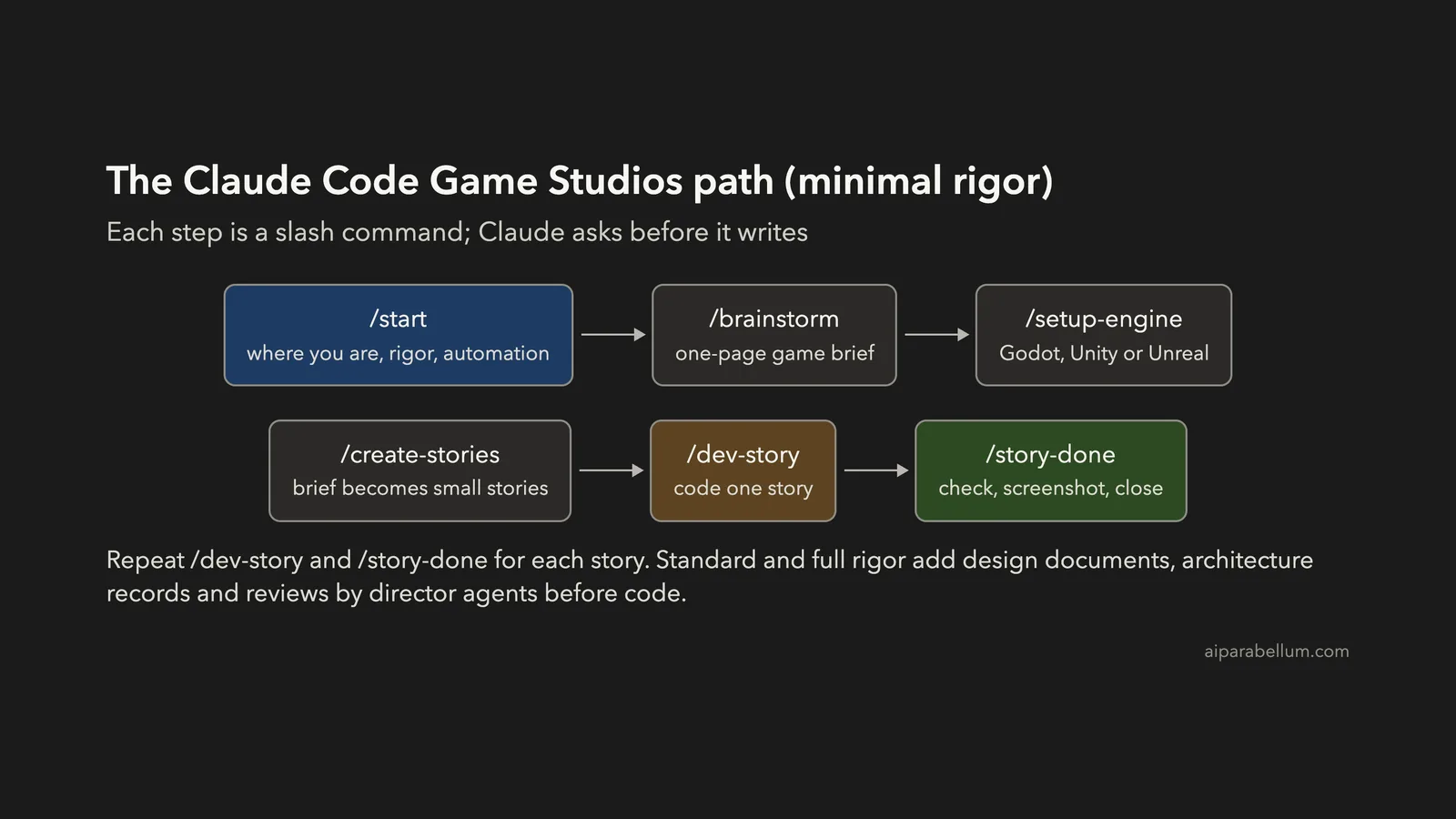
/start: we picked “clear concept”. It choseminimalrigor because we called it a small first game, and we chose guided automation./brainstorm Meteor Dodge: it offered three one-line pitches, then wrote a one-pagedesign/game-brief.mdwith an MVP list of seven items and an out-of-scope list./setup-engine godot 4.7: it confirmed the installed version, asked whether we ship to PC or web, filled inproject.yamland createdproject.godot. It also flagged Godot 4.7 as high risk because the version is newer than what the model knows well./create-stories: it split the brief into seven stories, each with acceptance criteria, and said which ones need a screenshot as proof./dev-storyand/story-done: it built each story, ran the game, saved screenshots inproduction/qa/evidence/and closed six stories. The seventh, which is about how the game looks, waits for a human sign-off.
It asks a lot of questions. Getting to the first line of code took 13 messages from us. After that we gave it permission for routine steps, and it built all seven stories in one run of about 14 minutes.
When you come back later, /start recognizes the project and tells you where you left off. The status line at the bottom shows the rigor level and story progress.
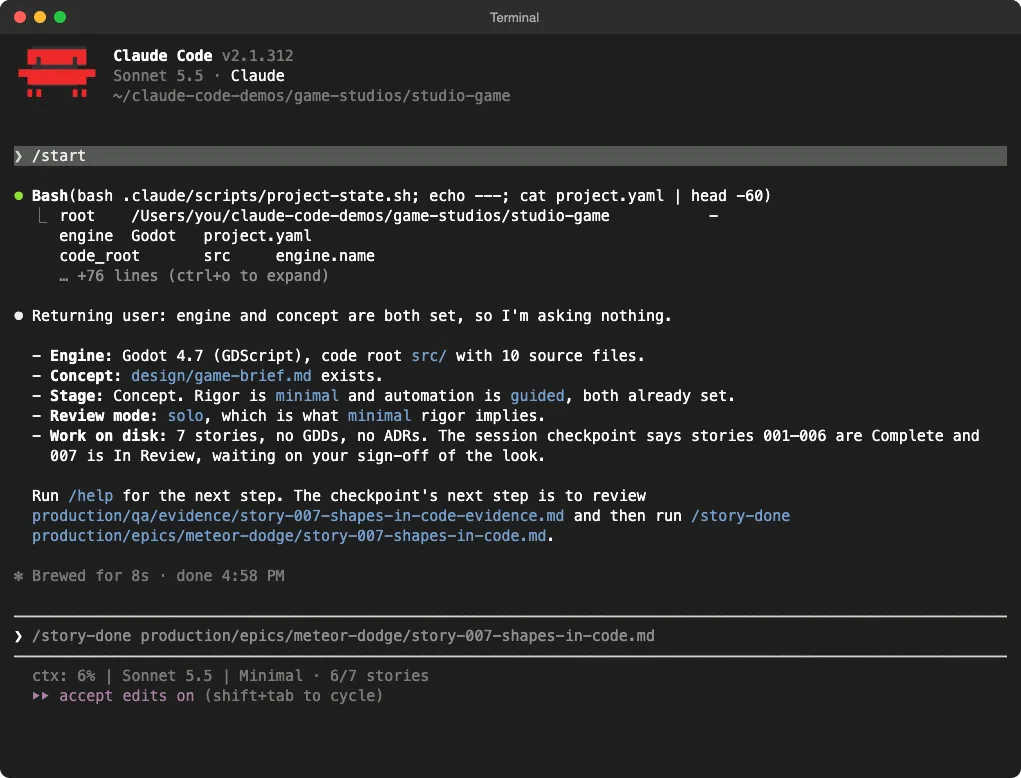
/start again: it reads the project, and the status line shows Minimal · 6/7 stories.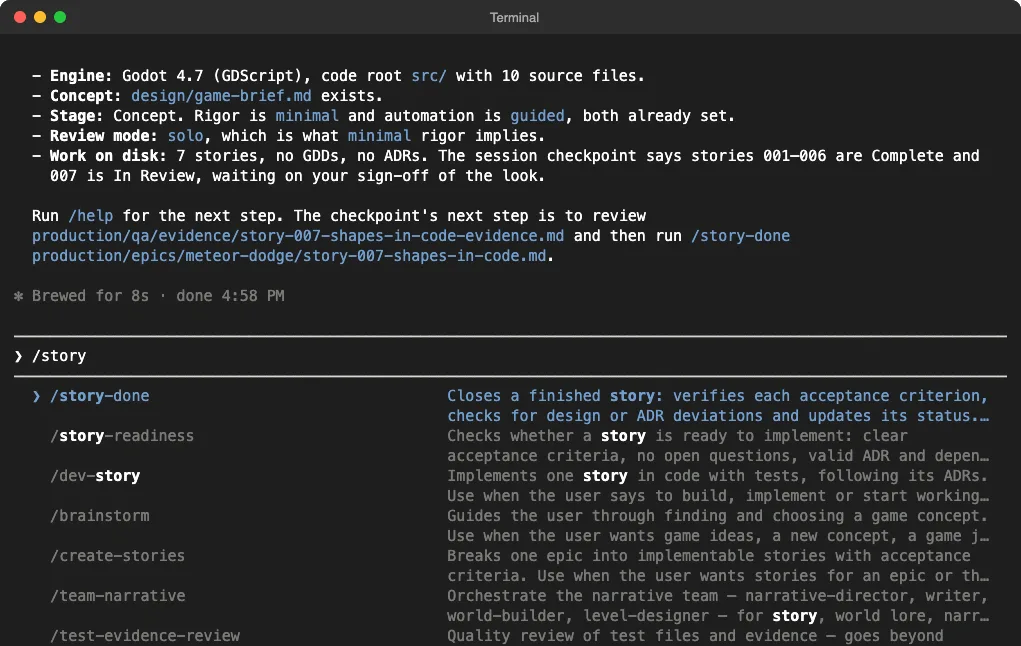
/story lists the Game Studios skills that match, with a short description of each.Our Test: The Same Game With and Without Game Studios
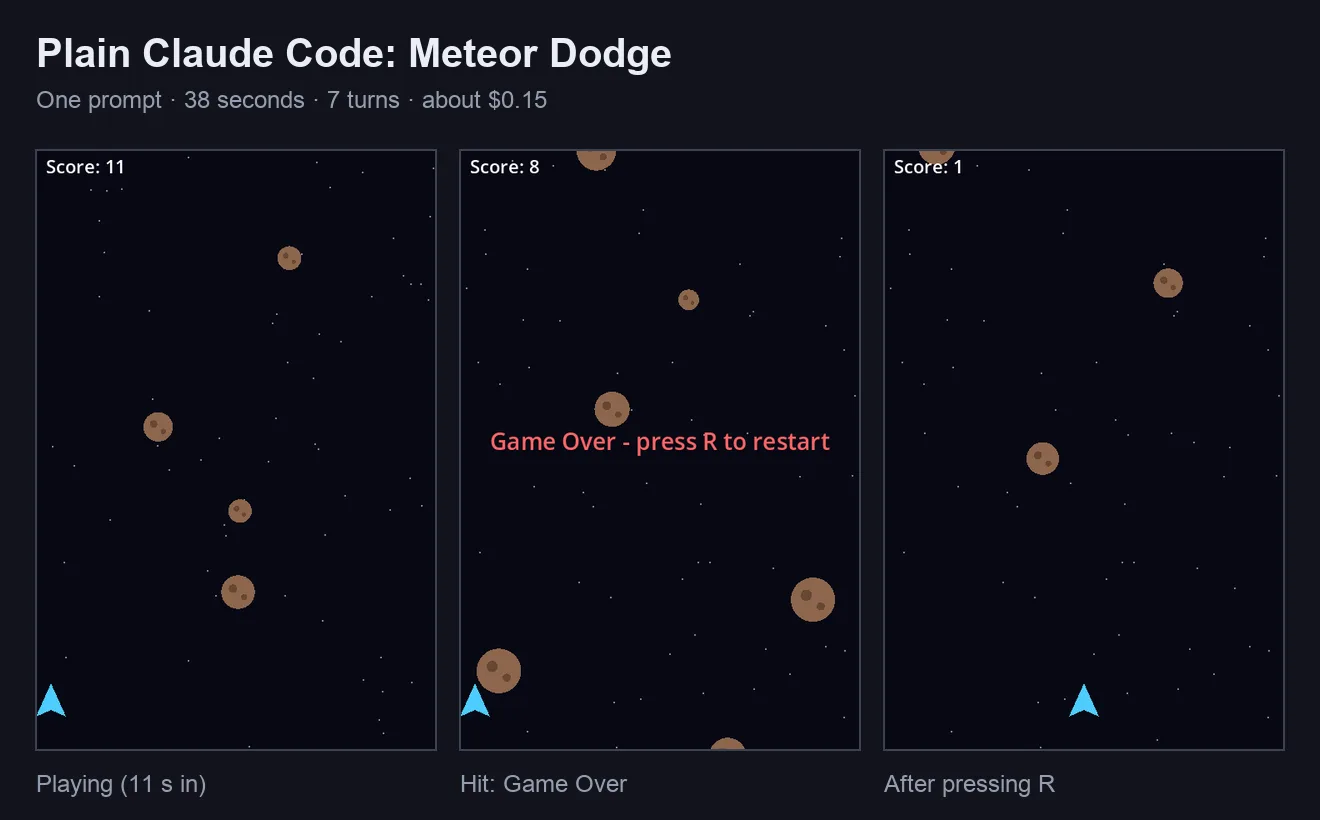
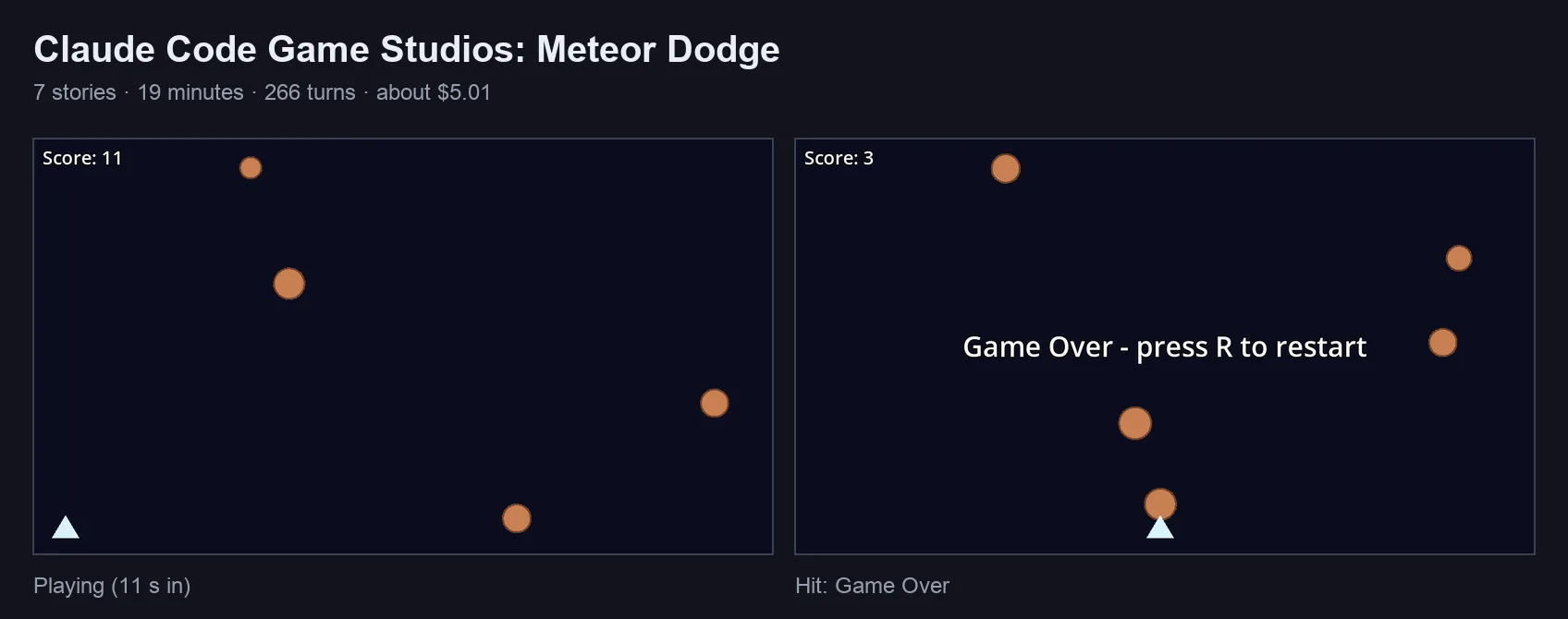
We gave plain Claude Code the same brief in an empty folder, with the same model and the same godot command. Then we checked both games ourselves: a small test script pressed the arrow keys, waited for a collision and pressed R, while Godot recorded the screen.
| Measure | Plain Claude Code | With Game Studios |
|---|---|---|
| Time spent working | 38 seconds | About 19 minutes |
| Turns | 7 | 266 |
| Usage (Claude Code’s own estimate) | About $0.15 | About $5.01 |
| Messages from us | 1 (the brief) | 14 (13 before any code, then one approval for the rest) |
| Code | 1 script, 94 lines | 9 scripts, 387 lines, plus a config file |
| Documents | None | Game brief, 7 stories, evidence notes |
| Proof it runs | A headless start with no errors | 8 saved screenshots and check scripts |
| Our key test (move, hit, restart) | Passed | Passed |
Three things stood out.
- The 49 agents did not run. At minimal rigor, Claude wrote the code itself and said so: it skipped the programmer agent and the Godot specialist’s check to keep the files consistent. The project’s agent log stayed empty.
- It was honest about its limits. It pointed out a possible bug the brief did not cover (one slow frame could let a meteor skip past the ship), told us the speed numbers were its own guesses, and refused to sign off the look of the game for us.
- Claude Code’s own protection still applies. Two writes to files under
.claude/were blocked as sensitive, so one optional preferences file was never filled in. Nothing broke, but you may see approval prompts there.
What Makes Sense and What Doesn’t
Claims about Game Studios often go further than a small test can confirm. Here is what we can and can’t back up.
| Claim | What we found | Verdict |
|---|---|---|
| It turns Claude Code into a 49-agent studio | The agents are installed, but none ran in our minimal-rigor build | Only at higher rigor |
| It produces real, working games | Our game ran, and every rule in the brief worked in our own test | True |
| It keeps a project organized | A brief, stories, acceptance criteria and screenshots, all in clear folders | True |
| It makes a better game | Plain Claude Code’s version looked nicer and behaved the same | Not on a small game |
| It saves time | 19 minutes against 38 seconds, plus 13 messages before any code | No, it costs time |
| It is safe to try | Project-only files; hooks that check and log; one small update-check file in your cache folder | True for the version we checked |
The project’s own README measured the same trade-off: its standard mode wrote 30 documents before the first line of code, and reviewers did not rank that build higher. Our numbers point the same way.
Game Studios is a process, not a shortcut. The documents and checks pay off when a game is big enough to forget what you decided last week; on a one-screen arcade game they mostly add cost.
When to Use Claude Code Game Studios (and When to Skip It)
| Use it when | Skip it when |
|---|---|
| You are building a game over weeks, with many systems | You want a quick prototype or game jam entry |
| You want written decisions and stories you can come back to | You are watching your usage limits closely |
| You are new to game development and want a guided path | You already know your engine and just want code |
| You want proof, like screenshots, that each feature works | The game fits on one screen and one script |
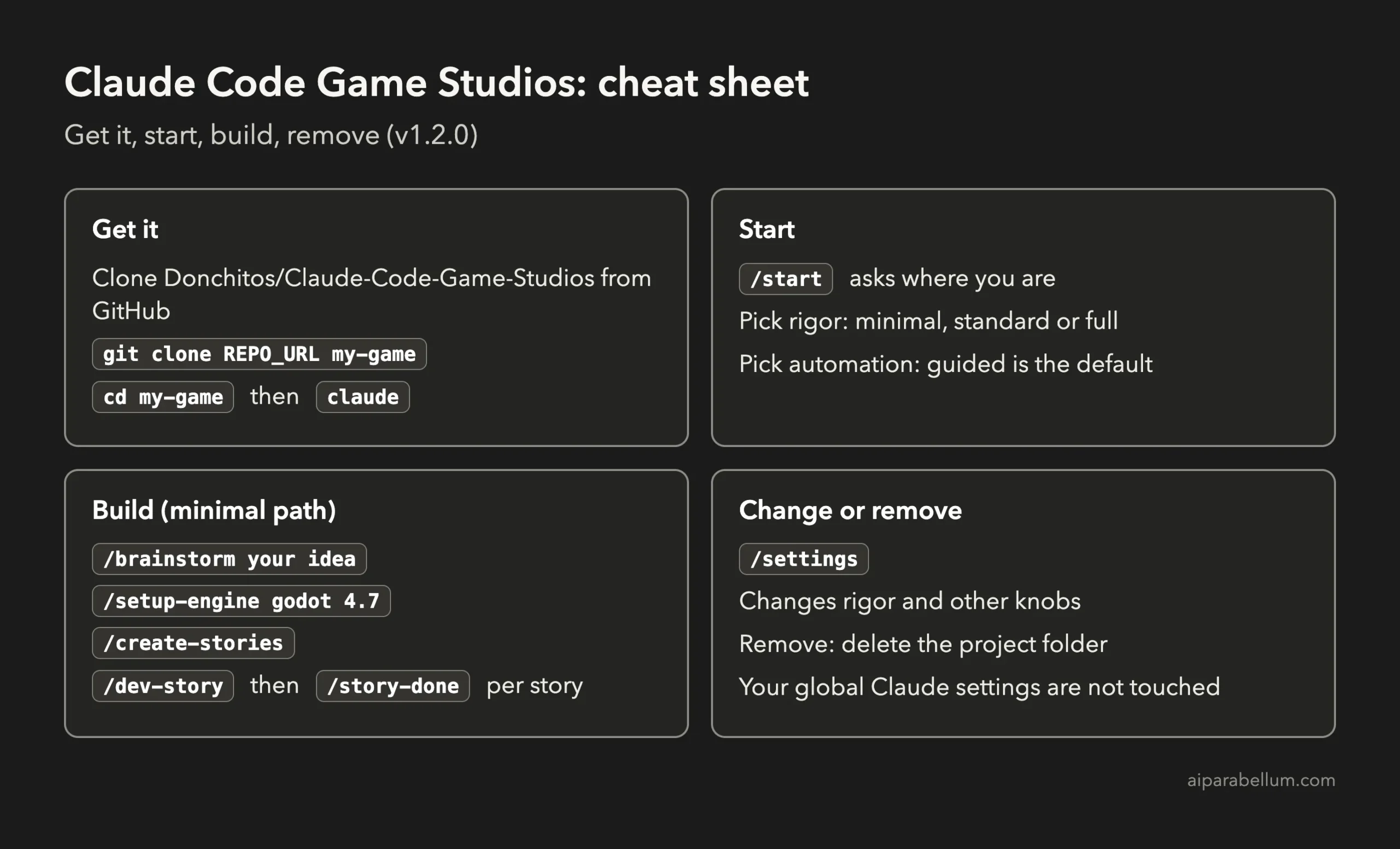
If you try it, start at minimal rigor and guided automation. You can raise the rigor later with /settings once the game grows. Keep an eye on usage with the Claude Code cost tools, because the extra turns add up.
How to Remove Claude Code Game Studios
Because it is a project template, removing it means deleting the project folder. It does not install anything into your global Claude Code settings, so other projects are not affected. The only file it writes outside the project is a tiny update-check cache in ~/.cache/claude-code-game-studios, which you can delete too. If you want to keep your game but drop the template’s tooling, remove the .claude folder, CLAUDE.md and project.yaml from the project.
Frequently Asked Questions
Is Claude Code Game Studios free?
Yes. It is open source under the MIT license. You pay only for your Claude plan or API usage, and it uses noticeably more than plain Claude Code.
Does Claude Code Game Studios work with Godot?
Yes. /setup-engine godot 4.7 configured our project, and it ships five Godot specialist agents. It also supports Unity and Unreal.
Do I need to know game development to use it?
No. /start handles “no idea yet”, and the skills ask questions in plain words. You still need to install an engine and answer its questions.
Does it work in the Claude desktop app?
It is just files inside the project’s .claude folder, which Claude Code reads wherever it runs, including the desktop app. We did our test in the terminal.
Is it made by Anthropic?
No. It is an independent open-source project built on Claude Code features such as skills, subagents and hooks.
Which rigor level should I pick?
Start with minimal. It goes from idea to code in about four steps. Move to standard or full only when your game has enough systems to need design documents.
Conclusion
Claude Code Game Studios does what it promises: it gives a game project a clear path, written decisions and proof that each feature works, and the game it built for us ran correctly. On our small game, though, plain Claude Code produced an equally working and better-looking version in 38 seconds for about 15 cents, while Game Studios needed 19 minutes and about $5. Use it for bigger games you will work on for weeks; for quick ideas, plain Claude Code is enough. For more ways to get the most out of Claude Code, see our Claude Code best practices and the Superpowers test, which compared a similar workflow add-on.