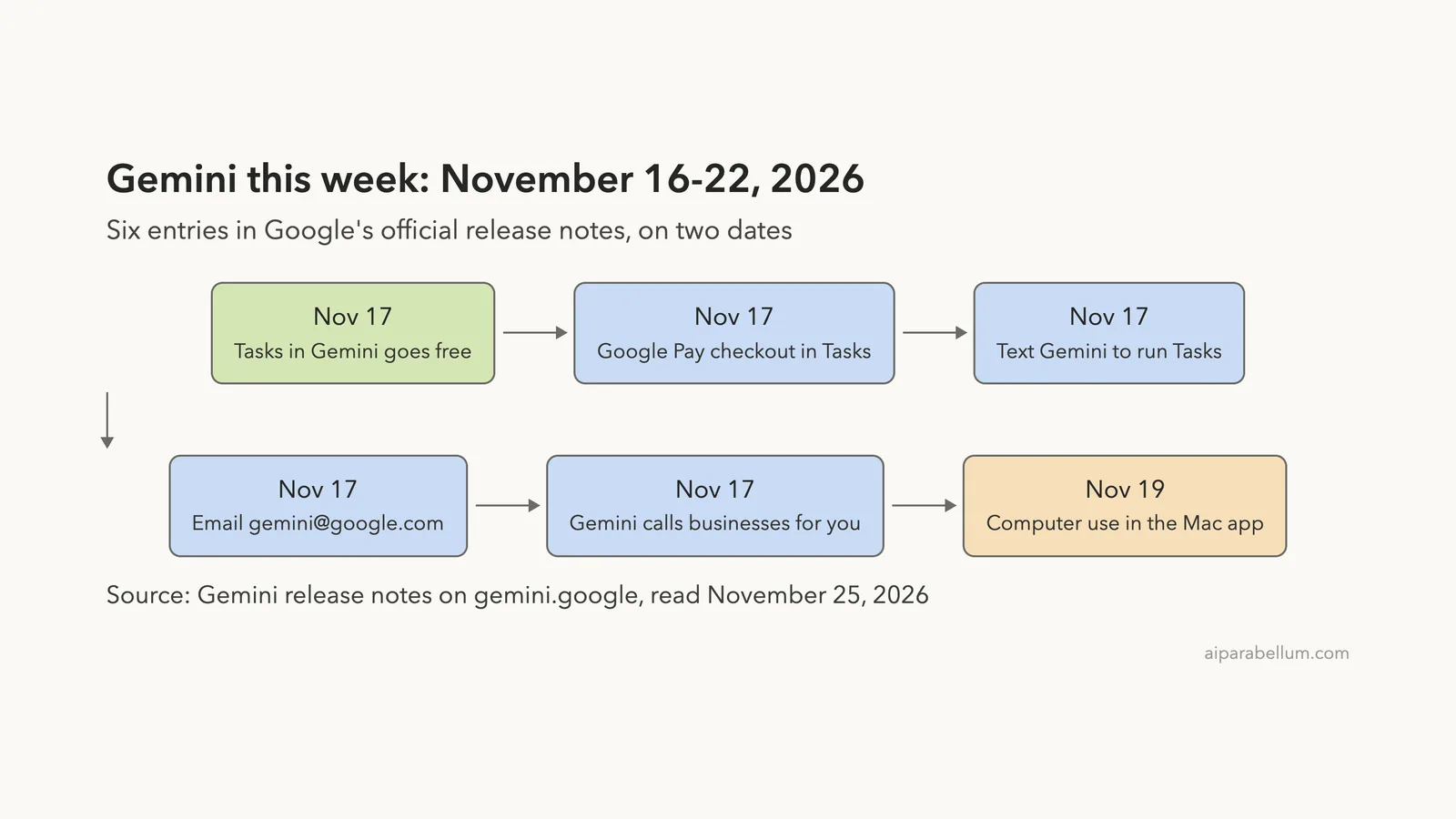
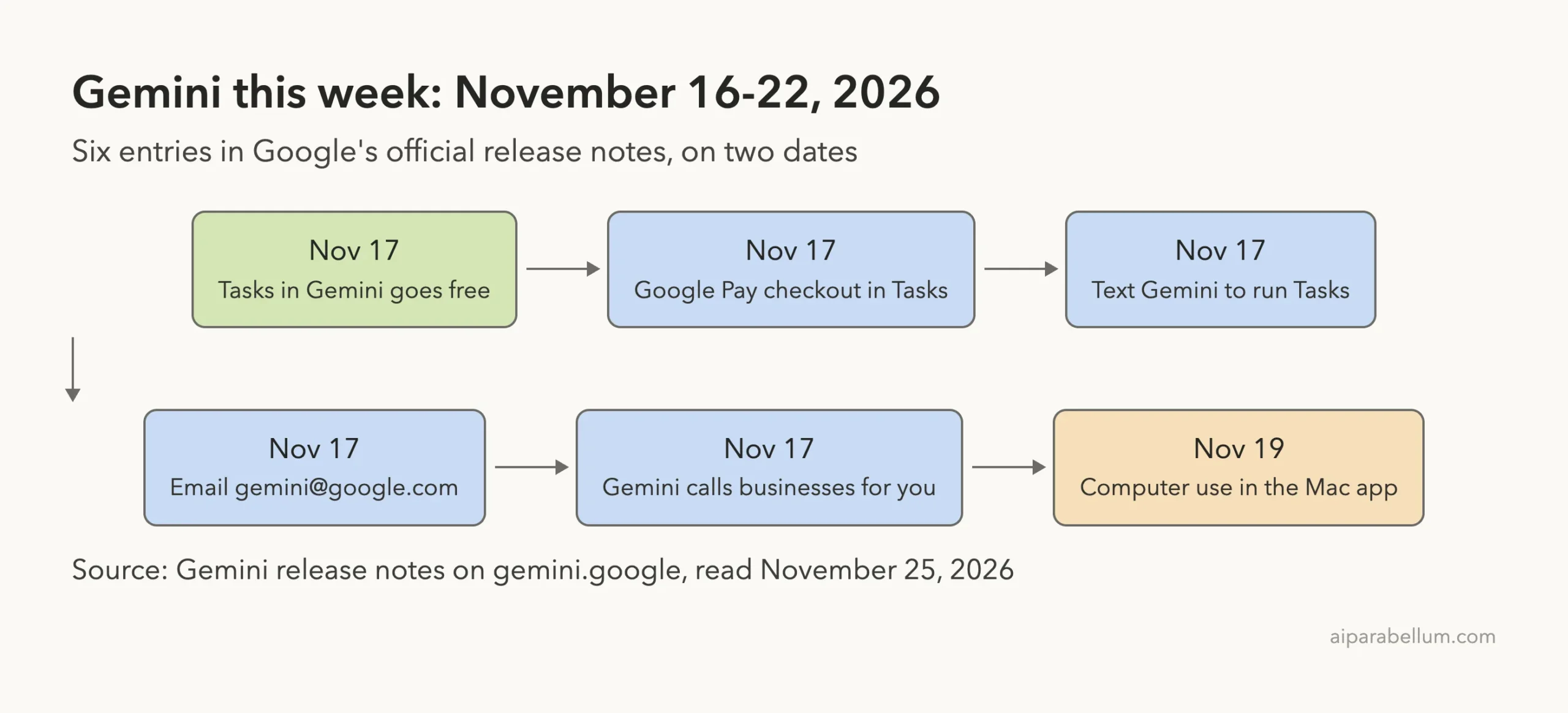
If you want to know what’s new in Gemini this week, here is the short answer: Tasks in Gemini became free for hundreds of millions of people, it learned to pay with Google Pay, take requests by text and email, and phone businesses for you, and the Mac app gained computer use. Google’s official release notes list six entries for the week, dated November 17 and November 19, 2026.
It is the first busy week for the Gemini app in over a month. The release notes had no new entries for the four weeks before this one, since the previous note was dated October 13. This time almost every change points in one direction: Gemini doing the work for you instead of just answering questions.
We read the release notes and the two Google announcements they connect to, so every detail below comes from Google’s own pages. We could not use the Gemini apps’ own screens for this roundup, so the screenshots are highlighted captures of the official pages. You can find more about the assistant on our Gemini tool page.
What’s New in Gemini: The Week at a Glance
Here is every entry the release notes dated inside the week, with who gets it and where it shows up. Five of the six are about Tasks in Gemini, the mode where Gemini works on a job in the background.
| Date | Change | Who gets it | Where |
|---|---|---|---|
| November 17 | Tasks in Gemini, now free | Users in the US, India, Canada, Australia, Japan and Korea | Gemini app (Chat to Task toggle) |
| November 17 | Google Pay checkout in Tasks | U.S. users 18+ with personal Google accounts | Web, Android and iOS, in English |
| November 17 | Text Gemini to start and steer Tasks | U.S. users 18+ with a verified U.S. number and an eligible carrier | Google Messages or iMessage |
| November 17 | Forward an email to start a Task | U.S. users 18+ with personal Google accounts | Gmail, Apple Mail or Outlook |
| November 17 | Gemini calls U.S. businesses for you | U.S., as part of Tasks in Gemini | Tasks in Gemini |
| November 19 | Computer use in the Mac app | Google AI Plus, Pro and Ultra subscribers 18+ in the U.S. | Gemini app for Mac, in English |
Most of these changes start in the U.S. only. If you live elsewhere, the free Tasks rollout is the one most likely to reach you this week.
Tasks in Gemini Is Now Free
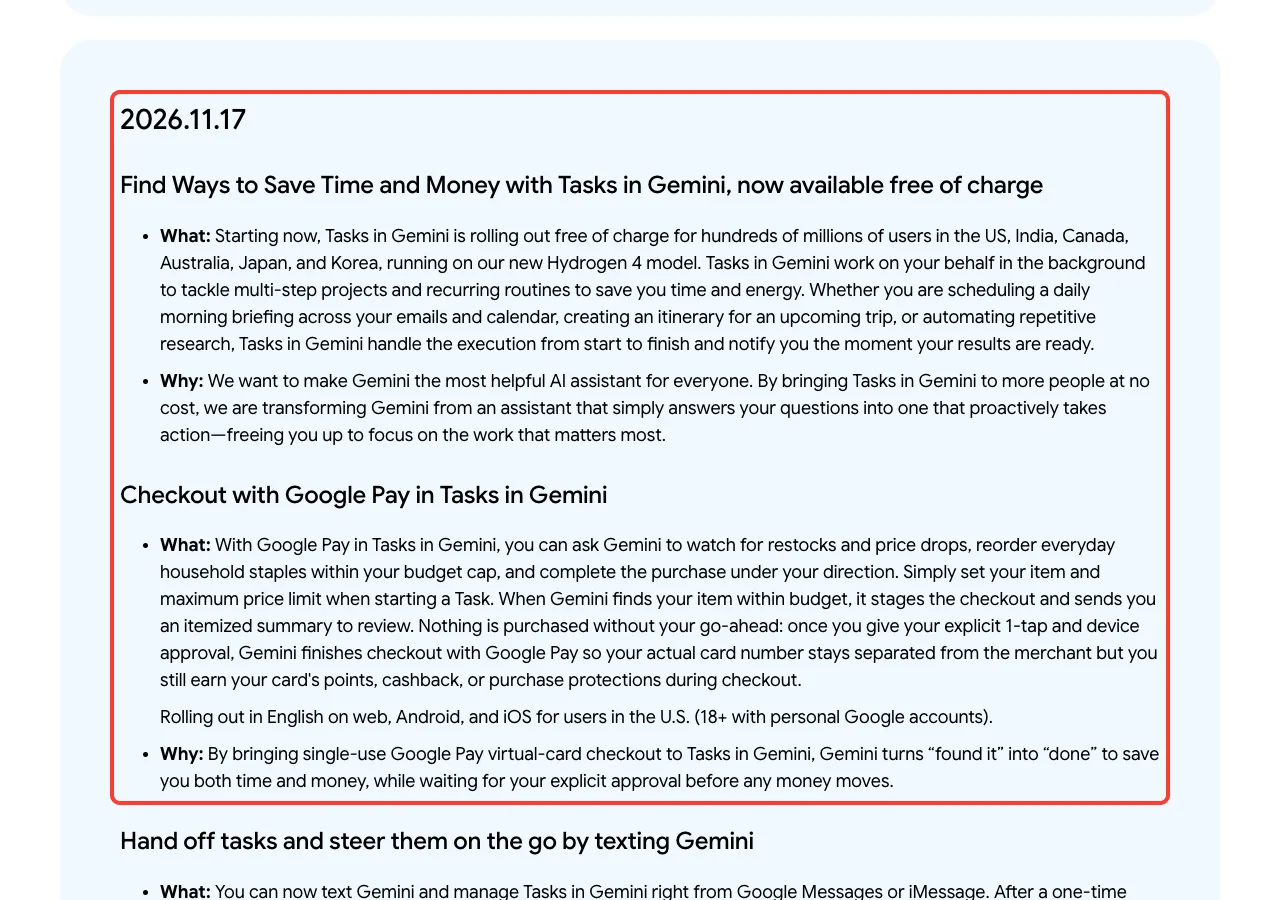
The biggest change of the week is about price. On November 17, Google said Tasks in Gemini is rolling out free of charge for hundreds of millions of users in the US, India, Canada, Australia, Japan and Korea.
The release note says Tasks runs on Google’s new Hydrogen 4 model. Google’s announcement calls the same model Gemini 4 Hydrogen, which we covered when it launched in our Hydrogen launch report.
What a Task actually does
A normal chat answers your question and stops. A Task keeps working in the background on a multi-step job or a routine that repeats, and it notifies you when the results are ready.
Google gives three examples in the release note. Each one is something you would normally do by hand.
- A daily morning briefing built from your emails and calendar.
- An itinerary for an upcoming trip.
- Repetitive research that runs on a schedule.
How to start a Task
Google’s announcement explains the first step. Open Gemini, flip the home-screen toggle from Chat to Task, and tell Gemini what you need done.
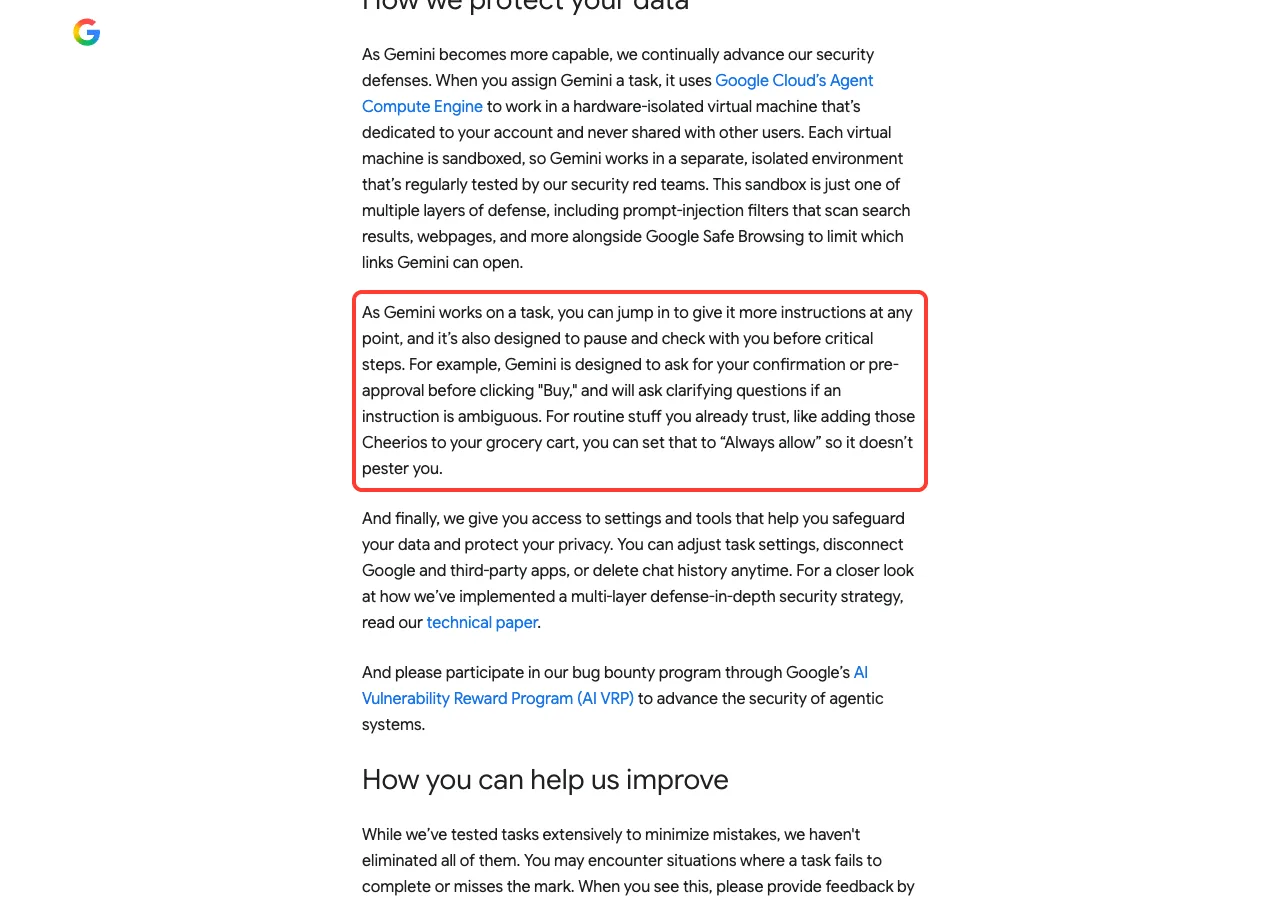
You can step in while it works. Google says you can give a Task more instructions at any point, and it is designed to pause and check with you before critical steps, like clicking “Buy.”
Where the work happens
Google says each Task runs in a hardware-isolated virtual machine that is dedicated to your account and never shared with other users. It adds prompt-injection filters and Google Safe Browsing to limit which links Gemini can open.
For routine actions you already trust, such as adding a grocery item to your cart, you can choose “Always allow” so Gemini stops asking every time. If you care about what Gemini keeps from your chats, our guide on how to stop Gemini training on them is worth a look.
Tasks turn Gemini from a chat box into a helper that keeps working after you close the app.
Google Pay Checkout Inside Tasks
The second November 17 entry lets a Task finish a purchase. You can ask Gemini to watch for restocks and price drops, or reorder household staples within a budget cap.
When you start the Task, you set the item and a maximum price. When Gemini finds the item within budget, it stages the checkout and sends you an itemized summary to review.
Nothing is bought without you
The release note is clear on this point. Nothing is purchased until you give an explicit 1-tap and device approval, and only then does Gemini finish checkout with Google Pay.
Google says your actual card number stays separated from the merchant through a single-use virtual card. You still earn your card’s points, cashback or purchase protections at checkout.
Who gets it
Google Pay checkout is rolling out in English on web, Android and iOS for users in the U.S. who are 18 or older with personal Google accounts. Google’s announcement adds that receipts and tracking info land in Google Wallet.
Start Tasks by Text or Email
Two of the week’s entries let you hand off work without opening the Gemini app at all. Both are rolling out in English for U.S. users who are 18 or older with personal Google accounts.
Text Gemini from Messages or iMessage
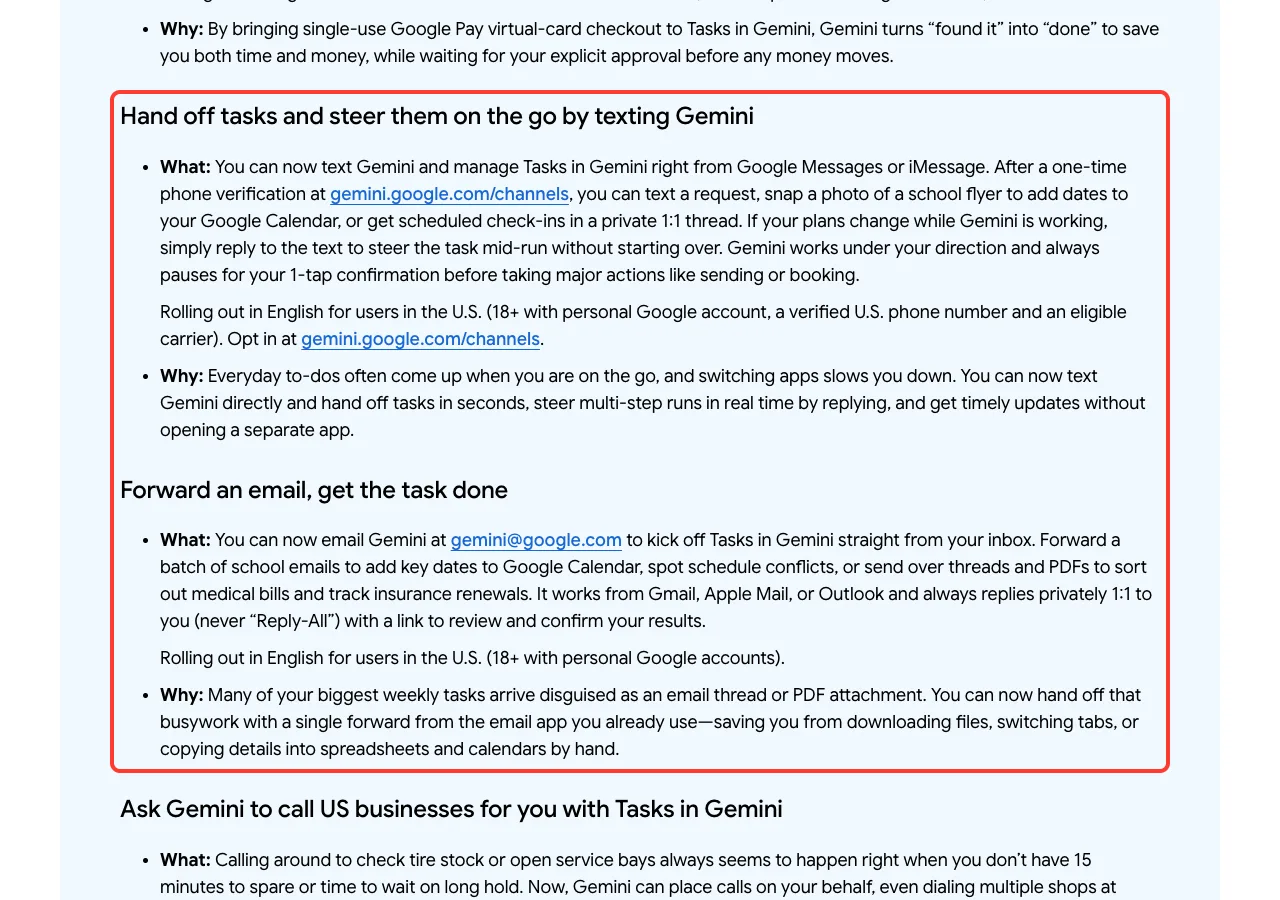
You can now text Gemini and manage Tasks from Google Messages or iMessage. Google lists a few things you can do in a private 1:1 thread.
- Text a request to start a Task.
- Snap a photo of a school flyer to add its dates to Google Calendar.
- Get scheduled check-ins.
- Reply to steer a Task mid-run without starting over.
Gemini always pauses for your 1-tap confirmation before major actions like sending or booking. You also need a verified U.S. phone number and an eligible carrier.
How to turn on texting
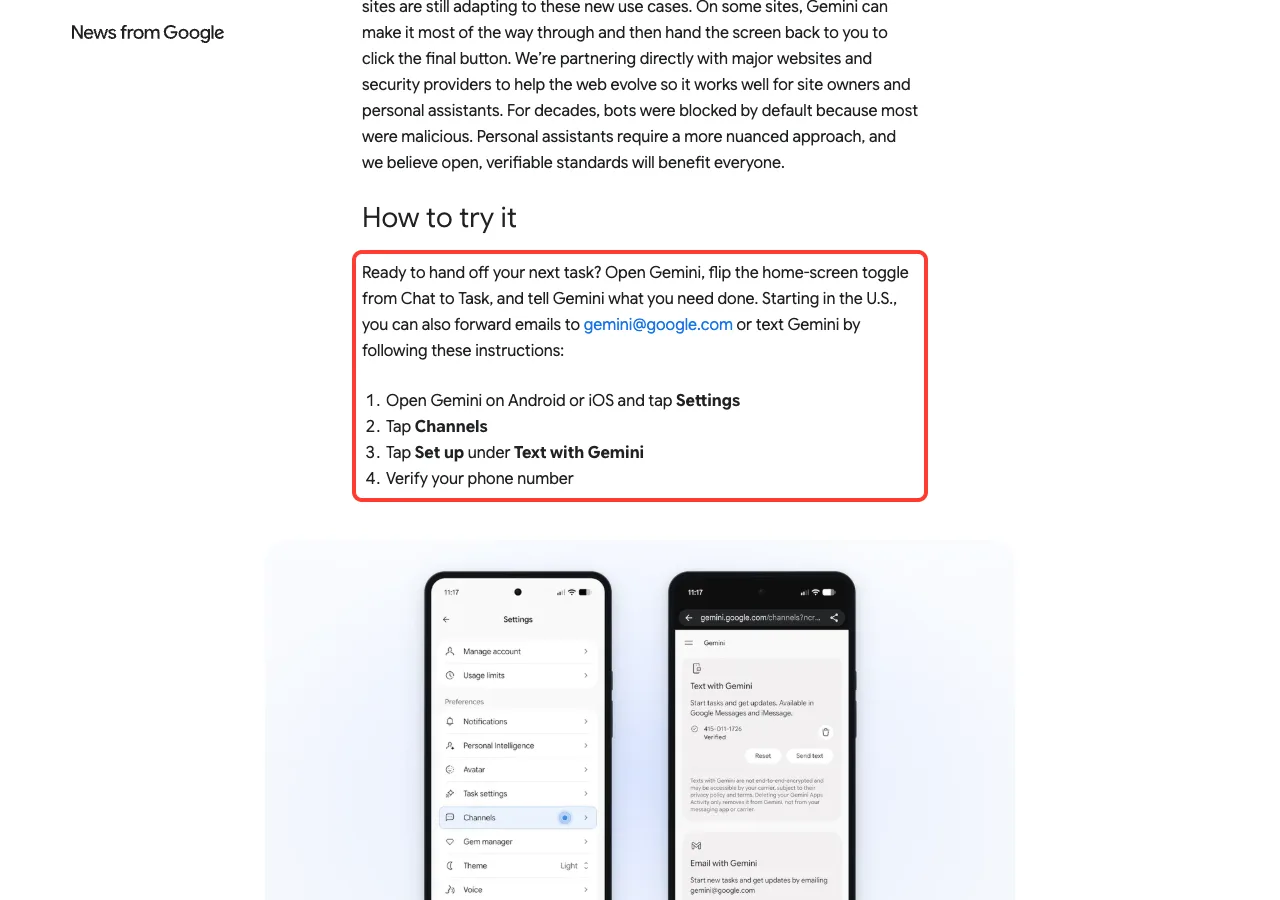
Setup takes a one-time phone verification. Google’s announcement lists the steps, and the release note says you can also opt in at gemini.google.com/channels.
- Open Gemini on Android or iOS and tap Settings.
- Tap Channels.
- Tap Set up under Text with Gemini.
- Verify your phone number.
Forward an email to [email protected]
You can now email [email protected] to kick off a Task straight from your inbox. It works from Gmail, Apple Mail or Outlook.
Google’s examples are practical. Forward a batch of school emails to add key dates to Google Calendar and spot schedule conflicts, or send threads and PDFs to sort out medical bills and track insurance renewals.
Gemini always replies privately to you, never with Reply-All. The reply includes a link where you review and confirm the results.
Gemini Can Call Businesses for You
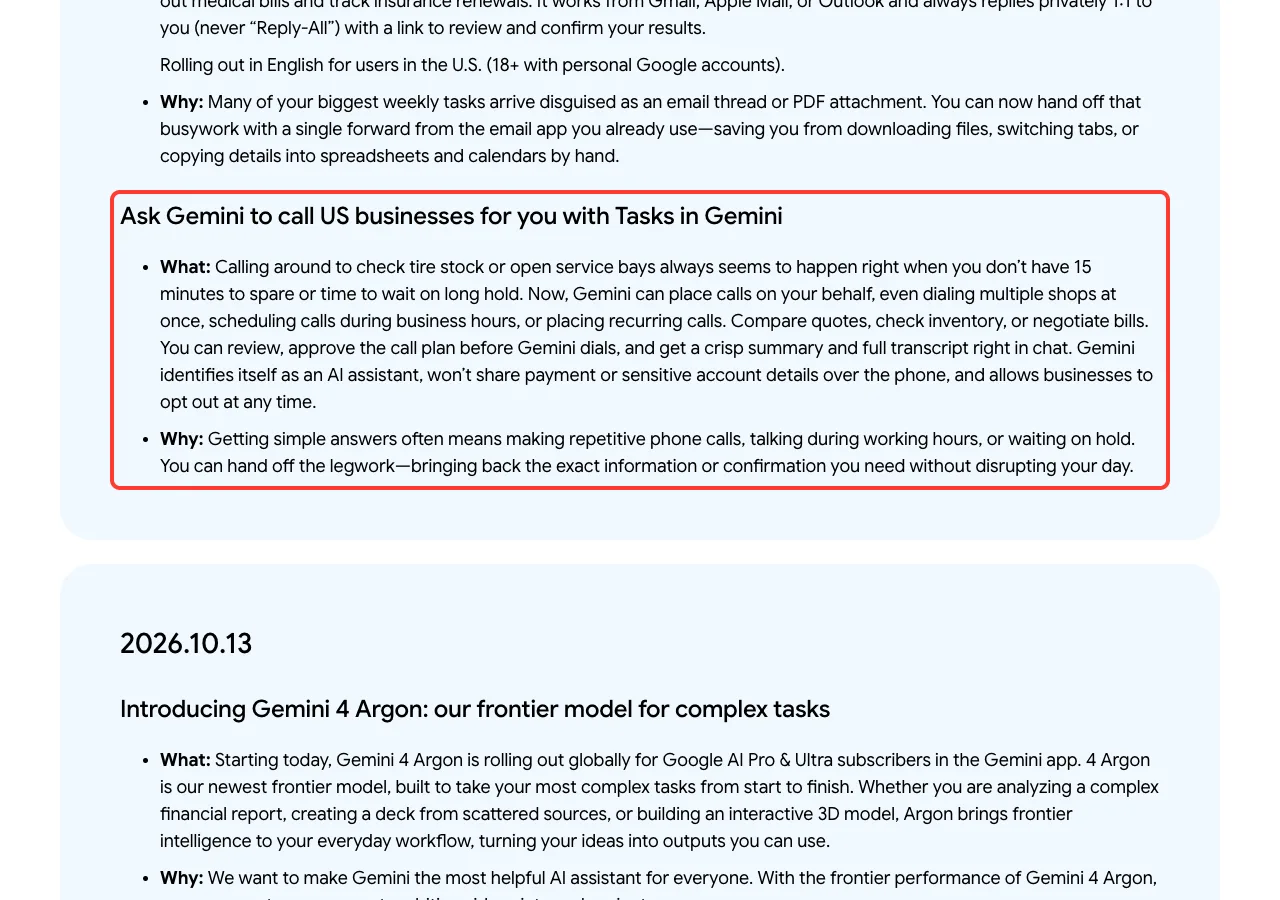
The last November 17 entry is the one that sounds most like science fiction. Gemini can now place phone calls to U.S. businesses on your behalf as part of Tasks in Gemini.
It can dial several shops at once, schedule calls during business hours, or place recurring calls. Google suggests using it to compare quotes, check inventory or negotiate bills.
The rules Gemini follows on a call
You review and approve the call plan before Gemini dials. Afterward you get a short summary and the full transcript in chat.
- Gemini identifies itself as an AI assistant.
- It won’t share payment or sensitive account details over the phone.
- Businesses can opt out at any time.
A footnote in Google’s announcement says calling through Gemini is not currently available in Indiana, Louisiana, Minnesota, Montana and Nebraska. Our news team covered the launch in more detail in our task mode story.
Computer Use Arrives in the Gemini Mac App
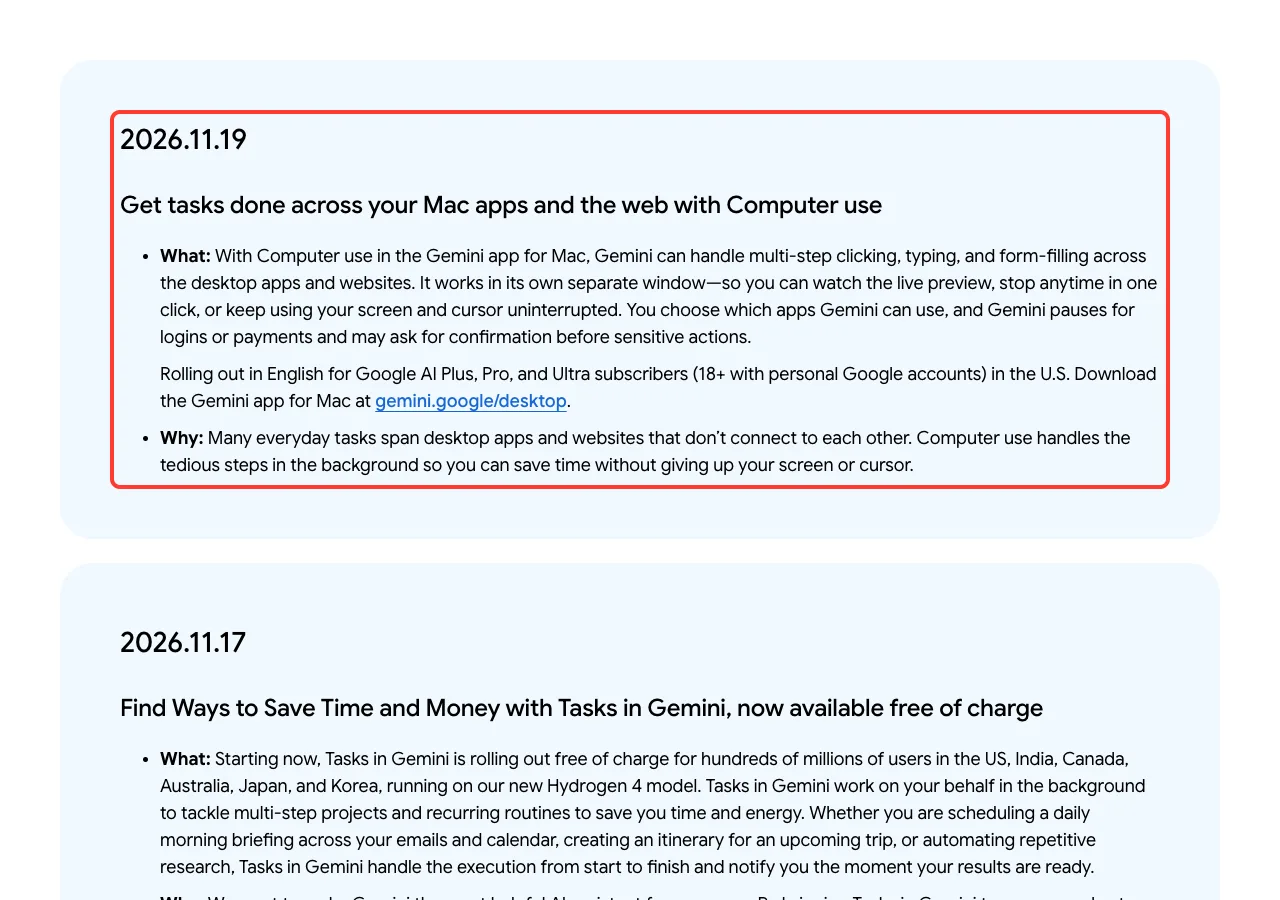
The newest entry, dated November 19, brings computer use to the Gemini app for Mac. Gemini can now handle multi-step clicking, typing and form-filling across desktop apps and websites.
It works in its own separate window. You can watch a live preview, stop it in one click, or keep using your own screen and cursor while it works.
You stay in control
You choose which apps Gemini can use. Gemini pauses for logins or payments and may ask for confirmation before sensitive actions.
That matters because a tool that clicks for you can also click the wrong thing. Start with one low-risk app and watch the live preview the first few times.
What Google suggests trying
Google’s announcement lists four starter ideas. They all involve work that normally takes dozens of clicks.
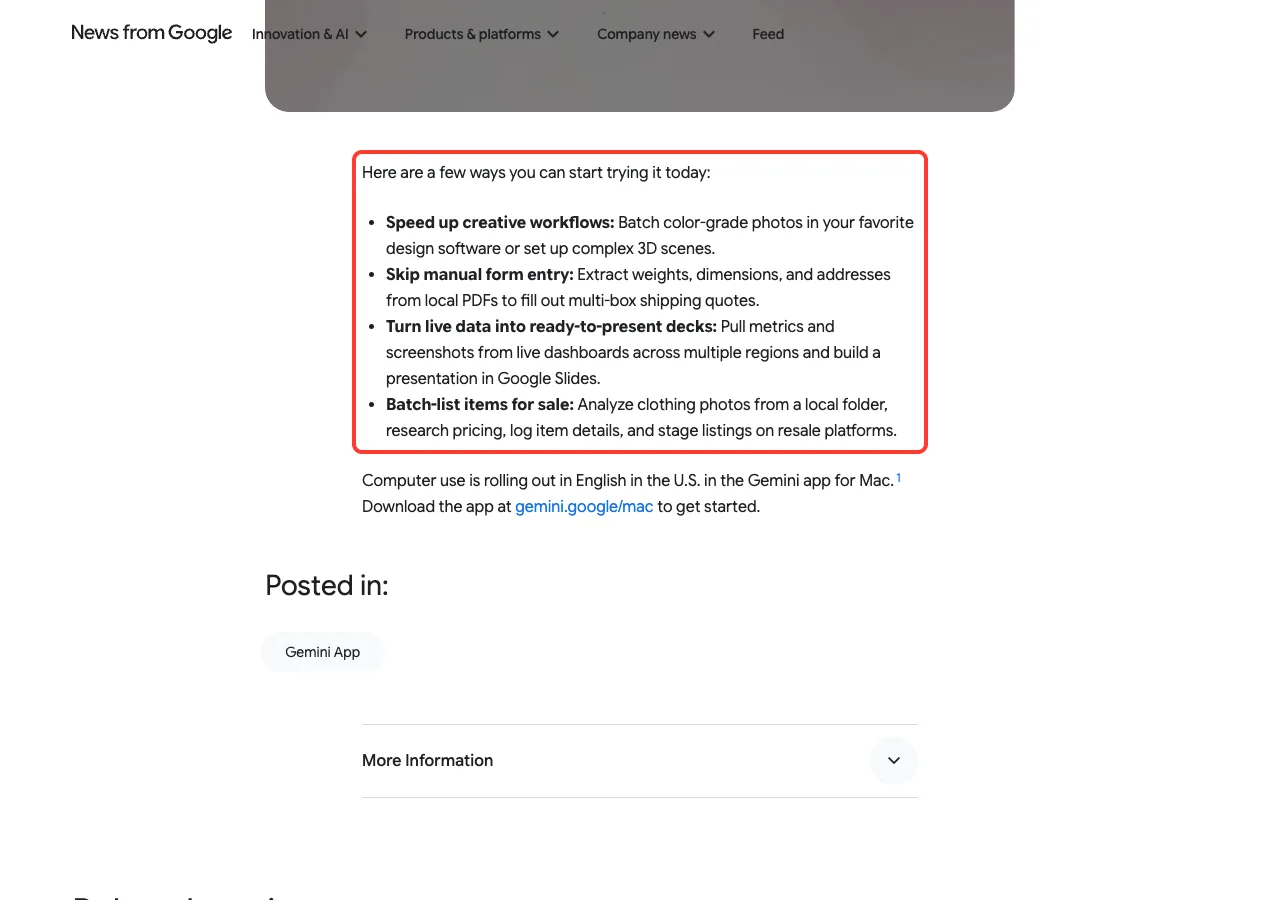
- Batch color-grade photos in design software or set up 3D scenes.
- Pull weights, dimensions and addresses from local PDFs into shipping quote forms.
- Turn live dashboard data into a Google Slides deck.
- Analyze clothing photos, research prices and stage resale listings.
Who can use it
Computer use is rolling out in English for Google AI Plus, Pro and Ultra subscribers in the U.S. who are 18 or older with personal Google accounts. The free plan is not included.
A footnote in Google’s announcement adds the hardware rule: you need an Apple Silicon Mac running macOS Sequoia 15.0 or later. We wrote about the launch in our Mac app story, and you can compare it with Anthropic’s assistant on our Claude page.
How Tasks in Gemini Fit Together
All five Tasks entries follow the same pattern, even though they start in different places. This diagram shows the path a Task takes from your request to the result.
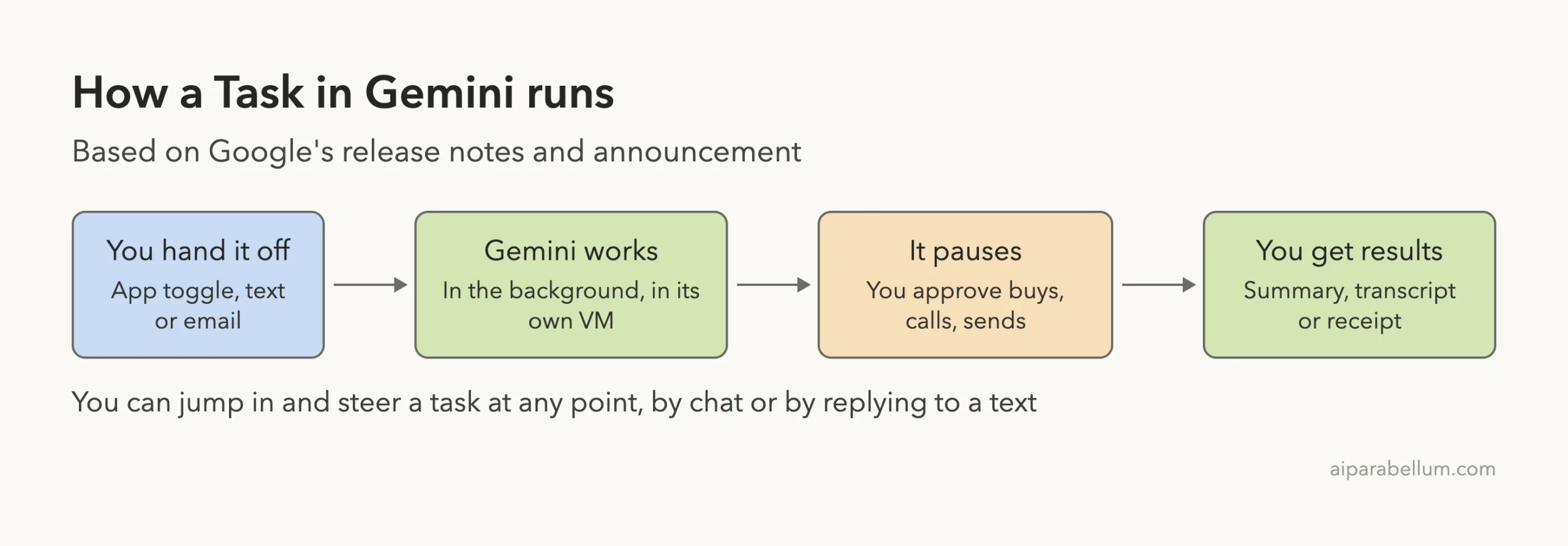
The entry point changes: the app toggle, a text or a forwarded email. The approval step stays the same, whether Gemini is about to buy something, place a call or send a message.
| Way to start | Best for | What you need |
|---|---|---|
| Chat to Task toggle | Planning, research and routines | The Gemini app in a supported country |
| Text message | Quick requests on the go, photos of flyers | U.S. number, eligible carrier, one-time verification |
| Forwarded email | School emails, bills, PDFs | Any of Gmail, Apple Mail or Outlook |
| Computer use (Mac) | Desktop apps and multi-click forms | AI Plus, Pro or Ultra, Apple Silicon Mac |
What’s New in Gemini This Week: What This Means for You
If you are in one of the six countries, the free Tasks rollout is the change to try first. Pick a small routine, like a weekly summary of your calendar, and see how well it handles it.
If you are in the U.S., the text and email options are the easiest way to build the habit. Forwarding a messy email thread costs you nothing, and the reply comes back with a link where you confirm the results.
Be a little more careful with payments and calls. Set a firm price cap for any purchase Task, and read the call plan before you approve it.
Google itself admits Tasks can still fail or miss the mark. Its announcement asks you to give a thumbs down when that happens, and notes that on some sites Gemini may hand the screen back to you to click the final button.
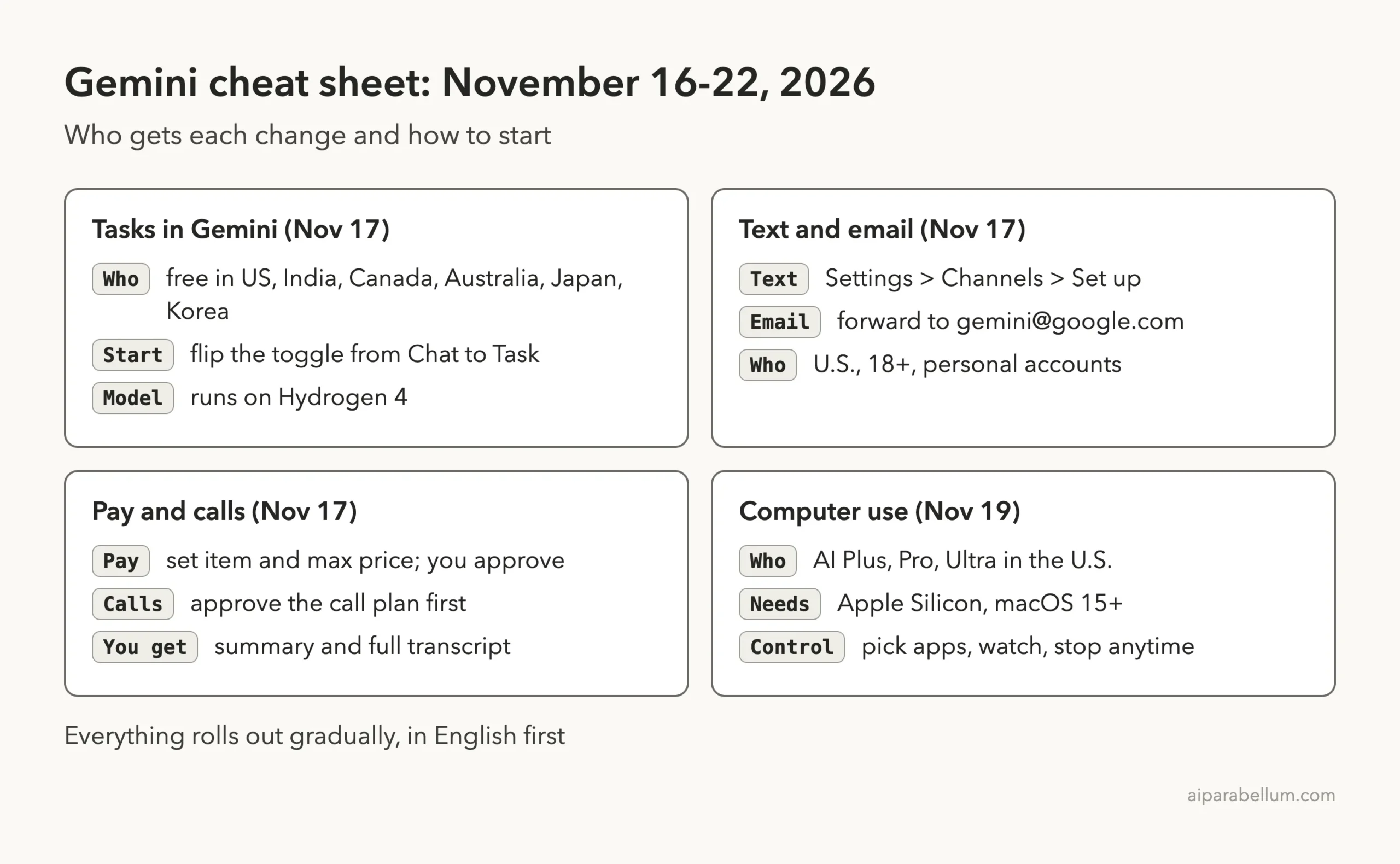
If you are choosing between assistants, these agent features change the picture a lot. Our Claude vs Gemini and the ChatGPT weekly roundup for the same week show what the other big assistants shipped.
Frequently Asked Questions
Is Tasks in Gemini really free now?
Yes, in six countries. Google says it is rolling out free of charge for users in the US, India, Canada, Australia, Japan and Korea, so it may take time to reach your account.
Can Gemini buy things without asking me?
No. The release notes say nothing is purchased until you give an explicit 1-tap and device approval. You can only choose “Always allow” for routine actions you already trust, like adding an item to a cart.
How do I text Gemini?
In the Gemini app on Android or iOS, go to Settings, then Channels, tap Set up under Text with Gemini, and verify your phone number. It is U.S.-only and needs an eligible carrier.
Does computer use work on Windows or Intel Macs?
Not according to this week’s notes. Computer use is in the Gemini app for Mac only, and Google says it needs an Apple Silicon Mac on macOS Sequoia 15.0 or later.
Will businesses know Gemini is an AI when it calls?
Yes. Google says Gemini identifies itself as an AI assistant, won’t share payment or sensitive account details by phone, and lets businesses opt out at any time.
Conclusion
This week turned Gemini into a much more hands-on assistant: Tasks in Gemini became free in six countries, learned to pay with Google Pay, started taking requests by text and email, and gained the ability to phone businesses, while the Mac app picked up computer use for paid subscribers. Most of these features start in the U.S., in English, and roll out gradually, so don’t worry if you can’t see them yet. You can read every entry yourself in the official Gemini release notes and in Google’s Tasks announcement and computer use announcement, and we will be back next week with the next roundup.