The Claude Code PR review toolkit is an official plugin that bundles six review agents, and each one looks at a different side of your code. We loaded it in a throwaway project, handed it a small change with problems we planted on purpose, and watched what it caught. This guide shows the real output, what it got right, and where you should stay careful.
This guide is part of our Claude Code tutorials. Find more add-ons in our skills directory.
Tested with Claude Code v2.1.318 on November 6, 2026, using pr-review-toolkit version 1.0.1 from Anthropic’s official plugin repository (commit 1aa4a4b). We ran it in a demo folder with made-up files, not in a real project.
Quick Summary: What the PR Review Toolkit Gives You
| Part | What it checks | Did we run it? |
|---|---|---|
/pr-review-toolkit:review-pr command | Picks agents by the aspects you name and writes one summary | Yes, three times |
silent-failure-hunter | Swallowed errors and bad fallbacks | Yes |
comment-analyzer | Comments that no longer match the code | Yes |
pr-test-analyzer | Gaps in test coverage | Yes |
type-design-analyzer | Type design, rated 1 to 10 on four traits | Yes |
code-reviewer | Bugs and rules from your CLAUDE.md | No |
code-simplifier | Simpler, clearer code | No |
Our honest verdict: it is a strong second pair of eyes before you open a pull request. It found every problem we planted and a few we did not plan. It only reports, so you still decide what to fix.
What Is the Claude Code PR Review Toolkit?
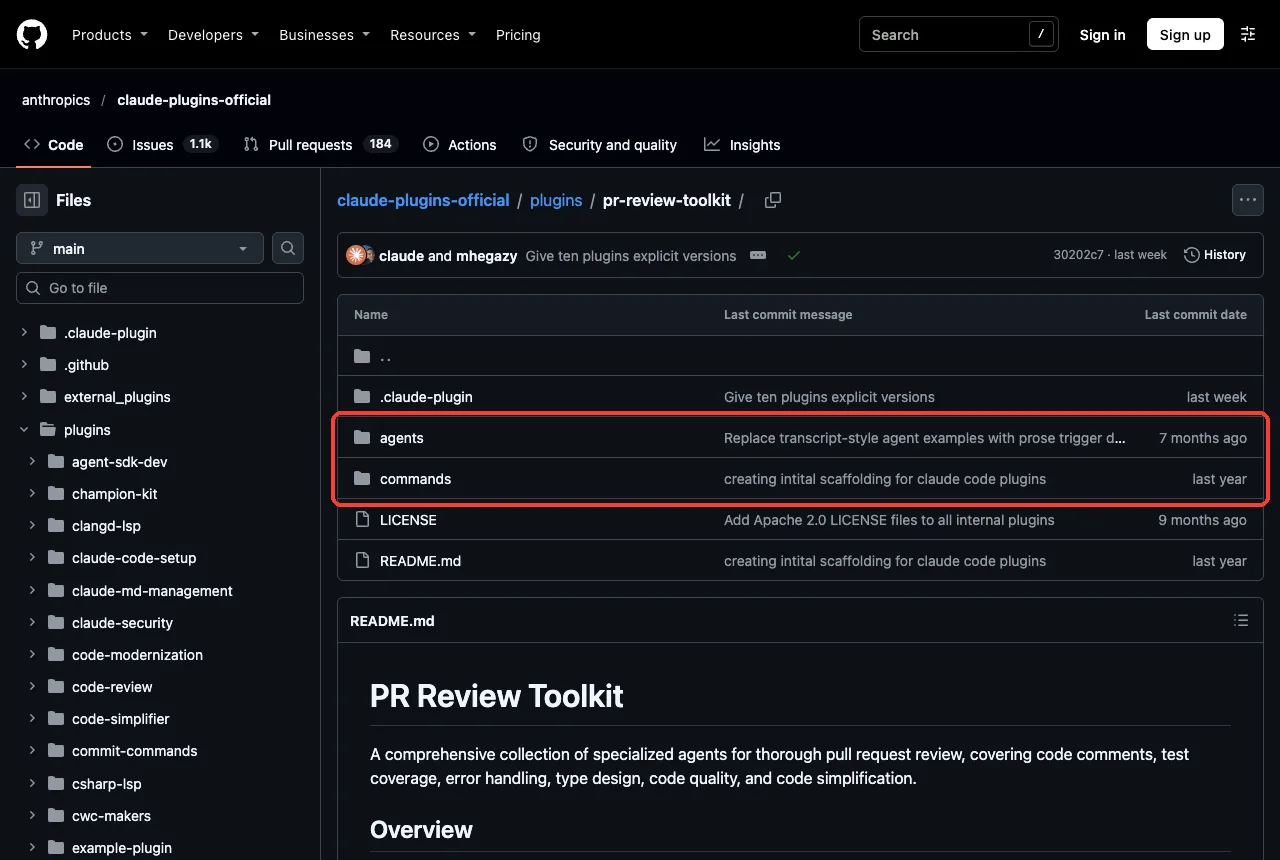
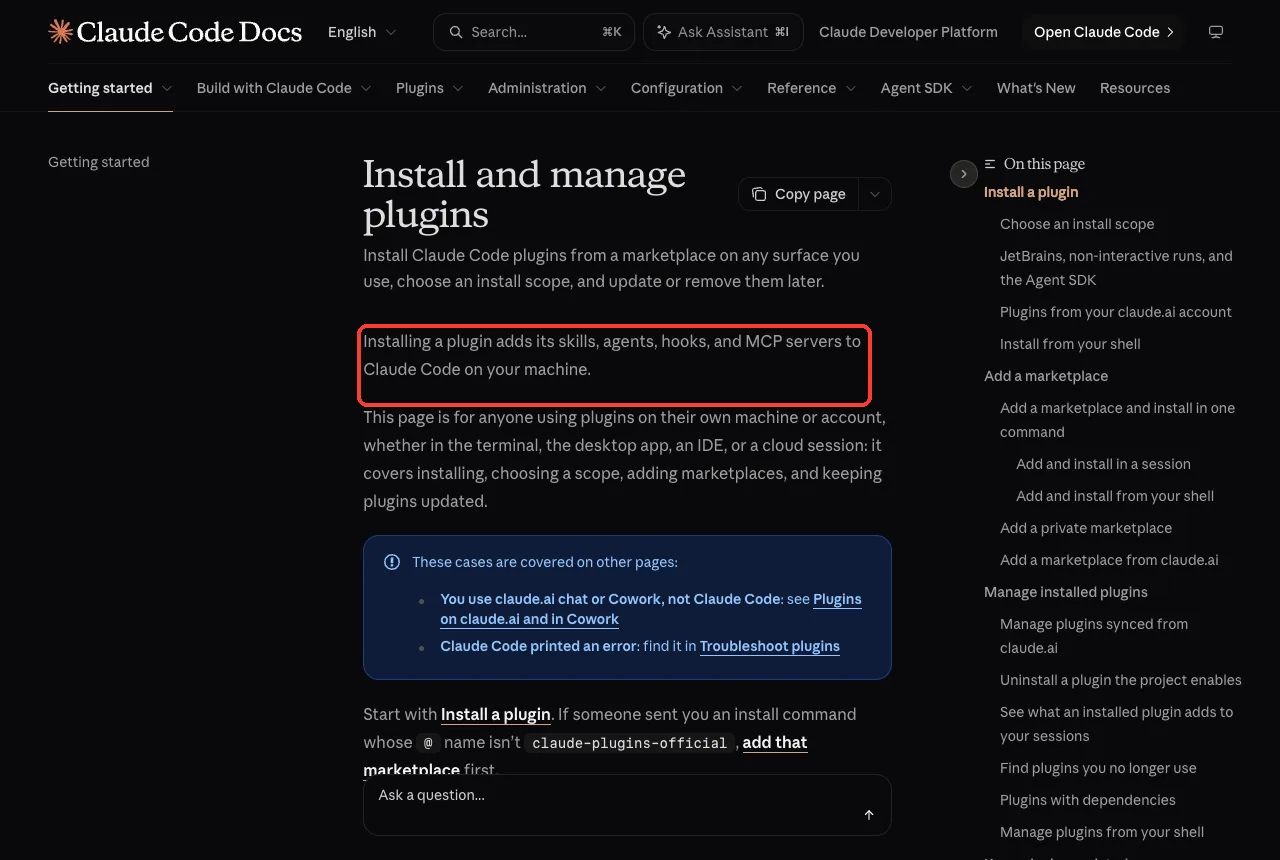
A plugin is a folder that bundles skills, agents, hooks and commands, and Claude Code loads it as one unit. The official plugins overview explains what a plugin can add to your sessions. This one adds one command and six agents.
The agents are subagents, which means each one works in its own side conversation and reports back. If that idea is new, read our guide to Claude Code subagents first. For the difference between add-on types, see skills versus plugins.
We read every file before loading it. The plugin has no hooks and no scripts, only markdown files with instructions, so nothing in it runs code on your machine on its own. Its command is allowed to use Bash, Glob, Grep, Read and Task, which is how it reads your changes and starts the agents.
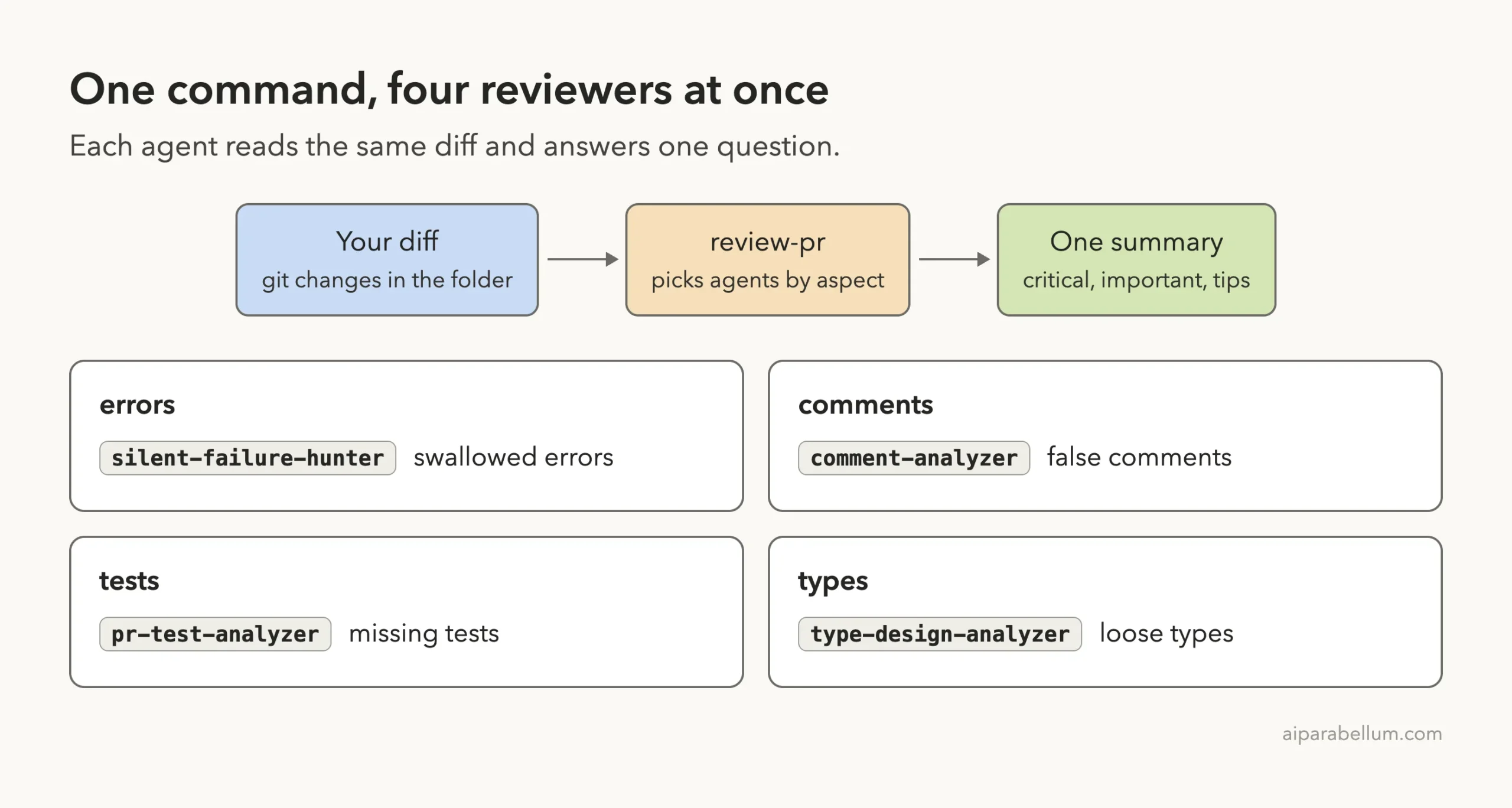
The Six Agents and What Each One Asks
Each agent has one narrow job. That is the whole idea: six specialists read the same change instead of one generalist trying to remember everything.
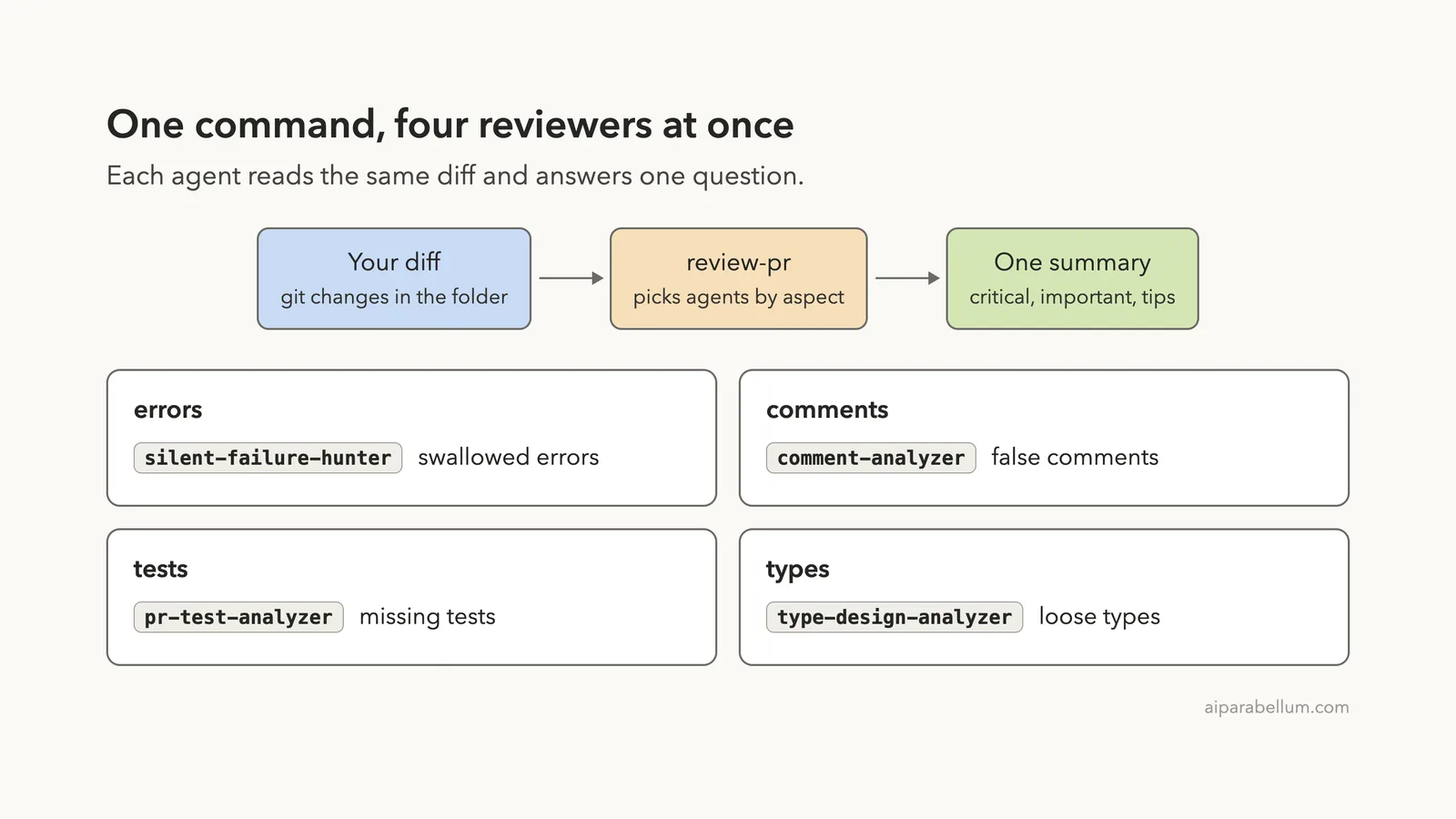
comment-analyzerasks whether each comment is still true.pr-test-analyzerasks which behaviors have no test and rates each gap from 1 to 10.silent-failure-hunterasks whether an error can happen without anyone noticing.type-design-analyzerasks whether a type makes bad states impossible. It rates encapsulation, invariant expression, usefulness and enforcement.code-reviewerchecks the change against your project rules and looks for bugs.code-simplifierrewrites working code to be clearer without changing what it does.
The command takes optional aspect words: comments, tests, errors, types, code, simplify and all. You name the ones that match what you changed, and the command picks the matching agents.
How to Install and Load the Plugin
For everyday use, install it from Anthropic’s official marketplace. Run this inside Claude Code, then pick an install scope when asked:
/plugin install pr-review-toolkit@claude-plugins-officialThe plugin install guide explains scopes and the /reload-plugins command that applies a new plugin in a running session. User scope enables it in every project, project scope shares it through .claude/settings.json, and local scope keeps it to one repo.
We did not install it into our own setup. For the test we cloned the plugin into a sandbox and started Claude Code with --plugin-dir pointing at the plugin folder, plus --setting-sources project. That loads the plugin for one session and leaves your real settings alone.
claude --plugin-dir ./pr-review-toolkit --setting-sources projectAfter it loaded, typing /pr-review showed the command with its plugin name in front. Plugin commands always carry the plugin name, so they never clash with your own.
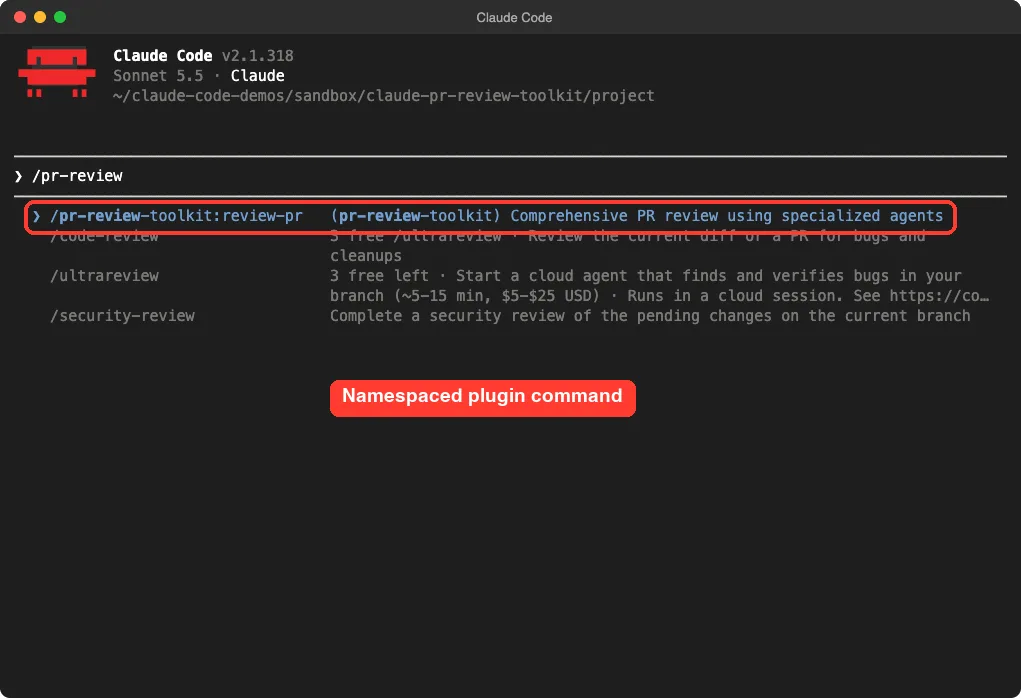
/pr-review-toolkit:review-prOne thing that did not work: the README tells you to look for the agents with /agents. In Claude Code v2.1.318 that wizard has been removed, and the screen tells you to edit agent files directly instead. The agents still work, you just cannot browse them there.
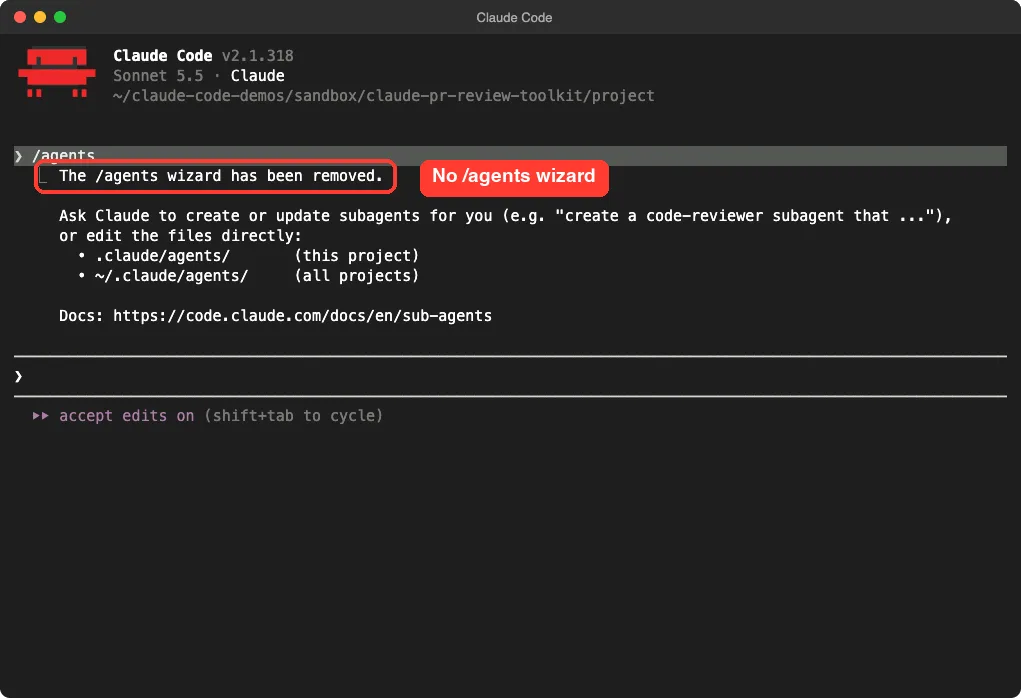
/agents wizard no longer exists in this versionOur Test: A Small Change With Planted Problems
We built a tiny cafe ordering project with two source files and a CLAUDE.md that says “never swallow errors” and “every exported function needs a test”. Then we added a payments file as an uncommitted change, so there was a real diff to review. If you have not written project rules yet, our CLAUDE.md file guide shows how.
The new file had five problems on purpose. Here is the heart of it:
// Applies the discount and rounds the total up to the next cent.
export function applyDiscount(items, discountPercent) {
  const total = cartTotal(items);
  return Math.round(total * (1 - discountPercent / 100));
}

// Charges the card and always returns a receipt id.
export async function chargeCard(orderId, cents) {
  try {
    const res = await fetch(url, { method: "POST", body });
    const data = await res.json();
    return data.receiptId;
  } catch (e) {
    return "";
  }
}
The planted problems were a comment that says “rounds up” above code that rounds to nearest, a comment that says “always returns a receipt id” above a function that returns an empty string on failure, a catch block that hides every error, an Order type with a plain string status, and one test that checks nothing but the order id. The code above is a trimmed copy; the real file also had the types and the test.
One tip we learned: new files that git does not know about yet may not show up in a diff. We ran git add -N on the new files first so the agents could see them.
Running the Review Step by Step
We asked for four aspects by name, because those matched what we had changed. The command we typed was:
/pr-review-toolkit:review-pr errors comments tests typesClaude started four agents in the background at the same time and told us which aspect each one covered. A task panel under the prompt showed each agent with its running time and token use. In our run each agent had already used more than 30,000 tokens a few seconds in, which is worth knowing if you watch usage.
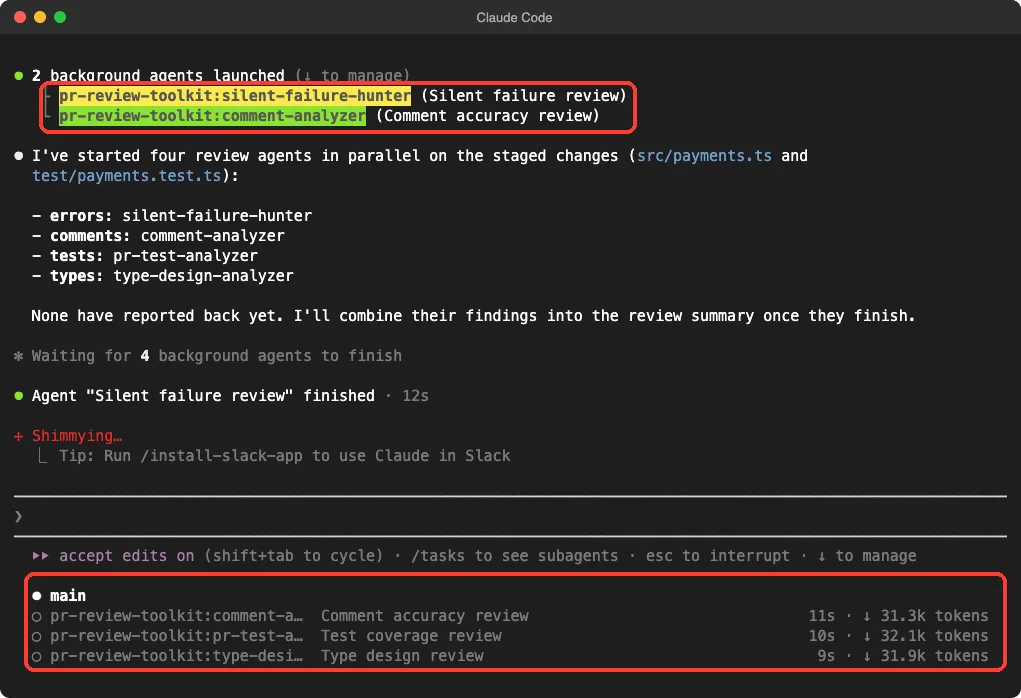
The whole review finished in about a minute or less in our runs. That speed comes from running the agents in parallel instead of one after another. You can also ask for all parallel if you want every applicable agent at once.
What the Review Found
The summary came back grouped by severity, with the agent name and a file and line number on every item. In our longest run it listed six important issues and four suggestions. Every one of the five planted problems showed up.
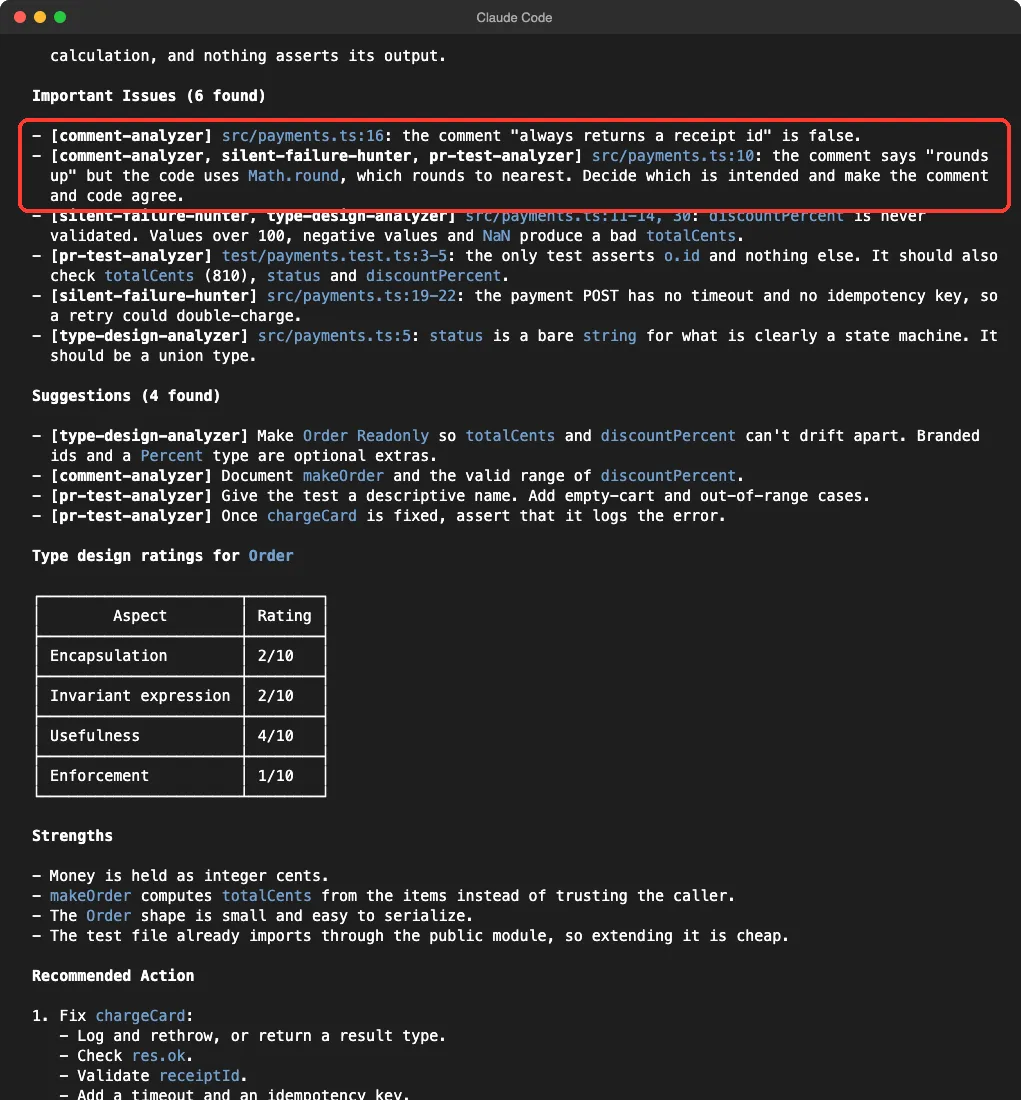
Three results stood out.
- The false comments were caught exactly. It said the “always returns a receipt id” comment is false, and that “rounds up” disagrees with
Math.round. - Three different agents flagged the rounding line, each from its own angle: the comment, the missing validation and the missing test.
- It found problems we did not plant. It pointed out that the payment request has no timeout and no idempotency key, so a retry could charge a customer twice. It also noted that
discountPercentis never validated, so values over 100 or below zero would give a wrong total.
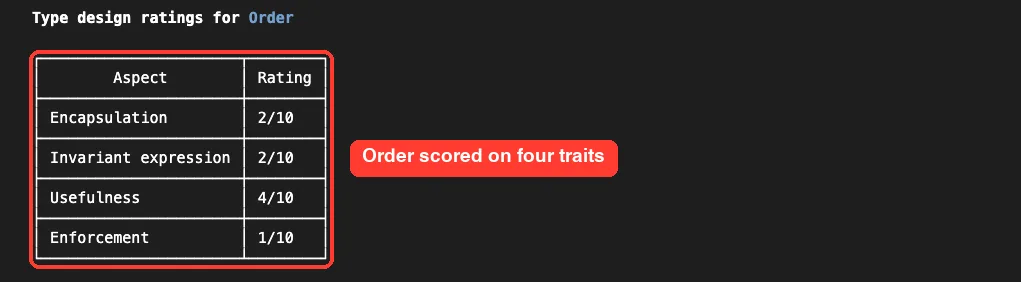
The type agent also scored our Order type. It gave encapsulation 2 out of 10, invariant expression 2, usefulness 4 and enforcement 1. For a type with a loose string status and no read-only fields, that is a fair grade.
The Action Plan and the Parts to Double-Check
At the end, Claude turned the findings into a short ordered plan. It started with the swallowed error: check the response status, validate the receipt id, log with context, then rethrow, and never log card data. Next came range checks, tests and a tighter type.
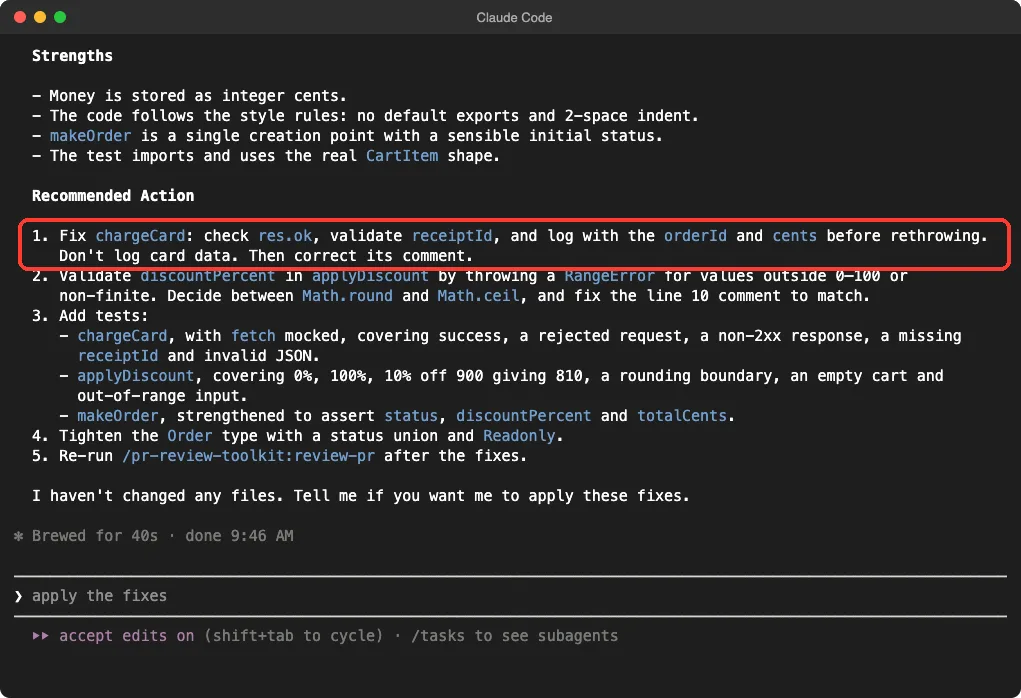
It also said plainly, “I haven’t changed any files.” That is how the plugin is built: the agents read and report. Nothing was edited until we would have asked, which makes it safe to run before every pull request.
Now the honest caveats from our three runs:
- The wording and the exact list changed from run to run. The big problems repeated, but the suggestions did not, so treat the output as a strong checklist and not a fixed report.
- Some findings were a matter of opinion, such as branded types for cents and percentages. The agents themselves labeled those as optional.
- We did not run the
codeandsimplifyaspects, so we make no claims aboutcode-reviewerorcode-simplifier. - Our demo was tiny. We cannot say how it behaves on a large pull request.
Which Aspects Should You Ask For?
You do not need all six agents every time. Match the aspect to what you changed, and your review gets faster and cheaper.
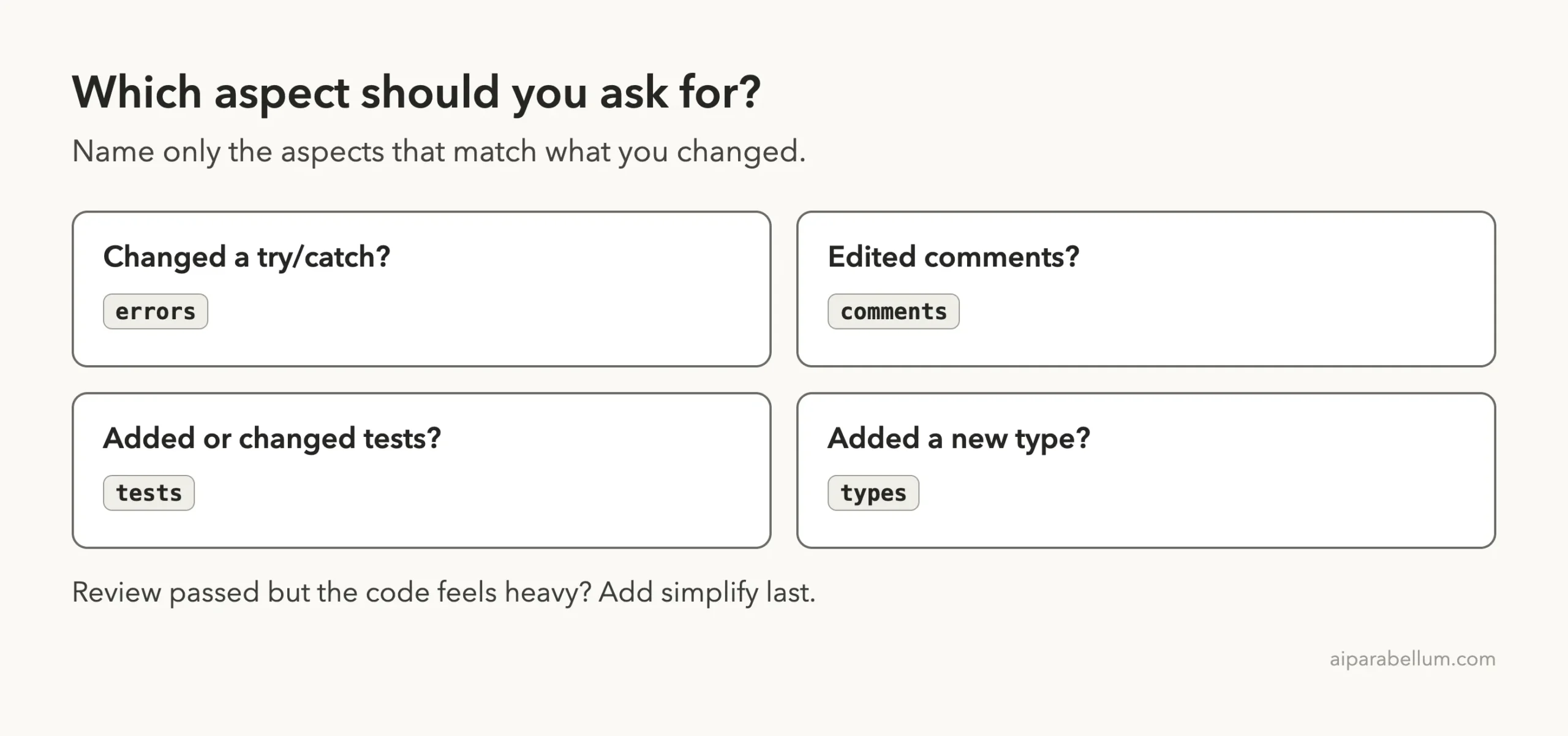
| You changed | Ask for | Agent that runs |
|---|---|---|
| A try/catch or a fallback | errors | silent-failure-hunter |
| Docs or comments | comments | comment-analyzer |
| Tests or new behavior | tests | pr-test-analyzer |
| A new type or data model | types | type-design-analyzer |
| Anything, as a final sweep | code | code-reviewer |
| Passing code that feels heavy | simplify | code-simplifier |
The command file says to run the simplify step last, after the review has passed. That order makes sense, because you do not want to polish code that you are about to change.
How It Compares With Other Review Options
Claude Code has other ways to review code, and they fit different moments. Our guide to local /code-review guide covers the built-in command, which looks for bugs and cleanups in one pass. The separate code review plugin is aimed at reviewing a pull request itself.
The PR review toolkit is different because it splits the work into specialists and shows you who found what. Use it when you want depth on errors, tests, comments or types. Use the single-pass command when you want a quick check.
If you like guided workflows, our feature dev plugin guide shows another official plugin that ends with reviewer agents too.
Name only the aspects that match your change, and treat the report as a checklist you still judge yourself.
Try It Yourself
Make a small git repo, add a function with a catch block that returns an empty value, and write one weak test. Stage the new files with git add -N, start Claude Code with the plugin, and paste this:
/pr-review-toolkit:review-pr errors comments testsRead the summary, then ask Claude to fix only the important issues. Run the review a second time to check that the problems are gone.
Common Mistakes
- Reviewing nothing. The agents read your git changes, so a clean working tree gives them little to look at.
- Forgetting new files. Untracked files can be missed, so stage them with
git add -Nbefore you start. - Asking for everything on every change. More agents means more tokens, so name only the aspects you need.
- Treating suggestions as orders. Fix the important issues first and judge the rest yourself.
- Skipping the second run. Re-run the review after your fixes to confirm they worked.
Pro Tips
- Write a good
CLAUDE.mdfirst. The code reviewer checks your change against it, and our demo rules were echoed back in the strengths list. - Use the review before you open the pull request, not after a teammate finds the problem.
- Ask for
all parallelwhen you are in a hurry and the change is big. - Keep your own tests. The agents point to missing tests, but they do not replace a real test run.
- Never paste secrets into a demo or a review. Even in our demo, the plan told Claude not to log card data.
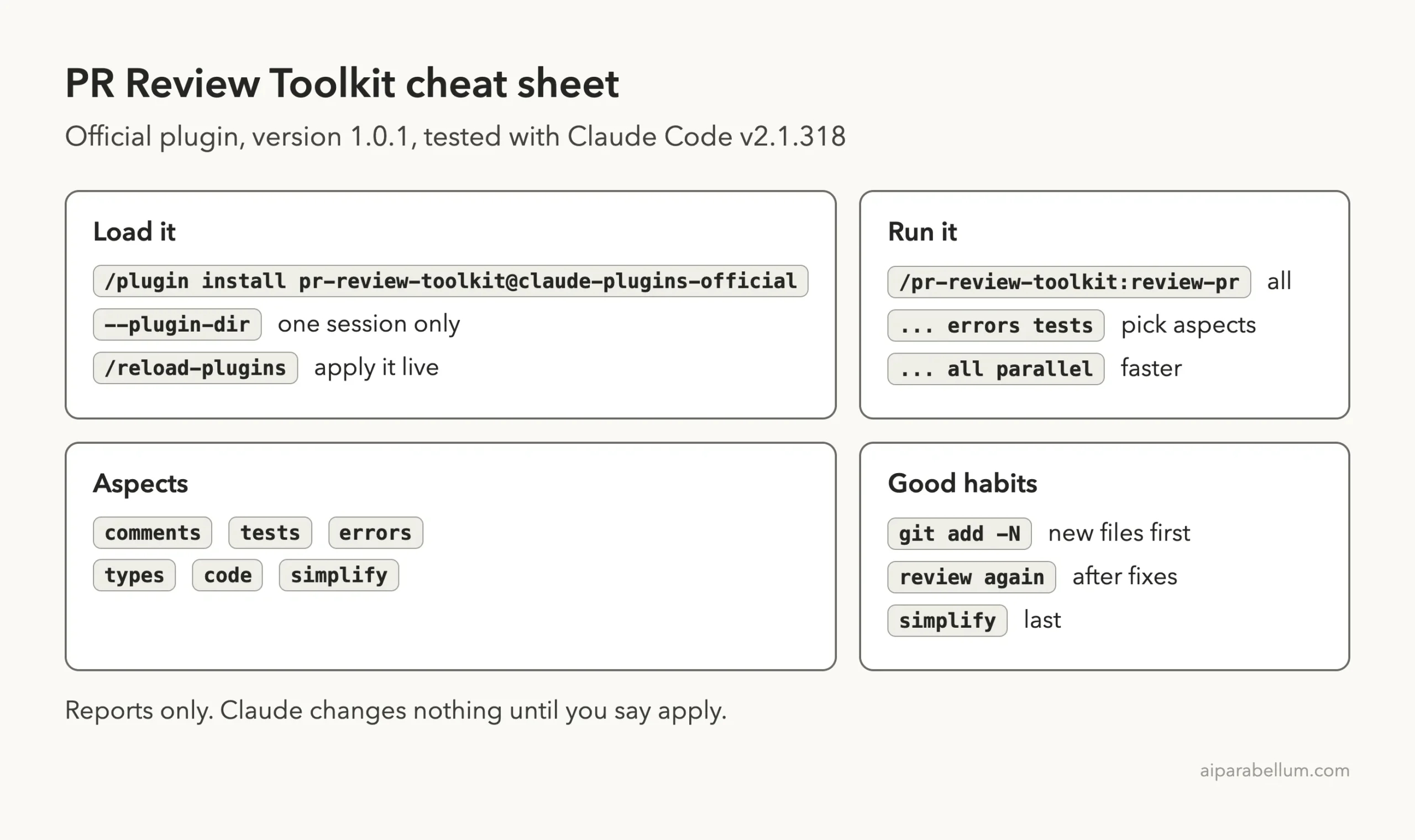
Cheat Sheet
Frequently Asked Questions
What is the Claude Code PR review toolkit?
It is an official Anthropic plugin with one command, /pr-review-toolkit:review-pr, and six review agents. They cover comments, tests, error handling, type design, general code review and simplification.
How do I install the PR review toolkit?
Run /plugin install pr-review-toolkit@claude-plugins-official in Claude Code. To try it for one session only, start Claude Code with --plugin-dir pointing at the plugin folder.
Does it change my code?
No. In our runs it only reported findings and said it had not changed any files. Edits happen only if you ask Claude to apply the fixes.
Do I need a pull request to use it?
No. The agents read your git changes, so uncommitted work is enough. The command also checks whether a pull request exists, but that is optional.
How many tokens does it use?
In our four-agent run each agent showed more than 30,000 tokens within seconds of starting. Asking for fewer aspects uses fewer agents and fewer tokens.
Conclusion
The Claude Code PR review toolkit earned its place in our test: it caught every planted problem, added a few real ones, and kept its hands off our files. Install it, name only the aspects that match your change, and treat the report as a checklist you still judge yourself. For more add-ons, browse the Claude AI page and our Claude Code plugins guide.