The Claude Code feature dev plugin promises a calmer way to add a feature: understand the code, ask questions, compare designs, build, then review. It is an official plugin from Anthropic, and it adds one command called /feature-dev. We loaded it in a throwaway project, asked it to add a due date to a small task tracker, and wrote down everything it did, including the parts it skipped.
This guide is part of our Claude Code tutorials. Find more add-ons in our skills directory.
Tested with Claude Code v2.1.318 on November 6, 2026, using feature-dev version 1.0.1 from Anthropic’s official plugin repository (commit d189be9). We ran it in a demo folder, not in a real project.
Quick Summary: What the Feature Dev Plugin Gives You
| Part | What it is | We ran it? |
|---|---|---|
/feature-dev command | A seven-phase guided workflow for one feature | Yes, start to finish |
code-explorer agent | Traces how existing code works | Yes, two copies ran |
code-architect agent | Designs implementation options | No, Claude skipped it |
code-reviewer agent | Reviews the finished code | Yes, three copies ran when we asked |
Our honest verdict: the workflow is useful when you want questions and a design before any code appears. On a small feature, Claude decides some agents are not worth running. That saves time, but you need to know it can happen.
What Is the Claude Code Feature Dev Plugin?
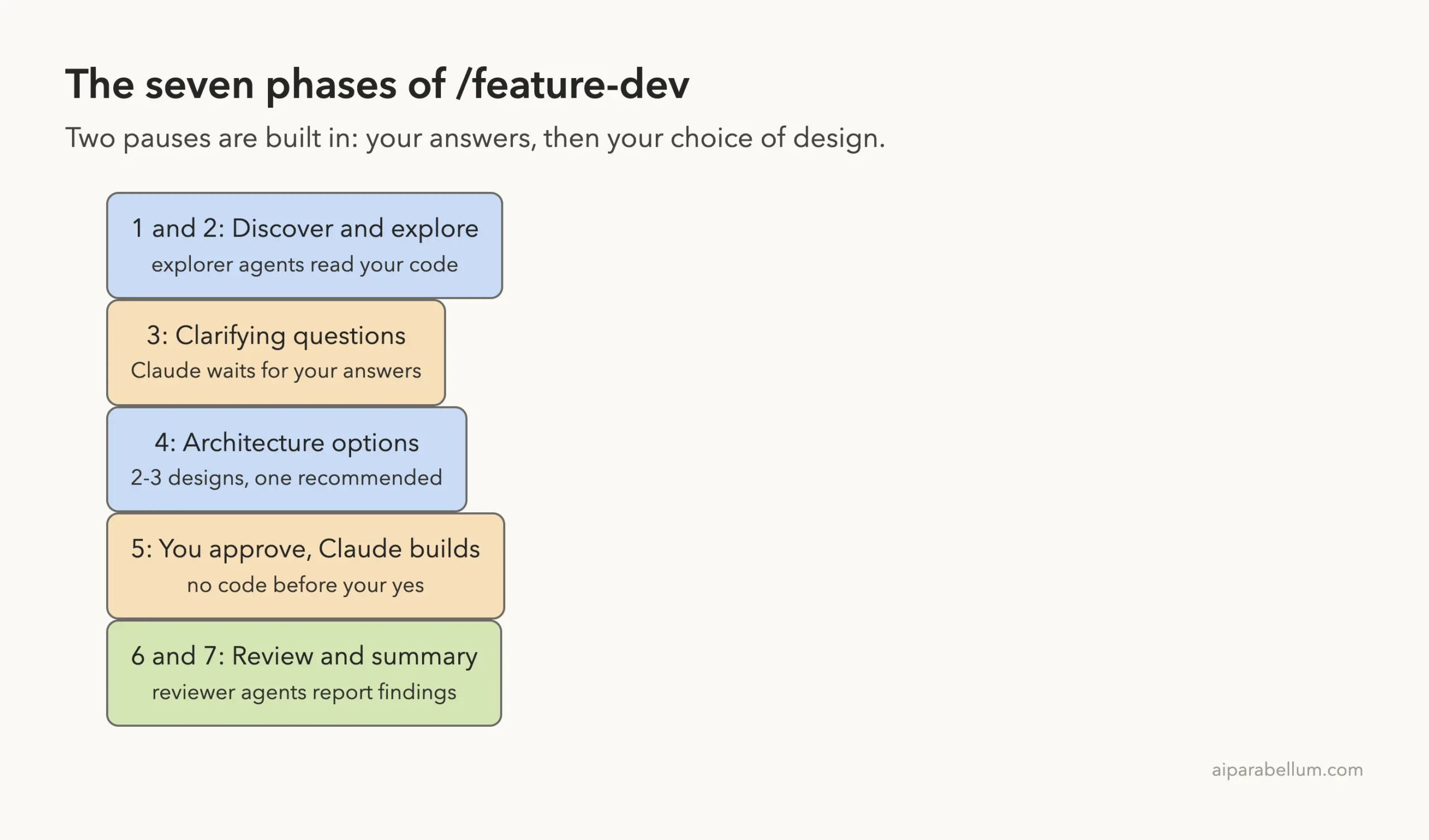
A plugin is a folder that bundles skills, agents, hooks and commands. Claude Code loads it as one unit. The official plugins overview explains what a plugin can add to your sessions.
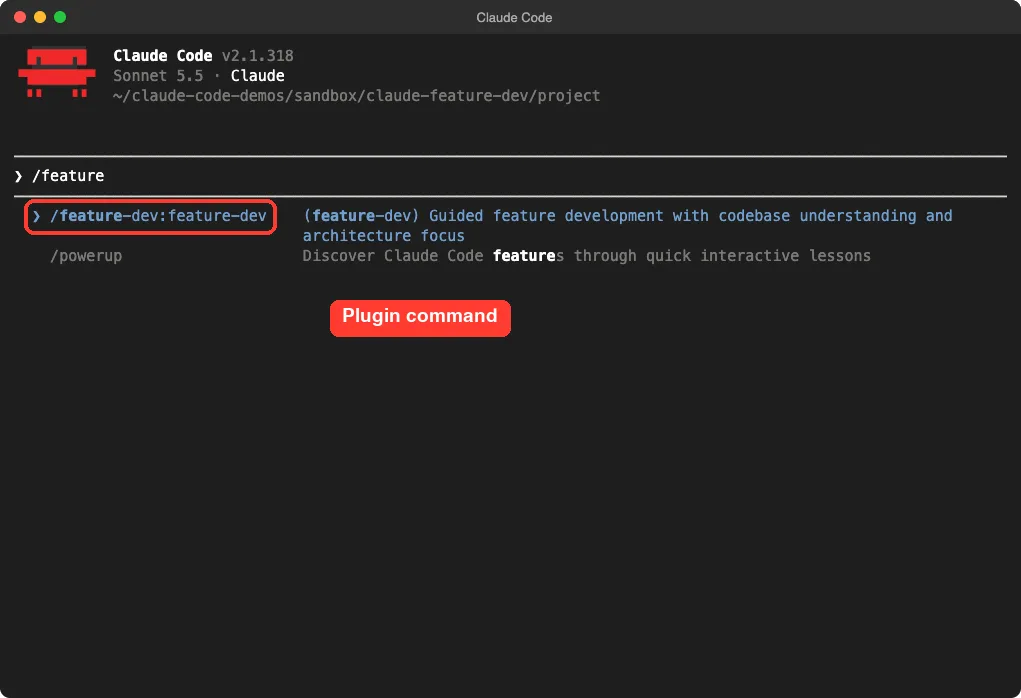
This one has no hooks and no skills. It is one command file and three agent files, all short markdown. We read every file before loading it, and nothing in it runs scripts on your machine.
If you are still deciding between plugins, skills and subagents, our guide to skills versus plugins explains the difference. For the basics of finding and managing add-ons, start with Claude Code plugins.
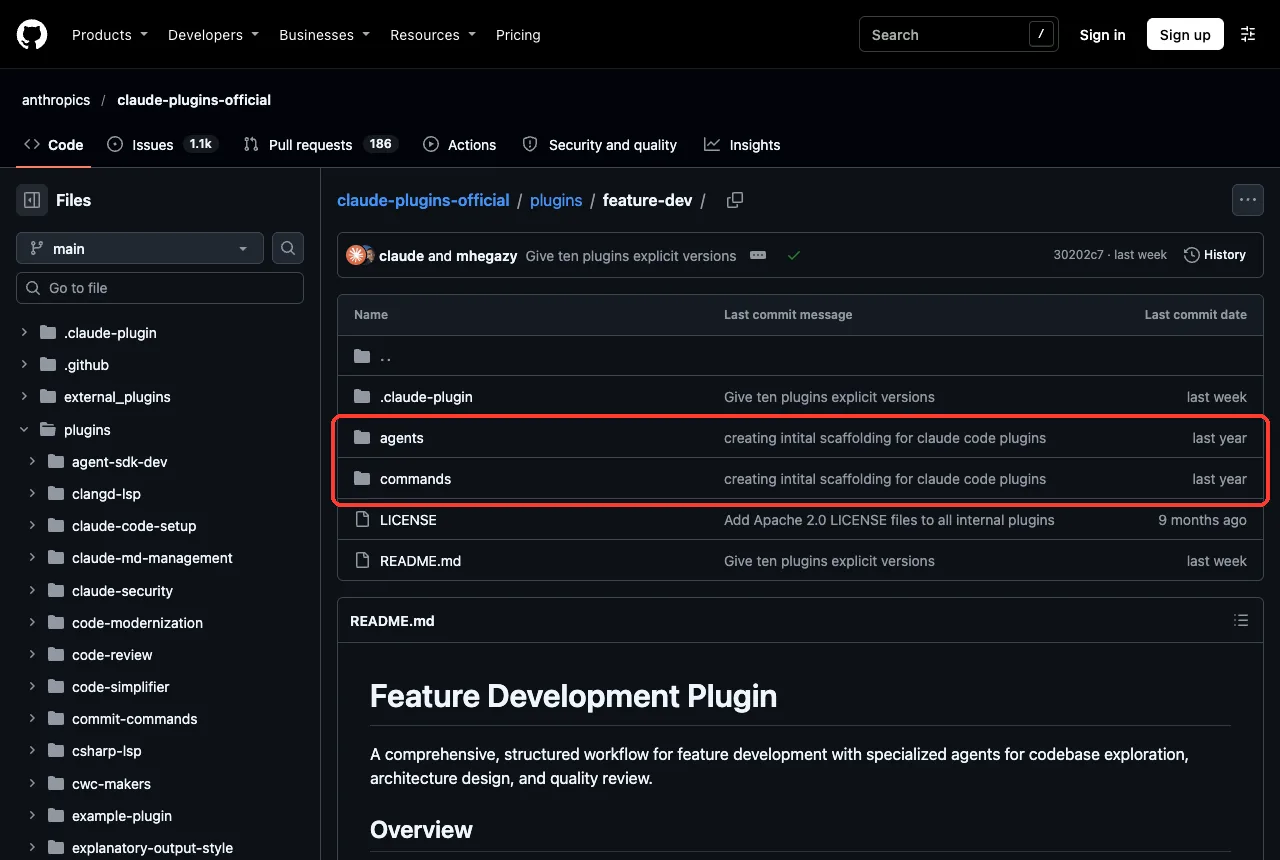
The Seven Phases of /feature-dev
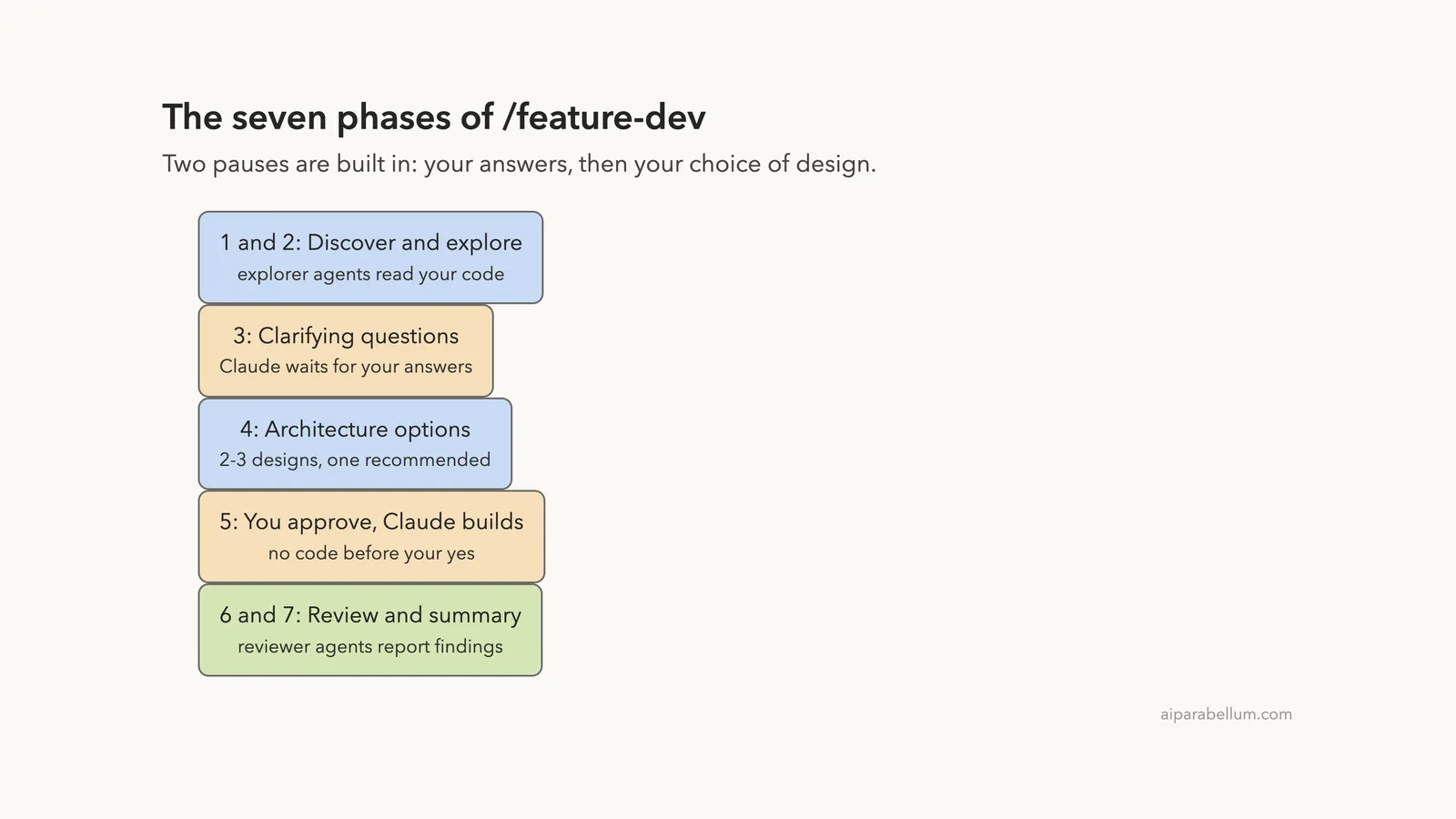
The command file tells Claude to work in seven phases. The first five are about thinking and agreeing. Code only appears in phase five, and only after you say yes.
- Phase 1, Discovery: Claude restates what you want to build.
- Phase 2, Codebase exploration: explorer agents read your code and report back.
- Phase 3, Clarifying questions: Claude lists what is unclear and waits for your answers.
- Phase 4, Architecture design: Claude compares two or three approaches and recommends one.
- Phase 5, Implementation: Claude builds it after your approval.
- Phase 6, Quality review: reviewer agents check the result.
- Phase 7, Summary: Claude lists what changed and what to do next.
How to Install and Load the Plugin
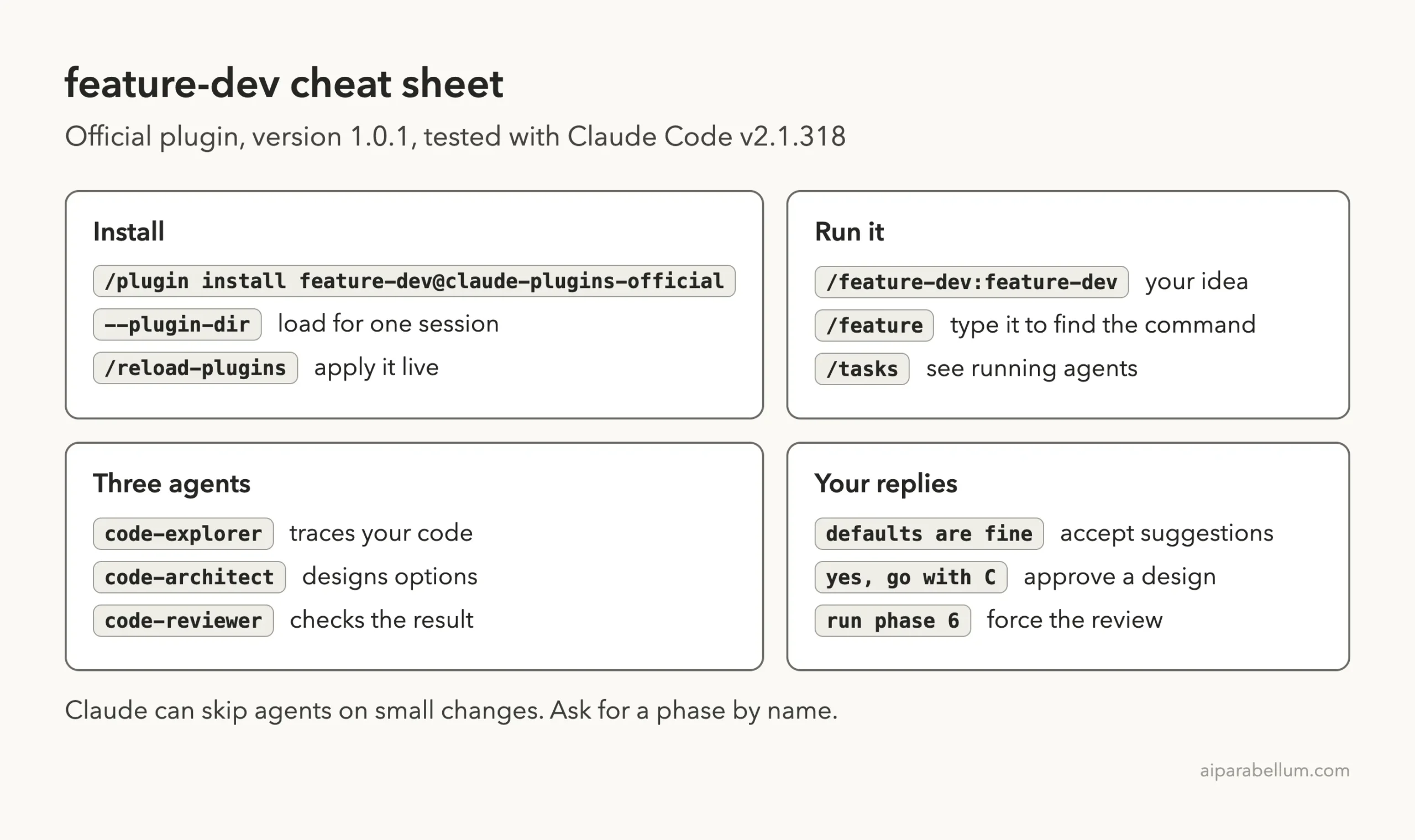
For everyday use, install it from Anthropic’s official marketplace with /plugin install feature-dev@claude-plugins-official. The install guide explains scopes, which decide whether it works in one repo or everywhere.
For our test we did not install it for good. We cloned the official repo into a sandbox and started Claude Code with --plugin-dir pointing at the plugin folder, plus --setting-sources project so none of our own settings loaded. When the session ended, the plugin was gone.
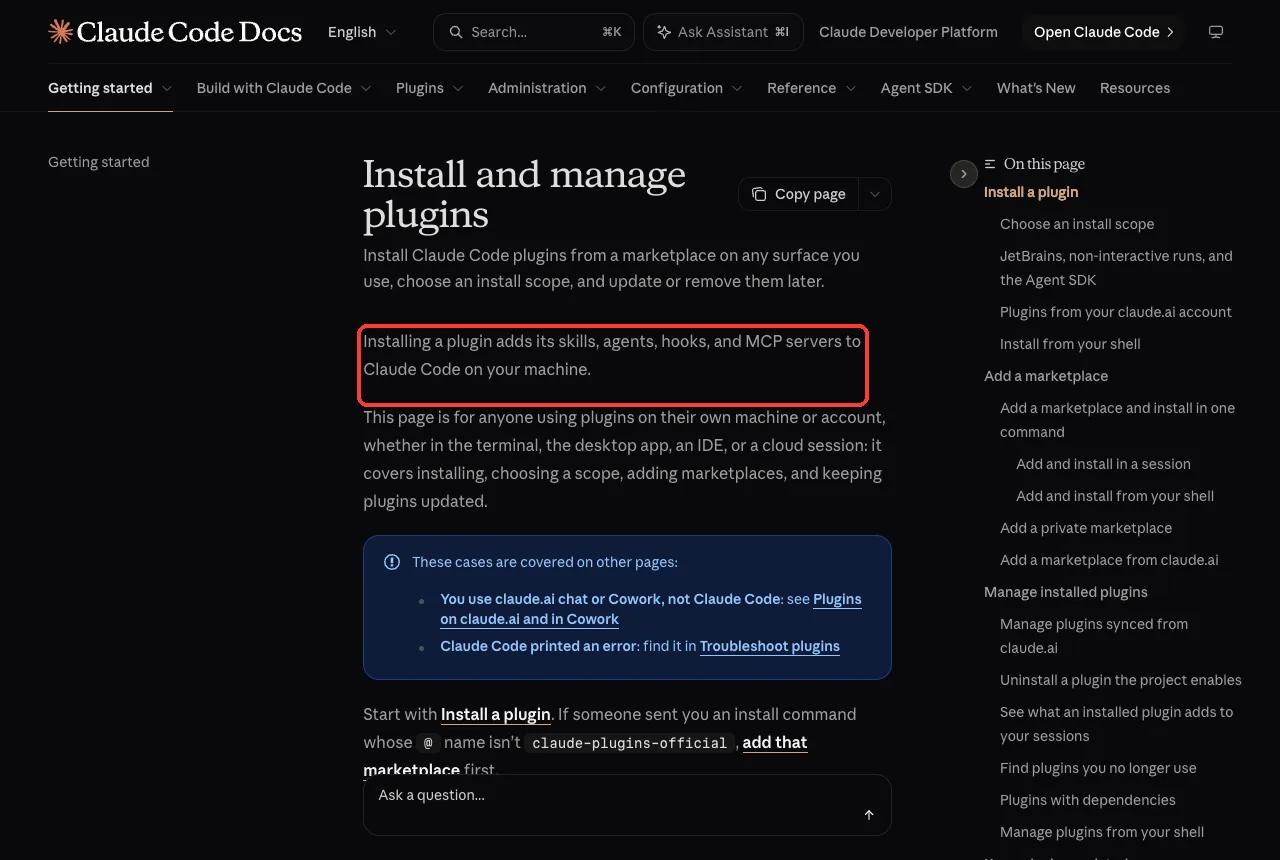
Once loaded, type /feature and the command shows up as /feature-dev:feature-dev. The plugin name comes first, then the command name.
Our Demo Project
We wrote a tiny task tracker called taskman with seven small files: a model, a storage class, commands, a formatter, a command-line entry point, two test files and a README. It could add tasks, list them, mark them done and export them as CSV.
The feature request was one sentence: /feature-dev:feature-dev Add an optional due date to tasks, shown in the list. That one line was all we gave the plugin to start.
Phases 1 and 2: Discovery and Exploration
Claude judged the request clear enough and moved straight to exploring. It launched two code-explorer agents in the background: one on the task model and storage, one hunting for similar optional-field patterns.
Each explorer used about 8,000 tokens in our run, and both finished in under half a minute. Claude then read the key files itself and summarized what it learned.
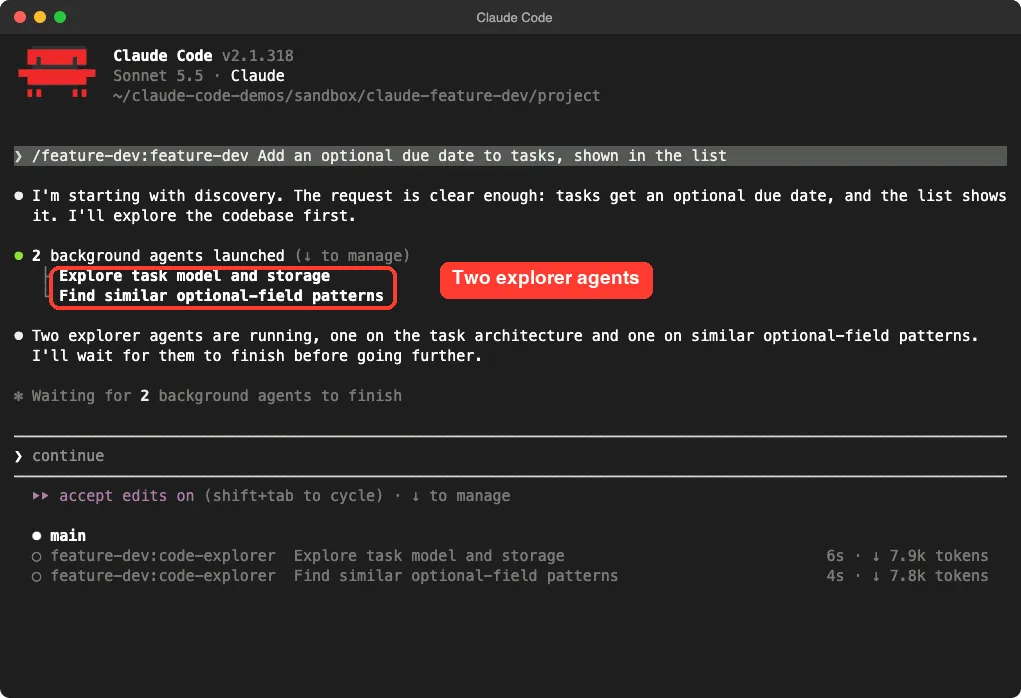
The summary was specific. It noticed that the loader needed to read the new field safely so old saved files still work, and that an existing test pinned the exact text of a task line. Those are the details that cause bugs when you skip the reading step.
Phase 3: Clarifying Questions
This is the phase the plugin calls critical. Claude listed seven questions: input format, how to treat invalid and past dates, how the list should look, sorting, editing existing tasks, the CSV column, and how to store the date.
Every question came with a default. Because of that, we could answer with three words: defaults are fine. In an earlier practice run, Claude showed the same questions as a multiple-choice form instead, so expect the format to vary.
Tip: if you like the defaults, say so. If you have a strong opinion, such as sorting by due date, this is the cheapest moment to say it.
Phase 4: Architecture Options
The plugin says to launch two or three code-architect agents here. Claude did not. Its own words were that the change was small enough to skip the parallel architect agents and compare the options itself.
It still gave us the useful result: three approaches.
- A kept validation in the command-line layer.
- B stored the date as a real date object.
- C validated in the command layer so every caller gets checked.
Claude recommended C, listed the six files it would touch, and asked for a yes.
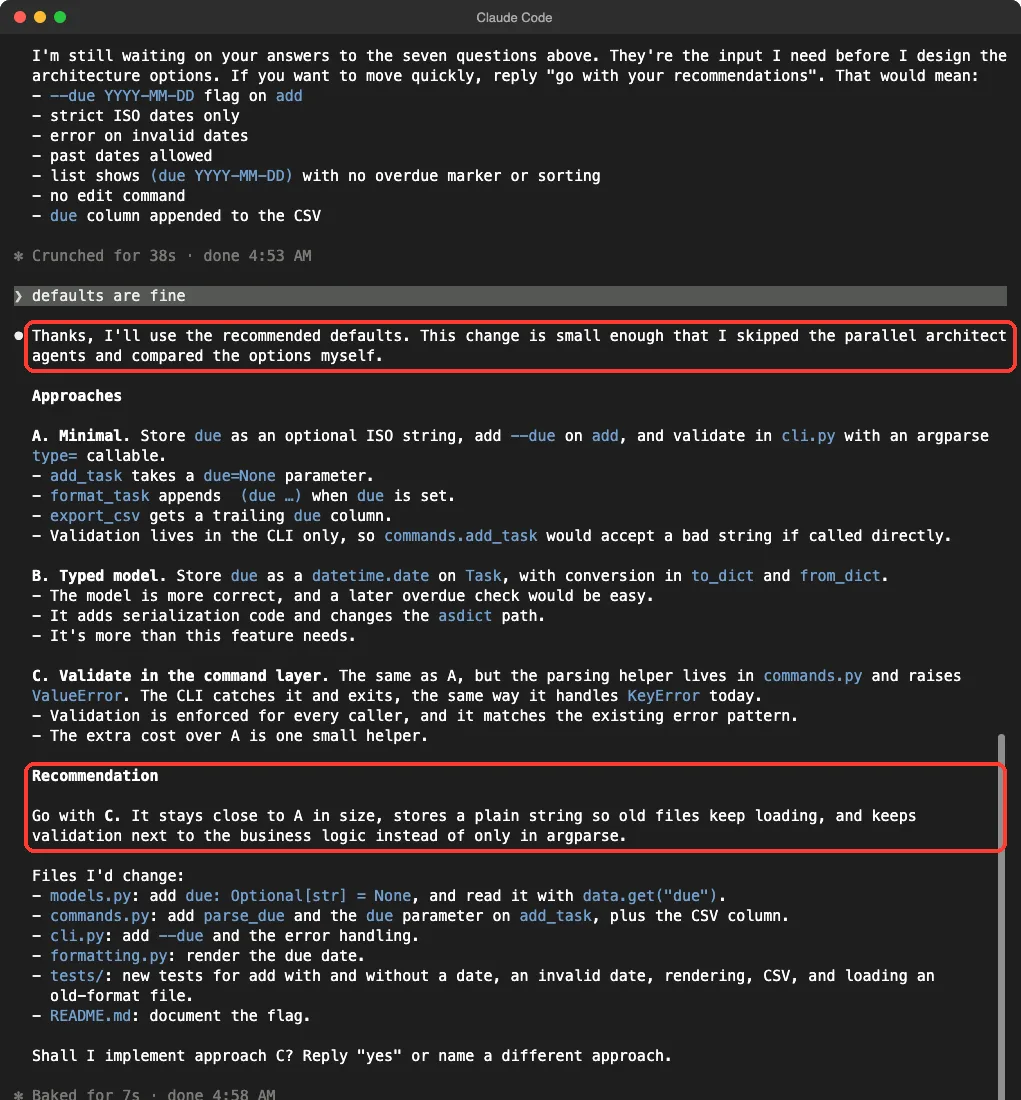
Questions first, code second: the plugin stops twice so the decisions stay yours.
This is the plugin working as a guide rather than a rigid script. If you want the full multi-agent design pass on a bigger job, ask for it by name.
Phase 5: Implementation
We replied yes, go with approach C. Claude read the tests and README, wrote the changes, ran the ten tests, noticed that its date check was more convoluted than needed, simplified it, and ran the tests again.
The final code was small. Here is the heart of it:
def parse_due(value):
    """Validate a strict YYYY-MM-DD string and return it; raise ValueError if invalid."""
    try:
        if len(value) == 10 and date.fromisoformat(value).isoformat() == value:
            return value
    except ValueError:
        pass
    raise ValueError(f"Invalid due date {value!r}; expected YYYY-MM-DD")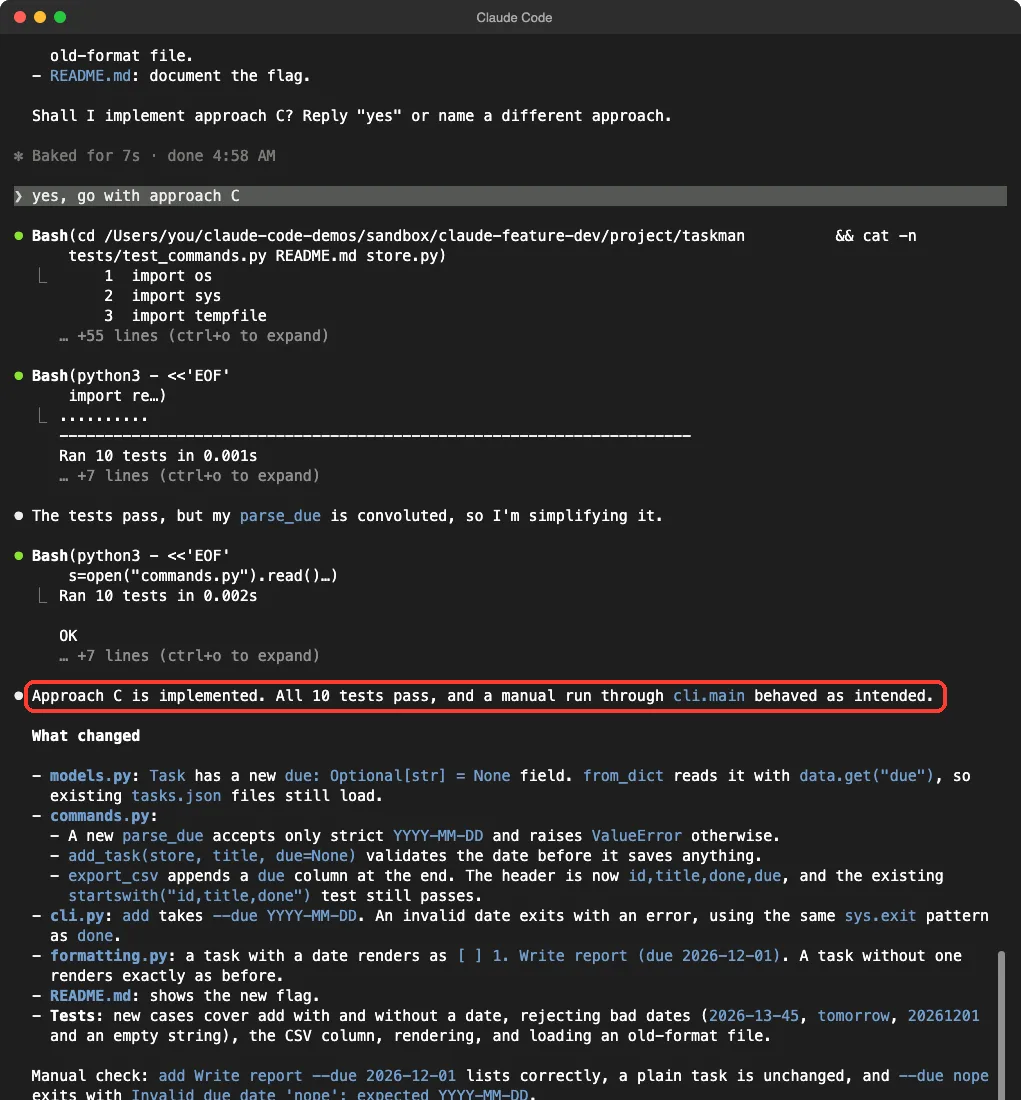
We also ran the finished tool ourselves, outside Claude. A task added with --due 2026-12-01 printed (due 2026-12-01) in the list, an old task without a date printed exactly as before, and --due 2026-13-40 exited with a clear error. The CSV export gained a due column.
Phase 6: Quality Review (It Was Skipped Until We Asked)
When Claude finished, it said plainly that it had not run the three reviewer agents, because the change was small. It offered to run them if we wanted.
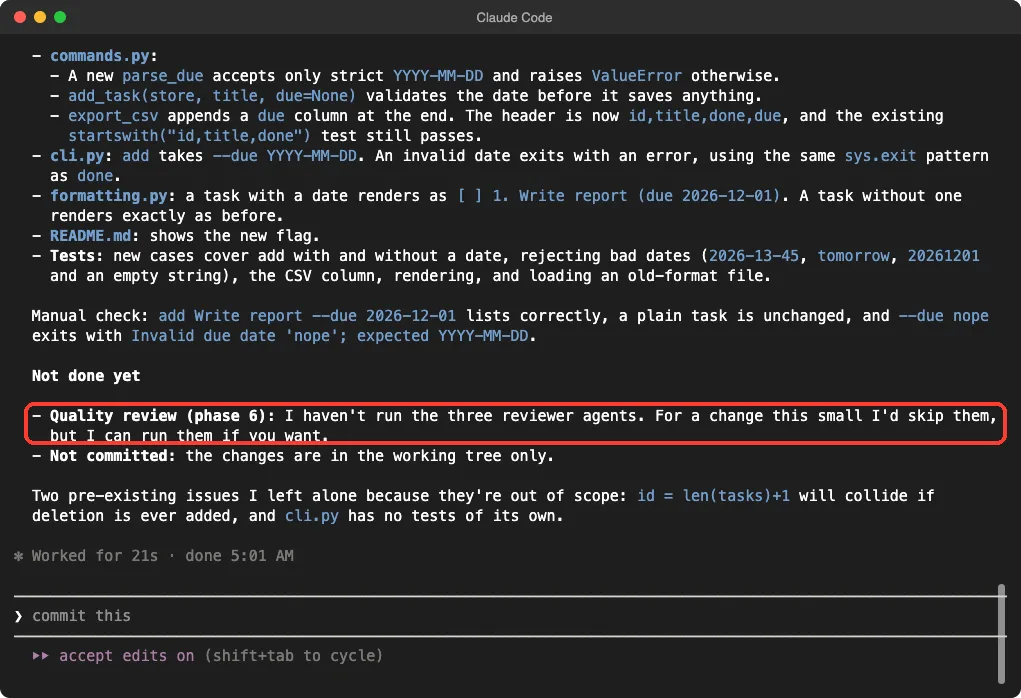
We asked: Please run phase 6 now: the three code-reviewer agents. Do not change any files, just report. Three code-reviewer agents launched, one for simplicity, one for bugs and one for conventions.
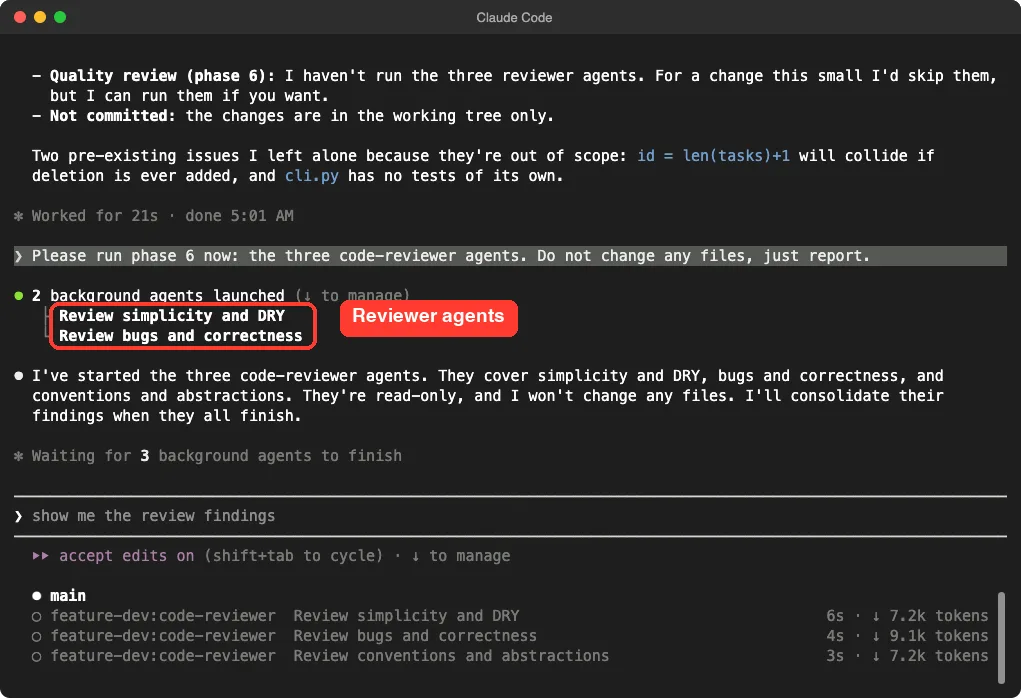
The results came back in about a minute. No reviewer found a bug. One flagged the date check we mentioned above as harder to read than needed, with a confidence score of 82, and two noted that no test covers the command-line error path.
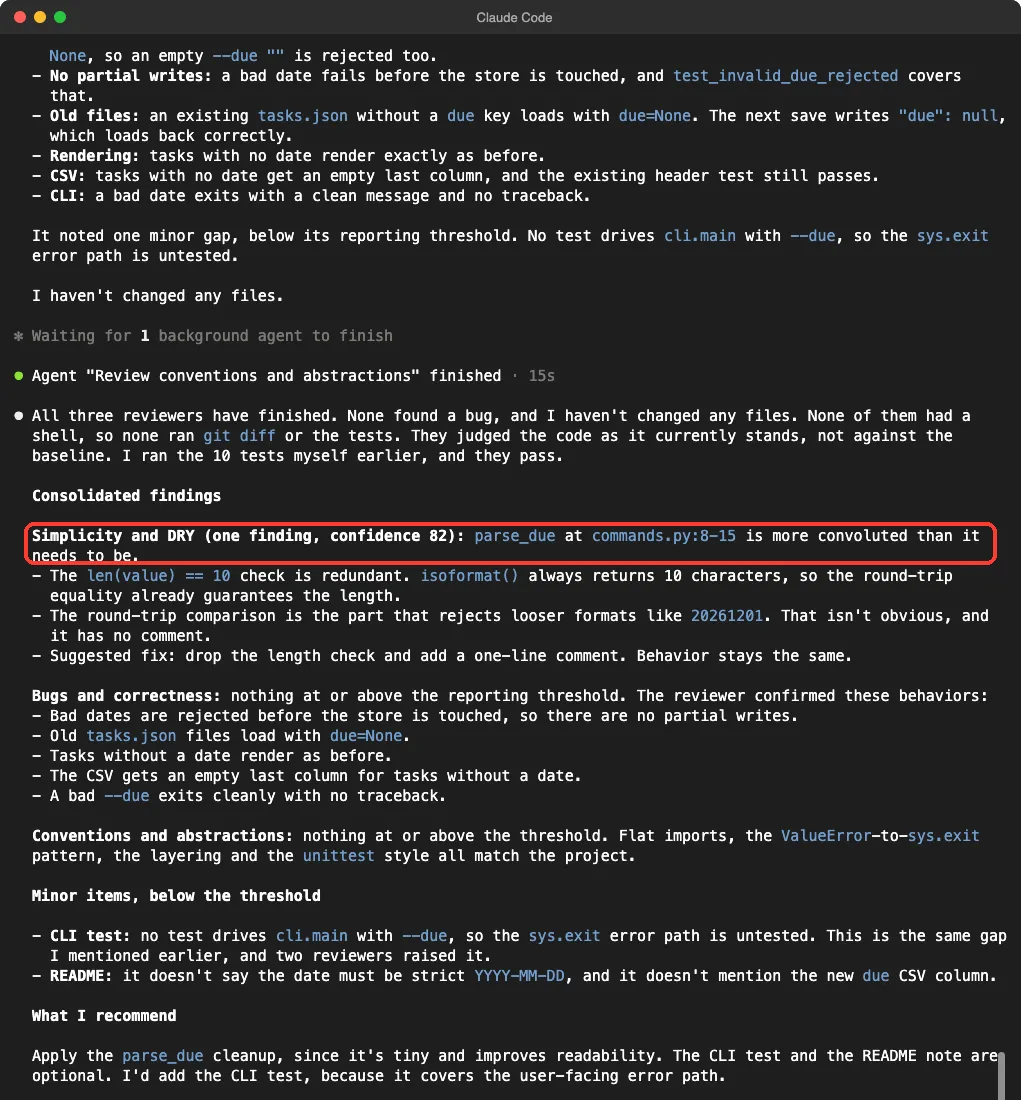
One caveat worth knowing: Claude noted that the reviewers had no shell, so they read the code but never ran the tests. Claude had run the tests itself earlier. The review is a reading, not a test run.
Is the Feature Dev Plugin Worth Using?
| What worked | What to watch |
|---|---|
| Questions came before code, with defaults | Claude chose which agents to run, so phases can shrink |
| Three designs with a clear recommendation | On small jobs the architect agents were skipped |
| Nothing was written before our yes | The review ran only after we asked |
| Old data kept working because exploration caught it | Reviewers read code but cannot run tests |
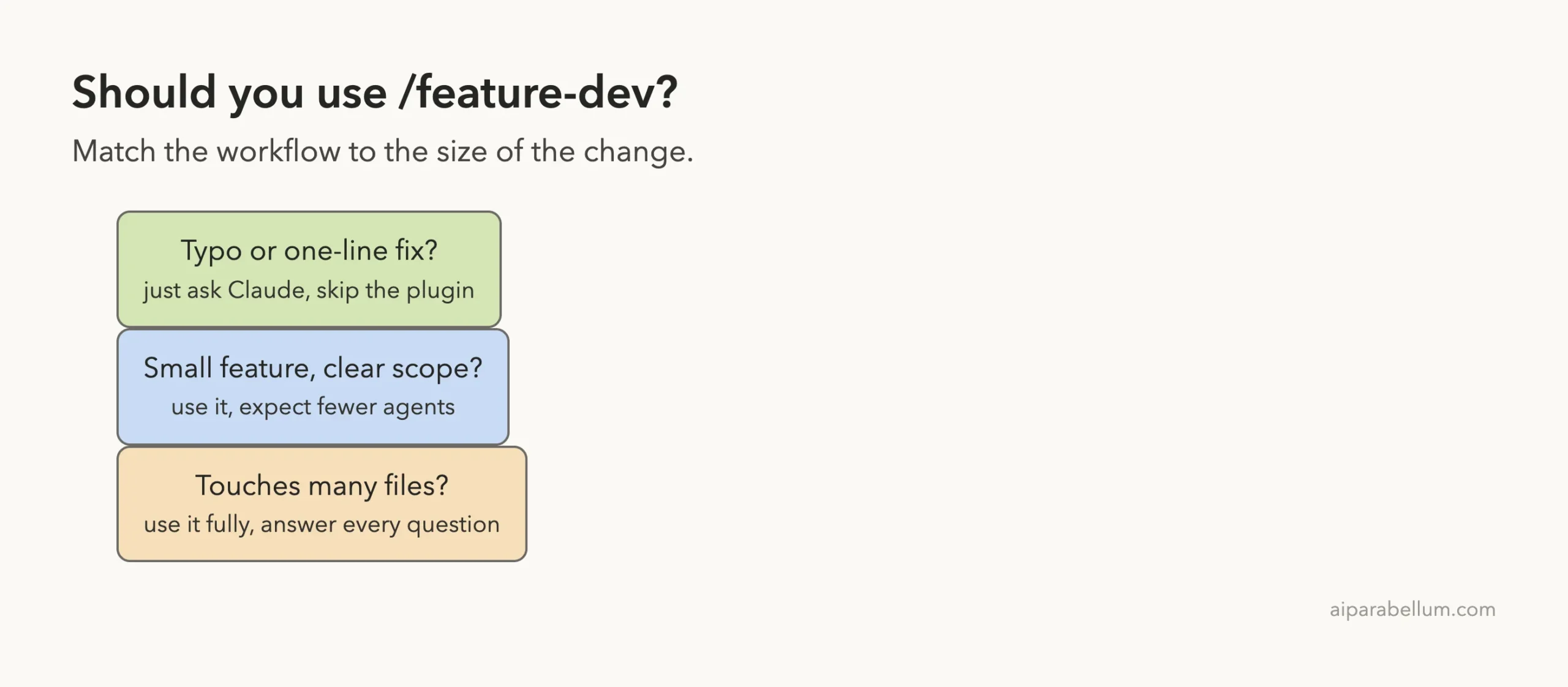
We would install it if you work on features that touch several files and you like to agree on a design first. If you mostly fix small bugs, you will not feel much difference from a normal chat.
How It Compares to Plan Mode and Subagents
Claude Code already has plan mode, which lets Claude think and propose before it edits. Feature dev goes further by adding a question round, agents and a review step, all in one command.
The agents here are ordinary subagents packaged in the plugin. If you want to write your own, our guide to the subagent file format shows how. The same sandbox method also works for the commit commands plugin and the code review plugin, which pair well with this one.
Try It Yourself
Pick a small project in a throwaway folder and run the command with a feature you can describe in one line.
/feature-dev:feature-dev Add an optional priority (low, medium, high) to tasks, shown in the listAnswer the questions, pick the recommended design, and then ask for the review by name. Compare what the reviewers say with what you would have caught yourself.
Common Mistakes
- Typing a vague request. A one-line idea is fine, but “improve the app” gives Claude nothing to explore.
- Answering “whatever you think” without reading the defaults. Read them once, then approve.
- Assuming every agent will run. Claude can skip agents on small changes, so ask for a phase by name.
- Treating the review as a test run. Reviewers read code. Run your own tests too.
- Installing it everywhere for a single job. Try it with
--plugin-dirfirst.
Pro Tips
- Keep a good CLAUDE.md file. The reviewers check code against your project guidelines.
- Use
/taskswhile it runs to see the background agents and their token use. - Run it in a git repo so you can look at the diff before you commit.
- Say what you do not want, such as “no extra features”, during the questions phase.
Cheat Sheet
Frequently Asked Questions
What does the Claude Code feature dev plugin do?
It adds the /feature-dev command, which walks Claude through seven phases: discovery, exploration, questions, design, building, review and summary. It also adds three agents: explorer, architect and reviewer.
How do I install the feature dev plugin?
Run /plugin install feature-dev@claude-plugins-official in Claude Code. To try it for one session only, clone the plugin and start Claude Code with --plugin-dir.
Does it change my files without asking?
The workflow says not to start building without your approval. In our run, nothing changed until we replied yes to the recommended design. Your normal permission prompts still apply.
Do all the agents always run?
No. In our small demo, two explorers ran, the architect agents were skipped, and the reviewers ran only when we asked. On a larger feature you may see more of them.
Is it free?
The plugin itself costs nothing, but the agents use tokens like any other Claude Code work. In our test each explorer used about 8,000 tokens.
Conclusion
The Claude Code feature dev plugin is a good fit when you want questions and a design before code, and it was honest about the steps it skipped on our small demo. Try it on a real multi-file feature, ask for the review by name, and keep your own tests. For more add-ons, browse the Claude AI page and our tutorials hub.