Cloudflare has open-sourced the security audit skill that started its internal bug-hunting harness, and it runs in Claude Code. You point it at a codebase, and it plans a full audit with separate agents for mapping, hunting and checking each finding.
A tool like this is easy to oversell, so we tested it the hard way. We wrote a small app with four real security bugs, one trap and four harmless decoys, ran one audit, and scored the report against our own answer key.
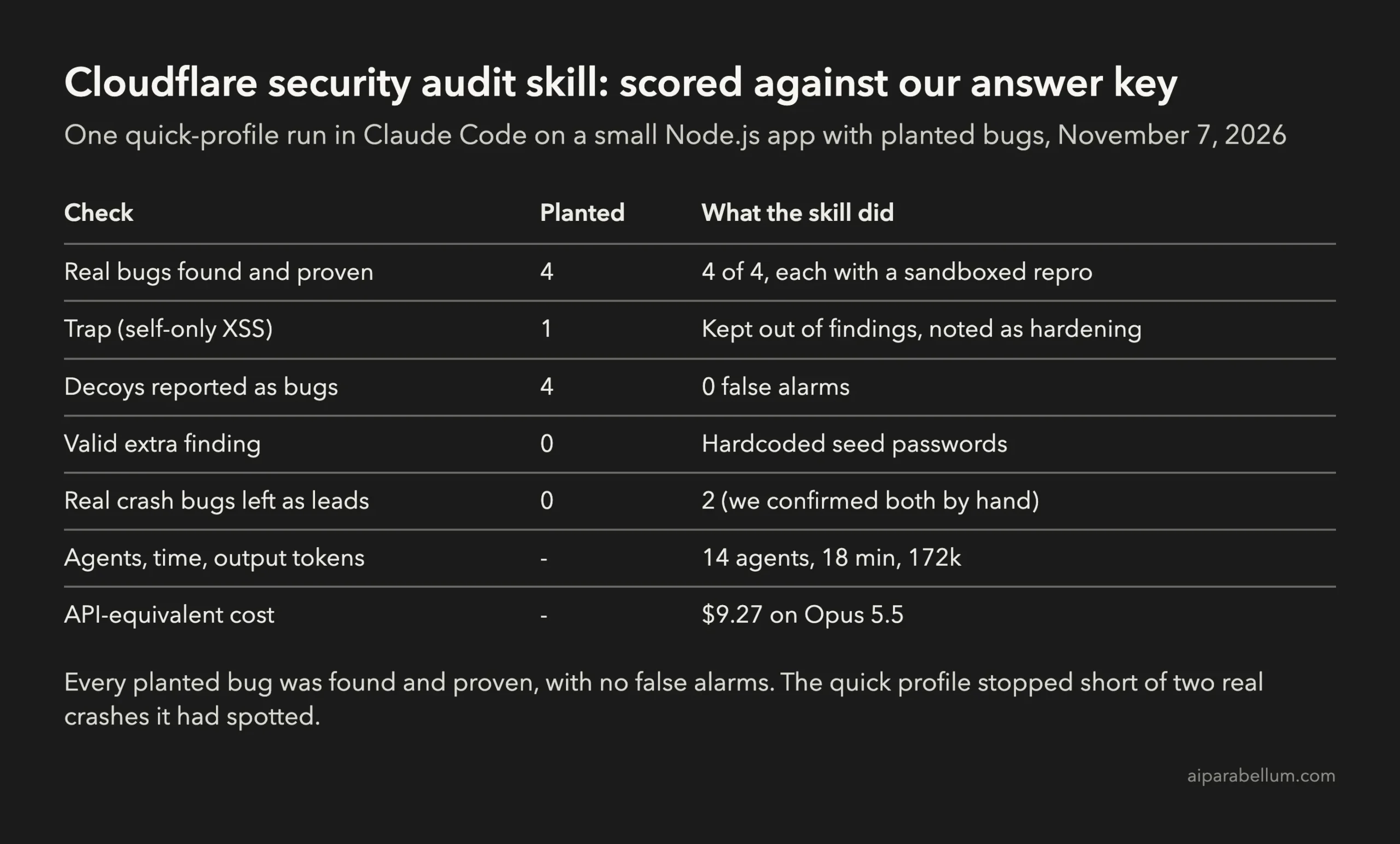
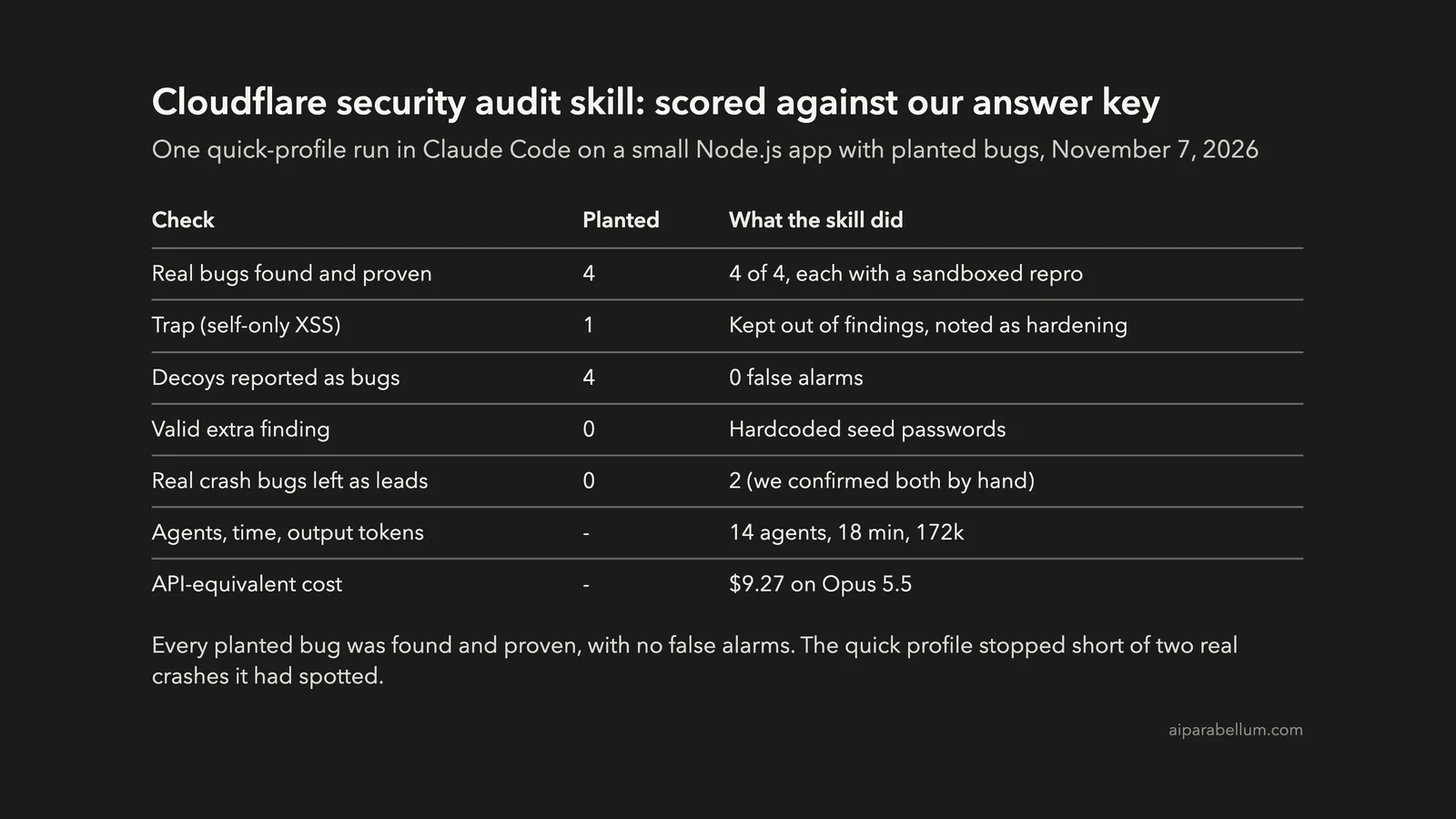
Key takeaway: The skill found and proved all four planted bugs, raised no false alarms on the decoys and correctly treated the trap as a hardening note. Its quick profile also spotted two real crash bugs but left them for a later run, and the whole audit took 18 minutes and $9.27 in API-equivalent usage.
This test is part of our Claude Code tutorials. You’ll also find this skill, and hundreds more, in our Claude Code Skills Directory.
Tested with Claude Code v2.1.318 and Opus 5.5 on November 7, 2026, using the skill at commit c1c8a8c.
What the Cloudflare Security Audit Skill Does
The security-audit-skill repository holds one skill folder, MIT licensed. Cloudflare explains how it grew into a fleet-wide system in its post on how to build your own vulnerability harness.
The skill turns a plain request like “security audit this codebase” into a six-phase workflow. Each phase writes files you can read later.
- Reconnaissance: map the app, its trust boundaries and its inputs into
architecture.mdand a coverage ledger. - Hunting: send isolated hunter agents after each unit in the ledger.
- Validation: give every candidate to a fresh agent that tries to disprove it.
- Structured output: write findings to
findings.jsonand check them against a schema. - Record verification: have fresh agents re-check the final source claims.
- Reporting: write
REPORT.md,FINDINGS-DETAIL.mdandNEEDS-VALIDATION.md.
Its design rules are strict. The README says “the agent that checks a finding is never the agent that found it,” and a bug only counts as confirmed when it crosses a real trust boundary.
There are three run profiles. The quick profile runs one hunter wave and one coverage critic, standard is the full workflow, and deep goes further.
How We Tested the Security Audit Skill
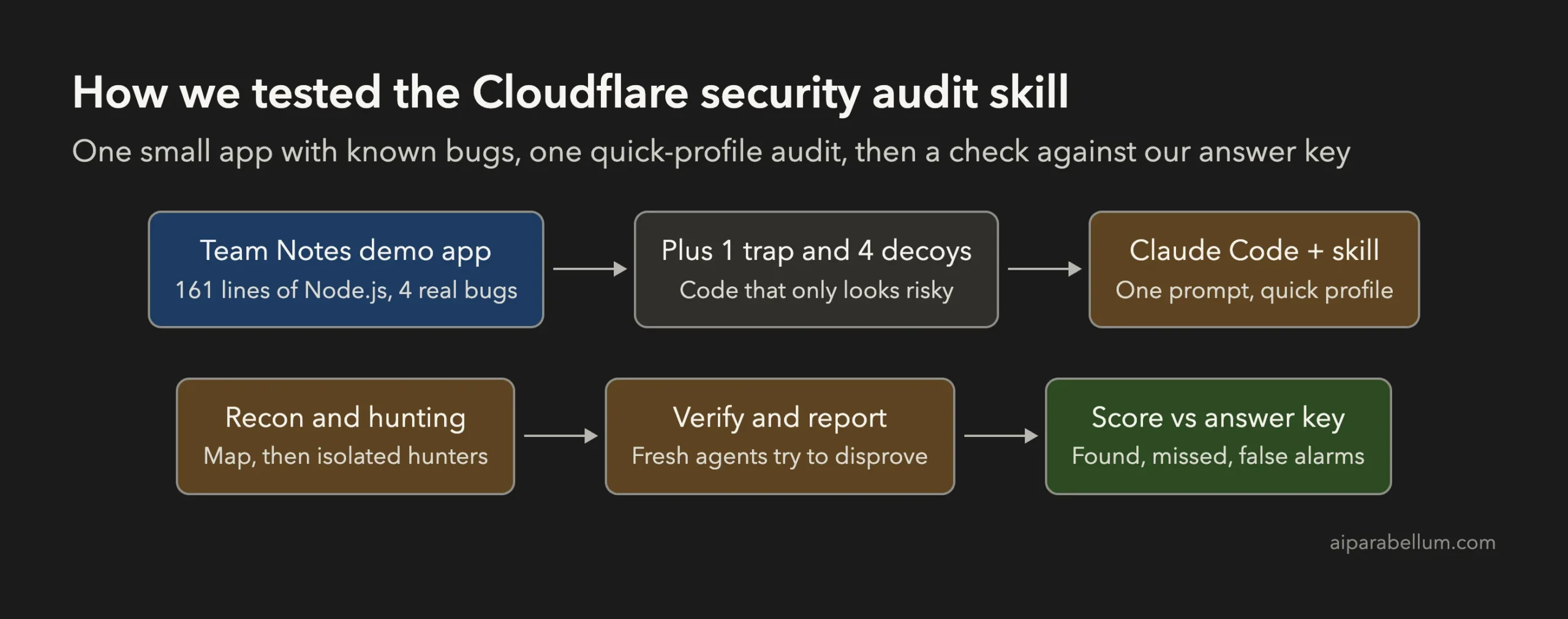
We wrote Team Notes, a tiny notes service in plain Node.js. It’s 161 lines across five files, with logins, private notes, file downloads and two admin tools.
We planted nine things in it and kept the answer key outside the folder Claude could read.
| Type | What we planted | Right answer |
|---|---|---|
| Real bug | Login token is unsigned base64 of name:role | Anyone can forge an admin token |
| Real bug | GET /api/notes/:id skips the owner check | Any user reads any note |
| Real bug | /files?name= joins raw input onto the uploads path | Path traversal |
| Real bug | Admin ping runs exec with the raw host value | Command injection |
| Trap | Unescaped note title, shown only to its owner | Self-only XSS, a hardening note at most |
| Decoys (4) | timingSafeEqual login, owner-checked delete, safe avatar path, execFile disk check | Not bugs |
The trap and decoys matter as much as the bugs. A security tool that flags every exec or every unescaped string wastes your time, so we wanted to see whether this one could tell risky-looking code from truly broken code.
Our Setup in Claude Code
We copied the skill folder by hand into a throwaway project at .claude/skills/security-audit. The official install is one command with the Skills CLI:
npx skills add https://github.com/cloudflare/security-audit-skill --skill security-auditWe started Claude Code with --setting-sources project and --strict-mcp-config, so no personal settings, hooks or MCP servers came along. Web search and web fetch were blocked, and we used auto mode with a short list of allowed tools.
Then we sent one prompt and stepped back.
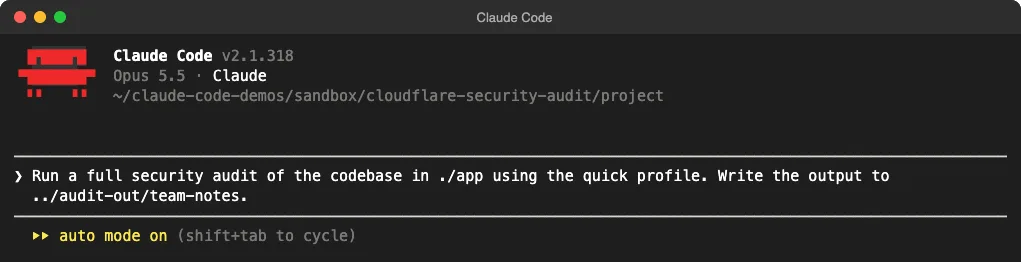
./app with the quick profile and write the output outside the app.We set the output folder ourselves. By default the skill writes to ~/security-audit-skill/<repo-name>/run-<N>, and it refuses to write inside the target unless that folder is ignored by version control.
The Sandbox Step Comes First
Before it ran any of our code, the skill built a sandbox and tested it. The README requires an OS-enforced sandbox with no network, a clean environment, resource limits and writes only to a scratch folder.
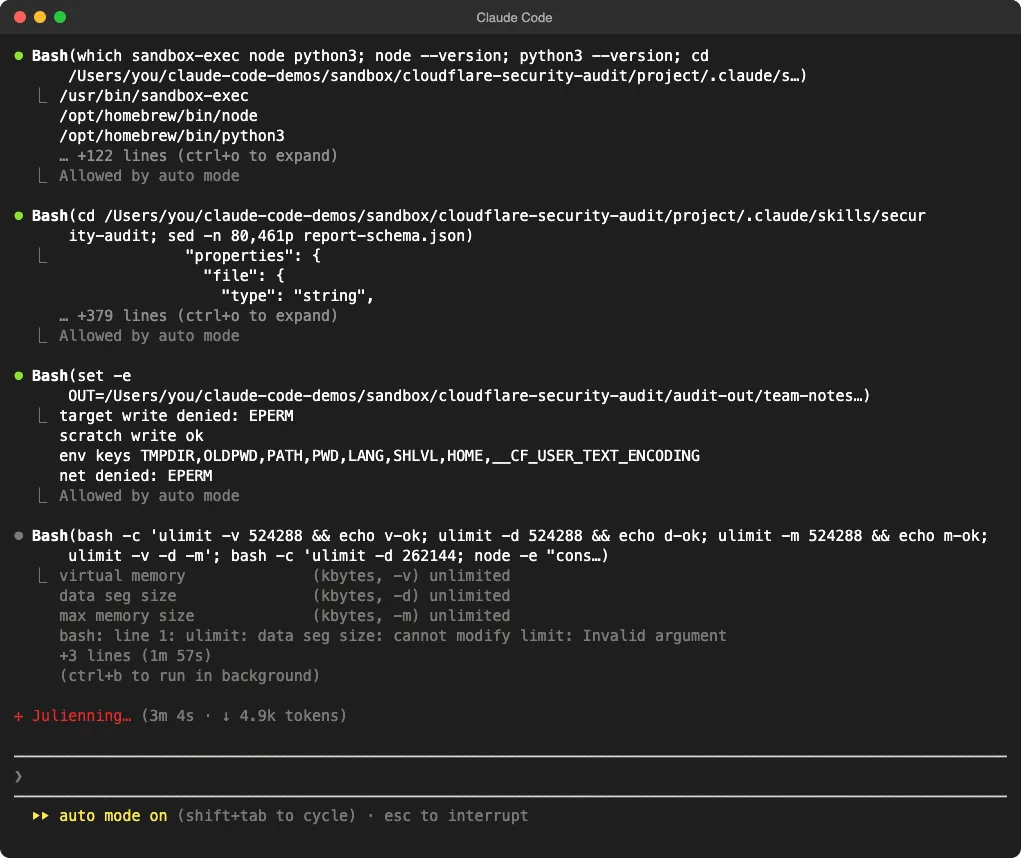
On macOS it used the built-in Seatbelt sandbox. It proved that the target folder was read-only, the scratch folder was writable and network access was refused.
Then it hit a real limit and stopped to ask us. macOS can’t enforce a kernel memory cap, and the skill won’t run target code without one unless you agree to an alternative.
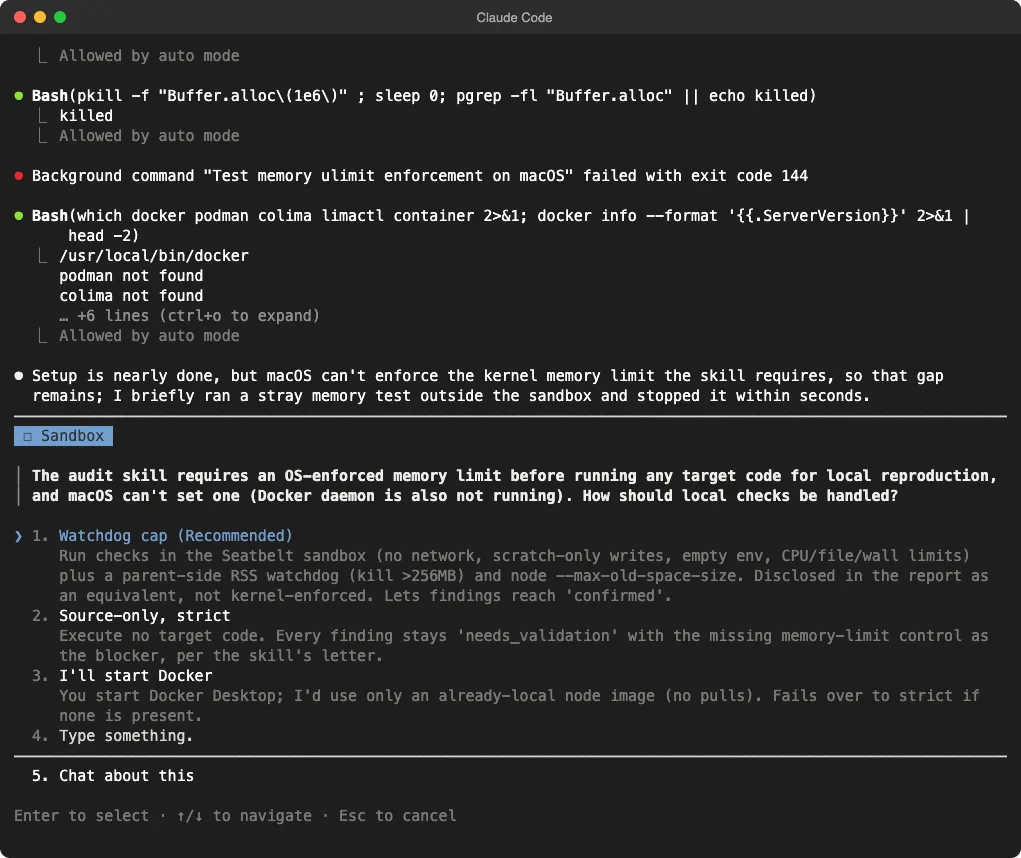
We picked its recommended option, a watchdog that kills any check above 256 MB. That was safe here because the code under test was our own demo app.
The other choices were useful too. “Source-only, strict” runs no target code at all, and every finding stays as needing validation, which is the safer choice for code you don’t trust.
Recon, Hunters and Verifiers
Four recon agents mapped the app and wrote architecture.md. The coverage ledger ended with 14 units, each one an entry point paired with a boundary and an attack class.
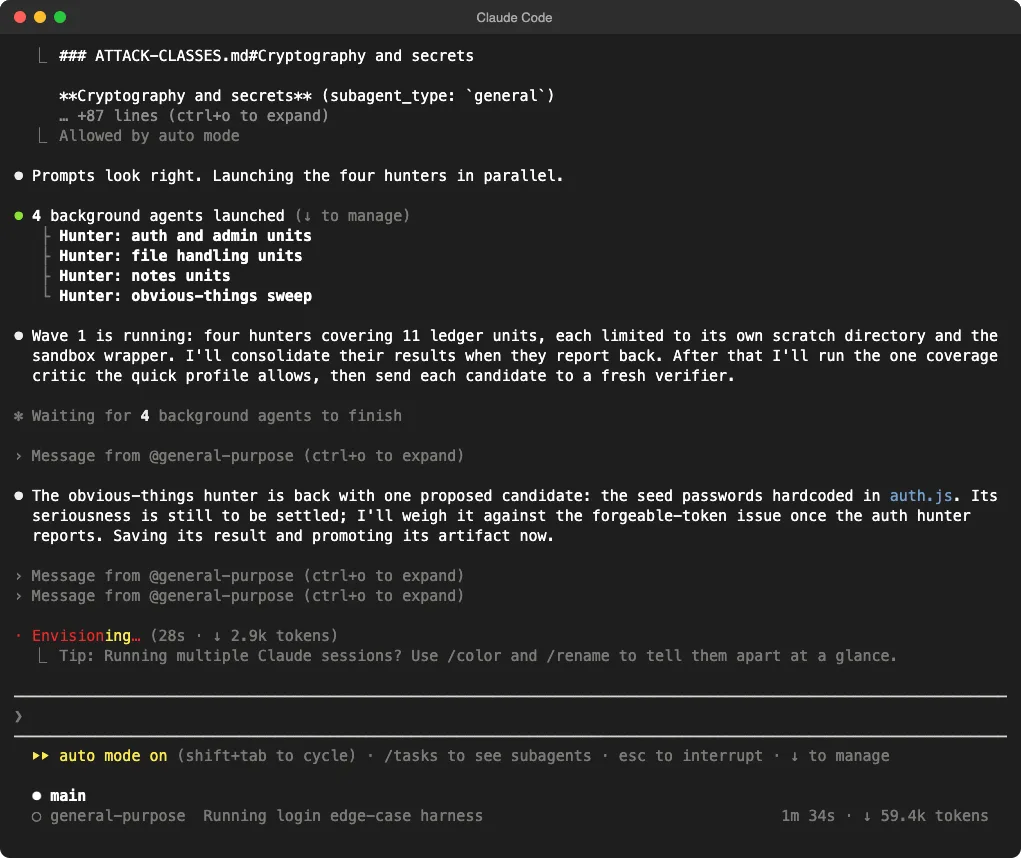
Four hunters ran in parallel as Claude Code subagents, each with its own scratch folder. One final coverage critic then looked for gaps, which is all the quick profile allows.
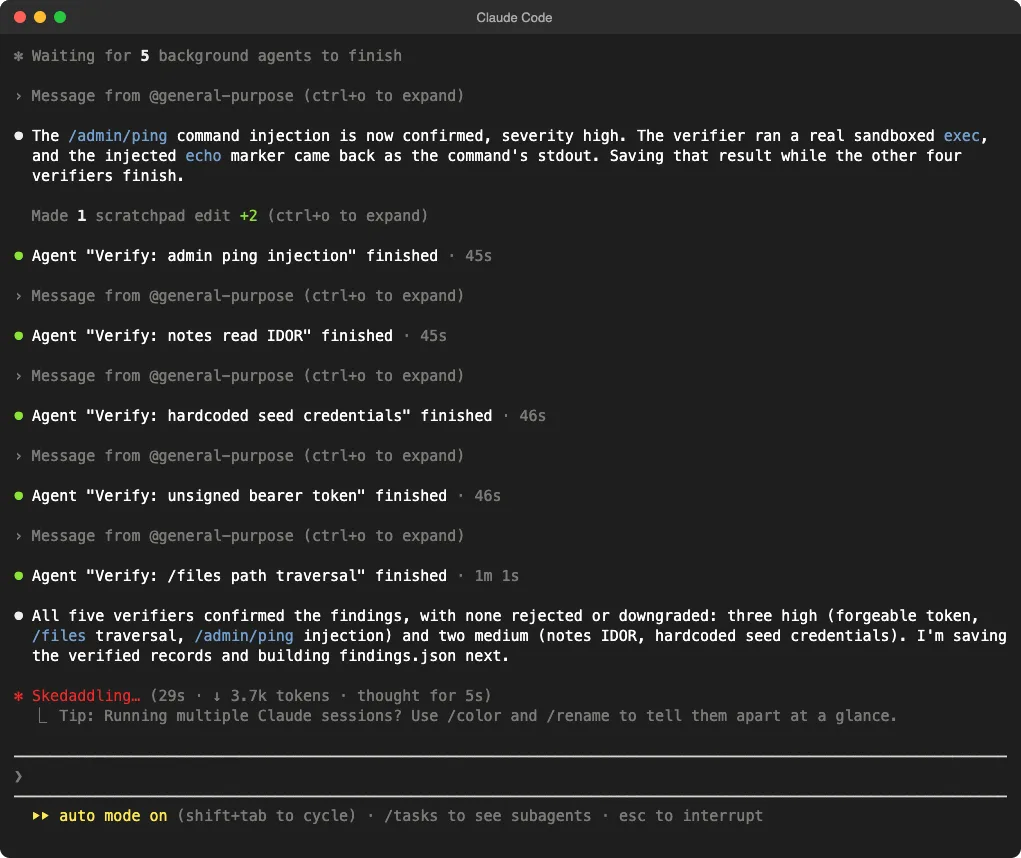
Each of the five candidates went to a fresh verifier that tried to disprove it. For the command injection, the verifier ran a sandboxed test that sent host=127.0.0.1; echo MARKER_VP_7731, and the marker came back as the command’s output.
Security Audit Results Against Our Answer Key
The final report listed five confirmed findings, each with a source trace, a bounded reproduction and a suggested fix.
| Finding | Severity | Planted? | Proof the skill gave |
|---|---|---|---|
| F1 Unsigned bearer token | High | Yes | Forged alice:admin passed the admin gate |
| F2 Command injection in ping | High | Yes | Injected echo output returned |
F3 Path traversal in /files | High | Yes | ..%2Fauth.js returned the source file |
| F4 Note IDOR | Medium | Yes | Alice read Bob’s private note |
| F5 Hardcoded seed passwords | Medium | No, but valid | Admin login with the password from source |
It also went past our answer key. It found that tokens like constructor:admin pass the admin check too, because the user list is a plain object and inherited keys look like real users.
It explained how the bugs chain together: a forged admin token plus the ping injection gives command execution with no login. It rated F1 high rather than critical because the server only listens on 127.0.0.1, which we thought was a fair call.
The Trap and the Decoys
The self-only XSS was checked and recorded as a hardening note, not a vulnerability. That matches the skill’s rule that a missing extra layer isn’t a bug when another layer already blocks the attack.
All four decoys were reviewed and marked as covered with no finding. Zero false alarms is the result that impressed us most, since noisy reports are the main reason teams stop reading AI security output.
What the Quick Profile Missed
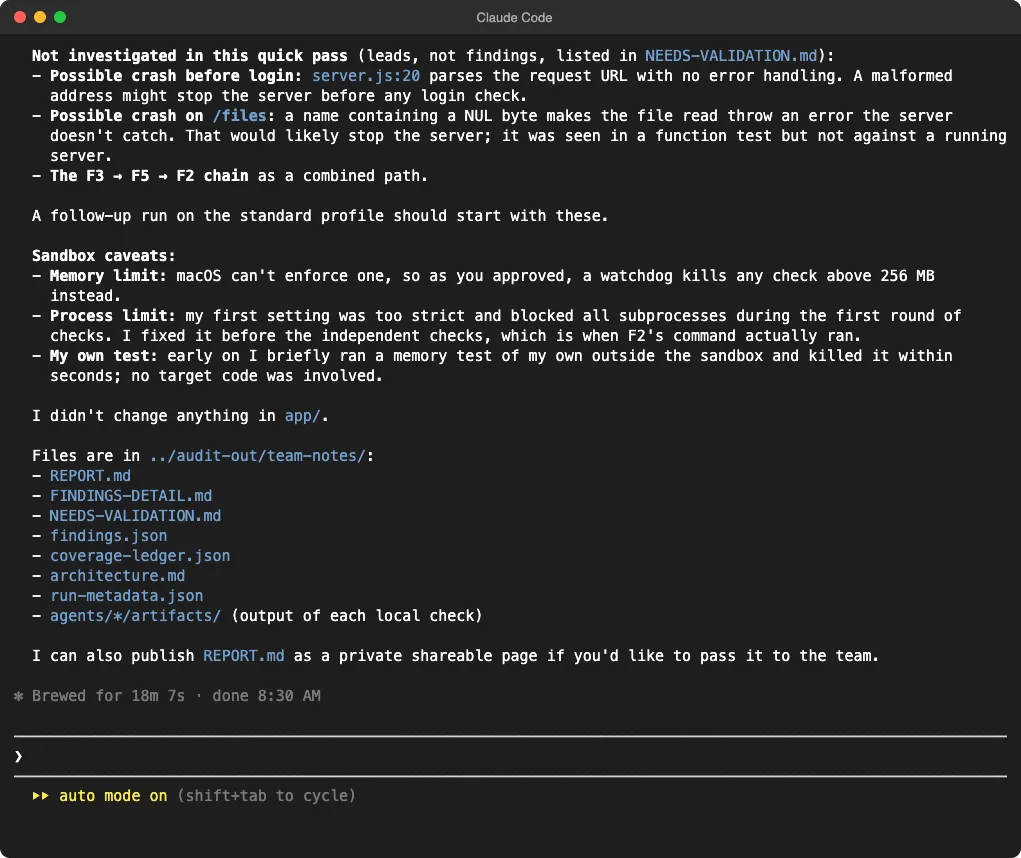
The skill spotted two crash bugs we hadn’t planted and listed them as leads, not findings. One is a malformed URL that may crash the server before login, and the other is a NUL byte in a file name.
We checked both against our demo server by hand. A request for //[ crashed it before any login, and /files?name=a%00b with a valid token crashed it too.
So both leads were real, but the quick profile has no second hunter wave to chase them. The skill said plainly that a standard run should start with these, which is the honest way to report a partial pass.
Time, Tokens and Cost
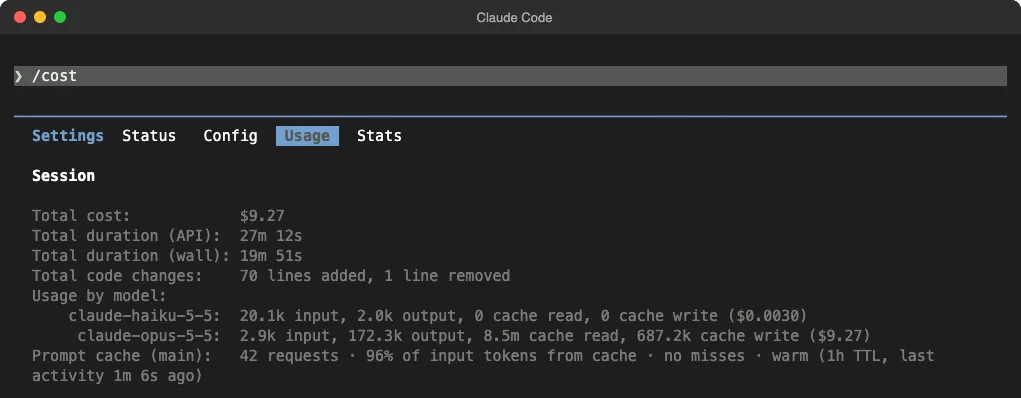
/cost at the end of the run.| Measure | Result |
|---|---|
| Agents | 14 (4 recon, 4 hunters, 1 critic, 5 verifiers) |
| Working time | 18 minutes 7 seconds |
| Output tokens | 172,300 on Opus 5.5 |
| Cache read | 8.5 million tokens |
| API-equivalent cost | $9.27 |
| Permission prompts we had to answer | 0 (one sandbox question) |
That’s a lot for a 161-line app. Cost grows with the number of ledger units and candidates, so a real codebase on the standard profile will cost much more.
If you’re on a subscription, the run counts against your usage limits instead of a bill. Plan it like a long task, not a quick check.
Honest Caveats From the Run
The skill reported its own slips, which we appreciated. Here’s what it disclosed in the final summary:
- Early on, it briefly ran a memory test of its own outside the sandbox and killed it within seconds. No target code was involved.
- Its first process limit was too strict and blocked subprocesses in the hunter wave. It fixed the limit before the verifiers ran.
- The 256 MB memory cap was a watchdog, not a kernel-enforced limit.
It also didn’t change a single file in the app. We confirmed that with git status after the run.
Should You Use the Cloudflare Security Audit Skill?
Our verdict: yes, for code you own, with your eyes open about cost. It found every planted bug, proved each one and didn’t cry wolf, which is better than most AI code review we’ve tried.
| If you | Our advice |
|---|---|
| Want a deep review of a small service | Start with quick, then run standard on its deferred leads |
| Want checks while Claude writes code | Use a lighter tool, like the plugins in our security plugins test |
| Audit code you don’t trust | Choose source-only mode or a real container |
| Watch your usage limits | Scope the run to a few paths first |
Cloudflare’s own README says one run found roughly half of what repeated runs found. Plan on more than one pass for anything important, and treat the report as strong leads to fix, not a clean bill of health.
If you’re new to this, our guides on Claude Code skills and the sandboxed Bash tool cover the basics. For a smaller hands-on start, try how to find and fix a single security issue.
What This Test Doesn’t Prove
- One run on one small app can’t show how the skill does on a large, real codebase.
- We planted the bugs, so they’re common, well-known types. Subtle logic bugs may be harder to catch.
- We tested the
quickprofile only, notstandardordeep. - We ran on macOS, where the memory limit was a watchdog. On Linux or in a container the sandbox setup will look different.
Cloudflare Security Audit Skill FAQs
Is the Cloudflare security audit skill free?
Yes. It’s MIT licensed on GitHub, and you only pay for the model usage your audit consumes.
Does it work only with Claude Code?
No. It’s written for any coding agent that supports tool use and parallel subagents. We tested it in Claude Code.
Will it run my code?
Only inside a sandbox that meets its rules. If it can’t build one, it keeps each lead as needing validation instead of running your code.
How do I make it start the full audit?
Ask for it directly, for example “Run a full security audit of the codebase in ./app.” Plain security questions use a lighter guidance mode that writes no report.
Conclusion
We gave the Cloudflare security audit skill a small Node.js app with four real bugs, one trap and four decoys, and ran one quick-profile audit in Claude Code. It confirmed all four bugs with sandboxed proofs, added one valid finding, skipped the trap and every decoy, and flagged two real crash bugs as leads for a deeper run. The price was 14 agents, 18 minutes and about $9 of API-equivalent usage, which makes it a strong, honest auditor for code you own, best run with a clear scope and more than once.
Test Log
We add a new dated entry here when we rerun this test.
- November 7, 2026: First run. Claude Code v2.1.318 with Opus 5.5, security-audit skill at commit
c1c8a8c,quickprofile. Target: our 161-line Team Notes demo app with 4 planted bugs, 1 trap and 4 decoys. No hooks or MCP servers; web search and web fetch blocked; auto mode with a short tool allowlist. Local checks ran in macOS Seatbelt with a 256 MB watchdog.