CLAUDE.md Explained: Give Claude Code Project Memory
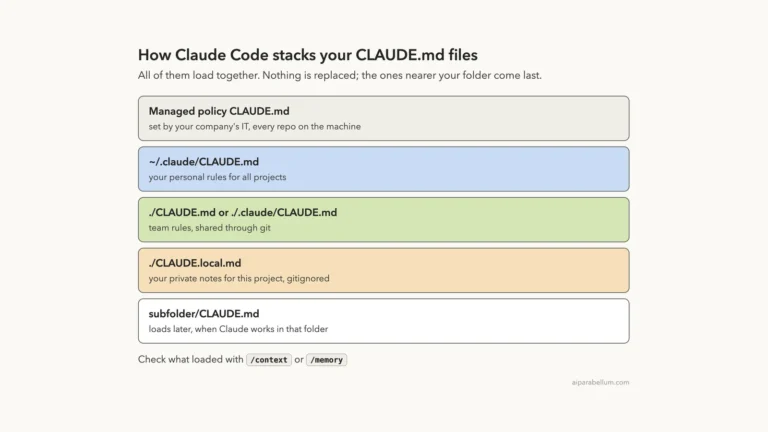
Write your project rules once and Claude reads them every session
Your likes
Saved in this browser. Log in to your AI Parabellum account to keep them on every device.
Tap the heart on any tool or article and it will be saved here for later.

Write your project rules once and Claude reads them every session
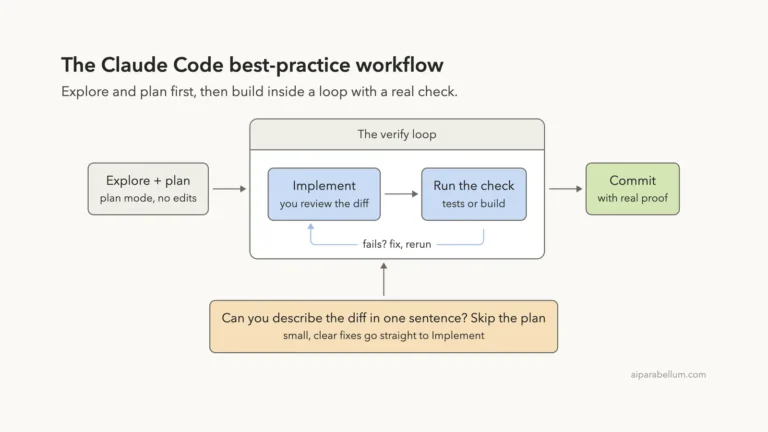
Seven habits that get better code from every Claude Code session
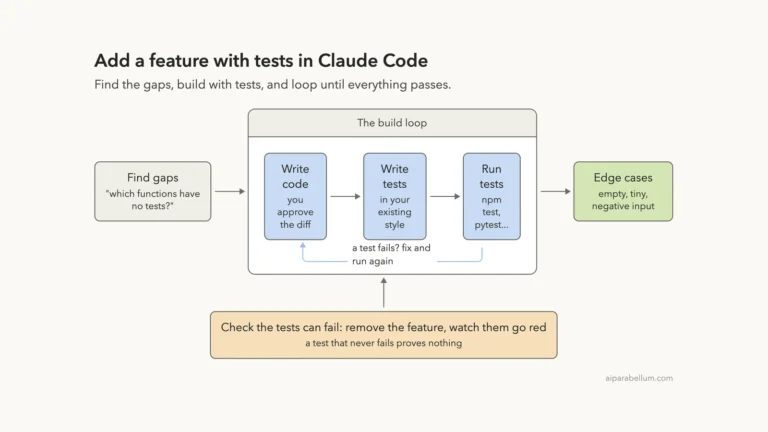
Build a feature and its tests in three real prompts
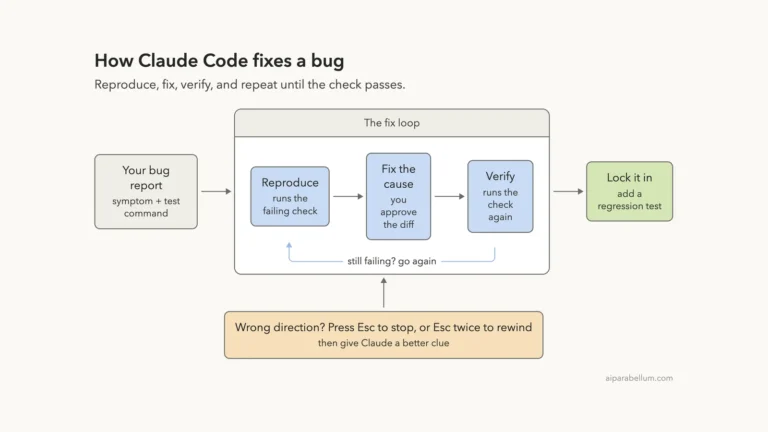
A real, tested bug fix from failing test to regression test
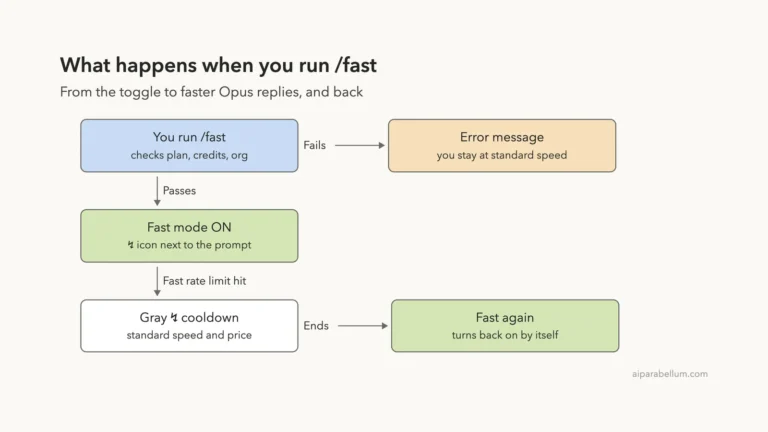
Get faster Opus replies and know when the speed is worth it
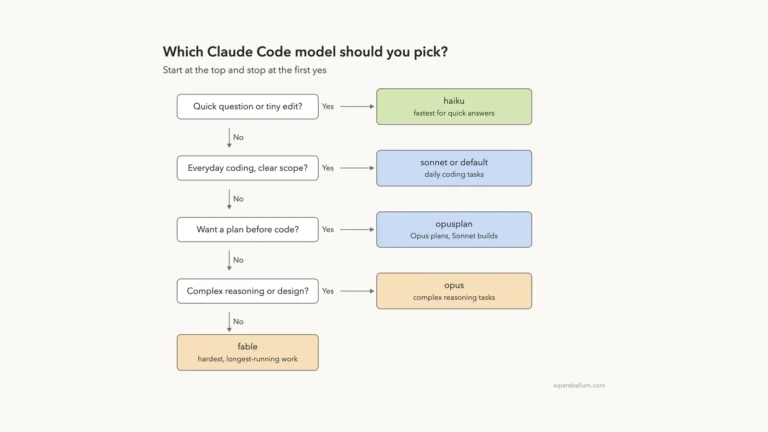
Pick Haiku, Sonnet, Opus or Fable and switch in seconds
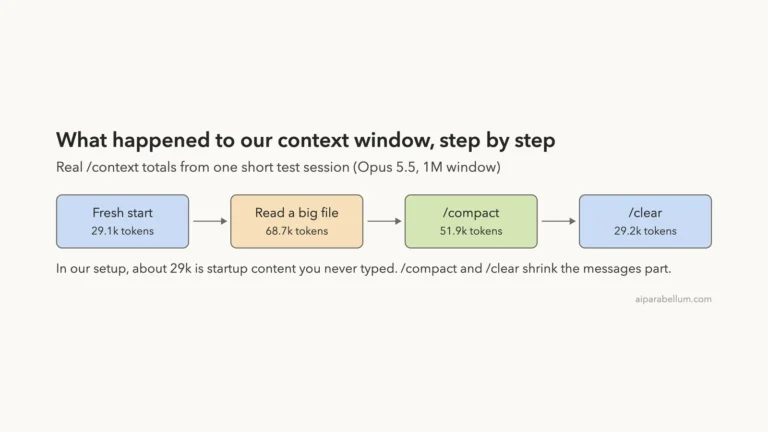
See what fills Claude's memory and how to take the space back
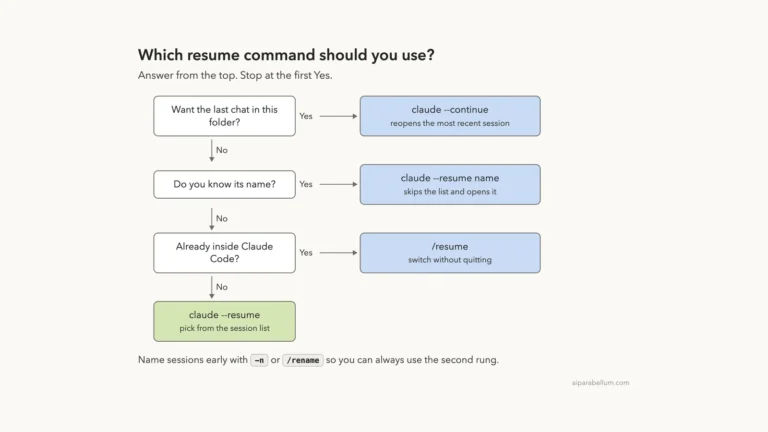
Pick up any Claude Code conversation exactly where you left it
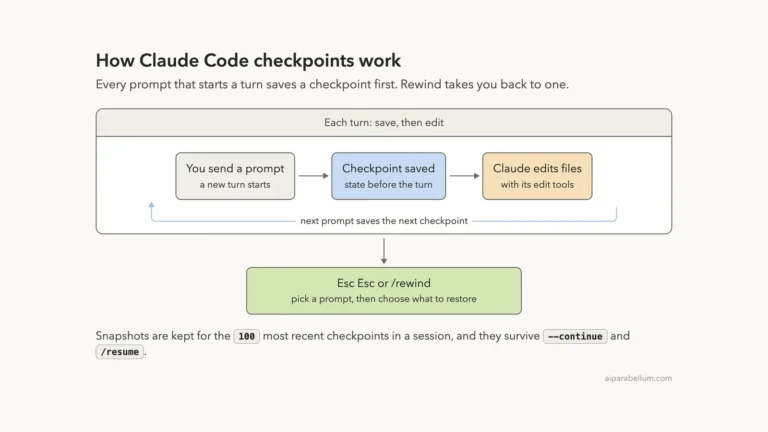
Undo Claude's edits and roll back the chat in a few keystrokes
Decide what Claude can run, what it asks about and what it can't touch
Make Claude think and plan before it touches your code
Control when Claude asks before it edits or runs commands
Review, undo, branch and save your work like a pro
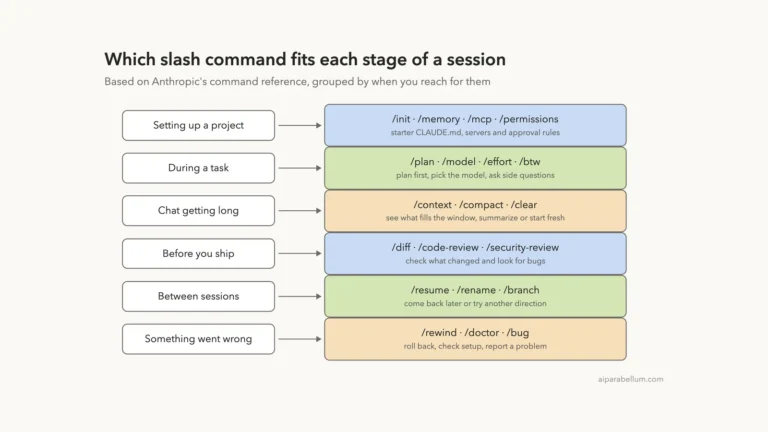
The everyday commands that put you in control of each session
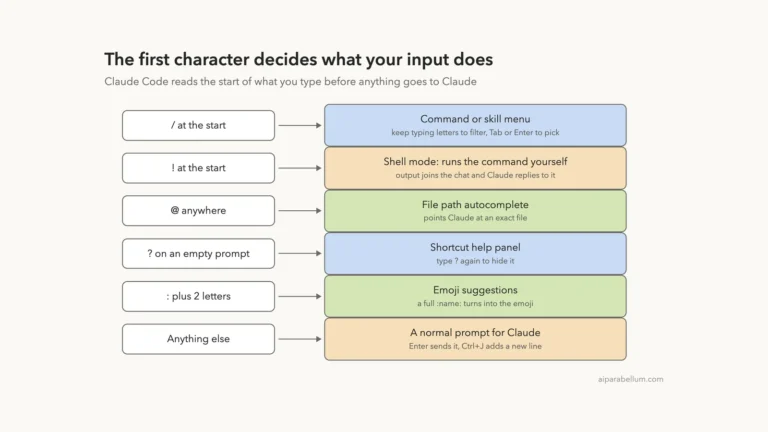
The keys and prefixes that make every session faster
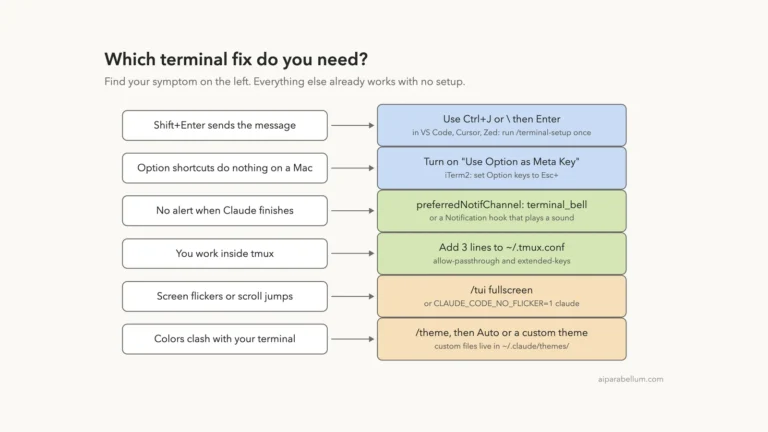
Fix newlines, alerts, tmux and colors in a few minutes
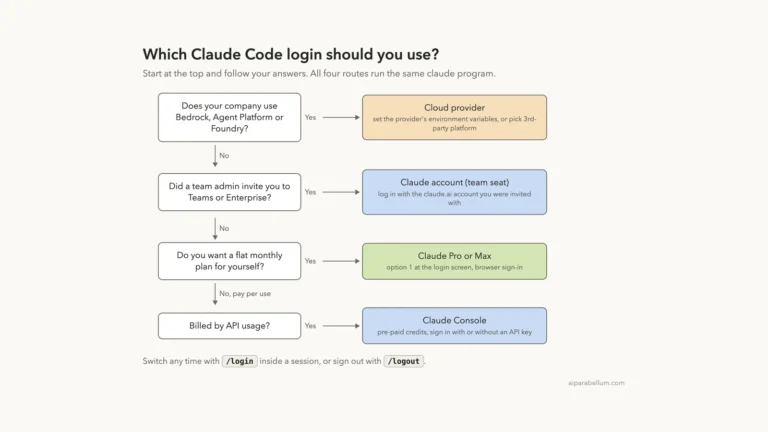
Pick the right plan and sign in without surprise bills
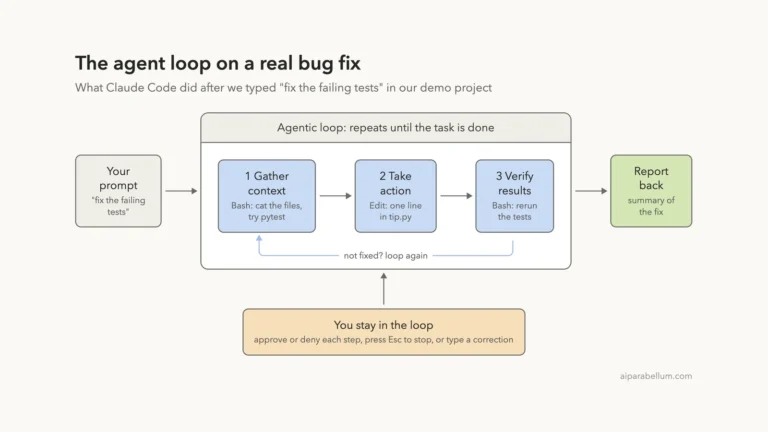
The agent loop and built-in tools, shown on a real bug fix
Newsletter
New AI tools in your inbox
The best new tools and the AI news that matters, in one short email. Unsubscribe any time.
Free · No spam · Unsubscribe any time
✓ Looks like you’re subscribed
Free instant check before you pay. Takes a few seconds.
Paste your tool address below and we will confirm it meets our content standards.
We only read the public content of the page you enter.
Preparing your check
This usually takes five to fifteen seconds.