If Claude Code stops with “API Error: Output blocked by content filtering policy”, the API’s output content filter stopped the response Claude was writing. It is a check on what Claude produces, not a crash, a bug in your project or a problem with your account. When people search for output blocked by content filtering policy in Claude, the cause is usually a request that makes Claude write out a long piece of existing text word for word.
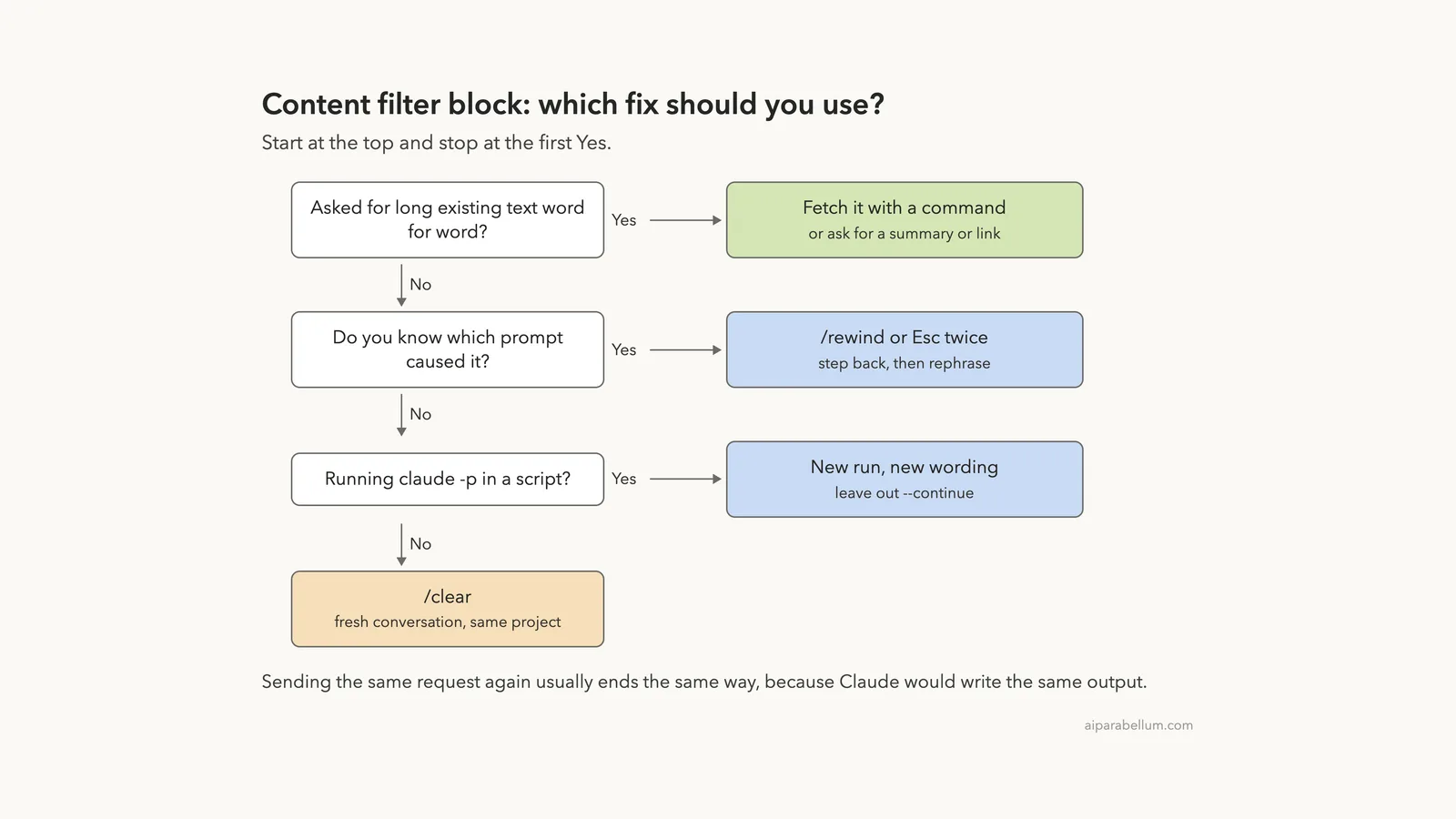
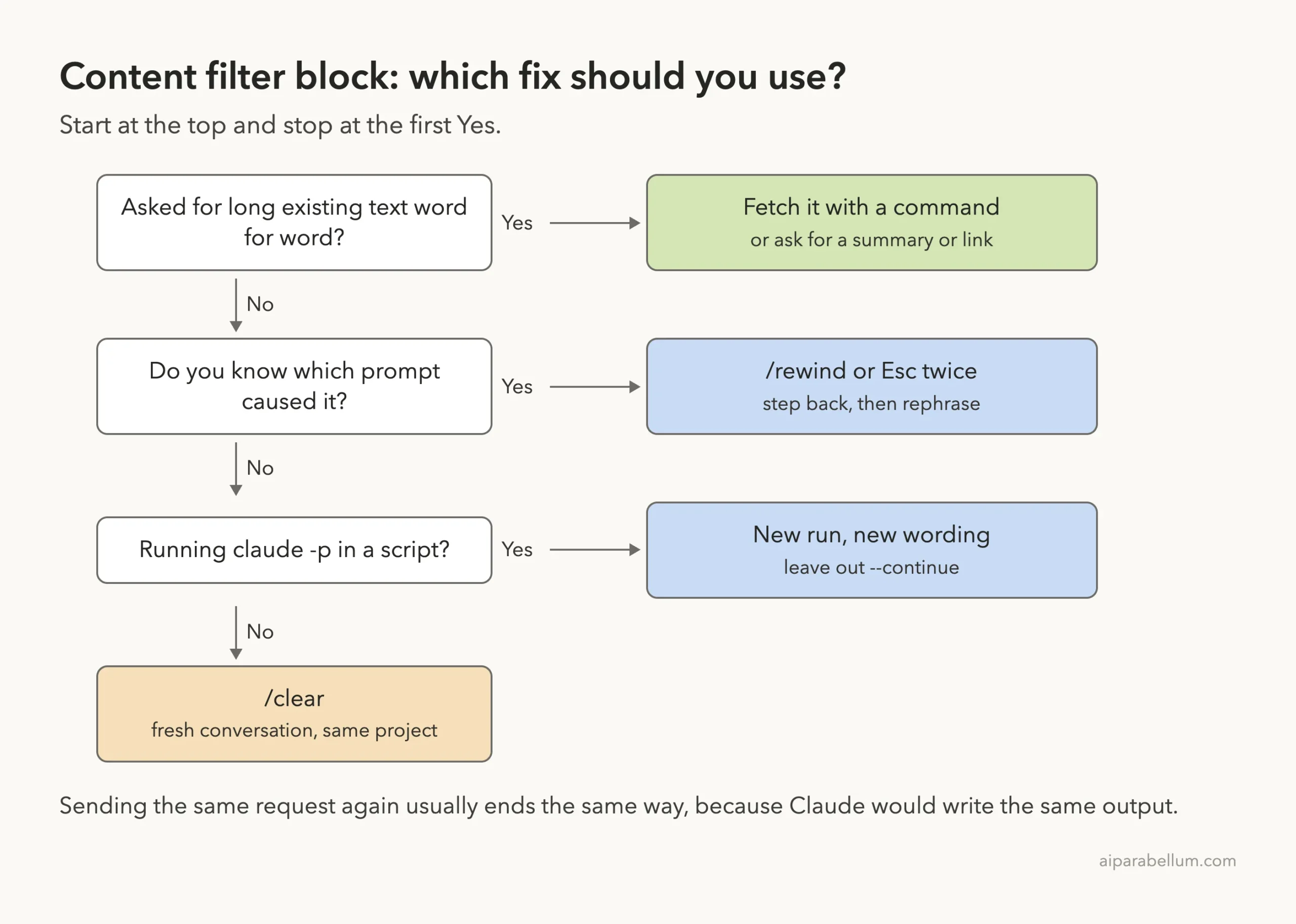
Sending the same request again usually ends the same way, because Claude would try to write the same output. Here is the short fix list:
- Change what Claude has to write. Ask for a summary, an explanation or a link instead of a full copy.
- If you need a long existing text in a file, such as a license, have Claude run a command that fetches or copies it, so the text never has to appear in Claude’s response.
- Press
Esctwice or run/rewindto step back before the turn that was blocked, then rephrase. - If you can’t tell which turn caused it, run
/clearand start fresh in the same project.
This guide is part of our help series. Browse all our Claude Code tutorials for more fixes and how-tos.
Tested with Claude Code v2.1.325 on macOS on November 17, 2026. We did not trigger the block on purpose, so the message text and how Claude Code handles it come from Anthropic’s official documentation. We ran the fixes below for real in a small demo folder, and those terminal captures are real.
Output Blocked by Content Filtering Policy: Quick Summary
| Question | Short answer |
|---|---|
| Exact message | API Error: Output blocked by content filtering policy |
| What it means | The API’s output content filter stopped the response Claude was generating |
| Where the text comes from | The API, not Claude Code itself |
| Why “400”? | Anthropic lists copyright validation among the checks that return 400 error codes |
| Does Claude Code retry? | Yes, once, if the filter stops the response early; you see the error if the retry is blocked too |
| Most common trigger | Asking Claude to reproduce long existing text, such as a full license, lyrics or someone else’s docs |
| Fastest fix | Ask for a summary or link, or fetch the text with a command |
| Fix inside a session | Esc twice or /rewind, then rephrase; /clear as a last resort |
What Output Blocked by Content Filtering Means
Anthropic’s Claude Code error reference describes this error in one line: the API’s output content filter stopped the response Claude was generating. It also notes that the message text comes from the API. Claude Code only shows it to you.
The key word is output. Most refusals you may know about are triggered by what you ask. This one is about what Claude was in the middle of writing, which can be a reply, a file or a tool call.
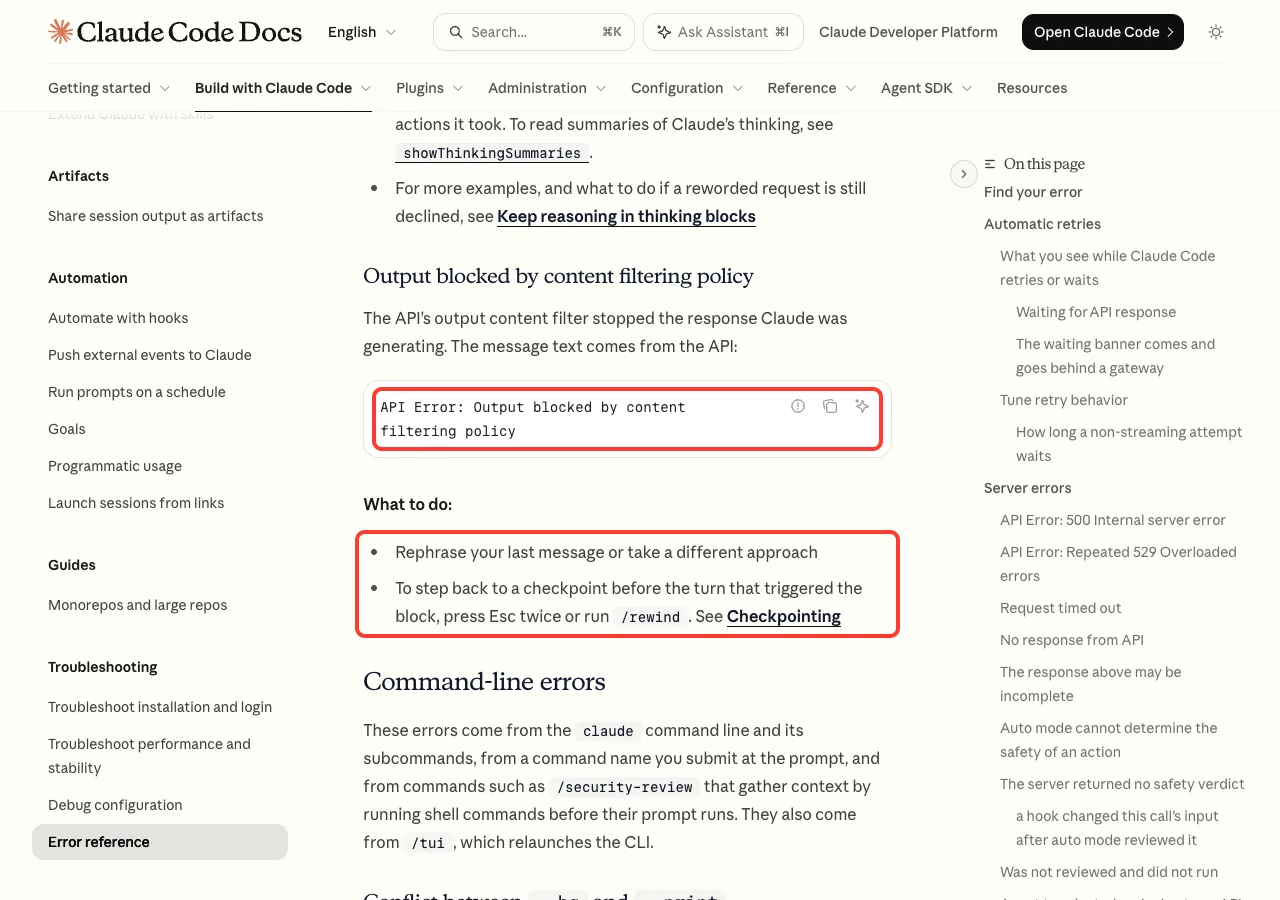
The official “What to do” list is short. It says to rephrase your last message or take a different approach, and to step back to a checkpoint before the blocked turn with Esc twice or /rewind. The rest of this guide explains how to do both well.
Why Searches Call It “API Error 400”
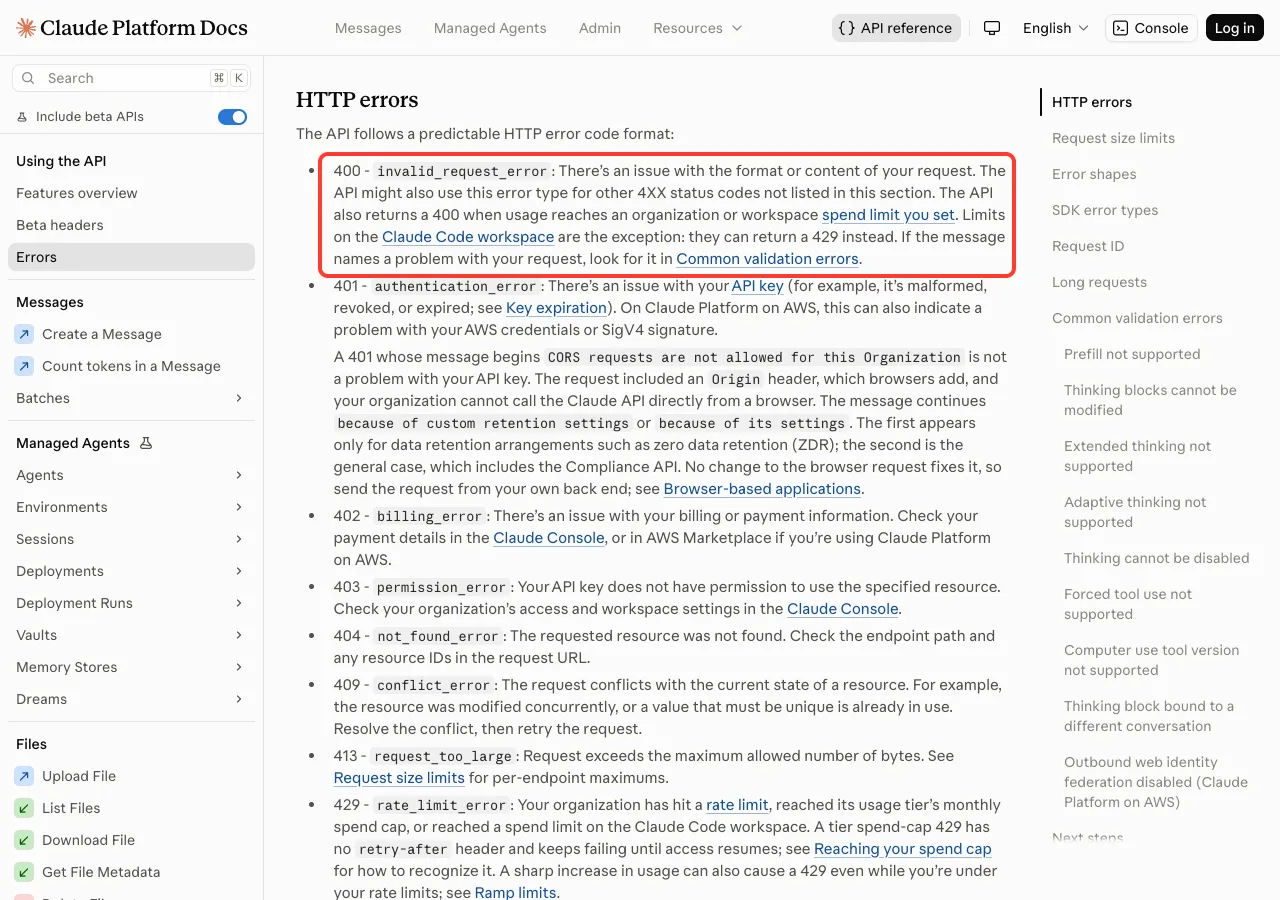
The Claude Code docs don’t print a status code next to this message. On the Claude API side, a 400 invalid_request_error means there is an issue with the format or content of your request.
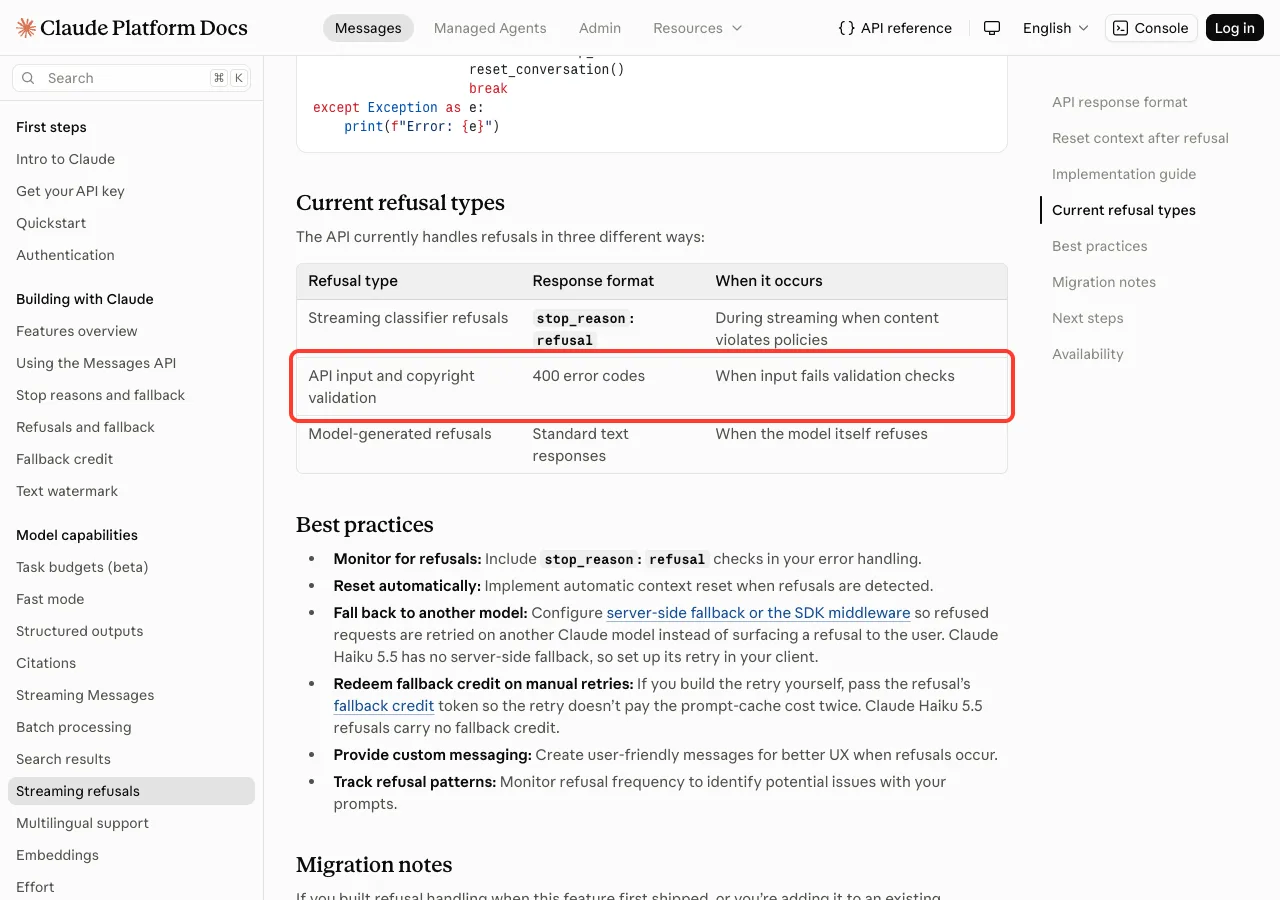
Anthropic’s guide to streaming refusals is more specific. It lists three ways the API handles refusals, and one of them is “API input and copyright validation”, which returns 400 error codes. That lines up with what most people hit: a request that would make Claude copy protected text.
Why Claude Code Output Gets Blocked by the Content Filter
Anthropic does not publish a list of exactly what trips the output filter. What we know from the docs is that it acts on the response and that copyright checks are part of the API’s validation. Based on that, these are the situations where you are most likely to see the block:
- Asking Claude to write a full open-source license, such as MIT, Apache or GPL text, into a
LICENSEfile. - Asking for a standard document word for word, such as a full code of conduct or a long terms-of-service text.
- Asking for song lyrics, poems or long book passages, even as sample data or test fixtures.
- Asking Claude to copy large parts of someone else’s documentation or articles into your project.
- Asking Claude to echo back a long file it read from the web or from another project, line for line.
In each case your request might be perfectly reasonable. You want a license file, not a copyright problem. The block happens because the way you asked forces Claude to type the full text itself.
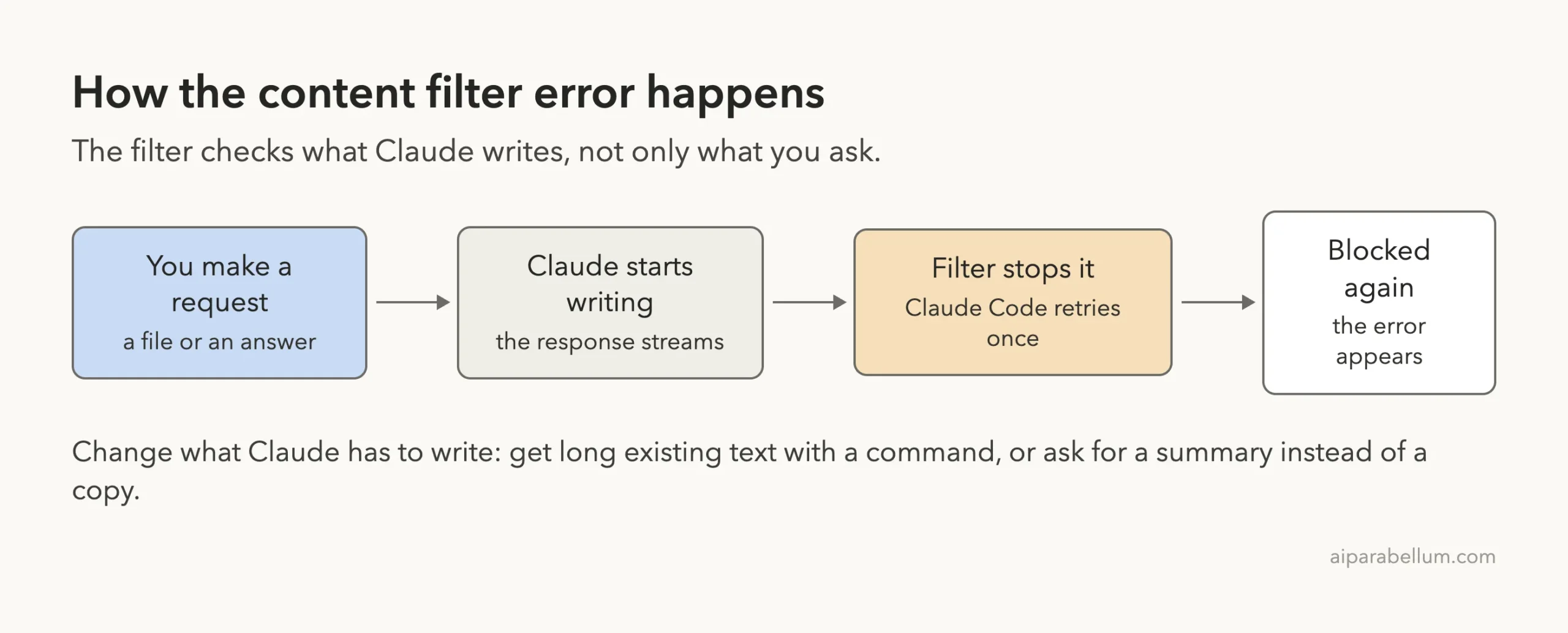
The output filter cares about what Claude writes. Change what Claude has to write, and the block usually goes away.
How Claude Code Handles the Block
You might not see the error the first time the filter fires. The error reference’s section on automatic retries says that when the output content filter stops a streaming response early, Claude Code re-sends the request once. Early here means before Claude has finished thinking or started any text or tool call.
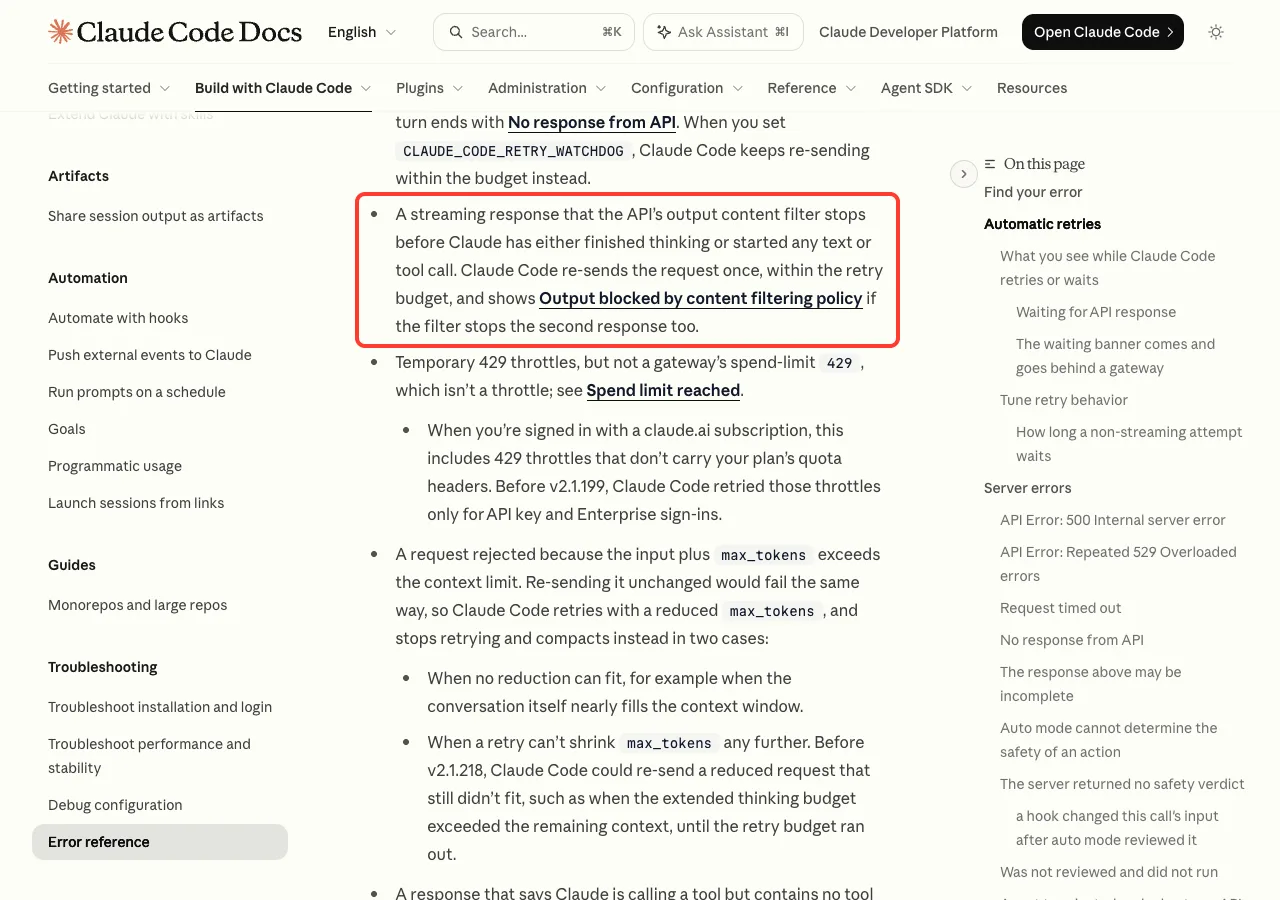
If the filter stops the second response too, the turn ends with the error. So by the time you read the message, a retry has already failed. That is why simply sending the same prompt again is the least useful thing you can do.
Fix 1: Fetch Long Text With a Command
This is the best fix when you need a long standard text in a file. Instead of asking Claude to type it, ask Claude to run a command that downloads or copies it. The text goes straight from the source into the file, and Claude only has to write a short command.
We tried this in a demo folder with a tiny Node.js project. We asked for an MIT license and told Claude not to type the text itself. Here is the prompt we used:
Add an MIT LICENSE file for "Demo Project". Don't type the license text yourself. Run exactly: curl -s https://api.github.com/licenses/mit | jq -r .body | sed 's/\[year\]/2026/; s/\[fullname\]/Demo Project/' > LICENSEThe command pulls the official MIT text from GitHub’s public licenses API, fills in the year and the name, and saves it to LICENSE. It needs curl and jq, which you can swap for any download tool you like.
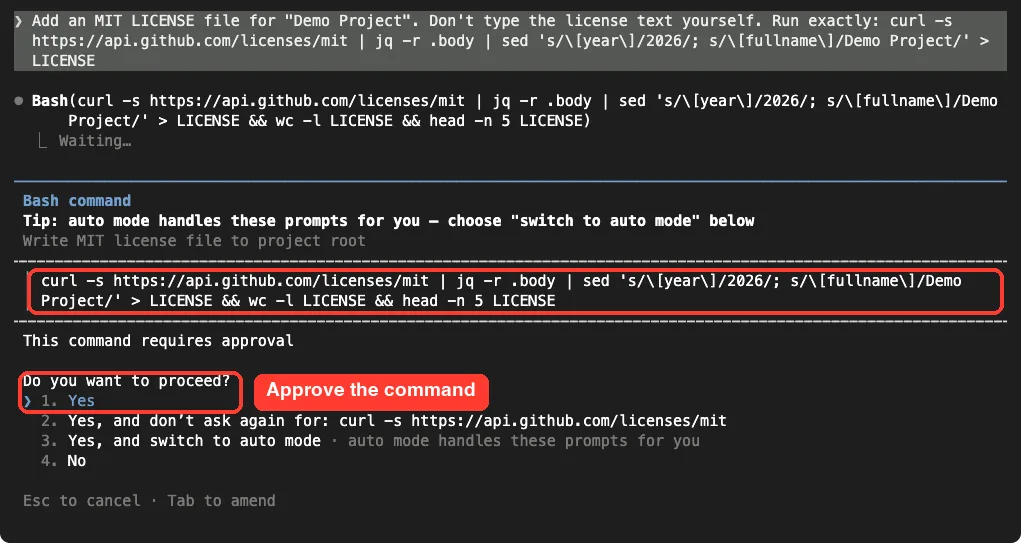
Claude Code showed the command and asked for approval, as it does for any shell command in the default mode. Our guide to Claude Code permissions explains those prompts. After we chose Yes, the file was written in about five seconds.
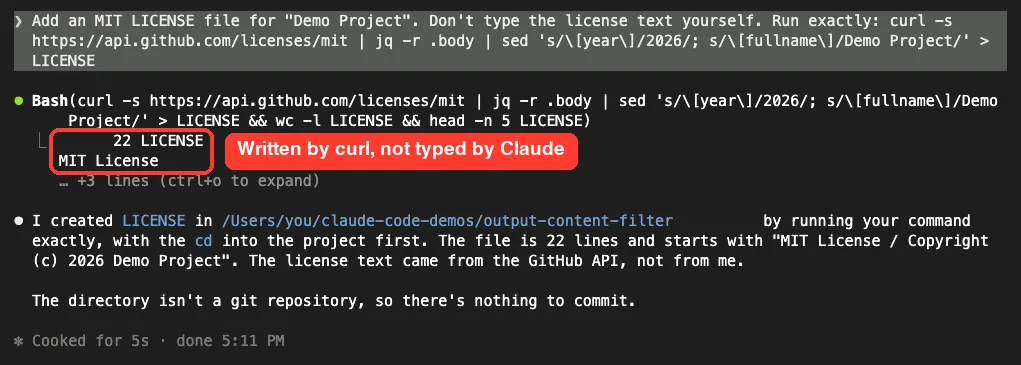
Claude’s own reply was two short sentences saying the file was created and the text came from the GitHub API. That is the whole point: there was no long passage for the output filter to stop.
Other Ways to Get the Text Without Claude Typing It
- Copy a license you already have from another project with
cp ../other-project/LICENSE . - Download a file from its official source with
curl -o FILE URL, using a URL you trust. - Use your package manager or project generator, which often adds a license for you.
- Paste the text into the file yourself in your editor, then ask Claude to fill in only the name and year.
Fix 2: Ask for a Summary or a Link Instead of a Copy
Often you don’t need the full text at all. You need to know what it says, or you need Claude to use it. In that case, ask for a summary, an explanation or the source link.
We tested this right after creating the license. We asked a short follow-up and told Claude not to quote the file:
In 3 short bullets, summarize what the license in LICENSE lets people do. Don't quote it.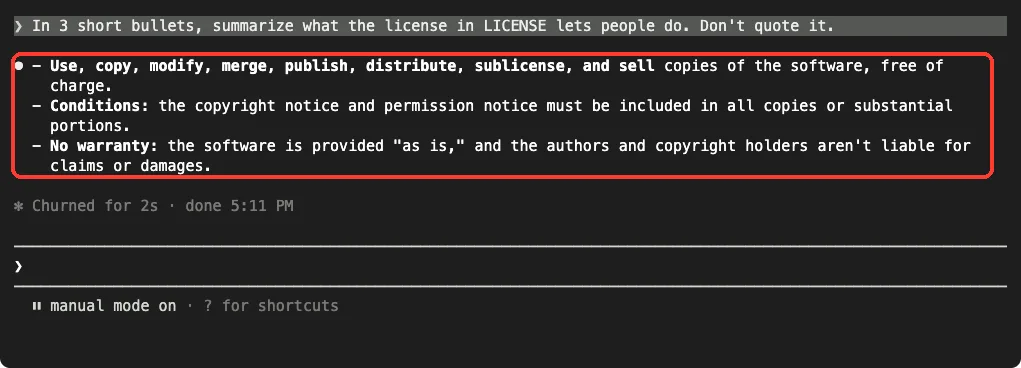
The answer came back in two seconds with three plain bullets. This pattern works for docs too. Ask “explain how this API’s pagination works” instead of “paste the pagination section of their docs”.
Here are a few rewrites that keep the goal but change the output:
| Instead of | Try |
|---|---|
| Write the full Apache 2.0 license into LICENSE | Download the Apache 2.0 license into LICENSE with curl |
| Paste the lyrics of this song as test data | Generate 10 lines of original sample text as test data |
| Copy their whole README section into our docs | Summarize their setup steps in our own words and link the original |
| Print this 500-line file exactly as it is | Show me the lines that handle login and explain them |
Fix 3: Rewind or Clear the Session
The official docs list rewinding as the second fix. If the blocked request is still sitting in your conversation, Claude may keep trying to finish it. Stepping back removes it so you can try a different approach.
- With an empty prompt box, press
Esctwice, or type/rewindand press Enter. - Pick the prompt that was blocked, or the one just before it.
- Choose to restore the conversation, then edit your prompt using one of the rewrites above.
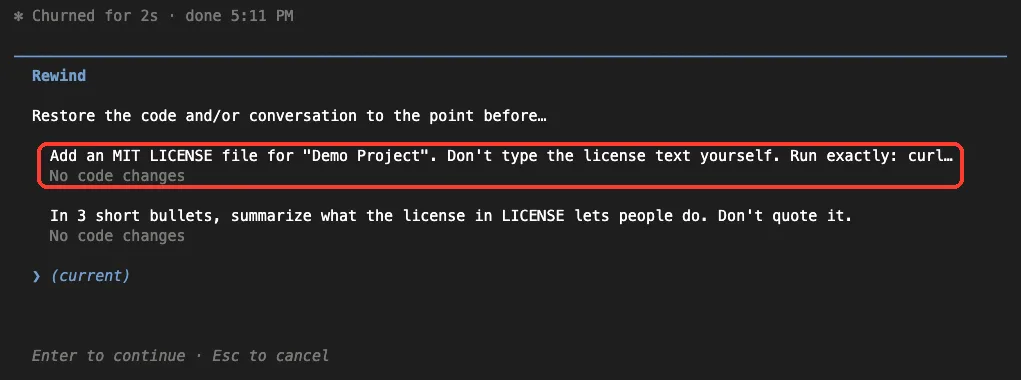
If there is text in the prompt box, double Esc clears that text instead of opening the menu, so /rewind is the more reliable option. Our full guide to Claude Code checkpoints covers the restore options in detail.
If you can’t tell which turn caused the block, run /clear. It starts a fresh conversation in the same project, and the old one stays available through /resume. Our guide on resuming sessions shows how to find it again later.
Scripts and claude -p
In headless mode there is no rewind menu. Change the prompt so it asks for a command, a summary or a link, and run it again as a new claude -p call. Leave out --continue and --resume on that retry, because they reload the conversation that contained the blocked request.
claude -p "Download the MIT license into LICENSE with curl. Don't type the license text yourself."Related Errors That Look Similar
A few other messages also mention policy or safety. They have different causes, so check the exact wording before you pick a fix.
| Message contains | What it is | What to do |
|---|---|---|
Output blocked by content filtering policy | The output filter stopped Claude’s response | Change the output: command, summary or link; /rewind |
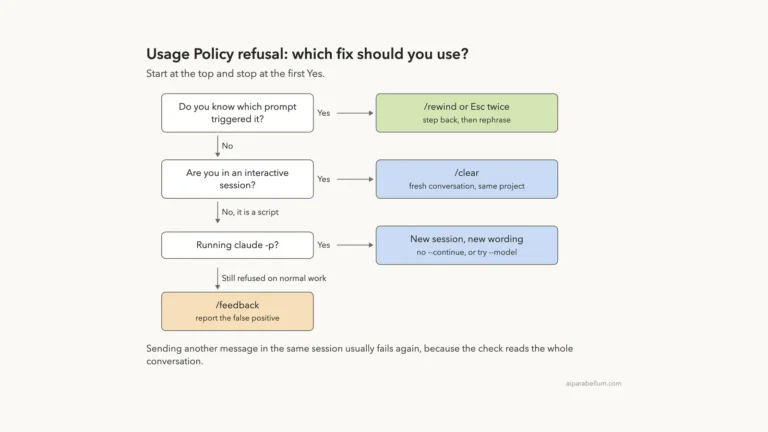
can't help with this. Start a new session to continue | A Usage Policy refusal of the conversation | /rewind, /clear or a new session |
safeguards flagged this message | A cybersecurity topic flag | See the official error reference for the options |
a safety check separate from auto mode blocked this request | Earlier conversation content tripped a safety filter during an auto mode check | Switch permission mode or start a fresh conversation |
The Usage Policy refusal is the one people confuse most often with this error. We cover it in our guide to the usage policy error. For status code problems such as malformed requests or server errors, see our guide to API error 400 and 500.
Try It Yourself
You can practice the main fix without hitting the error. Make an empty test folder, add a small file such as a package.json, start Claude Code there, and send this prompt:
Add an MIT LICENSE file for "My Test Project". Don't type the license text yourself. Download it with curl from https://api.github.com/licenses/mit, use jq to take the .body field, and fill in the year and name with sed.Approve the command when Claude Code asks, then open LICENSE to check it. Next, ask for a three-bullet summary of the file and notice how short Claude’s answer stays.
Common Mistakes
- Sending the same prompt again. Claude Code already retried once, and the same request usually produces the same output.
- Typing “please try again” in the same turn flow. The blocked request is still the task Claude is working on.
- Asking Claude to “type it slowly” or split the same full text into parts. The goal is to avoid copying, not to sneak it past the filter.
- Blaming your network or API key. This message is about the content of the response, not your connection or account.
- Pressing
Esctwice with text in the prompt box. That clears the text instead of opening the rewind menu.
Pro Tips
- Keep standard files like licenses in a template folder, so you can copy them into new projects with one command.
- Add a line to your project’s
CLAUDE.mdsuch as “fetch license and other standard texts with a command; never type them out”. - For test data, ask for original sample text instead of real lyrics, quotes or book passages.
- When you need someone else’s docs, ask Claude to read them and explain the part you need, then link the source.
- Keep our list of common errors handy for messages that aren’t about content at all.
Content Filtering Error Cheat Sheet
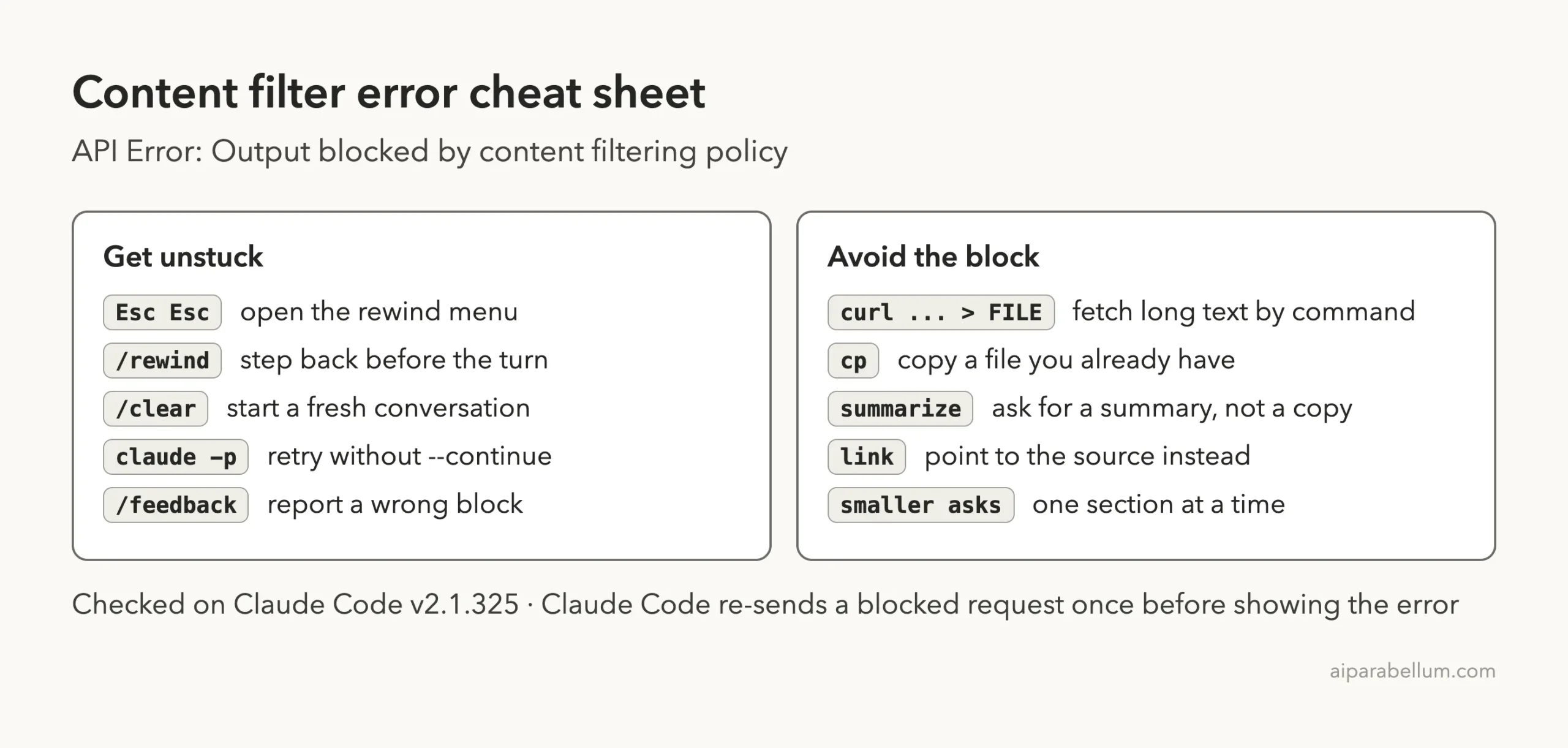
For every other command, keep our commands cheat sheet nearby. You can read the official entry in Anthropic’s error reference and its troubleshooting guide.
Frequently Asked Questions
What does “Output blocked by content filtering policy” mean in Claude Code?
It means the API’s output content filter stopped the response Claude was writing. The message comes from the API, and Claude Code shows it after one automatic retry has also been blocked.
Why does Claude Code block a request for an MIT or GPL license?
A full license is a long existing text, and asking Claude to type it word for word is a common way to trip the output filter. Anthropic lists copyright validation among the API checks that return 400 errors. Download or copy the license with a command instead.
Is my account in trouble?
The error reference describes this as the filter stopping a response. It doesn’t mention any account action. Rephrase your request or take a different approach, as the docs suggest.
Will switching models fix it?
The Claude Code docs don’t list a model switch as a fix for this error. Changing what Claude has to write is the reliable fix, because the filter acts on the output itself.
Can I turn the content filter off?
No setting for that appears in Claude Code’s documentation, and you shouldn’t try to work around it. Use a command, a summary or a link to get what you need.
Conclusion
The “API Error: Output blocked by content filtering policy” message means the API stopped what Claude was writing, usually because the request asked for a long existing text such as a license, lyrics or someone else’s docs to be reproduced word for word. Claude Code has already retried once by the time you see it, so the fix is to change the output: fetch the text with a command like curl, ask for a summary or a link, then use /rewind or /clear to move on from the blocked turn. In our test, a curl command wrote a full MIT license in seconds while Claude’s own reply stayed two sentences long. To see what else Claude AI can do, browse the rest of our guides.