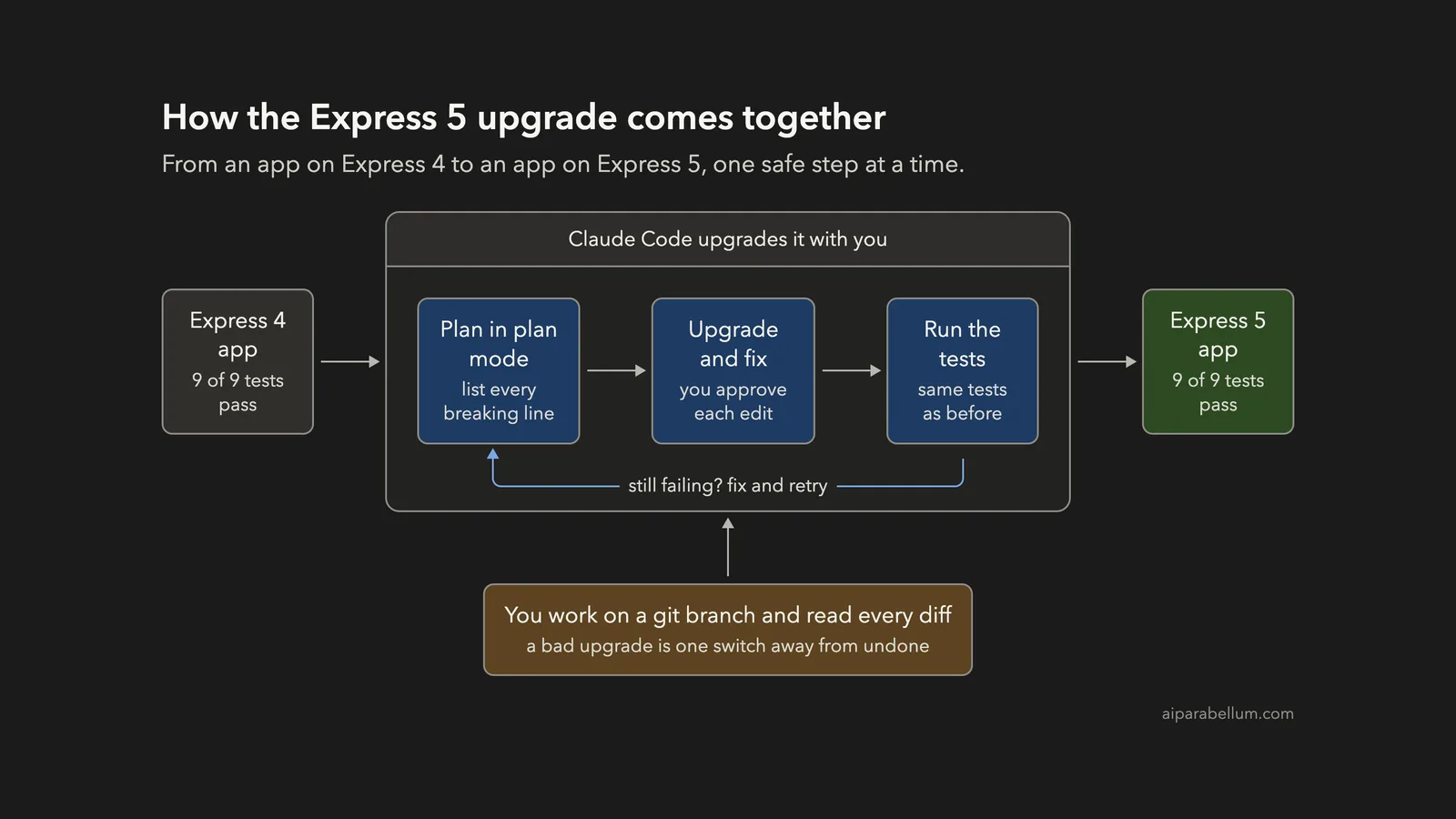
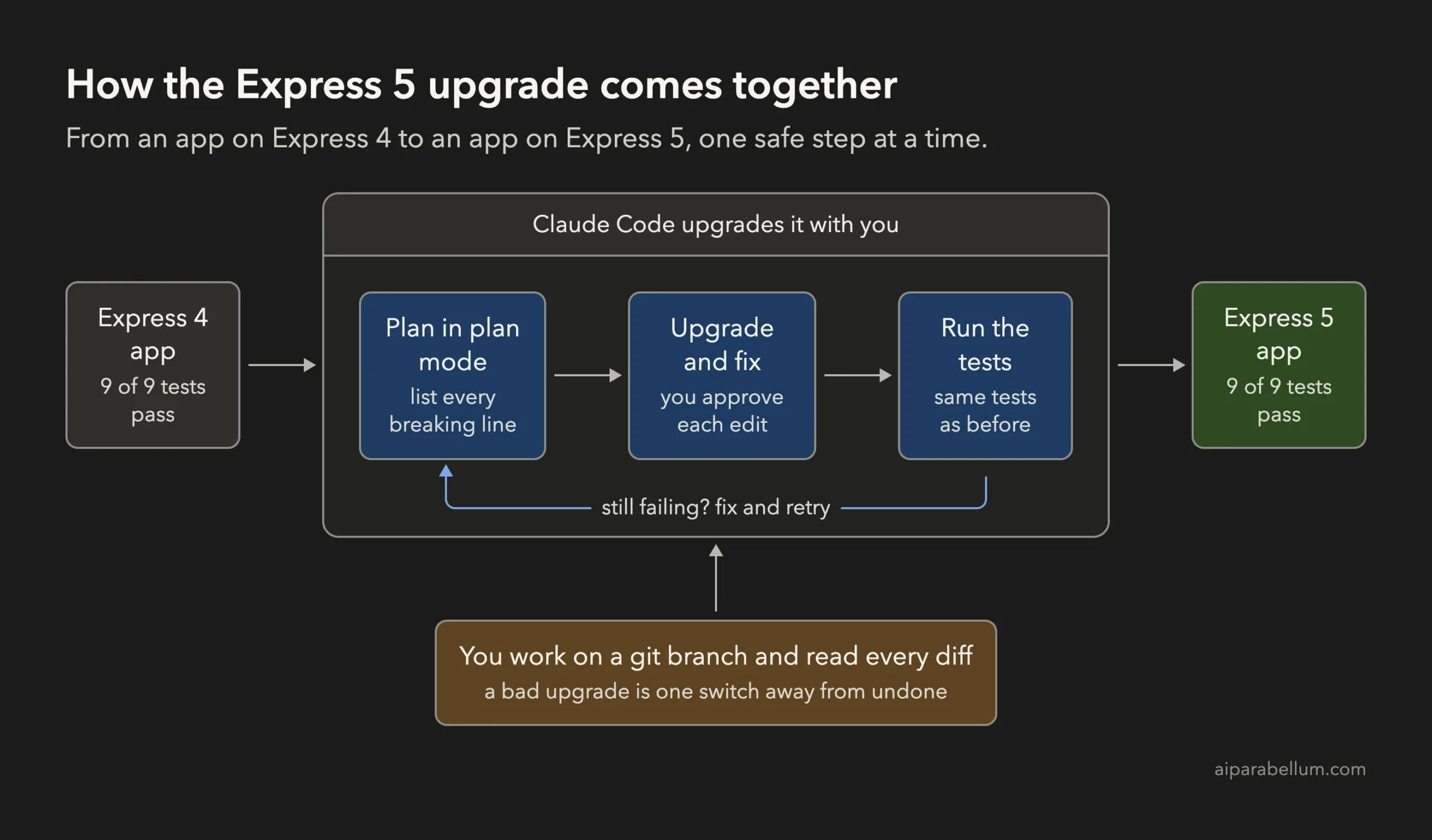
Framework upgrades are the chores everyone puts off. You can upgrade a framework with Claude Code safely by asking for a read-only plan first, then letting it change the code in small steps while your old tests prove nothing broke. In this project we moved a small web API from Express 4 to Express 5 and ended with all 9 tests passing, without touching a single test file.
This is Project 19 of 20 in our Build with Claude Code series, part of our Claude Code tutorials. In Project 18 we learned to fix security issues with a plan, small fixes and tests. We use the same habits again here.
Tested with Claude Code v2.1.310 on October 27, 2026, on macOS. We tested on macOS; the Windows and Linux steps follow Anthropic’s official instructions.
What We Built
A framework upgrade is only done when the old tests pass on the new version. Claude Code can find and fix the breaking lines, but your tests decide if the upgrade worked.
| Item | Details |
|---|---|
| Project | Upgrade a small book-list API from Express 4 to Express 5 |
| Input | A made-up app with 3 source files and 9 passing tests |
| Output | The same app on Express 5.3.0, with six lines changed in one file |
| Tools | Node.js, npm and the built-in Node test runner |
| Result | 9 of 9 tests pass before and after; 0 test files edited |
| Prompts used | 2 short prompts, plus a git branch we made ourselves |
Why Upgrade a Framework With Claude Code?
An upgrade is mostly boring detective work. You read a list of breaking changes, search your code for each one, and fix them one by one. Miss a single line and the app crashes, sometimes only on one route that nobody visits often.
Claude Code is a good match for this job. It can read every file and edit many lines quickly.
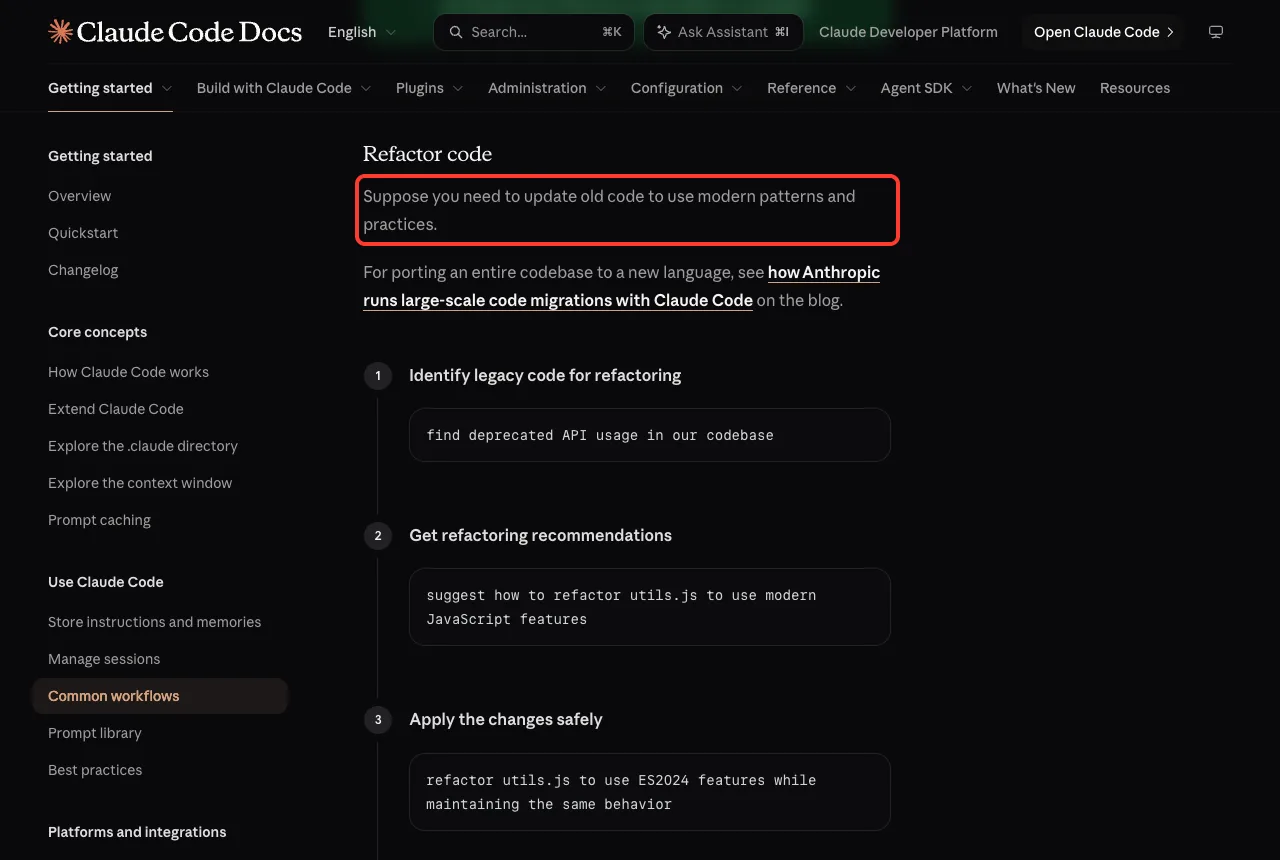
Anthropic’s docs list refactoring old code as a common workflow. One suggested prompt is to find deprecated API usage in your codebase, which is exactly where an upgrade starts.
There is one honest limit. Claude learned about frameworks from training, and it can be wrong about a version that is brand new. That is why this project leans on tests and on reading every change, not on trust.
The Project We Started With
Everything here is made up. The app is a tiny “bookshelf” API that lists books, shows one book, adds a book, deletes a book, redirects an old URL and answers anything else with a JSON 404.
| File | What it does |
|---|---|
| src/data.js | Holds three sample books in a list |
| src/app.js | All the routes, written for Express 4.21.2 |
| src/server.js | Starts the server on a port |
| test/api.test.js | Nine tests that call the running API |
The tests start the app on a random port and call it with the built-in fetch function. They do not know which Express version is underneath, which makes them a perfect safety net for an upgrade.
We saved this starting point as a git commit and then made a new branch with git switch -c upgrade-express-5. If the upgrade goes badly, you can switch back to your main branch and nothing is lost.
What Happens If You Upgrade Without a Plan
Before we used Claude, we wanted to see the problem for real. In a throwaway copy of the project we ran npm install express@5 and then the tests, changing no code at all.
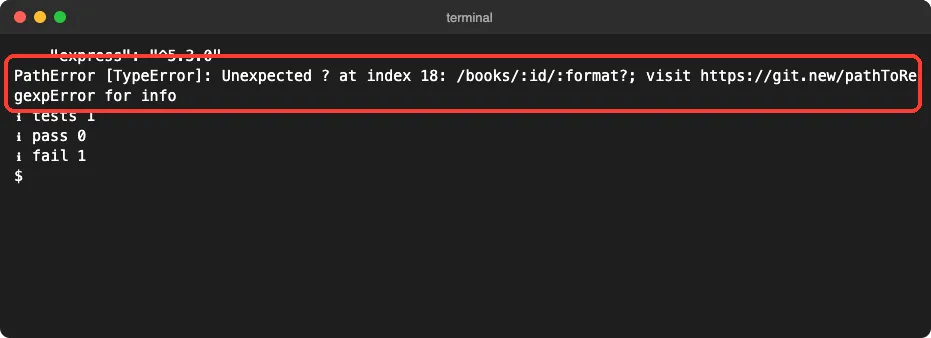
The app did not even start. Express 5 uses a newer route parser, and the old :format? way of writing an optional part is no longer valid.
All nine tests failed to run, because the file that builds the app crashed on load.
The crash message only shows the first problem. Other old calls in the app would fail one by one after you fixed that line. This is why a full list up front beats trial and error.
Step 1: Make a Plan in Plan Mode
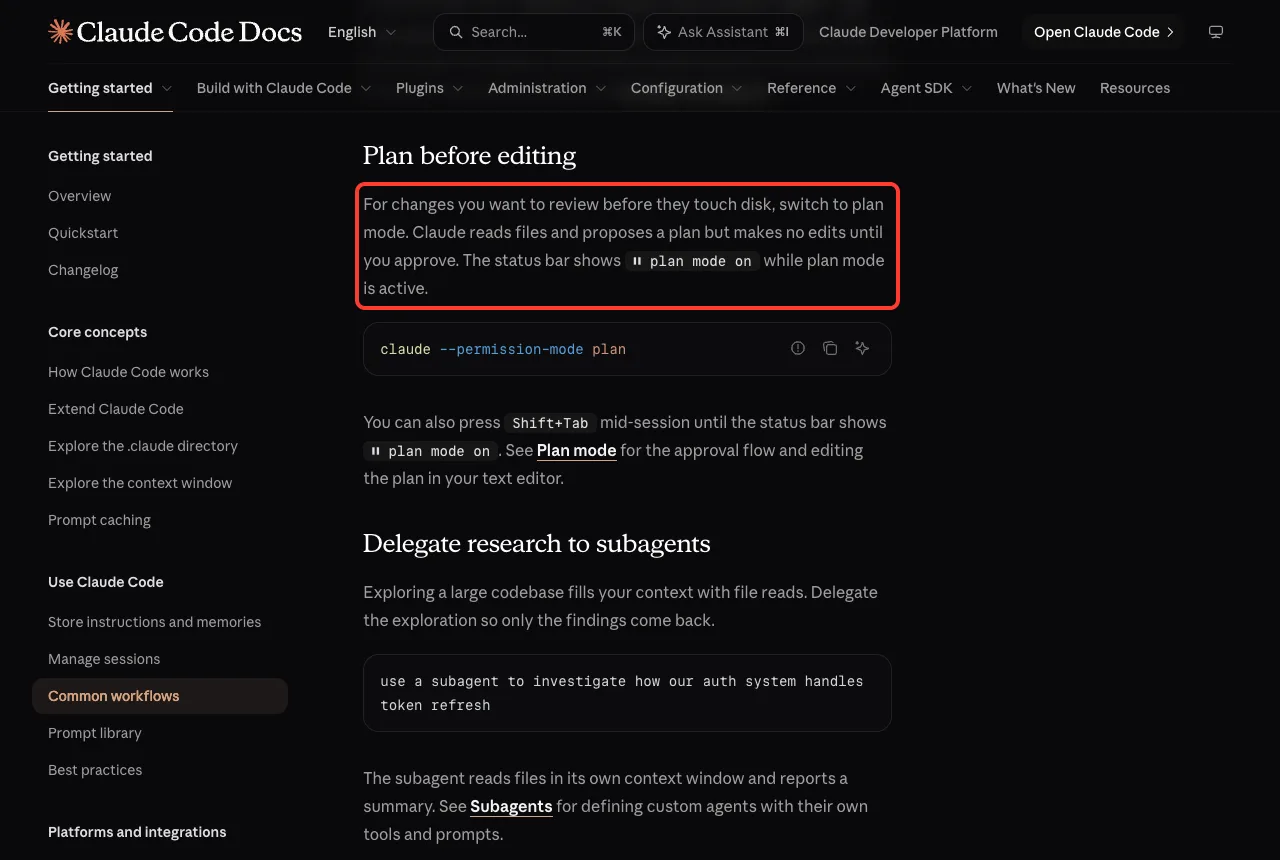
We started Claude Code in plan mode. In this mode Claude reads files and proposes a plan but makes no edits until you approve, as described in Anthropic’s docs on planning before editing.
claude --permission-mode planOur prompt asked for a short, exact list so we could check it line by line.
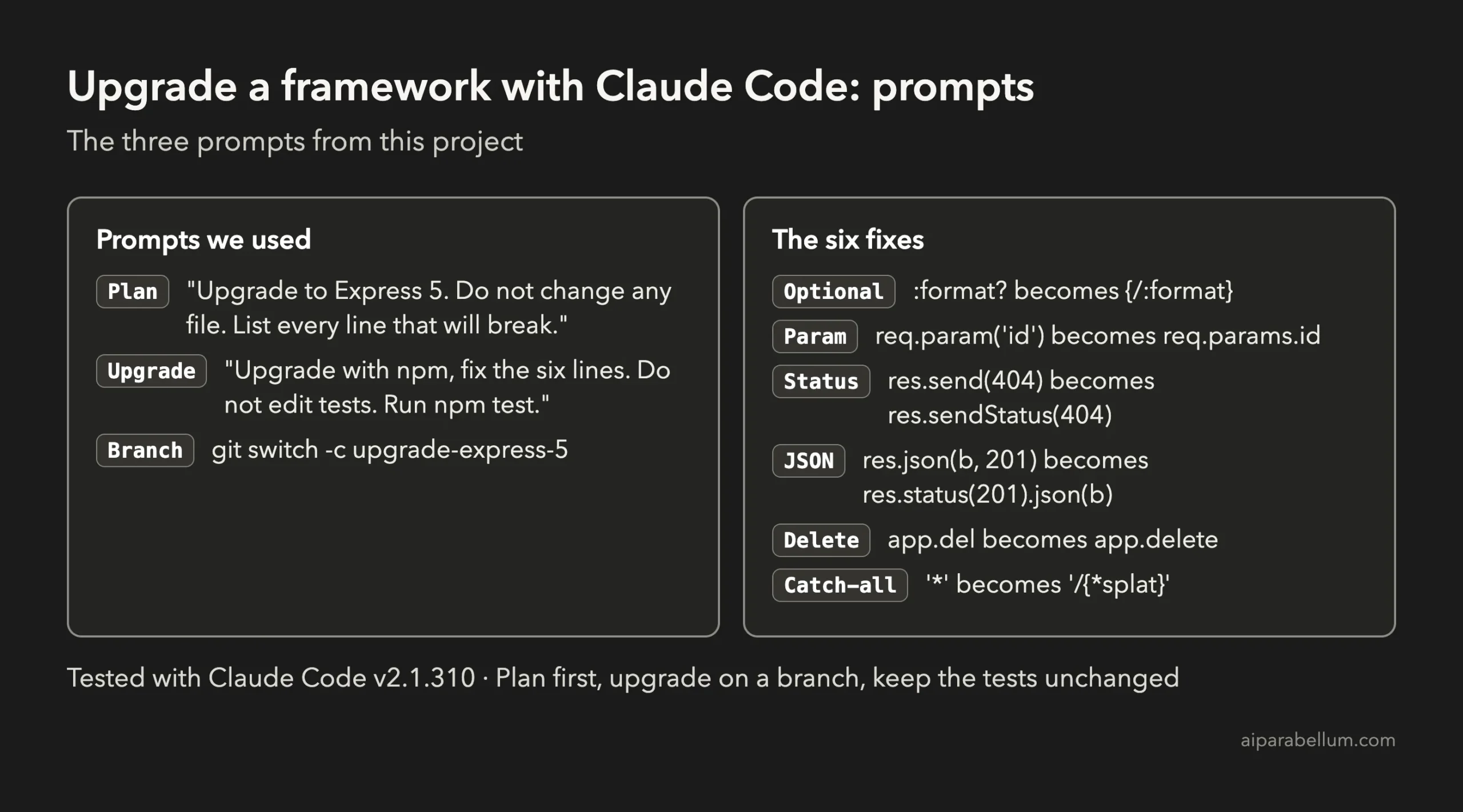
This project uses Express 4. I want to upgrade to Express 5. Do not change any file. Read the code in src/ and list every line that Express 5 will break, one line each: the file, the old code, and the fix. Keep it short.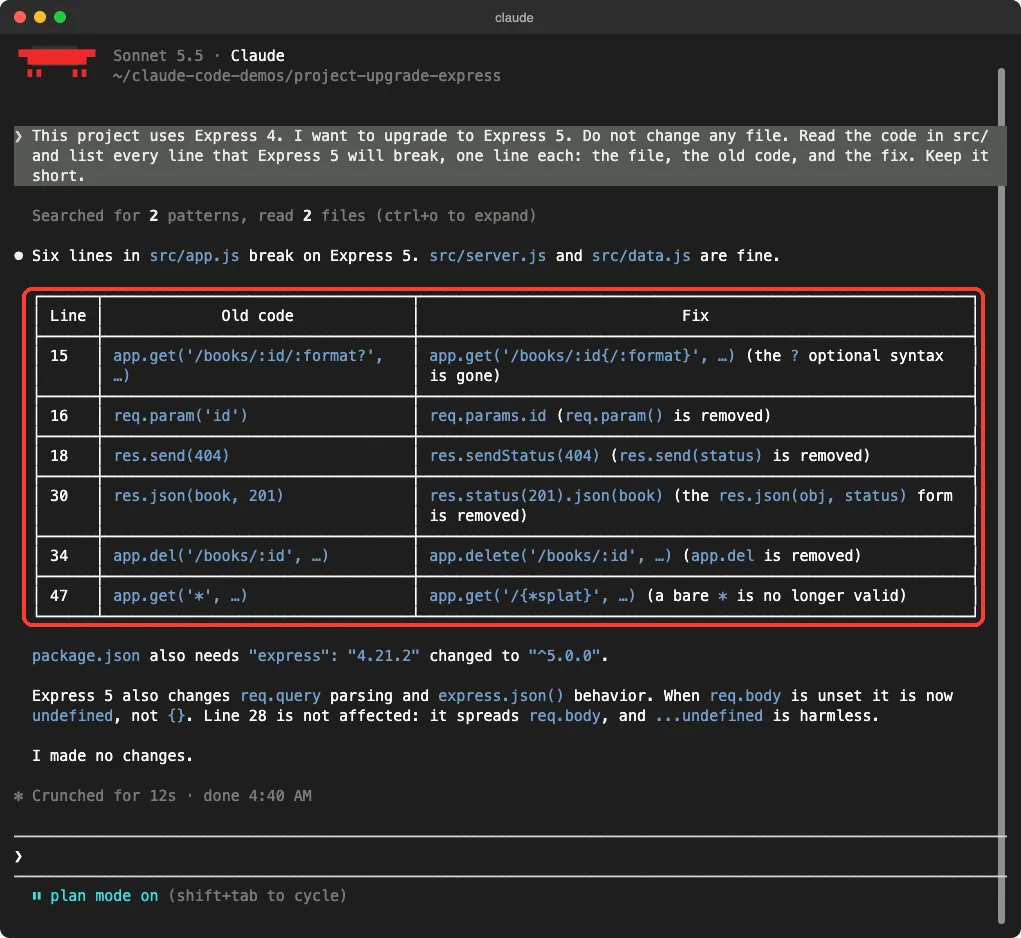
Claude answered in about 12 seconds. It said six lines in src/app.js break, and that server.js and data.js are fine. Each row had the line number, the old code and the fix.
| Old code | Fix |
|---|---|
| /books/:id/:format? | /books/:id{/:format} |
| req.param(‘id’) | req.params.id |
| res.send(404) | res.sendStatus(404) |
| res.json(book, 201) | res.status(201).json(book) |
| app.del(…) | app.delete(…) |
| app.get(‘*’, …) | app.get(‘/{*splat}’, …) |
Claude also added two notes. It said package.json needs the new version, and that Express 5 changes how req.body behaves when nothing was sent.
It checked our code and said the line that spreads req.body is not affected. We did not need to act on those notes, but it is good to see Claude check its own list against your real code.
Step 2: Upgrade and Fix, With Your Approval
Next we continued the same conversation in the normal permission mode, so Claude had to ask before each edit or command. The second prompt was short, because the plan already did the thinking.
Upgrade express to version 5 with npm, then fix the six lines from your list in src/app.js. Do not edit any test file. Then run npm test.The first thing Claude asked to run was the npm install. Read the command before you say yes. Here it was npm install express@5, followed by a check of package.json.
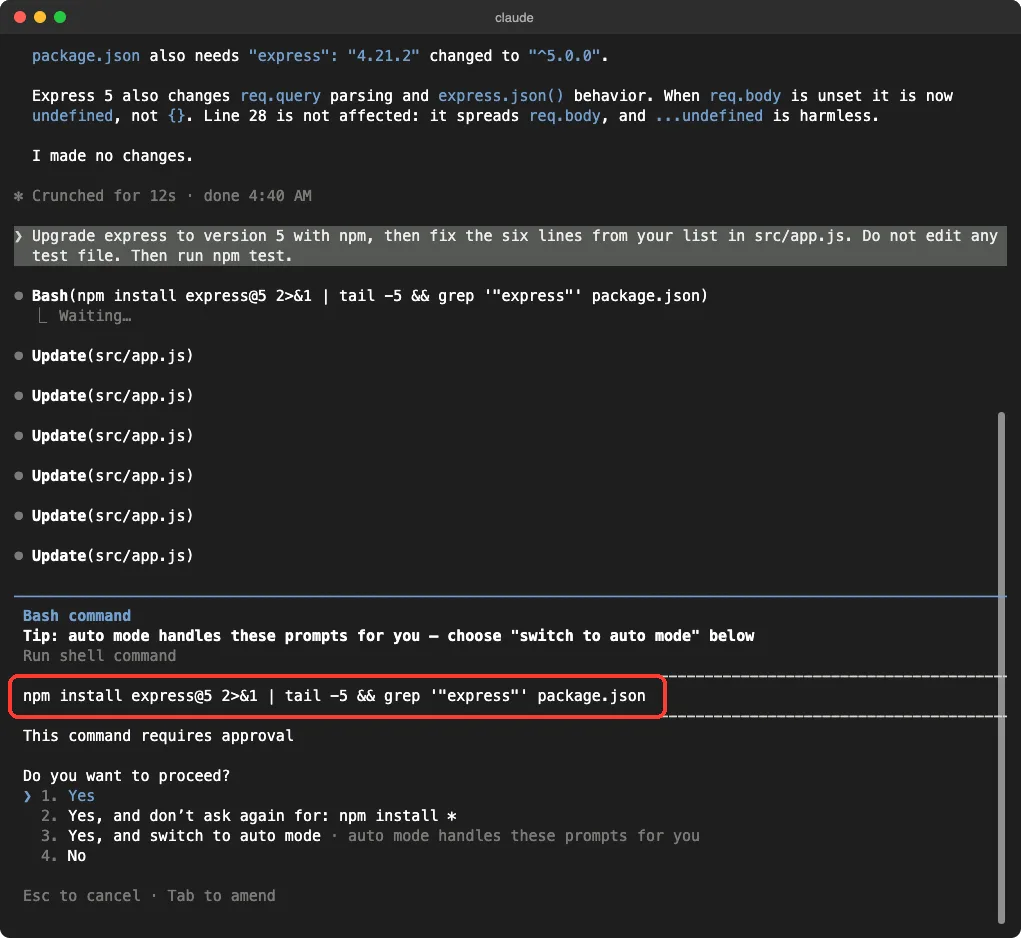
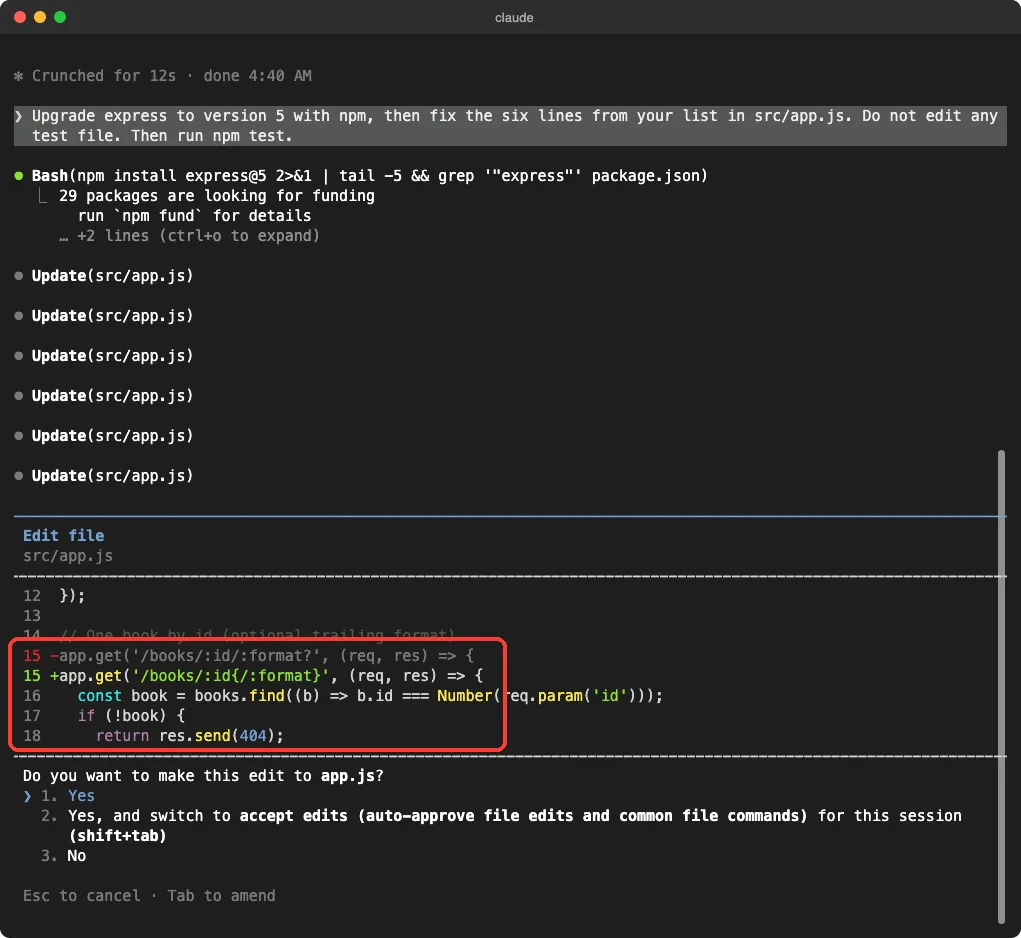
Then came six edit requests, one for each line. Each one showed a small before and after view.
We said yes to each, but we also read each one. The first edit changed the optional route.
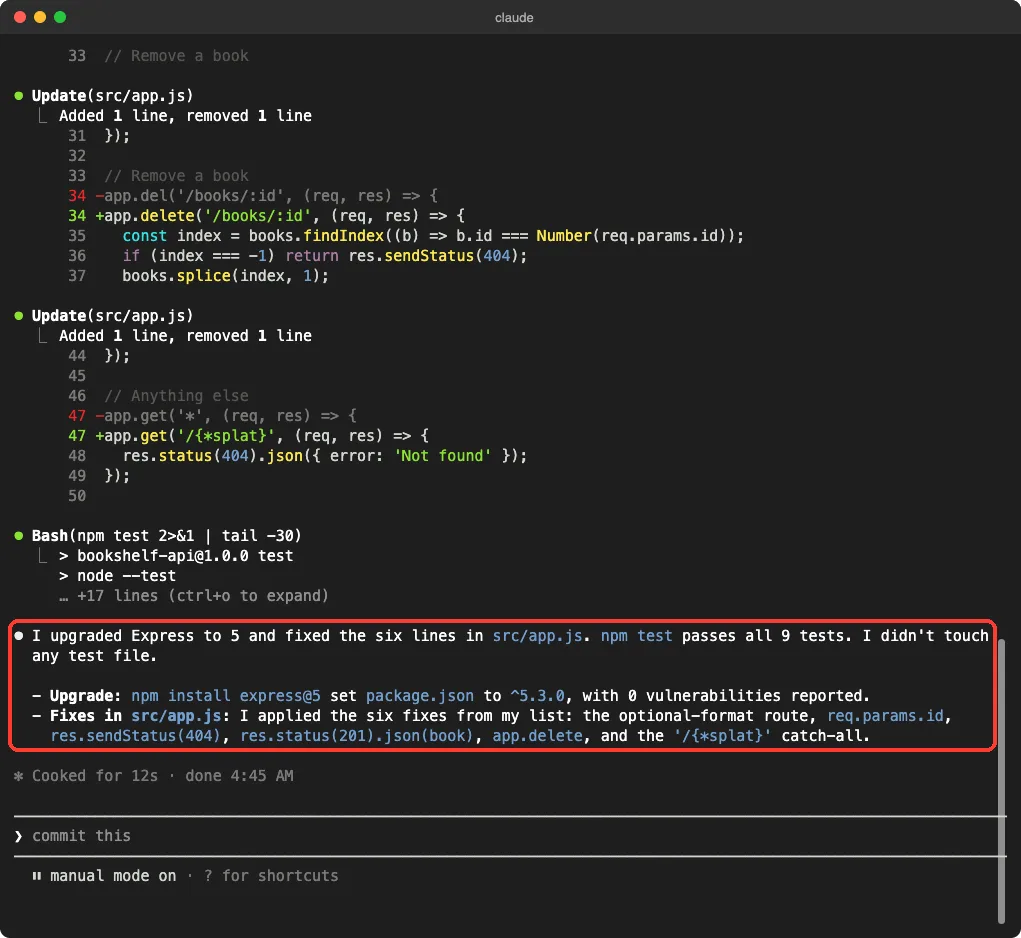
Last, Claude asked to run npm test. Because we had told it not to edit tests, it could only fix the app.
Step 3: Check the Result Yourself
Never rely on the summary alone. We ran our own checks in a plain terminal: the branch name, the version in package.json, the test count, and how many test files changed.
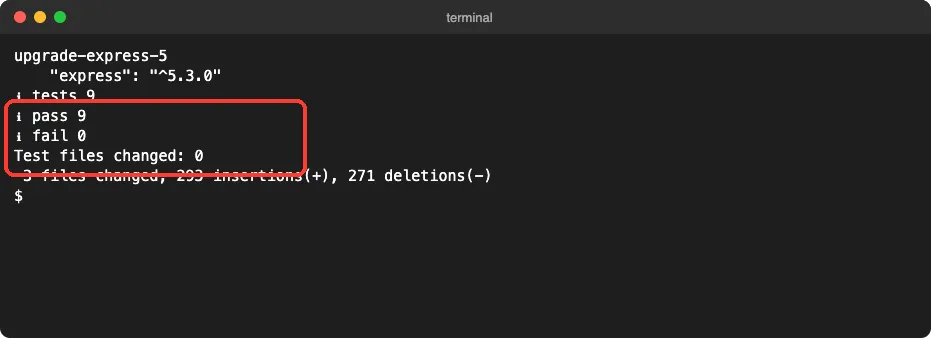
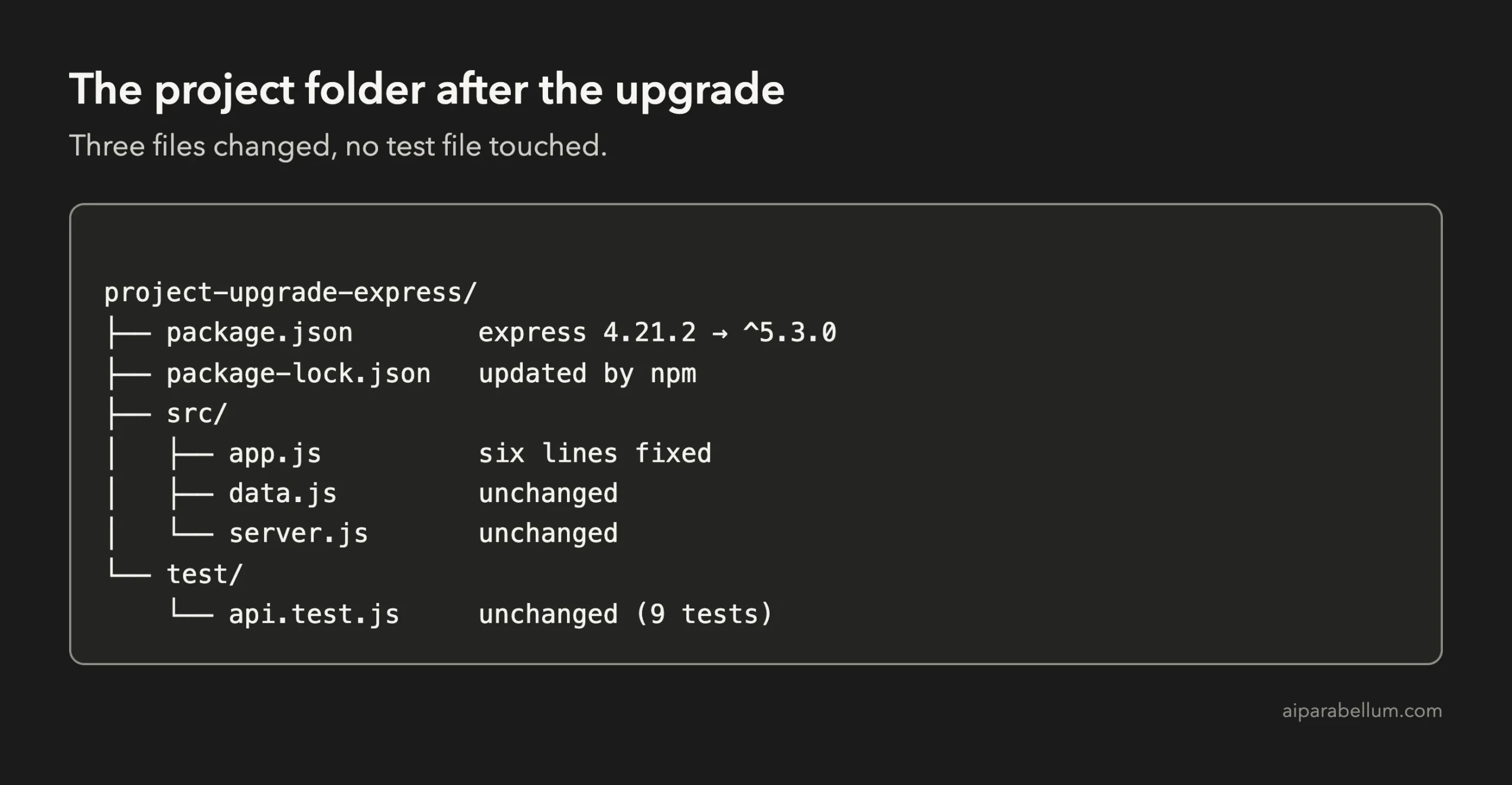
Git then showed three changed files: package.json, package-lock.json and src/app.js. The big line counts come from the lock file, which npm rewrites when dependencies change. The real code change is only twelve lines in app.js.
The Key Code After the Upgrade
Here is the part of src/app.js that changed. The other routes, such as the list route and the redirect, stayed exactly as they were.
app.get('/books/:id{/:format}', (req, res) => {
  const book = books.find((b) => b.id === Number(req.params.id));
  if (!book) {
    return res.sendStatus(404);
  }
  if (req.params.format === 'text') {
    return res.send(book.title + ' by ' + book.author);
  }
  res.json(book);
});

app.post('/books', (req, res) => {
  const book = { id: books.length + 1, ...req.body };
  books.push(book);
  res.status(201).json(book);
});

app.delete('/books/:id', (req, res) => {
  /* same body as before */
});

app.get('/{*splat}', (req, res) => {
  res.status(404).json({ error: 'Not found' });
});
One detail is worth a second look. The old res.send(404) sent a status code, and the new res.sendStatus(404) sends the code and also its text, “Not Found”, as the body.
Our test only checks the status, so it passes. If a client of yours reads that body, check it.
Why Plan Mode Matters for Upgrades
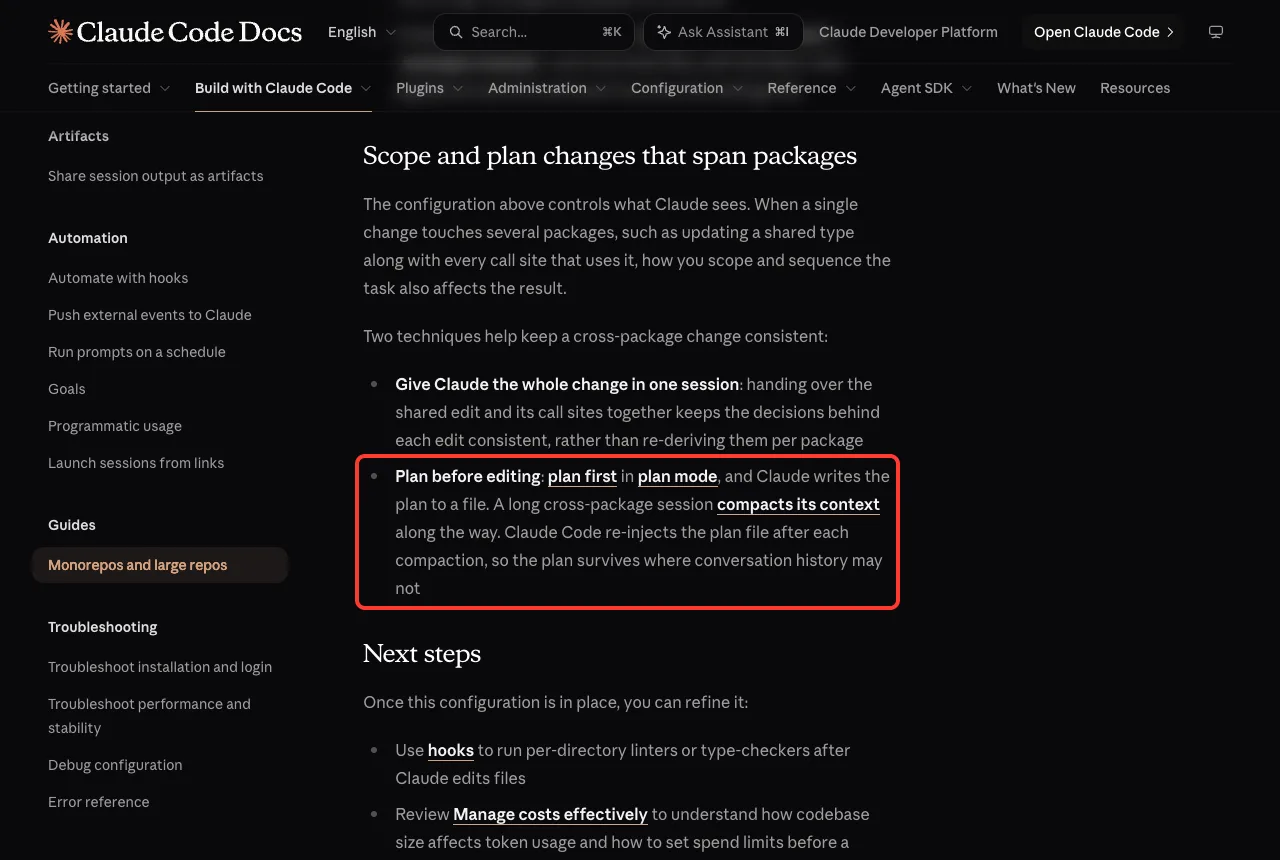
Upgrades touch many lines, and a long session can lose track. Anthropic’s guide for large codebases says that when you plan first in plan mode, Claude writes the plan to a file, and Claude Code puts that plan back after each context compaction, so the plan survives where chat history may not. You can read the details in the large codebase guide.
Our app was tiny, so we never hit that problem. On a bigger project, a written plan is your anchor. If you want to understand the other modes, our guide to permission modes explains each one.
Try It Yourself
You can repeat this on any small project that has tests. Make a throwaway copy, put it in git, and start a new branch.
git switch -c upgrade-frameworkThen ask for a read-only plan. Replace the names with your own framework and versions.
This project uses [framework] [old version]. I want to upgrade to [new version]. Do not change any file. Read the code and list every line the new version will break, one line each: the file, the old code, and the fix. Keep it short.When the list looks right, approve the upgrade with a second prompt.
Upgrade [framework] to [new version] with npm, then fix every line from your list. Do not edit any test file. Then run the tests.Here are some variations to try next.
- Ask Claude to look for deprecated calls first, before you choose a version.
- Upgrade one step at a time, for example 3 to 4 and then 4 to 5, instead of jumping far.
- Ask Claude to explain each fix in plain English before you approve it.
- Add a rule to your CLAUDE.md file, such as “never edit test files during an upgrade”.
Common Mistakes
- Upgrading on your main branch. Always use a new branch, so you can walk away from a bad upgrade.
- Skipping the plan and fixing crashes one at a time. You waste many runs and still miss quiet changes.
- Letting Claude edit the tests to make them pass. Say clearly that test files are off limits.
- Having no tests at all. Without them you cannot prove the upgrade worked. Our project on writing tests fixes that first.
- Trusting the summary. Run the tests yourself and read the diff.
Pro Tips
- Ask for one line per problem. Short lists are easy to compare with the official upgrade notes of your framework.
- Keep the upgrade prompt small and exact. The plan already holds the details.
- Read the lock file change only briefly. It is large by nature, so focus on package.json and your source files.
- Check places tests do not cover, such as response bodies and headers, by hand or with a few new tests.
- Do not paste real passwords or customer data into the session, and see our page on privacy and security for how your data is handled.
Cheat Sheet
What the Official Docs Say
We backed our steps with Anthropic’s own documentation. The common workflows page has a refactoring section that starts with the idea of updating old code to modern patterns.
The same page explains plan mode, which is the safe way to start any change that you want to review before it touches your files.
The guide for large codebases adds why a written plan helps on long jobs.
Frequently Asked Questions
Can Claude Code upgrade a framework for me?
Yes, it can find the code that the new version breaks and edit it. In our test it fixed six lines and moved the app from Express 4 to Express 5 with every test still passing. You still need to review the changes and run your tests.
Should I upgrade on a branch?
Yes. A branch keeps your main code safe, and you can throw the branch away if the upgrade goes wrong. It takes one command and costs nothing.
What if my project has no tests?
Write a few first. Even five tests for your main routes give you a way to see if anything broke. Claude Code can help write them, as our tests project shows.
Can Claude Code be wrong about a new framework version?
It can. Claude may not know every change in a very new release. Compare its list with the framework’s official upgrade notes, and let your tests catch the rest.
Do I have to use plan mode?
No, but it is the safest first step. You get a full list of changes without a single file being edited, and you can say no before anything is touched.
Conclusion
You just saw how to upgrade a framework with Claude Code on a small project: use a git branch, ask for a read-only plan, approve the fixes one by one, and prove the result with the same tests you started with. Express 5 broke our app on the first run, and six small edits fixed it, with 9 of 9 tests passing and no test file changed. Keep your own judgment in the loop, read every diff, and see our Claude AI overview when you want to go further.
Previous in the series: Project 18: Find and Fix a Security Issue With Claude Code
Next in the series: Project 20: Build an App With an AI Feature Using Claude Code and the Claude API.